Author: Gabriel Agbobli

  • How to Register for AirtelTigo Money RetireRite Pension

    How to Register for AirtelTigo Money RetireRite Pension

    As an active worker, one of the most important things you could do is to save money for your retirement. The traditional way of saving for your retirement involves a long process especially when you are trying to access your funds after retirement.

    Therefore, the introduction of technology in the saving of money towards your retirement is a very good initiative. This introduction is going to make your retirement savings easier to access and convenient.

    In view of this, AirtelTigo in partnership with the People’s Pension Trust (PPT) has introduced a tier 3 personal mobile pension scheme in addition to a savings account called RetireRite. This scheme is aimed at helping customers of AirtelTigo Money to live a peaceful financially independent pension life.

    Before you decide to register, there are some things you need to know and in this article we are going to show you all that you need to know so keep reading.

    What is RetireRite?

    RetireRite is a mobile pension scheme that allows subscribed AirtelTigo customers to make monthly contributions towards their retirement with as low as GH¢ 1. The scheme comprises of a pension account and a savings account.

    How does RetireRite work?

    Once you register, all the contributions you make will be disbursed equally into the two accounts, i.e. the savings and the pension accounts.

    With the savings account, you can withdraw up to 50% of your contributions six months after your initial deposit with the available interest.

    If a customer decides to stop contributing, he or she can only access their pension funds at age 60; depending on the date of birth of the ID you used for the registration of the SIM card.

    Should in case of a customer pass away, there’s a life bonus cover to ensure that the beneficiaries of the deceased customer receive up to four times the total contributions made by the deceased in the previous calendar year.

    Meaning, if the deceased made a total contribution of GH¢ 100 in the previous calendar year, the beneficiaries can receive up to GH¢ 400.

    The most interesting thing about this package is that no matter your occupation you can still contribute every month with the little amount you have on you.

    There’s no minimum age for registering but before you can subscribe to the AirtelTigo RetireRite, you need to be a subscribed customer on AirtelTigo Money.

    How to Register for AirtelTigo Money RetireRite Pension Scheme

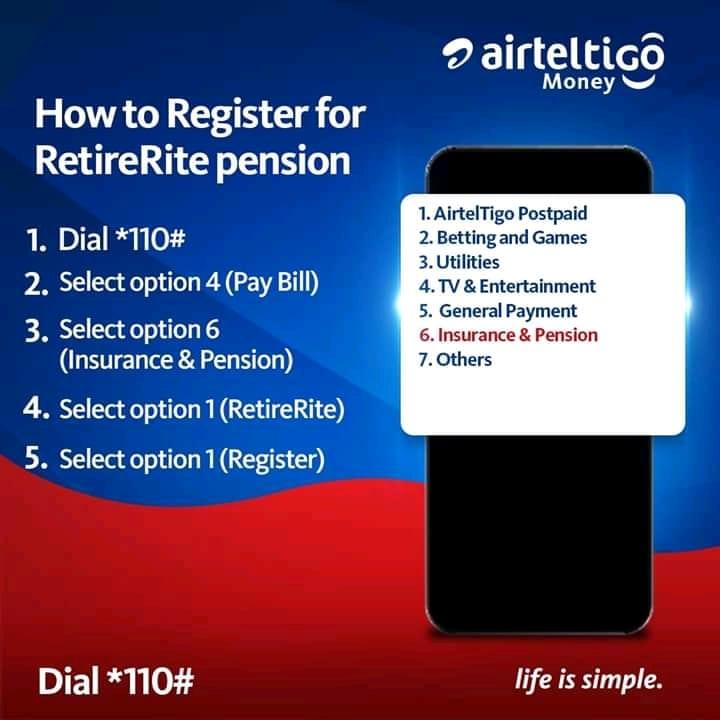
    You can register for the AirtelTigo Money RetireRite pension scheme using the steps below:

    1. Dial *110#
    2. Select Pay Bill (option 4)
    3. Select Insurance & Pension (option 6)
    4. Select RetireRite (option 1)
    5. Select Register (option 1)

    Conclusion

    Most people don’t find a pension saving a profitable initiative because they don’t know where to invest their money or based on what they hear from other people.

    But from the explanation given by AirtelTigo and the People Pension’s Trust, this is a very good initiative but you need to be willing to contribute consistently (every month) before you decide to sign up on this scheme.

    Please share this post with your friends and relatives because there might be someone looking for such an initiative.

  • How to Register For AirtelTigo Money

    How to Register For AirtelTigo Money

    There may be days that you desperately need money but going to the bank for such money sometimes seems awful and weird. For example, travelling all the way to the bank to withdraw GH¢ 10 could be a waste of time.

    With the introduction of technology into financial transactions, the need for physical cash when doing a transaction is now very low as compared to what it used to be some years ago. It is the intention of tech and financial experts to see Ghana in the near future migrating to almost 80% cashless when doing transactions.

    In view of that, AirtelTigo has collaborated with the Bank of Ghana to introduce a mobile money service called AirtelTigo Money. This service allows subscribed customers to make withdrawal, deposit, send and receive money from all networks all through their mobile phone.

    In recent additions, subscribed customers can receive money from international transfers as well.

    What is AirtelTigo Money?

    AirtelTigo Money is a mobile financial service that allows all subscribed AirtelTigo customers to send, receive money. It also allows the customers to buy airtime, pay bills, and pay for goods and services right on their mobile phone. The activities of this service are monitored by the Bank of Ghana and therefore there’s no need to be scared of using this service.

    There are two ways of registering for AirtelTigo Money. We have Office registration and Self-registration.

    How to register for AirtelTigo Money at the Office

    For this option, you can simply visit any AirtelTigo office nationwide with a valid national photo identification document (Ghana card, Voters ID, Drivers’ license or passport).

    A merchant will take your details and then ask you to create a 4-digit secret PIN which you will use to make transactions. Upon completion, a welcome message will be sent to your phone via SMS.

    How to self-register for AirtelTigo Money via WhatsApp

    The Self-Registration option is very useful in this COVID-19 pandemic era. Under this category, you can choose to register using USSD or Whatsapp without leaving your house.

    To use WhatsApp to register, you just need to send “Hi” to the official Whatsapp number 0577000084 to begin the process. You will be asked to provide the following:

    • Picture of your valid ID card (should be the same as the one you used to register your sim card)
    • Date of birth (should correspond with the one on your ID card)
    • Location and
    • Your AirtelTigo number

    How to Register for AirtelTigo Money by via USSD

    Initially before Airtel and Tigo became one company, this feature was available, but after they became one company this feature is no longer available.

    But it’s our hope that they might some day re-introduce this feature again.

    Therefore, if you are not having a smartphone, you need to do the Office Registration.

    Conclusion

    The steps for registration is very easy and quick so you can easily follow along and register for the service.

    After you receive the confirmation SMS, you can receive or send money or buy airtime or pay for goods and services right on your mobile phone.

    Please be aware of fraudulent persons who impersonate AirtelTigo to claim money from customers. AirtelTigo will never demand money from you through an agent or an employee, all official items will be sent to you via SMS with the assigned name AirtelTigo Money.

    Please stay vigilant and report any suspicious activity or persons on your account. I hope the guide above serves its purpose.

  • The Various Types of Drivers’ License in Ghana And Their Meaning

    The Various Types of Drivers’ License in Ghana And Their Meaning

    It is the dream of every person to buy a car in the future. But buying a car alone does not mean you can drive your car straight away. Before you will be allowed to drive, you need to acquire a drivers’ license issued by the DVLA.

    Getting a drivers’ license in Ghana is easier now as compared to the process we had a few years ago. But, before you apply for a license you need to know the type of license you are applying for.

    In this article, we are going to cover all the various types of drivers’ license issued by the DVLA in Ghana.

    Eligibility for A Drivers’ License in Ghana

    More importantly, there are some criteria you must fall under before you decide to apply for a drivers’ license in Ghana.

    To be eligible for a drivers’ license:

    • One must be above 18 years
    • You must have BECE or Adult education and must be able to read and write
    • Must take a passport photo
    • Must have had 48-hour training from a DVLA accredited driving school.

    Now after satisfying the criteria above, you can then proceed to the type of license that fits you or your vehicle.

    What Are The Types of Drivers’ License in Ghana?

    Currently, there are six (6) types of drivers’ license in Ghana. These are based on the type of vehicle the driver uses. The types are:

    1. Type A – motorcycles
    2. Type B – minibuses, cross country vehicle, pick-up vehicles
    3. Type C – buses and medium goods carrying vehicles
    4. Type D – buses, coaches and heavy goods vehicles
    5. Type E – agricultural, earth-moving and industrial equipment
    6. Type F – buses, coaches and heavy goods carrying vehicles

    What Does Each Type Mean?

    Type A

    This class or type of license is for drivers who use motorcycles and scooters. Meaning, all two or three-wheel vehicles without a gearbox fall under this section.

    Delivery and dispatch riders who use motorcycles should apply for this type/class of license. Local vehicles called “Abobo yaa” also fall under this section.

    The engine size of the vehicle can be up to 250cc or can exceed 250 cc as long as it is a motorcycle.

    Type B

    If you are a driver of minibuses, cross-country vehicles and pick-ups and cross-country vehicles, then you need to apply for this type of license.

    Under this type of license, the number of passengers in the vehicle must not exceed 15 and the gross weight of the vehicle together with the passengers should also not exceed 5000kgs.

    Taxi, Uber, Yango, Bolt and all other commercial vehicles which do not contain more than 15 passengers fall under this class or type of license. If you also own your own private (personal) vehicle then you should also apply for license Type B.

    Type C

    Buses and medium goods carrying vehicle drivers are entreated to apply for this type of license.

    Also, the number of passengers in the vehicle should not exceed 45 and the weight should also not exceed 10000kgs.

    All commercial vehicle “Tro tro” drivers should apply for license type C in order for them to be allowed to drive such vehicles.

    Type D

    This type is for buses, coaches and heavy goods vehicles.

    A Type D driver can drive a vehicle that contains passengers no more than 65 with a maximum weight of 35000kgs.

    VVIP buses and all intercity coaches (for example STC) drivers are also required to apply for this type of drivers’ license.

    Type E

    If you operate heavy agricultural vehicles then this is your type of license. Vehicles under this type include agricultural, earth-moving and industrial equipment or vehicles.

    Some basic examples are tractors, graders, bulldozers, loaders, rollers, forklifts, combined harvesters and a host of others.

    This type is more uncommon due to the low technological and agricultural development in Ghana and fewer number of factories.

    Type F

    Type F is pretty much similar to type D. But, unlike type D, type F drivers can drive all vehicles that exceed 35000kgs.

    Meaning, a driver with this license can drive buses, coaches and heavy goods carrying vehicles with weight above 35000kgs.

    Examples of such vehicles include articulators and all other types of rigid vehicles. A rigid vehicle simply means a vehicle that has a chassis split into two parts and is connected by a pivot.

    Can A Non-Ghanaian Citizen Apply For A Ghanaian Drivers’ License?

    The answer is yes. If you are a foreign citizen who is going to spend a long time in Ghana, you need to apply for a Ghanaian drivers’ license. Alternatively, you can use your international drivers’ license for its validity period.

    Before you can apply for a Ghanaian drivers’ license, you need to present a license from your home country and all other steps will be followed to issue you with your ID.

    Conclusion

    Knowing the right type of license helps to know which car to use or what type of car you should buy if you are now thinking of buying a new car.

    Please NOTE that using a license which does not qualify for the car you are driving is a crime and is punishable by law.

    Therefore, follow the article and select the type that fits your vehicle.

  • How to Buy A University of Ghana Application Voucher Using Mobile Money on All Networks

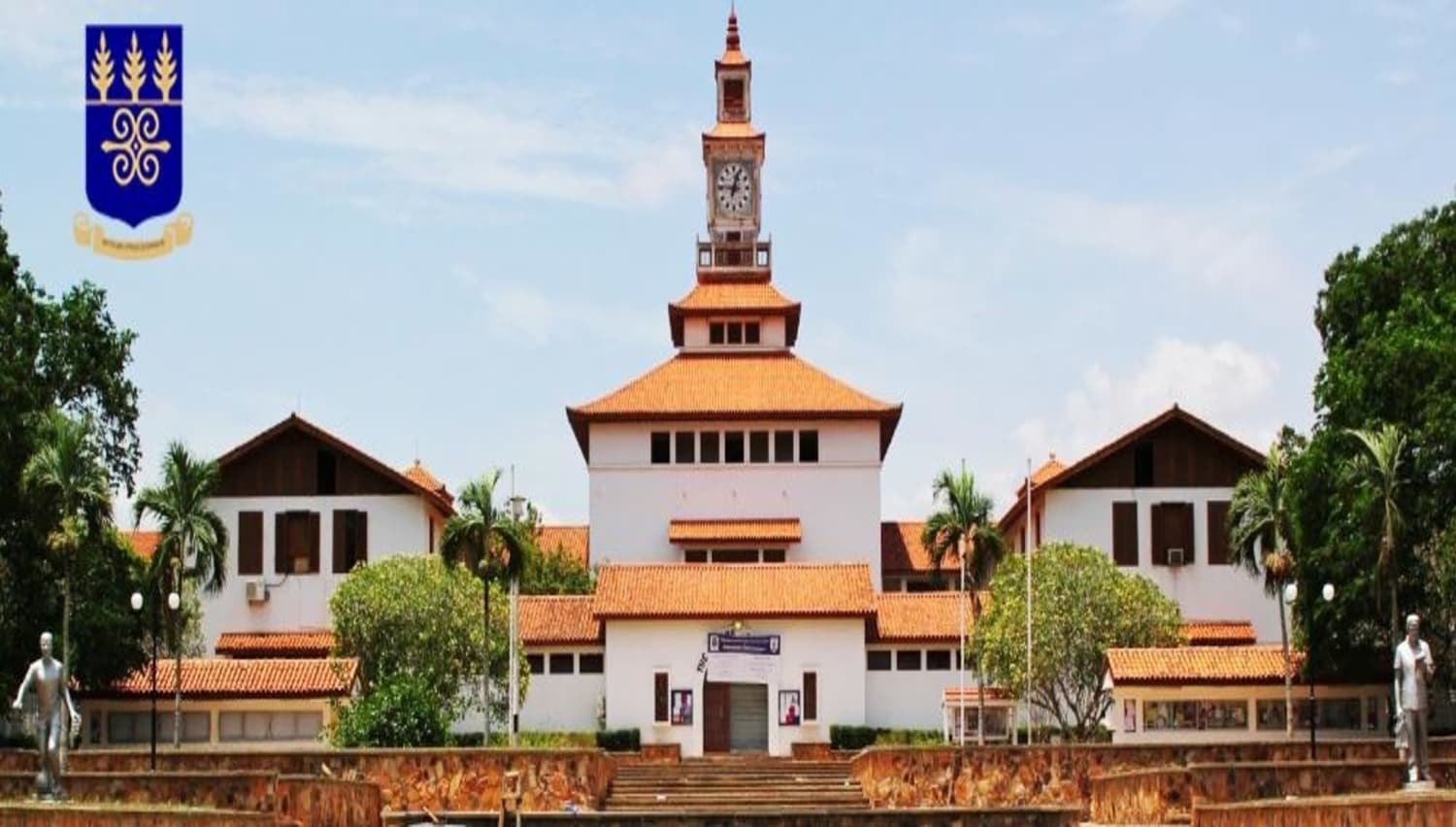
    How to Buy A University of Ghana Application Voucher Using Mobile Money on All Networks

    Prospective University students can apply for admission even before their results are released by purchasing a voucher.

    Getting admission in your dream University is one of the expectations of every Senior High School student. But, unlike Senior High School admissions, before you can be offered admission into a University, you need to apply personally.

    At first, before you can apply for a University programme, you needed to:

    • Have your SSCE/WASSCE results at the time of application
    • Fill a hard copy application form and after that, mail it to the school through the post.

    Due to technology, now you can apply to a University at the comfort of your home even without your SSCE/WASSCE results at the time of application. In order to do this, you need to purchase an E-voucher code either from the bank or at the comfort of your home using mobile money on all networks.

    How to Buy a University of Ghana Application E-Voucher Using Mobile Money on All Networks

    In April 2020, the University of Ghana in collaboration with ITCONSORTIUM introduced a new method of buying the E-Voucher for an application using mobile money. It’s not clear whether the introduction of this service brought about as a result of the coronavirus or it was something they had planned already.

    All the same, in this article, we are going to show you how you can purchase a University of Ghana application E-voucher using mobile money on all networks in five (5) simple steps.

    But before you begin with the process, you need to make sure that you have not less than GH¢ 202 in your mobile money wallet.

    You can buy a University of Ghana Application E-Voucher by following the steps below:

    1. Dial *887*18#
    2. Enter UG
    3. Confirm your details
    4. Authorise the payment
    5. Receive your voucher via SMS

    Now, let’s break down the whole process for you.

    Dial *887*18#

    After checking the balance in your mobile wallet and it is exactly GH¢ 202 or more then, on your mobile phone, open your phone app and dial the short code *887*18#. This shortcode works on all mobile networks and all mobile phone types; whether “yam”, Android or iOS.

    Enter UG

    After entering the shortcode, a new welcome screen will show with the heading ‘Welcome to e-Voucher Service.

    Under the welcome message, you will be asked to ‘Enter the Name or Alias of the Institution’ you are buying the voucher for. An example will be shown under that and that is the same school we are talking about today.

    Therefore you can type University of Ghana or UG but not both. After that then you press enter or next or reply, anyone that fits your phone type.

    Confirm details

    After inputting the name or alias of your preferred institution, a new page will be shown with the name of the institution you selected and the price of the voucher (in this case GH¢ 200).

    You will then be asked to ‘Press 1 to proceed or 0 to cancel’ the transaction.

     If the details shown matches the one you are requesting the voucher for, you can proceed. But if the name of the institution does not match the one you are looking for, you need to cancel and restart the process again.

    Authorize Payment

    When you are done checking for errors, and you select to proceed, a page will show displaying ‘Transaction processing. Please wait for the bill to approve payment’.

    You can then dismiss and wait for a bill from your mobile money provider. When you receive the bill from your provider, you then need to approve it by following all the necessary instructions.

    Receive your Voucher via SMS

    After successful authorization, an SMS of Voucher is sent to your mobile money number.

    The Voucher includes:

    • a Voucher serial of the format: UGXXXXXXX, where the XXXXXXX is a 7-digit number and
    • 13-digit PIN.

    What if I Don’t Receive Any SMS?

    In some situations, your Voucher will be sent to your mobile number late due to network issues OR you may mistakenly delete the message containing the Voucher. If such a thing happens, you can use the steps below to retrieve your Voucher.

    1. Dial *887*18#
    2. Select “Yes”
    3. Retrieve E-Voucher
    4. Details of your E-Voucher will be displayed (this include the University of Ghana, Serial Number and PIN)

    NOTE: You can always retrieve the details of the E-Vouchers that you have purchased using your mobile money.

    Conclusion

    You need to be willing to learn hard and pass your exam after you have applied because more than 20,000 students apply each year out of which only about 10,000 will be selected.

    The University of Ghana has one of the easiest online application procedures in Ghana, where you can apply for admission in less than 30 minutes.

    That’s it, you are all set now to apply for admission at the University of Ghana.

  • How To Send Music On WhatsApp From An iPhone

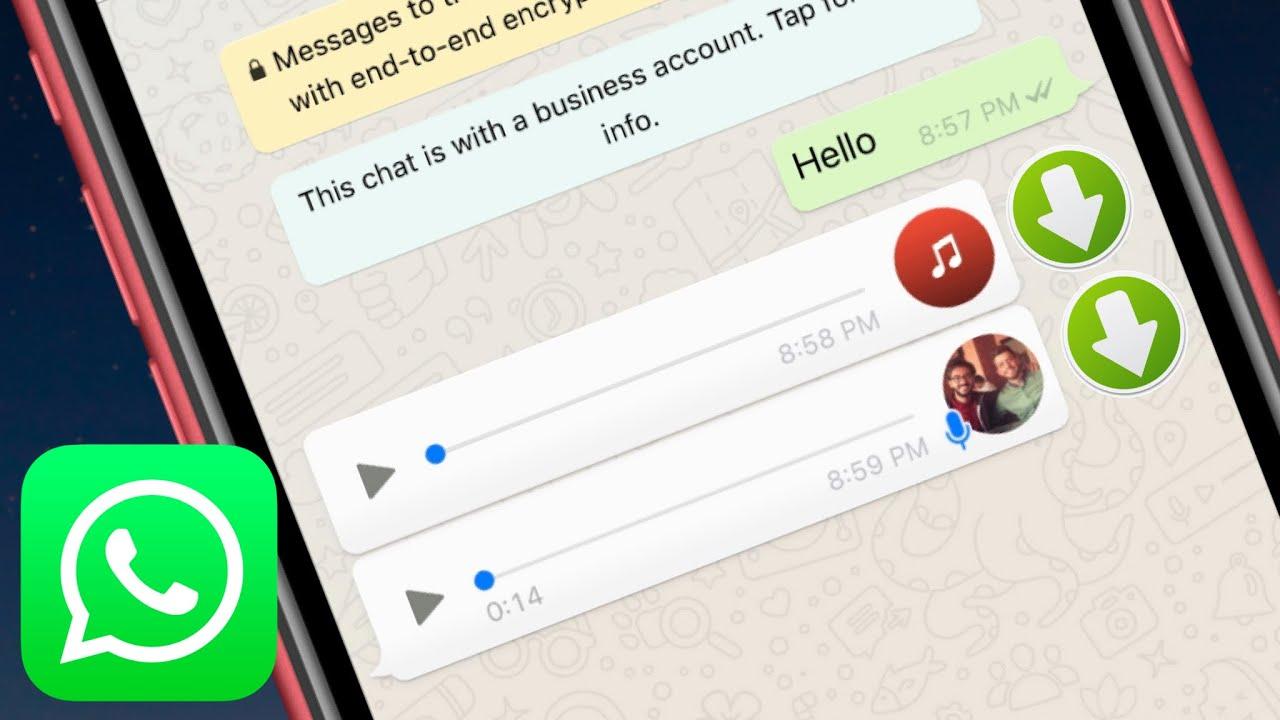
    How To Send Music On WhatsApp From An iPhone

    Have you ever wondered whether it will be possible to send music from your iPhone to someone else through WhatsApp?

    Unlike Android devices whose operating system (OS) allows you to send music from your phone to another through WhatsApp, iOS doesn’t permit that. Thus, sending music from your iPhone through WhatsApp is a little bit tricky.

    One of the reasons why Apple does not allow you to send music directly is due to its copyright laws and also, its close-source operating system (iOS). This is also one of the reasons why you are not permitted to download apps that are not on the Apple App Store.

    Enough of the plenty talk and let’s jump right into the reason why I wrote this article.

    How To Send Music On WhatsApp From An iPhone

    The sending of music from your iPhone through WhatsApp is a little bit difficult than that of Android devices. Therefore, before you can be able to do this, you need to download third-party applications from the Apple App Store.

    All the apps that I am going to show you have been tried and tested and does not cause any harm or damage to either you or the person you are sending the music to.

    How To Send Music On WhatsApp From An iPhone Using iZip

    The iZip – Zip Unzip Unrar Tool is an application that is available for free download on the Apple App Store. This app can be used to zip, unzip, and unrar files and at the same time function as a File Manager.

    To send music from your iPhone through WhatsApp using iZip, follow the steps below:

    1. Download the free iZip – Zip Unzip Unrar Tool app from the Apple App Store.
    2. Once the installation is done, select Music Library from the options.
    3. Open a folder. For, example Albums.
    4. Tap Select in the upper right of the screen and choose the song(s) you wish to send via WhatsApp.
    5. After selecting the song(s), click on Done at the upper right corner of the screen.
    6. Tap the Zip button at the bottom center of the screen. Once you do so, the app will compress the file.
    7. This will then open the folder labeled Local Files. From here, you can select the ZIP file you created.
    8. A pop-up indicating Would you like to extract all files will be shown on the screen. Tap OK.
    9. A new folder will be created in Local Files with the decompressed song in it. Select the music file you want to send.
    10. After that, tap on Open In and then select Open in WhatsApp.
    11. This will open WhatsApp automatically. Choose the person you wish to send the music to and when asked to Send to [name of contact], select Yes.
    12. The file will then load and then send to the person you choose.

    How To Send Music On WhatsApp From An iPhone Using Documents App

    To use this method, you need to have a download manager that allows you to download music from the internet. Therefore, even if you choose not to use the Documents app, you can use any download manager and file management app that has the Open In feature.

    1. Download the Documents app from the App Store.
    2. Download (using the built-in download manager) or import an audio file to the Documents local storage. You can import the music or the file using WiFi transfer or via iTunes.
    3. Browse to the location of the music file and tap on Edit in the upper right corner.
    4. Select the music you wish to send and then tap on More.
    5. Choose the Open In option and then choose WhatsApp from the menu.
    6. Choose the contact you are sending the music to and then wait for it to finish sending.