Category: Featured

  • Hisense Gas Cooker: Specs, Price, and Where to buy in Ghana

    Hisense Gas Cooker: Specs, Price, and Where to buy in Ghana

    Not all gas cookers are created equal, and if you are in the market to buy one, you need to be sure you are choosing the right one. Gas cookers can be quite expensive, but luckily, there are more options than ever before when it comes to price and quality.

    Heating up your kitchen with a gas cooker is the best way to cook food. It can also help you save money on electricity bills. Hisense has been producing quality gas cookers for decades and their latest models are no exception. With so many options available, it may be hard for you to make the right decision about which one is best suited for your needs.

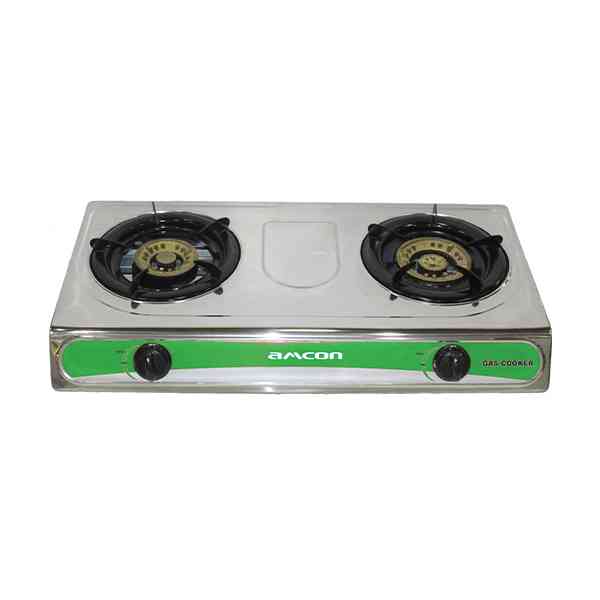
    Hisense has models of gas cookers available in stock, which are the stainless-steel mode and the glass model. Hisense gas cookers have 3 burners, has anti-rust properties, are easy to clean, and are self-ignition.

    Specs

    The Hisense gas cooker is designed for convenience. It is powered by a gas cylinder which can be conveniently refilled at any kiosk or mini market that sells them. It also has 2 ovens: a main oven with 2 burners and a warming oven.

    Price

    The Hisense gas cooker comes with a 5-year warranty. If there are any faults are found within the first 5 years, the company will repair or replace the product.

    1. The stainless-steel tabletop model is available for GHS 200.
    2. The Glass tabletop model is available for GHS 250.
    3. The stainless steel 4 burners with the oven are available for GHS 1,000.
    4. The glass standing 5 burners with the oven is available for GHS 1,700.
    5. The glass standing 3 burners with 1 hotplate is available for GHS 1,200.

    Where to buy

    The Hisense gas cooker is a quality product that will give you the opportunity to have professional-grade cooking equipment at an affordable price. You can find this at any Hisense showroom across the country or any most popular online shops such as Jumia, jiji, ubuy, etc.

    Hisense showrooms in Ghana

    1. Accra Mall
    2. Broadcasting
    3. Kasoa
    4. Kumasi Mall
    5. Achimota Mall
    6. Adum Kumasi
    7. Lapaz
    8. Sunyani
    9. Baatsona Spintex Road
    10. North Industrial Area
    11. Takoradi
    12. East Legon
    13. Tamale
    14. Tarkwa
    15. Tema
    16. West Hills Mall
    17. Junction Mall
    18. Hohoe
    19. Mankesim
    20. Kissieman
    21. Techiman
    22. Koforidua

    NB: Beware of fraud and scams that pose themselves as Hisense agent to rip off your money. Hisense does not accept mobile money for any online deals. They do not do any home delivery and they also don’t sell on any social media platform apart from their showrooms and accredited online shops like jumia.

    How do you turn on Hisense gas stove?

    To turn on any Hisense gas burners, simply press the knob and rotate it to the desired level with one hand.

    Hisense contact details

    Email: [email protected]

    Website: www.hisense.com.gh

    Telephone: 0302550000/0501555599

    Conclusion

    The Hisense gas cooker is one of the most economical gas cookers on the market today. It has a variety of features that will suit all your cooking needs. If you are looking for a gas cooker, this can be one of the best for you.

  • Midea Fridges in Ghana: Models, Prices, Specifications and Where to Buy

    Midea Fridges in Ghana: Models, Prices, Specifications and Where to Buy

    Do you want to buy a new fridge but you can’t decide which one to buy? Midea, one of the leading brands of appliances in Ghana, has many models to choose from and they are not just the same with different prices.

    Each model has its advantages and disadvantages so it would be very helpful if you know what you need before getting one or asking someone which model is good for you. This article will guide you on choosing your own Midea Fridge in Ghana by letting you know what Midea has to offer, their prices and where to find them in Ghana.

    If you’re in the market for a new fridge, then take some time to consider your options and be sure to buy one that will last you as long as possible. Midea makes amazing refrigerators, so you know when you buy one of their products, it’s going to do its job well and last you many years.

    About Midea Fridges

    The Midea line of refrigerators is one of the most popular ones out there. Midea has a wide range of models with different prices, features, and specifications. They are available for purchase at a number of locations throughout Ghana.

    Models

    Model A is the Midea Compact Single Door Refrigerator. It features a high quality energy-saving compressor, a highly efficient evaporator coil, and an Auto Defrost function for improved energy efficiency.

    Model B is the Midea Compact Double Door Refrigerator. It has two doors with adjustable shelves that allow you to store all of your food items with ease.

    Model C is the Midea Compact Single Door Freezer. It features an ice cube tray and removable freezer basket, so it’s easy to make use of every inch of space.

    The Midea Compact Double Door Freezer offers more storage space than the single door model. Plus, the extra freezer door allows for better organization. All models come in three different colors: white (Standard), black (Classic), and silver (Elegant).

    Other models are;

    1. Midea 50 Ltrs Bed Side fridge
    2. Midea HD-176R (N) 135 Litre Double
    3. Door Bottom Freezer Refrigerator
    4. Midea defrost 230 Itr net [HD 273F]
    5. Midea 90ltr Double Door Table Top fridge HD-113FN
    6. Midea HS 121LN 93 Litres Table Top fridge
    7. Midea Table Top 60LTR [HS- 65LN] Bedside fridge
    8. Midea 400LTR Display Fridge [MDRZ432]
    9. Midea HS – 131CN 99 Litres Chest Freezer

    Prices

    The price of Midea fridges varies depending on the size of the fridge. A small Midea fridge is around GHS1180 whilst a medium one is around GHS 1400. The largest one costs GHS 2000. It’s also possible to buy a secondhand model for as little as GHC800.

    Other prices are:

    1. Midea 50 Ltrs BedSide fridge is available for GHS 1,065.00
    2. Midea HD- 176R (N) 135 Litre Double Door bottom freezer is available for GHS 2,599.00
    3. Midea defrost 230 Itr net [HD 273F is available for GHS 1,599.00
    4. Midea 90tr Double Door Table Top fridge HD-113FN is available for GHS 1,799.00
    5. Midea HS-121 LN 93 Litres Table Top Fridge is available for GHS 1,499.00
    6. Midea Table Top 60LTR HS 65LN] Bed side fridge is avaliable for GHS 1,099.00
    7. Midea 400LTR Display Fridge [MDRZ432] is available for GHS 3,980.00
    8. Midea HS1 31CN 99 Litres Chest Freezer is available for GHS 1,589.00

    Where to buy Midea fridges in Ghana

    Any Refrigerator retail or whosale shop has a Midea brand. Also, Midea Refrigerator can be bought on any of the recognised online shops like Jumia, Jiji, olx, tonaton, cedishop.com, etc.

    Conclusion

    No matter what your needs are or how much you plan on spending on a fridge, there’s a Midea model that can meet all your requirements. Whether you’re looking for a budget option or the newest bells and whistles available, Midea has something for everyone.

  • Hisense Air Conditioners: Prices in Ghana, Models & Where to Buy

    Hisense Air Conditioners: Prices in Ghana, Models & Where to Buy

    The air-conditioning industry has been around as long as automobiles themselves, but it wasn’t until the mid-1970s that the portable air conditioner was invented. Nowadays, they’re everywhere and can be bought at many different local stores or online. However, some people find it difficult to choose the right type of air conditioner for their needs.

    With the country’s scorching heat, air-conditioning systems have become something of an essential part of life in Ghana, as they allow us to live and work in relative comfort.

    Hisense Air conditioners are the premium quality air conditioners in Ghana and they come in different price ranges depending on the size of the room you are buying it for. You can choose from single rooms to large offices and even medium-sized apartments if you are planning on buying more than one unit in your house or office space.

    Prices depend on the model you choose and where you buy it from, so your best bet is going to an official Hisense distributor in Ghana, which you can easily find using Google or other search engines on the Internet.

    About Hisense Air conditioners

    The Hisense Company is a China-based company that manufactures air conditioners. The company has been operating for the past 20 years. It is the world’s largest manufacturer of air conditioners with production capacity of more than 500,000 units per year. In addition, it has other subsidiaries that also manufacture products such as televisions and refrigerators.

    Models

    There are two models of Hisense airconditioners; the ETL (European Technical Laboratory) certified GREE series and the HSE (High Season Efficiency) model. The GREE series is available in four sizes; the 10,000 BTU (for rooms up to 12 m2), 12,000 BTU (rooms up to 18 m2), 14,000 BTU (rooms up to 23 m2) and 16,000 BTU for rooms up to 26.4 m2.

    Prizes

    Prices for Hisense airconditioners range from GHC 1,000 to GHC 13,000. The price difference is mainly because of the size of the model. For example, an eight-room model costs more than a one-room model because it needs more power to cool the area.

    Hisense air conditioners come with a warranty against defects in material or workmanship for a period of three years. Below are prizes of some Hisense airconditioners:

    1. Hisense 2.0 hp Air Conditioners is available for GHS 6,500.
    2. Classic 2.5 Hp Hisense Air Conditioner is available for GHS 7,200.
    3. Hisense 1.5 Hp Air Conditioner is available for GHS 3,450.
    4. Hisense 3.0 Hp Split Floor Standing Air Conditioner is available for GHS 13, 700
    5. Hisense Air Conditioner 8000 BTU is available for GHS 2,867 – GHS 3,100.
    6. Hisense 5500 BTU 3 in 1 portable Air Conditioner is available for GHS 1,336 – GHS 1,500.
    7. Hisense 7000 BTU 3 in 1 portable Air conditioner is available for GHS 2,300 – GHS 2,450.

    Where to buy

    The best place to purchase Hisense air conditioners is at the Hisense showroom. The showroom is located on the ground floor of the Accra Mall in Accra, Ghana. It is open Monday-Friday between 9 am and 5 pm. You can also buy them online on Jumia, jiji, ubuy, melcom, etc.

    Why choose Hisense airconditioners

    When it comes to air-conditioning, there are many factors that one needs to take into consideration. Some of these factors include the size of the room being cooled, the number of people occupying the space and whether or not one wants a cooling system for just a few hours or for 24/7.

    Hisense air conditioners have been designed with all these things in mind. They come in different sizes, so that no matter what your requirements might be, you’ll find an air-conditioner that suits your specific need.

    Conclusion

    In conclusion, Hisense air conditioners are some of the best on the market today. They have an extensive range of models with different features that can suit everyone’s needs. Furthermore, they are affordably priced and can be bought from a variety of retailers.

  • Online Shops in Ghana with Free Delivery

    Online Shops in Ghana with Free Delivery

    With the number of online shops in Ghana growing at an exponential rate, there’s no longer any need to go around town to purchase your favourite fashion items or accessories.

    In this guide, we will be covering some of the best online shops in Ghana with free delivery available so you can shop without having to worry about footing the bill for any delivery fee.

    There are many good reasons to shop online. Here are some of the top online shops in Ghana with free delivery.

    Online Shops in Ghana with Free Delivery

    Shaq Express

    Shaq Express has a customer-friendly e-commerce website that is user-friendly and easy to use. You can pay by cash on delivery or bank deposit, or you can place an order online and make payment via your credit card at the time of order confirmation.

    They offer free delivery on goods purchased over just GHS 500. When you shop with Shaq Express, you don’t need to worry about paying the delivery fee when making your order confirmation.

    Because Shaq Express handles its own deliveries, you can be sure to receive your goods anywhere in Ghana, usually within a day.

    You can contact Shaq Express’ shop by filling out this contact form on their website and they should call you back soon.

    Follow ShaqExpress on Facebook, Twitter, and Instagram to see the most recent deals.

    Jumia Ghana

    Jumia is an online shopping store for fashion, electronics, and a variety of other goods. They offer free shipping on orders GHS 300 or more within Accra and 50% off your delivery when you place an order for any item between GHS 150 and GHS 299.

    You can also subscribe to their premium service for a week, a month, or more to enjoy free shipping if you are a regular buyer on Jumia.

    Shop Beta

    Shop Beta aims to make your shopping experience as easy and seamless as possible. They do online store delivery nationwide with absolutely no shipping fees.

    You can shop for clothes for men, women, and children that you can find at great prices. With their great search engine, you will be able to find what you are looking for quickly and easily.

    Zooba Shop

    Zooba is a web-based store that offers clothing, accessories, and home décor. Zooba also offers free delivery and returns on all items, making the shopping experience hassle-free. They carry designer brands including Chanel, Versace, Christian Dior, and more.

    Mega Discount Shop

    At Mega Discount Shop, they offer a huge variety of products for sale at really great prices. They pride themselves on providing the best customer service and ensuring that your shopping experience is fast and easy.

    The website has a user-friendly interface which makes it easy to browse their products or search for something specific. Their checkout process is secure and hassle-free so you can shop with confidence.

    All of our items are shipped free of charge to anywhere within the country if your shopping fee exceeds their given quota to qualify for free shipping.

    Melcom Ghana Online

    Melcom is one of the best online shops for fashion and lifestyle products. Customers have access to a wide range of clothing, shoes, and accessories for men, women, and kids.

    Melcom has been providing customers with quality products for over 20 years. For those looking for a variety of items that can be shipped to your door free of charge, you should check out what this store has to offer.

    Reasons you must shop online

    1. Convenience: You can buy online at any time, day or night.
    2. Cost: Shopping online is often cheaper than shopping at a physical store.
    3. Shopping around: There are more choices when shopping online.
    4. Reviews: Online shops usually have reviews on the products they sell which helps you make a better decision before you buy.
    5. Return Policy: Most online shops offer return policies that allow you to return your purchase within 30 days if it’s not what you were looking for.
    6. Peace of Mind: Buying online means there are no worries about carrying your purchase home from the store and into your home as well as no worries about theft from a retail shop.
    7. Accessibility: Being able to browse through an entire website without having to drive around town makes it much easier for everyone.

    Conclusion

    The internet has revolutionized the way people shop. No longer do you have to drive around town to find the best deals and no longer are you limited to browsing in one store for hours on end.

    Online shopping makes it possible for you to browse hundreds of stores from the comfort of your own home, and online shops in Ghana have taken full advantage of this convenience by offering free delivery in addition.

  • TCL TVs in Ghana: Models, Prices, Specifications & Where to buy

    TCL TVs in Ghana: Models, Prices, Specifications & Where to buy

    TCL, a well-known Chinese electronics manufacturer, has started selling their products in Ghana. They come with stunning features and awesome prices; you can get them from leading electronic stores like Shoprite, Scan and Game.

    If you’re looking to buy one of these televisions, keep reading to find out more about the TCL TVs you’ll find in Ghana, their prices, and where you can buy them so you don’t miss out on the hottest new thing on Ghanaian shelves.

    The Chinese electronics company TCL has been around since 1986. It is well known for its televisions. TCL is headquartered in Huizhou, Guangdong Province.

    In the United States, it operates under the name of LeEco. The company offers high-end LED televisions with four different screen sizes that are curved—65 inches, 55 inches, 43 inches or 32 inches. All the models have Full HD resolution with a refresh rate of 120 Hz.

    Models

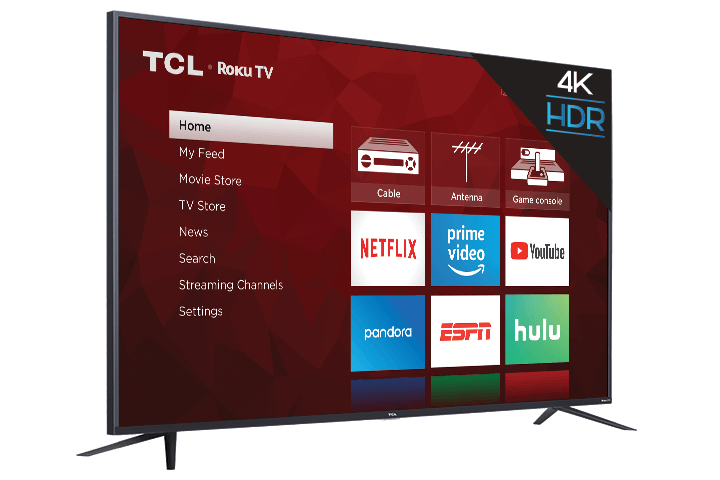
    The TCL TV lineup includes six models ranging from 32 inches all the way up to 65 inches. The most basic model is the 40S305 with a 40 inch screen, 4K Ultra HD resolution of 3840 x 2160, a 60Hz refresh rate and a 60Hz input lag.

    The higher end model is the 55P605 with a 55 inch screen, 4K Ultra HD resolution of 3840 x 2160, 120Hz refresh rate and an input lag time of just 14ms. Other models availab in Ghana include;

    1. 43S405 43-Inch 4K Ultra HD Roku Smart LED TV
    2. 49D2700 49-Inch 4K Ultra HD Roku Smart LED TV
    3. 32S305 32-Inch 720p Roku Smart LED TV
    4. 48FS3750 48-Inch 1080p Roku Smart LED TV
    5. 65E5500 65-Inch 1080p Roku Smart LED TV

    Prices

    The prices of TCL TVs are very affordable.

    1. The 32-Inch 720p Roku Smart LED TV is available for GHS 1,990.00
    2. The 43-inch 4K UHD TV is available for GHS 3,500.00
    3. 48-Inch 1080p Roku Smart LED TV is available for GHS 3,100.00
    4. The 49-Inch 4K Ultra HD is available for GHS 5,200.00
    5. The 55-inch 4K UHD TV is available for GHS 6,500.
    6. The 65-Inch 1080p Roku Smart LED TV is ava for GHS 5,500.00
    7. The 65-inch 4K UHD TV is available for GHS 8,500

    Specifications

    The popular specification of the TCL Tvs that must be noted are the,

    1. Model
    2. Size
    3. Colour
    4. Main material
    5. Screen technology
    6. Operating system

    Where to buy

    The best place to find a TCL TV is on the internet. The prices are usually lower than you would find at a store because you don’t have to pay for overhead costs like employees or rent.

    Plus, ordering online saves time because the process is simplified and you can see all the available options without having to drive around from store to store.

    You can also research reviews from other customers who have purchased that particular model before making your decision if you want more information about what you’re buying.

    Online shops where you can get TCL TVs to buy

    1. Store.tclghana.com
    2. ubuy.com.gh
    3. Jumia.com.gh
    4. Jiji.com.gh
    5. Tonaton.com
    6. Olx.com
    7. Melcom.com

    TCL Ghana physical shops address

    TCL Electronics Ghana Limited

    Address: Opposite Melcom Plus
    Phone: 059 691 3298

    TCL Ghana Limited

    Address: JRMM+C4F, Accra
    Phone: 024 186 9351

    TCL Ghana Head Office

    Address: HRW7+GHC, Accra
    Phone: 055 927 8140

    How to choose the best TCL TV for yourself

    So how do you choose which TCL TV is right for you? This depends on your budget, viewing habits and whether or not you want to add smart functionality. If all you care about is price then it’s likely that either model 1 or 2 are best. These models offer fantastic picture quality at a price point well below comparable offerings from other manufacturers.

  • Secret codes all phone users in Ghana should know and what they do

    Secret codes all phone users in Ghana should know and what they do

    The codes on your mobile phone can be very useful if you know how to use them, but they can also be pretty confusing if you don’t know what they do or why they even exist in the first place.

    For many smartphone users, it is easy to forget that your phone knows all the secret codes that you may have never even looked up before.

    Whether you want to take screenshots on your phone, use certain apps without unlocking the screen, or access hidden menu options, there is almost always a special code that you can enter that will help you do what you need to do quickly and easily.

    In this article, we will talk about a list of common codes that many people in Ghana use, along with what they do and when it is appropriate to use them.

    Secret codes and what they do

    NameSecret codesWhat they do
    Wipe your device*2767*3855#This code will completely wipe all information from your device.
    Run factory reset*#*#7780#*#*This code will delete all applications and data from your phone.
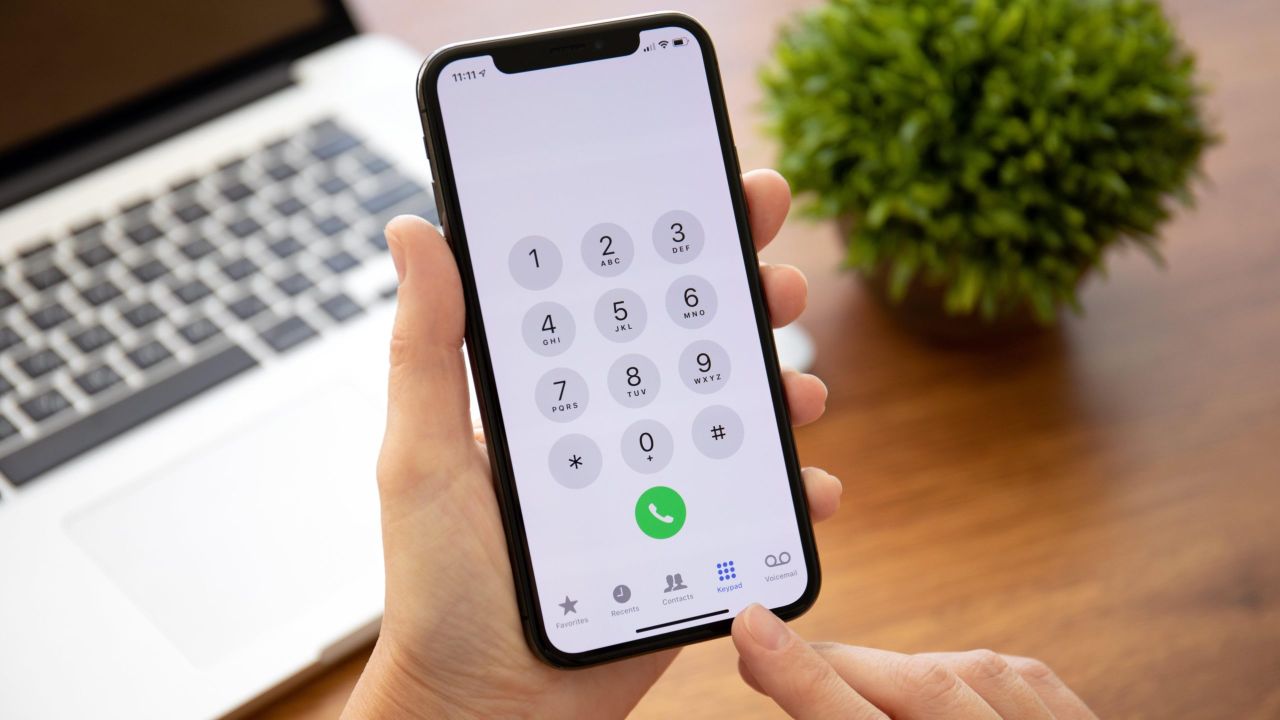
    Display your IMEI*#06#This code will show you your phone’s IMEI number.
    Activate general test*#0*#This code will show you all that is happening if you feel your phone is misbehaving.
    Display MAC Address*#*#232338#*#*This code will show you’re your device’s Media Access Control Address.
    Call waiting*43#This code will activate or deactivate call waiting
    Firmware info*#*#4986*2650468#*#*This code will show you your phone’s firmware info as well as the manufacturing date and others.
    Change the power button style*#*#7594#*#*If you are tired of always using the power button, then this code will automatically switch off your phone without pressing any button.
    View system and storage info*#3282*727336*#This code will let you view the system and storage information.
    Disable caller ID*31#If you want to keep your privacy and prevent others from knowing when you call them, you can use this code to disable caller ID.
    View info about the camera*#*#34971539#*#*This code will give you detailed info about the phone’s camera.

    Are they important?

    If you are one of the few people who still use their phones to call people, then you might want to pay attention to these secret codes. They could come in handy for times when you have a problem with your service provider or need to change your device.

    Conclusion

    All the secret codes are available for you to take advantage of. If you know any other, you can share them in the comment box below.

  • Master Decoder: Price, Channels, and Where to Buy in Ghana

    Master Decoder: Price, Channels, and Where to Buy in Ghana

    Markets in Ghana, especially in Accra are fascinating places where you can find any product you want as long as you know how to decode the prices and channels.

    Prices, channels, and where to buy are among the things that need to be considered when purchasing any product or service in Ghana. It is important to keep an eye on some of these aspects so as not to get ripped off.

    In this article, we have compiled guides on master decoder prices, channels, and where to buy so you can have quick access to all this useful information before making a purchase.

    About master decoder

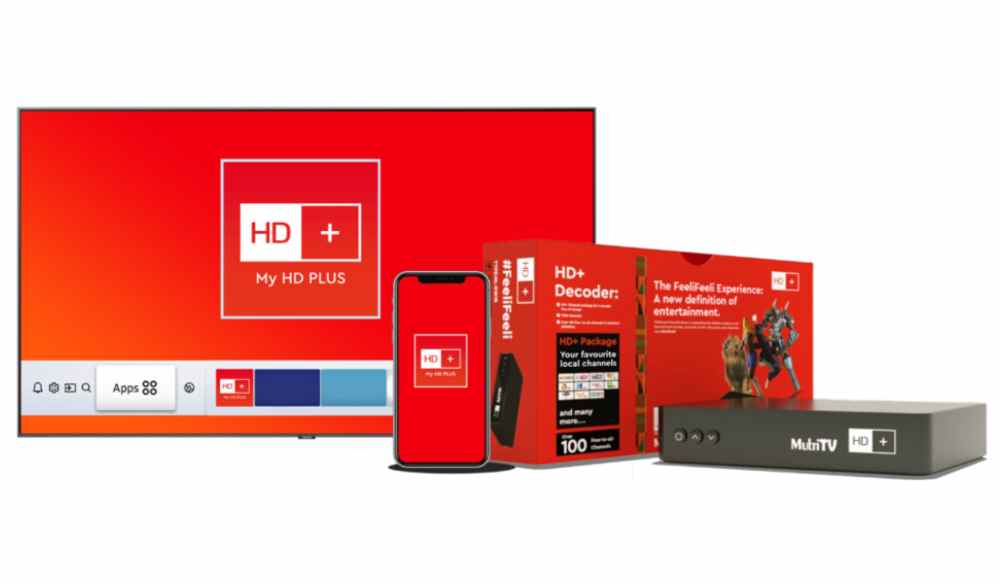
    A master decoder is a device that can decode analog signals into digital signals for various purposes. Master decoders are necessary for many important technological advances including HDTV, video on demand, and high-speed internet.

    Prices

    The cost of a master decoder depends on the type of signal it will be used for. For instance, a master decoder designed to receive satellite TV signals will cost less than one designed for cable TV signal reception.

    The price of Master decoder in Ghana is between GHS 200 and GHS 300 depending on the type you want.

    Channels available on master decoder

    Just like any decoder in Ghana, master decoder has all the popular channels you can think of as well as other extensive and special ones that you can get your favorite Tv shows on. Some of the channels available on master decoder are:

    1. Joy Prime
    2. Adom TV
    3. Joy News
    4. Fire TV
    5. Ghana TV
    6. Cross TV
    7. Zoe TV
    8. Metro TV
    9. TV3
    10. TV Africa
    11. Cine Plus
    12. Aseda TV
    13. ZTV Ghana
    14. Precious TV
    15. Royal TV
    16. Kessben TV
    17. Sweet TV
    18. OB TV
    19. Pent TV
    20. Zylofon TV
    21. GHOne
    22. Angel TV
    23. Elijah TV
    24. TV XYZ
    25. Rhema TV

    How to scan for more channels on master decoder in Ghana

    1. To begin with, press the menu button on your decoder remote.
    2. Secondly, from the drop-down list, search for “installation’” and click on it.
    3. A list of installations will pop up: DVB-S2, DVB T/T12, DVB-C and Factory reset. Select the first option, DVB-$2.
    4. Next, you will be given another set of options to choose from. Select the first option, Antenna Setting.
    5. After that, the satellite list will pop up for you to configure.
    6. Press on the first list titled satellite and select “HotBird” from the list or Satellite options that will pop. This is usualy dependent on the type of dish you’re using.
    7. Next, leave every setting as it is. However, the only thing you have to change is the Transponder or TP. Seroll down to another option still under the Antenna Satellite called the TP. If you are using Multilv, your TP is 1225. Scroll through the list of TP available and select that.
    8. If you’re unable to find your TP in the list, you will have to add it yourself. So, you go back to the option where you selected the Antenna Setting. There is another option labelled as Transponder List, select it. You’ll see a command for you to add the preferred TP. Press okay and it will be automatically added to the list.
    9. Next, return to the Antenna Setting and select the new TP added.
    10. After, scroll down to the last option at the Antenna.
    11. Setting page and select from the list “Super Blind” or “Blind” search. Press on Okay.
    12. Another list will pop up. Here, you will have to choose whether you want FTA only. That is whether you want to see the channels with the dollar sign or not. You also choose whether you want radio stations or not.
    13. After choosing that, press okay and wait for the scan to complete.

    Where to buy Master Decoder from

    Getting a master decoder is very easy. You can walk into any TV and decoder shop to make your purchase. You can also order your master decoder online via an accredited online shop such as Jumia, Jiji, Tonaton, etc.

    Conclusion

    At the end of the day, getting a good deal is about knowing how to make the most of what you have. Whether it is price, channel or where you buy from, once you know the ins and outs of where your hard-earned money goes, you can rest assured that you are doing all that is necessary to get the best bang for your money.

  • How to download Instagram Stories, Videos, Photos, Reels, Highlights, IGTV

    How to download Instagram Stories, Videos, Photos, Reels, Highlights, IGTV

    Suppose you want to download Instagram videos, photos, stories, reels, highlights, or IGTV for future use or inspiration, or maybe you want to use it on another platform. In that case, you notice that there is no inbuilt feature that allows you to download. However, there are ways you can achieve this. Keep reading this article to get to know how.

    How to download Instagram Videos 

    Downloading Instagram Videos is a straightforward procedure. It does not take much time because you only need to copy and paste the video’s URL to an app on your phone. However, downloading Instagram Videos to your iPhone is challenging as no apps enable you to save videos on your iPhone. Let’s explore the different methods you can use to download videos or photos on PC, iPhones, and Android devices.

    How to Download Instagram Videos on PC

    Screen Record

    Step1. Download and Install the screen recorder

    Download and install the file on your PC. Follow the instructions given. When the process of installation is complete, launch the application.

    Step 2. Adjust the recording settings

    You will need to adjust the settings for the recording. Click on preference on the sidebar, and a dialog box will pop up. You can manage different options, like hiding the sidebar, disabling the countdown, and more. Once you are satisfied, click OK. Next, press the screen recording button.

    Step 3. Record the Instagram video

    Press the start recording button. The recording will start. You can pause during the process, and to finish the recording, click stop.

    Step 4. Save the Instagram video to your PC

    Click the Export button on the dialog box, name the file and click on save.

    Development tools

    Step 1. Open the video you wish to download

    Step 2. Right-click on the video and select inspect element on the menu or the view page source

    Step 3. Press ctrl + F to open the Find and look for .mp4.

    Step 4. Copy the link next to “src.”

    Step 5. Paste the link into a new tab, and the video will play; then right-click and select save the video. You will have the downloaded video.

    How to Download Instagram Videos on iPhone

    Screen record

    For IOS users, you can follow these steps to screen record and save a video you want to keep.

    Step 1. Swipe up from the bottom of your iPhone to see the Control Center.

    Step 2. Click on the circular record button.

    Step 3. Press the start recording. Three seconds countdown begins before recording.

    Step 4. Record the video

    Step 5. Open the Control center again and click the red circular record button to stop the recording.

    Safari

    You can download videos directly to your iPhone using Instagram video downloader without watermark. The online Instagram downloader, safari, will help you achieve this.

    Step 1. Open IG on your iPhone, and scroll to the video you want to download. Click on the three dots in the top right corner and copy the video URL.

    Step 2. Open Safari on your iPhone and go to Save Instagram. Put the video URL on the search bar and click View to continue.

    Step 3. Scroll down to see the download button. Click on it, close the ad popup, and press download to save the Instagram video.

    Step 4. You can see the downloading process by clicking the icon in the top right corner. After completing the downloading process, press the magnifying glass to find the downloaded IG videos on your iPhone.

    App

    When using IOS, here is how to use the blaze app to save Instagram videos.

    Step 1. Install Blaze.

    Step 2. Open IG and click on the three dots on the video you are to download and copy the link

    Step 3. Paste the link on the Blaze app and click download. The video is automatically saved to your iPhone.

    How to Download Instagram Videos on Android

    Screen Record

    The latest android phones have an inbuilt screen recording feature. If you do not have the newest device, download the application from the Play store.

    Step 1. Swipe down the notification panel

    Step 2. Locate the screen recording shortcut.

    Step 3. Open the IG and search for the video you wish to record. Tap on the story and swipe down to click on the screen record icon.

    Step 4. A pop-up window will ask if you want to record the sound. Ensure the screen recording can access Instagram. To pause or stop, use the visible menu.

    Cache

    The first step is to watch the video you wish to download. The part you watch will be downloaded; hence ensure you watch the whole video.

    Then open the phone’s File manager and go to android > data > com. instagram. android > cache >videos. You will find all the watched videos and will have a .clean extension. You can click on any and select a video to play them.

    To convert it to audio format, rename the .clean extension to .mp4.

    App

    Using a third-party app is a more reliable method.

    Step 1. Open the video you wish to download and tap on the dots in the top right corner to get the link.

    Step 2. Open the Video Downloader for IG and paste the link to download your video.

    You can use apps like Snapinsta, igram, inflact, Glassagram, and many others.

    How to Download Instagram Reels

    Downloading Instagram reels involves downloading another app from the Play store.

    Step 1. Go to the Play store and download Instagram Reels Downloader – https://instastories.watch/en/reel_downloader/.

    Step 2. Install the app and set it up. This entails allowing the app to access your photos and files.

    Step 3. Go back to IG and select the reel to be downloaded. Click the three dots and copy the link.

    Step 4. On the video downloader, paste the URL of the video

    Step 5. Check your phone’s images to see the downloaded reel.

    How to Download Instagram Highlights

    To download Instagram highlights, follow these steps:

    Step 1. Download the Instagram post downloader application

    Step 2. Open the downloader

    Step 3. Locate the highlight video you wish to download.

    Step 4. Click on the download button displayed on the screen.

    How to Download Instagram IGTV

    To download IGTV videos on your device, you will use Instagram IGTV downloader to save high-quality videos.

    Step 1. Open Ig, look for IGTV, and select the video you want to download.

    Step 3. Copy the IGTV videolink and paste it on the IG Video Downloader application

    Step 4. Click on the Download button to get your video.

    How to Download Instagram Stories

    You can use an Instagram story downloader app or a website to download and save IG stories.

    Step 1. Search for IG story downloader on google.

    Step 2. You will find many options for these third-party apps, choose one and go to their website.

    Step 3. Type the IG username of the stories you want to download.

    Step 4. Locate the story you want to save and click on download.

    How to Download Instagram Photos, Pictures, Images, Posts

    Instagram does not have an inbuilt feature that allows you to download other people’s images. Hence, you will have to use a third party or another trick to get the photo you want. The simplest way is to take a screenshot. Below are various ways you can download IG photos using different devices.

    How to Download Instagram Photos on a PC

    Screenshot

    Step 1. Locate the Instagram photo on the browser.

    Step 2. Open the Snipping tool on your PC

    Step 3. Adjust the snipping mode and then click new on the menu bar

    Step 4. Select the image area you want to take

    Step 5. After snipping, Select the save button and save your image on your PC.

    Development tools

    Step 1. Open the Instagram image in a new browser tab.

    Step 2. Right-click near the image, and a menu will pop up; select the view page source.

    Step 3. Scroll down through the codes and use the browser’s find tool until you locate the first .jpg link

    Step 4. Copy the URL text that appears in between the quotation marks. Paste it in another new tab.

    Step 5. Once it is loaded, right-click to download it to your computer.

    How to Download Photos on iPhone

    Screenshot

    This is the simplest way to save an Instagram photo.

    Step 1. Open the IG app.

    Step 2. Locate the photo you want to save.

    Step 3. Ensure the complete photo is showing on the screen, then press the iPhone’s volume up button and the side button simultaneously.

    Step 4. Press the thumbnail of the screenshot that is shown at the bottom of the iPhone’s screen.

    Step 5. Slide the image’s side to crop it to display only the photo.

    Step 6. Click on Done.

    Safari

    Safari is a straightforward process where you only need to open the IG post in Safari, then save it by copying and pasting.

    Step 1. Open the IG app, locate the photos you want to download, click on the three dots in the top right corner, and tap ‘link’ to get the URL.

    Step 2. Open Safari, click the address bar, and select Paste and Search to open the post

    Step 3. Long press the IG post and select a copy. Open the Notes app and start a new note. Press on the screen and paste to add the image. Then click on the share icon and save the image to download the IG photo.

    How to Download Instagram Photos on Android

    Screenshot

    Taking screenshots on your android device is easy. Just press and hold the power + volume down button at the same time. You will get a confirmation in the notification section on your successful screenshot.

    App

    Step 1. Download the IG photo downloader app you choose on the play store.

    Step 2. Open the IG app and locate the photo you want to download.

    Step 3. Click on the image’s three-dot section in the top right corner and find the link.

    Step 4. Go back to the downloader app

    Step 5. Paste the link and download.

    Conclusion

    Instagram is the best spot for photo and video sharing. You will often find a video or a picture you wish to download. Unfortunately, Instagram does not allow downloading of files on its platform. However, this does not mean you cannot download the IG photos or videos.

    Third-party Instagram photo and video downloaders will help you get the desired videos or pictures. Depending on the device you are using, the above article will help you.

  • 10 Things You Didn’t Know About iPhone

    10 Things You Didn’t Know About iPhone

    The iPhone has created a revolution in the mobile phone market. And even over the years, it remains one of the best-selling mobile phones available. Although the iPhone is loved by millions of users, there still are some things and iPhone features you even didn’t know about before. And in this article, we are going to reveal 10 things about the iPhone we bet you had no idea about. 

    Great things about iPhone you did not know

    1. Scan things from your iPhone with an app scanner

    Why buy costly special equipment when you get a pdf scanner on your mobile phone? And that’s not a joke. You can get the best document scanner app for iPhone and deal with scanning ID and other documents in just a few seconds. A great time saver, isn’t it? A scanner app iOS will make dealing with documents a much more convenient process. 

    2. Delete data when a stranger attempts to access your iPhone

    We’ve been aware of this capability for as far as we can recall, but it’s frequently hidden in the settings of the iPhone. The majority of people use a passcode, and that security is a terrific way to stop outsiders from accessing your iPhone’s personal information. If you are extremely concerned about security or have highly sensitive information on your phone, you can take additional safeguards.

    Your phone can wipe itself with this capability if 10 passcode tries fail. What I appreciate about it is that the only method to correctly access an iPhone when you’ve forgotten your password is to wipe it, restore this from the backup, and establish a new passcode. This safeguards your data in addition to your privacy. Even if you are the one typing the incorrect passcode, you may save yourself the time-consuming effort of using iTunes to restore by turning on this function. 

    3. Make a video recording of your screen

    People frequently utilize the screen recording feature when playing games on their phones. You can use screen recording and share it with a friend or a group member.

    Although we prefer to use screen recording in this manner, there are many other uses as well. Perhaps you use it to capture an entire chat line, post, or document while you scroll through rather than taking many screenshots to demonstrate a technical problem to your tech-savvy friend. 

    4. Write captions to photos on your phone gallery

    This is a feature that debuted with iOS 14 and has gone unnoticed by individuals who like to be exceptionally organized or who have a lot of images and want to recall why they took particular screenshots or more questionable photos.

    We frequently collect a lot of in-game screenshots and then remember why we took them, therefore we prefer to utilize this for those. When we are attempting to increase our total storage, knowing if an image is one we are happy with removing also helps.

    5. Make use of the hidden touchpad

    On your keyboard, there is a hidden touchpad. There are various methods to access it based on your smartphone or tablet. On several of the more recent iPhones, pressing any key may cause the keyboard to disappear. The cursor will now follow your finger movements as you move it around the screen.

    You may need to press and hold the spacebar on some iPads and iPhones in order to reach this mode. It’s a terrific technique to navigate a document or to just put the cursor in a precise location in an email, text, or note.

    6. Add other appearances to your Face ID 

    If you own an iPhone with Face ID, you surely appreciate how easy it is to unlock it by simply glancing at it. However, it is unpleasant when Face ID fails to identify you. You could experience this if you’re wearing readers or if your cap is hiding a part of your face, among other possibilities. You can configure your iPhone to identify a different appearance using iOS 12.

    7. Personalizing your notifications

    This is among very useful things for the iPhone. We get an alert on our main screen whenever a message, call, or e-mail comes in. Many apps will provide us notifications as well until we turn it off. These notifications can also be obtained in other ways.

    By heading to Settings, then Notifications, then select the app you wish to customize notifications for, you may choose your own notification style. Choose from a variety of Alerts, Banner Styles, Sounds, and other options.

    You may now make getting an email or message sounds like a horn blowing or a dog barking, for example. These alerts allow you to distinguish between the different messages so that you may choose which ones require your urgent attention.

    Those are far not all the things you didn’t know about iPhone

    Of course, this list of things is not complete. But we hope that they helped you learn some useful things and tricks from our article. 

  • 8 Video Marketing Content Ideas For Your Business

    8 Video Marketing Content Ideas For Your Business

    Creating video content has become an integral part of marketing campaigns. Videos work great on different platforms, from YouTube to TikTok, and can attract many people interested in what you do. However, creating video marketing content is not an easy task. If you are out of ideas for creating video content, this article may be interesting for you. Here we offer great video marketing ideas that can spark your inspiration. 

    Marketing content video ideas for your business

    Online privacy is important for all users. If you work in the marketing sphere, your laptop and all the other tools for creating video content should be secure. And the safest way to enhance your privacy is to download VPN. You can get a VPN for privacy and get a private search engine to search the web or install a browser extension there. There are many criteria for choosing your best search engine for privacy, and first off, you need to start by choosing a reliable provider. 

    There are many companies offering VPN services on the market. The first thing to do is to check honest reviews on them on platforms like Trustpilot or Sitejabber. Here you can read about real experiences with services like VeePN. And now let’s get back to marketing content ideas.

    1. Video behind the scenes

    If you want to create anything else except for conventional advertisements, filming a video behind the scenes might turn out to be a great idea. A cheap and simple technique to produce entertaining video content that your viewers will enjoy is to include behind-the-scenes footage. It humanizes your business and highlights the cooperation among team members. This can even turn out as the beginning to start building a personal brand for your CEO or other people on your team. Besides, filming it can be a fun experience for your team, too. Such videos will help you stand out among the competitors and make an impression of your brand more vivid and in-person. 

    2. Customer testimonial video

    It’s likely that you already incorporate testimonials into your overall marketing plan. But have you given any attention to recreating them on video as well? Interview happy clients to hear their accomplishments, or simply gather your greatest client testimonials to use in a quick presentation.

    This can assist in giving the testimonial content you provide to potential customers an even more personalized touch. Although creating such a video seems hard at first, it’s actually easy to do it. You can make such a video out of testimonials on your website or other platforms.

    It doesn’t have to be too long, so it won’t take much of your client’s time to film it. By the way, video testimonials can turn out even more effective than ordinary text ones. 

    3. Comparing products video

    Consider creating a product comparison video if your product routinely outperforms the competitors in product demonstrations. It is an excellent idea if your product is in a highly competitive market and there are other popular solutions available. 

    People may find it offensive to watch you criticize your competitors on screen, so try to avoid being unduly biased or harsh towards them. Even better if you can track down a real consumer who will use both products and provide an unbiased evaluation. You can develop several criteria for your evaluation to be more objective. 

    4. Unpacking video 

    Who would have thought that watching videos of othe others opening packages would be so fascinating in the twenty-first century? And that’s just on mobile phones! The amount of time spent watching unpacking videos is so high that you would be surprised!

    Even professional bloggers are offering their unpacking services and can shoot an unboxing video of your product for you in exchange for payment. Why not, however, view a few, make some notes, and make your own? In fact, unboxing channels made up two of the 10 most viewed YouTube channels. To make it even more effective, you can make your video yourself and also send out press packages to bloggers. 

    5. Busting myths video

    When there are many false things common about your industry or product, it’s time to make things clear. To do this, you can make a special video to educate your audience about your service or product. Such a video may be helpful in convincing customers to use your product over other ones available in your industry. You can also highlight the advantages of your product or service and demonstrate how your product can solve customers’ problems. 

    The final note on video content for business

    As you’ve seen, there is no shortage of options for video content marketing, but this list is far from exhaustive. We hope that this article was helpful for you in generating great content for your potential customers.