Category: Airtel

  • Shortcodes for all AirtelTigo Services in Ghana [Updated 2024]

    Shortcodes for all AirtelTigo Services in Ghana [Updated 2024]

    Airtel and Tigo merged to form the all-new AirtelTigo network which is now the second biggest network in Ghana. Subscribers who have not ported their numbers, yet have numbers starting with 026, 056, 027 and 057 are all now under the big AirtelTigo brand.

    It is believed that the combined business of AirtelTigo will offer improved coverage and better quality of service to customers in both urban and rural Ghana, enabling wider access to communication solutions for businesses and mobile financial services to the Ghanaian customers.

    Today, we look at the shortcodes on the AirtelTigo network.

    Shortcodes for AirtelTigo Services

    AirtelTigo ShortcodeService
    0266116611/0277101020/0277551000WhatsApp Support Numbers
    100Customer care line
    100Call centre
    108Voicemail sending
    109Voicemail receiving
    *100#Tigo cash menu
    *108# or send Job to code 108Jobsmobile
    *123*3#To transfer credit to someone.
    *123*5#To request credit from friends or family.
    *123#Tigo gift data. Send data as a gift to your friend.
    *124#Balance Enquiry
    *133*10#Call Credit Bonus
    *133*3#Movietastic
    *133*9#Airtel Money Top Up Bonus
    *134*xxx xxx xxxx#To Recharge Airtime
    *187#Tigo extra time. Get 60 seconds talk time to complete a call or make several Tigo to Tigo calls. Can also call 188.
    *188#Tigo SoS or call 188 to borrow airtime
    *333#Balance Enquiry On Postpaid Contract (Nokia Phones)
    *360#Tigo Blackberry Plans
    *400#To know if your number is registered
    *444#Balance Enquiry On Postpaid Contract (Other Phones)
    *500#Internet packages + unlimited music
    *540#Blackberry service plans
    *555*1#Tigo FreeBonto
    *556#Tigo ringback tones (caller tunes)
    *701*NUMBER#Call Me Back
    *702*number#Notify Me
    *703#Verifying Phone Number
    *708*Number*0#Friends & Family (Remove/Delete Number (S))
    *708*Number*1#Friends & Family (Add Numbers)
    *708#Friends & Family (View List Of Numbers)
    *740*1234*027……..*amount#To transfer credit to friends or loved ones. You can also use *123*3#.
    *828#Manage all your Tigo products in just one place.
    *900#Tigo family care insurance. To deactivate dial *828#.
    02xxxxxxxx Simbox to 419Report SIM-Box fraud
    2u [space] <phone number> [space] <amount> [space] <PIN>Me2U Activation
    Dial 841Checking Balance
    PORT to 600Number portability
    Send a text message in the following format to 432:Airtel Credit Transfer
    *701*phone number# e.g. *701*0261234567#Call Me Back
    *124#Airtel Balance Enquiry
    *133*1#Airtel Dedicated Balance Enquiry
    *134*xxxx xxxx xxxx#Airtel Recharge Process
    138*Recharge PIN send e.g. 138*xxxxxxxxxxxxx sendAirtel One Network Recharge Process

    We hope you find these shortcodes useful. If you have any enquiries, you can make a direct call to AirtelTigo by calling 100.

    If there is any shortcode you want which is not found above, kindly ask in the comments and we will answer you.

    AirtelTigo WhatsApp Number

    If you want to contact AirtelTigo via WhatsApp, you can send a WhatsApp Message to 0266 116 611.

    Alternative WhatsApp Number to contact AirtelTigo on are 0277101020 and 0277551000

  • How to Stop Auto Renewal of Data on MTN, Vodafone, Airteltigo and Glo

    How to Stop Auto Renewal of Data on MTN, Vodafone, Airteltigo and Glo

    In this tutorial, I will be discussing how to stop auto renewal of data in your MTN, Vodafone, Airteltigo and Glo lines so that you can continue using the services without having to renew the data every time it finishes. This process will work on all platforms; iOS and Android.

    Data auto renewal

    Some phone networks offer auto-renewal for data packages. This means that when you purchase a data package for your phone, it will automatically renew at the end of your billing cycle if you don’t make any changes to your plan.

    This might be useful for some people who are very busy and forget about their data plans. For others, this can be an expensive mistake as they fail to turn off auto-renewal before their original package expires.

    Why you want to stop data auto renewal

    Data is expensive in Ghana and it’s easy for the auto renewal system for data plans to rack up costs. You may not want auto renewal your data because its not everyday you will have money for that.

    But the problem is that, most people don’t know how to stop this from happening.

    How to stop data auto renewal on MTN Ghana

    You may have activated auto renewal data for a certain subscription and you now want to stop but finding it difficult to do so. Well, that’s not easy.

    To stop auto renewal data on MTN Ghana through SMS,

    1. Open your phone menu and tap on the messaging app.
    2. Now, on the message app, send STOP to 138.
    3. All your data auto renewal subscriptions will be cancelled.
    4. You can now buy your airtime without worrying about getting deducted when your data finishes.

    To stop auto renewal data on MTN Ghana through USSD code,

    1. On your dial pad, dial *175#.
    2. Select option one (My subscriptions).
    3. All services you have subscribed to will appear.
    4. Select all the MTN services you want to unsubscribe.
    5. Follow the prompts to cancel your MTN Subscriptions.

    How to stop data auto renewal on Vodafone Ghana

    There are two USSD code you can use to unsubscribe for Vodafone data auto renewal. One for direct data unsubscription and the other for all subscriptions on your phone.

    To directly unsubscribe from data auto renewal,

    1. On your keypad, dial *700*3#
    2. All your data subscriptions will unsubscribe.
    3. You can now buy your airtime and not worry about auto subscription.

    To unsubscribe from all subscriptions,

    1. Dial *463# and press send.
    2. Select option one (My subscriptions).
    3. Choose option one again (View subscriptions)
    4. All your Vodafone subscriptions will appear here. Now, you choose from the pop up the ones you want to unsubscribe.
    5. Follow the prompts to cancel your Vodafone subscriptions.

    How to stop data auto renewal on AirtelTigo Ghana

    To stop data auto renewal subscription on airteltigo Ghana,

    1. Dial *100# and press send.
    2. Select option four (Content Services)
    3. Select Deactivate subscriptions.
    4. A list of all your Airteltigo Subscriptions will appear. Now, select from the list the ones your want to unsubscribe.
    5. Follow the prompts to cancel your Airteltigo Subscriptions.

    How to stop data auto renewal on Glo Ghana

    To stop auto renewal data on Glo Ghana,

    1. Open your phone menu and tap on the messaging app.
    2. Now, on the message app, send CANCEL to 555 OR 127 and your data auto renewal subscriptions will be cancelled.
    3. You can now buy your airtime without worrying about getting deducted when your data finishes.

    Conclusion

    Auto renewal can be quite annoying especially when you are not ready to subscribe for it anymore. Its best to follow the steps above and stop all data auto renewal subscriptions on your phone.

  • How to check if a Ghana Number is MTN, AirtelTigo, Vodafone or Glo

    How to check if a Ghana Number is MTN, AirtelTigo, Vodafone or Glo

    MTN, AirtelTigo, Vodafone and Glo are the four major mobile telecom service providers in Ghana. But who has which number ranges? How can you tell if someone’s phone number is registered under MTN, AirtelTigo, Vodafone or Glo? If you want to know how to know if a number is MTN, AirtelTigo, Vodafone or Glo in Ghana, this guide will help you figure it out!

    Mobile networks in Ghana

    The role of communication in every country is very important and thats why MTN, Vodafone, AirtelTigo, Glo which is the four main telecom companies in Ghana is no exception.

    Their dominance over the years have been felt to the extent that, without their presence, life becomes unbearable for alot of people.

    Without them, we can’t make calls using our phones, we can’t browse the internet using our phones, modems, routers, turbonets and others. That show how important mobile networks are for a country like Ghana.

    How to know if your number is MTN in Ghana

    You may want to use MTN in Ghana. you’ve gone to purchase the SIM, registered it and now, you want to check your number to confirm if its indeed an MTN number.

    The first thing that will come in mind is to look through the starter pack. But what if the starter pack is not available at the time you want to know your number? That shouldnt be difficult. On your phone,

    1. Dial *156# to check your MTN mobile phone number.
    2. Choose option 1 (check my number)
    3. You will now be shown your MTN Ghana phone number, starting with 024, 054 or 055.

    How to know if your number is Vodafone in Ghana

    Just like any other network, after registering your SIM, the first way to check your number is by looking through the starter pack. If the starter pack is not available, you can also check your Vodafone number using your phone. On your phone,

    1. Dial *127# to check your Vodafone mobile number.
    2. Vodafone Ghana will now show you your Vodafone mobile phone number starting with 020 or 050.

    How to know if your number is AirtelTigo in Ghana

    To check if your number is an airteltigo number, locate the number on your SIM starter pack to confirm. Also you can check the number from your phone. To do so,

    1. Dial *841# or *703# to check your AirtelTigo network mobile number
    2. AirtelTigo Ghana will show you the phone number of your Tigo SIM.

    NB: AirtelTigo has two shortcodes because they were once two separate networks who has now come together to work as one. Therefore, any of the above shortcode works on any of the SIM you are using, either Airtel or Tigo.

    How to know if your number is Glo in Ghana

    To check your Glo number in Ghana, you can look through the starter pack and if its not available, you can check using your phone. To do so,

    1. Dial short code *1244# to check your Glo mobile number
    2. Glo Ghana will display your current phone number on the phone screen for you.

    How to know if your number has been ported to a different network

    Numbers normally gets ported to different networks in Ghana. One might love using his old MTN, Vodafone, AirtelTigo or Glo number but does not like the mobile network offers anymore.

    With that, the person can maintain that old number but will port the network to the one he/she prefers. If you get hold of such SIM, how will you know the network such SIM has been ported to?

    • You can confirm that using their various distinctive shortcodes. MTN has some common shortcodes the other don’t have such as the MoMo shortcode.
    • You can also use the Shortcode used to check phone numbers. If you use a Vodafone phone number check short code on an AirtelTigo network, it surely won’t work.
    • Also, if you try buying an MTN airtime on a Glo network, it surely won’t work. So these are some few ways you can use to check the network your SIM is working with and also to check your number.

    Conclusion

    Knowing your phone number is a must. Knowing the network your SIM is subscribed to is also a must. You may need all this when doing some petty stuffs on your phone and for your phone. So take note of the steps above and know your way around whenever there is the need.

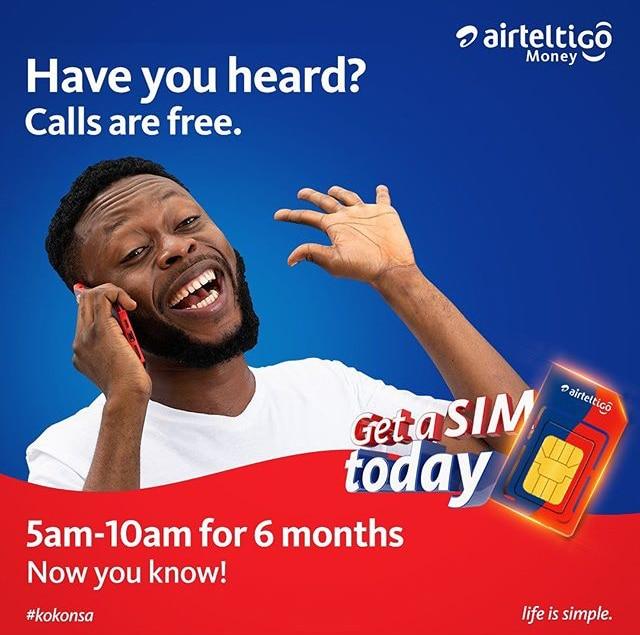
  • How to Activate AirtelTigo Free Morning Offer For 6 Months Unlimited Talk-time

    How to Activate AirtelTigo Free Morning Offer For 6 Months Unlimited Talk-time

    Calling your friends and relatives to check up on them every morning could actually be weird right? Especially, in this COVID-19 era where the cost of mobile credit and data is very expensive.

    What is I could tell you that there’s a way you can actually call your friends and loved ones every morning for the next six months. But, this offer is for only AirtelTigo customers.

    When Airtel and Tigo joined forces to establish one big company, the main reason they gave was that they were going to improve their services and offers; and till this day, they have delivered exactly that.

    During this COVID-19 where people are being laid off work and struggling to make ends meet, AirtelTigo has introduced a new package that is going to help their loyal customers to make free unlimited calls every morning for the next 6 months.

    What is Free AirtelTigo Free Morning Offer?

    The AirtelTigo free morning offer is a relief package that AirtelTigo is introducing to help their customers in this coronavirus pandemic. In this offer, customers will be allowed to make free calls every morning for the next six months.

    How Does It Work?

    Every morning for the next 6 months, all subscribers will be given free unlimited on-net calls for a limited period of time (5 am to 10 am). The subscribers will also receive free 100 MB worth of data every morning to browse the internet. In addition to all these packages, subscribers will also be granted six months of free Mobile Money (AirtelTigo) transfer to all other AirtelTigo Money (ATM) subscribers.

    The free morning offer is available for only AirtelTigo to Airtel Tigo calls during the allocated time between the hours of 5 am and 10 am. Calls that will be placed before or after this period will be charged at the normal call rate.

    For new customers who activate their sim however, there will be one-month free morning offer.

    In addition to that, a newly registered customer who fails to make the AirtelTigo Money (ATM) transactions within the first 30 days of being on the network, they will not be eligible to enjoy the Free Morning Offer anytime after that.

    In case they want to join, they need to purchase it for an amount of GH¢ 2.

    How to Activate AirtelTigo Free Morning Offer For 6 Months Unlimited Talk-time

    This offer is available to existing customers and new people who want to switch from their current mobile service provider to AirtelTigo. This method used by AirtelTigo is not only aimed at helping customers but also bring more customers on board as well.

    New AirtelTigo Customers

    To qualify for this offer as a new customer,

    • You first of all need to visit an agent or AirtelTigo office with a valid Ghana Card to buy a new AirtelTigo sim card.
    • After buying the sim card, you are required to ask the provider to register you on the AirtelTigo Money (ATM) service.
    • Upon completion, you are required to start making transactions on your AirtelTigo Money account. This will verify that you are indeed enrolled on the platform as a customer but not as an “opportunist” who wants to benefit from the package and after that leave the network.

    The transactions you make should include the following:

    • Airtime Purchase
    • Peer-to-peer transaction
    • Interoperability money transfer
    • Buy bundle/package
    • Cash-out
    • Merchant payment

    Once you have made enough transactions to show that you are indeed here to stay in the one month period, you will automatically qualify for the package. Once you qualify, an SMS will be sent to your phone indicating that you have qualified for the free morning offer.

    Existing AirtelTigo Customers

    With existing customers, there’s no need for you to show whether you’re here to stay or not. But before you can subscribe to the free morning offer, you need to be a subscribed AirtelTigo Money customer.

    Once you are a subscriber of AirtelTigo Money, you can activate the offer by:

    • Dialling the short code *110# i.e. the AirtelTigo Money shortcode
    • After that, you need to select option 2 and then purchase the package for GH¢ 2 using your AirtelTigo Money wallet.

    Eligibility for the AirtelTigo Free Morning Offer

    There are no eligibility criteria, but only all prepaid subscribers of AirtelTigo can enjoy this package. Meaning, customers using postpaid and broadband cannot benefit from this amazing package.

    However, a subscriber must make the first call within the hours of validity (5 am to 10 am) once for a limited time period to trigger this offer.

    Conclusion

    The introduction of this offer is going to help customers especially those who make calls every morning to their friends and loved ones.

    If you are also not a call person like myself, you can use the SMS and free data package as well to do what you want to do with it during the validity hours of 5 and 10 am.

    Was this helpful, please leave your comments as it will help to improve how we write our articles to suit your needs?

  • Important Short Codes for MTN, Tigo, Vodafone, Airtel and Glo in Ghana

    Important Short Codes for MTN, Tigo, Vodafone, Airtel and Glo in Ghana

    At any point in time, you may need a shortcode for services on MTN, Tigo, Vodafone, Airtel, or Glo. Today, Mfidie.com brings you the most important and most requested USSD shortcodes for all the networks in Ghana.

    Airtel Ghana Shortcodes

    Airtel GhanaShortcode
    Check your airtel mobile number*703#
    Customer Care100
    Borrow Data *554#
    Instant Data Recharge *126 *Scratch Card PIN#
    Call Me Back *701*NUMBER#
    Caller Tunes Send START To 6060
    Blackberry Plans *440#
    Airtel Money *500#
    Check Your Number *703#
    Check Number Registration *400#
    Number Portability send PORT To 600

    Glo Ghana Shortcodes

    Glo GhanaShortcode
    Know your Glo mobile number1244
    Customer Care 121 or 100
    Service Information *124*2#
    Bonus Balance Enquiry *124*1#
    Tariff Information *124*3#
    Data Bundle Activation *127#
    Borrow Airtime *5321#
    Family & Friends*125*1#
    Check Number Registration*400#
    Number PortabilitySend PORT To 600

    MTN Ghana Shortcodes

    MTN GhanaShortcode
    Check MTN network mobile number*156#
    Customer Care100
    MTN Pulse *567#
    Internet/SMS Bundles *138#
    To Borrow Credit *506#
    MTN Nkomode (Free After 1 Minute) *550# (Option 6)
    Caller Tunez Dial 1355
    Unsubscribe Caller Tunez Send STOP to 1355
    Mobile Money Acces Code *170#
    Check Number Registration *400#
    Blackberry Plans *140#
    Reserve Your Number For 2 Years *1390#
    Share Credit With Friends *198#
    Number Portability Send PORT to 600

    Tigo Ghana Shortcodes

    Tigo GhanaShortcode
    Check your Tigo Network Mobile Number*505*4*2#
    Customer Care100
    Manage All Tigo Products *828#
    Borrow Airtime *188#
    Tigo Products & Services *505#
    Internet Packages & Unlimited Music *500#
    Blackberry Plans *360#
    Send Data To Friends *123#
    Tigo Free Bonto *555 *1#
    Tigo My Way *477#
    Check Number Registration *400#
    Number PortabilitySend PORT To 600

    Vodafone Ghana Shortcodes

    Vodafone GhanaShortcode
    Check Vodafone mobile number*127#
    Customer Care100
    Browser Packages *125#
    Caller Tunez Dial 585
    Data Bundle Menu *700#
    Credit Transfer to Another Number *516#
    Borrow Credit *505#
    Vodafone Red Offers *200#
    Blackberry Plans *500#
    Check Number Registration *400#
    Number PortabilitySend PORT To 600

    Have any questions? Leave them in the comments below and we will respond shortly.

  • How to register for AirtelTigo money through WhatsApp

    How to register for AirtelTigo money through WhatsApp

    Mobile money has been made things more convenient and more accessible. You can do everything from your phone in the comfort of your home, and you don’t have to go to the bank to make small transactions. Imagine going to the bank because you want to send GHS 20 to someone.

    You would’ve exhausted the time if the money was to be used for an emergency. That’s why mobile banking and mobile money have been introduced, with technology advancing a lot in this century.

    Because of mobile money, you don’t need to carry physical cash on you when you deposit it into your mobile money account and use it for purchases and transactions anytime you want.

    AirtelTigo ‘Explor’ internship programme participants

    AirtelTigo is a telecommunication network that was founded in 1990 and has been providing exemplary services since. AirtelTigo introduced their mobile money service in 2011 when one-half was still Tigo. Airtel Ghana and Tigo Ghana became a joint telco in 2017 to become the second-largest mobile operator. This service is one of the most convenient in the country.

    On “AirtelTigo Money,” you can send and receive money, make purchases, pay bills and fees and buy airtime all on your phone. Registration for AirtelTigo Money is also effortless to buy as a few options have been provided for customers who wish to open mobile money accounts with AirtelTigo.

    You can go to any AirtelTigo office with your credentials and get registered or register at home on your phone or through WhatsApp.

    Many people know about going to the office to register and register on your phone, but registration via WhatsApp has just introduced not long ago, and so many people are still in the dark.

    I’m here to show them the light in my new article, where I’ll discuss how registration on WhatsApp works and the necessary steps on how to go about the registration via WhatsApp. 

    Steps On How To Register For AirtelTigo Money Via WhatsApp

    If you have an AirtelTigo sim that you use but haven’t registered for their mobile money service and you’d like to register for it now, it’s either you go to the office or do it at home.

    Maybe because of covid-19 so you wouldn’t like to go out and be in the midst of people, so you’ll love to do it at home, it’s straightforward. You can register it yourself on your phone, USSD, by dialing *110# and following the prompts.

    With this too, one might argue that he doesn’t want to make any mistakes and this is money related so he’d like the telecom service to do it for him themselves. Money-related issues are very damaging, especially if you created them yourself, but if it’s someone else’s fault, you’ll at least be less stressed.

    That’s why AirtelTigo introduced registration via WhatsApp, where you send them a text and follow the steps to get registered. Below are the steps to get your SIM/Phone Number registered for “AirtelTigo Money” via WhatsApp. 

    1. Send a WhatsApp Message to the official AirtelTigo Number – 0577000084
    2. After you text them, you’ll be asked to provide a picture of the ID card you used to register your SIM card. 
    3. The AirtelTigo WhatsApp attendant will record your credentials such as your date of birth, location, and age 
    4. Your details will be processed with your AirtelTigo number to create a mobile money account for you. 
    5. You’ll then receive a prompt on your phone to create a password. 
    6. Your AirtelTigo Money account has been successfully registered without any charges. 

    You can now enjoy AirtelTigo Money services on your phone and make whatever transactions you want at very excellent rates. 

    Conclusion

    The Covid-19 precautions brought many beautiful ideas to everyone around the world. Many companies have digitized everything and made it simple for their customers to do everything from the comfort of their homes.

    This service can only work if you have a smartphone. To find the AirtelTigo WhatsApp number on any official pages and text them to begin the process. It’s a short and stress-free process. 

  • AirtelTigo Morning Rush Data Bundles: How to Subscribe & How it works

    AirtelTigo Morning Rush Data Bundles: How to Subscribe & How it works

    Ever since Airtel Ghana and Tigo Ghana merged to form AirtelTigo, they have been pushing on various fronts, from Mobile Money to Data Bundles. This week, AirtelTigo launched a juicy data plan or product known as the Morning Rush Data.

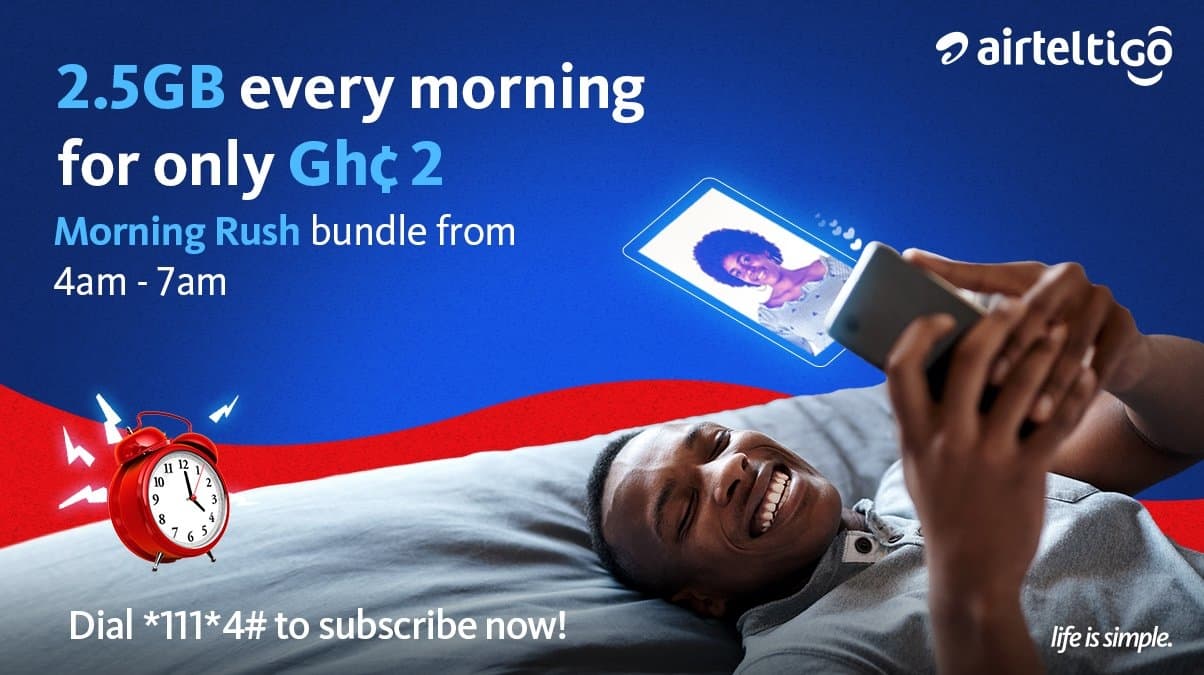
    AirtelTigo’s Morning Rush Data is a set of data plans from the telco that give subscribers data of 1 GB and 2.5GB when they subscribe for GHS 1 and GHS 2 respectively. This data expires after 24 hours. This 24-hour validity is explained below:

    If an AirtelTigo Subscriber activates the bundle any time before 4:00 am, the available data could be used between 4:00 am to 7:00 am of that day. But for instance, if an AirtelTigo Subscriber activates the bundle at 4:45 am, the available data could be used between 4:45 am to 7:00 am of that day (Morning Rush hours), and the remaining data can be used within 24 hours, that is between 4:00 am to 4:44 am of the following day. 

    How to subscribe to AirtelTigo Morning Rush Data Bundle

    To subscribe to the Morning Rush Data Bundle by AirtelTigo, follow the steps below:

    1. Dial *111# on your device
    2. Select option 4
    3. Select Morning Rush Data
    4. Select amount (GHS 1 or GHS 2)
    5. Confirm your subscribtion
    6. You will receive a confirmation of the purchased data.

    Once you receive the confirmation, you can use the data during the Morning Rush validity period.

    Subscribers who have the AirtelTigo app can alternatively subscribe to the Morning Rush Data on the app.

    Conclusion

    The Morning Rush Data bundle by AirtelTigo could be used for downloading information needed during the day or for backing up WhatsApp or simply updating mobile apps.

    Would this data plan be something you would use? Do well to check out other data plans we have written about here on Mfidie.com.

  • Internet Settings for MTN, AirtelTigo, Vodafone, and Glo in Ghana

    Internet Settings for MTN, AirtelTigo, Vodafone, and Glo in Ghana

    Most often, when we have a new phone, it is usually difficult to configure the internet settings and we are left with no choice but to go to the Customer Service of the Network Operator for your phones and other devices to be configured. Well, I bring you the recommended internet settings for all the networks in Ghana.

    For android users, you can just use the “General” settings that I have used on every android phone and it works perfectly.

    How to set up internet settings in Ghana

    1. Go to your device’s settings
    2. Go to wireless and settings
    3. Select Mobile networks
    4. Select Access Points Names
    5. Create new APN by taping the “+” sign or pressing Menu and selecting new APN
    6. Select Name and enter “General”
    7. Select APN and enter “internet”
    8. Save the Settings
    9. Activate to use new Access Point Name

    The Configuration above should work for every device. However, I attach below network-specific configurations, which are especially useful for feature phones.

    Airtel Ghana Internet Settings

    Homepage: myairtel.gh.airtel.com
    Connection name: airtelwap
    Data Bearer: Packet data
    Access Point Name (APN): wap
    User name: [Leave Empty]
    Password: [Leave Empty]
    Proxy Server Address: 10.93.85.88
    Proxy Port number: 9401

    Glo Ghana Internet Settings

    Homepage: www.gloworld.com/gh
    Connection name: Glo
    Data Bearer: Packet data
    Access Point Name (APN): internet
    User name: [Leave Empty]
    Password: [Leave Empty]
    IP Address: 10.161.85.4
    Port: 8799

    MTN Ghana Internet Settings

    Homepage: mtnloaded.com.gh
    Connection name: MTN
    Data Bearer: Packet data
    Access Point Name (APN): wap
    User name: [Leave Empty]
    Password: [Leave Empty]
    IP Address: 172.017.003.005
    Port : 8080

    TiGO Ghana Internet Settings

    Homepage: www.tigo.com.gh
    Connection name: tigo
    Data Bearer: Packet data
    Access Point Name (APN): wap
    User name: [Leave Empty]
    Password: [Leave Empty]
    IP Address: 010.004.001.007
    Port: 8080

    Vodafone Ghana Internet Settings

    Homepage: www.vodafone.com
    Connection name: vodafone
    Data Bearer: Packet data
    Access Point Name (APN): wap
    User name: [Leave Empty]
    Password: [Leave Empty]
    IP Address: 172.024.097.001
    Port: 8080

    Did these help solve your problem? If no, just leave a message in the comments below and I will get back to you.

  • How to Register for AirtelTigo Money RetireRite Pension

    How to Register for AirtelTigo Money RetireRite Pension

    As an active worker, one of the most important things you could do is to save money for your retirement. The traditional way of saving for your retirement involves a long process especially when you are trying to access your funds after retirement.

    Therefore, the introduction of technology in the saving of money towards your retirement is a very good initiative. This introduction is going to make your retirement savings easier to access and convenient.

    In view of this, AirtelTigo in partnership with the People’s Pension Trust (PPT) has introduced a tier 3 personal mobile pension scheme in addition to a savings account called RetireRite. This scheme is aimed at helping customers of AirtelTigo Money to live a peaceful financially independent pension life.

    Before you decide to register, there are some things you need to know and in this article we are going to show you all that you need to know so keep reading.

    What is RetireRite?

    RetireRite is a mobile pension scheme that allows subscribed AirtelTigo customers to make monthly contributions towards their retirement with as low as GH¢ 1. The scheme comprises of a pension account and a savings account.

    How does RetireRite work?

    Once you register, all the contributions you make will be disbursed equally into the two accounts, i.e. the savings and the pension accounts.

    With the savings account, you can withdraw up to 50% of your contributions six months after your initial deposit with the available interest.

    If a customer decides to stop contributing, he or she can only access their pension funds at age 60; depending on the date of birth of the ID you used for the registration of the SIM card.

    Should in case of a customer pass away, there’s a life bonus cover to ensure that the beneficiaries of the deceased customer receive up to four times the total contributions made by the deceased in the previous calendar year.

    Meaning, if the deceased made a total contribution of GH¢ 100 in the previous calendar year, the beneficiaries can receive up to GH¢ 400.

    The most interesting thing about this package is that no matter your occupation you can still contribute every month with the little amount you have on you.

    There’s no minimum age for registering but before you can subscribe to the AirtelTigo RetireRite, you need to be a subscribed customer on AirtelTigo Money.

    How to Register for AirtelTigo Money RetireRite Pension Scheme

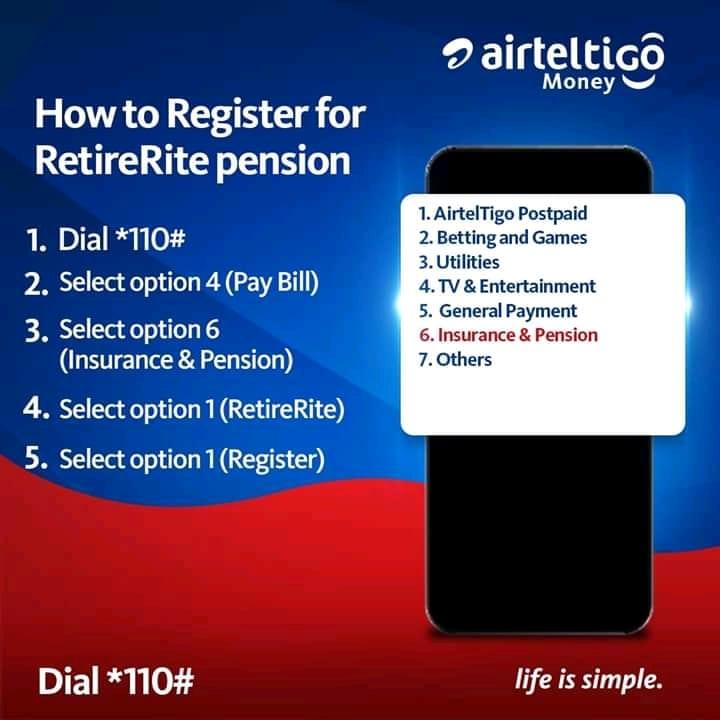
    You can register for the AirtelTigo Money RetireRite pension scheme using the steps below:

    1. Dial *110#
    2. Select Pay Bill (option 4)
    3. Select Insurance & Pension (option 6)
    4. Select RetireRite (option 1)
    5. Select Register (option 1)

    Conclusion

    Most people don’t find a pension saving a profitable initiative because they don’t know where to invest their money or based on what they hear from other people.

    But from the explanation given by AirtelTigo and the People Pension’s Trust, this is a very good initiative but you need to be willing to contribute consistently (every month) before you decide to sign up on this scheme.

    Please share this post with your friends and relatives because there might be someone looking for such an initiative.

  • How to Register For AirtelTigo Money

    How to Register For AirtelTigo Money

    There may be days that you desperately need money but going to the bank for such money sometimes seems awful and weird. For example, travelling all the way to the bank to withdraw GH¢ 10 could be a waste of time.

    With the introduction of technology into financial transactions, the need for physical cash when doing a transaction is now very low as compared to what it used to be some years ago. It is the intention of tech and financial experts to see Ghana in the near future migrating to almost 80% cashless when doing transactions.

    In view of that, AirtelTigo has collaborated with the Bank of Ghana to introduce a mobile money service called AirtelTigo Money. This service allows subscribed customers to make withdrawal, deposit, send and receive money from all networks all through their mobile phone.

    In recent additions, subscribed customers can receive money from international transfers as well.

    What is AirtelTigo Money?

    AirtelTigo Money is a mobile financial service that allows all subscribed AirtelTigo customers to send, receive money. It also allows the customers to buy airtime, pay bills, and pay for goods and services right on their mobile phone. The activities of this service are monitored by the Bank of Ghana and therefore there’s no need to be scared of using this service.

    There are two ways of registering for AirtelTigo Money. We have Office registration and Self-registration.

    How to register for AirtelTigo Money at the Office

    For this option, you can simply visit any AirtelTigo office nationwide with a valid national photo identification document (Ghana card, Voters ID, Drivers’ license or passport).

    A merchant will take your details and then ask you to create a 4-digit secret PIN which you will use to make transactions. Upon completion, a welcome message will be sent to your phone via SMS.

    How to self-register for AirtelTigo Money via WhatsApp

    The Self-Registration option is very useful in this COVID-19 pandemic era. Under this category, you can choose to register using USSD or Whatsapp without leaving your house.

    To use WhatsApp to register, you just need to send “Hi” to the official Whatsapp number 0577000084 to begin the process. You will be asked to provide the following:

    • Picture of your valid ID card (should be the same as the one you used to register your sim card)
    • Date of birth (should correspond with the one on your ID card)
    • Location and
    • Your AirtelTigo number

    How to Register for AirtelTigo Money by via USSD

    Initially before Airtel and Tigo became one company, this feature was available, but after they became one company this feature is no longer available.

    But it’s our hope that they might some day re-introduce this feature again.

    Therefore, if you are not having a smartphone, you need to do the Office Registration.

    Conclusion

    The steps for registration is very easy and quick so you can easily follow along and register for the service.

    After you receive the confirmation SMS, you can receive or send money or buy airtime or pay for goods and services right on your mobile phone.

    Please be aware of fraudulent persons who impersonate AirtelTigo to claim money from customers. AirtelTigo will never demand money from you through an agent or an employee, all official items will be sent to you via SMS with the assigned name AirtelTigo Money.

    Please stay vigilant and report any suspicious activity or persons on your account. I hope the guide above serves its purpose.