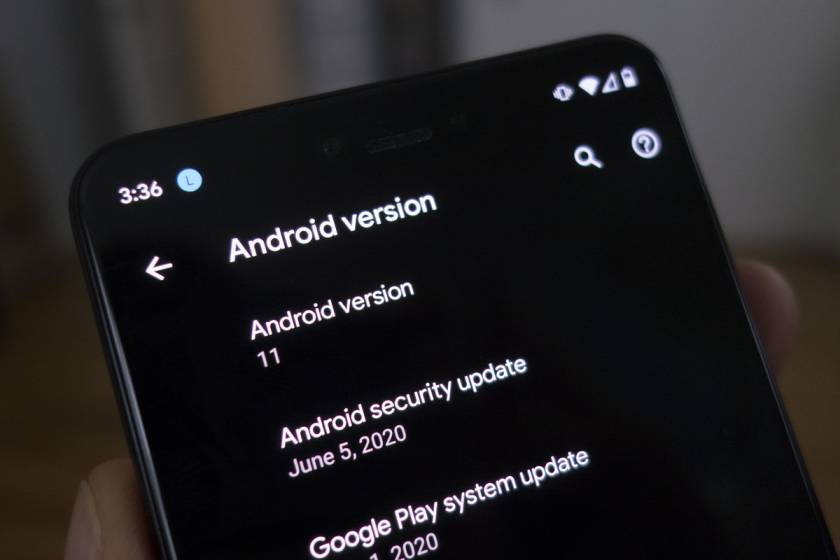
The brand-new Android 11 has just come out for select devices and phones. As we’ve come to expect by now the new version of Android is rolling out first on Google’s Pixel phones, the beta is available across some other devices but the stable version is pixel only for now so what’s changed well for starters.
Android 11 Features
User Interface
The UI has become more fluid and responsive because of tuning and optimization.
A few of the visible changes in the UI has to do with messaging. Messaging notification is usually cluster together but now on the messaging apps, a dedicated space called ”conversations” makes it simple to see them at a glance.
Additional to this, is system-wide support for floating bubbles for chat & conversations sort of like chat heads from the messenger app so no matter which service you use to communicate with multitasking is a breeze.
Emoji
Android 11 supports the New Emoji 13.0 set which includes things like ”Man-in-tuxedo and Beaver”.
Screen Recording
A handy feature that you can activate with a quick toggle which will let you capture what’s going on the screen and its available to all manufacturer UI
Media
The media playback on the notification has been refined to be much cleaner especially when you have multiple media apps opened at the same time, the playback controls are now located above notifications with a carousel that you can swipe through (rather than having a separate panel for each media app).
Easy Smart Connection
We use phones to control a lot of smart devices around the house. Android 11 ” long pressing the power button” opens a dedicated space for smart connections.
Connectivity
More developer tools have been added for developers to take better advantage of those faster network speeds and lower latency.
Display
with the recent phone having a high refresh rate display, Android 11 helps with that by supporting variable refresh rates.
The Android OS can automatically adjust to individual apps and games set the preferred frame rate to save energy and also theirs more support for an app with displays with extremely curved edges.
Foldable devices can track the hinge angle to enable extra app features and display modes.
Security Update
There are few changes to how privacy is handled on OS 11. These include:
One-time permission: You can choose to grant app access just once.
Auto-Reset Permission: If you haven’t used an app for a long period, the permissions will auto-reset.
location information now requires multiple levels of permission, so apps in the background won’t access or track your location unless you want them.
Increase the number of Google Play Store modules to give more security and privacy-related updates.
Scope Storage
A new feature that allows apps to have a separate folder for its data rather than using a shared one thus limiting the access that an app has to potentially private storage space.
Practical solutions to know how to recover deleted files on a MacBook, even files that have been emptied from the trash. Accidentally deleting files on a Mac is a common occurrence in our daily life. These are the most typical scenarios of deleting files on your Mac computer:
Dragging a document, picture, or video to the Trash can.
Right-click on a file and select Move to Trash.
Emptying the Trash can to remove deleted files permanently.
Using the option command delete hotkeys.
Using the delete immediately option under the drop-down list of the files menu.
Clicking on the finder menu and selecting empty trash in the drop-down to delete files.
Can Deleting files by any of these ways be recovered?
Answer: YES
There are practical methods that can be used to recover deleted files on a Mac, even recovering files after you’ve emptied the Trash Can.
Restoring Files From Trash Can Via Putback Option.
If you drag the file to the trash/right-click on the file and select delete. If you haven’t emptied the trash or deleted the files permanently, the file can easily be restored by the following methods:
Click the “Trash Can icon” in your dock to see the deleted files.
When you find the files, you want to restore “Drag” to the desktop or “Right-click” them and select the “Putback option” to recover deleted files from the Trash (file will be returned to its original location).
Note: Deleted files will only remain in Trash Can for 30 days, after 30 days your Mac will automatically remove them permanently.
Restoring Files From Trash Using The Undo Option
Accidentally you deleted an important file. You can easily restore them on Mac using the undo option without performing other actions immediately after deleting the file/folder. Here are two simple ways:
Go to “Edit Menu” on the top and select the “undo” move or
Use “Cmd + Z” keys to undo the delete operation.
Restoring Files From Trash Via Mac Terminal
Follow these steps:
Go to the ”Applications folder”.
Open the Utility folder.
Next select ”terminal”.
Type this command ”CD .Trash” and press return then input ”MV space and the file name” right after that and hit return.
Then Type quit in the terminal.
After you’ve all these steps, enter the name of the deleted file in the search bar and hit enter. The deleted file will appear and you can select it and save it to a safe location.
Note: The terminal command can recover files that were placed in the Trash Can but if the trash can has been emptied the terminal command option won’t work.
Restoring Files From Trash Using Time Machine
An option for permanently delete files on your Mac and emptied the Trash Can. however, you can restore deleted files if you have ”time machines” set up on your Mac.
What is Time Machine?
Time Machine is Apple’s backup solution for the Mac so if you have an able time machine you can recover files that have been completely emptied from the trash bin.
launch time machine on your Mac/find it in the Applications folder/search using spotlight.
Find the specific files you wish to restore by scrolling up and down/using the arrows to locate them.
You can preview files to confirm by pressing the ”spacebar”.
finally, click the restore button and then the deleted files will be returned to their original location.
FaceTime is an Apple app that is a video call platform for iPhone users. The Facetime app can be only used by iOS meaning it’s not available to Android users.
Facetime isn’t available to Android but there’re great alternative apps available on Android. Now on Android, you can get the same FaceTime experience and you can communicate with friends and family.
Well, the alternatives are great apps for video calling and these are the very best Alternative App For FaceTime with great positives Reviews.
WhatsApp
Available: iOS/ Android
WhatsApp is the most popular free messaging apps in Africa and mostly known for texting, chatting but also supports voice & video calls. It’s the perfect Alternative App For FaceTime because a lot of people make use of it. One important fact about WhatsApp is that sometimes it comes pre-installed on some Android phone OS and it’s so easy to use and navigate for anyone.
with over 3 Billion downloads on Play Store, most people you know already have WhatsApp. Apart from that Privacy and security, have been encrypted for call and text. It also has a feature to save data using video calls, you can activate it by activating the ‘Low Data Usage’ toggle
Settings. Data and storage usage.
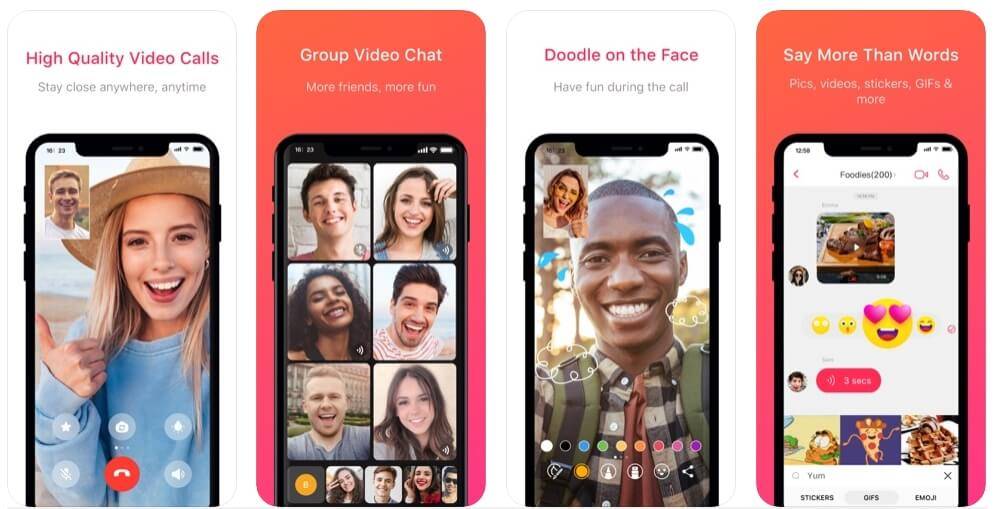
Low Data Usage will reduce video quality to lower data use. To use the video call – just tap the video camera icon in any chat, also WhatsApp supports up to 5 participants in a single call (Depending on future upgrade). .
WhatsApp also features voice and text chat, groups chat, cloud backups, broadcast message, GIFs, Emoji, and more. The app is potentially for communication and business purposes.
To use WhatsApp, you need a phone number, it’s also available for computers and tablets.
Skype
Available: iOS/ Android
Skype, an app that has been available for a long time before FaceTime and WhatsApp. It’s pretty much older than every other video calling platform and had enough time to get perfect it. Being older than any other App it is trusted by a lot of people and a lot of people have it already.
Using Skype is easy, with just an email address and password you can log in or Sign Up, which is different from using a phone number like WhatsApp. Skype is also available on computers and tablets but works better on computers & tablets. In fact, it runs on almost all platforms from Android and iOS to Windows and Mac, Linux, Xbox One, and so on.
Once you’ve signed up and you can add friends and family using a phone number or username and can video call them at the press of a button, also Skype supports up to 24 participants in a single call.
Note: Whoever you’re calling will need to be using Duo as well.
Conclusion
FaceTime has always been an app android has to desire to have which is only available on iOS, but with Android being one of the best operating systems that develop every single day. There have been so many apps on the OS for Android Users to forget FaceTime exists because these apps have far improved to have all the features available on FaceTime.
Over the years, technology has improved with the invention of solar panel to enchance the production of electricity and will be needing the best solar panels you can buy. This list was made based on personal opinion and hours of research. The list is based on performance, features, and prices.
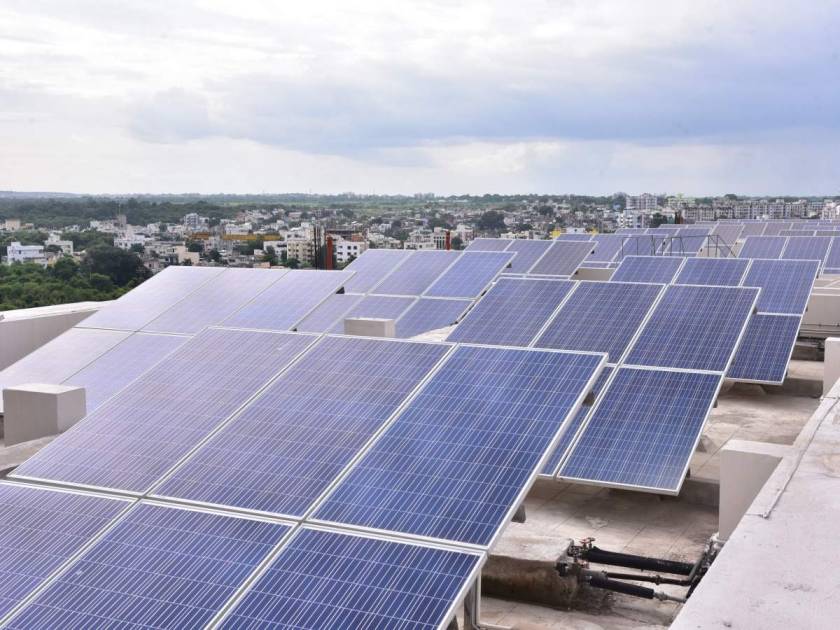
The options in the list include every type of consumer so whether you’re looking for a budget solar panel for RV or a larger system for home, business, and outdoor activities.
Let’s look at the top 5 Solar Panel For Rv
HQST 100 Watt 12 Volt Polycrystalline Solar Panel
The best budget solar panel for an affordable price for alternative energy.
The HQST 100 watt 12 volt Polycrystalline is a great solar panel for RV campers, cabins, boats, and even for home emergencies for just $80.
It’s a simple 2 pieces set for use with a 12 volt battery. It’s great for multi-use and off-grid applications as well as for working in sites.
The main thing about the HQST when comparing to other budget solar panels is the quality of the components you’ll find:
These panels have a solid, strong frame with low iron tempered glass with enhanced stiffness and impact resistance.
They’re also anti-reflective with high transparency.
The build quality is quite good and able to withstand high winds.
The pre-drilled holes on the back of the panel make it convenient for fast mounting and securing.
It’s compatible with different mounting systems such as Brackets pole mounts and tilt mounts.
Has a high module conversion efficiency which gets up to 500-watt hours per day depending on the availability of sunlight.
Has bypass diodes to reduce power drop caused by shade and guarantee excellent performance in low-light environments.
Features
The features are:
Enhanced cell performance.
Uses advanced encapsulation material with multi-layered sheet laminations to enhance cell performance.
Pros
Price: It’s affordable when compared to similar quality solar panels.
Durability: For extended outdoor use, It has a corrosion-resistant aluminum frame.
Setup: easy bracket installation setup.
IP67 rating: It’s dustproof and waterproof.
Cons
It’s has a smaller surface size compared to similar solar panels.
Recommendation
For campers or those who want to be prepared for emergencies in their homes with an alternative energy source.
Renogy 100 Watts 12 Volts Monocrystalline Solar Panel
The best compact solar panel, if you’re looking for a panel that requires a smaller footprint in solar panel for RV.
The Renogy 100 watt 12-volt monocrystalline solar panel is the perfect addition to any off-grid application and you get high power with a nice compact size.
This is one of the most popular Renogy’s products and provides optimum power to run your off-grid applications even though it’s shorter than their standard 100-watt panels but still offers the same power output.
It ensures maximum output and ideal efficiency using monocrystalline solar cells. In addition to RVs campers and boats, Renogy 100 watt solar panel is perfectly suited for more permanent installations like your home or cottage. Price: $110
Features
Advanced encapsulation material with multi-layered sheet laminations to enhanced cell performance.
Longer lasting service life.
Pros
Durability: Corrosion-resistant aluminum frame and the panels can last for decades.
Mounting Options: compatible with ground mounts, pole mounts, and tilt mounts compatibility.
Compatible: with on-grid and off-grid inverters.
Fast installation pre-drilled holes on the back of the panel that allows for fast mounting and securing.
Cons
There could be some sharp edges on the aluminium frame.
Recommendation
For those venturing into clean energy or off-grid solutions for RVs campers, boats, home & cabin roofs.
Sunpower 100 Watts Flexible
The best flexible solar panel, if you prefer little flexibility over rigid panels.
SunPower has a long history in solar manufacturing and is considered one of the industry leaders. Their solar panel is made with Sun powers high-efficiency Max ION solar cells & delivers the most power with high charging capacity in their product class.
The Sunpower 100 watt flexible monocrystalline is a high-efficiency solar panel that is extremely lightweight, portable, flexible up to 30 degrees, and it easy to transport. Its price at $200 and easy to use or install.
The lightweight polymer material made of Top-grade makes the panel flex so it can be used or installed in more unusual places that regular panels can’t fit. it’s just 46-inch × 22 inches and weighs 5 pounds so you can take it almost anywhere whether you’re off-grid camping or simply want to be prepared in case of emergencies.
Comparing the Sunpower 100 watt flexible monocrystalline to other solar panels is the quality of the components you’ll find:
The panel comes with MC for male and female connectors that can connect easily to solar compatible devices.
It’s great for use with RVs or camping especially if the roofs have a little curve that traditional panels wouldn’t be practical.
The Flex curves nicely to contour’s for a better fit and it’s even more aerodynamic.
The panels are easy to install with adhesives.
An easy to follow installation guide is provided with each panel.
Features
A solid copper foundation that’s resistant to cracking and corrosion.
Uses monocrystalline for high-efficiency.
Pros
It’s flexible.
Uses lightweight polymer material that can flex up to 30 degrees.
It can be able to withstand harsh weather and not affected by moist environments.
Easy to install with adhesives and requires less labor than typical panels.
Cons
Lower efficiency than classic panels
A minimal airflow underneath panels may heat up.
Recommendation
If you need a flexible solar panel then usual traditional ones. The Sunpower 100 watt flexible solar panels are extremely lightweight, flexible, and deliver high-efficiency performance for smaller solar projects.
Canadian Solar 300 Watt Monocrystalline Solar Panel
The best value solar panel for RV.
A panel worth considering coming from one of the largest solar panel manufacturers in the world. The set of four solar panels are currently priced at $200.
The main Feature of the Canadian solar 300-watt panels is the overall value they bring to investing in solar energy. In general, it all about the Return On Investment, and these solar panels prices are affordable.
The monocrystalline solar panel has good features with solid cell technology. It doesn’t necessarily have cutting-edge TEC behind the Renogy 300 watt 24-volt build but the high-density mono PRC module helps to maximize light absorption. You’ll find the panel has:
A solid anodized aluminum alloy frame.
Mounting holes for installation
The ROI is very attractive and brings considerable value.
Features
Top efficiency & good quality solar panel.
The 300-watt monocrystalline system has an 18.33% lower hotspot temperature for better full capacity efficiency and longer performance.
Pros
It can work in shaded areas or cloudy days without compromising much output power.
Cons
Lower Efficiency: It rates lower than many competitors when compared to similar products in its class.
Temperature: co-efficient output Falls with higher temperatures.
Recommendation
For those looking to reduce electrical costs by investing in solar energy for your home, cabin, camp, and even business.
Renogy 300 Watt 24 Volt Monocrystalline Solar Panel
The best high-efficiency solar panel for Rv.
Renogy’s higher products come with flawless construction and performance. With a price of $307, RENOGY 300 watt 24-volt monocrystalline solar panel is extremely versatile and can be used for many different applications like work sheds, garages, and camps. This panel is ideal for residential and commercial rooftop systems.
Renogy is the first step from being energy-dependent to energy-producing. A rooftop solar power system is the perfect way to decrease an electric bill and also great for large off-grid systems. The Renogy 300 watt monocrystalline panel can be used in multi-panel solar arrays. Using it, you find:
The build quality is exceptional and has tempered glass with an aluminum frame.
Durability: The glass is a low-iron tempered piece that can sustain a respectable amount of shocks like wind and rain.
The aluminum frame should no trust and the waterproof junction box and connectors make it perfectly weatherproof.
The Renogy comes with a maximum voltage of 32.5v making it suitable for 24-volt devices.
It can easily be connected to a set of two 12-volt batteries connected in series.
The 9.33Amp current rating allows you to connect to a variety of charge controllers before passing the current to the batteries.
Features
High-efficiency TEC
The passivated emitter rear cell technology ensures more electron movement and creates a higher generation of current.
Pros
Built Quality: it has an exceptional build quality with a rust-free aluminum frame.
An anti-reflective toughened glass sized PRC cells make it a very compact panel.
Installation: The panels come with pre-drilled holes mounting options.
It’s a high performer and extremely reliable.
Cons
The packing quality isn’t the best, therefore products may come damaged.
Recommendation
For those who want to reduce your electric bill or off-grid solutions.
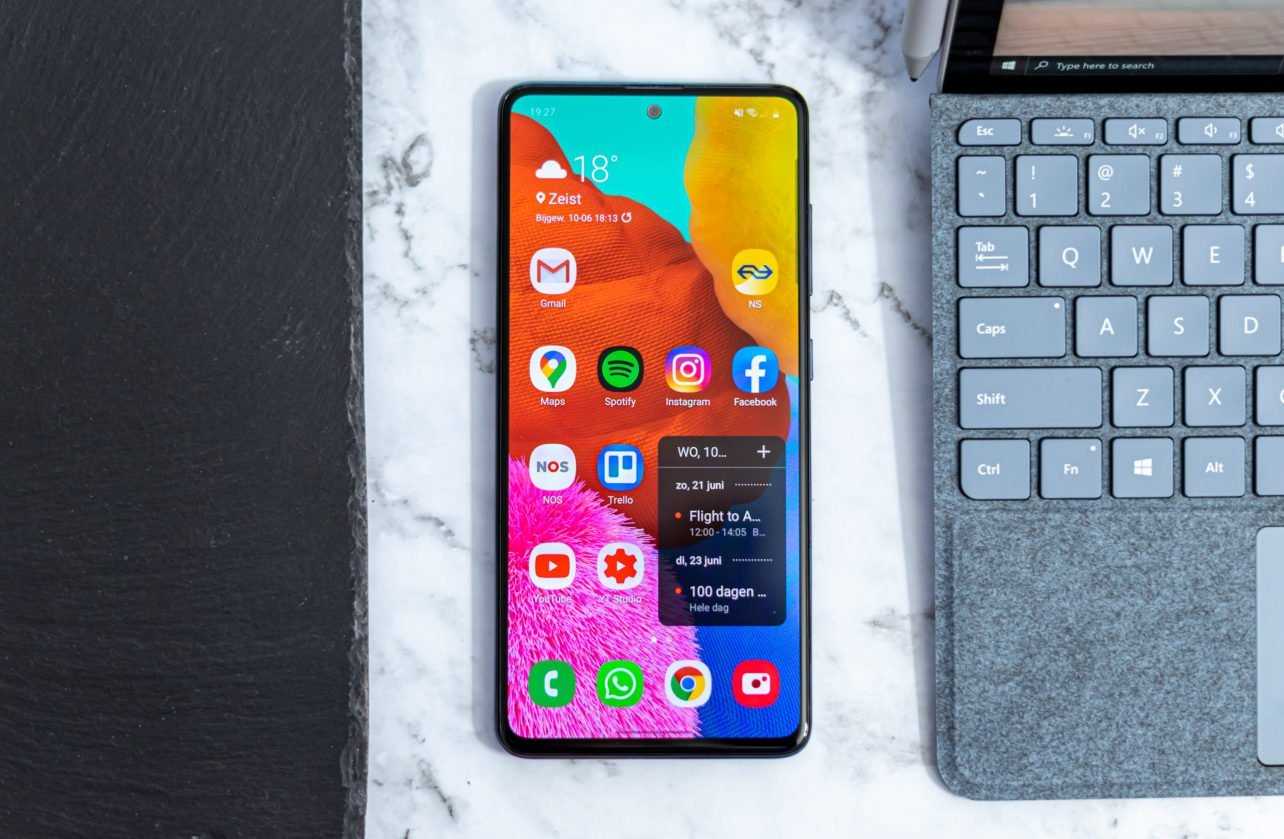
Today we are going to have a first hands-on, all about Samsung Galaxy A51. Samsung’s Galaxy A-series is known as mid-range smartphones but far from being as expensive as the Galaxy S flagships.
The A-series is one of Samsung’s most popular smartphones and Galaxy A51 in particular is one of these smartphones. Samsung is making a big push to get people into buying those kinds of phones.
Galaxy A51 Review
Display
The screen is 6.5 inches OLED display at 1080p which is a big screen and gets pretty bright for outdoor usage.
Having a big screen and display like this is awesome and I don’t think there are a lot of other USD 400 phones out this year with screens which are this good except with a whole bunch of selfie camera and that’s fine.
I have no problem with the hole-punch selfie cutout camera but Samsung did do something new with a shiny chrome ring around the selfie camera which is in the middle of the screen. The shiny chrome ring is visible and sometimes distracting.
There is a fingerprint sensor underneath the display which a bit slow, it’s an optical sensor. Staring at the optical sensor on the display, there is this little green circle design and it unlocks in under a second.
Camera
A Quad camera setup with a nice bar design;
The main camera is a 48-megapixel sensor that shoots at 12-megapixel images by default.
12-megapixel ultra-wide sensor.
5-megapixel macro sensor and
A depth camera.
The selfie camera inside that chrome ring is 32 megapixels.
The photos are good for a USD 400 Samsung phone, white balance is okay. Samsung used software to remove shadows in daylight photos but during night photos it just freaks out and takes terrible pictures, the details when you zoom in are just kind of messy.
The ultra-wide and the macro lenses take great photos.
Performance
The battery to be honest after testing battery life doesn’t suck, you’ll probably get more than a day with awesome expectation because it has a 4,000 milliamp battery and it has a processor which is Samsung’s Exynos 9611 which is an overclocked version of the last one and so it should be fast but it’s not.
You can tell and it’s trying hard even with 4gigs of RAM on it and you could tell that it’s just kind of slow when you’re using an app and gaming which is okay but sometimes it just makes you wait. There’s no wireless charging but there’s128 gigs of storage which is expandable with a micro SD card, included is a headphone jack.
Conclusion
The overall design and build quality of this phone is nice, the material is sort of like plastic and glass but it’s doesn’t feel cheap and it looks premium. I like the design of this phone.
The Galaxy A51, it’s not an overachiever and performs exactly as well as you would expect a $400 Samsung phone to perform in 2020 which is better than it would have been a couple of years ago but it’s still not awesome.
You do get a really solid big 6.5-inch screen and it is the best thing about this phone because the screens are really important on any phone
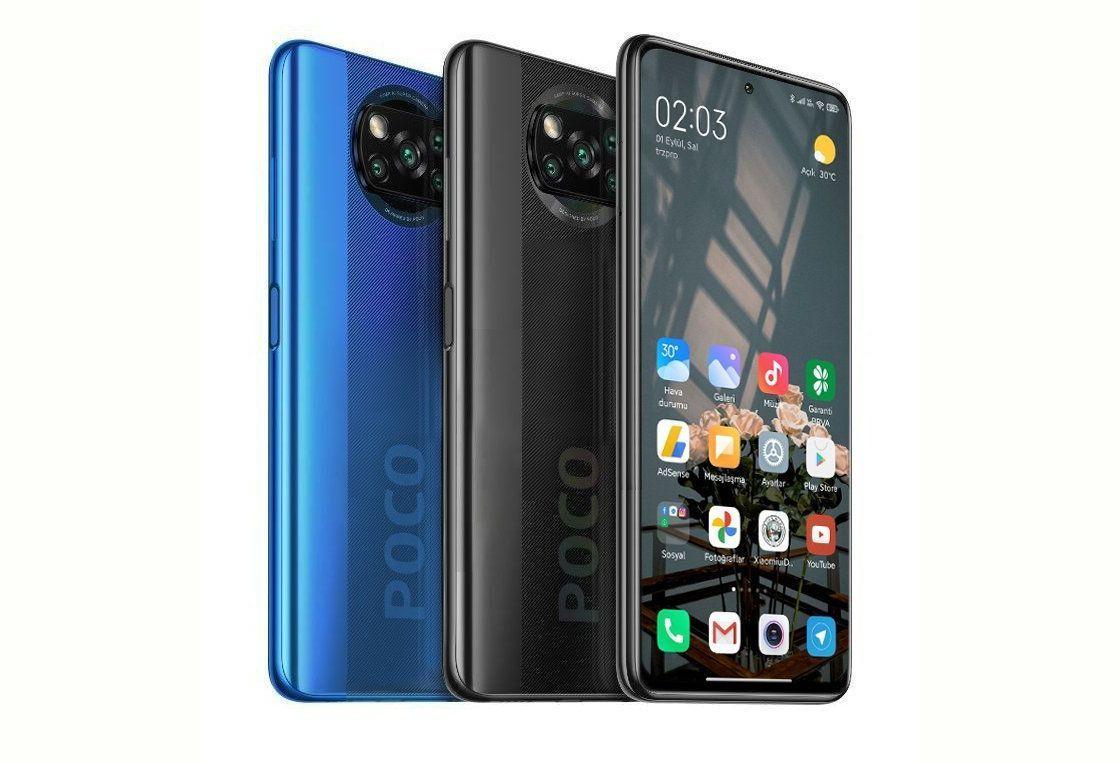
In the world of smartphones, POCO is a name recognized for Xiaomi flagship phones.
The brand is doing something New with POCO X3 NFC which is a true mid-ranger with some great specs and a price as low as €200.
Poco X3 Key Features
Design
The POCO X3 NFC is in the shadow gray finish and its line patterns and large POCO logo give it a unique look.
The X3 NFC is a solid mid-range device with an attractive price. It makes sense that the back would be made from plastic but the device is IP53 rated dust and splash resistance which is a nice feature.
Display
The POCO X3’s display is a large 6.67 inch LCD with a 1080p resolution and is protected by Gorilla Glass 5.
At the top is a punch hole cut-out for the 20 Megapixel AI selfie camera. The display is special because it has a super high 120hz refresh rate, so supported apps, and UI elements will appear much smoother to the eye especially when you’re scrolling. Additional is the screen has a fast 240hz touch sampling rate.
Therefore, touch latency will be much lower giving you better responsiveness for Gaming.
Audio
This is another field in which the POCO X3 NFC stands out.
It has a hybrid stereo speaker setup with one bottom-firing unit and the earpiece acting as the second speaker, also you get a 3.5-millimeter audio jack for plugging traditional headphones.
Performance
Games should run great on this device because it’s the first device to come out with the new Qualcomm’s Snapdragon 732G chipset, which is said to be the most powerful Non 5G chipset in their 700 series.
Needless to say, this should provide great peak performance because of the liquid cooling system involving a copper heat pipe and sheets of graphite.
The phone runs Xiaomi’s new MIUI 12 based on Android 10, which has a clean and snappy interface with few new features.
An example feature is the notification shade which can be split into two different panels, one for the notification panel and the other a control panel. The device support expandable memory on top of the 64/128GB built-in.
Unlocking the POCO X3 NFC is done with a side-mounted capacitive fingerprint reader which doubles as the power button and is quite responsive.
Battery
Also as far as battery life goes, expect good things from the POCO X3 because it’s rocking a large 5160mAh battery, and Xiaomi claims
” it can last over two days of moderate use on one charge”.
Charging the device won’t be a problem because it ships with a 33 Watt charger in the box and it should be able to get the phone from 0% to 60% in just half an hour.
Camera
The POCO X3 NFC has four cameras on the back;
64 megapixel Quad Bayer main camera.
13 Megapixel ultra-wide-angle camera.
2 Megapixel macro camera and
A depth sensor.
This should offer a pretty versatile camera experience for the money.
Conclusion
The POCO X3 NFC looks to pack a ton of great features to deliver on, for €200 this may end up as one of the best value phones you can find this season.
The Microsoft teams is a central hub for communication and productivity although you’ve heard it many times you may not know what that means and how you can use this incredible application to help you achieve more in your workday.
Here is a look at some of the Microsoft teams’ features that will help you communicate, co-author or collaborate and work more effectively daily.
Microsoft Teams Features
Forwarding Emails Conversation And Private Chats
The forwarding of emails conversation is a Microsoft Teams features that help to communicate easily with your worker or teams, especially when work document or Conversation are sent via email.
In the past, outlook and teams have been integrated. So you can create or forward emails in the team’s environment for your entire team to view in teams.
Navigate to the Preferred Team’s channel to post the email.
Choose the ” ellipsis (•••) ” and pick ” Get email address “. Now you can paste that address into the email and it will populate it to the channel.
Note: You can have an open discussion with your team all about that email.
Bookmark Files From Conversation
Having conversations or chats means messages are saving in succession and you might be worried that you won’t be able to find important items within chat history.
The Microsoft Teams feature, the ability to flag or save important items from posts, conversations, or chats. When you have an item you would like to bookmark or Save:
Hover over that item.
Select the “Flag“.
To review the flagged item.
Go to your “Profile icon“.
Choose “Saved” to bring up a listing of all of your saved items.
Finding Group Chats
When having group chats, you can create a title for your important chat to make it easier to find in the future and to help it stand out. Simply
Click the “Pencil” beside the chat names.
Create a new title.
The chat is now searchable within teams and you can Pin a chat to the top of your chat list for easy access as well.
Connectors
It helps your team remain current and up-to-date by allowing you access to updated content from the services you use frequently like News, Twitter, and Facebook. The connector will stream your information right into one of your team channels and populate it in your conversation tab.
Transcripts
Microsoft teams can record the team’s meeting but not everyone knows that teams can transcribe that meeting when your recording is completed.
Open the recording in the stream. Go to the “edit option” and under video language update it to English.
Select “Auto-generate a caption file“.
Choose “apply“.
Next time you open the video you will see the transcript created from the dialogue of the meeting. if it does not automatically appear:
Select “Settings“.
Show “transcript“.
Currently, you can create transcripts in both English and Spanish.
These are apps you can use every day to help save and budget our money to the point where we don’t even have to think about it. If you don’t want to go with our choices for the apps by all means do your research and find whatever is comfortable for you but these are just our personal opinions.
Apps For Saving Money Internationally
Digit
Platform: Android, iOS, Web It is the simplest one, I have to say. Digit is an easy no-brainer way to store away cash. When you create an account, a rainy-day account is given then you have to link your Digit account to your checking account, credit card, or debit card. By linking your account, you give digit access to use algorithms to learn about your spending patterns and how much you can responsibly save. It saves money for you when you can’t afford to.
Digit is the quickest the easiest and probably the most effective for like beginners who are just trying to save money. You saving depend on several outcomes. Digit does offer you the ability to personalized goals e.g. like credit card debts or you want to buy a car or saving for a vacation, you can create the goal, and then it will also save money towards that goal. digit comes with overdraft protection, with overdraft protection you can set any minimum amount you want for your checking balance i.e. digit will be triggering any time your checking account falls below the stated amount you set (let’s say you set that number at $100, and your balance falls to $80. Digit will then send $20 to your checking account).
Chime Bank
Platform: Android, iOS, Web
Chime Bank is a branch-free mobile banking experience for people who need to manage their money on the go. Chime Bank has eliminated a lot of hidden charges or fees for its customers. With the chime bank app, you never have to worry about any of the following:
Monthly fees
Overdraft fees (up to $100)
Foreign transaction fees
No minimum balance requirement.
Chime offers two kinds of accounts:
The Basic Account.
The Savings Account.
The basic account is also called Spending Account which comes with a Visa debit card while the Savings Account currently pays 1.60% APY. Signing up with Chime is easy Then you’ll just need to enter the following info:
First and last name
Email
Home address
Phone number
Date of birth
Social Security number
One of the best reasons to use Chime Bank to save money is because they don’t care about your bad mark/score you had in the past, unlike your local or traditional bank even with a history of bad score or mark from your local bank you can still open an account with chime bank. Technically, it’s a second-option of banking and gives you easy access to withdraw your money through Money Pass and Visa Plus Alliance networks. Chime is not like your local or traditional banks where they own a physical branch to deposit money, but with the various option you can add money to your Chime Bank account:
Direct deposit from a payroll provider
Transfer from a linked external bank account
Mobile deposit of a paper check
A cash deposit (cash deposit at more than 90,000 retail locations through GreenDot.)
Managing accounts, bills and more are time-consuming. Inconsistent incomes and lumpy bills turn financial management turns into a nightmare.
Clarity Money
Platform: Android, iOS, Web
Many people are struggling with financial management and Clarity Money App wants to be the modernized source that streamlines your finances with big savings opportunities.
Clarity Money is an expense tracking and bill negotiating app which allows you to link all your accounts, so you can prioritize all your transactions in a single app. You can now manage all your accounts on The Go using just an app.
Clarity Money gives you an organized visual representation of your transactions graphically with insights into your spending habits which include daily spending trends and pie charts.
Clarity Money has so much to offer to its customers, one of the special benefits of clarity money is they can negotiate to decrease some of your bills on your behalf.
According to the clarity money, they have the most success in lowering your bills. They also offer you:
Cancel or negotiate with the click of a button
makes it easy to cancel bills through their app therefore you cancel Netflix, cable subscriptions, etc. you can do that through the app Within a week, the team at Clarity Money will cancel your subscription.
An automated savings platform, Users can set up automatic savings in an FDIC insured bank account.
Why You Should Use Clarity Money
Clarity Money is a saving masterpiece, connection to bank accounts is faster than other apps.
Clarity Money makes it easy to transfer funds between accounts and even to different banks.
They help identify subscriptions to cancel and bills to lower.
The automated savings feature will help you build a savings muscle with just a few taps of your finger.
No other personal finance app comes close to Clarity Money.
They charge you only for negotiating bills on your behalf apart from that it has a Zero commission rate.
Mint
Platform: Android, iOS, Web
Mint is a customized User-friendly budgeting tool that:
Syncs all of your financial accounts under an app
One-stop-centre for your money tracking needs.
access to different features including bill tracking, financial goal creation, and credit score monitoring.
Mint is free personal finance management that syncs all your credit cards, bank accounts, and investment accounts together in an app. Mint was created by Intuit.
This provides its user with:
Free and Customizable Budgeting Tool.
Compatible with iOS and Android.
Bill Tracking and management.
Credit Score Monitoring.
Savings Goal Setting.
Analyses Cash Flow Trends.
Set Email Alerts, notifications and Reminders.
Investment tracking.
Free and easy to use.
Key Features
Accounts Tracker
This feature all your linked “accounts” which are Bank Accounts and Credit Accounts.
Major Assets
There is where you state physical assets such as cars and homes which you own.
To set up your asset, you’ll need to answer some simple questions like the manufacturer of vehicle, model, year, and mileage, or address of your home, etc. to get the value. You can adjust an asset’s value manually as well.
Investment Tracker
This feature tracks your investment accounts:
Traditional brokerages.
IRAs
Employer-sponsored 401ks
All accounts are syncs with each other and you get updates of value every day at market close.
Transaction Tracker
It keeps track of every credit and debit for all your synced or linked accounts. The User Interface of the transaction tracker looks similar to an online bank statement.
Mint assigns your transaction in order of categories while the Uncategorized transaction can be categorized manually.
Bill Tracker/ Mint Bills
Can be called Mint Bills. Mint’s bill tracker is a free feature that organizes your bill systematically. It can only help you keep track of your bills but can’t help you pay them.
Goals
It helps you define and set financial goals that give purpose to your spending and to save money.
Budgets
A tool that helps you set budgets on a monthly, periodically, or targeted budget (like saving for a specific purpose).
Trends
where you get financial analysis of your account. It makes use of graphical representation like bar graphs or pie charts to track your spending, income, net income, assets, debts e.t.c for a certain period.
Dashboard
It offers an in-depth look at all the accounts and assets you have shared with Mint. It comes with the usual basic features like a snapshot of your spending and saving trends, monthly budget status, ongoing goals, and upcoming payment due dates.
Trim
Platform: Android, iOS, Web
The trim app is like other personal finance apps and budgeting tools. You sign up, link your account and you are good to go.
The Trim app is popular for helping users negotiate for lower rates on your bills and cut off unused subscriptions. The company claims to have already helped users save over $20 million.
Trim works is like a personal finance bot that searches for your transactions and finds recurring transactions like subscription services and cancel them for you while they also negotiate your bills. Here’s how it works:
They search for transactions from your linked accounts (checking & credit card account).
Analyzes your transactions for recurring subscriptions
After analyzes, Trim shows you how much you’re spending on the services.
Select the services.
Trim cancels them and update you during the process and progress.
Trim’s Bill negotiation:
Submit a bill.
Provide payment method.
Trim will contact the bill holder for negotiation.
You will be notified when negotiation is successful.
Before you proceed with the bill negotiation, Trim charges 33% of the total you save each year on the bill they successful negotiate and the charge start three days later.
What is Trim Premium?
A Trim new paid service, and it cost $10/month and has a 30-day money-back guarantee. Trim Premium offers
This is something that technically our generation and even the older generation have an issue with and they need to work on, thankfully because of technology they now make apps that’ll do it for you.
You don’t have to go into any budgeting and things like that. I’m not sponsored by any of these apps or getting paid to talk about all these apps. These apps are used daily over and over again because they just work so well.
I’m going to try to make it as easy as possible for you to start saving for the business.
Corpreneur
Platform: Android, iOS, Web
Is a financial app by Prime Nexus FTL Ltd which was created for seamless and easy digit zeal saving.
CORPRENEUR is an app for saving and investment that helps you with saving, allows you to invest, and empower entrepreneurs. To create an account is quick and easy to do via mobile app (android and iOS) and web.
Saving with CORPRENEUR starts with as low as NGN100 or up to NGN 100,000 daily, weekly, monthly, and earn up to 10% interest rate per annum.
With the seamless and easy ways of CORPRENEUR, entrepreneurs can create a business space to increase the visibility of their business online due to search engine optimization (SEO) for high rank by a search engine (google, bingo, etc.)
Features
Fixed Savings
Allow you to put away cash for a long period and earn a fixed interest rate between 10% – 12.5 % on saving. Fixed saving cash range from NGN25,000 – NGN10,000,000 for 6 months or more.
Target Saving
Allow users to save toward a goal or targeted amount at an interest rate of 10% per annum. There is no fixed withdrawal period but once you reach your goal or targeted amount and it’s above the minimum period, your savings can be withdrawn.
Periodic Saving
Allow users to save any amount between NGN100 – NGN10,000,000 daily, weekly, monthly with an interest rate of 10% per annum. Note: Periodic saving allows you to save money as long as you desire.
Corpreneur offer
Zero service fee
Flexible savings plan
High-level data encryption
Competitively interest rate
Transparency
Security of card
NB: the minimum amount you can withdraw from your savings is NGN3,000.
Cowrywise
Platform: Android, iOS, Web
Is a fintech start-up app founded 2017 by Edward Popoola and Razaq Ahmed, with over 100K download on Google Play Store and an approval rating of 4.5 stars.
Cowrywise is an app mainly build for those who are interested in saving and there is an option for those who want to invest. You can sign up with Cowrywise via mobile or web. The app educates you on saving, investing, and allow you to invest in mutual funds.
Cowrywise was created to help young Africans understand money, how to save, investing worthwhile, and also highly rewarding.
Cowrywise has a larger saving plan than other fintech apps I have reviewed. They include:
Periodic saving
Life goal-saving
Fixed saving
Halal saving
Saving circles
Save as you earn
Periodic Saving
allow users to save regularly from daily, weekly, or monthly and it’s meant for regular fixed earner, student, etc.
Life Goal Saving
allow you to save on long-term goals and it’s quite similar to target saving.
Fixed Saving
designed for those who want to save for a desired period e.g. 3 months, 6 months, or a year. Your saving will be locked for a fixed maturity date you set.
Halal Saving
Is a plan that goes with the Islamic banking system therefore Zero interest rate is the principle of Islam (Designed for the Islamic believers).
Saving Circles
Is meant for those who want to save together, a plan for those with common interest or goal to achieve (Designed for couples, loved ones, or business partners).
Save As You Earn
Was created for non-regular income earners, it allows you to deposit anytime you want with zero deposit commission (Designed for entrepreneurs, traders, and erratic income earners).
Cowrywise interest rate annually varies from 10% to 15% depending on how long the money is saved.
Sumotrust
Platform: Android, iOS, Web
SumoTrust is a savings and investment platform by Sumo Tech Global Limited registered as a finance company, they claim to help reshape the poor saving and investment culture of Africans. They claim to help Africans save and raise money for any of the following purposes:
To saving for business.
Pay for rent
Buy property
Buy a car
Do some shopping
Pay school fees etc.
You can create an account with SumoTrust with a mobile app (Android and iOS) and web.
Features
Main Savings
is an account designed for users to automatically save daily, weekly, or monthly as the case may be, you earn 10% interest per annum. You are allowed to make withdrawals on the stipulated withdraw-able dates.
Fixed Savings
is a category of savings in which you save your money for the desired period of about a year and earn a maximum of 15% interest annually. It’s sometimes called an investment account.
Mission Savings
An account type designed for the user who wants to save money for whatsoever project or target ahead. With this account type, you have the freedom to set your savings target, amount and then start saving until you hit the threshold.
Kick Account
This is an account that stores all interests earned in your above accounts, referral commissions, winnings, and bonuses, they are all paid into this account. This account doesn’t have any interest attached to it. They offer:
Help one raise finances to start saving for business, building projects, buy cars, pay school fees, rent, etc.
An opportunity to meet high-class businessmen and women who can help groom your business to an enviable height which is meant for entrepreneurs.
High-interest rates are more than what is obtainable from local banks.
Zero commission fee for using any of their services.
Your money is very safe with them, with high-security encryption security.
When it comes to Sony, they dance to the beat of their drums and their latest Xperia is no different. The Sony Xperia 5 II is every bit the flagship as its bigger brother (Xperia One II).
Key Features Of The Sony Xperia 5 II
Design
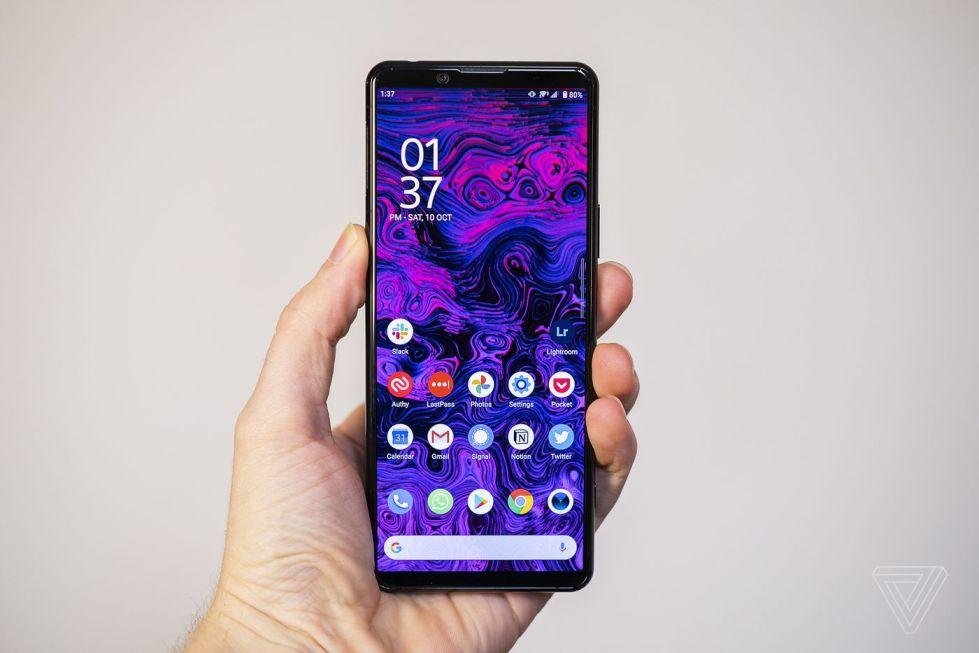
The New Xperia 5 II is very slim and its screen features a unique ratio of 21:9 form factor.
This is a small device that is easy for one-handed than the larger Xperia One II, it is also easily pocketable, unlike the previous generation. However, the corners are more rounded which might be disappointing for fans of Sony’s classic box aesthetic.
The back is the same reflective back as the previous generation and it’s also a bit prone to fingerprints. The power button and fingerprint sensor are now integrated into one single key while next to it is a dedicated google assistant button.
The phone has gorilla glass 6 on both sides, an aluminum frame, IP68 dust and water-resistant.
Display
The screen is a 6.1 inch AMOLED panel with no notch and the front camera is in the bezel at the top.
It might not be a 4k display like the Xperia One II in resolution but the Xperia 5 II has a boost of its own on the display with a 120hz refresh rate.
Audio
When it comes to sound, this phone has everything. It has a headphone jack and a set of front-facing stereo speakers and a dynamic vibration system which will make the audio have more bass.
In case you prefer wireless headphones, the phone supports Bluetooth 5.1 for excellent Bluetooth connectivity.
Performance
The phone comes with a 5G capable Qualcomm Snapdragon 865 and 8 gigabytes of RAM. This flagship chipset should be able to handle everything you throw at it.
The New Xperia 5 has a 4000 mAh battery which is surprisingly the same as the Xperia One II, with Sony Xperia 5 II smaller screen size expect better endurance than its bigger sibling.
The phone can charge from 0% to 50% charge in half an hour thanks to quick charge 3.0 and for software, it has android 10. Sony is planning to release an upgrade to Android 11 shortly and the whole UI seems almost like stock android.
Camera
The cameras on the phone have a triple camera setup on the back with a;
12 Megapixel main camera
12 Megapixel telephoto camera and
12 Megapixel ultrawide camera.
The main camera has OIS and EIS for better video stabilization and there’s also an autofocus option when capturing human subjects (the camera system is the same as on the Xperia One II).
Conclusion
Xperia 5 II is the smaller and cheaper sibling of the flagship roster of Sony but it doesn’t skip on any of the features of its bigger brother. The cameras are just as good, the battery is just as large and the flagship chipset is the same. There’s a specs upgrade for the Xperia 5 II with a high refresh rate screen.