Author: Chinweike Onwuchekwa

  • How To Register your NIN to your MTN, Glo, 9mobile & Airtel [2024 Guide]

    How To Register your NIN to your MTN, Glo, 9mobile & Airtel [2024 Guide]

    Following recent news from Nigerian Communications Commission (NCC), having instructed telecommunications operators like MTN, Airtel, Glo, 9Mobile & others to block all customers SIM cards that refuse to register with the National Identification Numbers (NIN) in two weeks.

    The News was disclosed on Twitter by President Muhammadu Buhari Personal Assistant, Bashir Ahmad.

    He tweeted, “The Nigerian Communications Commission (NCC) has given telecommunications operators (MTN, Glo, Airtel, 9Mobile and others) in the country two weeks to block all SIM cards that are not registered with the National Identity Numbers (NIN), the Commission has said in a statement.”

    Information Requirement to Register your NIN

    Here are Possible Requirements, you might be asked for during the process of registering your NIN to your mobile number:

    • Mobile Number.
    • Full Name.
    • NIN Number.
    • Email Address.
    • Date of birth (DOB).

    Note: All network providers require a national identification number gotten from the NCC office, incase you forgot your NIN, Dial *346# to retrieve your National Identification Number.

    How To Link Your National Identification Number To MTN Number

    There are two ways to link your National Identification Number to your Mtn Number, which are:

    • The MTN Website and
    • Mobile Shortcode

    MTN Website

    Follow these steps to register your NIN on the MTN Website:

    1. Visit the Customer NIN Capture: https://mtnonline.com/nin/
    2. Input MTN number
    3. Type in your NIN Number
    4. Fill In Your email number
    5. Then submit.

    Mobile Short Code

    Follow these steps to register your NIN via the MTN Shortcode:

    1. Dial *785# then send.
    2. A window will pop-up stating you should input your 11 Digit National Identification Number.
    3. Input your 11 Digit National Identification Number Then send. A window will pop-up stating “your NIN has been successfully received”.

    How To Link Your National Identification Number To Glo Number

    Presently, the only way to link the National Identification Number is through sending a text format to 109.

    Follow these steps:

    Send ” UpdateNIN, NIN, First name, Last Name ” to 109

    E.g.

    UPDATENIN [space] 12345678901 [space] Amedu [space] Joshua

    How To Link Your National Identification Number To Airtel Number

    For Airtel customer, you can only link your mobile number using short code, follow the steps below:

    1. Dial *121*1#
    2. Input your 11 Digit National Identification Number
    3. A window Pop for confirmation and you will also receive a text message for successful confirmation.

    Conclusion

    Presently, 9mobile is yet to release a method of linking NIN to mobile number but the company said it’s looking into possible ways to make linking easy for it customers, expect an update on this in the coming days.

    Failure to link your mobile number to NIN in the next two weeks will result to your number being blocked.
  • NIMC Mobile App: How To Download, Use & Print National Identity Card Online

    NIMC Mobile App: How To Download, Use & Print National Identity Card Online

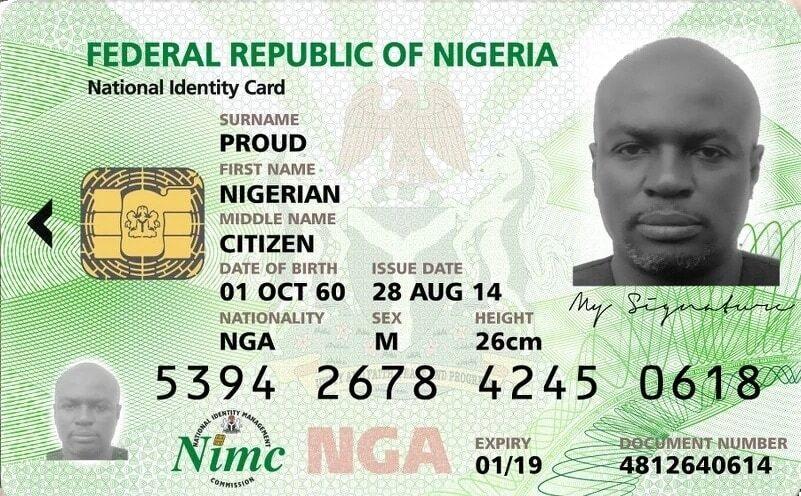
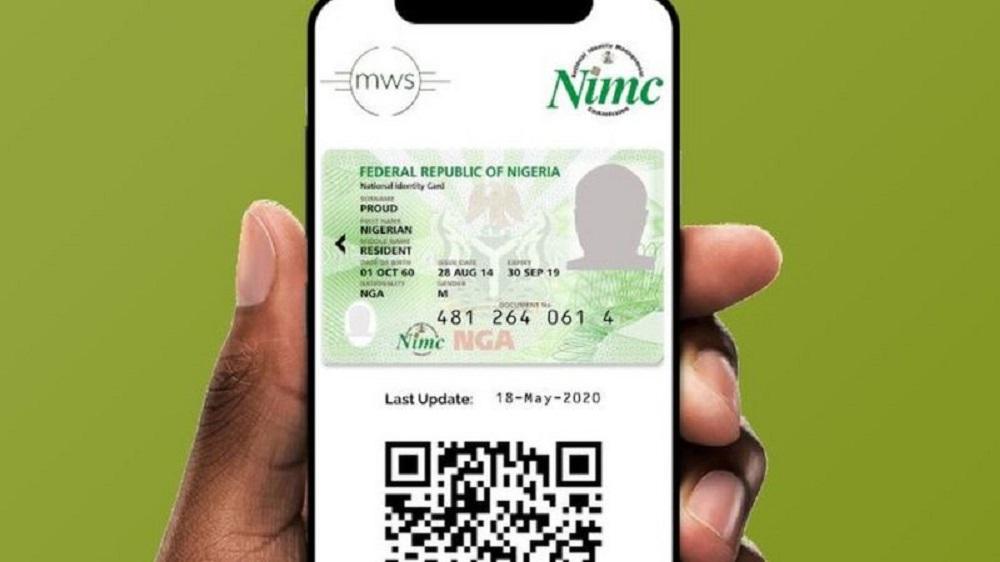
    The National Identity Management Commission (NIMC) has started encouraging Nigerians to use the official NIMC Mobile App that was newly launch to take get the National Identification card or use in place of physical ID card.

    In 2020, the official NIMC Mobile App was removed from Google Play store because of several complaints from people stating that the app was poorly built and using the app to access your National Identification card was not working properly.

    One of the major complains was when you input your NIN into the App, it will actually bring out the wrong National Identification card.

    NIMC Mobile App

    The new release of NIMC Mobile App, NIMC has said the App is easy to navigate, has some good features and the app can only be used by those who already have their National Identification Number (NIN).

    According to Nigerian Identification Management Commission, Everybody is permitted by Nigeria communications Commission(NCC) to link up to 7 devices with Nigerian- registered mobile numbers to your NIN (Mobile phones for now).

    How To Download & Use The NIMC Mobile App

    1. Visit the Google Play store to download for Android phone or through Apple App store for iPhone users.
    2. After installing the app, Open the App on your phone.
    3. At bottom left, click on Skip.
    4. Then Put in your 11- digit NIN number in the box and press Next.
    5. A windows will pop up showing the phone number you used in registration of your NIN.
    6. Click on I am still using this Mobile Number (only if you still have access to the mobile number) or click on I am no longer using this Mobile number (only if you still have access to the mobile number).
    7. After choosing among the two options above and press Next.
    8. If you are still using this Mobile Number, Please enter the User ID and OTP sent to you through SMS and then press Proceed.

    Note: if you no longer using the Mobile number again, you need to visit any NIMC office to update your mobile number before you can continue with the process.

  • How to get back and Re-print your NIN Slip

    How to get back and Re-print your NIN Slip

    The National Identity Management Commission has released information to help people who have lost/misplaced their National Identification Number slip on how they can get their NIN slip back.

    According to the information released by NIMC, Reprinting your NIN slip will cost a fee of 500 Naira which can be paid through REMITA or any bank closes to you, then you have to carry the Remita teller back to any enrolment centers near you and request for a reprint of NIN slip.

    A simple way to get your National Identity Number easily according to the National Identity Management Commission is to dial *346# to retrieve your NIN number.

    National Identification Number

    Note: There have been a lot of people who have a National Identity Number but do not know it. If you already have a BVN, automatically a NIN has been assigned to you.

    The current trend about the NIN is because the Nigeran government has directed telecommunication providers that all mobile network subscribers will have to update their SIM with their National Identity Number (NIN) before the deadline.

    The National Identification Number is what the Nigerian government establishes to use to identify every Nigerian and they also advise citizens “to stop selling and sharing their National Identity Number” because the details can be used for fraud.

    What You Need To Do If You Forget Your NIN

    You don’t need to register again, In just two easy steps you get your NIN back

    • Enter any enrolment center nationwide and give them your phone number or fingerprint to get your NIN back
    • Just dial *346# with the mobile number you register with your NIN

    The Main Function Of NIN

    NIN is a means of identification which the federal government uses to identify all records complied about a particular individual inside the National Identity Database and also as a means for self-verification of an individual identity.

  • All Telecom Providers are Licensed By NIMC to Provide NIN

    All Telecom Providers are Licensed By NIMC to Provide NIN

    All Telecom Provider is licensed by NIMC to provide NIN

    Quick Recap

    • FG declared on December 15, 2020, that all registered SIMs that are not linked with NINs before December 30, 2020, on any telecommunications companies would be blocked.
    • The deadline date was later extended to December 30, 2020, due to widespread opposition against the announced ultimatum date of three weeks’ extension for subscribers with NIN which is December 30, 2020, to January 19, 2021, and 6 weeks extension to subscribers without NIN from December 30, 2020 – February 9, 2021.
    • On January 7, 2021, NIMC workers protested against the poor welfare issues at the NIMC but later the strike was suspended after the intervention of the minister.
    • Nigerians and organizations called for an additional deadline extension/outright suspension of the NIN registration process due to the masses who are yet to get their NIN.

    Presently, NIMC has granted Telecommunications companies licensed to register people who do not have National Identity Numbers so as to reduce the huge crowds at the official center of the National Identity Management Commission.

    nimc

    Aliyu Aziz (Director-General of National Identity Management Commission), also said some private and public organizations have been licensed by the commission to provide NINs in order to address the public at the commission’s offices.

    The minister also addressed the union that the demands presented by NIMC workers were new to him, as he took over the supervisory role of NIMC in October 2020, and he has set up a seven-man committee to work on the issues of the workers and submit a report to him in two weeks time.

  • How to Fix Wi-Fi on MacOS and Macbook Pro

    How to Fix Wi-Fi on MacOS and Macbook Pro

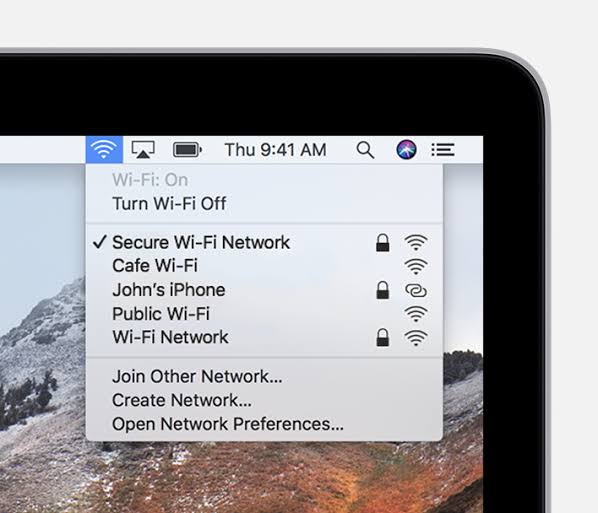
    A stable Wi-Fi connection is crucial to a smooth Mac experience while sometimes MacBook Wi-Fi won’t Turn-on.

    MacBook like any computer is vulnerable to losing its Wi-Fi connections so if you have reset your router and found out other devices are connecting to it while your Mac still refusing to connect then it’s certain that the issue from the Mac.

    How To Fix MacBook & Mac Wi-fi Won’t Turn-On

    How To Fix Wi-fi Keep Switching-off After Wake

    A common problem for Mac users where the Wi-Fi disconnects after waking from sleep. The possible solution:

    • Go to “Apple Menu”.
    • Click “System preferences”.
    • Click “Network”.
    • At the left-hand panel, click “Wi-Fi”.
    • Next “Advanced”.
    • At the bottom right-hand corner on the next screen. Select “Every Network” in the list using “Command + A” and use the minus icon to remove them all, then ”OK”.
    • In the Main Network, the window clicks the “locations drop-down” and the “Plus icon” and give a new location name of your choice.
    • Click “Done” to use this location from now on.
    • Finally, reconnect your home Wi-Fi network to stopped disconnecting upon sleep-wake.

    Here’s something simple you can try that might just solve everything.

    A lot of Mac or MacBook Pro users have reported that disconnecting certain USB 3 and USB C devices have solved their MacBook Wi-Fi won’t Turn-On problems.

    How To Fix Wi-fi Won’t Turn-On By Disconnecting USB and Wireless Signal Devices

    First, try is to disconnect your USB devices one by one and see if the Wi-Fi comes back.

    This happens because certain USB devices emit wireless signals that can interfere with the Wi-Fi while devices like USB Hubs especially have been known to disable the Wi-Fi which is sort of like how you plug an Ethernet cable and it automatically disables Wi-Fi.

    How To Fix Wi-fi Won’t Turn-On By Resetting the NVRAM, PRAM and SMC

    If you having connection issues after running the Mac OS update, just start by restarting the Mac to see if the MacBook Wi-Fi won’t Turn-On is resolved. Otherwise, try resetting;

    • PRAM: Parameter Random Access Memory.
    • NVRAM: Non-volatile Random Access Memory and
    • SMC: System Management Controller.

    Resetting the PRAM & NVRAM

    These are the portions of your Mac that control basic operations critical for your basic system function.

    MacBook Wi-Fi won't Turn-on
    • Press and hold the power button to completely shut it off (hard disks, fans need to stop spinning and the screen needs to go dark).
    • Power on your Mac, immediately after you hear the start-up sound.
    • Press and hold the ”command + option + P + R keys”.
    • keep holding them down until you hear the start-up sound again and until you see the Apple logo.
    • Release the keys and the PRAM NVRAM will have been reset.

    Resetting the SMC process heavily depending on whether your Mac is a desktop or MacBook (also if it has a removable battery or not).

    Conclusion

    The Mac WiFi issues are the common and popular issues for it users. It is an everyday problem a lot of Mac users have complained because their Mac WiFi won’t work while their friend’s Mac works perfectly well.

  • Xiaomi Mi 10 Ultra hands-on and key features

    Xiaomi Mi 10 Ultra hands-on and key features

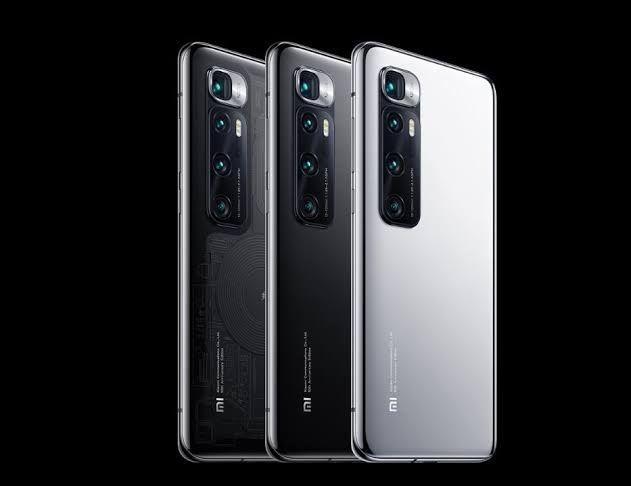
    The Mi 10 ultra is Xiaomi’s newest device and it has its most advanced camera system that brings the craziest charging speeds you have ever seen.

    The Back camera is the most amazing and impressive – it comes with everything you can ever imagine in the world of recent technology, that is, a 48MP camera sensor which relies on a new Omni-Vision with an OIS lens then comes another 48MP Sony camera with a 5x zoom lens, a 12MP portrait for photos and a 20MP camera with a 12mm ultra-wide lens for ultra-macro shots.

    The phone is far one of the best phones you can buy so far because it pushes the limits of mobile technology with the latest screen, super-fast charging, and top-notch cameras.

    MI 10 Ultra: Key Features

    Design

    The Mi 10 Ultra is a flagship design for a flagship phone, made of an aluminum frame with Gorilla glass and it’s comfortable in the hand with the transparent edition.

    It is super cool through the clear back when you gaze upon the phone’s internals although we’re pretty sure parts of what you can see are just stickers.

    The most amazing design feature is the Quad camera arrangement. The camera bump is quite large that when you’re holding the phone it’s very noticeable but using a protective case is less uncomfortable due to that camera bump.

    Holding this phone might feel comfortable for other people because everybody has a different hand size from the small, medium, and large, experience may vary.

    Display

    Mi 10 Ultra

    The Mi 10 Ultra is built around a curved 6.67 inch OLED display which has a small punch hole cut-out for the 20-megapixel selfie camera.

    This display has a 1080p resolution with an impressive fast 120-hertz refresh rate & a super responsive 240-hertz touch sampling rate so moving objects look smooth.

    On top of that, the interface itself is the newest MIUI 12 over Android 10. For unlocking the phone there’s an under-display fingerprint reader which is quite fast and responsive.

    Audio

    The media experience is rounded out by a pair of stereo speakers, also there’s no headphone jack but plenty of on-board storage for your media, up to 512GB which isn’t expandable.

    Camera

    The MI 10 Ultra’s headline feature is its impressive camera setup.
    There’s;

    • A 48 megapixel Quad Bayer main camera,
    • A 48 megapixel Quad bear Periscope telephoto camera with five times optical zoom,
    • A 12-megapixel telephoto camera with two-times optical zoom,
    • A 20-megapixel ultra-wide camera with autofocus that can take macro shots.

    overall, the camera provides an incredibly well rounded and versatile camera experience day or night.

    Performance

    According to benchmark scores, Mi 10 ultra could be the best setup out there now. The Mi 10 ultra has a flagship-grade Snapdragon 865 chipset with peak performance.

    The phone comes with a liquid cool 2.0 vapor chamber and a graphite heat sink for thermal management which is excellent for sustained performance and thermal management.

    Battery

    Another great feature of the Mi 10 Ultra is fast charging. The phone has a massive 120 Watt turbocharger in the box.

    Xiaomi claims

    ”can charge the 4500 mAh battery from 0% to 100% in just 20 minutes”.

    The phone also supports an incredible 50-watt wireless charging and 10-watt reverse wireless charging which are both the fastest.

    Conclusion

    The device is an awesome flagship for anyone who wants a high-end camera phone that can top up his battery as fast as possible and also the price is decent, starting at the equivalent of $900.

    The phone has a major flaw which is availability because Xiaomi doesn’t intend to sell this device outside of China.

  • Samsung Galaxy Tab S7 Plus: Key Feature

    Samsung Galaxy Tab S7 Plus: Key Feature

    There are very few android manufacturers that are interested in producing tablets for the Android operating system like Google and Samsung.

    Unlike the Galaxy Tab, the slates are just the only ones that can compete and get work done this is because Google is yet to do much to expand the capabilities of android with larger screen sizes.

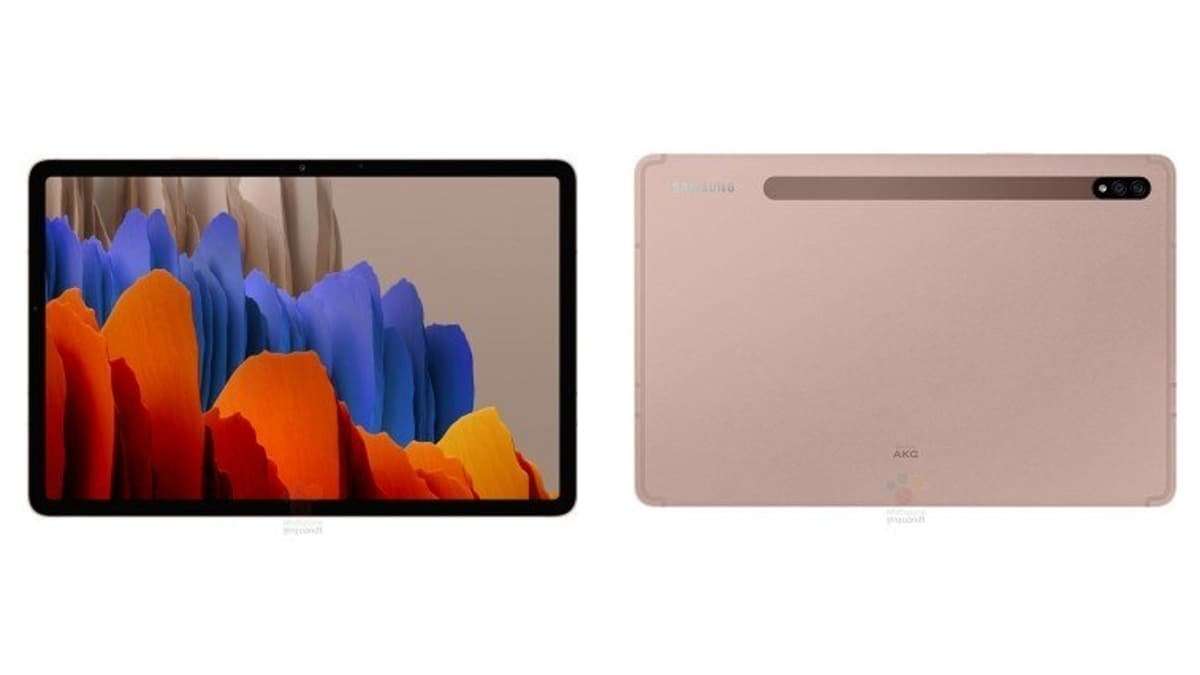
    This is the Galaxy Tab S7 Plus, it’s one of the most powerful Android tablets.

    If you’ve seen Samsung’s new flagship phones both the interface and features of this will feel quite familiar. Galaxy Tab S7+, I’ve found myself both impressed by the relatively polished software experience and frustrated at the pervasive shortcomings of Android itself as a tablet platform

    Galaxy Tab S7 Plus

    Design

    The Galaxy Tab S7 Plus is pretty sizable, it’s built around a 12.4-inch screen which is quite thin and relatively light. Samsung is offering the Galaxy Tab S7+ in Mystic Black, Mystic Silver, or Mystic Bronze.

    The sandblasted mystic black finish looks like graphite and feels satisfying to touch though it does tend to attract plenty of fingerprints.

    Display

    Galaxy Tab S7

    The tablet’s display is an AMOLED with 2800 by 1752 resolution which gives you a total of 266 PPI which is plenty sharp for this kind of device.

    A unique feature is the high 120-hertz screen refresh rate which means supported content and UI elements will look much smoother to the eye.

    The Display has a fingerprint reader to unlock the device just like smartphones with AMOLED screens. The fingerprint location of the Tab S7+ is different from the Galaxy S7, it has an optical fingerprint sensor built into the display.

    Audio

    The Galaxy Tab S7 Plus has a loud Quad Stereo speaker setup with Dolby Atmos’ support. Watching content and playing audio is satisfying.

    Stylus

    An attractive feature of the S7 Plus is the updated stylus which is the same Advanced S-Pen that you see on the Note 20 Ultra and it brings super-low nine-millisecond latency which is responsive and coupled with the screen’s high refresh rate, the writing sensation feels quite authentic.

    The stylus also grants you a variety of air actions that are controls for the UI or supported apps. Charging the S-Pen isn’t a problem because it wirelessly charges to the magnetic strip on the back of the tablet.

    There is also a keyboard that can be attached to the Tab S7+ making it behave more like a laptop but the keyboard is sold separately.

    Performance

    For Onboard storage, you can up to 128GB or 256GB of storage which is expandable via Micro SD, unlike the iPad Pro.

    The Tab S7 Plus brings a Snapdragon 865+ chipset which as far as android’s chips go should be plenty of power for your mobile tasks and gaming and also offers support for connectivity to 5G networks.

    Battery

    Another impressive area is battery life, it packs a huge 10,000mAh battery which’s much larger than what last year’s model had.

    The battery should be able to keep you going for hours and when it’s time to charge up, it supports 45 Watt fast charging which you have to buy the charger separately.

    Camera

    The same Dual Camera setup as last year’s Galaxy Tab S6;

    • 13 Megapixel main camera,
    • 5 Megapixel ultra-wide.

    The selfie camera is;
    8 megapixels same as last year’s model.

    However, expect an upgrade in software processing for the cameras and also you get night mode this time around for better results when shooting photos in dark conditions.

    Conclusion

    The Galaxy Tab S7 Plus is a cutting-edge android tablet that’s much like a super-sized galaxy note 20 Ultra. So understandably it doesn’t come cheap, It’s €900 for the Wi-Fi version and over €1,000 for the 5G Variant.

  • Samsung Galaxy S20 FE: Key Features

    Samsung Galaxy S20 FE: Key Features

    2019 was the first year where Samsung has launched a light version of their flagships.

    However, this year after the first premiere of the S20 Series comes to their light version being launched now around six months later. Samsung is calling it the Samsung Galaxy S20 Fan Edition or Samsung Galaxy S20 FE.

    As expected since it’s the lower variant of the S20 Series, they have been some cutout in minor places to keep the price low, like the screen resolution, RAM, the charger, and plastic back. Looking at the Galaxy S20 FE cutback you would think it’s not one of the best phones but actually, it is for the price.

    Samsung Galaxy S20 FE Features

    Design

    Like the current Samsung S Series phones, there’s a large screen with a small centered hole punch on the front and on the back, a candy bar like camera bump, and the texture is more matte than the original S20.

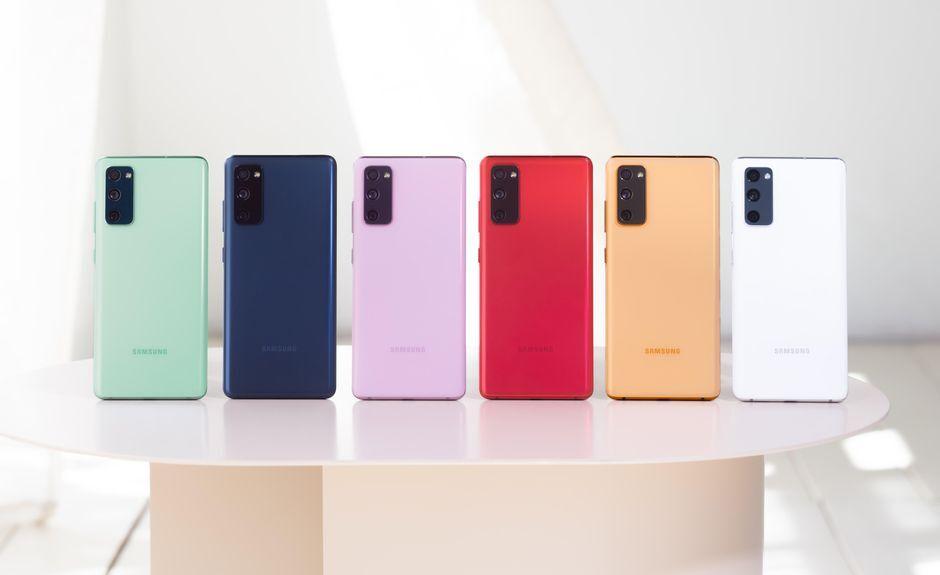
    The Galaxy S20 FE comes in a wide range of colors which you can take a pick from Navy, Lavender, Mint, Red, White, and Orange, and noticeably some corners were cut when it comes to durability.

    It’s has IP68 rated protection which is great but the front display has Gorilla Glass 3 instead of Glass 6 and the back panel is made of plastic which honestly is disappointing considering this phone is priced at $700.

    You should also know that the phone can be a bit of a fingerprint magnet so getting a case will help.

    The FE’s dimensions are more are like to the S20+ than the smaller S20 but a tad wider with slightly more noticeable bezels but it’s still a comfortable phone to hold.

    Display

    The screen barely has any curve (a huge boost for flat displays lover), a 6.5-inch super AMOLED panel with FHD resolution, and a 120hz refresh rate. it’s colorful, bright, and large (definitely looks like a promising media consumption experience).

    Apart from durability, the fingerprint is an under-display fingerprint that is optical and is slightly faster than the ultrasonic on the S20 flagships. This has a stereo speaker which means you’re covered as far as sound is concerned.

    Performance

    The FE has an Exynos 990 chipset for the 4G variant and the Qualcomm Snapdragon 865 for the 5G version.

    The Snapdragon is known to be 10-20% faster than the Exynos and also more power-efficient (something to consider when buying). Galaxy S20 FE has a 4500 mAh battery (same as the S20+), considering it has the same chipsets, similarly-sized screens expect the endurance to be the same.

    As far as charging is concerned, there’s a 25W QC 3.0 charger which isn’t mind-blowing in 2020. The phone has android 10 with Samsung’s One UI 2.5 which has a ton of options:

    • Navigation gestures
    • Dark mode
    • Edge panel

    Samsung also improved the wireless Dev mode and made WIFI connectivity a little bit smarter. A future upgrade will roll out for android 11.

    Camera

    Galaxy S20 FE

    The camera setup has the same as the Galaxy S20:

    • 12-megapixel main camera with OIS and
    • A similar though smaller 12-megapixel ultrawide sensor and
    • An 8-megapixel telephoto camera with three times optical zoom and OIS.

    Where there is a major difference is telephoto. The selfie camera is much better because it’s a 32-megapixel shooter with a brighter f/2.0 aperture.

    Conclusion

    With S20 FE, you’re getting a large display, big battery, flagship chipset, and even a good camera setup. Taking a good look at the specs of S20 FE, a major issue is price launching at a time when the prices of the original S20 Series are going down effectively.

    The Galaxy S20 FE is what you say that a company actually listened to what the fans want, made what they actually wanted, and trim the rest.

    It gives you a fast refresh display, 5G and triple cameras for just $699 which save you $300 from the regular Galaxy S20.

  • Samsung Galaxy Z Fold 2: The Major Upgrades

    Samsung Galaxy Z Fold 2: The Major Upgrades

    The folding phone was last year headline-worthy. Now, the Galaxy Z Fold 2 5G can fold. if you haven’t forgotten, a lot happened last year with the galaxy fold but the benefit of being Samsung is just experimenting, make mistakes, and learn a lot from it.

    They learn a lot from their mistakes and so one thing I’ve noticed about the Galaxy Z Fold 2 is a lot of these changes are learned directly from the Fold 1.

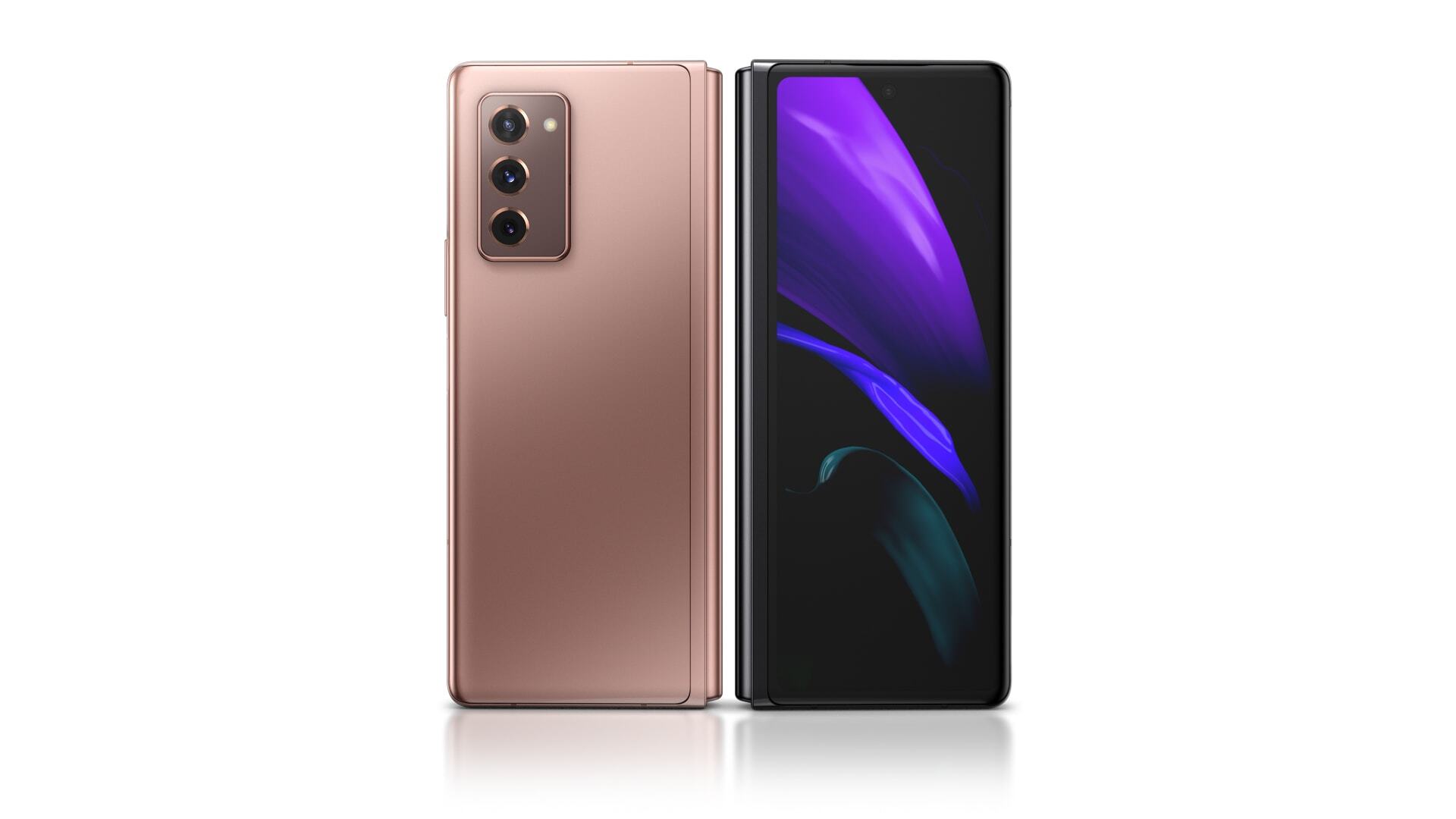
    Looking at the Z Fold 2, there are areas with major improvements, that would be the Screen, Hinge, Cameras, Design, and Improved specs.

    Specs

    • Snapdragon 865.
    • 12GB ram.
    • 4500mAh Dual battery.

    Galaxy Z Fold 2 Major Improvements

    Design

    It feels more refined, has a little bit of weight and a beautiful satin finish.

    Screens

    The cover screen and main screen got big upgrades. The cover screen is now full size and it goes from the little 4.6-inch display with huge bezels to a full-size 6.2-inch display with tiny bezels.

    The 6.2-inch display is going to change the way we use the fold because the tiny cover screen was pretty limiting. On the inside of the Fold is your Second big screen, the bezels inside are a little thinner. Now, it’s a 7.6″ Display versus 7.3″ Display huge corner cut out from last year.

    The Display is impressive and the main screen has been upgraded with a high refresh rate of 120Hz and it’s an adaptive refresh rate. So, it can modulate from 11Hz to 120Hz depending on what’s happening on the screen.

    Hinge

    The hinge in foldable is the most important part of a folding device just like the surface duo’s hinge is one of the most impressive things in any piece of tech.

    The hinge is the second version of their Zero Gap Hinge and looks Pretty similar to the first one conceptually. It’s still the same hinge and backplate but this year, Samsung will let you customize the back-plate color.

    The hinge will allow a free stand anywhere to 115°, meaning it can stay put at any reasonable angle.

    There’s a bunch of software features built around this new hinge which I will dive into in a Full review.

    Cameras

    The first-generation Fold had pretty good cameras with flagship quality. The Z Fold 2 comes with flagship quality cameras:

    A triple 12-megapixel camera on the back with a regular telephoto and ultra-wide.

    The camera isn’t the major improvement but the update is the layout of the cameras that squared-off Camera bump like Note 10.

    The front camera display is a 10 Megapixel selfie hole-punch camera which is better than the huge bezel camera cut-out of the previous fold.

  • iOS 14 Review: What’s The New Features

    iOS 14 Review: What’s The New Features

    Apple has released its new and upgraded OS. The iOS 14 has been released and is available for download if you have an iPhone 6s or later which is different from Android 11 currently available for Pixel devices and is yet to roll out to other Android phones.

    Apple having such tight control over its hardware and software allows them to offer an incredible level of software support to their users.

    What’re the new changes of iOS 14?

    iOS 14 Features

    Widgets

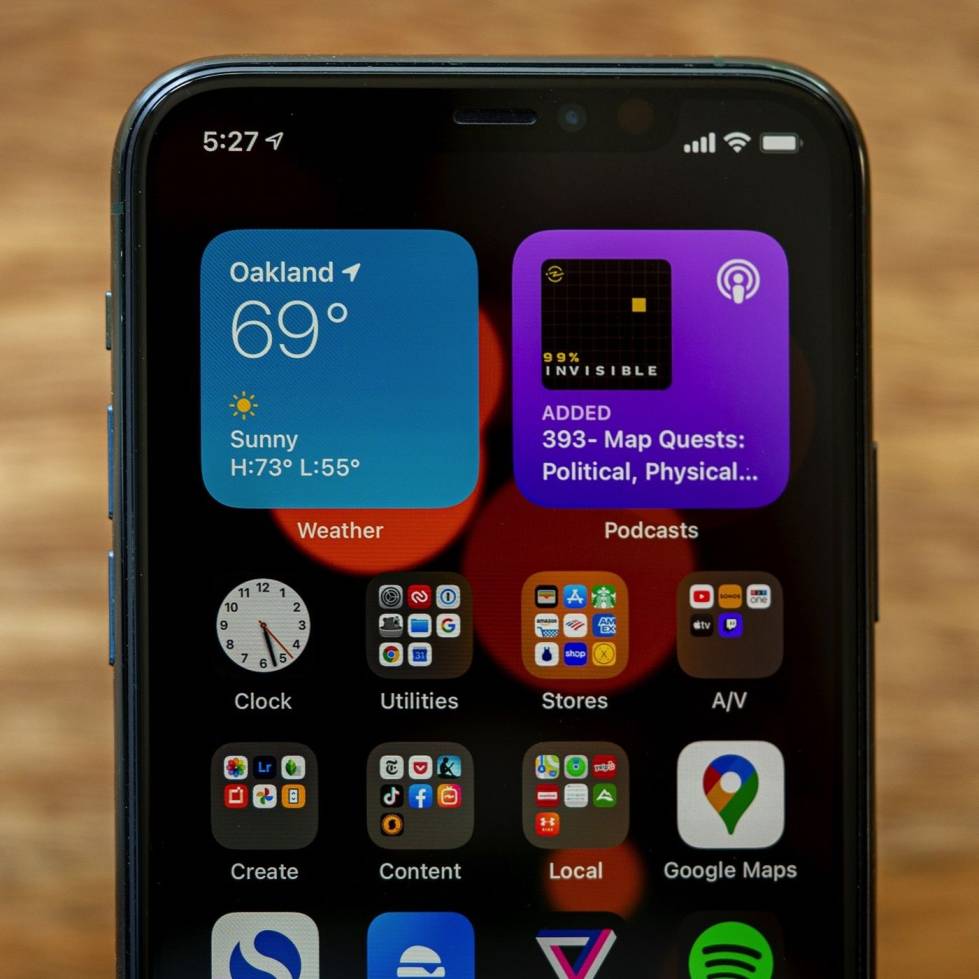
    The first time, iOS 14 allows you to add widgets to your home screen and have useful information available at a glance.

    The widgets can be set in one of three different sizes and also a neat way to automate your widgets called a ”smart stack”. with the smart stack, you can put multiple widgets on-top one another or in a stack and depending on the time, location or activity a different one will be displayed to you/simply swipe up and down on the stack of the widget to change widget.

    App Library

    A new option for organizing your apps is called the ”App library”. It’s apple’s version of an app drawer and the library will sort the apps into categories for you, making it very easy to locate your apps easily.

    Change Default App

    A new feature is the option to change the default web browser or mail app, unfortunately, the change in a default web browser only works for Chrome or Safari app.

    Incoming Calls

    Incoming calls also have been upgraded, for starters calls won’t take-up the whole display. For an incoming call, a bar up at the top of the phone will pop-up to accept or reject the call.

    Minimize Video Call

    Several apps support floating pictures in picture mode but now you can minimize your video call and do other things in the background. This feature works for most video apps like YouTube, Facetime.

    Messaging

    For text conversations, you can now pin your most important threads and keep them at the top of your list for easy access.

    In group chats, you can reply directly to someone’s message a feature called inline replies after this you can view that specific interaction as its thread if you want to you can also type someone’s name from the chat to directly message them.

    Translator

    With iOS 14, communicating in a foreign language is now easier with the new translate app which supports 11 different languages. You can use it for both text and audio translation in real-time.

    New SIRI Interface

    iOS 14

    Apple’s assistant ”SIRI” brings a brand-new streamlined look. The New Siri app won’t take up the whole display but appear down at the bottom of the display when activated.

    Gesture Shortcut

    A new gesture shortcut is available by tapping on the back of the phone and you can program it to activate a specific app or function.

    Software Improvement

    • Maps navigation can give you optimized routes using elevation data.
    • Health app features a sleep monitor to make sure that you get enough rest and it reminds you about headphone volume to help you preserve your hearing.
    • Camera performance has faster processing times for your shots and a new exposure compensation control.
    • Airpods now features spatial audio and automatic switching between devices.

    Privacy Update

    • An indicator appears at the top of the screen to alert you when an app is using the microphone or camera.
    • Apple store has a new privacy report button that lets you see an app’s privacy practices before you install it.
    • The web browser also shows a privacy report instantaneously to see who’s tracking your browsing behavior.