Author: Joseph Richard

  • List of the Best marketing research Companies in Kenya

    List of the Best marketing research Companies in Kenya

    Companies may better understand their target audience by doing market research. This allows them to either interpret the data obtained or use it to assist them in developing specific areas where they may be underperforming.

    Most businesses may prefer to conduct their research, but in the end, marketing research Companies that provide accurate data. Several marketing research businesses in Kenya can help you scale your business to the level you want it to be. In this article, we will tell you which brands to consider

    Nielsen Kenya

    Nielsen is one of the most active big data organizations globally, having been in operation for an extended period. The research firm is based in Kenya and works by employing Nielsen data for a specific setting to assist businesses in better understanding their surroundings and the significant elements that influence them.

    Nielsen Kenya will constantly attempt to uncover all of the answers for your company’s demands, no matter what they are. Nielsen Kenya may be reached by phone at 020 4440293 or online at https://nielseniq.com/global/en/. You may also pay them a visit at 14 Riverside Drive, 1st floor, Belgravia Building, Nairobi.

    Ipsos Kenya

    If you’ve lived in Kenya for a long time and Nielsen isn’t a name that comes to mind when looking for the best research firms, then Ipsos isn’t a company you should dismiss. It is one of the country’s top marketing firms, and it can give you precise data for your company strategy.

    If you need any information, their total job is highly recommended. Ipsos may be contacted through their website: www.ipsos.com/en-ke/contact or by calling (+254) 20 3862721 33 or visiting them at Acorn House, 97 Lavington –Nairobi.

    Market Research 8020

    Research 8020 is one of Kenya’s fastest-growing data research firms, intending to provide creative market research solutions to big and small businesses.The company has been in existence for a while now, and it has received a lot of positive feedback from its consumers in over 23 African nations.

    They provide qualitative fieldwork, quantitative research, and data collecting services. For more information about the firm, please visit their website at www.research8020.com, call them at +254 780 20 80 20, or pay them a visit at Kileleshwa Nairobi, Kenya.

    Africa’s Research Solution

    Probably one of Kenya’s oldest data companies. As of 2022, they have been in business for almost 26 years. The company is acclaimed throughout Kenya for its excellent data collecting, data processing, and reporting findings.

    For enterprises, NGOs, governments, and other organizations, specialize in the inventory, gathering, and analyzing of primary research data. Their offices are at Whitefield Place in Westlands Nairobi, Kenya, or you can reach them at 020 4445082.

    Sagaci Research

    In Kenya, but across Africa, Sagaci Research is the premier market research firm. They’ve been in the game for over a decade, so you can trust them as a business owner or organization to help you grow your firm successfully.

    Computers and people double-check their data to verify that the information gathered and analyzed is accurate. They’ve collaborated with over 500 companies, including Coca-Cola and KFC. You may contact them by email at [email protected], phone at +254 20 440 0451, or visit them in Kilimani, Nairobi.

    KASI Insights

    Kasi Insight is one of Kenya’s leading research businesses. They are the kind of organization eager to go out on the ground and engage with people, analyze the surroundings, and turn accurate data into credible ideas.

    They also provide a self-service platform where individuals or enterprises may harness consumer data at scale to uncover lucrative business ideas early on.KASI Insight may be reached by email at [email protected], phone at +254 725 058853, or in person at Jamhuri Crescent off Kabranet Road in Nairobi, Kenya.

    Tabison research

    Tabison Research has been helping the growth of numerous businesses in the nation for some years now, thanks to the precise findings they have proven in the data.Retail Audit, Customer Satisfaction, Product Development and Innovation, Job Evaluation, Employee Satisfaction, Feasibility Studies, and Baseline Surveys are just a few of Tabison’s services.

    To learn more about what Tabison Research has to offer, contact them at +254707586214, [email protected], or visit their website at www.tabisonresearch.co.ke.

    Why is marketing research valuable to you as a person or a business?

    Marketing Research may be conducted by a variety of companies, industries, or even individuals for various purposes.

    The aim is to get data to enable them to develop a sustainable environment for their businesses, find business loopholes, and devise a better solution for reaching their targeted objectives. Here are some reasons why you should do marketing research:

    • To have a deeper understanding of your customers’ expectations
    • To better understand your competition and concentrate on areas where you are still falling behind
    • Before you introduce it into the market, you need to figure out what the market wants
    • To stay up with client expectations, upgrade current products/services or launch new products/services to replace those on the decrease

  • The best photo editing software in 2022

    The best photo editing software in 2022

    What image editing software do you use on your laptop or PC? There are several types of this software available on the internet that make image editing simpler.

    For professional photographers, selecting the finest software to utilize throughout the editing process is a simple chore. On the other hand, immature photographers have difficulty locating the finest editing software.

    In this post, we’ve compiled a list of the finest Photo editing tools for 2022. Let us get started.

    Photoshop Elements

    Many photo editors consider Adobe Photoshop Elements the most well-known editing program. The program features Sensei artificial intelligence for speedy data processing.

    There is also a streamlined interface that eliminates all complicated functionality required by experts, such as colorimetric profile management, support for complex layers, and so on.

    From the start, the program allows the user to see a list of the photographs, videos, and audio to which they have access. It’s divided into three sections: Quick, Guided, and Expert.

    The first offers you access to basic settings like exposure, lighting, white balance, and color tint. To change them, you don’t need to know anything about them: a preview mechanism tells you how the alteration will affect the picture.

    Photoshop Elements is unquestionably a great program, as comprehensive as it is enjoyable to use.

    Affinity Photo

    The program is truly devoted to image manipulation. The software may be used right after purchase, and there is no need to subscribe.

    As a result, the Photo persona includes traditional retouching tools and layer management. On the other hand, Liquify The Tone Mapping persona manages dynamic ranges and HDR. Finally, Export is used to export your work in all of its formats.

    It is only through using it that you will fully appreciate Affinity Photo’s remarkable power and adaptability. It can import documents in Adobe PSD format and may be modified with additional tools such as brushes, model brushes, etc.

    Anthropics Technologies

    Smart Photo Editor provides an outstanding selection of tools to increase the output of your picture, which is very useful for beginner photographers. The program has an extensive library of settings and retouching, continually updated with presets and effects from users who share their work.

    One of Smart Photo Editor’s assets is its reliance on a community actively sharing its products, or more precisely, the effects made by the program. These are made freely accessible to the public and are classified using a labeling system that makes it easy to find them.

    Some are more effective than others, and it is up to you to fine-tune them to your preferences. The program is available for both Mac and Windows.

    PhotoDirector 365

    The program gives you the option of starting in full version or Express mode when you first run it. The Express mode, it’s assumed, provides a completely automatic operation and is intended for consumers who don’t want to worry about technical details.

    We may also use the “express layer templates” in Express mode to make much more significant adjustments, such as automated frame generation, text insertion, colorimetric changes, and so on. Finally, AI style effects are very complex filters that alter the image’s style (such as turning a photo into an oil painting, for example).

    The complete model inherits all of the functionality of the Express mode while also adding a slew of new features, beginning with a cataloger. It enables the generation of tags and stars, which may be used to create dynamic collections, a chronological categorization of photographs, or even classic albums, in addition to importing a tree structure.

    Luminar AI

    The program logically opens on the catalog, which is pretty primitive since it only enables importing photos or folders when it is first launched.

    Following the process, we go via a reasonably traditional tree structure to choose the picture we want to edit. It is possible to manually construct albums using Lumina AI, allowing you to produce your photographs in separate folders.

    The Templates area gives you access to templates that include a variety of filters that enable both beginners and experienced editors to enhance their samples. Aside from the retouching tools, we like how the history system allows us to cancel one or more adjustments until we return to the original picture.

    If you are unfamiliar with how to use the program, there are a lot of tutorials and instructional videos available online. Luminar AI is compatible with both Mac OS X and Windows.

    PaintShop Pro 2021

    This Software comes with a home screen that allows us to choose the workspace that is most suited to the job at hand. Only express retouching is available in Photography, while Essential Elements presents the standard techniques in a tidy interface.

    You may use the built-in cataloger to move around the hard disk’s folder tree or import photos into its catalog. Only the Windows version of PaintShop Pro 2021 Ultimate is available.

  • The Best Cloud Storage Platforms Of 2022

    The Best Cloud Storage Platforms Of 2022

    As the demand for gadgets such as smartphones, laptops, and other new technology grows, so does the necessity for safe online storage platforms.

    At the time of writing, demand for cloud services is higher than ever. If you’re one of those who can’t decide which services to use, this article is for you. Mfidie.com will assist you in making the best decision possible.

    The services described in this article will not always fit your needs. Still, they will provide you with the proper ergonomics, multi-platform integration, security, privacy, and performance.

    These are the greatest options now available to cut a long story short.

    pCloud

    A few years ago, pCloud was a relatively unknown service. Currently, It is now one of the industry’s leading references, thanks to a user-friendly layout and a plethora of features available to users of the free edition.

     It directly competes with some of the most popular deals on the market because of its various attributes. By following simple procedures such as downloading the desktop application, uploading an archive, and so on, the platform offers a free plan with up to 10 GB of online storage.

     The Premium 500 GB subscription costs € 4.99 per month, while the Premium Plus 2 TB subscription costs € 9.99 per month. Both are presently available for 175 and 350 euros in a Lifetime version.

    Google Drive

    Google Drive is one of the most comprehensive and effective online storage solutions available. Because of the native integration of the Workspace suite and its in-house services, the service prioritizes collaboration and content sharing.

    Not to mention a powerful selective backup tool and hundreds of third-party programs that the platform offers. On the other hand, while Google complies, we ought not to be overly concerned with data privacy.

    The platform offers a free plan with 15 GB of online storage, which is one of the most generous on the market, but keep in mind that it is shared among Gmail, Photos, and Drive.

    One of the most appealing on the market is the admission ticket, which starts at € 1.99 per month for 100 GB. Individual storage plans cost € 2.99 per month for 200 GB and € 9.99 per month for 2 TB.

    DropBox

    Dropbox remains the go-to reference on the market thanks to its synchronization methods, fantastic usability, performance, and interoperability with most OS and third-party applications.

     The fact that its data centres are in the United States and the free version’s limited storage space tarnishes this beautiful picture a touch.

    The service provides five premium plans, two of which are for people and the primary Dropbox Basic option, which includes just 2 GB of free online storage space that may be expanded through a referral system.

     The Plus package costs € 9.99 per month for 2 TB, while the Family package costs € 16.99 per month for 2 TB up to 6 users.

    MEGA

    The most exemplary free cross-platform cloud service remains MEGA. Its end-to-end security, large extensible storage capacity, selected backup options, and sharing capabilities stand out.

    The platform is available for Windows, macOS, Linux, Android, iOS, and web browser extensions for Chrome, Edge, and Firefox.

    MEGA provides the option of conducting complete or selective backups in addition to the now-standard synchronization folder placed locally on the desktop.

    When you sign up for an account, you’ll get 50 GB of internet storage. This includes 15 GB of incompressible storage and 35 GB of usable storage for 30 days.

    OneDrive

    OneDrive, which is seamlessly integrated into Windows and Office, provides robust real-time collaboration features and simple sharing options. However, it does not allow for selective backup.

    The free plan isn’t the most appealing market, with just 5 GB of cloud storage. On the other hand, Microsoft is striking hard with their € 7/month deal, which bundles 1 TB of storage with the Microsoft 365 office suite.

    iCloud

    iCloud Drive is unlike any other online storage and syncing service. It is devoted to Apple’s devices and environment, and it has a deep connection that enables it to function invisibly for consumers.

    It can be easily described as a simple, practical, and cost-effective solution exclusively available to Apple consumers. Advanced backup, sharing, and collaboration functions are available via Dropbox, pCloud, and Google Drive.

    With the free iCloud plan, you get 5 GB of storage space for free. Apple also provides three low-cost subscriptions, ranging from € 0.99 per month for 50 GB to € 2.99 per month for 200 GB and € 9.99 per month for 2 TB.

    Ufile

    Ufile is a cutting-edge cloud service with solid end-to-end security and unique features. It’s beneficial for exchanging safe data since it’s completely anonymous and doesn’t need registration.

     Its cloud synchronization and storage capabilities, on the other hand, are much less appealing. Ufiile provides 2 GB of storage and free data transfers of up to 5 GB.

    The premium plans’ prices are relatively costly, but they come with sharing and selling features that you won’t find with other hosting providers.

    Ufile Pro costs $9 per month for 1 TB of storage (10 GB transfer), and Ufile Business costs $29 per month for 3 TB of storage (10 GB transfer) (100 GB transfer).

    Amazon Drive

    Amazon Drive is a service that is just half-hearted. It has incredible features like block-level syncing, selective backup, and file preview. However, sharing, collaboration, and productivity choices are restricted or non-existent.

    Amazon Drive’s paid storage options are no longer competitive since they are more costly than average. Its unlimited picture storage offer for Amazon Prime users, on the other hand, is proving to be highly appealing.

    Like OneDrive and iCloud, Amazon Drive provides a free plan with 5 GB of storage. Amazon Prime users ($5.99/month) have been spoilt with almost limitless picture storage.

    Despite the odds, Amazon Drive plans are not cheap, costing € 1.99 per month for 100 GB, € 9.99 per month for 1 TB, and € 19.99 per month for 2 TB.

  • M-PESA Guide: How to Send and Receive money from Kenya

    M-PESA Guide: How to Send and Receive money from Kenya

    M-PESA is a mobile banking wallet that allows users to send and receive money from various platforms and users all over the world. When compared to conventional banking, M-PESA enables you to obtain your money immediately without having to pay high transaction fees.

    Since its start on March 6, 2007, like M-PESA, Kenya’s main telecommunications company, Safaricom, has managed the money-transfer platform.

    M-PESA is available in Ethiopia, Rwanda, Uganda, Tanzania, the Democratic Republic of Congo, Mozambique, Lesotho, Afghanistan, South Africa, and Egypt.

    M-Pesa uses text messaging to make deposits and receive payments to individuals and companies. The service has become Africa’s biggest fintech platform, with more than 49.7 million individuals utilizing the program as of 2022. Mpesa’s biggest feature is its simplicity since it is quite handy.

    To utilize the service, you don’t need a bank account. All you need is a functional smartphone that can use M-Pesa services like sending and receiving money, filling up airtime, paying bills, and borrowing money quickly using M-Shwari.

    What is M-PESA, and how can I use it?

    To utilize any M-PESA services, you must first check a valid Safaricom phone number. You will be asked to provide a four-digit number upon registration, which will be needed throughout all transactions.

    If everything goes properly, Safaricom will give you an M-PESA confirmation message stating whether the transaction was successful or not. You can access Send Money, Withdraw cash, Buy airtime, Loans and savings, Lipa Na M-PESA, and My account from the M-PESA menu.

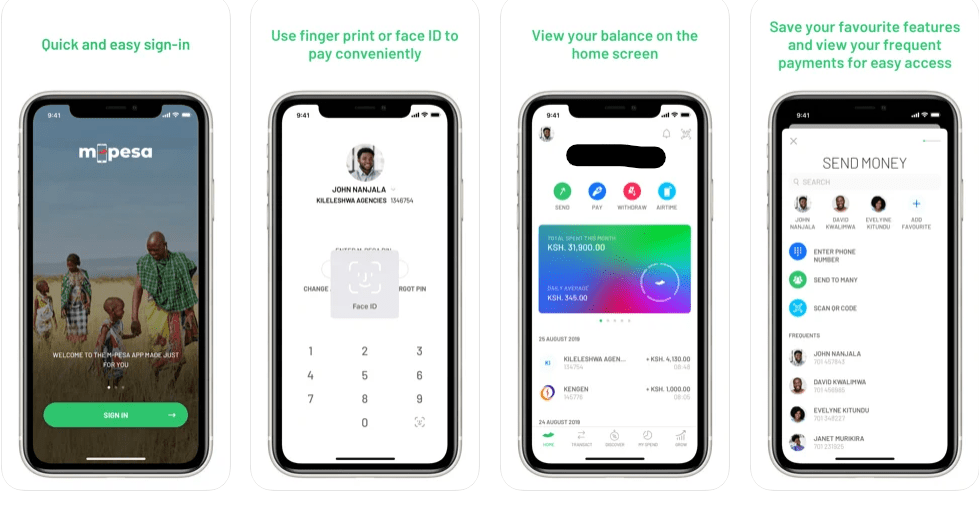
    Safaricom also provides two apps, M-PESA Super App and M-PESA for Business Applications, that allow clients to use their services at any time. The apps are available in both the Google Play Store and the Apple Store for iPhone users. These apps provide more features than standard Safraicom STKs, which have yet to be seen on any new phones. It is possible to use the app without using data or WIFI, hide your balance, transfer money to several individuals at once, examine your spending history, and, most significantly, hide your balance. On top of your M-PESA PINs, you may use face unlock or fingerprint to validate a transaction.

    What is the best way to transfer money from Western Union to M-Pesa?

    Safaricom also offers the M-PESA worldwide service, which enables registered M-PESA customers to send and receive money anywhere over the world. To take advantage of this, you must be a Western Union member.

    You may transfer any amount up to a maximum of 70,000 Kenyan shillings (614 USD), with a minimum of Ksh 101. (0.89 USD). A transaction of up to Sh 5,000 will cost you a minimum of Sh 100 while remitting more than Sh 35,000 will cost you a minimum of Sh 500. The following is how it works:

    1. Call *840# and follow the instructions, or
    2. Log in to your Western Union account and choose to Get started from the drop-down menu.
    3. Select the nation of the person to whom you wish to donate money.
    4. Put the amount of money you wish to send.
    5. Choose a Mobile wallet as the method you wish the money to be sent to the interested party.
    6. Fill in the information for your payment method.
    7. You and the other party will get a transaction confirmation message when everything is in order.

    What is the best way to transfer money from M-Pesa to Western Union?

    Assume you’re in Kenya and want to transfer money to a buddy who lives in another country.

    1. Dial *840# once again and follow the prompts.
    2. Select Lipa Na M-Pesa from M-Pesa.
    3. Select Pay Bill and input the 255255 company number.
    4. Enter the recipient’s mobile phone number as the account number, beginning with the country code.
    5. Enter the money, M-Pesa PIN, and transaction confirmation.

    The new M-PESA app may now be used to transfer and receive money for international users:

    How to use the Mpesa app to transfer money to another number in Kenya

    1. Download the Mpesa app
    2. Tap on send and request
    3. A list of options will be presented to you; choose the options that suit you well
    4. Enter the amount you want to send
    5. Tap on send and confirm your details once more
    6. An SMS should be sent to your mobile number to confirm the transaction

    How do you deposit and withdraw money from your M-PESA account in Kenya?

    This may be accomplished in two ways. If you know your account number and your bank’s Pay bill number, you may choose to pay money straight from your bank account to M-PESA.

    The alternative method is going to the closest M-PESA agent in your area. Carry your national identity card with you at all times since you may be requested to verify your information. Safaricom will always send you an SMS verifying the transaction after money is put or deducted from your M-PESA number.

    What exactly is the M-PESA statement, and how do I activate it?

    M-PESA statement enables you to keep track of your spending and transactions. In the long run, they may assist you in determining where you manage your finances during a given period. The Mini and Full M-Pesa statements are the only two kinds of M-Pesa statements offered by Safaricom to its customers.

    To sign up for this service, click here. Select My Account, Select M-PESA Statement, Select Register for Email Statement, Accept Terms and Conditions, Enter your email address, and validate your request with your M-PESA PIN by dialing *334#. A confirmation message will be sent to you, as normal, confirming that your registration request has been received and is being processed.

    Conclusion

    M-Pesa is not just Kenya’s but also Africa’s biggest fintech company. More than a million customers have profited from this service since Mpesa allows users to send and receive money not just in Kenya but also throughout the world. Furthermore, the platform is more secure and user-friendly.

  • How to Make a Money Transfer From Paypal to M-PESA

    How to Make a Money Transfer From Paypal to M-PESA

    Online banking is now possible to excellent platforms like PayPal and M-PESA. Both services are recommendable due to their ease of use, and many have enjoyed the recommended benefits.

    PayPal started earlier, back in 1998, and is still going strong today with access to over 200 countries throughout the globe.

    M-PESA, on the other hand, began in 2007 and has since shown to be dependable not just in Kenya but also across Africa and some parts of Europe

    Anyone may connect their bank account, credit card, or debit card to their PayPal account and use it to purchase from online merchants that accept PayPal.To use Paypal with M-PESA, your Safaricom M-PESA number should be linked with PayPal to benefit from it.

    Before Safaricom Kenya’s partnership with PayPal, the only option for Kenyans to use PayPal to pay for their online purchases was to use a bank account.

    Here’s the catch: first, there was only one bank account in Kenya (Equity Bank) that enabled money to be transferred from one account to another, and second, the procedure was very tedious since successful transactions may take days to complete.

    The process was made simpler when Safaricom Kenya agreed to engage with PayPal.

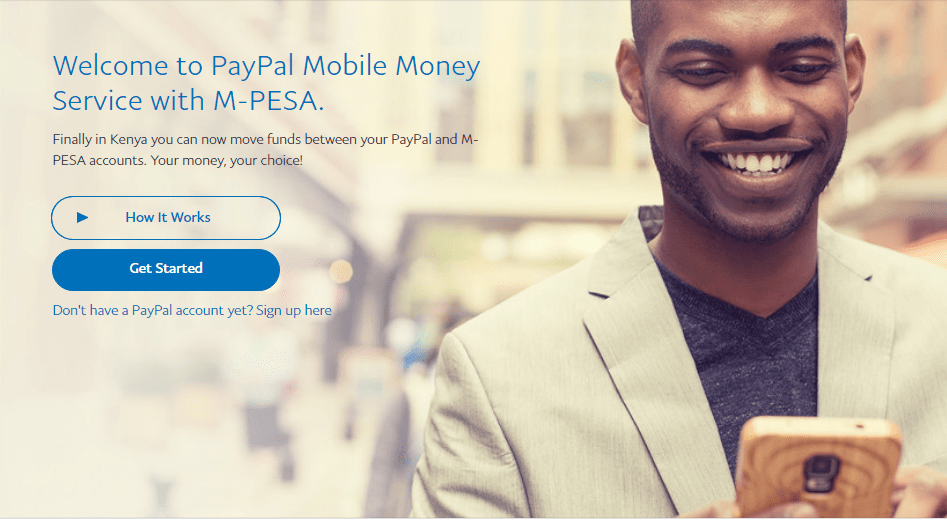
    Any user may have money sent to their mobile phone (M-PESA) or even from M-PESA to Paypal using the PayPal Mobile Money Service with M-PESA. You must be a Kenyan with a Safaricom mobile phone and an M-PESA account to utilize this service.

    How to Sign Up for a PayPal Account

    PayPal will not charge you anything when you open an account with them since it is entirely free.All you have to do now is:

    • Visit PayPal’s website
    • Select the blue button labelled Create an account
    • To begin, choose Personal Account
    • Provide your phone number if prompted
    • PayPal will send you a text message, including a security code
    • Fill in the code you received from PayPal in the previous step
    • Fill in your legal first and last names, as well as your email address and a strong password
    • Accept PayPal’s privacy policy and enter your postal address
    • That is it

    How to link M-PESA and PayPal

    To use the Paypal M-PESA service, your primary mobile phone number must be connected to Paypal to transfer money between the two platforms. Here’s what you should do.

    • To get started, go to www.paypal-mobilemoney.com/m-pesa
    • Log in with your PayPal account information
    • If asked, agree to the terms and conditions
    • Add your Safaricom MPESA number that is active
    • Enter the verification code received by SMS text on your Safaricom line
    • Your Safaricom number is now connected to PayPal, and it’s as simple as that

    How can I transfer money from PayPal to M-PESA?

    Now that you’ve been granted access and have shown yourself worthy of utilizing Paypal or Mpesa, it’s essential to make sure both accounts are funded.

    1. Visit www.paypal-mobilemoney.com/m-pesa’ is the PayPal mpesa webpage
    2. Make sure you’re logged in with the correct information
    3. Calculate the amount you wish to send using the currency converter on the homepage. By default, it will be presented in Kenyan shillings
    4. On the same webpage, PayPal Pay Bill Number 800088 should be showing right now
    5. After you’ve decided on the amount you’d want to send, Return to your phone’s M-PESA menu.
    6. choose Lipa Na Mpesa
    7. Select the Pay Bill option from the drop-down menu.
    8. Use the PayPal Mpesa Pay bill number 800088 as the account number and your phone number as the billing address.
    9. Fill in the amount you’d like to transfer to PayPal.
    10. Submit once you’ve entered your pin.
    11. If the process is successful or not, Safaricom will send you a confirmation message on your number to confirm the details. PayPal will send you also a confirmation to your email.

    How can I transfer money from PayPal to M-PESA?

    Like sending some cash to Paypal from M-PESA, the reverse is also the same.

    To withdraw money from Pay PayPal to M-PESA, the following is required of you

    1. Visit the same www.paypal-mobilemoney.com/m-pesa’ is the PayPal mpesa webpage
    2. Make sure you’re logged in with the correct information
    3. Choose Withdraw from PayPal
    4. Given that there is some money on your Paypal account, PayPal will redirect to the next window and show you the money on your account
    5. Again you can use the displayed calculator to cover the amount you want to send from USD(American dollars) to Kenyan shillings
    6. Enter the desired amount you would like to withdraw and click continue
    7. Paypal will send you money to your M-PESA account; the process may take up to 2 hours depending on the withdrawal amount

    If the process is successful or not, Safaricom will send you a confirmation message on your number to confirm the details. PayPal will send you also a confirmation to your email.

    However, the maximum amount you can send for a given transaction is KSH 150000. Please note that you will be charged 3% of the amount you are withdrawing from PayPal to M-PESA and 4% of the amount you are sending to your PayPal account.

  • The Best VPN services in 2022

    The Best VPN services in 2022

    Many individuals have turned to working from or running their enterprises via the internet as the globe sees fast technological advancements.

    A VPN would be great in this case to keep you anonymous online and protect you from data regulation by different ISPs (internet service providers)

    The VPN market is vast and saturated, making it difficult to determine which VPNs best fit your needs. In this post, we’ll go over all you need to know about VPNs to help you make a more innovative download or buy choice.

    What is a virtual private network (VPN)?

    A VPN is a kind of technology that helps you to remain anonymous online by encrypting your data as it travels between your devices and the internet.

    Once you’ve connected to your preferred VPN, the program will automatically modify your original IP address and assign a false one, making it hard for anybody, even your ISP, to determine whether you’re dead or alive.

    This means that once your IP address is tunneled to a private tunnel, no one can see what you use the internet for.

    Benefits of Using a VPN

    • Get Around Geo-Restricted Content
    • Anonymity may be used to provide safety.
    • Secure Remote Work Connection
    • Save money on eCommerce that is based on a region.

    The disadvantages of using a VPN

    • Connection Speeds Are comparatively slower
    • Setup is difficult.
    • Connections that have been dropped

    In 2022, which VPNs should I use?

    Express VPN

    The number one VPN that you should download is ExpressVPN.You’ll be able to connect to over 3,000 servers in 160 locations across 94 countries when you use the VPN.

    It protects you while you’re online by using IKEv2, OpenVPN, and L2TP/IPsec.For Windows, Mac, Android, iOS, and Linux, Express VPN is straightforward to use and set up.

    The company provides a premium plan, and you can still take advantage of the 30-day money-back guarantee, which acts as a free trial.

    NordVPN

    In today’s world, one of the greatest VPNs that an infant may simply recommend to you is Probably. For all of the advantages mentioned above.

    The VPN service provider understands how to deliver all its promises without you having to worry about anything. The service encrypts your data using the AES-256 protocol. The platform presently has over 5,000 users in 60 countries, ensuring that you are fully protected.

    Nord VPN is compatible with all major operating systems, and the service also offers a 30-day money-back guarantee, which begins the day you sign up.

    Surfshark VPN

    Despite all of the exciting features available on its platform, Surfshark is a little cheaper than Express and Nord VPN.

    WireGuard, in addition to OpenVPN UDP and TCP and IKEv2 protocols, is used by the service to keep your online identity safe.

    It has over 3200 servers in 65 countries and is available on Windows, Mac, Linux, Android, and iOS. Surfshark provides a 30-day money-back guarantee, so you can give it a try before committing for a more extended amount of time.

    Proton VPN

    If you want to watch more stuff that isn’t accessible in your location, ProtonVPN is the most incredible option above the others.

    However, it is not streaming that distinguishes ProtonVPN.To protect your data, the service employs OpenVPN, WireGuard, and IKEv2.

    There are almost 2000 servers in the service. ProtonVPN is a beautiful alternative for individuals who value privacy and is available on all major operating systems.

    After registering on the site, you will be granted a free trial period of up to 30 days.

    Private Internet Access (PIA)

    This VPN service is relatively unknown, yet it is still one of the most available solid today.

    PIA uses WireGuard, OpenVPN, and IPsec to provide high levels of transparency and security to our clients. IT has over 30000 servers in more than 75 countries.

    If you’re looking for the fastest VPN for Windows, Android, Linux, Mac, and iOS, PIA is the one to go with. They provide a free trial period of up to 30 days with a money-back guarantee.

    CyberGhost VPN

    The service offers over 7,000 servers in 90 countries and applications for Windows, Mac, iOS, and Android, torrent support, and quick live chat assistance.

    When you require a server, the services will always propose the most exemplary server for you. The company employs the WireGuard, IKEv2, and OpenVPN UDP protocols to safeguard your data online.

    You’ll need this VPN since it’s proven to be the finest, and it comes with a 45-day money-back guarantee and reasonable price options for anybody who wants to use it regularly.

    Windscribe VPN

    Windscribe VPN is one of the best VPN services in this category. They employ the OpenVPN and WireGuard protocols and have 110 locations in more than 60 countries.

    There is a free and a premium plan available. The free portion tier restricts you to ten places but provides a significant monthly data allocation of 2GB-10GB.

    If you’re ready to go a step further, the premium plan begins at only $9 per month. Windows, Mac, Android, iOS, and Linux users may use WindScribe VPN.

    How to Setup a VPN on Your Device

    As you can see, most of the VPNs covered in this article are compatible with all significant OS systems. The software may be easily obtained through the OS’s respective stores, or you can go to the VPNs’ websites and download them.

    After downloading them, all you have to do is click on install and follow the on-screen instructions, which are incredibly simple.

    Your VPN will constantly attempt to suggest the best servers, protocols utilized, and the location you want to go to. However, if you are a more advanced user, you may manually configure them.

    Conclusion

    A virtual private network is advantageous in several ways. It shields you from all of the harmful behaviors that the internet can offer you since all of your data is routed via an encrypted virtual tunnel at the end of the day.

    When picking a VPN, remember that not all services are created equal and have various characteristics. However, a VPN connection will not protect you against hacker assaults, Trojans, viruses, or other malware.

    As a result, you should be cautious about what you download from the internet into your device.

  • List of the best Electronic shops in Nairobi, Kenya

    List of the best Electronic shops in Nairobi, Kenya

    Are you hunting for the finest electronics stores in Nairobi, Kenya, but don’t know where to begin or where to look?

    This post will walk you through numerous businesses that have been designated as the best, ranking them according to various factors such as ease of access and Google Maps user evaluations.

    Because we are aware of many fraudulent reviews on the internet, this article aims to assist you in contacting them more swiftly. Nairobi is a large city to navigate, mainly unfamiliar with every street corner.

    Yellow Apple Technologies

    Don’t be fooled by the name Yellow Apple; the brand is limited to selling Apple items, but they have everything you need in their store.

    They offer anything from low-cost computers to the most up-to-date pricey brands of computers, laptops, and mobile phones. Here you can find televisions, refrigerators, cameras, and other equipment.

    They have a 3.9 rating on Google, with most customers praising them for their products and excellent service. Contact Yellow Apple Technologies at [email protected], phone at +254 721 420 096, or. G9, or by shopping online at www.yellowappletechnologies.co.ke/.

    Intech Computers

    If you’re searching for everything relating to computers and laptops, Intech is your one-stop-shop. They have one of the highest Google scores, with a 4.3 out of a possible five stars.

    Whether you’re searching for HP, Dell, Apple, Samsung, servers, projectors, small electronic accessories, or reconditioned products, you’ll find them all here at high costs.

    Visit them at Tom Mboya Street in Nairobi, Kenya, or contact them through their website: intechscomputers.tech, phone: 0723 116088, email: [email protected].

    Ebrahim Electronics Ltd

    If you miss any of the Electronic goods that have been removed from the Kenyan market, such as HTC or halted productions, LG smartphones from Ebrahim Electronics are available.

    This isn’t to argue that cellphones are the only items available. Cameras, laptops, desktops, PCs, printers, and even Apple products are still available for purchase. They claim to have some of the most essential and authentic items, reasonable costs, and free delivery to the upcountry.

    You may reach them by phone at 2229989 or email at [email protected]. They can also be found at IPS Building Kimathi Street, near Stanley Hotel.

    On Google, they have a 3.6 out of 5-star rating. However, most of their evaluations are negative, with the majority of complaints stemming from poor customer service. We’ve included them because they have some excellent old-school devices that are hard to get by.

    Kenya’s Best Buy Electronics Store

    If you’re seeking the most up-to-date and authentic electrical products in Nairobi, Kenya, go no farther than Best Buy Kenya!

    We have everything you need in every price range, from smartphones to 4K televisions, gaming consoles, laptops, and more. They also enable you to compare product features to prevent getting scammed if you’re nerdy and geeky like some of us.

    They also have a blog on their site to assist you in deciding what you want to buy. Best Buy Kenya may be reached at 0722 242815, or they can be found at Kimathi lane in Nairobi, Kenya.

    Gobeys

    Simply one of the most cost-effective electrical retailers around. They are inexpensive does not imply that they do not provide industry-standard items.

    Gobeys Electronic Kenya, in reality, offers a diverse range of products, including mobile phones, tablets, televisions, home appliances, computers, cameras, speakers, games consoles, and even office equipment. Starting from Ksh 5000, they offer something for everyone.

    Their Google ratings are also excellent, indicating that many customers trust them. Gobey Kenya may be found in Nairobi, Kenya, at Jamia Plaza, Opposite Jamia Mall 2nd Floor, Wing A, or by calling 0113 022680.

    gadget world

    Gadget World is one of the most well-known electronic stores, with a reputation for professionalism and high-quality items at low rates. Laptops, Printers, Desktops, PCs, Networking, Stationery, and much more are available here.

    They provide fantastic product discounts and deliver anywhere in the United States.

    If you have any queries or wish to purchase, contact them at (+254)727540440, visit them at After40Hotel Building, Biashara Street, or phone them at (+254)727540440.

    Nairobi Computer Store

    It is one of the most significant electrical stores in the area, with excellent customer service and, most all, reasonable prices.

    Here you’ll find everything from cell phones to tablets to printers, laptops, scanners, toners, desktops, software, CCTV, and surveillance cameras.

    They only deliver for free to Nairobi residents and offer the safest payment options (MPESA, Mastercard, VISA, and Cash on delivery). The Nairobi store may be reached at +254 724 139 588.

    Sony Electronics

    If you’ve worked in technology for a while, you’ll agree that Sony is a big industry name because they have a track record of producing high-quality products year after year.

    Fortunately, the business has firmly established itself in Kenya by opening multiple outlets to make it easier for you to obtain its items.

    You’ll find high-end smartphones, speakers, television sets, smartwatches, refrigerators, and more at Sony Electronics Kenya. You may visit their shop on Kimathi Street in Nairobi City for additional details.

  • The Best Internet browsers in 2022

    The Best Internet browsers in 2022

    What web browser do you use every morning to check, read news, stream music and videos, do an online search, or even read your emails?

    Browsers have become an essential feature in our devices today since they function as a portal via which we may access any online service. Microsft’s internet explorer dominated the market in the early days when everything was shown in HTML without any cascading style sheets.

    On the other hand, Google Chrome now controls the entire internet browser industry. What if I told you that many browsers have improved their privacy and performance today? We’ll compare them in this article.

    Google Chrome

    Since its inception in 2008, Google Chrome has managed to play a deft hand. Chrome’s popularity was built on speed, innovation, and openness back then.

    They introduced a Webkit-based rendering engine and a high-performance JavaScript runtime engine when they joined the browser market. Google Chrome has a market share of 66.12 percent as of 2022.

    The browser supports multiple user profiles, making it possible to share a computer within a family. Above all, if you’ve connected the accounts, you may sync your Android’s chrome data and access it from any of your devices.

    Features of Google Chrome

    • The vast ecosystem of extensions from the Chrome Web Store caters to the distinct demands of each individual.
    • Outstanding performance
    • It’s easy to use and enjoyable.
    • Safe browser

    Firefox

    Firefox is without a doubt one of the most innovative browsers available today. During its first debut in 2002, the browser was dubbed Phoenix before being renamed Firefox.

    The browser is open source, which means that anybody may contribute to the project, one of its key advantages. Since the introduction of Google Chrome, its market share has decreased from 30% in the 2000s to less than 4% now.

    Once you enable the synchronization feature, opening an account with Firefox is completely free. It will track your history from one computer to the next.

    Features of Mozilla Firefox

    • For all purposes, support for the well-known add-ons
    • For PCs with a multi-touch touchpad, enable pinch-to-zoom
    • The picture-in-Picture mode has been improved to play thumbnail videos at the bottom of a web page
    • Tools for thwarting internet ad trackers.
    • There is no data gathering.

    Brave

    Brave is not only quick and easy to use, but it also has a unique attitude when it comes to remunerating online publishers with the well-known BAT, the cryptocurrency gathered by users when surfing with so-called acceptable adverts.

    Brendan Eich, a co-founder of Firefox, released the browser in 2016.

    Brave has a user interface that is quite similar to Google Chrome. You may select to import data and preferences from different browsers. It’s worth noting that, unlike other browsers, there’s no need to register a user account here.

    Brave Features

    • It respects the privacy of its users
    • The user interface is well-designed, and the ergonomics are excellent
    • The most rapid product on the market

    Microsoft Edge

    The new Microsoft Edge is fantastic news for customers, mainly Windows 11.

    It’s not that previous versions of Windows and below don’t have it, but its ease of use and fluidity make it a viable option for you to consider.

    Following the collapse of Internet Explorer, Microsoft released Edge in 2015, which can operate on mobile devices. Edge provides a data sync option if you have many PCs and want a unified experience, but you’ll need a Microsoft account.

    Features of Microsoft Edge

    • Correct performance
    • The web browser is lighter, quicker, and more contemporary
    • The Windows/Microsoft environment is integrated

    Opera

    Based on the open-source Chromium project, Opera attempts to differentiate itself from Chrome and other browsers by providing an accessible and limitless VPN service.

    It’s now reliable, robust, simple to use, and packed with features and customization possibilities. In 2013, the firm accepted the Chromium project, which allowed publisher Opera Software to be incredibly creative in introducing a wide range of functionality.

    Features of Opera

    • dependable and effective
    • Rapid Flows
    • Enhanced security via the use of appropriate encryption methods
    • Support for social media platforms including Twitter, WhatsApp, Instagram, and Messenger
    • Support for Ethereum programming interfaces for crypto-wallets

    Vivaldi

    Vivaldi is a pervasive and full browser that may seem laborious and hard to approach and alter at first look due to its vast number of native features and customization tools geared mainly towards power users allergic to Google.

    However, due to extensive optimization work and various options, the program is now available to everyone, allowing you to bypass Google’s privacy policies while still enjoying the advantages of Chrome. Vivaldi on Android is also a great complement to the desktop version, which nowadays harkens back to the glory days of Opera.

    Safari

    Safari, Apple’s web browser, illustrates its efforts to provide the most outstanding software for its devices. The browser is quick, has a simple interface, and may be customized to some extent.

    Chrome extensions, tab previews for advanced users, and fast translations from the menu bar are all supported. The disadvantage of Safari is that it can only be installed on Apple devices.

    Features of Safari

    • Provides a privacy report that is free of errors
    • Extensions are supported
    • Tab previews are shown

    Conclusion

    A fantastic browser can meet all of your requirements. That is to say; browsers should be simple to use, quick, and respectful of your privacy.

    They should also keep trackers, hackers, and internet eavesdroppers at bay. Finally, we’ve compiled a list of all the browsers that will work with all of your devices. It’s all up to you.

  • The best civil and military flight joysticks in 2022

    The best civil and military flight joysticks in 2022

    You are a die-hard aviation fan, whether you are absorbed in military simulation games or not. You guessed it right, simulation games aren’t only for fun; they may help you kickstart your career as a pilot.

    Flight simulation is a game genre that predates the twenty-first century. Its origins may be traced back to the 1980s when Microsft flight simulators were all the rage among adolescents and teens, and it continues to fascinate some of us now.

    You can play these flight simulation games with your mouse and keyboard, but think about what you can do today with the most incredible gaming joysticks.

    These Joysticks are available in various pricing ranges, from entry-level to high-end, depending on your needs and budget. If you’re still perplexed by the many options, here are some of the most significant flight sticks available.

    Thrustmaster T.16000M FCS

    The T.16000M FCS is undoubtedly one of the most widely available simulation joysticks from a major manufacturer. It stands out for its flawless symmetry, making it a very ambidextrous product. Finally, this is most likely not the least of its benefits, and the joystick is just one component of a larger ecosystem. To broaden the choices, Thrustmaster has designed a throttle and rudder pedal. The cost of the solution grows dramatically logically, but it is still feasible to pass the operation step by step.

    The Thrustmaster ATC Airbus Edition

    The goal of the Thrustmaster ATC Airbus Edition is to improve upon the T.16000M FCS stated before.

    For the occasion, the company has teamed up with Airbus, which has opened its cockpits so that the gadget may get a bit closer to the actual controls on board an A320. It makes use of the T.16000M FCS’s exceptional accuracy, and ambidextrous functionality is still available. Thrustmaster has also updated the comprehensive environment system.

    The TCA Airbus Edition is completed with a throttle block and an extra module.

    Turtle Beach VelocityOne Flight

    Turtle Beach is one of the greatest producers that opted to use the opportunity provided by the advent of Flight Simulator to expand their horizons.

    The VelocityOne Flight is an incredible masterstroke for a try. This is a complete, one-piece kit that allows you to get right into the core of the topic as fast as possible. Gas controls at the handle are a fantastic method to keep everything under the elbow, and installation and setup are straightforward.

    The handle’s quality adapts well to stress. The overall ergonomics are excellent, and it is compatible with both PC and Xbox Series.

    The Thrustmaster ATC Boeing Edition

    Thrustmaster has included two little throttle controls; however, they are primarily decorative rather than functional. The TCA Boeing Edition, according to the manufacturer, should be seen as a whole, with a Quadrant TCA block that includes three readily customizable axes.

    Because the builders’ goal was to imitate multiple carriers, we can link two Quadrant TCA blocks together and add a rudder to have complete control.

    Honeycomb Alpha Flight Controls

    Although the American company does not want to discourage gamers, you will have to break your money this time.

    The controls are pretty precise, and the many switches allow for the association of a large number of controls. TheBravo Throttle, which combines six axes for propulsion and a compensator, will also be available.

    The HOTAS Warthog Thrustmaster

    The HOTAS Warthog Thrustmaster catalogue, a reference for many years, should be on your pricing list.

    It is the gadget of choice for all affluent amateurs who want to play military simulations since its reasonable price puts it out of reach for many individuals. Thrustmaster, as usual, pairs it with a throttle block of a similar design, allowing you to take the simulation a bit more seriously since the Warthog’s sole flaw is arguably its lack of utility.

    Its handle may also spin on itself, which necessitates typically rounding out the solution with a Thrustmaster swing bar to make our virtual cockpit even better.

    How do you choose the best flight simulator joystick?

    The first and most apparent consideration is which joystick you want to spend your money on. It’s worth noting that some players will strive to match the joystick to the game they’re playing the most, while others like to play with their hands.

    Before commencing unwise spending, two quite distinct profiles need some thought. Another important consideration is the amount of space available.

    These gadgets, like steering wheels, may rapidly become cumbersome, so it’s important to know what you’re looking for and how much you’re willing to spend before you buy. With this in mind, we hope we’ve addressed at least some, if not all, of your queries.

  • Wise (TransferWise) in Kenya: How to get started and send money in Kenya

    Wise (TransferWise) in Kenya: How to get started and send money in Kenya

    Wise, also formally Transferwise, is now available in Kenya. If you don’t understand this service, think of it as an alternative to M-PESA or PayPal money-sending services.

    Not to say that there are no differences between the just mentioned platforms and Wise. Dont get it wrong because Wise ensures that money can quickly be sent from point A, far miles away, to another Point B for much lower costs and instantly.

    Back in 2011, Wise was launched in the United Kingdom, and its services have been expanding at a faster rate.

    As of 2022 wise is also already available in 80 countries. Kenya is among them. This means that no matter where you are in the world, it is now possible to send money to your relatives, friends, and family back home in Kenya and Vice versa.

    The service works by setting up its local bank accounts in countries it operates from to ensure that the cost of moving money to various recipients remains cheaper. If you are stuck with the many choices and wonder if Wise can be trusted enough, we detail everything you need to know in this guide.

    How to get started with Wise in Kenya

    The most apparent question above anything else is how do I open a Wise account? It will be very awkward for you to want to benefit from all the services that the platform offers without creating an account: The account creation process is simple, and you will not charge a single penny.

    To register an account with Wise:

    1. Visit ww.wise.com/
    2. You can either choose to create an account with your email, Google, Facebook, and Apple accounts
    3. In my case, I used my email account,
    4. Choose the type of account you want to have (You are presented with two options, either An personal account or a business account)
    5. We will go with the personal account option
    6. By default, it should pick your country of Choice and press Continue
    7. Enter your M-PESA number and Enter the code sent on your smartphone
    8. Enter your password, and an account will be created for you.

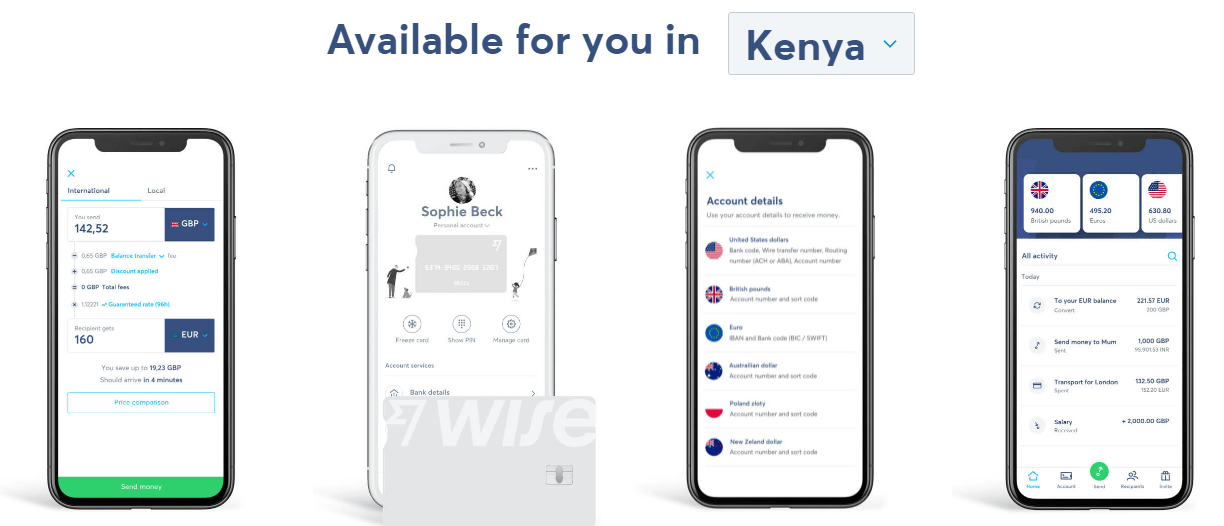
    After an account has been created for you, you will be redirected to your account’s dashboard upon registration. You can key in the amount you want to send (The currency format can be seen in the drop-down menu).

    You can choose the method of transfer you want to use right below “send” and lastly, the Currency you are shipping. Suppose it’s Kenyan Currency. The website will quickly display what your recipient will receive. The rest of the details can be swiftly followed without any hindrance.

    The platform uses a Bank account, credit or debit card, and M-PESA to send or receive money. You can receive your money within 24hrs or even instantly, depending on which method of transfer is being used

    How To Send Money From Wise To Kenya through M-Pesa

    Since M-PESA in Kenya is the most suitable and convenient way of sending money, while in Kenya. We will show you how to send money from Wise to Kenya Via M-PESA directly.

    The process is simple given that you have an account with wise, you registered your M-Pesa number with wise, and lastly that you know the number of the recipient you are sending money to.

    1. Visit wise.com and sign in to access your dashboard.
    2. Choose to send money as seen on your dashboard
    3. On the following page, key in the amount that you want to send depending on the Currency of where you are, and Tap on continuing at the bottom of the page
    4. Select the type of transfer that you are making; three options will be presented to you(Either Personal, Business, or on behalf of someone else)
    5. Fill in your details on the next page and Tap on continue. It should be accurate as possible
    6. On the next page(Recipients), Choose whom you are sending the money to and tap on continue
    7. Fill in the correct recipient details, His email, their full name, and their Mobile number starting with the Country code, for example, 2547XXXXXXX
    8. If you choose to use a Local Bank account Mpesa, the Procedures is still the same
    9. Review your details if what you have entered is correct and accept the Terms of Use at the bottom of the page you are.
    10. Tap on Confirm and continue
    11. The page makes sure that you supply the correct details and complete the transfer on the payment page.

    Why should you use Wise in Kenya?

    1. They have a Good rating on Google and Good customer support on website or phone
    2. They have low transfer rates compared with the competitors such as PayPal and many More
    3. Allows you to send money directly to your M-PESA account

    Conclusion

    Wise is one of the best money sending platforms right now. We like their platform because of the Good reputation, and they are easy to access services, for example, the borderless transfer costs. If you want to send money in Kenya instantly, Wise is the place that you should be aware of