Author: Gabriel Agbobli

  • How To Find And Delete Google Reviews You Have Left

    How To Find And Delete Google Reviews You Have Left

    Google Reviews are a very important thing people look for when deciding on whether to make a purchase on the goods or services provided by businesses. Google Reviews were launched by Google to help users give a clear description of what their experience(s) was or were at a particular location.

    This way, potential customers or people who would like to use a business’s products or services are given an idea of what they experienced when they did use the product or service offered by the respective business. Through this trust is built and businesses with good reviews begin to see an increase in their sales and revenue.

    As human beings, we are likely to make a mistake occasionally, but this should not affect us for the rest of our lives. Once a mistake is made, lessons are learned from it and future decisions are well thought about. Businesses also make mistakes, but as time goes on, they improve on their services. So, a review you left about a business yesterday might not be the same as today.

    In our modern technological world, some people leave negative or false Google Reviews which are not the true representation of the respective business. If you are one of such people or you have made a mistake with a Google review before, this article is going to walk you through the steps on how to find and delete Google Reviews you have left.

    What Are Google Reviews and Why Are They Important?

    Google reviews are comments that are left by people who have visited a particular place or used a product or service offered a particular business on Google.

    Below are some of the reasons why Google reviews are very important.

    1. Google reviews help improve local search ranking

    There are several businesses that provide the same products or services in a locality. For example, in your neighbourhood alone you can get more than five (5) restaurants or “chop bars” that provide the same types of cuisines at almost the same price range.

    To help a business come up when people search for the services they provide, Google factors in the reviews that have been left by people. A business with good reviews will be ranked above the one which has bad reviews. This helps you to save money that would have otherwise been paid to people to help rank your business. For better rankings, you can still contact them.

    2. Google reviews helps to gain trust and credibility

    When good reviews are left under your business, more people are likely to trust that the products and services you render are genuine and authentic. As a result, you will gain trust and credibility from people online and this will help to increase your sales and revenue. When a prospective customer considers doing business or not, the driving force will be the reviews you have and if you have good reviews then you will be considered by the person.

    3. Google reviews helps to know how your products or services are seen by your customers

    Except for people who leave fake reviews of businesses, Google reviews will help you to know how well people are patronizing your services or products. Through the reviews, you get feedback on how well you are doing, where you are falling short, and how you can improve on these issues.

    How To Find and Delete Google Reviews You Have Left

    1. Open Gmail on your device
    2. Sign in to your Gmail account with your Gmail and password
    3. Visit maps.google.com
    4. Click on the three lines at the top left corner of the search bar
    5. Click on Your contributions
    6. Click on the REVIEWS tab
    7. Scroll through the reviews you have left to find the one you want to delete
    8. Next to that review, click on the three dots to the right of it
    9. Click Delete review to completely delete the review or Edit review to make changes to the review without deleting it completely.
    10. Upon completion, the review will be deleted, and no one will be able to see that review again. Unless the person took a screenshot of your review.

    Conclusion

    Google reviews are meant to give a true reflection of how a business is and the experience people have had with them. But sometimes due to some reasons most people leave false reviews or make mistakes when it comes to leaving reviews on Google.

    This guide has explained everything about Google review, its importance, and how to delete reviews you have left in the past. Although the process is self-explanatory, if you find it difficult or get stuck during the process, you can let me know in the comments section below and I will attend to you.

    How do I delete a Google review I have left?

    Go to maps.google.com, click on the menu icon, navigate to your contributions. Click on Your Contributions and then Reviews. From there locate the review you want to delete and click the three dots next to it and then select Delete Review.

    How do I find my Google Reviews?

    Open the Google Maps app, and search for your business. Tap on the REVIEWS tab in the middle and you will find all the Google Reviews you have for your business.

    Can I delete my Google review?

    Yes. Go to maps.google.com, select click on the menu icon, navigate to your contributions. Click on Your Contributions and then Reviews. From there locate the review you want to delete and click the three dots next to it and then select Delete Review.

    Why can’t I delete my Google review?

    As a business owner, you can only flag a review and then fill the forms for Google to investigate the claim for you. However, if you are the one who left the review then you can follow the steps above to delete your review.
  • Best Ways To Customize iOS 15 on Your iPhone

    Best Ways To Customize iOS 15 on Your iPhone

    Are you bored of your iPhone running iOS 15 having the same look as all the other devices around? Do you want to add some flavour to how your iOS 15 device looks? Continue reading to find out more about iOS 15 customization.

    For a long time, Apple users, especially iPhone users always lost the debate when it came to customization. But after the launch of the iOS 14 in 2020, Apple has now given its users some options when it comes to customizing their devices.

    Since the launch of the iOS 14 in 2020 brought several customization features, many of us taught that the launch of the iOS 15 will also add several customization options but that didn’t happen. Aside from this not happening, it is still possible to customize iOS 15 on your iPhone to make it look more personal than the default.

    To help you do that, this article is going to walk you through some of the best ways to customize iOS 15 on your iPhone. Interestingly, all the methods used in this article are free and do not involve the use of third-party apps or platforms.

    Best Ways To Customize iOS 15 on Your iPhone

    Create and customize your widgets

    Widgets are very useful on iPhones since they help you to gain access to apps and content that you would have had to go through a long process to access. Some of these include news headlines, calendar appointments, the weather, stock market updates, the battery percentage of your device and other connected accessories, etc.

    Widgets have been on Android devices for quite some time now, but they became available on iPhones last year when iOS 14 was launched. On iOS 14, users were able to add and remove widgets, change their layout and size, and move them anywhere on the home screen.

    On iOS 15 however, you can add different kinds of widgets and choose what content you wish to see on each widget.

    To add and edit widget on iOS 15 on your iPhone follow the steps below

    1. Swipe all the way to the left of your screen until you see the widget screen
    2. Swipe down the screen and tap the Edit button
    3. Tap on the minus sign next to the already existing widgets to remove them and tap Done once you are done
    4. You can follow the same procedure to add widgets. This time around instead of tapping on the minus icon you will rather tap on the plus icon

    Once all the widgets are added, you can drag and drop each widget to wherever you want. This will make it easier to check for things like the weather, stock market details, etc. If you want to add a widget to your home screen, tap and hold on to the widget and then drag it to your preferred location on your home screen to make it more easily accessible.

    Move the address bar in Safari from the bottom to the top or vice versa

    Almost every browser in the world has its address bar at the top of the screen and not the bottom. On iOS 15 however, the address bar is located at the bottom of the screen by default giving you more screen space and easy accessibility of buttons.

    This may not be liked by everyone so, if you wish, you can also reverse it back to the top of the screen. To bring back the address bar to the top, open the Safari browser on your iPhone, tap on the Aa button. A new menu will pop up, tap on Show Top Address Bar and the address bar will come back to the top.

    In case you don’t know which one you like you can try both and choose the one that best suits you. Personally, I prefer the bottom address bar and I would love to hear your favourite in the comments section.

    Change the app icons on your iPhone

    By default, every app on the Apple App Store has a unique logo and once the app is installed on an iPhone, it also has an app icon. This is usually the logo of the app installed on the iPhone.

    Before iOS 14 and iOS 15, users were restricted to the default app icons provided but now it is possible to change them to your preference. There are two ways you can change the app icons on your iPhone, you can do so by using a third-party app or using the Shortcuts app.

    How to change the app icons on your iPhone using a third-party app

    1. Download the third-party app from the App Store
    2. Open the app and tap on the icon pack you want, and then press Install
    3. When given a prompt, select Allow
    4. Once the download is complete, open the Settings app on your iPhone
    5. Tap on Profile Downloaded and then tap Install in the Install Profile Page
    6. Enter your iPhone’s passcode
    7. Select Install and then Done
    8. Your app icon has successfully been customized

    Conclusion

    iPhone users unlike Android users are limited when it comes to customizing their devices but gradually, they are making headway. This guide explained some of the best ways to customize iOS 15 on your iPhone in detail.

    Currently, the customizations available are not many but it is our hope that as time goes on, newer updates will be made making it possible to do more customizations on your iPhone. If you know of any other best way to customize iOS 15 you can share them in the comments section below and I will have a look at it.

    How do I customize my iPhone with iOS 15?

    You can customize your iPhone by changing the app icons, editing, and moving widgets, etc. How to do all of these has been explained above.

    How do you focus on iOS 15?

    To focus on iOS 15, open the Settings app and tap on Focus just above Screen Time. Select which focus you want to turn on and toggle it on or off.

    Does alarm work in focus?

    Yes, your alarm will work even when focus is turned on. But only the default iOS alarm will work, no other third-party alarms will work.

  • Best Ways To Approach A Lady Online For A Positive Response

    Best Ways To Approach A Lady Online For A Positive Response

    Have you been trying to approach a lady online for a long time but do not know how to approach her to get a positive response? If this is you, then continue reading to find out some of the best ways to approach a lady online for a positive response.

    Approaching ladies not only online but also in-person can feel perplexing and a bit scary but in reality, it is very easy as long as you know how to go about it. Unlike approaching a lady in person where you can ask her a question for her to reply or decline to reply to you face-to-face, approaching a lady online can be easy but yielding a positive response is sometimes where the problem lies.

    Due to the high number of boys who text beautiful ladies daily especially on Instagram, getting a lady to give a positive response to your message online can sometimes be challenging. Therefore, you must know what to do and what not to do if you want to get a positive response from her and that is exactly what this article is going to show you.

    Best Ways To Approach A Lady Online For A Positive Response

    How to get the convo started

    The first step of approaching a lady online to get her attention is how to get the conversation started. This is what is going to determine whether the lady replies to your message or ignores it. Because of that, you need to choose your words very carefully.

    There is a saying which says girls like to be complimented when having a conversation with them. This saying is true, but this shouldn’t be a reason to over-compliment a lady.  The choice of words you use to compliment her should be very simple but intriguing. Do not use any big words you learned from the dictionary or online, use something that can be easily understood by her.

    Start your conversation with something formal like a normal hello message. Do not look hungry with some words like “I saw you in my dreams yesterday”, “you smell like a rose flower” or all those “wild” words. Some ladies may like such words but that is not the right way to go because it gives a certain impression about you and besides, ladies get these kinds of messages often.

    Instead, use something cool like you have a nice smile, your photos are cute, nice profile, etc. But before that, start with your name and ask how she’s doing, and most importantly use correct grammar.

    Get to know her

    One thing ladies like is a guy they know and a guy who knows them. Instead of flooding her DM with “I love you” messages and those proposal messages, you must get to know her first.

    For starters, you can ask about her name, what she likes, and some basic things every friend must know about their friends. When asking for this information, do not make it look like you are interrogating her but make it look more fun and livelier.

    If the lady is the lively and vibe type, by the time you are done knowing her, she will also get to know you more. From there, then you and she can become friends since you both know something about each other.

    Disappear for a day or two

    Once you guys are done knowing yourselves and you’ve now become friends, you disappear for a day or two (2); were disappearing in this context means going offline. As a guy, you shouldn’t always be online when you get a new female friend online.

    Even though ladies like attention, if a guy is always online replying to their text, they begin to feel that you have nothing serious doing with your life. So, you can intentionally go offline for a day or two, and when you come back make sure to reply to all the messages she sent. When asked, you can tell her you were busy with school or work.

    She will understand you and get to know that you were busy that is why you were not able to reply to her messages. This way, whenever you are offline for some time, she will know that you are busy doing something important.

    Do not text her frequently

    Ladies they say like attention, but they also hate guys who are always in their DM with several messages. Sending her messages is not bad but you should do so at a normal frequency.

    If you are always sending her messages, she will get fed up with you very quickly and that might cause her to lose interest in chatting with you. You should put yourself in her shoes and make sure you are not sending messages frequently than you are supposed to.

    Show her that you cherish her messages and communications

    Apart from attention, ladies like guys who are happy whenever they chat with them. This will go a long way to help your relationship with her. Just a simple thanks for calling today can go a long way.

    When you are busy, try and make time to check up on her and let her be aware that you are a bit busy now, but you will check up back on her later. Make her feel that you cherish the moments you spend together with her online either via text or calls. You can also tell her that you miss her if it’s a while since you guys chat.

    Flirt with her

    The main tool or skill to keep your online communication going is flirting. Flirting simply means to behave as though sexually attracted to someone, but playfully rather than with serious intentions. Some simple flirting messages are “What would you say if I asked you out?” or “What’s your type of guy?”.

    You should not use strong sexually explicit words in your flirts. Just some simple jokes or memes will be able to do the job. Either way, you must be careful of the choice of jokes or memes you use since one meme can ruin the vibe between both of you.

    Ask her out on a date

    Finally, after making the first step and getting a positive response from her, the next thing you need to do is to take her out on a date. Taking her out on a date does not necessarily mean taking her to an expensive restaurant or hotel.

    The place you take her out on the date should be somewhere that she likes. That is why it is very important to get to know her before you ask her out on a date. You can take her to the beach, zoo, aquarium, cinema, planetarium, or any other place that meets her interest.

    During the date, you can get to know more about yourselves, and you can take it from there. Try to make it simple, but more importantly it should be fun for both of you, but especially her.

    Conclusion

    Approaching ladies can sometimes be very difficult whether it is online of face-to-face but once you know how to go about it, it is very easy and fun. In the article, I have explained some of the best ways you can approach a lady online to get a positive response.

    These methods are not the only ones in the world, but they have been tried and tested by many people. If you have any other tips apart from the ones in this article, you can add them in the comments section below and I will add it to the list. Ladies are especially welcome since they know what they want from guys when they approach them online.

    How can I flirt with a lady online?

    You can flirt with a lady online by teasing her with some funny but interesting stuff. Do not sound sexually explicit or creepy because this can send the lady away.

    What is a good first message for online dating?

    The recommended first message for online dating is to greet with a hello, ask how he/she is doing, and then tell him/her your name. Do not write a long essay as a first message. Ladies will automatically ignore you if you send them a long essay and your grammar is incorrect.

    How can I get closer to a girl on chat?

    To get closer to a girl on chat, be patient with her, do not put pressure on her to reply or talk about herself, be sincere with her, and do not use fake images on your profile.

  • How To Check Your e-Zwich Account Balance Online

    How To Check Your e-Zwich Account Balance Online

    The rate of cashless transactions in Ghana has increased in previous times. Due to the availability of point of sales (POS) and ATMs in almost every part of the country, many people are now moving from carrying cash on themselves and are now adapting to the use of cashless mediums like mobile and cards.

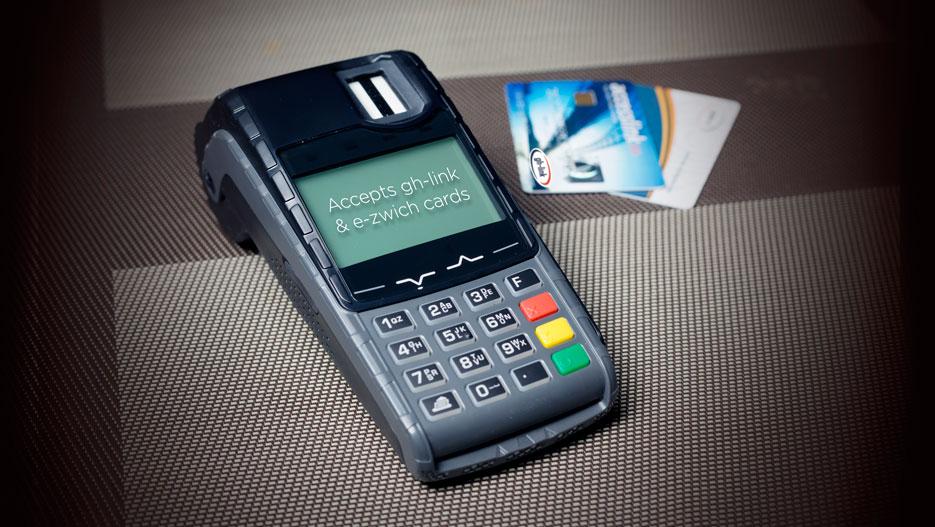
    Among the most used cashless payment methods is the e-zwich card which is used all over the country. E-zwich is the brand name for the Ghana National Switch and Smart card payment system. This payment system is an innovative method for improving the accessibility to banking and retail services in Ghana.

    With e-zwich, users are able to perform transactions using their card in the country and at some banks without having to create a bank account with the respective bank. Additionally, employers are able to pay their employee’s wages through their e-zwich cards.

    Like all financial cards, there is always the need to check the balance you have on your e-zwich card. This process can sometimes be a little difficult but in this article, I am going to show you how to check your e-zwich account balance.

    PS: Currently, there is no way you can check your e-zwich account balance online.

    Features of E-Zwich Card

    • Electronic loading of funds
    • Biometric (fingerprint) identification
    • It is valid for ten (10) years
    • It is an account (one of the safest places to keep your money)
    • It can be used to receive salary and wage payments
    • The target customers are mass affluent
    • The cost of obtaining an e-zwich card in Ghana is free

    Benefits of e-Zwich Card

    • Instant loading and transfer of funds using GPRS
    • It can do transactions at any bank in Ghana
    • You can deposit cash on it
    • You can use it to transfer cash
    • It can be used to receive your salary and wage payments
    • It can be used to make bill payments from any point of sale (POS) or ATM across the country
    • It is an easy payment method for paying for goods and services
    • It eliminates the risk and inconvenience of carrying cash
    • Because of the fingerprint identification, it is safe and secured

    How To Check Your e-Zwich Account Balance

    1. Visit any of the e-zwich accepted banks in the country with a valid national ID document
    2. Ask the tellers that you want to check your e-zwich balance
    3. The e-zwich teller will ask you for some details and confirm that you are indeed the owner of the e-zwich card
    4. Your account balance will be checked for you for free

    Conclusion

    E-Zwich is one of the good payment methods that are available for Ghanaians at the moment. This is because unlike the other payment methods like debit and credit cards where you must create an account with a bank before you can be issued a card, you can get an e-zwich card from the selected banks without creating a bank account with them.

    While spending with your e-zwich card, you have to check the balance you have in it. Or at the end of the month, you have to check to see if your employer has sent your salary. This process has been clearly explained in this article and once you follow them, you can check your e-zwich account balance.

    Can you link your e-zwich to your bank account?

    Yes, it is possible. All you have to do is to visit your bank and then ask any of the tellers to link it to your account. Or if your bank provides internet banking, you can log into your account and then link your e-zwich to your bank account.

    Can I replace my e-zwich card?

    Yes. If you misplace or lose your e-zwich card, you will be given a new e-zwich card. But before that, your financial institution will go through the biometric process and if all the details match the one in their records, your new card will be issued to you.

    How do I become an e-zwich agent?

    Before you can become an e-zwich agent, you need some documentations like valid company registration documents, valid national photo ID, etc. Also, there are some logistics requirements depending on the type of agent you want to become. If you have all these documents, you can proceed to your financial institution for your agent application form.

  • Top Electronic Shops That Offer Promotions in Ghana

    Top Electronic Shops That Offer Promotions in Ghana

    Whenever people shop either online or in-person, the main they look out for apart from the quality of the product is whether they are running a promotion. This is because when the shop is running a promotion, you get the products at a price lower than the actual selling price before the promotion, and this way, you save some money.

    Some people see those who buy their items during promotion periods as misers or as we called them in Ghana, “chisel” since they could afford the original price, but they prefer to spend less. That is not a fair description or name tag for people like that, instead, they should be tagged as being financially smart because that money they are saving can be used for something else later.

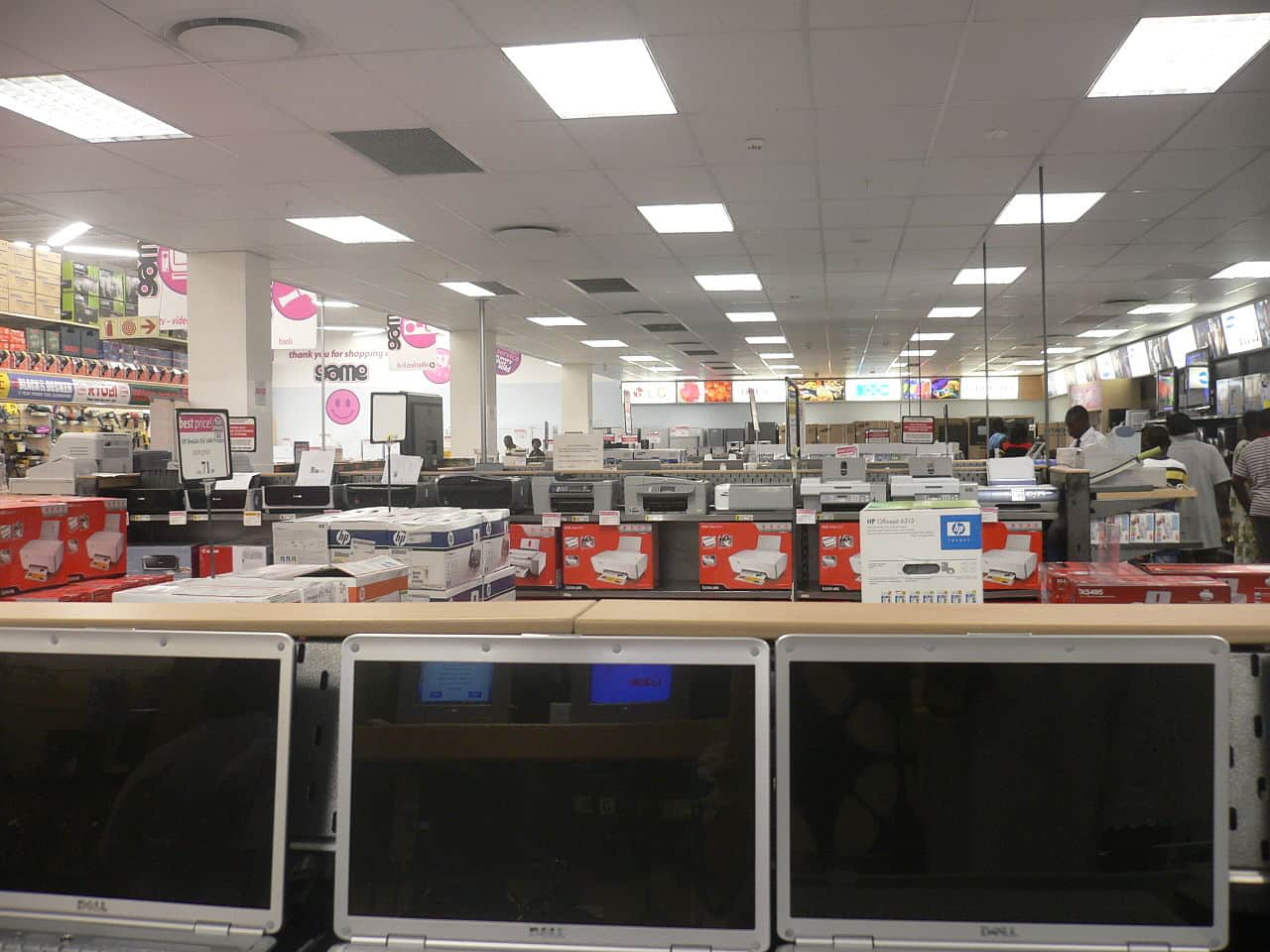
    There are several electronic shops in Ghana which sell quality and affordable electronic products like smartphones, electronic stoves, air conditioners, tablets, laptops, smartwatches, washing machines, desktop computers, television sets, and many more. Some of these electronic products although very useful, can sometimes be a bit expensive. Therefore, the only to buy them will be to find a shop that runs promo and buy from them at a relatively cheaper price.

    To help you solve this problem, this article is going to expose you to some of the top electronic shops that offer promotions in Ghana. Also, all the shops in this article are very popular and have branches all over the country making it easy for anyone within Ghana to find a shop closer to his or her location.

    Top Electronic Shops That Offer Promotions in Ghana

    Currently, in Ghana, the number of electronic shops will exceed one hundred. Most of them offer promotions but this article is going to focus on the top electronic shops. As stated earlier, when choosing the shops, we kept everyone in mind and not only those who live in Accra and its neighbouring towns.

    Hisense

    Hisense is one of the biggest electronic shops in Ghana that offer promotions. If you watch television often, then you have surely come across one of their commercials which is usually made by Ghanaian actor and journalist Nana Ama McBrown. As their slogan goes, “everyday prices for everyday people”, their prices are always being adjusted for the everyday Ghanaian.

    There are no specific periods for Hisense promotions. Aside from the annual festive season promos which are run every festive season, Hisense runs promotions throughout the year. Some of the products they have in stock are fridges, freezers, televisions, smartphones, washing machines, home theatre, etc.

    Apart from the main headquarters in Accra, Hisense has showrooms at East Legon, North Industrial Area, Tema, Lapaz, Kasoa, Baatsona, Achimota Retail Centre, Junction Mall, Adum Kumasi, Tarkwa, and many other locations across the country. You can always check their official websites for their promos.

    Nasco Electronic

    In Ghana, one of the leading appliance distributors is Nasco electronics. Aside from them being among the leading appliance manufacturers in the country, they are also part of the top electronic shops that offer promotions in Ghana.

    The products made by Nasco are made from certified factories and inspections are carried out by world-certified supervisors to ensure that the final products they bring to the market meet all the requirements of the customer and will not later cause more harm to him/her than good.

    They manufacture electronic products like televisions sets, washing machines, microwaves, fans, electric iron, smartphones, air conditioners, home theatre, Bluetooth speakers, etc. You can get Nasco products at all Electroland Ghana shops across the country.

    KAB-FAM Ghana Limited

    KAB-FAM Ghana is your one-stop-shop for everything electronic in Ghana. They sell smartphones, home theatres, fridges, freezers, microwaves, dishwashers, air conditioners, and any other electronic device you could think of in Ghana.

    With all these products in stock, KAB-FAM Ghana offers promotions to their customers on special festive occasions and throughout the year. Their website is also available for customers who would like to order their products online via mobile money (MoMo) and get them delivered to them.

    For people who would like to visit them in person, KAB-FAM has branches at Accra Central, Achimota Old Station, Darkuman, Legon, Kasoa, Nungua, Oyarefa, Tema Community 4, Kumasi Krofrom, and Takoradi.

    TCL Ghana

    TCL Ghana is a fast-growing consumer electronics company in Ghana. They have electronic products like smartphones, televisions, air conditioners, home theatres, soundbars, fridges & freezers, and a list of other electronic products.

    As one of the leading and fast-growing electronics companies, TCL offers promotions to their customers occasionally and also on festive seasons like Christmas and Easter. During their promo periods, customers are given huge discounts on the products they sell in their showrooms.

    TCL Ghana has branches at Darkuman, North Industrial Area, Lapaz, Tema Community 1, Kumasi, Tamale, Sunyani, Takoradi, Ho, and Accra Central. You can also visit their website to shop for your products and have them delivered to your doorstep.

    Freddie’s Corner

    Freddie’s Corner is one of the leading electronic shops in Ghana known for their quality services. Unlike the other electronic shops mentioned earlier, at Freddie’s corner, you can buy different electronic products from some of the leading brands like Apple, Samsung, Tecno, Infinix, LG, etc.

    Their branches are located at Kwame Nkrumah Circle, Tiptoe Lane, Spintex Road, Tema Community 1, and Kumasi. You can visit any of their shops or reach out to them via phone on 0302 211 318 or 0302 817 555.

    Franko Trading Enterprise

    Finally, the last electronic shop that offers promotions in Ghana on our list is Franko Trading Enterprise. Similar to Freddie’s Corner, Franko Trading Enterprise sells electronic products from all the major brands in the world.

    You can walk into any of their branches located at Adabraka, Nkrumah Circle, Osu Oxford Street, Tema Community 1, Haatso, Techiman, Sunyani, Kumasi, Takoradi, Wa, Tarkwa, Berekum, Koforidua, Madina, Kasoa, Ho, Tamale, and Cape Coast.

    Also, you can visit their website or download the Franko Trading mobile app from the Google Play Store or the Apple App Store to place your order online.

    Conclusion

    In this modern technological world, you cannot do away with electronic devices. When buying these devices, you must lookout for a way you could save some money and still get quality electronic gadgets for your home or office.

    This article has shown you some of the top electronic shops that offer promotions in Ghana. Make sure to check on each of them before you decide to buy a product from them. Shop and save in Ghana safely.

  • How To Find and Change Your Hotspot Password

    How To Find and Change Your Hotspot Password

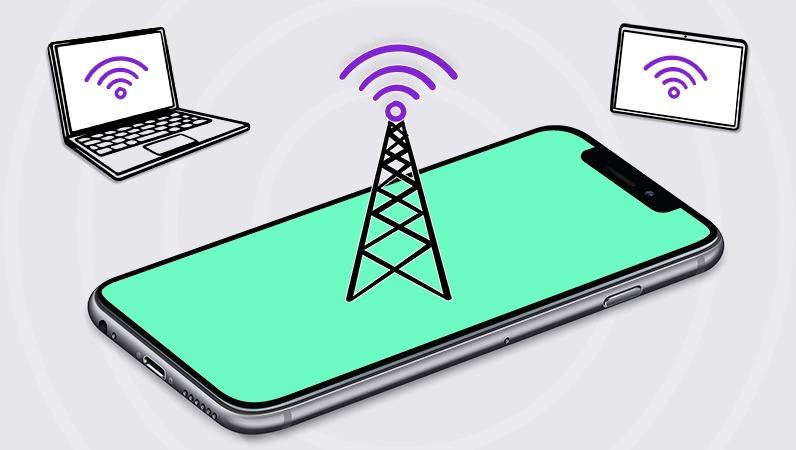
    Due to the high price of fibre broadbands and other Wi-Fi providers, the alternative most people sort to is their mobile hotspot. Mobile Hotspot allows you to use your device’s internet as the Wi-Fi for the other device (s) you connect to it.

    According to cybersecurity experts, it is advisable to change your passwords or update the passwords of your email, laptop, smartphone, ATM card, and other sensitive information on a regular basis, keeping in a mind a safe place to keep these passwords in case you forget them in the future. That is where password manager apps come in for you to save all your passwords in one place and access them whenever the need be.

    Likewise, your hotspot’s password needs to be changed on a regular basis to prevent other known and unknown devices from connecting to your Wi-Fi and then draining it completely. Setting a password on your hotspot will ensure that only devices authorized by you will be able to access your device’s internet connection.

    Now if you are wondering how you can change your hotspot password, this article is the answer to your worries. This is because, in this article, I am going to show you how to find and change your hotspot password for both Android and iPhone/iPad devices.

    How To Find and Change Your Hotspot Password

    In our everyday lives, there are two (2) types of devices that are classified based on the operating system (OS) they use. These are Android and iOS/iPadOS devices. The method of finding and changing the hotspot password on each type of device is different. Therefore, the method of finding and changing the hotspot password on each type of device is shown below.

    How To Find and Change Your Hotspot Password on Android Devices

    1. To get started, make sure your device has an active SIM card in it and that you have activated the internet settings
    2. Open the Settings app on your Android device
    3. Scroll through and select More under Wireless & networks
    4. Select Tethering & portable hotspot from the list of options
    5. Tap on Wi-Fi hotspot settings and user management
    6. Tap on Set up Wi-Fi hotspot
    7. A setup Wi-Fi hotspot screen will pop up
    8. Click on the Network name to change the name of your hotspot
    9. To find your password, tap to check the box next to Show password
    10. To change the password, tap on the password and type in your new password
    11. Once you are done, tap on SAVE, and your new password will be saved.

    How To Find and Change Your Hotspot Password on iPhone/iPad

    1. To get started, make sure your device has an active SIM card in it and that you have activated the internet settings
    2. Open the Settings app on your iPhone or iPad
    3. Tap on Personal Hotspot which is in-between Mobile Data and VPN
    4. You will find the password for your hotspot under Wi-Fi Password
    5. To change your password, tap on the Wi-Fi Password and then enter your new password
    6. Once you are done, tap on Done in the upper right corner of the screen to save your new password

    Conclusion

    Passwords are very sensitive as they are the key to the gate of your information. Therefore, when choosing a password, you must make sure it is something that is strong and cannot be easily guessed by anybody at all. Ideally, your password shouldn’t be your date of birth or name, it should be alphanumeric with at least one upper case and lower-case character, a special symbol, and a number.

    Most people do not see hotspots as sensitive but once someone gains access to your hotspot, there are several things he/she can do to your device or use your device for. To prevent this, all you must do is to follow the steps in this article and change the password of your hotspot to be on the safer side.

    How do I find my Vivo hotspot password?

    Go to Settings and then select Personal Hotspot. Next, tap on Password configuration to either view or change the password. You can also tap on Network ID to change the name of your hotspot.

    How do I find my Samsung hotspot password?

    Open the Settings app on your Samsung device and then select Connections. Next, select Mobile Hotspot and Tethering and then tap on Mobile Hotspot. The password of your hotspot will be displayed together with the name of your hotspot. If you wish to change it, tap on Configure and then enter your new password.

    How do I change my Redmi hotspot password?

    Open the Settings app on your Redmi phone, select Personal Hotspot. Next, select Set up Wi-Fi hotspot, select Security >> WPA2 PSK, and then enter your new password.

  • How To Find Your Lost Samsung Galaxy Watch

    How To Find Your Lost Samsung Galaxy Watch

    Wearables have gradually been taking over the watch industry in the world. Although some of the popular watch brands like Caveman Watches, Rolex, Patek Philippe, Cartier, Casio are still dominant in the watch industry, some of the other brands have gone after companies started making smartwatches.

    Unlike normal watches, smartwatches have different features which make them ideal for people. For example, the main thing that normal watches do is to tell the time and sometimes the date, but smartwatches tell both the date and time, bloop pressure, Electrocardiogram (ECG), some can make calls and even take photos.

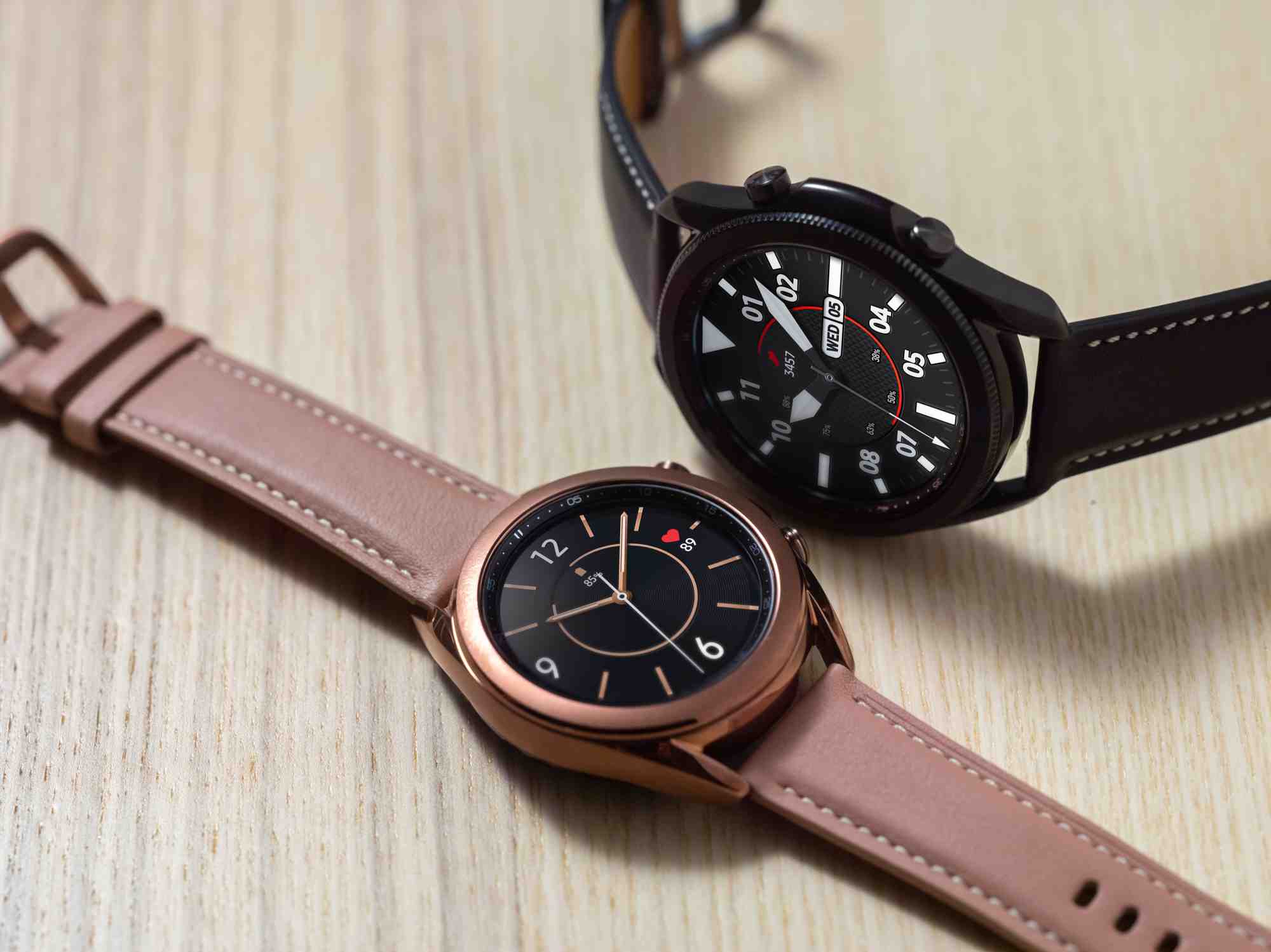
    Samsung Galaxy Watch is one of the leading smartwatch brands in the world. Since the company Samsung and the brand Galaxy had already made a name before the smartwatches were manufactured, people happily accepted them into the market and have been growing the number of its users from time to time.

    Apart from the Samsung Galaxy Watch doing all these amazing features stated in the previous paragraphs, one thing that cannot be taken away is the probability that you might misplace it at a point in time.

    As human beings, we all make mistakes sometimes and when you make such a mistake, you should be able to recover your smartwatch without much stress. Because of that, this article is going to explain to you how to find your lost Samsung Galaxy Watch.

    How To Find Your Lost Samsung Galaxy Watch

    Before we begin with the steps, you must make sure that all the requirements such as Remote connection are already set in place before you misplaced or lose your Galaxy Watch smartwatch. Also, your Galaxy Watch smartwatch needs to be connected to an internet source like Wi-Fi or mobile data connection. Once all the requirements are met, then you can proceed by following the steps below.

    1. Open the Galaxy Wearable app on your smartphone
    2. Tap on Find My Watch
    3. Select Find My Band or Find My Gear under fitness bands
    4. Depending on the model of your smartwatch, SmartThings Find will be opened
    5. A map of the last known location of the Galaxy Watch will be shown
    6. Once you are close to the area, tap Ring and the watch will start playing a sound and vibrate
    7. Other watches can also ring directly from your phone if it is connected to your phone using Bluetooth. In such cases, just tap START and your watch will begin to play a sound and vibrate.

    What Happens When You Lost Your Watch Outside Your Bluetooth Range?

    In situations where you lost your watch out of Bluetooth range, you will still be able to set some security options. But this can only happen when Remote Connection was enabled before you lost your Galaxy Watch.

    • Tap Set security and then choose from the following options:
    • Lock Watch: Once this is enabled, your smartwatch will be locked until the PIN is entered or it comes near your phone and connects to Bluetooth.
    • Reset Watch: This option is very useful if you have sensitive and confidential information on your smartwatch. Once you enable this option, all the data on your watch will be remotely deleted. This way, whoever has access to your smartwatch will not be able to find any of your information on it.

    Conclusion

    The introduction of smartwatches into the market has yielded several positive results. For example, before smartwatches were introduced if you wanted to check your blood pressure, you had to use the BP checking machine before you could check your blood pressure.

    That is not the case anymore, now with just a smartwatch on your wrist, you can check your blood pressure anywhere and at any time. Additionally, you no longer must go and see a doctor before you check your Electrocardiogram (ECG), the smartwatch can also perform this task for you.

    This and many more are some of the things smartwatches can do for you. But sometimes you might misplace your Galaxy Watch and when this happens, this article has shown you have you can find it in just a few and easy steps.

    Can I track my lost Samsung Galaxy smartwatch?

    Yes, you can use the Wearables app on your Samsung device to track and find your lost Samsung Galaxy smartwatch.

    How can I find my phone with my Samsung Galaxy Watch?

    Open the Find My Phone app on your Galaxy Watch and then tap Start to begin locating your phone. The ringtone of your phone will keep on playing until you find it and when you do, you can swipe down on the Dismiss icon.

  • How To Buy iTunes Card Online in Ghana

    How To Buy iTunes Card Online in Ghana

    Are you looking for how to buy an iTunes card online in Ghana? If your answer is yes, then this article is going to explain to you how to buy an iTunes card online in Ghana.

    Apple is a leading name when it comes to the manufacture of smartphones and other electronic gadgets like the Mac, iMac, iPad, iPod, Apple Watch, etc. Aside from the electronic devices, Apple also manufactures iTunes card which is used for several things.

    iTunes cards are solely for the purchase of music from the iTunes app. But the App Store and iTunes card can be used for purchases from the iTunes Store, App Store, Apple Books, or the Apple TV app. iTunes card works like credit and debit cards. Every time you make a purchase from any of the accepted stores, the amount will be deducted from your card until the money in it is finished.

    However, buying an iTunes card in Ghana is sometimes very difficult and the available resources to guide you are almost not in existence. It is for this reason that this article was written to guide you through the process of buying an iTunes card online in Ghana.

    NOTE: The methods used in this guide are 100% legal and do not involve any middlemen. Therefore, this method is safe and has been tried and tested by many people.

    How To Buy iTunes Card Online in Ghana

    There are several ways and sites you can buy an iTunes card in Ghana. Each site has different methods of buying the iTunes card and this article is going to show you how to buy from each of the sites.

    How To Buy iTunes Card Online in Ghana From Telefonika Ghana

    1. Visit Telefonika.com on your device
    2. Click on the Shop icon and then click on the menu icon in the upper left corner of the screen
    3. Type in iTunes card
    4. All the available iTunes cards will be displayed. Usually, the available iTunes cards are the $25, $50, and $100 cards
    5. Click on the iTunes card you want to buy and then click on the cart icon to add it to your cart
    6. Click the cart icon in the top right corner of your screen
    7. The total amount of the iTunes card will be displayed in Ghana cedis
    8. Click on CHECKOUT
    9. Fill in the billing details with your first and last name, street address, town/city, region, phone, and email address in the respective spaces provided
    10. Scroll down and choose your payment method (Direct bank transfer or Slydepay and follow the on-screen instructions to complete your purchase.
    11. Once the transaction is successful, your iTunes card will be sent to you via email.

    How To Buy iTunes Card Online in Ghana From Easy Buy Gh

    1. Visit easybuygh.com
    2. Click on the menu icon in the top right corner and then select Shop
    3. Click on the search icon next to the menu icon and enter iTunes card
    4. A list of all the iTunes cards available will be displayed for you
    5. Click on the one you want to buy and select ADD TO CART
    6. Click on the cart icon and select CHECKOUT
    7. Enter your full name, last name, region, street address, town/city, phone, and email address in their respective spaces
    8. Select your payment method and then click on Place order
    9. Confirm your order and then your iTunes card will be delivered to you

    How To Buy iTunes Card Online in Ghana From Card Delivery

    1. Open a browser and type carddelivery.com
    2. Type iTunes card in the search bar
    3. A list of all the iTunes cards available will be displayed for you with their respective prices in dollars
    4. Under the card, you want to buy, click on Add to Cart
    5. Click on the cart icon and select PROCEED TO CHECKOUT
    6. Enter your email address, full name, mobile number, and password in the spaces provided and click Sign Up afterward. Or click on the Facebook, Twitter, and Google icon to login with Facebook, Twitter, or Google respectively
    7. Click on the cart and enter the details required to confirm the purchase
    8. Once the transaction is successful, your iTunes card will be sent to the email you provided

    Conclusion

    Buying iTunes cards in Ghana can sometimes be difficult but in this article, I have shown some of the best ways to buy them. Apart from the sites listed, there are some other places you use as well like Jumia, Jiji, etc.

    I hope this article was helpful. If it was, then please share it with your friends and loved ones as well. Also, if you have any challenges, please write them in the comments section below and I will be glad to help you out as soon as I can.

    Can I buy an iTunes card in Ghana?

    Yes. By using any of the methods explained in this article, you can buy an iTunes card in Ghana at a very affordable price.

    Which card are they using in Ghana?

    The main cards used in Ghana are Visa, Mastercard, and e-zwich cards. Other than that, other cards like Discover and American Express (AMEX) are not accepted in Ghana.

    Does Ecobank give Visa card?

    Yes, there are several cards offered by Ecobank and one of such cards is the Visa card. Under the Visa card, there are several types provided like Electron, Classic, and Gold – all of which can be used in over 1,600,000 ATMs around the world.

  • How To Update Samsung TV and Samsung TV Apps

    How To Update Samsung TV and Samsung TV Apps

    Do you remember the first television you ever watched? Was it black and white or was it coloured? Television has over the years taken different forms, from a big heavy box with only a small screen to watch you TV shows in black and white, now some televisions have huge screens and it’s very slim as compared to the first TV sets that were made some years back.

    Among the new sets of televisions, one of the most used and popular class is smart TVs. In this particular class of televisions set i.e., smart TV, Samsung is one of the most popular and leading brands which has a very big number of users around the world.

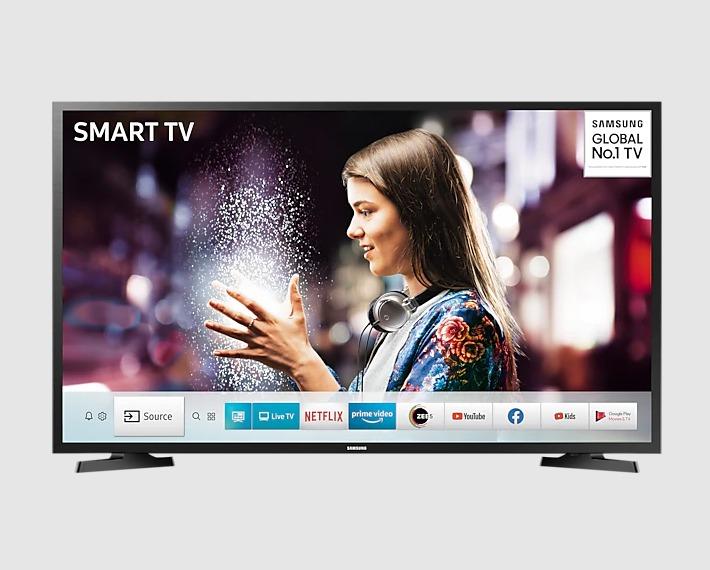
    Samsung smart TVs are television sets that can connect to the internet and be used for all other purposes that some mobile phones perform. Some of the features include Netflix, internet connection, YouTube, Amazon Prime, Spotify, and some other apps that can be found on the Smart Hub store on the Samsung smart television set.

    The apps on the Samsung television set, just like all other apps sometimes need to be updated to gain access to some of the new features introduced by the developer of the app. Although this is a good thing, most people sometimes find it difficult, and this article is going to show you how to update Samsung TV and Samsung apps.

    How To Update Samsung TV Apps

    By default, most Samsung smart televisions come with the automatic update feature. But sometimes due to one or two issues, your Samsung TV may not update the apps on it automatically. In instances like that, then your only option is to manually update the apps on your Samsung TV.

    How To Update Samsung TV Apps on Latest Models

    1. Before you begin, make sure that your Samsung smart TV is connected to the internet
    2. Press the Smart Hub or Home button on your remote (depending on the model of your TV)
    3. Locate the menu and then select Apps
    4. Choose My Apps from the drop-down menu and then select Options
    5. Keep the cursor on Auto Update and then press enter to either enable or disable this feature.

    How To Update Samsung TV Apps on Older Models

    1. Before you begin, make sure that your Samsung smart TV is connected to the internet
    2. Press the Smart Hub button on your remote
    3. Choose Featured from the available options (apps that can be updated are indicated by a small white arrow in a blue circle
    4. Locate the app you want to update and then press and hold the Enter button until a sub menu appears
    5. Select Update apps
    6. Click Select All
    7. Finally, select Update

    How To Update Samsung TV

    Samsung TV is like your mobile devices, which not only do you update the apps on your phone, but you also update the phone’s operating system as well. Therefore, not only do you update the apps on your Samsung TV, but you update your TV as well. There are two (2) main methods you can use to update your Samsung TV, either via the internet or USB.

    How To Update Samsung TV Via The Internet

    1. Go to the settings menu on your TV
    2. Select Support and then choose Software Update
    3. Finally, check if an update is available and then select Update Now
    4. There is an auto-update feature in the Software Update menu you can enable it for the TV to automatically install new software updates whenever they become available.

    How To Update Samsung TV Via USB

    1. Visit the official Samsung website and navigate to the Support page
    2. Enter your TV’s model number into the search box
    3. Choose Manuals and then download the file to your PC
    4. Choose your TV model from the list
    5. Select Downloads for the latest software update for your TV. Download this to your PC as well
    6. Copy the software onto an empty USB drive
    7. Plug in the USB drive into your Samsung TV
    8. From the TV menu select Settings and Support
    9. Select Software Update
    10. Next, select Update Now
    11. Point the TV at the USB drive and let the update begin. (Point here means allow or direct)
    12. Allow the update to finish completely before unplugging the USB drive.

    Conclusion

    Updating a Samsung smart TV can be done in two main methods and this article has shown how you can go about each of these two methods. The update via the internet is easier than the update via USB which is a bit complicated and long. Either way, you can try each of them and see which of them works best for you.

    Samsung smart TVs have their name because of the smart features they come with. There are different models and sizes of Samsung smart TVs on the market. Therefore, when you are going to the market to buy a Samsung TV make sure you do your research first and then buy from only authorized and accredited Samsung shops in your area.

    Can you update an old Smart TV?

    Yes. You can update your Smart TV if there’s a new software update for the TV. Obviously, if there are no available updates, you cannot update your Smart TV.

    How do I download apps on Samsung Smart TV?

    To download apps on your Samsung Smart TV, open the Smart Hub and then click on Apps to open the apps menu. Here, there are several apps available, click on the ones you want to install and wait for them to finish installing on your TV.

    How do I search for apps on older Samsung TVs?

    Open the Smart Hub on your TV, click on Apps, and then in the search bar above or below depending on the model, type in the app you are looking for and press ENTER. If such an app exists, you will be able to download it to your smart TV.

    What is Tizen in Samsung TV?

    Tizen is an open-source, Linux-based operating system that was developed partly to provide a kind of unified operating system across multiple tech devices, such as smartphones, wearables, TV sets, etc. Tizen in Samsung TV is promising a redesigned interface with better access to content, as well as easier sharing between TV sets and mobile phones.

  • Top Digital Marketing Tools for Your Business in 2022

    Top Digital Marketing Tools for Your Business in 2022

    The growth of every business depends on several factors and one of them is marketing. Over the years, the forms of marketing for businesses have changed from the form where people had to walk to customers and market their products to them, to now sitting at home or anywhere for that matter and targeting their audience and prospective clients through digital marketing.

    Every year, digital marketing operates differently from the previous year. Therefore, as a digital marketer, you must stay on top of your game by learning the new trends and most importantly knowing the right tools to use for your business.

    For example, in 2020, most people spent time on their devices making it easier to target them but in 2021, things began to return to normal and the time spent on social media decreased. Without the right tools, it will be difficult for a digital marketer to spot this trend and use it to make their right social media strategy or plan.

    To prevent you from making this same mistake in 2022, this article is going to recommend to you some of the top digital marketing tools for your business in 2022. Each of these tools performs a specific function that is relevant to the growth of your business.

    Top Digital Marketing Tools for Your Business in 2022

    Google Analytics

    The only way you can track the performance of your Key Performance Indicators (KPIs) is by analyzing the performance of your campaigns and promos. You can never become a good digital marketer without using Google Analytics for your site.

    Google Analytics provides a vast insight to help you grow your business. These insights give you a hint of how your campaigns are performing, how users engage with your website, and what you can do to improve the performance of your site for your users.

    2021 proved to be a very unpredictable year for digital marketing as things did not turn out as expected. But with Google Analytics’ predictive analysis, you can gain some insights into the future. The predictive analysis is able to tell how well your campaign will perform based on all factors under consideration. Using Google Analytics in 2022 will help you with your digital marketing strategies and in the long run, help you grow your business.

    HubSpot CRM

    Customer relationship is one of the key things businesses need to factor in when running a digital marketing campaign. As the saying goes, a happy customer is a repeat customer, there is the need for businesses to make sure they treat their customers very well.

    To enable you to do this in 2022, HubSpot Customer Relationship Management (CRM) is the best tool for you. HubSpot allows you to execute your digital marketing campaign to yield maximum results.

    This tool helps you to find leads, engage and nurture these leads for them to give you a good result. HubSpot is one of the names on the lips of all the biggest digital marketers and if you want your business to grow, you need to have this tool in 2022.

    Buffer

    Most digital marketing campaigns are run through social media platforms like Facebook, Instagram, and Twitter. Buffer is a tool that will help you effectively manage your business’s social media accounts from a single portal.

    You can use Buffer to schedule social media posts in advance, check the analytics of your social media accounts, and manage different social media accounts from a single site without logging in to each of the accounts. This means, you can manage your Facebook, Twitter, and Instagram accounts without opening any of these apps.

    The User Experience (UX) on Buffer provides first-time users with a smooth experience because of its simplistic nature. If you work with a team of other marketers, you can also add each of them to the Buffer portal to also manage the social media pages with ease.

    Canva

    The work of a digital marketer is not complete without designing amazing graphics which he/she will use to sell his/her products online. With that in mind, Canva is your go-to software for designing beautiful social media graphics or infographics which help to engage your audience and prospective customers.

    Canva is a graphic design tool that is used to create social media graphics, presentations, posters, documents, logos, and other visual content. This tool contains several templates made by a team of graphic designers with several years of experience to help you create that great graphic for your digital marketing campaign.

    Canva is free to use and comes also with other paid packages like the Canva Pro and Canva for Enterprises. One other feature is that all your designs are automatically saved so that you can always come back later and finish your design.

    MailChimp

    Email marketing is one of the most effective digital marketing techniques which when done properly, could bring you a good Return on Investment (ROI). With email marketing, you can get your message directly to your buyers in their respective emails.

    MailChimp is one of the best email marketing tools to use for business in 2022. Using MailChimp, you can send out branded and professional emails to help drive traffic and sales for your business. For businesses that make newsletters to their customers, MailChimp is the right tool to use for that if you intend on driving more sales.

    SEMRush

    With several businesses like yours online competing for customers, the only way you can try and beat the competition is through Search Engine Optimization (SEO). SEMRush is an SEO tool that comes with several tools to help you ace your digital marketing campaign in 2022.

    Some of the features in SEMRush include a tool to help you conduct keyword research, find potential backlink opportunities, SEO tracking, and conduct an SEO audit of your site to see your weak points. Also featured in the latest version are enhanced advertising, content marketing, and social media management tools.

    Conclusion

    Several other tools could not be mentioned in this article since the number of tools you can use for your digital marketing campaign is many. Nevertheless, the tools mentioned in this article once you have them should be sufficient for you to see positive results in your business.

    To make sure you can use these tools well, you can take a week or two to familiarize yourself with these tools in order for you not to run into any trouble when using these tools. But if you come across any challenge you can always send it to the support team, and they will be on standby to assist you.

    What is the next big thing in digital marketing?

    Digital marketing is a gradually growing sector and most of the spending are on search, display, video, and email marketing. Therefore, any of these areas can be expected to be the next big thing in digital marketing.

    What is trending in digital marketing?

    There always trends in digital marketing as the industry is always growing. Therefore, there is not one specific trend in digital marketing. What might have been the trend yesterday may not be the trend today, and that is why you need to tools stated in this article.

    Is digital marketing in demand in 2022?

    Yes. Companies are always on the lookout for talented digital marketers to increase their sales and revenue.