Author: Mfidie

  • How to get Virtual Debit and Credit Cards in Ghana

    How to get Virtual Debit and Credit Cards in Ghana

    Have you ever wanted to buy something online but don’t have a Credit Card or Debit Card? Many companies like Amazon, Facebook and iTunes require you to have a card before they will let you make purchases on their sites so how do you purchase from them if you don’t have one?

    The solution comes in the form of Virtual Credit and Debit Cards. These are similar to their real-world counterparts, but allow you to only spend the money that you have available in your account.

    What is a virtual debit Card

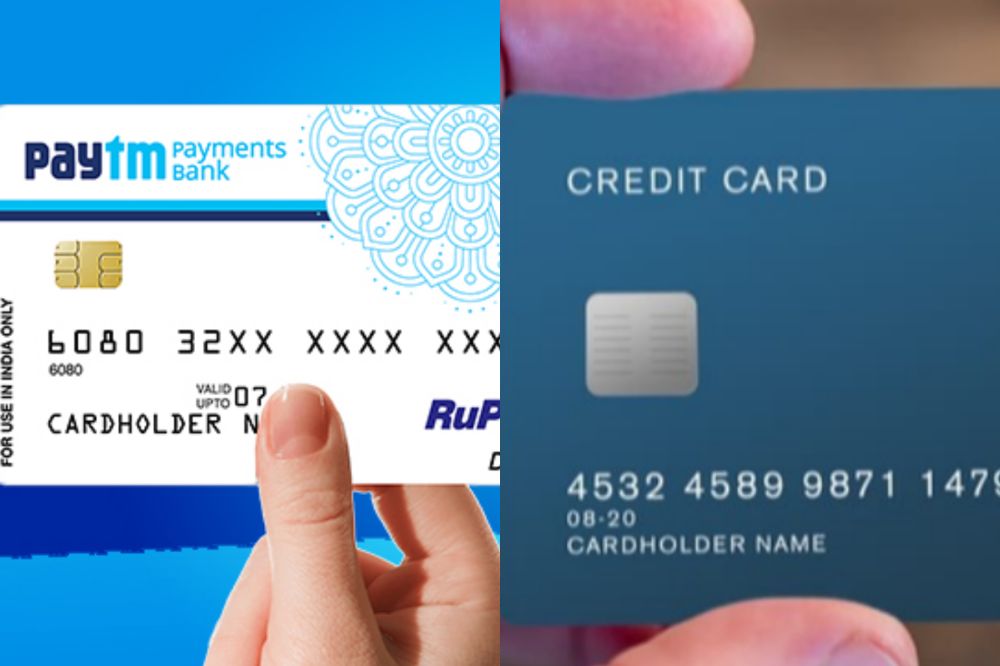
    A virtual debit card is a credit card that can be used online or at stores that do not accept magnetic stripe cards. Cardholders are assigned an account number and expiration date, which replaces the need for a physical card.

    What is a credit card

    A credit card is a plastic card issued by a bank that allows an individual to purchase goods and services up to a certain limit. It is a line of credit which the borrower draws on whenever required.

    Is debit card and credit card the same?

    Virtual debit card and credit cards are not the same, even though they have both been referred to as virtual credit cards. The biggest difference between the two is that a virtual debit card is linked directly to a bank account while a credit card, or prepaid card, links directly to your financial institution account.

    How to get a virtual debit card in Ghana

    Getting a virtual debit card and credit card in Ghana is less difficult compared to the european and american countries. In Ghana, all you have to do is to visit the preferred bank you want to host your account with and let them know your interest.

    From there, you will be asked some questions and if you qualify with all the necessary requirements, you get your card as desired.

    How to get a credit card in Ghana

    Just like the virtual debit card, acquiring a credit card in Ghana also follows similar process. All you have to do is to visit the preferred bank you want to host your account with and let them know your interest.

    From there, you will be asked some questions and possibly asked to create a bank account and if you qualify with all the necessary requirements, get your card as desired.

    Banks in Ghana that gives virtual debit card

    1. Guaranty Trust Bank gives virtual debit card.
    2. Ecobank Ghana also gives virtual credit cards.

    Banks that provide virtual debit cards in Ghana are few. However, there are other methods online that one can register for a virtual debit card if they so desire.

    1. Neteller.
    2. PalmPay.
    3. Barter by FlutterWave.

    Benefit of virtual debit card

    1. Virtual debit cards in Ghana work the same way as regular debit cards except that they do not require any money on hand.
    2. They are a convenient and safe way of paying for your purchases, withdrawing money from an ATM, sending remittances abroad, or paying for services and goods online.
    3. The main benefits of virtual debit cards in Ghana include lower fraud risk, anonymity in transactions, and there is no need to carry cash when travelling.

    Banks in Ghana that gives credit card

    Credit card is physical unlike virtual debit card and almost all the banks holds the capacity to sanction one for their customers. Banks like,

    1. Guaranty Trust Bank
    2. EcoBank
    3. Bank of Africa
    4. ABSA Bank
    5. Access Bank
    6. Standard Chartered
    7. Zenith Bank
    8. Fidelity Fidelity
    9. Societe Generale Ghana
    10. First National Bank
    11. Cal Bank. Etc

    Your favorite bank may have not been mentioned above. That doesn’t mean they don’t have the possibility of giving out a credit card. Its best you find out by either paying them a visit for such enquiries and possibly call their customer support line and ask.

    Also, not all banks mentioned above could still be sanctioning credit cards to their customers so just like explained above, its best you give them a visit for further enquiries.

    Benefit of credit cards in Ghana

    1. The benefits of credit cards in ghana are that they can be used to purchase items online, and they don’t require carrying around a lot of cash.
    2. It is also helpful for those who want convenience when shopping, paying bills or making small transactions.

    Conclusion

    There are many things you can do with virtual cards. These cards are helpful for those who want or need a credit card but have been denied one, such as college students. For example, many retailers will offer discounts if you pay with your phone instead of handing over cash.

    These cards also come in handy for international travelers since it gives them access to the currency where they may be visiting and protects their money from being stolen or lost while they are away from home.

  • Can You Use mSpy to Monitor and See Deleted Messages?

    mSpy is the leading cell phone monitoring software in the industry and can be used to intercept text messages that have been deleted, as well as those that have not yet been sent or received.

    In fact, mSpy can even tell you the time the message was deleted and help you determine whether it has already been read by someone else.

    You can use this software to ensure your employees or children are not sharing sensitive information on their phones, and to protect yourself against identity theft and cyberbullying.

    About mSpy

    mSpy is undoubtedly one of the best phone spy apps on the market. It is possible to monitor deleted messages, so you never have to wonder if your partner is cheating on you again.

    With mSpy’s powerful monitoring features, you can see deleted messages and call logs. The app’s stealth mode makes it easy for a user to remain undetected, making it perfect for monitoring small children or people with a past of infidelity.

    How does mSpy works

    mSpy records all of the activity that happens on your device. It collects texts, calls, WhatsApp messages, and even deleted messages.

    In order for a message to be deleted it must first be seen by the person who is deleting it. Once they’ve seen it they have an allotted amount of time to delete it, before it’s sent to mSpy’s servers where all of the data’s are stored.

    Can you use mSpy to see deleted messages?

    This is a very popular question, but the answer is, it depends. If your mobile device does not automatically delete messages after a set time period, then you are able to retrieve deleted messages with mSpy. If your device automatically deletes the messages from your device after you have read them, then there will be no way for you to see those messages again.

    How to install mSpy on target phone for iPhone

    1. Go to https://www.mspy.com, purchase a subscription and log in using your credentials.
    2. Once you are in the Dashboard, click on the ‘Set Up New Phone’ button on the left-top section.
    3. Select iPhone from the the device you want to monitor.
    4. Provide your targets Apple ID credentials. Hit the Verify button to continue.
    5. Click on Proceed button to continue.
    6. You are done.

    How to install mSpy on target phone for Android

    1. Connect your phone to the internet.
    2. Go to Settings >Security and tick Unknown Sources button.
    3. Now, go to Settings > Security > Google Play Protect  and untick the option named ‘Google Play Protect’.
    4. Download the mSpy app.
    5. Launch All Apps menu (list of all available applications). Open Downloads folder.
    6. Tap on bt.apk file to start installation. If you don’t see the Downloads folder, try to swipe down from the top of the screen and check bt.apk in recent downloads.
    7. If you see a pop-up Complete action using choose Package Installer and click Always.
    8. After opening the bt.apk file, you will need to follow the sequence: Next → Install → Open
    9. Once the installation is complete, tap the Open button to start mSpy. 

    Now, you have mSpy installed on the targets phone and anytime you login on a different system, you can track what is going on in that particular phone.

    How to retrieve deleted messages with mySpy

    With mySpy, deleted messages can be retrieved easily if they are not too old. Here are the steps:

    1. Log in to your mSpy account t you have created above.
    2. Find deleted messages by opening up Messages.
    3. Select Deleted on the left hand side column.
    4. Select a conversation that you want to view messages from.
    5. Look at the time stamp of the message to determine how old it is.
    6. If the message is more than a week old, then it may not show up anymore.
    7. Once you have found what you are looking for, tap on it to retrieve all information pertaining to that particular message.

    Can mSpy be easily detected?

    mSpy is made from proprietary code that has been developed with the latest technology and through relentless work to keep it up-to-date.

    Users can rest assured that as long as their devices have a secure WiFi connection, their messages will be undetectable. The only way to see deleted messages is if you are the one deleting them on your own.

    Conclusion

    Yes, you can use myspy to monitor deleted messages. It is the best tool for monitoring of an iPhone or Android phone with the most features for messages, calls, social media use and camera surveillance.

  • How to Know if Someone Has Added You to Their Snapchat Private Story

    How to Know if Someone Has Added You to Their Snapchat Private Story

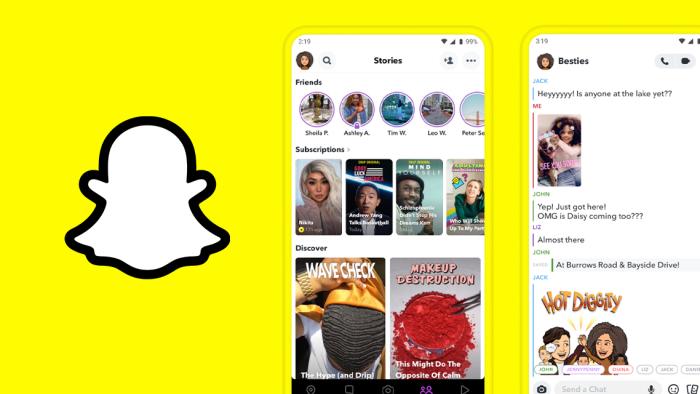
    Snapchat has become one of the most popular social media applications in recent years, and it’s no surprise why. It allows you to send pictures and videos that only your friends can see, with some clever added features like stories and stickers.

    So how do you know if someone has added you to their Snapchat private story?

    What is Snapchat private story

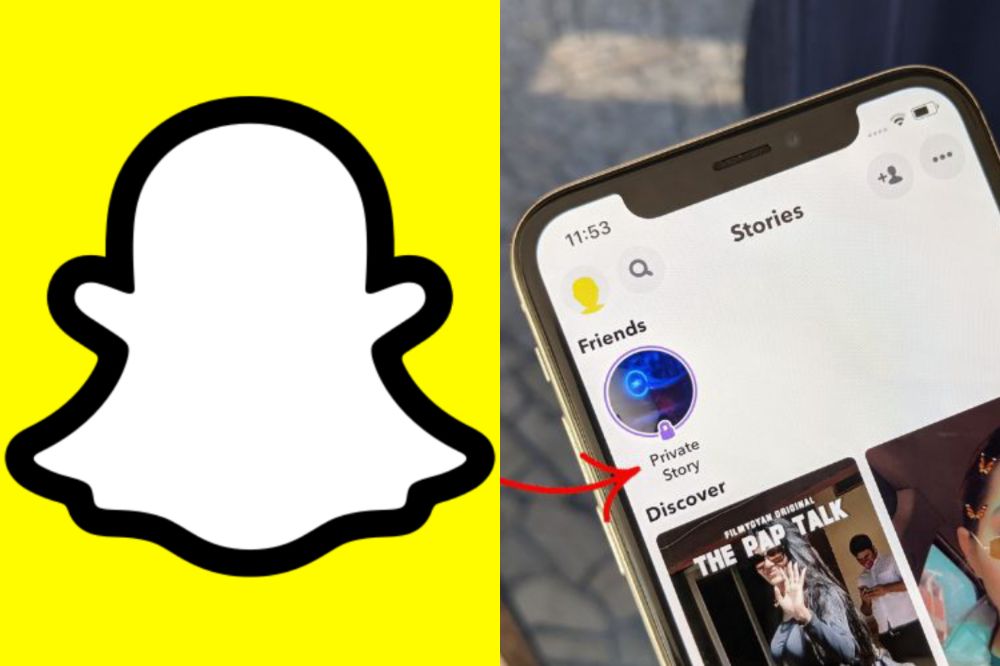
    Snapchat private story is a semi-public way of capturing moments in your life and sharing them with a select few. If you have been added to someone’s private story, then they probably like you. The person will see that you are watching the story so it’s not rude.

    Can someone join my snachat private story without adding them?

    If someone adds you on Snapchat and sends a message, they will automatically be able to see your story. However, if they just add your account without sending a message, they won’t be able to see it unless you are also following them.

    The best way to find out is to look at the Add Friends page of the app where they’ll have an option to See My Story.

    To join someone’s private story without adding them, just open up the Snapchat app and click on their name in the recent stories section. Clicking on the person’s name will take you to that person’s story and allow you to view their story as a guest.

    How to know if someone has added you to their Snapchat private story

    There are a few ways to find out if you were added to someone’s snapchat private story. The easiest way is to go on snapchat and open up their snap story, and see the full names of all people who have added you that day.

    You can also go through your own contacts list and see how many new names popped up today. Also, you can ask the person in question about it in a text message or other type of chat.

    How to know if someone has left your snapchat private story

    Method 1

    1. If you’re currently viewing the private story, look for a ghost next to the name of whoever you added.
    2. If you can’t see it, swipe left or right to find them and see the ghost next to their name.
    3. If they’ve already left the private story, there will be no ghost by their name.

    Method 2

    1. Open snapchat.
    2. Click on the small circular avatar at the top right corner and tap on stories.
    3. Find the private story you want to see if the person has joined in and select “More” button next to the story title (this option is for iphone users only).
    4. Click on see viewers.
    5. The new window will display everyone who can view this private story. Scroll through and find the person you are looking for.
    6. If you see the person in the list, it means he/she has joined.

    How to create a snapchat private story

    1. Press the camera button to take a snap. You can take up to 10 pictures with one video and send them to your story or videos.
    2. You can also hold down on the screen for up to 30 seconds for a photo slide show.
    3. Press Done when you’re finished with your story.

    How to remove someone from your Snapchat private story

    1. Open the private chat with the person that you want to remove
    2. Scroll to the right until you find a Delete Chat button.
    3. Press and hold on that button, or tap it if your phone is locked.
    4. Select Delete on the pop-up menu and confirm by pressing it again.
    5. You’ll now notice that they have been removed from your private story.

    How to know if someone has joined your snapchat private story

    1. Open snapchat.
    2. Click on the small circular avatar at the top right corner and tap on stories.
    3. Find the private story you want to see of the person has joined in and select “More” button next to the story title on iphone. On Android, just go straight to the next option (4).
    4. Click on “see viewers”.
    5. The new window will display everyone who can view this private story.
    6. Scroll through and find the person you are looking for. If you see the person in the list, it means he/she has joined.

    Private stories also show up on notifications and as small circular avatars next to your friends name under Who’s Online. They disappear after 24 hours of being uploaded and cannot be seen again once deleted or after viewing them for the first time.

    How to leave a snapchat private story

    1. Open snapchat
    2. Tap on the my friend tab.
    3. Tap on the story you want to remove yourself from. The story will have a padlock icon if it’s set as private.
    4. Press the screen of the phone and hold on until a menu pops up.
    5. Tap on leave story and ta leave again in the next popup.

    Conclusion

    Just remember that one of the perks of being friends with someone on social media is getting to see glimpses into their life. If they want you to be a part of that experience, they will make sure they include you. But in case they forget or don’t realize you are even following them, go ahead and send them a message asking them to add you.

  • How to See the Exact Time a YouTube Video Was Uploaded

    How to See the Exact Time a YouTube Video Was Uploaded

    Have you ever wondered how to know when exactly a YouTube video was uploaded? It’s certainly something that could be useful when trying to check up on the history of a certain video or when trying to find out whether or not something was uploaded recently.

    This article will walk you through the steps to find the exact time stamp of any YouTube video.

    Youtube video upload time

    When watching YouTube videos, you may have wondered about the date and time the video was uploaded. Generally speaking, only the view count and name of the video are shown on the website, with one exception being some large events like presidential speeches.

    A specific time stamp showing when that particular video was uploaded is not always available on YouTube. However, there are ways to find out what the timestamp is in order to see when a YouTube video was first published online.

    Why Can’t I see the time a YouTube video was uploaded?

    The time a YouTube video was uploaded does not show up like how the views, likes and others do. To know the time a video was uploaded, there are external miles you have to go to see that. The reason as to why you can’t see it is not any big problem.

    How will I see the time a YouTube video was posted

    1. Once you’ve found the video you’re looking for, double-click on it to open it up in the YouTube interface.
    2. Underneath the player are some tabs, click on About.
    3. At the bottom of this information is where the upload date and time is located.
    4. Clicking on that link will bring up even more information about when the video was published, such as the last time it was uploaded or any comments posted on it.

    Different ways on how you can see the time a YouTube video was uploaded also be used.

    1.Use Youtube Data Viewer

    1. Visit the YouTube Data Viewer website.
    2. Enter in the video URL click ‘search’.
    3. After clicking search, your results will populate with columns including ID, Title, Views, and Posted on time stamp information.
    4. The title of each column is self-explanatory.
    5. You can also select the data you want to see by checking off which rows you want to display and unchecking any rows you don’t want displayed by clicking on the little box next to them.

    2. Using Youtube Upload Time

    Youtube records the video’s upload time when a Youtuber uploads a video. If you are interested in knowing when a video was posted, you might consider downloading the YouTube Upload Time extension in chrome.

    The Youtube Upload Time extension is an addon that uses the Google API to determine the date and time a video was posted. You can view the time and date by clicking on the extension’s icon while watching the particular video.

    Conclusion

    If you ever wanted to know the exact time that a YouTube video was uploaded, now you know how. Follow any of the steps above and get yourself sorted.

  • How to Connect Alexa to PS4 and PS5

    How to Connect Alexa to PS4 and PS5

    The PS4 and PS5 come with the ability to control them with Alexa, the virtual assistant that comes with Amazon Echo devices, and Microsoft’s Cortana.

    You can command the PS4 and PS5 to turn on or off, or you can play or pause content without having to use your controller.

    About Alexa

    Alexa is a personal voice assistant app developed by Amazon. As the world’s most popular voice assistant, people are using it in many different ways.

    There are now more than 10,000 skills that can be accessed through the service. One of these skills is connecting with your Playstation 4 or 5 console.

    Can you connect Alexa to a gaming console?

    Yes! You can easily connect Alexa to your favourite gaming console as the new systems coming has the ability to do so. Technology is now advancing and things you never imagined can be possible is now being made possible.

    How to connect Alexa to PS4

    To be able to connect Alexa to your PS4, you need an extra device called Logitech’s Harmony Hub.

    This Logitech Harmony uses the Harmony Hub app, and then you need to connect your TV or other devices to the Logitech via the Harmony App using an internet connection. You will also need to use Bluetooth to add your PS4 to the Harmony App.

    1. First, head to Devices in the Harmony APP and then go to the Edit Devices and add the new device.
    2. Next, click on the Entertainment device category and follow the instructions by entering the manufacturer’s name, model number, and others. In the model number, you can type PlayStation 4.
    3. Now, click on Add to complete the step.
    4. After adding the device, you’ll need to set up the activity using Your PS4.
    5. To do so, you’ll simply need to choose your inputs and then turn on PS4. This will help you choose the devices you want to control through the Harmony Hub.
    6. Head to the PS4 Settings and then go to the Devices and Bluetooth Settings. Now search for the Harmony Hub device under visible devices. If it doesn’t appear for pairing, press the Hub pairing button.
    7. Both devices will be paired and setup will be done.

    You’re now left with connecting Harmony to Alexa.

    1. Download the harmony sill for Alexa in the Alexa App.
    2. Enable it to control both Harmony and your PS4. You would do this control through voice commands like you may ask Alexa to turn on the TV, and it will do so as per your command without any stress.

    How to connect Alexa to PS5

    Connecting PS5 to Alexa is much simpler than doing so with PS4. To do that, you will need HDMI Consumer Electronics Control (CEC). It’s a feature that is usually available on TVs. The HDMI link is available so you can have complete control of the devices you want.

    To opt for this option, follow the steps below:

    • Head to the Settings, Systems, and HDMI on your PS5.
    • Next, select the Activate link of the HDMI device function. Your TV should be modern enough or have an HDMI CEC to work well with Alexa.

    In addition, note that this feature is only limited to turning on your TV. Therefore, whenever you command Alexa to open your device connected, such as TV, it will be able to do it pretty quickly.

    How to connect Alexa to Xbox

    There are three ways available to connect your Xbox to Alexa. Using Xbox console, using the Alexa app, and by using a computer. You may opt for any of them depending upon your convenience and suitability. In this article, we will be talking about connecting using the Xbox console.

    1. Press the Xbox button on your console’s remote.
    2. Next, head to the Profile and system.
    3. Then, go to the Settings and then Devices and Connections.
    4. Next, select Digital Assistants and enable it.
    5. Now, press the Xbox button again on your console’s remote.
    6. Head to the Profile and Systems and then Settings. Go to the General and select Power mode and start-up.
    7. Lastly, select instant-on under the power mode.

    Can you turn on PlayStation with Google Assistant?

    Alexa and Google Assistant can connect and be able to read all of your account’s activities and available gadgets, so you may say “Alexa, turn on PS4” or “OK Google, tell Harmony to turn on PS4”, and your command will be answered.

    Conclusion

    Technology is now advancing and things you never thought could be possible is now being made possible. Connecting Alexa to your favourite console is now easier. Follow the steps above and enjoy.

  • How to Detect fake Snapchat Accounts & Reasons for Location Not Available

    How to Detect fake Snapchat Accounts & Reasons for Location Not Available

    Snapchat has become one of the most popular social media platforms in the world, and there are plenty of people looking to take advantage of that fact.

    In an effort to gain access to users’ contact lists and expand their social media presence, many scammers have been creating fake Snapchat accounts on the platform, often pretending to be celebrities, models, and other public figures, who often have legitimate accounts with large followings.

    If you’re using Snapchat to keep in touch with friends or family, keep reading below to learn how to spot a fake account on Snapchat before it’s too late.

    About Snapchat

    Snapchat is a mobile application that allows you to send photos or videos from your phone and make them disappear after viewing them. While the self-destructing feature is one of the most compelling features of this social media app, it’s also making it hard for people to tell what’s real and what’s fake.

    What is a fake snachat account

    To know if you have come across a fake account, these things might be in the picture

    1. The content that is being posted from the account doesn’t reflect their real-life behavior, beliefs, and attitudes.
    2. The profile has very little if any, engagement.

    The above mention does not necessarily mean all account of such is fake but the possibility is high and does raise some red flags.

    What is a real snapchat account

    A real snapchat account starts with a username, the users name, and an underscore. Users can add photos and videos from their camera roll to their profile and take a photo or video from within the app.

    A real snapchat account also has its location set on the app. When you open your snapchat you should see which country you are in on top of your screen as well as what time it is there (as long as you have enabled that setting).

    Differences between a real snapchat account and a fake snapchat account

    A fake account will never have a blue or yellow snap chat ghost next to their username on the app’s screen.

    The real account owner always has a snapchat ghost next to their username when they take a picture and send it as an update.

    This can be used as an easy way of determining if an account is real or not.

    How to detect a fake snapchat account

    1. First, look at your contact list and see if there are any numbers that don’t appear in other areas of your phone’s contacts.
    2. Take a screenshot of the profile picture you’re trying to identify and use an app like PhotoScan or Pixlromatic. They can often give you clues about whether the account is real or not because they usually have higher-quality images.
    3. Check the account snap score. Fake accounts have less activities doing and will not conjure a high snapscore.
    4. Check their snapstories. A fake account can have a too good snap stories or too bad ones. However you detect from that depends on your sharp abilities.
    5. Check account followers. Go through the account followers and see how active their followers are. Fake accounts can also have bots followers to skyrocket their total followers. So going through the account followers to know if they are not bots can also be helpful.

    How to know who is behind a fake snapchat account

    You can immediately find out who is behind an account by utilizing the Snapchat username lookup feature.  The lookup feature is a search engine system built to help detect fake accounts.

    Through these search engine systems, you can easily find out someone’s name, location, phone number, and email address. This information will reveal to you whether an account is real or fake. 

    How to detect snaps location not available

    Snapchat is a photo-sharing app that lets you send photos and videos to your friends. When you get a snap from a friend, the sender can include their location so that you know where they took the photo or video.

    In some cases, hackers may be able to access these accounts and send snaps with bogus locations, which could lure people into visiting dangerous places.

    If the user has their locations on, its easy to detect their locations just by looking through their profile. However, fake accounts can also hack and show locations so the best option to stay safe is to know the user of the account before any conversation.

    Reasons why your friend may have disappeared from snapchat map

    If you’re wondering why your friend may have disappeared from the map, then it’s probably because:

    1. They Switched their location settings off in the app. The first time someone switches this on, they will see a popup explaining how to switch back if they change their mind.
    2. They are in Ghost Mode (turning this on will make them invisible and untraceable by tapping followers and viewing past activity)
    3. They have deleted their account.
    4. They have lost access to the phone or deleted all photos/videos
    5. They have left the social media platform
    6. They have blocked you.

    Conclusion

    Snapchat has a serious issue with fake accounts and snaps that do not exist. It is important for teens to look at the username, which can be found in the top left corner of the phone. If it does not have their friend’s name or their classmate’s in it, it is likely a fake account.

    The snap chat location that pops up in their left upper hand corner also needs to match the username; if there are any discrepancies this should be deemed as a fake account too.

  • How to Book STC Bus Ticket Online in Ghana

    How to Book STC Bus Ticket Online in Ghana

    Booking your ticket online is the best way to book, you get an instant confirmation when you pay online and it’s always cheaper than booking at the terminal.

    Paying online, using either your credit card or mobile money, means no waiting in long queues at the terminal and you don’t have to carry cash around with you to buy your ticket.

    You can also save time by having your tickets emailed to you and not having to queue at the terminal printing them out yourself. In this article we will show you how to book STC bus ticket online in Ghana.

    About STC Ghana

    STC Ghana is a bus company based in Ghana that offers long-distance transportation between cities. You can book your tickets online through their website or through a travel agent.

    The process is simple and only takes a few minutes. Once you have your ticket, you will be able to print it out or have it sent to your phone. You can then present your ticket when boarding the bus.

    Make sure to have your ID with you as well, as the bus company may ask for it when boarding.

    How to register an STC account online

    To book your STC ticket online, you first need to have an account with STC. If you dont have an account, this will help you.

    1. Visit stcticketing.gov.gh.
    2. Under ‘my account’, select registration.
    3. Add your personal details on the slots provided, i.e., name, mobile number, email address, and create a strong password.
    4. Verify your phone number and click submit.

    How to book STC bus ticket online in Ghana

    If you already have an account on the platform, sign in using the details you entered during registration and book your bus ticket.

    1. Visit stcticketing.gov.gh.
    2. Enter your current location into the “Travelling Form” space given.
    3. Enter your destination into the “Travelling to” space given.
    4. Now, choose your date of travelling.
    5. Click on Search to check the availability.
    6. The portal shall display all the available registered buses for the journey you want to go with the chosen date.
    7. Make Payment to book your STC ticket.
    8. STC shall send a ticket receipt to your email or telephone number.

    STC bus destinations

    Here is a list of STC Ghana destinations:

    1. Accra to Abidjan
    2. Accra to Bolgatanga
    3. Accra to Cape Coast
    4. Accra to Cotonou
    5. Accra to Kumasi
    6. Accra to Nandom
    7. Accra to Paga
    8. Accra to Tamale
    9. Accra to Takoradi
    10. Accra to Tarkwa
    11. Accra to Wa
    12. Abidjan to Lome
    13. Abidjan to Zabre
    14. Abidjan to Kumasi
    15. Bolga to Kumasi
    16. Cape Coast to Bolga
    17. Cape Coast to Tamale
    18. Kumasi to Aflao
    19. Kumasi to Nandom
    20. Kumasi to Tamale
    21. Tarakodi to Bolga
    22. Tarakodi to Tamale
    23. Tudu to Aflao
    24. Tudu to Kpando
    25. Tema to Bolga
    26. Tema to Cape Coast
    27. Tema to Kumasi
    28. Tudu to Nkwata
    29. Tema to Paga
    30. Tema to Tamale
    31. Tema to Tarakodi.

    STC Bus transport fares

    The transport fare varies depending on the current situation. in a short possible time, it can be increased or decreased. But the possible fare to expect should be within GHS18 – GHS 200.

    STC Ghana contact details

    Head Office

    No. 1 Ajuma Crecent Opposite Awudome Cemetery P.O. Box 7384 Ring Road, West Industrial Area, Accra.

    Email: [email protected]

    Website: www.stc.gov.gh

    Phone: 0557943605/0557943606/0573100375/0573100398

    Kumasi Office

    Oforikrom Terminal Workshop and Administration.

    Adum Terminal, Kumasi Central

    Phone: 0557943605/0557943606/0573100375/0573100398

    Conclusion
    It is now possible to book STC bus tickets online in Ghana. This is a convenient option for those who may not be able to physically go to a booking office. The process is simple and can be done in a few steps.

  • Can You Leave a Voicemail if Your Number is Blocked?

    Can You Leave a Voicemail if Your Number is Blocked?

    You’ve probably come across this situation before, you try to call someone and their number appears blocked on your caller ID.

    You may even have been the one who blocked your own number from calling in the first place. But it can still be frustrating when you’re trying to contact someone and their number appears unavailable, whether or not it’s actually because they don’t want to be reached at that moment or if it’s simply due to having their number blocked.

    So what happens if you try to leave a voice mail? Can you do so with your number being blocked?

    Why would someone block your number?

    Many people will block a number if they are getting unwanted calls. They may also block a number to keep the caller from seeing their name or for personal safety reasons.

    Another reason someone might block a number is that, they do not want to answer calls from unknown numbers, or if they have multiple devices and do not want all of them going off at once when they get an incoming call.

    Can you leave a voice mail if your number is blocked?

    It is not completely impossible but it is impossible. Why i am saying this is that, technology has improved and there can be a crooked tech method someone use to do so but with what I know, it is someway impossible.

    Most telecommunication companies and VoIP providers will allow you to block the caller ID for outgoing calls, as well as voice mail messages.

    How will you know if your number has been blocked

    If someone is blocking your number, in most cases, he/she won’t say im blocking you so to know if you have been blocked, unless maybe you are making a call through or sending a message.

    You will know if you have been blocked or not when you are calling the number that have blocked you or when you are sending a message to the number. You will then be alerted by the network provider that, you have been blocked.

    Can your voicemail be read when you send it?

    You have been blocked. All communications have been closed. That Makes it impossible for the other to know whether you have called or not. They can only read your message or listen to your voice mail when they unblock you and you forward the message again.

    How to block a number on ios device

    1. Open the messages app or call logs
    2. Select the conversation with the person you want to block or the number.
    3. Tap More, and then tap Block.
    4. You’ll be asked if you’re sure; tap Block again. This will take them out of your messages and alerts.
    5. However, they may still have your number from previous texts or calls if you never changed it in their phone settings.

    How to block a number on android device

    1. Press the phone icon and select Settings or Call Settings.
    2. Scroll down to Call blocking, then tap it.
    3. Choose Block contacts, followed by OK. –
    4. To add numbers to the blocked list, tap the + button and block the number.

    Conclusion

    It’s not possible to leave voice mail if your number is blocked. When you call, it will automatically end leaving you no trace on how to contact the number. Unless they’re able to reply via SMS, there’s no way for them to get back in touch with you.

    The only way around this issue is by utilizing an alternate method of contact such as sending text messages or emailing someone, who can then pass that information along or have the blocked caller dial in themselves.

  • Can You See When Someone Screenshots Your BeReal?

    Can You See When Someone Screenshots Your BeReal?

    There’s been quite a lot of hype over the latest app to hit the market, BeReal, as it allows users to upload all sorts of personal information, ranging from family history and financial documents to entire medical files and dating profiles.

    The question on everybody’s mind is if you can see when someone has taken a screenshot of your BeReal profile, and thats what this article will be talking about.

    What is BeReal?

    BeReal is a service that helps people who want to share their unfiltered thoughts and feelings but do not have an outlet. This site is specifically for younger pepeople over the ages of 13 who are looking for space to express themselves because they might not feel comfortable with friends and family.

    It is designed so that users can only post one photo or text at a time. The website also has private chat rooms where users can chat in real time without the fear of being overheard or recorded by anyone else.

    Can you be notified when someone screenshot your BeReal post?

    BeReal has recently added the ability to know when a screenshot has occurred on your account. Now, anytime someone takes a screenshot of your post, you’ll be able to know right away. You can also find out who screenshotted your BeReal by clicking on the ‘Who took this?’ button below any screen grab and scroll through the list.

    Can you prevent a screenshot on BeReal?

    Screenshots on BeReal can’t be prevented. There may be a new system incoming that will help do so but for now, anyone who follows your BeReal profile can make a screenshot on your posts.

    Screenshots can be prevented but if someone takes a screenshot on your post, you can likely see a report at that moment if you are on BeReal.

    Why is BeReal Important

    There is a time that you want to voice out alot in you but you have no one or no platform to do so. One thing that makes BeReal Important is giving out such opportunity for users to feel free and express theirselves in the open space without having issues.

    How to screenshot on BeReal

    There has been several updates across the BeReal platform as to if there is a way screenshots can be prevented. For now, all that can be said is, it can’t be prevented but if closely look into it, you can see who screenshotted on your posts.

    If you would want to also screenshot on others, you can just screenshot the way you normally do on your iPhone or Android phone, and the photo will be added to your phone’s camera roll.

    Conclusion

    BeReal is a platform for all. Go there, express yourself and feel free. But note that, your posts can be screenshotted by your followers and thus, make sure you keep it clean and safe in order not to be in the wrong books of social media.

  • How to Use MTN to Buy Credit for Other Networks in Ghana

    How to Use MTN to Buy Credit for Other Networks in Ghana

    When you have multiple networks on your phone, you can sometimes find yourself in a situation where you need credit from one network, but only have credit from another on your phone.

    Fortunately, if you use MTN, there’s an easy way to fix this problem. You can do so using a USSD method or via Mobile money. In this article, we will take you through both steps for you to be able to have easy methods to transfer airtime from MTN to other networks.

    MTN Ghana

    MTN is a telecommunications company that operates in many countries around the world, including Ghana. In Ghana, MTN Ghana provides mobile phone services and also has a mobile money service called MTN Mobile Money.

    You can use MTN Mobile Money to send money to other people, pay for goods and services, and also buy credit for other networks.

    Can I use MTN to buy airtime to other network?

    Yes, you can use MTN to buy airtime to other networks. You can use ME2U option or you can do so via Mobile Money.

    How to Use MTN to buy credit for other networks in Ghana

    Method 1

    1. Dial *234#
    2. Select #1 ( Buy Airtime).
    3. Choose the network you are sending the credit to.
    4. Type the recipient mobile number.
    5. Type in amount.
    6. Choose option #1 (Proceed).
    7. Select your mobile money network.
    8. Wait for authorization payment popup.
    9. Insert your momo pin.
    10. Select option #1 (Yes)
    11. A message indicating you have successfully purchased airtime from your momo account will be sent to you.

    Method 2

    1. Dial *718#
    2. Select #3 ( Buy Airtime/Bundle).
    3. Select #1 (Airtime)
    4. Next Choose #2. (Others).
    5. Select recipient mobile network.
    6. Input recipient number.
    7. Enter an amount.
    8. Select #1 to confirm.
    9. In the next pop up, type in your momo pin.
    10. Confirm momo pin and choose yes.
    11. You will receive a message indicating you have successfully purchased airtime from your momo account.

    Conclusion

    In conclusion, if you are looking to buy credit for another network in Ghana, you can do so by using MTN. Simply follow the steps outlined above and you will be able to purchase the credit quickly and easily.