Author: Omokolade Samuel

  • Top 7 Web Hosting Websites in Nigeria

    Top 7 Web Hosting Websites in Nigeria

    It seems so obvious that that the indigenous web hosting companies we have in this country are still coming up; a lot of folks have shown their dissatisfaction over how the experiences they have had in the past with these companies at one point or the other.

    However, a general survey about the experiences of clients on the best of web hosting websites in the world shows that there’s no single web hosting websites without its own flaws.

    There has been a lot of positive changes in the ICT sector of Nigeria recently, this is caused by the massive involvement of many investors and experts, government, and institutions organizing special training for interested individuals, organizations, and so on.

    Finding the best web hosting website for your blogs and platforms can be very tricky and tiring at the same time; especially when you are working on a very low budget and still have to get the best for your platform.

    The good news is that we have taken our time to make our findings, the result of that finding is what we compile here for you, this article will not only help limit your stress but would also give you the option of choosing between the best web hosts in the country of Nigeria.

    Whogohost

    Official website: www.whogohost.com

    This particular website made it to the 1st position on this article, Whogohost is a name familiar to all Nigerians who are into blogs and website management. It’s one of the oldest web hosting websites ion the country and has maintained its standard over time.

    Whogohost is best known for the way they deliver good server uptime, good customer care support service and tech-heads with all primary technical know-how in the hosting community; another unique thing about this web host is that they provide the best panel o management with affiliate systems that enables their customers to earn from referring others.

    Web4Africa

    Official website: www.web4africa.ng

    Web4Africa is the second on our list, they are one of the highly recognized web hosting websites in the country. Just like the previously mentioned host, web4Africa has also been in the business of hosting websites for as long as you could imagine, this attribute makes it possible for them to know the A to Z of website hosting in Nigeria, and experience they say is the best teacher. They are fully accredited and registered under Nira.

    Smartweb

    Official website: www.smartweb.ng

    Smartweb is the number three on this list; one thing that makes this web host unique from the previous ones mentioned is that its hosting fee/charges are very cheap affordable, this coupled with the act that they deliver good servers to their customers makes them attract most blog and sites owners in Nigeria.

    To improve their customer support system, they develop a very active social media page and 24/7 phone support.

    DomainKing

    Official website: www.domainking.ng

    Although DomainKing is new in the system, the way they have operated since their existence has proved their capability and experience. They can definitely be referred to as the game-changer in the Nigerian web hosting system.

    They have mastered the game so well that they find it so easy to satisfy those that patronize them. They are popular for being the first to an active support thread in Nairaland and also web savvy groups on Facebook.

    They have been certified fully by both Nira and ICANN, this gives them the power to sell high-level domain names.

    SysKay

    Official website: www.syskay.com

    Just like Whogohost, SysKay is also one of the oldest web hosts in Nigeria, they’ve been providing quality and top-notch service to their clients over the years.

    Their state of art infrastructures has always placed them above the other companies offering the same service.

    They have a well-organized and tech-drained team that works relentlessly to make sure the services they provide to their client is worth it.

    Registeram

    Official website: www.registeram.com/ng

    Just like DomainKIng, Register has also been accredited by both ICANN and Nira; they’ve also been operating in Nigeria for a very long time. They offer top-notch services at an affordable price.

    Since they have been in the web hosting system for a long time, they have a very good number of high-profiled customers to glued to their company. 

    Philmorehost

    Official website: www.philmorehost.com

    Some people might be a bit surprised to see philmorehost on this list; although they are not very popular yet, they actually have one of the best servers for hosting websites. Their website is being handled by professionals with very high technical know-how.

    They also have an active social media handle to increase their customer support system, they are active on the following social media platforms; Facebook, live chat, Instagram, Twitter, and so on.

    Conclusion

    As mentioned earlier, there is no web hosting company with a 100% flawless record; all the companies listed above are the best in the business of hosting websites in Nigeria.

    All the companies that made it to this list have similar features that make them stand out from others; these features include procurement of “.NG” domain names, accept all payment in naira, and also offer phone support through the regular mobile phone numbers.

  • DSTV Nigeria Decoders and Subscription Packages

    DSTV Nigeria Decoders and Subscription Packages

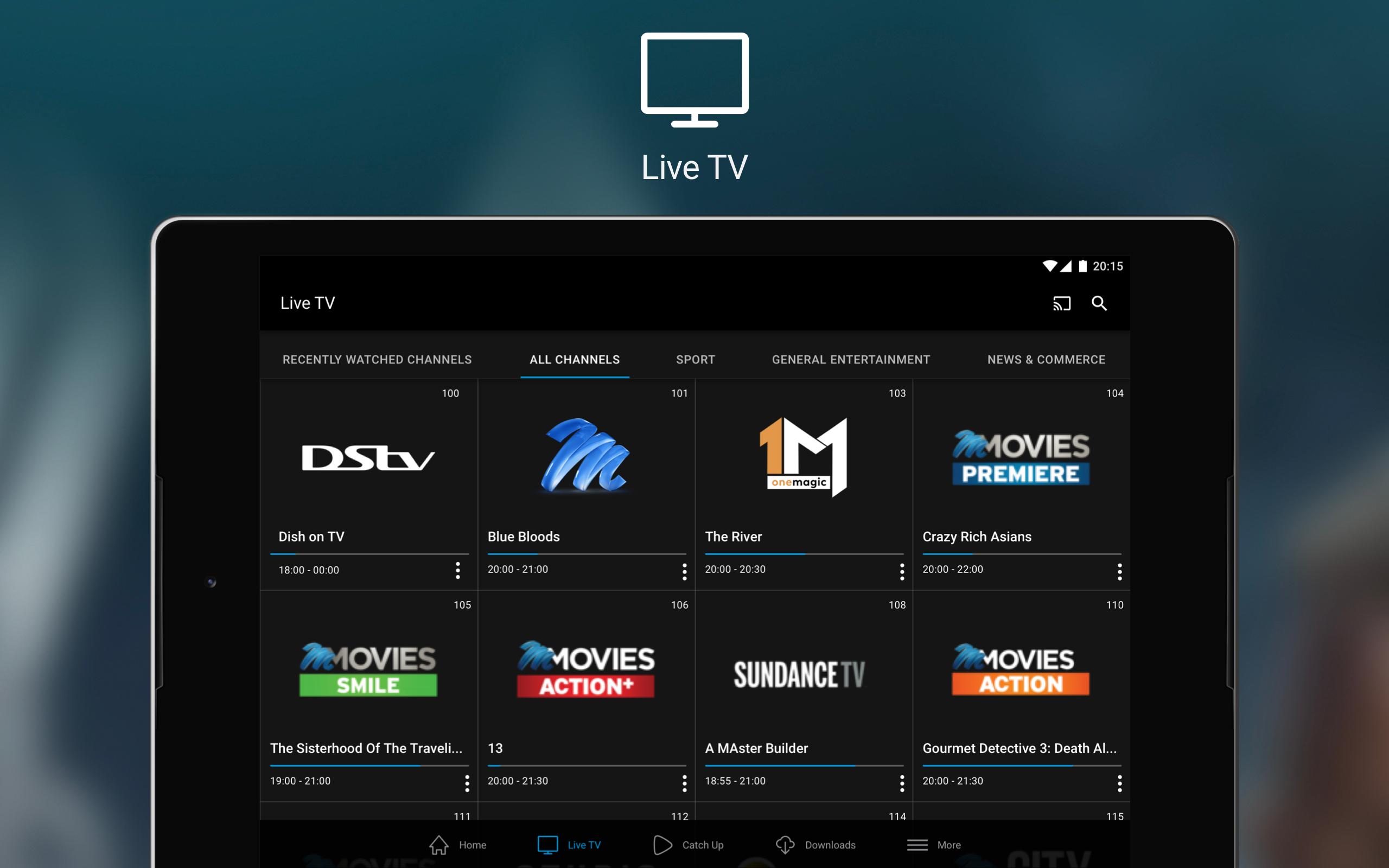
    DSTV – Digital Satellite Television is a sub-Saharan African direct broadcast satellite service owned by MultiChoice; DSTV started operation fully in the year 1995 and provides multiple channels and services to their subscribing customers that spread across most African countries.

    DSTV is unarguably the most popular satellite television in this part of the world, as their subscribers have grown to 19 million over the years, most of these customers are located in Nigeria and South Africa.

    DSTV airs up to 200 television and radio stations that give unlimited joy to it customers; Since the satellite TV has succeeded in finding their ways into the homes of many Nigerians, the company has been saddled with the responsibility of bringing the best of entertaining programs to the view of their ever-increasing customers; some of these programs come in different types and all have their ways of bringing a smile to the face of the viewers, these include soap operas, comedies, cartoons, Nollywood, soap operas, telenovela, action movies, Hollywood, Bollywood and so on. 

    DSTV Nigeria has different types of decoders, and these decoders come with different subscription packages, that fits into everyone’s pocket and wants. They offer one of the cheapest pay TV subscriptions in the country of Nigeria.

    Aside from the different decoder types made available by MultiChoice, there are still some side attraction services created to enable them to satisfy the unending wants of their subscribers across the nation, these include; HD channels, HD PVR decoders, DSTV mobile TV services, and many others.

    DSTV Subscription Packages/Plans for Nigerian Customers

    Although DSTV subscription packages might seem high to most Nigerians, people who have come across it varieties of channels know its uniqueness and quality cannot be compared in any way to the other satellite televisions. It makes sure its customers get the best value for whatsoever subscription they are paying for.

    There are numerous packages available for customers to pick from, depending on their financial capacity and their channels of choice.

    Explained below are the different subscription packages, their various prices, and uniqueness:

    DSTV Access Subscription plan

    This particular plan is the cheapest of all the plans that are available on DSTV; it is specifically created for an average Nigeria.

    The price for the access package is just Ꞥ2000 and it lasts for a whole month; subscribing to this plan comes with the benefit of viewing 45 local and international channels, including AIT, NTA, Zee World, SuperSport Bliz, Trybe TV, Televista and so many other interesting channels.

    DSTV Family Subscription Plan

    This very subscription package comes after Access in term of low price; it costs Ꞥ4000 and also gives it subscribers access to 55 interesting local and international channels, some of the channels that make it unique from the latter plan include, CNN, BBC, ESPN Channels, Mnet Series, Cartoon Network and others.

    This particular plan also comes with an offer to listen to all the Radio stations available on DSTV, these include Voice of America, Ray power, Star FM, and many others.

    DSTV Compact Subscription Plan

    This package is an upgrade to the plan earlier mentioned. This plan costs Ꞥ6800 and it comes with the license to enjoy 70 local and international channels; it’s unique from the other packages as it has more than 5 super sport channels and so many other amazing channels.

    DSTV Compact Plus Subscription Plan

    This particular package is different from the compact plan, though they have some similarities. This package is an upgrade to the previous package and it comes with 75 channels in total. It costs Ꞥ10650 and lasts for1wholemonth. This plan is the second most expensive plan on the available DSTV subscription plans.

    DSTV Premium Subscription Plan

    This package is currently the highest of all the available packages; it costs Ꞥ15,800 and also lasts for a full month. What makes it unique and better than another plan is that it allows you to view all the channels available on satellite television in their best quality.

    Conclusion 

    DSTV is a satellite television for all; whether you understand English or not, it has channels for almost all races and language, you could easily choose between the channels that suites your taste. It also has subscription plans for all levels.

    However, the Subscriptions cannot be paused even when you don’t have a power supply or you are not available to watch, so most subscribers end up not using up to the subscription validity they paid for.

  • How to Send “Please call me” messages on MTN, GLO, Etisalat & 9mobile

    How to Send “Please call me” messages on MTN, GLO, Etisalat & 9mobile

    One of the most annoying situations one could ever get involved in these days is trying to communicate with somebody without having the call units to do so. Trying to get a message across to somebody without having enough or zero credit balance is the most terrible state you could find yourself in.

    There are moments when you wouldn’t be able to get your line loaded with call units due to one reason or the other, some people might just have to stay calm and forget about it, while others might get into serious trouble for not communicating with their loved ones at the time they were supposed to do so.

    There are several ways that have been available by the network providers to help their customers get over situations that seem unpalatable, one of the ways that have been made available in the sending of calling me back text message to the line of the person you would love to communicate with.

    Although you could also make use of the “borrow me credit” feature that has been made available by the various network provider, it has been discovered that most people don’t use this feature, either because they are not eligible or they don’t want to get involved in the high-interest rates that accompanies the offer.

    What we would be discussing in this article is how you could send the “please call me” messages on all possible networks. It is undoubtedly the best to get out of the embarrassing situation of wanting to communicate with people without having call units on your mobile phone.

    The “please call me” service is an SMS service that is used to communicate different messages to another customer using the same network, this service is available on all networks for free and can be performed on all registered lines that is still active.

    Below is how to send a “please call me” message to various numbers on your mobile phone, we have taken time to source for the codes needed in sending these messages on all existing networks in Nigeria.

    Sending the “please call me” on your MTN line

    To send a call me back message on your MTN line, kindly follow the procedures below carefully:

    • Make sure you have an active MTN line, it being active means it hasn’t been blocked by the network provider.
    • Dial *133# on your line.
    • A message will pop up, asking you to enter the number you would love to send the message to, enter the number correctly without any space in between and press the enter key.
    • After you must have entered the number correctly, another message will pop up asking you to select the type of Call Me Back message you would love to send; these include; “please call me”, “call me back, I love you”, “send me credit”, “call me, I have a gist for you” and “call me, I need your assistance”.
    • Select your preferred message, by clicking on the number attached to the option.
    • Click on send and the message would be immediately delivered to the person it is being directed to.

    Sending the “please call me” on your 9mobile line

    To send a Call Me Back message on your 9mobile line, kindly follow the procedures below carefully:

    • Make sure you have an active 9mobile or Etisalat line, it being active means it hasn’t been blocked by the network provider.
    • Dial *266# on your line.
    • A message will pop up, asking you to enter the number you would love to send the message to, enter the number correctly without any space in between and press the enter key.
    • After you must have entered the number correctly, another message will pop up asking you to select the type of Call Me Back message you would love to send; these include; “please call me, thank you”, “please call me, I landed safely”, “please call me, I am now available” and “call me back, it’s an emergency”.
    • Select your preferred message, by simply clicking on the number attached to the option.
    • Click on send and the message would be immediately delivered to the person it is being directed to.

    Sending the “please call me” on your GLO line

    To send a Call Me Back message on your GLO line, kindly follow the procedures below carefully:

    • Make sure you have an active GLO line, it being active means it hasn’t been blocked by the network provider.
    • Dial *125*Recipient’s Number# on your line.
    • Click on send and the message would be immediately delivered to the person it is being directed to.

    NB: The number you are directing this message to must be an active GLO number.

    Sending the “please call me” on your Airtel line

    To send a Call Me Back message on your Airtel line, kindly follow the procedures below carefully:

    • Make sure you have an active Airtel line, it being active means it hasn’t been blocked by the network provider.
    • Dial *140*Recipient’s Number# to send please call me back or send *141*8* Recipient’s Number# to send the “please send me credit” message.
    • Click on send and the message would be immediately delivered to the person it is being directed to.
    • N: B the number you are directing this message to must be an active Airtel number.

    Conclusion

    What makes the “please call me” feature awesome is that you could make use of it with or without call units on your phone. However, you could only send the free message to a number using the same network as you.

  • How to Apply for the Renewal of Driver’s License Online in Nigeria

    How to Apply for the Renewal of Driver’s License Online in Nigeria

    Federal Road Safety Corps is a body created by the federal government of Nigeria to necessitate the adherence of the road users to the rules and regulations that have been made available in the constitution of the country; aside from being a regulatory body for road users, they also ensure that the necessary requirement for the ownership of the country is being met by all the road users. One of the important requirements all road users should meet is the ownership of a valid driver’s license.

    Acquiring a driver’s license or renewing an existing one is not so easy in Nigeria, as there are a lot of stress attached to it. But the truth is no road user can drive freely without having a valid driver’s license, as not having one is going to lead to embarrassment from the law enforcing officers.

    Quite a lot of people has gotten delayed or their important appointments and some have even got their vehicles seized because of this important card called a driver’s license.

    A driver’s license is what validates your movement on the road as a vehicle owner in the country of Nigeria.

    However, acquiring the license alone is not enough, as there is always a need to get it renewed every 3 or 5 years as the case may be; one of the things road users worry about is how they could possibly get their license renewed without having issues.

    Driving without a license to do so is highly prohibited in Nigeria, and it is counted as a crime that sometimes attracts a fine of NGN 10,000 or even more; it is advisable to apply for the renewal of your license before it expires, so as to avoid every embarrassment that could come from the law enforcement officers. As soon as you apply for the renewal of your license the FRSC gives you a letter that will exempt you from being embarrassed on the road.

    Applying for a driver’s license online is very easy and fast compared to going to the FRSC office in person; all the processes of the application can be completed online, and the only reason you would need to visit the FRSC office is just to submit the application form.

    What qualifies you to apply for the renewal of a license is that the present license is just 30 days to the expiry date. Before you apply for the renewal of your driver’s license online, you have to make sure you have a computer system that is connected to a printer, have a good internet connection and also have a valid credit card to make payment online.

    Steps Involved in the Application of the Renewal of a Driver’s License in Nigeria

    1. Visit the official website of the Federal Road Safety Corps for license renewal, https://www.nigeriadriverslicence.org/license/renewal/MHbBoe7K37INAHjH48E
    2. Select the “renew” option and Input your license number and date of birth.
    3. Select the search button; if your current license is not going to expire in less than 30 days, then you wouldn’t be able to apply for renewal.
    4. If you meet the requirement in the above, you’ll be provided with two options: 3 years’ validity and 5 years’ validity. The 3 years’ validity costs NGN 6,350 and the 5 years’ costs NGN 10,450
    5. After you must have chosen one of the validity options, your biodata will be displayed on your screen, you could also update the existing biodata or make necessary amendments to it.
    6. All the available FRSC offices will be displayed on your screen, do well to choose the closest office to your place; have it in mind that the location you choose is where you’ll submit your form and eventually collect your renewed license.
    7. Select if you want to redo the biometric at the FRSC office or not and submit
    8. Make your payment online using inter-switch or credit card.
    9. After the payment has been successfully made, the driver’s license acknowledgement slip will be displayed.
    10. Note your application ID somewhere and print at least 2 copies of the slip displayed.
    11. Go back to the application ID of the page and select “track DL application status”
    12. Enter the application ID you noted earlier on, in the space provided.
    13. Print out another copy (2 minimum) of the confirmation slip.

    After the above procedures have been concluded, you will have to move to the selected FRSC office to finalize the application. Ensure to go to the FRSC office with all the printed slips, your former driver’s license and 2 passport photographs.

    Conclusion

    Since you have done most of the application process online, you wouldn’t be required to do much in the office. After you have successfully submitted the required documents at the FRSC office, you’ll be requested to come back to the same office after 90 days to collect your renewed driver’s license.

  • How to Register as an Opay Agent and Make Money in Nigeria

    How to Register as an Opay Agent and Make Money in Nigeria

    Opay is a name that has become popular in Nigeria, it is one of the fastest-growing companies in Nigeria. An average Nigerian have either heard of the name before or has gotten something to do with it at one point or the order.

    Opay is a mobile platform created by opera software, it was recently designed to help people perform financial transactions, such as making money transfer to different bank accounts, paying for cable and electricity bills, buying subscriptions, ordering for foods and other products, transportation and so on. They ensure you get what you want in time without been restricted by physical borders, social status and financial constraints.

    There has been a rising need for financial platforms that will feed the rising demand of people who could not access the limited banks that are available across the country, either due to lack of proximity to these banks or time unavailability.

    Opay has successfully gained entry into the hearts of many people in Nigeria, especially those that don’t really have access to some goods and services because of their financial status; Opay has made quality services available to many of their customers at a convenient rate.

    Services currently rendered by Opay include; Oride (a transportation services, where a motorcyclist picks you from your doorstep and convey you to your exact destination, without charging much for it), airtime recharge/data top-up, TV subscriptions, payment of electricity bills, sending and receiving money, sports betting, food and grocery services.

    Opay doesn’t just operate using their mobile application, but they also have their on-ground agents, who would help reach out to those that could not access the mobile application due to one reason or the other; this work more for the benefit of those in the rural areas, where most of the inhabitants don’t have access to banks.

    An Opay agent is a person that has been certified by the Opay management to represent them in areas where their mobile application could not get to; these agents are to offer services to customers who need it, these customers may be located in the urban or rural area as the case may be.

    However, becoming an Opay agent is not in any way difficult, as one of the goals of this platform is to also offer employment opportunities to many Nigerians who are desperately in need of it. To become an Opay agent, there are some things that you need to have in other to get their certification/approval.

    Requirements to Being a Certified Opay Agent

    You must have all the following ready because without having one o it, your application to being an agent might not be considered.

    • You need your BVN (bank verification number)
    • Your Utility bill (this could either be a recent electricity bill or water bill)
    • A valid Identity card (this could be your driver’s license, permanent voter’s card, national identity card and the likes)
    • A passport photograph of you.
    • You must have a small shop where you run your existing business, this business could either be a registered one or not.

    Procedures Involve in Applying to Become an Opay Agent

    • Visit the official website of Opay, this could either be done on your mobile browser or by simply downloading their mobile application on google play store.
    • On getting to the first page, locate the “menu” icon at the top right corner and select the “become an Opay agent” option
    • An application form will be displayed on your screen, ensure to fill in all the details as required
    • Tick the square box and click on “sign up”
    • A request will be returned to you to show that your application has been successfully submitted; this request will include the documents that are required to finalize your application.

    Conclusion

    Becoming an Opay agent is one of the numerous ways of helping those that could not access the banks due to one reason or the other and also making money from it.

  • Mobile USSD Shortcodes Of all the Major Banks In Nigeria

    Mobile USSD Shortcodes Of all the Major Banks In Nigeria

    Internet banking has become the order of the day in Nigeria and also in other developing countries around the world; Technological inventions have revolutionized how banking transactions are being done in Nigeria.

    Nevertheless, we can’t dispute the fact that a good number of Nigerian citizens cannot afford smartphones to perform many of these financial transactions online, and a good number of those that could afford smartphones cannot seem to use it to perform banking transactions online.

    But the good news is that the banking system has provided an alternative for those that do not have access to enablers like the internet, smartphone, computer and so on; this provided option is known as Unstructured Supplementary Service Data (USSD), with USSD codes there is almost no banking transaction that could not be done on any available phone.

    All existing banks in Nigeria have adopted the use of USSD codes for performing some basic financial transaction, this does not only reduce the stress bank workers go through attending to a huge number of customers, but also make it easier for customers to perform some tasks without having to come to the banking hall.

    USSD codes usually start with an asterisk/star (*) symbol and also ends with a hashtag symbol (#), these codes are very versatile and are also easy to remember.

    There is numerous operation that customers could perform with the USSD code of their banks, these operations include, the opening of bank account, checking balance, generating OTP for ATM withdrawal, paying bills, buying airtimes, applying for a loan, buying goods and services, transferring money and so on.

    What makes USSD codes to be better than other methods of doing transaction outside banks is that you can actually operate it on any mobile phone, it doesn’t matter if your phone is the cheapest in the world; another amazing thing is that it also works without the internet, you don’t need to be online before you could perform your financial transaction.

    We have made available in this article the USSD codes of all the existing banks in Nigeria, these codes are for all categories of bank accounts; you could use this code for any type of account, be it current, savings, domiciliary, business accounts and so on.

    In the table below is the USSD codes of all banks in Nigeria, all that is required of you is to just scroll and copy that of your bank or banks you have an account with more than a bank.

    Nigeria BankUSSD Code
    Access/Diamond Bank*901#
    Ecobank*326#
    Fidelity Bank*770#
    FirstBank*894#
    First City Monument Bank (FCMB)*389*214#
    Guaranty Trust Bank (GTB)*737#
    Heritage Bank*322*0#
    Jaiz Bank*389*301#
    Keystone Bank*7111#
    Polaris Bank*833#
    Stanbic IBTC Bank*909#
    Sterling Bank*822#
     United Bank for Africa (UBA)*919#
    Union Bank*826#
    Unity Bank*7799#
    Wema Bank*945#
    Zenith Bank*966#

    Using the above codes to perform financial transactions is very easy and fast at the same time, all that you need to do is to just dial the code on your mobile phone (any phone at all), follow the information that is displayed on your phone screen, then enter your PIN to finalize your transaction and make it approved.

    Conclusion

    If you are finding it difficult in using USSD code to perform some banking operation, try reaching the customer service of your bank to lodge a complaint, they will definitely have the issue resolved.

    Ensure to use the same phone number you register your bank account with while trying to use their USSD code; you might also be required to change your transaction PIN if it is your time of using the code.

  • How To Use Vconnect.com To Find The Location Of Businesses In Nigeria

    How To Use Vconnect.com To Find The Location Of Businesses In Nigeria

    Vconnect is a widely known platform that helps in connecting local professionals with people that need their services; it was recently rated Nigeria’s largest online business directory and local search. There are a whole lot of services listed on Vconnect platform; it is confirmed that they have up to 1.5 million businesses listed on their website; these services include; event decorations and planning, repairs and maintenance services, beauty services, business/career services, logistics and so on.

    The idea for Vconnectcame up in 2010, when Deepankar Rustagi finds it difficult to locate local Nigerian businesses online; he alongside some group of people began to collect information to form a database that would, in turn, help people to locate businesses in Nigeria online. Vconnect was finally launched in 2011 and has its headquarter at Singapore.

    Vconnect has recently increased its activities by creating a platform that would allow business owners to connect with potential buyers around the world, the identity of these businesses could also be identified on this same platform using what is known as “take a pledge”.

    There are several ways of searching for the location of businesses in Nigeria using Vconnect platform, four of these methods would be explained in this article.

    Firstly, you will need to access the official website of Vconnect which is www.vconnect.com, then you could make use of one of the listed methods to go ahead with your local business search.

    Using the Search Bar

    1. Right on the first page of the Vconnect website is a common symbol that represents search
    2. Click on the symbol and enter the business or product of which location you want to find in Nigeria
    3. You can also enter your preferred location in the space provided below the search bar
    4. The page will load and then returns the results of your search, this will display both the product you search for and the businesses that sell that product.

    Using the Category Search

    If the search bar doesn’t return the results that suits you, then you could alternatively make use of the category search, the advantage of this search is that it helped streamline your search and make it easier for you to find the business you are looking for. All the available business has been grouped into different categories, such as education, shopping, engineering, health services, fashion and so on.

    All that is required of you is to:

    1. Locate the “popular category” on the welcome page of the Vconnect website
    2. Select your preferred category, this will display a lot of businesses that are in the category you selected.
    3. Select the business you most preferred from the available results.

    Using Alphabetical Index

    This is a more simplified way of finding your way through the business search, all you need to do is find the option for this search on the first page of the Vconnect website, click on it and check the alphabet that begins the product you are searching for to get the businesses that sells the product or offer the service you are looking for.

    Using Curated Lists

    This is the most interesting way of searching for businesses on Vconnect, it is also known as the featured business lists, it shows combination of businesses that is related to your search.

    For instance, you could possibly find a list of “10 best cinemas in lagos” or the 5 best Amala joints in Ibadan”. Selecting any of these lists provides a curated list showing all relevant details that would interest you, these include, business names, full address, mobile number and website if available.

    This method allows you to find what you are looking for faster and even easier, without having to go through the whole lists of businesses on the platform.

    Conclusion

    Undoubtedly, a lot of similar platforms has emerged but the truth is that none of these other platforms can be compared to Vconnect as they have tried to keep their head above the water all the way.

    With over 1.5 million businesses in the database of Vconnect, it has managed to take the leading role in the local business search engine website. It also presents its searches very easy and the website is designed in a way that anyone could operate it easily.

  • GTBank Internet Banking: How To Register, Get ID, Transfer Money & More

    GTBank Internet Banking: How To Register, Get ID, Transfer Money & More

    Guarantee Trust Bank is one of the fastest-growing banks in Nigeria.

    It has developed a whole lot of marketing strategies over the years to make sure they get more customers into their banking system; it is so obvious that they have attained this and are still tending toward achieving more.

    One of the marketing strategies that was adopted by GTBank is the creation of an internet banking system, this platform allows all GTbank customers to make limitless transactions online without going to the bank.

    This does not only ease the stress customers go through in banking halls but also helps the bank reduce the population that storms the bank branches on a daily basis.

    Benefits of Using GTBank Internet Banking

    GTBank internet banking enables all potential customers of the bank make all financial transactions at the comfort of their home and workplace, this includes the transfer of money, paying of bills and subscriptions, paying of school fees and airline tickets, applying for instant loans and many more.

    It enables all registered users to even have access to their bank accounts anywhere in the world. 

    There’s security enablement on the online banking platform, this is known as “Online real-time monitoring facility” this safeguard all the activities done on the platform and also makes it impossible for imposters and fraudsters to have their way.

    This platform also gives customers the opportunity to access all banking information and to also get notified whenever there is a new product or an updates in the banking service.

    Customers could easily communicate with their banks at any time of the day, without been limited by time and seasons; it makes it possible for customers to even perform financial transactions on weekends and public holidays.

    How to Register for GTBank Online Banking

    GTBank online banking is designed only for the potential customers of the bank, so if you are yet to be a registered customer of the bank, then you would not be able to use the GTBbank online banking; you could register online and finalize the process in any branch that is around you.

    To get started on the online banking platform, you would be required to fill a form known as “GTBankinternet banking request form; this form can be gotten from any of the bank branch or on their official website. The submission of this form can be done by emailing the form back to [email protected] or get it submitted to the customer care in any of the bank branches across the country.

    In the request form you’ll be required to provide your GTBank account number and name, personal email address etc. once you’ve correctly filled the form and submitted to the right place, then your registration will be approved and your GTBank internet banking details will be sent to the email address you provided during the registration.

    You can also register for GTBank internet banking by dialling *737*6*5# on your phone number that is registered with GTBank, follow the instructions and you’ll get your login details sent to the same mobile number when you have successfully registered.

    NB: make sure you change your password within 2 hours of receiving your details from the bank, this is done to endure security sand to prevent problems that might occur in the nearest future.

    How To Transfer Money Through GTbank Internet Banking Platform

    With GTBank internet service, registered customers can transfer money to others using same banks and also to those using other banks.

    1. Visit the official website of the bank, which is www.gtbank.com
    2. Click on the “login” icon and enter your login details, this includes your username and password.
    3. After you must have entered your details correctly, you will be automatically redirected to a dashboard, where you could view your account balance, transfer money, pay bills, buy airtimes and more.
    4. To transfer money, just select the icon that has been designed for that purpose.
    5. You can use the “own account” link to transfer to your other bank accounts; you will also see the link to transfer money to other GTbank accounts and other banks too.
    6. You’ll be taken to a page where you’ll be required to enter the details of the bank account you are transferring money to and also the amount you wish to transfer.
    7. A transaction code will be sent to your phone number or email address to get your transaction approved.
    8. After you must have entered the one-time-password sent to your mobile, your transaction will be finalized and your account will be debited instantly.

    Conclusion

    To ensure easy access to the internet banking platform, the management of GTBank has provided a mobile application that has all the essential features that are needed to perform almost all transactions; you could download the mobile application on google play store or on IOS stores for phone users.

  • How To Use Mypaga.com Mobile Services To Transfer Money, Pay Bills & More

    How To Use Mypaga.com Mobile Services To Transfer Money, Pay Bills & More

    Paga is a name that is widely recognized both in Nigeria and in other African countries; it is a popular platform for mobile transactions, which allow its users to make payments, pay bills, transfer money and buy subscriptions by simply using their mobile phones. 

    Although Paga has been in existence for quite a long time. It was brought into Nigeria in 2009 by Tayo Oviosu and starts operation fully in 2011.

    Paga was founded in Nigeria to take advantage of the cash buildup in the system and also to create a platform that would make financial transaction and services available to all.

    The relationship between the Nigerian banks and the telecommunication services has been awesome over the years, and this has given rise to many financial platforms like Paga, where a layman could literarily perform almost all financial transaction on a mobile phone.

    With a platform like Paga, customers can easily deposit money, save money, transfer money, purchase prepaid phone credit, pay for a cable subscription, pay electricity bills and also make payments to retailers. It’s also possible to receive money sent through western union into your personal Paga account.

    We have a lot of Paga outlets across every nook and cranny of all cities in this country, I could particularly count up to hundreds of outlets in my city of residence; these outlets have Paga agents who serve as ATMs to people in their vicinity, the agent uses his or her mobile phone to process transactions with a token to be paid to him as service fee.

    Customers/users of Paga can be grouped into three different levels; level one customers are those that registered with a full name and a mobile number and are thereby limited to make a transaction of 50000 Naira or less daily; level two customers are those that registered with their full name, mobile number, full address and ID card details, these users could make a transaction of #200000 or less daily; level three customers could transact up to 5 million Naira per day and have two references and a credit check on file in addition to the information provided in level two.

    How to Open a Paga Account

    We have several ways of opening an account with Paga, we are going to be discussing four of them in this article.

    • Visit www.myPaga.com and click on the “get started” icon at the top right corner of the screen.
    • Visit any Paga outlets across the country and provide the agents with your personal information to get register.
    • You could also open an account on your mobile phone, just dial *242# and follow the instructions to register.
    • Download the Paga mobile application on google play store or IOS store, select “sign up” and follow the instructions to get started.
    • You could also upgrade your account to other levels using any of the methods above

    How to Perform Various Financial Transactions on Paga Platform 

    There are many methods that has been made available to perform various transactions on Paga, these transactions include sending money, requesting for money, withdrawing cash, paying bills and others.

    Explained below are the steps involved in performing financial transactions on Paga:

    How to Perform Paga Transactions Using the  Official Paga Website – myPaga.com

    • Go to http://www.myPaga.com/send.html
    • Sign in If you already have an existing account; you could simply signup of you’re new to the platform.
    • Link your bank account to your Paga account by simply using your ATM card, fill in the details required.
    • Deposit the amount you want to transfer to your Paga wallet.
    • Click on “send money” icon and fill in the transaction details, this includes the beneficiary’s mobile number, account number and the amount you want to send
    • Confirm the details you entered and enter your PIN to complete the transaction.

    How to Perform Paga Transactions Using the Official Mobile App

    • After you must have downloaded the application on google play store or IOS store, simply enter your account details if you have one, or sign up if you’re new to the platform.
    • Simply deposit the money needed for your transaction into your wallet; all you need to get this done is your ATM card details.
    • Various icons that denotes the various transaction services would be displayed on the first page.
    • Choose the icon that depicts the operation you want to perform
    • Enter your PIN to finalize your financial transaction.

    How to Perform Paga Transactions Using USSD

    • Enter *242# on your mobile phone
    • Your Paga account number will be made available at the right corner of your screen
    • Various options would be listed beneath your account number; these include, balance, send money, request money, pay bills, airtimes and so on.
    • Choose the option that applies to you and follow the Instructions that pops up
    • Input your password to finalize your transaction.

    Conclusion

    Aside the Banking transactions offered through the mobile payment application and websites, there is also a Paga checkpoint payment platform that business owners and merchants can integrate on their own websites; clients of these businesses also have the option of sending and receive payments through Paga mobile services and agent outlets.

    Many customers and business owners across the country are rapidly adapting to emerging inventions that are making financial services accessible to the growing population at almost no cost.

    There are certain measures that have been put in place by Paga to protect its users from been scammed; one of such measures is answering various security questions before accessing your Paga account on a new smartphone, there is also a personal PIN to be inputted by users before any transaction is finalized.

  • MTN HynetFlex: Purchase Price And Discount, How To Subscribe, Check Balance And More

    MTN HynetFlex: Purchase Price And Discount, How To Subscribe, Check Balance And More

    MTN HynetFlex is a name that is gradually becoming popular among data subscribers in Nigeria; this is because it provides the best browsing servicer to those who have been using it since its existence.

    What really makes MTN HynetFlex unique from all other data subscription plans provided by this network provider is that it offers unlimited internet plans to its subscribers.

    This data plan could work perfectly for whatever purpose you want to use it for; while some user chooses to use it for their businesses, companies, organisation and so on, others choose to use it to serve their personal needs only, these include, online video streaming, online voice call, online contents download, online messaging, net surfing, social media engagement and even more.

    Are you planning to set up an internet connection at your place of work or in your home? Then you will definitely need to set up a router. 

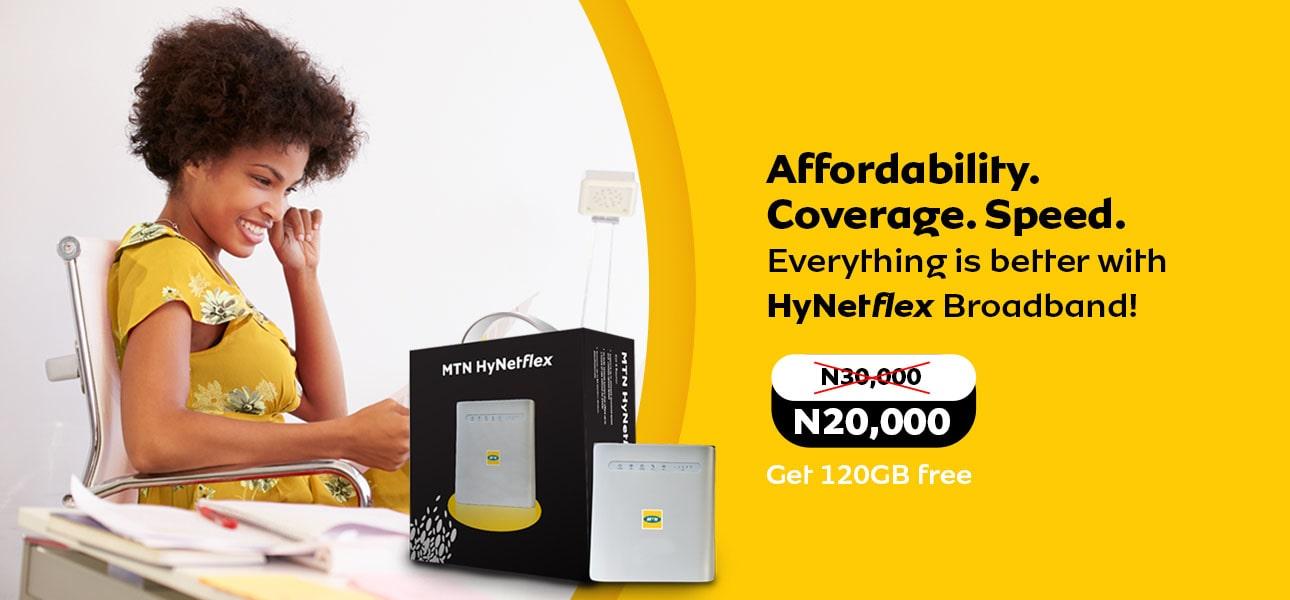
    Another name for MTN HynetFlex is MTN HynetFlex 4G LTE Router. MTN Router is a device that interacts between the devices in your home, office and the internet and then providing a very fast service. This makes it perfect for businesses or organization that consumes a whole lot of data within a short period of time.

    Who is the MTN HynetFlex Made For?

    MTN HynetFlex is made for everybody, but seems to be the best for organisations or individual that consumes high volume of data within a short period of time.

    Small and medium enterprises (SMEs) will really appreciate the offers that the network provider has made available through MTN HynetFlex; it will not only reduce the budget of data but will also help to shape the fortune of their businesses.

    Are you the type that love to do a whole lot of things online, which includes, downloading contents, streaming videos and songs, play online games and so on, then this data plan is best for you.

    Why You Should Go For MTN Hynetflex 4G LTE Router?

    MTN HynetFlex is definitely the best for customers who have discovered that the rate at which they consume data is very high.

    Apart from the fact that its data plans are relatively cheap, it also comes with an inbuilt battery that comes with the device, this is put in place to avoid interruption to browsing when the power is off. Subscribers also get to enjoy 100% data bonus for the very first six months of activating the plan.

    Another amazing thing about MTN HynetFlex 4G LTE Router is that it allows multiple users to connect to the device at the same time; isn’t it interesting that up to 64 users can connect to a single device at the same time.

    Also, users tend to get access to flexible and numerous data plans that fit into your budget; the very good thing is that there’s an all-round customer service provider to find solutions to whatever issues that might arise from using this particular data plan.

    You could also choose to switch the device to whatever bandwidth/speed that will suit your peculiar need. 

    Users are provided with the opportunity to choose from a wide range of data plan options; You also don’t need to install any software to start using the MTN HynetFlex device, you can always activate it yourself without having issues.

    How to buy the MTN HynetFlex Router

    1. Take a visit to any of the MTN offices or stores across the country.
    2. Confirm that MTN HynetFlex covers your area of usage, that is the location with which you want to use the data.
    3. Ask the officers at the store to provide you with the order form, ensure you carefully fill all the required information; attach all the required documents.
    4. Make payment using the available payment methods and wait to collect your MTN HynetFlex package.
    5. Another alternative way of purchasing MTN HynetFlex package has been made available, rather than going to MTN stores. These includes getting it from online stores such as JUMIA, KONGA and so on, you could also get connected to fairly use sellers on platforms such as SELL IT, OLIST, and so on.
    6. If you choose the outdoor modem, then an engineer will be made available to help in the installation of your devise within 48ghours of purchase.
    7. The price for MTN HynetFlex was recently reduced drastically in other to make it available to a wide range of users; the device is sold for Ꞥ20,000 as at the time this article is written. The extra bonus that comes with the package includes, a 120GB free data bonus on every subscription made for over a period of 6months from the time the purchase was made, you might also be lucky to win a gift from the network provider.

    Various Data Plans For MTN HynetFlex 

    Listed in the table below, are the various data plans, validity period and prices.

    MTN HynetFlex Data ValuePriceValidity period
    12GBꞤ4,00030days
    25GBꞤ8,00030days
    45GBꞤ11,00030days
    100GBꞤ18,00030days
    160GBꞤ25,00030days
    280GBꞤ36,00060days
    360GBꞤ45,00090days
    800GBꞤ90,000180days
    1500GBꞤ150,000365days
    UnlimitedꞤ5,0007days
    UnlimitedꞤ20,00030days
    Unlimited Ꞥ30,00030days

    How To Subscribe To MTN HynetFlex Plans

    The most convenient way to top up your MTN HynetFlex data subscription is to connect it to your existing MTN line(s), this can be done at the store where the purchase was made, or by simply putting a call through the customer care. 

    Once you are sure that your MTN HynetFlex has been successfully connected with your MTN line, then you can take the following steps to update your data subscriptions:

    • Dial *461# to gain access to MTN data subscription options
    • Select the first option, which is HynetFlex Bundles
    • Select one of the two subscription packages that have been made available; this includes capped bundles and unlimited bundle.
    • Select the validity period of your choice.
    • Select your preferred package
    • Select either one-off purchase or renewable purchase
    • Proceed to make payment; payment could only be made using airtime, so ensure you have enough airtime on your line before you start the renewal process.
    • You’ll receive a text message on your line, confirming if the subscription process for a HynetFlex plan is successful.

    Conclusion

    Before purchasing MTN HynetFlex package, be informed that the device is limited to some certain locations in the country. For now, MTN HynetFlex can only be accessed and used in places such as Lagos, Abuja, Ilorin, Ibadan, Kaduna, Bauchi, Oshogbo, Makurdi, Port Harcourt, Warri and Sokoto.

    Choosing this particular service could be one of the best choices you have ever made, in that it enables you to do whatsoever online, without really paying much for it.