In today’s world, we all want to do one or two things online from time to time.
You’re probably a blogger trying to produce some content for your blog. Perhaps, you’re probably a businessman trying to get new customers from social media and other portals.
Of course, not forgetting students trying to research online. As well as social media geeks trying to keep it up with the gram, Facebook, or Twitter.
However, in order for us to keep up with all of the above, we need to know the right data packages that work for us.
In this article, I’ll take you through some of MTN’a data packages, their prices, and the volume.
Let’s look at the various MTN Data Bundles and Packages available in Ghana:
MTN Basic Packages
Price
Code
Volume
50 Pesewas
*138# 1-1-1-1-1
23 MB
1 Cedi
*138#1-1-1-2-1
46 MB
3 Cedis
*138*1-1-1-3-1
461 MB
10 cedis
*138# 1-1-2-1-1
943.40 MB
120 cedis
*138#1-1-3-1-1
12 GB
399 cedis
*138#1-1-3-1-2-1
205.08 GB
MTN Zone Bundles
These are short-term bundles that usually last for a day. Usually for those who consume a lot or those who need more data for just a specific day.
This data package provides data for people who use data services at dawn.
Aside from the fixed data bundle provided in this package, you can select your own preferred data by typing your own amount in the amount section.
Price
Volume
Code
Duration
1.09 Cedis
400 MB plus 20 mins
*138#1-1-5-1-1-1
4:00 AM – 8:00 AM
MTN Social Media Bundles
This data package provides data for Social media users. This includes Facebook, Instagram and WhatsApp.
Aside from the fixed data bundle provided in this package, you can select your own preferred data by typing your own amount in the amount section.
Price
Code
Volume
Duration
1 cedi
*138#1-1-6-1-1-1
94.34 MB for social media
No expiry
5 Cedis
*138#1-1-6-2-1-1-1
471.70 MB for social media
No expiry
10 Cedis
*138#1-1-6-3-1-1-1
943.40 MB for social media
No expiry
MTN Video Bundles
This data package provides data for YouTubers and other people who stream and watch videos online.
Aside from the fixed data bundle provided in this package, you can select your own preferred data by typing your own amount in the amount section.
Price
Code
Volume
Duration
1 cedi
*138#1-1-6-1-1-1
94.34 MB for social media
No expiry
5 Cedis
*138#1-1-6-2-1-1-1
471.70 MB for social media
No expiry
10 Cedis
*138#1-1-6-3-1-1-1
943.40 MB for social media
No expiry
MTN Turbonet Broadband Bundle
This data package is for users of the MTN Turbonet broadband service. You need to purchase the Turbonet broadband device before you can have access to this.
This sort of package is perfect for people who use high volumes of data.
Price
Duration
Volume
Code
20 cedis
No expiry
5 GB
*5057#1-1-1-1
40 Cedis
No Expiry
10 GB
*5057#1-2-1-1
75 Cedis
No expiry
20 GB
*5057#1-3-1-1
120 cedis
No expiry
45 GB
*5057#1-4-1-1
175 Cedis
No expiry
90 GB
*5057#1-5-1-1-1
240 Cedis
No expiry
225 GB
*5057#1-5-2-1-1
395 Cedis
No expiry
550 GB
*5057#1-5-3-1-1
Conclusion
Look through the data packages described above and choose the one that is most appropriate for your kind of work. Thanks to the new law on data and airtime expiration, most of MTN’s data plans go without expiry and that means you can roll over.
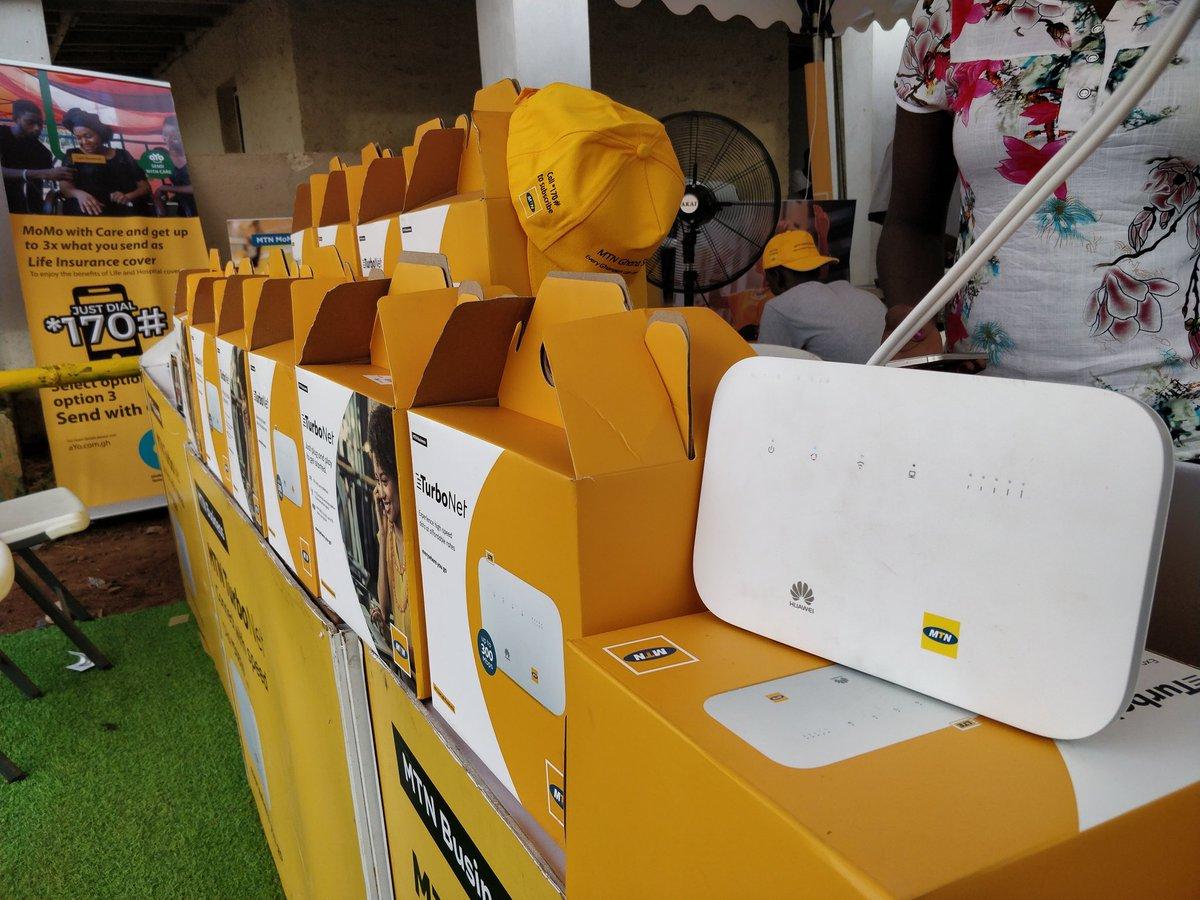
Are you tired of slow and expensive internet at home? Look no further than MTN Turbonet.
It offers faster and cheaper internet as an alternative to your existing broadband. With Turbonet, you can enjoy high-speed 4G internet connection made possible by Huawei technology.
In this article, we’ll explore everything you need to know about MTN Turbonet, from where to buy it to the benefits it offers.
Get ready to experience lightning-fast internet speeds in the comfort of your own home with MTN Turbonet.
MTN Turbonet Price
MTN Turbonet is available at a one-time cost of GHS 500, making it an affordable option for faster and cheaper internet in Ghana. This price includes a free MTN 4G sim card with 5GB of free data for 6 months.
The Turbonet offers unbeatable data plans valid for 30 days, with the option to rollover unused data. With its super-high-speed and reliable internet connection, you can enjoy seamless browsing and streaming. The device also comes with an external antenna to enhance internet connection and a voice-enabled feature for calls.
To purchase the MTN Turbonet, you can visit any MTN Service Centre or buy it online from Hubtel’s store. With its competitive pricing and excellent features, the MTN Turbonet is a great investment for anyone seeking reliable and affordable internet in Ghana.
Where to Buy MTN Turbonet
To purchase the MTN Turbonet, you have two options: MTN Service Centres and online retailers.
MTN Service Centres:
Visit any MTN Service Centre to purchase the Turbonet device.
The device is available at a one-time cost of GHS 500.
As a bonus, you will also receive a free MTN 4G sim card with 5GB of free data for 6 months.
Online Retailers:
You can also purchase the Turbonet online from retailers such as Hubtel’s online shop and on JiJi (beware of scammers).
Online retailers often offer discounts for their store.
Regardless of where you choose to buy the Turbonet, remember to register the sim in the router for it to work properly.
How to Set Up MTN Turbonet
Setting up your MTN Turbonet is a simple process that involves inserting your SIM card correctly and plugging it into a power source.
First, ensure that the Turbonet router is positioned in a central location within your home to maximize Wi-Fi coverage.
Then, insert your MTN 4G SIM card into the designated slot on the router. Make sure the SIM card is inserted correctly, with the gold contacts facing down.
Once the SIM card is inserted, connect the Turbonet router to a power source using the provided power adapter. The router will then power on and begin searching for a network signal.
Once the network signal is established, you can connect your devices to the Turbonet Wi-Fi network and enjoy high-speed internet connectivity.
MTN Turbonet Bundles
To access the various data packages available for MTN Turbonet, you can easily purchase MTN Turbonet bundles. These bundles offer flexible options for your internet needs. Here are the key features of MTN Turbonet bundles:
Affordable prices: The bundles are priced competitively, offering value for your money.
High data volumes: You can choose from a range of data volumes to suit your usage requirements.
No expiry: The data on MTN Turbonet bundles doesn’t expire, giving you the freedom to use it at your own pace.
Rollover option: If you have any unused data at the end of the validity period, it can be rolled over to the next month.
Here are the prices of the various MTN Turbonet packages in Ghana:
Data Volume
Price
5GB
GHS 25.00
10GB
GHS 50.00
45GB
GHS 145.00
225GB
GHS 295.00
With MTN Turbonet bundles, you can enjoy fast and reliable internet connectivity without worrying about running out of data. Stay connected and browse the web with ease using MTN Turbonet bundles.
How to Check Balance on MTN Turbonet
You can easily check your balance on MTN Turbonet by dialing *5057# on your linked MTN number. This allows you to keep track of your data usage and ensure that you have enough bundle for your internet needs.
To check your balance, simply follow these steps:
Dial *5057# on your linked MTN number.
Select option 3 – ‘Check balance’.
Choose your account from the list that appears.
You’ll then receive a prompt showing the bundle you have, as well as the bonus bundle and airtime on your MTN Turbonet.
MTN Turbonet Speedtest
Experience lightning-fast internet speeds with MTN Turbonet’s impressive speedtest results. With MTN Turbonet, you can enjoy a seamless online experience with its high-speed connectivity.
Here are the key features of MTN Turbonet’s Speed:
Blazing Fast Downloads: Download large files, stream HD videos, and play online games without any lag or buffering.
Smooth Streaming: Enjoy uninterrupted streaming of your favorite movies, TV shows, and music.
Quick Web Browsing: Browse websites, load pages, and access online content in the blink of an eye.
Reliable Connection: Stay connected at all times with MTN Turbonet’s stable and reliable internet connection.
With MTN Turbonet’s speed, you can be confident that your internet experience will be fast and reliable, allowing you to effortlessly browse, stream, and download content.
Say goodbye to slow internet speeds and embrace the power of MTN Turbonet.
Benefits of MTN Turbonet
With MTN Turbonet, you can enjoy fast and reliable internet connection, making it an excellent choice for all your online needs.
The benefits of MTN Turbonet are numerous. Upon registration and activation, you receive a free 5GB of data. Additionally, for the next 5 months after activation, you get an extra 5GB of bonus upon recharge.
The data plans offered by MTN Turbonet are unbeatable, with the option to rollover unused data for 30 days. The device also comes with an external antenna to enhance internet connection and a self-service feature accessible from the router.
Furthermore, the Turbonet is voice-enabled, allowing you to make calls conveniently.
With these benefits, MTN Turbonet provides an exceptional internet experience for your browsing, streaming, and communication needs.
MTN Turbonet Router Specs
Now let’s delve into the specifications of the MTN Turbonet router, providing you with all the details you need to know:
Product Type: Huawei WiFi Router with Ethernet port
These specifications highlight the advanced features and capabilities of the MTN Turbonet router, ensuring a high-speed and reliable internet connection for your home or office.
Wrapping Up
In conclusion, MTN Turbonet offers a fast and affordable internet solution for both prepaid and postpaid users. With its high-speed 4G connection and unbeatable data plans, it’s the perfect device for enjoying reliable internet in your home.
Setting up the device is easy, and you can conveniently purchase it from various locations. Experience lightning-fast internet speeds with MTN Turbonet and say goodbye to slow and expensive internet.
Hey there, Ghanaians! Are you experiencing fast data consumption while browsing with MTN, one of our leading telecommunications service providers? Don’t worry, I’ve got your back. In this article, I’ll guide you on how to save data while browsing and help you get the most out of your data plan.
So, grab your phone and let’s save some data!
Understanding Data Packages
First things first, let’s talk about MTN data packages in Ghana. It’s crucial to keep an eye on your usage and purchase the right bundles.
Tracking your usage helps you decide whether you need to buy more data or not. You can find available packages on MTN’s website or by contacting their customer service.
Remember to compare prices across providers to get the best deal. Also, check for promotions or special offers to reduce your costs even further.
Changing Your Network Settings
To make a real impact on your data usage, let’s dive into your network settings.
First, shut down or block unnecessary background processes when connected to the internet. This reduces data usage by minimizing requests from your device.
Next, adjust media settings for streaming services like YouTube or Netflix. Set the video quality at a reasonable level, and download content ahead of time when possible.
Turning Off Unnecessary Apps
Let’s optimize your phone’s performance by turning off unnecessary apps running in the background.
Go through each app, turn off unneeded notifications, and set data limits. Also, close open applications when not in use to free up memory and extend battery life.
Downloading Content Offline
To save even more data, consider downloading content offline instead of streaming or playing videos online. This way, you can access content without an internet connection.
Here’s a quick summary of data-saving tips for MTN users in Ghana:
Monitor your usage and set limits
Avoid streaming or playing videos online
Download content offline
Optimize device settings for data conservation
Utilizing Data Saving Apps
Make use of data saving apps to monitor your data usage, manage it better, and avoid extra charges. Also, consider using virtual private networks (VPNs) to browse securely while reducing data usage.
Keep your software and apps updated to prevent unnecessary data waste and ensure a smooth browsing experience.
Conclusion
To sum it up, saving data while browsing on MTN in Ghana involves understanding data packages, adjusting network settings, turning off unnecessary apps, downloading content offline, and using data-saving apps. Follow these tips and you’ll be on your way to maximizing your data usage without running out before your plan ends.
Having trouble getting your money’s worth from your data plan? There are plenty of ways to get the most out of your data, and we will be walking you through them in this article. We will be talking about activating a GHS 5 plan on Vodafone Ghana network that will get you 5GB of data valid for 7 days.
Before you can start using your Vodafone GHS 5, however, you will have to set up your internet on your phone or laptop depending on the data service you are using.
How to activate Vodafone GHS 5 for 5GB for 7 days
The Vodafone GHS 5 for 5GB for 7 days bundle offer mostly comes under the made4u or the BOSSU weekend. Also, the mad4u offer is not stable and keeps changing as time goes on.
To activate using the made4u offer,
Dial *530#
The available offers will show up on your screen
Look through and locate the GHS 5 for 5GB for 7 days
Choose the option and activate the offer.
NB: You have to have the GHS 5- GHS 6 in your Vodafone balance before you can activate because you can’t use Vodafone cash for this offer. If the 5GB for 7 days offer is not available at the time of wanting to activate, there will surely be an enticing offer to choose from.
To activate using the BOSSU weekend offer,
Dial *5588#
Choose option 3 (Bossu weekend)
Press option 1
Choose your payment option (Airtime or Vodafone cash)
Your selected service will be successfully activated
NB: This service is only available for your weekend thrills. You will enjoy 5GB of data from Vodafone throughout the weekend.
How do I get unlimited data on Vodafone?
Customers who prefer to go for unlimited data on Vodafone can dial *900# and choose from the options that will be shown.
How do I get free data on Vodafone?
Upgrade to Vodafone 4G and receive free 4GB data. To do so, visit any Vodafone office for a new 4G SIM. On activation, you will be credited with free data to surf the internet.
Conclusion
With how hard it is to get a deserving data worth your money, this Vodafone 5GB for GHS 5 is worth the amount. Follow the steps and activate and enjoy. Note that, the fee could change based of the currency rate in the country.
You may find yourself in a situation where you need to check how much data you have left on your current Vodafone plan before you get charged. You could check your Vodafone data balance by logging into the MyVodafone app. However this may be inconvenient if you are not near your computer or are unable to use the Internet at that moment.
Sometimes your monthly data allowance can be used up in the blink of an eye, and you don’t even realise it until your data has already been used. Checking your Vodafone data balance regularly means you’re never caught off-guard by any unexpected charges and you can work to avoid overages as much as possible.
Learn how to check your Vodafone data balance and then do it on the go, so you don’t have to worry about exceeding your data limits.
About Vodafone Ghana
Vodafone Ghana is one of the leading telecommunication companies in Ghana providing reliable and quality services to its customers. The company offers a wide range of services including mobile phone, internet and data services.
How to check your Vodafone data balance
Checking your data balance helps you to better manage your usage and keep track of your data plan.
Check your data balance using MyVodafone app
Download and install the MyVodafone App from Google Play Store or Apple App Store.
Sign up with your Vodafone number.
Once you sign up into your dashboard, you can see your data balance on the top left corner of the screen.
You can also see a detailed breakdown of your data plan by clicking on the ‘‘View Plan’’ button in the app.
Check your Vodafone data balance using USSD code
Method 1
On your Vodafone number, dial *124#
Your account balance will be displayed on your screen where you can also see your remaining data.
Method 2
Dial *700#
Choose option 2 (check bundle)
Your remaining data balance will be displayed on your screen.
Method 3
Dial *126#
Your data balance will be displayed on your screen including all your other bundle bonus.
Check your Vodafone data balance online
Visit Vodafone Ghana website and log into your account. Sign up with your vodafone number if you don’t have an account yet.
Once you are logged in, click on the ‘My Account’ tab and select the ‘Data Balance’ option.
This will show you your current data balance and other details about your plan.
How to buy data on vodafone with Vodafone cash
Make sure you have enough money in your Vodafone cash wallet
Dial *110#
Choose option 3 (Buy airtime or data)
Select option 2 (Buy data)
Choose option 1 (Self)
Select the data type you want
Select the amount to purchase
Enter your pin
Confirm your purchase
How to buy data on Vodafone with airtime
Make sure you have enough airtime for the said data you want to purchase
Dial *700#
Choose option 1 (Buy data)
Select the data type you want
Select the amount to purchase
Choose your payment option (airtime)
Confirm payment
Vodafone shortcodes and their service
Shortcode
Service
100
Call centre
*119*Number# Send
Call me back
600
Porting
175
050 Number reservation (Text #book+space+the number to 175)
1080
Access code for fixed prepaid lines
*150#
Roaming enquiry
*151#
VIS (Vodafone Information Service)
*124#
Account balance
*134*PIN
Reload
*484*1#
Reseller balance
*142#
Swipe card service menu access
*126#
To check bundle information
*127#
To know a mobile number
*127*11#
General news
*200#
Vodafone Red offer
*505#
SOS credit
*700#
Vodafone mobile internet (Packages, bundles and more)
*145#
Agent Sim registration
*313#
Vodafone live radio
*404#
Deactivating from VF Mini Pack
*900#
FBB bill payment and balance info
*400#
To check for your sim registration
*474#
Micro payment
*566#
Super Hour
*543#
Vodafone Good Morning
*480#
Vodafone Unlimited Offers
*110#
Vodafone Cash
*591#
Vodafone Cash Agent Helpline
*510#
Agent Application Code
558
Register Vodafone Cash by sending register to shortcode
*530#
Made For Me
*533#
Yendi Agoro
*565#
Number For Life
*7070#
Vodafone Supreme
*556#
Vodafone Vim offers
*5888#
Vodafone X
##21# or ##002#
Deactivate from VF Mini pack
Conclusion
It is important to check your data balance regularly so that you can keep track of how much data you are using and avoid overage fees. With the methods mentioned above, checking your Vodafone Ghana data balance is easy and convenient.
The MTN deals available on mobile phones are some of the best deals around and makes it possible for you to get some good deals without spending your entire life savings on it.
If you are willing to spend less money on credit but do longer calls, text and browse the internet, then you have to take advantage of the MTN Mashup.
What is MTN Mashup
MTN Mashup is a service from MTN Ghana that allows their customers to enjoy low-cost calls, free SMS and also browse the internet for less.
What is the code for MTN Mashup
To enjoy the MTN mashup, you need to be a customer of the mobile telecom and you must also know the code for the mashup service. The code for MTN Mashup is *567#.
What are the packages for MTN Mashup
With the daily plan which cost GHS 1 for the least, you get to choose between 25 minutes talk time and 25MB of data, 20 minutes talk time and 30MB of data, 15 minutes talk time and 35MB of data or 50MB of data only. You also get to browse WhatsApp for free and also access Wikipedia for free.
With the weekly plan which cost GHS 5 for the least, you get to choose between 125 minutes talk time and 125MB of data, 100 minutes talk time and 150MB of data, 50 minutes talk time and 200MB of data or 250MB of data only. You also get to browse WhatsApp, Facebook and twitter for free and also access Wikipedia for free.
With the monthly plan which cost GHS 10 for the least, you get to choose between 250 minutes talk time and 250MB of data, 200minutes talk time and 300MB of data, 150 minutes talk time and 350MB of data or 500MB of data only. You also get to browse WhatsApp, Facebook and Twitter for free and also access Wikipedia for free.
How to subscribe to MTN Mashup
Dial *567#
Select option 1 (proceed to buy bundle)
You will be asked to choose whether you are doing the bundle for yourself or for others.
If you are doing it for yourself, choose option 1
Now, all the available Mashup will be provided to you to choose from.
Choose the best option you want to subscribe to.
Activate and make payment with your airtime or MoMo and enjoy.
If you want to do it for others, you choose option 2 and insert the recipient phone number when you get to STEP 4.
How to check your MTN Mashup balance
Dial *567#
Select option 99
Select option 6
MTN Ghana will send you an SMS containing your Mashup balance.
How to deactivate MTN Mashup
You might be no longer interested in the MTN Mashup service and you want to deactivate it so you move to a different service. To deactivate the MTN Mashup, send “STOP” through SMS to 567.
Does MTN Mashup expire?
Before activating, you will be asked to choose between days, weeks, or months. If the said time reaches and you are not done with your talk time or data, the service will expire and you will have to do a new one so it is advisable to choose a service you can be able to use before the said time reaches.
Conclusion
MTN Mashup is a great offer from MTN Ghana to their customers to enjoy talk time and data in diverse ways. Follow the procedures above to subscribe if you want to enjoy any of the mashup offers.
With so much to choose from and the amount of information to take in, it can be daunting if you’re looking at options for getting Vodafone Ghana Broadband in your area, especially if you don’t know exactly what to look out for, or what kind of bundles will work best with your current budget
Vodafone Ghana is one of the largest broadband service providers in the country. The company offers a variety of bundles that are tailored toward the needs of different customers. Their standard home plan comes with 10Mbps download speeds, which is perfect for basic browsing or light streaming. But if you’re looking for more bandwidth, Vodafone has plenty of other options as well from 50Mbps to 500Mbps, all with unlimited downloads.
The Internet has become an essential part of our lives, whether for work or for leisure. So it’s no surprise that Vodafone broadband is giving us the chance to get connected at home or on the go. With a range of bundles that offer different levels of data allowance, you’re sure to find one that suits your needs
Vodafone Broadband Bundle prices
The various packages are designed in a way to suit your online needs. Regardless of your wants, you will get an offer that best fits you. Note that, all packages are valid for 30 days and speed depends on the quality of your landline and area.
Browser
This package gives you 20GB for GHC 85 and will last for a month. This is a perfect Vodafone Ghana fixed broadband package, especially for people that surf the internet regularly and probably want to stay online.
If you must keep up with your friends and relatives through Facebook, Twitter, snap chat, Instagram and check up your emails, then this is an affordable and sustainable broadband package for you.
Streamer
You will have 40GB at a cost of GHC125 in this package and it will last for a month. This package is best for a person that likes streaming from the internet like watching movies and videos, live streaming events, etc. The good thing is that the speeds will allow easy and convenient streaming.
Webmaster
As the name suggests, this is a package for people whose lifestyle is on the websites making calls through Skype, Google Hangouts, Yahoo IM, or Facebook and making downloads that are fast. People whose lifestyle is to network socially browse more and reach for clients regularly. For GHC 180, you get up to 80GB. This package will deliver the fastest speed within your region.
Downloader
This package has a monthly subscription of GHC 250 which in turn allows you access to 200GB. This is capable of handling all your download concerns. No need to worry about those large files for up to 30 days before it expires. It is great value for your money.
Office
This goes for a monthly subscription charge of GHC 400 for 500GB. With the heavy internet usage in the office, it is the most ideal hence its name. Since at times is hard to regulate employees on what to do with the internet other than office work, this package will give them room to be able to express themselves freely. The reliable speeds are a plus.
Area visibility
To know if your area is available to access Vodafone broadband, visit https://myvodafone.vodafone.com.gh/pap/index.php?sid=check to check your area availability. You can also call customer care, mention your area, and then hear from them whether your area is visible or not.
How to apply
To apply for Vodafone broadband, you must first check if your area is eligible for broadband server or not. to do so, visit https://myvodafone.vodafone.com.gh/pap/index.php?sid=check to check. After checking, if you are visible, you then scroll down on the same homepage and start your application process.
Installation cost
You do not have to strain too much if you do not have heavy data requirements. To access the broadband data package you need an extra installation cost of GHC150 apart from the regular monthly fees. The installation fee is paid once and unless you are moving to a new place, you won’t pay any installation fee again.
How can I buy Vodafone broadband?
Dial *900# on any Vodafone number and follow the prompts to subscribe.
Conclusion
By now you should have a good idea of your monthly internet usage. If you’re a casual user, keep your internet package small. More than likely it’ll be fine for what you need.
But if you’re a serious gamer or movie buff then opt for higher-speed plans or bigger data packages. In that case, larger packages might make more sense as they provide more value compared to their lower-speed counterparts at any given price point.
In this tutorial, I will be discussing how to stop auto renewal of data in your MTN, Vodafone, Airteltigo and Glo lines so that you can continue using the services without having to renew the data every time it finishes. This process will work on all platforms; iOS and Android.
Data auto renewal
Some phone networks offer auto-renewal for data packages. This means that when you purchase a data package for your phone, it will automatically renew at the end of your billing cycle if you don’t make any changes to your plan.
This might be useful for some people who are very busy and forget about their data plans. For others, this can be an expensive mistake as they fail to turn off auto-renewal before their original package expires.
Why you want to stop data auto renewal
Data is expensive in Ghana and it’s easy for the auto renewal system for data plans to rack up costs. You may not want auto renewal your data because its not everyday you will have money for that.
But the problem is that, most people don’t know how to stop this from happening.
How to stop data auto renewal on MTN Ghana
You may have activated auto renewal data for a certain subscription and you now want to stop but finding it difficult to do so. Well, that’s not easy.
To stop auto renewal data on MTN Ghana through SMS,
Open your phone menu and tap on the messaging app.
Now, on the message app, send STOP to 138.
All your data auto renewal subscriptions will be cancelled.
You can now buy your airtime without worrying about getting deducted when your data finishes.
To stop auto renewal data on MTN Ghana through USSD code,
On your dial pad, dial *175#.
Select option one (My subscriptions).
All services you have subscribed to will appear.
Select all the MTN services you want to unsubscribe.
Follow the prompts to cancel your MTN Subscriptions.
How to stop data auto renewal on Vodafone Ghana
There are two USSD code you can use to unsubscribe for Vodafone data auto renewal. One for direct data unsubscription and the other for all subscriptions on your phone.
To directly unsubscribe from data auto renewal,
On your keypad, dial *700*3#
All your data subscriptions will unsubscribe.
You can now buy your airtime and not worry about auto subscription.
To unsubscribe from all subscriptions,
Dial *463# and press send.
Select option one (My subscriptions).
Choose option one again (View subscriptions)
All your Vodafone subscriptions will appear here. Now, you choose from the pop up the ones you want to unsubscribe.
Follow the prompts to cancel your Vodafone subscriptions.
How to stop data auto renewal on AirtelTigo Ghana
To stop data auto renewal subscription on airteltigo Ghana,
Dial *100# and press send.
Select option four (Content Services)
Select Deactivate subscriptions.
A list of all your Airteltigo Subscriptions will appear. Now, select from the list the ones your want to unsubscribe.
Follow the prompts to cancel your Airteltigo Subscriptions.
How to stop data auto renewal on Glo Ghana
To stop auto renewal data on Glo Ghana,
Open your phone menu and tap on the messaging app.
Now, on the message app, send CANCEL to 555 OR 127 and your data auto renewal subscriptions will be cancelled.
You can now buy your airtime without worrying about getting deducted when your data finishes.
Conclusion
Auto renewal can be quite annoying especially when you are not ready to subscribe for it anymore. Its best to follow the steps above and stop all data auto renewal subscriptions on your phone.
To make Ghanaians feel at ease when using MTN and to provide them with amazing deals that they can’t resist, MTN has always been the preferred network in Ghana. As part of their packages to make the life of their customers comforting, they introduced the MTN Nkomode (Free After 1 Service).
A closer look at the MTN free after 1 promo
MTN Free After 1 is one of the most exciting packages from MTN. It allows all customers to enjoy free calls and texts after the first minute into your call. The service was introduced in 2018.
With this service, you will be charged for only the first minute and the remaining talk time for the next hour next 10 minutes will be free. You also get 50MB to browse after the call.
The free after 1 new rules
There are terms and conditions attached to the service and as time goes on, it gets altered. With the new rules introduced, customers can now enjoy the free after 1 with all networks unlike the initials when it was only allowed for only MTN to MTN customers.
Also, you can use your bonus which you acquired from the airtime you purchase to make calls to all networks.
The new rule makes the service more open and customers can now enjoy talktime with their loved ones on other networks and in addition gets free 50MB to browse.
How to enjoy the MTN free after 1 service / nkomode
You enjoy free talktime for 1 hour 10 minutes to all network and you will be deducted only GHS0.30 for the first minute of your call. You also get 50MB data to browse the Internet. Your bonus can also be used to make calls to all networks.
What is the shortcode for MTN free after 1 service / nkomode
The shortcode for MTN free after 1 service which is also know as MTN Nkomode is *550#
How To activate MTN free after 1 service
Dial *550#
Then, Select Option 6 (Free After 1).
After that, Select Option 1 (Activate) to activate the service.
Finally, Select Option 1 once again to confirm.
Congrats! You have now subscribed to the MTN free after 1 service.
NB: For the first minute of every call, you will be charged GHS 0.30, but the rest of the call is free once you successfully register for the free after 1 service.
Conclusion
The MTN free after 1 service or Nkomode gives you some goodies for a quick need. Subscribing will be worth it if you are someone who makes longer calls.
Vodafone Smart Surf is a new super fast broadband router brought to you by Vodafone that has been on the market since for a while now. In this article, we will tell you all about this new 4G network; its price, its features, its speed, its bundling and where you can buy it in Ghana.
What is Vodafone Smart Surf?
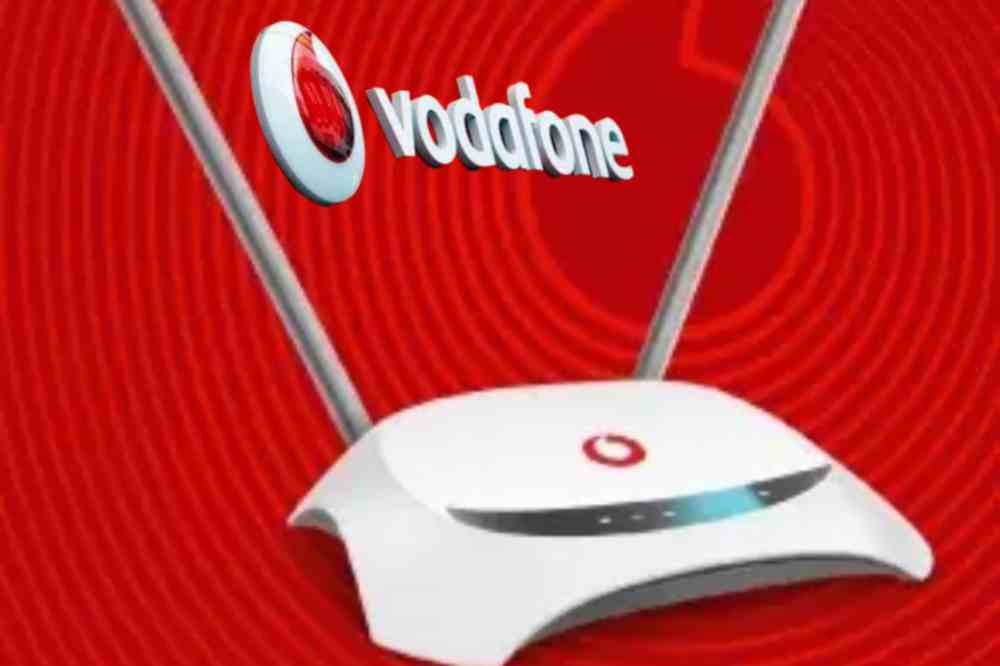
Vodafone Smart Surf is a plug and play wireless broadband router that comes with a high-powered internal antenna to give you a super-fast browsing experience. Smart Surf is suitable for both the home and office.
Features of Vodafone Smart Surf
Size: 150 mm x 150 mm x 56 mm
Data Speed: Download up to 100 Mbps, Upload up to 50 Mbps
Ports: 1 LAN ports (RJ45) , 1 USB port
Display : Led indicators.
Wi-Fi Speed: Up to 300Mbps.
LED Indication: WiFi / Power / Transmit Status across.
Wi-Fi : 802.11b/g
Can connect up to 32 devices
Vodafone Smart surf price
With an amount of GHS 399, you can get yourself a Vodafone smart surf for your home or office.
Vodafone smart surf speed
The Vodafone smart surf can boast of a download speed up to 100Mbps, an upload up to 50Mbps and a WiFi speed up to 300Mbps.
Bundle offers available on Vodafone smart surf
Vodafone smart surf has both unlimited and monthly offers.
Customers can subscribe to the below packages for 30 days.
PLAN
PRICE (GHS)
GIGABYTE
Mini Basic
20
5
Mini Pro
40
10
Browser
90
25
Streamer
140
50
Webmaster
200
100
Downloader
290
135
Family
400
275
Office
500
410
Customers can subscribe to the unlimited/non-expiry packages below
PLAN
PRICE (GHS)
GIGABYTE
Browser
95
17
Streamer
145
33
Webmaster
210
66
Where to buy Vodafone Smart Surf
Customers can purchase the device online via the Vodafone Ghana official website using their Vodafone cash, visa card, master card, or visit any Vodafone Ghana retail shops to make a purchase. Before making a purchase, it is advisable to visit fbb.Vodafone.com.gh to check the network coverage and strength in the area before purchasing the device.
Why you should buy Vodafone smart surf
If you have no idea on which router to buy for your internet services, then Vodafone smart surf should be a choice for you. The router has the preferred speed, moderate prize, convincing internet packages, and can connect up to 32 devices at a go.
Conclusion
Vodafone Smart surf is a good option to go for when you need a high speed internet connection your home or office.
![All MTN Ghana Data Bundles & Plans [2024 Guide]](https://cms.mfidie.com/wp-content/uploads/2020/05/mtn-data-deal.jpg)