How a journalist reports a cybercrime story can either protect the public or put an investigation at risk. A wrong detail might tip off a suspect, while incomplete information could leave readers exposed. That is the balance media practitioners in Ghana are now learning to strike under a new capacity building project.
The National Community Media Cyber Capacity Building Project, known as NCMCCBP, opened its first day with a training session focused on “Reporting Responsibly Without Compromising Investigations.” The session gave journalists practical guidance on covering cybercrime in a way that supports law enforcement while still informing the public.
A shared responsibility between media and security agencies
Cybercrime affects people across Ghana, from individuals who fall for mobile money fraud to businesses that lose data. Community media outlets often report these cases early, sometimes before the police have completed their work. That makes the relationship between reporters and investigators important.
The training appears designed to help journalists understand what can be published, when publication should wait, and how to phrase details so they do not compromise evidence or alert suspects. It also encourages reporters to play a role in public education, helping communities recognise scams and avoid becoming victims.
For community media, this is not just about avoiding harm. It is also about building trust. Readers expect accurate and useful information. Investigators expect discretion. The journalist sits in the middle, and the NCMCCBP training seems to be addressing that position directly.
What responsible reporting requires in practice
Responsible cybercrime reporting involves more than changing a name or hiding a phone number. Journalists may need to verify facts with official sources, avoid publishing unconfirmed claims, and explain basic cybersecurity steps to the public.
Some practical points that are often covered in such sessions include:
Not naming suspects before formal charges are confirmed
Avoiding details that could help fraudsters replicate a scam
Using clear, simple language so readers know how to protect themselves
Working with law enforcement to know what can be shared safely
These habits protect both the integrity of investigations and the safety of readers. For community media, which often serve smaller towns and districts, the effect can be even stronger because the audience is closer to the story.
Why this matters for Ghana’s cyber safety
Ghana has seen a rise in cybercrime cases, including online fraud, phishing, and identity theft. Public awareness remains one of the strongest defence tools. When journalists report responsibly, they do more than break news. They teach people how to spot danger.
The NCMCCBP is expected to continue beyond this first session, with more training likely to deepen the skills of media practitioners across the country. Journalists who attended now have a clearer sense of how to balance speed, accuracy, and discretion.
For media houses, the takeaway is simple. Cybercrime stories carry real consequences. A well-reported piece can alert a community. A careless one can set an investigation back. Training like this is a step toward making sure the media in Ghana is part of the solution, not an accidental barrier.
As more sessions unfold, readers and newsrooms alike should pay attention to how these lessons are applied. In the end, responsible reporting is not a restriction. It is a way of making sure the truth comes out without costing anyone their safety.
BECE and WASSCE are regional examinations conducted in Ghana to determine whether candidates have met the minimum educational requirements for entry into Senior high school, tertiary institution or employment.
These examinations are annual tests that happen mostly around June, September, or October each year. After the examination, students are now to wait for the release of the results in order to know their fate.
Releasing exams results in Ghana does not have a specific time as every academic year something new happens. So now, how will you know when your BECE or WASSCE results get released?
When the examination ends, it is now time for marking. After marking, the results are then released. WAEC examination board releases the results for both WASSCE and BECE every year. The release date is usually August, but it can be later if there is a delay in producing the results.
How to get an alert when BECE and WASSCE 2024 are released
Subscribe to *790*024# updates
You can visit dial *790*024# for updates on when the results are released. You can even know when marking is taking place.
Follow GES and WAEC social media accounts
GES works closely with WAEC and they are the first to be alerted when the BECE or WASSCE results are released. You can follow them on their social media handles on Facebook and Twitter and with your mobile data always on, you will be notified whenever they make a post.
Get updated through the media
Various media outlets across the country will make announcements when the results are released. So, if you are someone who likes watching the news, then you will surely get the notice when the results are released.
Sign up for Google Alert
This is also a good way to stay informed about what is going on in the world. You can enter keywords like BECE or WASSCE into the search box and google will send you an email notification as soon as something new comes up.
How to check your WASSCE 2024 Results
When the 2024 WASSCE results are released, it’s now time to find your index number. Buy your WAEC Voucher which includes the SERIAL NUMBER and PIN from any sales outlet, most internet CAFÉ, or any WAEC office nearby and check your results online and print your results out.
To check your WASSCE results, you first need your e-voucher which can be bought at any authorized outlet or through a short code that will be given out by the Ministry of Education or the WAEC.
To check your results,
Visit WAEC results checker online portal: eresults.waecgh.org; Now, when the portal opens, enter the index number which you used when writing your exams.
Select the type of examination (WASSCE).
Select your examination year (2024)
Enter your date of birth (The one you used for your WASSCE registration.
Enter the SERIAL NUMBER and PIN on your voucher where it is required.
Now, go through to make sure all information you have given are correct.
Click on submit and wait to see your results pop up in the next window.
Print out your results.
Conclusion
Getting to know when the BECE or WASSCE results will be released is needful especially when you are a candidate or a guardian of a candidate. Following the above method will keep you alerted.
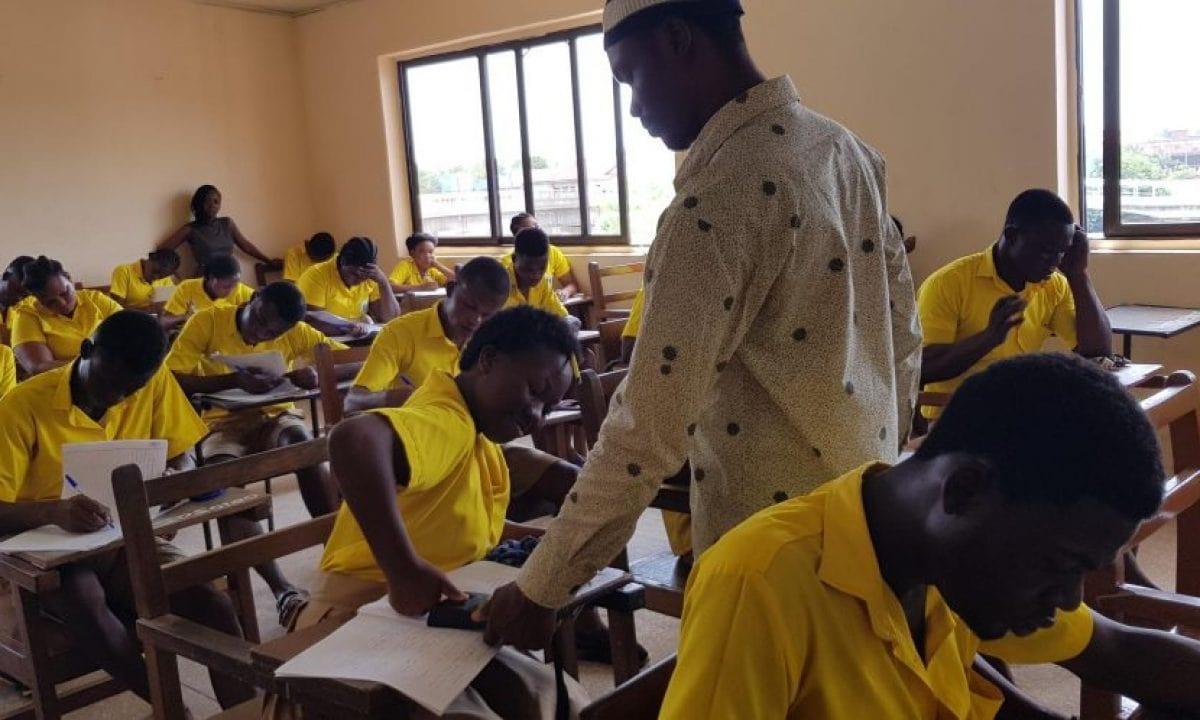
If your child wrote the 2024 Basic Education Certificate Examination (BECE), or you are a teacher with an interest in your pupil’s welfare, then the release of the 2024 BECE results is high on your priority list.
In this article, we will cover all you need to know about the release of the 2024 BECE Results.
The processes described in this article will help you to overcome stress and check your results with ease when they are released.
As always, please remember to share this article and the many others on Mfidie.com with your friends as we are dedicated to providing you with the most accurate information.
BECE 2024 Release Date
The most important information right now is that the marking of BECE Results is done now.
So when will the 2024 BECE Results be out? The BECE Results for 2024 Candidates is expected to be released on 14th October 2024. All BECE Candidates will then be able to check their results on the WAEC eResults Portal.
By that time, the official checking site, eresults.waecgh.org will include 2024 in the years one can check the BECE results, giving the indication that the results will have been uploaded to be checked.
BECE Candidates can always dial *790*024# to check the latest updates with respect to the release of the BECE Results.
How to buy BECE Results Checker with Mobile Money instantly
Gone are the days when people have to move from internet cafe to internet cafe all in search of WAEC Scratch Cards. Now, with innovation, the process is easy and can be completed in just 2 minutes.
Be careful not to fall prey to fraudsters who might try selling cheap and fake cards to you.
Kindly follow the steps below to buy your BECE Results Checker and pay with Mobile Money (MTN, AirtelTigo, Vodafone).
Choose the card type you want to buy. eg: WAEC eResults Checker
Enter the number of cards you want to buy and the amount will be automatically calculated
Click on “Buy Now”
You will be taken to a new screen where you enter your name and phone number (Card details will be sent via SMS to the phone number you enter here)
Click on “Proceed to Payment”
On the next screen, choose Mobile Money and enter your MoMo number. You’ll be sent an OTP to confirm.
Confirm the payment on your phone.
You will instantly receive an SMS with the BECE Results Checker PIN and Serial and instructions to check.
You can easily buy as many BECE Result Checkers/PINS as you want via Mobile Money and receive them via SMS instantly. Note that if you face any problems, you can call the FastCheckers Ghana call centre on 0535092020. and you will be attended to.
How to get your BECE Results Checker PIN via WhatsApp, MoMo
IKE is running a special offer for all those who want the PIN to be sent directly to their phones via WhatsApp. He is giving out the BECE Pin for just GHS 20.
Just follow the steps below to get your results checker.
Kindly send a WhatsApp message for further instructions or clarifications.
All you need to check your BECE results in 2024 is your PIN which we will provide for you. If you need help, contact our Customer Service 24/7 on 0535092020.
How to check BECE 2024 Results
After you have purchased your BECE 2024 Pins on fastcheckers.com, follow the steps below to check your results.
Use any browser, preferably Google Chrome, and visit the eresults.waecgh.org portal
On the next screen, enter your 10 Index Number: Eg: 0070202043
Enter your WAEC exam year of completion. Eg: 2021
Enter the exam type you sat for. Eg: BECE School 2021
Now, you will need to enter your 10 Digit Pin here. Enter the secret Pin.
Submit your personal information and patiently wait for your results.
A new screen will pop up confirming your results.
You can then save/print the results for further use.
Please don’t use Opera Mini for the checking of the results as it will cause your card to be used without getting the results
Official 2024 BECE Grading System by WAEC Ghana
WAEC has made available the pass marks for BECE. To be considered to have passed your exams, you need to score 54% or higher or a numeric value of 6 or better.
This is because as per WAEC’s new grading system for BECE, scoring D7 or below (53% or lower) would not be able to get you into the University. To enter the University in Ghana, you need to score at least 54% on all your papers.
Find below a table of the BECE Grading system by the West African Examination Council:
Percentage
Grade
Numeric Value
Interpretation
75 – 100
A1
1
Excellent
70 – 74
B2
2
Very Good
65 – 69
B3
3
Good
60 – 64
C4
4
Credit
55 – 59
C5
5
Credit
50 – 54
C6
6
Credit
49 – 45
D7
7
Pass
40 – 44
E8
8
Pass
0 – 39
F9
9
Fail
Shops/Outlets to buy BECE Results Checker from
If you don’t want to buy the WAEC/BECE results checker online on fastcheckers.com, you can visit any of the locations below for your card.
Please do your due diligence, not to fall prey to fraudsters.
WAEC Results Checker Card Outlet
Location
Accra
Ghana National Office, Examination Loop (Behind Ridge Hospital)
Kumasi
WAEC Branch Office, Near Kumasi Technical Institute (KTI)
Sekondi
WAEC Branch, Office, Near Regional Administration, Sekondi
Don’t wait till the last minute to scramble to buy a checker card to check your results. The 2024 BECE Results will be released anytime soon, and as such, you need to get a checker card.
Follow the steps outlined above in this article to get a checker from a trusted sellers card at a good rate.
The Basic Education Certificate Examination (BECE) is a crucial examination for students in Ghana as it determines their eligibility to enter into Senior High School. Many students and guardians have been eagerly asking when the results of the BECE 2024 will be released and the answer is finally here!
It’s important to note that WAEC only works on weekdays, which means that weekends and holidays are not included in the 90-day period. But, no need to worry as the enrollment period for Senior High School has not begun and WAEC is known to stick to the 90-day convention. So, the results will be out soon!
All BECE 2024 candidates and guardians should be excited and wait patiently for an official statement from WAEC regarding the release date of the 2024 BECE results. It is important to be aware of the 90-day convention and potential delays due to weekends and holidays.
But, no need to worry as the results will be out soon! Congratulations to all the students who took the examination, the hard work has paid off!
How to be updated about BECE Results Release News
To know if the BECE results have been released, you can follow these steps:
Keep an eye on news outlets for announcements.
Dial *790*024# and Choose BECE 2024
Check social media for a release statement from WAEC.
Follow the Ministry of Education’s social media accounts for notifications.
How to check BECE 2024 Results
To check your BECE results, follow these steps:
Obtain an e-voucher by purchasing it at any authorized outlet or by dialing *790*024# and using MoMo via SMS.
Enter your index number, select “BECE”, the examination year 2024, and enter your date of birth as used for your BECE registration.
Enter the SERIAL NUMBER and PIN from the e-voucher, verify the information is correct, and click submit.
Wait for the results to appear on the next window and print them.
What to do when BECE Results are released
When the BECE 2024 results are released, you can follow these steps:
Locate your index number.
Purchase a WAEC Voucher that includes a SERIAL NUMBER and PIN from an approved sales outlet, internet café, or WAEC office.
Check your results online using the voucher information.
What to do after the release of the BECE Results
After checking your BECE results, you can take the following steps to prepare for your Senior High School journey:
Reflect on your results and understand what they mean for your future.
Do not lose hope if your results are not what you expected, placement can come to you regardless of your results, so keep your options open.
Use your results as a guide to make informed decisions about your next steps.
In Ghana, the pass mark for the BECE is not clearly defined. Previously, when free SHS was not yet in session, the cut-off point for BECE was aggregate 25.
However, with the new implementation, there is no exact cut-off point. Although the results are graded from 1 to 9 per subject, the enrollment in Senior High School is done using the candidate’s raw score. Keep your head up and move forward with confidence!
The BECE results for JHS Students have been released and the Ministry of Education Ghana will soon make it possible for candidates who sat for their Basic Education Certificate Examination (BECE) just a few months ago to check their 2024 BECE School Placement status.
You will now know whether the hard work that you put into your studies did pay off as you will be able to know which Senior High School (SHS), Technical Institute, or Vocational Institute you were placed in.
The 2024 Junior High School BECE candidates will then be able to print their CSSPS placement forms that give them an SHS to attend and send them to the school they have been placed in so they can be admitted on time.
Life is a continuous learning process, right? A student will tell you that there is no better feeling than completing one stage in your education life. And for the Junior High School Students who sat their exams in 2024, it is time for you to know your fate. Here is how to check CSSPS placement results.
For inquiries, you can call our call center on 0535462067 or send us a message via WhatsApp.
Is the 2024 BECE Placement Checker for Candidates out?
No, the 2024 BECE Placement Checker is not out. The Placement Checkers to view schools for 2024 BECE is expected to be out on 28th October 2024.
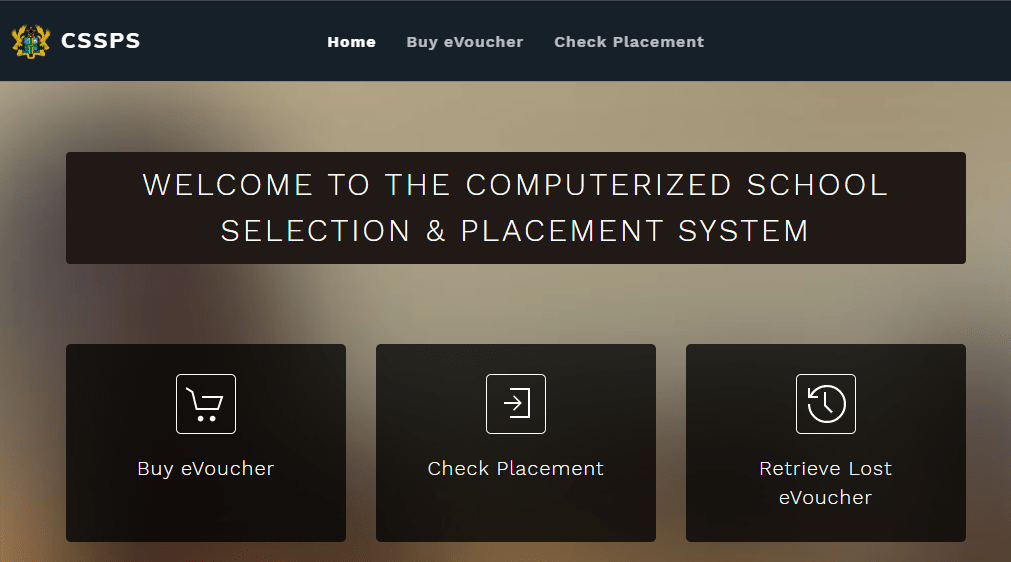
Enter your 10-digits BECE index number followed by the year. eg. 100000000020
Enter the eVoucher Code (12-digits voucher no.)
Click on the Proceed button
Wait for a new window with your School Placement to show up
Print the School Placement you received or save it as PDF to print later
Present it at your given Senior High School.
Please note that it is best to use Google Chrome Browser for the checking of the BECE School Placement. Also, Don’t use Opera Mini at all as it delays the process of showing the results.
What to do when you see error 502 Bad Gateway on CSSPS Website
If you are checking your placement and you see error 502 bad gateway, it means that a lot of people are also checking the result and the system is down as a result of that.
It is not a problem with the eVoucher Code. You will have to wait for a while and then try to check again.
How many times can I use the Placement Checker?
You can use the placement checker an unlimited number of times. This means you can use the same placement checker to check on your phone, and even send it to the cafe to print the placement.
Even if 100 times, you can use the BECE placement checker card to check for the same student.
What to do when you see System Under Maintenance
When you visit the CSSPS website and you see a message like “System Under Maintenance”, don’t panic. It is just because the portal has been closed to load the information of all the students.
That is why you have to buy the placement checker early so when the portal opens again, you can quickly check.
How to get the CSSPS BECE placement forms checker
You can get the BECE Placement Checker form at selected Internet Cafes and bookshops across the country. Beware of scammers too who will only take advantage of you and try to charge you at very low prices, they are not real. Save your money.
You can also dial *899*550# to buy a placement checker now.
Please note that we are receiving a lot of calls so you will have to follow the steps to get your pin from..
Shortcode to check BECE School Placement
In the past, students could send their index number to the shortcode 1060 to check their CSSPS School Placement. However, that method does not work any longer, you might waste your credit when you try it.
CSSPS placement checker
Checking of your CSSPS Ghana results has over the years become an easier task.
Now, the candidates are able to check their results at the comfort of their homes. Not only that, you can check your results regardless of where you are in the world at that moment using your computer.
The Ghana Education Service has given different ways in which you can check your CSSPS placement results. They have outlined two methods of checking your WAEC Ghana placement;
1. You can check your results online using a computer.
2. You can check using Google Chrome Browser on your mobile phone.
How to check BECE Placement Online on a mobile phone or PC
In order for you to check your CSSPS placement online, follow the steps below;
The first step is to ensure you have the placement checker, which we will be selling when it is available.
Ensure that you have access to a computer that has Internet access.
Proceed to enter your BECE index number. It should be 10 digits. And also your year of examination. For example, if your index number is 1234567890 and the year of your examination is 2024, this is what you will input: 123456789020
On your checker, you will get a serial number. Enter the serial number found on top the scratch card in the field designated for it.
Enter your PIN (Personal Identification Number) that will also be found on the scratch card you had purchased.
After you are done, you then click submit. Be patient and wait for the results window to pop up.
If you are successful, the CSSPS placement checker print form option will appear. Click on print to print out your form.
The process is not, however, completely fault-proof.
You might experience some problems when going through this process.
The most common problem is when you submit your details but the system seems not to recognize your details. So when messages like this pop up “Sorry the Index Number, Scratch Card Number/PIN Number does not exist. Please look carefully and retype.
Do not panic you will get the placement form eventually. Try again using the same scratch card. Do not be tempted to buy another scratch card because the fault is not on the scratch card.
Some of the reasons you might be experiencing challenges printing your admission forms include:
Large number: When a lot of people are checking their results on the website, it slows down. Therefore, you shouldn’t panic but just be patient.
Withheld results: You might also experience challenges if your results were received later than others. If the results are withheld, you can get them later so keep checking until you have them.
Why check JHS placement early?
There are several reasons as to why you should try and be the early bird when checking the placement results.
You get to know early the school you have been posted to This will help you plan ahead. Planning ahead is very important because you may have been placed in a school that is far from your home and you will now have to go early and give them your placement form as you get the requirements for joining the school.
What if the school you have been placed in is not to your liking or does not offer the course you want? It is important to know early on if the school they have picked for you is the one you want and if it is not, you can start finding alternative options before it is too late.
What if you feel that they were unfair in the placement late on? This is a very disheartening situation. Checking early will ensure that you are ready for whatever outcome and that you will be able to sort those issues early on.
How to get the CSSPS BECE placement forms checker instantly
Mfidie.com is running a special offer for all those who want the Placement Checker to be sent directly to their phones via SMS or WhatsApp. We are giving out the BECE Placement Checker for just GHS 15.
To get the placement card, you will need to send Mobile Money of GHS 15 and send the name on the Mobile Money you used to send the money to us via WhatsApp.
We will check and send the BECE checker pin to you.
Please note that we are receiving a lot of calls so you will have to follow the steps to get your pin.
The Computerized School Selection & Placement System aims to place BECE candidates who have chosen schools into their choice of Senior High Schools.
Whenever school placements are released, some unfortunate students have to go through a manual process to place themselves in vacant schools.
How the Computerized School Selection & Placement System (CSSPS) Works
The CSSPS works based on data collected from JHS students who have registered for the BECE. The students are allowed to choose 5 different schools that they will like to be placed in.
The Schools are grouped based on categories that have been set by the Ghana Education Service (GES). This is to enable an even distribution of choices and to give “smaller schools” the chance to be selected.
Once the system has this data (selection of schools), the system now uses the BECE results of the candidates to place them.
This is done by using the candidate’s aggregate score from 6 subjects for the selection process. These subjects are the 4 Core (English Language, Mathematics Social Studies, Integrated Science) and the best two elective subjects.
Students are then automatically placed in an SHS on merit, based on their aggregate results, the programmes they chose, vacancies in the chosen SHS, and availability of boarding facilities for those who chose it.
However, oftentimes, some students are not placed at all and this leads to the need for them to do self-placement.
What is Self Placement by CSSPS?
The CSSPS Self Placement Module is a manual method by which BECE Graduates who could not be automatically placed in any of the Senior High Schools of their choice get to choose a school of their own.
Self Placement is very easy and fast once you have the right steps to follow. In this article, we have detailed all steps that all qualified Junior High School (JHS) students who didn’t get any of their 5 chosen schools should follow to get a school.
Who qualifies for self Placement?
Only Students who could not be placed automatically by the CSSPS can take part in the self placement process.
2021 BECE: How to do Self Placement to get a SHS
Time needed: 20 minutes
Here is how to do self-placement for the BECE Placement 2020/21 if you didn’t get a school.
Preparing well and taking the proper steps to ensure that you pass the BECE can be invaluable to your future success in life, but one of the most important factors in being prepared is knowing what exactly will be on the test, as well as how you’ll need to go about answering each question.
Luckily, if you know where to look, there are multiple sources available to you that can help familiarize yourself with both past questions and answers so you can prepare yourself properly.
About BECE Examination
The Basic Education Certificate Examination (BECE) is a national examination in Ghana that is administered by the West African Examination Council with the support of the Ghana Education Service to access basic level final year students who wishes to continue their education to the secondary level.
What you should know about past papers
Past papers are often a go-to resource for students who are looking for questions and answers. They’re also a helpful study tool if you’re taking the exam soon.
Where can I find BECE past questions and answers?
There are several ways one can have access to past BECE questions and answers. With the use of the Internet, there are several websites who boast of assisting students who wish to have access to bece past questions in order to prepare towards the exams.
1. PasscoGH
Passco.com.gh is a web and USSD Portal where students are able to download all PASSCO easily to prepare for exams. They also have popular mocks like best brains and mocks from SHS accross Ghana.
It is usually free to download. You can dial *790*700# to download or visit their website.
2. Question Bank Gh
Question Bank Gh is an online repository of learning resources for BECE and WASSCE candidates in order to better equip them for their final examination. The website contains past exam questions, possible answers and examiners’ review.
The materials in the system were obtained directly from the West African Examinations Council (WAEC) and are therefore authentic in every way. They remain the property of the Council and were compiled with the express consent of the Council.
Questionbankgh is user-friendly and can be accessed through the steps below;
Wordpub BECE download boast of uploading free bece past question pdf for their visitors. All you need to do is to visit their website and glance through for what you wish to download. In no time, you will have a full pdf of past questions and answers at your glance.
For more information and queries, call 0248506613.
There are sseveral apps on Google playstore that updates their system with BECE past questions. Others for free and others too for a fee. Syllabus GH and BECE Passco is an example of such apps.
5. Book shops, tutors and peers
The internet should not be your only source of search for past questions. The old search method of seeking can still be applied. There are several bookshops who has in their possission past questions for final year students and all. Visit any bookshop nearby and make a request. You can also ask from your peers and tutors and a positive results may possibly come out.
Conclusion
Every final year student would want past questions as their study guide. The search for some has now been made easier through the Internet. Load your wallet, pick your phone, and within a short possible time, you can have loads of them of your phone with any of the steps above.
The West Africa Examinations Council will soon release results for all Senior High School Students who participated in the 2023 WASSCE in Ghana.
The WASSCE Provisional Results 2023 will soon be released. Prospective Candidates will then be able to check their results.
In this tutorial, we will teach you how to check your WASSCE results instantly online without the need for a scratch card but by using MoMo. If you need help, call our service center on 0555475811.
How to buy WASSCE Results Checker with Mobile Money and check on Phone
You can easily buy as many WASSCE Result Checkers/PINS as you want via Mobile Money and receive them via SMS instantly.
Kindly follow the steps below to buy your BECE Results Checker and pay with Mobile Money (MTN, AirtelTigo, Vodafone):
Choose the card type you want to buy. eg: WAECDirect Results Checker
Enter the number of cards you want to buy and the amount will be automatically calculated
Click on “Buy Now”
You will be taken to a new screen where you enter your name and phone number (Card details will be sent via SMS to the phone number you enter here)
Click on “Proceed to Payment”
On the next screen, choose Mobile Money and enter your MoMo number. You’ll be sent an OTP to confirm.
Confirm the payment on your phone.
You will instantly receive an SMS with the WASSCE Results Checker PIN and Serial and instructions to check.
How to get your WASSCE Results Checker PIN via WhatsApp
You can get the WASSCE Pin at selected Internet Cafes and bookshops across the country for GHS 18 or GHS 20. Beware of scammers who may say they are selling it cheap. They may only take advantage of you and try to charge you at very low prices.
IKE is running a special offer for all those who want the PIN to be sent directly to their phones via SMS or WhatsApp. He is giving out the WASSCE Pin for just GHS 17.
Just follow the steps below to get your results checker.
Step 1: Send MTN Mobile Money GHS 17 to 0535462067, Subscriber (Isaac)
Step 2: Send the name on your Mobile Money Account you used to send the money or the Merchant’s Name back to 0535462067 through WhatsApp.
Step 3: You will receive the SERIAL and PIN to check your MAY/JUNE 2023 results once the payment is confirmed. It takes 5-10 minutes for us to send the card to you after verifying your payment.
Kindly send a WhatsApp message for further instructions or clarifications.
Note: Not all phone calls can be answered due to the number of people calling. Follow the steps on paying to get the PIN through WhatsApp. Don’t try WhatsApp Calling as that slows the process.
All you need to check your WASSCCE results in 2023 is your PIN which we will provide for you. If you need help, contact our Customer Service on 0555475811.
How to check WASSCE Results 2023 on Phone
Here is how to check WAEC results online. You need to connect your PC or your mobile phone with any internet network connection. Please don’t use Opera Mini for these steps.
Follow the step-by-step instructions given below, if you get stuck, call us on 0555475811 or send a WhatsApp message to IKE on 0535462067 for help or for your PIN (Instructions on that above).
Here are step by step instructions on how to check WASSCE result 2023:
On the next screen, enter your 10 Index Number: Eg: 0070202043
Enter your WAEC exam year of completion. Eg: 2023
Enter the exam type you sat for. Eg: WASSCE School 2023
Now, you will need to enter your 10 Digit Pin here. Enter the secret Pin.
Submit your personal information and patiently wait for your results.
A new screen will pop up confirming your results.
Confirm your WASSCE Results 2023 with a Scratch Card
If you already have a scratch card and would not prefer the PIN Method (which is more convenient), then this is how to use the scratch card to check your results.
The West Africa Examinations Council has released results for all Senior High School Students who participated in the 2022 NOV/DEC. The results were released around 02:57 PM on Friday, 24th February 2023.
The NOV/DEC Results 2022 is now available on the WAEC Eresults Site.
In this tutorial, we will teach you how to check your results instantly online without the need for a scratch card.
How to buy NOV/DEC Results Checker with Shortcode & MoMo
Dial *790*024# on your mobile device (all networks)
Choose NOV/DEC Checker
Confirm price and description and choose option 1
Authorise payment via Mobile Money
You will receive the checker card via SMS. Visit eresults.waecgh.org to check the Nov/Dec results on your phone
How to buy WASSCE Private (NOV/DEC) Result Checker with Mobile Money
If you want to check your WASSCE Private (NOV/DEC) Result Checker, you need to first buy a placement checker from a trusted seller.
Follow the instructions below to buy your Nov/Dec Checker in 1 minute. Contact 0555475811 if you need help.
Choose the card type you want to buy. eg: CSSPS Placement Checker
Enter the number of cards you want to buy and the amount will be automatically calculated
Click on “Buy Now”
You will be taken to a new screen where you enter your name and phone number (Card details will be sent via SMS to the phone number you enter here)
Click on “Proceed to Payment”
On the next screen, choose Mobile Money and enter your MoMo number. You’ll be sent an OTP to confirm.
Confirm the payment on your phone.
You will instantly receive an SMS with the BECE Results Checker PIN and Serial and instructions to check.
How to Check your NOV/DEC Results 2022
If you already have a scratch card and would not prefer the PIN Method (which is more convenient), then this is how to use the scratch card to check your results.
If your child wrote the 2021 Basic Education Certificate Examination (BECE), or you are a teacher with an interest in your pupil’s welfare, then after release of the 2021 BECE results, School Placements is now high on your priority list.
In this article, we will cover all you need to know about the release of the 2021 School Placements via the CSSPS.
A total of 553,408 candidates, including 1,132 private candidates who wrote the BECE and are looking forward to checking their school placements.
School Placement 2022 Release Date
So when will school placement be released? The School placement is expected to be released on Tuesday, 14th February 2023 to enable students to prepare for their entry into SHS.
Once the placements have been released, all students can check their results on the CSSPS Results Check Page.
How to Reserve your SHS/BECE/CSSPS Placement Checker right now
For smart people. When you are among the first to check your placement, you stand a better chance of getting a good school should you do self-placement.
Follow the steps below to secure your placement card, and the card will be sent to you within 30 minutes of releasing the placements. Call 0555475811 if you need any help.
Choose the card type you want to reserve. eg: CSSPS Placement Checker
Enter the number of cards you want to buy and the amount will be automatically calculated. Eg: 1
Click on “Buy Now”
You will be taken to a new screen where you enter your name and phone number (Confirmation of reservation as well as Card details will be sent via SMS to the phone number you enter here)
Click on “Proceed to Payment”
On the next screen, choose Mobile Money and enter your MoMo number. You’ll be sent an OTP to confirm.
Confirm the payment on your phone.
You will receive an SMS confirming you have reserved your Placement Checker. You will also receive your checker one placement has been released.
Why Should you check your School placement early?
There are several reasons why you should try and be the early bird when checking the placement results.
You get to know early the school you have been posted to This will help you plan ahead. Planning ahead is very important because you may have been placed in a school that is far from your home and you will now have to go early and give them your placement form as you get the requirements for joining the school.
What if the school you have been placed in is not to your liking or does not offer the course you want? It is important to know early on if the school they have picked for you is the one you want and if it is not, you can start finding alternative options before it is too late.
What if you feel that they were unfair in the placement late on? This is a very disheartening situation. Checking early will ensure that you are ready for whatever outcome and that you will be able to sort those issues early on.
How to check School Placement Online on a mobile phone or PC
In order for you to check your CSSPS placement online, follow the steps below;
Ensure that you have access to a computer that has Internet access.
Proceed to enter your BECE index number. It should be 10 digits. And also your year of examination. For example, if your index number is 1234567890 and the year of your examination is 2020, this is what you will input: 123456789018.
On your checker, you will get a serial number. Enter the serial number found on top of the scratch card in the field designated for it.
Enter your PIN (Personal Identification Number) that will also be found on the scratch card you had purchased.
After you are done, you then click submit. Be patient and wait for the results window to pop up. If you are successful, the CSSPS placement checker print form option will appear. Click on print to print out your form.
How to do a Self-Placement if you didn’t get an SHS
Here is how to do self-placement for the School Placement 2021/22 if you didn’t get a school.
Choose your desired school, as well as your residential preference (day/boarding).
Confirm and Print changes
What to do when you see error 502 Bad Gateway on CSSPS Website
If you are checking your placement and you see error 502 bad gateway, it means that a lot of people are also checking the result and the system is down as a result of that.
It is not a problem with the eVoucher Code. You will have to wait for a while and then try to check again.
How many times can I use the Placement Checker?
You can use the placement checker an unlimited number of times. This means you can use the same placement checker to check on your phone, and even send it to the cafe to print the placement.
Even if 100 times, you can use the BECE placement checker card to check for the same student.
What to do when you see System Under Maintenance
When you visit the CSSPS website and you see a message like “System Under Maintenance”, don’t panic. It is just because the portal has been closed to load the information of all the students.
That is why you have to buy the placement checker early so when the portal opens again, you can quickly check.

![2024 BECE Results: Release Date, How To Check & More [Full Guide]](https://cms.mfidie.com/wp-content/uploads/2022/01/bece-student-2021-candidate-taking-exam-in-nose-mask.jpeg)










![School Placement 2022: Release Date, How To Check & More [Full Guide]](https://cms.mfidie.com/wp-content/uploads/2022/03/school-placement-ghana-min.jpg)