Category: Education

  • WAEC Releases 2022 WASSCE Results; How To Check Now

    WAEC Releases 2022 WASSCE Results; How To Check Now

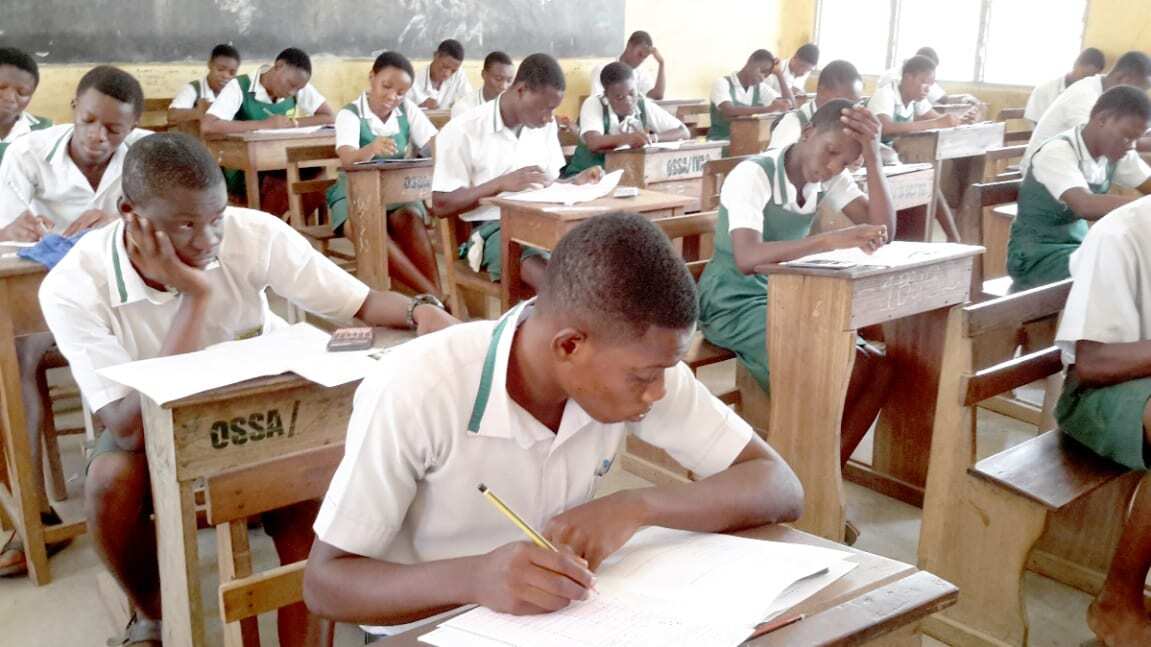
    The West African Examinations Council (WAEC) has released the examination results of candidates who sat for the 2022 West Africa Senior School Certificate Examination (WASSCE).

    WAEC released 2022 WASSCE results at around 07:21 am on Thursday, 1st December 2022. The WASSCE 2022 results release date is finally here and candidates can now check their results.

    It will be recalled that the results, which were scheduled to release earlier could not be released due to some system mishaps which have apparently been solved now.

    The WAEC Result Checker to access the WASSCE School 2022 exam results are available for GHS 17. You can use the checker to access your results on your phone. Read this article for further steps and contact 0555475811 if you need help.

    Shortcode for buying WASSCE Results Checker

    If you want to purchase a results checker for your WASSCE Results, dial *790*024# and follow the prompts to get your checker in just 30 seconds. The old shortcode *9404# does not work

    How to buy WASSCE Results Checker with Mobile Money instantly

    With this method, you get the checker card and instructions to check right after you have paid.

    Kindly follow the steps below to buy your BECE Results Checker and pay with Mobile Money (MTN, AirtelTigo, Vodafone).

    1. Visit fastcheckers.com with your smartphone or PC
    2. Choose the card type you want to buy. eg: WAEC eResults Checker
    3. Enter the number of cards you want to buy and the amount will be automatically calculated
    4. Click on “Buy Now”
    5. You will be taken to a new screen where you enter your name and phone number (Card details will be sent via SMS to the phone number you enter here)
    6. Click on “Proceed to Payment”
    7. On the next screen, choose Mobile Money and enter your MoMo number. You’ll be sent an OTP to confirm.
    8. Confirm the payment on your phone.
    9. You will instantly receive an SMS with the WASSCE Results Checker PIN and Serial and instructions to check.

    You can easily buy as many WASSCE Result Checkers/PINS as you want via Mobile Money and receive them via SMS instantly. Note that if you face any problems, you can call the Results Checker Ghana call centre on 0555475811 and you will be attended to.

    How to get your WASSCE Results Checker PIN via WhatsApp

    IKE is running a special offer for all those who want the PIN to be sent directly to their phones via SMS or WhatsApp. He is giving out the WASSCE Pin for just GHS 17.

    Kindly call us on 0555475811 for help.

    Just follow the steps below to get your results checker.


    Step 1: Send MTN Mobile Money GHS 17 to 0535462067, Subscriber (Isaac)

    Step 2: Send the name on your Mobile Money Account you used to send the money or the Merchant Name back to 0535462067 through WhatsApp.

    Step 3: You will receive the SERIAL and PIN to check your MAY/JUNE 2020 results once the payment is confirmed. It takes 5-10 minutes for us to send the card to you after verifying your payment.

  • How to check WAEC WASSCE Results 2022 | ghana.waecdirect.org

    How to check WAEC WASSCE Results 2022 | ghana.waecdirect.org

    If you are looking for the surest way to check your 2022 WASSCE results, it is through the Ghana WAECDirect Portal. WAEC will soon release the results for the 2022 WASSCE and as such, you will need to check the results as fast as you can.

    Here at Mfidie.com, we advise that you prepare adequately for the results. This means buying the results checker cards as soon as possible and keeping them while also knowing the steps to check the results.

    If you are a parent/guardian, you might need additional information about your ward including their index number and year of completion (most likely 2022).

    In this article, we have broken down everything you need to check the WAEC WASSCE 2022 Results. Do have a read, share, and leave a comment if you have any issues.

    https://mfidie.com/2022-wassce-results-release-date-full-guide/

    What do you need to check WAEC WASSCE Results 2022?

    To check your WASSCE 2022 Results, you need to have the following:

    • Results Checker PIN and Serial, which you can purchase on ResultsChecker Ghana or Simply Dial *790*024#
    • Your Index Number
    • Your Year of Completion
    • A compatible browser on your phone or PC, eg: Google Chrome. Don’t use Safari or Opera Mini

    How to buy WAEC WASSCE Results Checker PIN with Mobile Money

    You can easily buy as many WASSCE Result Checkers/PINS as you want via MoMo and receive them via SMS instantly.

    Kindly follow the steps below to buy your BECE Results Checker and pay with Mobile Money (MTN, AirtelTigo, Vodafone):

    1. Visit fastcheckers.com with your smartphone or PC
    2. Choose the card type you want to buy. eg: WAECDirect Results Checker
    3. Enter the number of cards you want to buy and the amount will be automatically calculated
    4. Click on “Buy Now”
    5. Enter your name and phone number (Card details will be sent via SMS to the phone number you enter here)
    6. Click on “Proceed to Payment”
    7. On the next screen, choose Mobile Money and enter your MoMo number. You’ll be sent an OTP to confirm.
    8. Confirm the payment on your phone.
    9. You will instantly receive an SMS with the WASSCE Results Checker PIN and Serial and instructions to check.

    How To Check 2022 WAEC WASSCE Results – ghana.waecdirect.org

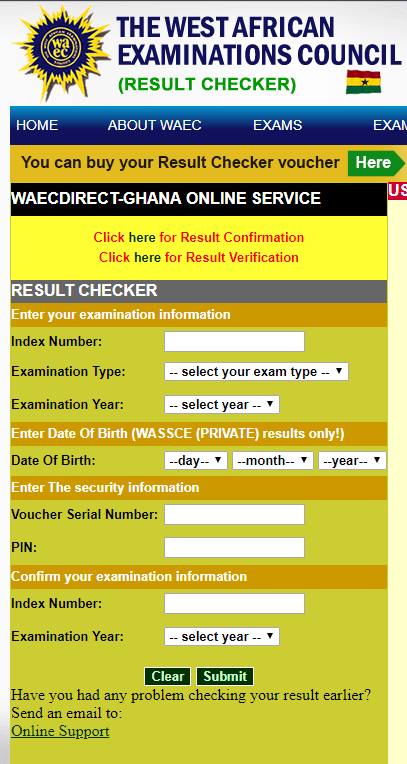
    1. Visit the WAEC WASSCE Result Checker Online Portal via the link: http://ghana.waecdirect.org
    2. Enter your Index Number.
    3. Select the Type of Examination (e.g. WASSCE School).
    4. Select your Examination Year eg. 2022.
    5. Enter the Serial Number found on the Voucher purchased (Starts with WGR)
    6. Enter the 12-digit Personal Identification Number (PIN) on your Voucher eg. 012345678912.
    7. Confirm your Index Number and Examination Year. This is to ensure that your examination information is correct.
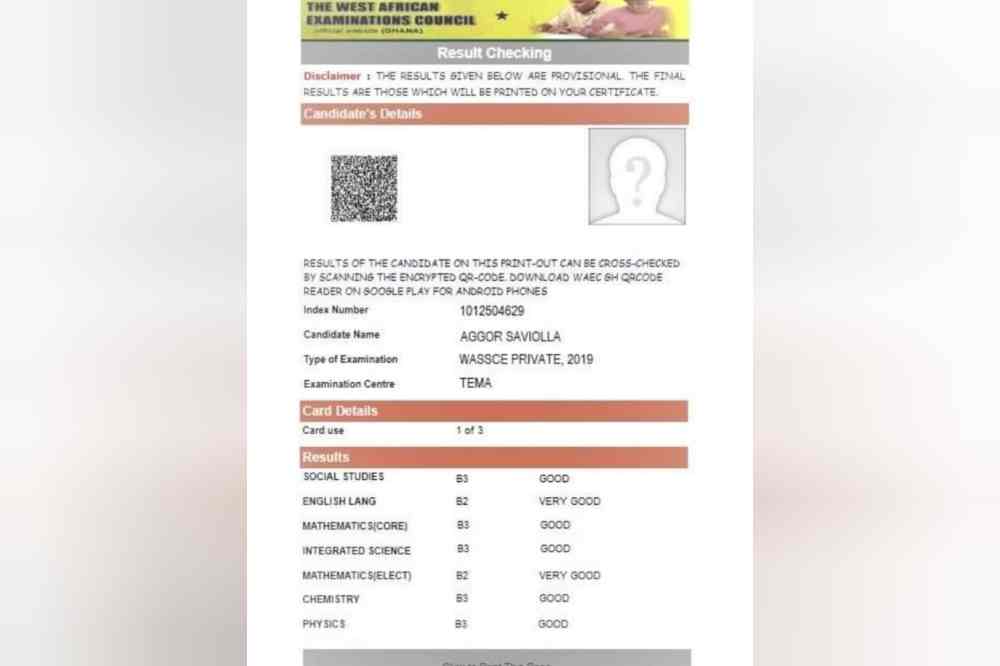
    8. Click on Submit and wait for the display in the popup window. Your results will be displayed in a few seconds.

    WAEC Contact Details

    Head Office

    Kindly share this article with friends and family, you may be helping someone.

  • WASSCE Results Checker 2022: How To Check On Phone with MoMo & Shortcode

    WASSCE Results Checker 2022: How To Check On Phone with MoMo & Shortcode

    The West Africa Examinations Council has now released results for all Senior High School Students who participated in the 2022 WASSCE in Ghana.

    The 2022 option for checking results is now available on the WAEC Ghana site for checking.

    The WASSCE Provisional Results 2022 is not released yet; however, WAEC has said that the 2022 WASSCE results will be released today 30th November 2022. If you want to be reminded when results are released, click here and leave your phone number.

    In this tutorial, we will teach you how to check your WASSCE results instantly online without the need for a scratch card but by using MoMo. If you need help, call our service center on 0555475811.

    https://mfidie.com/2022-wassce-results-release-date-full-guide/

    How to buy WASSCE Results Checker with Mobile Money

    You can easily buy as many WASSCE Result Checkers/PINS as you want via Mobile Money and receive them via SMS instantly.

    Kindly follow the steps below to buy your BECE Results Checker and pay with Mobile Money (MTN, AirtelTigo, Vodafone):

    1. Visit fastcheckers.com with your smartphone or PC
    2. Choose the card type you want to buy. eg: WAECDirect Results Checker
    3. Enter the number of cards you want to buy and the amount will be automatically calculated
    4. Click on “Buy Now”
    5. You will be taken to a new screen where you enter your name and phone number (Card details will be sent via SMS to the phone number you enter here)
    6. Click on “Proceed to Payment”
    7. On the next screen, choose Mobile Money and enter your MoMo number. You’ll be sent an OTP to confirm.
    8. Confirm the payment on your phone.
    9. You will instantly receive an SMS with the WASSCE Results Checker PIN and Serial and instructions to check.

    Code for Checking WASSCE Results on Phone

    If you will prefer to use a shortcode, dial *790*024# to buy a WASSCE results checker and check your results fast. This code has been tested and works all the time.

    How to get your WASSCE Results Checker PIN on WhatsApp with Mobile Money

    You can get the WASSCE Pin at selected Internet Cafes and bookshops across the country for GHS 18 or GHS 20. Beware of scammers who may say they are selling it cheap. They may only take advantage of you and try to charge you very low prices.

    IKE is running a special offer for all those who want the PIN to be sent directly to their phones via SMS or WhatsApp. He is giving out the WASSCE Pin for just GHS 17.

    Kindly call us on 0555475811 for help.

    Just follow the steps below to get your results checker.


    Step 1: Send MTN Mobile Money GHS 17 to 0535462067, Subscriber (Isaac)

    Step 2: Send the name on your Mobile Money Account you used to send the money or the Merchant’s Name back to 0535462067 through WhatsApp.

    Step 3: You will receive the SERIAL and PIN to check your WASSCE MAY/JUNE 2022 results once the payment is confirmed. It takes 5-10 minutes for us to send the card to you after verifying your payment.


    Kindly send a WhatsApp message for further instructions or clarifications.

    Note: Not all phone calls can be answered due to the number of people calling. Follow the steps on paying to get the PIN through WhatsApp. Don’t try WhatsApp Calling as that slows the process.

    All you need to check your WASSCCE results in 2022 is your PIN which we will provide for you. If you need help, contact our Customer Service on 0555475811.

    How to check WASSCE Results 2022 online

    Here is how to check WAEC results online. You need to connect your PC or your mobile phone with any internet network connection. Please don’t use Opera Mini for these steps.

    Follow the step-by-step instructions given below, if you get stuck, call us on 0555475811 or send a WhatsApp message to IKE at 0535462067 for help or for your PIN (Instructions on that above).

    Here is a step by step instruction on how to check WASSCE 2022 Results:

    1. Use any browser, preferably Google Chrome, and visit eresults.waecgh.org or ghana.waecdirect.org (if your card starts with WGR).
    2. On the next screen, enter your 10 Index Number: Eg: 0072302043
    3. Enter your WAEC exam year of completion. Eg: 2022
    4. Enter the exam type you sat for. Eg: WASSCE School 2022
    5. Now, you will need to enter your 10 Digit Pin here. Enter the secret Pin.
    6. Submit your personal information and patiently wait for your results.
    7. A new screen will pop up confirming your results.

    Confirm your WASSCE Results 2022 with a Scratch Card

    If you already have a scratch card and would not prefer the PIN Method (which is more convenient), then this is how to use the scratch card to check your results.

    1. Visit the Waec Result Checker Online Portal via the link below;
      http://ghana.waecdirect.org
    2. Enter your Index Number.
    3. Select the Type of Examination (e.g. WASSCE).
    4. Select your Examination Year eg. 2022.
    5. Enter the Card Serial Number found on the reverse side of your Scratch card.
    6. Enter the 12-digit Personal Identification Number (PIN) on your Scratch card eg. 012345678912.
    7. Confirm your Index Number and Examination Year. This is to ensure that your examination information is correct.
    8. Click on Submit and wait for the display in the popup window. This may take several seconds.

    WAEC Contact Details

    Head Office

    Kindly share this article with friends and family, you may be helping someone.

  • 2022 WASSCE Results: Release Date & How to check [Full Guide]

    2022 WASSCE Results: Release Date & How to check [Full Guide]

    Parents, Teachers, and Students with an interest in the WASSCE Exams organised by WAEC are all looking forward to the release of the 2022 WASSCE Results. Indeed, the results are needed to further education to the tertiary level.

    In this article, we will cover all you need to know about the release of the 2022 WASSCE Results.

    The processes described in this article will help you to overcome stress and check your results with ease when they are released. If you have any questions, you can call the Results Checker Ghana call centre on 0555475811

    Do remember to share this article with your friends as we are dedicated to providing you with the most accurate information.

    Beware of fraudsters who may lie to you that they can upgrade results. Don’t listen to such people.

    WASSCE 2022 Release Date

    So when will the 2022 WASSCE Results be out? The WASSCE Results 2022 will officialy be released on Wednesday, 30th November 2022 by WAEC.

    The official checking site, ghana.waecdirect.org is yet to include 2022 in the years one can check the results, giving the indication that the results are have not yet been uploaded onto the WAEC site.

    WASSCE candidates, therefore, have to prepare by buying their checker cards now, to prevent shortages and pressure when the results are finally released.

    You can dial the shortcode *790*024# on your smartphone to buy the 2022 WASSCE Results Checker.

    How to buy WASSCE Results Checker with Mobile Money instantly

    Gone are the days when people have to move from internet cafe to internet cafe all in search of WAEC Scratch Cards. Now, with innovation, the process is easy and can be completed in just 2 minutes.

    Be careful not to fall prey to fraudsters who might try selling cheap and fake cards to you.

    Kindly follow the steps below to buy your BECE Results Checker and pay with Mobile Money (MTN, AirtelTigo, Vodafone).

    1. Visit fastcheckers.com with your smartphone or PC
    2. Choose the card type you want to buy. eg: WAEC eResults Checker
    3. Enter the number of cards you want to buy and the amount will be automatically calculated
    4. Click on “Buy Now”
    5. You will be taken to a new screen where you enter your name and phone number (Card details will be sent via SMS to the phone number you enter here)
    6. Click on “Proceed to Payment”
    7. On the next screen, choose Mobile Money and enter your MoMo number. You’ll be sent an OTP to confirm.
    8. Confirm the payment on your phone.
    9. You will instantly receive an SMS with the WASSCE Results Checker PIN and Serial and instructions to check.

    You can easily buy as many WASSCE Result Checkers/PINS as you want via Mobile Money and receive them via SMS instantly. Note that if you face any problems, you can call the Results Checker Ghana call centre on 0555475811 and you will be attended to.

    WASSCE Results Checker Shortcode

    The working shortcode to check your 2022 WASSCE Results is *790*024# on all networks.

    How to get your WASSCE Results Checker PIN via WhatsApp, MoMo

    IKE is running a special offer for all those who want the PIN to be sent directly to their phones via WhatsApp. He is giving out the WASSCE Pin for just GHS 17.

    Kindly call us on 0555475811 for help.

    Just follow the steps below to get your results checker.


    Step 1: Send MTN Mobile Money GHS 17 to 0535462067, Subscriber (Isaac)

    Step 2: Send the name on your Mobile Money Account you used to send the money or the Merchant Name back to 0535462067 through WhatsApp.

    Step 3: You will receive the SERIAL and PIN to check your MAY/JUNE 2020 results once the payment is confirmed. It takes 5-10 minutes for us to send the card to you after verifying your payment.


    Kindly send a WhatsApp message for further instructions or clarifications.

    Note: Not all phone calls can be answered due to the number of people calling. Follow the steps on paying to get the PIN through WhatsApp. Don’t try WhatsApp Calling as that slows the process.

    All you need to check your WASSCCE results in 2022 is your PIN which we will provide for you. If you need help, contact our Customer Service on 0555475811.

    How to check WASSCE 2022 Results

    After you have purchased your WASSCE 2022 Pins on fastcheckers.com, follow the steps below to check your results.

    1. Use any browser, preferably Google Chrome, and visit ghana.waecdirect.org if your card starts with WGR; otherwise, use the eresults.waecgh.org portal
    2. On the next screen, enter your 10 Index Number: Eg: 0070498043
    3. Enter your WAEC exam year of completion. Eg: 2022
    4. Enter the exam type you sat for. Eg: WASSCE School 2022
    5. Now, you will need to enter your 10 Digit Pin here. Enter the secret Pin.
    6. Submit your personal information and patiently wait for your results.
    7. A new screen will pop up confirming your results.
    8. You can then save/print the results for further use.

    Official WASSCE Grading System by WAEC

    WAEC has made available the pass marks for WASSCE. To be considered to have passed your exams, you need to score 54% or higher or a numeric value of 6 or better.

    This is because as per WAEC’s new grading system for WASSCE, scoring D7 or below (53% or lower) would not be able to get you into the University. To enter the University in Ghana, you need to score at least 54% on all your papers.

    Find below a table of the WASSCE Grading system by the West African Examination Council:

    PercentageGradeNumeric ValueInterpretation
    75 – 100A11Excellent
    70 – 74B22Very Good
    65 – 69B33Good
    60 – 64C44Credit
    55 – 59C55Credit
    50 – 54C66Credit
    49 – 45D77Pass
    40 – 44E88Pass
    0 – 39F99Fail

    Shops/Outlets to buy WAEC Results Checker from

    If you don’t want to buy the results checker online on fastcheckers.com, you can use the shortcode *790*024# or you can visit any of the locations below for your card.

    Please do your due diligence, not to fall prey to fraudsters.

    WAEC Results Checker Card OutletLocation
    AccraGhana National Office, Examination Loop (Behind Ridge Hospital)
    KumasiWAEC Branch Office, Near Kumasi Technical Institute (KTI)
    SekondiWAEC Branch, Office, Near Regional Administration, Sekondi
    Cape CoastWAEC Branch Office, Adisadel Estate
    KoforiduaWAEC Branch Office, Old Estate Road
    HoWAEC Branch Office, Accra Road (Opposite SCC/Ghana Highways Authority Offices)
    SunyaniWAEC Branch Office, (Behind Ghana Legion and District Assembly Offices)
    TamaleWAEC Branch Office, (Kalpohin Estates)
    BolgatangaWAEC Branch Office, SOE Residential Area (Near Catering Rest House)
    WaWAEC Branch Office, Regional Administration

    WAEC Contact Details

    Head Office

    Conclusion

    Don’t wait till the last minute to scramble to buy a checker card to check your results. The 2022 WASSCE Results will be released anytime soon, and as such, you need to get a checker card.

    Follow the steps outlined above in this article to get a checker from trusted sellers card at a good rate.

  • How to Login & Use University of Ghana STS Portal & More Info

    How to Login & Use University of Ghana STS Portal & More Info

    The platform, which is referred to among students as the STS Portal, is a platform that an individual can use without paying anything provided the individual is a current student at the university. On the STS portal, you can do quite a number of things.

    What is UGSTS

    University of Ghana Students and Staff Service (UG STS) is a portal that provides students with access to their academic records, financial transactions, course registration, exam schedules etc. UGSTS is a centralized self-service portal which facilitates communication between students and faculty members.

    Where can I access UG STS Portal

    UG STS portal can be accessed from anywhere through the use of login credentials, which each and every student or faculty member has been given by the portal’s administrators during the registration process.

    Why you should use UG STS Portal

    Why should you use UG STS? It’s a great resource for students. You can register for classes, make payments, check your grades and much more.

    The first thing you need to do is log into your UGSTS account by clicking here. If you don’t already have an account, then click create an account. Choose a username, pick a password (make sure it’s not too simple), enter your email address, fill in other contact information that’s needed, and agree to our user agreement.

    What are my options to login into UGSTS?
    To login into UGSTS, you have the following options:

    How to sign up for University of Ghana STS Portal

    The first thing you need to do is log into your UGSTS dashboard to be able to access the features. If you don’t already have an account,

    1. Open https://sts.ug.edu.gh/services and click create an account.
    2. Choose a username.
    3. Choose your password (make sure it’s not too simple).
    4. Enter your email address, fill in other contact information that’s needed, and agree to our user agreement.

    How to login to University of Ghana STS Portal

    Now, you have created an account and you need to login to be able to access the dashboard. To log in,

    1. Open your browser and type https://sts.ug.edu.gh/services.
    2. Go to login and then type in your username and password.
    3. Hit on login and if a few minutes, your dashboard will be displayed to you.

    What can I do on the portal once logged in?

    1. Under Course Registration, you can search for courses, add or drop courses, or change your degree program.
    2. Under Course Schedule, you can view a list of all the classes you are enrolled in, their meeting times, and where they will be located.
    3. Under Course Submission, you can upload assignments that are graded by instructors.
    4. Under Examinations, you can view exams that have been scheduled for your class.
    5. Under Grades, you can view your grades, or request a grade change if you believe there was an error made by a faculty member.
    6. Under Progress Reports, you can see what you need to do before graduating from your current program.
    7. On My Academics & Financial Aid page, you can see how much money is owed to the university as well as what scholarships may still be available for you.
    8. On my Student Profile page, you can update information about yourself such as address, email, phone number and password.
  • How to Access and Use UCC E-learning Online Portal

    How to Access and Use UCC E-learning Online Portal

    The management of the University of Cape Coast, Ghana (UCC) as part of methods to help enhance student learning has finally set up an online learning portal for all students.

    The UCC e-learning online portal allows you to access courses and view resources provided by the University. To access the portal, all you need to do is register and login with your UCC email address and password.

    In this guide, we’ll teach you how to access the UCC e-learning online portal.

    What is the UCC e-learning portal?

    The University of Cape Coast, Ghana (UCC) offers a free, easy-to-use website that helps students locate and participate in on campus training opportunities.

    The E-Learning Portal in addition to the schools website will provide basic information about each class, the instructor, the time and location of the course, plus links to all course syllabi. You can also search for the course you want and apply directly.

    How do I access the UCC E-learning portal

    The steps below will guide you on how to access your UCC e-learning portal as a student of the institution. Note that, the platform is gradually getting it maintenance and not yet perfect. For that, we will provide the available steps and if there are more steps later, we won’t hesitate to add. To access the portal:

    1. Visit https://elearning.ucc.edu.gh.
    2. Login with your index number when required. (As a student, you automatically must be able to login with your index number as your username and password). You can later change that.
    3. When you login, you will have a dashboard of options. Access the UCC theoretical courses on the platform.
    4. When you login the portal with MTN or Vodafone network, Internet charges are free. (You can access the platform even with a zero data on MTN and Vodafone).

    What are the steps involved in registering for a course?

    1. On your dashboard, you can search for the name of the course you want to register into your module.
    2. Click on the course after the search and tap on register course.
    3. Incase you are asked for enrollment key, enter the code and if you don’t know, ask your course rep for the code or the course lecturer.
    4. After, you can be able to access all the available materials for the course and will also be able to participate in all activities on the particulsr course.

    What happens after registration?

    • After logging into your dashboard, you will be able to enroll in a variety of courses available from the course library.
    • Each course has a different enrollment key and instructions, so make sure that you select the appropriate course accordingly.
    • You can also submit an assessments and/or presentations that are due throughout the duration of your enrollment.

    Where can I find information on courses?

    Once you register for the course, all needed information will be shown in the course outline and others sides. Be sure to look through the course module for all your answers.

    What should I do if I need help while taking part in an online course?

    If you need help while taking part in an online course, please contact your immediate course rep or the course lecturer for assistance.

    Can anyone take part in a course?

    Not anyone except students of that particular course and students of the University of Cape Coast, Ghana (UCC).

    Conclusion

    In conclusion, the e-learning platform introduction will help UCC students to be more independent and self-sufficient. The system is very user friendly and will helped students manage their time efficiently.

  • TEDxSpintex Event Features 12 Top Mind-blowing Speakers On ‘Mindset’ Happening on August 5th, 2022 – Bright Tenbil

    TEDxSpintex Event Features 12 Top Mind-blowing Speakers On ‘Mindset’ Happening on August 5th, 2022 – Bright Tenbil

    In the spirit of ideas worth sharing, TEDxSpintex will be organizing the rejuvenating TEDx event that seeks to bring people together to share a TED-like experience after 7 years. Individual organizers based on community organize TEDx talks around the world.

    At TEDxSpintex, seeks to drive conversations on ‘MINDSET’. To rethink, learn, unlearn, re-learn experiences in our state as ‘tabula rasa’. The event seeks to delve into topics on art, culture, creativity, activism, governance, social issues, health, finance and education. There would be various activities in the area of creative arts, music, magic, tech metaverse, panel discussions, exhibitions and engagement that is more fascinating.

    This initiative would feature powerful and change-making African as well as global leaders drawn from diverse backgrounds who will speak on issues relevant to African achievement on policy makers, innovative businesses, Diplomacy, fashion, creative art, invention, Diaspora connecting and more as indicated by the Curator; Bright Tenbil. Speakers include, Dentaa Amoateng; CEO of GUBA, Amb. Anne-Sophie; French Ambassador du Ghana, Noel Nii Narku Nortei; Screenwriter, Claudia Lumor; CEO of Glitz Africa, Anthony Dzamefe; Kuukua Eshun; Filmaker, Inventor of Caveman watches, Grace Quarshie; Author, Kobby Kyei; Blogger, Okyeame Kwame; Performing artist, Kobby Andah; MD for Bank of Africa, Moses B. Arthur; An Author and Dr Thomas Mensah; A Famous Inventor.

    The panel discussions also features Vanessa Gyan, A Television Personality, Afia Drah; A Communications Professional, Juanita Naa- Odey Ofori (Dzidudu); A mental Health Advocate, Gifty Oware; Ghana National Service Deputy Director and Lawrence Ameyibor; A Real Estate Investor.

    ‘The speakers were chosen based on innovative ideas to be shared on the theme, and the conversations are mind-blowing’, Bright Tenbil said.

    TedxSpintex would be held on Friday, 5th August, 2022 at the Untamed Empire starting 6pm till 10pm. Attendees and partners can register or visit tedxspintex.com for all enquiries.

    This is a Hyperlink Africa Production.

    About TEDx, x = independently organized event

    In the spirit of ideas worth spreading, TEDx is a program of local, self-organized events that bring people together to share a TED-like experience. At a TEDx event, TED Talks video and live speakers combine to spark deep discussion and connection. These local, self-organized events are branded TEDx, where x = independently organized TED event. The TED Conference provides general guidance for the TEDx program, but individual TEDx events are self-organized. (Subject to certain rules and regulations.)

    About TED

    TED is a nonprofit organization devoted to Ideas Worth Spreading, usually in the form of short, powerful talks (18 minutes or fewer) delivered by today’s leading thinkers and doers. Many of these talks are given at TED’s annual conference in Vancouver, British Columbia, and made available, free, on TED.com. TED speakers have included Bill Gates, Jane Goodall, Elizabeth Gilbert, Sir Richard Branson, Nandan Nilekani, Philippe Starck, Ngozi Okonjo-Iweala, Sal Khan and Daniel Kahneman.

    TED’s open and free initiatives for spreading ideas include TED.com, where new TED Talk videos are posted daily; the TED Translators Program, which provides subtitles and interactive transcripts as well as translations from thousands of volunteers worldwide; the educational initiative TED-Ed; the annual million-dollar TED Prize, which funds exceptional individuals with a “wish,” or idea, to create change in the world; TEDx, which provides licenses to thousands of individuals and groups who host local, self-organized TED-style events around the world; and the TED Fellows program, which selects innovators from around the globe to amplify the impact of their remarkable projects and activities.

    Follow TED on Twitter at http://twitter.com/TEDTalks, on Facebook at http://www.facebook.com/TED or Instagram at https://instagram.com/ted.

  • How to Access and Use KNUST Virtual Classroom

    How to Access and Use KNUST Virtual Classroom

    Accessing the Kwame Nkrumah University of Science and Technology (KNUST) Virtual Classroom (Vclass) system can be quite difficult, especially if you do not know what to expect and what the requirements are. In this guide, I will cover the requirements, how to log in, how to register courses and how to access course materials.

    I hope that this guide will help you if you are looking to get started with KNUST Vclass, or that it can help you improve your current experience if you have already begun using the platform.

    KNUST Virtual Classroom

    The KNUST Virtual Classroom is an online learning platform that provides students with access to course materials, lectures, and other resources.

    Students can login to the Virtual Classroom using their student ID number and password. Once logged in, they can view their courses, participate in discussion forums, submit assignments, and take quizzes.

    The Virtual Classroom is a convenient way for students to learn at their own pace and from anywhere with an internet connection.

    How to access KNUST Virtual Classroom

    The KNUST Virtual Classroom is a web-based learning platform that provides an easy way for students to access their courses and lectures online.

    To access the KNUST Virtual Classroom, simply go to the website and log in with your student ID number and password.

    Once you’re logged in, you’ll be able to see all of your courses and lectures. To start watching a lecture, simply click on the video icon next to the course name.

    How to login KNUST Virtual Classroom

    Logging in the virtual classroom means you also have an account and has passed through the registration process. To login and continue your class;

    • Visit the KNUST Virtual Classroom Portal at https://Vclass.knust.edu.gh
    • Enter your username in the username section. (The one you used to register)
    • Enter your password in the password section. (The one you used to register).
    • Confirm your details and click on Login to access your Vclass dashboard.

    How to sign up to KNUST Virtual Classroom

    If you are reading this, it obviously means you are yet to join the virtual classroom and for that, you first needs to register.

    When you are admitted into the university, you will be given a unique student Username and Student ID by the university to access the Classrom.knust.edu.gh portal.

    If you are a fresh student or a continuous student and still do not have such credentials, you are advised to contact the schools administration for more information on why. Without such credentials, registration into the virtual classroom will be difficult.

    How to enroll in KNUST Virtual Classroom Courses

    If you are a student at KNUST, you can enroll in Virtual Classroom courses by following these steps:

    • Log into your student portal account. (KNUST STUDENT PORTAL).
    • Click on the ‘Courses’ tab.
    • Select the “Virtual Classroom” option from the drop-down menu.
    • Choose the course you want to enroll in and click on the “Enroll” button.

    How to reset your KNUST virtual classroom password

    Resetting yourpassword means your have forgotten your old password and now, you are unable log in your vclass dashboard. To reset your password,

    • Visit the KNUST Virtual Classroom Portal at https://Vclass.knust.edu.gh
    • Locate forgot your username or password section.
    • Enter the email you used in registration and a password reset link will be sent to you.
    • Click on that link in your email box and follow the necessary procedure to reset your password by typing in the new password.
    • Write it somewhere else or use a password you are sure not to forget again.
    • Now, you will be able to login again to your vclass dashboard without any difficulty.

    Conclusion

    The above are procedures on how to access your KNUST virtual classroom dashboard and have access to all the learning materials at your disposal.

    We hope you are now equipped with all the needed steps on how to go by your way in logging in, registering and resetting the password of your virtual classroom portal.

  • Check BECE Placements 2021 Online via Mobile Money; Step by Step

    Check BECE Placements 2021 Online via Mobile Money; Step by Step

    The JHS results were released and the Ministry of Education Ghana has made it possible for candidates who sat for their Basic Education Certificate Examination (BECE) just a few months ago to soon check their placement status.

    You will now know whether the hard work that you put in your studies did pay off as you will be able to know which Senior High School (SHS), Technical Institute, or Vocational Institute you were paced in.

    The 2021 Junior High School BECE will soon be able to check their placements.

    How to buy Placement Checker on Phone with Mobile Money

    If you want to check your CSSPS School Placement, you need to first buy a placement checker from a trusted seller.

    Follow the instructions below to buy your BECE Placement Checker in 1 minute. Contact 0555475811 if you need help.

    1. Visit fastcheckers.com with your smartphone or PC
    2. Choose the card type you want to buy. eg: CSSPS Placement Checker
    3. Enter the number of cards you want to buy and the amount will be automatically calculated
    4. Click on “Buy Now”
    5. You will be taken to a new screen where you enter your name and phone number (Card details will be sent via SMS to the phone number you enter here)
    6. Click on “Proceed to Payment”
    7. On the next screen, choose Mobile Money and enter your MoMo number. You’ll be sent an OTP to confirm.
    8. Confirm the payment on your phone.
    9. You will instantly receive an SMS with the BECE Results Checker PIN and Serial and instructions to check.

    How to get the CSSPS BECE placement forms checker

    You can get the BECE Placement Checker form at selected Internet Cafes and bookshops across the country. Beware of scammers too who will only take advantage of you and try to charge you at very low prices, they are not real. Save your money.

    There is a special offer for all those who want the Placement Checker to be sent directly to their phones via SMS or WhatsApp. They are giving out the BECE Placement Checker for just GHS 15.

    To get the placement card, you will need to send Mobile Money of GHS 15 to 0535462067 and send the name on the Mobile Money you used to send the money to us via WhatsApp.

    There will be a check to see that you have paid and once verified, the BECE Placement checker pin will be sent to you.

    Please note that there are a lot of calls so you will have to follow the steps to get your pin. Line is very busy. Don’t call. Just WhatsApp.

    CSSPS placement checker

    Checking of your CSSPS Ghana results has over the years become an easier task after you buy your placement checker.

    Now, the candidates are able to check their results at the comfort of their homes. Not only that, you can check your results regardless of where you are in the world at that moment using your computer.

    The Ghana Education Service has given different ways in which you can check your CSSPS placement results. They have outlined two methods of checking your WAEC Ghana BECE placement;

    1. You can check your results online using a computer.

    2. You can check using Google Chrome Browser on your mobile phone.

    How to check BECE Placement Online on a mobile phone or PC

    In order for you to check your CSSPS placement online, follow the steps below;

    • The first step is to ensure you have the placement checker, which we will be selling when it is available.
    • Ensure that you have access to a computer that has Internet access.
    • Using your computer, visit the CSSPS result checker online portal at http://www.cssps.gov.gh/
    • Proceed to enter your BECE index number. It should be 10 digits. And also your year of examination. For example, if your index number is 1234567890 and the year of your examination is 2020, this is what you will input: 123456789018.
    • On your checker, you will get a serial number. Enter the serial number found on top the scratch card in the field designated for it.
    • Enter your PIN (Personal Identification Number) that will also be found on the scratch card you had purchased.
    • After you are done, you then click submit. Be patient and wait for the results window to pop up. If you are successful, the CSSPS placement checker print form option will appear. Click on print to print out your form.

    The process is not, however, completely fault-proof.

    You might experience some problems when going through this process.

    The most common problem is when you submit your details but the system seems not to recognize your details. So when messages like this pop up “Sorry the Index Number, Scratch Card Number/PIN Number does not exist. Please look carefully and retype.

    Do not panic you will get the placement form eventually. Try again using the same scratch card. Do not be tempted to buy another scratch card because the fault is not on the scratch card.

    Some of the reasons you might be experiencing challenges printing your admission forms include:

    • Large number: When a lot of people are checking their results on the website, it slows down. Therefore, you shouldn’t panic but just be patient.
    • Withheld results: You might also experience challenges if your results were received later than others. If the results are withheld, you can get them later so keep checking until you have them.

    Why check JHS placement early?

    There are several reasons as to why you should try and be the early bird when checking the placement results.

    • You get to know early the school you have been posted to This will help you plan ahead. Planning ahead is very important because you may have been placed in a school that is far from your home and you will now have to go early and give them your placement form as you get the requirements for joining the school.
    • What if the school you have been placed in is not to your liking or does not offer the course you want? It is important to know early on if the school they have picked for you is the one you want and if it is not, you can start finding alternative options before it is too late.
    • What if you feel that they were unfair in the placement late on? This is a very disheartening situation. Checking early will ensure that you are ready for whatever outcome and that you will be able to sort those issues early on.
  • 2021 SHS & BECE School Placement: Release Date & How to Check

    2021 SHS & BECE School Placement: Release Date & How to Check

    The BECE Results for 2021 JHS Candidates has been released and the Ministry of Education Ghana will soon make it possible for candidates who sat for their Basic Education Certificate Examination (BECE) just a few months ago to check their 2021 BECE School Placement status.

    You will now know whether the hard work that you put into your studies did pay off as you will be able to know which Senior High School (SHS), Technical Institute, or Vocational Institute you were placed in.

    The 2021 Junior High School BECE candidates will then be able to print their CSSPS placement forms that place them in an SHS to attend and send them to the school they have been placed in so they can be admitted on time.

    Life is a continuous learning process, right? A student will tell you that there is no better feeling than completing one stage in your education life. And for the Junior High School Students who sat their exams in 2021, it is time for you to know your fate. Here is how to check CSSPS placement results.

    For inquiries, you can call our call centre on 0555475811 or send us a message via WhatsApp.

    Is the 2021 SHS Placement Checker for BECE Candidates out?

    No, the 2021 Placement Checker is not out. The Placement Checkers to view schools for 2021 BECE will be out after the release of 2021 BECE Results. The results were released on 28th February, so one week after that, the placement is expected to be out on 29th March 2022. Till then, candidates will not be able to check their school placements.

    How to buy your SHS/CSSPS Placement Checker with Mobile Money

    You can easily buy as many Placement Checker Pins as you want via Mobile Money and receive them via SMS instantly.

    Kindly follow the steps below to buy your SHS/CSSPS Placement Checker and pay with Mobile Money (MTN, AirtelTigo, Vodafone):

    1. Visit fastcheckers.com with your smartphone or PC
    2. Choose the card type you want to buy. eg: SHS Placement Checker
    3. Enter the number of cards you want to buy and the amount will be automatically calculated
    4. Click on “Buy Now”
    5. You will be taken to a new screen where you enter your name and phone number (Card details will be sent via SMS to the phone number you enter here)
    6. Click on “Proceed to Payment”
    7. On the next screen, choose Mobile Money and enter your MoMo number. You’ll be sent an OTP to confirm.
    8. Confirm the payment on your phone.
    9. You will instantly receive an SMS with the BECE Results Checker PIN and instructions to check.

    How to buy your BECE Placement Checker Online with Mobile Money & Receive on WhatsApp

    Ike is running a special offer for all those who want the Placement Checker to be sent directly to their phones via SMS or WhatsApp. We are giving out the BECE Placement Checker for just GHS 15.

    Follow the instructions below to get your SHS Placement Checker fast:

    1. Send MTN Mobile Money GHS 15 to 0535462067, Subscriber (Isaac)
    2. Send the name on the Mobile Money Account you used to send the money or the Merchant Name back to 0535462067 through WhatsApp
    3. You will receive the SERIAL and PIN to check your SHS School Placement 2021 once the payment is confirmed. It takes about 5 – 10 minutes to send the card after payment.

    Kindly send a WhatsApp message for further instructions or clarifications.

    How to check your 2021 SHS School Placement Online

    If you have completed your BECE, the next step is to check your SHS School Placement. Here is how to check your SHS School Placement very fast:

    1. Visit the CSSPS SHS Placement Checker Portal
    2. Enter your 10-digits BECE index number followed by the year. eg. 100000000020
    3. Enter the eVoucher Code (12-digits voucher no.)
    4. 
Click on the Proceed button
    5. Wait for a new window with your SHS Placement to show up
    6. Print the School Placement you received or save it as PDF to print later
    7. Present it at your given Senior High School.

    Please note that it is best to use Google Chrome Browser for the checking of the SHS School Placement. Also, Don’t use Opera Mini at all as it delays the process of showing the results.

    What to do when you see error 502 Bad Gateway on CSSPS Website

    If you are checking your placement and you see error 502 bad gateway, it means that a lot of people are also checking the result and the system is down as a result of that.

    It is not a problem with the eVoucher Code. You will have to wait for a while and then try to check again. 

    How many times can I use the Placement Checker?

    You can use the placement checker an unlimited number of times. This means you can use the same placement checker to check on your phone, and even send it to the cafe to print the placement.

    Even if 100 times, you can use the SHS placement checker card to check for the same student.

    What to do when you see System Under Maintenance

    When you visit the CSSPS website and you see a message like “System Under Maintenance”, don’t panic. It is just because the portal has been closed to load the information of all the students.

    That is why you have to buy the placement checker early so when the portal opens again, you can quickly check.

    How to get the CSSPS BECE placement forms checker

    You can get the BECE Placement Checker form at selected Internet Cafes and bookshops across the country. Beware of scammers too who will only take advantage of you and try to charge you at very low prices, they are not real. Save your money.

    According to Mfidie.com, there is a special offer for all those who want the Placement Checker to be sent directly to their phones via SMS or WhatsApp. They are giving out the BECE Placement Checker for just GHS 15.

    Kindly call 0555475811 or send us a message via WhatsApp

    Please note that we are receiving a lot of calls so you will have to follow the steps to get your pin from Sunday evening.

    Shortcode to check BECE/SHS School Placement

    In the past, students could send their index number to the shortcode 1060 to check their CSSPS School Placement. However, that method does not work any longer, you might waste your credit when you try it.

    CSSPS placement checker

    Checking of your CSSPS Ghana results has over the years become an easier task.

    Now, the candidates are able to check their results at the comfort of their homes. Not only that, you can check your results regardless of where you are in the world at that moment using your computer.

    The Ghana Education Service has given different ways in which you can check your CSSPS placement results. They have outlined two methods of checking your WAEC Ghana placement;

    1. You can check your results online using a computer.

    2. You can check using Google Chrome Browser on your mobile phone.

    How to check BECE Placement Online on a mobile phone or PC

    In order for you to check your CSSPS placement online, follow the steps below;

    The first step is to ensure you have the placement checker, which we will be selling when it is available.

    • Ensure that you have access to a computer that has Internet access.
    • Using your computer, visit the CSSPS result checker online portal
    • Proceed to enter your BECE index number. It should be 10 digits. And also your year of examination. For example, if your index number is 1234567890 and the year of your examination is 2021, this is what you will input: 123456789020
    • On your checker, you will get a serial number. Enter the serial number found on top the scratch card in the field designated for it.
    • Enter your PIN (Personal Identification Number) that will also be found on the scratch card you had purchased.
    • After you are done, you then click submit. Be patient and wait for the results window to pop up.
    • If you are successful, the CSSPS placement checker print form option will appear. Click on print to print out your form.

    The process is not, however, completely fault-proof.

    You might experience some problems when going through this process.

    The most common problem is when you submit your details but the system seems not to recognize your details. So when messages like this pop up “Sorry the Index Number, Scratch Card Number/PIN Number does not exist. Please look carefully and retype.

    Do not panic you will get the placement form eventually. Try again using the same scratch card. Do not be tempted to buy another scratch card because the fault is not on the scratch card.

    Some of the reasons you might be experiencing challenges printing your admission forms include:

    • Large number: When a lot of people are checking their results on the website, it slows down. Therefore, you shouldn’t panic but just be patient.
    • Withheld results: You might also experience challenges if your results were received later than others. If the results are withheld, you can get them later so keep checking until you have them.

    Why check SHS placement early?

    There are several reasons to why you should try and be the early bird when checking the placement results.

    • You get to know early the school you have been posted to This will help you plan ahead. Planning ahead is very important because you may have been placed in a school that is far from your home and you will now have to go early and give them your placement form as you get the requirements for joining the school.
    • What if the school you have been placed in is not to your liking or does not offer the course you want? It is important to know early on if the school they have picked for you is the one you want and if it is not, you can start finding alternative options before it is too late.
    • What if you feel that they were unfair in the placement late on? This is a very disheartening situation. Checking early will ensure that you are ready for whatever outcome and that you will be able to sort those issues early on.

    How to get the CSSPS BECE placement forms checker instantly

    Mfidie.com is running a special offer for all those who want the Placement Checker to be sent directly to their phones via SMS or WhatsApp. We are giving out the BECE Placement Checker for just GHS 15.

    To get the placement card, you will need to send Mobile Money of GHS 15 and send the name on the Mobile Money you used to send the money to us via WhatsApp.

    We will check and send the BECE checker pin to you.

    Please note that we are receiving a lot of calls so you will have to follow the steps to get your pin.