Category: Education

  • IPMC Ghana: Admission, Courses, Fees, and More

    IPMC Ghana: Admission, Courses, Fees, and More

    Education, they say is the key to success but over the years, the number of unemployed graduates in Ghana keeps on increasing. This could be attributed to several factors and one of them includes the lack of practical education in some of the public and private universities and tertiary institutions across the country.

    Due to the introduction of technology and its global advancement, the need for quality and practical ICT education has become very necessary. In Ghana, IPMC is a leading name when it comes to the study of quality and highly practical technology-related courses/programmes.

    IPMC which stands for Intercom Programming and Manufacturing Company has existed for over a quarter a decade (25 years) and has during this period imparted knowledge to many Ghanaians across all the tech fields. IPMC has over the years partnered with some of the leading companies in the tech space like Oracle, Microsoft, Pearson, Lenovo, Huawei, CISCO, Citrix, DELL Technologies, Hewlett Packard Enterprise, IBM, ETC.

    Through these partnerships, IPMC has brought its students closer to achieving their goals by providing them with hands-on experience with some of the tools they will use when working after school. This is exactly what makes IPMC Ghana stand out from the rest.

    This article is going to show you everything you need to know about IPMC Ghana, their admission process, courses, fees, and everything else you need to know before considering IPMC Ghana for your studies.

    IPMC Ghana Courses

    As an educational institution in Ghana, IPMC has a wide range of courses to suit the needs of varying students and professionals who want to perfect their skillset. These courses are classified under categories so, read through each category to locate the course of your choice.

    IPMC Ghana Corporate Course

    This category of courses is meant for professionals who would like to enhance their skills by upgrading what they know already with the latest trends and practices. Choosing a course under this category will help you get the promotion you deserve at your workplace and help you ascend in your career. The available courses are:

    • Artificial Intelligence and Machine Learning
    • Cyber Security
    • Project Management
    • Big Data

    IPMC Ghana Professional Courses

    This category is an umbrella category that comprises sub-categories. These courses range from certificates, short courses to diploma courses. This category of courses gives the student a broader perspective of the respective course and what it entails in detail. The available sub-categories and their respective courses are:

    IPMC Ghana Certificate Courses

    • Certificate in Database Technology
    • Certificate in System Engineering
    • Certificate in Software Engineering
    • Certificate in Graphic Designing and Web Development

    IPMC Ghana Diploma Courses

    • Diploma in Database Technology
    • Diploma in System Engineering
    • Diploma in Software Engineering
    • Diploma in Graphic Designing and Web Development

    IPMC Ghana Short Courses

    • Accounting with IT
    • Artificial Intelligence and Machine Learning
    • Big Data Analytics
    • MS Office for Business
    • Digital Marketing
    • Cyber Security
    • Software Programming

    IPMC Ghana Undergraduate Courses

    Just as the name suggests, this category of courses will lead to the award of a degree by IPMC Ghana. Unlike some of the other tertiary institutions, this degree comprises both theory and practical. There are two main subcategories, the study abroad program and the degree programme from the UK.

    Under the Study Abroad programme, students will get the chance to go and study in India at the Lovely Professional University (LPU). All you have to do is to choose a programme and then contact IPMC for guidance.

    With the UK undergraduate courses, students will be taught in Ghana, but the certificate is the same as the one offered in the United Kingdom (UK). The available courses are:

    • Bachelor of Science in Business Computing and Information Studies
    • Bachelor of Science in Computing
    • Level 4 Diploma in Business (L4DB)
    • Level 5 Diploma in Business (L5DB)
    • Level 3 Diploma in Computing (L3DC)
    • Level 4 Diploma in Computing (L4DC)
    • Level 5 Diploma in Computing (L5DC)
    • Level 4 Diploma in Business Information Technology (L4DBIT)
    • Level 5 Diploma in Business Information Technology (L5DBIT)

    IPMC Ghana Fees

    Since the fees keep on changing from time to time, in order to know the fees you will pay for your programme, you have to contact IPMC Ghana via phone at +233(0)55-555-2222 or via email at [email protected] or you can visit any of the branches located nationwide.

    IPMC Ghana Admission

    Before you can enroll in IPMC for your studies, you must apply on the school’s website. To apply for admissions, follow the steps below:

    1. Visit the IPMCtraining.com
    2. Select Apply Online
    3. Enter your first name, last name, nationality, mailing address, date or birth, mobile number, alternate mobile number, email address, and preferred centre in the spaces provided
    4. Under Educational Qualifications, under your Highest qualification, and professional experience (if any)
    5. Finally, enter the name of the course you wish to study in the space provided under Course Title and click Submit once you are done

    Conclusion

    Technology is gradually taking over the world and some time to come, people with little or no education in technology will be at a disadvantage. Therefore, getting a certificate of education in technology at this time will be very beneficial soon.

    Employers all over the world are recruiting people with at least a background in any of the technology fields. Read through this guide and select the programme that suits your preference and passion and once you are able to complete it successfully, you will come back and thank me.

    Is IPMC a university?

    IPMC is not necessarily a university, it is a tertiary institution that offers several courses some of which lead to the award of a degree. Therefore, it is preferable that you refer to IPMC as a tertiary institution rather than a university.

    Is IPMC certificate accredited in Ghana?

    The certificate awarded by IPMC can be used to get a job in Ghana or to further your studies. But IPMC is not accredited in Ghana, instead, it is an accredited partner of NCC Education which has its headquarters in the UK but has over 360 accredited partners across 50 countries in the world.

    Does IPMC offer cybersecurity?

    Yes, the Cybersecurity course can be found under the corporate and short courses categories offered at IPMC. Thus, if you would like to study Cybersecurity, IPMC is a good choice for you.

  • How to Access UPSA Virtual Online Learning Platform

    How to Access UPSA Virtual Online Learning Platform

    The University of Professional Studies, Accra (UPSA) which was formerly known as the Institute of Professional Studies (IPS) is one of the biggest universities in Ghana. During the COVID-19 pandemic which led to the closure of schools and other institutions, the University of Professional Studies, Accra (UPSA) launched its virtual online learning platform.

    Since all schools were shut down, UPSA which is a university had to launch an online learning platform for its students (i.e., undergraduates and postgraduates). This platform came as a good intervention because it enabled UPSA to continue its academic semester from home without any interruption from the COVID-19 pandemic.

    Even after the president announced the lifting of the ban on the closure of schools, the University of Professional Studies, Accra (UPSA) have been using the virtual online learning platform to help reduce the number of students who attend lectures, i.e., whiles others are in school going for face-to-face lectures, the rest are at home doing virtual studies.

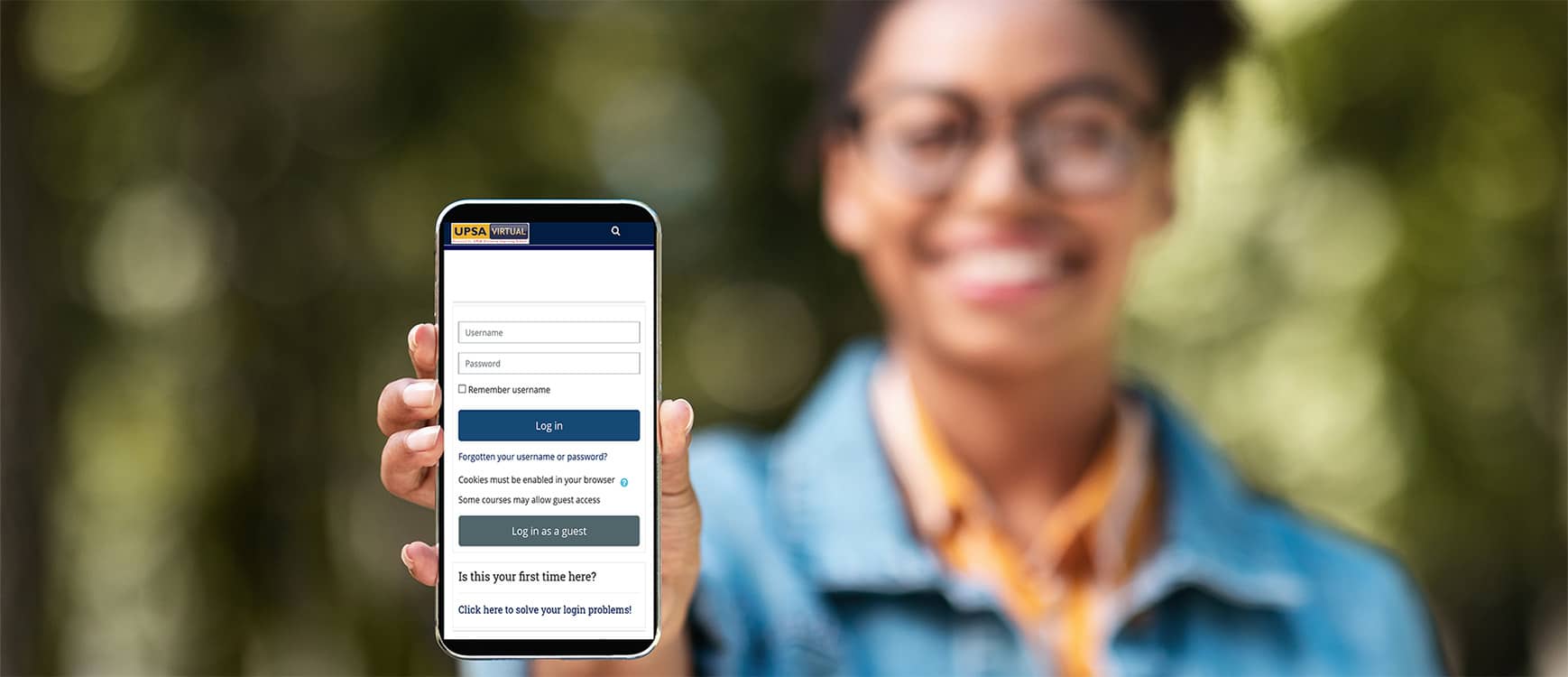
    Because the University of Professional Studies, Accra (UPSA) is known for using its virtual online learning platform mostly, there’s been the need to learn how to go about accessing it. Therefore, this article is going to show you how to access the UPSA virtual online learning platform.

    How To Access UPSA Virtual Online Learning Platform

    1. Open a browser and enter join.upsavirtual.site
    2. Enter your student Index Number as your Username and Google1 as password
    3. Once you log in, you are required to change your password
    4. Enter a new password (either than Google 1) to proceed
    5. Click on courses from the drop-down list under the Navigation button on the left side of the screen
    6. Click on Undergraduate Programmes or otherwiseand select the category of your program (i.e., Bachelor or Diploma) if applicable
    7. Select your current level (100, 200, 300, or 400) if applicable
    8. Click on any of the course codes to display the content under the course. E.g., ACTU 204 to open Introduction to Statistical Computing
    9. Next, enter the Enrolment Key already provided by the respective course instructor or lecturer to gain access to the contents and resources
    10. Finally, you can download or view the resources provided in the course

    How To Reset Your UPSA Virtual Online Learning Platform Password

    Since we are all human beings, there is a chance that you might forget your password at some point in time. When that happens, then there is the need for you to reset your password and in order to do that, follow the steps below.

    1. Open a browser and type join.upsavirtual.site
    2. Click on Forgotten username or password
    3. Enter your student index number or student email address in the spaces provided for username and email address respectively
    4. Check your student email for a password reset link from the UPSA E-learning platform. This email has the subject UPSA E-Learning Platform: Password reset request
    5. Read the email and follow the instructions to reset your password

    Important Things to Note About the UPSA Online Virtual Learning Platform

    Before you access the UPSA online virtual learning platform, there are some important things you need to note before you get started.

    • Make sure you have successfully registered for all your courses for the semester. Only courses that have been successfully registered will be shown in the course lists
    • Make sure to activate your UPSAmail before you use the virtual learning platform. This is because all relevant information and links will be sent to your UPSAmail
    • While logging into your account, if you see Invalid login, it means either your student index number or password is incorrect. If you enter your username and password and you still get the error message, then you must change your password.

    Conclusion

    Looking at how new variants of the COVID-19 virus are being reported on a regular basis, it is evident that COVID has come to stay and so we must be ready for whatever it brings; and one of the things that it has brought is the full utilization of virtual learning platforms.

    Thus, there is a need for Ghanaians and people living in the country to learn how to make the most out of virtual learning platforms. UPSA students and prospective UPSA students need to learn how to access the virtual online learning platform and this article has done due diligence.

    In conclusion, aside from the course contents on the virtual learning platform, students can also access the University Library virtually by clicking on the Joshua Alabi Library Online button when they log on to the virtual online learning platform.

  • Ghana Tech Lab: Training Programmes & How To Apply

    Ghana Tech Lab: Training Programmes & How To Apply

    Located in the Western Part of Africa, Ghana is one of the largest African countries with some of the best technological advancements (I stand to be corrected). Although the country is still not ranked among the top technologically advanced countries, it is gradually developing and can someday be ranked among these countries.

    One thing almost all these top-ranked technologically advanced countries have in common is the widespread and easy accessibility to some of the digital and tech skills. Some of these tech skills include digital marketing, website development, content writing, content marketing, etc.

    In Ghana, one of the institutions that has devoted its time and resources to make sure these digital skills are accessible and available to every Ghanaian and that startups are also guided on the right part is the Ghana Tech Lab. In this guide, I am going to show you everything you need to know about the Ghana Tech Lab, their training programs, and how to apply.

    What is Ghana Tech Lab?

    Ghana Tech Lab is an open collaboration tech space for competent digital skills training, seeding innovations, and growing startups. Ghana Tech Lab is a joint venture between Innohub Ghana and Kumasi Hive under the E-Transform Project of the Ministry of Communications and funded by the World Bank.

    All the programs provided by the Ghana Tech Lab focuses on providing a fertile farm for innovative promising startups in Africa, early-stage investments for promising startups in Africa, and the provision of competent digital training that impels the creation of a highly-skilled digital workforce/human capital.

    The goal of the Ghana Tech Lab is to become the platform for digital innovations in Africa and beyond. The programs and curriculum are designed to make your idea a product/solution that addresses a situation in society.

    Over the years, over 6019 people have been trained across Ghana, 619 jobs created, 78 startups incubated, and 32432 overall applications.

    Let’s now look at the various training programs available and how to apply.

    Ghana Tech Lab Training Programmes

    Currently, the Ghana Tech Lab provides two (2) main broad categories of training programs. They are classified as Base and Non-Base programs. the Non-Base programs are organized once in a while and therefore cannot be explained in detail but below are all the base programs and their explanations.

    National Web Development Training

    The National Web Development Training programme provided by the Ghana Tech Lab focuses on providing young people between the ages of 18 – 35 with hands-on skills in Web Technology and experiences that are relevant to them starting their own startups or securing a job. Some of the modules in this course include:

    • Full-stack Web development course
    • Advanced UI/UX course
    • Introduction to Mobile app development, etc.

    These and many others are some of the courses you will learn during this program. Therefore, if you have dreams of pursuing web development then this course is good for you.

    National Artificial Intelligence Training

    Artificial Intelligence (AI) is gradually changing the world and how technology is evolving and we as individuals must also be ready for it. Ghana Tech Lab’s Artificial Intelligence training programme is designed to enable start-up companies to build profitable businesses and scale them across Africa using modern AI technology tools and business strategies.

    This programme includes a six-week intensive AI training and two months incubation. This training lasts for a duration of three months and will train and incubate the next level of AI innovators and businesses in Africa.

    National Mobile App Development Training

    Just as the name suggests, the National Mobile App Development Training programme trains young people with enhanced training in mobile app development. With the training provided during this programme, you will be able to practically solve some of the basic problems in society through the development of mobile apps.

    This course will provide you with one-month training and two months incubation making sure trainees are provided with all the skills they need to start, build, and maintain their own companies or start-ups.

    National Digital Media Training

    The Ghana Tech Lab National Digital Media Training programme is a flagship program designed to provide young people with relevant media skills needed to promote entrepreneurship under the pathway to sustainable employment. This serves as a building block for the digital skills training and development of startups.

    National Mobile App Development Training with Flutter

    With this training programme, young entrepreneurs are trained in mobile app development with google Flutter. Upon completion of the three (3) months course duration, which consists of one-month training and two (2) months incubation, you will be fully equipped with both the tech and entrepreneurship skills needed to advance in your career.

    How To Apply For Ghana Tech Lab

    1. Visit application.ghanatechlab.com
    2. Enter your first, middle (if any), and last names in the spaces provided
    3. Select your Gender
    4. Enter your email address and select your nationality
    5. Enter your date of birth, city, and phone number in the provided spaces
    6. Select your region of residence and type of identification
    7. Enter the identification number on your ID card
    8. Click Save & Continue
    9. Follow the screen prompts to select all the things that apply to you and submit your application afterward

    Conclusion

    Ghana Tech Lab is on a mission to help improve the level of technology literacy in Ghana through different programs and courses. Apart from the training courses, they also provide webinars and community engagements on social media as well.

    You can contact them on +233 548 983 036 or via email at [email protected]. Additionally, you can follow them on all the social media platforms, i.e., Facebook, Instagram, and Twitter.

  • Liberalize mobile phone usage in Ghana’s secondary schools to accelerate Ghana’s digitization drive

    Liberalize mobile phone usage in Ghana’s secondary schools to accelerate Ghana’s digitization drive

    In the last quarter of 2021, the Bank of Ghana announced that plans are far advanced to introduce e-cedi, a proposed digital currency that will enable people to transact business without needing any form of connectivity. This implies users of the proposed new e-cedi will be able to transact businesses offline without needing power or any form of connectivity.

    It wasn’t long ago when Mahammadu Bawumia, vice president of the Republic of Ghana delivered the “digital speech” at the University of Ashesi in Ghana. During the speech, the vice president discussed the government’s policies to digitize the economy of Ghana. For example, the vice president mentioned the digital address system, the online passport application system, and the cashless system through the mobile banking system.

    Apart from the points discussed above, the vice president, cabinet ministers and government communicators have on a number of platforms, discussed how government policies toward education especially, in the second cycle institutions. For example, the introduction of Wi-Fi to both secondary schools and tertiary institutions across Ghana.

    Recently, the government added one laptop per teacher policy. This and many other policies from past and present government indicates that Ghana’s leading in digital technology within the West African subregion.

    It’s instructive to note that are these are great. However, they are likely to fail if we do not realign them to include the youth, particularly those in the second cycle institutions. “Transforming Economy Through Digitalization: The Ghana Story” is a power narrative that should involve the youths of the country.

    However, the current Ghana Education Service policy does not allow students in secondary institutions to use mobile phones, a policy which is afront to the government’s effort to digitize the economy.

    The government introduced WIFI’s to most of the senior high schools in Ghana, yet the current policy does not allow them to use mobile phones.

    As of January 2021, there were 16 million internet users. Out of this, approximately 9 million of them use social media.

    Between 2020 and 2021, the number of mobile connections in Ghana increased by 3.1 million (+8.1%]. This implies that more people including those in senior high schools have gained access to the world wide web.

    There are computer labs in almost in every public secondary school in Ghana. The reality is that these labs are ill-equipped to serve students and teachers.

    At the Wesley Grammar School in Dansoman, we had a computer lab, but this lab was ill-equipped; 1/3 of the desktops were broken, leaving a fraction of them to function. To ensure a student didn’t miss any of the teachings, computer class lessons were divided to allow us to practice in badges.

    How can we achieve digitization if the youths are not resourced to take part in the digitization process? To me, introducing Wi-Fi in secondary schools without adequate computers is a recipe for disaster. Per my experience, only a handful of people especially teachers who are given free governments laptop would benefit from the current Wi-Fi policy.

    In African, our grandfathers will pass knowledge to us by teaching us the trade and giving us the resources so that we can function if they no longer live with us.

    Vice president Mahammadu Bawumia said, and I paraphrased “there is a body of empirical evidence on how digitization leads to job creation and other opportunities.”

    Aggor, Tchao, Keelson, and Diawuo examined mobile phone usage and its impact on senior high school and technical students in Nkurenza in Ghana. The findings reveal that the use of mobile phone in the Ghana educational systems will have a positive impact on the teaching and learning process.

    This and many independent private studies reveal positive attributes to mobile usage in educational systems. Though there are concerns that mobile phones can distract students from learning. These are legitimate but not enough to deny students the opportunity to participate in the digitization drive since there’s an alternative to not having enough computers for study.

    Mobile usage is on rise in Ghana. Allowing students to use mobile phones in secondary schools will accelerate government’s digitization policy. If not, knowledge cannot be passed on to the younger generation.

    I am John Intifunie Nsaman, a data scientist, policy research analyst, and the founder of Joloman.com. My email address is: [email protected]

    I hold a bachelor’s degree in sociology and geography from the University of Cape, Ghana. Also, I graduated from the Clinton School of Public Service, and I am currently studying MSc in Business Information Systems and Analytics at the University of Arkansas at Little Rock.

    My interest includes technology, entrepreneurship, and blogging.

  • What to do when WAEC Site Says: “504 Gateway Time-out”

    What to do when WAEC Site Says: “504 Gateway Time-out”

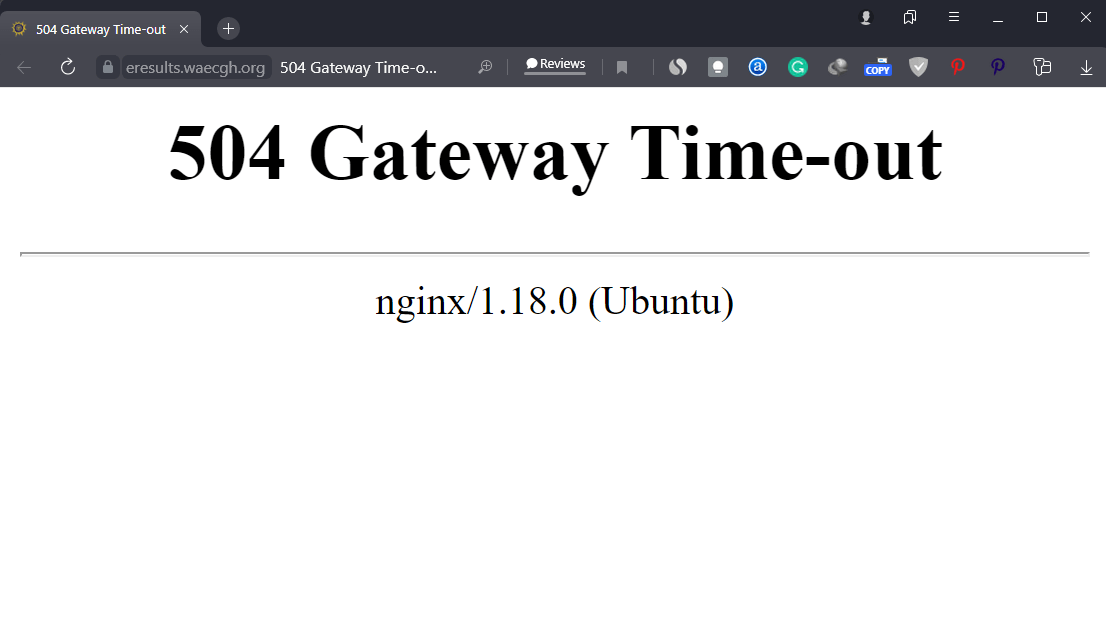
    If you are trying to check your WASSCE Results but the system keeps saying there is a 504 Gateway Time-out, it just means that the system is down.

    Just like any other system, a lot of pressure can cause the system to go down when there is a lot of pressure on it. Some websites prepare for this by increasing their server capacity but that is not always the case.

    If you are trying to check your results and the WAEC eresults.waecgh,org site is slow or not working, follow the steps we have shared in this article.

    WASSCE 2021 Release Date

    The WASSCE Results 2021 was officially released at 09:21 am on Wednesday, 8th December 2021 by WAEC.

    This is because, the official checking site, ghana.waecdirect.org has already included 2021 in the years one can check the results, giving the indication that the results are already been uploaded onto the WAEC site.

    WASSCE candidates, therefore, have to prepare by buying their checker cards now, to prevent shortages and pressure when the results are finally released.

    What To Do When WAEC Site is Slow or Says: “504 Gateway Time-Out”

    Here are some things to do when the WAEC eResults site is not loading for you.

    Relax and Check later

    Although you might be anxious to check your results, you should relax and check later. This is because, if you keep “forcing” to check, you might end up “using your card” more than 3 times without even seeing the results.

    Make sure you wait for the page to load

    If you have already entered your result details and yet the page is keeping long to load, kindly wait till the page loads and you will get your results. Always remember to use a compatible browser like the Google Chrome Browser

    Early mornings and late evenings are best

    Early in the morning and very late at night are times you can be sure to check your results successfully. Also, the first day where the results are released is usually problematic. If you have patience, you can just check the next day or after two days.

    How to buy WAEC Results Checker with Mobile Money instantly

    Gone are the days when people have to move from internet cafe to internet cafe all in search of WAEC Scratch Cards. Now, with innovation, the process is easy and can be completed in just 2 minutes.

    Be careful not to fall prey to fraudsters who might try selling cheap and fake cards to you.

    Kindly follow the steps below to buy your BECE Results Checker and pay with Mobile Money (MTN, AirtelTigo, Vodafone).

    1. Visit fastcheckers.com with your smartphone or PC
    2. Choose the card type you want to buy. eg: WAEC eResults Checker
    3. Enter the number of cards you want to buy and the amount will be automatically calculated
    4. Click on “Buy Now”
    5. You will be taken to a new screen where you enter your name and phone number (Card details will be sent via SMS to the phone number you enter here)
    6. Click on “Proceed to Payment”
    7. On the next screen, choose Mobile Money and enter your MoMo number. You’ll be sent an OTP to confirm.
    8. Confirm the payment on your phone.
    9. You will instantly receive an SMS with the WASSCE Results Checker PIN and Serial and instructions to check.

    You can easily buy as many WASSCE Result Checkers/PINS as you want via Mobile Money and receive them via SMS instantly. Note that if you face any problems, you can call the Results Checker Ghana call centre on 0555475811 and you will be attended to.

    WAEC Contact Details

    Head Office

  • WAEC Releases 2021 WASSCE Results; How To Check Now

    WAEC Releases 2021 WASSCE Results; How To Check Now

    The West African Examinations Council (WAEC) has released the examination results of candidates who sat for the 2021 West Africa Senior School Certificate Examination (WASSCE).

    WAEC released 2021 WASSCE results at around 09:21 am on Wednesday, 8th December 2021. The WASSCE 2021 results release date is finally here and candidates can now check their results.

    It will be recalled that the results, which were scheduled to release earlier could not be released due to some system mishaps which have apparently been solved now.

    The WAEC Result Checker to access the WASSCE School 2021 exams results are available for GHS 17. You can use the checker to access your results on your phone. Read this article for further steps and contact 0555475811 if you need help.

    How to buy WASSCE Results Checker with Mobile Money instantly

    With this method, you get the checker card and instructions to check right after you have paid.

    Kindly follow the steps below to buy your BECE Results Checker and pay with Mobile Money (MTN, AirtelTigo, Vodafone).

    1. Visit fastcheckers.com with your smartphone or PC
    2. Choose the card type you want to buy. eg: WAEC eResults Checker
    3. Enter the number of cards you want to buy and the amount will be automatically calculated
    4. Click on “Buy Now”
    5. You will be taken to a new screen where you enter your name and phone number (Card details will be sent via SMS to the phone number you enter here)
    6. Click on “Proceed to Payment”
    7. On the next screen, choose Mobile Money and enter your MoMo number. You’ll be sent an OTP to confirm.
    8. Confirm the payment on your phone.
    9. You will instantly receive an SMS with the WASSCE Results Checker PIN and Serial and instructions to check.

    You can easily buy as many WASSCE Result Checkers/PINS as you want via Mobile Money and receive them via SMS instantly. Note that if you face any problems, you can call the Results Checker Ghana call centre on 0555475811 and you will be attended to.

    How to get your WASSCE Results Checker PIN via WhatsApp

    IKE is running a special offer for all those who want the PIN to be sent directly to their phones via SMS or WhatsApp. He is giving out the WASSCE Pin for just GHS 17.

    Kindly call us on 0555475811 for help.

    Just follow the steps below to get your results checker.


    Step 1: Send MTN Mobile Money GHS 17 to 0535462067, Subscriber (Isaac)

    Step 2: Send the name on your Mobile Money Account you used to send the money or the Merchant Name back to 0535462067 through WhatsApp.

    Step 3: You will receive the SERIAL and PIN to check your MAY/JUNE 2020 results once the payment is confirmed. It takes 5-10 minutes for us to send the card to you after verifying your payment.


    Kindly send a WhatsApp message for further instructions or clarifications.

    Note: Not all phone calls can be answered due to the number of people calling. Follow the steps on paying to get the PIN through WhatsApp. Don’t try WhatsApp Calling as that slows the process.

    All you need to check your WASSCCE results in 2020 is your PIN which we will provide for you. If you need help, contact our Customer Service on 0555475811.

    Below is a photo showing the 2021 WASSCE Performance of candidates.

    How to check WASSCE Results 2021 online

    Here is how to check WAEC results online. You need to connect your PC or your mobile phone with any internet network connection. Please don’t use Opera Mini for these steps.

    Follow the step-by-step instructions given below, if you get stuck, call us on 0555475811 or send a WhatsApp message to IKE on 0535462067 for help or for your PIN (Instructions on that above).

    Here is a step by step instructions on how to check WASSCE result 2021:

    1. Use any browser, preferably Google Chrome, and visit eresults.waecgh.org
    2. On the next screen, enter your 10 Index Number: Eg: 0070202043
    3. Enter your WAEC exam year of completion. Eg: 2020
    4. Enter the exam type you sat for. Eg: WASSCE School 2021
    5. Now, you will need to enter your 10 Digit Pin here. Enter the secret Pin.
    6. Submit your personal information and patiently wait for your results.
    7. A new screen will pop up confirming your results.

    For those interested, here is a full press release of the release of the WASSCE 2021 Results:

  • How to check WAEC WASSCE Results 2021 | ghana.waecdirect.org

    How to check WAEC WASSCE Results 2021 | ghana.waecdirect.org

    If you are looking for the surest way to check your 2021 WASSCE results, it is through the Ghana WAECDirect Portal. WAEC will soon release the results for the 2021 WASSCE and as such, you will need to check the results as fast as you can.

    Here at Mfidie.com, we advise that you prepare adequately for the results. This means buying the results checker cards as soon as possible and keeping them while also knowing the steps to check the results.

    If you are a parent/guardian, you might need additional information about your ward including their index number and year of completion (most likely 2021).

    https://mfidie.com/2021-wassce-results-release-date-guide/

    In this article, we have broken down everything you need to check the WAEC WASSCE 2021 Results. Do have a read, share, and leave a comment if you have any issues.

    What do you need to check WAEC WASSCE Results 2021?

    To check your WASSCE 2021 Results, you need to have the following:

    • Results Checker PIN and Serial, which you can purchase on ResultsChecker Ghana.
    • Your Index Number
    • Your Year of Completion
    • Compatible browser on your phone or PC, eg: Google Chrome. Don’t use Safari or Opera Mini

    How to buy WAEC WASSCE Results Checker PIN with Mobile Money

    You can easily buy as many WASSCE Result Checkers/PINS as you want via MoMo and receive them via SMS instantly.

    Kindly follow the steps below to buy your BECE Results Checker and pay with Mobile Money (MTN, AirtelTigo, Vodafone):

    1. Visit fastcheckers.com with your smartphone or PC
    2. Choose the card type you want to buy. eg: WAECDirect Results Checker
    3. Enter the number of cards you want to buy and the amount will be automatically calculated
    4. Click on “Buy Now”
    5. Enter your name and phone number (Card details will be sent via SMS to the phone number you enter here)
    6. Click on “Proceed to Payment”
    7. On the next screen, choose Mobile Money and enter your MoMo number. You’ll be sent an OTP to confirm.
    8. Confirm the payment on your phone.
    9. You will instantly receive an SMS with the WASSCE Results Checker PIN and Serial and instructions to check.

    How To Check WAEC WASSCE Results 2021 – ghana.waecdirect.org

    1. Visit the WAEC WASSCE Result Checker Online Portal via the link: http://ghana.waecdirect.org
    2. Enter your Index Number.
    3. Select the Type of Examination (e.g. WASSCE School).
    4. Select your Examination Year eg. 2021.
    5. Enter the Serial Number found on the Voucher purchased (Starts with WGR)
    6. Enter the 12-digit Personal Identification Number (PIN) on your Voucher eg. 012345678912.
    7. Confirm your Index Number and Examination Year. This is to ensure that your examination information is correct.
    8. Click on Submit and wait for the display in the popup window. Your results will be displayed in a few seconds.

    WAEC Contact Details

    Head Office

    Kindly share this article with friends and family, you may be helping someone.

  • 2021 WASSCE Results: Release Date, How to check & More [Full Guide]

    2021 WASSCE Results: Release Date, How to check & More [Full Guide]

    Parents, Teachers, and Students with an interest in the WASSCE Exams organised by WAEC are all looking forward to the release of the 2021 WASSCE Results. In this article, we will cover all you need to know about the release of the 2021 WASSCE Results.

    The processes described in this article will help you to overcome stress and check your results with ease when they are released. If you have any questions, you can call the Results Checker Ghana call centre on 0555475811

    Do remember to share this article with your friends as we are dedicated to providing you with the most accurate information.

    WASSCE 2021 Release Date

    So when will the 2021 WASSCE Results be out? The WASSCE Results 2021 was officialy released at 09:21 am on Wednesday, 8th December 2021 by WAEC.

    This is because, the official checking site, ghana.waecdirect.org has already included 2021 in the years one can check the results, giving the indication that the results are already been uploaded onto the WAEC site.

    WASSCE candidates, therefore, have to prepare by buying their checker cards now, to prevent shortages and pressure when the results are finally released.

    How to get your WASSCE Results Checker PIN via WhatsApp, MoMo

    IKE is running a special offer for all those who want the PIN to be sent directly to their phones via WhatsApp. He is giving out the WASSCE Pin for just GHS 17.

    Kindly call us on 0555475811 for help. Also on Mfidie.com: MyMTN App Celebrates One Million Users

    Just follow the steps below to get your results checker.


    Step 1: Send MTN Mobile Money GHS 17 to 0535462067, Subscriber (Isaac)

    Step 2: Send the name on your Mobile Money Account you used to send the money or the Merchant Name back to 0535462067 through WhatsApp.

    Step 3: You will receive the SERIAL and PIN to check your MAY/JUNE 2020 results once the payment is confirmed. It takes 5-10 minutes for us to send the card to you after verifying your payment.


    Kindly send a WhatsApp message for further instructions or clarifications.

    Note: Not all phone calls can be answered due to the number of people calling. Follow the steps on paying to get the PIN through WhatsApp. Don’t try WhatsApp Calling as that slows the process.

    All you need to check your WASSCCE results in 2021 is your PIN which we will provide for you. If you need help, contact our Customer Service on 0555475811.

    How to buy WASSCE Results Checker with Mobile Money instantly

    Gone are the days when people have to move from internet cafe to internet cafe all in search of WAEC Scratch Cards. Now, with innovation, the process is easy and can be completed in just 2 minutes.

    Be careful not to fall prey to fraudsters who might try selling cheap and fake cards to you.

    Kindly follow the steps below to buy your BECE Results Checker and pay with Mobile Money (MTN, AirtelTigo, Vodafone).

    1. Visit fastcheckers.com with your smartphone or PC
    2. Choose the card type you want to buy. eg: WAEC eResults Checker
    3. Enter the number of cards you want to buy and the amount will be automatically calculated
    4. Click on “Buy Now”
    5. You will be taken to a new screen where you enter your name and phone number (Card details will be sent via SMS to the phone number you enter here)
    6. Click on “Proceed to Payment”
    7. On the next screen, choose Mobile Money and enter your MoMo number. You’ll be sent an OTP to confirm.
    8. Confirm the payment on your phone.
    9. You will instantly receive an SMS with the WASSCE Results Checker PIN and Serial and instructions to check.

    You can easily buy as many WASSCE Result Checkers/PINS as you want via Mobile Money and receive them via SMS instantly. Note that if you face any problems, you can call the Results Checker Ghana call centre on 0555475811 and you will be attended to.

    How to check WASSCE 2021 Results

    After you have purchased your WASSCE 2021 Pins on fastcheckers.com, follow the steps below to check your results.

    1. Use any browser, preferably Google Chrome, and visit ghana.waecdirect.org if your card starts with WGR; otherwise, use the eresults.waecgh.org portal
    2. On the next screen, enter your 10 Index Number: Eg: 0070202043
    3. Enter your WAEC exam year of completion. Eg: 2021
    4. Enter the exam type you sat for. Eg: WASSCE School 2021
    5. Now, you will need to enter your 10 Digit Pin here. Enter the secret Pin.
    6. Submit your personal information and patiently wait for your results.
    7. A new screen will pop up confirming your results.
    8. You can then save/print the results for further use.

    Official WASSCE Grading System by WAEC

    WAEC has made available the pass marks for WASSCE. To be considered to have passed your exams, you need to score 54% or higher or a numeric value of 6 or better.

    This is because as per WAEC’s new grading system for WASSCE, scoring D7 or below (53% or lower) would not be able to get you into the University. To enter the University in Ghana, you need to score at least 54% on all your papers.

    Find below a table of the WASSCE Grading system by the West African Examination Council:

    PercentageGradeNumeric ValueInterpretation
    75 – 100A11Excellent
    70 – 74B22Very Good
    65 – 69B33Good
    60 – 64C44Credit
    55 – 59C55Credit
    50 – 54C66Credit
    49 – 45D77Pass
    40 – 44E88Pass
    0 – 39F99Fail

    Shops/Outlets to buy WAEC Results Checker from

    If you don’t want to buy the results checker online on fastcheckers.com, you can visit any of the locations below for your card.

    Please do your due diligence, not to fall prey to fraudsters.

    WAEC Results Checker Card OutletLocation
    AccraGhana National Office, Examination Loop (Behind Ridge Hospital)
    KumasiWAEC Branch Office, Near Kumasi Technical Institute (KTI)
    SekondiWAEC Branch, Office, Near Regional Administration, Sekondi
    Cape CoastWAEC Branch Office, Adisadel Estate
    KoforiduaWAEC Branch Office, Old Estate Road
    HoWAEC Branch Office, Accra Road (Opposite SCC/Ghana Highways Authority Offices)
    SunyaniWAEC Branch Office, (Behind Ghana Legion and District Assembly Offices)
    TamaleWAEC Branch Office, (Kalpohin Estates)
    BolgatangaWAEC Branch Office, SOE Residential Area (Near Catering Rest House)
    WaWAEC Branch Office, Regional Administration

    WAEC Contact Details

    Head Office

    Conclusion

    Don’t wait till the last minute to scramble to buy a checker card to check your results. The 2021 WASSCE Results will be released anytime soon, and as such, you need to get a checker card.

    Follow the steps outlined above in this article to get a checker from trusted sellers card at a good rate.

  • WASSCE Results Checker 2021: How To Check On Phone with MoMo

    WASSCE Results Checker 2021: How To Check On Phone with MoMo

    The West Africa Examinations Council has now released results for all Senior High School Students who participated in the 2021 WASSCE in Ghana.

    The 2021 option for checking results is now available on the WAEC Ghana site for checking.

    The WASSCE Provisional Results 2021 is now released. The 2021 WASSCE results were released on to 8th December 2021. All Candidates are now able to check their results on the portal.

    In this tutorial, we will teach you how to check your WASSCE results instantly online without the need for a scratch card but by using MoMo. If you need help, call our service center on 0555475811.

    https://mfidie.com/2021-wassce-results-release-date-guide/

    How to buy WASSCE Results Checker with Mobile Money

    You can easily buy as many WASSCE Result Checkers/PINS as you want via Mobile Money and receive them via SMS instantly.

    Kindly follow the steps below to buy your BECE Results Checker and pay with Mobile Money (MTN, AirtelTigo, Vodafone):

    1. Visit fastcheckers.com with your smartphone or PC
    2. Choose the card type you want to buy. eg: WAECDirect Results Checker
    3. Enter the number of cards you want to buy and the amount will be automatically calculated
    4. Click on “Buy Now”
    5. You will be taken to a new screen where you enter your name and phone number (Card details will be sent via SMS to the phone number you enter here)
    6. Click on “Proceed to Payment”
    7. On the next screen, choose Mobile Money and enter your MoMo number. You’ll be sent an OTP to confirm.
    8. Confirm the payment on your phone.
    9. You will instantly receive an SMS with the WASSCE Results Checker PIN and Serial and instructions to check.

    How to get your WASSCE Results Checker PIN on WhatsApp with Mobile Money

    You can get the WASSCE Pin at selected Internet Cafes and bookshops across the country for GHS 18 or GHS 20. Beware of scammers who may say they are selling it cheap. They may only take advantage of you and try to charge you at very low prices.

    IKE is running a special offer for all those who want the PIN to be sent directly to their phones via SMS or WhatsApp. He is giving out the WASSCE Pin for just GHS 17.

    Kindly call us on 0555475811 for help.

    Just follow the steps below to get your results checker.


    Step 1: Send MTN Mobile Money GHS 17 to 0535462067, Subscriber (Isaac)

    Step 2: Send the name on your Mobile Money Account you used to send the money or the Merchant’s Name back to 0535462067 through WhatsApp.

    Step 3: You will receive the SERIAL and PIN to check your WASSCE MAY/JUNE 2021 results once the payment is confirmed. It takes 5-10 minutes for us to send the card to you after verifying your payment.


    Kindly send a WhatsApp message for further instructions or clarifications.

    Note: Not all phone calls can be answered due to the number of people calling. Follow the steps on paying to get the PIN through WhatsApp. Don’t try WhatsApp Calling as that slows the process.

    All you need to check your WASSCCE results in 2021 is your PIN which we will provide for you. If you need help, contact our Customer Service on 0555475811.

    How to check WASSCE Results 2021 online

    Here is how to check WAEC results online. You need to connect your PC or your mobile phone with any internet network connection. Please don’t use Opera Mini for these steps.

    Follow the step-by-step instructions given below, if you get stuck, call us on 0555475811 or send a WhatsApp message to IKE on 0535462067 for help or for your PIN (Instructions on that above).

    Here is a step by step instruction on how to check WASSCE 2021 Results:

    1. Use any browser, preferably Google Chrome, and visit eresults.waecgh.org or ghana.waecdirect.org (if your card starts with WGR).
    2. On the next screen, enter your 10 Index Number: Eg: 0070202043
    3. Enter your WAEC exam year of completion. Eg: 2021
    4. Enter the exam type you sat for. Eg: WASSCE School 2021
    5. Now, you will need to enter your 10 Digit Pin here. Enter the secret Pin.
    6. Submit your personal information and patiently wait for your results.
    7. A new screen will pop up confirming your results.

    Confirm your WASSCE Results 2021 with a Scratch Card

    If you already have a scratch card and would not prefer the PIN Method (which is more convenient), then this is how to use the scratch card to check your results.

    1. Visit the Waec Result Checker Online Portal via the link below;
      http://ghana.waecdirect.org
    2. Enter your Index Number.
    3. Select the Type of Examination (e.g. WASSCE).
    4. Select your Examination Year eg. 2021.
    5. Enter the Card Serial Number found on the reverse side of your Scratch card.
    6. Enter the 12-digit Personal Identification Number (PIN) on your Scratch card eg. 012345678912.
    7. Confirm your Index Number and Examination Year. This is to ensure that your examination information is correct.
    8. Click on Submit and wait for the display in the popup window. This may take several seconds.

    WAEC Contact Details

    Head Office

    Kindly share this article with friends and family, you may be helping someone.

  • 2021 WASSCE Results: How to get an alert on your phone when it’s out

    2021 WASSCE Results: How to get an alert on your phone when it’s out

    The West African Examination Council will soon release the results for the 2021 WASSCE Examinations that were held in Ghana a few months ago. Usually, when it is around this time, a lot of fake websites publish that results have been released which turns out to be false.

    In this article, I will teach you a simple method to follow so that you will instantly receive a notification on your phone as soon as WAEC releases the results.

    All you need for this tutorial to work is an internet-enabled device and a Google Chrome browser on Android or iOS. Now let’s get into the tutorial.

    How To Get A Phone Notification/Alert When 2021 WASSCE Is Released

    Follow the steps below to get notifications and other updates about the 2021 WASSCE Results right on your phone. The steps also work on a PC.

    1. Visit fastcheckers.com on your phone
    2. Scroll down a bit or click on the notification bell at the buttom right of the page
    3. A first pop up will show asking you to subscribe
    4. Click on Subscribe
    5. Another pop up will show up asking you to allow notifications
    6. Click on allow
    7. You will now receive all updates relating to the release of the 2021 WASSCE Results on your phone

    Has the 2021 WASSCE Results Been Released by WAEC?

    Yes, WAEC has released the 2021 WASSCE Results. The results are now available on the WAEC Website.

    You can buy the results checker card now and use it when the results are released at Results Checker Ghana.

    WAEC Contact Details

    Head Office

    Kindly share this article with friends and family, you may be helping someone.