Category: For Ghanaians

  • How To Promote Any Kind Of Ghanaian Business Online

    How To Promote Any Kind Of Ghanaian Business Online

    So assuming you have been able to successfully set up a business what next?
    How do you get people to buy your products?

    How do people get to know your business and the kinds of products you sell?

    Your answer to all these questions is to market your products on the internet.

    There are traditional ways of marketing business and I am not saying doing it that way is not effective but you will agree with me that the internet has become part of our daily lives and most of the information’s are gotten through the internet, me eg: I don’t remember the last time I listened to a radio station but with the internet, I always know what’s happening in my country and around the world.

    How To Promote Any Kind Of Ghanaian Business Online

    Create A Website For Your Business

    After setting up a business the first thing you need to do is to set up a website and monetize it so that when people search for the products you sell, then it will appear on the search results, also optimize your website with your keywords, keywords are the terms that you will be ranked for. So assuming you sell sanitizers, then optimizing for the keyword “sanitizer” will make your website or product appear on the search results for people searching for that specific keyword.

    Set Up Google My Business

    Google my business is a free tool which shows your business on search results and Google maps, people searching on the map for some products will get to see your business if you offer the same products.
    Customers get to know the direction to your business place and also your contacts, website and can also message you directly, Google my business is your number one tool for gaining popularity on the web and attracting more customers for free.

    Start Email Marketing

    Email marketing according to Wikipedia is the act of sending a commercial message to a group of people using email.

    So setting up email marketing helps in telling your customers the new products you have, why they should come and buy from you and a lot more ways that will make them want to do business with you.

    There are many email marketing services like AWeber, Get Response, Mailchimp (which is my favourite) and many more.

    Make Good Use Of Social Media

    Create a page for your business on various social media channels, make your page name and description relate to the products you sell and then make sure to join popular groups and sometimes talk to the people about your products.

    Build Trust With Your Customers

    When I talk about building trust with your customers I mean providing quality products to your customers, delivering it on time and also interacting with them on how they enjoyed or used your products. They are the source of your income so you will have to make them feel special when they buy products from you.

    Advertise Your Products

    There are many advertising companies such as Google ads, Facebook ads, banner adverts on popular websites and many more advertising companies, advertising with these top companies will help boost your business.

    Conclusion

    For your business to succeed and make more sales, you need to promote it online, with the above tools one can use to promote his or her business online.

  • 4 Best Adblockers You Can Use On Your Android Phone

    4 Best Adblockers You Can Use On Your Android Phone

    One of the most annoying things one has to endure as an android phone user is the frequent and unwarranted ads popping up on the screen from websites and other apps that you may have on your phone.

    There is nothing more annoying than this and very slow internet. The worst part is that most of these ads turn out to be pornographic materials.

    You can imagine the disgust and embarrassment that you’ll face when you give your phone to someone only for the person to see such ads on your phone.

    In this article, we shall look at 4 best adblockers that you can use on your android phone to prevent such worthless popups.

    Appbrain Ad Detector

    Appbrain is a one-stop solution to everything that bothers you about the safety of your phone and your privacy as well.

    Arguably, Appbrain is one of the finest AdBlock apps available on the internet today for use on android devices.

    This app has a feature which checks through your system to identify apps and websites that contain such popup ads and blocks them even before they attempt to show ads.

    Also, it has a virus and threat-sniffing ability which lets it scan and rate the safety of any network your phone connects with.

    This, however, makes it responsible for network problems sometimes since it doesn’t connect to all networks.

    You can download this app from the google play store free of charge and block ads on your phone.

    Trust-Go Ad Detector

    Aside from the fact that those popup ads are so annoying and sometimes make you feel like hitting your phone against a wall, some ads all gather information from you and sell to marketing companies and businesses.

    So in essence, some of these ads gather your information and sell to others.

    The Trust-Go Ad Detector acts as both an app for detecting ads and blocking them, as well as protecting privacy and information.

    You can download it on the google play store too.

    Adblocker Browser

    As indicated in the name, this app is a web browser which has an anti-ads code embedment which in turn prevents ads from being displayed on your android device.

    Presently, the app has been taken off the google play store. However, you can get it on the app’s official website where you can download it and share.

    This app covers all browsers on your device. So once installed, it covers all other web browsers on your phone to give you maximum protection from popup ads.

    Adblock Plus

    Finally, the last app on this list is Adblock Plus. It Is also a very popular Adblocker fro your android device.

    It is very good at blocking online ads and comes with free extensions for chrome, internet explorer, safari, opera, firefox for your Pc, and Laptop users.

    One other unique thing about Adblock plus is that it contains a component which tracks and blocks websites that have been reported by others for spreading malware and infectious files.

    Also, if there are some few sites you wish to deactivate the ad blocker for, there is an option for you to create your own filters.

    Conclusion

    The four apps and extensions listed above are very easy-to-use adblockers that you can use to prevent your phone from displaying ads that end up becoming annoying and intrusive. Please, be it known to you that before you download any adblocker apart from the ones listed above, make sure to read their reviews.

    Most of the other adblockers rather end up causing you more harm by stealing your information and displaying more ads that you had thought.

    However, if you have used any other deserving adblockers that you want us to know about, kindly share them in the comments section beneath the post.

  • How To Use Your Phone To Find Any Song That Is Playing Around You

    How To Use Your Phone To Find Any Song That Is Playing Around You

    Very often than not, many of us hear songs on radio, TV or on a device nearby. Sometimes, these songs are very interesting and suit your taste for music but unfortunately, we are unable to identify the songs by their owners or title.

    In situations like this, one thing that comes to mind is an app which can help you search for a song by recording a part of it.

    In this article, we shall take you through three applications that enable you to find any song that is playing around you.

    Shazam

    Shazam is a multi-platform app for identifying music playing on TV, Radio, Cinemas and music devices. Shazam is available for IOS devices and Android devices.

    To use Shazam to search for a song, follow these steps:

    1. Open the app and press the ‘Shazam’ button.
    2. Hold the phone near to the source of the song for about 10 seconds.
    3. A digital fingerprint of the audio recorded by your device is created and, within seconds, matched against Shazam’s database of millions of tracks and TV shows for a result.
    4. If the song is available in the database, details of the songs will be displayed to you. However, if the song doesn’t match any of the songs in the database of Shazam, it will show ‘No results found’.

    Note: In order for shazam to produce the kind of results you want, you need to reduce the background noise of the environment in which the song is being played.

    Soundhound

    Soundhound is one of the most efficient speech- to- meaning applications on the internet today.

    With Soundhound, anyone in the world using both android devices or IOS devices can search for songs or TV programs of their choice by simply recording a part of the song or singing and humming part of the song.

    Soundhound then matches contents of the recorded audio with a list of millions of marked audio in their database.

    Soundhoud has features that enable users to link their soundhound account to their Apple Music or Spotify so as to create an automated playlist based on their Soundhound history.

    MusixMatch

    The last app on this list is MusixMatch. Arguably, MusixMatch is rather a better choice than many of the other song finding apps on the internet.

    This app gives you useful results almost every 9 out of 10 times and provides users with lyrics of songs they search as well.

    The app also has a floating lyrics feature, which lets you see lyrics in real-time as you listen to music.

    In addition to this, once you create an account, you can contribute to lyrics for your favourite songs.

    Musixmatch has a free version which displays ads and a paid or premium version which costs 3 Dollars per month and provides the option of saving your lyrics for offline usage.

    Google Assistant

    One of our readers, Mawuli, pointed out the Google Assistant app, which we had missed in the earlier version of this article.

    Quite, rightly, once you say “Ok Google” and ask what song is playing, the Google Assistant will listen to part of the song (usually 6 seconds or less) and tell you the name of the song playing.

    You could also singly type “What song is this?” in Google Assistant and you will get the same response.

    Conclusion

    From the list provided above, my best tip is MusixMatch as it provides far more than just music identification.

    Also, its accuracy rate is quite high and it is more likely to give you the results you want. Meanwhile, depending on the level of popularity of the song you want, Shazam may be a better choice. The more popular the song is, the better it is for Shazam to identify it.

    Also, there are many other music identification apps you can use. Kindly share with us the ones you have used and how best they worked for you. Let’s hear from you in the comment box.

  • 5 Websites You Can Download And Stream Ghanaian Music From

    5 Websites You Can Download And Stream Ghanaian Music From

    With the digitization of several aspects of our lives from education to business, communication and transport, music is one of the major aspects of life that has been affected by technology.

    Today, one does not need a tape cassette or CD to be able to listen to one’s favourite songs.

    With the upspring of streaming and downloads, music lovers can access a wide variety of songs from the comfort of their homes via their mobile devices or laptops.

    In this article, we learn about 5 websites from which you can stream and download Ghanaian music.

    Aftown

    Aftown.com is a service that allows music lovers to stream and download their favourite songs from their favourite African musicians.

    Aftown is arguably  Ghana’s first music streaming app which has an easy-to-use system which makes it easy for musicians to set up their stores quickly and make some good money from their songs.

    Songs on Aftown are purely Ghanaian and African songs and they are uniquely arranged based on their genres.

    Aftown also has a beautiful user interface which can easily be used by first-timers.

    Payment method for Aftown includes Mobile Money, Visa Card, Mastercard.

    Aftown also has mobile apps for both Android and IOS.

    Soundcloud

    Soundcloud is one of the leading music uploads, streaming and download sites across the globe. There are millions of songs and artists on Soundcloud daily and these artistes include Ghanaian artistes as well.

    Soundcloud has two parts; the free version and the premium version. With the free version, you get to enjoy, stream and download free songs from artistes who wanna put it out for free.

    While, with the premium version, you can listen to all songs on the app.  The premium version of Soundcloud, called Soundcloud Pro costs 5.50 Euros per month for a monthly subscription and 4.13 Euros per month for a yearly subscription.

    With Soundcloud, you just have to search for the artist name, song title or both to be able to stream or download the song.

    AudioMack

    Audiomack is a free music streaming application that is available on both IOS and android devices.

    Audiomack has a wide range of categories, genres and artistes listed in its database.
    Primarily, Audiomack is a free service which is aimed at projecting independent and new artists.

    This makes it more possible for you to get all your favourite African musicians since most African independent artistes take advantage of the opportunity provided by Audiomack.

    Audiomack also has two packages, the free version which comes with ads and a premium version which is ads-free.

    The premium version costs 4.99 USD per month.

    Boomplay

    Boomplay is African music streaming application launched in Nigeria about 5 years ago. Boomplay is a free music streaming site which mostly houses music from African artistes.

    Boomplay is arguably Africa’s biggest music streaming platform with over 60 million subscribers around the globe.

    Similar to Audiomack, Boomplay enables users to stream songs for free using its freemium service which comes with ads.

    On the other hand, there is a pro version which gives users an ad-free experience and the option to download songs for offline use.

    Boomplay premium costs 1.5 Dollars per month and can be paid via Visa Card, Master Card and Mobile Money.

    Play Africa Music

    Play Africa works similarly as Boomplay. As the name suggests, Play Africa is also an African music streaming site or application.

    Play Africa is currently home to thousands of original music from African artistes both locally and internationally,

    Play Africa apps can be downloaded on PC, IOS Devices and android devices for easy usage.

    This App has four payment plans which are Student Account at the rate of 1.2 USD per month, Basic Account at 2.40 USD for 45 days, Standard Account at 5 Dollars for 2 months, and Premium Account at 50 Cedis for 75 days.

    Payment methods include Mobile Money, visa card and MasterCard.

    Conclusion

    With any of the above-listed apps, anyone can enjoy African music for free or at a little fee. The list, however, is not conclusive. If you have any other apps you think we should know about, please do not hesitate to tell us about it in the comment box beneath this post.

  • The Best Apps For Locking Softwares On Your Android Phone

    The Best Apps For Locking Softwares On Your Android Phone

    Secrecy and privacy are the keywords behind the need for protecting how people interact with your mobile devices.

    Most times, our phones contain some sensitive pieces of information such as our banking details, important dates, vital passwords and usernames as well as images and applications.

    The need to protect such pieces of information on your phone becomes even more necessary when you realize the number of people that are likely to use your phone with or without your permission.

    If you are a married man or woman, chances are that your spouse my comb through your phone or your children may play with your phone while you’re busy with something else.

    Again, you may lose your phone through theft or by misplacing it. In such instances, whoever the phone gets to may have the privilege of accessing all files and apps on your phone.

    The consequences of all the above-listed situations could be dire to you as an individual and the family as a whole.

    In order to prevent all the above, there is a need for you to lock the apps on your phone.

    In this article, I shall take you through some of the best apps you can use to lock other apps on your android phone.

    Norton App Lock

    For all security-cautious individuals, Norton is a common name in the anti-virus industry. Just as with their antivirus software, Norton App Lock is a perfect App lock for your android device.


    The Applock is built to be ad-free and contains a large range of features.

    What fascinates me about this software is the unrivalled element of spying on intruders.

    The app allows you to lock your apps, images and files with password, PIN or fingerprint.

    It also has the ability to secretly record and capture the face of intruders so you could track them when you return to your phone.

    What is more, Norton gives you recommendations for the apps you should lock on your phone. This is based on Artificial Intelligence systems which detect where your sensitive information may be hidden.

    Applock – Fingerprint Unlock

    This app developed by Cheetah Movile is one of the best app locks you can use on your android mobile device today.

    It allows you to use your fingerprint sensor to secure your apps from unauthorised entries.

    You may also create a PIN or use a pattern to lock the phone apps.

    AppLock-Fingerprint Unlock by Cheetah Mobile is a lightweight Android app lock that allows you to use your fingerprint sensor to lock apps. You can also use a pattern or create a numeric PIN to lock phone app.

    One other interesting thing about this app is that it enables you to lock other aspects of your phone such as your Wi-fi, Bluetooth, your phone settings and incoming call logs.

    It also comes with an in-built timer which enables you to set a time within which it’s supposed to lock on idle mode.

    Smart Applock Pro ( App Protect)

    The Smart Applock pro is also a leading name when it comes to app locks for android devices. With an ad-free user interface and being a complete freeware, Smart Applock has some really beautiful features you can use.

    This app allows you to lock your private data, pictures, videos, incoming call logs, phone settings and apps.

    The lock methods include gestures, fingerprint sensor, password, PIN and patterns.

    Also, for its security aspect, the app takes secret photos of individuals who wrongly try to access your phone. It then sends an email to an address you setup during installation.

    MaxLock

    Our fourth and final pick has to be MaxLock.  This app is one of the finest lock apps for those looking to achieve more than just locking their apps and settings.

    With Maxlock, you have improved battery performance and an overall improvement in device health and performance.

    It shrinks data and therefore does not take up too much space as well.

    The MaxLock app allows you to lock your phone settings, photos, videos, apps and other settings.

    Its lock methods include PIN, Password or knock code and pattern.

    The best part of this app, however, is that it enables you to fake the crash of apps that are locked.

    So, when someone tries to open a locked app, it looks as if the phone had frozen or the app had crashed.

    Also, you can hide the lock app by changing its icon and hiding it in a different folder on your device so that nobody realises that you intentionally locked your apps.

    Conclusion

    So, there you have it. A list of apps you can use to lock your android phone from intruders. The apps listed above were carefully selected based on their properties and how safe they may be.

    However, for the sake of your own safety from phishing apps (Apps that look like the apps listed above but are fake), you are required to read the reviews on the play store before you download any of them. I hope this article was helpful to you.

    If you do have any other app you’d like to share with us, kindly indicate it in the comment box. We would love to hear from you. You can also reach out to us via email or call for more information.

  • 4 Careers You Can Pursue When You Study Computer Science In Ghana

    4 Careers You Can Pursue When You Study Computer Science In Ghana

    Computer science is one of the courses that most young students study in Ghana today.

    This may partly be because most young ones have an interest in computing or the course generally sounds attractive and so many enjoy the prospects of being linked with it.

    Whichever one’s reason is for studying computer science in a Ghanaian university, one thing that needs to be known is the list of possible careers to be pursued upon completion of the course.

    In this article, we shall provide you with information about four career options you can pursue after obtaining your degree in computer science in Ghana.

    Software Developer

    Software engineers are responsible for building and enabling programs and Softwares to enable end-users to perform specific functions on their gadgets.

    Software developers are usually responsible for designing, testing and maintaining Softwares for companies, individuals and organizations.

    In Ghana, most software Engineers are better off starting their own companies where they can render services to financial institutions, schools and health facilities as well as other IT firms.

    Some of the key requirements for pursuing a career as a Software developer include the ability to think creatively and also fluency in all the programming languages especially C++, C, Java and CSS as well as Python.

    Computer Systems Analyst

    Computer systems analysts or systems analysts are computers scientists responsible for diagnosing and assessing organisations computer systems to recommend software and hardware changes and upgrades.

    The  Systems analyst is responsible for regularly researching to identify software and system upgrades that could aid the growth of the organisation and improve productivity.

    For anyone hoping to pursue this career, the person ought to have a dire thirst for knowledge and an eye for trendy systems and Softwares.

    Fortunately, systems analysts are needed at almost everywhere that computers and systems are used hence a huge chance of success in this field for any computer scientist in Ghana.

    Web Developer

    Web developers are usually responsible for the structural composition of websites and web-based resources.

    They are involved in creating the technical structure for websites and making sure that web pages are accessible and easily downloadable through a variety of browsers and interfaces.

    Even though there are many easy-to-use tools now for designing websites and therefore making the work a bit easier than it was, web developers still do a lot of coding especially in javascript, HTML and CSS.

    As such, individuals hoping to pursue this kind of career should be well-vested in the programming languages associated with web design. They should also be creative enough to be able to develop pages that users can interact with easily.

    In some cases, web developers may also be required to possess knowledge in Search Engine Optimization (SEO).

    Information Security Analyst

    Information Security Analysts are like the police officers of the computer system. They are responsible for creating systems to shield computer networks and systems from internet attacks as well as data breaches.

    They are also responsible for anticipating future threats by studying current threats and trends so as to be able to create blockades ahead of time.

    Security Analysts are required to have long-lasting problem-solving skills in order to be able to determine, diagnose and solve system breaches and attacks.

    Conclusion

    While Computer Science is a viable course to study in recent times, owing to the fast pace at which technology is developing, it is of maximum importance that individuals venturing into this area of study anticipate the career path they wish to toe so as to enable them to know the specific skills they need to acquire to be successful in their chosen career.

    Also, the careers explained above are definitely not the only careers associated with Computer Science In Ghana. You can share others in the comment box beneath the post. For any enquiries, you can reach out to us.

  • 3 Paypal Alternatives You Can Use To Send And Receive Money In Ghana

    3 Paypal Alternatives You Can Use To Send And Receive Money In Ghana

    While Paypal remains arguably the most-used payment methods for international transactions all over the world, its unavailability in some countries, especially in Africa, makes it difficult for people to transact businesses online.

    What most people do not know however is that there are other Softwares and platforms that provide users with the opportunity to send money to any part of the world from any part of the world.

    In this article, we shall look at three of those platforms that can be used to send and receive money internationally in Ghana.

    Transferwise

    Transferwise is a global financial technology (fintech) company which provides people with the opportunity to send money outside their jurisdiction while maintaining the real exchange rate at the time of sending and also with a very minimal cost.

    While sending an amount of 1, 000 British pounds, one gets to pay either 3.95 or 6.5 GBP as the charge and a mid-market exchange rate too. Also, Transferwise is trusted by over 6 million customers with over 13 physical offices across the world and over 5 billion euros sent every single month by users.

    Click below to read how to register and send money to any part of the world using Transferwise: Transferwise: How To Receive Money From Outside To Ghana

    Payoneer

    Payoneer is a perfect and even better substitute for Paypal since it provides the options of sending money overseas via bank transfer or to a debit or credit card directly.

    Monies sent to prepaid cards via Payoneer can be withdrawn directly from ATM machines which option is mostly not associated with Paypal.

    The least amount you can send to anyone using Payoneer is 20 Dollars.

    And Payoneer is available in all countries across the globe so you can easily send money to your friends across the world without worrying about how they’ll withdraw the money.

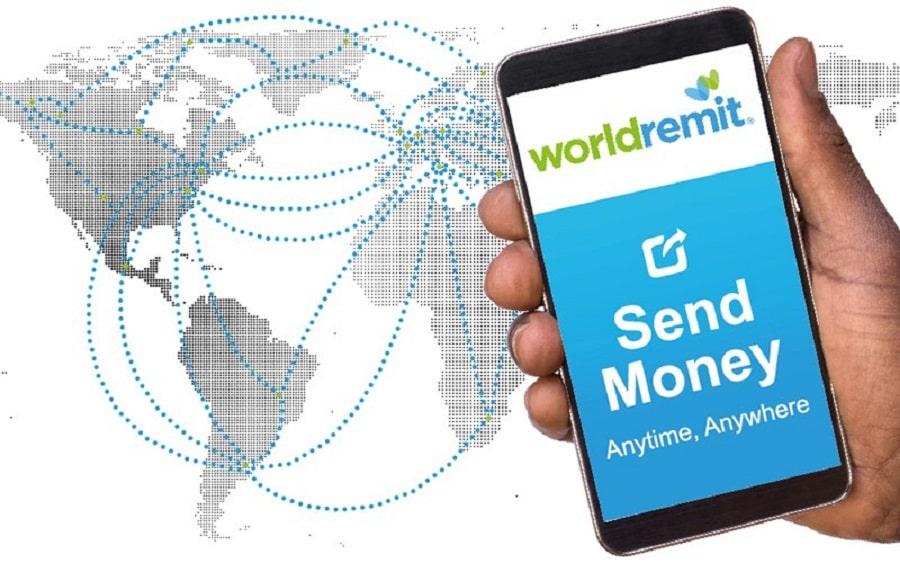
    World Remit

    This method is applicable to all nations throughout the world. It provides you with the opportunity to send money to over 150 countries in over 90 different currencies.

    Their fees are relatively low and vary based on the locations of transfer but largely range from 1.4% and above.

    Also, their service is very convenient and swift. Monies sent can be received within a few hours to 2 days upon transfer.

    Withdrawal methods are Bank transfer, Cash pickup, Mobile money, Airtime top, up Door-to-door, or WorldRemit Wallet. Note however that your withdrawal methods depend on your recipient country.

    Conclusion

    There are a thousand other payment methods that can be used in place of Paypal, to send money both locally and internationally.

    However, the above listed are the ones we have tried and tested and see to be effective for anyone hoping to send and receive money internationally in Ghana.

    If you have any other interesting platforms with more advantages, you can kindly share in the comment box beneath the post. We’d love to learn from you.

  • iCampusGH: How to use the Online Study Platform for Senior High School Students in Ghana

    iCampusGH: How to use the Online Study Platform for Senior High School Students in Ghana

    The Ministry of Education has created an online study platform for all, Senior High School students.

    All students in Senior High School are to visit the website and study online since schools are closed in response to the Coronavirus outbreak in Ghana.

    The iCampusGH.com platform gives students the opportunity to access all core subjects and selected electives, access to video lessons and lesson notes, access to virtual labs and simulations (in some instances) and access to online test after every lesson.

    How to access the Online Study Platform for SHS Students in Ghana

    1. Visit icampusgh.com
    2. Enter your BECE index number as your username. Note: For SHS 3 students, add 17 to the index number E.g. 309074025 then 17 to read 30907402517.
    3. Enter ghana@12345 as your default password and click on log in.
    4. You will be required to change the default password before you can continue using the platform.
    5. Click on View all courses to see the subjects available.
    6. Click on any of the courses available and enrol.

    Note: If you are experiencing slowness on the platform, it is because there may be more than expected users at the time.

    The iCampusGH platform seems to still be a work in progress. We counted 19 courses overall available on the platform.

    However, the “virtual lab” resources are particularly useful.

    They are interactive flash quizzes that can help students learn “more practically” a few science concepts.

    Screenshot of one virtual lab resource on the iCampusGH platform.

    One particular feature I loved about the site was the ability to directly ask a teacher for help. If this works like intended, the platform will be much more useful.

    However, it does not seem like the response from this help is instant as the communication appears to go through an email system.

    How to change your iCampusGH account password

    Once you log in, follow the following procedure to change your iCampusGH password:

    1. On the login, interface enter your BECE index number as username and ghana@12345 as the default password.
    2. Click on the login button
    3. You will be greeted with a new interface that prompts you to change your password. Create a new password by entering the default password in the current password field
    4. Then type your new password in the new password field.
    5. Repeat your new password in the new password field (again)
    6. Click on the Save changes button.
    7. Your password is not changed and you can access the platform.

    Benefits of the iCampusGH platform

    According to the Ghana Education Service, the new online portal offers the following benefits:

    1. Access to all core subjects and selected electives.
    2. Access to video lessons and lessons notes.
    3. Access to virtual labs and simulations (in some instances)
    4. Access to online test after every lesson.

    You need to use the Index Number you used in writing your BECE, even though you are currently in SHS.

    This is because the BECE Index Number is the best way currently for identifying Senior High School students in Ghana who have not yet registered for their WASSCE examinations.

    If you have any issues using the platform or have a problem with your password, kindly send an email to [email protected] clearly stating your problem and Index Number.

  • How to check Mobile Money Balance on MTN, Vodafone and AirtelTigo

    How to check Mobile Money Balance on MTN, Vodafone and AirtelTigo

    We all have been using mobile money in our daily to-do activities, either sending, receiving, withdrawing, paying bills and shopping.

    Some subscribers sometimes find it difficult in checking their account balances and due to this they always depend on messages they will receive anytime they transact money to check their account balance as that message comes with your balance left.

    This is not the right way as it will be very difficult to keep track of your account balance.

    Someone close to you knowing your password can use this to steal your money or make a transaction and then delete the message that comes afterwards, and if you don’t check your actual balance more often, you won’t find out that someone has stolen your money.

    This is the reason why you need to check your mobile money balance rather than depending on your transactions messages history to know your balance.

    In this article, I am going to take you through how to check MTN mobile money balance via USSD and app, how to check Vodafone cash balance and how to check AirtelTigo money balance.

    How To Check MTN Mobile Money Balance Via USSD

    1. On your phone dial *170#.
    2. Select 6: My Wallet.
    3. Enter 1: Check Balance.
    4. Type in your PIN  code to check your current balance.

    How To Check MTN Mobile Money Balance Via App

    1. Install MYMTN app from Google play store.
    2. The app will take you to your dashboard if you are connected to the internet using your MTN sim card.
    3. To check your mobile money balance select MoMo Service.
    4. Enter your MoMo PIN to continue,  the app will send you a code to type in, type in and you will be taken to your mobile money dashboard.
    5. On your dashboard select Wallet to see your account balance, on the app you can see all the mini statements of your transactions you have made.

    You can also request for account statement, that’s the last 50 transactions which includes the amount spent and total received on the app, you can also change your PIN on the app.

    How To Check Vodafone Cash

    1. Dial *110#.
    2. Select 7: My Account.
    3. Select 1: Main Balance.
    4. Type in your PIN to know your account balance.

    How To Check AirtelTigo Money Balance

    1. Dial *110#
    2. Select My Account.
    3. Select Check Balance
    4. Enter your PIN to see your account balance.

    Conclusion

    Depending on what wallet you use, there are various ways to check your mobile money balance. Follow the steps above and let us know if you have any questions.

  • 5 Popular Ghanaian Ebooks You Should Read

    5 Popular Ghanaian Ebooks You Should Read

    With the exponential growth of the internet over the past years, a huge chunk of information and knowledge has been kept in online resources such as ebooks, blogs and websites.

    In this article, we shall consider 5 top Ghanaian ebooks everyone should read now.


    1.Love Mylietis

    The first on our list here is Love Mylietis by Elorm Beenie. Love Mylieties is a fiction book which tells the story of a boy whose love-seeking mission from his primary school days sees him through numerous heartbreaks through his Junior High Schools and Senior High School. This book is a young-adult fiction which will definitely keep you glued to your screens as you read. You can find the e-book on Azalia books.

    Love Myelietis
    Love Myelietis


    2. Sebitically Speaking


    Nana Awere Damoah is one of Ghana’s cherished literary giants of recent times. His novel, ‘Sebitically Speaking’ is second on our list.

    In this book, Nana Damoah takes readers through a rollercoaster ride around the problems that face Ghana in the sociocultural, political and socio-economic landscape while using wit and humour.

    Known for his unequalled literary prowess as displayed in his previous four novels, Damoah’s Sebitically speaking is a book that every Ghanaian seeking to understand how things happening around us every day have an impact on the general growth of the country should read.

    Like the previous book, this can also be found on Azaliabook.

    Sebitically Speaking
    Sebitically Speaking


    3. BETWEEN THE LINES


    Written by Andrew Wallace, Between The Lines is an investigative fiction which contains elements of science fiction as well. It follows the story of an FBI agent whose closeness to the chief of his town of operation lands him a terrifying role in a major investigation.

    Asked to undergo brain surgery to have his brain swapped with that of a woman who is badly injured, Saul is expected to uncover the secret plot of some terrorists within the space of one week.

    While with the new brain, Saul is able to get details of the case as he’s able to track down activities of the criminals.

    However, things take a twist as Saul realises that there may be more to the whole issue than he’s able to figure out and hence goes undercover to find more information.

    His attempt to squash the case once and for all spans the thrill, awe and shock contained in this book.

    Currently, you can purchase this book on Azaliabook.

    BETWEEN THE LINES
    BETWEEN THE LINES


    4. DOOM’s DAWN – A TALE OF A CULTIST


    This book is a riveting tale of how the quest for power, riches and fame puts the youth at risk of making dangerous choices that may never get to be corrected.

    It follows the story of George,  a young destitute whose dream of becoming fulfilled in life amidst family rejections, pushes him to align with his friend, a known cultist who would later introduce him.

    His role was simple; to lead his sect in the forthcoming SRC elections so his sect could have a say in how the school is run and control the student front.

    Unfortunately, there are other competing cult sects. The fight for supremacy and power turns a University campus into a warzone. A political war is sparked when a Minister’s daughter is shot during the cult-clash.

    In an attempt to redeem himself from the bloody arena and to regain his love whose sister lay unconscious on a hospital bed due to his troubles, George has a choice of turning himself in or dying by the sword of scavenging police officers whose dream is to bring peace and earn some promotions. Which does he prefer?

    For the most part, the book is an investigative piece which details the pressure police officers have to endure when crimes occur.

    You can locate this book on Azaliabooks too.

    DOOM's DAWN - A TALE OF A CULTIST
    DOOM’s DAWN – A TALE OF A CULTIST

    5. Custom Broken For Good


    Finally, our last book on this list is Custom Broken For Good by Mohammed Awal. This book is a social commentary on how puberty rites take place in South Saharan Africa and how this tends to paint women as nothing more than wife materials.

    The priority of parents is for marriage, which produces pressure on both mother and daughter. In this story, Amina, the mother of Sadia, faces the odds of traditional settings to meet the expected standard in marriage. Dankantata is the rebellious suitor to Sadia, and against wisdom and logic, is a hard-core traditionalist. He will not bow down for a minute against his ego, even when it is in his own self-interest to comply with the wishes of his fiancée. The situation eventually leads him to court, with the ensuing case exposing the existing traditions represented by the Imams, clerics, and priests, as well as the cultural norms and state laws. The debate is well crafted and so interesting that it draws in readers with its depiction of marriage in another culture.

    like the others, this book can also be found on Azaliabooks.

    Custom Broken For Good
    Custom Broken For Good


    Conclusion: This list was carefully curated to give readers the opportunity to love and appreciate literature written in Ghana by Ghanaians. The books listed above, though not being the only Ghanaian Ebooks of interest, are some of the best anyone should read for entertainment, information and appreciation of society. If you have your own set of Ghanaian Ebooks you’d like to add to the list, kindly do so in the comment box below. We would love to hear from you.