Category: For Nigerians

  • 5 Most Reliable Dollar Virtual Cards in Nigeria in 2025

    5 Most Reliable Dollar Virtual Cards in Nigeria in 2025

    The other day, I was speaking with a group of friends about how stressful it is to get a reliable virtual dollar card in Nigeria. 

    One of them told us how she almost had to abandon her cart on Temu for this exact reason until she found a virtual dollar card. That you’re in Nigeria shouldn’t stop you from shopping on any platform even though there are restrictions on our naira card. 

    Thankfully, some FinTech companies have been working hard behind the scenes to provide working virtual dollar cards to Nigerians. They understand that international fees have to be paid, Nigerians have to shop, subscriptions need to be made, etc. 

    So, if you have been searching for the best virtual dollar cards in Nigeria for a long time, your search days are over. Take a seat and read through this list of the best virtual dollar cards in Nigeria in 2025. 

    List of 5 Best Virtual Dollar Cards in Nigeria in 2025

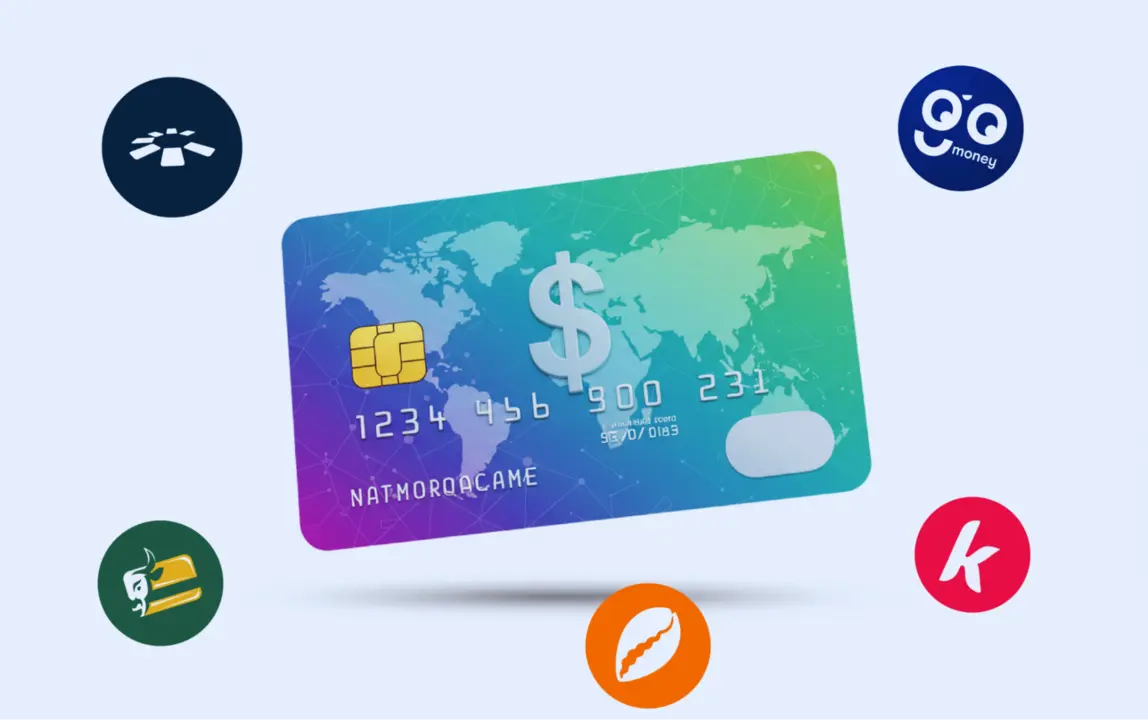
    The best virtual dollar cards in Nigeria in 2025 are Cardtonic, Klasha, Spectrocard, Eyowo and Gomoney. This section highlights the things that set them apart and how to get them. 

    S/NCard ProviderCard Creation FeeCard Maintenance FeeFunding Options
     1Cardtonic $1.5NoneNaira, Cedis, Dollar
     2Klasha$2None Wallet
     3Spectrocard $3NoneNaira, Crypto 
     4Eyowo$2NoneNaira
     5Gomoney<$1NoneNaira

    1. Cardtonic 

    Whatever you need in a virtual dollar card, Cardtonic’s virtual dollar card has it and more. You enjoy utmost security— neither your money, time, or financial details are handled with levity. As a globally accepted card, you get to use it on different platforms without restrictions. You’re also not restricted on how much money you can spend monthly. 

    Speaking about money, this card is cost-effective, with a $1.5 creation fee and no maintenance fees. You are free to fund it in naira or dollars. If you’re in Ghana, you can fund it in Cedis.

    Creating this card requires no help because the process is easy to follow. To create, start by downloading the app. Next is to set up your account, including doing a quick KYC. Then, head to the “Wallet” section to request a virtual bank account. This will be issued to you immediately, and you can top up your wallet with it. 

    After this, go to the “Virtual Dollar Card” to create one. You’ll be asked to choose between MasterCard and Visa; take your pick. Fill in your current address; voila, you now have a virtual dollar card!

    2. Klasha

    With Klasha’s virtual dollar card, shopping on your favourite platforms is a piece of cake. You can also pay your international school fees, streaming platform subscriptions, etc., using the Klasha virtual Visa dollar card. 

    The card creation fee is $2, there are no maintenance fees, and you can fund via the wallet you’ll be given. Another thing that makes it one of Nigeria’s best virtual dollar cards is that it is safe and secure. You can get this card by downloading the Klasha app and requesting their virtual dollar card. 

    3. Spectrocard 

    Spectrocard gives you the options of naira or cryptocurrency funding, and makes your transactions very smooth. This card can be used for various transactions like ad payments, online shopping, etc. 

    You only need to pay a $3 card creation fee and don’t have to worry about maintenance fees since there are none. There is also a Reports feature that allows you to track and monitor your spending. This can help you manage your finances better. 

    4. Eyowo

    Eyowo makes this list because it has a working virtual dollar card that simplifies your international payments in Nigeria. Paying for goods and services with Eyowo’s virtual dollar card is seamless. 

    You have to pay a $2 creation fee to access this card. However, no maintenance fees are involved, and you can fund the card using naira. You can also track your expenses on the app, making it a helpful app for financial management. 

    5. Gomoney

    Gomoney’s virtual dollar card makes payment convenient. From international online shopping to subscriptions and more, this card exemplifies the ease that virtual dollar cards provide. 

    It is also very secure and gives you access to a Reports feature to track your expenses. The card creation fee is less than $1, you can fund your card in naira, and there are no card maintenance fees. 

    To get it, download the Gomoney app and open an account. Request a virtual dollar card, and you’re good to go. 

    Frequently Asked Questions About Best Virtual Dollar Cards in Nigeria

    1. Which Dollar Virtual Card is the Best in Nigeria?
      The best dollar virtual card in Nigeria is Cardtonic’s. The Cardtonic Virtual Dollar Card is fast, almost free, with a $1.5 card creation fee and no maintenance fees, and is globally accepted. It is also tightly secure to keep your money and financial information safe. 
    2. Which App Has a Dollar Card in Nigeria?
      The Cardtonic app has a dollar card in Nigeria. Instead of carrying the physical dollar card, which is prone to loss, theft, or manipulation, you can quickly get a globally accepted virtual dollar card in Nigeria on Cardtonic— all in less than 10 minutes. 
    3. Which Virtual Card is Best for AliExpress in Nigeria?
      Cardtonic’s virtual dollar card is best for AliExpress in Nigeria. You can choose the Visa or MasterCard option, which works seamlessly on AliExpress. No delays, no troubles. 
    4. What is the Virtual Dollar Card that Works for Apple Store in Nigeria?
      Paying for Apple Store in Nigeria seamlessly with Cardtonic’s virtual dollar card. It works not only for the Apple Store but also for Netflix, iTunes, Spotify, Amazon Prime, etc. 
    5. What Bank in Nigeria Has a Virtual Dollar Card?
      Wema Bank and Stanbic IBTC Bank have virtual dollar cards called ALAT by Wema and Virtual Dollar Debit MasterCard, respectively. You can request and activate these cards instantly. 

    Conclusion

    Starting now, you can be here in Nigeria and make international payments with any of these virtual dollar cards. But who doesn’t like the whole package? 

    Cardtonic is the complete package, as it stands out as the best virtual dollar card in Nigeria. So, you should get the Cardtonic Virtual Dollar Card to enjoy seamless, stress-free, and secure international payments. 

    Whether it is for your Netflix subscription, Temu checkout, or the fees of that school in the US, you are good to go!

  • How To Check Your Phone Number On MTN, Glo, Airtel And 9mobile In Nigeria

    How To Check Your Phone Number On MTN, Glo, Airtel And 9mobile In Nigeria

    Checking your phone number of your network provider is quite easy. All service providers have a unique code you can dial on your phone to get your number stored up in your head really quick.

    But that’s not the only way, there are much simple methods to get your phone number without even dialing a code. Want to know how? Read on!

    If your phone number fall under one of these network providers in Nigeria, then this blog will teach you how you can check your phone number with all easy steps. Let’s get started!

    How to Check Your MTN Phone Number in Nigeria

    If you are a new user on MTN Nigeria, you check your number with three easy methods either using your smartphone or keypad. Follow the methods below:

    Using USSD Code

    Simply check your MTN number by dialing *123# with your phone. Next choose “My Number” option then wait for prompt to load. Your MTN phone number will be displayed on your phone screen.

    You can also dial USSD code *123*1# which will display your phone on your screen immediately.

    Using MTN App

    You can check your new MTN number by downloading the MTN App from Google Playstore or App store. After downloading the app, simply open it and your new number will be displayed on the dashboard.

    Using Customer Service

    Simply call MTN Nigeria customer service on 180, follow prompts to speak with a representative and explain to them you want to know your MTN number and they will assist you free.

    How to Check Your Glo Phone Number in Nigeria

    If you are a new Glo user then you must be lucky as you will save lot of cash on data and airtime packages. Here is how you can check your number:

    Using USSD Code

    For Glo, simply dial *138*8# with your Glo line. Wait for some few seconds and your phone number will be ready on your phone screen. Now you can save your phone number for future reference.

    Using Customer Service

    Simply call Glo Nigeria customer service on 121, follow prompts to speak with a representative and explain to them you want to know your Glo number and they will assist you free.

    Using ‘My tariff plan’

    This is also a USSD code format to check your Glo number. Simply dial *777#, select option 4 ‘My tariff plan’ and select option 3 ‘My number’. This will display your number on your phone screen.

    How to Check Your 9mobile Phone Number in Nigeria

    9mobile offers huge welcome bonuses when you activate your new SIM so knowing your number is worth it. You can check your 9mobile number by following these three easy methods:

    Using USSD

    Simply dial *248# on your 9mobile line, this will immediately show your number with no further prompts or any charges.

    Using Customer Service

    Call or dial 200 to reach out to a customer care representative on 9mobile. Carefully follow prompts to speak with an agent and explain you want to know your phone number. This is free and with no charges.

    How to Check Your Airtel Phone Number in Nigeria

    Airtel is fast and secure with longer lasting data packages, also checking your number on airtel is much easier, follow these methods:

    Using USSD

    You can check your Airtel number by dialing *121*3*4# in on your phone. Follow prompts and you will find an option to check your number. No charges applied.

    Using Airtel App

    You can download the Airtel app form Google Playstore or App store. Luch the App and you will find information about your account balance, including our Airtel number on the app’s dashboard.

    Other Simple Ways to Check Your Phone Number

    There are two other simple ways you can check your phone number on any network provider in Nigeria. This can be done by the following these methods:

    Using Smartphone

    This method is pretty easy, but only applies to those having a smartphone (Android or IOS). Simply follow this procedure on your smartphone to get your phone number:

    On Android:

    • Go to ‘Settings’
    • Scroll down and select ‘About Phone’
    • Tap on “Status’’ and locate “My Phone number.” Your phone number will be displayed.

    On iPhone:

    • Tap on ‘Settings’
    • Search or tap on ‘Phone’
    • Look for ‘My Number.’ Your number will be displayed.

    Using Text Message or Call

    If you have two phones or a close relative, you can simply get your phone number by sending an SMS. This can be any message like “Hello” or “Yo” and this will show your phone number along with the SMS. You can also do same by calling to reveal your phone number.

    Conclusion

    Checking your phone number in Nigeria is quite easy and can be done in several ways like using USSD codes, using Customer care or evendownloading an App. Choose which method best suits your needs and feel free to share this article to assist others.

  • How To Register your NIN to your MTN, Glo, 9mobile & Airtel [2024 Guide]

    How To Register your NIN to your MTN, Glo, 9mobile & Airtel [2024 Guide]

    Following recent news from Nigerian Communications Commission (NCC), having instructed telecommunications operators like MTN, Airtel, Glo, 9Mobile & others to block all customers SIM cards that refuse to register with the National Identification Numbers (NIN) in two weeks.

    The News was disclosed on Twitter by President Muhammadu Buhari Personal Assistant, Bashir Ahmad.

    He tweeted, “The Nigerian Communications Commission (NCC) has given telecommunications operators (MTN, Glo, Airtel, 9Mobile and others) in the country two weeks to block all SIM cards that are not registered with the National Identity Numbers (NIN), the Commission has said in a statement.”

    Information Requirement to Register your NIN

    Here are Possible Requirements, you might be asked for during the process of registering your NIN to your mobile number:

    • Mobile Number.
    • Full Name.
    • NIN Number.
    • Email Address.
    • Date of birth (DOB).

    Note: All network providers require a national identification number gotten from the NCC office, incase you forgot your NIN, Dial *346# to retrieve your National Identification Number.

    How To Link Your National Identification Number To MTN Number

    There are two ways to link your National Identification Number to your Mtn Number, which are:

    • The MTN Website and
    • Mobile Shortcode

    MTN Website

    Follow these steps to register your NIN on the MTN Website:

    1. Visit the Customer NIN Capture: https://mtnonline.com/nin/
    2. Input MTN number
    3. Type in your NIN Number
    4. Fill In Your email number
    5. Then submit.

    Mobile Short Code

    Follow these steps to register your NIN via the MTN Shortcode:

    1. Dial *785# then send.
    2. A window will pop-up stating you should input your 11 Digit National Identification Number.
    3. Input your 11 Digit National Identification Number Then send. A window will pop-up stating “your NIN has been successfully received”.

    How To Link Your National Identification Number To Glo Number

    Presently, the only way to link the National Identification Number is through sending a text format to 109.

    Follow these steps:

    Send ” UpdateNIN, NIN, First name, Last Name ” to 109

    E.g.

    UPDATENIN [space] 12345678901 [space] Amedu [space] Joshua

    How To Link Your National Identification Number To Airtel Number

    For Airtel customer, you can only link your mobile number using short code, follow the steps below:

    1. Dial *121*1#
    2. Input your 11 Digit National Identification Number
    3. A window Pop for confirmation and you will also receive a text message for successful confirmation.

    Conclusion

    Presently, 9mobile is yet to release a method of linking NIN to mobile number but the company said it’s looking into possible ways to make linking easy for it customers, expect an update on this in the coming days.

    Failure to link your mobile number to NIN in the next two weeks will result to your number being blocked.

  • How to Check & Verify BVN Details Online & Offline in Nigeria

    How to Check & Verify BVN Details Online & Offline in Nigeria

    Are you a Nigerian with a bank account who needs access to financial services? Then the Bank Verification Number (BVN) is a must for you.

    In this article, we will guide you on how to easily check and verify your BVN details online and offline. Whether you prefer the NIBSS BVN validation portal, dialing a USSD code on your mobile device, or visiting your bank, we’ve got you covered.

    Keep reading to find out how to access your BVN details quickly and easily.

    BVN: What It Is and Why It’s Important

    BVN is an essential identification number that you, as a bank account holder in Nigeria, need to understand and appreciate its significance. It’s a unique 11-digit number issued to every bank account holder upon BVN registration.

    The BVN serves as a verification number that’s linked to all your accounts in different banks. Its purpose is to mitigate identity theft and fraudulent transactions in the Nigerian banking system. The BVN was introduced in 2014 and has since become a requirement for accessing financial services.

    It’s important to have your BVN handy for completing transactions both within the bank and online. By understanding the importance of your BVN and completing the registration process, you can ensure the security of your financial transactions.

    How to Check Your BVN Details Online

    To check your BVN details online, you can easily access the BVN Validation Portal provided by the Nigerian Inter-Bank Settlement System PLC (NIBSS).

    This portal allows Nigerian bank customers who’ve completed the BVN registration process to validate their BVN details online. By entering your correct BVN and date of birth on the portal, you can retrieve or validate your BVN records without any hassle. The portal displays important information such as your BVN name, signature, and address.

    To complete the verification process, you’ll need to choose a convenient payment method and pay the required fee. Once the payment is made, the necessary information will be displayed on your screen.

    Ensure that you have the required information ready and follow the provided steps to check your BVN details online.

    Checking your BVN with USSD Code

    This doesn’t need a web connection and it works on all networks, which include, Glo, MTN, Airtel, and 9mobile (Etisalat). With this code, you can quickly check out your BVN whenever you forget or can’t access it.

    • Make sure you try this on the line you registered your BVN with.
    • Ensure you have up to 20 Naira on your active line 
    • Simply dial *565*0# on your phone. 
    • this would bring your BVN regardless of the bank or network you are using.

    Some banks also have specific codes to assist their customers to get the BVN code.

    • For GTB account holders, dial *737*6*1#.

    How to Verify Your BVN Details Offline

    To verify your BVN details offline, you can visit your bank and provide the necessary information for authentication. Simply go to your bank and inform them that you want to verify your BVN details. They’ll ask you to provide your BVN and other required information for verification. This process ensures that your BVN details are accurately checked and confirmed by the bank.

    It’s important to verify your BVN details offline to ensure the security and accuracy of your banking information. By visiting your bank, you can have direct interaction with the bank officials who’ll assist you in verifying your BVN details offline.

    Tips for Protecting Your BVN and Avoiding Scams

    To protect your BVN and avoid falling victim to scams, it’s important to be vigilant and proactive in safeguarding your personal information.

    Scammers may try to trick you into revealing your BVN or other sensitive details through phishing emails, phone calls, or fake websites. Always remember that your BVN should be kept confidential and not shared with anyone except trusted entities such as your bank.

    Be cautious of unsolicited requests for your BVN and never provide it to unknown individuals or organizations.

    Additionally, avoid clicking on suspicious links or downloading attachments from unknown sources as they may contain malware that can compromise your BVN and other personal information.

    Stay informed about the latest scams and security measures to ensure the protection of your BVN and financial assets.

    Conclusion

    To conclude, checking and verifying your BVN details in Nigeria is essential for accessing financial services and ensuring the security of your accounts. Whether you choose to do it online through the NIBSS BVN validation portal or offline by visiting your bank, it’s important to protect your BVN and be cautious of scams.

    By following the outlined steps and tips, you can easily and quickly access your BVN details and maintain trust in the banking system.

  • Check & Verify Plate Number Owner In Nigeria Through FRSC Website, SMS & Mobile App

    Check & Verify Plate Number Owner In Nigeria Through FRSC Website, SMS & Mobile App

    In Nigeria like many parts of the world, there are some governmental organization that has been designated for some certain activities in the country. The Federal Road Safety Commission popularly known as FRSC is one of these governmental organization, one of their duty is to ensure safety on all roads that run across the country. They also ensure the enforcement of the rules and regulations that govern the road and its users.

    To ensure the safety of road users and the security of the country at large, FRSC ensures that they allocate a number to all owners of vehicles in the country, these numbers serve as proof that the vehicle on which it is placed has been registered under the appropriate body.

    However, there have been situations that necessitate the verification of plate numbers owners; while driving on the road one would often come across cases of robbery attacks, theft, assault, accidents, over speeding, kidnapping and so on; many at times the only safe way out of these occurrences is by noting down the plate numbers of the perpetrators and reporting them to the nearest police station, the job would become easier for the policemen if the verification o the pate number owners have been done before the report is being made.

    All vehicles in Nigeria has to be registered under the federal road safety commission and thereby issued a registration number which would be inscribed on a metal plate. Many dubious people have taken advantage of this enforcement to drain the law-abiding citizens of Nigeria of their hard-earned money. So aside from verifying the owners of the plate number of other vehicles, it is also very important that you verify your own plate number too, this should be done to ensure that you have don’t fallen into the hand of fraudsters and to also make sure you’re doing the right thing.

    A recent survey confirms that over 30% of vehicles moving on Nigerian roads are carrying a fake plate number either with or without the vehicle owner’s knowledge; this simply means that these cars have not been registered in the appropriate quarters, the vehicle owners have either chosen to forge registration numbers or has been duped by fraudsters who disguised themselves as FRSC officials.

    To verify if your vehicle has been registered by the right quarters, which is the FRSC, we have compiled three methods that would be of the utmost assistance to you and many others who would come across with this article.

    How To Verify Vehicles Plate Number Through The FRSC Oficial Website/portal

    Many car owners are not aware of the fact that FRSC like many other agencies in Nigeria has an official website where a whole lot of things could be done, one of the things that could be done on the official website of the Federal ROAD Safety Commission is the checking and verification of vehicle’s plate number.

    Below are the procedures that would help you in checking for the authenticity of vehicles plate number:

    • Simply type in the official web address of the FRSC that has been designated for plate number verification on your mobile or computer browser, this web address is https://nvis.frsc.gov.ng/VehicleManagement/VerifyPlateNo
    • You will be taken directly to the plate number verification page, enter the plate number of the vehicle whose authenticity you want to verify n the space provided on the page. A typical example of a vehicle plate number is JHG445MK, ensure to enter this number without adding any symbol or space to it, else it would be rejected.
    • Select the “submit” button. Then the information of the vehicle would be displayed if it has been registered with the FRSC, but if nit it will bring a null result.

    How to verify Vehicles Plate Number Through Text Messages

    This is an alternative provided by those who might find it difficult to navigate through the online portal of the Federal Road Safety Commission. It is very convenient and could be done on any mobile phone, it also requires no internet connection.

    1. Navigate through the text message icon of your mobile phone and type “Verify plate no [your plate number]; ensure to enter this number without adding any symbol or space to it.
    2. Send it to 33324
    3. You’ll get a return message room them within a short period of time showing the information of the vehicle whose plate number you sent. If the vehicle is yet to be registered with the FRSC, it will bring a null result.

    How to verify Vehicles Plate Number Through The FRSC Mobile Application

    Advancement of Technology has made things becomes more easy and accessible to be people. The Federal Road Safety Commission like many other agencies in Nigeria has a mobile application designed to make their services accessible to people across the country.

    On the mobile application of the Federal Road Safety Commission, there are several activities that could be performed easily; there are some things you could do on the application instead of visiting their offices.one of these things is the verification of the plate number of vehicles.

    1. Go to google play store on your mobile phone and search for FRSC app or click this link http://playgoogle.com/store/apps/details?id=frsc.plate.number.veriication.nigeria to download the app directly.
    2. Launch the application and enter your plate number on the space provided; ensure to enter this number without adding any symbol or space to it, else it would be rejected.
    3. Click on verify and the result showing your vehicle information would be displayed if the vehicle has been registered with the FRSC, but if nit it will bring a null result.

    Conclusion

    The information that would be displayed is that of the vehicle model, vehicle colour and the registration date, this is done so as to ensure the security of the vehicle owner and protect them against perpetrators.

    If the information that was displayed on the portal doesn’t correlate with your type of vehicle, simply gather your particulars and move to the nearest office of FRSC to avoid future embarrassment by the law enforcing officers.

  • How to Check Your Phone Number On MTN, Glo, Airtel and 9mobile in Nigeria

    How to Check Your Phone Number On MTN, Glo, Airtel and 9mobile in Nigeria

    Do you know how irritating it could be for the owner of a line not to know the mobile number of that line; many people have shared different stories of what they have encountered due to this course.

    When you have numerous phone number either from the same network provider or from a different network provider, it is very certain that it could take up to six months in other to get acquainted with these numbers.

    The inventions of multiple sim mobile phones have made it possible for people to acquire two or more sims for themselves.

    This article is written to help people that just acquire a new sim card and finds it difficult to remember their mobile number whenever situations call for it.

    The guidelines in this write up will help you to learn how to quickly get out of embarrassing situations, by checking your mobile number yourself without wasting time in any way.

    Almost all telecommunication networks in Nigeria has tried to meet up with the companies in the other sectors over the years.

    The network providers like other well-known companies make sure their customers get instant access to whatsoever details they require at any time of the day.

    We will be discussing three different ways of checking your mobile number on various line:

    How to Check Your MTN Nigeria Phone Number

    1. Insert the MTN sim whose number you would love to check into your mobile phone.
    2. Dial the required USSD code *123#, to get access to the main menu.
    3. After you must have followed the steps carefully, your mobile number will be displayed on your phone screen.

    How to Check Your GLO Nigeria Phone Number

    1. Insert the GLO sim whose number you would love to check into your mobile phone.
    2. Dial the required USSD code 777*#.
    3. Your mobile number will be displayed on your phone screen.

    How to Check Your Etisalat/9mobile Nigeria Phone Number

    1. Insert the Etisalat/9mobile sim whose number you would love to check into your mobile phone.
    2. Dial the required USSD code *248#, to get access to the main menu.
    3. After you must have followed the steps carefully, your mobile number will be displayed on your phone screen.

    How to Check Your Airtel Nigeria Phone Number

    1. Insert the Airtel sim whose number you would love to check into your mobile phone.
    2. Dial the required USSD code *121#, to get access to the main menu.
    3. After you must have followed the steps carefully, your mobile number will be displayed on your phone screen.

    Other Ways to check phone number in Nigeria

    Using the Mobile Application of Your Network Provider

    1. Download the mobile application on google play store or on IOS store
    2. It is “MY MTN” app for MTN line, “GLO CAFE” for Glo line and “MY AIRTEL” for Airtel line.
    3. Click on “sign up” to register
    4. Provide all the necessary information about yourself to get started.
    5. Use your details to log in
    6. Click on the options menu that is at the top right corner of the first page
    7. Click on my number
    8. Your number will be displayed right on your application screen

    Though this method looks herculean than the first, but with the already downloaded mobile application, it will be easier and faster.

    Calling Customer Service

    1. Make sure the sim whose number you want to check is on your mobile phone
    2. Dial the customer service code for your line, it is 180 or 181 for MTN, 111 or 120 for Airtel, 121 or 444 for Glo and 200 for 9mobile
    3. Choose your preferred language
    4. Follow the instructions sternly
    5. You will be directed to a customer care agent after some time
    6. Ask for your mobile number and it will be supplied without wasting time.

    Conclusion

    With the steps listed above, it is most likely not possible for you to still find it difficult to assess your phone number at whatever time it pleases you.

    It is also very advisable that you save your own contact on your mobile phone to avoid been embarrassed when a new acquaintance asks for your mobile number.

  • How to Know or Check Your Airtel Number in Nigeria

    How to Know or Check Your Airtel Number in Nigeria

    If you are in Nigeria, and still don’t know the way to know or check your Airtel number, then here is a complete guide to help you now.

    What is a mobile phone number?

    A mobile phone number is on a small chip mostly found in cellular phones to enable to phone make calls and also access Internet.

    Your mobile phone number is used as a key to access a variety of online and offline services. It’s often used by banks, businesses, and individuals to keep track of who you are and when you use their services.

    About Airtel Nigeria

    Airtel Nigeria is a telecommunications company with headquarters in Lagos, Nigeria. The services offered by the company are GSM mobile network operator, and LTE internet speed for mobile phones, broadband Internet access service provider, broadband television provider and fixed-line telephone operator.

    How to know or check your Airtel number in nigeria

    There are various ways and methods to check your airtel number in Nigeria. If you are having a new or an old sim card and you instantly need the number of that sim card, then follow any of the methods below:

    Using USSD code

    1. To check and know your mobile phone number on Airtel, dial *121*3*4#, your number will be revealed right away.

    Using MyAirtel App

    1. Open MyAirtel app on your phone.
    2. On the home page, click on “Manage My Account.”
    3. On the menu that appears, select “View and add account.”
    4. Details of your name and mobile digits will appear on the screen.

    Contact customer care

    You can also know your digits by dialling 121 or 111, which directs you to the Airtel customer support service. Select the option that will help you get your number, airtime balance, data balance and balance validity.

    You can also decide to talk to your customer care agent and request your number directly from him/her.

    Through SMS or call

    Get the phone digits of a friend near you with the SIM whose digits you want to know, call or text your friend’s mobile numbers. On their phone’s call log or messages, you will view your mobile number. For you not to forget the digits again, write them down or save them in your phonebook.

    Conclusion
    In conclusion, if you are an Airtel customer, then it is worth knowing how to verify your phone number. Knowing your number makes it easier to access various services on the go without finding yourself wanted.

  • How To Make A Conference Call On WhatsApp

    How To Make A Conference Call On WhatsApp

    Users of the world’s popular Instant messaging application can now make conference calls via their internet connection (Wifi or mobile data).

    With WhatsApp successfully disrupting the Text message era and making a statement in the messaging world, it is only important for the app to have other features to make it more versatile and convenient.

    The introduction of WhatsApp pay, a payment method being integrated into the app is one of the steps taken in this regard.

    However, WhatsApp has another feature which is even more exciting. Primarily, one could make video calls and voice calls to other WhatsApp users via their mobile data and Wi-fi.

    But now, there is more! WhatsApp has the feature which allows for conference calls and group video calls. If you have been checking your WhatsApp update log and you have the current version of the app installed on your phone, then you may as well be aware of this.

    So, if you were checking to get the steps for starting a conference call on your WhatsApp line, then you are at the right destination.

    This article will take you through what WhatsApp Conference calls are and how you can initiate one on your phone.

    So sit back while we take you on this learning journey right below.

    What Is WhatsApp Conference Call?

    WhatsApp conference call is a new feature added to the WhatsApp chat application in 2020. With this feature, users can increase the number of people on a WhatsApp call from the initial 2 to between 4 and 8.

    Just like the normal WhatsApp calls, the conference call is free. You don’t need airtime to make such calls. You only need to be connected to the internet. So you can make such calls via your Mobile data or your Wi-fi connection.

    There is also a video version of the Whatsapp Conference Call where up to 8 people can take part in a video call on WhatsApp.

    The feature is available on both android and IOS devices using the current version of the app.

    How To Start A WhatsApp Conference Call On Android

    In order to start making WhatsApp conference call on your android phone, make sure that you have the latest version of the application on your phone and then follow the steps below:

    1. Open your WhatsApp application
    2. Click on the Calls tab on your screen to see the options.
    3. Click the ‘Call Logo’ at the bottom right corner of the next screen.
    4. Next, you will see a list of all your contacts. Click on the ‘New Group Call’ button. It is usually found on top of your contact list.
    5. The WhatsApp application at this point gives you the opportunity to select up to 7 people who should join you on the call. Select them from your contact list.
    6. Then, select the kind of call you want to make. That’s either a video call or voice call.

    Your call should go through if you do this successfully. Note that you can add or remove participants to and from the conversation at any point, provided you have not reached the limit on the number of participants (in the case of adding).

    How To Start A WhatsApp Conference Call On IOS

    For IOS users, the process is slightly different. Follow the steps below:

    1. Open your WhatsApp on your iPhone.
    2. Select the ‘Calls’ tab from the tabs on the bottom row.
    3. On the top right corner of your next screen, click the ‘call’ button.
    4. A list containing all your WhatsApp contacts will pop up on your screen.
    5. Click on the ‘New Group Call’ button which appears on top of the contact list.
    6. On the next page, select up to 7 people to join you in the call.
    7. Select the type of call you want to make. Video call or voice call.

    Your conference call should be in progress after the final step.

    Note that you can add or remove participants to and from the conversation at any point, provided you have not reached the limit on the number of participants (in the case of adding).

    Conclusion

    WhatsApp is undoubtedly the world’s biggest chat application. Since Facebook acquired this platform, it has always found a way to make it more interesting and generate more usage.

    One of the coolest features added to the app is the Conferencing feature which makes it possible for a group of people, not exceeding 8 can hold group voice or video calls via the app.

    In this article, we took a look at the WhatsApp conference call feature, what it means and how to use it on both Android and IOS.

    If you have any questions, comments or reservations regarding this article, kindly leave a message in the comment box below or contact us.

    Please endeavour to share this article with people in your network.

  • Top Tips For Posting On Opera News Hub In Nigeria

    Top Tips For Posting On Opera News Hub In Nigeria

    If you are already a writer on Opera news hub, then there are tips you should follow to continue earning on Opera News Hub.

    If you are looking forward to reaching a large audience on Opera news, then some rules have been launched so you can succeed on this platform.

    This article will provide top tips for posting, which you should follow if you succeed on this platform.

    Let’s get started.

    You must succeed on this platform, so here are a few tips to help you on your Opera News Hub creator journey.

    The top tips you must strictly follow include the following:

    Your Content Must Be Unique And Original

    Unlike mainstream media formats where there have been only a small bunch of columnists covering a specific site (democratic, athletic, fun, industry, and so forth.), it’s straightforward to have zero challenge but exclusive benefit on concepts.

    There are several writers on Opera News Hub, and there is a high probability that you are all monitoring the same popular media contributors for the latest news. 

    You should, however, try as much as possible to seek originality and bring other kinds of topics that may not be trending but are useful every day.

    Avoid Posting Pornography

    At Opera News Hub, a news piece is considered lewd when it includes photos or messages that can then be generally considered sex. If you must review happenings of sensuality, ensure the illustrations are heavily edited, and the words are clean.

    Avoid Writing Fake News

    At Opera News Hub, an essay is considered false propaganda when the mentioned occasion is really not authentic or can just be backed by facts. Opera news hub has a zero-tolerance plan for an

    Not would only fake stories feel denied, but the literary who sends them will now be answerable for any civil litigation steps. Eschew the urge to disclose unsourced articles, herein are liable, still do detective work.

    Avoid Clickbait Headlines

    At Opera News Hub, an article is considered to have misleading headlines when the middle of the essay doesn’t deliver on its promises of the news story.

    The profession of sensationalism is scary to the marketplace because it creates resentment in its listeners.

    When the audience does not believe the media stories, they see and fall prey to tabloid trash articles. They also begin to see a template of little snaps, negligible appearances, and weak attends to the video app.

    Clickbait inevitably leads to lost profits for both Opera News and Opera News Hub makers. Can not write sensationalist, and invariably ensure the concentration of your editorial meets your title.

    Take Your Time

    An editorial that takes 8 hours to jot down would have to be best than an opinion piece that only takes an hour.

    The more you purchase on writing and strategizing, the higher the value added. The investor will pay off.

    Write only the best ideas.

    The more readers your article helps, the more popular it is, and the topic does not necessarily have to be the current hottest topic.

    So it’s important to brainstorm and come up with the best articles. For excellent demonstration, if there are topic areas that someone has nonetheless to compose about? Several creators already obscure the widespread issue, but that said, are there any more camera shots with which you can examine beyond those also now written?

    It is, and the subject matter doesn’t essentially seem to be the present sexiest subject matter. So you must think outside the box and develop the best topic.

    Pay more attention to news and learn from better authors

    Pay so much awareness to current news in your writing profession, pay more attention to the news items of all other high-quality creators, and know and understand their writing points of view and ideas.

    Add your distinct voice as a top industry master in nation information. Your editorial must give attention to beneficial change or added value and can provide even further info like the detailed description, facts and data not seized in the news item. Add your direct contribution and experience and knowledge.

    Summary

    To communicate with many people, your narratives must be profitable on Opera News Hub. You must eschew skills that contribute to essay dismissal.

  • NIMC Mobile App: How To Download, Use & Print National Identity Card Online

    NIMC Mobile App: How To Download, Use & Print National Identity Card Online

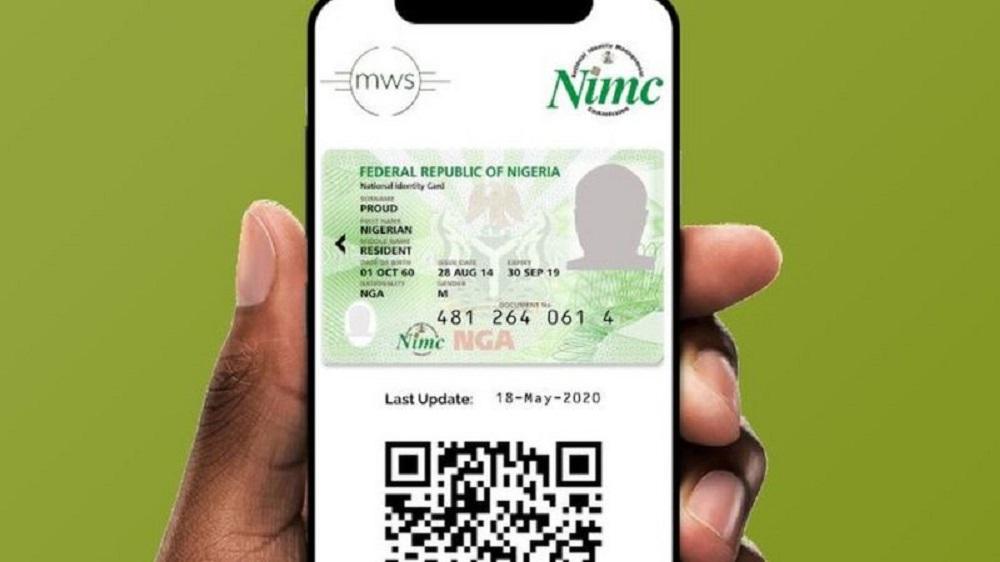
    The National Identity Management Commission (NIMC) has started encouraging Nigerians to use the official NIMC Mobile App that was newly launch to take get the National Identification card or use in place of physical ID card.

    In 2020, the official NIMC Mobile App was removed from Google Play store because of several complaints from people stating that the app was poorly built and using the app to access your National Identification card was not working properly.

    One of the major complains was when you input your NIN into the App, it will actually bring out the wrong National Identification card.

    NIMC Mobile App

    The new release of NIMC Mobile App, NIMC has said the App is easy to navigate, has some good features and the app can only be used by those who already have their National Identification Number (NIN).

    According to Nigerian Identification Management Commission, Everybody is permitted by Nigeria communications Commission(NCC) to link up to 7 devices with Nigerian- registered mobile numbers to your NIN (Mobile phones for now).

    How To Download & Use The NIMC Mobile App

    1. Visit the Google Play store to download for Android phone or through Apple App store for iPhone users.
    2. After installing the app, Open the App on your phone.
    3. At bottom left, click on Skip.
    4. Then Put in your 11- digit NIN number in the box and press Next.
    5. A windows will pop up showing the phone number you used in registration of your NIN.
    6. Click on I am still using this Mobile Number (only if you still have access to the mobile number) or click on I am no longer using this Mobile number (only if you still have access to the mobile number).
    7. After choosing among the two options above and press Next.
    8. If you are still using this Mobile Number, Please enter the User ID and OTP sent to you through SMS and then press Proceed.

    Note: if you no longer using the Mobile number again, you need to visit any NIMC office to update your mobile number before you can continue with the process.