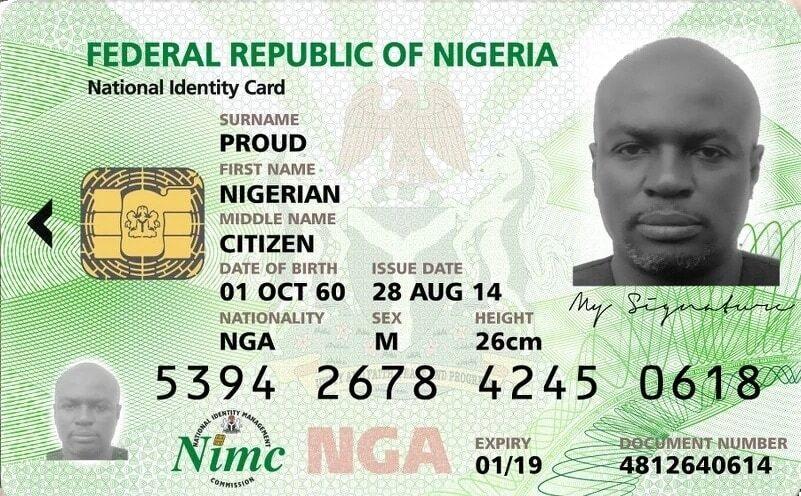
The National Identity Management Commission has released information to help people who have lost/misplaced their National Identification Number slip on how they can get their NIN slip back.
According to the information released by NIMC, Reprinting your NIN slip will cost a fee of 500 Naira which can be paid through REMITA or any bank closes to you, then you have to carry the Remita teller back to any enrolment centers near you and request for a reprint of NIN slip.
A simple way to get your National Identity Number easily according to the National Identity Management Commission is to dial *346# to retrieve your NIN number.
Note: There have been a lot of people who have a National Identity Number but do not know it. If you already have a BVN, automatically a NIN has been assigned to you.
The current trend about the NIN is because the Nigeran government has directed telecommunication providers that all mobile network subscribers will have to update their SIM with their National Identity Number (NIN) before the deadline.
The National Identification Number is what the Nigerian government establishes to use to identify every Nigerian and they also advise citizens “to stop selling and sharing their National Identity Number” because the details can be used for fraud.
What You Need To Do If You Forget Your NIN
You don’t need to register again, In just two easy steps you get your NIN back
Just dial *346# with the mobile number you register with your NIN
The Main Function Of NIN
NIN is a means of identification which the federal government uses to identify all records complied about a particular individual inside the National Identity Database and also as a means for self-verification of an individual identity.
Have you heard of Verifyme? Do you also know what its use is? Here in this article, we will talk about the Verifyme platform and how you can use this platform to verify your NIN.
Apart from the NIMC site, you can also use some other websites to Verify your NIN online. You don’t need to visit their office before you can get it verified after registration.
Without Verification of your NIN, it will be difficult for you to access so opportunities here in Nigeria. Now let’s move on to telling you more about the Verifyme agency.
Let’s get started.
What is VerifyMe?
Verifyme is an organisation that Olutunji Oluwole founded. It was launched to prevent crime and help Nigeria apprehend notorious criminals at their workplace. Its mission is to digitise Africa’s identity.
Verifyme is focused on constructing Nigeria’s infrastructure, which is done by using a digital identity or any verification services to the retailing market or industries.
The Verifyme agency was initiated and gained its license from the National Identity Management Commission (NIMC). The verification process is done by the agents on the field using the mobile apps on their devices. Verifyme enables customers to verify their NIN, BVN, Driver’s License, etc. The Verification is usually done by making use of facial recognition.
The Federal Road Safety Corps (FRSC) and National Identity Management Commission (NIMC) are strategic partners of the Verifyme organisation. Verifying your NIN on the Verifyme homepage is easy and does not take much time.
How can you verify your NIN?
Identity verification of your NIN and BVN is to help quicken the process. Without your NIN verification, you can’t have access to the national services as a citizen of Nigeria. This verification process and registration of NIN are vital. Verifyme is trusted and convenient for anyone who wants to get verified on this platform.
Now let’s talk about how you can verify your NIN on Verifyme.
Firstly, you need to log in to the website.
Download and fill the pre-enrolment
Visit any of the physical centres with the form. This will enable you to get the enrolment slip.
Use the slip to get your biometrics captured on the system.
After this, you will get your NIN slip which indicates that it has been verified.
Note that you do not need to pay any money to verify NIN. It is free, and you should get your National Identity number verified using the Verifyme platform.
To get verified and registered, you will need the following documents:
BVN
Old national ID Card
Drivers license
Voter’s card (Temporary or Permanent)
Nigerian international passport
Certificate of Origin
Attestation letter from a prominent ruler in your community
Birth certificate
Declaration of age
Attestation letter from religious/traditional leader
Government staff ID card
School ID card (private/public)
Tax clearance certificate
Valid immigration documents
You can also enrol for a NIN if you don’t have one. To get your NIN, all you need is to provide any of the documents below:
Attestation letter from a prominent ruler in your community.
Attestation letter from religious/traditional leader.
As a Nigerian, you must register for a NIN and verify it. The federal government has set a rule for all Nigerians to get their NIN link to their mobile numbers.
Note that it is not enough for you to get registered. It is also essential for you to get your NIN verified; else, whatever you do with the first number given on the slip will not go through. With this now put in place, as a citizen of Nigeria, a citizen above 18 years of age is now made compulsory to have a NIN.
Not only do banks request for NIN, but students writing WAEC also need it. Without your verified NIN, you won’t be allowed to register successfully for any exam that will usher you into the university. Mobile network providers like MTN, GLO, Airtel, and Etisalat now request a link of your NIN to your mobile number. This is done for your number to keep functioning and apprehend criminals without delay.
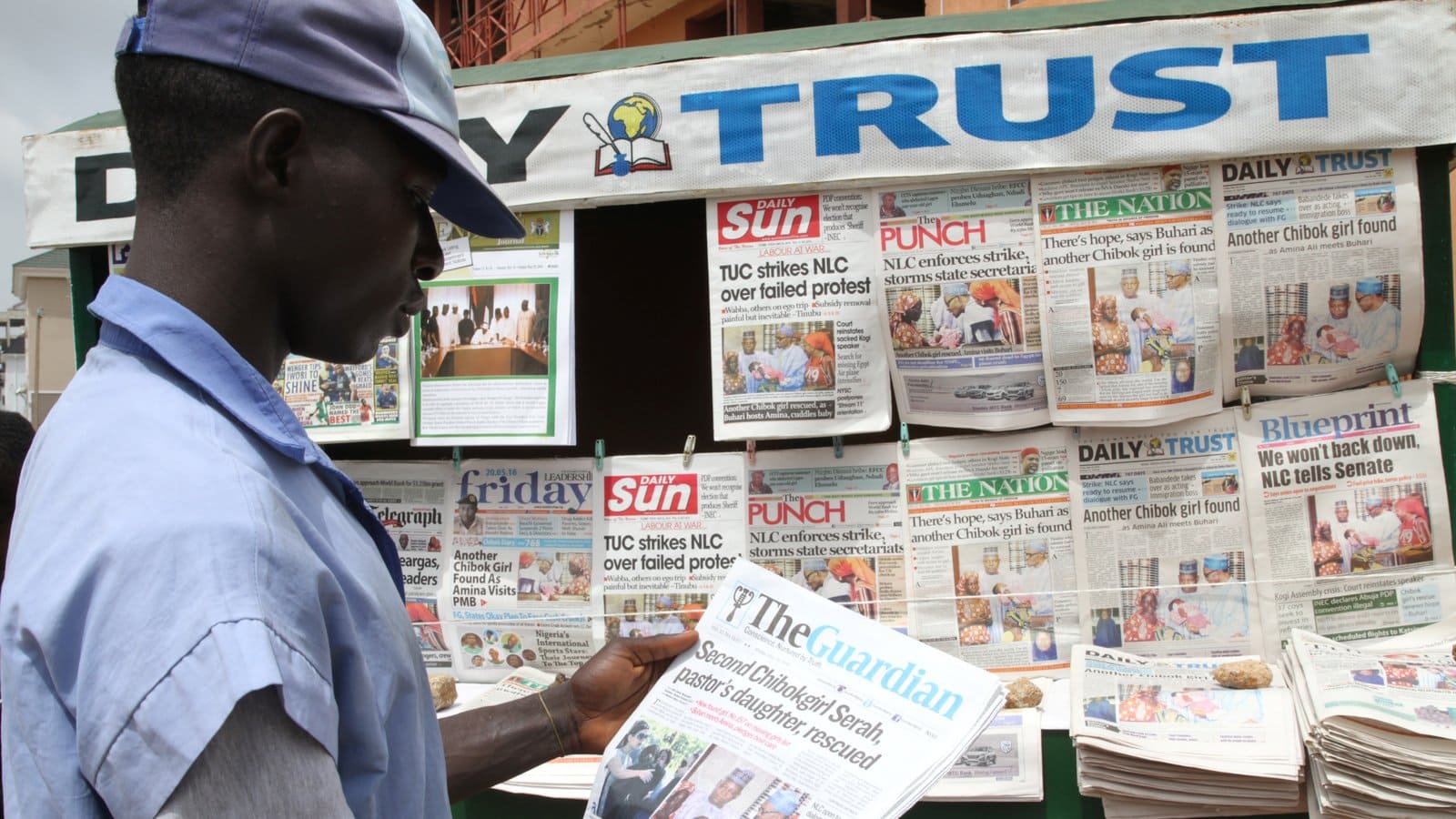
In today’s world, the means of communication or passing of events in Nigeria has been made easy. Without purchasing a newspaper, you can know what is happening in Nigeria by simply checking online.
You can always find the latest news trending in Nigeria without purchasing a newspaper with Google news updates.
Not everyone has the time to visit a newspaper stand to get one, although other important information is published in the newspaper.
In Nigeria, we have over a hundred newspaper publishing firms, both local and national newspaper publishers.
If you want to know how to access Nigerian newspapers online, this article will provide you with the information you need, so read on!
The different types of National Newspaper that are present in Nigeria are:
Vanguard
Daily Post
Punch
Premium Time
The Nation
Guardian
Dailytrust News
All that have been listed are the new publishers present in Nigeria. They each have an App that you can easily download from your Google play store to always and easily access the news. You can always get the news updates online when the app is downloaded to your mobile phone.
You must get to know what is happening in Nigeria and be versatile. Remember not to limit the information you get only to a particular sector, and widen your scope of knowledge.
Vanguard Newspaper
Today in Nigeria, Vanguard news is one of the leading Newspapers. It was established in the year 1984 and has been in existence ever since. It provides you with all the information you need to know about Nigeria and the world.
It provides news on politics, sports, business, entertainment, Allure, E-editions, and many more.
All you need to do to access vanguard news online is to download the app to your mobile device. Then enter the information you want to read about and start reading.
You may also decide to visit their website this way. You will get all the information you want through their site.
Daily Post Newspaper
This is also another newspaper publishing firm. You can access the latest news on National, political, Metro, Sports, Entertainment and opinions.
You can also download the app to your device, register your information, and log in to your dashboard. You will always get notifications on your phone for every news update.
Punch Newspaper
This is another newspaper publishing firm, and it is also popular with the news they provide daily.
Their news is always the latest regarding Metro plus, Politics, Sports, Business, and any other news you want to know. You can also subscribe to the site for a consistent update on every news.
When you have an internet connection on your mobile device, you will always get updates on the latest news.
Premium Time
To access Nigeria newspaper on premium time, you must fill in your email address and password. When you do this, you will always get updates on the latest news or happenings in Nigeria.
You can also choose to read any of the news that interest you.
Premium time newspaper is the leading newspaper for fast and reliable breaking news.
The Nation Newspaper
The Nation newspaper is also a national publishing newspaper firm in Nigeria.
They provide you with the latest Nigeria news updates, which range from the top Nigeria news such as Entertainment, Sports, Politics, Sports, Fashion and many more news updates.
You can also subscribe to their site for consistent updates on happenings in Nigeria.
Guardian Newspaper
This newspaper can also inform you about all the events happening in Nigeria, comprising all the events happening inside Nigeria and across the globe.
Guardian newspaper also provides you with news on Sports, Politics, Entertainment, Business, Technology, and many more.
You can have access to this news online by simply visiting their websites. The news on this platform is also trusted and up to date, and you can try it.
DailyTrust News
Dailytrust News provides you with detailed news about every event in Nigeria.
You can also access this newspaper online by visiting their website or subscribing for news updates which DailyTrust will send to your email address.
In this article today, we bring you the top technology bloggers in Nigeria.
The technology blogs in Nigeria have really helped many experts specialize and share their knowledge through writing. Nigeria has many bloggers, so it’s possible for you to get confused about which of the bloggers you need to follow. We are here to guide you through your journey of becoming a technology blogger in Nigeria.
Blogging is a good business, and many people enjoy the fun they derive from tech products. If you are searching for the best bloggers in Nigeria, we will provide you with a list of these bloggers and their websites.
Below are the Tech bloggers in Nigeria and their websites.
Oluwafemi Bankole
Franklin Obioha
Oke Charles
Abiodun Olubakinde
Yomi Adegboye
Muyiwa Matuluko
Samuel Afolabi
Omotimehin Oluwadamilare
Hide Ogunsanya
Paschal Okafor
Let’s now discuss the Technology websites in Nigeria the bloggers above write for.
TechCabal (techcabal.com)
This site was created by Mr. Oluwafemi Bankole in 2013. This site is still functioning to date, and it has become the best tech blog in Nigeria. This blogging site provides you with all the information you need to know about funding, investment, and entrepreneurship worldwide.
This tech blog is among the top best in Nigeria due to the record of extensive users review.
Tech point (techpoint.africa)
This tech blog site is also a recognized website when it has to do with technology-related topics. It was created by Muyiwa Matuluko and Adewale Yusuf in year 2015. Tech point has been able to write on depth stories about Nigeria’s technology system.
GadgetStripe (gadgetstripe.com)
This is another technology blog created by Oke Charles. This blog provides you with a lot of information that will benefit you. It gives you information on smartphones and some gadgets.
NaijaTech (naijatechguide.com)
It is also another platform with the best tech blogs in Nigeria. It was launched by Paschal Okafor in December 2006. This blog provides you with buy guides, tips, gadget reviews, and specifications. The site also provides you with Fintech information, Apps, and other online services.
TechCity (techcityng.com)
This blog provides you with news and stories beyond Nigeria. It has a lot of top-notch information in a language that everyone understands.
MobilityArena (mobilityarena.com)
This is one of the prominent voices in the technology blog industry. It was launched in 2008. It has a lot of information on handset news, smartphone help articles, opinion analyses, and comparing smartphones.
HowToTechNaija (howtotechnaija.com)
This is a fantastic blog site that you can count on when it involves accessing technology-related news online. It was founded by Abiodun Olubakinde in 2016. This blogger focus on writing about smartphones, gadgets, and many more. Thai technology is out to help impact technology users.
TechLector (Techlector.com)
Techlector is among the leading tech blog created by one of the bloggers in Nigeria known as Samuel Afolabi. It was launched in the year 2015. The main focus of this blog includes gadget reviews, Tablets, Notebooks, Hi-Tech news, Ultrabooks, and lots more.
TechNext (technext.com)
Technext blog site provides you with business-related articles. It emphasizes African problems more, and its aim is to influence the technology in the world.
NaijaKnowHow (naijaknowhow.net)
This tech blog was created by one of the top bloggers in Nigeria, Franklin Obioha, in 2015. The primary focus of this site is to assist those without technology knowledge (non-tech savvy) in solving the fundamental problems they might face in the tech world.
Conclusion
Despite having many bloggers in Nigeria, there are still a lot of tech sites that can help you. The sites listed above have been proven to have a lot of information you need on tech news/content and any related tech topics.
Blogging is an excellent online business that you can start, especially if you love writing. This business has really helped a lot of people to achieve their dreams.
If you enjoy writing, you can become a blogger since you now know the top bloggers in Nigeria. You can begin your blogging journey right away.
If you are an iPhone lover, this will help you know in detail all you have to look out for before you buy one.
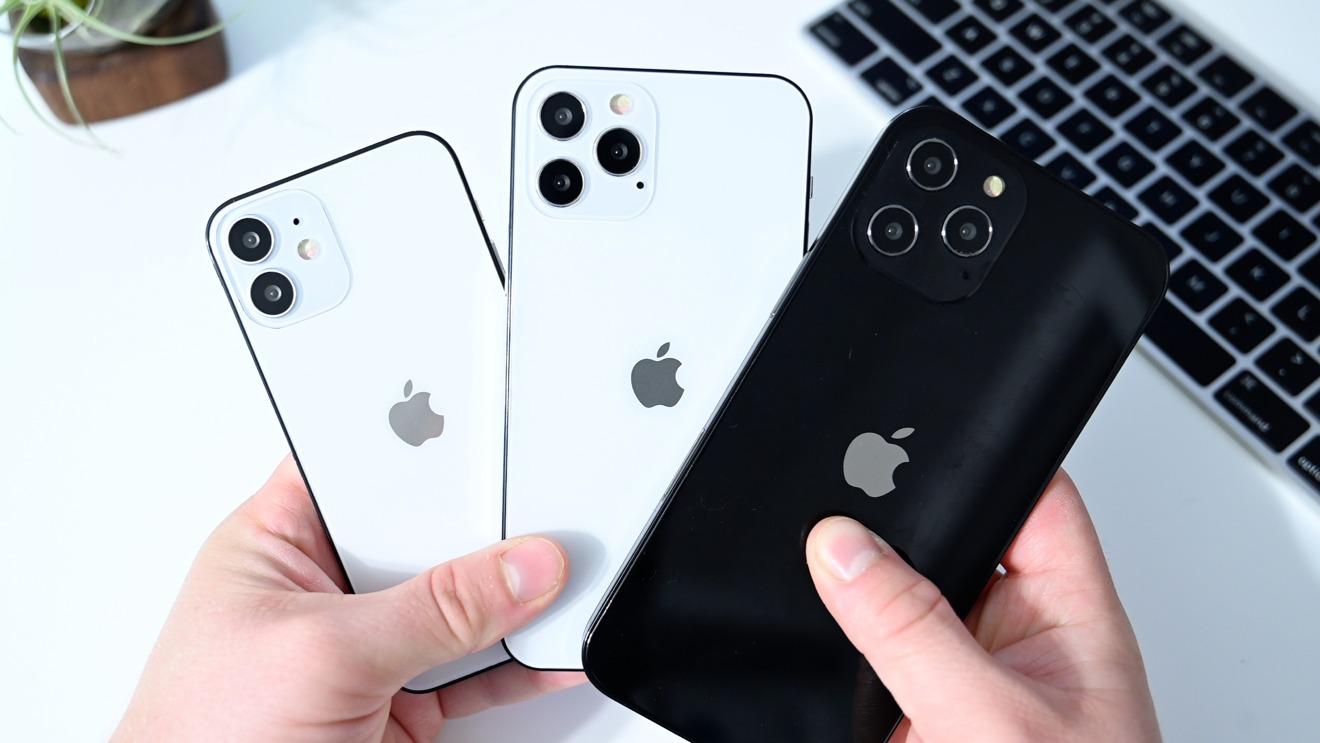
In this present time, iPhone has become the most preferred phone than other products. For a typical Nigerian who is thinking of getting an iPhone, you should buy a UK-used phone.
Before you purchase an iPhone, it is good you get the one that is not beyond your budget.
In the Nigeria market, UK used phones are most common. The brand new in hones are more expensive than the UK used ones, this is why many Nigerians go for it.
When you hear of UK used products, it’s clear that they have been used in the United Kingdom before it is being sent to Nigeria.
Although, there are lots of fake iPhones in the market. For this reason, we are here to help you with tips so you don’t fall victim of buying a fake product. While considering buying a UK used iPhone, you need to conclude on the type of iPhone you want. When you don’t decide on this first, making a choice can be difficult, especially when you get to the iPhone store.
After you must have decided on the type of iPhone device you want, here are things you should look out for…
Check the body of the iPhone if it still looks new
UK used iPhones are usually as new as the brand new ones. Do not ignore this because the phone is cheap.
Don’t buy any phone with scratches on it, or that looks over used. Your phones will always represent you always when you go out. Also ensure there are no damages on the phone screen.
Ensure the iPhone is not duplicated
There are many fake iPhone products today in the market. You need to be careful while planning on getting one.
Another question is how do you know a fake iPhone? Whatever kind of phone you intend buying, make a research on the features. This will help your detect the type you should buy.
Check the iCloud of the iPhone inorder to detect of it is locked
Some of this devices could be stolen, so it is a must for you to check the iCloud. The Apple incorporation site has all the information about iPhone. All iPhone devices has an IMEI number which can help you detect if it is locked. You can make use of this websites https://www.icloud.com to verify if the device is locked You can also verify the ESN or MEID Numbers using same website.
It is also possible for you to detect this using the Apple Activation Lock Status Tool.
Go through the Phone Camera
The iPhone camera is one of the most important feature that you need to go through before purchasing one. The camera is very nice, it has good picture and video quality. You should ensure that the camera is working perfectly fine. The picture quality of a UK used iPhone and brand new are of same quality.
Check the Network Carrier of the iPhone
The truth is that not all iPhones can carry all networks, and some of these devices are restricted to some network carrier.
An iPhone can only work with a particular network when it is locked.
Go through the 3D and touch ID feature
3D features of an iPhone differs from the ID feature. This features makes it easy for you to operate your iPhone, and you can either use the soft or hard feature while operating it.
It is also crucial that you know how to operate an iPhone using both features.
Test all functions of the iPhone before you pay for it. You must check the duration of the device battery, the headphone and charging ports, WiFi connection, Bluetooth, GPS, and all the phone button. You should also test the speaker quality of the device. To be sure of the speaker quality, try making a call with the phone, that way you will know the sound quality.
When you do all these listed, you won’t fall victim to buying a stolen phone device.
PayPal is one of the best platforms for online payment in Nigeria and everywhere in the world, especially if you’re working on the internet.
Paypal is accepted everywhere and almost everyone uses it to accept payment in eCommerce shops, on marketplaces, or even personal transactions and gifts; and with the pandemic, online payments have become more popular.
Freelancers, especially those in Nigeria and other African countries have relied heavily on PayPal (even though there are some PayPal alternatives) to receive payment for services they have rendered as a way to make money.
As the world becomes more and more connected, faster and easier transactions are needed now more than ever.
Even though you might not need PayPal yourself, someone who you do business with would need it in order to go through a transaction with you and that’s why in this 21st century it’s important that you get a working PayPal Account that is verified and that you can use to accept payments and make purchases and withdraw your money.
A lot of readers on this blog have asked for this particular article and we have spent the time to research the best working methods to register, set up, and fund a PayPal account and withdraw here in Nigeria.
Please remember that this tutorial is for a business account and you will be able to use it for all your PayPal transactions here in Nigeria and abroad. Please don’t choose the personal option else you won’t be able to change the phone number prefix to Nigeria.
At first, I didn’t know how to create a PayPal account so I followed a lot of tutorials online (even some paid ones) that put me through a lot of problems.
Such tiresome methods sometimes involve trying to get an international number and other things that were very difficult to lay hands on.
Now getting a PayPal account in Nigeria that you can receive payments and withdraw is easy, all you need is your valid phone number, your current address, and your legal full name.
This article has been well written and is therefore very long and I encourage you to read it to the end to go through the process in less than 9 minutes.
If you are ready, just continue reading as I teach you how to get a PayPal account in Nigeria and get it working for you. The good thing is that you never going to have issues as I have been using an account I created from this method for more than three years.
What is PayPal?
PayPal is the online wallet service of an American financial institution registered in the United States and several countries. The company is also registered in other countries including Canada, Luxemburg, Singapore, Spain, and the United Kingdom.
It serves a global marketplace and is by far the biggest internet wallet service.
In July 2014, Paypal blacklisted Nigeria and some other African countries due to the high number of credit card fraud that was originating from these countries.
Some of the countries on the list, like Nigeria, have had the ban level reduced but they still can not receive funds through their PayPal.
And that is why we have prepared this tutorial, to help you receive money and withdraw the money via PayPal.
Benefits of having a PayPal Account in Nigeria
Why do most people love to use PayPal and not any other payment method? Well, it is because PayPal has been around for a long time and is robust and very trusted.
Here are some benefits you can enjoy after opening a verified PayPal account in Nigeria.
Security of transactions
Disclosing your card details when carrying out financial transactions online comes with a lot of risks, this is where Paypal has an edge, with Paypal online merchants don’t see and ask for your credit card details to carry out transactions.
Paypal simply collects your credit card details just once, which is when you are signing up for a PayPal account, your card details are encrypted and secured, which simply allows you to trade online without fear of having your credit card details compromised or stolen.
Buying Online
Having a PayPal account gives you access to thousands of online store with just your email address and password as most online vendors accept Paypal as a method of payment which is one of merit you derive from owning a PayPal account, you can easily purchase whatever you need regardless of the location.
Flexible with more options and costs less
Paypal comes with a lot of flexibility as it supports various types of cards (Master cards, VISA cards, Debit cards, Credit cards, etc). you can simply add and verify any of your preferred electronic cards to your Paypal account, you can also add more than one card.
Paypal is also accepted on mobile sites and apps which simply allows you to pay with your tablet and smartphone with just a few clicks, you also don’t need a token to use Paypal.
Simple and Fast
With Paypal, you can send payment in exchange for goods, transfer funds, send money and pay bills in few moments which can be done anywhere and anytime, all you need is to simply login into your Paypal account with your email address and password.
What do you need to create a verified PayPal Account in Nigeria?
To create a PayPal account in Nigeria, you need 3 things (which you should already have as a Nigerian). These are:
An active phone number (I recommend MTN and 9Mobile; Glo and Airtel sometimes have issues receiving OTP from PayPal).
Full Name as it appears on a recognised National ID
A working email address (You should never have tried to use this address to register a PayPal account)
Once you have all these three things, you can start the registration process on your computer. If you want to use a mobile phone to do the registration, I recommend Google Chrome browser or Yandex browser.
Remember to choose “desktop mode” on your mobile browser if you are going to use a smartphone.
Steps to create a Verified PayPal account in Nigeria
Here are the steps to follow to create a PayPal account in Nigeria:
Visit the PayPal website from your Google Chrome browser
Choose to sign up for a PayPal business account
Enter your valid personal and business details
Confirm your PayPal account from your email
Sign in to your new PayPal account
Confirm your additional details and start using your PayPal account
Now, let’s break it down for you. Be sure to follow step by step.
Visit the PayPal website from your Google Chrome browser
Visit the PayPal Lesotho homepage (Since Nigeria PayPal is limited, you need an African country that has full access).
Choose to sign up for a PayPal business account
Click the “Sign Up” at the top right to be taken to the signup screen.
On the “Sign Up” screen, choose “Business Account”. The business account gives you more access and the chance to receive funds as well as send in a hassle-free manner.
Please don’t choose Personal Account.
Enter your valid personal and business details
On the next screen, enter your valid email address.
Click continue and then proceed to fill in all your relevant details like in the photo below. Take note of the following:
Name: Use the official name on your Government Approved ID Card. Although you will not be asked to verify it, you have to do this to be on the safer side.
Business Name: If you have a valid registered business, you can use that name. Otherwise, coin a new business name out of your name and use it.
At the phone number section, click on the Lesotho flag and select Nigeria, then enter your valid Nigeria phone number. This is very important so that you have full access to the account.
Postcode: Enter 00234
Business Address: Use your residential address if you have no business address.
Currency: You can choose any currency you want. It is advisable to choose the currency most of your transactions will be in, usually US Dollar.
Click on submit when done.
Important: After this, don’t continue to fill the form. Rather, wait for an email from PayPal.
Confirm your PayPal account from your email
Next, PayPal will send you an email to confirm that your details have been received. Once you receive this email, it means all the steps above have been successful.
Sign in to your new PayPal account
Next, you can log in to your new PayPal account and complete all the steps on the dashboard.
This includes confirming your email and giving additional information about your business.
Confirm your additional details and start using your PayPal account
Once all the processes are done, you can proceed to add additional information needed for the Customer Identification Process.
This helps to secure your account and prevents you from having issues with PayPal.
With the additional needed information, you can fill it just like in the photo below. Sole Proprietorship and Incorporation in Nigeria.
Once you are done, you will now have a fully functioning PayPal account in Nigeria. You can now receive money in your account and use those funds to make payments.
However, that is not enough.
We will teach you how to withdraw the money from your PayPal account.
How to fund your PayPal account in Nigeria
Funding your PayPal account is simply the method or means by which you can add money to your PayPal account.
If you are not receiving any funds into your PayPal wallet and you still need to use it to make a purchase, you will have to fund it.
Here are 3 ways by which you can fund your PayPal account here in Nigeria.
Transfer from friends
One of the easiest ways to fund your PayPal account all the time is to ask your friends that also have PayPal.
All you need to do is send the Naira equivalent of how much you want to be sent to your PayPal account to your friend and they will send you the funds when you give them your PayPal email.
Beware that there are some people who would want to take advantage of you, making this process very risky. The next method, however, involves dealing with your bank.
Fund from Debit Card
This is the safest means to fund your PayPal account in Nigeria. All you need to do is to contact your bank to get a debit card from them.
Make sure you have enough funds on the card to be loaded on your PayPal account and add the card to your account.
From there, you can fund your PayPal account.
I recommend you use banks that have a mobile app or good USSD platform so that you make bank transactions directly on your phone.
Buy from Online Exchanges
There are online exchanges in Nigeria that offer varying rates that you can buy and sell PayPal funds from.
You just need to do good background checks on them and read reviews about them too. Not all of them are genuine.
Therefore the card remains the best way to fund your PayPal account in Nigeria.
How to withdraw money from your PayPal in Nigeria
You need a UBA AfriCard Card to withdraw your Paypal funds.
Please note that this card can be the normal Naira Card and not a USD card.
In Nigeria, you can get a UBA AfriCard by walking to the nearest UBA Branch and requesting a card. It is also sometimes known as the UBA Prepaid Card.
Once you have linked your cards to your PayPal account, you can follow the steps below to withdraw your money:
On the next screen, click on “From” and choose your PayPal Balance
Then next, click on “To” and choose your linked Visa Card
Enter the amount and click on “Continue”
On the next screen, you will see a review of the transaction you are about to undertake. Click on “Transfer” to have the money sent instantly to your UBA AfriCard. Remember that although it is written 5 to 7 business days, the transfer is mostly instant and you can check your balance at any ATM or via your Mobile App. You may not receive any alert when you transfer from PayPal to your AfriCard.
Important information to note about Paypal in Nigeria and this tutorial
100% Working: This tutorial is 100% working. To be sure, we have used it to create about 5 different PayPal accounts for different individuals between August 2020 and January 2021. We also have testimonials from over 132 individuals who have used the tutorial in Nigeria.
No VPN: We didn’t mention the use of VPN in this tutorial because it is not needed. You don’t need a VPN to create a PayPal account in Nigeria if you follow our steps. In fact, you don’t need a VPN to even access the account. Never use a VPN with the account
No International Number: Forget the hassle of using an international number. This tutorial does not involve that.
Legality: You are advised to provide legal information about yourself when completing this tutorial. This is the only way you can access your PayPal account, should anything go wrong. The phone number is most important because it will be used to verify your identity should you lose your password.
Withdrawal charges: Anytime you withdraw from PayPal, you are charged $5. For this reason, it is best to keep your money there until it is substantial. As I said, the account is safe and you will not lose your money if you follow all the relevant steps.
Withdrawal tips: In order to make your PayPal account look even more legitimate, don’t withdraw exactly when the money hits your account. Wait for the next day to withdraw to your UBA AfriCard.
The Nigerian International Passport is an opportunity to enjoy international travel and the pass to explore different cultures all around the globe. So you can travel anywhere in the world (if your visa is correct).
International passports are not the same as ECOWAS passports, which only allow entry for travel into only the fifteen West African countries, this includes Ghana, Togo, Benin Republic, Niger, Ivory Coast, Guinea, Burkinafaso, among others. Nigerians wishing to travel outside West Africa must obtain an international Nigerian passport.
The online application process of the application is very simple and straightforward. If you live outside of Nigeria, you can apply online or at your nearest consulate. You must apply and submit your application before the day of departure to reduce unnecessary stress.
Once you’ve received your passport, all that’s left to do is pack and leave.
For new passports only the Nigerian Immigration Service (NIS) is currently responsible and issues an electronic passport (e-passport) for new applications.
The masses are made to apply for a standard e-passport (green envelope) while the e-passport (blue envelope) is reserved for top government officials, civil servants, and Nigerian diplomats.
Nigeria citizens that is traveling outside of Nigeria for business, pleasure, or other activities such as school must have a Nigerian international passport.
You can apply for a 64-page passport if you plan to travel internationally on a regular basis throughout the year, this actually saves you the stress of applying for new passports and carry bulky documents all around the place. You can also go for the 32 pages visa if you aren’t the type that travels outside the country on a regular basis.
Requirements for applying for an international passport in Nigeria (Adults)
At the Nigeria immigration office, the requirements for an international passport are as follows:
Must be an Adults (18 years and above)
An already filled Application for processing the passport
2 current passport size photos
Payment documents/receipts
Local government area identification Certificate/state of origin (with valid ID card)
Birth certificate
Completed Guarantor application form (with a copy of the data page of guarantor Nigerian e-passport and one passport-sized photo of guarantor)
Marriage certificate (if applicable to you)
Declaration of name change (if applicable to you)
Requirements for applying for an international passport in Nigeria (Minors)
A fully Completed passport application form
One passport size photo (well-signed on the other side by the consenting parents)
Valid Birth certificate
Proof of Parents being a citizen of Nigeria
A Letter of consent from parents
Proof of payment made
In a case where the child is being adopted, a Court Order and Letter of approval from State Ministry of Women and Child Development would be required.
How to apply for a Nigerian Passport Online
Firstly, you need to Visit the Nigerian Immigration Services portal : portal.immigration.gov.ng
Make Selection for the passport type you want
Chose the country you are processing the passport from
Select and Complete all information on the application form
Select and upload all the scanned copies of the required documents
Choose your desired payment method (you can make payment with your ATMcards)
After payment has been made, select“Submit”
Then, You will be given an Application ID and a Ref number
You are to Print the Guarantor’s form and get it certified
After the previous step has been finalized, make Submission of the completed application form with additional required documents in person at the passport office of your choice
After you have gone through all the procedures above, you would be required to appear physically at the immigration office take photographs and also for biometrics records.
How to apply for a Nigerian Passport Offline (Manual Method)
If you would rather apply through a representative in Nigeria than online, please be aware that this process can take a lot longer. Be wary of the agents you work with to avoid getting involved in fraud and lost documents. Even with an agent involved, you still have to appear in person at the immigration office with the required documents.
A new passport application at the Nigerian immigration office takes approximately 72 hours to process after the biometric data has been acquired. In some cases, processing a new passport has been known to take up to a month, make sure you apply well in advance.
Conclusion
People living abroad can apply for an international passport at the nearest consulate or by applying online. Application for the Nigerian international passport can be completed online from anywhere in the globe. The guideline and requirements for the Nigeria international passport application have been well explained in this blog post.
Sending or receiving money to or from any country in the world has been a major challenge until the introduction of modern electronic payment systems.
Whereas these electronic payment systems have eased the stress associated with sending and receiving money internationally, Africa has not benefitted much from these.
That’s to say, most of these payment systems only allow people to send money from Europe and the Americas to some parts of Africa. However, very few of them are able to provide a platform for Africans to transfer money among themselves.
This is particularly true when one is sending money to Ghana or Nigeria. Most times, the only payment methods available are Paypal and Bank transfer. Obviously, of these two, the former is more appropriate while the latter takes a while longer to reflect. But, how many people in these countries have PayPal accounts?
In this article, we shall look at one of the leading electronic payment systems which enable people to send and receive money to and from Ghana or Nigeria.
What Is Small World Money Transfer?
Small World Money Transfer (SWMF) is a global provider of electronic payment services with a vision to be a favourite choice for all global payment needs.
They have been in operation for over 13 years in over 90 countries across the world and with over 250,000 cash pickup locations.
Small world also has a global teams size of 800, covering all continents.
Their payment services including money transfer to Bank account, Cash Pickup, Mobile Airtime Topup, Money Transfer to Mobile Wallet, Home Delivery and Cash Card Topup.
Based on several positive reviews, the Small World Money Transfer platform is secure, fast, offers competitive exchange rates and is trusted by over 15 million users globally.
So, if you are looking for an international electronic payment solution, you should consider this.
How To Send Money To Ghana Or Nigeria
First of all, before you can start sending money to anybody using this platform, you need to register for an account. So, the first step in the process is for you to create an account.
How To Create An Account On Small World Money Transfer
Visit www.smallworldfs.com
Click on ‘Register’ beside ‘Login’ on the top right corner.
Select your country of residence under the ‘Send Money From’ tab.
Enter your email address in the next text box.
Re-enter your email address to confirm.
Enter a suitable and strong password in the text box.
Mark the Terms and Conditions Checkbox by clicking it.
Click on ‘Create Account’.
You’ll receive a confirmation email.
Kindly check your email to confirm your email address.
How To Transfer Money From Any Country To Ghana Or Nigeria
After successfully creating your Small World Money account, the next thing for you to do is sending and receiving money. Fortunately, for your first transaction on this platform, there is no fee at all. It is completely free.
Now, let’s look at the steps for sending money. Remember that during the registration, you should select the country in which you reside now. If not, you may not be able to send money to anyone.
Click on ‘Send Money’
Select the country of your recipient
Select the payment method you want to use
Input the details of your recipient based on the payment method selected.
There are limited payment methods available to various countries so choose the appropriate one. For Ghana, there is mobile money and all others.
If you haven’t connected a bank account or card yet, you’ll be directed to add a payment method where your cash can be sent from.
The money would be sent once you add your payment method.
Note: Depending on the payment method selected and how soon the money is received from you, your recipient may receive the money instantly or in a few hours or days. Mobile Money Wallet and Paypal Accounts are usually instant. While Bank Transfer takes a while.
Limits On Money Transfer And Fees
As an International Money transfer platform, there are fees and limitations on amounts that can be transferred in one transaction. So here, we present you with all that.
The limitations on money transfer are listed in the table below.
CURRENCY
LIMIT
EUR (Euro)
2,000
USD (US Dollar)
249,999
GBP (Great British Pounds)
2,000
NOK (Norwegian Krone)
20,000
SEK (Swedish Krona)
20,000
BRL (Brazil Real)
8,000
CHF ( Swiss Franc)
2,000
DKK (Danish Krone)
18,000
Unfortunately, their fees are not openly available however, based on reviews and some transactions, their fees are by far more affordable than most other International Payment systems.
Sending and receiving money in Africa is a major problem since most payment methods do not cover all parts of Africa. The world’s leading International Payment systems have for most times blacklisted some African countries including Ghana and Nigeria.
This has therefore made it difficult for family and friends abroad to send money to people in these parts of the world. However, this should not be the case.
Therefore, in this article, we spoke about Small World Money Transfer, a platform for sending and receiving money globally including Ghana and Nigeria. We spoke about how to send money to Ghana and Nigeria using this platform, as well as limitations on transactions and why you should use this platform.
For any questions, comments or reservations regarding this article, kindly get in touch with us or leave a message in the comment box below.
There’s seemingly nothing as dangerous as going into a deal with an unregistered company; having anything to do with an unregistered company is very dangerous and could be disastrous at the same time.
It’s no longer news that many persons have lost a huge amount of capital by doing business with companies they don’t know are yet to be registered under the controlling body of Cooperate Affairs Commission (CAC).
It is compulsory for all companies and businesses in Nigeria to be registered under the appropriate governing body, and as at the time this article is written, the only body that has been vested with the authority to register companies and businesses is the Cooperate Affairs Commission (CAC); the activities of this body is not limited to registering businesses and companies alone, but also to regulate how companies are being formed and managed in the country.
I would advise that you take some drastic steps in confirming if the company or business you are patronizing is actually registered with CAC, this would safe you the stress of being scammed unnecessarily.
How to search for a Company or Business name in Nigeria
Time needed: 5 minutes
Below are the simple steps to take in confirming the registration of companies or businesses under the Cooperate Affairs Commission in Nigeria.
Select the “public search” service on the very first page; the good thing is that this site is easy to access at the comfort of your home, the platform has a user friendly interface and also free to use
Enter the details of the company or business you want to find information on
After selecting “public search” on the first page as shown in in step one above, you will be automatically redirected to the search page, where you will be required to enter the name of the company or business you want to validate its authenticity; enter the name of the company or business in the search engine with heading “search record by name”. Note: be sure to enter the name of the company or business without the “PLC”, “Limited” or “LTD”.
Verify that you are a human
Click the small box that is laced beneath the search box; and be sure to verify that you are not a robot; you might be lucky not to be directed to a page where you will need to identify some objects and tick ones that matched correctly; not getting this verification done might actually stop you from going to the next stage.
Start your search
After you must have successfully carried out the verification process, the small box will be ticked, this shows that you have been verified. Then click on “search”, this will lead you to the next page.
If the company or business whose you entered is registered with the Corporate Affairs Commission, the search will return a result showing the details of the company and CAC registration status; this includes, the full name of the company or business, the RC number, the full address of the company and the reiteration date.
If the company or business is still undergoing the registration process, then the result of the search wouldn’t bring the RC number and the company address, it’ll only display the full name of the company and the registration date.
If the search didn’t display any result; that is, if all it brings to you is a blank page, then the company or business is not registered with the Cooperate Affairs Commission.
Conclusion
It’s no news that there’s an increasing rate of fraud and criminality in Nigeria, and the risk of getting scammed is very high as many of these scammers would approach you as a genuine company who truly have something to offer.
I would advise that you don’t do business with any company that is yet to be registered under the Corporate Affairs Commission; how to know if a company is registered with CAC has been explained in this article, all you need to do is to just follow these steps out rightly before getting involved in any deal with a company or business in the country.
One of the benefits of transacting with a registered company is that one could easily sue such a company to court if there’s a breach of contract or a suspected act of fraud; it is therefore very important to conduct a diligent search before engaging the services or transacting with a company or business to avoid being scammed.
However, the CAC online search is limited to providing just the company’s name, address and other information.
To get in-depth information about the company or business, it is advisable to consult a lawyer and have them conduct a manual search at any CAC company located across the country.
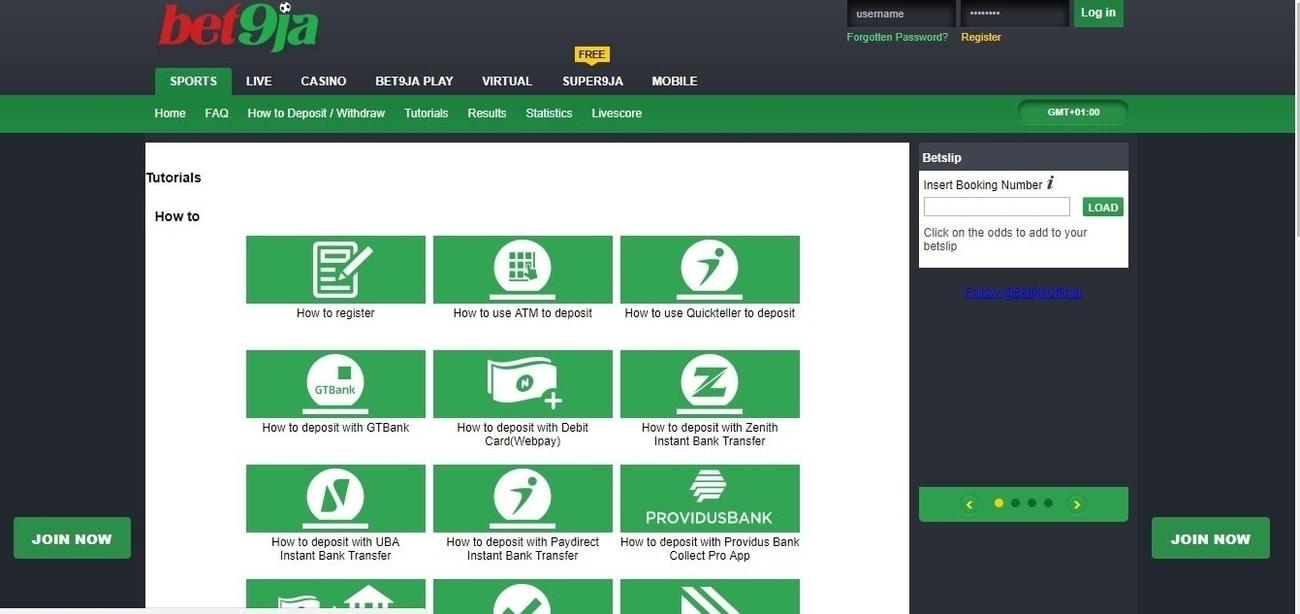
Bet9ja is one of the popular betting sites in the country of Nigeria, it was launched 7 years ago, on the 10th of September 2013 and since then Nigerians has been making good use of this platform to make daily money. Its influence on young adults cannot be overemphasized.
A recent online survey confirms that Bet9ja is the 3rd most visited site in Nigeria, coming after Google and YouTube respectively, it is also the first most visited local site in the country and also the only Nigeria website in the top 500 most visited websites in the whole world.
However, thinking of deleting your account must be due to trying to get over an addiction to the online gambling site or some other reasons best known to you; some other people might just want to delete their accounts because they want to open a new one and start their online gambling all afresh.
This article is composed to guide you and be of great assistance to you in your quest to deleting your Bet9ja account. It is also not an easy thing to do, since Bet9ja, unlike many other online platforms, did not place the option for their account deletion on the profile account settings or privacy settings.
The process of deleting your bet9ja account is irreversible, therefore you can’t decide to cancel the process when it has already been initiated.
Also note that the email account attached to the Bet9ja account you want to delete will be forever banned from opening a new Bet9ja account, which means you will need a totally new email to open a new Bet9ja account in future.
Deleting your Bet9ja account is very easy and fast, we have done our findings and have gathered all the information that will be needed in getting your account deleted without any hitch.
Steps Involved in Deleting an Existing Bet9ja account
Below are the procedures involved in getting your account deleted:
Go to the browser of your phone to access the official website of Bet9ja, http://mobile.bet9ja.com/mobile. You could also open their application on your phone.
Click on the login option and enter your details to access your account
Scroll to the right corner of the page and click on “contact us” option
Click on “send us a message”
Enter your account details on the message box, this includes your first name, last name, email address and name address; ensure to enter the title of the message as appropriate, which is “delete my bet9ja account”
Once you are done entering your message, select “send”
You’ll get an instant notification that your message has been sent, right on that page. You don’t need to resend the message after it has been sent, but if not you will need to keep resending until you get notified that your message has been sent successfully.
After your message has been sent successfully, it will take approximately 2 days for your account to be completely deleted.
Instead of going through the procedures above, you could simply call their customer service line on 01-2796666
Conclusion
Once your Bet9ja account has been successfully deleted, you should know that you would not be able to participate on the online gambling platform again until another account is opened by you.


![How to create a Verified Paypal Account in Nigeria for Free; [with Pictures]](https://cms.mfidie.com/wp-content/uploads/2021/01/paypal-nigeria-create-account-2021.jpg)


![How to Apply for a Nigerian Passport Online [2022 Step by Step Guide]](https://cms.mfidie.com/wp-content/uploads/2021/03/nigeria-passport-application-online.jpg)