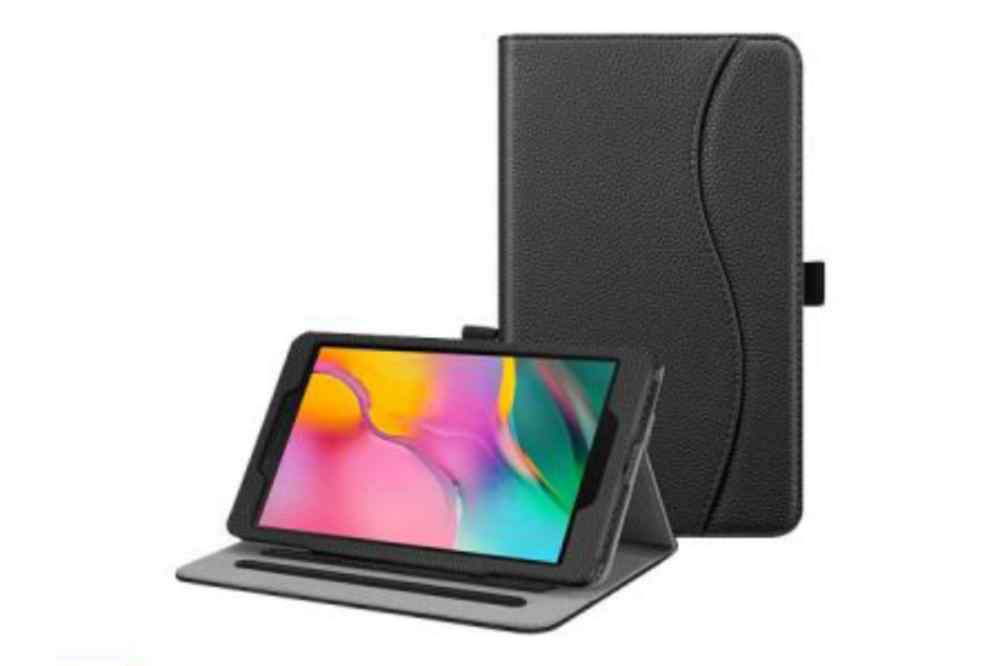
Samsung has been known to be a prolific brand that manufactures high-quality yet affordable electronics products. It is not surprising, therefore, that Samsung tablets have become very popular in Ghana and most countries.
Samsung tablets are very popular in Ghana and are not hard to find. You can find them at many stores across the country, but often the prices vary greatly from store to store and from person to person.
In this article, we will be talking about some of the most popular Samsung tablets that are currently being sold in Ghana and their prices.
Samsung tablets in Ghana and their prices
Samsung Tablet
Storage
Price
Galaxy tab A (2020)
32GB
GHS 1,699
Galaxy tab A7 Lite
64GB
GHS 1,299
Galaxy tab S7 FE
128GB
GHS 3,250
Galaxy tab A (2019)
32GB
GHS 929
Galaxy tab A7 SM
32GB
GHS 1,550
Galaxy SM-T225 tab A7 Lite
32GB
GHS 2,290
Galaxy tab A8 10.5
64GB
GHS 3,609
Galaxy tab S8
128GB
GHS 12,890
Which Samsung tab is best for students?
Samsung Galaxy tab S6 Lite is a mid-range android tablet for students. If you are searching for the iPad equivalent android tablet, the Galaxy S6 lite is the perfect pick.
How long will a tablet last?
A tablet can perform well for up to two years, after which if the software is not updated, it may require constant repair. Also, how long you can continue using it mainly depends on you the user, as to how well you can keep it.
Where to buy Samsung tablets in Ghana
There are several Samsung showrooms in Ghana. If you need any of Samsung brands, you locate any of their showrooms and make a purchase. Also, you can visit any accredited phone shop across the country or make a purchase online with Jumia Ghana.
Conclusion
The Samsung tablets are very good tablet for their prices, but it does have some drawbacks. Some of their battery life is less than stellar, and the camera is not that great either. However, it does also have some great features and it’s worth the buy.
In today’s world, when almost everything is done online, having a laptop is just as essential as having a decent pair of socks. Because of this, it’s always crucial to have a reliable laptop that can carry out a variety of tasks without any issues.
We do not all come from a rich family, of course. Not all of us are wealthy enough to spend tens of thousands of dollars on a brand-new laptop.
You will be glad to learn that you don’t have to be a billionaire to get a respectable laptop for yourself. Occasionally, all you need is about $600 to get a great item that will serve you well every day.
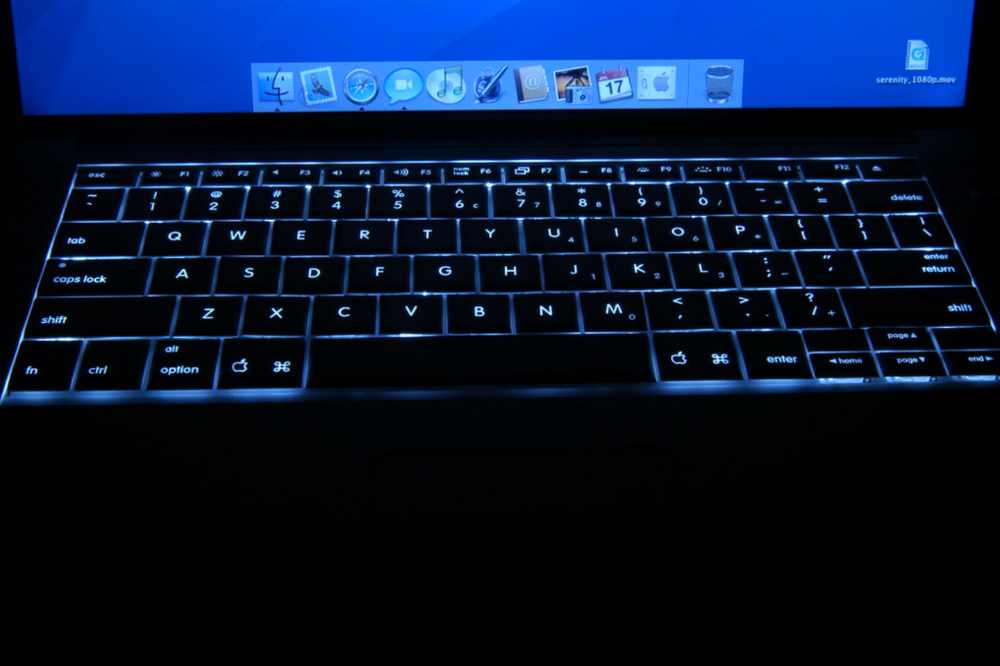
Best Laptops with Backlit Keyboard that Sell Under $600
1. Inspiron 14 5000 Dell
14-inch | 1,366 by 768 pixels
CPU: Intel Core i3 3GHz
Ports: 2 USB 3.0 ports, 1 USB 2.0 port, 1 HDMI port, 1 Ethernet port, 1 3.5 mm audio port, and 1 microSD card slot.
You have enough power to run several Chrome tabs or extra programs simultaneously thanks to the 11th generation Intel Core i3 CPU and the 16GB of RAM.
Maintaining many browser tabs open for cross-referencing and research is very crucial. In a nutshell, it satisfies both business and academic needs. This is not the ideal fit, though, if you’re searching for content development.
The keyboard has some flex, but it still makes for a nice typing experience. The majority of cheap computers, however, share this restriction.
This laptop’s Intel Celeron N4500 CPU is only suitable for light work and is not really up to the challenge of handling heavy ones. However, it suffices for regular tasks and online browsing.
Again, if you frequently download high-resolution photographs or movies that take up a lot of space, the 64GB of storage might not be enough for you.
The display is bright and clear, which is wonderful news (for a budget laptop). You may view Netflix movies or YouTube videos since the colors are passable.
The CB317-1HT Chromebook isn’t the quickest Chromebook available, to put it simply. However, this one is ideal for light web-based work if you want a huge screen and a backlit keyboard together.
3. Vivobook 15 by Asus
15.6-inch display with 1920 x 1080 resolution
Intel Core i3-1005G1 at 3.4 GHz
Ports: 1 USB-C port, 3 USB-A ports, 1 microSD card slot, 1 HDMI port, and 1 3.5mm audio port
The 10th generation Intel Core i3 CPU is not the most potent processor—again, the same principle holds true here. You can navigate routine tasks like surfing, watching movies, and editing documents with ease.
However, the system will sluggish down while you multitask. The laptop’s keyboard is undoubtedly its main selling point. It has a comfy keyboard in addition to being backlit. Additionally, typing frequently will reward you with a wonderful typing sensation.
4. Lenovo Chromebook Flex 5
13.3-inch size | pixel size: 1920 by 1080
Intel Core i3-1115G4 processor, 3 GHz
Ports: 1 USB-A, 1 microSD card slot, 2 USB-C with DisplayPort, 3.5mm audio, and 1 security notch
The Flex 5’s sleek and contemporary appearance is one of the main benefits it has over the Acer Aspire 5. Naturally, this makes transporting the laptop between locations simple. The cherry on top is the 2-in-1 design. It could be challenging to use a 13-inch laptop as a tablet, though.
Despite being a cheap laptop, the Flex 5 has a nice display with natural, rich colors and strong contrast. In addition, it has a maximum brightness of 250 nits like the one above.
You can get through the day on the battery life. On a normal day that involved scrolling, watching YouTube videos, and other activities, the PC World employees might acquire roughly six to seven hours of run time.
There isn’t an HDMI port on the Flex 5. Therefore, if you want to connect to an external monitor or TV, you’ll need to get a USB-C dongle.
5. Acer Aspire 5. (A515-46-R3UB)
15.6-inch size | pixel size: 1920 by 1080
Intel Core i5-10210U, 1.6 GHz
Ports include two USB Type-A, one USB-A, one HDMI, one USB-C, and one 3.5mm audio jack.
Although the keys are a touch thin, they offer nice feedback, and typing on them is comfortable. It trembles a little.
The display is both bright and crisp at the same time. The Acer Aspire 5 is notable for including a display with an IPS panel, which offers greater viewing angles.
Conclusion
Here are afew of the affordable backlit keyboards that cost under $600. The laptops are the best option for routine business or academic use, even though you don’t get the quickest or peppiest CPU.
We quickly discover the top wireless earbuds of 2018 thanks to a short Google search, but which ones are the best given the wide range of features and manufacturers? You’d be surprised at how easy the solution is.
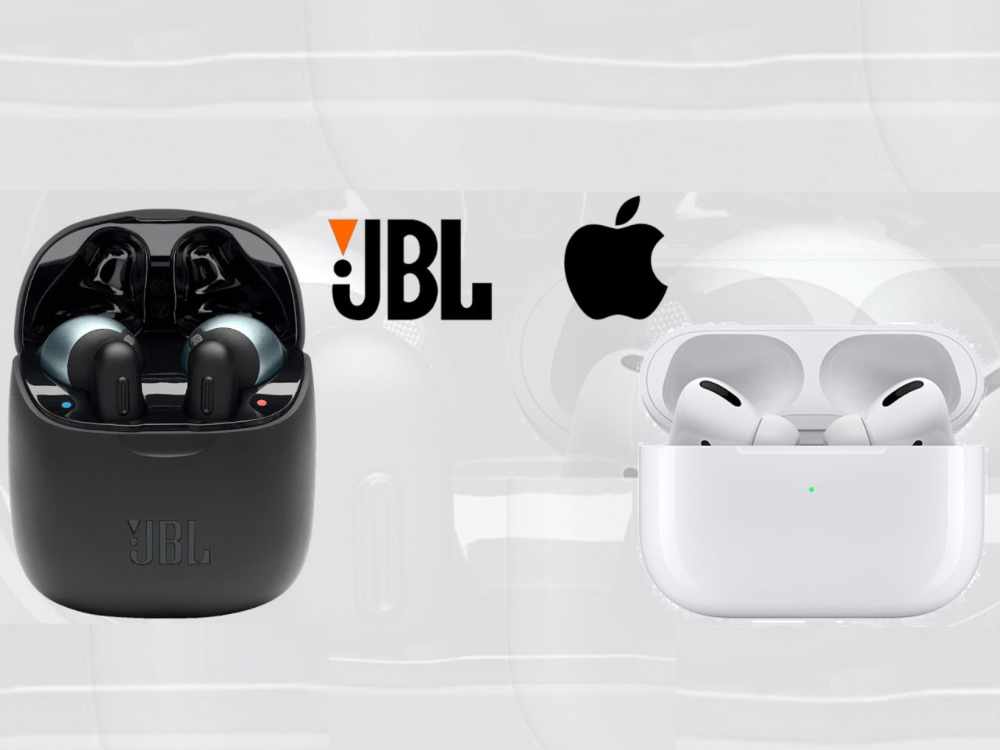
We’ve reduced it to the JBL Free and the Apple Airpods after examining every wireless earbud available on this market in 2018. The presence of an Apple product at (or close to) the top of the list shouldn’t come as a surprise. Let’s quickly review the top two truly wireless earphones available in 2018.
JBL Wireless
In 2018, JBL adds a fresh touch to its line of wireless earbuds. In the past, earphones were used for music listening and occasionally as a hands-free system while driving.
For a more convenient experience, the JBL Free this year provides you the power to handle your incoming and outgoing calls through your earphone at the touch of a button.
The days of fumbling around to find your phone to decide what to do with your call, plugging in your headset, and then putting your phone away after making an apology to the person on the other end of the line for having to switch to your handsfree setup are long gone.
All of the extra time and humiliation are eliminated by the JBL. More than any other device on the market, the JBL Free allows consumers to use their earphones for a longer period of time.
The JBL Free can last nearly twice as long as any other wireless earbud with a 24-hour playing capability (4 hours of continuous playback and an extra 20 hours of charge in the charging case).
Finally, we want to talk about comfort because every ear is unique and no one size fits all. JBL is aware of this and offers a range of flexible, soft rubber ear tips so you can choose how your earbuds lay inside your ear.
This gives you the comfort to wear them throughout a run or exercise and the assurance that they won’t fall out.
Apple AirPods
Due to Apple’s brand, their Airpods will always rank at the top of any list of technological gadgets, like the majority of Apple goods do. All of Apple’s consumers’ requirements have been flawlessly incorporated into all of their products over the past few decades.
The Airpods are made to operate seamlessly with every other device in your network, much like the iMac, iPhone, and iPad. Your Airpods should sync with your iPhone, Apple Watch, and iPad right away when you put them up and turn them on.
The Airpods’ connection enables you to use Siri without ever removing your phone from its pocket. Without ever having to find your phone, just double-tap one of your headphones to activate Siri.
To be concerned about background noise entering your microphone anytime you use Siri or take a call. The twin beamforming microphones from Apple are specially designed to cut down on background noisend offer the clearest calling experience.
Apple gives more than 24 hours of playback time and slightly over 11 hours of call time between the primary battery and the charging case backup, the same as how the JBL Airpods are built for a longer usage period.
JBL Wireless Earbuds vs Airpods. Which is Better?
With the above review made, it can be said that, apple airpod is mostly preferred ahead of JBL wireless. That doesn’t make JBL wireless bad at all. They are also a favourite but if you have the capacity to choose any, then you go for apple airpod first. However, if your budget can’t get you apple airpods, then JBL wirless can be your next best option..
Conclusion
When comparing your technology to the student sitting next to you, either earbud will put you at the front of the class, but ultimately the best option will depend on your use.
The JBL Free provides interchangeable tips for long-term comfort and uses, whereas the Airpods are more of a “one size fits all” design. For non-Apple users, the JBL will also let you link your other devices to the earphones. The earbuds’ accessibility and interaction with the rest of your smart devices, however, are unmatched for Apple customers.
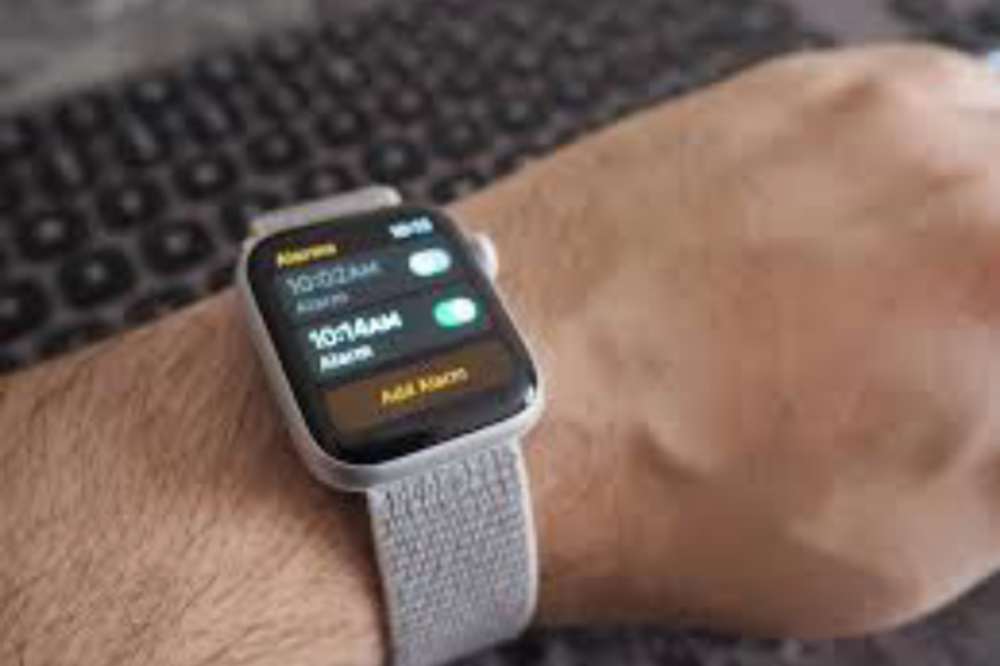
Set an alarm on the Apple Watch to ensure you always wake up on time. If you own an Apple Watch and have the most recent version of watchOS installed, you can set an alarm that will wake you up in the morning, even if your iPhone isn’t nearby.
About apple watch
Apple watch is an iPhone companion, a health and fitness tracker, a messaging device, and also your watch. It runs apps just like your phone. It’s also very stylish and if you have one I’m sure you will love it.
However, with so many features and purposes, it can get confusing sometimes. But setting alarm for your event and activities reminder shouldn’t be confusing for you.
How to set up alarm on apple watch
If you want to set up an alarm on your apple watch, the steps below can be your guide;
Open the alarms app on your apple watch.
Tap on add alarm.
Edit time to your satisfaction by toggling the AM or PM, then tap the hours or minutes.
When you are done editing, tap on done to save your alarm.
Now, tap on the switch to turn on the alarm.
When editing, you can set alarm to repeat, label, and snooze.
If you want alarm to go on without making a noise, you can set your phone to silence and when it’s time, the alarm will vibrate only.
When you switch on the SNOOZE, your alarm will repeat itself after its done ringing and there has been no action. If you don’t want such to happen, then you have to turn the SNOOZE off.
How to turn off snooze on apple watch
When an alarm sounds, you can tap Snooze to wait several minutes before the alarm sounds again. If you don’t want to allow snooze, follow these steps:
Open the alarms app on your apple watch.
Tap on the precised alarm you want to edit in the list of alarms.
Togglw through to locate Snooze and turn it off.
How to skip a wake up alarm
In setting your alarm, you may have scheduled them for the week but now, you want to skipup specific day since you don’t need the alarm to remember you of it.
Then, you have to skip it so it doesn’t affect the other schedules. To skip a wake up alarm,
Open the alarms app on your apple watch.
Tap the alarm that appears under sleep or wake up, then tap skip for tonight.
Thats it!
How to set same alarms on both iPhone and apple watch
You may want to set your alarm on both of your iOs devices so it doesn’t disappoint you. Incase the apple watch alarm doesnt go off at the right time, it will go off on the iPhone. But if the apple watch alarm goes off, it won’t ring on the iPhone. To do so,
Set the alarm on your iPhone.
Open the apple watch app on your iPhone.
Tap My Watch
Then tap Clock
In the clock section, turn on Push Alerts from iPhone.
Thats it!
Conclusion
Alarm is essential when you are a busy person who always needs to wake up on time for your activities or a forgetful person who always wants to get remembered for something important. Set your alarm on your apple watch and reduce the pressure.
There are a number of reasons why you might need to find an alternative to MTN turbonet. Perhaps the service or your provider simply isn’t good enough, or you’ve found another product that does what you need better and cheaper.
Whatever the reason, there are plenty of great options out there for finding the same services that the MTN turbonet offers, whether it been connection speed or security features.
About MTN turbonet
MTN Turbonet is a high speed Internet router, capable of providing 4G Internet speeds to devices linked to it. The router can deliver Internet connection to 32 users connected to it. With the MTN turbonet, you are assured of a fast and reliable internet connectivity.
Where to buy MTN Turbonet
MTN turbonet is currently out of stock and specific date has not yet been released MTN Ghana as to when new ones will be available. However, if you desperately need one, you will have to buy it from someone who already has it and is willing to sell it to you.
Why alternatives to MTN turbonet can be a good choice for you right now
The sudden and extreme price increase of the MTN Turbonet has left many people wondering what to do. This will give you a headache as to whether you should go for an MTN turbonet or not. Also, the current poor services to the turbonet from the MTN customer care is another thing to worry about.
Top alternatives to MTN Turbonet
MTN turbonet might be the people’s choice due to their longevity and fast internet connection but that doesn’t mean it is the only best option to go for. There are still some great options out there for those who want something that is more affordable or who can’t get an LTE signal in their area.
Universal Router with SIM Card
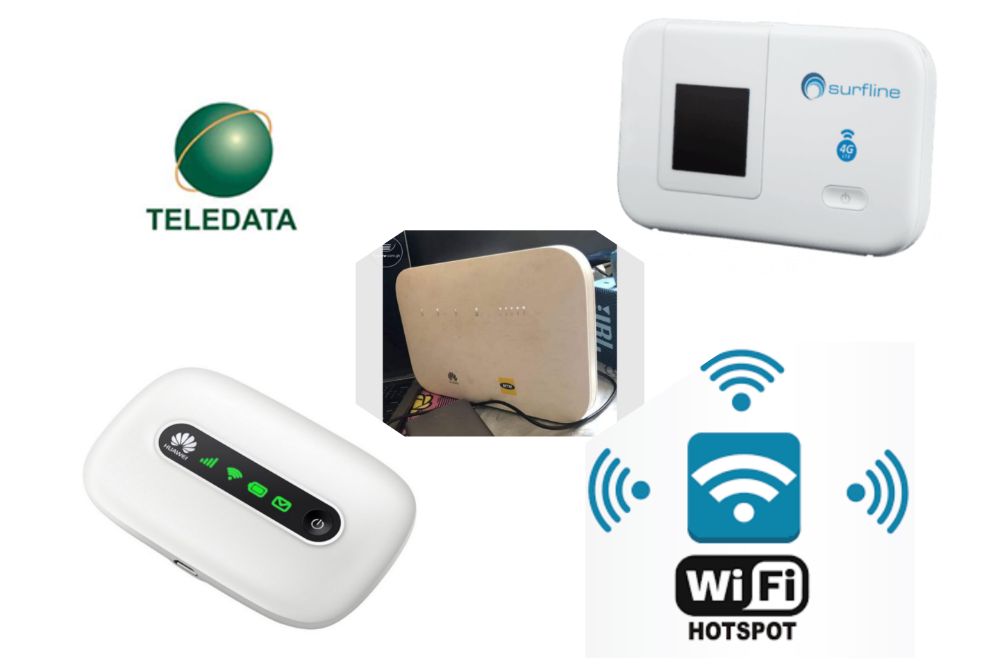
A universal router with sim card can be a great alternative for those who don’t have access to MTN turbonet. The device has a SIM card slot and can provide Wi-Fi connectivity for up to 8 devices simultaneously.
It mostly comes with an app on the mobile device which allows you to control this router from anywhere in the world as long as you have network connectivity.
Portable Mifi such as Surfline & Busy 4G
A portable Mifi is a new breed of wireless internet that can be used virtually anywhere. Surfline and Busy 4G are two of the most popular providers on the market.
These types of Mifi’s use 3G networks and have a battery life of up to 8 hours. Their cost are moderate. The small, compact size makes them perfect for taking with you when traveling or even if you just need internet in one room or area of your home.
MTN & Vodafone Pocket Mifi
MTN and Vodafone are two of the most popular telecommunications companies in Ghana. They both offer a product called Pocket Mifi which allows customers to access the internet via their mobile phone and PC.
Just like the surfline, the pocket WiFi are also small, compact in size and that makes them perfect for taking with you when traveling or even if you just need internet in one room or area of your home.
Home or Office Internet like Teledata, Digital Arena & Ozone Broadband
For your home or office use, Teledata, Daigital Arena and Ozone Broadband can be the best alternative to MTN turbonet.
Teledata offers internet plans with high speeds and low prices.
Digital Arena is another company that offers high-speed internet for businesses for your homes and offices with affordable data plans.
Ozone Broadband also offers affordable and fast internet services for your businesses and they come with data plans that are affordable to purchase.
Hotspot from Spare Phone
Hotspot from spare phones can also be an affordable option for you. Especially when you are someone who doest really depend on big internet data plans for your businesses. With as little data plan you subscribe to,you can connect to your spare phone hotspot and have a spree.
Conclusion
MTN might be the most prominent wireless carrier in the country, but they are not the only game in town. There are many alternative providers similar to what the turbonet does and sometimes even better. If you need a cellphone or internet connection and can’t get it from your current provider, then any of the above will do just fine.
Projectors are becoming more and more popular and are increasingly being used for business presentations, school lessons, video streaming and other forms of entertainment in Ghana and across the world.
With the rise in demand, there are plenty of different brands to choose from, varying widely in price and quality.
This article will guide you through your projector purchase so that you can get the best deal possible and be able to enjoy your favorite activities on a big screen.
What are projectors?
A projector is a device that projects images onto a screen or other surface. It may be used for entertainment (in a movie theater or home theater), for education (in a classroom), for presenting work-related information, as part of an art installation or display, for the presentation of films at film festivals, or as part of a slide show.
Types of projectors
1. Short throw projector can be an economical choice for a small conference room or classroom. This type of projector only has a throw distance of about 0.5 – 1 meter (1.5 – 3 feet).
2. Laser projector uses lasers as its light source. Laser projectors are widely used because they produce images with very high brightness and contrast ratio.
3. DLP projector uses micro-mirrors to project images from a monitor onto a large screen. They are mostly used in cimemas for projection.
4. LCD projectors send light from a metal-halide lamp through a prism to display video, images, or computer data on a screen or flat surface.
Projector brands in Ghana
Some of the most common brands include Sony, Epson, BenQ, Samsung, Acer, Dell, Epson, Optoma, Infocus, etc.
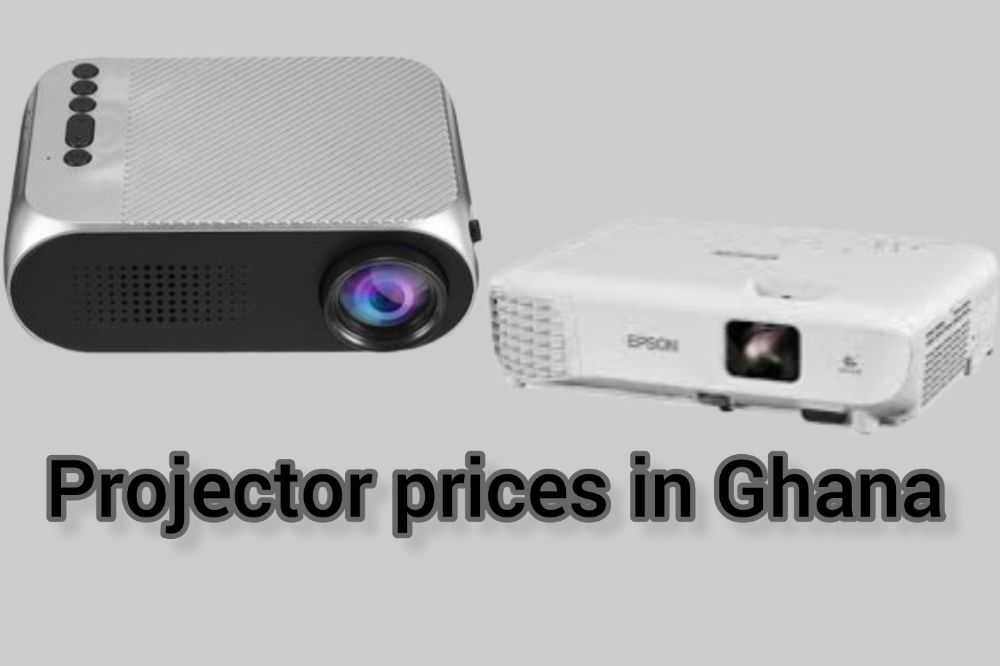
Projector prices in Ghana
The prices below my vary depending on where you get to buy your projector. It may be less or more.
Jumia Ghana Projector Prices
Projector brand
Price
Owlenz Projector SD150 LED
GHS 1,380.00
Portable LED Mini Home Office Projector
GHS 578.00
1280×800 LED Projector, Support AV & USB & VGA & HDMI
GHS 839.00
Epson EB-X01 3LCD Portable Projector
GHS 4,750.00
854×480 DLP Mini Smart Projector, Android 9.0, 2GB+16GB
Buying projectors in Ghana cannot be that difficult with various options at your disposal. Buyers can get to buy their projectors through an online store such as Jumia, Jiji, Melcom, Tonaton, Loozap, Ghanabuysell, etc. Also, you can get to buy a projector at any tech savvy physical shop in Ghana.
Conclusion
there are many projectors brands and models available on the market nowadays, it is important to take into consideration the type of use you have for your projector. That way, you can be sure that the device you choose will meet your needs.
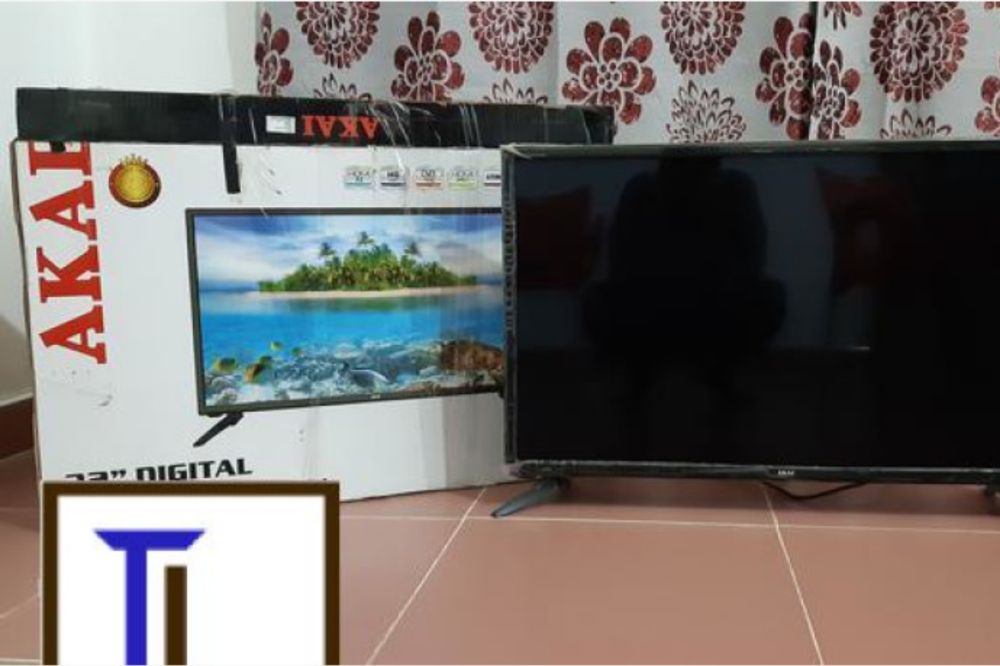
Akai televisions have dominated the Ghanaian market and with their modern features, there’s no stopping them. Because they are so popular, many people want to buy an Akai TV but don’t know how much they cost or where to get them from in Ghana. This article provides information on how much Akai TVs cost and where to get them in Ghana.
About Akai
Akai televisions are one of the leading brands of TVs in Ghana. The company was founded in 1964 by Akai Electric Co., Ltd. Since then, they have grown to be one of the top 5 manufacturers of televisions in the world. Akai is famous for its sleek design and advanced features which put them ahead of their competitors.
Why you should choose Akai TV
Akai is one of the most well-known brands of televisions, with a reputation for quality products. Akai not only sells TVs but also a wide range of electronics, home appliances, and other household items.
As an international brand with a long history, Akai TVs come at a convincing price point than many other brands. Customers can also get a free shipping with goods worth $150 or more from their stores.
Where to buy Akai TV
The best place to purchase Akai TVs is from online stores. You can browse through what is available and get the one that meets your needs. You can also read customer reviews from those who have bought it before you, which will give you an idea of how well it has worked for others. Jiji gh, melcom, jumia, loozap, tonaton are all recommended online places you can get Akai TVs to buy.
Akai TV prices in Ghana
Akai 32 inches LED TV
Akai LED TV sizes begins at 32 inches and with an amount of GHS 999 or more, you can be a new owner of an Akai 32inches brand for any of the above mentioned online shops or physical shop.
Akai 43 inchesLED TV
Akai 43 inches is not directly after 32 inches but this size is also one popular demand and with an amount of GHS 2100 or more, you can get yourself an Akai 43 inches TV from any of the above online shops or any physical retail shop.
Akai 50 inchesLED TV
Akai 50 inches is the next in demand size after 43 inches. With an amount of GHS 3100 or more, you can get yourself an Akai 43 inches from any of he above online shops or any physical retail shop aroud.
Akai 55 inches LED TV
Akai 55 inches comes after the 50 inches and they are also in high demand. With an amount of GHS 4100 or more, you can be the new owner of an Akai 55 inches TV from any of the above online stores or any physical retail shop around you.
Akai 65 inches LED TV
As time flies, the old regime flies off and there come an new regime. The Akai 65 inches is currently the new trend in town. The demand of it is as high as the 55 inches and with amount of GHS 5100 or more, you can get yourself one at any of the above mentioned online stores or any retail shop around.
NB: Note that, the said prices varies and may not be the same at each store you visit. But be assured that be the base price in my stores and shops you visit.
How to Choose the right size of flat screen TV for your home or office
A big factor when buying a television is screen size. The screen size determines the viewing distance, which can vary depending on the person watching.
If the screen is too large for your intended viewing distance, you won’t be able to see all of it at once. But if it’s too small, you might feel like you’re always reaching for the remote control.
Most people sit 10-12 feet away from their televisions. It’s best to choose a model with a diagonal measurement that corresponds with this range.
32 – 37 inches TVs are suitable for smaller rooms or kitchens.
39 – 49 inches TVs are appropriate for average-sized rooms.
50+ inches TVs are best suited for larger rooms and gaming setups.
Conclusion
With the Akai line of televisions, you can find a model that fits your budget. Akai is one of the most affordable brands on the market, which is perfect for people who are just starting out or for those who are looking for a secondary television.
Are you looking to buy an affordable laptop that you can use in the classroom and personal use? You have decided to go with the Teacher Mate 1 laptop, but you want more information on this product, its features and specifications, and what it can do for you.
Here is what you need to know about this laptop model so you can be certain it’s the best choice for you.
About Teacher Mate 1 Laptop
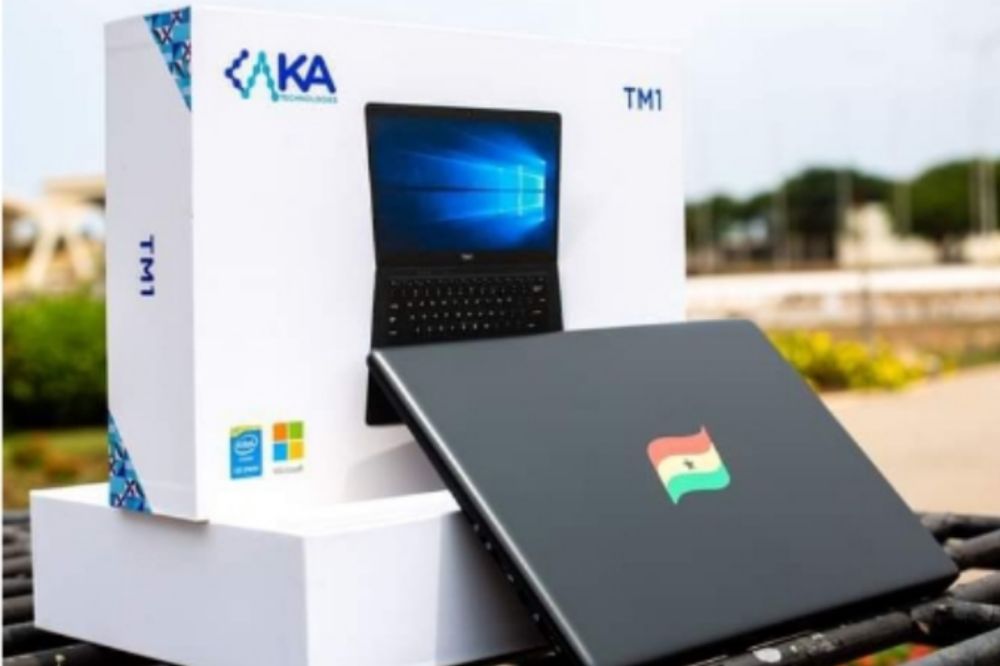
The Teacher Mate 1 laptop according to the Ghana Education Service is a world-class laptop built to inspire learning and superior performance. The TM1 is provisioned with a custom-built desktop application that delivers electronic learning and teaching contents presented in a user-friendly electronic format.
Why you need the TM1 Laptop
The TM1 laptop is essential for teachers to stay connected to students and the world around them. It includes powerful hardware that’s perfect for multitasking so teachers can be more productive in their everyday lives.
The TM1 laptop also includes Office 365 that gives teachers and non teachers who want to use it access to all of Microsoft’s latest apps including Word, Excel, PowerPoint and OneNote.
This laptop is mainly designed to make the work of teachers easier its not strictly for only teachers. Everyone who wants an affordable laptop to use for their daily activities can also purchase the TM1 laptop.
How much does TM1 laptop cost in Ghana?
The Teacher Mate 1 laptop can be purchased in Ghana by a non teacher in the region of GHC1,850.00. However, the GES sold it out to teachers for around GHC1,500.00 where teachers paid part and GES paid part.
Where to buy TM1 laptop in Ghana
The teacher mate 1 laptop was mainly designed for teachers and were given out by the GES where the GES pay part and teachers also pays a portion. The Laptops were manufactured by KA Technologies Ghana, an IT Company which was given the mandate to manufacture the TM1 Laptop.
If a non teacher requires to buy any, then the person will have to be buying it from a teacher who is selling his/hers or make contact with KA Technologies and enquire on how to get one as a non teacher.
This laptop can be used for any number of tasks including word processing, presentations, data input or even as a digital whiteboard. With the TM1 laptop, teachers especially have access to the same tools they need in order to create engaging lessons with their students.
As an elementary school teacher, you rely on your laptop and desktop computer for many things, including lesson plans, grading papers and communicating with other teachers at your school.
You also use it to track grades and keep information about each of your students readily accessible so that you’re always prepared to help them make progress during the year.
Conclusion
The Teacher Mate One laptop is a great option for someone looking to buy a laptop for themselves or as a gift for someone else. Teachers can use the laptop in their classroom setting to provide students with digital content.
Parents can also purchase this laptop as a gift because of its affordable price. The options are endless when it comes to what you can use this laptop for because of its versatility.
If you are looking to buy a laptop, you might be interested in how much laptops cost at Franko Trading.
Franko Trading has been in the business of selling computers and laptops for a long time so they have great knowledge and experience when it comes to laptops, desktops and other computer related equipment.
Even if you don’t plan on buying anything from them, their prices might surprise you! Let’s take a look at what laptops cost at Franko Trading.
About franko trading
Franko Trading Enterprise is the one of the leading retail and wholesale company of Mobile phones, Computers, Laptops, Televisions, Accessories etc.
The Company is amongst the first to bring in modern technological gadgets into Ghana since its establishment in 2004 with earlier branches in Kumasi & Accra. The Head Office currently located at Adabraka, Accra.
Laptops and their prices at Franko trading
Below are not all but few of the known laptoavailapavailableFranko trading enterprise, both online and at their shops nationwide.
Laptop Brand
Price
Specs
Hp i5 (15s-fq5886tu)
GHS 5,800.00
– 512 SSD Drive – 8GB Ram – 12th Gen – 1.30 GHz
Huawei matebook D14 i5
GHS 8,390.00
– 11th Gen. – 512 SSD – 8GB Ram – 2.4 & 5 GHz
Hp i7 (250 g8)
GHS 6,800.00
– 8GB Ram – 512 SSD – 11th Gen – 2.80 GHz
HP i3 (15-dw3043nq)
GHS 4,300.00
– 11th Gen. – 256 SSD – 8GB Ram – 3.00 GHz
HP Cel (15-dw1207nia)
GHS 2,700.00
– 4GB Ram – 500GB HDD -1.10GHz
Lenovo i3 v14
GHS 3,200.00
– 10th Gen. – 4GB Ram – 1TB HDD – 1.20 GHz
Del inspiron i5 (5410 Touchscreen)
GHS 5,800.00
– 8GB Ram – 256 SSD – 11th Gen. – 2.40 GHz
Apple Macbook Air M1( mgn73ll grey)
GHS 14,200.00
– 512 SSD – 8GB Ram – 3.1 GHz
Asus i3 (notebook x515j)
GHS 3,500.00
– 256 SSD – 8GB Ram – 1.20GHz
HP Envy i5 (15-ED1055 x360 Touchscreen)
GHS 6,500.00
– 11th Gen. – 512 SSD – 8GB Ram – 2.40GHz
Lenovo i3 flex 5 (14itl05)
₵4,000.00
– 11th Gen. – 4GB Ram – 128 SSD – 3.00GHz
Hp cel (15S-fq3032nq) + Free Printer
₵3,550.00
– 256 SSD – 8GB Ram – 1.10GHz
Lenovo i5 ideapad 3 (15itl05)
₵4,560.00
– 11th Gen. – 1TB HDD – 4GB Ram – 2.40GHz
Hp Notebook i3 (15-dw3163st) + Free Printer
₵4,450.00
– 11th Gen. – 256 SSD – 8GB Ram – 2.00GHz
Lenovo Ideapad Flex 5 Amd Ryzen 7
₵6,200.00
– 512 SSD – 16GB Ram – 2.00GHz
Huawei matebook x pro
₵17,990.00
– 11th Gen. – 16GB Ram – 1TB SSD – 2.4 & 5 GHz
HP i5 (15-Dw2017ca Touch)
₵5,000.00
-1TB+256 SSD – 8GB Ram – 1.00GHz
Apple macbook pro m1 (myd92ll grey)
₵16,300.00
– 512 SSD – 8GB Ram – 3.00GHz
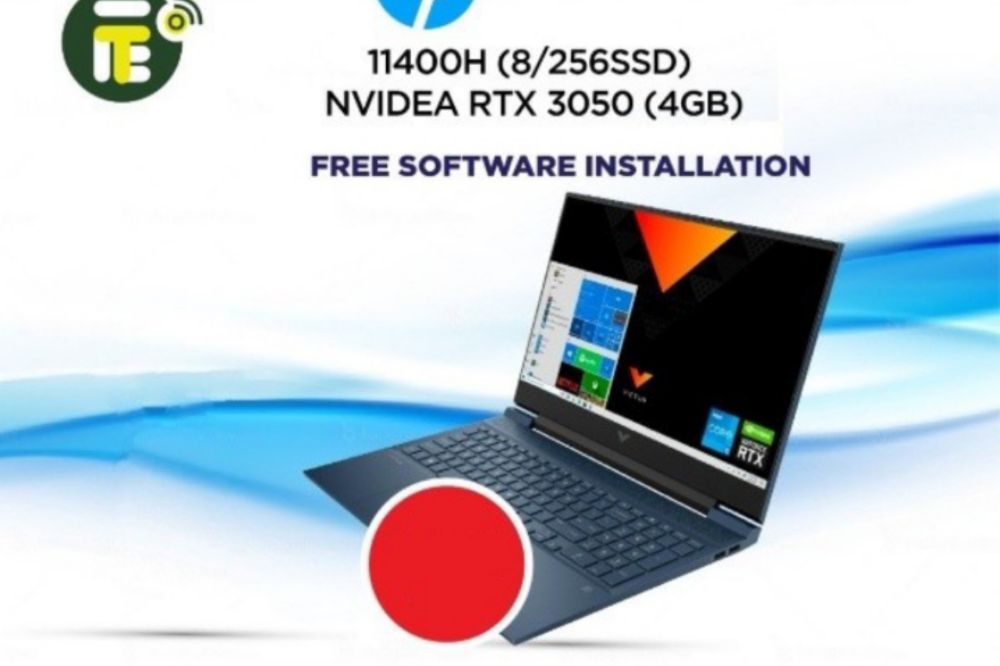
Hp Victus I5-11400h Nvidea Rtx 3050
₵7,000.00
– 11th Gen. – 256 SSD – 8GB Ram – 2.70GHz
Lenovo Celeron N4020 (4gb/1tb) 14
₵2,600.00
– 1TB HDD – 4GB Ram – 1.10GHz
APPLE MACBOOK AIR M1 (MGN93LL/A)
₵12,000.00
– 256 SSD – 8GB Ram – 3.00GHz
Hp i3 (14-Cf2187nia)
₵3,300.00
– 1TB HDD – 4GB Ram – 2.10GHz
Hp i7 (250 g8)
₵6,800.00
– 11th Gen. – 512 SSD – 8GB Ram – 2.80GHz
How can you buy a laptop from Franko trading enterprise
To buy a laptop from franko trading, you need to go to their website and to their computers category, login with your details and if you don’t have, register an account. Select the model you want. You can then customize your laptop with different colors, storage space, and other features.
Once you have selected all the features for your laptop it will show the total price for that particular model. If there are any shipping charges those will also be shown as well.
Franko Trading contact details
For more enquiries and queries, you can reach or contact franko trading through the details below;
Franko trading enterprise is a trusted dealer in wholesale and retail of mobile, phones, laptops, TVs and accessories of all kinds. Visit them and make your purchases.
Have you been searching for the best electronic and gadget shops online that can offer you quality products at very affordable prices? In this article, we will be highlighting few electronic and gadget shops on tonaton, jiji and jumia that you can shop from at our comfort.
What are Electronic Gadgets
Electronics or gadgets are mechanical or electronic devices that have been designed to perform specific functions, such as recording and playing audio and video, storing information, or amplifying signals.
Although electronic devices are usually considered appliances in common parlance, there are many which are also used in a semi-professional setting (e.g., some equipment used in theatres).
The need for electronics goes far beyond the household; recent developments have resulted in the now-ubiquitous computer being incorporated into most everything in modern society, from cars to cell phones, to televisions and so on.
Best Electronic and Gadget shops on Jiji and Tonaton
Today, we will be highlighting on 5 electronics or gadgets shops on tonaton you can look up to incase you want to purchase gadgets online.
1. GiG Electronics
Gig electronics has their location on tonaton as Accra Lapaz opposite Abeka post office. They have over 300 adverts on tonaton with 17 positve feedbacks.
They deal in video games, video games console, computer hardware, computer accessories, laptops and computer, audio and music tools and more. Most of their products are promoted on jiji because they believe in quality and authentic sale.
2. Adom Electronic Shop
Adom electronic shop deals in TVs and DVD equipment, home appliances , kitchen appliances, printer and scanning machines, audio and music tools and more. They have over 600 items on tonaton with 11 positive feedbacks.
Their location on tonaton is Accra, opposite adabraka police station. They have most of their tools promoted on tonaton because they believe in quality and authentic sale.
3. Jokezz Electronics
Jokezz Electronics has over 200 items on tonaton with 8 positive feedbacks. They deals in kitchen appliances, home appliances, store appliances, TV and DVDs and more.
Their location on tonaton is Accra Kaneshie, Pru Ghana. They have most of their items promoted because they believe in quality and authentic sales.
4. Frixty Electronics
Frixty electronics has over 14,000 items on tonaton with most of them promoted since they believe in quality and authentic sales.
Their location on tonaton is set at Accra Metropolitan. They deals in TV and DvD equipment, home appliances, kitchen appliances, printers and scanning machines, photos and video equipment, and more.
5. Snikko Electronics
Snikko Electronics has over 600 items on tonaton with majority promoted because they belives in quality and authentic sale.
They deals in headphones, audios and music tools, phone accessories, smart watches, computer accessories, Internet tools and more. Their location on tonaton is Accra East Legon.
Best Electronic and Gadget shops on Jumia
1. Samsung official store
Samsung store on jumia has everything Samsung for their jumia customers. They have phones, phone accessories, televisions and more.
2. Turf official store
Turf store on jumia has everything gadget. They have woofer, fans, bluetooth airpords and more.
3. JBL official store
JBL store is the best place on jumia for you to get your gadgets. They have headphones, headset, bluetooth airpods and more.
4. Tecno official store
If you want to have the best phone gadgets at your disposal, then Tecno store is the best for you. They have all the latest tecno brands available at your disposal.
5. Oraimo official store
Oraimo stores is the best place on jumia for you to get your gadgets. They have power banks, waterproof watches, headset, bluetooth airpods, charger heads and more.
NB: All electronic shops has been reviewed and selected for easy access for you. However, you are entreated to take caution and be extra vigilant when dealing with them.
Conclusion
In conclusion, there are many electronics and gadget shops on the internet. They are spread all over. Also, you need to take some safely precautions when buying products online as you cannot take it back when you wish to as compared to the physical shop.