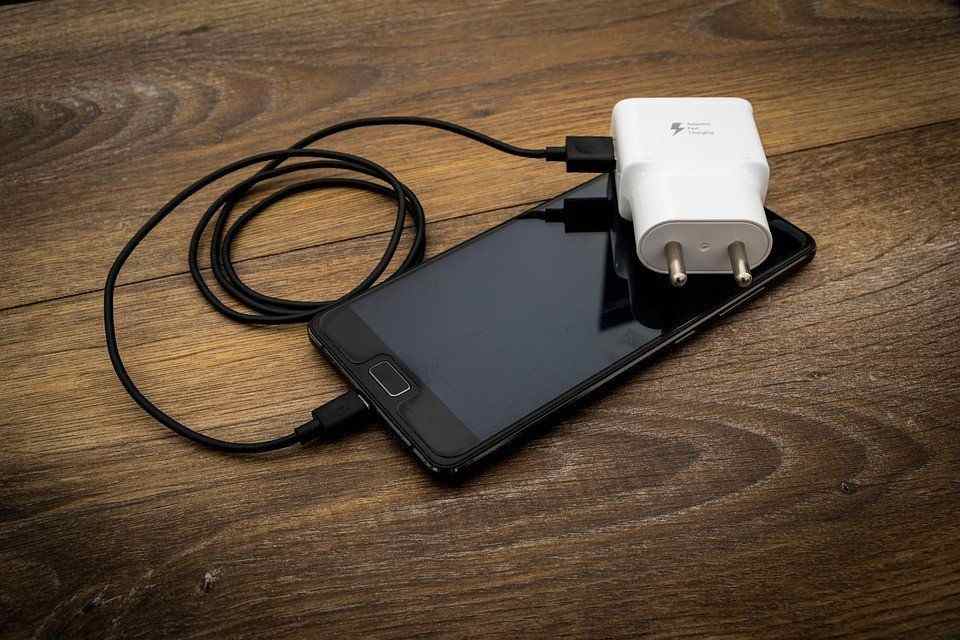
Keeping your charger in good condition is just as important as keeping your phone itself in good condition. Not only will it charge faster, but you won’t have to deal with frayed wires or corrosion that could hinder its ability to do its job effectively.
Follow these tips on how to take care of your phone charger and get the most out of it for as long as possible.
Why is it important to take care of my phone charger?
The phone charger is as important as the phone itself. The charger is what makes the phone and if it is not in good shapethen the possibility of damaging the phone is also high. A good and healthy charger gives a good and healthy phone battery.
Therefore, taking care of your phone charger is a necessity.
How to take care of your phone charger
Use an original charger
Original chargers are the best to go for if you cherish your phone. Fake chargers will not k ly last less but will also damage your phone in a short possible time. Its advisable to break all barrier if possible and go in for an original phone no matter the cost rather than settling for a low cost and fake charger.
Unplug charger from socket when done using
Be gentle with your cables and unplug the power cord when you’re done charging. Do not wrap the cord around furniture or other objects. Be sure not to leave it lying on top of things like a rug that can cause tangling.
If you are storing a spare, then use a paper clip or rubber band and place it around the cord in such a way that only one end of the cord is exposed.
Do not coil your charger cable
Since charging cables are just about the most used part of our phones, it makes sense that we want them to last as long as possible. The first and most obvious advice is to avoid crumpling or crimping the cable.
This can lead to broken connections and short circuits on the inside. To make sure this doesn’t happen, be sure to fold up the cables carefully, or straighten them out before they’re completely unplugged from the device.
Do not plug charger with wet hands
If your hands are wet, clean your hands and also clean the charger before plugging. Not only will it shock you if such happens but it can also damage the fuse inside your charger if it continues.
Don’t use phone while charging
One key thing that we as humans can’t avoid is the dreaded ‘Low Battery’ warning! The first thing most people do when they see this notification pop up on their screen is plug in their charger and go about with whatever they were doing.
That is bad and must be stopped. When charging your phone, its never advisable to use it. Leave it to finish charging. If not, it damages the charger strength and also the battery strength.
What are some common damages that can cause your phone charger to stop functioning
There are many different reasons why a smartphone might stop working and sometimes the problem can be fixed. However, there are also a few common mistakes that people make that end up damaging their battery and stopping it from working.
One big one is when people use an adapter on their computer instead of using their original charger. Adapters aren’t designed for high voltage so they don’t work as well.
Another mistake would be plugging in your phone before it’s fully charged or unplugging the charger too soon. It’s important to wait until you get a notification saying 100% before you disconnect the cable.
Also, avoid letting metal objects touch both sides of the cord because this can cause some damage too.
Conclusion
Your phone charger is as important as your phone. Take care of your charger and your charger will also take care of your phone. If your charger gets damaged, your phone battery is also likely to get damaged and that will lead to you spending money to repair.
The PS4 and PS5 come with the ability to control them with Alexa, the virtual assistant that comes with Amazon Echo devices, and Microsoft’s Cortana.
You can command the PS4 and PS5 to turn on or off, or you can play or pause content without having to use your controller.
About Alexa
Alexa is a personal voice assistant app developed by Amazon. As the world’s most popular voice assistant, people are using it in many different ways.
There are now more than 10,000 skills that can be accessed through the service. One of these skills is connecting with your Playstation 4 or 5 console.
Can you connect Alexa to a gaming console?
Yes! You can easily connect Alexa to your favourite gaming console as the new systems coming has the ability to do so. Technology is now advancing and things you never imagined can be possible is now being made possible.
How to connect Alexa to PS4
To be able to connect Alexa to your PS4, you need an extra device called Logitech’s Harmony Hub.
This Logitech Harmony uses the Harmony Hub app, and then you need to connect your TV or other devices to the Logitech via the Harmony App using an internet connection. You will also need to use Bluetooth to add your PS4 to the Harmony App.
First, head to Devices in the Harmony APP and then go to the Edit Devices and add the new device.
Next, click on the Entertainment device category and follow the instructions by entering the manufacturer’s name, model number, and others. In the model number, you can type PlayStation 4.
Now, click on Add to complete the step.
After adding the device, you’ll need to set up the activity using Your PS4.
To do so, you’ll simply need to choose your inputs and then turn on PS4. This will help you choose the devices you want to control through the Harmony Hub.
Head to the PS4 Settings and then go to the Devices and Bluetooth Settings. Now search for the Harmony Hub device under visible devices. If it doesn’t appear for pairing, press the Hub pairing button.
Both devices will be paired and setup will be done.
You’re now left with connecting Harmony to Alexa.
Download the harmony sill for Alexa in the Alexa App.
Enable it to control both Harmony and your PS4. You would do this control through voice commands like you may ask Alexa to turn on the TV, and it will do so as per your command without any stress.
How to connect Alexa to PS5
Connecting PS5 to Alexa is much simpler than doing so with PS4. To do that, you will need HDMI Consumer Electronics Control (CEC). It’s a feature that is usually available on TVs. The HDMI link is available so you can have complete control of the devices you want.
To opt for this option, follow the steps below:
Head to the Settings, Systems, and HDMI on your PS5.
Next, select the Activate link of the HDMI device function. Your TV should be modern enough or have an HDMI CEC to work well with Alexa.
In addition, note that this feature is only limited to turning on your TV. Therefore, whenever you command Alexa to open your device connected, such as TV, it will be able to do it pretty quickly.
How to connect Alexa to Xbox
There are three ways available to connect your Xbox to Alexa. Using Xbox console, using the Alexa app, and by using a computer. You may opt for any of them depending upon your convenience and suitability. In this article, we will be talking about connecting using the Xbox console.
Press the Xbox button on your console’s remote.
Next, head to the Profile and system.
Then, go to the Settings and then DevicesandConnections.
Next, select Digital Assistants and enable it.
Now, press the Xbox button again on your console’s remote.
Head to the Profile and Systems and then Settings. Go to the General and select Power mode and start-up.
Lastly, select instant-on under the power mode.
Can you turn on PlayStation with Google Assistant?
Alexa and Google Assistant can connect and be able to read all of your account’s activities and available gadgets, so you may say “Alexa, turn on PS4” or “OK Google, tell Harmony to turn on PS4”, and your command will be answered.
Conclusion
Technology is now advancing and things you never thought could be possible is now being made possible. Connecting Alexa to your favourite console is now easier. Follow the steps above and enjoy.
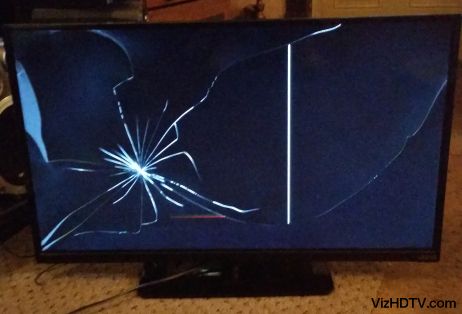
Most people think that LCD TVs aren’t worth the investment when they break. However, in many cases, you can still get plenty of use out of your broken LCD TV and actually save some money by doing so.
Here are ten fun things you can do with a broken LCD TV when it breaks beyond repair, and how to do them.
Things You Can Do with a Broken LCD TV
1. Turn it into an indoor aquarium
A broken LCD TV can make a great indoor aquarium! Just remove the back panel and seal the edges with silicone to create a water-tight seal. Then, add some gravel, plants, and fish and you’re good to go!
2. Make a homemade solar oven
You can make a homemade solar oven with a broken LCD TV. This is a great way to recycle and upcycle your old television. Plus, it’s a fun project that the whole family can enjoy. Here’s how you do it
Remove the back of the TV so you can see all of the wires.
Get some aluminum foil and place it on top of the screen (or remove it if there isn’t one).
Tape or tie down any loose wiring inside of the casing so they don’t fall out when moving the panel around.
Cover the panel in plastic wrap, leaving an opening for light to enter at the bottom.
Put this outside in direct sunlight and watch it cook.
3. Use it as a firewood heater
Are you tired of your old, inefficient fireplace? If you have a broken LCD TV, you can use it as a firewood heater. Just prop it up in front of your fireplace and let the heat from the fire reflect off the screen. You’ll be toasty in no time.
4. Turn it into an emergency radio
A broken LCD TV can still be used as an emergency radio. Simply hook up a small FM radio to the audio output of the TV. You can then use the TV’s power cord to plug into a wall outlet or battery pack to power the radio. This setup will allow you to listen to your favorite FM stations even when the power is out.
5. Use it in your garden as soil pH monitor
Broken LCD TVs can actually be pretty useful, even if they don’t work anymore. For example, you can use one in your garden as a soil pH monitor. All you need to do is bury the screen in your garden bed and wait a few days.
The soil’s acidity will cause the screen to change color, giving you a visual indication of the pH level. This can be helpful information when it comes to choosing plants that will thrive in your garden.
6. Keep critters out of your yard
Are you tired of finding little critters in your yard? If so, then consider using a broken LCD TV to keep them out. All you have to do is place the TV in your yard and turn it on. The critters will be afraid of the noise and light, and they’ll stay away.
7. Place it on top of your car to block the sun
We’ve all been there. You’re driving along, minding your own business, when suddenly the sun is in your eyes. It’s so bright and distracting that you can’t see anything else on the road.
Well, next time this happens, don’t reach for those expensive sun shades. Just grab your broken LCD TV and place it on top of your car. The sun will be blocked out and you’ll be able to see the road again.
8. Use it as a photo frame
LCD TVs make great photo frames! All you need is a little bit of creativity and voila instant photo frame. Here’s how to do it:
Start by removing the back panel of your LCD TV.
Carefully remove the LCD screen, being careful not to damage it.
Turn the LCD screen around so that the front is facing outwards. It should now be a blank white surface.
Gather together some photos or printouts of pictures you want to display in your picture frame and place them on the screen.
Arrange them until they are all as desired, then use tape or staples to hold them in place.
Replace the back panel with the LCD screen inside (still flipped over) and tighten up any screws that might have come loose during this process.
9. Turn it into an art piece to display in your home or office
You can use the broken LCD TV as a canvas and create a one-of-a-kind art piece for your home or office. All you need is some paint, markers, and/or other materials to decorate the screen. Let your creativity flow and come up with a design that reflects your personal style.
10. Paint and decorate it
One of the best things about decorating your own broken LCD TV is that you can make it as personal and unique as you want. Plus, it’s a great way to add a pop of color or personality to your home.
Here are a few ideas to get you started;
Paint one side white and one side black for a classic style.
Create an abstract art piece by painting stripes all over the screen.
Decorate with mirrors for a reflective look.
Stencil words in different fonts for a retro vibe. Etc.
Conclusion
A broken LCD TV can be a pain, but it doesn’t have to be the end of the world. There are actually quite a few things you can do with it. So, before you throw it out, consider some of the options above.
When it comes to choosing the right battery, it’s crucial to know what you’re looking for and which features are most important to you.
Both the CR2016 and CR2032 batteries provide an affordable option that has a lot of advantages when compared to other types of batteries available on the market today, but there are some differences between the two that you need to understand before making your purchase decision.
The key differences between these two types of batteries will be outlined in this guide, allowing you to make an informed purchasing decision that will benefit you in the long run.
CR2016 battery
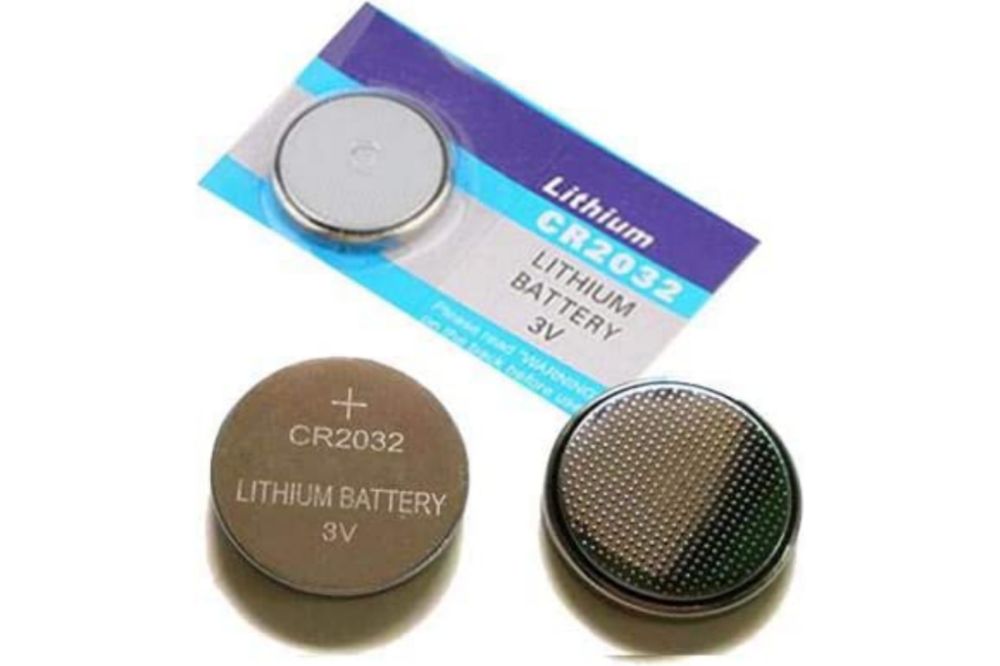
The CR2016 is a 3 volt lithium coin cell battery. It’s often used in small electronics, like watches and calculators. It has a diameter of 20 mm and a height of 1.6 mm. The CR2016 has a capacity of 55 mAh and a voltage of 3 V.
CR2032 battery
CR2032 batteries are button cell batteries that are often used in small electronic devices, like watches, calculators, and keyless entry systems. CR2032 batteries are also popular in some larger devices, like TVs and computer motherboards.
CR2032 batteries have a higher capacity than CR2016 batteries, meaning they can power a device for longer. However, CR2032 batteries are also more expensive.
Advantages of CR2016 battery
CR2016 batteries are small and lightweight, making them ideal for devices that need to be portable.
They have a long shelf life, so you can stock up and not worry about them going bad before you need them.
CR2016 batteries are also low-drain, meaning they don’t lose power as quickly as other types of batteries when not in use.
They’re relatively inexpensive, so you can buy a few extras without breaking the bank.
Advantages of CR2032 battery
CR2032 batteries are smaller in size, making them more versatile for use in a variety of devices.
They have a longer shelf life than CR2016 batteries, so you can stock up and not worry about them going bad before you need them.
CR2032 batteries also have a higher capacity, so they will last longer in your devices before needing to be replaced. 4. You may be able to find cheaper CR2032 batteries than the equivalent CR2016 battery pack, which makes them worth considering if you’re looking for a way to save money on replacement costs.
Disadvantages of CR2016 battery
CR2016 batteries are not rechargeable.
They have a shorter lifespan than other types of batteries.
They may leak if not used correctly.
They are more expensive than other types of batteries.
They are not as widely available as other types of batteries.
Disadvantages of CR2032 battery
CR2032 batteries are more expensive than CR2016 batteries.
They also have a shorter lifespan, so you’ll have to replace them more often.
Additionally, they don’t work as well in cold temperatures and have a higher self-discharge rate, meaning they’ll lose power even when not in use.
Differences between CR2016 battery and CR2032 battery
When it comes to button cell batteries, the two most common types are CR2016 and CR2032. So, which one should you use?
Here’s a look at the key differences between these two types of batteries so that you can make an informed decision about which ones to purchase for your device.
The first thing that people usually notice is that the CR2016 is thinner than the CR2032 and, as such, will fit in more places.
The other difference worth noting is that while both will last up to 3 years in storage, the CR2016 has a shorter shelf life of around 2 years because its power diminishes quicker over time. That said, they’re equally powerful when they’re new.
In general, CR2016s are best used in devices with low-drain circuits like watches or keyboards; whereas the CR2032 would be better suited for devices with high-drain circuits like remote controls or calculators.
Conclusion
CR2032 batteries are more expensive than CR2016 batteries, but they also last longer. If you need a battery that will last a long time, then a CR2032 is the better choice. However, if you don’t need the extra longevity, then a CR2016 will suffice. The above explanation might not be much but it is enough to let you know one will be best for what you want to use them for.
Screen protectors have been around for several years, and there are many people who swear by them. There are also many people who swear at them, claiming that they hinder the sensitivity of the screen, that they collect dirt and dust, or that they simply scratch too easily and need to be replaced far too often.
So which should you use? A liquid screen protector or a regular screen protector? I’ll tell you what’s so great about each option and then let you decide which one to go with.
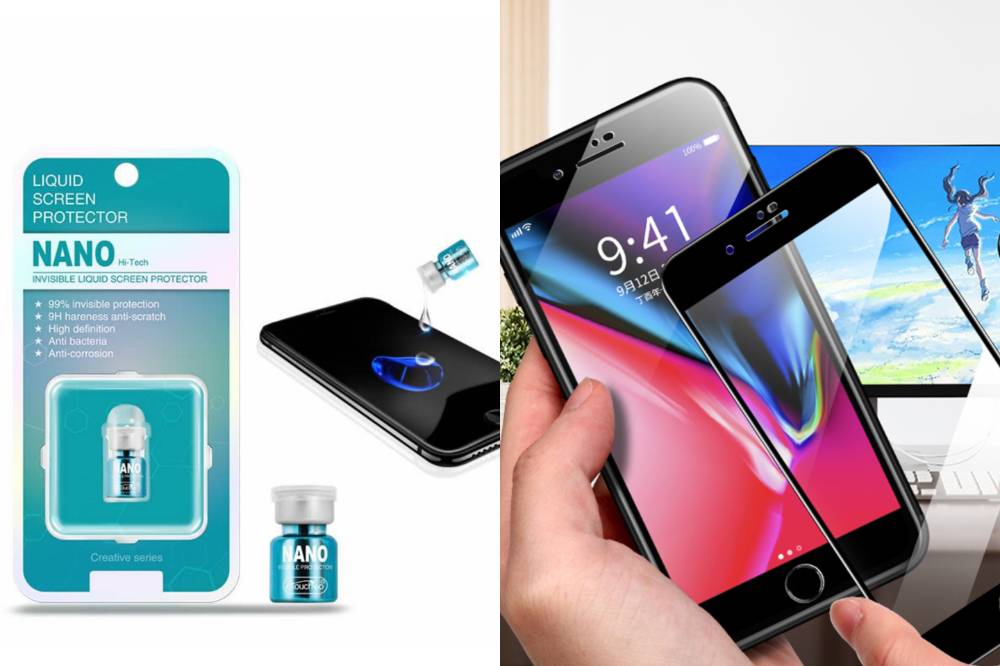
Nano Liquid Screen Protectors
Nano liquid screen protectors are becoming increasingly popular, but are they worth the investment? These protectors are applied as a liquid and then harden into an invisible coating that bonds to your phone’s screen.
They claim to be more durable than traditional film-based screen protectors and offer better protection against scratches, fingerprints, and smudges.
Regular screen protectors
A regular screen protector is made of a thin piece of plastic that adheres to your phone’s screen. They’re designed to protect your screen from scratches and everyday wear and tear.
Regular screen protectors can be found for a few dollars at most electronics stores. Some people prefer regular screen protectors because they’re less likely to cause bubbling or peeling.
Why you need a screen protector
Your phone is an important investment, and you want to keep it looking new for as long as possible. A screen protector can help protect your phone from scratches, fingerprints, and other everyday wear and tear.
But with so many different types of screen protectors on the market, how do you know which one is right for you?
In this post, we’ll compare nano liquid screen protector vs regular screen protector to help you make the best decision for your needs.
Things to Consider When Choosing A Screen Protector
When it comes to choosing a screen protector, there are a few things you should take into consideration.
First, consider the type of device you have and what kind of screen protector would work best with it. For example, if you have an iPhone, you might want to consider a tempered glass screen protector.
Secondly, think about your budget and how much you’re willing to spend on a screen protector.
Thirdly, decide how important durability and scratch-resistance are to you.
Nano liquid screen protector vs regular screen protector comparisons
When it comes to phone screen protection, there are two main types of products on the market: nano liquid screen protectors and regular screen protectors. But which one is better?
1. Nano liquid screen protector
Positive side
Nano liquid screen protector offers a much smoother feel when using your touch screen than a regular screen protector.
Unlike traditional screen protectors that need to be reapplied or replaced every few months, this type of product has been known to last up to six months with no need for reapplication or replacement.
In addition, the process for installing a nano liquid screen protector takes less time than applying a traditional screen protector so you’ll save time and frustration in the long run.
Nano liquid screen protectors are thinner than regular glass-based screens so it’s not necessary to put a case on your phone because there will be no additional bulk added.
Negative Side
One thing to note about this type of protector is that, it they often does not come with a warranty.
It doesn’t absorb shock as well as some other types. So if you drop your phone or use it during physical activity, don’t expect this type of protection to do much for you in those cases.
2. Regular screen protector
Positive Side
Regular screen protectors offer more protection from dust particles and scratches.
You also won’t have to worry about bubbles forming under the film as you might with a nano liquid screen protector.
Regular screen protectors are made of tempered glass, which is tough and scratch-resistant. They’re also usually cheaper than nano liquid screen protectors.
If you choose a good quality product, a regular screen protector can last a long time. Some even come with warranties that cover your device for up to two years.
If you have an older device that doesn’t work well with touch screens, then the thicker protective layer will ensure that the problem doesn’t get worse over time.
Negative side
The downside to regular screen protectors is that they take longer to apply and sometimes the edges don’t adhere as well as they should, causing them to peel off easily or create bubbles that obscure the screen.
Conclusion
That being said, not everyone wants the extra thickness on their device’s screen so it really just depends on what you’re looking for.
So if you’re not too concerned about added thickness and want something thinner with more longevity, go with a nano liquid screen protector. If having some extra protection against scratches and general wear-and-tear matters to you, stick with a regular screen protector.
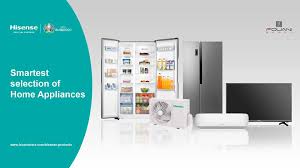
Looking for durable and reliable electronic gadgets such as Fridges, TV sets and Airconditioners, Hisense is one brand you can rely on.
With several months of warranty and reliable products, Hisense is one sure brand you should think of when they need for electronic gadgets arises.
Here in this article, we shall focus on some of the Hisense products you need for your household, their prices and where you can locate them.
Fridges
Hisense has a wide range of Fridges for all kinds of families and individuals. Take a look at the various fridges available with Hisense.
Hisense Cross Door Inverter Side-by-side And Lower Drawer Refrigerator 536L
This is an energy-saving fridge with multi airflow, a fashionable handle design, water dispenser, folded cook rack, LED, Alarm function and a super cool function.
Colour
Silver
Total Net Capacity
536 litres
Net Fridge Capacity
417L
Net. Freezer Capacity
119L
Net Dimensions {W I D I H mm}
914 x 850 x 1776
Loading Capacity (40H.C.)
36
This fridge is up for sale from GHS 8000 and above.
Hisense 264L Refrigerator – Silver
This refrigerator is an environmental-friendly energy-saving device with Mechanical Temperature Control Technology, Big freezer capacity, reversible door, four stars freezer design, low noise, broad climate design and adjustable legs.
colour
Silver
Total Net Capacity
264L
Net Fridge Capacity
198L
Net. Freezer Capacity
66L
Net Dimensions {W I D I H mm}
554 x 558 x 1800
Loading Capacity (40H.C.)
105
This refrigerator is on sale from GHS 2800 upwards.
Hisense Freezer 170L Electronic Control With Adjustable Thermostat Upright Freezer
This Hisense refrigerator is an affordable Energy-saving fridge with Electronic control adjustable thermostat, super freeze, alarm function, four-star freezer design, reversible door, broad climate design, low noise plus an adjustable leg.
Available colour
Silver
Total Net Capacity
170L
Net. Freezer Capacity
170L
Net Dimensions {W I D I H mm}
554 x 551 x 1440
Loading Capacity (40H.C.)
136
This fridge is on sale from GHS 1700 and above.
Televisions
Hisense has a wide range of Television sets for all family sizes.
Check out our list of Hisense televisions and their prices.
LED Televisions
Hisense LED Television sets to come with D-LED Technology, 108 Cm LED Backlight, Full HD, Favourite Channel list, Digital Media Player content, Wide viewing angle, fully functional AV port, automatic volume control, free bracket and 5 years warranty.
The LED TV comes in 5 different sizes: 32 inches, 40 inches, 43 inches, 49 Inches HD and 49 Inches UHD.
The prices are listed below:
32 inches: GHS 1000 and above
40 inches: GHS 1600 and above
43 inches: GHS 1600 upwards
49 inches HD: GHS 2900 upwards
49 inches UHD: GHS 3900 upwards
4K Smart Televisions
Hisense’ 4K Smart Televisions come with UHD-4K video quality, youtube, Netflix, BEin Sports, Remote control app, sports mode, DVB-T2, 2.4G and 5G wifi.
The Hisense 4K Smart Television series comes in the following sizes: 43 inches, 49 inches, 50 inches, 65 inches, 70 inches and 75 inches.
43 inches: GHS 2630 upward
49 inches: GHS 3800 upwards
50 inches: GHS 4100 upwards
65 inches: GHS 7800 upwards
70 inches: GHS 8500 upwards
75 inches: GHS 9700 upwards.
Hisense Showroom Locations and Contact
There are a lot of Hisense showrooms in Ghana where you can buy your favourite Hisense products.
Here is a list of Cities in Ghana and where their Hisense Showroom can be located at:
City
Hisense Showroom Location
Accra
Opposite Opera Square
Lapaz
At Nyamekye Junction
Achimota
At Achimota Retail Centre
North Industrial Area
Opposite Melcom Plus
Baatsona
On Spintex Road
Sunyani
On the Kumasi
East Legon
Adjacent to Ghanalink
Junction Mall
Nungua
Kasoa
Opposite Pink FM
Kumasi Adum
On 26 Prempen II Avenue
Kumasi Mall
At the Kumasi City Mall
Takoradi
On New John Sarbah Road
Tamale
At the Central Market, next to Bank Of Africa
Tarkwa
On the Esiama Road
Tema
On the Krakue Road
Westhill
On the SSNIT Road
You can also call them via 0302550000 or send an email via [email protected]
Conclusion
Hisense offers some of the best electronic appliances on the Ghanaian market. Their 5 years warranty is also something big and unrivalled in the industry. You should check out their showroom or contact them via the number above to enquire about their products or for purchases.
Even though you may not have heard of the term before, you’ve probably seen plenty of media involving PIN drives on TV and movies, from movies to television shows.
However, what are PIN drives? And how are they used? This article will explain all about PIN drives and how they’re used. If you’re wondering what exactly a PIN drive is and its uses, this article should help you figure it out.
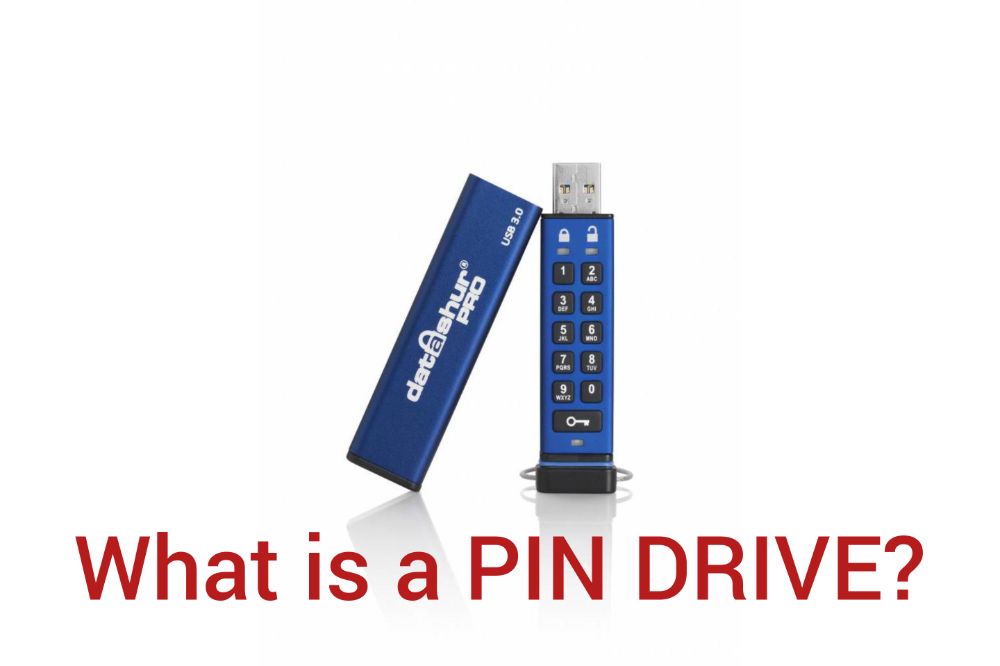
What is a PIN Drive?
A PIN drive is a data storage device that uses an integrated circuit to store information. Unlike other data storage devices, such as hard drives and flash drives, PIN drives do not have any moving parts.
This makes them more durable and resistant to data loss. Additionally, PIN drives are typically smaller in size, making them more portable. They can be used for backup purposes or to transport data from one computer system to another without using cables.
The primary disadvantage of a PIN drive is the potential for being lost or stolen, which could result in the loss of all of the stored data. To minimize this risk, users should keep their PIN drives in locked containers when they are not being used.
How does it work?
A PIN drive is a type of USB flash drive that uses a personal identification number (PIN) for security. The PIN is used to encrypt the data on the drive, and can be used to prevent unauthorized access to the data.
To use the PIN drive, you must first enter the correct PIN into the drive. Once the PIN is entered, the drive will unlock and allow you to access the data. If the wrong PIN is entered, the drive will remain locked and the data will not be accessible.
Types of PIN Drive
There are three main types of PIN drives:
Encrypted
Password-protected
Unencrypted
1. Encrypted PIN drive
A PIN drive is a type of external hard drive that uses encryption to protect your data. When you connect the drive to your computer, you will be prompted to enter a PIN.
This PIN is used to unlock the drive and view your data. Without the correct PIN, the data on the drive is unreadable. This makes PIN drives an ideal way to store sensitive data, such as financial information or confidential business documents.
2. Password-Protected PIN drive
When you insert a PIN drive into your computer, it will prompt you for a password. Once the password is entered, the drive will be unlocked and you’ll be able to access the files stored on it. It’s a way of storing personal information that can’t be accessed by other people unless they know the passcode.
3. Unencrypted PIN drive
With a drive being ununencrypted, it means there is totally no pin, password or any sort of encryption on the drive and it can be accessed by anyone without sress.
Various ways you can use your PIN drive
A PIN drive is a small, physical device that allows you to store data. You can use your PIN drive to store:
pictures
videos
music
documents and more.
Plus, you can take your PIN drive with you wherever you go, making it a convenient way to keep your important files with you at all times. If you’re storing sensitive information, make sure to encrypt the drive before you use it.
Benefits of using your own PIN drive
A PIN drive is a great way to keep your important files safe and secure.
You can use it to store any type of file, including photos, videos, music, documents, and more.
You can use it to back up your computer or phone in case of an emergency.
It’s portable, so you can bring it with you anywhere.
If someone steals your laptop or phone, they won’t be able to access the information on the drive without your PIN code.
If something happens to the device while it’s plugged into a USB port on your laptop or desktop computer, all of the data will be saved and will still be accessible even if the device malfunctions.
Can you make your own PIN Drive?
You can purchase a PIN Drive from many electronics stores. You can make your own PIN Drive which depends on how you have planned towards it.
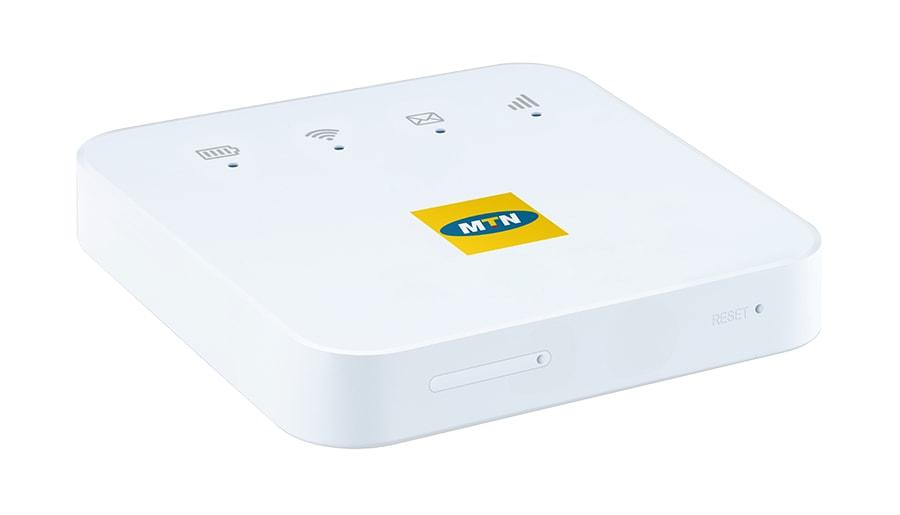
The MTN Pocket MiFi is a portable internet device that allows you to connect a maximum of ten (10) devices at a time. There are no limitations on the type of device you can connect to your MTN pocket MiFi, whether it is your mobile phone, tablet, laptop, game console, Smart TV, etc.
Unlike fibre broadband and other Wi-Fi devices, the MTN Pocket MiFi just as the name sounds is meant for the pocket and can be placed in your pocket and taken everywhere. Also, you don’t need a power supply to be able to use your MTN pocket MiFi, once you charge your battery to its maximum capacity, your MiFi can serve you for some time.
Apart from the advantages the MiFi has over WiFi that has been explained above, the MTN Pocket MiFi is also relatively cheaper than the normal WiFi and fixed broadbands offered by MTN. Thus, making it a good option for people with a small budget plan like students and small companies.
In this article, we are going to discuss everything you need to know about the MTN pocket MiFi; from the price, discount packages, how to buy data, how to check your internet balance, and many more.
Types/Models of MTN Pocket MiFi
In Ghana, there are two main types/models of the MTN pocket MiFi. These are the:
3G Pocket MiFi
4G Pocket MiFi
Each of these two devices can connect a maximum of ten (10) devices to the internet at a time. In this COVID-19 era where many people are either schooling or working from home, the MTN pocket MiFi will be a good investment to make.
MTN Pocket MiFi Price and Which One To Buy
The 4G MTN pocket MiFi costs GHS 350 and the 3G pocket MiFi sells at GHS 130. Each of them comes with free data for either a month or three (3) months depending on when you buy it.
Ideally, you should buy the 4G MTN pocket MiFi instead of the 3G MTN pocket MiFi if you can afford it. Besides, the price difference between the two is not that big. The reason why I prefer the 4G MiFi to the 3G MiFi is that it is faster and therefore connects to the internet faster. One annoying thing is when the internet on your device is very slow.
When having meetings on Zoom, Google Meet, or Microsoft Teams faster internet will result in faster connection and clear audio and video throughout your meeting.
MTN Pocket MiFi Discount and Promotions and Where To Buy From
On special occasions, MTN Ghana offers promotions to their customers. During such occasions, you will be able to get the pocket MiFi at a cheaper price than the original.
Also, you can always check Jumia Ghana to see if there is a discount on the MTN pocket MiFi and then buy from them.
You can buy the MTN pocket MiFi from any of the MTN Ghana offices located across the country. You can also purchase it from any of the MTN accredited distributors in the country at the same price as the one sold at the office.
How To Buy Data on Your MTN Pocket MiFi
You can buy data on your MTN pocket MiFi using either airtime or mobile money.
How To Buy Data On Your MTN Pocket MiFi Using Airtime
Dial *138#
Select option 1 (Buy Data Bundle)
Choose option 2 (Buy for others)
Enter the number of the SIM in your MTN pocket MiFi
Repeat the number to confirm
Select the data bundle you wish to purchase
Enter the amount
Press 1 to confirm your transaction
How To Buy Data On Your MTN Pocket MiFi Using Mobile Money
Dial *170#
Select Buy Airtime and DataBundle and select Buy for others
Select the type of data bundle
Enter the number of the SIM in your MTN pocket MiFi
Enter your MTN Mobile Money PIN
Press 1 to confirm your payment
How To Check The Data Balance on Your MTN Pocket MiFi
Remove the SIM from the MiFi and insert it into a mobile phone
Dial *124# and the remaining internet bundle will be shown
Similarly, you can download the MyMTN app and connect your phone number to it. This way, you will be able to see the data balance you have left without removing the SIM card from the MiFi.
Conclusion
MTN Ghana is known by many as the biggest telecommunications network in Ghana due to the availability of network poles in almost every part of the country. The pocket MiFi is a great addition to the products and services offered by MTN Ghana to their customers.
Instead of wasting time buying data for the two (2) or more devices you have at home, you can easily use the MTN pocket MiFi to connect all of them at the same time to the internet. This article has explained everything you need to know about the MTN pocket MiFi, make sure to read and understand it well.
How do I check my bundle on MTN MiFi?
Remove the SIM from the MiFi and insert it into a mobile phone. Next, dial *124#, and the remaining internet bundle will be shown. Similarly, you can download the MyMTN app and connect your phone number to it. This way, you will be able to see the data balance you have left without removing the SIM card from the MiFi.
Is MiFi faster than Wi-Fi?
The answer to this question is both no and yes. Some MiFi is very fast as compared to some Wi-Fi. Likewise, some MiFi is very slow as compared to some Wi-Fi devices.
What is MiFi in full?
There is no accepted full meaning for MiFi, but the most common name most people use is Mobile Wi-Fi.
How do I save my MiFi data?
There are several ways you can save the data on your MiFi. Always put your MiFi off when it’s not in use, change your password frequently to prevent other people from using it, disable automatic download on all your devices, avoid streaming HD videos and downloading large files. Once you do this, your MiFi data will be preserved for you.
Oraimo has over the years delivered up to expectations when it comes to the manufacturing of smartphone accessories in Ghana. With the introduction of state-of-the-art designs and innovations in their entire manufacturing process, customers are always assured of nothing but the best final product.
Currently, Oraimo is the global exclusive accessory partner of Tecno, Itel, and Infinix with a global presence in over 50 countries, 100 million pcs sold, and over 3 million fans on Facebook. All this was achieved as a result of their hard work and global contribution to the production of smartphone accessories.
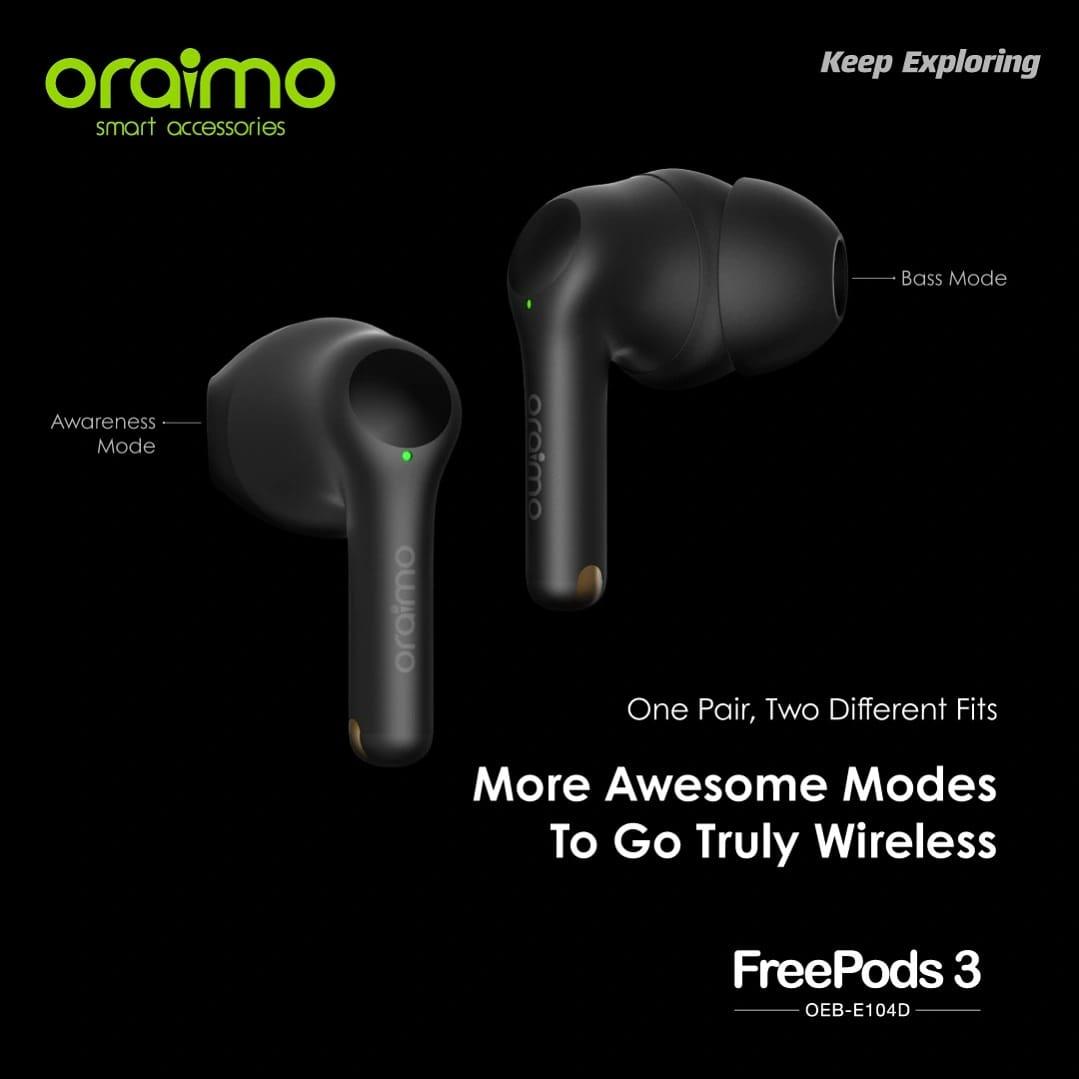
Recently added to the Oraimo list of accessories is the Oraimo FreePods 3 which is already making waves. Many will argue that there are several earbud alternatives on the market but after reading this article, you will agree with me that the new Oraimo FreePods 3 is your best choice.
Oraimo FreePods 3 is the third of its kind in the FreePods series and as a result, it comes with several amazing features that supersede its predecessors in the series. It has a clear voice in-call feature which is made possible because of the 4-mic beamforming technology to track and provide high-quality sound.
In terms of the power and battery, the earbuds have a 45mAh battery capacity which gives up to 8 hours of playtime and the case has a 500mAh battery capacity which gives additional 28 hours of playtime for the earbuds.
As a Bluetooth 5.2 powered earbud, the FreePods 3 transmits clear and simultaneous sound to both the left and the right earbuds and also comes with three (3) ear tips to match the different sizes of ears we have.
For an earbud with all these features, it is pretty surprising that it comes at a very affordable price compared to some of the other earbuds which don’t even match up to these features and specs. This way, both the average Ghanaian minimum and medium-income earners can also have a feel of the Oraimo FreePods 3.
The FreePods 3 is a two-in-one earbud that comes with unique features as compared to some of the other brands already in existence. It has two (2) different Smart Modes in each pair, i.e., Bass mode and Awareness mode. The Bass Mode is designed to block out ambient noise and stop the leakage of air to boost the bass in your earbuds when it is in use.
The Awareness Mode on the other hand will help you to adapt to your surroundings. Therefore, whenever you are in a noisy environment, the algorithm will adjust your sound to adapt to the noisy environment in order to give you crisp sound quality in your audio or music. Listening to some hot Ghanaian afrobeat music with your FreePods 3 in your morning ride to work will sound as if the musician was standing next to you, regardless of the noise in the street or on the road.
Simultaneous, Low Latency
The FreePods 3 is powered by a Bluetooth 5.2 chip which makes sure the sound is transmitted to both earbuds simultaneously for a stable connection and impeccable sound experience. The low audio latency and the 10m range make gaming or video viewing more enjoyable and vivid.
Clear Voice in Calls Like Face-To-Face Conversation
There is nothing more annoying than not hearing what someone is saying on a Zoom call or even a normal voice call, it’s even more annoying when the issue is coming from your end. As a result, the FreePods 3 comes with a 4-mic beamforming technology to track and provide high-quality voice signals.
The AI Deep Neural Network algorithm is then used to reduce the surrounding noise to keep the clearest sound possible. This way, you can join all your Zoom meetings, voice calls, or any other meeting with your voice crystal clear to the caller on the other end.
What if you are the one delivering the message or facilitating the meeting? There is no need to worry, with the Environmental Noise Cancellation feature in the FreePods 3, your background noise is kept at its minimum to help you make the most out of your meeting.
Incredibly Powerful Bass Power To Amaze You With 3-size Eartips
Aside from the two smart modes, i.e. the Awareness mode and the Bass Mode, each of the earbuds is equipped with a 13mm high sensitive driver. This performs the FreePods 3’s function of giving you dynamic audio, incredibly powerful bass, and reproduces every music detail as intended by the artist or composer of the song.
Also found in the box are three (3) different silicone tips which come in different sizes. To help you get the most out of the powerful bass power, you can try out each of the three (3) tips to find the right size for your ear.
More Sweat? No Fear!
One of the people who actively use the FreePods are people who work out or go for runs and if you know someone like that, then you know they sweat a lot. But with the introduction of IPX5 Waterproof, the FreePods 3 is both sweat and waterproof.
No matter how much you sweat or the weather condition you use your FreePods 3 in, you are good to go. Thus, athletes, trainers, and unregular athletes will find this earbud very useful and beneficial.
Intuitive Touch Sensor
Each of the earbuds has a touch sensor built-in at the upper back area which could be used to control music, calls, and access voice assistant. Instead of using your phone whenever you want to make a command, you can easily do so with the intuitive touch sensor at the back of the earbud.
For the right earbud, you can double-tap to play/pause music or answer/end call and you can press and hold for 1.5s for the next track. Likewise, for the left earbud, you can double-tap to play/pause music or answer/end call and you can press and hold for 1.5s for the last track.
Long-Lasting Battery And an Even More Powerful Charging Case With Ergonomic Charging Port
Since audio is a big part of your life, the FreePods 3 provides up to 8 hours of listening on a single charge. The compact charge case also provides 28 more hours of listening time to make a total of 36 hours of playing time. With one charge of the case, you can use your earbuds for one and a half days (36 hours) without worrying about charging.
Unlike most of the other earbuds, the FreePods 3’s charging case has a type-C charging port which is more reliable and flexible. With type-C, you can comfortably plug in your charger without worrying about which side is correct or not.
Reasons Why You Should Use The Oraimo FreePods 3
After reading through this article, the final decision will be on whether to buy the FreePods 3 or not. Below are some of the reasons why you should buy the FreePods 3.
It is cheap as compared to the other brands with less or equal features and specs
It is IPX5 water and sweatproof which makes it good for all weather conditions
It is dust resistant making it good for riding in sand and not worrying about it getting dirty
It has longer battery life for both the earbuds and the charging case
It comes with three (3) different silicone ear tips to meet the varying needs of users, etc
These and many others are the reasons why you should go ahead and purchase the FreePods 3 in Ghana.
What Are The Compatible Devices?
Since the Oraimo FreePods 3 have a Bluetooth 5.2 chip, it is compatible with all devices that support Bluetooth 5.2. Whether it is an iPhone, Tecno, Infinix, Itel, Samsung, PC, laptop, etc. so far as it supports BT 5.2, you can use it with the Oraimo FreePods 3.
When it comes to gadgetry and devices, it’s obvious some brands are higher than others.
So, of course, yes, a customer checks the specs and brand of the gadget they want to buy. iPhones get sold out when a new product is released because they’ve built a solid brand.
The device’s performance matters the most to buyers, so the price doesn’t matter when it comes to some brands when buying gadgets. You know they’ll perform well, so you buy them anyway.
When you want to buy a phone for long, brand matters a lot
Some phones have made a name for their durability.
I’m not sure any customer would love to buy a phone that doesn’t last long. Phones like Tecno and iPhone are best known for their durability properties.
So when a customer enters a shop with a budgeted amount to buy a phone, he’s already planned on the specs and brand he’s coming in for.
The memory size of a phone
When it comes to large memory sizes in phones, not all phones have that kind of spec.
We’re in a time where most people keep all their data on their phones, so they require a lot of memory space on their phones to store data. When it comes to such features, the iPhone and Samsung brands are best known to possess such specs.
An iPhone can have up to 512GB memory size. That’s half a terabyte in a phone. You can store every data you want, and beyond I’m such a phone and wouldn’t be worried about your memory space getting full.
Sometimes brand doesn’t matter, but if you’re going in for specific features of a gadget, you should choose a recognized brand that’s made a name for good performances.
For example, going to buy an air conditioner. Some brands are known to be very durable, less power consuming and perform well. Talk about durability, and the first brand that comes to mind is LG air conditioners. They’ve been recognized and identified to be the best since 1968.
Televisions
When it comes to televisions, specs matter the most. This is because some televisions brands do not have the same features as the others. There are intelligent televisions these days and other regular televisions, I will say.
Samsung and LG are two of the most popular TV brands in the world.
Samsung TVs are typically well-designed, with a slew of high-end features and excellent build quality, which cost a bit more because of the quality they come with. Many television users will go for Samsung first because of its popularity and second because of its quality.
Some users also want to buy a TV they can watch YouTube videos on, browse the web, access Netflix, Disney plus and Amazon prime videos and play fun TV games, so they go in for smart TVs. Not many television brands have smart TVs, so they can’t meet the specs of such customers.
RAM
This is the “random access memory” found in mobile phones, tablets, iPods, PCs and laptops. This device determines how fast your devices are going to be.
The larger the size of your RAM, the faster your devices are going to be. If you’re buying a device and you’re into computer performance, then the size and type of RAM in the device you’re purchasing. As a computer expert who wants to assemble a PC, you can look into different types of RAM.
As you check, RAM modules get faster at transferring data, more stable, and more expensive.
The files and applications on the device you use tend to be very slow in the actions you want to perform with them if your RAM size is small and needs to be updated. That’s why the specs and type of RAM matter when buying a device.
Conclusion
Brands in every gadget worldwide matter relating to customers. It’s because of customers these companies build a solid brand in the first place.
This is also because most customers go in for specs and popularity in a product they’re purchasing. This is also because most of these brands give you every reason to trust their work.
Consider an iPhone; for instance, users go in for iPhones no matter the price because they never give problems in their performance.
Their RAM, memory size and battery health always perform to the expectations.