Category: Hacks

  • Android Secret Code for Sportybet: Real or Fake &How to Win Bets

    Android Secret Code for Sportybet: Real or Fake &How to Win Bets

    For those of you who have been aware of the Android secret code, you will definitely have your fingers crossed and be waiting to see if it’s legit or just another scam artist’s ploy to get your hard earned cash by bringing you into the world of betting through an app called Sportybet.

    And if you’ve never heard of the Sportybet app, then we will fill you in on the details and whether or not it’s too good to be true or real deal.

    What is android secret code

    The Android secret code is a code that you can use to make your bets on sporty bet. The code is not too difficult. But, it does require you to download a specific app from the play store where you insert the code for sportybet cheats on how to easily win bets.

    Is the android secret code for sportybet real or fake

    It is unclear whether the Android secret code is real or fake. The website that advertises this code as a way to win bets includes no contact information and there are no reviews on it. It is also vague on how to use the code, so it is hard to know if it does anything at all.

    But if I am to give a second thought, I will say its absolutely fake. Scammers and hackers mostly create to app to rip you off your money and if care is not taken, can also take vital informations from your phone when you install the app and insert the codes.

    In Sports betting, there is nothing like cheat or fixed matches. Its all based on luck. Put your luck and your believe and stake a real game rather than depending on codes and cheats to win in order not to find yourself ripped.

    What to do if you get scammed with the sportybet android secret code

    Most at times, the sellers hardly meet the buyer face to face. All transactions are done on phone and social media which makes it difficult to even track them when you later finds out you have been ripped. The best solution is to completely stay off!

    How to win sports betting

    To win a bet, you need to first create a betting account with any sports betting platform you know. Melbet, Sportybet, Mybet, Msports, Winnable, Betpawa, Soccabet, etc.

    After creating your account with any of your favorite betting platform, you will be giving a dashboard to make your stake. There are variety of bets to make. Horse riding, car racing, soccer, aviator, etc.

    Select anyone you wish to stake and make sure you know much about it. If you don’t, read instructionreto get equipped or better still, make searchers from experts and get to see how its done before engulging.

    There are options to choose from which is the single betting and multi betting. I will recommed you always go with the single betting as that one is mostly easier to win.

    Don’t be greedy. Your chance of winning will increase if you stake little and expect a bit higher wins. If you stake little and expect to win more than imagination win, it will only give yoyou slim chance.

    Betting is addictive so make sure you are strong witted enough to stop for the day when you are on the winning side. If you are loosing profusely too, have a pause.

    Conclusion

    There is no short way to success. Betting is one of the hardest system to hack and therefore, do not put your hopes on any betting hacker to solve your problems for you. Stake directly and with luck rather than with the expectation to cheat.
  • Sportybet Ghana: How to Create Account, Login, Hacks to win

    Sportybet Ghana: How to Create Account, Login, Hacks to win

    You are on this page because you want to play Sportybet but you don’t know how to create an account, login and win the jackpot, don’t worry, i am here to help you out.

    About Sportybet Ghana

    Sportybet Ghana is a sports betting company where people can place bets on their favorite team and make easy money. The game is gaining popularity because of the fast money it offers to players.

    People from all over the world are indulging in this game for fun and for profit. There are so many ways you can take advantage of your odds when playing Sportybet Ghana.

    How to create an account with sportybet Ghana

    Before you can use sportybet Ghana, you have to create an account with them. To do so,

    1. Visit https://www.sportybet.com/gh/m/
    2. Click on ‘Register on the top-right corner of the homepage.
    3. Enter your mobile money number in the Number field. You can also choose to use your email address.
    4. Enter your password. Between 6 to input characters. Make it strong to prevent break in and fraud activities.
    5. Click on Submit. A verification code will be sent to your phone via SMS..
    6. Click on next page and enter the code and confirm.
    7. Click orn ‘Complete Registration’ option

    How to login to Sportybet Ghana

    Logging in to sportytbet Ghana means you already have an account. So now that we have an account, let’s log in and start betting.

    1. Visit https://www.sportybet.com/gh/m/
    2. Click on login either at the right top corner or at the bottom of the homepage.
    3. Insert your login credentials. Either your name and password or your email address and password.
    4. Click submit and you will be logged into your account.

    How to deposit money into your sportybet Ghana account

    Now, you’ve logged in. To start betting, you first need to deposit any amount from GHS1 or more so you can be able to bet. You can make a deposit with any mobile money account you have, your mastercard and also from your bank account.

    But today, lets talk about how to deposit with your kobile money since thay is the frequent and easy method. To do so,

    1. Login into your Sportybet Account
    2. Click on “Me or My Account” on your homepage.
    3. Click on Deposit.
    4. Select Payment method or directly insert the amount you want to deposit.
    5. Confirm payment and wait for a pop up on your phone to approve payment by inserting your mobile money password.
    6. Wait for some few minute and the amount will reflect in your sportybet account.
    7. Now, its time to stake and win.

    How to place bet on sportybet

    At SportyBet, you are free to place all kinds of bets: Singles, Multiples, and System (combined) bets. To place a bet (either for a pre-match or a live sport), choose the relevant game, identify the market (selection) of your choice and click on the odd.

    You will notice that your selection is now added to the betslip on the right-hand side. You can now input your stake amount in single, multiple or system bets and stake.

    Tricks and hacks to win on sportybet

    Tricks and hacks to win a sports betting all comes down to you. There is nothing like a 100% win in sports betting but if you are to win a convincing win, its all down to you.

    1. Do not be greedy. That will lead you to your doom.
    2. Go for high winning percentage games and stake. It may bring you a low wing income but that’s worth it.
    3. Its better to stay high winning percentage and be winning low amount countless than to do otherwise and loose huge sum.
    4. Betting is addictive. If you win little, be content with it and stop for some hours before coming back to it again.
    5. Read throughout the jnstructions before placing a bet to prevent any odd outcomes later on.

    How to withdraw money from your sportybet Ghana account

    After placing countless games, you’ve won. Congratulations. Now, let’s withdraw some funds for into our pocket.

    1. Login into your Sportybet Account
    2. Click on “Me or My Account” on your homepage.
    3. Click on Withdraw
    4. Enter the preferred amount you want to withdraw. Withdrawal shouldn’t be less than GHS1.00.
    5. The number you used for registration will be your constant withdrawal account.
    6. Wait to receive payment alert.

    Conclusion

    There is nothing like 100% fixed game in sports betting. All games are won by luck and proper analysis. Winning on any bet platform is a 50/50 win and luck. Desist from anyone that promises you a100% games in return to take money from you. They are all liars.

  • 6 of the best Android tricks worth exploring right now

    6 of the best Android tricks worth exploring right now

    The Android is the most convenient and simple operating globally, which is why many smartphone users prefer Android to iOS.

    Its simple nature allows you to explore the phone’s features really well. It has been a trustworthy and reliable operating system ever since it was introduced in 2003. 

    Screen pinning

    This is tricky as designed to prevent nosy people who like to check more stuff on your phones when you give them to check something.

    We’ve all been in situations where you give your phone to someone to read something or view something on it, and they end up opening other apps on the phone and checking your personal stuff. If you give your phone to someone and don’t want them to snoop around other apps, just “pin the screen”.

    This feature is sometimes enabled by default in our phones, but you can turn it on in the Security menu if you don’t have it enabled. Tap the app icon on any app in the multitasking interface and select “Pin” to prevent them from switching apps.

    You can also add your PIN to this feature to protect the switching of apps. Also, note that this feature enables you to split-screen and pause the app’s notifications.

    Boost your memory storage

    Well, this is an amazing trick that many users have been grateful for ever since the introduction of android phones.

    Also, definitely a feature many IOS users are jealous of. Imagine boosting your storage when you sense it’s getting full. To do this, you simply have to buy micro SD and insert it in your phone and store more data and media on it.

    This is a luxury iPhone users do not enjoy; with iPhones, when your phone’s memory gets full, that’s it. Either you change the phone or free up space by deleting many data and media from your phone.

    Bring back lost notifications

    Sometimes you’re trying to clear a particular notification.

    Then you end up removing one that you didn’t plan on clearing. Mostly that notification was still there because you had not read it yet, but you were a bit busy, so you were planning to read it later, but then it’s gone now. And to avoid the stress of going through all your apps trying to find the notification you didn’t get a chance to read, what do you do?

    You’re in luck because a trick has been discovered where you can long-press and hold on to your home screen to show up in the screen-adjusting mode. Now, tap on widgets and look for the Settings shortcut widget, which looks like a basic settings gear.

    Next, drag it to somewhere on your home screen, which will be followed by a popup list allowing you to choose from essential shortcuts like accessibility, app info, battery, devices, battery, memory, etc.

    Just search for the option named “notification log” and select it, which will enable you to view previous notifications from all the apps and the time you received them.

    Use your LED flash and camera to monitor your heart rate

    This is one of the most innovative tricks I’ve seen in a smartphone yet. This is because I’m a very health-conscious person.

    Monitoring pulses using the camera is a really cool feature. There are quite a several apps available that can help you monitor your pulse rate.

    The ones that actually work require your finger to be placed on the LED flash. The app uses the camera to track colour changes under your skin to monitor the amount of blood passing.

    It is very logical and understandable if you don’t expect total accuracy from these apps as you know they are dependent.

    Track your android smartphone

    Have you been in a situation where you lost your phone and couldn’t get it back? Now, new android versions have come with google find my device service to help track our phones when they get missing.

    Almost every Android smartphone user has signed in to google on their phone. The good thing with the google “find my device” app is that it automatically turns on once you sign your google account.

    So anytime you lose an Android device, search android.com/find in any browser and log in with the same Google account.

    Now, you can see the location of your device and can further erase all the data remotely, lock it down with a message or make it ring loud (even if it’s in silent mode), provided that your lost device has access to the internet and location is on.

    Improve your status bar

    If you want to be a bit creative with your status bar and add and remove some features, you can do that without downloading a third-party app. You can simply do all that with the “system IU turner”.

    To enable the “system IU turner, you have to hold the settings button present in the Notification toggle menu. Upon doing that, the gear icon will start rotating, followed by a toast message confirming that the System UI tuner has been enabled.

    After that, you can see the System UI tuner menu in the settings app, where you’ll customize the icons and how you want them to appear in the status bar, like indications for orientation, networks, headphones. You can further add more features like “do not disturb”, a, calculator and the screenshot feature if it’s available on your phone.

    Conclusion

    The simplicity of our mobile phones is what we live for. To be able to do simple but amazing things with our mobile phones is everything technology stands for.

    Android operating has built a good brand worldwide by surprising us year after with amazing new innovations. Sometimes tech developers discover these amazing tricks in our phones. These are tricks many of us have been wishing were there all along, like screen pinning.

    We’ve all been in such situations where we really don’t want a person to switch the apps and open your gallery or WhatsApp when they’re with your phone. But better late than never, it’s here now, and I hope everyone utilizes these amazing tricks on their phones. 

  • How To Know If Someone Has Accessed Your Facebook Account

    How To Know If Someone Has Accessed Your Facebook Account

    Have you ever woken up in the middle of the night to pee or early in the morning to see some unusual posts on your profile?

    Did you ever have to deal with seeing some strange messages sent from your Facebook account? Well, chances are that your account has either been hacked or someone close to you has accessed your Facebook account.

    But frankly, it’s just a matter of chances. These signs are not certain enough to indicate the worst. So, how do you confirm if truly someone has access to your Facebook account?

    In this article, we take you through things you should see before concluding that someone has accessed your Facebook account.

    Some of them may actually shock you. So, just stick around and ejoy your read.

    The Holy Truth About Social Media

    Social media and in fact, any resource on the internet can be hacked. I know it’s hard to accept but once it was built by a human, it can equally be hacked by a human.

    Even cryptocurrency exchanges which are highly encrypted and layered, get hacked all the time. So, social media platforms such as Facebook and likes are also susceptible to hacks.

    So, don’t be so alarmed if this happens to you. A hack to your account will primarily be your fault. But if it’s a platform-wide hack, then the platform could be at fault.

    So, while we delve into the signals to confirm that your account has been hacked, just know that, it’s not impossible for this to happen to you.

    Things To Check To Confirm That Your Facebook Account Is Hacked

    The following actions will guide you to find out if your account has been compromised or logged into by someone else. Follow each of them keenly to be sure of your account’s status.

    Checking For Last Active Uses

    Facebook has a feature that enables its users to discover the most recent times that their accounts were used. This feature indicates, the date, time, location and device on which the account was accessed.

    So, if you want to be sure whether your account has recently been used by someone else, then you should try this feature. The good thing is that it’s available on any of the Facebook platforms – be it on a smartphone or a desktop.

    So, how do you check this?

    On your smartphone, follow the steps below:

    1. Open the Facebook app on your phone
    2. Click on the three horizontal lines located in the top right corner
    3. Scroll to and click on ‘Security and Privacy
    4. Select ‘Security
    5. Under the ‘Security’ menu, select ‘Security and Login’.
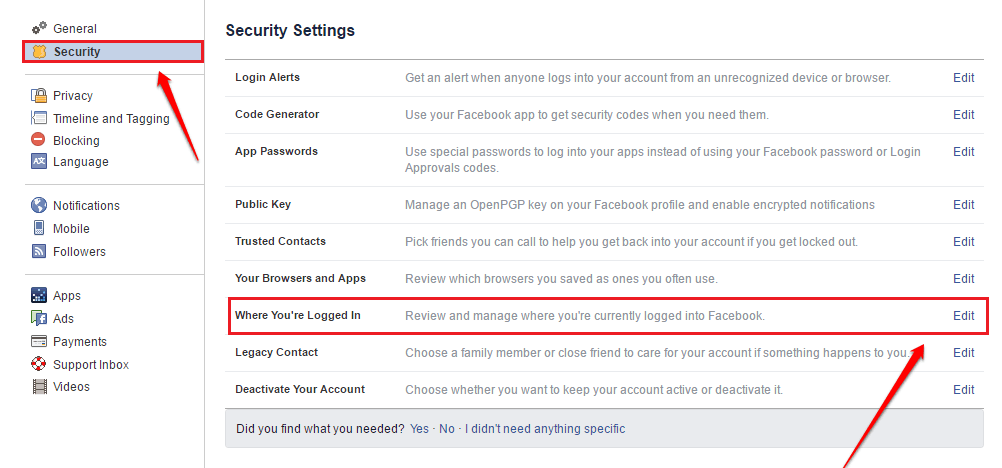
    6. Under the heading ‘Where you’re logged in, you’ll see a list of the devices that logged in currently.
    7. You’ll see your current device at the top with ‘Active now’ written in blue ink
    8. Click on ‘See all’ to see the full login activities on your account.

    If you see any strange device logins on the account from this section, then you must know that someone else is using your Facebook account.

    How To Remove Unknown Logins From Your Facebook Account

    Now, you know the devices that have logged into your Facebook account. But what if there’s one or two which you don’t recognize?

    How do you logout all unknown devices from your Facebook account?

    Follow the steps below on your smartphone:

    1. Open the Facebook app on your phone
    2. Click on the three horizontal lines on the extreme top right corner
    3. Select ‘Settings and Privacy
    4. Click on security
    5. Go to Security and Login
    6. Click on the ‘See all’ button beneath the list of your logged-in devices
    7. Click on ‘Logout of all sessions’

    Once you’re done, you’ll be logged out of all devices that you’ve ever logged in with. And this includes the unrecognized or unknown devices.

    Note that, you’ll still remain logged in on the device you’re using to perform this action. So don’t worry about that.

    Now, once you’ve logged out of all devices, you can successfully change your password to prevent the other person from having access to your account again.

    Conclusion

    The thought of knowing that your Facebook account could be hacked is not just excruciating, it’s also scary. Like, how do you deal with sharing all the messages you’ve had on the platform with someone you don’t even know?

    Many times, when we hear people complain about their accounts being hacked, we get scared and wonder if that can happen to us. If you haven’t activated Second Factor Authentication on your account yet, then your worry is real.

    But not to worry. In this article, we discussed how to check if someone has access to your Facebook account. Do you know of any other ways?

    Let us know in the comment box below.

    If you have any questions, comments or reservations about this article, kindly let us know in the comment box below.

  • How To Block Youtube Ads On your Android device Or Smart TV

    How To Block Youtube Ads On your Android device Or Smart TV

    Adverts or ads are Google’s model for making money off their Youtube platform. These ads are served to as many people as may watch various contents on the platform.

    Both video creators and the Youtube platform share ads revenues. However, there are times that ads on the platform becoming increasingly overwhelming.

    It gets worse when you are watching Youtube videos on your Android or Smart TV. You can see a few tens of ads within a few minutes when watching videos on your Android TV.

    The most annoying part is that, unlike your smartphones, it’s very difficult to actually stop Youtube from showing you these annoying ads on your TV.

    But, all hope isn’t lost. In this article, we shall show you an easy and excellent way to block Youtube Ads from showing on your Android or Smart TV.

    The Ultimate Way To Block Youtube Ads On Your Smart TV

    Youtube is a revenue-generating platform and so, for everything they do, there’s always a need for them to make some money.

    And they are also aware of how annoying their ads can be to some users. So, they have an alternative way of watching videos on the platform without having to wait for ads to be played.

    This option is called the ‘Youtube Premium’. The Youtube premium version is a paid version of the Youtube platform which enables users to watch videos at a monthly rate, without those annoying ads.

    Just like your Netflix app and Amazon prime app, you can watch movies and videos on the Youtube Premium platform, in an almost seamless manner – provided your network is good.

    The Youtube Premium service comes at a monthly rate of USD11.99. This amount allows you to watch as many Youtube videos as possible without any adverts.

    You can simply download the Youtube premium app from your Smart TV’s playstore, make payment and start enjoying your ads-free Youtube videos.

    On the other hand, if you cannot afford the monthly fee but you still want to enjoy ads-free youtube viewing, then you may want to consider the next option available.

    Using Unofficial Youtube APK For Blocking Youtube Ads

    While this may not be fully recommended, it is the best way to go if you don’t have money to pay monthly subscriptions for your Youtube account.

    Just like most other platforms, some developers have created the modified versions of the Youtube application. This modified version is mostly for smartphones.

    It is an offloaded version of the Youtube app, which is smaller in size and is devoid of some original settings in the main app. This makes it impossible for ads to be shown on the app.

    So, if you’re looking to enjoy Youtube videos on your Smart Tv without actually having to pay every month or seeing those annoying ads, then pay particular attention here.

    This may look easy. But how do you install such an app on your Smart TV? Remember that this app is purposely designed for smartphones.

    But, don’t worry. Follow the steps below keenly to start enjoying your ads-free Youtube videos.

    1. First of all, download and install an Internet browser on your smart TV. You can get this from the Playstore.
    2. Secondly, you can connect a Bluetooth Keyboard to your TV for easy accessibility.
    3. Open your newly installed web browser and type ‘Unofficial Youtube App’ in the address bar or search bar.
    4. Run your search with Google and locate the result which leads to a download site.
    5. Once you get to the download site, look for the Unofficial Youtube App and click to download it.
    6. After successfully downloading, you have to set your TV to install the app since it’s not from the Playstore.

    How To Set Your TV To Install The Unofficial Youtube App

    To let your TV install the Unofficial Youtube application, follow the steps below:

    1. Go to your TV settings
    2. Scroll down to “Security and Restrictions”
    3. Click on it and locate “unknown sources’ on the next screen
    4. Click on it too and enable all the options available there.

    Once you turn on apps from unknown sources, it’s now time to take the final step and get things going.

    The Final Steps

    Now, to the final steps, where you have to install the Unofficial Youtube app and start enjoying your ads-free videos.

    1. Open your files manager on your Smart TV
    2. If you don’t have one, kindly download and install one from the Playstore.
    3. Open the file manager and select the New Youtube app from the Downloads folder
    4. Click to open it
    5. Allow it to install.

    Voila! You’re good! Now, you have access to Youtube for free and without any annoying ads! Very easy, right?

    Note: This app is for smartphones. So, since the Smart Tv has a bigger interface than the Smartphone, you should not expect the visuals to be perfect. After all, you’ll still get to see the videos anyway… and without ads interference too.

    Final Words

    Youtube is one of the most-used web applications available now. From music videos to sports updates, documentaries and movies, you can get them all on Youtube.

    For this reason, Smart Tv users are fond of using the application on their TVs. But, it comes with its headache – the seriously annoying ads!

    In this article, we looked at how to block Youtube ads on your Smart Tv. We discussed the Youtube premium version and the Unofficial Youtube app.

    Do you know of any other ways you can block youtube ads on your smart TV? Kindly let us know in the comment box below. Do you have any questions, comments or reservations about this article? Kindly get in touch with us or leave a text below.

    Please, don’t forget to share this article with your friends and relatives.

  • How To Solve ‘Content Not Available In Your Country’ Problem On Youtube

    How To Solve ‘Content Not Available In Your Country’ Problem On Youtube

    Today, there are billions of video content available on the internet. From music videos to tutorials, sports highlights, movies and comedy skits.

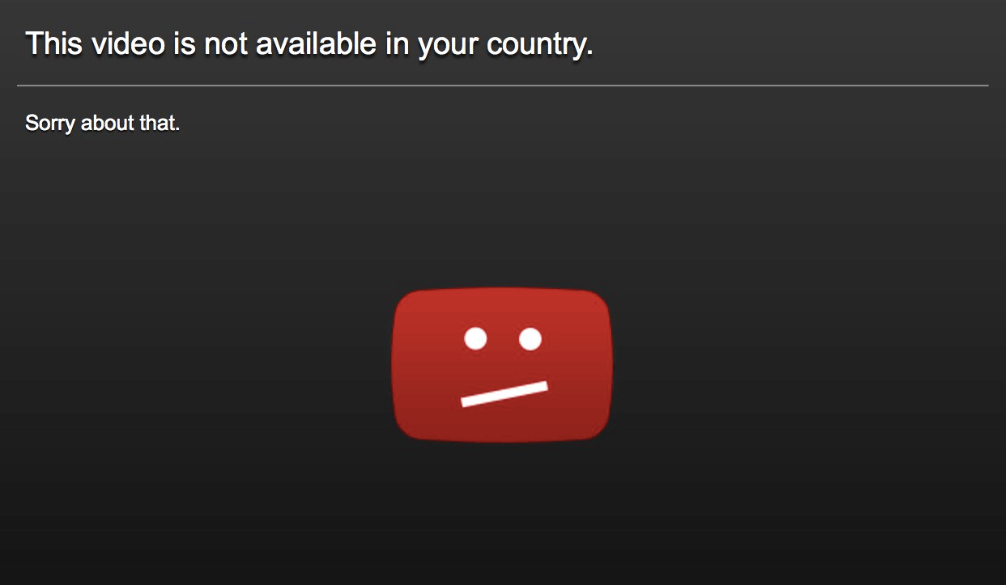
    But, just how annoying does it get when you want to watch a movie, a music video or a tutorial only to get the notification that ‘This Content Is Currently Not Available In Your Country’?

    That very moment, you’ll think of the volume of data you bought just for the purpose of watching that content and the number of websites you had to look through before you finally got the right platform.

    It’s totally exhausting, right?

    Well, if you find yourself in this situation right now, then you’ve come to the right place. In this article, we take a look at why the ‘Content Not Available In Your Country’ notification comes up and how to resolve it.

    Do stick around and read to the end to discover the solution to this utterly annoying situation.

    Why Some Videos Are Not Available In Your Country

    Honestly, nobody understands the fact that videos made for public view are limited to some countries only. Like why would you even produce a video and upload it on the internet if you don’t want some people to see it? The internet is a global network, after all.

    Yea. That line of thought is right. But… You know what? The ‘Video Not Available In Your Country’ problem is not entirely from the uploader. At least, most of the times.

    So, here are some few things that are likely to trigger that problem:

    1. First things first. So, this is entirely possible if the video creator decided to limit the video to certain locations only. This could be because of Patent issues or some other legal issues or perhaps, the owner just doesn’t want some people to see. It’s their creation after all. So they get to choose who can see it.
    2. Other times, it’s just purely an issue with the video streaming platform. Platforms such as Youtube usually comply by International Governmental laws and so they are able to block certain videos from showing in certain countries. Especially if the videos are against the laws of such nations.

    Now, are you ready to fix this problem once and for all?

    Using VPN To Watch Videos Not Available In Your Country

    The base reason why you can’t watch certain videos in your country is that they have not been made available to your country.

    So, what’s the easiest way for you to watch such videos if they really are of importance to you?

    It’s simple. Just travel! Cross border and go to another country where the video is available.

    But, really? Who wants to grab their Passport and Visa just to go watch a 30 minutes video? Well, it’s not that difficult… with the help of technology.

    You can use specialized software which enables you to switch your location and IP address from your current country to another country. Such software is called Virtual Private Network (VPN).

    There are thousands of VPNs out there. The best ones are the premium ones which you have to pay for. But there are some really cool free ones out there too.

    They are easy to download and setup, even on an iPhone. Once you have them installed on your machine, you can then change the location to either UK, US or any other first world country to get access to the chosen video.

    Fixing ‘Video Not Available In Your Country’ With Browser Extensions

    Another sure way to go about solving this problem is the use of specialized browser extensions which enable you to change your IP address. They act just as VPNs but they are simpler to install and are installed as plugins, addons or extensions for your browser.

    One of the most widely used extensions is the Holla Extension.

    To use this extension, kindly follow the steps listed below:

    1. Download the Holla Browser extension for your Web browser. It is available for Mozilla Firefox and Google Chrome browsers.
    2. Once you download it, click and run it to install. The installation is simple and requires no extra efforts. You’ll see the Hola icon listed on the right side of your address bar if it’s fully and well installed.
    3. Open the Youtube video you want to watch.
    4. Then, click on the Hola extension’s icon. This will automatically capture the website address “youtube.com” as your browsing URL.
    5. Choose the country whose IP address you wish to use. Remember to choose a country in the western world. You can either choose the USA, Canada or UK.
    6. Reload your youtube video. This should work perfectly now and you should be able to watch your video.
    7. If it doesn’t work, go back and change the country to another one again.

    Conclusion

    The pain of not being able to watch your favourite Movie, Music Video or Tutorial on Youtube and other Video Streaming platforms because ‘The Video Is Not Available In Your Country’ is extremely excruciating.

    Frankly, it’s one thing nobody can deal with. But, that shouldn’t be your fate. There’s a way to work around this problem and resolve it perfectly.

    In this article, we spoke about why you get the ‘Video not available in your country’ feedback and some of the best ways to resolve it.

    If you loved this article, kindly share with your friends and relatives who may also be facing similar situations.

    Kindly do well to leave a comment, question or reservation regarding this article in the comment box below or contact us.

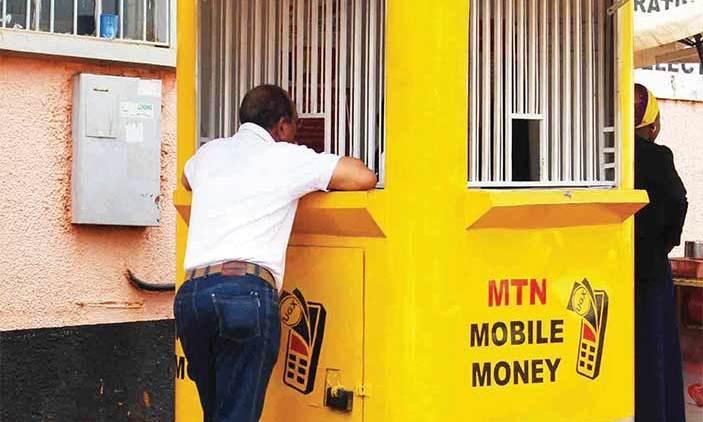
  • How To Protect Your MTN Mobile Money Against Fraudsters

    How To Protect Your MTN Mobile Money Against Fraudsters

    Since the introduction of mobile money in Ghana, some ten years ago, payments and other financial transactions have become faster and easier.

    Today, we can make and receive all forms of payments from the comfort of our homes without any trouble.

    Indeed, mobile money and most especially MTN Mobile money has been a lifesaver for the majority of us.

    However, the major challenge that comes with using mobile money in Ghana is the daily increase in mobile money frauds.

    The activities of fraudsters have not just made mobile money difficult to use but also it has put lots of people in miserable situations and has also caused the loss of some lives.

    In this article, we focus on some of the precautionary measures you should take in protecting your MTN Mobile money from these scavenging fraudsters.

    Change Your PIN CODE As Regularly As Possible

    Whereas the mobile money platform itself is highly secured and requires some difficult levels of hacking to break through – thanks to MTN’s security systems, one of the main things an individual can do to protect his or her mobile money wallet is changing PIN CODE from time to time.

    Your Pincode is the key to your mobile money wallet. If someone has access to your PINCODE, they may be able to withdraw money from your account. It is, therefore, necessary that from time to time you change your PINCODE. Especially when you suspect that someone might have seen your PIN. It is also advisable for you to change your PIN CODE every 3 months.

    Do Not Approve Transactions You Are Not Aware Of

    One way people can play on your intelligence and steal money from your mobile money account is when they send a withdrawal request to your mobile device. Once you approve such transactions, the money is automatically deducted from your account and sent to the one who requested the payment.

    The only things someone needs for them to be able to send such requests are your number and a merchant Simcard. You can imagine how easy it is for them to get these so you do not need to take a chance at all.

    When you get notification for any transaction you did not initiate, kindly cancel it and report to your service provider.

    Avoid Filling Forms Online For Free Data And Airtime

    One way people get access to your phone number is true such fake links usually on WhatsApp requiring that you fill some forms so you get some amount of data or airtime in exchange.

    Most times, such links request that you input your phone number and other personal details.

    These pieces of information are stored on such websites and retrieved by the owners who may then use your number to defraud you.

    Always Check Your Balance To Confirm Any Mobile Money Transaction

    One thing that remains for sure is that apart from you or anyone else who uses your phone, nobody knows the amount of money you have in your mobile money wallet.

    With that said, it’ll be difficult for fraudsters to realise the exact amount of money you have in your account and frame a fake Mobile Money message to reflect that amount.

    Therefore, it is important for you to always check your balance whenever you receive any new message regarding cash received. If the amount stated in the message is different from the amount in your account, know that you’ve just been saved from a possible scam.

    Conclusion

    The points listed and discussed above are just some ways through which you can protect your wallet from fraudsters.

    There may be a hundred other ways to do so but based on our experiences with MTN Mobile money and fraudulent activities associated with it, these are our top ways of protecting an MTN Mobile money account. If you have any reservations, enquiries or comments regarding this post, kindly leave it in the comment box below.

  • How To Download Subtitles From YouTube Videos

    How To Download Subtitles From YouTube Videos

    Youtube is undoubtedly the world’s leading video content platform. From music videos through movies to tutorials and game reviews, Youtube is a big source of content.

    For most people who can’t afford the monthly subscription fee for streaming platforms such as Netflix, Youtube always comes in handy and effective too.

    But, there’s always the issue of not being able to download the videos or their subtitles when there is a dire need.

    However, this should never be a barricading factor in your quest to enjoy some tutorials, some music video or movie offline.

    There are very simple and some complex ways to download your favourite Youtube video and also to download video subtitles.

    In this article, we take you through some of the tried and tested ways of downloading video subtitles on Youtube.

    First Things First

    Before you think of downloading subtitles for a Youtube video, there is somthing important you need to know first.

    The video you’re seeking to download the subtitle for; must already have a subtitle attached to it on the Youtube platform.

    It’s probably getting confusing for you at this point. Right?

    Take a breather. So, here is it. When people upload videos to Youtube, they have the option to add subtitles to their videos.

    So, if someone adds a subtitle to his video, then you can actually download that subtitle, using the methods listed in this article below.

    Conversely, if the person hasn’t added any subtitles to their video, then there’s nothing for you to download…Aside from the video itself.

    So, the first thing for you to check, is to see if the video has a subtitle or a list of subtitles attached to it.

    Here’s how to find that:

    1. Open the video on the youtube channel
    2. Look at the options under the video. On the same link where you have settings, play, next and volume. If you see the “CC” button there, then the video has a subtitle. If there’s no “CC” button, then there’s no subtitle.

    Now, after confirming that your video has a subtitle, it’s time to start the main process of downloading it now. So, follow the remainder of this article keenly to see how it’s done.

    Using Subtitle Downloader To Download Youtube Video Subtitles

    There are some web applications that help in downloading Youtube subtitles, just as there are web applications for downloading Youtube videos.

    Follow the steps below to use this trusted web application to download your Youtube video subtitles.

    1. Open the video from the channel.
    2. Copy the video URL from the address bar.
    3. Open the website ‘savesubs.com’ in another tab of your browser
    4. Paste the video URL in the box provided on the ‘Savesub’ homepage
    5. Click on ‘Extract & Download’
    6. Scroll down to select the type of file you want to download. Select TXT for a text file and select SRT for a Subrip subtitle.

    Downloading Youtube Video Subtitles Manually

    No, it’s not so technical. So don’t just freak out yet. In fact, it’s best to download Youtube Subtitles manually. Because this gives you so much power to control how your downloaded subtitle should appear.

    Follow the steps listed below to get started now:

    1. Open Youtube
    2. Search for and open the video you want to work with.
    3. Scroll down to the bottom of the video. Where the video description is normally written. You’ll see three dots on the right side.
    4. Click on the ‘three dots’
    5. Select ‘Open transcripts’. You should see a new window popping up on the right side with the full transcript of the video
    6. Copy the whole text by either highlighting and copying with the mouse or using the keyboard shortcuts.
    7. Open a new and empty text document on your machine
    8. Paste the transcript in the document and save it.

    Optional

    If you want to do away with the timestamps attached to each line of the transcript, then after step 5, click on the 3 dots on top of the transcript window. Then, select ‘Toggle timestamps’ to turn it off.

    If you’re okay with it however, then leave it as it is.

    Conclusion

    Youtube is a great source of entertainment and education for Billions of people all over the world. It’s great for you to be able to download videos uploaded on the platform so you could actually watch them offline.

    But, it becomes difficult to watch and understand these videos if you can’t access a transcript to understand what’s being said in the videos.

    In this article, we set out to resolve this problem.

    So, we proferred and discussed two ways to download video subtitles from Youtube.

    We hope you found this article very helpful and that you’ll share it with your friends and relatives.

    We write because you read, kindly help us share this article with your network.

    Do well to share your comments, reservations and questions about this article in the comment box below.

    You can also get in touch with us.

  • How To Identify Fake and Scam Facebook Pages

    How To Identify Fake and Scam Facebook Pages

    How many times haven’t you come across a Facebook page bearing the name of a celebrity or big company asking you to do something for a giveaway?

    How many times haven’t you heard of people getting scammed on Facebook by impersonators?

    The numbers are numerous. But, you probably would still fall victim in such instances. Because you don’t know how to spot a Fake or scam Facebook page.

    Perhaps, you think you know just how to spot them. But how much do you know about them?

    Well, in this article, we take a quick look at some ways to identify and fish out fake Facebook pages.

    Remember, the focus is on Facebook pages and not Facebook accounts or profiles.

    What’s a Fake Facebook Page?

    A fake Facebook page is usually a page created by scammers or unscrupulous people pretending to be other people or companies on the social media platform.

    This is done mostly by scammers or bloggers. The end goal of such pages is either to build trust with unsuspecting people and defraud them of their hard-earned cash in the case of scammers.

    On the part of bloggers, they do this to get more followers for the page and then share their blog posts there to reach a wider audience.

    Either ways, Facebook’s community rules stand against this.

    How To Identify a Fake Facebook Page

    There are some few ways to spot and fish out a scam or fake Facebook page. A few of them are explicated below.

    Unverified Pages

    The first way to spot a fake Facebook page is by checking if the page is verified.

    A verified Facebook page carries a blue tick right in front of the page name.

    Facebook provides room for big companies and celebrities as well as media organizations to be verified with the blue tick.

    Therefore if you see a page bearing the name of a big company or celebrity and has lots of followers without a blue tick, you should think twice when dealing with them.

    Note however that, page verification is done manually. You’ll have to apply for your page to be verified.

    So, if the page owners are not aware of the verification bit, then their page may not be verified.

    To be sure, you can search for pages with the exact name. If you see more than one page with one being verified, there’s a possibility that the rest are fake. Especially if they all have the same logo.

    Check for altered names

    The next step is for you to take a closer look at the page name to confirm if there’s an alteration.

    Mostly, these fake pages are created in the names of known brands or celebrities.

    So, to confirm if the page is legitimate, you should take a closer look at the name.

    Facebook makes it impossible for a page to bear the exact name of an existing one.

    So, if the brand already has an existing legitimate page on Facebook, then the scammers can’t create theirs with the same name.

    They’ll therefore usually add some special alterations to change the name of the page.

    For example; if the original page’s name is VIRGIN AIRLINE, the fake page may bear the name VIRGN AIRLINE or VIRGIN AIRLINE. or VIRGIN AIRLIN or VIGIN AIRLINE.

    Now, these scammers are so smart that they usually change very tiny details about the name so if you don’t take a closer look, you may never know.

    And no, don’t worry about checking the profile picture. It is not a strong point. Many pages can have the same profile pic so that won’t help with the differentiation.

    Pages asking for donations

    one common trait of fake or scam pages is their rampant request for donations.

    It’s just logical that a successful man like Alinko Dango wouldn’t be on Facebook asking you to donate to support a charity cause he is undertaking.

    It’s not impossible for celebrities to undertake such causes but you’ll have to take a closer look at the request, the details as well as the previous factors listed above.

    For example; if you see a call for donation on an officially verified Facebook page belonging to John Dramani Mahama for a noble cause, it’s more likely to be real than if the same thing is posted on a poorly organized Facebook page bearing a similar name.

    If it sounds too good to be true, then it really is

    The final check on this list is facts and posts on these pages.

    If you see anything that sounds abnormal or too good to be true on any of these pages, then it really is fake.

    You should employ logical judgements in such cases. For instance, if the page is asking you to send your bank details and contact so that they can send you some amount of money, you ought to think twice.

    What have you done to deserve that?

    Also, if they’re selling something at an abnormally cheaper rate, you should ask yourself why their price is way cheaper than everyone?

    You should also ask yourself why they insist on payment before delivery.

    There are so many things these pages post which should raise a red flag for you.

    If you observe carefully, you’ll see some of these things and advise yourself appropriately.

    Also, check out How To Stop Websites And Apps From Posting On Your Facebook Timeline

    Conclusion

    Facebook is the world’s leading social media platform with over 2 Billion active monthly users.

    Due to the number of people available on the platform, it provides a comfortable breeding ground for scammers and unscrupulous people to ply their trade with ease.

    Fake Facebook pages are becoming rampant and they are forming the basis for the majority of the scam activities on the platform.

    In this article, we looked at some ways to spot fake Facebook pages.

    We hope you loved the content of this article and that you’ll share it with friends and relatives.

    Kindly share your comments, reservations and comments with us in the comment box below or get in touch with us.

  • How To Let Google Assistant Remind You Of The Weather Everyday

    How To Let Google Assistant Remind You Of The Weather Everyday

    Your smartphone is not just a device for entertainment and making calls. Your smartphone can become your personal assistant and do virtually everything you want it to do.

    Thanks to the android operating system and google’s powerful Artificial Intelligence systems, your smartphones can now give you daily weather forecasts and updates.

    You are probably aware that Your Google Assistant Can Read Stories To You. But what you may not have known is that your Google Assistant can also remind you about daily weather updates.

    In this article, we take a look at how to set up your google assistant to remind you of daily weather updates.

    We also take you through how to check your daily weather update with the google assistant.

    So, first, let’s look at what Google Assistant is.

    What’s Google Assistant?

    Google’s Assistant is Google’s innovative entry into the Artificial Intelligence (AI) marketplace.

    The Google assistant is an Artificial-Intelligence powered software which serves as a virtual assistant.

    It is basically available on Smartphones and smart home devices. The Google Assistant usually engages in two-way conversations with its users.

    This means; it can receive commands by voice note and provide feedback through the same means.

    The Google Assistant can help users with many tasks including reading notifications to you, controlling your music, running timers and reminders, open apps on your phone and so many others.

    How To Set Up Your Google Assistant To Inform You About The Weather

    The approach to setting up your Google assistant for Weather updates varies from device to device.

    So, here, we shall look at how to set it up on your android phone and how to set it up on your iPhone or Ipad.

    How To Set The Google Assistant Weather Update On Your Android Phone

    Follow the steps below to set up the Google Assistant weather update feature on your android phone:

    1. On your phone, touch and hold the home button for a while or say ‘Hello Google’ to activate the Google Assistant.
    2. Say these words ‘Send me weather every day’. You can also type it if you wish.
    3. Select ‘Yes’, when asked if you want to receive the updates daily.
    4. Select a time of the day to receive your daily updates.

    That’s all. Once you select your time for daily updates, your assistant will give you success notification – indicating that the setup was successful.

    How To Set Up Your Google Assistant Weather Reports On iPhone and Ipad

    Iphone and Ipad users are not left out of the goodies presented by Google Assistant.

    To setup the weather report reminder on your iphone or ipad, kindly follow the steps below:

    1. Open the ‘Google Assistant’ app on your iphone or ipad.
    2. Tap the microphone which appears on the Google Assistant window. If you wish to type the command, then tap the ‘Keyboard’
    3. Say the following words; ‘ send me weather everyday’. You can as well type those words if you prefer to.
    4. Do select ‘Yes’ when asked to confirm if you’d like to receive your info daily.
    5. Select a time of the day for receiving such updates.

    How To Check and Confirm Your Daily Updates

    To ensure that your susbcription to the daily weather update is successful, Google has an option available for you.

    The process is different on android phones and Apple devices. See the various steps below.

    How To Verify Your Subscription On Android Phones

    To verify your Google Assistant daily weather update on your android phone, kindly complete the steps below:

    1. On your phone’s home page, press and hold the home button. You can also say ‘Hey Google’
    2. Next, say ‘ See my daily subscriptions’ or ‘What are my subscriptions?’. You can also Type the words.
    3. A list of your daily subscriptions will be made available so you can confirm if the weather report is part.

    In case it isn’t part of the list, then you have to go through the steps for subscriptions listed above.

    How To Verify Your Subscription On Apple Phones

    1. Open the Google Assistant application on your iPhone or iPad.
    2. Tap the microphone if you wish to use voice command. You can also tap the ‘Keyboard’ if you wish to use text command.

    3. Finally, say or type: ‘What are my subscriptions?’ or ‘See my subscriptions’

    Conclusion

    Worried about the numerous changes in the weather pattern these days?

    Thinking you might get whipped up in some heavy rain while stepping out for your next appointment?

    Well, your phone could be a little saviour for you. Thanks to Google’s virtual assistant – Google Assistant.

    You can set up daily weather report reminders on your phone and have them delivered to you every single day.

    This article gives you an overview of what Google Assistant can do for you, how to set up the daily weather report reminder and finally how to verify your subscription.

    We hope the content of this article was helpful to you and that you’ll share it with your friends and relatives.

    If you have any questions, comments or reservations, kindly let us know in the comment box below or get in touch with us.