Category: Hacks

  • How To Download Android Apps Without Using Google Playstore

    How To Download Android Apps Without Using Google Playstore

    As an Android user, the number one place to get all your applications and software is the Google play store.

    This is primarily for its safety. But, there are times when you may need some applications but may not find them on Google playstore.

    In such instances, how do you get the apps without having to go through the Google Playstore app?

    In this article, we shall guide you through how to download any android app without using the Playstore.

    But, before we delve into that, let’s look at some of the reasons why there are some android apps unavailable on the Google playstore.

    Why Are Some Android Applications Not Available On Google Playstore?

    Google Playstore may look like the home of android applications. But frankly, there are thousands of android applications which are not available on this platform.

    So, the big question is: Why?

    1.Inability To Pay Developer Fee

    You may get to download various applications for free on the Google Playstore. But, apart from Google’s own products on the platform, the owners of every other application you see on the platform had to pay some USD 25.

    This may not be really huge for you but for some developers, they don’t see the reason for them to pay this amount just to have their free apps listed on the Playstore.

    So, for some funny reasons, they decide to keep their applications away from Google’s Playstore.

    2. Google’s Disapproval Of Such Apps

    Usually, after getting your developer account with the USD 25, you are entitled to upload as many applications as possible.

    But this is only possible if you do things right. If you don’t submit applications which go against Google’s rules and regulations.

    So, when you submit your applications, they go to a review process. During this process, Google may either decide to approve your application or throw it out of the window.

    For most developers, they already know the rules and regulations governing the use of the Google Play store. So once they realize that their applications may go against the regulations, they keep them away from the store entirely.

    Others also submit the applications only to realize later that they go against the rules of the platform.

    So, in such situations, the obvious solution is for them to keep the apps away from the Google Play store.

    Since we’ve now seen why some applications are kept away from the Google Playstore, it is only appropriate for us to look at how to install such apps on your android phone.

    How To Change Your Android Phone Settings To Accept Applications Not On Playstore

    To enable your phone to accept and install an external application apart from those on Playstore, you’d have to change your phone’s setting.

    So, to do this, kindly follow the steps below:

    1. Go to settings in your phone menu
    2. Select ‘Apps and notifications’
    3. Select advanced
    4. Select special app access
    5. Scroll down and select ‘Install unknown apps’
    6. Select the browser you wish to download the app with
    7. Press to turn on ‘Allow from this source’

    If the steps above don’t work for you, it means you’re using an Android version lower than 8.0. In that case, you should follow the steps listed below instead;

    1. From your menu, go to settings.
    2. Select ‘Security’
    3. Turn on ‘Unknown sources’

    Where To Download The Apps

    After successfully turning on your phone’s ability to install apps from unknown sources, the next thing is for you to download your apps and start enjoying.

    There is practically a large score of sources for downloading and installing applications on your phone. Some of them are applications on their own and some others are just websites.

    Here, we shall look at some of the apps which you can use to download APK files on your smartphone without the use of the Playstore.

    APK Mirror

    APK Mirror is one of the authentic sites and apps for downloading your favourite android applications free of charge.

    In fact, it contains hundreds of thousands of applications. It contains applications available on the playstore and those not available too.

    For the most part, the APK Mirror is made of older versions or other versions of some popular apps.

    Downloading from this platform is entirely legal and is usually as safe as it may be to download from Playstore itself.

    APKPure

    APKPure is also an alternative to APK Mirror. The APK Pure app, however, provides more categories and more applications for download. It covers a wide range of popular and newer applications than even the Playstore itself.

    If you’re seeking to download photo filters and video editors, then APKPure is a good call for you. It’s filled with lots of photo and video editing applications.

    Amazon Appstore

    The official Amazon Appstore is also a good repository of some cool android apps which you can easily download on your phone.

    The Amazon AppStore works almost the same as the Google playstore, in that, it provides a large database of both free and paid applications.

    You can also get to download some paid applications for free using Amazon’s promotions and gift cards.

    Like APK Mirror, the Amazon application is very safe.

    Conclusion

    You don’t have to rely on your Google Playstore all the time for applications. You can download thousands of android applications from other sites and applications free of charge.

    In this article, we spoke about some of these platforms which allow you to download android apps, how to set your phone to accept such applications and why some apps are not on the Playstore.

    It is also important to note that, there are hundreds of other applications and websites out there for downloading android applications. But due to their open-source nature, they are more than likely to contain malware.

    So in your attempt to by-pass Google Playstore in downloading your android applications, always make sure to download from trusted sources.

    If you have any questions, comments or reservations regarding this article, kindly let us know in the comment box below.

    Please, do well to share this article with your friends and family as well.
  • How To Record Whatsapp Calls On Android And iPhones

    How To Record Whatsapp Calls On Android And iPhones

    Tiktok may be the new video and trends app, Zoom may be the new home for all meetings but Whatsapp still remains what it is. The world’s leading chatting app.

    Be you a child, a teenager or an adult, Whatsapp is one application you use every single day, so long as you have a smartphone.

    Despite the fact that most users prefer to use Whatsapp for text and video chats, quite a number of them still go for the now better Whatsapp Voice Calls.

    Whatsapp voice calls, just like normal phone calls can be for various reasons. For security reasons or for record-keeping sake, you may need to record some of your Whatsapp calls.

    You may also read about How To Secretly Record All Your Phone Calls

    Unfortunately, Mark Zuckerberg and his team haven’t come up with an in-born feature for recording WhatsApp calls.

    However, this shouldn’t be your headache. This article solves this problem perfectly.

    In this article, we shall discuss how to record your Whatsapp calls.

    How To Record Whatsapp Calls On Your Android Phone

    For android users, this ‘all difficult’ task of recording Whatsapp Calls is a little bit easier and more possible.

    Your best bet for recording a Whatsapp call on your android phone is by using the Call Recorder – Cube ACR application.

    Follow the procedure below to learn about how to use the app to record your Whatsapp calls:

    1. Download the Cube ACR Call Recorder application from the google playstore and install it on your phone.
    2. After successfully installing the application on your android phone, you need to grant permissions for the application to access your contacts, record your calls and access other parts of your phone. For those using android versions 10 or higher, you may need to grant the Cube ACR recorder, you have to enable app connector permission in your Accessibility settings menu.
    3. Open your Whatsapp application after granting all the required access and permission to the Cube app. Make a call to any Whatsapp contact you wish to call. If your App is set up properly, you should see the Cube Recorder Widget on your screen. If it isn’t well setup, you would get an error message on your screen.
    4. If you keep getting error messages on your phone, then it’s a problem with your app. To resolve this, open the Cube App and go to recording settings. Under ‘VOIP’ recording settings, turn on ‘Ignore VOIP-Support check’. Then, select ‘Voice Call’ option in the VOIP recording source settings.

    Note: The Cube Recording App only works on some android phones so it is likely that this application may not work on your phone. This shouldn’t be a worry to you. Check here for the list of phones that support this application.

    How To Record Whatsapp Calls On Your Iphone

    Apple is very keen on security and privacy-related issues, especially across its devices.

    As such, it is a bit difficult to perform the Whatsapp Call recording functionality on an iPhone. However, it is not entirely impossible. Actually, there is nothing impossible in the computing world.

    So here, follow these steps to record Whatsapp Calls on your Iphone:

    1. Connect your phone to an Apple Macbook using a lightning cable.
    2. For the first time connections, select ‘Trust this computer’ on your phone.
    3. Launch Quicktime on your Macbook.
    4. Next, choose ‘new audio recording’ under the file menu.
    5. Click on ‘record’ in your Quick Time application window.
    6. Using the iPhone, call your phone via Whatsapp. Then, click on the ‘add user’ icon.
    7. Choose the person whose call you want to record and connect them.
    8. Your call will be recorded automatically after connecting the person.

    When you’re done with the call, stop the recording in your Quick Time window and save the audio on your Macbook.

    Old But Gold

    If these methods used above do not work for your phone, you may have to rely on this strategy which has existed for years.

    To do this, you first of all need to be in a very quiet room where there is little or no noise.

    You must also have an external recorder such as a different phone from the one you’re using to make the Whatsapp call or an audio or mp3 recorder.

    1. Call the person whose call you want to record via Whatsapp.
    2. Once they answer, but the call on handsfree mode and turn on your sound recording device.
    3. Record the whole conversation from a close distance.
    4. Save the file on your recorder and send it to your phone later.

    Conclusion

    There are times when calls must be recorded for personal reasons, security reasons or for record-keeping sake. For any of these reasons, such calls may either be normal phone calls or Voice Over Internet Protocol (VOIP) calls such as Whatsapp calls.

    Interestingly, there are apps readily available on most phones for recording voice calls. However, WhatsApp doesn’t come with the in-built feature of recording calls.

    So, there is a need for reliance on third-party software for this purpose. In this article, we looked at some ways of recording Whatsapp Calls On your iPhone and Android phones.

    We hope this article was helpful to you and that you will share with your friends and relatives.

    Kindly do well to leave your comments, views, questions and reservations in the comment box below.

  • How To Reply To A Whatsapp Chat Without Appearing Online

    How To Reply To A Whatsapp Chat Without Appearing Online

    We normally ignore Whatsapp messages when we are too busy to be online to have a long chat. Sometimes we might be interrupted from what we are doing immediately we get online to reply to a chat we don’t want at the said time.

    We mostly ignore chats in order to not let our contacts from seeing we are online and dragging us into long conversations. In fact, there are several ways of replying to a chat without being noticed you are online.

    There are two ways you can follow to reply to messages without being online. Continue reading to know the steps.

    Reply While Offline

    When you receive a message you don’t want to reply to lead you in long conversations, there are few things you can do to reply without anyone noticing your online status.

    Firstly, disable all connections to the internet be it WiFi or Mobile Network data on your phone. Open WhatsApp and tap on the chat you want to reply to. Write and send your message.

    Close WhatsApp and reconnect back to the internet. WhatsApp will automatically send the message without you being online. WhatsApp runs on the background and foreground.

    When running background, it is able to process your incoming and outgoing messages, that is why when you are not online and someone messages you, you receive a notification.

    Notification Reply

    Smartphones running Android 7 or higher, can reply to messages through their notification panel. Once you receive a Whatsapp notification, open the drop-down menu to reply to the message directly without opening the WhatsApp messenger.

    Messages will be sent just like you being in the app. Your online status will not show too.

    Reply Messages From Lock screen (Android)

    You can reply to messages on Android without appearing online. When you receive a notification whiles your phone is on the lock screen, tap on the down arrow of the WhatsApp message you want to reply to.

    Tap on reply, and type in your message you want to send. Some phones may demand you to type in your unlock code before you can reply.

    The message will be sent without you appearing online.

    Reply Messages From Lock screen (iOS)

    On iPhone, Swipe left to the message you want to reply to. Tap on the view option, type your message, and press send. Your message will be delivered without you being online.

    Conclusion

    In some days, we get too busy to stick to our phone in as much we even have to ignore certain messages we receive. Sometimes replying to those messages whiles online will lead to a long conversation.

    Some messages might be too important to reply, but going online will open the way for others to chat with you which we want to ignore. In such occasions or instances, we can make use of the solutions in this article to reply to your messages without going online.

  • How To Get A Free Domain Name For One Year or more

    How To Get A Free Domain Name For One Year or more

    Owning and managing your own website is not only exciting but it also comes with a deserving volume of respect and pride.

    Whether you are looking to start your new blog, have a website where you can post your portfolio or you are looking to have a website where you can sell your products or services, one thing that comes to mind is Domain.

    Your domain name is the unique name that defines your website and so there is virtually not a website without a domain name.

    Interestingly, aside from the fact that you have to pay for hosting and website designs, not to talk of some plugins and themes, you mostly have to pay for your domain name too.

    This, therefore, makes it extremely difficult for some people to create and own websites – which should not be the case at all.

    In this article, we shall show you how to get a free domain name for 1 year.

    Using Namesco Free Domain Name

    With Namesco, you can get a free .co.uk domain for one year. The steps for using this service are also very simple for everyone to use.

    Kindly follow the steps below:

    1. Visit Namesco.co.uk
    2. Once the page loads, click on ‘Domain Name Search’
    3. Type your preferred domain name. Example: Kofidazzie.co.uk
    4. Click on ‘search’ to see if it’s available.
    5. If you are okay with your domain name, then click on ‘Proceed to basket’. If you are not okay with the name, you can try other alternatives.
    6. You’ll be given two options, to either upload your own website or use a website builder to Do it yourself. Select the Website builder option. Don’t worry about the amount you see next to it.
    7. Click on proceed to checkout or basket.
    8. On the next page, you’ll see two items listed. Next to the Website Builder, you’ll see an amount written. Don’t worry, click on the red X near it. By doing so, you’re removing the website builder option from your purchase.
    9. Your total amount will change to ‘Free’ at the bottom.
    10. Click on Create account and then you can register your domain name for free!

    Using Wix Website Builder

    One sure way of getting a free domain name for your website is using the Wix Website Builder.

    With this easy-to-use and multiple-clicks website building tool, you can get your free wix subdomain for your website.

    However, your domain name would look something like this: Dannykofi.wix.com

    Now, let’s look at how to get your free wix free subdomain today.

    1. Visit wix.com
    2. Sign up for an account
    3. Once you’re logged in, click on ‘Design website’
    4. On top of the new page, you’ll see ‘Upgrade’, click on it.
    5. Select from the list of hosting packages on the next page, the one that fits your business plan and financial stand.
    6. Enter your payment details on the next page and checkout.
    7. On the next page, you may select any add-ons you wish to use.
    8. Make a payment on the next page.
    9. You can then search for your new domain on the next page. If it is available, you get to register it for free and set up your website on it.

    Note: The payment you made is for hosting and any other add-ons. Your domain name is free of charge.

    Using Plugnom

    Plugnom.com is an affordable Web Hosting Service provider in Ghana. Once you sign up to any of their yearly host plans, you get a free domain.

    Conclusion

    Owning your own website doesn’t have to be stressful after all. You can skips the hurdle of buying your domain name by following the options given out in this article.

    We hope that this article helps you to get your next domain name for free so you can build that website you so desire to build.

    If you know of any other options for getting a free domain name, kindly let us know in the comment box below.

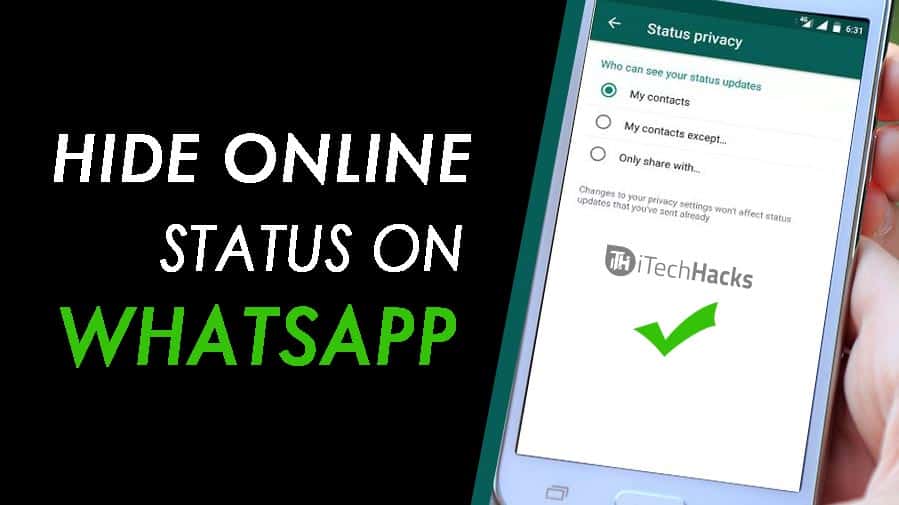
  • How To Hide Your Whatsapp Online Status On Android And iOS

    How To Hide Your Whatsapp Online Status On Android And iOS

    Security and privacy are two terms that go hand in hand especially as far as the internet is concerned.

    The WhatsApp instant messaging platform is undoubtedly the biggest instant messaging platform in the world with millions of users active every moment.

    While Whatsapp has so many advantages that come at absolutely no cost, some people could actually abuse some of its functionalities in trying to track your actions.

    One of the features of WhatsApp which can be used against you by others is your online presence (online status.)

    In this article, we shall focus on how to turn off your online status on both Android and IOS devices.

    How To Turn off Your Online Status On Your Android Device

    To turn off this feature, you have to launch the Whatsapp application and follow the instruction below:

    1. Click on the three dots on the top right corner of your WhatsApp chat page.
    2. Click on Settings in the list that appears next.
    3. From the settings menu, look through and select Account.
    4. Click ‘Privacy’ in the next list that appears.
    5. From the popup list, select ‘Last Seen’
    6. From the popup list that appears next, select ‘Nobody’.

    NB: You can select my contacts in order to decide which people from your contact list should not see your online status.

    How To Turn Off Your Online Status on IOS Device

    Turning off your whatsapp online status on Iphone or any other IOS device is quite different from the method we’ve seen under the previous heading.

    In order to put this feature off, follow the steps below:

    1. Launch your WhatsApp application
    2. On the chats page, select ‘Settings’ on the right bottom corner.
    3. Select ‘Account’ from the list that appears on the next page.
    4. On the next page, select ‘Privacy’.
    5. From the next list, select ‘Last seen’
    6. A popup list would appear for you. Select ‘Nobody’ from the list

    Conclusion

    Turning off your whatsapp status generally prevents people from identifying when you are online and when you are offline. At all times, when people check your account, they see no sign of you being online. This protects you from those who may be spying on you. However, this setting is a double-edged knife. For as long as people do not get to see your online status, you do not get to see theirs either. Meaning if you set your online status to ‘Nobody’, you shall also see nobody’s online status. So if you wish to see some people’s status and keep others in the dark, then you may want to use the ‘My Contacts’ option when you get to the last phase of the steps listed above. That way, you can select those whom you wish to share your online status with.

    If you have any reservations or questions regarding this post, please do not forget to let us know in the comment box below the post. We are more than happy to be of help to you.

  • Top 10 Best And Working Torrent Sites For PC and Mobile You Can Download From

    Top 10 Best And Working Torrent Sites For PC and Mobile You Can Download From

    Downloading large files online becomes very difficult especially when you can’t find such files on normal blogs or websites to download.

    The next remedy many people fall on is torrent sites. As much as torrent sites serve the purpose of providing pirated files for free, not all of them are secure and most of them do not actually work in reality.

    Whether you are a movie lover hoping to have access to latest blockbuster movies or you are a game addict hoping to grab those latest game setups to update your list, you definitely need torrent sites to download from.

    Not just any torrent site but for sites that are actually working and provide just the right files that you need.

    In this article, we shall look at 10 of the best torrent sites from which you can download your favourite games and movies on your PC or Mobile device.

    1. 1337X
    2. Torlock
    3. Torrentz2
    4. The Pirate Bay
    5. Lime torrents
    6. Torrent Downloads
    7. zooqle
    8. Skytorrents
    9. Rarbg
    10. Torrentfunk

    1337X

    1337X is one of the world’s biggest torrent sites presently. With millions of files available for download, 1337X provides a beautiful yet easy-to-use interface for users to search and pick their favourite titles from a list of games, software and movies available.

    With an average download speed of 4.2 Mb/s, this is surely one torrent site you should be considering for your next movie and software downloads.

    Torlock

    Torlock is the second torrent site on our list. It is one of the most legitimate torrent sites in the world. It serves more than 98% accurate torrent files. This site tries as much as possible to reduce fake torrents so as to improve its traffic and relevance in its niche. So far, they have done a good job to earn themselves the second spot on our list.

    It has an average download speed of 4.4 Mb/s.

    Torrentz2

    Torrentz2 is like the search engine of all torrent sites on the web. This site has data from all other torrent sites and so that makes it the torrent site with the largest number of files available for download.

    It majors mostly in music videos and movies.

    The average download speed for this site is 2.0 Mb/s.

    The Pirate Bay

    This is arguably one of the fastest torrent sites available on the internet today with a magnificent average download speed of 6.2 Mb/s. The Pirate bay has over 14 million files available for downloading other various categories such as music, videos, movies, software and games.

    However, it has the tendency of going offline from time to time.

    Lime Torrents

    If you are one of those people who want to download files but do not know the exact file to download, then Lime torrent is the right answer you need. It offers a list of top 50 downloads in each category. This serves as an easy-access platform for those who may be seeking for popular movies, music, videos and games.

    It has a monthly viewership of about 17.1 Million.

    Torrent Downloads

    This is your go-to place for any movies, music videos, games and software that seem hard to get. It has all the greatest movies, games, and software of all time for all platforms and screen sizes.

    Torrentdownloads is estimated to have around 10,000 monthly visitors. It could be considered as a growing torrent site and so they do not compromise quality.

    zooqle

    Zooqle is one of the youngest torrent sites available on the internet now. However, it has a large volume of files from which users can choose. It also has an almost all-knowing search bar which gives you results as fast as you’d like them.

    It has a monthly viewership of about 7.7 million.

    Skytorrents

    Talk of simplicity and elegance and skytorrents has it all. It is the fastest and simplest torrent site I’ve known for all my torrent downloads.

    It also houses millions of games, videos, movies and software from latest to old but gold ones.

    Skytorrents has an estimated monthly visitors of around 300,0000.

    Rarbg

    This torrent site is gradually gaining momentum to take over as the biggest and best torrent site in the world. With over a million and more files available for download, Rarbg has a simple-to-use interface and a concise list of categories and top downloads for easy access to files.

    Torrentfunk

    This is also one of the best torrent sites you can find on the internet if you are seeking to download movies, music videos, movies or music files. It has some of the best and latest files you can ever think of.

    It also has a simple layout and has a monthly viewership of over 2.8 million. It is our final site on this list. You should check it out too.

    Conclusion

    Torrents are necessary for downloading files that are otherwise premium files and require huge payments to access. However, getting the right torrent sites to download from is the best thing you can go for. I hope this post gives you all the right torrent sites you need to get that movie, ebook, music video or software you’ve been searching for.

    If you have any comments or reservations regarding this post, kindly drop them in the comment box beneath the post.

  • Real Or Not? How To Hack Wifi In Ghana

    Real Or Not? How To Hack Wifi In Ghana

    Mobile data is relatively very expensive in Ghana. Due to the overly exorbitant pricing of data, many people resort to connecting Wifi networks around in accessing the internet.

    As a student or a huge data user, using your phone data for downloading movies, games and videos could be a daunting task as you stand the risk of spending so much money on data and you may have to spend several hours downloading as well due to slow speed.

    While Wifi may be a good and usually faster option as well, it becomes a problem when there is password protection on the Wifi network one wishes to connect with.

    In such circumstances, one word that comes to mind is ‘Hacking’.

    In this article, we shall look at the concept of hacking and if it is truly possible for anyone to hack a Wifi network in Ghana.

    What Is Hacking?

    Hacking is simply the process of getting unauthorised access to a system (A WIfi network in this case) by cracking the system’s passwords or code for your personal reason or in the interest of certain parties or institutions.

    There are three main types of hackers. They are the Crackers (Black Hat Hackers), ethical hackers (White hat hackers) and Grey Hat hackers.

    Crackers are the bad nuts, they are usually referred to as unethical hackers and they get access to a system in order to perpetrate fraudulent activities and other malicious acts

    White hat hackers are also called ethical hackers and they are responsible for accessing data in locked systems for security reasons or when the owners lose their passwords. They are usually certified to undertake such actions.

    The Grey Hat hackers are usually a mixture of the black hat hackers and white hat hackers especially that they do not have any known criminal records regarding hacking. They only hack systems to understand the weaknesses in the systems and enable administrators to tighten up the security of such systems.

    Unethical hacking is punishable by law and is carried out by hackers at their own risk.

    Can You Hack A Wifi In Ghana?

    Your decision to read this article is obviously because of this subheading. Well, while Hacking a Wifi network is a top possibility all over the world, it is a very tough trick to pull off especially with current routers.

    Routers with WEP-Wireless Encryption Protocol are usually very easy to hack and are often of older models. Newer Wifi devices which are made of WPA – Wireless Protected Access are very difficult to hack and require the use of complex software and tools which are also very expensive to acquire.

    Conclusion

    Hacking a Wifi nework in Ghana is not an impossibility but the requirements are daunting and it is usually expensive with the current models of routers available.

    Also, the success rate for such hacks is not really so encouraging. If you have any other opinions regarding this article, kindly drop them in the comment box below. We’ll be glad to read from you . Your views are always welcome.

  • 3 Apps That Can Help You Identify Who Unfollowed You On Instagram

    3 Apps That Can Help You Identify Who Unfollowed You On Instagram

    One annoying this about Instagram is the painful reduction in followers from time to time.

    Considering how difficult it is to build a sizeable following on Instagram, losing followers frequently could be a very painful experience for users of the photo-sharing app.

    One of the main reasons people follow others on Instagram is so that they could get a follow back or maybe see their newest photos they post on Instagram.

    After getting the follow back, most people try to be smart by unfollowing some of the accounts they had earlier followed so that they could reduce the accounts they follow as compared with the accounts that follow them.

    An account with more followers than it follows has more power and authority than an account with fewer followers.

    In this article, we shall focus on 3 apps you could use to identify those who unfollow you on Instagram so you could also unfollow them or take any other step.

    Followers Assistant

    Followers Assistant
    Followers Assistant

    Searching for an application which can help you grow your Instagram following with just a few clicks?

    Well, then this application is meant for you. Primarily, the Followers Assistant App is meant to help grow your Instagram following.

    It provides you with a comprehensive data of those who followed and unfollowed you within a given period.

    You then have the option of either unfollow those who unfollowed you or follow those who followed you.

    Followers

    followers App
    followers app

    This application is very easy to use and provides users with the ability to see their new followers, those who have unfollowed them in recent times as well as people who blocked them within recent times.

    The Followers App also allows users to identify their comments that have been deleted in recent times. It also provides users with the list of their most viewed and liked posts on Instagram.

    However, this app comes with premium packages from 1.99$ upwards to unlock some of its features.

    You can download on both iOS and Android.

    Unfollowers On Instagram

    Unfollowers App
    Unfollowers App

    This app is very similar to the other ones described above as they all perform similar functions.

    However, the Unfollowers On Instagram app is primarily aimed at helping users discover those who unfollowed them on the photo-sharing app.

    One thing about this app, however, is that it doesn’t have a much beautiful user interface as compared with the earlier ones.

    It, however, provides other options such as likes, views and reactions over specific periods. It also provides data on comments that have been deleted. All these come at a small fee of 2 $.

    Conclusion

    Gaining followers on Instagram is no joke. Most times, it is a ‘follow for follow’ way of generating followers that help people grow their account.

    SidesMedia is a fantastic service for TikTok & Instagram growth service that claims to provide real TikTok & Instagram followers with a high retention rate.

    As such, when you lose followers under some tricky condition, it becomes a concern. The apps discussed above are some of the best apps that can help you track unfollows and many other hidden stats on your Instagram account.

    Since these apps are third-party applications, you need to read and understand their terms and conditions before using them. If you know of any other applications that serve the same purpose, kindly name them in the comment box below.

  • How To Keep Your Whatsapp Chat Private And Safe

    How To Keep Your Whatsapp Chat Private And Safe

    Whatsapp is arguably the world largest instant messaging application with millions of people across the globe using the app every day since its inception about some 8 years ago.

    With Whatsapp becoming part of our everyday lives, it has become paramount to many people, the need to keep their chats private and safe at all times.

    There are times you have visitors around and you forget to take your phone with you while you’re stepping out. You step out and realise that you’ve left your phone with the visitor and that they could go through your chats and see something unpleasant or some top secret.

    This doesn’t have to happen to anyone.

    In this article, we shall look at practical ways of ensuring that your Whatsapp chats are kept private and secure at all times.

    Manage Your Whatsapp Images And Videos

    One of the main ways of ensuring that your Whatsapp chats are safe and secure is for you to manage your Whatsapp images and videos such as your Whatsapp images do not appear in your gallery instantly.

    There are two ways to do this. We shall look at both ways shortly.

    For iPhone Users

    • Go to your Iphone’s privacy settings
    • Click on ‘photos’
    • Click to ‘uncheck’ the Whatsapp button.

    This way, images from Whatsapp will not be directly displayed in your gallery when opened.

    For Android Users

    For you to achieve a positive result with this method as an android user, you must, first of all, have a file explorer installed on your phone.

    • Open your file explorer
    • Go to WhatsApp
    • Locate the folders named ‘Images’ and ‘Videos’
    • Create a file named ‘No Media’ in each of the locations listed above.
    • Your phone should skip all images from your Whatsapp chats and refuse to display them directly in your albums.

    Locking Your Whatsapp Chats

    More than anything else, this is the best way to ensure that your Whatsapp chats are secure and private.

    Even though Whatsapp does not have an inbuilt system for locking your chats and the app itself, there are other apps you can use to lock your Whatsapp chats.

    You can read about some of those here: The Best Apps For Locking Softwares On Your Android Phone.

    Avoid Using Whatsapp Web/ Always sign out after use

    The website version of the Whatsapp instant messenger may sound like a replacement for anyone who is hoping to use their PC to chat on Whatsapp.

    However, information available to us indicates that the Whatsapp web portal is one of the most vulnerable components of the application.

    With Whatsapp web, you need an active Whatsapp account on a mobile phone. During the registration process for Whatsapp Web, you’ll be required to scan a code from your smartphone.

    And any other time you wish to login on Whatsapp web, the only passport you need is for your phone to be connected to the internet and for you to open Whatsapp on your mobile device.

    Meaning, Whatsapp web is a duplication of Whatsapp application itself.

    So anyone who has access to your browser can read your chats while you are chatting live on your phone and this is not good for security and privacy reasons.

    So, to prevent this, you need to avoid using Whatsapp web and download the PC application for Whatsapp, in case you want to use it on your laptop.

    Conclusion

    Whatsapp is a very helpful instant messaging app which I believe almost everyone with a smartphone uses today. To prevent yourself from being exposed to intrusions and safety threats, you should use the method suggested above.

    If you think there are other ways of achieving this goal, different from what is written in this article, kindly let us know in the comment box. We would love to hear from you.

  • How To search For The Source Of A Photo Using Google Reverse Image Search

    How To search For The Source Of A Photo Using Google Reverse Image Search

    There are many times when we see images online especially in groups and on various sites that we wish to verify the source of those images. Before now, most of us only wish there was a way we could achieve that. (more…)