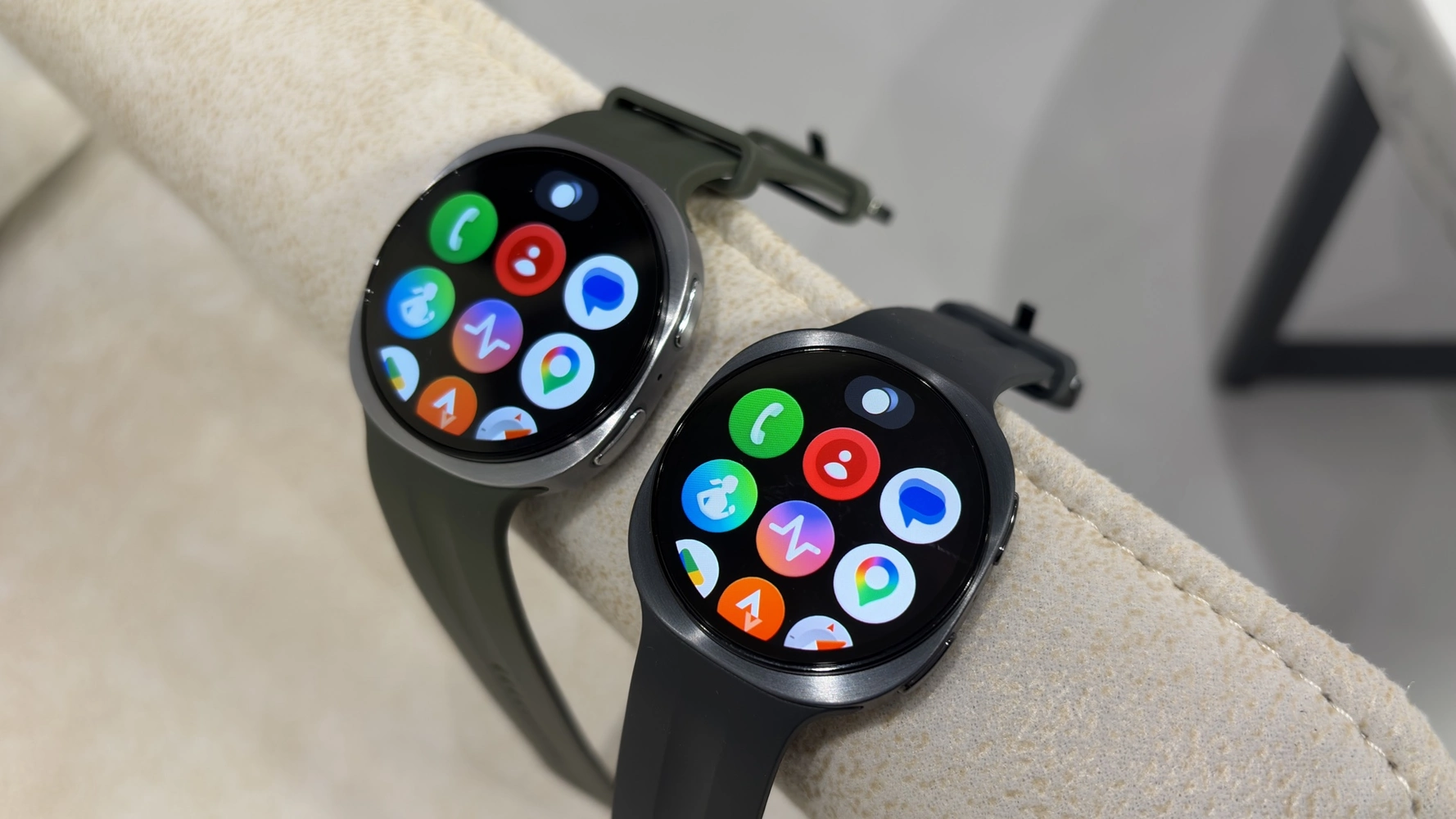
Smartwatch buyers in Ghana often face a frustrating reality: after a year or two, the software stops getting updates. New features, security patches, and bug fixes dry up, forcing you to either live with an outdated device or buy a new one. Samsung’s latest announcement changes that equation for its next-generation wearable.
The company has promised five years of software updates for the Galaxy Watch 9 and the Galaxy Watch Ultra 2. That is a major shift in the smartwatch industry, where two to three years of support has been the norm. For Ghanaian users, this could mean getting much more value from a device that already costs several hundred cedis.
What the Five-Year Update Promise Covers
Samsung’s commitment includes both Wear OS system updates and One UI Watch interface updates. That means your watch will receive new versions of Google’s wearable operating system, along with Samsung’s custom features and improvements, for five years from launch. Security patches are also part of the deal.
To put this in perspective: if you buy a Galaxy Watch 9 today, you can expect it to receive the latest software through at least 2029. That is longer than most smartphones get updates. For a device you wear daily, this level of support matters for both functionality and safety.
Why It Matters for Ghanaian Buyers
In Ghana, where many people are price-sensitive when buying gadgets, a longer support lifespan changes the total cost of ownership. A smartwatch that stays updated for five years is a better investment than one that becomes obsolete after two. You avoid the pressure to upgrade frequently, and the device remains compatible with new phone models and apps for longer.
Security is another factor. With mobile money and payment features like Google Wallet becoming more common on smartwatches, regular security updates protect your financial data. A watch that receives patches for five years is safer to use for contactless payments and storing sensitive information.
That said, there are practical limitations. The Galaxy Watch 9 and Ultra 2 still have replaceable batteries? No, they use sealed batteries like most smartwatches. Battery health will degrade over five years. Samsung may offer battery replacement services in Ghana through authorized service centers, but availability and cost are unclear. Users should factor in potential battery servicing when planning long-term use.
What This Means for Your Next Purchase
If you are in the market for a smartwatch in Ghana, the Galaxy Watch 9 series now offers better long-term value than most competitors. Apple, for example, provides about five years of watchOS updates for its models, but Samsung matching that on Wear OS is noteworthy. Other Wear OS brands like Fossil or Mobvoi typically offer far less support.
When comparing prices at Ghanaian retailers, consider the update commitment. A watch that costs GHS 2,500 but lasts five years updated is cheaper per year than a GHS 1,800 watch that stops getting updates after two years. Over the long run, the Samsung option may actually save you money.
One thing to keep in mind: five years of updates does not mean the hardware will keep up. Battery life, processor speed, and screen quality will age. But for typical use like notifications, health tracking, and payments, a five-year-old Galaxy Watch 9 should still be perfectly usable — as long as the battery holds up.
For now, the Galaxy Watch 9 and Ultra 2 are yet to be officially launched in Ghana, but the update promise is a strong reason to consider them once they arrive. If you already own an older Galaxy Watch, this also signals that Samsung is serious about long-term support for its wearables, which may lead to better update policies for future models.
Before buying, check whether the watch supports the same bands, chargers, and apps you use. But from a software perspective, this is one of the best commitments we have seen in the smartwatch market — and that matters even more when every cedi counts.
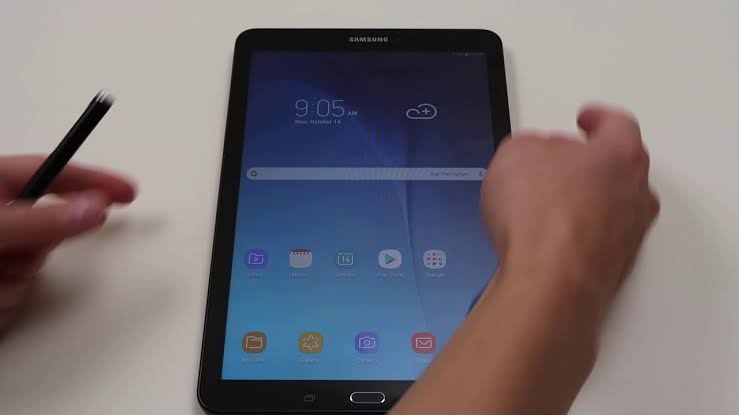
A factory reset is a simple process of restoring your device to its original settings. This procedure can be used to fix various technical issues with your device and can be a useful troubleshooting tool for any problems you are experiencing. Resetting your Samsung tablet can be a quick and easy process that helps you restore your device to its original factory settings. Whether you’re dealing with persistent software issues or simply want to start fresh, it’s important to know the steps for properly resetting your Samsung tablet.
In this guide, we’ll walk you through the steps of performing a factory reset on your Samsung tablet. This will erase all data, settings, and apps from your device, so it is important to back up any important files before performing the reset.
What you should know before resetting a Samsung tablet
When you reset a Samsung tablet, it will be restored to its factory state. All your data and linked accounts will be removed, and you will have to set up the device like new.
A factory reset will not downgrade your Samsung device to an older build. It will remain on the last installed firmware.
A factory reset will not void the warranty of your device.
A factory reset will not resolve any hardware issues that you are facing.
How to factory reset a Samsung tablet
Backing up your files should be the first thing to do when you want to reset your Samsung tablet. You can back up your device using a cloud storage service such as Google Drive, or take advantage of other backup solutions. If you’re having trouble with your Samsung tablet, resetting it may help.
Factory reset your Samsung tablet using the reset settings
You can use your tablet’s settings to perform a factory reset. Here’s how to do this:
On your Samsung tablet, go to Settings
Locate General Management
Hit on Reset.
Tap Factory data reset. You’ll see a list of apps and accounts installed on your device that would be deleted during the reset process.
Scroll down and tap Reset. If prompted, enter your lock screen pattern or code.
Tap Delete all.
Your device will shut down. The reset procedure will take a few minutes, after which your device will reboot automatically.
Once done, you can set up your tablet from scratch once again.
Factory reset your Samsung tablet using recovery mode
Recovery mode is just a simple way of accessing some settings on your Samsung phone without needing to locate settingused. s and getting confused. Depending on your device model, you will need to use the correct combination of keys or buttons when performing a factory reset. To use this method, follow the steps listed below:
Switch off your device using the Power button.
Once it has shut down, press and hold the Volume Up button and the Power button at the same time for a few seconds. The Samsung logo screen will come up, and your device will enter into recovery mode.
You can now view a list of shortcuts in recovery mode. Press the Volume down button to highlight the option Wipe data/factory reset.
You will also see a warning prompt to save your Google account credentials before attempting a hard reset.
Make sure you have saved your Google account details, and then press the Power key to select the highlighted option.
On the confirmation screen, tap Yes to wipe all user data.
Wait a few seconds for the reset process to complete. On the recovery page, tap Reboot system now.
Once the process is completed, press the Power key to reboot it.
After the reset, you might need to provide your Google account credentials to set it up again. If you’ve forgotten your password, visit the Google account recovery website to reset it.
Once done, you can set up your tablet from scratch once again.
How to backup your files before resetting your Samsung tablet
Unless you don’t need the files on the Samsung tablet before resetting, backup is very important in a reset process. With backup, you are assure to recover back everything on the phone before resetting. Your photos,, your emails, your files, your musics and alot. If you will be needing all these things again after resetting your phone, then it is advisable to backup before resetting.
1. Backup using Samsung cloud
Samsung cloud might not be your first backup choice but as a Samsung user, it is also your closest choice. In using a Samsung device, you have a Samsung cloud space where you can register and get yourself a Samsung account login. With the cloud assessable, you can backup your files right away before resetting your tablet.
You can backup things such as important device settings, home screen pages, apps, and calendar entries on the tablet, files, folders, pictures, browser history, etc After resetting, you just login back to your Samsung cloud and you recover your backup data. To use the Samsung cloud,
Locate Onedrive on your Samsung tablet and create and account.
Open the Settings menu.
Scroll down and select Accounts and backup.
Under Samsung Cloud, select Back up data.
Proceed to enable the toggles for all the items you’d like to back up.
Tap the “Back up now” option to create a backup that’s automatically synced to the cloud.
If you had previously set up Samsung Cloud, your device would be automatically backed up.
A backup occurs when the device is on charge, connected to Wi-Fi, and the screen is off.
Once backup is complete, you will be notified and can now proceed to resetting your device.
2. Backup using Google drive
Google drive is the most popular and used backup system among android or Gmail account users. Google drive is easy, safe and convenient toe as your backup friend. All you need is your email address and you can backup your files right before resetting your Samsung tablet. To backup using Google drive;
Go to settings
Scroll down and click on Account and backup
Tap on Backup and restore
In the next menu, select Google account.
Click on account storage and select the email you want to backup on
Toggle on backup with Google if it has been toggled off.
Click backup now
Wait for some minutes for your files and data to finish backing up.
Conclusion
Resetting your Samsung tablet has its good side and bad side. Before you will think of resetting your phone, then it means your device needs a fresh start but don’t forget to reset your tablet without thinking of backup. You can follow the steps below to reset your phone and to backup your files before resetting in order to be on the safer side of not loosing your important files.
Are you looking for a powerful and stylish phone? The Samsung A71 could be the perfect choice for you. This premium mid-range device comes packed with features, including a stunning 6.7-inch Super AMOLED Plus display, a powerful octa-core processor, and a long-lasting 4500 mAh battery.
It looks stylish with a sleek design and eye-catching colors. In this blog post, we’ll be taking a look at the Samsung A71, reviewing its features, discussing its price, and telling you where to buy it in Ghana.
The Samsung A71 is one of the latest additions to the popular Galaxy A series from Samsung. It’s a mid-range device that boasts some powerful specs and features. The phone has a 6.7-inch Super AMOLED display, a powerful octa-core processor, and 8GB of RAM. It also features an impressive quad-camera setup on the back and a 4500mAh battery for long-lasting performance.
The Samsung A71 comes with a sleek, modern design that has a comfortable, ergonomic feel. Its large 6.7-inch display is perfect for streaming movies or playing games, and it has an aspect ratio of 20:9 that offers plenty of space for multitasking. The phone is powered by a Qualcomm Snapdragon 730 processor and 8GB of RAM, which make it great for handling demanding tasks and multitasking.
The Samsung A71 also has an impressive quad-camera setup on the back, featuring a 64MP main camera, 12MP ultrawide lens, 5MP depth sensor, and 5MP macro lens. On the front, you’ll find a 32MP selfie camera, which is great for taking selfies and recording videos. The Samsung A71 has a 4500mAh battery, which can last up to 24 hours of usage on a single charge. It also supports 25W fast charging, so you can quickly charge your phone when it’s running low.
Features
Design and Display
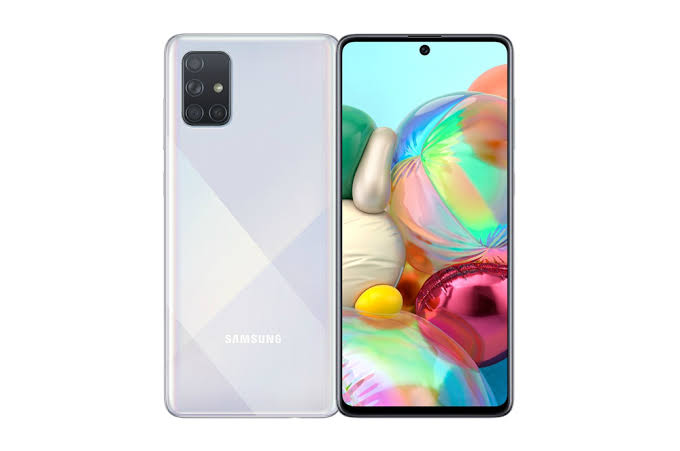
The Samsung A71 is a premium mid-range smartphone that offers an impressive design and display. It features a large 6.7-inch Super AMOLED Infinity-O Display with a resolution of 1080 x 2400 pixels and a density of 393 PPI. The display has an aspect ratio of 20:9 and features an Infinity-O notch for the 32MP selfie camera. The bezels around the display are quite slim and it is protected by Corning Gorilla Glass 3.
The back of the phone has a premium glossy finish and is home to a rectangular camera module with four cameras, flash and sensors. The Samsung A71 has an aluminum frame with chamfered edges, giving it a modern look and feel. It is available in Prism Crush Black, Prism Crush Silver, and Prism Crush Blue color options.
Performance
The Samsung A71 is a mid-range device that offers great performance and features. With an octa-core processor, 8GB RAM, and 128GB of internal storage, the A71 is sure to provide a smooth and responsive experience. The device also comes with a huge 6.7 Super AMOLED Plus Infinity-O display, delivering a vibrant and immersive visual experience.
In terms of graphics performance, the A71 is powered by the Adreno 612 GPU, ensuring smooth gaming performance. Additionally, the device supports Dolby Atmos sound for a powerful audio experience. All of these components combine to deliver a high-performance experience no matter what task you’re doing.
The Samsung A71 also runs on Android 10, which provides access to a range of features and apps for an even more tailored experience. With Google Assistant, Bixby Vision, and Samsung Pay, the A71 makes life easier than ever. Plus, with the long-lasting 4500 mAh battery, you won’t have to worry about running out of power throughout your day.
Battery Life
The Samsung A71 is equipped with a 4500 mAh battery that promises to keep you powered up throughout the day. With the 25W Super-Fast Charging capabilities of this device, you can quickly and easily recharge your phone without having to wait around. This device also has support for a wireless charger, which allows you to charge up without ever having to plug it in.
The Samsung A71’s battery life is solid and provides plenty of power to get through an entire day’s worth of activities. Whether you’re playing games, watching videos, or simply checking emails, you won’t have to worry about running out of power. And when you do need to recharge, you can do so quickly and easily.
Cameras
The Samsung A71 is a smartphone designed to offer users an excellent photographic experience. Featuring a quad-camera setup, the A71 sports a 64MP main lens, 12MP ultrawide lens, 5MP depth sensor, and 5MP macro lens, allowing you to capture stunning images with plenty of detail and clarity. The A71 also offers a 32MP front camera for taking beautiful selfies or videos.
In addition to its cameras, the A71 is powered by an octa-core processor and 8GB of RAM, making it a fast and responsive device. The device is equipped with 128GB of internal storage, which can be expanded up to 512GB via a microSD card slot. The A71 also comes with a large 6.7-inch FHD+ Super AMOLED Infinity-O Display with an in-display fingerprint scanner.
The Samsung A71 runs on the Android 10 operating system and features an 4500mAh battery with 25W Super Fast Charging support. The device is available in various colors, such as Prism Crush Black, Silver, Blue and Pink.
Audio
The Samsung A71 comes equipped with an impressive audio experience. Its dual stereo speakers, combined with Dolby Atmos, provide users with a powerful and immersive listening experience. The dual-stereo system produces clear, crisp audio that can be heard in any environment, whether you’re listening to music, watching a movie, or playing games. The A71 also features a 3.5mm headphone jack for those who prefer to plug in their headphones.
In addition to providing great sound quality, the A71 also has a few useful audio-enhancing features. For instance, Adapt Sound lets users personalize the sound settings to suit their individual listening preferences.
The A71 also has Samsung’s Pro-Mode feature which allows users to adjust the sound settings based on the type of content they are viewing or listening to. This makes it easier to get the best possible audio experience no matter what type of content you’re consuming.
Connectivity
When it comes to staying connected, the Samsung A71 has you covered. It supports both Wi-Fi 802.11 a/b/g/n/ac and Bluetooth 5.0 for seamless connectivity. You can also connect to your TV with MirrorLink or use the Samsung DeX platform to use your phone as a computer. This makes it easy to transfer data, share documents, and keep up with your daily tasks. Plus, the Samsung A71 is dual-SIM compatible, allowing you to use two different SIM cards at the same time.
Price and where to buy
The phone can be purchased from various online retailers and physical stores in Ghana between GHS 1,450 and GHS 2,200 in Ghana. It can also be purchased on online storeslike Jumia, Jiji Ghana, OLX, Ghanabuysell, Tonaton, etc. Prices varies depending on situation, seasons and where you buy them.
Conclusion
The Samsung A71 is a fantastic mid-range smartphone that offers users an excellent combination of features, performance, and value. It packs in powerful hardware, great display, long battery life, and a stylish design that makes it stand out among other phones in its price range. With its affordable price tag, the Samsung A71 is the perfect device for anyone looking for a reliable and powerful smartphone in Ghana.
Are you looking for a new smartphone with great features and a competitive price? If so, you should definitely consider the Samsung A12. This phone offers a combination of amazing features, quality performance, and an attractive price tag, making it a great choice for anyone looking for a great new phone. Samsung is one of the world’s most well-known and trusted electronics companies.
It is a South Korean multinational conglomerate, which produces many different products, from mobile phones and tablets to home appliances and televisions. The Samsung A12 is another addition to the company’s range of Android smartphones. It has been designed with both affordability and performance in mind, making it a great option for those who want a good quality device without spending too much money.
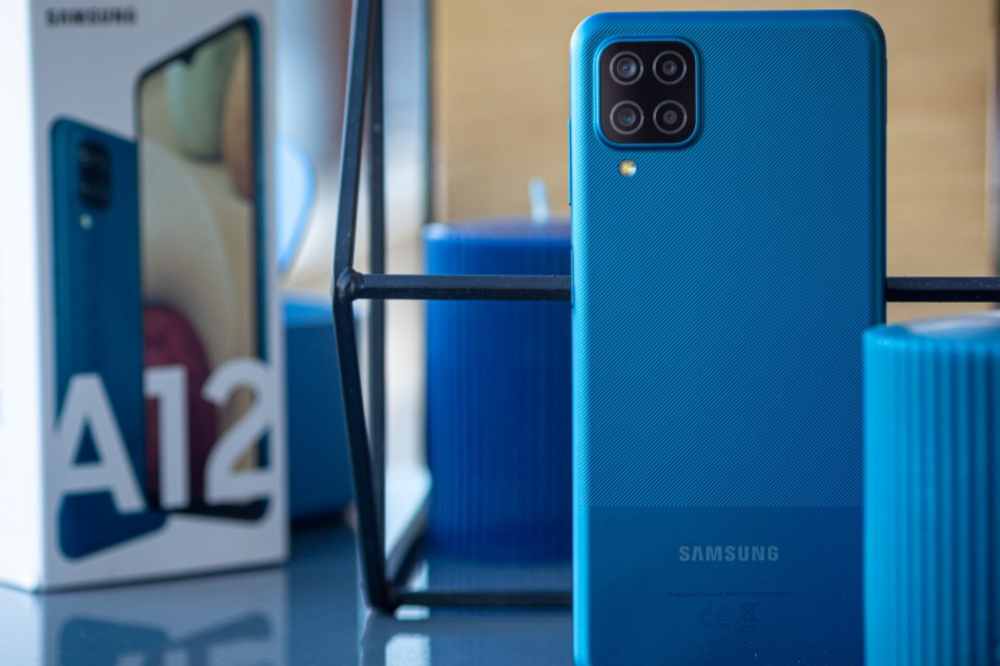
Samsung A12
Samsung A 12 mobile phone specification
NETWORK
Technology
GSM / HSPA / LTE
LAUNCH
Announced
2020, November 24
Status
Available. Released 2020, December 21
BODY
Dimensions
164 x 75.8 x 8.9 mm (6.46 x 2.98 x 0.35 in)
Weight
205 g (7.23 oz)
Build
Glass front, plastic back, plastic frame
Sim
Single SIM (Nano-SIM) or Dual SIM (Nano-SIM, dual stand-by)
The Samsung A12 is a budget-friendly smartphone that offers great features at an affordable price. It boasts a 6.5-inch HD+ Infinity-V display with a 720 x 1560 resolution, providing sharp and clear visuals. The device is powered by an Octa-core processor with 2GB of RAM and 32GB of internal storage, which can be expanded up to 512GB with a microSD card.
The A12 runs on the Android 10 operating system and comes equipped with a dual-camera setup, consisting of a 13MP primary camera and 5MP ultra-wide lens. For selfies and video calling, it has an 8MP front camera. Other features include an accelerometer, ambient light sensor, gyroscope, and proximity sensor.
The Samsung A12 packs a 5,000 mAh battery that supports 15W fast charging and is available in four different colors – Black, White, Blue, and Red.
Features
Display
The Samsung A12 is equipped with a large 6.5-inch HD+ Infinity-V display, allowing for an immersive viewing experience. The vibrant colors and crisp visuals make the A12 perfect for streaming movies, playing games, and browsing the web.
Its 19.5:9 aspect ratio makes it great for multitasking, while its adjustable brightness settings allow you to adjust the screen depending on your environment. The display also features eye protection technology, so you can watch without worry of straining your eyes.
Design
The Samsung A12 is a stylish and sleek device that fits perfectly in your hand. It has a slim profile, making it easy to carry around and convenient for everyday use. The device has a 6.5-inch HD+ Infinity-V Display with a punch-hole cutout at the top for the 8MP selfie camera.
The rear of the device is equally as stunning with its triple-camera setup that consists of a 13MP main camera, a 5MP ultra-wide-angle camera, and a 2MP depth sensor. The back also sports a fingerprint sensor, providing an extra layer of security and convenience.
The Samsung A12 comes in a variety of colors including Midnight Blue, Red, and White. With its durable construction and striking design, the A12 is sure to turn heads.
Battery life
The battery life of the Samsung A12 is one of its best features. The phone is powered by a 5,000mAh battery, which provides excellent battery life for those who are constantly on the go. In fact, the Samsung A12 can last up to 16 hours of video playback and up to 26 hours of talk time on a single charge. This makes it a great choice for those who need a long-lasting phone that won’t leave them stranded without power. Additionally, the A12 supports fast charging, so you can top up your battery in no time.
Software
The Samsung A12 comes with the latest version of Android 10, giving users a smooth and intuitive experience. It is powered by the MediaTek Helio G35 octa-core processor and comes with 3GB of RAM and 32GB of storage.
With this combination, you can expect excellent performance from the device, allowing you to run multiple apps simultaneously without any lag or slowdowns. Additionally, the Samsung A12 comes with a rear-mounted fingerprint scanner which makes it easy to unlock your phone in no time.
Performance
The Samsung A12 is a mid-range smartphone that packs a lot of punch for its price. It runs on a Mediatek MT6762D chipset, has 3GB of RAM and 32GB of onboard storage. The phone also features an 8MP rear camera, a 5MP front-facing camera, and a 5,000 mAh battery.
As far as performance goes, the Samsung A12 offers good value for money. The Mediatek MT6762D chipset provides a decent level of performance when running basic tasks and the phone runs smoothly even when multitasking. Gaming performance is also quite good, and even relatively demanding games can be played with ease.
Camera
The Samsung A12 is one of the most impressive mid-range smartphones on the market, with an impressive array of features for an affordable price. It comes equipped with a triple camera setup, featuring a 48 MP primary sensor, 8 MP ultra-wide-angle lens and a 5 MP depth sensor. This means that you can take stunning pictures and videos, perfect for capturing your favorite moments.
The A12’s camera also includes various features that enhance your photography experience. It has night mode for capturing great photos even in low light situations and a portrait mode that helps you capture sharp and detailed images. The AI scene detection feature helps you get the best shot by automatically adjusting the settings for different scenes. The front camera is a 16 MP unit, perfect for taking selfies. There are also several beauty modes to help you look your best in selfies.
How much does Samsung Galaxy A12 cost in Ghana?
The price of Samsung Galaxy A12 in Ghana starts from GHS 1,029.00 to GH₵1,550.00. When shopping for the Samsung A12 in Ghana, it’s important to pay attention to the price. Prices will vary depending on the store or online shop, as well as availability. Be sure to check out multiple sources to find the best deal.
Where to buy in Ghana
If you’re looking for the latest Samsung A12 in Ghana, then you have various options. There are various authorized Samsung retailers located in Accra and other major cities that carry the device. You can also find the phone online at trusted e-commerce sites like Jumia, Jiji Ghana, OLX, Tonaton, etc.
Conclusion
The Samsung A12 is an impressive smartphone with a great range of features and a competitive price tag. With its modern design, powerful hardware, long battery life, and great camera quality, it’s clear that the Samsung A12 is a great choice for those looking for a mid-range device that won’t break the bank.
Do you have a Samsung device with a hotspot feature? Are you having trouble connecting to the internet through your device’s hotspot? If so, you may be wondering how to find your hotspot password on Samsung.
Fortunately, finding your hotspot password on a Samsung device is a relatively simple process that can be completed in just a few steps.
In this article, we will walk you through the process of finding your hotspot password so that you can easily connect to the internet and access the data you need.
What is a hotspot
A hotspot is a physical location where people can access the internet wirelessly. Hotspots provide a convenient way for users to connect to the internet without having to use a wired connection.
When you activate your mobile device’s hotspot feature, it creates a wireless network that other devices can connect to. To protect your network, you set up a password. This password will be needed by anyone who wants to access your hotspot.
How to find the Hotspot password on Samsung?
Samsung devices have built-in options to share the Hotspot quickly. Finding the hotspot password on Samsung is also quite easy. You can locate the hotspot settings using two ways; through the settings or using the control panel. Here are both ways to quickly reach into the hotspot settings.
Using Settings
Open the device’s Settings.
Tap on Connections.
Scroll down and tap on Mobile Hotspot and Tethering.
Tap on Mobile Hotspot.
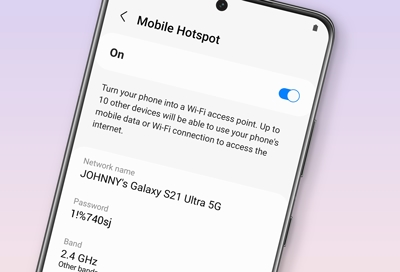
In the next menu, you will see the password and other credentials of your Mobile Hotspot.
Using Control Panel
To open the control panel of your device, swipe down from the top.
Locate the Mobile Hotspot.
Long press on the Mobile Hotspot, and it will redirect to the hotspot settings.
Now, you will find your device’s hotspot password alongside other credentials.
How to change your Samsung device hotspot name and password
When you purchase your Samsung phone, it comes with an automatic hotspot name and password. The name is mostly the device brand name and the password is a combination of letters and numbers. The good thing is, you can change all these to your preference so you can be able to remember them whenever necessary.
Open your phone menu and click on Settings.
Go to Connections.
Click on Mobile Hotspot and Tethering.
Select Mobile Hotspot
To change the name and password or any other credential, Click on Configure
Tap on the Network name to change your hotspot name and Password to change your hotspot passowrd.
Make sure you input a strong password and one you can remember
Hit save once you are done to save your changes.
Can you conenct Wi-Fi and Hotspot at the same time?
No. You can’t switch on Wi-Fi and hotspot at the same time. Hotspot provides WiFi connectivity so its impossible to connect all two at the same time on the same device.
How many devices can be connected to one Hotspot?
Up to 10 devices can join your network via Hotspot. Also, note that, the more devices you connect to one Hotspot source, the slower it becomes so make sure you connect a device only when it is necessary or in use.
How do you hotspot on Samsung?
From Settings, tap Connections.
Select Mobile Hotspot and Tethering.
Tap Mobile Hotspot and select Auto Hotspot.
Tap on the switch next to it to switch to turn it on.
Conclusion
Now that you have found your hotspot password on your Samsung device, you can now easily share your internet connection with others. To ensure the security of your network, make sure to keep your password private and change it regularly.
Melcom Ghana is the leading electronics retailer in Ghana, offering a wide variety of consumer electronics and home appliances at unbeatable prices. With their convenient online store and delivery services, customers can enjoy an easy shopping experience that allows them to get their products quickly and hassle-free.
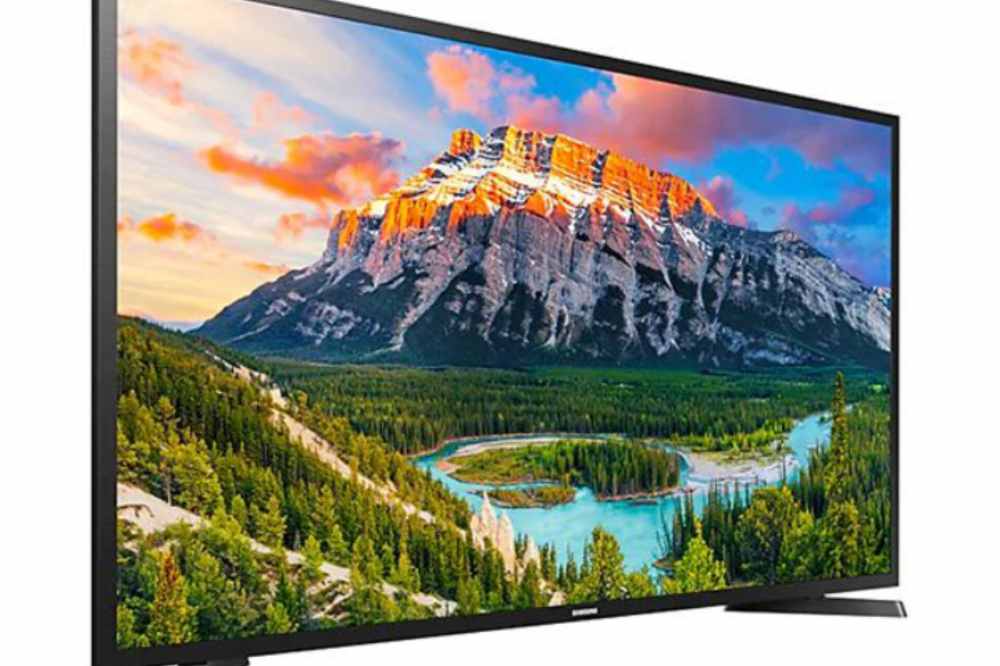
From televisions to refrigerators, washing machines, air conditioners, microwave ovens, and more, Melcom Ghana has it all. And when it comes to televisions, Samsung is one of the most popular brands. At Melcom Ghana, you can find the latest Samsung TVs at unbeatable prices.
When it comes to convenience and affordability, Melcom Ghana has everything you need. Their delivery services ensure that your products arrive safely and on time, and their easy returns policy makes it even easier for you to get what you need with minimal effort.
Why Melcom is the best place to buy Samsung TV
With competitive prices on the latest models and reliable delivery services, Melcom makes it easy to find and purchase the perfect Samsung TV for your home. At Melcom, you can find a wide selection of Samsung TVs, ranging from basic models to high-end UHD models.
No matter what your budget or viewing preferences may be, you can rest assured that there’s a great Samsung TV for you at Melcom. In addition, all Samsung TVs come with a warranty, giving you peace of mind that your purchase is protected.
Melcom also offers free delivery within Accra, making it easy to get your new TV set up and ready to use quickly. For customers outside of Accra, Melcom offers discounted rates on delivery through their trusted partners. This ensures that you can get your Samsung TV quickly, without any hassle or delays.
Samsung TV prices at Melcom
Samsung TV
Specs
Price (GHS)
Samsung digital satellite smart LED 65″ UHD UA65TU7000
Screen Size: 65 inches Display Resolution: 3840 x 2160 pixels (HD) Digital and Satellite TV Reception: DVB T2/ S2 Inputs: HDMI x 2, USB x 1 Sound Output: 20w Max Power Consumption: 190w Dimension with stand (WxHxD): 57.1 ” x 35.6″ x 11.2 “ Weight: 46.1lb Colour: Black
GHS 7,999
Samsung digital satellite smart LED 55″ UHD UA55TU7000
Screen Size: 55 inches. Display Resolution: 3840 x 2160 pixels (HD) Digital and Satellite TV Reception: DVB T2/ S2 Inputs: HDMI x 2, USB x 1 Sound Output: 20w Max Power Consumption: 140w Dimension with stand (WxHxD): 48.4 ” x 30.6″ x 9.8 “ Weight: 31.3lb Colour: Black
GHS 5,169
Samsung digital satellite smart LED 45″ UHD UA45T5300
Screen Size: 45 inches Display Resolution: 1920 x 1080 pixels (HD) Digital and Satellite TV Reception: DVB T2/ S2 Inputs: HDMI x 2, USB x 1 Sound Output: 20w Max Power Consumption: 120w Dimension with stand (WxHxD): 979.9 x 596 x 170.3 mm Weight: 8.2kg Colour: Black
GHS 3,399
Samsung digital satellite smart LED 43″ UHD UA43N5000
Screen Size: 43 inches Display Resolution: 1920 x 1080 pixels, HD Picture Quality & Colour Enhancer Digital and Satellite TV Reception: DVB-T2 Inputs: HDMI x 2, USB x 1 Sound Output: 20w Max Power Consumption: 128w Dimension with stand (WxHxD): 979.9 x 596.6 x 170.3 mm Weight: 8.2kg Colour: Black
GHS 2,889
Samsung digital satellite smart LED 40″ UHD UA43N5000
Screen Size: 40 inches Display Resolution: 1920 x 1080 pixels (HD) Digital and Satellite TV Reception: DVB-T2 Inputs: HDMI x 2, USB x 1 Sound Output: 20w X 2 channels Max Power Consumption: 120w Dimension with stand (WxHxD): 1092 x 592 x 128 mm Weight: 9.2kg Colour: Black
GHS 2,599
Samsung digital satellite smart LED 32″ UHD UA40N5000
Screen Size: 32 inches Display Resolution: 1920 x 1080 pixels (HD) Digital and Satellite TV Reception: DVB T2/ C Inputs: HDMI x 2, USB x 1 Max Power Consumption: 59w Dimension with stand (WxHxD): 979.9 x 596 x 170.3 mm Colour: Black
GHS 1,499
How to order a Samsung TV from Melcom
Melcom Ghana is the perfect place to shop. They have a wide range of Samsung TVs in stock, and they offer unbeatable prices and fast delivery. Plus, with their knowledgeable and helpful staff, you can be sure that you’ll find the perfect TV for your needs. If you’re ready to purchase a Samsung TV from Melcom Ghana, here’s how to do it:
Visit the Melcom website to browse the selection of available Samsung TVs. You can filter by size, price, features, and more.
Once you’ve found the perfect TV for you, add it to your shopping cart. You can then continue shopping or proceed to checkout.
During checkout, enter your shipping address and payment information. You can also select an appropriate delivery option. Melcom offers free delivery within Accra if your order is over GH150.
Finally, confirm your order and sit back and relax. Your Samsung TV will be on its way to you in no time.
Deliver option for your new Samsung TV
Not only do Melcom offer competitive prices on their Samsung TVs, but they also provide convenient delivery options for your new purchase. Delivery of your new Samsung TV from Melcom is available nationwide and can be arranged quickly and easily. Whether you are in Accra or Tamale, you can have your TV delivered to your doorstep.
The delivery charge for your new Samsung TV will depend on the size and weight of your purchase as well as the distance from the store to your home. To get an accurate quote, you can contact the Melcom store closest to you and provide them with the details of your order.
They will then provide you with a price quote for delivery. Delivery times vary depending on location, but most orders are delivered within 1-3 business days. Melcom offers both standard and express delivery services so you can get your new Samsung TV quickly and without any hassle.
Melcom shops and showrooms in Ghana
Anywhere you are in Ghana, there is a possibility a melcom shop is around you. The company has branches in:
Melcom Accra Central Branch
Melcom Plus – Kaneshie Branch
Melcom Dansoman Branch
Melcom Spintex Road Branch
Melcom Madina Branch
Melcom Plus Teshie Nungua Branch
Melcom Kisseman Branch
Melcom Kumasi Adum Branch
Melcom Ashongman Branch
Melcom Plus Tema Branch
Melcom Adabraka Branch
Melcom Ashaiman Branch
Melcom Assin Fosu Branch
Melcom Koforidua Branch 1
Melcom Koforidua Branch 2
Melcom Plus – Achimota Branch
Melcom Kumasi Manhyia Branch
Melcom East Legon Branch
Melcom Lapaz Branch
Melcom Weija Branch
Melcom Cape Coast Branch
Melcom Kasoa Branch
Melcom Swedru Branch
Melcom Takoradi Branch
Melcom Kumasi Tanaso Branch
Melcom Hohoe Branch
Melcom Obuasi Branch
Melcom Nkawkaw Branch
Melcom Techiman Branch
Melcom Bolgatanga Branch
Melcom Ho Branch
Melcom Kumasi Adiebeba Branch
Melcom Koforidua Main Branch
Melcom Aflao Branch
Melcom Sunyani Branch
Melcom Tarkwa Branch
Melcom Wa Branch
Melcom Tamale Branch
Finding a melcom shop around you has been made simple. To find a Melcom store around you, use the Melcom Store Finder and get yourself sorted.
Conclusion
When it comes to purchasing a new television, Melcom Ghana is a great place to check out. They have a wide selection of Samsung TVs at competitive prices, and they offer delivery services so you can have your new television delivered right to your door.
With their excellent customer service and knowledgeable staff, you can trust that you’re getting the best deal possible. Whether you’re looking for a large-screen 4K television or a smaller HD TV, Melcom Ghana has got you covered. So if you’re in the market for a new television, be sure to check out Melcom Ghana for all your TV needs.
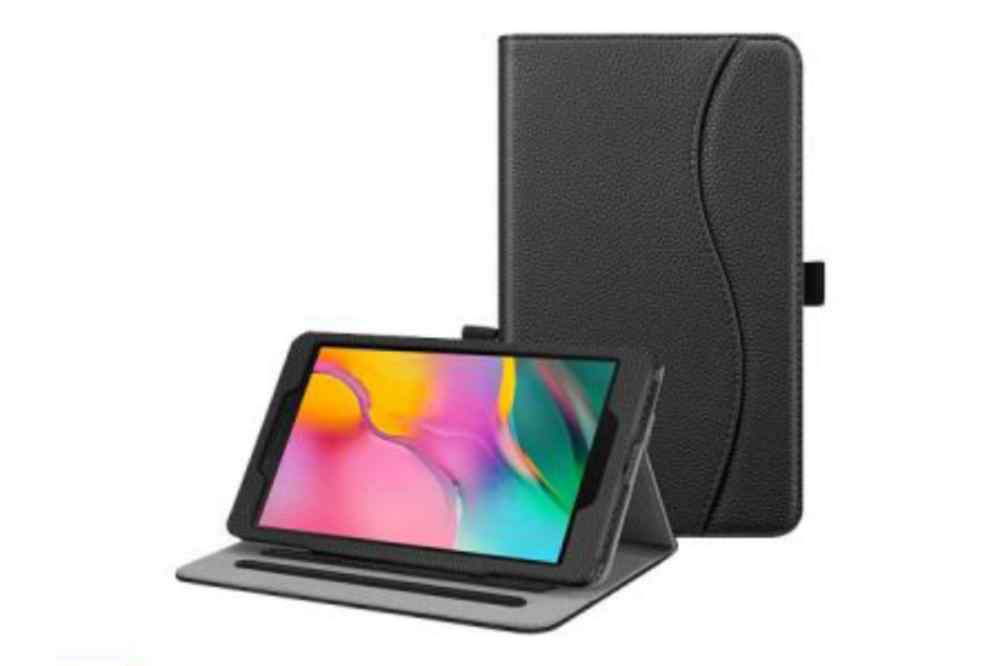
Samsung has been known to be a prolific brand that manufactures high-quality yet affordable electronics products. It is not surprising, therefore, that Samsung tablets have become very popular in Ghana and most countries.
Samsung tablets are very popular in Ghana and are not hard to find. You can find them at many stores across the country, but often the prices vary greatly from store to store and from person to person.
In this article, we will be talking about some of the most popular Samsung tablets that are currently being sold in Ghana and their prices.
Samsung tablets in Ghana and their prices
Samsung Tablet
Storage
Price
Galaxy tab A (2020)
32GB
GHS 1,699
Galaxy tab A7 Lite
64GB
GHS 1,299
Galaxy tab S7 FE
128GB
GHS 3,250
Galaxy tab A (2019)
32GB
GHS 929
Galaxy tab A7 SM
32GB
GHS 1,550
Galaxy SM-T225 tab A7 Lite
32GB
GHS 2,290
Galaxy tab A8 10.5
64GB
GHS 3,609
Galaxy tab S8
128GB
GHS 12,890
Which Samsung tab is best for students?
Samsung Galaxy tab S6 Lite is a mid-range android tablet for students. If you are searching for the iPad equivalent android tablet, the Galaxy S6 lite is the perfect pick.
How long will a tablet last?
A tablet can perform well for up to two years, after which if the software is not updated, it may require constant repair. Also, how long you can continue using it mainly depends on you the user, as to how well you can keep it.
Where to buy Samsung tablets in Ghana
There are several Samsung showrooms in Ghana. If you need any of Samsung brands, you locate any of their showrooms and make a purchase. Also, you can visit any accredited phone shop across the country or make a purchase online with Jumia Ghana.
Conclusion
The Samsung tablets are very good tablet for their prices, but it does have some drawbacks. Some of their battery life is less than stellar, and the camera is not that great either. However, it does also have some great features and it’s worth the buy.
There are very few android manufacturers that are interested in producing tablets for the Android operating system like Google and Samsung.
Unlike the Galaxy Tab, the slates are just the only ones that can compete and get work done this is because Google is yet to do much to expand the capabilities of android with larger screen sizes.
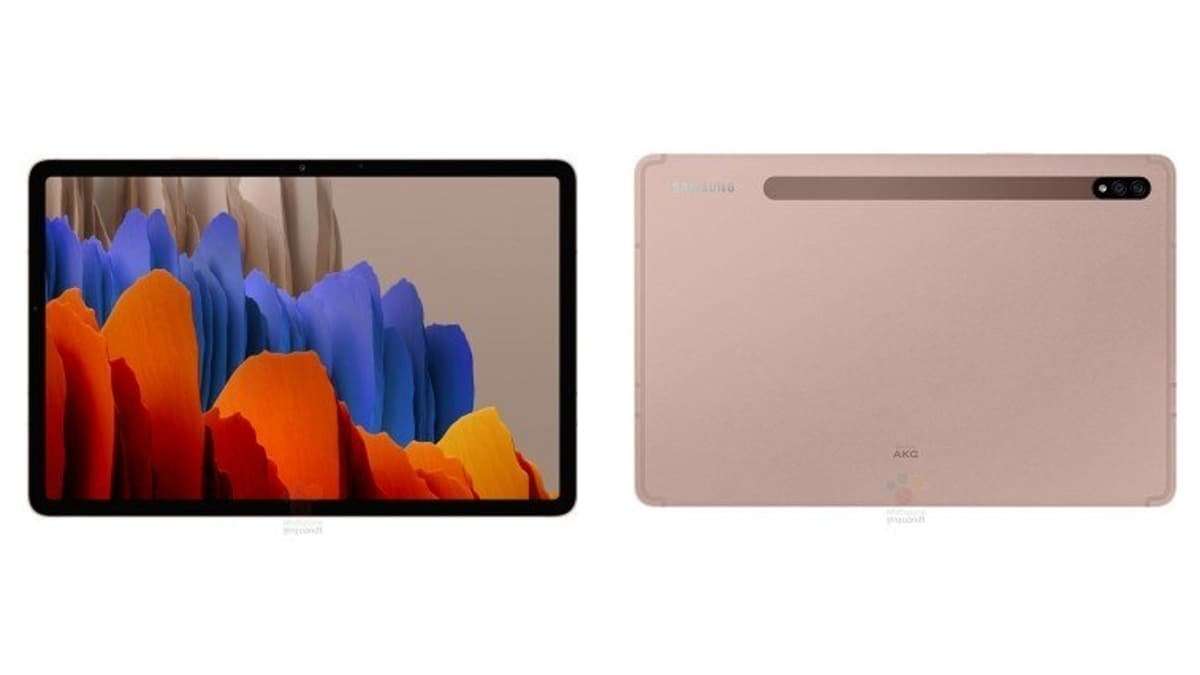
This is the Galaxy Tab S7 Plus, it’s one of the most powerful Android tablets.
If you’ve seen Samsung’s new flagship phones both the interface and features of this will feel quite familiar. Galaxy Tab S7+, I’ve found myself both impressed by the relatively polished software experience and frustrated at the pervasive shortcomings of Android itself as a tablet platform
Galaxy Tab S7 Plus
Design
The Galaxy Tab S7 Plus is pretty sizable, it’s built around a 12.4-inch screen which is quite thin and relatively light. Samsung is offering the Galaxy Tab S7+ in Mystic Black, Mystic Silver, or Mystic Bronze.
The sandblasted mystic black finish looks like graphite and feels satisfying to touch though it does tend to attract plenty of fingerprints.
Display
The tablet’s display is an AMOLED with 2800 by 1752 resolution which gives you a total of 266 PPI which is plenty sharp for this kind of device.
A unique feature is the high 120-hertz screen refresh rate which means supported content and UI elements will look much smoother to the eye.
The Display has a fingerprint reader to unlock the device just like smartphones with AMOLED screens. The fingerprint location of the Tab S7+ is different from the Galaxy S7, it has an optical fingerprint sensor built into the display.
Audio
The Galaxy Tab S7 Plus has a loud Quad Stereo speaker setup with Dolby Atmos’ support. Watching content and playing audio is satisfying.
Stylus
An attractive feature of the S7 Plus is the updated stylus which is the same Advanced S-Pen that you see on the Note 20 Ultra and it brings super-low nine-millisecond latency which is responsive and coupled with the screen’s high refresh rate, the writing sensation feels quite authentic.
The stylus also grants you a variety of air actions that are controls for the UI or supported apps. Charging the S-Pen isn’t a problem because it wirelessly charges to the magnetic strip on the back of the tablet.
There is also a keyboard that can be attached to the Tab S7+ making it behave more like a laptop but the keyboard is sold separately.
Performance
For Onboard storage, you can up to 128GB or 256GB of storage which is expandable via Micro SD, unlike the iPad Pro.
The Tab S7 Plus brings a Snapdragon 865+ chipset which as far as android’s chips go should be plenty of power for your mobile tasks and gaming and also offers support for connectivity to 5G networks.
Battery
Another impressive area is battery life, it packs a huge 10,000mAh battery which’s much larger than what last year’s model had.
The battery should be able to keep you going for hours and when it’s time to charge up, it supports 45 Watt fast charging which you have to buy the charger separately.
Camera
The same Dual Camera setup as last year’s Galaxy Tab S6;
13 Megapixel main camera,
5 Megapixel ultra-wide.
The selfie camera is; 8 megapixels same as last year’s model.
However, expect an upgrade in software processing for the cameras and also you get night mode this time around for better results when shooting photos in dark conditions.
Conclusion
The Galaxy Tab S7 Plus is a cutting-edge android tablet that’s much like a super-sized galaxy note 20 Ultra. So understandably it doesn’t come cheap, It’s €900 for the Wi-Fi version and over €1,000 for the 5G Variant.
2019 was the first year where Samsung has launched a light version of their flagships.
However, this year after the first premiere of the S20 Series comes to their light version being launched now around six months later. Samsung is calling it the Samsung Galaxy S20 Fan Edition or Samsung Galaxy S20 FE.
As expected since it’s the lower variant of the S20 Series, they have been some cutout in minor places to keep the price low, like the screen resolution, RAM, the charger, and plastic back. Looking at the Galaxy S20 FE cutback you would think it’s not one of the best phones but actually, it is for the price.
Samsung Galaxy S20 FE Features
Design
Like the current Samsung S Series phones, there’s a large screen with a small centered hole punch on the front and on the back, a candy bar like camera bump, and the texture is more matte than the original S20.
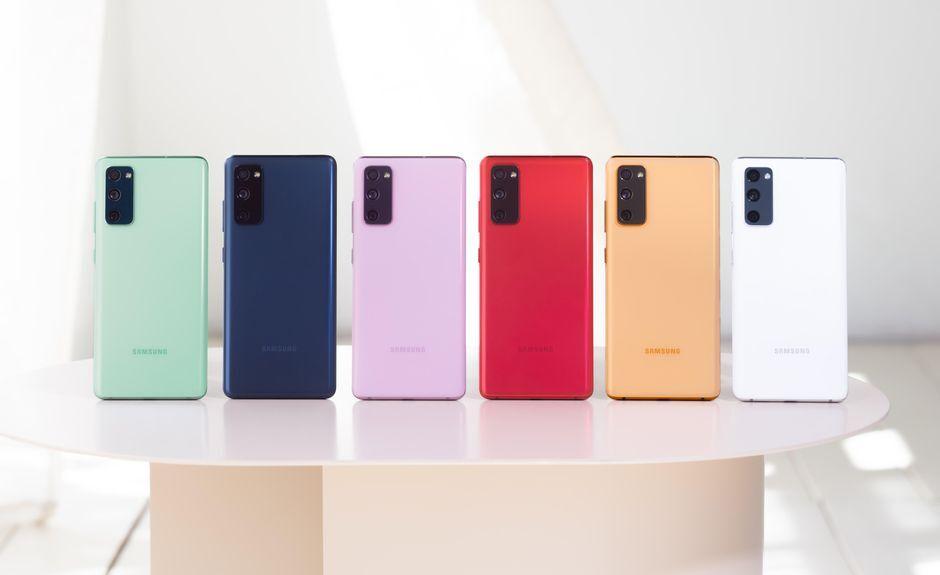
The Galaxy S20 FE comes in a wide range of colors which you can take a pick from Navy, Lavender, Mint, Red, White, and Orange, and noticeably some corners were cut when it comes to durability.
It’s has IP68 rated protection which is great but the front display has Gorilla Glass 3 instead of Glass 6 and the back panel is made of plastic which honestly is disappointing considering this phone is priced at $700.
You should also know that the phone can be a bit of a fingerprint magnet so getting a case will help.
The FE’s dimensions are more are like to the S20+ than the smaller S20 but a tad wider with slightly more noticeable bezels but it’s still a comfortable phone to hold.
Display
The screen barely has any curve (a huge boost for flat displays lover), a 6.5-inch super AMOLED panel with FHD resolution, and a 120hz refresh rate. it’s colorful, bright, and large (definitely looks like a promising media consumption experience).
Apart from durability, the fingerprint is an under-display fingerprint that is optical and is slightly faster than the ultrasonic on the S20 flagships. This has a stereo speaker which means you’re covered as far as sound is concerned.
Performance
The FE has an Exynos 990 chipset for the 4G variant and the Qualcomm Snapdragon 865 for the 5G version.
The Snapdragon is known to be 10-20% faster than the Exynos and also more power-efficient (something to consider when buying). Galaxy S20 FE has a 4500 mAh battery (same as the S20+), considering it has the same chipsets, similarly-sized screens expect the endurance to be the same.
As far as charging is concerned, there’s a 25W QC 3.0 charger which isn’t mind-blowing in 2020. The phone has android 10 with Samsung’s One UI 2.5 which has a ton of options:
Navigation gestures
Dark mode
Edge panel
Samsung also improved the wireless Dev mode and made WIFI connectivity a little bit smarter. A future upgrade will roll out for android 11.
Camera
The camera setup has the same as the Galaxy S20:
12-megapixel main camera with OIS and
A similar though smaller 12-megapixel ultrawide sensor and
An 8-megapixel telephoto camera with three times optical zoom and OIS.
Where there is a major difference is telephoto. The selfie camera is much better because it’s a 32-megapixel shooter with a brighter f/2.0 aperture.
Conclusion
With S20 FE, you’re getting a large display, big battery, flagship chipset, and even a good camera setup. Taking a good look at the specs of S20 FE, a major issue is price launching at a time when the prices of the original S20 Series are going down effectively.
The Galaxy S20 FE is what you say that a company actually listened to what the fans want, made what they actually wanted, and trim the rest.
It gives you a fast refresh display, 5G and triple cameras for just $699 which save you $300 from the regular Galaxy S20.
The folding phone was last year headline-worthy. Now, the Galaxy Z Fold 2 5G can fold. if you haven’t forgotten, a lot happened last year with the galaxy fold but the benefit of being Samsung is just experimenting, make mistakes, and learn a lot from it.
They learn a lot from their mistakes and so one thing I’ve noticed about the Galaxy Z Fold 2 is a lot of these changes are learned directly from the Fold 1.
Looking at the Z Fold 2, there are areas with major improvements, that would be the Screen, Hinge, Cameras, Design, and Improved specs.
Specs
Snapdragon 865.
12GB ram.
4500mAh Dual battery.
Galaxy Z Fold 2 Major Improvements
Design
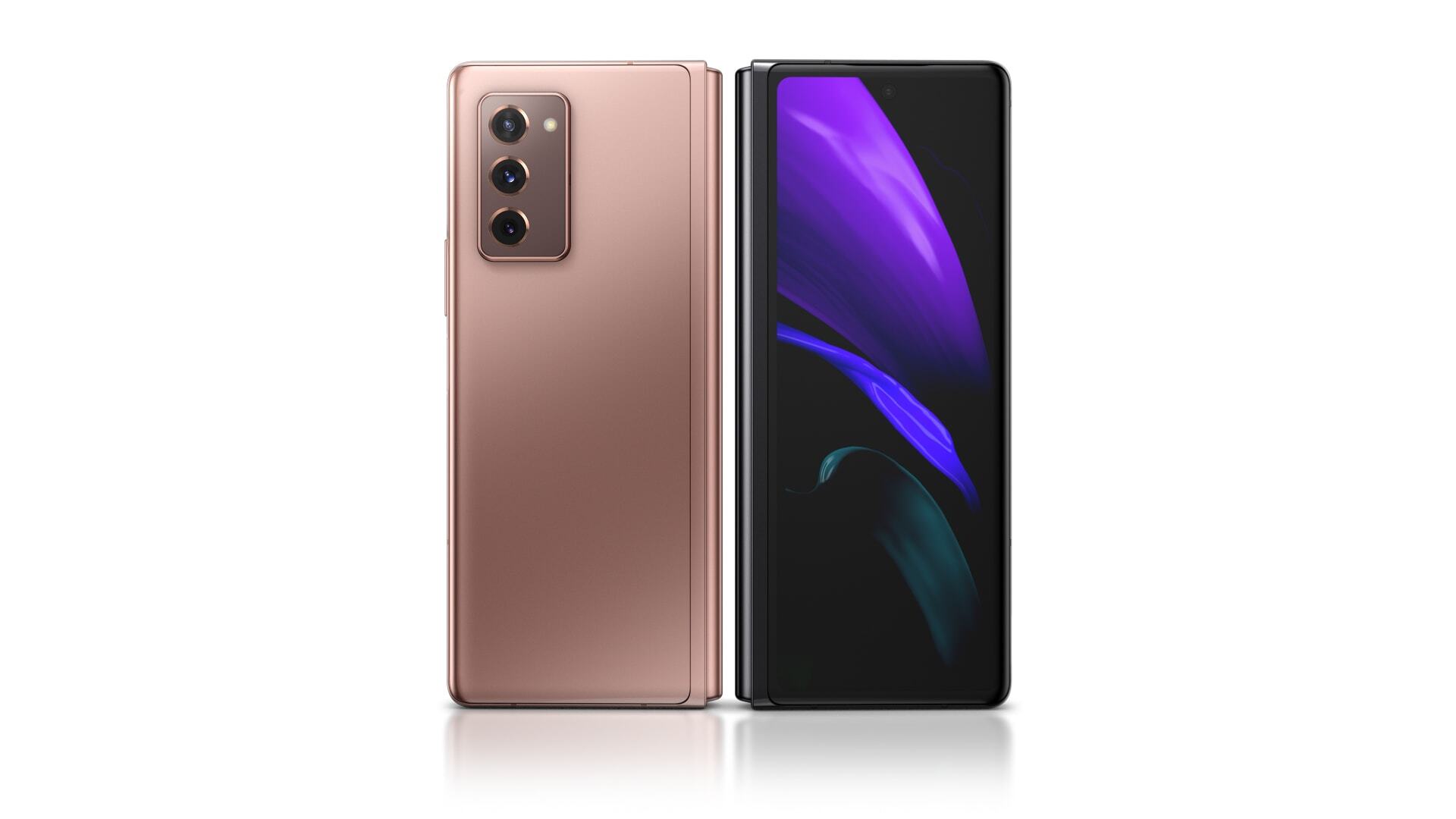
It feels more refined, has a little bit of weight and a beautiful satin finish.
Screens
The cover screen and main screen got big upgrades. The cover screen is now full size and it goes from the little 4.6-inch display with huge bezels to a full-size 6.2-inch display with tiny bezels.
The 6.2-inch display is going to change the way we use the fold because the tiny cover screen was pretty limiting. On the inside of the Fold is your Second big screen, the bezels inside are a little thinner. Now, it’s a 7.6″ Display versus 7.3″ Display huge corner cut out from last year.
The Display is impressive and the main screen has been upgraded with a high refresh rate of 120Hz and it’s an adaptive refresh rate. So, it can modulate from 11Hz to 120Hz depending on what’s happening on the screen.
Hinge
The hinge in foldable is the most important part of a folding device just like the surface duo’s hinge is one of the most impressive things in any piece of tech.
The hinge is the second version of their Zero Gap Hinge and looks Pretty similar to the first one conceptually. It’s still the same hinge and backplate but this year, Samsung will let you customize the back-plate color.
The hinge will allow a free stand anywhere to 115°, meaning it can stay put at any reasonable angle.
There’s a bunch of software features built around this new hinge which I will dive into in a Full review.
Cameras
The first-generation Fold had pretty good cameras with flagship quality. The Z Fold 2 comes with flagship quality cameras:
A triple 12-megapixel camera on the back with a regular telephoto and ultra-wide.
The camera isn’t the major improvement but the update is the layout of the cameras that squared-off Camera bump like Note 10.
The front camera display is a 10 Megapixel selfie hole-punch camera which is better than the huge bezel camera cut-out of the previous fold.