Author: Godwin Gabla

  • All MTN Ghana Data Bundles & Plans [2024 Guide]

    All MTN Ghana Data Bundles & Plans [2024 Guide]

    In today’s world, we all want to do one or two things online from time to time.

    You’re probably a blogger trying to produce some content for your blog. Perhaps, you’re probably a businessman trying to get new customers from social media and other portals.

    Of course, not forgetting students trying to research online. As well as social media geeks trying to keep it up with the gram, Facebook, or Twitter.

    However, in order for us to keep up with all of the above, we need to know the right data packages that work for us.

    In this article, I’ll take you through some of MTN’a data packages, their prices, and the volume.

    Let’s look at the various MTN Data Bundles and Packages available in Ghana:

    MTN Basic Packages

    PriceCodeVolume
    50 Pesewas*138# 1-1-1-1-123 MB
    1 Cedi*138#1-1-1-2-146 MB
    3 Cedis*138*1-1-1-3-1461 MB
    10 cedis*138# 1-1-2-1-1943.40 MB
    120 cedis*138#1-1-3-1-112 GB
    399 cedis*138#1-1-3-1-2-1205.08 GB

    MTN Zone Bundles

    These are short-term bundles that usually last for a day. Usually for those who consume a lot or those who need more data for just a specific day.

    You can also subscribe to MTN Zone Data by using the online app: https://www.mtndatazone.mobi/

    PriceVolumeCodeDuration
    2.99 Cedis1 GB*135*2# -11 Day
    3.99 Cedis2 GB*135*2# -21 Day
    5.99 Cedis5 GB*135*2# -31 Day

    MTN Midnight Packages

    PriceVolumeCodeDuration
    1 cedi2.79 GB*138#1-1-4-1-1-112 AM – 5 AM Daily
    2.99 cedis8.5 GB *138#1-1-4 12 AM – 5 AM Daily
    3 cedis5.33 GB*138#1-1-4-2-1-112 AM – 5 AM Daily

    MTN Kokrokoo Bundle

    This data package provides data for people who use data services at dawn.

    Aside from the fixed data bundle provided in this package, you can select your own preferred data by typing your own amount in the amount section.

    PriceVolumeCodeDuration
    1.09 Cedis400 MB plus 20 mins*138#1-1-5-1-1-14:00 AM – 8:00 AM

    MTN Social Media Bundles

    This data package provides data for Social media users. This includes Facebook, Instagram and WhatsApp.

    Aside from the fixed data bundle provided in this package, you can select your own preferred data by typing your own amount in the amount section.

    PriceCodeVolumeDuration
    1 cedi*138#1-1-6-1-1-194.34 MB for social mediaNo expiry
    5 Cedis*138#1-1-6-2-1-1-1471.70 MB for social mediaNo expiry
    10 Cedis*138#1-1-6-3-1-1-1943.40 MB for social mediaNo expiry

    MTN Video Bundles

    This data package provides data for YouTubers and other people who stream and watch videos online.

    Aside from the fixed data bundle provided in this package, you can select your own preferred data by typing your own amount in the amount section.

    PriceCodeVolumeDuration
    1 cedi*138#1-1-6-1-1-194.34 MB for social mediaNo expiry
    5 Cedis*138#1-1-6-2-1-1-1471.70 MB for social mediaNo expiry
    10 Cedis*138#1-1-6-3-1-1-1943.40 MB for social mediaNo expiry

    MTN Turbonet Broadband Bundle

    This data package is for users of the MTN Turbonet broadband service. You need to purchase the Turbonet broadband device before you can have access to this.

    This sort of package is perfect for people who use high volumes of data.

    PriceDurationVolumeCode
    20 cedisNo expiry5 GB*5057#1-1-1-1
    40 CedisNo Expiry10 GB*5057#1-2-1-1
    75 CedisNo expiry20 GB*5057#1-3-1-1
    120 cedisNo expiry45 GB*5057#1-4-1-1
    175 CedisNo expiry90 GB*5057#1-5-1-1-1
    240 CedisNo expiry225 GB*5057#1-5-2-1-1
    395 CedisNo expiry550 GB*5057#1-5-3-1-1

    Conclusion

    Look through the data packages described above and choose the one that is most appropriate for your kind of work. Thanks to the new law on data and airtime expiration, most of MTN’s data plans go without expiry and that means you can roll over. 
  • How To Withdraw Bitcoin Through Your MTN Mobile Money Account

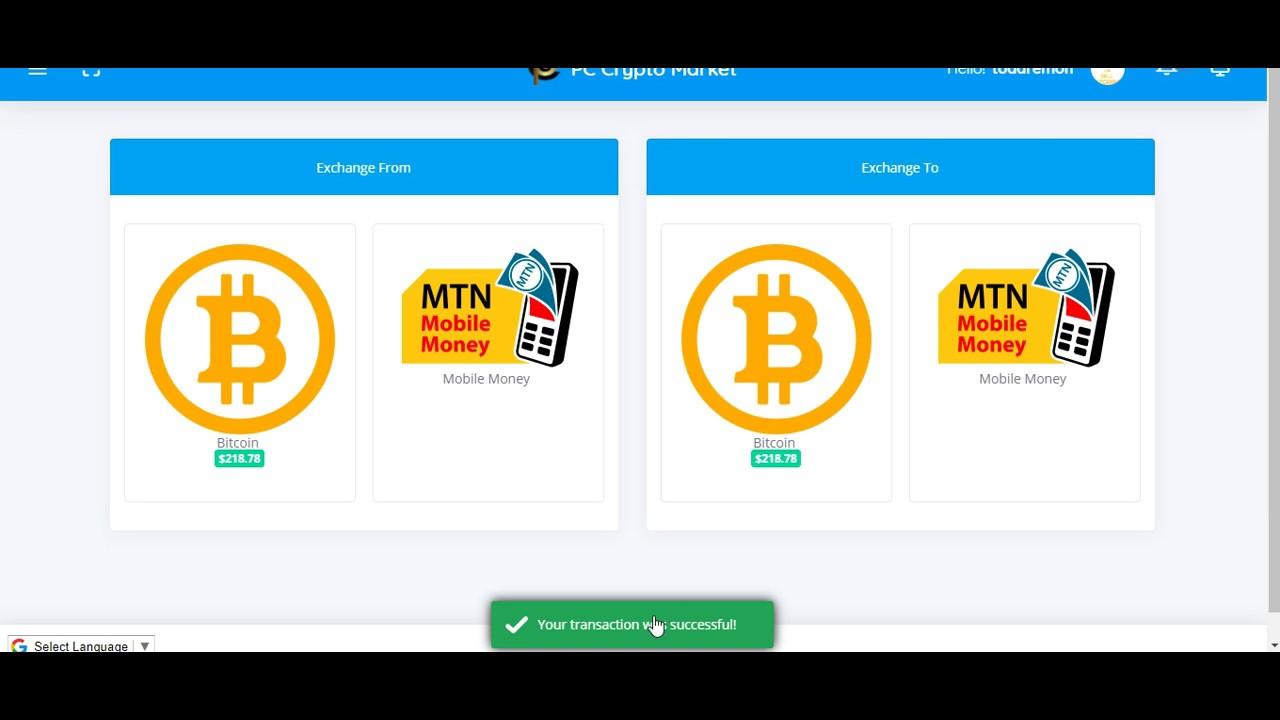
    How To Withdraw Bitcoin Through Your MTN Mobile Money Account

    Bitcoin is the first and most expensive cryptocurrency in the world, currently priced around 8,500 USD per coin, translating into over 47,000 Ghana cedis.

    Few people who understand the value of bitcoin in Ghana, have invested in bitcoin. Some people have also opted for bitcoin payments for their services.

    However, one of the big challenges associated with owning bitcoin in Ghana or Africa as a whole is withdrawal.

    Elsewhere in the US and some European countries, holders of the coin are able to withdraw bitcoin through specialised ATMs associated with various Crypto exchange platforms.

    In Africa however, there are no such ATMs. So the only way available to owners of bitcoin is online crypto exchange platforms.

    There are few platforms online for selling and buying bitcoin in Africa but we can only recommend some few which we ourselves have used in the past.

    So, some of them include Ecurrencu4u.net, Paxful.com, Payplux.com, and remitano.com.

    How To Withdraw Bitcoin Through Ecurrency4U.net

    Ecurrency4U.net promises to be the biggest and most successful crypto exchange platform in Ghana.

    They have a huge stock of bitcoin and cash so you can either buy from them or sell to them.

    So let’s look at the steps involved:

    1. Visit the site and register for a user account.
    2. Login to your account
    3. Click Sell Ecurrency
    4. Select Your preferred mobile money platform as your payment method
    5. Enter the amount you want to sell in Dollars
    6. Enter the mobile money you wish to be paid through.
    7. Enter the name on the mobile money account
    8. Click on submit. You will receive an order number and you will be redirected to a payment gateway for the e-currency you are selling to the company.

    Upon successfully transferring the coin to them, you get notified. And then you receive the money in your mobile money account in not more than 1 hour.

  • 3 Ways To Report MTN Mobile Money Fraud Cases In Ghana

    3 Ways To Report MTN Mobile Money Fraud Cases In Ghana

    With MTN mobile money fraud counts speedily on the rise, the need to report such cases has become rather compulsory than a choice.

    As such, it is prudent for members of the general public to understand and know the various ways to report such cases without faltering.

    In this post, we take a good look at some 3 reliable ways of reporting an MTN Mobile Money Fraud case.

    Send an SMS To 1515

    Like any other emergency code you know, 1515 is MTN Mobile money’s emergency shortcode.

    For this option, kindly type all that happened, plus the phone number involved in the heist as well as the date and time of the incident. If there is some monetary harm caused to you in the process, state the amount involved and send this message to the shortcode 1515.

    Remember to send the message as soon as possible. The earlier, the better.

    Call MTN Call Centre

    The second way to report an MTN Mobile Money Fraud case is by calling the MTN call centre via 100. Like any other call to the call centre, you’ll have to choose your language, choose the service you wish to focus on.

    In this case, MTN Mobile Money. Then follow the prompt till you’re connected to an agent.

    When you’re finally connected to an agent, the following information may be required from you, so try and write them down:

    1. Your mobile money number
    2. Your name
    3. The number responsible for the Fraud
    4. The time of the incident

    And any other little detail.

    Be sure to say everything, as you know it about the incident as this would make MTN Ghana decide on how to deal with your case.

    Visit Any MTN Customer Care Office

    Finally, if you do not find any of the above two methods helpful, you should give this third and final method a try.

    A visit to any nearby MTN Ghana offices would give you the opportunity to meet a customer care representative in person.

    You could also show them the messages you received and all other transactions that have been done between yourself and the suspect.

    In addition to this, all other pieces of information in the first two methods still hold here as you shall be requested to provide that same information.

    Conclusion

    While it is important for us to not avail ourselves of some unscrupulous people to enrich themselves while we suffer in anguish, we should as well try as much as possible to report any suspected case of fraud. We cannot be responsible for any criminal’s riches. Stay safe and read our article on How To Identify Fake MTN Mobile Money Calls Or SMS.

  • How To Request For your MTN Mobile Money Statement

    How To Request For your MTN Mobile Money Statement

    MTN Mobile Money has obviously become a defining and leading power in the electronic cash ecosystem of Ghana.

    With MTN enjoying the biggest market share both in terms of users and transactional amounts, they are definitely leading that space of the Ghanaian economy.

    With the government projecting to digitize the whole economy, it is important for us to know the full functionality of electronic payment systems such as Mobile Money.

    One characteristic of a good payment system is the ability to track record of transactions by means of transaction statements.

    Fortunately, MTN Mobile Money provides this functionality on both USSD platform and its mobile application platform.

    In this article, we shall look at how to request your Statement of Account from your MTN Mobile Money Account using the USSD platform or the mobile application platform.

    How To Request Your MTN Mobile Money Statement via USSD Code

    The USSD Platform also known as the Shortcode platform is the first platform associated with MTN Mobile Money and hence can be used on all mobile phones – both smart phones and the simple ones we refer to as ‘Yam’.

    There are basically two types of statements you can get from your MTN Mobile Money account. They are:

    • Full statement covering a duration of upto 2 years.
    • A mini statement covering a week.

    In order to request for your full MTN Mobile Money statement of account via the USSD platform, follow the steps below:

    1. Dial *170#
    2. Select ‘6’ to enter your wallet
    3. Select ‘4’ for statements
    4. Select 1 for a full statement of account covering a certain period.
    5. If you want the full statement, select ‘2’ in the next step to ‘request statement’
    6. Enter your email address
    7. Confirm your email address
    8. Enter the date from which you wish your statement to commence. So if you want to have your statement to cover between January 2020 and 30th April 2020, you just have to type the start date in this format: 30 04 2020. Day, month and year, separated by a space.
    9. Enter the end date for your statement of account. So in the example used above, the end date should be 30 04 2020. Following the same format.
    10. You’ll receive a prompt asking you to authorize payment of 50 pesewas. Enter your password and authorize the transaction.
    11. The statement of account will be delivered to the provided email address in a couple of minutes.

    If you wish to get a mini statement of account which covers your transaction for the current week, follow the instructions below:

    1. Dial *170#
    2. Select option ‘6’ to enter your wallet
    3. Select option ‘4’ for your statement.
    4. Select Option 2 for mini-statement.
    5. Enter your password to see your statement.
    6. On the next screen, you’ll see your mini-statement.

    How To Request Your MTN Mobile Money Statement Via The Mobile App

    Requesting for your Statement of account using the MTN mobile app is very easy and convenient. Follow the steps below:

    1. Open your MTN Mobile Application.
    2. Select ‘Momo Services’
    3. Enter your PIN Code.
    4. Select ‘My Wallet’
    5. Click on ‘Mini statement’ to access your mini-statement
    6. or click on Statement request to have full access to your statement covering a duration of your choice.
    7. Enter your PIN again to confirm and have access to your statement of account.

    Note: Remember to always turn on your mobile data when using the application to access your mobile money account. When using a wifi, you cannot access your MOMO account.

    Conclusion

    Having access to your mobile money statement of account is one way of ensuring the safety of your account and tracking expenses. Whenever there is a dispute about a payment made through MTN Mobile money, you can always fall on your Statement to give you a proof. I hope this article was very helpful to you and that you may refer it to your friends and colleagues. If you have any comments or reservations regarding this post, kindly let us know in the comment box below.

  • The best Online MoMo Loans you can take in Ghana without any collateral

    The best Online MoMo Loans you can take in Ghana without any collateral

    Acquiring loans in Ghana can be very difficult irrespective of the purpose for which the loan is being acquired.

    If not for some annoying up and downs by the company involved, then it’s their processing time or processing fee.

    For most people, however, the main reason they are unable to access loan facilities is the provision of collateral.

    Collateral can be a very big issue in the process of acquiring a loan since most major loan companies only consider landed property and vehicle as collateral – which most people don’t have.

    So, in this article, I will take you through a list of online loans in Ghana which operate without collateral.

    Zidisha Loans

    Talk of loans without collateral and Zidisha would be the first on the list everywhere. With loans up to 50,000 cedis, Zidisha does not require any form of collateral from applicants.

    Zidisha Loans is a peer to peer loan company which operates via the internet.

    Zidisha provides the platform for individuals to raise capital for their projects and businesses via the internet, from other individuals who are willing to lend money to entrepreneurs who are in dire need of it.

    With such a huge amount of money, the only things Zidisha require include your business objective, your target market, your repayment plan and a compulsory 40 cedis payment for loan processing.

    You can find out more about them via their website: https://www.zidisha.org/

    Fido Loans

    With a mobile application which allows users to apply for loans and receive loans via their mobile money wallet, Fido loans operate on trust. There is no need for applicants to show proof of any collateral in order to acquire Fido loans.

    The only documents required for a loan with Fido include an ID card, residential details and your employment details which are used in the registration process.

    If you are deemed to qualify for the loan amount you requested, you shall receive the amount in a few moments via your mobile wallet.

    For individuals hoping to take loans of higher amounts, they have to take lower amounts of loan and repay them on time in order to build a credit history with the company to qualify for bigger loans.

    Download the app on the Google playstore via https://play.google.com/store/apps/details?id=com.fidocredit&hl=en_US

    Carbon (Formerly Paylater Ghana)

    Pay later or Carbon is one of the finest online loan companies in Ghana. The company gives out loans to individuals from all economic and social categories.

    With Carbon, all loan requests, processes and payments are done via their android platform mobile app.

    You can borrow from as low as 5 cedis to as high as 1,000 cedis without the need to provide a collateral.

    All that is required of you as a loan applicant is your bio-data, your photograph, information about your employment and the loan amount you want.

    Once your loan has been reviewed and you pass the review process, your money is sent via the mobile wallet you applied with.

    Interestingly, there is no extra charge if you fail to meet your repayment deadline. The only punishment is that you may not get a loan from them the next time you are in need.

    Get their app today on the Google Playstore via https://play.google.com/store/apps/details?id=com.lenddo.mobile.paylater&hl=en_US

    MTN Qwikloans

    This loan service is one of the most popular loans services available currently however, it is only available to customers who own MTN Mobile Money wallets.

    With this loan, you can get u to 1,000 cedis worth of loan through your MTN mobile money wallet within 5 minutes.

    You only need to be an active MTN mobile money user who buys airtime and data from your wallet and also sends and receives money through the same wallet over the past 6 months.

    Once you qualify for this offer, you do not need to show any collateral since everything is done via a USSD code which can even be accessed on your feature phone ‘Yam’.

    Conclusion

    As we continue to live, our desires, needs and wants continue to grow and at a point, it becomes necessary that we seek financial assistance to be able to keep up with these.

    One sure way to get financial assistance is by approaching loan companies. Unfortunately, most loan companies require collateral from applicants before they are granted these loans.

    This is not only frustrating but also annoying since most times, the collateral bit comes at the bottom end of the processes.

    To avoid such trauma, I compiled this list of companies that give out loans without collateral in Ghana.

    I hope you loved the content of this article and that it was useful to you. If you have any questions or comments, kindly leave them in the comment box below or reach out to us.

    Kindly do well to share with friends and family.

  • Steps To Take When You Forget Your MTN Mobile Money PIN

    Steps To Take When You Forget Your MTN Mobile Money PIN

    One of the most painful things that could ever occur to anyone when it comes to technology is “forgetting your PIN” in the middle of something.

    The PIN- Personal identification number is a four-digit code used by users to secure their accounts and authorize all transactions. As such, not remembering your PIN means being locked out of your account.

    Usually, we end up trying several PINS, resulting in the blocking of such accounts. The frustration that comes with a blocked account is even worst off.

    So, in this article, we take you through steps to follow when you forget your Mtn Mobile Money PIN Code.

    1. Give MTN Ghana A Phone Call

    The first step to recovering your account after forgetting your password is for you to call MTN toll free customer service line, 100. Once you call the number, follow the prompt to speak to an MTN Mobile money customer representative.

    In order to access the account, you’ll be required to provide the following details:

    • The ID Card number for registration
    • Your name as used on the card
    • Your date of birth
    • Your last known transaction and the amount involved.
    • Your available balance at the time of the incident.

    If this attempt fails, the possibility is that you may have given out false information or you were unable to provide all the necessary pieces of information asked if you.

    2. Message Them On Facebook

    If the first method in this guide fails, the next step for you to adopt is to send a message to MTN Ghana via their official Facebook handle.

    In the message, indicate the exact way through which you lost your PIN code, the phone number, the date you lost the account, and a plea for them to reinstate your account.

    You should receive a message back usually within a few hours asking you to provide further information or proof about the event which may include the following:

    • A photo of the ID Card used for mobile money registration
    • Your name as used on the card
    • Your date of birth
    • Your last known transaction and the amount involved.
    • Your available balance at the time of the incident.

    Usually, after providing this set of data to MTN via their Facebook page, you should receive a message from MTN mobile money, asking you to reset your password successfully. If this method also fails, then you may have to consider our final method.

    3. Visit Any MTN Office In Person

    The final solution to the stress of forgetting your mobile money PIN is by visiting any MTN office in your locality.

    Each MTN Ghana office has the capacity to address issues associated with PIN loss.

    When you walk into the closest branch in your area, explain to them how you lost your PIN, how worried you are, and how urgently you need the PIN code.

    As established in the previous two steps, you’ll need the following to satisfy the conditions necessary for the password reset :

    • The original copy of the ID Card used for mobile money registration
    • Your name as used on the card
    • Your date of birth
    • Your last known transaction and the amount involved.
    • Your available balance at the time of the incident.

    After successfully submitting this data and receiving your text notification, allowing you to restore your mobile money password, you’ll have to go through the next and final phase.

    How To Reset Your Mobile Money PIN

    1. Dial *170#
    2. Select option 6 for “My wallet”
    3. Select option 5 for “Change and reset pin”
    4. Select option 2 for “reset pin”
    5. Dial your new code and follow the prompt to set it up.

    Conclusion: Though the pain of forgetting your PIN code could be frustrating most times, try as much as possible to keep a cool head while going through the steps listed above.

    You don’t want to make things any worse for yourself than they already are.

    Also, be sure to select a very secure PIN, yet, be sure to remember that PIN at all times. I hope this article was helpful to you. Share your experiences and views with us.

  • How To Activate MTN Unlimited Data Plan Via FBB

    How To Activate MTN Unlimited Data Plan Via FBB

    The internet has perpetually become part of our lives. If not for work, then for entertainment, studies or business. There’s absolutely a reason for you to access the internet every single day.

    The only language which the internet understands is data. Data in the form of things you read, view and see on the internet and ultimately, the currency you use to access this information on the internet.

    There are well of a few tens of internet service providers in Ghana. It’s no doubt that internet cost seems to be on the high here. The service providers even make it worse by adding expiry dates to their data packages.

    This means that even when you struggle to buy their expensive data packages and you are unable to finish it within the given time frame, you tend to lose the remaining data altogether.

    In this article, we introduce you to how you can activate the unlimited MTN Data Package using the Fibre Broadband (FBB) service.

    What’s MTN FBB?

    MTN Fibre broadband is a fixed high-speed internet service provided for homes and offices.

    The FBB service enables users to stream videos, watch live shows, play games online and surf the internet at high speed of up to 60Mbs.

    The service is however available only in some parts of the country. You can check the coverage areas here.

    How It Works

    In order to have access to the MTN Fibre broadband service, you need to contact MTN to set you up through the following processes:

    1. MTN will extend a fibre optic cable from the nearest location to your office or home.
    2. They’ll then connect a router at your office or home (whichever you are installing the service at). Then they’ll link the device to the fibre optics.
    3. Next, they’ll configure your router for internet access.
    4. Finally, you can access the internet via Wifi or the cable.

    Fibre Broadband Data Packages

    The Fibre Broadband service provides two types of data packages for users. There’s the capped data packages and unlimited data packages.

    Unlimited data packages allow users to use as much data as they want within a specific time frame. This is mostly a monthly data package.

    The unlimited data package is however further sub-categorized based on speed. It starts from 2Mbs up to 60Mbs.

    The Capped data packages are normal data packages that come with a specific volume at a specific cost and last for as long as the user manages without an expiry.

    See below the data packages and their prices.

    CAPPED DATA PACKAGES
    VolumePrice
    6.22GB25
    10.36GB40
    46.64GB125 
    233.18GB250 
      

    Note: These are the special data packages. You can buy higher amounts by putting in your preferred amount to get its related data volume.

    UNLIMITED DATA PACKAGES
    VolumePrice (GHS)Speed
    Unlimited5932MBPS
    Unlimited9904 MBPS
    Unlimited1,4906MBPS
    Unlimited1,8338MBPS
    Unlimited1,98010MBPS
    Unlimited2,18012MBPS
    Unlimited2,58016 MBPS
    Unlimited3,07320 MBPS
    Unlimited6,44045 MBPS
    Unlimited8,27460 MBPS

    Conclusion

    MTN Fibre broadband is one of the fastest internet connectivity available in Ghana. It provides a speed of up to 60 MBPS.

    If you’re looking for a high-speed internet service which offers unlimited data packages, then you have MTN Fibre broadband to turn to.

    However, if your area is not covered by the Fibre broadband service, then you may want to consider the MTN Turbonet. It also provides a similar service except that it doesn’t have unlimited packages.

    If you have any questions, suggestions or comments regarding this article, kindly let us know in the comment box below or get in touch with us.

    Please, do well to also share this article with your friends and relatives.

  • How To Make A Conference Call On WhatsApp

    How To Make A Conference Call On WhatsApp

    Users of the world’s popular Instant messaging application can now make conference calls via their internet connection (Wifi or mobile data).

    With WhatsApp successfully disrupting the Text message era and making a statement in the messaging world, it is only important for the app to have other features to make it more versatile and convenient.

    The introduction of WhatsApp pay, a payment method being integrated into the app is one of the steps taken in this regard.

    However, WhatsApp has another feature which is even more exciting. Primarily, one could make video calls and voice calls to other WhatsApp users via their mobile data and Wi-fi.

    But now, there is more! WhatsApp has the feature which allows for conference calls and group video calls. If you have been checking your WhatsApp update log and you have the current version of the app installed on your phone, then you may as well be aware of this.

    So, if you were checking to get the steps for starting a conference call on your WhatsApp line, then you are at the right destination.

    This article will take you through what WhatsApp Conference calls are and how you can initiate one on your phone.

    So sit back while we take you on this learning journey right below.

    What Is WhatsApp Conference Call?

    WhatsApp conference call is a new feature added to the WhatsApp chat application in 2020. With this feature, users can increase the number of people on a WhatsApp call from the initial 2 to between 4 and 8.

    Just like the normal WhatsApp calls, the conference call is free. You don’t need airtime to make such calls. You only need to be connected to the internet. So you can make such calls via your Mobile data or your Wi-fi connection.

    There is also a video version of the Whatsapp Conference Call where up to 8 people can take part in a video call on WhatsApp.

    The feature is available on both android and IOS devices using the current version of the app.

    How To Start A WhatsApp Conference Call On Android

    In order to start making WhatsApp conference call on your android phone, make sure that you have the latest version of the application on your phone and then follow the steps below:

    1. Open your WhatsApp application
    2. Click on the Calls tab on your screen to see the options.
    3. Click the ‘Call Logo’ at the bottom right corner of the next screen.
    4. Next, you will see a list of all your contacts. Click on the ‘New Group Call’ button. It is usually found on top of your contact list.
    5. The WhatsApp application at this point gives you the opportunity to select up to 7 people who should join you on the call. Select them from your contact list.
    6. Then, select the kind of call you want to make. That’s either a video call or voice call.

    Your call should go through if you do this successfully. Note that you can add or remove participants to and from the conversation at any point, provided you have not reached the limit on the number of participants (in the case of adding).

    How To Start A WhatsApp Conference Call On IOS

    For IOS users, the process is slightly different. Follow the steps below:

    1. Open your WhatsApp on your iPhone.
    2. Select the ‘Calls’ tab from the tabs on the bottom row.
    3. On the top right corner of your next screen, click the ‘call’ button.
    4. A list containing all your WhatsApp contacts will pop up on your screen.
    5. Click on the ‘New Group Call’ button which appears on top of the contact list.
    6. On the next page, select up to 7 people to join you in the call.
    7. Select the type of call you want to make. Video call or voice call.

    Your conference call should be in progress after the final step.

    Note that you can add or remove participants to and from the conversation at any point, provided you have not reached the limit on the number of participants (in the case of adding).

    Conclusion

    WhatsApp is undoubtedly the world’s biggest chat application. Since Facebook acquired this platform, it has always found a way to make it more interesting and generate more usage.

    One of the coolest features added to the app is the Conferencing feature which makes it possible for a group of people, not exceeding 8 can hold group voice or video calls via the app.

    In this article, we took a look at the WhatsApp conference call feature, what it means and how to use it on both Android and IOS.

    If you have any questions, comments or reservations regarding this article, kindly leave a message in the comment box below or contact us.

    Please endeavour to share this article with people in your network.

  • How To Send Airtime From One MTN Number To Another

    How To Send Airtime From One MTN Number To Another

    Once upon a time, we either become so generous so as to want to share our airtime with other friends.

    At other times, we may have won the heart of someone who might have sent us some volume of airtime.

    The problem, however, lies in how to send airtime from our phones to that other number directly without the use of mobile money.

    Well, that shouldn’t be a problem anymore. This article has a solution to that problem.

    Just like the numerous MTN Shortcodes that are available for different services, we will guide you on the shortcode to send credit on MTN and the whole process.

    With MTN Me2U service in Ghana, sending airtime to your family and friends directly from your phone has just been made a lot easier.

    First, you need to register for the MTN Me2U service:

    How to Register For The MTN Me2U Service

    To be able to send airtime to anyone, using the Me2U service, you’ll need to register first. Follow these steps to register for MTN Me2U:

    1. Dial *198#
    2. Enter ‘1’ to activate
    3. Enter a new 4-digits pin
    4. Re-enter the 4-digits pin
    5. You’ll get feedback indicating that you’ve successfully registered for the service

    How to Transfer MTN Credit from MTN to MTN in Ghana

    After successfully registering for the MTN Me2U service, you can now transfer airtime to any number at all.

    Here is how to transfer airtime or send credit on MTN Ghana:

    1. Dial *198# again
    2. Select ‘2’ to transfer
    3. Enter the receiver’s number (The phone number of the one you’re sending to) and press enter.
    4. Enter the whole amount you wish to send to the person. (If you wish to send 15.50 cedis, only type 15 here).
    5. Enter the decimal value of the airtime you wish to send to the person. (As explained I’m the previous step, type the decimal value without the dot. I.e (50). If you write it with the dot, you’ll get an error notice).
    6. Enter your Me2U pin code.
    7. Press 1 to confirm the transaction.
    8. You should receive a message indicating the success of the transaction.

    Conclusion

    This service can only be used to share airtime from MTN number to MTN number and cannot be used to transfer airtime to any other network. Also, this service cannot be used to share data.

    This is definitely one of the kindest services MTN Ghana has provided for its customers and we should all be appreciative of this. We hope this article helps you resolve your challenge of sharing airtime with friends and family. Do not forget to share your thoughts.

  • MTN Call Barring: How To Activate And Deactivate | *31#

    MTN Call Barring: How To Activate And Deactivate | *31#

    The call barring service is one of the least used features of mobile SIM Cards.

    However, many people still rely on this feature for convenience, their security and privacy in general.

    Call barring is a feature of mobile telecommunications which enable users to restrict or limit some or all incoming calls or outgoing calls within certain jurisdictions or in totality.

    Call barring may be used by individuals seeking to only make outgoing calls on their phones without receiving calls or people looking to prevent some individuals from ever reaching them via calls.

    The service is available on all SIM Cards but require activation before it could work.

    In this article, we shall look at how to activate and deactivate the call barring service on your MTN Simcard.

    How To Activate Call Barring On Your MTN Simcard

    To barr all calls on your device, it is very easy.

    Dial *31# and instantly you’ll receive feedback confirming that your line has been restricted for making and receiving calls.

    How To Deactivate Call Barring On Your MTN SimCard

    If you wish to undo the restriction on your line, you can dial #31# to undo the earlier restriction.

    Once you undo the restrictions, you can make and receive all forms of calls on your device again.

    How To Activate Call Barring On Your Phone

    Aside from using the shortcode to activate call barring on your MTN Simcard, you can also activate the feature by browsing through various menus on your phone. This is usually used when the shortcode fails to work for you.

    1. Go to your dialed calls
    2. Go to call settings
    3. Select the simcard
    4. Go to Call Barring
    5. Select the kind of calls you want to barr
    6. If asked for code, Dial 0000
    7. You’ll get notified that your calls have been barred.

    How To Bar/Stop Incoming Calls Only

    If you wish to prevent people from calling you and make sure that only you can call other people, then you may be considering Barring your incoming calls.

    If that is what you’re looking at, then this heading is for you. Do well to read everything here.

    1. Go to your call logs.
    2. Go to call settings.
    3. Select your simcard
    4. Go to call divert
    5. Select ‘Divert All Voice Calls’
    6. Select ‘Activate’
    7. Select ‘To New Number’
    8. Enter a non-existing phone number. example: 054000002000
    9. Select ‘Okay’

    All your incoming calls would stop coming through right after activating the step.

    Conclusion

    Call barring services are okay for individuals hoping to use their devices without any distractions from voice calls. Especially those seeking to use their phones and sim cards for browsing and internet-related activities only.

    Once activated, your calls stop coming through or going out except you deactivate the option again.

    It is important that you are sure of what you want before you try to activate the call barring feature on your device.

    If you have any comments or questions regarding this, do not hesitate to get in touch.