Author: Godwin Gabla

  • How To Check Your MTN SIM Registration Status

    How To Check Your MTN SIM Registration Status

    In today’s digital world, the use of the Mobile phone is practically impossible to do away with.

    It has formed part of our lives one way or the other and we have had to understand and live with this for so many years.

    https://mfidie.com/how-to-register-your-sim-card-and-link-to-ghana-card/

    One thing that for sure drives the usage of mobile phones in most parts of the world is the Simcard.

    While Wifi connectivity may be enough for running your phone especially the smartphones, Simcard is largely the driver for mobile phones, especially in Ghana.

    At such, it is important that we discuss the use of the Simcard in our mobile devices and how to ensure that they are registered properly.

    When we talk of mobile telecommunications network operators in Ghana, there’s one name which stands out presently and that’s MTN.

    With the possibility of your Simcard being involved in any situation where you need to identify ownership of it, how do you verify your Simcard Registration status and details on MTN?

    Well, I have all the answers you need to that question in this very article. Sit tight and find the answers you want and more below.

    How To Check Your Sim Card Registration Details

    To check whether your SIM card is registered and also find out the SIM card registration details of your MTN line, kindly follow the steps below:

    1. Using the Simcard you want to verify, dial *400#
    2. Wait for some few seconds for the result to load.
    3. If registered properly, you’d see your name in full appear on the next page with other information about how to correct wrong registration details.

    So, for example, in my case, when I dial that code on my MTN number, I get this feedback: GODWIN GABLA.

    However, if the SIM card is not registered, you’ll be informed in the feedback that the SIM card isn’t registered.

    What To Do If Your Registration Details Are Inaccurate

    For some strange or coincidental reasons, you may have some parts of your registration details inaccurately entered. When you confirm this by dialling *400#, what are the options available for you?

    Here, under this subheading, I shall run you through the necessary steps you need to take to handle such a situation.

    • Visit any nearby any MTN Ghana branch with your ID card, images of your ID card and other relevant information to personally change your registration details.
    • You can also call the customer care line ‘100’ and follow the prompts to talk to an agent about your problem. Make sure to have all details about your sim card and your ID card available before making this call.
    • You may also Whatsapp MTN customer care line via 0555300000.
    • If you prioritize emails, you can as well send your ID card, your details, Simcard details and other vital information via emails to [email protected].

    Why Do You Need To Get Your Simcard Properly Registered?

    Simcard registration is a very important part of the Telecommunication process, especially in Ghana.

    With the spate of mobile technology fraud activities going on, you need to ensure that your Simcard is properly registered so that in case of any Simcard problems or Mobile payment issues, you can always lay claims of ownership.

    You can’t claim a Simcard which bears a different registration detail aside from the one available on your ID card. It would be very difficult for you to do, even if you succeed.

    Conclusion

    In Ghana, the majority of us use sim cards on our mobile phones since mobile data is the largest form of internet access in the country.

    Aside from that, calls and text messages are usually done with our Simcards hence the proliferation of Simcard usage in the country.

    But, using your Simcard on a phone is not enough. You need to register your Simcard and make sure that it is properly registered in order to avert any future challenges which are likely to come your way by way of using your Simcard.

    In this article, I was able to take you through the steps involved in verifying your MTN Simcard registration details plus how to correct any errors associated with your registration.

    I hope this article was helpful to you. If you have any questions, comments or reservations regarding this article, kindly let us know in the comment box below.
  • Mobile Money Is Not Enough: Why you Need a Bank Account

    Mobile Money Is Not Enough: Why you Need a Bank Account

    The Mobile Money service is one that has come to stay especially amongst the Ghanaian citizenry.

    For the past eleven years, the mobile money industry has dominated the Ghanaian payment ecosystem with over 20 million people currently using the service in the country.

    In spite of the numerous advantages of the mobile money platform which includes payment of bills, instant money transfer, quick payments and purchase of airtime and data bundles, the Mobile Money service is not entirely a replacement for the traditional banking system.

    In this article, I shall give you reasons why you still need to have a bank account even if you have all the various mobile money platforms available in Ghana.

    The Banking system in itself is a major part of the global financial system and it has been for the past so many years.

    The introduction of the mobile money service was only to make banking easier and faster. Therefore, there are still instances where one needs to have an actual bank account to do some things.

    Transferring Huge Amounts Of Money

    Except you are a Mobile Money agent which also comes with its limitations, you can only send up to 5,000 cedis within every 24 hours on your mobile money account.

    This means if you wish to send money beyond this amount, maybe from 10,000 Cedis and above, the Mobile Money platform may not be a perfect option for you especially if you are not a registered merchant or agent.

    For this reason, you may have to fall back on the traditional banking system where you can send as much money as possible by depositing directly into the account of the recipient.

    This is one of the major reasons why you may not be able to use your mobile money entirely without periodically returning to the bricks and mortar banking halls once upon a long while.

    Seeking Huge Loans For Business Or Personal Needs

    The Mobile money system is a near-perfect replacement for the traditional banking system however, an oldie is always an oldie.

    With your Mobile Money, especially the MTN Mobile Money, users can borrow money from their wallets based on their transactions and how long they’ve been using their mobile money wallets.

    While this is true, an individual can only take up to 1,000 cedis per mobile money account at a time. This makes mobile money loans a short term loan for settling urgent issues.

    However, for those seeking to raise good capital for their businesses and some other personal needs, the need for the banking system is not even up for debate.

    They need to run back to their various banks for support in such situations since banks are able to give out loans to the tune of millions of cedis.

    Limits On Mobile Money Wallets

    Depending on the type of Mobile Money account you have, there are limits on the volume of money you can have in your wallet at any given time.

    For most people, the limit is pegged at 10,000 cedis while others have their limits pegged at 20,000 cedis and 50,000 cedis respectively.

    This means that if you intend saving money in your mobile money wallet, after some time, when your balance exceeds the limit, you would have to go back to your bank.

    So, Mobile Money is in essence, a temporary way of saving money for long-term goals.

    International Money Transfers

    While there are third party software and websites which enable people to send and receive money internationally using their mobile money wallets, it is largely impossible to do that directly from your mobile money wallet.

    For the sake of trust and security, using such third party applications for such money transfers may not always work especially when there are huge amounts of money involved.

    So, in such situations, the safest and most convenient solution is the bank for which you need to have a bank account.

    Conclusion

    In spite of all the good things that the mobile money service has brought to the Ghanaian population especially in terms of payments and money transfers, the Mobile Money platform is not a complete replacement for the old banking system.

    There are still reasons why you need to have bank accounts to supplement your mobile money wallets.

    I hope this article was helpful in opening your eyes to some of these reasons.

    If you have any questions, comments or suggestions regarding the content of this article, kindly let us know in the comment box below or contact us.

    Kindly do well to share this article with friends and family.

  • How To Check Your MTN Mobile Money Daily and Monthly Limits

    How To Check Your MTN Mobile Money Daily and Monthly Limits

    MTN Mobile Money has become a largely indispensable part of our lives as Ghanaians. Due to the ease and comfortability which comes with its usage, many people have practically reduced or stopped visiting traditional financial institutions such as banks.

    However, there are situations where Mobile Money is not enough. One of such is the limitations placed on all Mobile Money accounts.

    Though you can update these limits on your Mobile Money account, it’s important for us to know what these limits mean and how to check them first – so we can eventually upgrade.

    So, in this article, we look at why there are limits on mobile money accounts, what the limits are and how to check them on your phone.

    As always, this is a comprehensive guide which will help you understand the concept completely. So, do well to read carefully.

    So, first, let’s look at why there are Mobile Money limits.

    Why Mobile Money Limits

    The Mobile Money service, just like any other financial institution or service in Ghana – is controlled and regulated by the Bank of Ghana.

    As such, the Bank of Ghana issues these limitations on the service based on the license they have and also for security reasons.

    So, in effect, your MTN Mobile Money limits are not from your network provider – MTN, but rather from the Bank of Ghana.

    The Mobile Money Limits

    As mentioned in the foregoing paragraphs, Mobile money accounts are pre-installed with limitations.

    These limitations are further grouped into two tiers. They are tier one and tier two limits.

    So, here, we look at the various tiers and the limits assigned to each of them.

    Tier One

    The first tier is the lower tier of limits.

    Daily Limit: GHS 2,000 (This is the total amount of money you can receive or send in a day)

    Monthly Limit: GHS 20,000 (The total amount of money that can be sent or received through your mobile money account in a month).

    Total Balance Limit: GHS 10,000 (The highest amount of money you can have in your Mobile Money account at any given time. )

    Tier Two

    Of the two categories, Tier two is the higher tier and it comes with the following limits:

    Daily Limit: GHS 5,000

    Monthly Limit : GHS 50,000

    Account Balance Limit: GHS 20,000

    How To Check Your Mobile Money Limit

    To confirm which of the two tiers you’re on and how much of your limits you’ve used already, follow the steps below:

    1. Dial *170# on your phone to open the mobile money portal
    2. Dial 6 to select ‘My Wallet’
    3. Dial # to view the next page
    4. Dial 8 to check your wallet limits
    5. Enter your MOMO pin

    On the next page, you should see a detailed summary of your daily and monthly limits. This includes the amount you’ve used up and how much you have left of your limits.

    Conclusion

    Like any other financial institution or service in Ghana, the Mobile Money service comes with a set of rules and regulations.

    One of the regulations governing the service is the Wallet limit. Based on the level of your mobile money account, you have daily, monthly and total account balance limits.

    So, in this article, we looked at what Mobile Money limits are, why they exist, the various tiers and how to check your limit.

    We hope that you found this article interesting and helpful. If you have any questions, comments or reservations about this article, kindly let us know in the comment box below.

    Kindly do well to share this article with your friends and family.

  • 4 Apps You Can Use To Access Loans in Ghana

    4 Apps You Can Use To Access Loans in Ghana

    Whatever you wish to do now, you’ll definitely need money.

    With how hard the system has become and how much people have lost trust in others, acquiring a loan could be the only reliable way of getting money for your projects.

    However, banks and financial institutions have become more and more complicated as far as loan processes are concerned.

    This creates market for the loan companies that operate via their mobile apps.

    So, in this article, we shall take you through a list of 5 loan apps you can use to access loan facilities in Ghana.

    Get Carbon (Previously Pay Later)

    The first application or website on our list here is Get carbon. Previously known as Pay Later, Get carbon is a wholistic financial payment app. It is used for payments including bills, airtime, money transfers and above all; for seeking loans.

    Individuals are entitled to loans from 80 cedis to 100 cedis on their first loan request. The chances of getting bigger loans depend on how soon and well you pay your previous loan.

    You can download the app on playstore so you register and apply for your loans.

    Fido Loans

    Fido money lending is our second money lending app here. Fido loans is a licensed institution, specialised in giving short term loans.

    Fido gives loans up to the sum of 200 cedis on first time applications.

    Based on how soon and how well someone pays for their loans, they can qualify for loans up to the sum of 600 cedis.

    You can download the Fido app from google play store and apply for your first ever Fido loan.

    Loans are usually paid into the mobile money accounts of applicants.

    Orbit Lending Gh

    Orbit Lending is one of the fastest growing online loan companies in Ghana.

    How To Apply For Loan With Orbit Lending

    1. Visit the site

    2. Click on forms/download tap

    3. Click personal loans form

    4. Click “Click here”

    5. In the first column that comes up, fill the following boxes:

    a. Surname

    b. First name

    c. Title

    d. Marital status

    e. Nationality

    f. Date of birth

    g. Your postal address

    h. Your location

    I. Your mobile number

    j. Your email address

    k. And your occupation

    l. Click on next

    In the second tab (Next of kin), fill the following spaces:

    a. Surname of next of kin

    b. First name of next of kin

    c. Title of your next of kin

    d. Nationality of your next of kin

    e. Date of birth of your next of kin

    f. The postal address of your next of kin

    g. Location of your next of kin

    h. The mobile phone number of your next of kin

    I. The email address of your next of kin

    The next tab is LOAN REQUEST DETAILS

    Under this tab, fill the following information:

    a. Enter the loan amount in Cedis in the loan amount column

    b. Enter the amount in words in the next column

    c. Enter the duration in months for your repayment

    d. Enter the purpose of your loan in the loan purpose column

    e. Enter the payment method (Cash or mobile money)

    f.Tick the “I am not a robot” box to activate the captcha

    g. Click on next

    h. Click the next button again to confirm your details and send.

    The request will be reviewed and when you qualify, you’ll be contacted via phone call to access your money.

    Sika Master

    Is an online-based financial institution which gives individuals, groups and companies loans and other credit facilities based on their credit reports and trustworthiness.

    With very low interest rates and some interest-free loans, Sika master is one of the few online loan application companies you should look forward to seeking that loan from.

    Loans from Sika Master range from between 1,000 cedis to 100,000 cedis.

    You can visit their website to find out more about their over 15 loan types and their terms and conditions.

    Conclusion: Loans are good for business and to help us out of certain unexpected situations. But, before you take a loan, you need to be sure of how soon you’ll be able to pay for it. It is therefore required that you go for loans only when you’re certain about the repayment plan and how best it fits into your budget. You are responsible for any result produced by a loan you acquired unplanned for.

  • How To Pin And Unpin A Post On Facebook Page And Why You Should

    How To Pin And Unpin A Post On Facebook Page And Why You Should

    Facebook Pages are business tools used by owners of various businesses and brands to manage the Facebook presence of their brands for marketing, Public Relations and sales purposes.

    A Facebook page several features which enable a business owner to perfectly achieve their objectives.

    One notable feature associated with a Facebook page is the pinning and unpinning of posts.

    To pin a post on a Facebook page is the digital version of sticking an important note on your walls so as to always remember to take action.

    So, a pinned post on a Facebook page appears as the very first post on the page no matter how many new posts are created and they last for as long as they are kept there.

    In this article, we shall look at the steps involved in pinning and unpinning posts on a Facebook page.

    How To Pin A Post On A Facebook Page

    The following steps will guide you in pinning a post to your Facebook page.

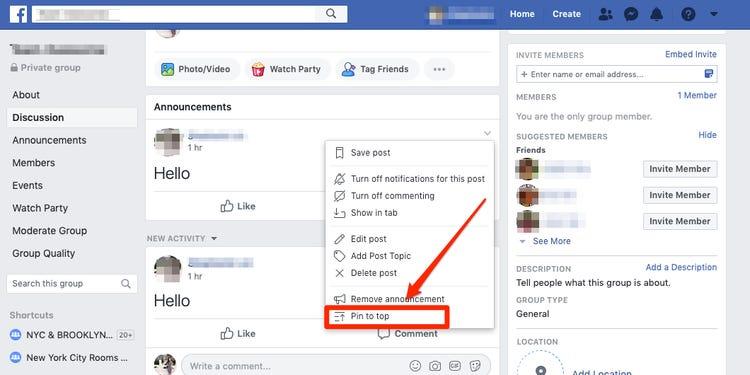
    1. Go to your Facebook page (A page you own)
    2. Look for an existing post which needs to be seen more.
    3. Click on the three dots located on the top right side of the post on both mobile devices and PCs.
    4. Select ‘Pin to top’ from the popup menu.
    5. Your page may refresh and then you’ll see your post on top of the page.

    How To Unpin A Post On A Facebook Page

    Unpinning a post from your Facebook page is relatively easy and requires very few clicks. Follow the instructions below.

    1. Visit your Facebook page.
    2. Locate your pinned post at the top of the page.
    3. On your mobile device of PC, click on the three dots on the extreme right corner of the post.
    4. Select ‘Unpin from the top’
    5. Your post should be unpinned from the top of your page following the previous step.

    Why You Need To Pin Posts To Your Facebook Page

    When people visit a page on Facebook, it is either they have heard of it somewhere else or they saw a post from the page on their newsfeed.

    Whichever reason is responsible for the visit, there is one thing that is being chased and that is ‘more information’.

    So pinning a post to the top of your page provides visitors with a firsthand view of what is currently trending with your business.

    It also enables you to promote an event to a large number of people since everyone who visits your page sees it first.

    People cease this as a source of advertisement. You can make money from people and keep their business flyers pinned to the top of your page. This depends on the number of page views and visitors you get periodically.

    Finally, as a businessman, you may actually be forgetful so pinning posts to your Facebook page may enable you to all very vital information and events that you need to attend to.

    Conclusion

    Pinning and unpinning a post on Facebook can only happen on Pages, groups and events. Your personal Facebook profile or timeline cannot be used for this purpose. Again, it is important for us to know that you can only pin one post at a time.

    If you wish to pin a different post, you’d have to unpin the first one or replace it with the new one. Finally, since you can only pin one post at a time, make sure that you use that space wisely because when used well, you can reach lots of people. If you have any comments or suggestions regarding this post, you can share in the comment box or contact me directly.

  • How To Stake Sportybet Online With The Mobile App

    How To Stake Sportybet Online With The Mobile App

    If you are a fan of betting or you are now trying to enter the world’s leading online gambling venture, then you know that Sportybet is one of the leading bookies where you can place your bet.

    With numerous events and numerous options and huge odds, many people have resorted to using sportybet as their number one sports bookie online. For most people though, they book their bets on the Sportybet website.

    This is partly because some people don’t know how to get the Sportybet mobile app so they could place their bets on the go.

    In this article, we shall look at how to stake a bet with Sportybet, using the mobile application.

    Bur before we get into the steps involved, let’s first look at how to get the mobile appp for your smartphone.

    How To Download The Sportybet App On Your Smartphone

    The sportybet application is not directly available on the Google play store for downloading so you may have to download from the Sportybet website.

    1. Click here to get the Sportybet app for your android phone.
    2. After downloading the application, click to open it.
    3. Your phone will ask you to grant permission for your file explorer to install the app on your phone. Kindly grant it access.
    4. If the app doesn’t install automatically after the third step, Go to your phone settings and select security.
    5. Under the security settings menu, enable “Install from unknown sources”.
    6. Go back to the downloaded app and install it now.

    The installation should start after successfully going through the process. The installed application will run in the same way as any other application you have on your phone presently.

    Now, let’s move on to how to place a bet on your Sportybet Application using your smartphone.

    How To Place Bet On Your Sportybet Account Using The Mobile App

    First of all, before you can start placing a bet on your Sportybet account, you must open an account and load the account with some funds.

    You can learn about How To Create A Sportybet Account In Ghana and How To Load Your Sportybet Account.

    Now, here are the steps to follow in placing bet on your Sportybet account:

    1. Click on ‘Sports’ in the list of menus on the top row of your app.
    2. Select the type of sports you want to bet on. It can be football, boxing, basketball or any other.
    3. Select the game you want to bet on and select the odds you want to go for.
    4. You can combine different games or just go for a single game.
    5. Once you select an odd, it gets automatically added to your bet slip.
    6. Enter the amount you want to place on your bet and click on ‘Place bet’

    You’ll receive a message indicating whether the bet has been successfully placed or not. Remember that you can’t place more than 1,000 GHS on any odds. And your bet must also not be less than 1 GHS. You can go on to stake as many bets as possible.

    Conclusion

    Betting is a great way to make some extra cash for yourself while enjoying the games you love to watch. But betting is even more enjoyable if you don’t have to keep refreshing a browser to check current updates.

    With the Sportybet app, you can place a bet on all your favourite events and all your high odds right from your smart phone.

    In this article, we talked about how to download the Sportybet App on your smartphone and also how to use it to place a bet.

    I hope the article was helpful to you and that you’ll share it with your friends. If you have any questions, comments or reservations regarding this article, kindly share with us in the comment box or get in touch with us.

  • How To Know If Someone Has Accessed Your Facebook Account

    How To Know If Someone Has Accessed Your Facebook Account

    Have you ever woken up in the middle of the night to pee or early in the morning to see some unusual posts on your profile?

    Did you ever have to deal with seeing some strange messages sent from your Facebook account? Well, chances are that your account has either been hacked or someone close to you has accessed your Facebook account.

    But frankly, it’s just a matter of chances. These signs are not certain enough to indicate the worst. So, how do you confirm if truly someone has access to your Facebook account?

    In this article, we take you through things you should see before concluding that someone has accessed your Facebook account.

    Some of them may actually shock you. So, just stick around and ejoy your read.

    The Holy Truth About Social Media

    Social media and in fact, any resource on the internet can be hacked. I know it’s hard to accept but once it was built by a human, it can equally be hacked by a human.

    Even cryptocurrency exchanges which are highly encrypted and layered, get hacked all the time. So, social media platforms such as Facebook and likes are also susceptible to hacks.

    So, don’t be so alarmed if this happens to you. A hack to your account will primarily be your fault. But if it’s a platform-wide hack, then the platform could be at fault.

    So, while we delve into the signals to confirm that your account has been hacked, just know that, it’s not impossible for this to happen to you.

    Things To Check To Confirm That Your Facebook Account Is Hacked

    The following actions will guide you to find out if your account has been compromised or logged into by someone else. Follow each of them keenly to be sure of your account’s status.

    Checking For Last Active Uses

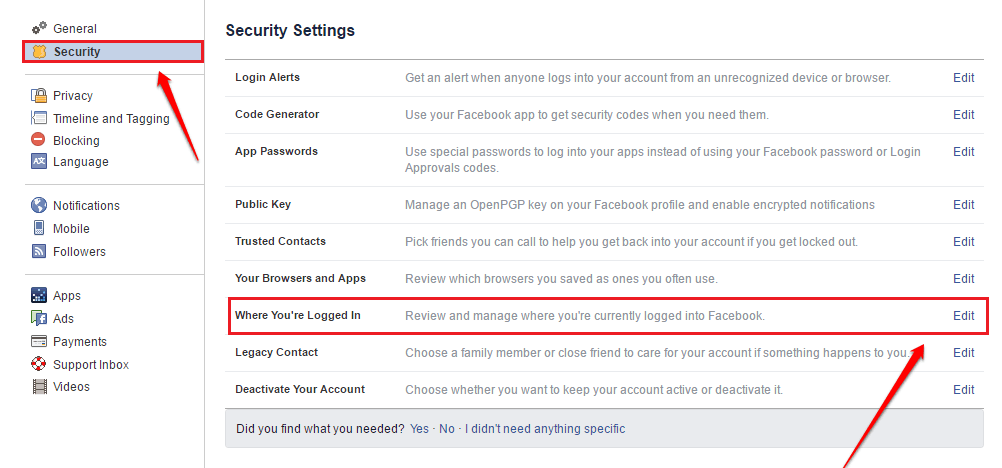
    Facebook has a feature that enables its users to discover the most recent times that their accounts were used. This feature indicates, the date, time, location and device on which the account was accessed.

    So, if you want to be sure whether your account has recently been used by someone else, then you should try this feature. The good thing is that it’s available on any of the Facebook platforms – be it on a smartphone or a desktop.

    So, how do you check this?

    On your smartphone, follow the steps below:

    1. Open the Facebook app on your phone
    2. Click on the three horizontal lines located in the top right corner
    3. Scroll to and click on ‘Security and Privacy
    4. Select ‘Security
    5. Under the ‘Security’ menu, select ‘Security and Login’.
    6. Under the heading ‘Where you’re logged in, you’ll see a list of the devices that logged in currently.
    7. You’ll see your current device at the top with ‘Active now’ written in blue ink
    8. Click on ‘See all’ to see the full login activities on your account.

    If you see any strange device logins on the account from this section, then you must know that someone else is using your Facebook account.

    How To Remove Unknown Logins From Your Facebook Account

    Now, you know the devices that have logged into your Facebook account. But what if there’s one or two which you don’t recognize?

    How do you logout all unknown devices from your Facebook account?

    Follow the steps below on your smartphone:

    1. Open the Facebook app on your phone
    2. Click on the three horizontal lines on the extreme top right corner
    3. Select ‘Settings and Privacy
    4. Click on security
    5. Go to Security and Login
    6. Click on the ‘See all’ button beneath the list of your logged-in devices
    7. Click on ‘Logout of all sessions’

    Once you’re done, you’ll be logged out of all devices that you’ve ever logged in with. And this includes the unrecognized or unknown devices.

    Note that, you’ll still remain logged in on the device you’re using to perform this action. So don’t worry about that.

    Now, once you’ve logged out of all devices, you can successfully change your password to prevent the other person from having access to your account again.

    Conclusion

    The thought of knowing that your Facebook account could be hacked is not just excruciating, it’s also scary. Like, how do you deal with sharing all the messages you’ve had on the platform with someone you don’t even know?

    Many times, when we hear people complain about their accounts being hacked, we get scared and wonder if that can happen to us. If you haven’t activated Second Factor Authentication on your account yet, then your worry is real.

    But not to worry. In this article, we discussed how to check if someone has access to your Facebook account. Do you know of any other ways?

    Let us know in the comment box below.
    If you have any questions, comments or reservations about this article, kindly let us know in the comment box below.

  • How To Block Youtube Ads On your Android device Or Smart TV

    How To Block Youtube Ads On your Android device Or Smart TV

    Adverts or ads are Google’s model for making money off their Youtube platform. These ads are served to as many people as may watch various contents on the platform.

    Both video creators and the Youtube platform share ads revenues. However, there are times that ads on the platform becoming increasingly overwhelming.

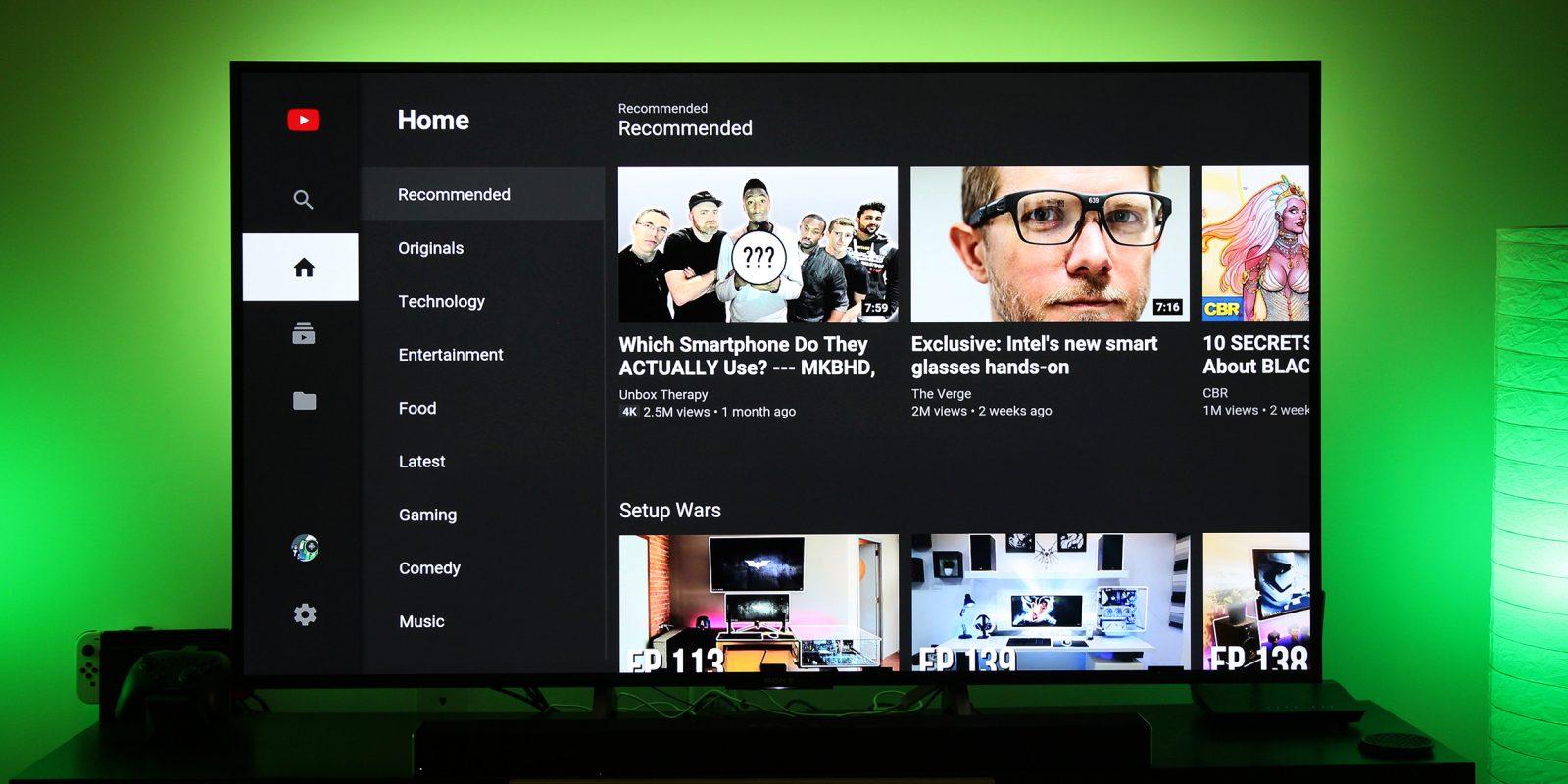
    It gets worse when you are watching Youtube videos on your Android or Smart TV. You can see a few tens of ads within a few minutes when watching videos on your Android TV.

    The most annoying part is that, unlike your smartphones, it’s very difficult to actually stop Youtube from showing you these annoying ads on your TV.

    But, all hope isn’t lost. In this article, we shall show you an easy and excellent way to block Youtube Ads from showing on your Android or Smart TV.

    The Ultimate Way To Block Youtube Ads On Your Smart TV

    Youtube is a revenue-generating platform and so, for everything they do, there’s always a need for them to make some money.

    And they are also aware of how annoying their ads can be to some users. So, they have an alternative way of watching videos on the platform without having to wait for ads to be played.

    This option is called the ‘Youtube Premium’. The Youtube premium version is a paid version of the Youtube platform which enables users to watch videos at a monthly rate, without those annoying ads.

    Just like your Netflix app and Amazon prime app, you can watch movies and videos on the Youtube Premium platform, in an almost seamless manner – provided your network is good.

    The Youtube Premium service comes at a monthly rate of USD11.99. This amount allows you to watch as many Youtube videos as possible without any adverts.

    You can simply download the Youtube premium app from your Smart TV’s playstore, make payment and start enjoying your ads-free Youtube videos.

    On the other hand, if you cannot afford the monthly fee but you still want to enjoy ads-free youtube viewing, then you may want to consider the next option available.

    Using Unofficial Youtube APK For Blocking Youtube Ads

    While this may not be fully recommended, it is the best way to go if you don’t have money to pay monthly subscriptions for your Youtube account.

    Just like most other platforms, some developers have created the modified versions of the Youtube application. This modified version is mostly for smartphones.

    It is an offloaded version of the Youtube app, which is smaller in size and is devoid of some original settings in the main app. This makes it impossible for ads to be shown on the app.

    So, if you’re looking to enjoy Youtube videos on your Smart Tv without actually having to pay every month or seeing those annoying ads, then pay particular attention here.

    This may look easy. But how do you install such an app on your Smart TV? Remember that this app is purposely designed for smartphones.

    But, don’t worry. Follow the steps below keenly to start enjoying your ads-free Youtube videos.

    1. First of all, download and install an Internet browser on your smart TV. You can get this from the Playstore.
    2. Secondly, you can connect a Bluetooth Keyboard to your TV for easy accessibility.
    3. Open your newly installed web browser and type ‘Unofficial Youtube App’ in the address bar or search bar.
    4. Run your search with Google and locate the result which leads to a download site.
    5. Once you get to the download site, look for the Unofficial Youtube App and click to download it.
    6. After successfully downloading, you have to set your TV to install the app since it’s not from the Playstore.

    How To Set Your TV To Install The Unofficial Youtube App

    To let your TV install the Unofficial Youtube application, follow the steps below:

    1. Go to your TV settings
    2. Scroll down to “Security and Restrictions”
    3. Click on it and locate “unknown sources’ on the next screen
    4. Click on it too and enable all the options available there.

    Once you turn on apps from unknown sources, it’s now time to take the final step and get things going.

    The Final Steps

    Now, to the final steps, where you have to install the Unofficial Youtube app and start enjoying your ads-free videos.

    1. Open your files manager on your Smart TV
    2. If you don’t have one, kindly download and install one from the Playstore.
    3. Open the file manager and select the New Youtube app from the Downloads folder
    4. Click to open it
    5. Allow it to install.

    Voila! You’re good! Now, you have access to Youtube for free and without any annoying ads! Very easy, right?

    Note: This app is for smartphones. So, since the Smart Tv has a bigger interface than the Smartphone, you should not expect the visuals to be perfect. After all, you’ll still get to see the videos anyway… and without ads interference too.

    Final Words

    Youtube is one of the most-used web applications available now. From music videos to sports updates, documentaries and movies, you can get them all on Youtube.

    For this reason, Smart Tv users are fond of using the application on their TVs. But, it comes with its headache – the seriously annoying ads!

    In this article, we looked at how to block Youtube ads on your Smart Tv. We discussed the Youtube premium version and the Unofficial Youtube app.

    Do you know of any other ways you can block youtube ads on your smart TV? Kindly let us know in the comment box below. Do you have any questions, comments or reservations about this article? Kindly get in touch with us or leave a text below.

    Please, don’t forget to share this article with your friends and relatives.

  • Why MTN Does Not Allow Subscribers To Convert Airtime Into MOMO

    Why MTN Does Not Allow Subscribers To Convert Airtime Into MOMO

    If there is any big question that is largely unanswered among MTN users, then it has to do with the conversion of Airtime into Mobile Money.

    We have had many people call to enquire about the possibility of converting their Airtime into Mobile Money.

    There are times that someone wrongly sends you Airtime instead of a mobile money transaction and you want to find a way to convert that airtime into mobile money. But, it is very impossible. At least, for now.

    So, the big question most people ask is that; if Mobile Money belongs to MTN and the airtime also belongs to MTN, why can’t they allow customers to convert their airtime into MOMO. Especially when people can change MOMO into airtime.

    Frankly, this is a difficult question that nobody has attempted to answer yet. But, for us here at your favourite African Tech Blog, we attempt to provide a clear explanation to this question in this article.

    Please stick around to read it all.

    Fraudsters Could Take Advantage Of The Situation

    Imagine that MTN actually makes it possible for anyone to convert their airtime into Mobile Money. One day, you mistakenly send airtime to the wrong number while sending it to a friend or your other line.

    You call this strange number and the person fails to reverse the airtime. You call MTN and they tell you that the person has already converted the airtime into money and they’ve withdrawn it already.

    How sad would that be for you?

    Also, criminals can steal airtime from other people’s phones and convert them into Mobile Money on their personal accounts. They may also end up robbing scratch card sellers and converting the cards into Mobile Money.

    This will create so much chaos in the system.

    MTN Has Nothing To Gain But So Much To Lose

    Let’s be real here. It is absolutely unrealistic for MTN to consider giving its customers the chance to exchange their airtime for Mobile Money.

    If this is allowed, there’s the tendency that many people will exchange their airtimes for Mobile Money. Now, the logic is that; once you buy airtime, you have to use it and finish it. So, MTN is assured of huge gains anytime you buy airtime.

    But once there’s the chance that you can withdraw that airtime through Mobile MOney, it’s likely that when you buy airtime worth 10 cedis and you later need money, you can withdraw 9 Cedis out of that 10 cedis airtime. So, MTN loses 9 Cedis profit through this transaction alone.

    Ideally, no business would want to put itself in a situation where they’ll keep making losses. And MTN will absolutely not put itself in such situations.

    The Alternative Way To Change Airtime Into Cash

    All hope isn’t lost yet. Even though MTN doesn’t allow you to directly convert your airtime into Mobile Money, you can still convert that money into cash or Mobile Money.

    So, it’s simple. You just have to find someone who needs airtime at the time and transfer the airtime to them using the MTN Me2U service.

    So, the person either pays you with cash or they can pay into your Mobile Money wallet upon receiving the airtime.

    Conclusion

    The thought of being able to exchange your MTN airtime for Mobile Money is something that has ever crossed our minds at one point or the other. This is especially true when you’re in dire need of money and you realized that you have some airtime on your phone.

    Sad as it is, this wish can never be granted. It can only remain a dream, considering that MTN will never find it possible to enact that feature.

    In this article, we spoke about why it’s not possible for you to change airtime into Mobile Money.

    We hope that you loved this article and that you’ll share it with your friends and relatives.

    Kindly do well to share your comments, reservations and questions about this article in the comment box below or get in touch with us.

    We will be happy to hear from you.

  • How To Solve ‘Content Not Available In Your Country’ Problem On Youtube

    How To Solve ‘Content Not Available In Your Country’ Problem On Youtube

    Today, there are billions of video content available on the internet. From music videos to tutorials, sports highlights, movies and comedy skits.

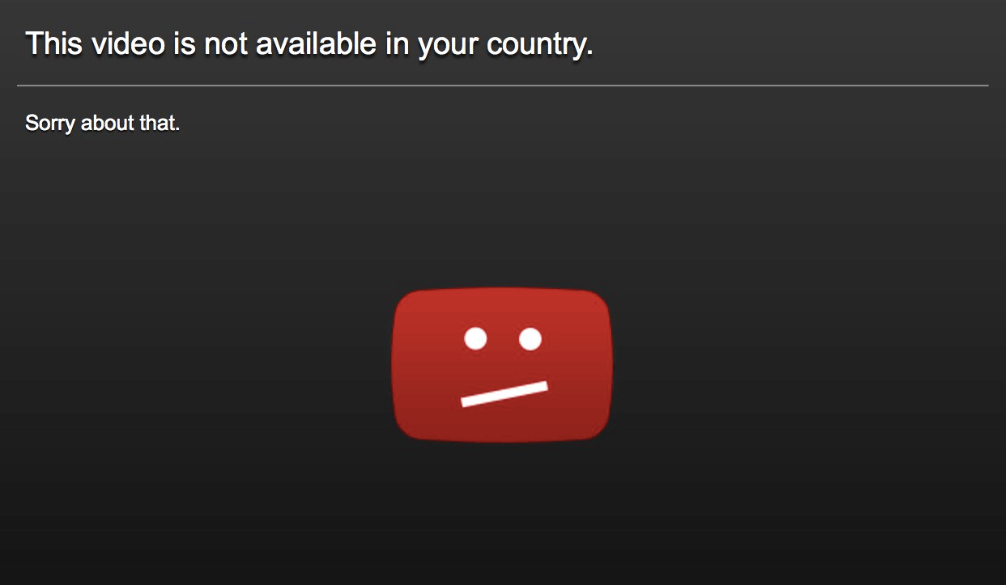
    But, just how annoying does it get when you want to watch a movie, a music video or a tutorial only to get the notification that ‘This Content Is Currently Not Available In Your Country’?

    That very moment, you’ll think of the volume of data you bought just for the purpose of watching that content and the number of websites you had to look through before you finally got the right platform.

    It’s totally exhausting, right?

    Well, if you find yourself in this situation right now, then you’ve come to the right place. In this article, we take a look at why the ‘Content Not Available In Your Country’ notification comes up and how to resolve it.

    Do stick around and read to the end to discover the solution to this utterly annoying situation.

    Why Some Videos Are Not Available In Your Country

    Honestly, nobody understands the fact that videos made for public view are limited to some countries only. Like why would you even produce a video and upload it on the internet if you don’t want some people to see it? The internet is a global network, after all.

    Yea. That line of thought is right. But… You know what? The ‘Video Not Available In Your Country’ problem is not entirely from the uploader. At least, most of the times.

    So, here are some few things that are likely to trigger that problem:

    1. First things first. So, this is entirely possible if the video creator decided to limit the video to certain locations only. This could be because of Patent issues or some other legal issues or perhaps, the owner just doesn’t want some people to see. It’s their creation after all. So they get to choose who can see it.
    2. Other times, it’s just purely an issue with the video streaming platform. Platforms such as Youtube usually comply by International Governmental laws and so they are able to block certain videos from showing in certain countries. Especially if the videos are against the laws of such nations.

    Now, are you ready to fix this problem once and for all?

    Using VPN To Watch Videos Not Available In Your Country

    The base reason why you can’t watch certain videos in your country is that they have not been made available to your country.

    So, what’s the easiest way for you to watch such videos if they really are of importance to you?

    It’s simple. Just travel! Cross border and go to another country where the video is available.

    But, really? Who wants to grab their Passport and Visa just to go watch a 30 minutes video? Well, it’s not that difficult… with the help of technology.

    You can use specialized software which enables you to switch your location and IP address from your current country to another country. Such software is called Virtual Private Network (VPN).

    There are thousands of VPNs out there. The best ones are the premium ones which you have to pay for. But there are some really cool free ones out there too.

    They are easy to download and setup, even on an iPhone. Once you have them installed on your machine, you can then change the location to either UK, US or any other first world country to get access to the chosen video.

    Fixing ‘Video Not Available In Your Country’ With Browser Extensions

    Another sure way to go about solving this problem is the use of specialized browser extensions which enable you to change your IP address. They act just as VPNs but they are simpler to install and are installed as plugins, addons or extensions for your browser.

    One of the most widely used extensions is the Holla Extension.

    To use this extension, kindly follow the steps listed below:

    1. Download the Holla Browser extension for your Web browser. It is available for Mozilla Firefox and Google Chrome browsers.
    2. Once you download it, click and run it to install. The installation is simple and requires no extra efforts. You’ll see the Hola icon listed on the right side of your address bar if it’s fully and well installed.
    3. Open the Youtube video you want to watch.
    4. Then, click on the Hola extension’s icon. This will automatically capture the website address “youtube.com” as your browsing URL.
    5. Choose the country whose IP address you wish to use. Remember to choose a country in the western world. You can either choose the USA, Canada or UK.
    6. Reload your youtube video. This should work perfectly now and you should be able to watch your video.
    7. If it doesn’t work, go back and change the country to another one again.

    Conclusion

    The pain of not being able to watch your favourite Movie, Music Video or Tutorial on Youtube and other Video Streaming platforms because ‘The Video Is Not Available In Your Country’ is extremely excruciating.

    Frankly, it’s one thing nobody can deal with. But, that shouldn’t be your fate. There’s a way to work around this problem and resolve it perfectly.

    In this article, we spoke about why you get the ‘Video not available in your country’ feedback and some of the best ways to resolve it.

    If you loved this article, kindly share with your friends and relatives who may also be facing similar situations.

    Kindly do well to leave a comment, question or reservation regarding this article in the comment box below or contact us.