Author: Godwin Gabla

  • Hisense: TV, Fridges And More; Prices and Where To Buy Them

    Hisense: TV, Fridges And More; Prices and Where To Buy Them

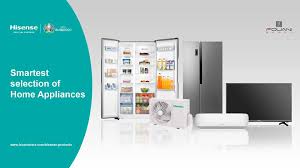
    Looking for durable and reliable electronic gadgets such as Fridges, TV sets and Airconditioners, Hisense is one brand you can rely on.

    With several months of warranty and reliable products, Hisense is one sure brand you should think of when they need for electronic gadgets arises.

    Here in this article, we shall focus on some of the Hisense products you need for your household, their prices and where you can locate them.

    Fridges

    Hisense has a wide range of Fridges for all kinds of families and individuals. Take a look at the various fridges available with Hisense.

    Hisense Cross Door Inverter Side-by-side And Lower Drawer Refrigerator 536L

    This is an energy-saving fridge with multi airflow, a fashionable handle design, water dispenser, folded cook rack, LED, Alarm function and a super cool function.

    ColourSilver
     Total Net Capacity536 litres
    Net Fridge Capacity417L
    Net. Freezer Capacity119L
    Net Dimensions {W I D I H mm}914 x 850 x 1776
    Loading Capacity (40H.C.)36
    RQ70WC_525L

    This fridge is up for sale from GHS 8000 and above.

    Hisense 264L Refrigerator – Silver

    This refrigerator is an environmental-friendly energy-saving device with Mechanical Temperature Control Technology, Big freezer capacity, reversible door, four stars freezer design, low noise, broad climate design and adjustable legs.

    colourSilver
    Total Net Capacity264L
    Net Fridge Capacity198L
    Net. Freezer Capacity66L
    Net Dimensions {W I D I H mm}554 x 558 x 1800
    Loading Capacity (40H.C.)105
    RD35DC_264L

    This refrigerator is on sale from GHS 2800 upwards.

    Hisense Freezer 170L Electronic Control With Adjustable Thermostat Upright Freezer

    This Hisense refrigerator is an affordable Energy-saving fridge with Electronic control adjustable thermostat, super freeze, alarm function, four-star freezer design, reversible door, broad climate design, low noise plus an adjustable leg.

    Available colourSilver
    Total Net Capacity170L
    Net. Freezer Capacity170L
    Net Dimensions {W I D I H mm}554 x 551 x 1440
    Loading Capacity (40H.C.)136

    This fridge is on sale from GHS 1700 and above.

    Televisions

    Hisense has a wide range of Television sets for all family sizes.

    Check out our list of Hisense televisions and their prices.

    LED Televisions

    Hisense LED Television sets to come with D-LED Technology, 108 Cm LED Backlight, Full HD, Favourite Channel list, Digital Media Player content, Wide viewing angle, fully functional AV port, automatic volume control, free bracket and 5 years warranty.

    The LED TV comes in 5 different sizes: 32 inches, 40 inches, 43 inches, 49 Inches HD and 49 Inches UHD.

    The prices are listed below:

    32 inches: GHS 1000 and above

    40 inches: GHS 1600 and above

    43 inches: GHS 1600 upwards

    49 inches HD: GHS 2900 upwards

    49 inches UHD: GHS 3900 upwards

    4K Smart Televisions

    Hisense’ 4K Smart Televisions come with UHD-4K video quality, youtube, Netflix, BEin Sports, Remote control app, sports mode, DVB-T2, 2.4G and 5G wifi.

    The Hisense 4K Smart Television series comes in the following sizes: 43 inches, 49 inches, 50 inches, 65 inches, 70 inches and 75 inches.

    43 inches: GHS 2630 upward

    49 inches: GHS 3800 upwards

    50 inches: GHS 4100 upwards

    65 inches: GHS 7800 upwards

    70 inches: GHS 8500 upwards

    75 inches: GHS 9700  upwards.

    Hisense Showroom Locations and Contact

    There are a lot of Hisense showrooms in Ghana where you can buy your favourite Hisense products.

    Here is a list of Cities in Ghana and where their Hisense Showroom can be located at:

    CityHisense Showroom Location
    AccraOpposite Opera Square
    LapazAt Nyamekye Junction
    AchimotaAt Achimota Retail Centre
    North Industrial AreaOpposite Melcom Plus
    BaatsonaOn Spintex Road
    SunyaniOn the Kumasi
    East LegonAdjacent to Ghanalink
    Junction MallNungua
    KasoaOpposite Pink FM
    Kumasi AdumOn 26 Prempen II Avenue
    Kumasi MallAt the Kumasi City Mall
    TakoradiOn New John Sarbah Road
    TamaleAt the Central Market, next to Bank Of Africa
    TarkwaOn the Esiama Road
    TemaOn the Krakue Road
    WesthillOn the SSNIT Road

    You can also call them via 0302550000 or send an email via [email protected]

    Conclusion

    Hisense offers some of the best electronic appliances on the Ghanaian market. Their 5 years warranty is also something big and unrivalled in the industry. You should check out their showroom or contact them via the number above to enquire about their products or for purchases.
  • How To Check Your SSNIT Contributions & Statement Online in Ghana

    How To Check Your SSNIT Contributions & Statement Online in Ghana

    It is the dream of every worker to be able to carry up that special vacation or take up a special project when they finally cross their retirement age.

    In Ghana, the sure way to live such dreams is for one to have a regular SSNIT contribution for at least 15 years (180 months).

    It is however unfortunate that some times, if not most times, SSNIT contributions for some workers do not seem to be well recorded in the systems and sadly enough, they only get to know when their time is due for retirement.

    So, in this article, we shall take you through a convenient way of checking your SSNIT contributions online using your PC or your phone to be sure of your contributions and check for any discrepancies.

    How To Check Your SSNIT Contributions Online & Download Statement in Ghana

    Follow the steps below to check your SSNIT contributions and download your SSNIT statement online:

    1. Request a portal identification number from SSNIT
    2. Login to the SSNIT Website
    3. Setup your security credentials
    4. Check your contributions and benefit
    5. Print your statement or download it as a PDF

    Now let’s break the process down for you:

    Request a portal identification number from SSNIT

    First, you need to have a portal identification number to access your account.

    This ID is usually given once you enroll and re-enroll. You may contact an SSNIT via their call centre numbers 0302 611 622 to seek a portal ID and password which would be sent to you via email.

    Youcan also get the ID by visiting the Biometric Terminal.

    Login to the SSNIT Website

    You can now login to the SSNIT website – Ssnit.org.gh. On your right side, there is a sign in button.

    Click on it, provide your details as you follow all the steps. If you are a Scheme Member, your user name will be the Social Security Number.

    The password is the one that was sent earlier in your email.

    Setup your security credentials

    The third step is entering a new password and confirming it. You must also respond to the security question.

    Check your contributions and benefit

    Once you log in, you can choose the services that you want. You can see all your contributions from the very first year you entered the service down to the present year.

    The number of months you’ve contributed for each year and your total contributions so far will be indicated. You also get to see the benefits you are qualified for.

    Conclusion

    Most times, your SSNIT contributions displayed in your account are a month short. This is because the previous month’s contributions are usually paid towards the end of the present month.

    Sothey are usually less by one month. This shouldn’t be a problem to you. However, if your contributions are less by two or more months, then you you should be worried.

    Youcan then call The SSNIT office or check into any branch near you to complain. Also remember to keep your password and security questions intact so you could always access your account.

    Your SSNIT Contributions are a key to a perfect retirement.

  • Bloomkash: How To Get Up To GHS 1000 Online Loan via Mobile Money

    Bloomkash: How To Get Up To GHS 1000 Online Loan via Mobile Money

    Today, mobile phones are not just devices for making and receiving calls.

    From sending and receiving emails, browsing the internet, marketing and selling goods as well as learning and teaching, the usage of mobile phones has broadened and keeps broadening as we continue to live and use them.

    One interesting thing we’ve all come to understand and appreciate with mobile phones (smartphones) is that we can now apply for and receive loans through our smartphones.

    There are several loan companies which give out loans to individuals via their mobile phones especially here in Ghana.

    This ranges from the Qwikloans to Express loans, Carbon, Fido loans and down to Zidisha loans.

    In this article, we shall look at one other loan company which can give you up to GHS 1,000 right on your phone without collateral or any physical meeting or transaction.

    Bloomkash is a Ghanaian loan company offering short term loans to Ghanaians via their mobile phones. So, once you have a smartphone to download the Bloomkash application, you have the chance of getting up to 1,000GHS loan from Bloomkash.

    Let’s dive into the steps involved in creating an account and securing a short term loan from Bloomkash.

    How To Apply For Bloomkash Loans

    In order to apply for a loan facility from Bloomkash, the user oughts to own a working smartphone, preferably an android phone. Once you have an android phone, you can proceed with the following steps:

    1. Go to google playstore and download the Bloomkash application or click here for the APK.
    2. Install the application on your phone and ensure that it is fully and correctly installed.
    3. Open the application and click on ‘Apply for loan’
    4. Enter your Mobile Money number in the space provided.
    5. An SMS would be sent to your mobile number for confirmation. Kindly enter the code in the space provided on the Bloomkash app. In case you don’t see the SMS in a few seconds, kindly wait and click on ‘resend’.
    6. You’ll get a notice requesting your permission for Bloomkash to access your photos, your location, your contacts, camera and many other things. Kindly approve all and proceed.
    7. On the next screen, click on ‘Apply for loan’.
    8. Fill in your first name, your surname, your other names (middle name), your gender, your ID details, your residential address, your employment status, your monthly income, the date you receive your salary, and select if or not you have an outstanding loan and click on next.
    9. Fill in your emergency contact’s detail. This should be someone who is very close to you and can guarantee your loan since the company is very likely to call that person. Also, note that the application will take you to your contact list automatically so you can select the emergency contact from your list.
    10. Fill in the contact details of your second emergency contact following the same way you did in step 9 above.
    11. If your details are accurate enough, you’ll progress to the next stage where you’ll see the loan amount you qualify for, the repayment amount and other details. If you are content with what you see, click on ‘Apply now’.

    Congratulations! Your loan processing is done. You should receive your loan in a few moments if you really qualify for it.

    Bloomkash Loan Terms, Conditions And Interest Rates

    For most people, the loan system operated by Bloomkash may sound too good to be true. However, it is exactly what it is. However, just like any other financial institution, there are some terms and conditions that need to be looked at.

    For Bloomkash, the interest rate is charged daily and it varies from between 0.1% daily to 1% daily.

    There is a processing fee of 36.5% on every loan accessed via the platform. So if you apply for a loan of GHS 65 for a 91 days term, the processing fee would be equal to GHS 23.7. The interest over the period, however, would be equal to GHS 1.8. So your total repayment amount would be GHS 90.5.

    Loan terms on the other hand range between 15 days to 90 days depending on how soon you paid your previous loans.

    Finally, loans from Bloomkash are mostly based on the success of previous loans. So, for higher amounts, you should first take smaller amounts and repay them on time so you can qualify for the bigger loans later.

    Conclusion

    Loans are a reliable source of support in times of emergency. However, for most people, acquiring loan comes at a very huge cost of either processing fee or collateral or several up and down movements.

    This makes it a whole lot difficult for those who may need such loans to deal with urgent situations.

    In view of this, Bloomkash introduced their online loan system to help people with short term loans from 65 cedis to 1000 cedis in order to help them deal with their problems.

    In this article, we looked at the procedure for applying for a Bloomkash loan and the terms and conditions surrounding it.

    I hope this article was helpful to you and that you will share it with your friends and family.

    Kindly leave your comments, questions and reservations regarding this article in the comment box below.

  • How To change The Instagram App Icon On Android And iOS

    How To change The Instagram App Icon On Android And iOS

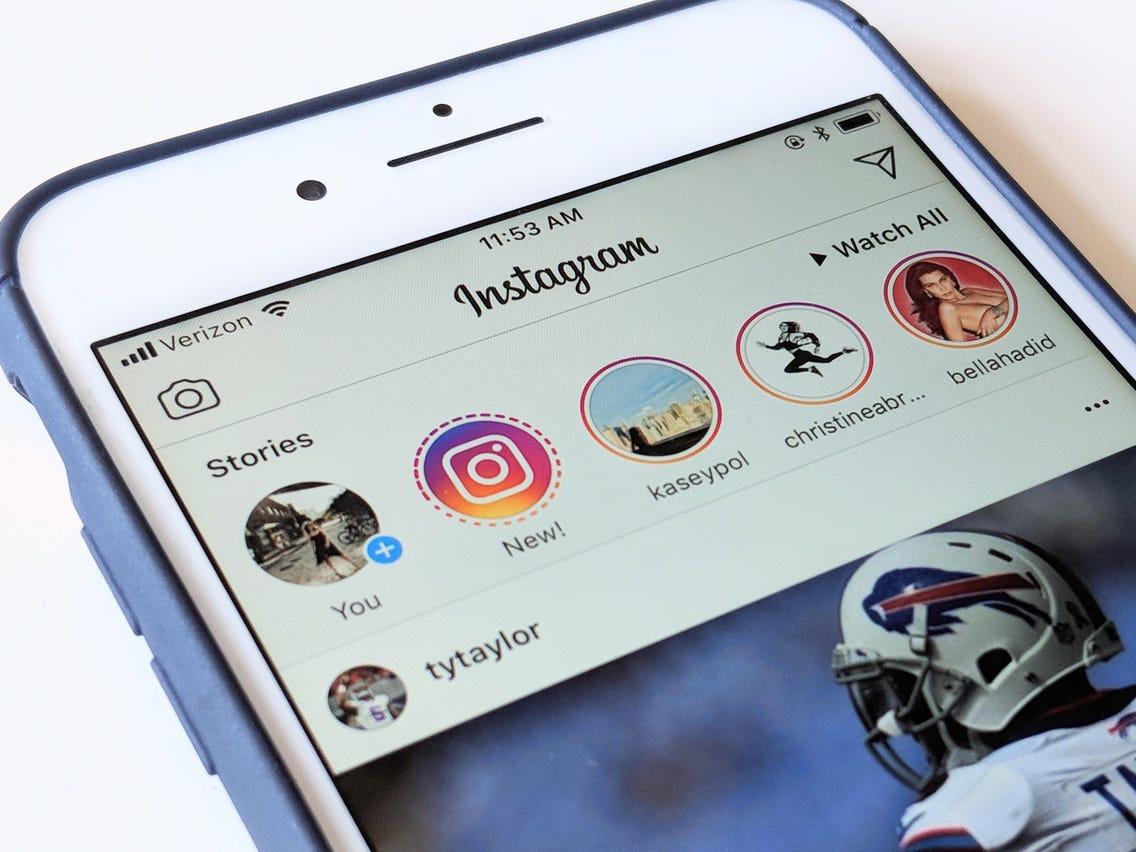
    Ever wondered if you can actually change the icon of any application on your smartphone? Well, Instagram may be just about the first application to give you that freedom and extra customization.

    So, here is the trick. Instagram is 10 years old in 2020. So, in order to create a wonderful experience for its users, the world’s second-biggest social media platform has decided to give its users the ability to change the app icon from the current one to any classic one from the past ten years.

    And wait till you hear the even more awesome part. You can take your Instagram experience to the next level; just visit the best site to buy Instagram likes PayPal.

    What this means is that you can use the Instagram icon used in 2015 as the icon for your Instagram app presently. Wonderful, right?

    So, the big question is; how can you set this up? Do you need to install a different app altogether? Do you need to download the icon image separately?

    Well, this article seeks to answer all your questions while providing you with the right steps for changing your Instagram icon on both iPhone and Android.

    But before we move on to look at the steps, let’s take a look at few facts about this new Instagram feature.

    • There are a total of 13 Instagram icons you can choose from.
    • This feature won’t work on any version of the Instagram app that is not the latest.
    • You can change the icon within the Instagram app itself.

    How To Change Your Instagram Icon On Android And Iphone

    The steps for changing your Instagram Icon on both Android and iPhone are the same. So just follow the steps below on both devices to change your Instagram Icon.

    1. Download the latest version of the Instagram application from your Google Playstore (for Android) and Appstore (for iPhone).
    2. Open your updated Instagram app and select the ‘Profile’ icon.
    3. Click on the Menu button and select ‘Settings’ from the list of options that comes up.
    4. Drag the whole page down until you see a group of emojis appearing on top of the page.
    5. A new page would automatically appear, where you can see a list of Instagram icons.
    6. Select the new icon you want to use on your phone.

    Once you are done selecting the new icon, it should appear on your home screen instantly.

    In the case of iPhone users, the icon changes completely to the new one whereas, in the case of android users, they get a shortcut to Instagram with the new logo selected.

    Easy and interesting, right? Yes, just as I promised in the introduction.

    Conclusion

    Creativity and uniqueness are what creates buzz on and about social media these days. In order to give users the chance to be more creative and feel free to use their personal styles, Instagram has introduced a feature to enable users to change their Instagram icons. This is particularly to celebrate the photo-sharing app’s 10 years anniversary.

    In this article, we spoke about how to capitalize on this new feature to change your Instagram app icon on both iPhones and Android phones.

    I hope the content of this article suffices your interest in changing your Instagram app icon. If you have any questions, comments or reservations, kindly share them with us via the comment box or get in touch with us.

    Please do well to share this article with your friends and relatives. Let them also feel the new social media buzz.

  • How to Buy and Sell Bitcoin in Ghana [Complete 2022 Guide]

    How to Buy and Sell Bitcoin in Ghana [Complete 2022 Guide]

    The biggest, first and most expensive cryptocurrency in the world is Bitcoin. Over the past decade and over, many people have grown to learn and discover the potency of this cryptocurrency asset.

    As such, interest in this cryptocurrency asset has increased exponentially in recent times.

    While many are just interested in knowing more about the world’s first cryptocurrency, many others are willing to cash in on the high-profit margins served by this multi-billion asset.

    In this article, we shall look at how to buy and sell bitcoin in Ghana.

    But, first off, let’s look at some uses of bitcoin and why you should have Bitcoin in the first place.

    Uses Of Bitcoin

    Bitcoin is just a digital currency like any other currency. What can you use bitcoin as a currency for?

    Worry not. We shall discuss some of the most common uses of bitcoin here now.

    Making Payments Internationally

    The quickest way to make payments for goods and services or for sending money to family and friends anywhere in the world is through bitcoin.

    Bitcoin is a digital currency which is universal. The same bitcoin someone has in Ghana is the same as what someone has in China in terms of identity.

    The value also remains the same all over the world. You get to send any amount of money to anyone in the world by converting your fiat currency (National currency) into bitcoin and then you can transfer to the recipient’s wallet without the use of any third party.

    For Trading Other Cryptocurrencies

    Aside from Bitcoin, there are currently over five thousand other cryptocurrencies available.

    Being the mother of all cryptocurrencies, most of these crypto-assets can only be purchased using Bitcoin as the means of trade.

    So, for most other cryptocurrencies, you need to already have Bitcoin in your account before you can buy the other asset you wish to buy.

    There are special platforms which enable you to exchange your Bitcoin for other cryptocurrency assets by buying from people willing to sell. These platforms are called exchangers.

    Used For Crypto Trading

    Crypto trading is a subset of Forex trading or foreign exchange trading.

    With crypto trading, you can buy a crypto asset at a lower price and wait for it to increase in value compared with its pair then you sell it back for the other pair so you can make a profit.

    So for example, if you are using Bitcoin and Ethereum as your pair, you can buy Ethereum when 50 Ethereums equal to 1 Bitcoin. Then you wait till the value increases to maybe 30 Ethereums equal to 1 bitcoin. Then you make a profit.

    You can decide to trade every day of the week or you can decide to just follow news on the cryptomarket and trade based on speculations and current trending news.

    For example, if you realise that Bitcoin is about to lose some value because of some bad news going against it, you can trade it in to buy a currency which is gradually gaining more value at the same time. It all depends on you.

    How To Buy Bitcoin In Ghana

    The main focus of this article is to teach you how to buy and sell bitcoin in Ghana and that’s what we shall look at under this sub-title.

    To buy bitcoin in Ghana, there are several methods to use but the most reliable method for buying it currently is by purchasing from Ecurrency4U.net

    How To Buy Bitcoin On Ecurrency4U.net

    To buy your bitcoin using Ecurrency4U.net platform, you need to follow the following steps:

    1. Visit the website to register a user account.
    2. Log into your account
    3. Click on ‘Buy Ecurrency’ from the tabs
    4. Select Bitcoin from the list of currencies provided.
    5. Select your preferred mobile wallet operator as your payment method
    6. Enter in Dollars, the amount of bitcoin you wish to buy
    7. Enter the mobile money number you wish to pay with
    8. Enter the name on the mobile money account

    If the details you entered are accurate enough, your order should be received in the system. There are two payment methods for mobile wallets. The automatic payment and the manual payment system.

    If you chose the automatic payment in your process, the deduction should be automatically done. You’ll receive an authorisation notification on your phone and then you can enter your MOMO pin to authorise the withdrawal. Afterwards, the payment is successful and then you can get your bitcoin into your wallet instantly.

    However, if you selected the manual payment method, you would have to copy the contact of the company from beneath the payments window and nanually send the money to that number. When you are done, type the transaction ID in the space provided on the site. Then, click ‘I have made payment’.

    Your bitcoin would be transferred immediately.

    You can also find out more ways to buy bitcoin in Ghana using your mobile money.

    How To Sell Bitcoin In Ghana

    After buying your bitcoin and either using it for an investment or trading it, the next big thing you have to worry about is how to sell your bitcoin and earn some hard cyrrency.

    There are numerous ways of selling bitcoin in Ghana, however the most trusted ways are; selling to Ecurrency4U.net and selling to individuals directly.

    How To Sell Bitcoin To Individuals

    To sell bitcoin to individuals, you first of all need to find someone who is interested in buying bitcoin then you discuss your rate with them.

    Mostly, for this kind of sales, you have to reduce your rate a little bit to be lower than the market rate.

    When you have someone you can sell to, follow the steps below:

    1. Visit your bitcoin wallet
    2. Go to ‘send BTC’
    3. Enter the wallet address of the receiver
    4. Enter the amount you are sending in Dollars
    5. Click on ‘send’ to confirm the transaction.
    6. Crosscheck the recipient’s address to ensure that it is not wrong.
    7. Confirm the transaction.

    Make sure to receive the money from the individual before you send the coin to them as this is largely irreversible.

    How To Sell Bitcoin On Ecurrency4U

    To sell your Bitcoin on Ecurrency4U.net, kindly follow the following steps judiciously.

    1. Login to your Ecurrency4U.net account
    2. Select ‘Sell Ecurrency’
    3. Choose ‘Bitcoin’ from the list of currencies available.
    4. Select your preferred mobile payment method. Eg. MTN Mobile Money
    5. Enter the amount you wish to sell in Dollars. If you are not certain of the value in Dollar, just play around the numbers, you’ll see the equivalent in Cedis below.
    6. Enter your mobile money number and the name on the account.
    7. Click on ‘submit’ to have your order number. You would be redirected to the payment gateway of the Ecurrency you wish to sell. Then you can authorise it. You’ll receive your money in few minutes after authorising the payment.

    You can also check out other ways to sell bitcoin in Ghana and get your money into your mobile money wallet.

    Conclusion

    Bitcoin is one of the most discussed financial topics in this twenty-first century and it is the world’s most used cryptocurrency.

    While the systems operated by bitcoin is very complex and requires some level of learning and expertise to handle it, it is one of the safest and most convenient forms of digital currency on the internet today.

    I hope this article was helpful to you in finding out how to use bitcoin, how to buy and how to sell it in Ghana. Kindly share your comments, reservations and questions with us in the comment box or contact us.

  • How To Subscribe To Vodafone IDD Bundles For African And International Calls

    How To Subscribe To Vodafone IDD Bundles For African And International Calls

    Calls are very vital in our day-to-day living in today’s generation. Whether it is just a normal check-up call to a friend, a quick call to a family member, business discussions with someone or a deep talk with someone you share amorous love with, phone calls definitely have roles to play in our lives.

    It is, however, easier if it’s an internal call, either on the same network or other networks. It gets even better with numerous calls and text bundles available on Vodafone and other service providers.

    Making international calls especially to other African countries is however very expensive and could cost a fortune to talk for just 5 minutes.

    Vodafone, however, has some wonderful packages for individuals and companies who are you looking to make international calls from Ghana.

    In this article, we shall focus on how to subscribe for Vodafone IDD bundles to enable you to make calls to other African countries and the world at large.

    Vodafone IDD Bundles And Their Prices

    Check out the table below for Vodafone IDD Bundles, their prices, duration and countries where they are valid.

    Bundle NameActivation CodePrice (GHS)MinutesDurationCountries
    IDD Monthly Bundle*150*10#5.50501 MonthChina or Germany Fixed, India or Italy fixed, Japan or Malaysia or Netherlands or Norway or Spain Fixed lines, UK fixed lines, USA and Canada.
    Africa Daily Bundle*150*20#2.00524 HoursMorocco Fixed Lines, Egypt, Nigeria, Mozambique, Kenya Fixed Lines, Malawi, Zambia, Botswana, Namibia, South Africa and Zimbabwe Fixed Lines
    Africa Weekly Bundle*150*30#5.00167 DaysMorocco Fixed Lines, Egypt, Nigeria, Mozambique, Kenya Fixed Lines, Malawi, Zambia, Botswana, Namibia, South Africa, Zimbabwe Fixed
    Asia Monthly*150*70#5.505030 DaysChina, Thailand, India, South Korea, Israel.
    USA/ Canada Monthly*150*40#22.0013330 DaysUSA, Canada mobile and fixed lines
    United Kingdom Monthly*150*50#22.006530 DaysUK Mobile and Fixed Lines
    German Monthly Offer*150*60#22.006030 DaysGermany Mobile and Fixed Lines

    The various packages listed above only work in the countries assigned to them so try to choose the best package which works for the country you wish to make a call to.

    Conclusion

    The IDD call bundles are good for all forms of calls that are internationally related. You just have to choose the right package for the right call. It is less expensive and for the monthly ones, you can make calls as many times in a month provided you still have some minutes left to talk.

    All you need to do is to select a destination of your choice and the package you want, then you can start making that beautiful call.

    I hope this article was helpful in helping you pick the right Vodafone IDD bundles for your African and international calls. If you have any comments or reservations regarding this article, kindly leave them in the comment box beneath this post.

  • G-Money: How To Register And Manage Your Account For Maximum Security

    G-Money: How To Register And Manage Your Account For Maximum Security

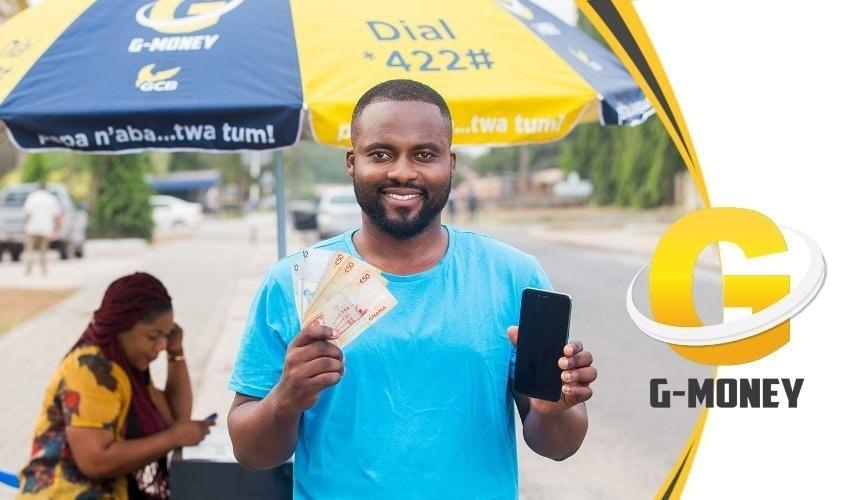
    G-money is GCB Bank’s product for the rapidly growing Mobile money market in Ghana.

    Launched in the early days of 2020, G-money is the best alternative Mobile money platform available in Ghana currently.

    The G-money platform can be used to send and receive cash from all mobile money platforms available in the Country. It can also be used to pay bills and pay for subscriptions as well.

    All banking services can be transacted on the G-money network and withdrawals can be done from G-money agents across the nation.

    As such, it is important for us to know how to register for an account on the G-money platform and how to secure our accounts as well.

    In this article, I shall lead you through the process of registering for a G-money account and the ways through which you can keep your account security on an ‘A’ level.

    How To Register For a G-money Account

    Registering for a G-money account is as simple as registering for any other Mobile Money service in Ghana currently.

    The service is open to anyone with Ghanaian identity and a registered Mobile Simcard. It works on any kind of network so long as it is Ghanaian.

    To register for the account, you need to follow the steps below:

    Visit any registered G-money agent or any branch of GCB Bank with a valid Ghanaian photo ID. It could be a voter’s ID, passport, Driver’s License or National ID. You’ll also be required to provide your name in full, your date of birth, your digital address, a registered phone number and an email address.

    Apart from the E-mail address, all other information mentioned above is very important and cannot be skipped in the registration process.

    Once the registration is done, you’ll receive a text message from your mobile operator indicating that you’ve been registered on the service.

    To access the account, you can dial *422#

    How To Secure Your G-Money Account

    Security is one thing we cannot joke with even in the least of all situations.

    When it comes to money and financial issues, security is a topmost priority for most people.

    This is not any different in the case of the G-money accounts. As an account holder and a subscriber to the platform, one needs to secure their account from security threats.

    The key to your G-money wallet is your Personal Identification Number (PIN). This is the code you use to authorize all transactions in your account.

    To secure your account completely, do the following:

    1. Keep your PIN in your head only. Do not share with anyone except you are 100% sure that you can trust them.
    2. Do not reply to any online survey asking you to enter your G-money PIN Code.
    3. Do not save your G-Money PIN on your mobile phone.
    4. Only authorize transactions you can actually confirm knowledge of.

    Conclusion

    The digitization of the world’s economy and the Ghanaian economy, in particular, is a forward trend which would only grow bigger and bigger by the days.

    Meaning, subsequently, all forms of digital payments available now would evolve into even better payment systems which would meet the demands of the moment.

    GCB Bank’s G-money is leading the pack for the new age of digital payments in Ghana.

    As important as the G-money service is to Business owners and the general Ghanaian populace, it is also important for users to secure their accounts from criminals.

    There have been several forms of criminal activities regarding the operation of Mobile Money services in Ghana. Most of which are fraudulent activities.

    Majority of these can only be perpetrated when the person has access to your PIN.

    I hope and believe that this article was instrumental in giving you all the security tips you need to know about your G-money wallet and how to register for an account as well.

    If you have any comments, reservations or questions regarding this article, kindly leave them in the comment box below or get in touch with us.

    Kindly do well to share the article with your friends and family.

  • How To Increase Your Mobile Money Transaction Limit

    How To Increase Your Mobile Money Transaction Limit

    Mobile Money transactions have significantly hijacked the payment ecosystem in Ghana. Almost everyone sees the need to use Mobile Money for transactions before the end of every day.

    However, what most people don’t know is that there are limitations on the amount of money that can be transacted using your mobile money account. These figures are compartmentalized into daily, monthly and total account balance limits.

    The Daily limit is how much money can be sent and received within a day while the monthly is the total amount that can be received and sent through your mobile money account in a single month.

    On the other hand, the account limit is the highest amount of money you can have in your account at every given time.

    Fortunately, these amounts are quite considerable and okay depending on the volume of transactions you do. For fairness sake, the limits are further grouped into tiers.

    Presently, MTN Mobile Money has 2 tiers. So, if you are on the first tier and you hope to increase your limit to a higher amount, you can request to be moved to the second tier.

    In the ensuing paragraphs, we look at the various tiers, their limits and how to apply to be moved to the next tier.

    Mobile Money Tiers and Their Limits

    As indicated previously, there are two tiers for MTN Mobile money accounts. They are the tier 1 and tier 2.

    So, here we look at the various tiers and what their limits are.

    Tier One Limits

    Daily limits: GHS 2,000. You can only send and receive up to GHS 2,000 every 24 hours if you are on this tier.

    Monthly Limits: GHS 20,000. For an entire month, you are expected to send and receive a cumulative sum of not more than GHS 20,000 under this Mobile Money tier.

    Total Account Limit: GHS 10,000. At any given time or day, your account cannot hold money or balance exceeding GHS 10,000. The highest amount you can have in your account is exactly GHS 10,000.

    Tier 2 Limits

    Daily Limit: GHS 5,000.

    Monthly Limit: GHS 50,000.

    Total Account Limit: GHS 20,000.

    How To Increase Your Limit

    Given that you are not pleased with the total volume of daily or monthly transactions you can easily request an upgrade on your account.

    So the big question is, how do you request an account upgrade and what do you need for that?

    Just follow the steps below and you’ll have nothing to worry about.

    1. Visit any MTN office near you and request for an upgrade on your Mobile money account.
    2. They’ll ask you for some documents and the ID card you used in registering your MOMO account.
    3. The process usually takes 24 hours to reflect after submitting the required documents.

    Some of the documents required include a Bank Statement from not more than 3 months ago, a Utility Bill with your name on it, Employer’s reference letter or a Registered Tenancy Agreement which has your name on it.

    Any of these documents together with the ID card you used in registering your account will pass for this process.

    Why There Are Limits On Transactions

    Limits placed on Mobile money transactions are beyond the control of the various service providers.

    The Bank of Ghana – the regulatory body of financial institutions in Ghana gives quotas to every deposit-taking and withdrawal-giving institution operating in the country.

    As such, Mobile Money services are also given a quota. That quota results in the limits given by the various operators – further divided into tiers.

    So, in effect, apart from the two tiers of Mobile Money accounts, you cannot seek an upward review of your Mobile Money wallet under any circumstance.

    This is mostly for security reasons.

    Conclusion

    Mobile money is the saviour of the Ghanaian payment ecosystem. With its introduction, many financial transactions have become easier and more flexible.

    However, pre-defined limits placed on accounts make life difficult for account owners sometimes.

    This is mostly true for individuals who transact very huge sums of money on a weekly or monthly basis. But that doesn’t have to be the end.

    You can still expand your Mobile Money account limits a notch further to contain your transactions.

    Hopefully, in the near future, the limits will be reviewed again to ensure that account holders can trade larger amounts of money.

    If you have any questions, comments or reservations regarding this article, kindly let us know in the comment box below.

    Please do well to share this article with your friends and family as well.

  • How To Send Money To Ghana And Nigeria With Small World Money Transfer

    How To Send Money To Ghana And Nigeria With Small World Money Transfer

    Sending or receiving money to or from any country in the world has been a major challenge until the introduction of modern electronic payment systems.

    Whereas these electronic payment systems have eased the stress associated with sending and receiving money internationally, Africa has not benefitted much from these.

    That’s to say, most of these payment systems only allow people to send money from Europe and the Americas to some parts of Africa. However, very few of them are able to provide a platform for Africans to transfer money among themselves.

    This is particularly true when one is sending money to Ghana or Nigeria. Most times, the only payment methods available are Paypal and Bank transfer. Obviously, of these two, the former is more appropriate while the latter takes a while longer to reflect. But, how many people in these countries have PayPal accounts?

    In this article, we shall look at one of the leading electronic payment systems which enable people to send and receive money to and from Ghana or Nigeria.

    What Is Small World Money Transfer?

    Small World Money Transfer (SWMF) is a global provider of electronic payment services with a vision to be a favourite choice for all global payment needs.

    They have been in operation for over 13 years in over 90 countries across the world and with over 250,000 cash pickup locations.

    Small world also has a global teams size of 800, covering all continents.

    Their payment services including money transfer to Bank account, Cash Pickup, Mobile Airtime Topup, Money Transfer to Mobile Wallet, Home Delivery and Cash Card Topup.

    Based on several positive reviews, the Small World Money Transfer platform is secure, fast, offers competitive exchange rates and is trusted by over 15 million users globally.

    So, if you are looking for an international electronic payment solution, you should consider this.

    How To Send Money To Ghana Or Nigeria

    First of all, before you can start sending money to anybody using this platform, you need to register for an account. So, the first step in the process is for you to create an account.

    How To Create An Account On Small World Money Transfer

    1. Visit www.smallworldfs.com
    2. Click on ‘Register’ beside ‘Login’ on the top right corner.
    3. Select your country of residence under the ‘Send Money From’ tab.
    4. Enter your email address in the next text box.
    5. Re-enter your email address to confirm.
    6. Enter a suitable and strong password in the text box.
    7. Mark the Terms and Conditions Checkbox by clicking it.
    8. Click on ‘Create Account’.
    9. You’ll receive a confirmation email.
    10. Kindly check your email to confirm your email address.

    How To Transfer Money From Any Country To Ghana Or Nigeria

    After successfully creating your Small World Money account, the next thing for you to do is sending and receiving money. Fortunately, for your first transaction on this platform, there is no fee at all. It is completely free.

    Now, let’s look at the steps for sending money. Remember that during the registration, you should select the country in which you reside now. If not, you may not be able to send money to anyone.

    1. Click on ‘Send Money’
    2. Select the country of your recipient
    3. Select the payment method you want to use
    4. Input the details of your recipient based on the payment method selected.
    5. There are limited payment methods available to various countries so choose the appropriate one. For Ghana, there is mobile money and all others.
    6. If you haven’t connected a bank account or card yet, you’ll be directed to add a payment method where your cash can be sent from.
    7. The money would be sent once you add your payment method.

    Note: Depending on the payment method selected and how soon the money is received from you, your recipient may receive the money instantly or in a few hours or days. Mobile Money Wallet and Paypal Accounts are usually instant. While Bank Transfer takes a while.

    Limits On Money Transfer And Fees

    As an International Money transfer platform, there are fees and limitations on amounts that can be transferred in one transaction. So here, we present you with all that.

    The limitations on money transfer are listed in the table below.

    CURRENCYLIMIT
    EUR  (Euro)   2,000
    USD  (US Dollar)249,999
    GBP   (Great British Pounds)     2,000
    NOK   (Norwegian Krone)   20,000
    SEK     (Swedish Krona)   20,000
    BRL    (Brazil Real)     8,000
    CHF   ( Swiss Franc)     2,000
    DKK (Danish Krone)    18,000

    Unfortunately, their fees are not openly available however, based on reviews and some transactions, their fees are by far more affordable than most other International Payment systems.

    You can download their applications on the Apple Appstore or on the Google Playstore.

    Conclusion

    Sending and receiving money in Africa is a major problem since most payment methods do not cover all parts of Africa. The world’s leading International Payment systems have for most times blacklisted some African countries including Ghana and Nigeria.

    This has therefore made it difficult for family and friends abroad to send money to people in these parts of the world. However, this should not be the case.

    Therefore, in this article, we spoke about Small World Money Transfer, a platform for sending and receiving money globally including Ghana and Nigeria. We spoke about how to send money to Ghana and Nigeria using this platform, as well as limitations on transactions and why you should use this platform.

    For any questions, comments or reservations regarding this article, kindly get in touch with us or leave a message in the comment box below.

    Please, do well to share this article with your friends and relatives as well. You Can Also Check out How To Send Mobile Money From the USA To Ghana using SendWave.

  • How To Buy Bitcoin Safely In Ghana

    How To Buy Bitcoin Safely In Ghana

    Buying bitcoin in Ghana has become relatively easier now as compared with the past, due to the numerous platforms available for selling and buying bitcoins.

    As we indicated in a previous article How To Withdraw Bitcoin Through Your MTN Mobile Money Account, there are several ways to buy and sell bitcoin in Ghana.

    In this article, we shall look at three ways of buying bitcoin in Ghana for all purposes.

    How To Buy Bitcoin Through Ecurrency4U.net

    Ecurrency4U.net promises to be the biggest and most successful crypto exchange platform in Ghana with millions of Ghana cedis worth of bitcoin exchanged so far.

    They have a huge stock of bitcoin and cash so they are your sure bet portal for selling huge volumes of bitcoin. The steps involved in selling on ecurrency4u.net are listed below.

    1. Visit the site and register for a user account.
    2. Login to your account
    3. Click ‘Buy Ecurrency’
    4. Select Bitcoin from the list.
    5. Select Your preferred mobile money platform as your payment method
    6. Enter the amount you want to buy in Dollars
    7. Enter the mobile money number you wish to pay with.
    8. Enter the name on the mobile money account
    9. Your order will be received upon successful entry of details. If you chose the automatic payment system, you’ll receive a popup on your phone, requiring you to confirm payment for the bitcoin. Kindly dial your pin code and confirm the transaction.
      If you choose to pay manually, kindly copy the number displayed on your screen and make a payment from your mobile money wallet to that number.
    10. In the case of manual payment, take note of your transaction ID as you’ll be required to type it to confirm payment.
    11. Once the payment is confirmed, the bitcoin will be transferred into your Ecurrency4u account instantly.

    How To Buy Through Remitano

    For you to be able to buy bitcoin from Remitano you need to, first of all, have an active remitano account. In the subsequent lines of this article, we shall cover:

    • How to register for remitano account
    • How to place buy order for bitcoin on remitano
    • How to make payment for bitcoin on remitano

    Register For A Remitano Account

    1. Visit Remitano.com and click Login/register
    2. Click on Google under “sign in with”
    3. Enter your email address and enter your email password
    4. You’ll be logged in to your account.
    5. Setup your account by editing your profile.

    Placing Buy Order For Bitcoin On Remitano

    1. Go to your remitano home page and click on ‘buy now
    2. From the homepage, you’ll see a list of sellers
    3. Locate the one you wish to buy from and click on buy now
    4. Enter the amount of coin you wish to buy from the seller and click ‘Buy BTC’ to open transaction window.

    Note: “Amount limits” is the minimum and maximum limit of bitcoin that the seller (ad creator) wants to trade. You can only trade within this limit.

    How To Make Payment For BTC On Remitano

    1. Copy the ad creator’s payment method details from the page, call them to verify their payment details and proceed to make payment to that number.
    2. The transaction will automatically switch to “Awaiting payment” mode.
    3. Click on ‘I have made payment‘ and type your Transaction ID into the box provided.
    4. Wait for the seller to confirm that they have received payment from you and then the bitcoin will be released to your wallet.

    How To Buy BTC On Payplux

    Using  Payplux to buy bitcoin in Ghana is one of the most convenient ways of acquiring BTC since it has a simple interface and requires less input.

    Look through the steps provided below to enable you to buy bitcoin using Payplux.

    Register For An Account

    To register for an account,

    1. Visit: Payplux.com and click on “Get started”
    2. Fill in the spaces provided for your phone number (Preferably your mobile money number), your email address, your full name and preferred password).
    3. Click on signup
    4. Check your email account for a link to confirm your email.

    Placing Order For Bitcoin

    To place an order for your bitcoin, you need to first of all access your newly created payplux account first.  After logging in to your payplux account, follow the steps below.

    1. Click on Buy & Sell in your account
    2. Click on Buy
    3. Select the coin you want to buy under the “Buying” tab
    4. Enter the amount to buy in USD (The rate is just below the box where you write the amount)

    The amount you have to pay will appear in a box just beneath that. 5. Click on Buy Bitcoin USD (… GHS)

    Making Payment For Bitcoin On Payplux

    1. Select your payment method (Mobile Money)
    2. Select the preferred network
    3. Enter the mobile number associated with the mobile money account.
    4. Click on ‘Pay Now’ to make payment
    5. Confirm the transaction on your phone when you receive a popup.
    6. The bitcoin will be released into your wallet upon successfully making payment.

    Conclusion 

    The above methods listed for buying bitcoin in Ghana are the ones we have tried and tested and are comfortable with. There are other options including buying from individuals directly. However, this comes at very high risk. Majority of the people who put up ads on social media claiming that they have bitcoin for sale at some very low rates are usually scammers and are only in for your money. In any case, only buy bitcoin from people you know and can trust. If you know of any other ways of buying bitcoin in Ghana, please let us know in the comment box. We would love to update our list based on your comment.