Author: Godwin Gabla

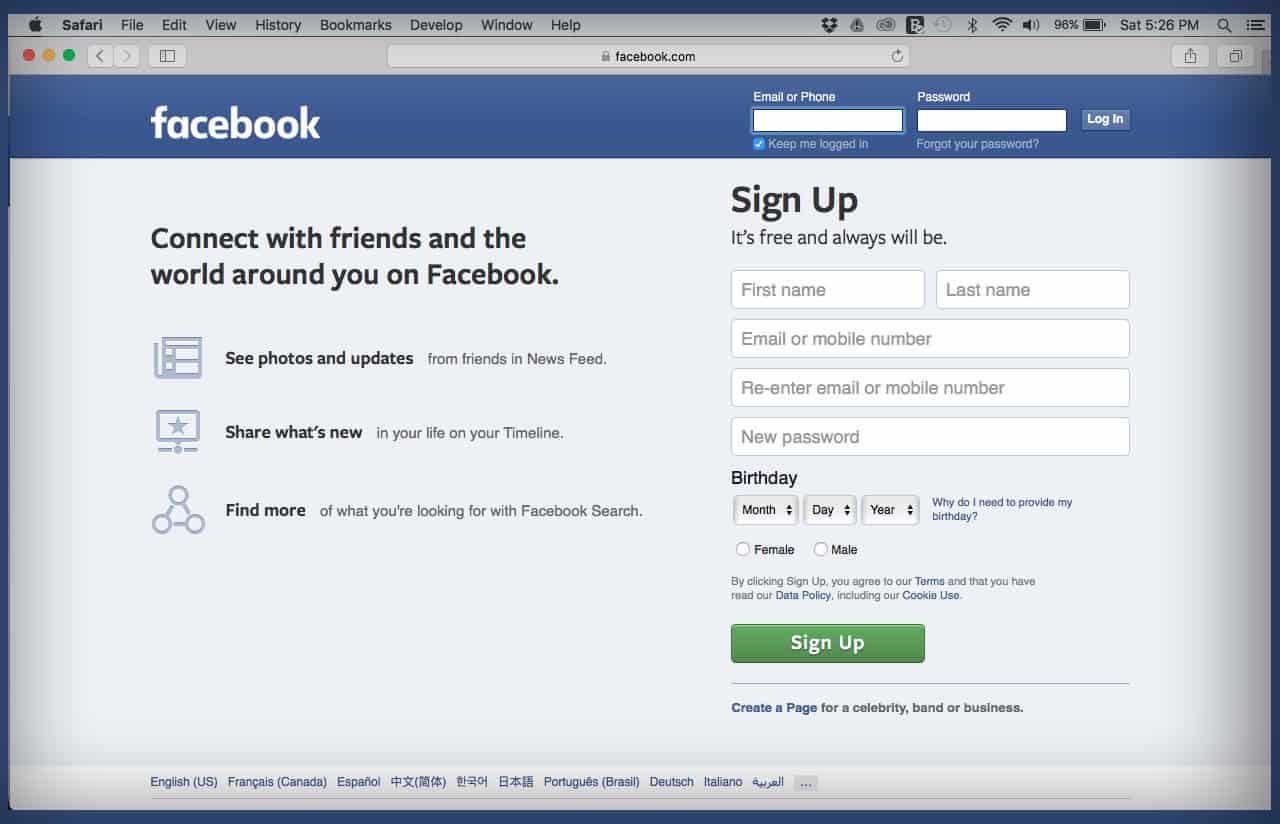
  • How To Identify Fake and Scam Facebook Pages

    How To Identify Fake and Scam Facebook Pages

    How many times haven’t you come across a Facebook page bearing the name of a celebrity or big company asking you to do something for a giveaway?

    How many times haven’t you heard of people getting scammed on Facebook by impersonators?

    The numbers are numerous. But, you probably would still fall victim in such instances. Because you don’t know how to spot a Fake or scam Facebook page.

    Perhaps, you think you know just how to spot them. But how much do you know about them?

    Well, in this article, we take a quick look at some ways to identify and fish out fake Facebook pages.

    Remember, the focus is on Facebook pages and not Facebook accounts or profiles.

    What’s a Fake Facebook Page?

    A fake Facebook page is usually a page created by scammers or unscrupulous people pretending to be other people or companies on the social media platform.

    This is done mostly by scammers or bloggers. The end goal of such pages is either to build trust with unsuspecting people and defraud them of their hard-earned cash in the case of scammers.

    On the part of bloggers, they do this to get more followers for the page and then share their blog posts there to reach a wider audience.

    Either ways, Facebook’s community rules stand against this.

    How To Identify a Fake Facebook Page

    There are some few ways to spot and fish out a scam or fake Facebook page. A few of them are explicated below.

    Unverified Pages

    The first way to spot a fake Facebook page is by checking if the page is verified.

    A verified Facebook page carries a blue tick right in front of the page name.

    Facebook provides room for big companies and celebrities as well as media organizations to be verified with the blue tick.

    Therefore if you see a page bearing the name of a big company or celebrity and has lots of followers without a blue tick, you should think twice when dealing with them.

    Note however that, page verification is done manually. You’ll have to apply for your page to be verified.

    So, if the page owners are not aware of the verification bit, then their page may not be verified.

    To be sure, you can search for pages with the exact name. If you see more than one page with one being verified, there’s a possibility that the rest are fake. Especially if they all have the same logo.

    Check for altered names

    The next step is for you to take a closer look at the page name to confirm if there’s an alteration.

    Mostly, these fake pages are created in the names of known brands or celebrities.

    So, to confirm if the page is legitimate, you should take a closer look at the name.

    Facebook makes it impossible for a page to bear the exact name of an existing one.

    So, if the brand already has an existing legitimate page on Facebook, then the scammers can’t create theirs with the same name.

    They’ll therefore usually add some special alterations to change the name of the page.

    For example; if the original page’s name is VIRGIN AIRLINE, the fake page may bear the name VIRGN AIRLINE or VIRGIN AIRLINE. or VIRGIN AIRLIN or VIGIN AIRLINE.

    Now, these scammers are so smart that they usually change very tiny details about the name so if you don’t take a closer look, you may never know.

    And no, don’t worry about checking the profile picture. It is not a strong point. Many pages can have the same profile pic so that won’t help with the differentiation.

    Pages asking for donations

    one common trait of fake or scam pages is their rampant request for donations.

    It’s just logical that a successful man like Alinko Dango wouldn’t be on Facebook asking you to donate to support a charity cause he is undertaking.

    It’s not impossible for celebrities to undertake such causes but you’ll have to take a closer look at the request, the details as well as the previous factors listed above.

    For example; if you see a call for donation on an officially verified Facebook page belonging to John Dramani Mahama for a noble cause, it’s more likely to be real than if the same thing is posted on a poorly organized Facebook page bearing a similar name.

    If it sounds too good to be true, then it really is

    The final check on this list is facts and posts on these pages.

    If you see anything that sounds abnormal or too good to be true on any of these pages, then it really is fake.

    You should employ logical judgements in such cases. For instance, if the page is asking you to send your bank details and contact so that they can send you some amount of money, you ought to think twice.

    What have you done to deserve that?

    Also, if they’re selling something at an abnormally cheaper rate, you should ask yourself why their price is way cheaper than everyone?

    You should also ask yourself why they insist on payment before delivery.

    There are so many things these pages post which should raise a red flag for you.

    If you observe carefully, you’ll see some of these things and advise yourself appropriately.

    Also, check out How To Stop Websites And Apps From Posting On Your Facebook Timeline

    Conclusion

    Facebook is the world’s leading social media platform with over 2 Billion active monthly users.

    Due to the number of people available on the platform, it provides a comfortable breeding ground for scammers and unscrupulous people to ply their trade with ease.

    Fake Facebook pages are becoming rampant and they are forming the basis for the majority of the scam activities on the platform.

    In this article, we looked at some ways to spot fake Facebook pages.

    We hope you loved the content of this article and that you’ll share it with friends and relatives.

    Kindly share your comments, reservations and comments with us in the comment box below or get in touch with us.
  • Things To Consider Before Making Online Payments with Mobile Money

    Things To Consider Before Making Online Payments with Mobile Money

    Chances are that you’ve ever made a purchase online and paid with Mobile Money here in Ghana.

    Also, chances are that you’ve heard of people being scammed through such online Mobile Money payments.

    So the big question is; how do you know if it’s okay to pay a seller online or not?

    For most of us, we are just fortunate to have completed a number of Mobile Money transactions online without being defrauded.

    But how fortunate can you be? And how long will you continue to be fortunate?

    In this article, we give you a list of things to look out for before deciding to pay for a product or service online, using Mobile Money.

    Things To Consider When Paying With Mobile Money Online

    There are a few things you ought to consider before paying for anything online, using Mobile Money so that you don’t end up getting scammed by anyone.

    Some of them are listed below.

    Check For Alternative Payment Terms

    If you’re going to pay someone you don’t know through an electronic payment system for a product, then you should do your checks well.

    Be sure to confirm from the person if there are other payment terms aside from you paying before they deliver to you.

    Ask if there’s payment on delivery options available or if they can meet you up somewhere in an open space so you pay and take the item.

    If they insist that their only payment option is Payment before Delivery, then you should think through and decide if you want to go for that.

    The Seller’s Reputation

    Buying online is not completely a bad idea. In fact, it’s a cool idea since it saves you time and the risks associated with travelling to buy an item somewhere.

    But, before you proceed to make payment for an online product, using mobile money, you should consider the reputation of the seller.

    You obviously don’t want to pay money to someone without knowing how reputable they are.

    For starters, it’s best to buy from sites and sellers who are quite popular and have good customer relation. In fact, it’s advisable to buy from people or sellers whom your friends or relatives have transacted business with in the past.

    If for any reason the person is new and hasn’t done any business with anyone you know, check their profile very well, visit their social media handles and confirm how authentic they are.

    Reviews are not always accurate

    This one is a pro tip for any online purchase. Reviews are usually not what they seem to be.

    Those sweet words put together on products and service pages? Well, they are mostly fake.

    People send their links to their friends and accomplices to comment such nice words on their products and services.

    So, if you’re going to depend entirely on those reviews to make such payments, then you’re walking wholeheartedly into a death trap and it’ll swallow you nicely!

    After checking the reviews, check the spellings, grammatical constructions and other details before giving it a go.

    Buy only with as much money as you can afford to lose

    Nobody has ever promised that you can buy online without the risk of losing your money.

    In fact, the risk is always 50% when you’re buying online. Especially if you’d have to pay before delivery is done.

    So, to stomach the risk and be ready for anything that might happen, it’s perfect to only pay as much money as you can afford to lose.

    This is not to say you won’t feel hurt, anyway.

    But, if you lose GHS 100 to a scammer, the pain is easier than losing GHS 1,000.

    So, check through your budget and consider the amount of money you can stake a bet with.

    Then spend that same amount anytime you want to buy something online using mobile money.

    Never exceed this limit!

    Conclusion

    Business and the Internet are almost inseparable in today’s world. In fact, it’s impossible to separate these two words.

    So, most people now tend to buy online even here in Ghana. Buying online comes with its own hurdles – especially in terms of security.

    In this article, we spoke about some things to consider when making mobile money payment for items purchased online.

    We hope you loved the content of this article and that it was helpful to you.

    Kindly share the article with your friends and relatives.

    Please leave your comments, questions and reservations in the comment session below.

    You can also contact us for any further enquiries.

  • Things To Look Out For Before Buying a Pendrive

    Things To Look Out For Before Buying a Pendrive

    For one reason or the other, anyone who has lived after 1998 has ever come across a pen drive and possibly used one before.

    Pen drives were introduced in 1998 to ease the frustration associated with using CDs and Floppy disks as alternative data storages to the hard disk.

    Frankly, since the introduction of pen drives or flash drives, data storage has become a lot easier and faster.

    But, when purchasing your Pendrive, there are a few things you need to know. For most people, they just check the storage capacity written on the drives and then they issue payment.

    It’s understandable. But sincerely, this could be just about the perfect way to throw away money – most times.

    In this article, we shall take you through some few things to look out for when buying a pen drive.

    We also wrote about Things To Look Out For When Buying a Memory Card.

    Transfer Speed

    Depending on the volume of data that you want to store on your pen drive and how fast you need that to be done, you should consider speed when buying the drive.

    There are basically two types of pen drives – based on speed. There’s the 2.0 drive and the 3.0 drive.

    The latter is faster than the former. With the 2.0, it can process data at 60 MB per seconds while the 3.0 can process data at about 640 MB per seconds.

    Now, the catch is that you should also consider the capacity of the computer you’re using your pen drive in.

    Most modern computers support USB 3.0 which means they are suitable to be used with pen drives with 3.0 speed.

    However, older machines only support 2.0. So if you have such machines, you should only go for pen drives at 2.0 speed.

    One thing to note is that if you use a 3.0-speed pen drive in a computer that supports 2.0, the pen drive speed will automatically reduce to 2.0.

    Why You Want To Buy The Pendrive

    More than anything else, you should have a reason for buying a pendrive.


    And that reason should form an integral part of your decision-making process regarding which drive you should buy.

    Reasons for buying the drive could range from gifting it to someone, retrieving and storing some data, as an extra storage space and so on.

    Now, the reason for buying the pen drive will give you a fair idea of the kind of pen drive to buy, the volume and what have you.

    Obviously, if you’re buying to gift someone, you might want something fancy and based on how much space the person may require, you’d know which drive to buy for them.

    The Storage Capacity

    Rightly so, the most important thing people look out for when buying a pen drive is the storage capacity.

    Let’s be real, you can’t buy a pendrive without knowing its capacity.

    What you need the Pendrive for will determine the storage capacity you go for.

    If you want to transfer a folder of high-quality movies from one machine to the other, then you’re probably looking at some hundreds of GB.

    Presently, there are pen drives which can carry data of up to 1TB. But you have to be careful with the type of pen drive you buy. Especially if it comes with such huge storage capacity.

    Brand

    There are numerous pen drives on the market presently. Some are original and tend to last longer.

    Meanwhile, there are some which are simply ‘Rip-offs’. You buy them and they start messing up in a few weeks.

    You can’t even return them to the shop where you bought them because they come with no warranty.

    Now, to prevent the frustration which comes with this situation, it’s always best to buy pen drives from brands you know and can trust.

    There are quite a good number of known tech brands which deal in the production of pen drives.

    You should look out for those brands and purchase their Pendrive. If you see a Pendrive bearing a name you can’t pronounce or a name that is wrongly spelt, you might as well just move away.

    You are more likely to face issues with a Pendrive bearing misspelt names than you would with a drive bearing a known name.

    That said, you ought to be the judge. To find out which brand you want to buy from.

    Conclusion

    A pendrive serves different purposes for different people.

    However, one thing remains for sure – we all need pen drives at one point or the other.

    But acquiring a Pendrive shouldn’t just be as simple as walking into a drinking spot and buying your favourite beer.

    There are lots of things you should know and check when buying a Pendrive.

    In this article, we spoke about some of these things which should be considered carefully when deciding on buying a Pendrive.

    We hope that you found the content of this article very helpful and resourceful.

    Share all your comments, questions and reservations about the article with us in the comment box below. Also, feel free to get in touch with us.

    Please do well to share this with your friends and relatives as well.

  • How To Register For MTN Business Mobile Money Account

    How To Register For MTN Business Mobile Money Account

    Mobile Money is a pre-requisite for every business in Ghana today. It is the most widely-used payment method in Ghana.

    Even the Waakye seller who plies her trade in a blue kiosk at Zongo Junction also accepts Mobile Money payments.

    Literally, there’s nowhere in Ghana that Mobile Money payments are not accepted or allowed.

    As such, businesses that are yet to incorporate this payment system in their daily transactions, are at the brink of extinction.

    What most businesses don’t know is that they can acquire a Mobile Money account for their business and not necessarily use a personal account for such transactions.

    The ultimate question is; why should I go for a business account instead?

    In this article, we take you through the reasons for which you should acquire a Mobile Money Business Account and how to get one.

    Why You Should Use A Mobile Money Business Account

    There are a few profitable reasons why you should choose to have a Mobile Money Business account for your business.

    Some of them are listed below:

    No Charges On Transfers

    Irrespective of the amount involved, MTN charges no money on Transfers made to or from Business accounts.

    This means that your customers can make payments to you, without worrying about the charges that will accompany such payments.

    In fact, this will even encourage more people to buy from you since they don’t have to go through the hustle of withdrawing money to buy from you.

    Higher Payment Limits

    Depending on the volume of transactions you do daily and the tier you’re on, MTN has limits on MOMO transactions.

    These limitations come in the form of daily limits, monthly limits and overall account balance limit.

    As is the case, normal personal Mobile Money accounts tend to have lower limits. Some accounts have their daily limits set at GHS 2,000 while others have theirs set at GHS5,000.

    But with the Business account, you can expect your limit to be somewhere upwards of GHS 10,000. Though this figure is not fixed for all accounts, the limits are generally higher than that of the personal accounts.

    Monthly Commission On Transactions

    Once you own a Business account, you qualify to receive monthly commissions based on the total volume of transactions you perform monthly.

    This commission also pertains to those with personal Mobile Money accounts, however, the percentage for those with Business Mobile Money accounts is relatively higher than those with personal accounts.

    Secondly, since yours is a business account and your transaction limits are higher, it’s only right that you’ll get a higher volume of monthly transactions – which translates into higher commissions for you.

    How To Register For a Business Account

    To register for a business account, you need to follow the steps below:

    1. Dial *5051# on your mobile phone
    2. Select ‘Register’ from the list which pops up
    3. Select your region of residence
    4. Wait for a moment to receive an SMS confirming your registration. A reference number will be included in the SMS.
    5. An MTN Mobile Money agent will be assigned to inspect your location
    6. After successfully passing the inspection phase, you’ll need to download and fill the Merchant Recruitment form, the Merchant Account Holder Form and the Merchant Agreement form.

    You can download the forms here.

    After going through all these processes successfully, you should be ready to use your MOMO Business Sim card now.

    It should take roughly 3 days for it to be ready in most cases.

    Conclusion

    With how widespread the Mobile Money service has become in Ghana, it’s quite unreal for any business to afford not to include it in its payment methods.

    But, choosing the right Mobile Money account to use is very important for every business owner.

    In this article, we spoke about why you need a Mobile Money Business Account for your business and how to register for one of such accounts.

    We hope that you loved the content of this article and you found it helpful.

    Kindly let us know your comments, thoughts, questions and reservations in the comment box below or get in touch with us.
    Please, do well to share with your friends and relatives who may find it helpful too.

  • 4 Reading Apps for Book Lovers

    4 Reading Apps for Book Lovers

    Books have for long been a cherished tool and source of information to many people.

    Whether you just want to while away time, you want to gather new pieces of information or just try to entertain yourself, books always come in as a handy choice.

    Thanks to the digitization process, the days of paperback books are finally fading and we’re wading more and more into a new world of digital books.

    Most people now own smartphones and reading devices that enable them to read quite a chunk of books online.

    But, how many reading apps do you know? And which ones have you used before?

    Did you get the books you wanted from the app you used?

    In this article, we take you through four of the best reading apps you can use on all devices as a book lover.

    Goodreads

    Goodreads is arguably synonymous with an eBook reader. It holds in its bosom a user database of over 40 million and over 1 Billion books.

    These books are drawn from various genres, categories and authors all over the world.

    Books in this app are mostly segmented based on recommendations made by the app for you, those made by your friends for you and the best collections on yearly basis.

    The Goodreads app is available on IOS and Android devices.

    What’s more, it’s completely free of charge! You can download the app now and start reading any book of your choice from the large collection available.

    Goodreads also has an interesting Barcode scanner feature that enables users to add paperback books to their digital reading list on the app.

    Wattpad

    Wattpad is more like a digital reading community. With Millions of readers scattered across the world, Wattpad offers an opportunity for readers and writers to meet and share ideas.

    Writers are provided with a rapidly growing readily-hungry audience to feed with their magnificent works of art.

    Wattpad is available on IOS, Android and also on the web as a web app. It is primarily a story reading app.

    Users can read their favourite stories in chapters as blog posts. Wattpad however makes revenue from in-service ads.

    So, you could expect to see some ads when using this application. There’s a premium version that takes off the ads though.

    You can get this for 5.99 USD per month.

    Epic!

    Top of the class! Yes, that’s how to describe Epic! It’s the leading reading app for kids younger than 12 years of age.

    Epic! provides a wide range of books for children under the age of 12. From age-based readers to books for learning languages and down to study materials.

    Due to the relevance of Epic! in teaching and learning, most schools encourage the use of it among their students.

    You can download this app on your IOS or Android device. It goes for a cool 7.99 USD per month for parents and their children.

    Educators can however get it for free.

    Inkitt

    Inkitt is the perfect fit for an online library. It has thousands of books cutting across various genres and categories.

    The app is owned by a publishing firm that stocks its online library with books from various authors and drawn from various categories.

    Users can download books from the application and save these books in their offline library.

    It is also a self-promotion platform for new authors.

    The Inkitt application is available on IOS and Android applications and it’s free of charge.

    Conclusion

    Reading is one of the best ways to entertain yourself and gather information.

    But today, paperbacks are gradually fading out and eBooks are taking over. This is highly necessitated by the influx of smartphones on the market.

    Due to this, there are hundreds of applications available for reading eBooks online. Choosing from them is merely a hard battle.

    Getting the right application to read these books on your smartphones is really necessary.

    In this article, we spoke about Goodreads, Inkitt, Wattpad and Epic! as some of the best applications for book lovers.

    We hope you found this article helpful and that you’ll share it with your friends and family.

    You can also check out our article on 5 Popular Ghanaian Ebooks You Should Read

    Kindly leave your questions, comments and reservations about this article in the comment session below. You can also get in touch with us for further enquiry.

  • Things To Look Out For Before Buying a Memory Card

    Things To Look Out For Before Buying a Memory Card

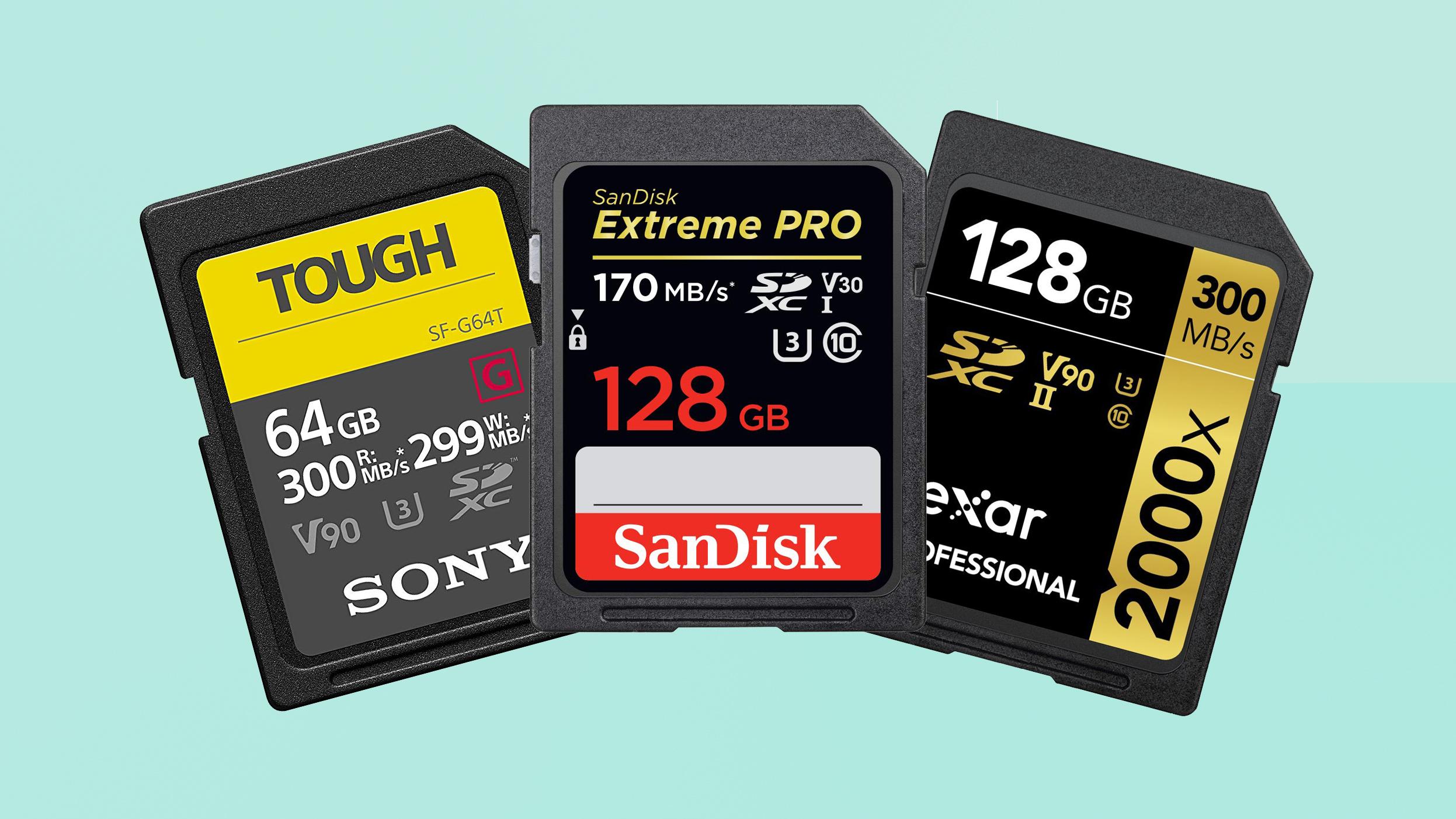
    SD cards or memory cards are one of the most popular mobile add-ons purchased by most people.

    Whether you’re a smartphone user or a feature phone user, you have at one point in your life had to purchase a memory card.

    Even though most phones produced after 2013 are designed with huge internal memory capacity, most users still require extra memory space.

    Therefore, most of these phones still come with external memory card slots – except for iPhones.

    For most people, when purchasing a memory card, the premium focus is on memory capacity.

    Once they see higher volumes written on the card, they are impressed and ready to dish out some money.

    If you’ve ever done this, know that you’ve been doing it the wrong way.

    There are several other features which should be considered when selecting a memory card to buy.

    In this article, we take you through all those features and what you might be doing wrong.

    Memory Type

    What most people don’t know is that Memory cards actually come in types. There are two basic types of memory cards. They are the SDHC and the SDXC.

    The SDHC is an abbreviation for ‘SD High Capacity Memory Card’ while the SDXC is an abbreviation for ‘SD Extended Capacity Memory’.

    Depending on what your phone specifications are, you may have to choose a memory type which matches it.

    For instance, if your phone accepts external memories of up to 64GB, you should consider buying the SDHC memory card. It’ll work perfectly in it.

    However, if your phone supports higher external memory of up to 1TB, then it’s perfect to go for the SDXC.

    So, yes! The memory type matters so much when you’re selecting your memory card. It’s usually written boldly on the package so you can see if it’s the best fit for your phone.

    Memory Card Speed

    I know this will surprise you. But, memory cards have speed. Just like pen drives and other devices.

    Memory cards are ranked based on how much data they can process per minute.

    The ranking is on a scale of 1 to 10. With 1 being the lowest and 10 being the highest in terms of speed.

    To determine the speed of your memory card, you should check the UDMA rating written on the card.

    A UDMA rating of 1 means the card is slow while a UDMA rating of 10 means the card is super fast.

    CAPACITY

    Obviously, this is the most common one. You are already used to this one but I still had to put it on the list anyway.

    After all, of what good would it be for you to buy a memory card without checking its capacity?

    It’s the memory capacity you want, anyway!

    Depending on what you need that extra memory space for, you may decide to go for a smaller memory capacity or a bigger one.

    Obviously, if you’re up for photos or videos, then you may be considering a higher memory capacity.

    Memory Size

    The size of your memory card is also one of the most important things you need to consider.

    Size here means physical dimensions. And not storage capacity.

    Memory cards have evolved over the ages and so there are various forms available on the market.

    Getting the right size is important so you can use it in your phone.

    There are two main sizes of the memory card. There’s the standard-sized memory card and there’s the micro SD card.

    You should check the external memory card port on your phone to see which size is applicable.

    Memory Card Brand

    Finally, the last thing you should check before buying your memory card is the brand.

    After checking all the factors listed above and confirming that the memory card you’re buying is a good fit for your phone, this final step is very important.

    Due to the influx of many fake devices and materials on the market, you can’t afford to buy just anything.

    In fact, there are many fake memory cards than there are legitimate and original ones.

    To prevent yourself from buying a fake memory, the best thing is for you to stick to known brands.

    Don’t buy a memory card brand which sounds a bit strange or wrongly spelt.

    Don’t buy a memory bearing SUMSUNG since you know there’s no authentic brand like that.

    Conclusion

    Memory cards are very important in today’s world. Almost all smartphone and feature phone users have memory cards in their phones.

    A memory card gives you an extra storage space which you can use for just about anything.

    But, getting the right memory for your phone can be a problem. This is particularly true because you don’t know what to check out for when buying one.

    In this article, we looked at some 5 things to look out for when buying a new memory card.

    We hope the article was helpful to you and that you’ll share it with your friends and relatives.

    If you have any questions, comments or reservations about the article, kindly share them with us in the comment box below or get in touch with us.
  • How To Make Money From Your Whatsapp Status

    How To Make Money From Your Whatsapp Status

    Making money is one of the most discussed topics in the world today.

    Everywhere in the world, there are people always discussing ways of making money to support their chosen lifestyles.

    As interesting as the topic sounds though it is always difficult to come out with the right answers as there are numerous ways to make money today.

    If there is anything very depressing, however, it is the act of buying data regularly to stay active on social media without making any money back to purchase data in future.

    The most-used messaging platform in the world today is Whatsapp and its feature – Whatsapp Status is the most-used feature as well.

    With the amount of time and data people spend on Whatsapp and its attendant Whatsapp status daily, it is only genuine for people to be concerned about how to make some money through their Whatsapp Status.

    In this article, we shall provide you with somep practical ways of making money through your Whatsapp Status.

    Advertise People’s Products For Commisions

    One of the easiest and best ways of making money on your whatsapp status is by advertising other people’s products on your status for commissions.

    In order for you to attain some level of success with this option, you need to first of all build a loyal list of people who always view your status.

    Then, continue to post interesting videos and photos especially to keep more and more people watching your status daily.

    Once you are convinced about the number of people watching your status and you are certain that you can make some good money by selling to them, you can start the next step.

    The next step here is for you to contact individuals on your list or people on other platforms you belong to who sell products you think you can market to your status viewers easily.

    If you have students on your list, you should try products that are mostly appreciated by students. These could include beauty products, students’ food products and others.

    When you get the right person to partner with, you then discuss with them how much you can make on each item sold.

    Most times, you have to add your commission to the selling price when advertising. So if the product is 10 cedis, you can market it at 13 cedis. So your commission is 3 cedis.

    If you get someone who is interested and buys the product, you make 3 cedis off the sales.

    This particular method can give you good cash especially if you have workers on your list and you are able to sell cars, houses or electronic gadgets such as phones and laptops to them.

    The key here is that you have to market something that those viewing your status may be interested in.

    Use Whatsad Marketing

    Knowing how powerful the Whatsapp status can be, with over millions of individuals viewing photos and videos on WhatsApp status daily, a Ghanaian digital marketing company has developed a model for helping users of WhatsApp make money through their status by displaying ads on their status.

    The platform known as Whatsad works on pay per view structure.

    How Does Whatsad Work?

    As indicated earlier, Whatsad works on a pay per view structure where Publishers are paid for the views they receive on ads posted on their status every 24 hours.

    So, Advertisers (Individuals willing to market their business) contact Whatsad and register for an account on their platform. Then they pay Whatsad from 10 Cedis and above to advertise their products or services on the status of its marketers or publishers.

    When an individual registers as a Publisher or Marketer with Whatsad, they are given specific images or videos via the platform which they are supposed to share on their status.

    If by the end of the day, you get 50 views per ad on your status, you get paid 50 pesewas for each of those ads.

    However, you can only withdraw when you reach a threshold of 5 cedis on your account. You can withdraw through all mobile payment methods available.

    How To Use Whatsad As A Marketer

    Follow these steps to start using Whatsad as a marketer.

    1. Visit whatsadmarket.com or download the Whatsad Marketing App from Google PlayStore.
    2. Click on signin or login.
    3. Select Register.
    4. Enter your name, country, city, mobile money number, email address, and password..
    5. Click on register.
    6. Login to your account.
    7. Look under my ads tab.
    8. Select and download the ads available to you.
    9. Upload on your status and on social media.
    10. When you get over 50 views, take a screenshot and upload on the app or site to redeem your money.

    The more the number of ads you display on your status from Whatsad, the more you tend to make money.

    Conclusiom

    Making money on your WhatsApp status is not entirely difficult or gross. In fact, it is very easy to do, provided you know the people you have on your list and you keep them glued to your status all the time.

    The methods listed are not exhaustive, however; they are the tried and tested methods that seem to work. If you have any other methods, kindly do well to leave them in the comment box. Please don’t forget to share this post and follow for more updates.

  • How To Let Google Assistant Remind You Of The Weather Everyday

    How To Let Google Assistant Remind You Of The Weather Everyday

    Your smartphone is not just a device for entertainment and making calls. Your smartphone can become your personal assistant and do virtually everything you want it to do.

    Thanks to the android operating system and google’s powerful Artificial Intelligence systems, your smartphones can now give you daily weather forecasts and updates.

    You are probably aware that Your Google Assistant Can Read Stories To You. But what you may not have known is that your Google Assistant can also remind you about daily weather updates.

    In this article, we take a look at how to set up your google assistant to remind you of daily weather updates.

    We also take you through how to check your daily weather update with the google assistant.

    So, first, let’s look at what Google Assistant is.

    What’s Google Assistant?

    Google’s Assistant is Google’s innovative entry into the Artificial Intelligence (AI) marketplace.

    The Google assistant is an Artificial-Intelligence powered software which serves as a virtual assistant.

    It is basically available on Smartphones and smart home devices. The Google Assistant usually engages in two-way conversations with its users.

    This means; it can receive commands by voice note and provide feedback through the same means.

    The Google Assistant can help users with many tasks including reading notifications to you, controlling your music, running timers and reminders, open apps on your phone and so many others.

    How To Set Up Your Google Assistant To Inform You About The Weather

    The approach to setting up your Google assistant for Weather updates varies from device to device.

    So, here, we shall look at how to set it up on your android phone and how to set it up on your iPhone or Ipad.

    How To Set The Google Assistant Weather Update On Your Android Phone

    Follow the steps below to set up the Google Assistant weather update feature on your android phone:

    1. On your phone, touch and hold the home button for a while or say ‘Hello Google’ to activate the Google Assistant.
    2. Say these words ‘Send me weather every day’. You can also type it if you wish.
    3. Select ‘Yes’, when asked if you want to receive the updates daily.
    4. Select a time of the day to receive your daily updates.

    That’s all. Once you select your time for daily updates, your assistant will give you success notification – indicating that the setup was successful.

    How To Set Up Your Google Assistant Weather Reports On iPhone and Ipad

    Iphone and Ipad users are not left out of the goodies presented by Google Assistant.

    To setup the weather report reminder on your iphone or ipad, kindly follow the steps below:

    1. Open the ‘Google Assistant’ app on your iphone or ipad.
    2. Tap the microphone which appears on the Google Assistant window. If you wish to type the command, then tap the ‘Keyboard’
    3. Say the following words; ‘ send me weather everyday’. You can as well type those words if you prefer to.
    4. Do select ‘Yes’ when asked to confirm if you’d like to receive your info daily.
    5. Select a time of the day for receiving such updates.

    How To Check and Confirm Your Daily Updates

    To ensure that your susbcription to the daily weather update is successful, Google has an option available for you.

    The process is different on android phones and Apple devices. See the various steps below.

    How To Verify Your Subscription On Android Phones

    To verify your Google Assistant daily weather update on your android phone, kindly complete the steps below:

    1. On your phone’s home page, press and hold the home button. You can also say ‘Hey Google’
    2. Next, say ‘ See my daily subscriptions’ or ‘What are my subscriptions?’. You can also Type the words.
    3. A list of your daily subscriptions will be made available so you can confirm if the weather report is part.

    In case it isn’t part of the list, then you have to go through the steps for subscriptions listed above.

    How To Verify Your Subscription On Apple Phones

    1. Open the Google Assistant application on your iPhone or iPad.
    2. Tap the microphone if you wish to use voice command. You can also tap the ‘Keyboard’ if you wish to use text command.

    3. Finally, say or type: ‘What are my subscriptions?’ or ‘See my subscriptions’

    Conclusion

    Worried about the numerous changes in the weather pattern these days?

    Thinking you might get whipped up in some heavy rain while stepping out for your next appointment?

    Well, your phone could be a little saviour for you. Thanks to Google’s virtual assistant – Google Assistant.

    You can set up daily weather report reminders on your phone and have them delivered to you every single day.

    This article gives you an overview of what Google Assistant can do for you, how to set up the daily weather report reminder and finally how to verify your subscription.

    We hope the content of this article was helpful to you and that you’ll share it with your friends and relatives.

    If you have any questions, comments or reservations, kindly let us know in the comment box below or get in touch with us.
  • How To Download Android Apps Without Using Google Playstore

    How To Download Android Apps Without Using Google Playstore

    As an Android user, the number one place to get all your applications and software is the Google play store.

    This is primarily for its safety. But, there are times when you may need some applications but may not find them on Google playstore.

    In such instances, how do you get the apps without having to go through the Google Playstore app?

    In this article, we shall guide you through how to download any android app without using the Playstore.

    But, before we delve into that, let’s look at some of the reasons why there are some android apps unavailable on the Google playstore.

    Why Are Some Android Applications Not Available On Google Playstore?

    Google Playstore may look like the home of android applications. But frankly, there are thousands of android applications which are not available on this platform.

    So, the big question is: Why?

    1.Inability To Pay Developer Fee

    You may get to download various applications for free on the Google Playstore. But, apart from Google’s own products on the platform, the owners of every other application you see on the platform had to pay some USD 25.

    This may not be really huge for you but for some developers, they don’t see the reason for them to pay this amount just to have their free apps listed on the Playstore.

    So, for some funny reasons, they decide to keep their applications away from Google’s Playstore.

    2. Google’s Disapproval Of Such Apps

    Usually, after getting your developer account with the USD 25, you are entitled to upload as many applications as possible.

    But this is only possible if you do things right. If you don’t submit applications which go against Google’s rules and regulations.

    So, when you submit your applications, they go to a review process. During this process, Google may either decide to approve your application or throw it out of the window.

    For most developers, they already know the rules and regulations governing the use of the Google Play store. So once they realize that their applications may go against the regulations, they keep them away from the store entirely.

    Others also submit the applications only to realize later that they go against the rules of the platform.

    So, in such situations, the obvious solution is for them to keep the apps away from the Google Play store.

    Since we’ve now seen why some applications are kept away from the Google Playstore, it is only appropriate for us to look at how to install such apps on your android phone.

    How To Change Your Android Phone Settings To Accept Applications Not On Playstore

    To enable your phone to accept and install an external application apart from those on Playstore, you’d have to change your phone’s setting.

    So, to do this, kindly follow the steps below:

    1. Go to settings in your phone menu
    2. Select ‘Apps and notifications’
    3. Select advanced
    4. Select special app access
    5. Scroll down and select ‘Install unknown apps’
    6. Select the browser you wish to download the app with
    7. Press to turn on ‘Allow from this source’

    If the steps above don’t work for you, it means you’re using an Android version lower than 8.0. In that case, you should follow the steps listed below instead;

    1. From your menu, go to settings.
    2. Select ‘Security’
    3. Turn on ‘Unknown sources’

    Where To Download The Apps

    After successfully turning on your phone’s ability to install apps from unknown sources, the next thing is for you to download your apps and start enjoying.

    There is practically a large score of sources for downloading and installing applications on your phone. Some of them are applications on their own and some others are just websites.

    Here, we shall look at some of the apps which you can use to download APK files on your smartphone without the use of the Playstore.

    APK Mirror

    APK Mirror is one of the authentic sites and apps for downloading your favourite android applications free of charge.

    In fact, it contains hundreds of thousands of applications. It contains applications available on the playstore and those not available too.

    For the most part, the APK Mirror is made of older versions or other versions of some popular apps.

    Downloading from this platform is entirely legal and is usually as safe as it may be to download from Playstore itself.

    APKPure

    APKPure is also an alternative to APK Mirror. The APK Pure app, however, provides more categories and more applications for download. It covers a wide range of popular and newer applications than even the Playstore itself.

    If you’re seeking to download photo filters and video editors, then APKPure is a good call for you. It’s filled with lots of photo and video editing applications.

    Amazon Appstore

    The official Amazon Appstore is also a good repository of some cool android apps which you can easily download on your phone.

    The Amazon AppStore works almost the same as the Google playstore, in that, it provides a large database of both free and paid applications.

    You can also get to download some paid applications for free using Amazon’s promotions and gift cards.

    Like APK Mirror, the Amazon application is very safe.

    Conclusion

    You don’t have to rely on your Google Playstore all the time for applications. You can download thousands of android applications from other sites and applications free of charge.

    In this article, we spoke about some of these platforms which allow you to download android apps, how to set your phone to accept such applications and why some apps are not on the Playstore.

    It is also important to note that, there are hundreds of other applications and websites out there for downloading android applications. But due to their open-source nature, they are more than likely to contain malware.

    So in your attempt to by-pass Google Playstore in downloading your android applications, always make sure to download from trusted sources.

    If you have any questions, comments or reservations regarding this article, kindly let us know in the comment box below.

    Please, do well to share this article with your friends and family as well.

  • How To Use The Telegram Music Video Bot

    How To Use The Telegram Music Video Bot

    Bots are gradually taking over the entire online space.

    Prominent among them are chatbots. These are increasingly being used by businesses seeking to automate their messaging platforms.

    In fact, it is projected that chatbots would become the biggest online business assets in the coming few years.

    Of course, apart from Chatbots, there are many other bots – used especially on social media. Telegram is one of those platforms which largely encourage the use of bots.

    Its basic framework allows for channel admins to add bots to assist with the regulation of their channels.

    Due to the open-source nature of the Telegram app, it creates rooms for other people to add new features from time to time.

    One of the least-known features of the app is that it can be used to search, download and play songs and music videos. This is possible due to the telegram music bots.

    In this article, we look at these music bots and how to use them to play music videos on the platform.

    So before we proceed to how you can use the bots to find and watch music videos, let’s look at some of the best Telegram bots for this purpose.

    Music Chatbots On Telegram

    Here are some of the best music chatbots on Telegram. Read through the list to see the full scope:

    Spotybot

    Spotybot is a Telegram music bot specifically dedicated to Spotify. So, it tracks, searches and retrieves songs from Spotify playlists and albums based on the users’ instructions.

    So, to get the best out of this bot, you must be sure that the song you are seeking is already available on Spotify.

    How To Use Spotybot

    First of all, search for the Spotybot in your Telegram system search box. In your results, you’ll see the Spotybot channel and then you’ll see the spotybot itself.

    Ignore the channel and go for the spotybot itself. Be sure to select the one with the Spotify logo.

    Once you’re in, follow the steps below:

    1. Click on ‘Login’
    2. Provide your Spotify account details and login.
    3. Return to the bot
    4. Enter the name of the song or artiste whose songs you want. Type it in this format ‘@Spotybet Eminem Made by @eug91
    5. The bot will report results that match your search them. You can then select the one you want and start enjoying.

    The bot produces both video and audio results.

    FindmusicPlease Bot

    The Findmusicplease bot is one of the greatest music bots on the Telegram platform. It is a general one and gets almost every song that can be found on a search engine.

    Unlike the Spotybot which only retrieves music from Spotify, this particular bot can be used to search and get any song at all that has been previously released.

    This is how to use the bot:

    1. Search for the bot in your Telegram system search box.
    2. Launch the bot
    3. Click on ‘start’
    4. Next, type the song title or name in the chat
    5. Wait for a few seconds and the song will be available for you to download.

    Bing Music Bot

    Just as the name suggests, the Bing Music Bot is the official Telegram music bot for Bing.

    It searches for and retrieves almost all songs ever uploaded to various websites on the internet. It looks out for Vevo, Youtube videos and audio from various streaming sites and just about anywhere on the internet.

    With this bot, you can get any music file – audio or video from the internet.

    This is the steps involved in using this bot:

    1. Search for the Bing Music Bot in your Telegram system search bot.
    2. Launch the bot
    3. Click on ‘Start’
    4. Type /Song to search for a song
    5. Enter your song title and hit enter

    A list of songs would popup and then you can choose from the ones available.

    Conclusion

    Technology has changed lots of things. And it keeps changing lots of things due to its continuously changing nature.

    One of the trendy ways to communicate with your Telegram application is the use of bots. Now, channel owners and managers can set up bots to act in their absence.

    Same also, you can download and listen to your preferred music on-the-go using Telegram bots. With these bots, you don’t have to do the hard work of searching through search engines and other streaming apps to get the song of your choice.

    With just a few taps, you can get your song downloaded on your Telegram app and ready to play.

    This article provided a full overview of what these Telegram Music Bots are and how each of them works.

    We hope that you find this article helpful and that you’ll share it with your friends and family.

    If you have any questions or comments regarding this article, kindly leave them in the comment box below and we shall attend to it. You can also get in touch with us.