Author: Godwin Gabla

  • G-Money: Overview Of Services and Charges

    G-Money: Overview Of Services and Charges

    Globally, digital money is the new money and so many businesses and ventures have come to accept and include this fact in their business dealings.

    In Ghana, the most common form of Digital currency or e-currency is Mobile money. Be you a student, a trader, a business owner, a government worker or private sector worker, you have had to use the Mobile Money service at one point or the other in your dealings as a Ghanaian.

    Interestingly, there are quite a number of Mobile Money service providers to choose from in Ghana. It usually comes down to which of them you fancy and which one the recipient uses.

    However, there should be more reasons why people decide to use a certain Mobile Money service. Some of these reasons may be the services they cover, the usage points and the charges on transactions.

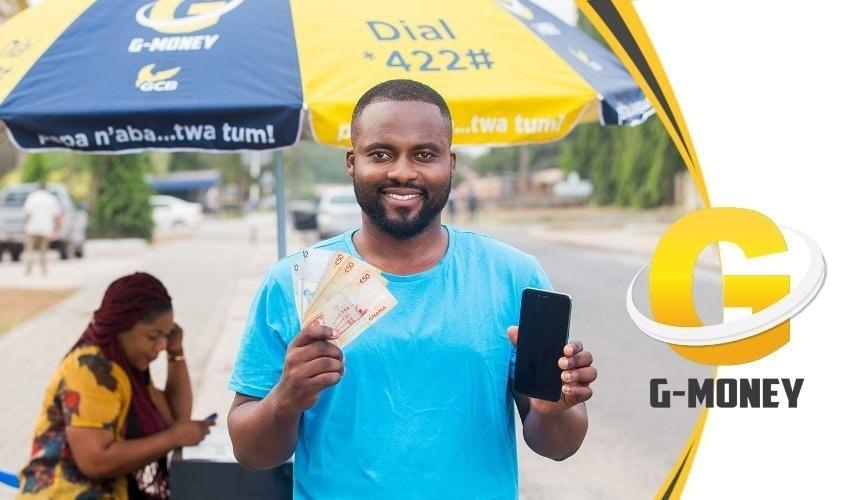
    In this article, we shall introduce you to GCB Bank’s G-money mobile money service and the charges as well as services it covers.

    G-Money Charges

    GCB Bank’s G-money is the best among the rest when it comes to mobile money operation charges in Ghana.

    On the market, G-money has the best Interoperability charges, the best Peer to Peer charges as well as the best withdrawal charges available presently.

    Peer To Peer Fees

    With G-money, you pay as low as 0.50 GHS when you send money below 1,000GHS to any mobile money account in Ghana. Irrespective of the amount you are sending, once it is below 1,000GHS, you are charged a flat fee of 50 Pesewas.

    For those sending monies above 1,000GHS, it comes at a flat fee of 1GHS only. Interesting right? From 1,000GHS upwards, you pay just 1GHS fee whereas other Mobile money companies charge at least 1GHS for every 100GHS sent.

    Mobile Money Interoperability Charges

    With the new mobile money Interoperability policy introduced by the government of Ghana, individuals and businesses can send and receive money across all mobile money platforms in Ghana.

    Of course, there is a caveat to it. The charges for such inter-network transactions are usually exorbitant. Some as high as 3 cedis for every 100GHS transaction.

    Well, G-money seems to be the answer to our cry for better interoperability rates.

    The G-money platform charges a flat fee of 10 GHS on all transactions from 1,000GHS and above while charging 1% on all transaction below 1,000 GHS for all inter-network transactions.

    For withdrawals, G-money charges 1% on all transactions above 50 GHS and charges between 10 pesewas and 50 pesewas on transactions between 10 GHS and 50 GHS.

    G-Money Services

    As Ghana’s latest Mobile Money platform and the first to be introduced by a Bank in the country, G-money offers a wide range of services which makes its usability very flexible.

    Some of the services offered by the G-money platform are listed below:

    • Airtime purchasing for all networks
    • Bank transactions
    • Payment of bills
    • Receiving and transferring money across various networks
    • Group contribution accounts
    • Depositing and withdrawing money through agents.

    Also, check out each of the services offered by G-money.

    Conclusion

    If there is one thing that has become an integral part of our lives as humans, it has to be technology.

    With time, technology has evolved and found a way to position itself in our homes, offices, business centres and public places each and every day.

    One key change which technology has brought to the socio-economic sphere of the Ghanaian people is the way we handle money.

    Today, the market woman doesn’t need to hold huge sums of money in bags from one place to the other. Thanks to technology, mobile money platforms are available to deal with this.

    In this article, I focused on the newest mobile money platform in Ghana – G-money, its services, the charges and how it differs from the other mobile money platforms in Ghana.

    I captured how G-money offers a flat rate on Transfers above 1,000GHS, how it offers a lower mobile money interoperability charges as well as the charges associated with withdrawing money from your G-money wallet.

    I hope this article was helpful to you and it gives you reasons to register for a G-money account.

    You can read more on how to register for a G-money account.

    For more information, enquiries and comments on this article, kindly leave them in the comment box below or get in touch with us.

    Please do well to share with your friends and family.
  • How To Convert Your Old Analog TV To Digital

    How To Convert Your Old Analog TV To Digital

    Change is the only constant thing that has existed in this world for as long as the world has existed.

    Many things have had to change over the course of the past centuries and millenniums.

    One thing that has however seen tremendous changes in the past century or so is technology and its impact on the livelihood of people.

    Some years back, television sets came as a box with a cover which had to be unlocked with a key before one could tune in to their preferred TV channel to watch.

    Eventually, there was a transition from black and white television sets to coloured television sets, therefore making viewing more pleasurable.

    Subsequently, TV sets and television transmissions have moved from the analogue age to the digital age.

    Today, you can capture all TV stations in the world by installing a satellite dish and connecting your TV set to it. This was never the case previously.

    Unfortunately, the old and analogue Television sets cannot benefit from the digital area of television transmission which comes with the satellite dish.

    However, there is good news for those who still have such analogue television sets. They can still have access to the digital system without necessarily having to change their TV sets altogether.

    In this article, I shall discuss with you how to convert your analogue Television into Digital Television.

    Converting Your Analog TV into Digital TV

    Naturally, this would sound rather impossible but don’t doubt anything in the face of technology.

    Since the TV set is analogue and the idea is for you to convert it into a digital TV, there is the need for a converter to convert digital data into analogue data for the TV set to read and interpret for the viewer.

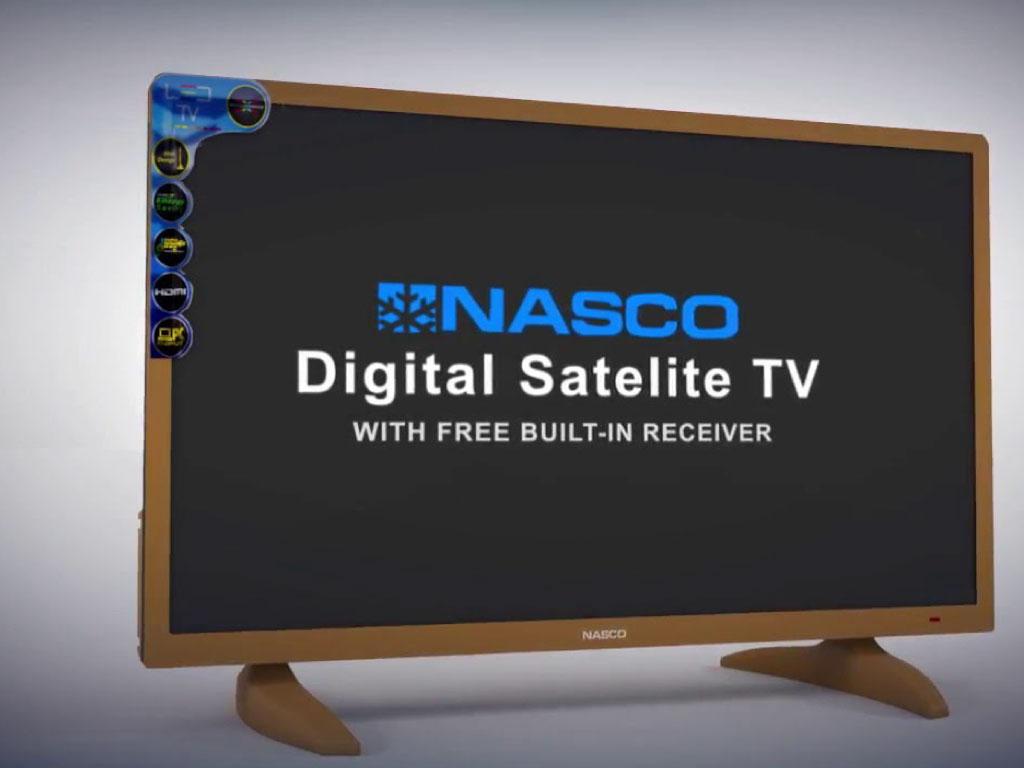
    Every Satelite and digital tv comes with an in-built Satelite receiver and decoder which automatically receives signals from the satellite dish and interprets it for the TV to use.

    However, in the case of the Analog TV, there is no such in-built device or decoder hence the need to purchase and use an external decoder which functions perfectly as the in-built decoder used in Digital Television sets.

    So, for you to convert your analogue Tv into digital Tv, you need to follow the steps below:

    1. Purchase a digital and satellite decoder from any reliable electronic shops around.
    2. Purchase a set of satellite dish receiver.
    3. Get an accredited installer to install the dish for you and connect it to your TV.
    4. Turn on the decoder, turn on your TV and start enjoying digital television.

    Note: there is the need for you to get an accredited or a certified dish installer to take care of this so that you do not mess up the system. It requires some technical values.

    Types Of Tv Decoders Available

    When you are caught in a situation like this, there are lots of options for you to choose from in terms of your choice of a decoder to buy.

    However, some decoders are considered to be of more quality and last longer than others.

    Here, I’ll try to list some of the best decoders available on the market and how you can acquire them.

    1. The Multi TV Digital Satelite Combo Decoder. This decoder comes from Multichoice Multimedia, the owners of MultiTv, DSTV and many other TV production firms. You can get the Multi TV Digital Satelite Combo Decoder from any Multichoice office nationwide or any electronics shop around.
    2. Strong Tv Decoder. This is also free to air TV decoder which gives you access to all digital and satellite TV channels for free. You can get a strong Tv Decoder from all electronics shops across Ghana.
    3. Quality Syndicated Tv Decoder. It is also another Digital and Satelite Decoder which gives you access to thousands of channels at no extra cost. You can get it on all online electronic shops in Ghana and also in any electronic shop nearby.

    Conclusion

    The world has gradually turned to the digital way of doing things. Many things which once upon a time were analogue in nature, have tremendously changed to the digital era.

    Television signal transmission has also been affected by this change. When you go to most parts of the world today, Digital television has dominated their TV viewing experiences.

    The story is not any different in Ghana. This situation, therefore, leaves those using the analogue Television sets out of what is happening in the world presently.

    In order not to be left out, there is the introduction of Digital and Satelite TV decoders to help transform these TV sets into digital TVs.

    In this article, I took you through the steps involved in converting your analogue television set into digital television.

    I hope the content of this article was helpful to you and that it answered all the questions you had in mind.

    If you have any questions, comments and reservations regarding this article, kindly let me know in the comment box below.

  • Apps That Have Nice Filters To Make Your Photos Look Beautiful

    Apps That Have Nice Filters To Make Your Photos Look Beautiful

    Thanks to the inventors of smartphones, we don’t need digital cameras to take beautiful and professional photos for our Dps and social media accounts anymore.

    Today’s smartphones, from the latest iPhones to the latest Android devices all have wonderful primary and secondary cameras which make photography easier and even more common than it was previously.

    In spite of this, we still need that extra touch of elegance and creativity to make photos taken by smartphones look more beautiful and professional.

    To attain this, people mostly fall on filters on their phones to work out some great creativity in their photos.

    In this article, I shall introduce you to 5 mobile apps that have nice filters to make your photos more beautiful.

    Snapseed

    Talking about apps with filters for editing and making your photo very beautiful, Snapseed should definitely be on your list.

    Snapseed comes with a wide range of filters which make your photo more beautiful than you could ever imagine.

    It has a total of 29 tools and filters which include HDR, healing, brush, glamour glow, grunge and many other filters for correcting blemishes and changing colour grades of photos.

    Also, you can save your best look with this application and apply it to any new photos you take.

    It is available on both iOS and Android devices.

    Pomelo

    Pomelo is one of the most useful photo editing apps on the mobile platform with over 40 free filters which are available on both the android system and the Ios system.

    Aside from the basic editing tools such as Brightness, contrasts, sharpness, structure, saturation, tint, highlight, shadow, and vignette, there are other complex filters which make your photos brighter, nicer and more professional.

    The app comes with a free version which gives you access to over 40 filters and tools while the premium version gives you even more filters and tools.

    The premium version comes in three packages, a weekly package 1.15 USD/Week, a monthly package at 3.49USD / Month, a yearly package at 12.82 USD/year and a one-time premium payment of 35.99USD.

    This application is also available on both Apple AppStore and Google Playstore.

    VCSO

    VCSO is a professional application for designing and editing photos of all kind for professional and casual use.

    With VCSO, you can become Picasso in the space of your living room with your smartphone as your beautiful brush painting wonderful strokes of art.

    VCSO comes with professional photo and video editing tools and filters which can covert a raw classless photo or video to a professionally taken and edited photo.

    This application is mostly used by professional photographers since it eases the pressure of taking the best shots during photoshoots, with an assurance of beautiful filters available on the app.

    VCSO comes with a 7-days free trial period which can be upgraded to the premium account which is charged annually.

    FilterLoop

    So we have literally had enough of the premium apps on this list. It is time to introduce some free apps here.

    The first free app on this list is Filterloop which boasts of a wide range of filters which can be used together. Meaning, you can use one filter and still use another filter on top of the previously used filter.

    It comes with several retro and analog filters and effects which you can apply to your photos to change their appearance completely.

    One beautiful thing about Filterloop is that everything can be done on one screen so therefore making it easier for it to be used.

    To keep the app running and updates coming, it comes with some ads which sparingly appear on the screen as with other smartphone applications.

    Filterra

    Definitely not the least app on this list is Filterra photo editing application.

    Filterra comes with a wonderful catalogue of filters which makes it possible to download tons of filters from the in-app store to spice up the looks of your photos.

    You can also set up a collection of your favourite filters in the ‘My collection’ tab on your Filterra app, thereby making it easier for you to use them in future.

    You can also use multiple filters on the same photo, with one filter being placed on the other.

    What’s more, this particular app comes at no cost but comes with apps which periodically show up during usage.

    Conclusion

    Photos are beautiful ways of capturing the best moments of our life for memory sake.

    With time, the mode of photography has changed totally from the traditional analogue cameras to digital cameras and then to the smartphones.

    Today, smartphone photography is a big trend such that even professional photographers use smartphones to take some of their photos these days.

    As such, the need to beautify photos and make them more beautiful and presentable has become very important.

    In this article, I spoke about 5 photo apps which contain some great filters which can be used to make your photos more beautiful and presentable.

    I hope this article was helpful to you and that from now, you’d be able to put out more beautiful images on various platforms.

    If you have any questions, comments or reservations regarding this article, kindly let us know in the comment box below.

  • How To Use The Whatsapp Status Saver For iPhone

    How To Use The Whatsapp Status Saver For iPhone

    Today’s digital world has redefined the way we see and interact with each other.

    Some decades back, you either had to call someone on phone or text them via SMS in order to get to them or pass information to them.

    Today, things have changed. Thanks to Mark Zuckerberg and his team, there’s Whatsapp Messenger with which we can send and receive instant messages from around the globe.

    What’s more interesting about this beautiful instant messaging application is that you could share images and videos of daily happenings, as they happen. This is made possible by the Status feature.

    With Whatsapp Status, you can upload as many images and 30-seconds videos as possible and share with all your contacts. Once they click on your image in their status column, they get to see all the images and videos you’ve shared with them.

    Unfortunately, Whatsapp doesn’t have an option where people can actually download the videos and images they see on their Whatsapp status. So, you can only see the video and picture on Whatsapp without having them offline in your gallery.

    Well, this has been a headache to many people especially those using iPhones. For the android users, they could download the unofficial versions of Whatsapp which have such features for downloading status.

    In this article, I shall teach you how to install Whatsapp Status Saver on your iPhone and how to use it as well.

    And no, for those sceptic ones who think you need to Jailbreak your iPhone to have this kind of app on your iPhone, you should calm your nerves already. We don’t need that for the method I’m about to teach you. Interesting right?

    Using Buildstore To Install Whatsapp Status Saver On Iphone

    As indicated in the introductory paragraphs, it is very unlikely for you to get a software that allows you to save your Whatsapp status directly on your apple AppStore.

    However, there is a legitimate way to get past the apple store and still install any application you like on your iPhone without jailbreaking it.

    This platform is called Build store. So first of all, before you install and use the Whatsapp Status saver on your iPhone, you need to have an account with build store.

    Registering On Buildstore

    To register on Buildstore for an account, follow the steps below:

    1. Visit buildstore.io and click on ‘Signup’
    2. Enter your email address
    3. Enter your preferred password and retype it in the next box to confirm.
    4. Click on ‘sign up with email’.
    5. Open the new link in your iPhone’s safari browser and select your payment plan.

    The payment plan is 19.99 USD per year. So select it and make your payment with your credit card or apple pay account.

    How To Download The Whatsapp Status Saver

    Once you have your Build store account setup and your iPhone added to your Build store account, you are ready to install the application for saving Whatsapp status.

    However, before you begin the process, make sure that you delete any version of Whatsapp from your phone. That’s either the personal Whatsapp or Whatsapp business.

    After successfully uninstalling your Whatsapp, follow the steps below to finish setting up your new Status Saver:

    1. Visit your Build store account using your Safari browser on the same iPhone you wish to install the app on.
    2. Then search for Whatsapp ++ on the page.
    3. When you finally get to the Whatsapp++ page, click on download and install.
    4. It works just as you download apps from your Apple AppStore so you should see the app being installed on your phone.

    After downloading and installing the app on your phone, open it and register with your phone number just as you did on your normal Whatsapp application.

    Make sure that you have the Simcard in a phone close by since you’ll be required to enter a verification code which would be sent via text message.

    Once you’re done, voila, you have your new Whatsapp which comes with a status saver.

    Note: The 19.99 USD/Year you paid earlier isn’t for the Whatsapp Status saver. It is for Build store which provides a wide range of applications which you wouldn’t find on the Apple Appstore. So yes, after paying that amount, you have access to all the applications available there for a whole year. If you look at the value provided, that amount is nothing to worry about.

    Conclusion

    Whatsapp remains the world’s most-used mobile application with Billions of people using the instant messaging app monthly.

    Interestingly, many people watch Whatsapp status than they actually text and reply messages sent to them on the platform.

    This means Whatsapp status is the most-used feature of this wonderful messaging application. This is evident in the fact that other social media platforms and messaging apps are beginning to adopt the Status feature.

    Well, the sad part is that the status is meant to last for only 24 hours and you do not have the power to save anyone’s status except you take a screenshot or you use an external application.

    In this article, I was able to introduce iPhone users to a legitimate and beautiful application which enables them to save their Whatsapp status without struggling to screenshot or Screen record.

    I hope this article was helpful to you in your quest to find an application which helps you download Whatsapp status with no extra hustle.

    If you have any questions, reservations or comments about this article, kindly let us know in the comment box below.

    Please do well to share this with your family and friends.

  • 5 Reasons Why Using An iPhone is Good

    5 Reasons Why Using An iPhone is Good

    There has been this long-lasting debate between iPhone Users and Android phone users regarding which of the two sets of the smartphone is a better option.

    Honestly, this debate has never had a final conclusion since its birth in the early days of the first iPhones and Android phones made. One way or the other, both devices have come to be very useful to their respective users.

    However, this does not change the fact that there are certain benefits associated with using an iPhone which cannot be said in the case of android phones and vice versa.

    In this article, I shall introduce you to 5 things reasons why using an iPhone is a good thing and hence the need for you to acquire one.

    The Fastest Phone You Can Ever Use

    When ranking the top five fastest smartphones, I bet you’d see an iPhone occupying the first second, third, fourth and maybe not the fifth position.

    Using an iPhone makes apps run faster and even more efficiently with rare instances of lagging which only happen when your battery is fully drained or when your memory is fully used up.

    This is however not the case with Android phones which mostly come with bloated RAMs.

    The average iPhone can battle a high-end android phone when it comes to multitasking speed.

    So yes, if you are looking for a superfast smartphone which can handle all your multitasking without so much stress, then you know there’s only one option available.

    Regular and Prompt Operating System Updates

    The only way to have a fully functional system which keeps up with the current trend in technology is by frequently updating your software and system.

    If there’s any device which provides regular and right on-time software updates for its users, it is the flagship Apple iPhone smartphone series.

    Even the oldest Iphones still run on the latest IOS provided the users have connected to the internet always and have the required space to operate on such operating system.

    In the case of the other smartphones, you would have to go through a tedious process of manually upgrading your operating system to the latest one. And even at that, only some devices are allowed to run the present operating system which means you could spoil your phone in the process of upgrading your operating system.

    Iphones generally run system updates periodically and automatically too except in cases where the user isn’t connected to the right internet connection and so they have to reschedule the update.

    Family Sharing Option

    How about purchasing an app and having the option to share the same app with other relatives and friends?

    Well, the iPhone has a family and friends sharing option which allows users to share their Itunes account with up to 6 different people.

    The good thing is that even though you are sharing your account with these 6 people, they get to keep their personal accounts too.

    With this feature, you can share your apple music subscriptions and other apple subscriptions with your selected family members who get to benefit from this for as long as they use an iPhone and you keep them on your family sharing list.

    This is a unique feature which keeps the iPhone brand ahead of the android series.

    Continuity Feature For Smooth Work

    There are times you are working on your mobile phone and then there’s a need for you to do something else on your laptop at the same time. Just after moving away from your phone to your laptop, you realize that you have a call or text message on your phone. Ever been in this situation?

    Well, with your iPhone and a Macbook, you do not have a problem in this very situation.

    With the macOS continuity feature which is only compatible with iPhones, you can continue making that call or text message on your Macbook without even connecting your phone physically.

    Once you’ve set up the connection already, you can always continue a process on your Macbook away from your iPhone. The only condition is that your iPhone has to be close enough for this to work.

    The Best Help And Support Available On The Market

    There is virtually no better way to enjoy a product you have paid so much from apart from getting a solid and reliable support and help system from the manufacturer.

    This is exactly what Apple provides for the users of iPhones. With your iPhone, you have numerous resources on the Apple website from which you can get help to all your problems and get them resolved within the soonest possible time.

    When you are unable to get help via this method, you can book a live chat session with Apple’s support team and they’ll guide you through the process of resolving your problem.

    You also have the option to schedule a one-on-one meeting at an Apple Store nearby.

    What other support system is better than what Apple provides for its users?

    Conclusion

    Using a smartphone is a must in today’s times. However, using a good and perhaps a better smartphone gives you even more peace and more usage options.

    Google’s Android system comes with lots of benefits and other smartphone manufacturing systems have done well over the years to improve the performance of their devices to keep up with the demands of users.

    However, in a race, there’s always a winner. There are some reasons why an iPhone is a better choice in a tall list of smartphones.

    I hope that the list provided in this article was enough to inform you that an iPhone is a very good phone to use.

    The list, however, is not complete. If you know of any other reasons which you’d like to share with us, kindly do so in the comment box below.

    Do well to share this post with family and friends as well. If you have any questions or reservations, let us know below or contact us.

  • Data And Voice Telcos In Ghana you should know

    Data And Voice Telcos In Ghana you should know

    Businesses and individuals all over the world depend on voice calls and the internet for easy and effective communication.

    Over the years, the involvement of technology in the evolution of communication globally has been very huge.

    In Ghana particularly, there have been several changes in the communication space over the past few decades.

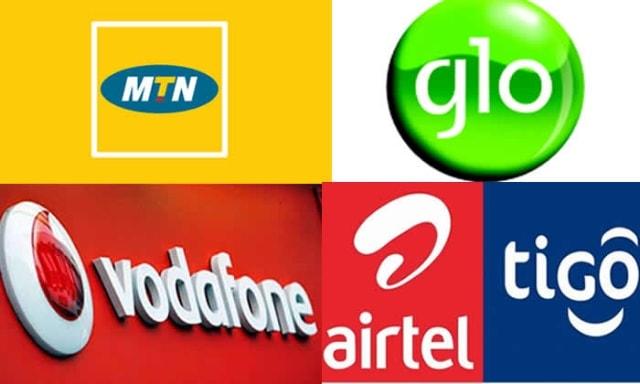
    In this article, I shall introduce you to all Data and voice Telecommunications companies in Ghana – including their history and the services they provide.

    MTN Ghana

    MTN is Ghana’s leading telecommunication network with more than 70% of the market share presently.

    MTN Ghana entered the shores of Ghana in 2006 after obtaining ownership of the then Areeba network operated by Scancom Ghana Limited.

    MTN Ghana has been in Ghana for over 14 years, with over 3.75 million customers across the country.

    MTN Ghana currently provides the following services in the Ghanaian market:

    • Mobile Money services
    • Mobile Internet Services
    • Fibre broadband services
    • Voice Calls
    • Short Messaging

    MTN Ghana also operates with the following prefixes: 024,054,055 and 059.

    Vodafone Ghana

    Previously known as GT- One Touch, Vodafone Ghana is the second biggest Telecommunications company in Ghana.

    The Telecom giant bought 70% shares in the then GT-One Touch to partner with the government of Ghana in managing the Ghana Telecommunications company thereby causing the rebranding of the company in 2009.

    So Vodafone Ghana since its rebranding has been operational in Ghana over the past 11 years and more.

    Vodafone currently operates with the following prefixes: 030,050,020.

    Vodafone Ghana offers the following services to its Ghanaian customerbase:

    • Voice Calls
    • Voice Over Internet Protocol Calls
    • Dedicated Internet Service
    • Mobile Data Service
    • Fixed Broadband Service
    • Vodafone Cash Service
    • Vehicle Tracking Service

    AirtelTigo

    Airtel Tigo is as a result of a major merger between two of Ghana’s finest Telecommunication companies whose performance was dwindling hence the need to join forces.

    AirtelTigo was formed in 2017 after the merger between Tigo and Airtel to form a new and bigger brand.

    Airtel, previously known as Zain Ghana was first launched in Ghana in the year 2008 by Zain Group limited with the first 3.5G internet speed ever experienced in Ghana.

    Bharti Airtel, a leading Telecommunications network then came to Ghana in the year 2010 and merged with Zain to form a new brand known as Airtel.

    Tigo, on the other hand, has been one of the longest-serving names in the Telecommunications industry of Ghana.

    Tigo has been operational in Ghana for some 20 years.

    Currently, the AirtelTigo network operates with the prefixes: 026,056,057 and 027.

    Some of the services provided by AirtelTigo include:

    • Voice Call
    • Mobile Data Service
    • AirtelTigo Money

    Glo Ghana

    Glo is a leading African Telecommunications company headquartered in Nigeria.

    Glo was first launched in Ghana in the year 2012 alongside very fast internet connectivity and the first fibre broadband service in Ghana.

    Glo currently operates with the following prefix: 023.

    Glo operates the following services:

    • Short Messaging Service
    • Voice Call Service
    • Toll-Free Service
    • Mobile Data Service

    Busy Internet

    Busy Internet Ghana is one of Ghana’s premier internet service providers in Ghana with over 14 years of existence in the industry.

    Busy Internet comes with one of the fastest internet speeds ever experienced in Ghana.

    Busy Ghana only provides internet service to businesses and individuals.

    Surfline Ghana

    Surfline Ghana is a leading Internet Service providing telecommunications company in Ghana.

    Launched in 2011, Surfline provides premium quality wireless broadband connectivity to Ghanaian internet users.

    Surfline is the first Ghanaian Telecommunications company to launch the Long Term Evolution (LTE) service in the West African country.

    Currently, Surfline provides mobile data services as well as fixed broadband installations.

    Teledata ICT

    Teledata ICT is Ghana’s topmost private internet service provider with over 16 years of experience in the business of internet service provision.

    Launched in 2004, Teledata provides internet solutions to over 2,000 businesses and over 45,000 individual users.

    Teledata has coverage in over 8 regions across the country.

    Currently, Teledata ICT provides the following services:

    • Home Internet
    • Business Internet
    • Cloud Hosting
    • Fibre connectivity

    Conclusion

    Connectivity and communication is a big game in the business world now. Majority of human interactions these days take place via the internet and voice calls.

    It is therefore important for us to understand the options available to us as far as connectivity and Telecommunication is concerned.

    I believe that the list discussed in this article provides you with a fair knowledge of the various telecommunication networks available in Ghana and the services they provide.

    If you have any additions, questions, suggestions or comments on this article, kindly leave them in the comment box below.

    Kindly do well to share this article with your friends and family.

  • Signs On Your Partner’s Phone Which Could Show That They Are Cheating

    Signs On Your Partner’s Phone Which Could Show That They Are Cheating

    One thing remains dreaded in all romantic relationships right from dating through to marriage. That single thing is cheating.

    Most people fear the possibility of their lovers cheating on them and the stress of them having to deal with the trauma associated with it.

    As simple as it may sound, cheating is one hell of an emotional trauma to deal with especially on the side of the one cheated on.

    The best way to prevent the pain associated with this is for you to get the signs early enough and prepare your mind for the worst situation possible.

    When this is done, you are less hurt when your suspicions are finally confirmed.

    In this article, I’ll talk about some signs on your partner’s phone which indicate that they may be cheating on you.

    Hidden Notifications

    It is an obvious fact that turning your phone upside down while with your partner raises suspicions of cheating.

    For this reason, many ‘professional cheats’ prefer to keep their notifications off in order to keep their phone screens free from any unexpected notifications especially chat applications.

    This is easily set up on most chatting apps especially Whatsapp, Telegram and Messenger.

    Usually, you can set up your Whatsapp such that when you receive a message from someone in the idle mode, you still get to see a brief version of the message sent without having to unlock the phone.

    For cheats, they turn off this function totally.

    So, if your partner’s phone can be on the table or bed for a number of hours without any notifications from their chat applications especially when you see them picking up their phones to chat with other people from time to time, it is time for you to make some enquiries.

    Locked Gallery

    The gallery is a catalogue of all media files on your phone, consisting of images and videos.

    If there is anything that would certainly prove that your partner is cheating on you, it has to be photos of videos of them chilling out or ‘chopping’ love with someone else somewhere.

    It is no lie that we, especially the younger generation loves to keep such photos and videos on our phones for memory sake.

    Now, for someone who has a main ‘partner’ and a ‘side’ partner, keeping these files in an open place on the phone can be a deadly situation.

    Therefore, the only way they can safeguard themselves from such trouble is by locking up the gallery.

    You’ll realize this when you try opening the gallery and you are required to input a password or draw a pattern to access the files in the gallery.

    Too Many Contacts Saved With Initials Only

    A cheating partner tries as much as possible not to leave any hints for their partner to realize what they’ve been doing behind their back.

    So, one way to hide things from their partner is by trying to keep a clean contact list which does not give any hint of foul play.

    For most cheats, the best way is to ensure that they have many contacts saved in a certain form so as to confuse their partners.

    Some prefer to save contacts with initials only. So if the person’s name is Alice Owusu, they’d save it as A.O. or O.A.

    In order to make it uniform, they save as many contacts as possible with such names so that it looks normal to anyone who picks up their phone to check their contact list.

    Some may also save the contacts with some funny names which on a normal day nobody would use.

    Conclusion

    Trust is key in every relationship. You can’t handle your relationship without trust and expert it to grow into something beautiful, otherwise, you will need to contact a therapist from BetterHelp.com.

    However, more than often, trust is betrayed in relationships – a situation which leaves many people heart-broken.

    For this reason, while it is necessary that while we try to trust our significant other, we need to find a way to ensure that these other people are trustworthy.

    I believe that this article gives you an insight into some of the signs on your partner’s phone which indicate that they may be cheating on you.

    Now, it is important for you to also understand that the list provided in this article is not exhaustive and may not necessarily be an exact proof that your partner is cheating on you.

    If truly they are cheating on you, you may notice some changes in the way they approach you emotionally as well.

    If you have any questions, additions, reservations or comments regarding this article, kindly leave them in the comment session below.

    Do well to share this article with your friends and family as well.

  • How To Record All Your Phone Calls Secretly

    How To Record All Your Phone Calls Secretly

    While it may not be completely legal and it is also very likely to land you in great trouble, we are all compelled at one point or the other to record our phone calls with some people.

    This could be necessitated by the need to keep a record of an important conversation for future use or a desperate attempt to track someone’s conversations for mischievous reasons.

    Whatever your reasons are, you definitely want to record these calls without the other person realizing it.
    So, the big question is: how can you record your phone calls secretly without the other person knowing.

    Well, worry not. In this article, I will introduce you to some tried and tested ways of recording various phone calls secretly.

    Applications For Recording Phone Calls On Android Phones

    For my android phone users, there is a long list of applications you can use to record your phone calls.

    Here, I introduce you to very few ones which work very fine.

    BlackBox Call Recorder

    As the name goes, this application seeks to be the mobile version of the famous Blackbox found in most aircraft.

    It comes with many features including quality setting, cloud backup, Bluetooth accessory support, and dual sim card support as well.

    This application boasts as well of a splendid user interface with close to no hindrances and powerful voice clarity that makes it top on a long list of applications in this category.

    It comes with a free trial which can be renewed at 0.99 USD per month. Approximately 6 GHS per month. But, for what it is worth, the subscription is still very affordable.

    Cube Call Recorder

    The Cube Call Recorder application is one of the most interesting applications on this list. It works on newer android versions usually from 8.0 upwards.

    It comes with features such as voice recorder for normal voice recording aside from the phone call recorder. It also has a feature which allows users to record WhatsApp, skype and other Voice-Over-Internet Protocol (VOIP) calls.

    While it usually works automatically when installed and setup, it has a feature which enables the user to manually exclude some contacts from automatic recording.

    This app comes at a very affordable price of 1.99USD every three months (quarterly).

    Smart Recorder By SmartMob

    The final application on this list of call recording applications for Android phones is Smart recorder owned by Smart Mob.

    This application is more of a voice recorder than a calls recorder but it works perfectly fine for call recordings.

    The smart recorder comes with a wonderful feature which makes it skip pauses or silence. Meaning when recording, the application skips all silent moments or pauses in the conversation so that the user doesn’t have to listen to such pauses in the final output of the recording.

    It comes with a free trial version and a montly renewal of 1.49 USD.

    Applications For Recording Phone Calls On Iphones

    iPhone users aren’t left out of the ability to record their phone calls secretly. There have been several debates about things that only android users can do which iPhone users can only wish for.

    But, this is definitely not one of those things that are perculiar to android phones only.

    There are some applications available on the Apple app store for iPhone users to record their phone calls. We shall discuss some of them here.

    Tape A Call Pro

    This is undoubtedly the finest application for recording calls on an Iphone.

    Tape A Call Pro records all calls for as long as possible and requires simple one-click actions to activate the app during phone calls.

    When activated on the phone during a call, it creates a virtual conference call where the third line is used to record all conversation between the two parties.

    Talk of sound clarity and Tape A Call Pro is certainly top of the class for anyone who has used it. It also comes with cloud storage options and social media share feature as well.

    Interestingly, the app has a one-week free trial version which is renewable at 3.99 USD per month or 19.99 USD per year.

    Call Rec Lite

    After talking about the best application available for recording calls on an iPhone, it’s only best for me to also talk about the cheapest application available for the same purpose.

    Call Rec Lite has almost the same functions as Tape A Call pro. It comes with in-built social media sharing buttons which allow users to share recorded audio to their various social media channels such as Facebook, Whatsapp, Telegram and also to their email accounts.

    It also allows room for cloud storage which is a good feature for those seeking to save space on their phones.

    The difference, however, is that with the free version of this application, you can record as many calls as possible however you can only listen to the first 60 seconds of each recorded audio.

    If you wish to listen to the full audio, then you have to pay for the premium version which costs a one-time fee of 8.99 USD.

    Rev Call Recorder

    Talk of saving the best for the last and this article would be a perfect example of that.
    The best application for recording calls on an iPhone is certainly Rev Call Recorder.

    This is not only so because of its wonderful features but because it comes at no cost at all!

    I mean, it is completely free of charge and can be used by anyone. It can be used to record both incoming and outgoing calls.

    What’s more, this app doesn’t come with the usual annoying ads that characterize most free applications.

    However, app manufacturers make money from transcription services. So if you want your recorded call to be transcribed for you, then you have to pay per the number of minutes to be transcribed.

    The transcription fee is 1USD per minute.

    This is largely the best application for recording calls on your Iphone.

    Conclusion

    Whatever your reason for recording a phone call is, it is best for you to get the best apps that save you money and also deliver the right results and quality you want from a recording app.

    This article is hopefully your final destination for your search regarding the best apps for recording your phone calls on both android phones and iPhones.

    I hope this article has met your expectation and that you are able to get the best app which works fine for you.

    Kindly leave your comments, reservations and questions in the comment box below.

    Kindly share this article with friends and family as well.

  • 5 Mistakes That Can Destroy Your Phone’s Battery And Kill It Fast

    5 Mistakes That Can Destroy Your Phone’s Battery And Kill It Fast

    More than half of the world’s population uses mobile phones today.

    Over the years, mobile phones have evolved. From the days of the Big and heavy Nokia phones to LG, Motorolla and the likes then to Java and Symbian phones as well as Blackberry, then we gradually moved to the Java Touchscreen phones.

    Eventually, Android and IOS phones came with the generation of smartphones which we all enjoy today.

    As good as smartphones are and as interesting as their uses are if there is one big problem which all smartphone users face, it is the battery life of such a phone.

    For most people especially those who have used the previous generations of mobile phone, they expect their batteries to last for a few days or a week before they charge again.

    However, this is not the case with most smartphones. After few hours of charging, you still have to put them back on charge. some people even charge their phones three to four times daily.

    Now, what is often unknown to most of these people is that some habits and some phone usage methods affect the longevity of the phone battery.

    In this article, I shall introduce you to 6 mistakes that can cause your battery life to decline significantly.

    Keeping Many Background Activities On

    Every process or software running on your smartphone uses part of the battery and part of the memory and if it’s an online process, it also uses part of your data.

    So, the more the number of apps you keep running in the background, the more battery you get to waste away.

    For most people, when using an app, they just minimize it to navigate to another app. This may be an easier way of handling apps on your phone but it definitely has a huge toll on your battery at the end of the day.

    Whenever you realize you are not using a certain application and you do not necessarily need it to keep running, just close it altogether.

    That way, you are saving yourself some memory space, some battery and some data as well.

    Your phone could eventually get heated up if there is too much information to process by the RAM – meaning there is pressure on the RAM.

    So yes, keeping too many background applications open can run down your battery so fast.

    Using Very Bright Screen lights

    Aside from the obvious risk of developing eye problems, using very bright scree lights on your smartphone can drastically reduce the battery life of your device.

    When you check the battery usage of almost every smartphone in the world, you’d realize that the display uses up a huge chunk of the battery.

    Clearly, the brighter your screen light, the more energy that phone needs to use in displaying that level of brightness. And, the main source of energy for your mobile device is the battery so all that energy would have to come from the battery.

    You don’t need to use up all the brightness on your phone in order for you to see.
    Try as much as possible to regulate the volume of brightness which you use on your smartphone if you are serious about saving your battery life.

    Using Mobile Data All The Time

    Today’s mobile phone is more useful and entertaining because of the internet.

    Most people use smartphones because of what they can do with it using the internet. Some people don’t even make a single voice call on their phones before a whole week ends.

    Now, for such people, the duration of their phone battery depends on their internet usage.

    Using direct Mobile Data on your phone requires the phone to strive extra hard to get the best connection available for us. This usually puts pressure on the phone especially in areas where the network is not very strong.

    This, in turn, becomes a big problem for the battery to handle, causing it to drain quickly.

    On the other hand, when connected to a Wi-fi, your mobile phone is free from the stress of searching for network connectivity and increasing the strength of the network since there is a third party – the router which is in charge of that.

    In most situations, you’d observe that when you connect your smartphone to a stable Wi-fi network, the phone lasts longer than when you connect it to direct mobile data.

    Connecting To Unstable Wifi Networks

    Wifi is a double-edged sword. Depending on which side you are connected to, you may either enjoy yourself or suffer the pain. In this case, your phone’s battery would suffer the pain.

    When you connect your phone to a Wifi network which is largely unstable, the phone forces to get the best network available. The phone is designed to work with the best network available.

    Therefore, when there is no other network available which is better than the unstable network you are connected to, the phone keeps searching and searching for a better network connection. This, in turn, puts pressure on the system and causes the battery to give out more energy which eventually drains it down.

    So, yes, connecting to a good wifi network can save your battery but once you connect to a terrible network, you are in trouble of draining your battery so badly.

    Using Outdated Software

    Most people are found of avoiding software updates. According to such people, it is a waste of time and data.

    Well, it is true that updates require lots of data and time most times but the importance of such updates can only be understated.

    When a software developer releases a software, it is the responsibility of that person to periodically release updates that tally with the ever-changing trend in the technology world.

    For most system updates, there is a component of the new software which causes the battery life of the device to increase slightly.

    Now, if you are someone who is fond of ignoring updates, it means you are denying your phone those improvements in battery life.

    So if each update causes a 2% increase in battery life and you keep skipping about 5 updates, it means you have decreased your battery life by about 10% when you could actually increase it by the same percentage with the upgrades.

    So, as annoying as updates are, they are important to the general good of the phone and its battery life as well.

    Conclusion

    There is nothing more annoying than getting that battery low sound every three or four hours of using your phone. It is usually very frustrating especially if you have so much to do with the phone at the time.

    Frankly, I don’t think anyone would enjoy having to charge their smartphone about 3 or 4 times in a single day!

    But yes, that is the situation most of us face in our various lives and we keep asking ourselves why we are always caught in that situation.

    Well, I believe this article has opened your eyes to some of the mistakes you commit which lead to the poor battery life you experience.

    If you liked the content of this article, kindly share with your friends and family.
    Kindly share with us your comments, questions and reservations regarding this article in the comment box below.

  • 7 Things You Can Do With G-Money In Ghana

    7 Things You Can Do With G-Money In Ghana

    Majority of the world’s population has quickly moved from physical payment to electronic payment systems since the birth of the COVID-19 pandemic.

    In Ghana, though our E-payment systems are very few, many people have taken advantage of the various Mobile Money payment systems to deal with their payment needs without much stress.

    However, aside from the various network service providers and their respective Mobile Money platforms, GCB bank also has a mobile payment platform which works just fine.

    In this article, we shall look at GCB’s G-Money platform and 7 things that you can do on the platform.

    As indicated earlier, G-money is an e-payment system operated by GCB Bank and works just as other Mobile Money platforms.

    Find below, a list of things you can do with GCB’s G-Money platform.

    Transferring And Receiving Money

    With G-money, sending and receiving money has become a lot easier especially across platforms.

    G-money is more like the universal form of Mobile money services. You can send money to any mobile money customer across all networks; MTN, Vodafone and AirtelTigo right from your G-money account by dialling *422#

    Same way, anyone with a G-money account can receive money from any Mobile money subscriber, be the person an MTN Mobile Money holder, Vodafone Cash holder, AirtelTigo Cash holder or a G-money holder.

    Purchasing Airtime For All Networks

    With GCB’s G-money, you can buy airtime from your account for all networks available in Ghana.

    You can either buy for yourself or for other people on your contact list by simply selecting their network and dialling their number.

    This comes as an added advantage for those using all G-Money users since other Mobile Money platforms only allow users to buy airtime on their various networks. That is; from MTN to MTN, AirtelTigo to AirtelTigo and Vodafone to Vodafone.

    But with G-Money, it is G-Money to all networks. Sounds good, right?

    Payment Of Bills

    Bills Payment has never been made easier. With G-Money’s fast and reliable USSD system, you can make payment for your favourite utilities right from your mobile device.

    Be it water bill, Electricity bill or paid television subscription bills, G-money has the platform to allow you to settle all your bills in very few steps.

    Banking Services and Transactions

    Today, banking does not necessarily involve the movement of clients or customers from their homes into banking halls for transactions.

    With the advancement in technology, customers can now perform several activities such as checking their balance, making transfers and making deposits right from the comfort of their homes using mobile banking apps.

    G-Money taps into this narrative by providing its subscribers with the opportunity to top up their bank accounts, send money to other bank accounts and perform other bank transactions using the platform.

    All they have to do is to link their favourite bank accounts to their G-Money wallet which can be done in very few steps.

    Cash In And Cashing Out Through An Agent

    Just like any other Mobile Money platform available in Ghana currently, G-Money comes with the Cash In and Cashout features.

    Subscribers can deposit money into their G-Money wallet by visiting any G-Money agent with the amount they wish to deposit and have the money deposited into their accounts.

    Same way, any subscriber can go to an agent nearby to withdraw money from their G-money account and receive cash from the agent.

    It is a very easy system just as any other Mobile Money platform.

    Group Contributions

    If there is one unique thing that G-money has brought into the Mobile Money space, it is the introduction of Group contributions.

    With G-Money, subscribers can add up to 200 people into a group contribution account which gives them the opportunity to plan group savings and other schemes easily and efficiently.

    The group accounts can be managed by two people; one being the administrator and the other being the financial secretary.

    This is especially good for families, group of workers and groups seeking to contribute for a purpose.

    Connection With Your Applications Or Websites For Payment Integration

    For app developers and website designers, it is important to add payment methods to aid in easy sales payments.

    This is mostly true for ecommerce sites and applications.

    G-Money has made its Application Programming Interface (API) free and available to everyone who wants to add the system as a payment method on their application or website.

    This means anyone can receive payments for the services or goods they offer right through their mobile application or website by embedding G-Money’s API into the website or application.

    Conclusion

    The need for E-payment methods in today’s times can only be understated. We have come to accept the need and use of electronic payment methods such as Mobile Money.

    There are many mobile money wallets available in Ghana presently with each Mobile Telecommunication company owning one.

    However, GCB Bank’s G-Money which is a new product in the nation’s Mobile Money industry is a strong choice among the others.

    With the seven uses explained above, I hope you find G-money convenient and more flexible for all your payments.

    If you have any comments, reservations or questions regarding this article, kindly leave it in the comment box below or get in touch with us.

    Please, do well to share this article with your friends and relatives as well.