Author: Godwin Gabla

  • 5 Online Shops For Purchasing Clothing In Ghana

    5 Online Shops For Purchasing Clothing In Ghana

    The digital era in Africa and indeed Ghana is gradually taking a grand position in the lifestyle and general livelihood of Ghanaians.

    Among other things, mobile money platforms, streaming platforms, and online retail shops have been launched over the past few years.

    One thing however that remains a problem to many in Ghana is how to purchase clothing online, especially via platforms that are dedicated to the sales of clothing.

    The purpose of this article is to bring out a list of five online shops where you can purchase clothing in Ghana.

    Jumia Ghana

    Obviously, this name shouldn’t come as a surprise to anyone in Ghana as far as online shopping is concerned.

    Despite the fact that Jumia deals in all kinds of products, Fashion is one of the categories Jumia Ghana prides itself in.

    Be it shoes, men’s wear, women’s wear, children’s wear or watches, Jumia has them all for you.

    Logon to Jumia.com.gh today or get their application on the Apple AppStore or google play store and browse through their stock of clothing.

    Zoobashop

    Zoobashop is a reputable online trading platform for Ghanaians and internet users, the world over.

    Zoobashop has a large catalogue of goods especially in the categories of fashion from which one could choose.

    Their products are original and brand new.

    They have a large stock of men clothing, women clothing, shoes, ornaments and many other fashion products which make them a one-stop-shop for all fashion needs for the family.

    You can purchase all your items on Zoobashop and get your products delivered to you.

    Next time you think of shopping for clothing online, Zoobashop should be on your list.

    Kiki Clothing

    Kiki Clothing is a Ghanaian brand which deals in indigenous African clothing styles that have been modernized to standout.

    Majority of the clothing on Kiki Clothings’ website are originally designed and sewed by the company.

    With a wide collection of clothing available to pick from, Kiki’s Clothing is the home for Women and children’s clothing as far as African fabrics are concerned.

    Because Kiki’s clothing is a global brand, operating out of Africa, their products are mostly priced in Dollars.

    You should visit their website the next time you think about changing your wardrobe.

    Shopbeta

    Shopbeta is a Ghanaian online marketplace for everything ranging from electronics to beauty products, furniture and clothing.

    Shopbeta also has a wide range of fashion products ranging from Boys’ clothing, Girls’ clothing down to Women and Men clothing at very affordable prices.

    They also sell rings, bracelets, watches and all forms of ornaments to match your dressing.

    What’s more, your favourite brands are well-represented on Shopbeta so you have difficult choices to make on the site since all the products are of high quality.

    MyGh Market

    Last on our list of five online platforms for purchasing clothing in Ghana is MyGh Market.

    Being last on our list here does not mean that this site has the least of products.

    In fact, contrarily, if you are looking for the cheapest but durable clothing on the internet, you should be looking towards the direction of MyGh Market.

    From their list of clothing which is usually categorised into subcategories such as Men’s Jeans, Men’s Trousers and many others, you can get the best clothing for your event at a very affordable price.

    If you are running a low-budget for your next shopping and you want to do it online, MyGh Market should be on your list of websites to visit.

    Conclusion

    The list provided in this list is not exhaustive as there are several other budding clothing brands and shopping outlets from Ghana which can be found online.

    However, these are the best we have come across based on our personal experiences. We hope that they provide you with the clothing you need and at the best price too so you can spread the news about these sites.

    If you know of any other sites that you may want to share with us, kindly do so in the comment box below.

    We would love to hear from you.

  • How To Pay Your Ghana Water Bill Using Mobile Money

    How To Pay Your Ghana Water Bill Using Mobile Money

    Mobile Money platforms have become one of the most accessible financial systems in Ghana since its launch some ten years ago.

    Aside from sending money and receiving money from friends and family, the mobile money platform is mainly used for settling bills.

    Water bills are one of those bills that people tend to pay for using the mobile money platform.

    In times like this when the world is moving to online platforms and payments, it is important for people to identify how to capitalise on already existing online systems so as to reduce physical contacts with others.

    In this article, we shall look at how to pay your water bill using the various mobile money platforms.

    How To Pay Your Water Bill Using MTN Mobile Money

    To pay your water bill with your MTN Mobile Money, you may either use the shortcode system or the MTN Ghana App.

    Follow the steps below to pay your water bill using the MTN Mobile money platform.

    1. Dial *170#
    2. Select option 2 for Momo Pay and Bills.
    3. Select option 2 for Pay Bill
    4. Select Option 1 for Utilities.
    5. Select option 2 for Ghana Water.
    6. Enter your Account Number (Your Meter Number).
    7. Enter the amount you are paying.
    8. Enter your mobile money pin code.

    Your payment should go through after the final step.

    How To Pay Your Water Bill Using Vodafone Cash

    Vodafone cash is the second biggest mobile money platform in Ghana. Most people who are not on the MTN Mobile Money platform are usually on the Vodafone Cash platform.

    To make payment for your water bill using the Vodafone Cash platform, follow these steps.

    1. Dial *110#
    2. Select option 4 for ‘Make Payment’
    3. Select option 1 for Bill Payment
    4. Choose option 3 for utilities.
    5. Select option 1 for Ghana Water.
    6. Enter your Account Number or Meter Number
    7. Enter the amount you wish to pay.
    8. Enter your Vodafone cash PIN Code.

    How To Pay Your Water Bill Using AirtelTigo Cash

    Of all the various Mobile Money platforms, AirtelTigo has the simplest methods of paying your water bill. Check it out below:

    1. Dial *500#
    2. Select Option 3 for Pay Bills.
    3. Select ‘Ghana Water’
    4. Enter your amount.
    5. Enter your AirtelTigo cash PIN code.

    Conclusion

    Paying your bills with mobile money does not only provide convenience but also, it reduces the risks of physical contacts which is a threat to health and well-being in these times of COVID-19.

    Depending on the mobile money platform available to you, kindly follow the steps listed in this article in order to make payments for your water bill.

    Kindly note that these steps are the reviewed steps as most of the mobile money platforms have updated their systems.

    If you have any enquiries or comments regarding this article, do not hesitate to leave us a comment.

  • MTN Fibre Broadband Network And Where It Is Available In Ghana

    MTN Fibre Broadband Network And Where It Is Available In Ghana

    MTN Ghana is the biggest telecommunications company in Ghana both in terms of customer base and in terms of profitability.

    With a long-range of products covering SMS, Calls and Internet connectivity, MTN Ghana has dominated the Ghanaian market for the past decade.

    With the need to increase the speed of internet services for customers throughout the country, MTN began using the Fibre Broadband network in 2016.

    The MTN Fibre Broadband service is super-high-speed internet connectivity made for homes and offices.

    With the MTN Fibre Broadband connectivity, you can watch live streams online with a data speed of up to 60 Megabytes per seconds.

    However, MTN Fibre Broadband is currently available in some parts of the country only. Check the next heading for a list of locations where the Fibre Broadband is present in Ghana

    Locations Where MTN Fibre Broadband Is Available In Ghana

    Currently, the service is only available at some key parts of Accra. Check the list below to find out if your area has the MTN Fibre Broadband service.

    1. ACP Estate Environs at Pokuase
    2. Kwabenya
    3. Franko Estates at Pokuase
    4. GHS Housing at Pokuase
    5. Tantra Hills
    6. Mile 7 – Achimota
    7. JL Properties – Achimota
    8. Westland, West Legon
    9. Dome
    10. Parts Of Kwashieman
    11. Lapaz
    12. Dansoman, South Odorkor
    13. JT Cluster Of Schools – West Abosey Okai Area
    14. Millenium City, Kasoa
    15. Blue Rose Estate, Budumburam
    16. Oak Villa – Abokobi
    17. Palm Estate – Oyarifa
    18. Rehoboth Estate – Oyarifa
    19. Kumsark Estate – Oyarifa
    20. Adenta Frafraha
    21. Ashaley Botwe
    22. Adenta, Housing Down
    23. Abelemkpe
    24. Airport Residential Area
    25. East Legon
    26. Parts of Adjriganor
    27. Madina New Road Estate Area
    28. Spintex Flower Pot
    29. Hydraform, Spintex
    30. Regimanuel Estates
    31. Trasaco Estates
    32. Burma Camp
    33. Cantoment
    34. Ridge
    35. Nima Residential Area
    36. Osu
    37. Nyaniba Estates
    38. Labone
    39. Regimanuel Estates
    40. Ringway Estates
    41. Grader Estates, Teshie
    42. Sakumono
    43. Valco Estates, Tema
    44. Tema Community 25
    45. Ashongman

    In case you do not see your location in the list provided above, copy the below web address into your address bar and manually check your location’s name on the site to see if you have the service available.

    https://gisportal.mtn.com.gh/portal/apps/webappviewer/index.html?id=b7e175b1efd5462abcb10b10bf1176ef

    Alternatives You Can Explore If Your Area Doesn’t Have Fibre Broadband

    In case your area doesn’t have the MTN Fibre broadband service and yet you want high-speed internet and affordable data packages for intense usage, you can go for the Turbonet Service.

    The MTN Turbonet is a plug-and-play router which provides fast 4G internet services at places where the Fibre Broadband is not available.

    The turbonet operates on the same data packages as the Fibre Broadband service.

    Currently, the device costs 499 GHS and can be purchased from all MTN Ghana shops.

    You can also find out more about MTN Turbonet Data Packages that will suit your needs.

    Conclusion

    The MTN Fibre Broadband is good for people who use huge volumes of data daily either for entertainment, business or for education. The Fibre Broadband can be installed either at home or at the office and provides flexible data packages and a unique account management platform for each user.

    However, if you do not have the service in your area, you can also make use of the Turbonet device which works almost exactly as the Fibre Broadband.

    If you have any comments, questions or additional information for us regarding this article, kindly let us know in the comment box below.

  • How To Change The Name On Your Google Or Gmail Account

    How To Change The Name On Your Google Or Gmail Account

    There are times that you have either had a change of name or you wish to change the name associated with your email account for any other reason specific to yourself.

    Most people find it difficult doing this and so they go to the extent of creating new email accounts altogether. So, you realise someone has about three different addresses and it all has to do with the names they had used in signing up for those accounts.

    In this article, I shall teach you how to change the name associated with your existing Gmail address without having to create a new account altogether.

    Now, before we move on to the steps involved, there are a few things you need to understand.

    Your email address is the whole address that you give to people when you expect them to send you an email. For example; [email protected]

    Your email username is the name that appears before the @ symbol. So in the address used above, the username is Kofigo.

    You cannot change these two details explained above. You can’t change your email address or username. You can only change the name associated with your account or your account name.

    Your account name is the name that others see when you send an email to them. Also, you can usually see it when you click on your profile photo in your Gmail app or window.

    How To Change Your Gmail Account Name

    First of all, you must be sure not to have changed your name in the past few days. If you changed your name very often in the past few days, you won’t be successful with the process. Also, make sure that you are using a desktop or laptop computer to do this. It doesn’t work on the mobile app.

    1. Visit gmail.com on your PC
    2. Click on the Settings icon on the top right corner of your Gmail window.
    3. Select ‘settings’ from the list
    4. Look through the various tabs and select the ‘Accounts and Import’ tab.
    5. Under ‘Send email as’, click on ‘edit info’
    6. Type the new name you wish to use as your account name.
    7. Click on ‘save changes’

    In case you get feedback indicating that you can’t access the setting, it either means you have changed your name so many times in recent times or your account is being administered by a company and the company doesn’t allow you to change the name on your account.

    Conclusion

    Changing your Gmail account name may not be something you have to do regularly or you may never have to do it at all in your life. But when the need arises, you should be able to do that easily without much stress.

    I hope this article was helpful in giving you all that is required to change your google mail account name. If you have any questions or comments regarding this, kindly leave them in the comment box beneath the post.

  • Best 5 Antivirus You Can Use On Your PC In 2020

    Best 5 Antivirus You Can Use On Your PC In 2020

    One of the most disappointing and infuriating things that any computer user has to deal with is a virus attack.

    Computer viruses tend to make computers very slow and inactive which makes work very difficult and annoying sometimes.

    It is therefore important for users to ensure that their computers are guarded against the claws of this creepy software called Viruses.

    While antiviruses are good for saving your computer and yourself from the troubles associated with virus attacks, getting the right antivirus software usually does the trick best.

    In this article, we shall look at the best five antivirus software you can use on your PC in 2020.

    Follow the list keenly.

    1. Bitdefender Antivirus
    2. McAfee Internet Security
    3. Norton Security 360 Delux
    4. Kaspersky total security
    5. Avast Antivirus

    Bitdefender Antivirus

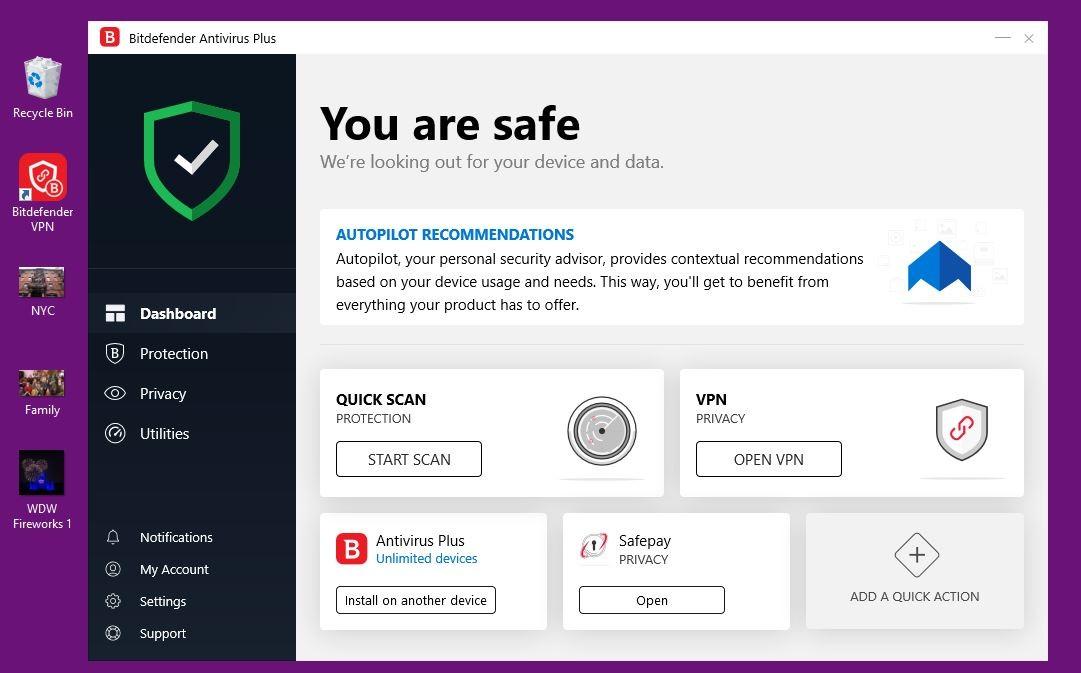
    Bitdefender is a long-standing antivirus brand that has established its presence in the niche over the years.

    The current edition of Bitdefender antivirus comes with a password manager which manages all your online account passwords.

    It has a very basic user interface which makes it easy to use for anyone including those who are just entering the world of computing.

    It also scans files very fast without causing the computer to lag.

    Bitdefender can be used on both Windows and Apple devices.

    Out of 10, our rating is 9.0.

    It, however, comes at a cost of 24.99 USD per year though you can get the cracked version for free online.

    McAfee Internet Security

    If you are an internet addict, then chances are that you have heard of McAfee and possibly seen it on many websites across the web.

    McAfee seems to be improving all the time with new features and even better virus definitions from time to time.

    McAfee provides one of the best password managers available online and also with an easy-to-use interface.

    McAfee, however, does not provide webcam protection or a secure browser.

    Also, Bitdefender has better malware protection than McAfee.

    With about 84.99 USD, you can get the full McAfee antivirus pack which protects up to 10 of your devices. And it works across multiple platforms; android, windows, IOS.

    Out of 10, the rating for this antivirus is 8.5.

    Norton Security 360 Deluxe

    Norton Security is an embodiment of almost everything someone would want in antivirus software.

    It comes with an endless list of VPN, in-built backup software, online storage, webcam protection, safe web browser and password manager.

    However, all these features mentioned above come with a very heavy pressure on the CPU, therefore, causing the machine to slow down.

    For this reason, this antivirus is rated 8.0.

    It costs 49.99 USD per year.

    Kapersky Total Security

    Kaspersky is fourth on our list of top antivirus software you can use on your PC in 2020.

    Kaspersky comes with an almost perfect malware protection ability which is almost better than all the other software listed above.

    It also comes with in-built backup software and an unlimited password manager.

    It also has a Two-Factors Authentication (2FA) option for online accounts.

    Its downsides include a very slow machine when you are running a full system scan as well as a limited VPN usage.

    For the sake of this list, we rated this software 7.0 out of 10.

    Avast Free Antivirus

    Of all the antivirus software listed above, this is the least. It offers less malware protection compared to the other antivirus software listed above.

    It comes with a Wifi-scanner, a more complex user interface, and a password manager.

    It slows than the computer annoyingly during scans.

    However, for free antivirus software, Avast offers the best protection you can expect from simple virus attacks as well as online threats.

    It comes with warning sounds that detect malware presence.

    Out of 10, this came out with a rating of 6.0.

    Conclusion

    Antivirus software is numerous with new ones coming out every day. For as much as it is necessary for you to get antivirus software for your computer, it is often better to leave your computer unprotected than installing an antivirus which does not function well or cannot be trusted.

    The list provided above contains some antivirus programs that have been tried and tested to be among the top-ranking antivirus in the world. While the list of good antivirus is not exhaustive, we sort to give you only the top 5. If you know of any other good antivirus that can be used on PC, kindly indicate them in the comment box.

    You may also share your comments and questions with us.

  • Comparing G-Money With Mobile Money in Ghana; Who Wins?

    Comparing G-Money With Mobile Money in Ghana; Who Wins?

    With the introduction of GCB Bank’s G-Money, the debate has been about which one is better between G-Money and Mobile Money services.

    The G-Money is obviously inspired by mobile money services and so it works on the same infrastructure as mobile money however, there are definitely some differences between the two e-wallets.

    In this article, we shall endeavour to compare the two wallets to see which one has more advantage over the other.

    Registration

    The Mobile Money service as it stands now only requires you to dial the shortcode on your phone and follow the prompts to register. Meaning, you can register from the comfort of your home.

    On the other hand, the G-Money requires that customers go to any GCB Bank branch or G-Money agent with a national ID card and your phone number to register. Which means you have to go to the bank to register for this service at all costs.

    For this particular feature, Mobile Money provides more convenience.

    Security

    Whereas the Mobile Money is backed by the various telecommunication networks in Ghana, the G-Money is backed by the GCB Bank which is a government-owned bank.

    As such, it is safe to say that in terms of security of funds and regulations, G-Money has the edge or advantage over the Mobile Money wallets.

    Sending Money

    In terms of sending money, both Mobile Money wallets and G-money seem to be on the same level. You can send money to any network or bank account via both Mobile Money platforms and G-Money platforms.

    You can as well send money to individuals who do not have accounts with either platform via payment vouchers.

    Who Can Use The Platform?

    For both platforms, anyone who has a registered Simcard can use the platform irrespective of their age, gender, or orientation.

    So, for this particular feature , it’s a tie for both e-wallets.

    How Many People Can Use The Same Account?

    Over here, there is a big gap. The Mobile Money platform allows only one person to use an account. So, if you have an account, only you can have access to and use that account except you give out your PIN CODE to someone else who can then have access to the account.

    However, G-Money, on the other hand, has a Group option which allows a user to add between three to two hundred members who share the same account.

    With this option, people looking to save money together for a purpose can do that from one point. Of the number of people listed above, one person is the group leader and another is the authorizer.

    So, on this particular feature, G-Money has the edge over Mobile Money.

    Conclusion

    Though both the Mobile Money platform and the G-Money platforms are good initiatives that are shaping the Ghanaian economy towards making it a cashless economy, we believe that based on the comparisons above, the G-Money has won this argument hands down.

    This debate may, however, be looked at from different angles, which may as well provide other results. You can share with us what you think about the debate and any opposing views you have regarding our judgement. We would love to read from you.

  • How To Change Netflix Audio Language And Subtitle Language

    How To Change Netflix Audio Language And Subtitle Language

    Many movies on Netflix are not originally made in the English Language. This usually makes it difficult for users to be able to watch and understand such movies.

    In times like that, one thing which comes to mind is Subtitles. Unfortunately, some subtitles are not originally written in the English Language.

    In this article, we shall teach you how to change the audio language and subtitle language of a Netflix movie to aid in easy comprehension. Follow the subsequent title keenly.

    How To Change Subtitle Language Of Your Netflix Account

    In order to change the subtitle language of your Netflix account in order for you to best understand movies that are not primarily in your language, follow the steps below:

    1. Log in to your Netflix account.
    2. Select ‘Manage profile’.
    3. Select the profile you wish to change the language for.
    4. Under the language box, click on the language visible.
    5. Select from the dropdown list of languages the one that you prefer.
    6. Try playing a movie from your account to see if the subtitle appears in the language you selected in the previous step.

    If you are unable to see subtitles in your language from the dropdown list, it means there are no subtitles for your language on Netflix. The video streaming site tries as much as possible to provide subtitles in as many languages as possible but can however not cover all languages so if your language is not listed, you have to find another language to use.

    Also, some movies may naturally come with no subtitles at all and so do not require you to change your language since there’s no subtitle at all available.

    Note:

    The instructions that are given above only work on the desktop version of Netflix so try and log in from a Desktop PC or Laptop.

    How To Change The Subtitle Language And Audio Language For A Movie You Are Watching

    Aside from setting the subtitle language for your entire Netflix account, you can set the language for a specific show or movie you are watching.

    1. Log in to your Netflix account.
    2. Select the movie you wish to watch.
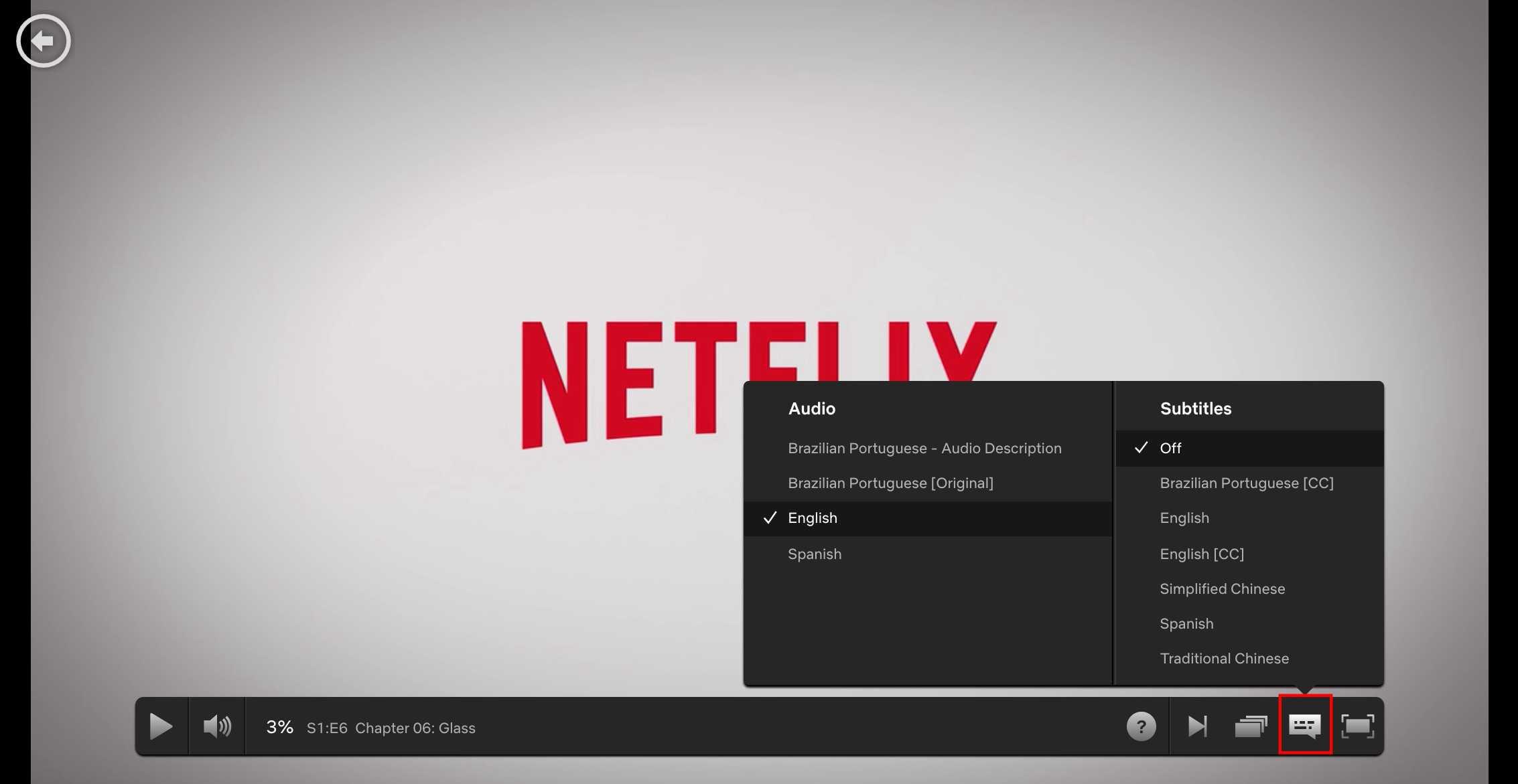
    3. Select the dialogue box that appears before the ‘enlarge screen’ button.
    4. You can then select from the ‘Audio’ or Subtitles column, the language you prefer.

    Note: Not every movie or series or Tv show has multiple languages available. Some are only recorded in a single language and so when you go through the process above for such shows, you’ll see no languages under the ‘Audio column’. However, if the show is recorded in several languages, you should see the list of languages under the ‘Audio’ column.

    Conclusion

    Netflix is obviously a user-centred video streaming platform which tries to give its users enough on-platform comfort while serving the best of entertainment. Not having your movie play in a language you understand or not having a subtitle in a language you understand definitely erodes the very values Netflix seeks to project on its platform. That’s why these options are available for users of the platform. I hope this article was helpful in making you change your Netflix Subtitle language and audio language. Kindly leave us a comment in the comment box.

  • How To Hide Your Whatsapp Online Status On Android And iOS

    How To Hide Your Whatsapp Online Status On Android And iOS

    Security and privacy are two terms that go hand in hand especially as far as the internet is concerned.

    The WhatsApp instant messaging platform is undoubtedly the biggest instant messaging platform in the world with millions of users active every moment.

    While Whatsapp has so many advantages that come at absolutely no cost, some people could actually abuse some of its functionalities in trying to track your actions.

    One of the features of WhatsApp which can be used against you by others is your online presence (online status.)

    In this article, we shall focus on how to turn off your online status on both Android and IOS devices.

    How To Turn off Your Online Status On Your Android Device

    To turn off this feature, you have to launch the Whatsapp application and follow the instruction below:

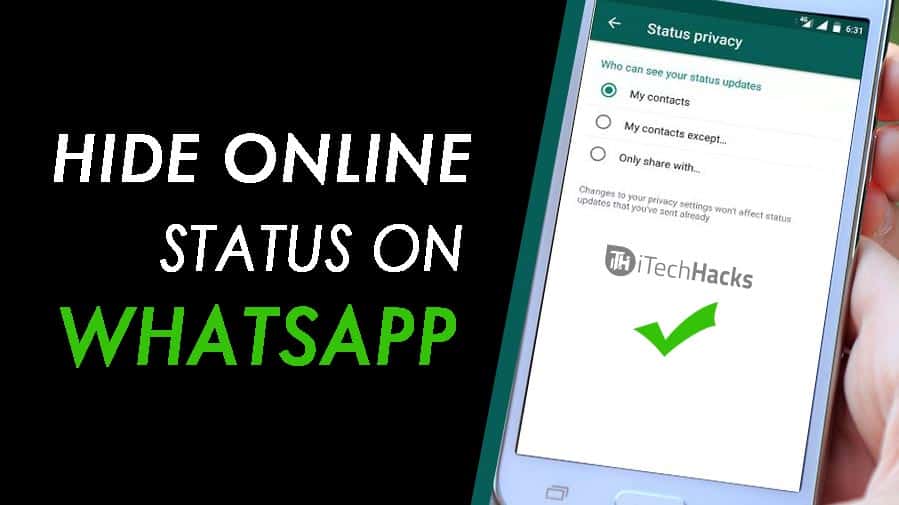
    1. Click on the three dots on the top right corner of your WhatsApp chat page.
    2. Click on Settings in the list that appears next.
    3. From the settings menu, look through and select Account.
    4. Click ‘Privacy’ in the next list that appears.
    5. From the popup list, select ‘Last Seen’
    6. From the popup list that appears next, select ‘Nobody’.

    NB: You can select my contacts in order to decide which people from your contact list should not see your online status.

    How To Turn Off Your Online Status on IOS Device

    Turning off your whatsapp online status on Iphone or any other IOS device is quite different from the method we’ve seen under the previous heading.

    In order to put this feature off, follow the steps below:

    1. Launch your WhatsApp application
    2. On the chats page, select ‘Settings’ on the right bottom corner.
    3. Select ‘Account’ from the list that appears on the next page.
    4. On the next page, select ‘Privacy’.
    5. From the next list, select ‘Last seen’
    6. A popup list would appear for you. Select ‘Nobody’ from the list

    Conclusion

    Turning off your whatsapp status generally prevents people from identifying when you are online and when you are offline. At all times, when people check your account, they see no sign of you being online. This protects you from those who may be spying on you. However, this setting is a double-edged knife. For as long as people do not get to see your online status, you do not get to see theirs either. Meaning if you set your online status to ‘Nobody’, you shall also see nobody’s online status. So if you wish to see some people’s status and keep others in the dark, then you may want to use the ‘My Contacts’ option when you get to the last phase of the steps listed above. That way, you can select those whom you wish to share your online status with.

    If you have any reservations or questions regarding this post, please do not forget to let us know in the comment box below the post. We are more than happy to be of help to you.

  • Top 10 Best And Working Torrent Sites For PC and Mobile You Can Download From

    Top 10 Best And Working Torrent Sites For PC and Mobile You Can Download From

    Downloading large files online becomes very difficult especially when you can’t find such files on normal blogs or websites to download.

    The next remedy many people fall on is torrent sites. As much as torrent sites serve the purpose of providing pirated files for free, not all of them are secure and most of them do not actually work in reality.

    Whether you are a movie lover hoping to have access to latest blockbuster movies or you are a game addict hoping to grab those latest game setups to update your list, you definitely need torrent sites to download from.

    Not just any torrent site but for sites that are actually working and provide just the right files that you need.

    In this article, we shall look at 10 of the best torrent sites from which you can download your favourite games and movies on your PC or Mobile device.

    1. 1337X
    2. Torlock
    3. Torrentz2
    4. The Pirate Bay
    5. Lime torrents
    6. Torrent Downloads
    7. zooqle
    8. Skytorrents
    9. Rarbg
    10. Torrentfunk

    1337X

    1337X is one of the world’s biggest torrent sites presently. With millions of files available for download, 1337X provides a beautiful yet easy-to-use interface for users to search and pick their favourite titles from a list of games, software and movies available.

    With an average download speed of 4.2 Mb/s, this is surely one torrent site you should be considering for your next movie and software downloads.

    Torlock

    Torlock is the second torrent site on our list. It is one of the most legitimate torrent sites in the world. It serves more than 98% accurate torrent files. This site tries as much as possible to reduce fake torrents so as to improve its traffic and relevance in its niche. So far, they have done a good job to earn themselves the second spot on our list.

    It has an average download speed of 4.4 Mb/s.

    Torrentz2

    Torrentz2 is like the search engine of all torrent sites on the web. This site has data from all other torrent sites and so that makes it the torrent site with the largest number of files available for download.

    It majors mostly in music videos and movies.

    The average download speed for this site is 2.0 Mb/s.

    The Pirate Bay

    This is arguably one of the fastest torrent sites available on the internet today with a magnificent average download speed of 6.2 Mb/s. The Pirate bay has over 14 million files available for downloading other various categories such as music, videos, movies, software and games.

    However, it has the tendency of going offline from time to time.

    Lime Torrents

    If you are one of those people who want to download files but do not know the exact file to download, then Lime torrent is the right answer you need. It offers a list of top 50 downloads in each category. This serves as an easy-access platform for those who may be seeking for popular movies, music, videos and games.

    It has a monthly viewership of about 17.1 Million.

    Torrent Downloads

    This is your go-to place for any movies, music videos, games and software that seem hard to get. It has all the greatest movies, games, and software of all time for all platforms and screen sizes.

    Torrentdownloads is estimated to have around 10,000 monthly visitors. It could be considered as a growing torrent site and so they do not compromise quality.

    zooqle

    Zooqle is one of the youngest torrent sites available on the internet now. However, it has a large volume of files from which users can choose. It also has an almost all-knowing search bar which gives you results as fast as you’d like them.

    It has a monthly viewership of about 7.7 million.

    Skytorrents

    Talk of simplicity and elegance and skytorrents has it all. It is the fastest and simplest torrent site I’ve known for all my torrent downloads.

    It also houses millions of games, videos, movies and software from latest to old but gold ones.

    Skytorrents has an estimated monthly visitors of around 300,0000.

    Rarbg

    This torrent site is gradually gaining momentum to take over as the biggest and best torrent site in the world. With over a million and more files available for download, Rarbg has a simple-to-use interface and a concise list of categories and top downloads for easy access to files.

    Torrentfunk

    This is also one of the best torrent sites you can find on the internet if you are seeking to download movies, music videos, movies or music files. It has some of the best and latest files you can ever think of.

    It also has a simple layout and has a monthly viewership of over 2.8 million. It is our final site on this list. You should check it out too.

    Conclusion

    Torrents are necessary for downloading files that are otherwise premium files and require huge payments to access. However, getting the right torrent sites to download from is the best thing you can go for. I hope this post gives you all the right torrent sites you need to get that movie, ebook, music video or software you’ve been searching for.

    If you have any comments or reservations regarding this post, kindly drop them in the comment box beneath the post.

  • How To Recover Deleted Facebook Messages

    How To Recover Deleted Facebook Messages

    Once upon a while, we all make that grievous mistake of deleting a Facebook message or chat altogether.

    In such situations, there are few things you may want to consider. The first one is obviously to ask the other person to send back the messages you’ve lost since they still have it intact.

    The second option you may be considering is for them to take a screenshot of the chat and send to you.

    While the options above may work in some situations, what happens when you don’t want the person to know that you have lost the chat?

    In this article, we shall teach you how to recover a lost Facebook message or chat.

    Follow us keenly as we take a deep dive into this all-important topic.

    Check For Mistakenly Archived Chats

    It is not uncommon for you to mistakenly archive a whole chat especially when you are using the mobile application for Facebook messenger.

    In order to confirm that your messages are not archived but rather permanently deleted, kindly follow the steps below:

    1. Open your facebook messenger on either mobile device or PC.
    2. In the search bar on top of the messenger interface, enter the name of the person you had the chat with.
    3. If the name appears in the search results, then it means you possibly archived the chat and that you didn’t delete it altogether.
    4. To restore the chat, Click on the chat and select ‘Unarchive’
    5. The message should be restored to the primary chats list.
    6. However, if this option doesn’t provide the results expected, then you need to read the next subtitle.

    How To Recover Permanently Deleted Facebook Messages

    If your messages are permanently deleted, then you have a bit of a challenge but that shouldn’t be so much of a worry to you. We have you covered with this solution which requires just some few clicks.

    1. Visit your Facebook account on a desktop or laptop computer.
    2. Go to settings.
    3. Select ‘General Account Settings’.
    4. Select ‘Your Facebook Information’ from the list of items on the left panel.
    5. Select ‘Download your information’ from the list on the right panel.
    6. Uncheck all other file types listed there and select ‘Messages’ only.
    7. Click on ‘Create file’
    8. It will take a while for the files to be made available depending on the volume of messages you have.
    9. When the file is ready, you’ll receive a notification and then you can download it.
    10. You may be required to enter your password in order to download the file.

    Once you download the file, you can open it in your browser to have full access to all your messages including the ones that were deleted.

    Conclusion

    Facebook is one of the most useful social media platforms available presently and it has the largest number of users. The fact that you can recover deleted messages gives Facebook an extra feature for which you should consider it as your number one social media platform.

    You need to understand however that it is important for you to access your facebook profile from a previously known IP Address or Device in order for you to successfully recover your messages using the steps listed above.

    I hope this article was helpful in helping you resolving your problem. If you have any comments or any other ways of solving this problem, let us know. We’d be glad to hear from you.