Author: Godwin Gabla

  • 3 Betting Sites That Pay You With Cryptocurrencies In Ghana

    3 Betting Sites That Pay You With Cryptocurrencies In Ghana

    Cryptocurrency is the future of money. It is believed that with time, banks and financial institutions would be of no use when cryptocurrencies finally take over the commerce and financial circus.

    What this means is that people with the highest volumes of cryptocurrency by the time this event happens will be at the favourable end of the table.

    The problem, however, is in acquiring these cryptocurrencies. There are some investment schemes online which promise to increase your cryptocurrencies via mining.

    While some of these companies are legitimate and deliver on their promises, a large number of them are Ponzi schemes and are likely to leave you in tears.

    One sure way of gaining and growing some cryptocurrency online is through betting.

    In this article, we shall look at 3 betting companies in Ghana which pay you with cryptocurrencies (more…)

  • 3 Addictive Games You Can Play On Your Smart Phone Now

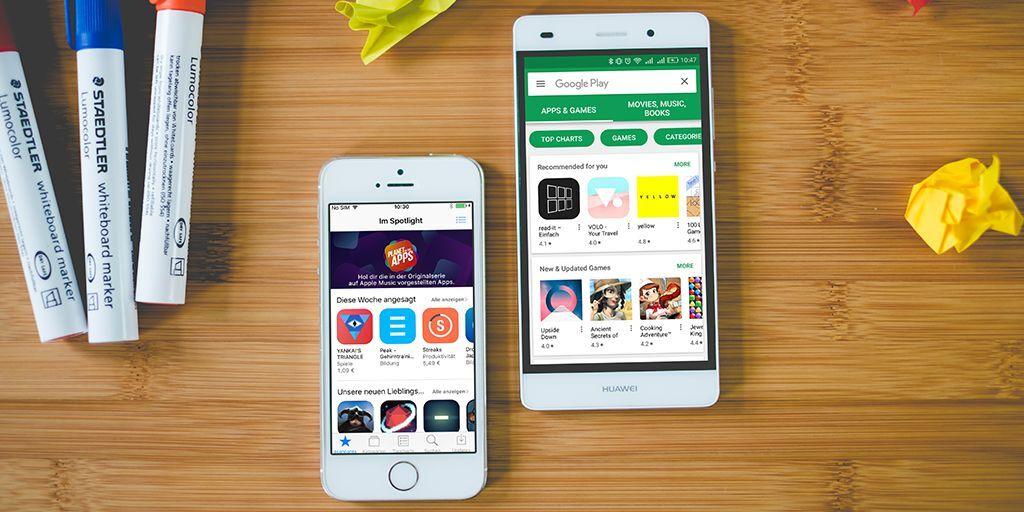
    3 Addictive Games You Can Play On Your Smart Phone Now

    Boredom is one of the major causes of emotional and psychological problems across the globe.

    Being bored also causes engagement in activities that may sometimes have negative consequences on your being as a person.

    It is also widely known that games are forms of entertainment that sharpen our thinking and logical skills.

    In this article, we shall look at three addictive games you can play on your smartphone at any given time.

    Football Strike

    This game is very intriguing and keeps you coming back for more. I know the sound of football in the name scares some people especially those who do not enjoy football that much. Well, this particular game is quite different from your usual soccer game.

    This game only requires you to point at certain targets and shoot at them in a duel with other live players online. For every successful target you hit within a given time, you score several points ranging from1 to 6 depending on the speed of the ball, the time is taken and the exact spot you hit with the ball.

    The beautiful thing about this game is that you can challenge your friends on social media live. Also, there are over 93 achievements you need to get before you complete the game.

    And what makes it more fascinating is that there are millions of people playing the game all the time so the leaderboard keeps changing by the seconds and this keeps it very competitive.

    You can download this game on both android and IOS devices.

    Mario Kart Tour

    For fans of Nintendo games, Mario Forever and Mario Kart Tour should be common names. Well, Nintendo has found the need to create a small-screens version of their highly patronized race game.  So, anyone can now download this game on their mobile devices and play with their favourite characters through the beautiful routes and win various races as they unlock newer levels and competitions.

    If you were a fan of games during your childhood, you’d want to have this one on your phone. This game is free of charge.

    However, there are in-app purchases to be made when one wants to open certain locked features and locations.

    It is available on both android and IOS.

    Homicide Squad: Newyork Cases

    If you are a fan of investigative novels or movies, then definitely this game is for you.

    In this game, you are expected to use your critical analysis skills to identify hardcore evidence at murder scenes to present before a court of law, to serve justice.

    You would be required to control two brilliant detectives as they solve crimes across the state.

    The energy given you is limited so the more time you spend in getting your evidence, the more your energy drains.

    However, there is an in-app purchase option which enables you to buy more energy. It is a pretty intense game that requires some level of thinking and analysis. When you get hooked on it, you will wish your battery never runs down. It is available on both Android and IOS.

    Conclusion

    The games listed in this article are mostly strategy games and so require some level of analysis and accuracy. And as indicated In the caption, they are addictive games that can keep you glued from morning to evening.

    So, if you do not intend to be glued to a game, then you should not attempt installing them. However, if you can control yourself from spending too much time on them, then you sure have no reason to stay away from them. I believe there are many other games of interest to you as well. Kindly share them with us in the comment box.

  • How To search For The Source Of A Photo Using Google Reverse Image Search

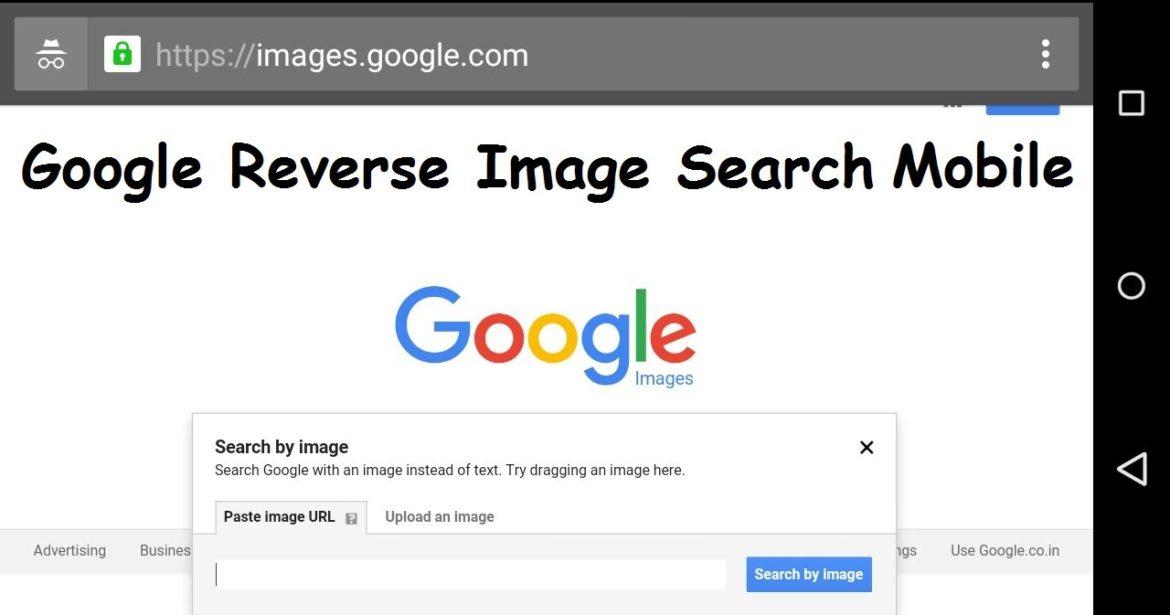
    How To search For The Source Of A Photo Using Google Reverse Image Search

    There are many times when we see images online especially in groups and on various sites that we wish to verify the source of those images. Before now, most of us only wish there was a way we could achieve that. (more…)

  • How To Find Someone On Social Media Using Just Their Name

    How To Find Someone On Social Media Using Just Their Name

    Social media is certainly a brilliant and sure way to get in touch with friends, mates and relatives all over the world. (more…)

  • How To Book a Passion Air Flight Online

    How To Book a Passion Air Flight Online

    Passion Air has been one of the cheapest and most comfortable local flights available in Ghana for about 3 years running.

    Whether you’re looking to fly from Accra to Kumasi or Accra to Tamale or vice versa, Passionair has got a special package to offer you.

    In this article, we shall look at how to book a flight on Passionair from the comfort of your home, so as to be able to enjoy some of the wonderful offers this company has.

    Some of the routes travelled by Passionair include Accra to Kumasi, Accra To Tamale, Tamale To Accra and Kumasi to Accra. There are four booking options associated with each flight you book; Promotion pack, Bronze Pack, Silver pack and Gold pack.

    Each of the options come with a slight difference in price with the promotion pack being the least among them.

    How To Book a Passion Air Flight Online

    If you would want to book a Passion Air Flight online, use the procedure below:

    1. Visit flypassionair.com
    2. Click on “Book a flight” and enter your departure and arrival airport
    3. Choose the date(s) for your flight and remember to check if it is a return flight
    4. Select the number of individuals you are booking the flight for
    5. Click on “flight search”
    6. Select the flight of your choice from the list of results
    7. Click on “continue” and enter the details for each passenger
    8. Next, click on choose seat to decide which seat number you want. (Remember this will be an extra cost for each seat number you select)
    9. Under the payment methods, select your preferred method, Mobile Money, Credit Card or pay later and make the payment
    10. You’ll see your reservation number and other details on your screen. Your flight is booked!

    How to Contact Passion Air

    If you have any issues with your flight booking or you simply have questions, you can contact Passion Air directly using the following medium:

    Phone Call: Toll-Free via 0800 221 221.

    Accra Head Office:

    221 Augustus Akiwumi Street
    Airport West
    P.O. Box CT 920, Cantonments
    Accra, Ghana.

    Tamale Airport Office:

    Departure Hall,
    Tamale Airport.

    Tamale Sales Desk Office:
    ADB Kaladan Branch
    Opposite Kaladan Park, Tamale.

    Email: [email protected] for more information and enquiries or [email protected] for complaints.

    Conclusion

    With this easy guide, you should be able to book your Passionair flight from the comfort of your home and be assured of a comfortable flight.

    Be informed also that when you choose the pay later option, you have to make payment for your ticket before the date quoted on your flight reservation page or your flight would be cancelled altogether and you’ll have to rebook again.

    I hope this article was helpful to you and your colleagues in your quest to book flights within Ghana. Kindly share your comments with us.

  • How To Link And Unlink Your Facebook Account With Instagram

    How To Link And Unlink Your Facebook Account With Instagram

    Facebook and Instagram belong to the same company now since Facebook Inc. acquired the photo-sharing app some years back.

    With this, Facebook and Instagram accounts belonging to the same persons can be connected such that posts shared on Instagram may appear on Facebook and vice versa.

    In this article, we shall look at how to link an individual Facebook account to an Instagram account and how to link a business page to an Instagram business account.

    Linking An Instagram Account To A Facebook Personal Account

    1. Open your Instagram app on your phone
    2. Tap your profile logo
    3. Tap the settings button
    4. Select Account
    5. Tap linked accounts
    6. Select Facebook
    7. Enter your Facebook Login details

    Your account should be linked after this step.

    Unlinking An Instagram Account From A Facebook Personal Account

    1. Open your Instagram app on your phone
    2. Tap your profile logo
    3. Tap the settings button
    4. Select Account
    5. Tap linked accounts
    6. Select Facebook
    7. Tap Unlink (on android) or Unlink Account (on iPhone)

    You may be required to enter your password for this change to take effect.

    Linking An Instagram Account To A Facebook Business Page

    Linking an Instagram account to your Facebook business page is quite different from linking a personal Facebook account to an Instagram account.

    First of all, you need to have a Facebook business page before you can use this method. Also, you may need to convert your Instagram account to a business account as well.

    So, let’s look at the method involved.

    1. visit your Facebook business page
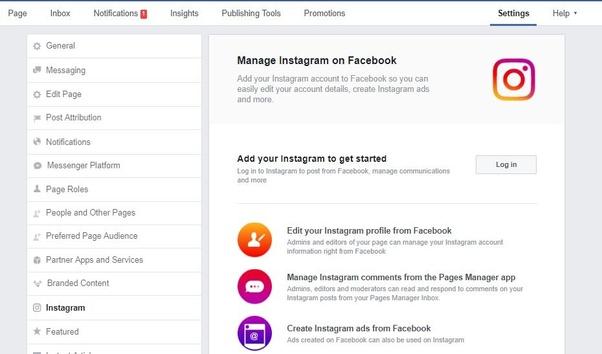
    2. Go to settings
    3. Select Instagram
    4. Click on ‘Connect Account’
    5. Log in to the Instagram account you want to link

    Your account should be linked from here on. When the account is linked, you’ll see the name of the Instagram account on your Facebook page when you get to stage three of the steps above.

    Unlinking An Instagram Account From A Facebook Business Page

    1. visit your Facebook business page
    2. Go to settings
    3. Select Instagram
    4. Click on ‘Disconnect account’
    5. You may be required to login to your Instagram account for this to take effect.

    How To Setup Your Instagram So That All Posts Show On Your Facebook Page Automatically

    1. Tap the upload button on your Instagram account
    2. Select a photo you’ll love to post
    3. Type your caption
    4. Click on advanced options beneath the sharing buttons
    5. Toggle on the ‘Share your posts to Facebook’ button
    6. You may be required to login to your Facebook account again for this to take effect.

    Conclusion

    Linking your Facebook Account to your Instagram account saves you so much time and stress especially if you are someone who shares the same kind of content on Facebook and Instagram. Also, it gives you the chance to manage all your accounts from one place (Facebook). I hope this guide was helpful to you. Kindly share your views in the comment box below.


  • How To Use Your Android Phone So That The Battery Lasts Longer (2020)

    How To Use Your Android Phone So That The Battery Lasts Longer (2020)

    One major issue associated with the use of smartphones is the need to constantly charge them as they tend to get discharged very quickly.

    Most people are faced with the challenge of charging their android phones about 3 or more times within a single day, just to keep up with trends on the internet and keep using their phones through the day.

    Fortunately, most of these battery drainage issues are due to factors that can be controlled by users of such phones.

    In this article, we shall focus on some of the tried and tested ways of using your phone to save the battery and make it last longer.

    Limit Background Apps

    Most Apps especially social media apps and radio or music apps are often kept running even when you leave your phone in idle mode.

    These apps tend to eat so much of your battery even while you leave your phone without touching it.

    So, in order to ensure that your battery lasts a little bit longer than it does presently, the first thing you need to consider is the limitation of background apps.

    To do this, you first need to be sure of the apps that you necessarily need to keep on even when your phone is not in use.

    Once you are sure of the apps, follow the steps below:

    1. Go to settings
    2. Click on apps
    3. Select the specific app you want to limit
    4. Select advanced
    5. Click on battery
    6. Click on background restriction

    Note: On some phones, you may not see the step ‘E’, just move on the final step.
    Repeat this for all the apps that you wish to restrict.

    Turn Off Your Location

    Sometimes you take photos on your phone and the phone gives you the exact location where you took the pic without you typing it. You become very excited and fascinated by how smart your phone is.

    Well, your phone is actually smart but the service that enables your phone to perform that function is the GPS.

    GPS is one of the battery-sucking demons that exist in mobile technology.

    Anytime your location is turned on, your phone tries to connect with the nearest satellite for easy tracking of your location and this usually eats into your battery.

    So, in order to save some extra battery, you should consider turning off your location at all times except you need it.

    To disable your location, follow these steps:

    1. Go to settings
    2. Select Security and location
    3. Click on location
    4. Toggle to turn it off or on.

    Note: Aside from the fact that turning on your location usually chops into your data, it also exposes you to hackers and trackers who could be using your phone to track your movements.

    Turn Off Automatic Wifi Search

    All latest versions of the Android operating system keeps the device to continually search for available wifi network even after the wifi symbol had been turned off in the control centre.

    This, therefore, uses up the battery for as long as there is no available Wifi network to connect to.

    In order to cancel this automatic search for wifi networks on your android device, you should consider doing the following:

    1. Go to settings
    2. Go to networks and internet
    3. Go to wifi
    4. Select Wifi-preference
    5. Click to uncheck the ‘Turn On Wifi Automatically’ box.

    Please be sure to check if the option is already turned on or off before attempting to change.

    Check For Malfunctioning Apps

    Anytime an app malfunctions on your device, it tends to take up more clock time in your Phone’s CPU and this puts much pressure on the battery, thereby resulting in a great drop in battery percentage.

    Therefore, in order to minimize the drop in battery percentage and ensure that the battery lasts longer after charging, we should consider checking for malfunctioning apps and putting them off.

    To check for malfunctioning apps, do the following:

    1. Click on settings
    2. Select battery
    3. Select battery usage
    4. Look through the list and see which apps are taking much battery than they ought to.
    5. Click on them and select ‘force stop’.

    If you decide that you may not need the app at all, you can uninstall it completely from your phone.

    Conclusion

    While there may be many other suggested ways of keeping your phone battery healthy and ensuring that your phone’s battery lasts longer after charging it, the list on this site seems to be the tried and confirmed methods of achieving good battery health.

    However, these methods do not mean that you’ll achieve a magical boost in your battery health. If your battery lasts 3 hours presently, you should not expect that it would start lasting for 24 hours after applying our suggestions in this post.

    Also, if you know of any methods that work for you personally, you can share with us and many other readers via the comment box beneath the post.

  • 4 Best Adblockers You Can Use On Your Android Phone

    4 Best Adblockers You Can Use On Your Android Phone

    One of the most annoying things one has to endure as an android phone user is the frequent and unwarranted ads popping up on the screen from websites and other apps that you may have on your phone.

    There is nothing more annoying than this and very slow internet. The worst part is that most of these ads turn out to be pornographic materials.

    You can imagine the disgust and embarrassment that you’ll face when you give your phone to someone only for the person to see such ads on your phone.

    In this article, we shall look at 4 best adblockers that you can use on your android phone to prevent such worthless popups.

    Appbrain Ad Detector

    Appbrain is a one-stop solution to everything that bothers you about the safety of your phone and your privacy as well.

    Arguably, Appbrain is one of the finest AdBlock apps available on the internet today for use on android devices.

    This app has a feature which checks through your system to identify apps and websites that contain such popup ads and blocks them even before they attempt to show ads.

    Also, it has a virus and threat-sniffing ability which lets it scan and rate the safety of any network your phone connects with.

    This, however, makes it responsible for network problems sometimes since it doesn’t connect to all networks.

    You can download this app from the google play store free of charge and block ads on your phone.

    Trust-Go Ad Detector

    Aside from the fact that those popup ads are so annoying and sometimes make you feel like hitting your phone against a wall, some ads all gather information from you and sell to marketing companies and businesses.

    So in essence, some of these ads gather your information and sell to others.

    The Trust-Go Ad Detector acts as both an app for detecting ads and blocking them, as well as protecting privacy and information.

    You can download it on the google play store too.

    Adblocker Browser

    As indicated in the name, this app is a web browser which has an anti-ads code embedment which in turn prevents ads from being displayed on your android device.

    Presently, the app has been taken off the google play store. However, you can get it on the app’s official website where you can download it and share.

    This app covers all browsers on your device. So once installed, it covers all other web browsers on your phone to give you maximum protection from popup ads.

    Adblock Plus

    Finally, the last app on this list is Adblock Plus. It Is also a very popular Adblocker fro your android device.

    It is very good at blocking online ads and comes with free extensions for chrome, internet explorer, safari, opera, firefox for your Pc, and Laptop users.

    One other unique thing about Adblock plus is that it contains a component which tracks and blocks websites that have been reported by others for spreading malware and infectious files.

    Also, if there are some few sites you wish to deactivate the ad blocker for, there is an option for you to create your own filters.

    Conclusion

    The four apps and extensions listed above are very easy-to-use adblockers that you can use to prevent your phone from displaying ads that end up becoming annoying and intrusive. Please, be it known to you that before you download any adblocker apart from the ones listed above, make sure to read their reviews.

    Most of the other adblockers rather end up causing you more harm by stealing your information and displaying more ads that you had thought.

    However, if you have used any other deserving adblockers that you want us to know about, kindly share them in the comments section beneath the post.

  • How To Use Your Phone To Find Any Song That Is Playing Around You

    How To Use Your Phone To Find Any Song That Is Playing Around You

    Very often than not, many of us hear songs on radio, TV or on a device nearby. Sometimes, these songs are very interesting and suit your taste for music but unfortunately, we are unable to identify the songs by their owners or title.

    In situations like this, one thing that comes to mind is an app which can help you search for a song by recording a part of it.

    In this article, we shall take you through three applications that enable you to find any song that is playing around you.

    Shazam

    Shazam is a multi-platform app for identifying music playing on TV, Radio, Cinemas and music devices. Shazam is available for IOS devices and Android devices.

    To use Shazam to search for a song, follow these steps:

    1. Open the app and press the ‘Shazam’ button.
    2. Hold the phone near to the source of the song for about 10 seconds.
    3. A digital fingerprint of the audio recorded by your device is created and, within seconds, matched against Shazam’s database of millions of tracks and TV shows for a result.
    4. If the song is available in the database, details of the songs will be displayed to you. However, if the song doesn’t match any of the songs in the database of Shazam, it will show ‘No results found’.

    Note: In order for shazam to produce the kind of results you want, you need to reduce the background noise of the environment in which the song is being played.

    Soundhound

    Soundhound is one of the most efficient speech- to- meaning applications on the internet today.

    With Soundhound, anyone in the world using both android devices or IOS devices can search for songs or TV programs of their choice by simply recording a part of the song or singing and humming part of the song.

    Soundhound then matches contents of the recorded audio with a list of millions of marked audio in their database.

    Soundhoud has features that enable users to link their soundhound account to their Apple Music or Spotify so as to create an automated playlist based on their Soundhound history.

    MusixMatch

    The last app on this list is MusixMatch. Arguably, MusixMatch is rather a better choice than many of the other song finding apps on the internet.

    This app gives you useful results almost every 9 out of 10 times and provides users with lyrics of songs they search as well.

    The app also has a floating lyrics feature, which lets you see lyrics in real-time as you listen to music.

    In addition to this, once you create an account, you can contribute to lyrics for your favourite songs.

    Musixmatch has a free version which displays ads and a paid or premium version which costs 3 Dollars per month and provides the option of saving your lyrics for offline usage.

    Google Assistant

    One of our readers, Mawuli, pointed out the Google Assistant app, which we had missed in the earlier version of this article.

    Quite, rightly, once you say “Ok Google” and ask what song is playing, the Google Assistant will listen to part of the song (usually 6 seconds or less) and tell you the name of the song playing.

    You could also singly type “What song is this?” in Google Assistant and you will get the same response.

    Conclusion

    From the list provided above, my best tip is MusixMatch as it provides far more than just music identification.

    Also, its accuracy rate is quite high and it is more likely to give you the results you want. Meanwhile, depending on the level of popularity of the song you want, Shazam may be a better choice. The more popular the song is, the better it is for Shazam to identify it.

    Also, there are many other music identification apps you can use. Kindly share with us the ones you have used and how best they worked for you. Let’s hear from you in the comment box.

  • 5 Websites You Can Download And Stream Ghanaian Music From

    5 Websites You Can Download And Stream Ghanaian Music From

    With the digitization of several aspects of our lives from education to business, communication and transport, music is one of the major aspects of life that has been affected by technology.

    Today, one does not need a tape cassette or CD to be able to listen to one’s favourite songs.

    With the upspring of streaming and downloads, music lovers can access a wide variety of songs from the comfort of their homes via their mobile devices or laptops.

    In this article, we learn about 5 websites from which you can stream and download Ghanaian music.

    Aftown

    Aftown.com is a service that allows music lovers to stream and download their favourite songs from their favourite African musicians.

    Aftown is arguably  Ghana’s first music streaming app which has an easy-to-use system which makes it easy for musicians to set up their stores quickly and make some good money from their songs.

    Songs on Aftown are purely Ghanaian and African songs and they are uniquely arranged based on their genres.

    Aftown also has a beautiful user interface which can easily be used by first-timers.

    Payment method for Aftown includes Mobile Money, Visa Card, Mastercard.

    Aftown also has mobile apps for both Android and IOS.

    Soundcloud

    Soundcloud is one of the leading music uploads, streaming and download sites across the globe. There are millions of songs and artists on Soundcloud daily and these artistes include Ghanaian artistes as well.

    Soundcloud has two parts; the free version and the premium version. With the free version, you get to enjoy, stream and download free songs from artistes who wanna put it out for free.

    While, with the premium version, you can listen to all songs on the app.  The premium version of Soundcloud, called Soundcloud Pro costs 5.50 Euros per month for a monthly subscription and 4.13 Euros per month for a yearly subscription.

    With Soundcloud, you just have to search for the artist name, song title or both to be able to stream or download the song.

    AudioMack

    Audiomack is a free music streaming application that is available on both IOS and android devices.

    Audiomack has a wide range of categories, genres and artistes listed in its database.
    Primarily, Audiomack is a free service which is aimed at projecting independent and new artists.

    This makes it more possible for you to get all your favourite African musicians since most African independent artistes take advantage of the opportunity provided by Audiomack.

    Audiomack also has two packages, the free version which comes with ads and a premium version which is ads-free.

    The premium version costs 4.99 USD per month.

    Boomplay

    Boomplay is African music streaming application launched in Nigeria about 5 years ago. Boomplay is a free music streaming site which mostly houses music from African artistes.

    Boomplay is arguably Africa’s biggest music streaming platform with over 60 million subscribers around the globe.

    Similar to Audiomack, Boomplay enables users to stream songs for free using its freemium service which comes with ads.

    On the other hand, there is a pro version which gives users an ad-free experience and the option to download songs for offline use.

    Boomplay premium costs 1.5 Dollars per month and can be paid via Visa Card, Master Card and Mobile Money.

    Play Africa Music

    Play Africa works similarly as Boomplay. As the name suggests, Play Africa is also an African music streaming site or application.

    Play Africa is currently home to thousands of original music from African artistes both locally and internationally,

    Play Africa apps can be downloaded on PC, IOS Devices and android devices for easy usage.

    This App has four payment plans which are Student Account at the rate of 1.2 USD per month, Basic Account at 2.40 USD for 45 days, Standard Account at 5 Dollars for 2 months, and Premium Account at 50 Cedis for 75 days.

    Payment methods include Mobile Money, visa card and MasterCard.

    Conclusion

    With any of the above-listed apps, anyone can enjoy African music for free or at a little fee. The list, however, is not conclusive. If you have any other apps you think we should know about, please do not hesitate to tell us about it in the comment box beneath this post.