Author: Godwin Gabla

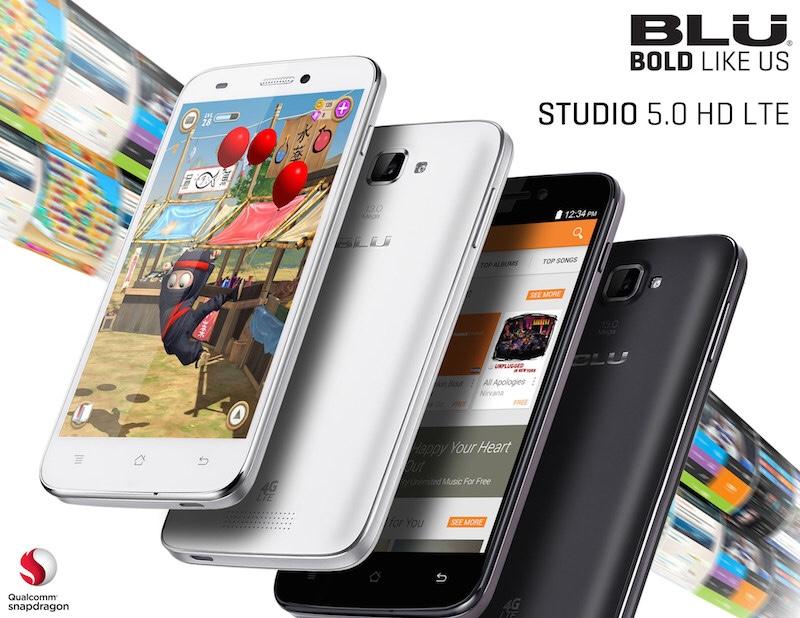
  • How To Check If Your Phone Supports 4G LTE And How To Enable It To Browse Faster

    How To Check If Your Phone Supports 4G LTE And How To Enable It To Browse Faster

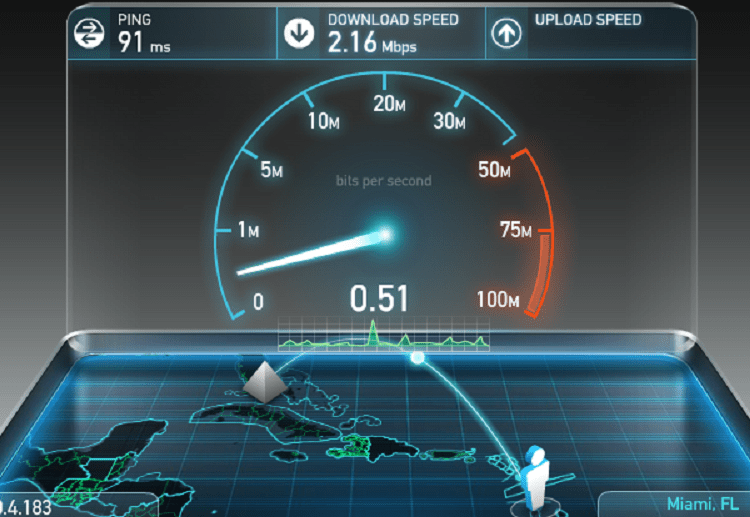
    No matter what your purpose for browsing the Internet is, one thing you don’t want to deal with is slow connections.

    The older the generation of your internet connectivity, the slower your internet speed becomes. That’s to say that the latest generations of the internet are by far faster than the previous ones.

    Currently, the world is at the stage of the fifth generation of the internet called 5G technology.

    But here in Ghana and most parts of Africa, we are on the 4G LTE connectivity as the highest.

    The 4G LTE connectivity is five times faster than the erstwhile 3G technology.

    So anyone using the 4G network can access four times the data someone using a 3G device will access within the same given time.

    Interestingly, in order for you to use the 4G sim card in your device, your device must be built for 4G connectivity. Usually, one would check these specifications before purchasing a phone or device.

    But, humans as we are, it is not out of place for us to fail to check this out of the excitement that comes with acquiring a new phone.

    So, in this article, I’ll focus on how to check your phone to see if it’s 4G LTE compatible and how to enable it for faster internet connection.

    How To Check The 4G Connectivity on your smartphone

    1. Go to your phone settings
    2. Select wireless and networks
    3. Select mobile networks
    4. Select preferred networks
    5. If your device is 4G enabled, you’ll see 4G there
    6. Select it and enable it.

    If you don’t see 4G there, it means your device is not compatible with the 4G LTE connection.

    And that calls for a replacement if indeed you want to enjoy higher internet speeds.

    Conclusion

    Most of the latest phones made support both 4G LTE and 5G so you wouldn’t have a problem with such phones. However, the very old generations of phones such as those released before the launch of 4G in 2012.

    Most current iPhones and Samsung devices, as well as Itel, Infinix and Tecno phones, are 4G enabled.

    If you have an older version of your SIM card, it is advisable for you to turn it in for a 4G replacement since you can only use a 4G network if your sim card and phone are both 4G enabled.

    If your sim card is 4G enabled, you’ll see 4G LTE written on the starter pack. Also, if you enable 4G in an environment which doesn’t have 4G coverage, you tend to stress the phone network modules as they have to work extra to keep up with the requirements.
  • GoTV Offers, Channels, Subscription Prices And Contacts

    GoTV Offers, Channels, Subscription Prices And Contacts

    GOtv is one of the well known paid satellite TV decoders one can opt for in Ghana.

    Be it for entertainment purposes, sports or lifestyle, GOtv is a top priority for many Ghanaians.

    With their relatively cheap packages and their high-quality display, you can’t do away with the importance of GOtv in the Ghanaian broadcasting space.

    The focus of this article is to brief you on the channels associated with GOtv, the packages and their prices, as well as contact information.

    GOtv Packages And Their Channels

    Like any other known paid satellite TV subscription service in Ghana, GOtv has varying packages to suit different needs.

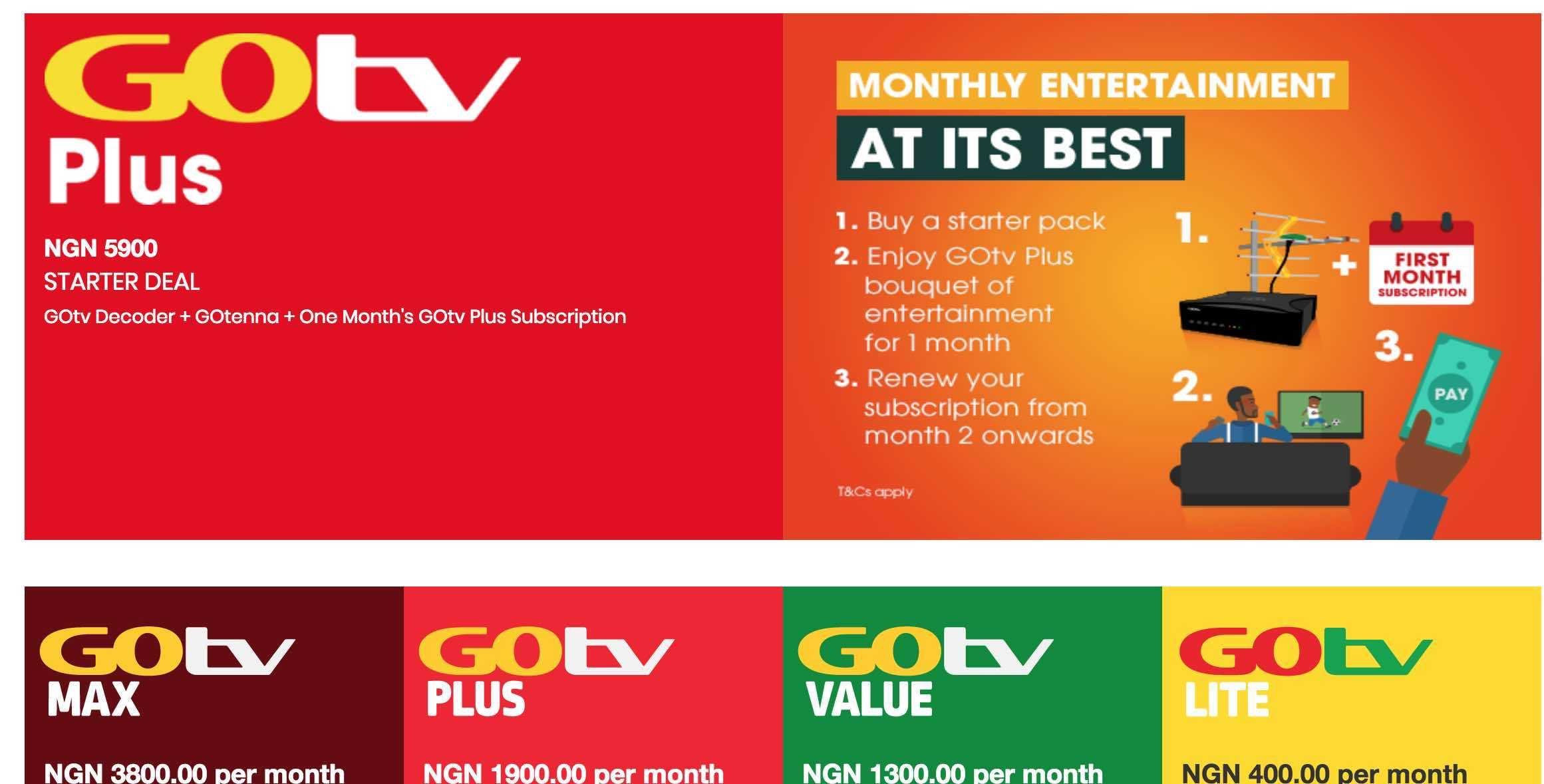
    Here are the four unique subscription packages that GOtv currently offers:

    1. GOtv Plus
    2. GOtv Max
    3. GOtv Value
    4. GOtv Lite

    All the packages, which we have explained into details below also come with the following free-to-air channels: Joy Prime, UTV, eTV Africa, Metro Tv, GTV, TV3, GHone TV, Fiesta Gh, TV Africa, Adom TV, TV Ghana, Net 2 TV, Joy FM and YFM.

    GOtv Plus

    The GOtv Plus package costs 40 Ghana cedis and gives subscribers the opportunity to watch 44 different channels under the categories of Documentary, Sports, Cartoons and Animations, entertainment and movies, music, religion, news and commerce, local content and radio.

    Find below the list of channels under this package :

    Discovery Family, Nat Geo Wild, Supersport Select 1, Supersport Select 2, Supersport Select 3, Supersports Blitz, Nickelodeon, Disney Junior, JimJam, Telemundo, E! Entertainment Television, Fox Life, M-Net Movies Zone, Eva+, African Magic Epic Movies, Africa Magic Hausa, Africa Magic Family, Zee World, Rok 3, B4U Movies, MTV Base, Afro Music English, Planet Radio TV, Faith Broadcast Network, Emmanuel TV, BBC World News, Al Jazeera, CNN International, Joy News

    GOtv Max

    The GOtv Max package costs 65 Ghana cedis per month and offers subscribers the opportunity to watch 55 TV channels including the Free To Air Channels.

    The channels here include:

    Discovery Family, Nat Geo Wild, Supersport Select 1, Supersport Select 2, Supersport Select 3, Supersports Blitz, Supersports Select 4, Supersports Select 5, Nickelodeon, Disney Junior, JimJam, PBS Kids, Telemundo, E! Entertainment Television, Fox Life, M-Net Movies Zone, Eva+, African Magic Epic Movies, Africa Magic Hausa, Africa Magic Family, Zee World, Rok 3, Go channel, Iroko Music, Fox, CBS Reality, TVC Entertainment, Naija Stand-Up Comedy, B4U Movies, MTV Base, Afro Music English, Planet Radio TV, Faith Broadcast Network, Emmanuel TV, Islam Channel, BBC World News, Al Jazeera, CNN International, Joy News

    GOtv Value

    With GOtv’s value package, the subscriber gets 30 Channels for 20 Ghana cedis per month.

    With this package, you can still enjoy your regular entertainment channels.

    The channels under this package include:

    Fox life, Eva+, Africa Magic Epic Movies, Africa Magic Family, Supersport Blitz, Supersport Select 1, Nickelodeon, JimJam, Afro Music English, planet Radio TV, Faith Broadcast Network, Islam Channel, Emmanuel TV, BBC World News, Al Jazeera, Joy News, Joy Fm.

    GOtv Lite

    This final GOtv package is an economy package for everyone which comes with both local and international content for viewers’ viewing experience.

    This package serves the customer a whopping 23 channels for just a cool 10 Ghana cedis per month.

    The channels are Supersport Blitz, Joy News, Aljazeera, jimjam, PBS Kids, Emmanuel TV, Islam Channel, Faith Broadcast Network, Planet Radio TV, Afro Music English, YFM, Joy FM.

    GOtv Decoder Price & Contact Information

    If you’re excited about the packages listed above, just as I am, then you’re probably thinking of how much the decoder should cost.

    Well, the GOtv decoder costs between GHS 99 to GHS 150. The price range depends on where you buy it from. If you buy from a retailer, it may be a little expensive than buying from an accredited dealer or the office itself.

    To contact GOtv Ghana for any further enquiries, you can reach them via the following :

    Email: [email protected]

    Telephone: 0302740540

    USSD code: *759#

    Physical address: Number 8 Basko Lane off George Walker Bush Highway, Accra – Ghana.

    Conclusion

    GOtv offers monthly, quarterly and yearly payment for their packages and the yearly and quarterly packages come with huge discounts which benefit the users.

    If this article was helpful to you, kindly comment in the comment box and do well to share with friends and family. If you have any more enquiries, you can contact the number in the bio.

  • How To Speed Up Your Internet To Browse Faster

    How To Speed Up Your Internet To Browse Faster

    No one wants to deal with a slow internet!

    You are trying to do a quick search on google and it literally takes 5 minutes for a single page to load. Or you’re watching a movie on YouTube and the video keeps buffering for 2 hours without any sign of progress.

    This can really be frustrating to you as a tech geek or just another user of the internet.

    But hey, you don’t have to worry so much. In this article, I shall take you through ways of beefing up your internet speed to browse faster.

    1. Restart Your Network Device

    If you’re using a router, modem or your cell phone’s mobile data to browse, you should consider restarting when you notice a dip in the network speed.

    Usually, it is advisable that you turn off the devices altogether and wait for 10 to 15 seconds before starting them again.

    When you do this, you refresh the device and give it an opportunity to provide you with the best speed available at that moment.

    2. Reduce Other Network Interferences

    Most times than not, a fall in the internet speed of a previously fast device is caused by interference from other networks.

    There are times that you realise your network is very slow so you tend to switch off your data and restart it only to realise that your wifi has been turned on all along.

    Our devices tend to be very sensitive to wireless devices when enabled. As such, anytime there are other wifi devices in the area and your wifi is turned on, your device is likely to pick the one with the worst connectivity by default.

    So, in order to prevent this, it is recommend for us not to encourage automatic connection to wifi networks we cannot vouch for.

    Also, do not turn on your wifi unless you’re certain of using this.

    3. Limit Bandwidth Usage

    Every single internet connection provides users with a certain volume of bandwidth that can be used. This bandwidth is shared between all devices on that same connection.

    So if you have three laptops and 2 smartphones running on the same internet connection, they’ll share the same bandwidth that the connection is supposed to use.

    Same way, if you have only 2 smart phone using the same internet connection used above, they’ll share the same bandwidth.

    Now, comparing these two circumstances, you’ll realize that the phones in the second instance will enjoy bigger bandwidth since they are only two in numbers as compared with the initial instance.

    As such, it is important for you to limit the number of devices using the same network at the same time. The more the devices, the more likely it is for the speed to reduce drastically.

    4. Check For Data Usage

    Very often, there are some apps and softwares that eat into our data usage without us even realizing it most times. These softwares tend to reduce the speed of our internet connectivity by using up all the bandwidth we have.

    To ensure that your internet speed is high for you to browse faster, you need to check you task list or task manager to see the data usage by devices and see the devices using the most data or bandwidth. If you feel some devices are using far too much data than you’d imagine, you then turn them off or close them to create space for some more speed.

    5. Use a VPN

    Sometimes, it’s actually not your fault or your device’s fault that your internet speed is slow.

    Sometimes, it’s actually the work of your ISP – Internet Service Provider.

    There are times when your internet service provider limits some activities you can undertake with your internet connection.

    So, you’d realize that there are times you are able to search anything you want on google within few seconds but whenever you try loading another website, it takes hours to load.

    Well, this is not your fault at all. It is from your ISP and it is called throttling.

    In order to check if your ISP is responsible, you can check all the activities that are restricted on your internet connection and list them down.

    Then, install a VPN and with your VPN on, try to access the same functions or activities you have been restricted from.

    If it was from your ISP, you should be able to access your functions which you earlier couldn’t.

    Though the VPN May make the connection a bit slow, it gives you a reason to know whether you should blast your ISP or take a look at your device.

    Conclusion: Though these suggestions above seem to work for most people. If it doesn’t work for you, you should contact your ISP since they have control over your internet connection and can provide any further assistance aside this. I hope this article was helpful to you though. If you know of any other methods, you can let us know in the comments box.

  • How To Borrow Airtime On Mtn, Vodafone, Glo and AirtelTigo In Ghana

    How To Borrow Airtime On Mtn, Vodafone, Glo and AirtelTigo In Ghana

    Once upon a time, we are all caught in the net of having limited airtime or no airtime at all. You either want to make a call or text someone only to realise that you’re lacking on airtime.

    In most instances, when this happens, you hardly have the time to go out in search of call cards to buy. The best you can do is to borrow SOS credit from your network service provider.

    In this article, I’ll take you through the various steps involved in borrowing airtime from the four major network service providers in Ghana namely MTN Ghana, Vodafone Ghana, Glo and AirtelTigo.

    MTN Ghana

    You can borrow airtime on your Mtn line from between 50 pesewas to 15 cedis depending on how much credit you buy, how long you’ve been using your sim card and how soon you repaid your previous borrowed airtime.

    To borrow airtime on MTN, follow the following:

    1. Dial *506#
    2. Select “borrow credit”
    3. Choose the amount you wish to borrow from the list
    4. Select 1 to confirm.

    Or

    1. Text “Start” to 1506
    2. Select the amount you wish to borrow
    3. Text 1 to confirm

    To check your loan status,

    1. Dial *506#
    2. Select 1 for status

    Note: MTN charges 10% on all borrowed airtime as repayment charge. Also, for you to be able to access this service, you must be an active MTN user for 3 months and you must have airtime balance less than 4 cedis.

    Vodafone Ghana

    Vodafone Ghana also gives SOS credit to their users who have run out of airtime. To qualify for this though, an individual must be an active Vodafone user for at least the past 15 days. A service charge of 10% of the credit requested is charged as a commission on the airtime. You must have airtime of less than 1 cedi to be able to go for this.

    How to borrow data on Vodafone:

    1. Dial *505#
    2. Select the amount you wish to borrow
    3. Select 1 to confirm the transaction

    This borrowed airtime can be used for nothin browsing and calls.

    Glo Ghana

    Glo Ghana is arguably one of Ghana’s fastest internet service providers with commendable internet speed and good data packages.

    Well, they also have the “Borrow me credit” service which enables customers to get some airtime loans when they run out in the middle of something.

    To qualify for this service though, the customer must be using a registered sim card, you must be an active Glo user for the past 3 months.

    To borrow airtime, follow these steps:

    1. Dial *5321#
    2. Select 1 to borrow credit
    3. Select the amount you wish to borrow
    4. Select one to confirm.

    The repayment of this airtime loan can be in bits or in full depending how much airtime you recharge on your next top-up.

    It also attracts a 15% commission.

    AirtelTigo

    Currently, Airtel tigo is the second biggest network company in Ghana following the merger of the erstwhile Tigo and Airtel companies.

    To borrow airtime from AirtelTigo, follow the following steps:

    1. Dial *588#
    2. Select the amount you wish to borrow
    3. Confirm the transaction.

    You can check your airtime usage by dialling *130*10#

    Conclusion

    The various network service providers have various criteria for borrowing airtime to their customers. So don’t beat yourself if you have several SIM cards and you are able to borrow on some yet you’re not able to borrow on others.

    For more enquiry on qualification, you can call your network provider’s customer care.

  • Top 10 Job Search Sites In Ghana

    Top 10 Job Search Sites In Ghana

    With the current spate of Unemployment, the Internet is a sure way to land yourself an opportunity to get a real job.

    Thanks to the upsurge of websites, even Ghanaians can now search for their preferred job openings online.

    In this article, we shall take you through 10 of the best job search websites in Ghana.

    Jobberman Ghana

    Arguably one of the biggest and oldest job search sites in Ghana, Jobberman Ghana provides a strong link between prospective employees and their employers.

    With this site and its beautiful layout, individuals seeking jobs are afforded the opportunity to choose carefully from a list of jobs.

    Also, Jobberman provides a mobile app which can be downloaded from the google play store to keep job seekers updated once there is any new job posting within their preferred career path.

    Job list Ghana

    Touting itself as Ghana’s number one jobs website is Job List Ghana. Having been in operation for the past four years, this website has an, even more, simpler layout.

    It has a simple design and outlook which makes it easier for first-time users to check-in for their jobs.

    Though this site doesn’t have a mobile application, it has filters that enable job seekers to search for jobs within specific companies, career path and their country of choice.

    Job Web ghana

    Job Web Ghana also provides some of the newest job opportunities on their site which is updated every other hour.

    Having received huge traffic in the past years, the impact of this site in the job seeking industry cannot be overestimated.

    With an RSS Subscription Feed and easy-to-use filters, this site provides a more comforting and reliable platform for individuals to search and find jobs online in Ghana.

    Business Ghana

    Apart from providing list of job opportunities to prospective job seekers, Business Ghana also provides business news and tips on CV creation and job-seeking.

    This site is therefore a comprehensive platform for everything about job-seeking.

    Job house Ghana

    Just as the name suggests, Job House Ghana is a platform for everything that has to do with jobs in Ghana.

    They are into job listing, recruitments, HR Services and more. Whatever you need to be able to succeed in your Job search, this site has an in-house solution for you.

    Visit now to check out what’s in stock for you.

    The other 5 job search sites in Ghana are listed below:

    • Ghana jobs
    • Career Jet
    • Careers In Ghana
    • Ghanaweb Jobs Portal
    • My job mag Ghana

    Conclusion

    Whereas there may be some jobs simultaneously listed on all the platforms listed in this article, it is imperative that job seekers search all these platforms as you may not know where exactly your dream job is listed.

    Also, be careful not to make any payments to anyone claiming to be an employer except you are sure that it is for a good cause.

    The world is full of many evil people. You don’t want to make yourself prey to some scammers out there. So be extra careful when dealing with employers you find on these sites.

  • 10 Online Ghanaian Sports Betting Sites You Should Know About

    10 Online Ghanaian Sports Betting Sites You Should Know About

    Today, the sporting world has become more lucrative and enjoyable. This is not only because the players have developed their skills to an all-time highest level. But also because, just like the players, the fans and sympathizers can also make money from the game – thanks to sports betting.

    In a matter of minutes or hours, a fan can make hundreds or thousands of Ghana cedis from the comfort of his or her home through sports betting.

    Though sports betting seems to be an easy way to make money today, it’s very important for punters to select the right platforms to bet with.

    In this article, we shall take you through 10 top betting sites you should know about as a Ghanaian.

    Click here to see a list of Ghana betting sites.

    1Xbet

    1xbet is undoubtedly the best betting platform in Ghana and the world at large. With very high odds and thousands of options to select from for each match, 1xbet provides customers with numerous opportunities to make money.

    Again, 1xbet has been linked with several international brands such as Juventus, Barcelona, CAF and Fifa in the past few years. This has gone a long way to solidify the company’s image as a brand worthy of trust.

    No matter what competition or how small the team is, 1xbet has odds to cover every match.

    Soccabet

    Soccabet is one of the longest-standing sports betting companies in Ghana. For over 5 years of running, Soccabet has carved a beautiful niche for itself in the industry.

    With really fast withdrawals and very friendly customer care service, Soccabet is one of the few betting companies in Ghana that can be trusted.

    Betway

    Betway is obviously the most popular betting company in Ghana presently. Following the launch of their weekly jackpot competition, Betway has gained prominence among bet punters in Ghana.

    With scores of people winning hundreds of thousands of Cedis, Betway is a firm betting company especially for those hoping to win millions of Cedis with as low as 4 Cedis.

    Betyetu

    Betyetu, one of the newest betting companies in Ghana has also established itself as one of the leading bet companies.

    With their trademark high odds and customer service perfection, Betyetu is a good choice of a betting company in Ghana.

    Sportybet

    Sportybet is also a fine betting site with numerous option for each match and a very simple but elegant user interface.

    This makes it easy for even the bet novice to navigate this platform with the ease of drinking water.

    Here are some other betting sets in Ghana worth nothing:

    • Eazibet
    • Mybet Gh
    • Betfair Ghana
    • 10Bet Ghana
    •  Betfair

    Conclusion

    Betting is a highly risky venture and requires lots of calculation and luck. As such, you should always be sure before you make any decision regarding betting.

    Also, this post does not indicate our relationship with any of the companies listed above. Any

    The situation that arises from you dealing with any of the companies listed above has nothing to do with us.

    Finally, don’t spend money you’re not willing to lose on betting. For every stake, there’s as much probability that you’ll win as there is that you’ll lose. If you know of any other betting companies in Ghana which have not been listed here, you can list them in the comment box.

  • How To Register For Online DVLA Portal In Ghana

    How To Register For Online DVLA Portal In Ghana

    In an attempt to cut-out the activities of Guru boys, the Driver and Vehicle Licensing Authority of Ghana launched an online platform in 2019.

    This platform is to enhance the speed of processing number plate acquisition throughout the country and also to propel the government’s agenda of digitising the economy.

    Like any other novelty, using this online system becomes a bit difficult for first-time users.

    In this article, we shall take you through the process of registering for the online portal.

    How To Register On the DVLA Portal

    1. To register on the portal, visit online.dvla.gov.gh/sign_in
    2. Click “signup free” at the bottom of the Sign-in page.
    3. Select Individual in the Popup menu.
    4. When the new applicant registration form opens, fill in the following under the Basic Information tab:
      1. Your title (Mr./Mrs)
      2. Select Your Gender (Male or female)
      3. Enter your accurate date of birth. (Day, Month and Year)
      4. Where you were born (Place of birth)
      5. Your surname, your first name,
      6. Your employer’s name (Example GES, Self-employee)
      7. Select your nationality and enter your middle name (If any)
      8. Enter your previous name (Any other name you’ve had before a name change )
      9. Select the type of ID Card you want to use for identity (Voters ID, National ID, Health Insurance, SSNIT or Passport).
    5. Enter the ID card number in the ID No. column
    6. Click on Next
    7. Under the Contact Information Tab, Enter the following information:
      1. Enter your postal address in the boat box column (P.O. Box 23)
      2. Enter the town of the postal address in the city column (Example, Kaneshie – Accra)
      3. Select your region from the drop-down list. (The list still contains only 10 regions so choose the original region from which your new region was created if this applies to you)
      4. Enter your email address in the email address column
      5. Enter the name of your area in the “suburb” column (Example: Otamens-Kasoa)
      6. Enter your street address in the “street address” column.
      7. Enter your house number
      8. Enter your full mobile phone number in mobile no. Column.
      9. In case of any other number, enter it into the second mobile number column.
    8. Click on next to move to the next step.
    9. Under the Account Credentials Tab, enter the following information:
    10. In the user name column, enter a name you can easily recollect.
    11. Enter a preferred password in the password column.
    12. Repeat the password in the “confirm password” column.
    13. Click next to move on

    On the next page, you’ll view all the details you had entered in the previous three pages. Check to be sure that everything is in place and click on next. If you have any wrongly entered data, you can click on the edit button at the top of each table to edit before moving on.

    You’ll see your portal open after the previous step and then you can access all your services.

    Conclusion

    I believe this article was helpful to you in your quest to register for an online portal for DVLA in Ghana. In subsequent posts, we shall write about how to book specific services from your portal. Kindly share your comments in the comment box below.

  • BezoMoney: Online Susu And Savings For All Ghanaians

    BezoMoney: Online Susu And Savings For All Ghanaians

    If there’s one thing we all grew up to know, it is the importance of savings.

    Our parents from back in the days were part of some daily Susu schemes where the collectors came around daily for the monies. They then take one day’s contribution off a contributor’s total monthly contribution as their fee.

    Well, if you were born before or during the 90s, you’ll understand perfectly what I’ve described above.

    However, in today’s world of technology, where we have moved from carrying cash to mobile money transactions, it is rather difficult to have people do the traditional Susu contributions.

    In view of this, a Ghanaian startup company named Bezomoney has provided an easy and formidable way of saving your traditional Susu contributions without having to wait on anyone to come to you or going to any bricks and mortar institutions.

    In this article, we shall take a look at Benzomoney, what they do, how they are beneficial to you and the team behind it.

    What is BezoMoney?

    BezoMoney is a financial technology company interested in creating a suitable platform for daily, weekly, monthly and yearly Susu contributions.

    It is in essence, a digital platform that helps you save effectively, and enables you to access bulk cash through group savings and ensures that you build a worthy savings and credit history to foster your access to loans.

    How Do You Benefit From BezoMoney?

    With Bezomoney, you are assured of building on your savings culture as an individual, a group or a company by aligning to the Benzomoney lifestyle of saving.

    The service provides four different packages. They are:

    Personal savings

    With this, you are required to set a weekly or monthly goal as an individual, on your mobile phone. You are then reminded to contribute towards it via your mobile money wallet.

    Group Savings

    With this option, you are granted access to connect with other people who are geared towards achieving similar financial goals as yourself. In the process, you all save from your individual mobile money wallets into that single account.

    Value-Added Packages

    With the value-added packages, contributors are granted access to loan facilities, based on their credit history and their savings. In addition, BezoMoney also serves as a mediator for making group purchases through group savings.

    Pay-As-You-Go Services

    With the pay as you go services, BezoMoney gives contributors the ability to purchase items, products or services and pay in instalments. Some of the items or services covered include payment of school fees and buying of electrical appliances.

    BezoMoney pays a fixed interest of 3% per annum on all contributions and the interest is calculated on a daily basis.

    You can register by for BezoMoney by dialling *713*12#

    The Team Behind BezoMoney

    Bezomoney is put together by a team of three young tech and business Ghanaian geeks who have over 16 years experience in software, business and strategy development, designing, building communities and partnerships.

    The team also has a group of advisors who are creditably pitched at the apex of their careers in Telcos, banks and nonprofit organisations.

    The founders of BezoMoney are Mubarak Sumaila, a design thinking expert, in the position of CEO, Diana D. Osei an expert in technology for development, in the position of CMO and Kenneth Simpson, a software engineer in the position of CTO.

    You can check out their website: bezomoney.com for their photos and profiles

    Conclusion: BezoMoney is your sure solution to promoting your savings habit and growing your financial strength as an individual, a group or company. BezoMoney charges a fee of 2% off the total money contributed by the contributor, at the end of the term.

  • How To Make Unlimited Calls With Vodafone Deewa Offer

    How To Make Unlimited Calls With Vodafone Deewa Offer

    Vodafone Ghana is undoubtedly one of the biggest mobile network operators in Ghana.

    When it comes to calling and data packages too, Vodafone is one of the go-to networks as they have some wonderful packages for all.

    Vodafone’s latest offer is the talk of the town.

    If you’re a businessman looking for an offer to help limit the amount you spend on calls, or a family person trying to keep up with your relatives, Vodafone has the right package for you.

    In this article, we’ll talk about the Vodafone Deewa package which is the new-ish in town.

    How Does Deewa Work?

    The Vodafone Deewa offer is a promotion by Vodafone Ghana which gives customers unlimited calls and SMS to all Vodafone lines at a very low cost.

    The offer is available to all registered prepaid subscribers of Vodafone Ghana.

    The offer can be subscribed to alongside all other offers. Which means that subscribing to this offer does not take you off any other offer you may have subscribed to in the past.

    Subscription for the service, unlike for other networks can be done throughout the week. That’s to say, from Monday through Sunday, you can always subscribe to the Vodafone Deewa promotion.

    What is in the Vodafone Deewaa package?

    In the table below, you’ll see the details of the package(s) associated with the Vodafone Deewa offer.

    Name Price Shortcode Details Duration
    Vodafone Deewa Offer GHS 0.50 *5050# Unlimited calls to Vodafone lines + 2 minutes call to other networks and unlimited SMS to all Vodafone lines 24 Hours

    How To Subscribe to Vodafone Deewaa

    1. Dial *5050# or call 5050

    2. Follow the prompts to signup.

    Conclusion: The Vodafone Deewa offer is perfect for those who make so many

    Phone calls in a day, especially to Vodafone lines. This offer can be auto-renewed or subscribed to as a one-time bundle with a manual subscription.

    These choices are made during the subscription phase. However, if you wish to stop the auto-renewal after already subscribing, just dial *5050# and select “Cancel Auto-renewal” option from the list.

  • How To Seek And Gain Employment On Facebook

    How To Seek And Gain Employment On Facebook


    Majority of us know Facebook as a platform for reading timeline posts, liking and commenting on photos as well as chatting with friends.

    Well, this is not entirely false. But, Mark Zuckerberg’s Facebook, with over 2 billion users worldwide is far more than just a fun and chatting app.

    Facebook has other functions such as a marketplace for selling, digital stores for advertising and selling, business accounts for creating employment and organizing business at no cost.

    One of the functions of the business aspect of the Facebook society is job seeking.

    In this article, we shall take you through how to seek jobs on Facebook. Both local or international job opportunities can be searched for on Facebook.

    In order to be able to do this, you must first of all have an existing account with Facebook.

    How To Find Jobs On Facebook

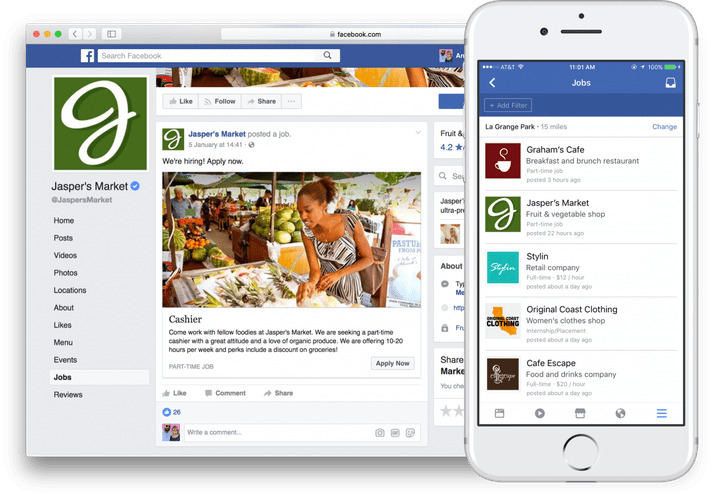
    1. Scroll through your newsfeed, you should see a row of jobs with the caption “jobs nearby”

    2. In case you don’t see this, type “Jobs” in the search bar

    3. Select “See all” under the “jobs nearby” tab

    4. Enter the kind of job you want in the “title” search bar

    5. select your preferred job offer from the list.

    6. Read through the job description and salary.

    7. Click on “Apply now” if you are okay with the details.

    8. Edit your details to suite the position you’re interested in. You can also add new job experiences here.

    9. Once done, answer the compulsory question at the bottom of the page (if any) in clear terms which explains how best you understand.

    10. Click on send.

    11. Check your inbox for any feedback from the company seeking employees.

    Conclusion: With the Facebook jobs option, you get to choose the locations from which you want to be shown job offers. Also, you can be interviewed right on Facebook via the messenger app. Your prospective employer can use the schedule interview option in their Facebook business window to plan an online interview with you in real-time.

    With this service, you can acquire international jobs. Both part-time and full-time jobs are available.

    Do not be convinced by any employer on Facebook to make payments for anything before you gain employment with them. For as much as Facebook jobs are an easy way to seek job online, it could be an avenue for some unscrupulous people to try defrauding unsuspecting job seekers. So be extra careful when dealing with them.