Author: Mfidie

  • Coca-Cola provides “MySmartCoke” platform to place orders online

    Coca-Cola provides “MySmartCoke” platform to place orders online

    The Coca-Cola Bottling Company of Ghana Limited (TCCBCGL) has enhanced the value it gives to its customers by introducing MySmartCoke, a convenient way of placing orders for events.

    MySmartCoke, is an online platform which allows customers to place orders for their events and pay using Mobile Money, Visa/ Debit Cards and Master Card.

    “With MySmartCoke, orders can be placed and paid for from any part of the world and the products get to be delivered at their preferred location in Ghana,” the company said in a statement.

    Speaking to Citi Business News after an interactive session with the media, Sabina Manu, Trade Marketing Director at Coca-Cola, said the aim of the platform is to make life convenient for their consumers.

    “The objective is to make the consumers’ journey as simple as possible. We already provide and give them all the convenience. We already provide them with a full portfolio of drinks and that is why we are going online to reach people all over the world,” she noted.

    The web-based application is used for events booking, like parties, wedding among others.

    Coca-Cola Bottling Company is one of the biggest beverage companies in the country.

  • Review: Movavi Video Editor

    Review: Movavi Video Editor

    As much as recording videos has become easier and more convenient with digital cameras, smartphones and other devices – editing videos remain complicated and somewhat technical. Many of the more powerful editors cater to the needs of professionals and have a steep learning curve for anyone without much experience.

    The one notable exception to this is Movavi Video Editor. It is a unique video editor that has built up quite a following due to the fact that it makes video editing easy and accessible.

    In short, if you were to use it to edit your videos you wouldn’t have to worry about your level of experience or expertise – because it requires none.

    Simple and Intuitive

    Essentially Movavi Video Editor is designed to make editing a video simple and intuitive. Rather than forcing users to learn about the software in advance, it enables them to jump right in and figure out how to use its features by actually applying them.

    Both the user interface as well as the features themselves help to enable this. The interface is clean and easy to navigate, while the features make editing more visual and involve basic actions like adjusting a slider, dragging an element into place, or resizing a frame.

    To further simplify certain areas, Movavi Video Editor has certain tools that are automated to some degree or other. In some cases, these tools will let you make the changes that you need to your video with nothing more than a single click.

    Powerful Features and Capabilities

    Despite the fact that its main focus is on making video editing easy and intuitive, Movavi Video Editor does not do that at the expense of its features. If anything you’ll probably be surprised by just how many powerful features are present in the editor, and what you can do with them.

    Using the features in Movavi Video Editor will let you:

    • Cut, trim, merge and arrange video segments to structure and compile videos.
    • Add audio tracks containing background music or a voiceover, and edit them to improve their quality, apply effects, remove background noise, and more.
    • Enhance the quality of videos either manually or automatically, and fix common issues that may affect them.
    • Record additional audio or video footage from external devices using the video capture module.
    • Apply visual effects including animated transitions, artistic filters, or unique special effects such as Chroma key, slow motion, or split screen.
    • Automatically compile impressive videos in a few simple steps using the ‘Montage Wizard’.
    • Insert simple or animated text fields that can be customized to create creative types of captions, titles, or subtitles.

    At the end of the day, you should have a good idea just how capable Movavi Video Editor truly is, and how you can use it to come up with impressive videos of your own.

    If you’d like to get a better idea of its capabilities or want to see how easy it is to use – the best way is to give it a try so that you can experience what it brings to the table firsthand.

  • WhatsApp group Video Call is now available for a few lucky people

    WhatsApp group Video Call is now available for a few lucky people

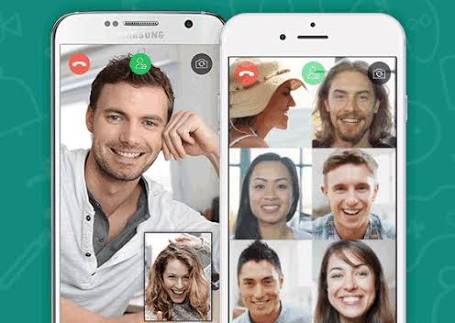
    The much-awaited video calling within WhatsApp group members (subject to a maximum of 4) is available for a few people. While it’s currently just work in progress, a limited number of people have been able to see the feature being beta tested on their devices.

    This is true for Android as well as iOS run devices. To be precise, the version of these OSs which are getting the beta-testing of group video calling is WhatsApp iOS build 2.18.52 and Android beta version 2.18.145+.

    It is also being reported that not all users with these OS versions are included for the test run. Unlike some beta-testing program where the users can opt for an invite-to-join basis, there is no such arrangement in this.

    If you are keen to know if your device has been included for the testing, you can check by making a video call to another person and see if the ‘add participant’ icon is showing up. If it does, you are lucky and can use the feature; else, you may have to wait. In any case, WhatsApp has promised this feature towards the end of this year.

    Apart from WhatsApp, Facebook, that owns and operates WhatsApp, is planning to provide this group video call facility on Instagram as well.

    As already informed, the feature as and when made available, will permit a maximum of 4 persons to be added to the group video call including the one who initiates the conversation.

    People who keep a close watch on happenings with WhatsApp remind the public that the messaging app had also indicated it is releasing new stickers for both the Android and iOS versions of the app.

    WhatsApp has also added new features such as giving admins more control, catching up with messages, Group description and more. As per these updates, which were rolled out earlier this month, group creators can no longer be removed from the group they started.

    How to get WhatsApp beta on Android

    Signing up for the beta test can be tricky, and it’s definitely not for everyone.

    Beta versions of apps are used for developers to test new features on a small number of users.

    That means the app might not work properly and may crash often.

    Still, if you’re dead set on receiving new features before everyone else, you can sign up.

    On Android:

    1. Open a web browser
    2. Go to the WhatsApp beta test page
    3. Log into your Google account (the one you use on your phone)
    4. Click Become A Tester
    5. Open the Google Play Store on your phone
    6. Find WhatsApp – the title should read WhatsApp Messenger (Beta)
    7. You should receive an update for the beta version of WhatsApp
  • 2018 Ghana Information, Technology & Telecom Awards to focus on FinTech

    2018 Ghana Information, Technology & Telecom Awards to focus on FinTech

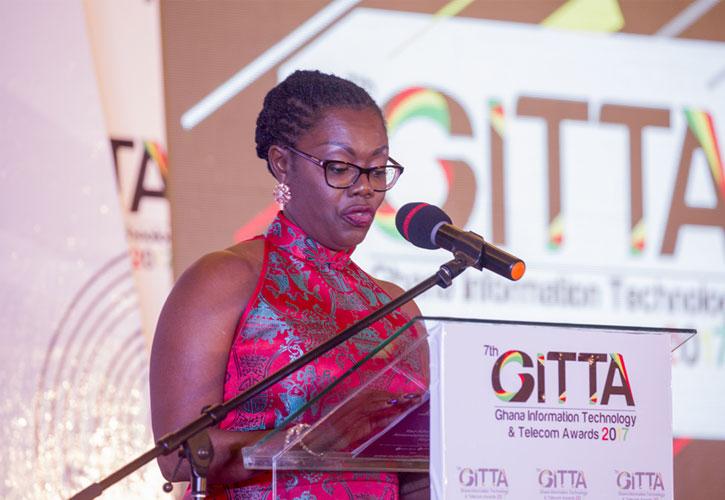
    The 2018 Ghana Information, Technology & Telecom Awards in its 8th year is set to honour leading players in the Fintech industry.

    The emergence of Fintech in Ghana has sparked a tremendous increase in domestic and cross-border payments. And Fintech firms operating in the country are contributing greatly towards digitizing the Ghanaian economy with the introduction several solutions for the banking and telecoms industries.

    More so, the sector has received some wide-spread attention from micro-insurance; with leapfrog Investments of over $15 million in Ghana’s insurance sector since 2012, making it one of the leading portfolios on the African Continent.

    “Hence we have expanded our categories for this year’s awards to recognise the innovation and outstanding service of top Fintech Companies and solution providers who are contributing immensely to the digitization of Ghana’s Economy.” Akin Naphtal, CEO of Instinct Wave, organisers of GITTA stated categorically.

    According to him, since 2010, The Ghana Information Technology & Telecom Awards has been shining a light on the most progressive and innovative companies within the ICT ecosystem.

    “We are proud to promote success stories, technology advancement and disruption in one of the most dynamic business sectors in Ghana. Not only do we look at businesses, but also individuals who have made a genuine impact on the market from within these companies.” He said.

    GITTA is the most celebrated industry awards which have grown to be the ‘Oscars’ of the ICT and Telecom industry attracting the crème de la crème and top decision makers in the sector.

    This year, the awards night will be held at the Mövenpick Ambassador Hotel on 29th June 2018.

    The awards night provides an exceptional opportunity for stakeholders to network, entertain clients, and reinforce relationships with partners and reward staff with exceptional performance.

    Source: Carol Opata – Hogan/GhanaWeb

  • Ghanaians Sign On To MTN Mobile Money To Make Pension Contributions

    Ghanaians Sign On To MTN Mobile Money To Make Pension Contributions

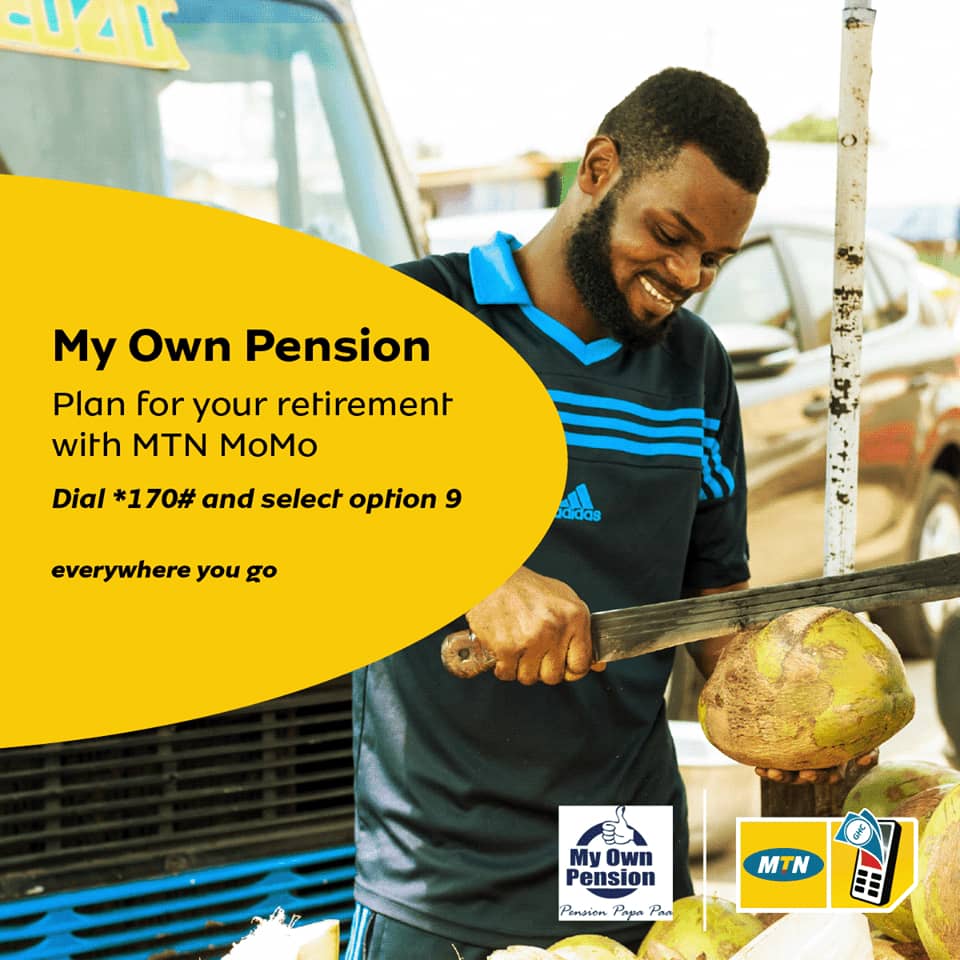
    Close to 100,000 Ghanaians have subscribed to making personal pension contributions through MTN Mobile Money and United Pensions Trust’s personal pension scheme dubbed ‘My Own Pension’.

    With over 80 per cent of Ghana’s labour force being in the informal sector, ‘My Own Pension’ which is a tier 3 mobile pension and savings product is expected to create an opportunity for more Ghanaians to have a structured pension system. ‘My Own Pension’ reiterates MTN Ghana’s commitment to engendering financial inclusion, social protection and the improvement of living standards for Ghanaians from all sectors and diverse economic backgrounds using technology. The service was launch in Accra in May in partnership with Fidelity Bank and Bora Capital Advisors.

    Commenting on the progress made so far after the launch, Mr. Eli Hini, General Manager for MTN Ghana Mobile Financial Services said, “We are very satisfied with the response received so far from the public, and this tells us that we are gradually achieving success with our quest to drive financial inclusion in Ghana”. “As the leader in the Telecoms Market, we will continue to collaborate with like-minded organizations to make our customers lives a whole lot brighter” he added.

    The Chairman for United Pensions Trustees, Mr Harold Awuah-Darko encouraged persons who are yet to sign onto the scheme to do so and enjoy the benefits it provides. He said, “The more you invest in your pension, the more money you would have working for you and as a result, you generate more returns.” Mr Awuah-Darko also commended MTN for sharing in their vision of making pensions available to everyone everywhere.

    The intervention by MTN Ghana, United Pension Trustees and the key partners was also applauded by the Director General of Management Development and Productivity centre, Mr KwakuOdame- Takyi who spoke on behalf of the Minister for Labor Relations Mr Ignatius Baffuor Awuah at the launch. He said,“Government is very supportive of any initiative that aids in fulfilling the National Pensions Act, 2008(Act 766) and drives inclusivity for everyone especially those in the informal sector.”

    ‘My-Own Pension’ scheme is fast, easy and affordable and has optional products ranging from life, health and motor insurance which can be arranged for interested clients. Contribution to the scheme begins with as low as GHS 1 daily, GHS 5 weekly and GHS 20 monthly. There is also the option of doing voluntary payments where a contributor’s chosen contribution is automatically deducted at the end of the selected frequency through his/her MTN Mobile Money account. To subscribe to the service, MTN

    Mobile Money subscribers will have to dial *170#, select Pension and Insurance, select MY OWN PENSION, and continue to follow the steps.

    MTN Ghana is committed to providing its customers with a brighter life through innovative services that enable them to live a connected lifestyle.

  • Long Overdue: Ghana to be fully Paypal-compliant by 2020

    Long Overdue: Ghana to be fully Paypal-compliant by 2020

    Ghana has concluded discussions with renowned online payments system Paypal and will, therefore, if all goes well, become one of the Paypal-compliant countries soon, Vice President Dr Mahamudu Bawumia has announced.

    The Vice President made the announcement at the launch ceremony for the first phase of the first mobile money payments interoperability system in Ghana in Accra on Thursday 10th May 2018.

    Online payments system Paypal supports online money transfers and serves as an electronic alternative to traditional paper methods like cheques and money orders. The company operates as a payment processor for online vendors, auction sites, and other commercial users, for which it charges a small fee in exchange for benefits such as one-click transactions and password memory.

    To be implemented in two phases, Ghana’s entry into the Paypal system is expected to be completed by the first half of 2020 and forms part of Government’s ongoing efforts to build a new and modern economy.

    According to the roadmap presented by Paypal, by the second half of 2019, Ghanaian merchants should be able to receive payments for their goods sold online. By the first half of 2020 Ghanaian consumers would be able to make payments for goods and services purchased online via Paypal accounts.

    “It is now up to us, the Bank of Ghana, GHIPSS, Banks, Fintechs, Telcos and Merchants to make this happen within this time frame and also to prepare for the opportunities it presents,” Dr Bawumia urged, adding, “I would ask that GHIPSS puts together a working group of stakeholders to work to implement this roadmap.”

    “This presents exciting opportunities for Ghana” the Vice President continued, “and we should take full advantage of it. We should see, amongst other developments, a major boost in e-commerce in Ghana. We are building a new and modern economy.”

    The launch of the first mobile money payments interoperability system in Ghana is also in furtherance of Government’s drive for a new and modern economy, according to Vice President Bawumia.

    It is expected to largely eliminate the difficulties associated with traditional banking services, such as the difficulty in opening bank accounts, the high costs associated with maintaining a bank account relative to customers’ income levels, the need to have basic literacy, administration and record keeping abilities and English-language capacity to operate a bank account, and the sheer intimidating nature of banking halls.

    Following the launch, customers will be able to move freely monies from mobile money to mobile money accounts across different networks. This means that customers who have mobile money accounts with say, MTN can easily transfer or receive money from other networks such as Airtel-Tigo or Vodafone.

    Furthermore, mobile customers can move money from their mobile money accounts to bank accounts without any hassle, freeing up funds locked up in the telecom sector.

    As well, from the bank side customers can move money from their bank account(s) to mobile money accounts.

    According to Fintech experts, this will make Ghana one of the global leaders in the interoperability payments space.

  • MTN introducing Mobile Money “ATMs” in Ghana soon

    MTN introducing Mobile Money “ATMs” in Ghana soon

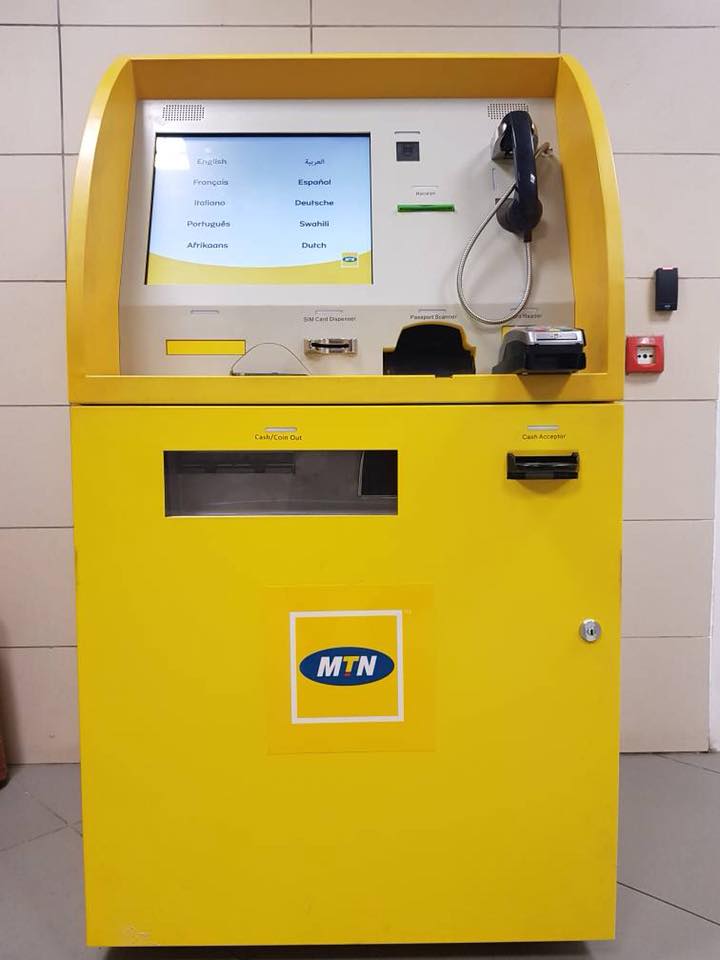
    Telecoms giant, MTN is working to deploy machines that could take deposits and dispense cash for its mobile money business.

    JoyBusiness has gathered that MTN has already secured the self-servicing kiosk, but with limited functions like sim change and airtime.

    However the plan is to allow the machine take deposits and dispense cash, this is to aid their mobile money business. It is also to ensure that at every point in time, subscribers can turn to this machine to transaction transfers or the mobile money business.

    Approvals

    JoyBusiness understands MTN had to suspend the mobile money function on the self-servicing kiosk, even on a pilot basis. This is because they have not secured the necessary regulatory approvals. Sources say even though the regulator is willing to approve the service, it wants to be carried out in a way that would not result in MTN operating as a fully fledged bank.

    The regulator is also worried about the impact on vendors currently in the country, as it employs more than 150,000 persons.

    The Payment and Settlement bill, which will seek to address issues like this, is yet to receive parliamentary approval. Therefore, it is likely that it might take a while before MTN can introduce the full service to aid its mobile money business.

    Is MTN planning to become a bank?

    MTN Group Chief Executive Rob Shuter announced during the 2018 Deloitte Africa outlook conference in Woodmead that it is working to become Africa’s biggest bank. According to the telecoms giant, this has been influenced largely by the progress made by its mobile money business.

    Mr Shuter said, “The core digital service that we have decided to put our money on is Mobile Money. Mobile Money is really about leveraging the strength of the brand and leveraging the strength of the distribution because we have built a huge informal distribution network for prepaid airtime to bring customers into a transactional banking system.”

    He pointed out that MTN has deployed Mobile Money across 14 markets and “if we look at our 30-day active users, which is the most important metric, we are growing by half a million customers a month. I think that’s pretty cool and today we are sitting at 21 million subscribers”.

    Response from MTN Ghana

    Speaking to JoyBusiness, the former Chief Executive of MTN Ghana, Ebenezer Asante said the plan is to rather partner with the commercial banks to provide banking services to the population rather than becoming a bank, “the model that we have implemented across the region is all about partnership rather than directly going into banking services.”

    Mr Asante added that they want to concentrate on their core business and rather join the banks to improve financial inclusion in the country rather going out, to compete with the commercial banks.

    Impact on mobile money merchants

    The service if rolled out, would definitely affect some merchants in the country. The mobile money business currently employs more than 150,000 persons in the country. There is the likelihood that a lot more people would choose a self-servicing machine over the merchants out there. This development could then affect commissions earned by merchants.

    Returns on Mobile Money business for MTN

    Figures from the Bank of Ghana showed that MTN has about 90 percent of the GH¢2.3 billion of the mobile money accounts held with commercial banks. MTN as at October 2017 had GH¢2.1 billion representing 93.5 percent of deposits held at commercial banks.

    The Data from the Bank of Ghana also showed that Fidelity Bank had the largest share of mobile money deposits with GH¢583 million, ECOBANK has Gh¢470 million, while CAL BANK has GH¢229 million.

    Source: Modern Ghana

  • 2018 Ecobank Fintech Challenge for Startups: All you need to know

    2018 Ecobank Fintech Challenge for Startups: All you need to know

    Is your fintech startup ready to work with one of Africa’s biggest banks, one with operations across 36 countries on the continent? Then you have until 23 May to apply for the 2018 Ecobank Fintech Challenge. The challenge is open to any African startup.

    Through the challenge, Ecobank aims to showcase, collaborate with and support Africa’s most promising fintech startups.

    The 2018 Ecobank Fintech Challenge will see selected startups receive mentoring from leading experts as well as access to Ecobank’s banking ecosystem.

    The challenge winners will also be provided with the opportunity to showcase their solutions at Ecobank’s Innovation Fair — in front of Ecobank decision makers and industry insiders.

    The bank will also enter into commercial partnerships with selected startups. These partnerships are designed to grow and scale the selected companies.

    In addition, the selected startups also stand a chance to partner with the bank in rolling out their solutions to 33 countries.

    The inaugural challenge was held last year and saw 20 winners invited to an innovation fair and awards ceremony held in June 2017 at Ecobank’s headquarters in Lomé, Togo.

    Six challenge areas

    Interested fintech innovators have a choice of six challenge areas to apply to. These are:

    Digital on-boarding, account opening and Know Your Customer (KYC)

    Solutions that address remote or digital verification of customer data to enable real-time account openings, such as GPS address verification services, identification document, verification and matching with photographs.

    Remittances

    Solutions that increase inflow to Africa from other parts of the world, or delivery of instant transfers at secure, cheaper rates within Africa or across borders.

    These include areas such as international inward remittance to Africa, cross-border transfers within Africa as well as cross-border payments.

    Digital sales and marketing

    Solutions to drive sales or marketing campaigns of Ecobank products and services, such as the Ecobank Mobile App, Chatbot, internet banking and, USSD.

    The solutions must drive usage and adoption of Ecobank QR Push Payment at stores and locations, Xpress Cash Token on ATM or agent points, and Xpress Agency Banking.

    Offline mobile to mobile payments (dead zones)

    Solutions that enable customers to carry out mobile transaction services without internet, SMS or 2G connectivity. These types of solutions will typically use offline wallet systems.

    Multi-channel corporate payments and collections ecosystems

    Solutions that offer a multi-channel experience solution providing single user security and functionality for payments, collections, liquidity management, supply chain finance and trade finance, with multiple redemption points, mobile banking, wallet, bank account and ATM.

    SME Intra-Africa trade platform

    Solutions that improve international trade and e-commerce processes by facilitating KYC and anti-money laundering requirements.

    How to Apply

    Click here to apply for the 2018 Ecobank Fintech Challenge. You can read the terms and conditions on this page: http://ecobankfintech.com/terms-and-conditions/

  • The best ways to disconnect your Facebook account from third-party apps

    The best ways to disconnect your Facebook account from third-party apps

    Following the revelation that research company Cambridge Analytica harvested data from more than 50 million Facebook users to use in the run-up to the 2016 US presidential election, it’s a good time to think about which third-party organizations you’ve given access to your Facebook data and revoke any you’re not entirely comfortable with.

    You might also have granted access to apps that have since changed hands, meaning they are now passing your data along to organizations you wouldn’t have given permission originally.

    Cambridge Analytica obtained data through an innocuous-looking personality profile tool called thisisyourdigitallife – the kind of app you might grant permission to your profile without thinking twice. Here’s how to find out who’s looking at your profile and stop any apps that have more access than they should.

    BookLamp is a now-defunct app dedicated to comparing the content of novels. It was bought by Apple in 2015, but you might now have been aware if you’d connected it to your Facebook account

    What are you sharing?

    Often, when you want to use a new online service, you’re given the option of creating a new account just for that site or logging in using your Facebook or Google account. It’s often tempting to opt for the latter – it’s quicker, more convenient, and you only have to click a single confirmation button – but by doing so, you can end up sharing far more data than you realize.

    Logging into an app with Facebook can share a vast amount of information that’s invaluable to advertisers and organizations like Cambridge Analytica, including:

    • Full name
    • Friends list
    • Profile picture
    • Photos
    • Education
    • Work history

    Quizzes and personality tests shared on Facebook also request access to your data, and it’s all too easy to simply click ‘Accept’ without considering why a horoscope app wants to know where you went to school or make posts to your friends on your behalf.

    If you've been using Facebook for many years, you probably won't recognize all the apps you've given access to your data
    If you’ve been using Facebook for many years, you probably won’t recognize all the apps you’ve given access to your data

    How to disconnect apps

    To see what you’ve given permission to access your data, check out your App Settings page. You might be shocked just how many are listed, and although some will be familiar, there’s a good chance many won’t be.

    Click any of the apps here to see what information you’re sharing with its developers. You can choose to stop sharing certain types of information with an app, though you can’t stop it accessing your public profile without disconnecting it completely.

    The exact options presented when you click an app will depend on its developer. Sometimes you’ll be able to view a full privacy policy, but it’s not mandatory for developers to provide one. If you’ve given an app permission to post to your wall, removing it will also give you the option to remove those posts

    Bear in mind that if you remove an app, the developer might still have your data on file. Facebook notes that the only way you can remove this is to contact the developer yourself.

    Your friends might install apps that share your information with third parties, so it's worth taking a minute to consider what they can see
    Your friends might install apps that share your information with third parties, so it’s worth taking a minute to consider what they can see

    If you want to stop sharing your Facebook data with any third parties, select ‘Edit’ under ‘Apps, websites, and plug-ins’ and disconnect your account from the Facebook Platform (a set of tools and services for developers to create their own products).

    You don’t just need to worry about your own sharing preferences, either – third parties can also receive your data when your friends install an app. According to Facebook, this “makes their experience better and more social”, but since you have no control over which apps they trust, it’s wise to consider turning this off. To prevent this, visit your App Settings, select ‘Edit’ under the heading ‘Apps other people use’ and uncheck all the categories you’d rather keep private.

    Finally, whenever you log into a site using Facebook or connect a new app, make sure you check which information it’s requesting and consider whether it’s really worthwhile. As Cambridge Analytica showed, apparently benign requests can be anything but.


    Thank You For Reading. Don’t Forget To Share This With Your Family And Friends. For The Latest Tech News And Reviews, Follow Mfidie On Twitter, Facebook, Instagram And Subscribe To Our YouTube Channel.
    If You Want To Be Part Of Our Team Of Writers Or You Want To Guest Write, Send A WhatsApp Message To 0242022161 Or Simply Call. You Can Also Fill The Form Here To Join Our Team And We Will Contact You Back.

  • How to Reset Windows 10 Password with 3 Simple Methods

    How to Reset Windows 10 Password with 3 Simple Methods

    When the term hacking comes around, it certainly triggers something creepy or cranky which is about to take place either with your system or someone else’s system. But if you are locked out of your very own computer or PC, then you might need to reset your own system in that case, and this is what we are going to discuss here in this article.

    The methods which we are going to employ here are very simple to use but you need to have at least the basic technical idea of handling computers.

    Just go through the methods mentioned below to have a deeper understanding of the topic.

    #1: Consult Service Centers

    Many a time the easiest way to get through a situation is to consult someone who has the better technical expertise and adept with all kinds of complications regarding the issue. And that is why it is better to take your computer or laptop to its respective companies’ service center for the rectification and resolution.

    The engineers or technicians in the service center are well equipped with infrastructures like software and hardware to carry out the necessary steps for the issue that you are facing. So it is safer to put the risk upon their hand instead of carrying it on your own shoulder. Just go there and submit your device and they will tell when to come to take it back completely rectified.

    CONS:

    • Since PC’s are bulky it is at times difficult to carry them to the service centers, unlike laptops which are easier to carry around.
    • In case of emergencies, it is not always possible to wait for the service center help.

    #2: Reset Windows 10 Password with OphCrack Utility

    OphCrack is yet a powerful Windows Password recovery tool which can crack your password up to 8 characters only. The most significant features of this tool are that it can recover the password instead of resetting it. Read the steps below to know the method in detail:

    Step 1. Download the program file from an accessible computer and install it accurately.

    Step 2. Insert your optical disk and burn the ISO image files into the bootable disk.

    Step 3. Now insert the loaded bootable disk into the locked computer and boot from it by changing the settings in the Device Priority Menu if need be.

    Step 4. Once the tool is loaded on the boot-up menu and select choose “Ophcrack Graphic Mode- Automatic” and continue.

    Step 5. The OphCrack will try every bit of data of your forgotten password, thus it may take from few minutes to several hours depending upon the complexity of the password you so forgot.

    Step 6. Once the recovery is done, it will be displayed on the UI screen, and if it fails to recover, then the process will be terminated.

    CONS:

    • It won’t work with passwords containing greater than 8 characters.
    • It does not work with Windows 8 and 10 OS versions.

    #3: Bypass Windows 10 Password with TunesBro WinGeeker Ultimate  

    When it comes to using third-party tools to deal with your forgotten issue, TunesBro WinGeeker Ultimate is the best and the safest option to heed. It is one of the most popular password removing tool which bypasses Windows 10 password protection altogether instead of resetting the password like other third-party tools. The TunesBro WinGeeker Ultimate  Recovery Pro has bee tested with various brands of computers and laptops like Acer, Dell, HP, Lenovo, Sony VAIO, etc.

    Salient Features of TunesBro WinGeeker Ultimate

    • The tool works with almost all types of operating systems, namely XP/ Vista/ 7/ 8/ 10
    • It can operate even without Internet connection.
    • No data is lost during the password removal process.
    • It supports both UEFI based and legacy based BIOS computers.
    • No special technical knowledge is required.
    • 24×7 customer support is available.
    • It works with Windows Server OS as well, that is Windows server 2000/ 2003/ 2008/ 2018/ NT.

    Pre-Requisites to using TunesBro WinGeeker Ultimate

    • A vacant optical disk with a minimum of 500 MB storage capacity.
    • The TunesBro WinGeeker Ultimate  Program file.
    • A spare working computer.

    How to use TunesBro WinGeeker Ultimate Tool

    Step 1. Get WinGeeeker program file downloaded from here: https://www.tunesbro.com/ and install securely on a working computer.

    Step 2. Launch the program setup file with administrator rights and from the main interface screen select “USB or CD/DVD” options for the media type.

    Step 3. Now insert your optical disk and click on “Burn USB” or “Burn CD/DVD” as per the device choice.

    Step 4. Click “OK” once the ISO image files are burnt into the disk completely as you will receive “Burning Successfully!” notification.

    Step 5. Now eject the bootable disk and insert it into the locked computer. Go to the BIOS utility settings and set the inserted disk as your priority device and boot from it. The ISO image files will be consequently loaded into the locked computer.

    Step 6. Once the files are loaded into the locked computer, click on “Reset Passwords” and “Reboot” buttons to finish the procedure.

    Conclusion

    From the above discussion, it must be completely clear that the first two methods cannot be adopted as they have got certain setbacks which in turn might create predicaments in the middle of all the processes. Thus it is more secure and safer to rely on TunesBro WinGeeker Ultimate to reset your login password on Windows system.

    If you are satisfied with the contents of this article, then you can subscribe to our official website to get more updates on relevant topics.