Author: Mfidie

  • 5 reasons why Samsung’s new Galaxy S9 is better than the iPhone X

    5 reasons why Samsung’s new Galaxy S9 is better than the iPhone X

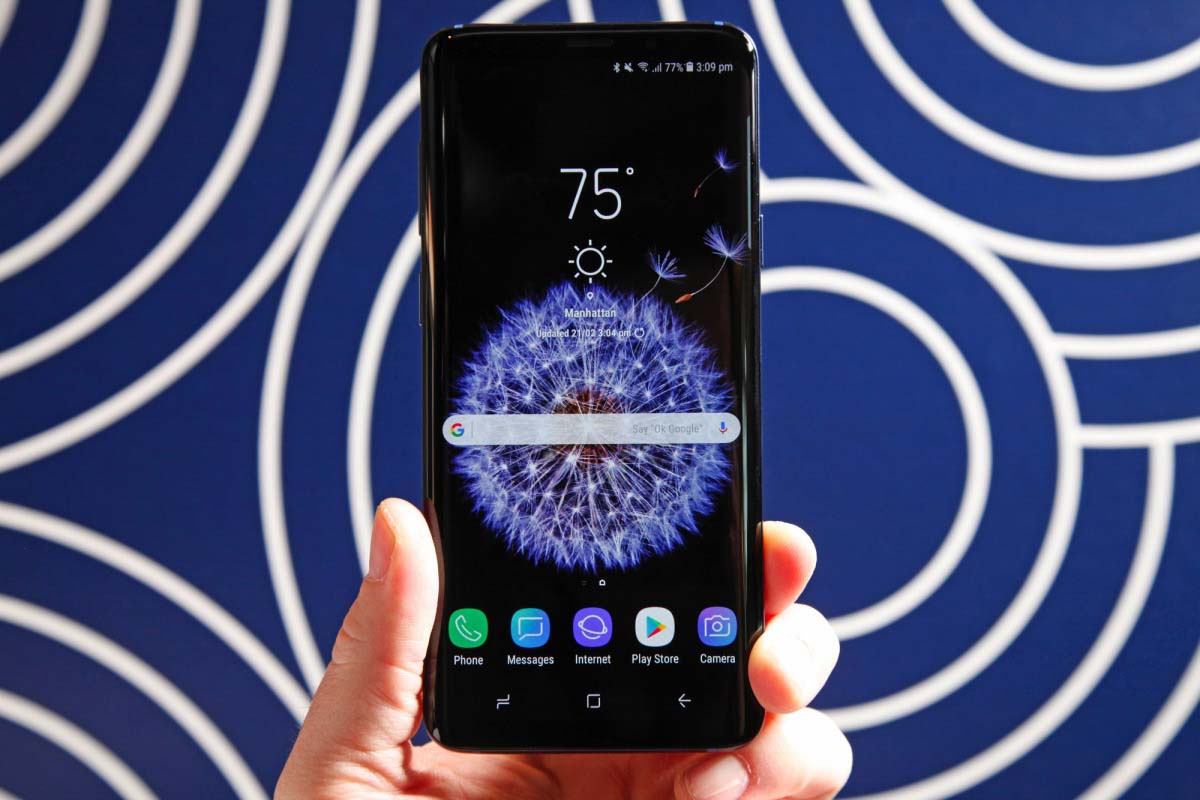
    During this year’s MWC, Samsung unveiled its new Galaxy S9 and Galaxy S9+ flagship phones. The new S9 and S9+ flagship phones are not just better than their predecessors, the S8 and S8+, but they’re also better than every other handset on the planet, including the iPhone X.

    So the guys at BGR have this to share:

    We’ll pit the iPhone X against Samsung’s latest and greatest in a number of different ways once we get our hands on review units. Of course, we’ve already spent plenty of time with the Galaxy S9 and Galaxy S9+, so in this post, we’ll take a look at five ways these hot new Android phones are better than Apple’s iPhone X.

    Camera

    Apple’s iPhone X has one of the best cameras currently available on any smartphone. When photographing well-lit scenes, the iPhone X is capable of producing truly incredible results. It also has the best low-light performance of any iPhone Apple has ever released.

    We’ve only spent a few hours with the Galaxy S9 and Galaxy S9+ at this point, but we can already safely say it’s one of the best camera phones the world has ever seen. We’ll reserve our final judgement for our review, but it’s quite possibly the best, period.

    Early results from our testing suggest that photos captured on the Galaxy S9 are substantially better than similar photos captured on the iPhone X. This is true of images shot in good lighting conditions, but even more so of photos captured in low light. The Galaxy S9’s dual apertures make a huge difference in both scenarios, as does the dedicated DRAM chip. We found that noise at full zoom was substantially reduced in photos taken on the Galaxy S9 compared to iPhone X photos.

    We’re definitely looking forward to spending time with this camera.

    Display

    This is another area where we’ll need to spend more time with the Galaxy S9 before we declare it the outright winner over Apple’s iPhone X. As a reminder, the iPhone X features an OLED display manufactured by Samsung and tuned by Apple. Thanks to that tuning, experts have said that the iPhone X’s display is even better than any screen found on a Samsung phone.

    While the overall winner remains to be named, there are two areas where we can already say Samsung has the edge over Apple.

    The first is a matter of opinion: the Galaxy S9 has no notch. Some people, myself included, like the cutout at the top of Apple’s iPhone X display. It adds a unique design

    https://twitter.com/zacharye/status/907962442692440071?ref_src=twsrc%5Etfw&ref_url=http%3A%2F%2Fbgr.com%2F2018%2F02%2F27%2Fgalaxy-s9-vs-iphone-x-specs-top-5-features%2F

    That said, there’s no question that the notch disrupts the user experience in several scenarios. Viewing photos and videos is particularly bad — you can either view them with a big chunk taken out of the size, or you can reduce the size so you’re no longer taking advantage of the phone’s entire display. The Galaxy S9 and Galaxy S9+ have no notch, of course, so this isn’t an issue.

    The second area where the Galaxy S9 is a clear winner over the iPhone X is the screen-to-body ratio. Smartphone makers are battling to be the first to produce an all-screen smartphone. In fact, some companies like Apple already claim to have an all-screen smartphone. Of course, that’s a flat-out lie.

    The screen-to-body ratio on Apple’s iPhone X is about 82.9%. That means Apple’s “all-screen” iPhone is 17.1% not-screen. The screen-to-body ratio on Samsung’s Galaxy S9 is 84.2%, which means it’s more all-screen than Apple’s all-screen iPhone.

    AR Emoji

    Samsung’s new AR Emoji feature is a blatant rip-off of Apple’s Animojis, which were introduced last year on the iPhone X. But there’s one feature that Samsung added to its offering that Apple hasn’t yet managed, and it’s actually pretty needed. Hilariously enough, it’s also something that was rumoured to be coming to the iPhone X ahead of its launch last year, and that might be why Samsung added it to AR Emoji.

    Animoji and AR Emoji are features that let you select a character from a stable of options, and then send animations as that character. The user looks at the phone and speaks his or her message, and the character acts it out, mirroring things like facial expressions and mouth movements.

    Apple’s Animoji feature is much, much better at tracking the user. There’s also far less lag with Apple’s solution. But Samsung’s AR Emoji feature includes a cool option you won’t find on any iPhone: you can make a 3D character out of yourself. Simply scan your face and the S9 creates a digital character with your likeness. Then you can send animations of yourself in more than a dozen different scenes.

    Plus

    At 5.8 inches, Apple’s iPhone X display is fairly large on paper. But because the phone has a narrow aspect ratio of 19.5:9, and because of the notch, the screen doesn’t actually have as much surface as its diagonal measurement suggests. In fact, the 5.5-inch iPhone 8 Plus actually has more screen surface than the 5.8-inch iPhone X.

    Samsung’s 5.8-inch Galaxy S9 has an 18.5:9 aspect ratio, so it already has more surface than the iPhone X. But some people want and even larger display, and that’s where the 6.2-inch Galaxy S9+ comes in. There is no iPhone X Plus, unfortunately, though Apple will reportedly release a plus-sized iPhone X successor later this year.

    Headphone jack

    This is one of those areas where some people care and some people don’t. I, for one, don’t care. I cut the cord and switched to Bluetooth headphones years ago, long before Apple ditched the headphone jack on the iPhone 7. Many, many other people have done the same. But there are still plenty of people out there who prefer to use wired headphones, perhaps so they don’t have to worry about charging yet another device.

    There’s certainly nothing wrong with that… unless you’re an iPhone user. If that’s the case, then you’ll have to use the 3.5mm to Lightning adapter Apple includes in the box with each iPhone. Or, if you want to listen and charge at the same time without using a wireless charger, you’ll need a third-party splitter.

    Samsung’s Galaxy S9 and Galaxy S9+ have dedicated 3.5mm headphone jacks, so none of this is an issue.


    Thank You For Reading. Don’t Forget To Share This With Your Family And Friends. For The Latest Tech News And Reviews, Follow Mfidie On TwitterFacebookInstagram And Subscribe To Our YouTube Channel
    If You Want To Be Part Of Our Team Of Writers Or You Want To Guest Write, Send A WhatsApp Message To 0242022161 Or Simply Call. You Can Also Fill The Form Here To Join Our Team And We Will Contact You Back.

  • Track Anyone in Ghana with Xnspy WhatsApp Monitoring App

    Track Anyone in Ghana with Xnspy WhatsApp Monitoring App

    Do you think that checking the WhatsApp’s “online” status feature is the only way to monitor when a user is online? Think again, if you do not find any other trick to do so in Africa, then we have another solution which is far more effective than just tracking the online status.

    While some people may say that ‘online status’ feature is a flaw which can be used to keep a track of the user’s activity timings on the WhatsApp, there is no truth about it as the content of the messages cannot be read given that the WhatsApp is end-to-end encrypted.

    But what if you are given a smart way to check the content of the messages without even monitoring the online status? Xnspy is the best WhatsApp monitoring app in Africa that can track WhatsApp on any Android phone. Not only this, you can be given more than just WhatsApp messages information. So without any delay let me share how to do it.

    Setting up the Xnspy App

    Setting up the app is not complicated at all and you can easily set it up on an Android mobile if you have access to it once. To set up the app, you have to visit their website and follow these steps.

    1. The app is not available on the Google Play Store, you can go to their website to subscribe to the app.
    2. After subscribing, you will receive an e-mail within a few hours containing a download link, user credentials and some instructions to follow.
    3. Grab the phone you want to monitor and use the download link on its browser to download the app on the phone.
    4. After the app is finished downloading, install the app on the phone. The whole process of downloading and installation will not take longer than 10 minutes. And the app is smaller in size, it does not require more than 7MBs of space on the target Android phone.

    Monitoring the WhatsApp

    After successfully completing the above process you are now good to monitor the WhatsApp on the target Android phone. There are just a few steps to follow:

    1. Log into the Xnspy account by visiting their website and using the credentials previously sent to your email. You can also download the Dashboard app on your Android phone through Google Play Store to access your account and monitored information
    2. Once you have logged in you will see the main menu, this is called the Dashboard of your Xnspy account. On this page, you will find all the features that Xnspy can pull off on the left side of the page.
    3. On that list, click the option ‘Messenger’. Among the list of several messengers, you will see WhatsApp. Click on this options and the app will start showing you the WhatsApp information of the target phone.

    What can you monitor with WhatsApp monitoring app?

    WhatsApp has many features. It can be used to make calls, you can chat with the friends, and create groups of friends or peers to communicate. In addition to all this, you can share documents, videos, and pictures on the WhatsApp.

    With Xnspy, you will be able to monitor almost everything offered by the WhatsApp. Here we are listing the functions that it can perform:

    • You can view all the calls information made on the WhatsApp. This includes the contact name and the time of the call.
    • You can read all the chats and group chats on the monitored Android phone. It has all the time and dates information about those chats.
    • Besides all this, you can use the app to see the shared photos and multimedia on the WhatsApp account.
    • In the end, you can even see the deleted WhatsApp messages in your Xnspy account.

    Some key features of Xnspy

    Following are some of the key features of this app:

    • This app can be used on any Android phone in Africa or Ghana. It supports the latest Android Oreo 8.0 operating system. And it is also compatible with the previous versions of Android.
    • This app operates in stealth mode. Once you install it on the target phone, it disappears in the background.
    • Besides WhatsApp, it can track Facebook, Skype, Viber, and many other messengers.
    • It has more than 30 monitoring features to monitor an Android phone.
    • You do not need to root the Android mobile before installing the app.
  • Why I’m Buying The Google Pixel 2 XL – And You Should Too

    Why I’m Buying The Google Pixel 2 XL – And You Should Too

    The Google Pixel and Google Pixel XL were pretty divisive phones; a lot of people really didn’t like them, called them boring and expensive, and kinda wished Google had just continued its Nexus thing.

    I understand this perspective as well; I have used every Nexus phone since the Nexus One (even the awful Nexus 6). And while the Nexus 5 Cult is is still alive and breathing, any hopes of a move back to how Google used to do things is now all but impossible.

    Still, I don’t necessarily think this is a bad thing. The Android space NEEDS an iPhone-like device, a device that gets updates on the button, features the best software, and a few USPs thrown in for good measure. And the Pixel phones are just that.

    The original handsets weren’t perfect, but I used the Pixel XL for 12 months straight, in between test units, and I have very few complaints about my time with it. The battery life has held up, the camera is still great, and the screen is still a beauty to behold.

    Yes, it does look about as interesting as a 2008 Toyota, but that’s never really been one of my MAJOR concerns; I’d take solid battery life, solid updates, and a solid camera over a shiny exterior any day of the week.

    The only other phone I’m looking at right now is the LG V30. I love that phone; the way it looks, and the specs and hardware LG has implemented inside it are all, in my view, top notch. But there is one thing stopping me from getting it…

    I don’t want to be stuck on Android Oreo for the rest of my life…er, ok, the phone’s life. And this is a very real possibility when you’re using Android phones not made by Google.

    This is also the main, deciding factor that has pushed me towards the Google Pixel 2 XL – it will get Android updates for THREE years (yup, Google’s extended its usual promise of two years up by another year this time) and, best of all, it will get them like an iPhone gets iOS updates.

    The camera looks to have been improved considerably too, which is quite a big deal. Ditto the internal specs and overall design of the handset, which benefits from LG’s expert eye for detail.

    “You can also take high-quality portrait shots with the perfect background blurs, from both the front and back camera. New motion photos capture a few seconds of video around the shot so you can relive the moment around the picture. The Pixel 2 camera is powered by our computational photography and machine learning (ML) capabilities which make all these great features easy, fun and fast for you to use,” said Google.

    It added, “We’ve made video capture better too by combining both optical and electronic video stabilization to give you remarkably smooth video, even when you’re on the move. All of these great features mean you can take the best photos and videos with Pixel 2. And don’t just take our word for it—independent camera experts DxOMark have rated the Pixel 2 camera as the best camera of any smartphone, with an unprecedented score of 98. To top it off, we’re once again providing free unlimited storage for all of the photos and videos taken on your Pixel.”

    I like what Google has done with the display (it’s now a 6in P-OLED panel with an INSANE pixel density), it features a larger battery than the Pixel XL, 4GB of RAM, and better storage options in the form of 64GB and 128GB.

    My only REAL issue with the Google Pixel 2 and Google Pixel 2 XL is that Google, after making such a song and dance about the iPhone 7’s lack of a headphone jack, has done a complete 180º and removed it from its new phones.

    That, to me, was kind of silly. But it does appear to be the direction things are going in more generally, for better or worse.

    So, yeah… after a good bit of deliberation, I think I have now found the phone I will be using for the next 12 months.

    All units are guaranteed for delivery on October 25.

    Check out the Price of the New Pixel 2 and Pixel 2 XL in Ghana: Pixel 2 – Ghana Price, date and best features on new Google smartphone.

  • Pixel 2 – Ghana Price, date and best features on new Google smartphone

    Pixel 2 – Ghana Price, date and best features on new Google smartphone

    GOOGLE’S Pixel 2 and Pixel 2 XL were unveiled last week and here’s everything you need to know including price, release date and best features.

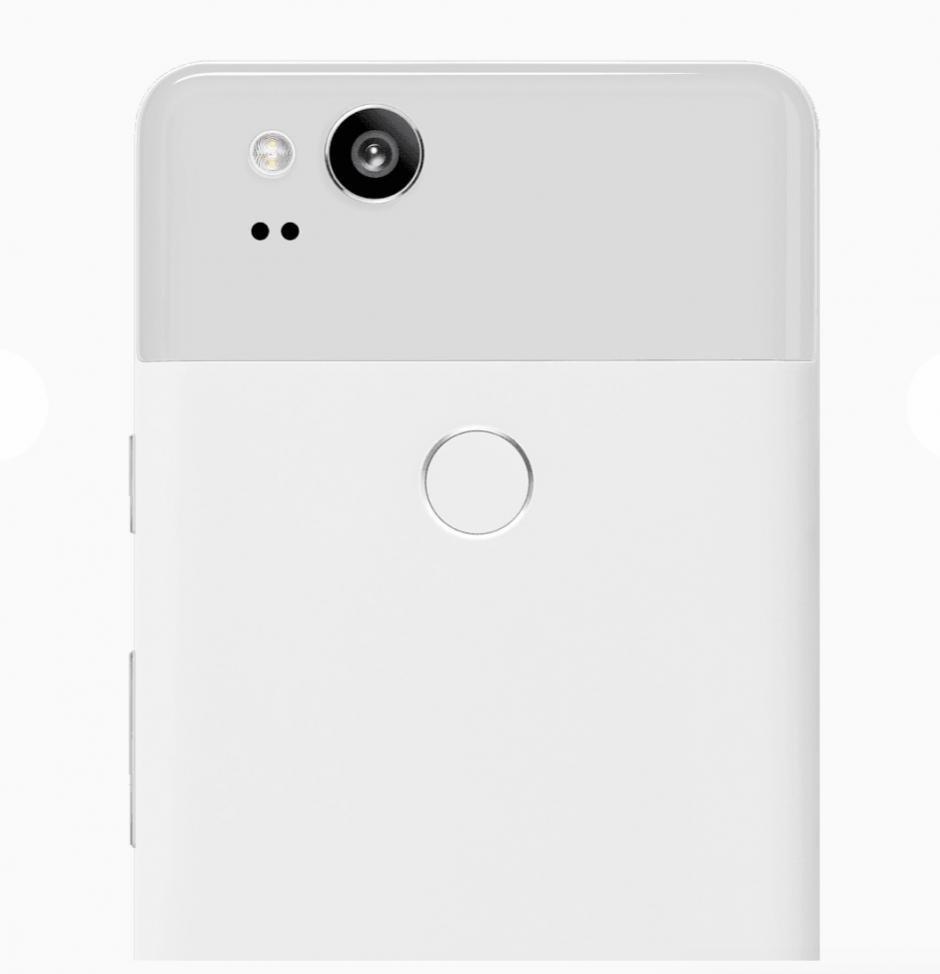
    After months of rumours and speculation, Google has finally lifted the lid on its new Pixel 2 and Pixel 2 XL smartphones. These devices replace Google’s current lineup of call makers, adding new features and improved specs. So, if you are thinking of buying a Pixel 2 here’s everything you need to know.

    What’s the Difference between the Pixel 2 and Pixel 2 XL?

    Google announced two devices last week which include the Pixel 2 and Pixel 2 XL. The standard Pixel 2 gets a similar design to last year with large bezels at the top and bottom of the phone. It also features a 5-inch HD AMOLED display.

    The larger Pixel 2 XL gets a slightly updated design with reduced bezels and an almost edge-to-edge screen. This means Google has managed to squeeze a larger 6-inch QHD+ OLED screen into the phone without increasing its overall size.

    What’s New in the Latest Pixel Phones?

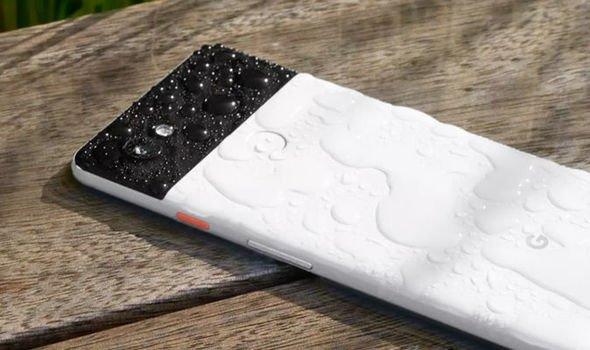
    Both devices get a number of improvements over their predecessors. These include a faster Qualcomm Snapdragon 835 processor, water-resistant design and an always-on display. Google is also boasting that its camera is the highest-rated on a smartphone camera, with a DxOMark Mobile score of 98.

    Both the front and rear cameras are also able to add depth of field focus via some clever software – something most other smartphones need dual-lens cameras to achieve. There’s also a fast charging battery which brings seven hours of playtime from just 15 minutes of time in the plug.

    Finally, Google has added squeezable sides to the Pixel 2 which can be used to take selfies and summon the clever Google Assistant.

    Pricing and Availability of the Pixel and Pixel 2 XL in Ghana, Nigeria and Kenya

    Price of Pixel 2 64 GB

    Ghana: GHS 3699

    Nigeria: ₦ 299599

    Kenya: KSh 85899

    Price of Pixel 2 128 GB

    Ghana: GHS 4249

    Nigeria: ₦ 346399

    Kenya: KSh 85899

    Price of Pixel 2 XL 64 GB

    Ghana: GHS 4659

    Nigeria: ₦ 379599

    Kenya: KSh 109000

    Price of Pixel 2 XL 128 GB

    Ghana: GHS 5299

    Nigeria: ₦ 427100

    Kenya: KSh 122699


    Colours of Pixel 2 and Pixel 2 XL

    The Pixel 2 offers more when it comes to colours as this device can be picked up in Just Black, Clearly White and Kinda Blue.

    Meanwhile, the larger XL only arrives in Just Black or Black and White.

  • Everyday Dangers and Cautions of Mobile Phones you should know

    Everyday Dangers and Cautions of Mobile Phones you should know

    Smartphones have become one of the commonest devices. Purchasing a new phone to replace an old one is not a big deal. Because of this, mobile users treat their phones with less care. We become ignorant to certain instructions that would keep the phone safe.

    However, some, unfortunately, lose their data contained in the phone, most especially in the incidence of phone crash. Deliberately, users surf sites containing viruses that could damage their phones. But as I said earlier on, it’s now easily replaceable. Let’s be more cautious and discipline to instructions guiding proper ways of using the phone. Under listed, are some of the ways of damaging your phone and its dangers.

    Ways your phone could be damaged

    Temperature conditions

    Phones have internal systems, which have been programmed to work under certain favourable temperature differences. When the temperature of an environment or an area seems to be higher or lower it goes a very long way of putting your phone’s internal operating system in tough dangers. During very hot temperatures, don’t leave your phone inside your car, with glasses all rolled up. The heat absorbed by the phone will be unable to escape and will end up destroying the phone. At cold temperatures, phones are critically exposed to dangers, this is because the internal systematic parts are made of some specific semimetals that cannot conduct electric process at certain lower temperatures.

    Unprofessional rooting of phones

    It is shocking people can sit in the comfort of their homes and “try” rooting their phones. As cost-effective as it is, there are chances of losing your phone entirely. Rooting of phones differ with regards to the specific phone, one is using. You can’t gamble over chances over chances of either getting your phone rooted or damaging it entirely. That’s a bad practice. Well, others are very smart to follow guidelines of rooting their devices by the help of their manual, care must still be taken. Pure technicalities may defeat you in the process. I will, therefore, advise that you get a phone repairer or a professional person to help you out.

    Overloading your phone

    People are normally unconscious of the amount of space they have on their phones before adding more videos, music or files. My brother, my sister, you’re doing your phone serious harm. If you are using an Android phone, you can preferably purchase an SD card, and load most of your data on it. If you’re using an iPhone, you can preferably load some files on your computer or tablet. Compounding files on your phone could corrupt or slow down your phone. Some videos may look relatively short but its quality could render its larger size, don’t be deceived. I’m saying this because normally one will say “I’m just adding additional 3 videos, it wouldn’t cause any harm” it will. You only need to make a periodic check on your storage space. You must also get rid of some videos and tracks, you don’t need anymore.

    Over Usage

    I know this will be very controversial. The ideally way, is to shut down your phone once in a week, but once attention is more on “what if I miss an important call in the process? That certainly shouldn’t be the matter, because you may still end up, spoiling the phone entirely. Offing your phone once in a week will cause the internal system to cool, and relax to continue its tasks. Using your phone for a very long time without offing can cause your phone to overheat, damaging internal system gradually. Now, people use phones everywhere, very busily. In vehicles, workplaces, schools and even in church. Can you imagine? If one person uses his or her throughout the day. Even humans breakdown at a point. We need to take proper care of our devices and also know, we must shut down our phones at least once in every week.

    Accessing virus-infected websites

    Sometimes in the attempt of reading news, you can be redirected to an unknown site, which could harbour a set of viruses. Most people download games, tracks, videos and pull viruses along unknowingly. This is very dangerous, as compared to other dangers. If along the line you’re redirected to a site unknown please exit that site. It could be a death trap for your phone. If you’re lucky you will be notified by your system manager that “this site contains certain viruses, that could harm your phone”.That’s in some cases, not in all cases. You need to be smart and knowledgeable about the particular site you are accessing.

    How To Care For Your Phone

    1. Read manuals: Don’t see manuals as mere formalities, please read them. Manuals always contain essential pieces of information, that you won’t know.
    2. Use Appropriate Chargers: it’s funny how we feel comfortable with things that appear usual but dangerous. Every type of charger has it installed capacity for its phone. Let’s desist from using different chargers for our phones.
    3. Don’t Fly Your Phone, Pass It On: Is it laziness? Gracious me, people throw phones for people to catch. Stay blessed with a safe goalkeeper then, even with a safe goalkeeper, you can still shift your mouthpiece in the process. What if it falls down. Just don’t allow that to happen, humbly walk to the person and deliver. For those, who throw phones right from their door unto the bed for fun, it may be sorrow at last.
    4. Keep Phones In Your Front Pockets: Most phone screens get crack as a result of keeping it in the back pocket. What happens is, one forgets when sitting and may easily render it cracked.

    NOTE: Treating your phone with care, is discipline and cost-effective.

  • WhatsApp Update: WhatsApp introduces new Emoji Set

    WhatsApp Update: WhatsApp introduces new Emoji Set

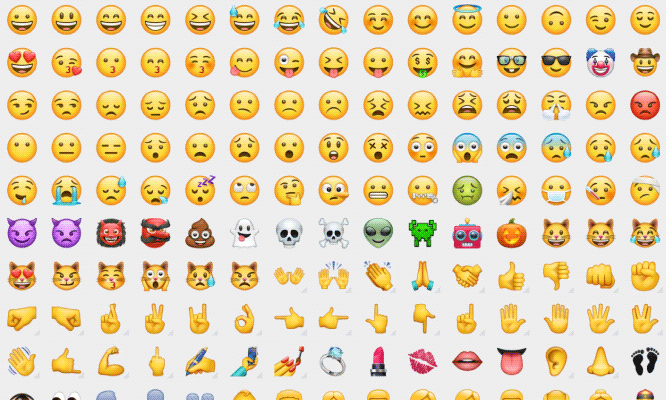
    WhatsApp has created its own range of emoji for its more than 1.2 billion users, shunning those created by Apple, Google and Samsung.

    The new icons, visible for the first time in a beta version of its Android app, are nearly identical to those created by Apple, which WhatsApp had previously used not only in its iOS app but also in its Android and Windows versions. Only a few small differences give away the update: for instance, the water pistol has turned orange, the ghost emoji no longer has lopsided eyes and the frying egg is now double-yolked.

    It’s not clear what prompted the update, and neither WhatsApp nor its owner Facebook has replied to a request for comment, but experts say it’s likely the app is following others including Facebook and Twitter in attempting to extricate itself from relying on third-parties for emoji design.’

    If you want to check out the new emojis, you need to be on the latest WhatsApp beta 2.17.364, which you can grab from APK Mirror or by joining the official Play Store beta program.


  • 3 Apps to help any Student Achieve Success in Ghana

    3 Apps to help any Student Achieve Success in Ghana

    Mobile Applications are now a part of our everyday lives. Today, I take a look at what Apps students can use to enhance their studies and raise them to a higher pedestal. Just so you know, a smartphone is not just for WhatsApp.

    My Study Life

    My Study Life is one of the ideal apps to enhance study life.It was apparently designed to make learning easier and more convenient. My Study Life allows you to store your classes, homework and exams in the cloud making it available on any device, wherever you are. Download now.

    Benefits of Using My Study Life

    Unlike a paper planner or school diary, My Study Life integrates all areas of your academic life – see homework due and overdue for classes, classes which conflict with your exams and even add revision tasks for a specific exam.

    Free to use, also easy to use application. Far from your standard calendar, My Study Life is optimized to work for your school life right from the start with support for week and day rotation schedules. Add your classes and view them in a beautiful, instantly identifiable, familiar week view. It shapes you to be a serious student by all standard.

    My Study Life virtually synchronizes your data between devices, allowing you to use the app even when offline. This is cost effective.You can add a task on the move from your phone or tablet and it will be instantly available on the web app.

    Evernote

    Evernote was also developed by a student. It is very educative. It has tools that work simply amazing, just give it a try.

    Evernote is easily accessed by students due it organized the state. Just like an educational search engine, Evernote can be used to verify and recollect details of assignments saved. Unfortunately, some students app are unable to save audio or pdf in its archives. Well, Evernote does, you can store your project works regardless of its visual state.

    Do you want to compile some set of documents? bills and receipts? Then Evernote is what you need, you can compile a list of various document you have into classes of your choice, it could be business, educational or religious documents. You don’t need to keep erasing or deleting a particular error in copies of your document. You can just synchronize all in entirety, and synchronize command will take effect throughout all archives.

    The Evernote app is very popular among students worldwide.
    The Evernote app is very popular among students worldwide.

    You can still work alongside, as you still holding on to Evernote interchangeably. The interesting thing is that your data will still be same, you wouldn’t need to start all over again, this is time-saving. Evernote works like a rigorous platform. It can accommodate you and others at the same period. Group research work, topical discussions can be made. You only need to switch your options. That’s your choice.

    This is basically for teamwork. Organized your study groups and quiz yourselves. It could even be a competition. Learning goes on, anyhow and anyway. Simply the best study app ever. Keep your business letters and project works in safe hands, thus Evernote. You have every reason to rely on Evernote. It has a wide range of academic features suitable for your needs.

    Know that: It could be accessed by a person, fine. But more designed for teamwork. Very suitable for you and friends at a time. Download Evernote.

    Student Agenda

    Student agenda was also developed by a student. It was designed to facilitate one’s learning schedule and once the ability to student well under schedule. This is very discipline. You only need to find out how you study whether slow or fast and you’re good to go. Download the app now.

    Why you should use the Student Agenda App

    Highly recommended for average students and slow learners. You can now work with speed, accuracy and also diligently. It has simply manipulating features to choose from. Catch up with a task, work within the time range and bring out impressive results of work done.

    On Student Agenda, important information about tests, homework, appointments and timetable will always be available on your smartphone to checks and new schedulings, wherever you are. A very useful feature is the reminders, that will help you don’t forget important activities.

    The Student Agenda app can help every student plan and manage time more efficiently.
    The Student Agenda app can help every student plan and manage time more efficiently.

    These features are adequate for school, for college, for your day-to-day… The goal is to make student life more organized, managing appointments that can’t be forgotten.

    The app was developed to be simple and easy to use. To start, you can simply add your subjects and then your timetable.

    • Wonderful Features:
    • Simplicity and light weightiness;
    • Timetable;
    • Scheduling of events (exams, homework/tasks, activities and returning books to the library);
    • Timetable of the week

    Study life app, Student agenda and Evernote app are all available on PlayStore. Do yourself some good as a student. Education is a necessity.

  • Problems with your Sim Card? Learn to protect and solve Sim problems

    Problems with your Sim Card? Learn to protect and solve Sim problems

    Your Sim Card Got Corrupted? Here Is the Solution

    Purchase A Card

    Purchase a card reader, online using a visa card, Sim card reader in America is worth 7.98 dollars. Buy one suitable for your Sim card. Sometimes, you may not get a precise one for your Sim card, you just need to manage, since not all can fit at a goal. The price varies depending on the size or the shape you desire.

    Connect Card Reader to Computer

    You need to connect your card reader to your computer. Patiently, read and obey the installation guidelines very promptly. This is because some sim card readers are readily accessible once plugged, meanwhile most require appropriate software with respect to the reader.

    Insert Sim into Card Reader

    Gently put your Sim card into your Sim card reader. One must be careful since the Sim card will only fit half way into your reader. Your Sim card will not articulately fit into the card reader. Care must be taken when inserting. Kindly follow precautions to avoid damaging your device.

    Configuration and Back UP

    Click to open your Sim card reader program on your computer. There are diverse options one can select for repair. Conveniently, you configure your card, and also back up history that has both been stored and erased on the card.

    Gently Insert Sim Card into Your Phone

    Close the program and hurriedly remove your SIM card from the SIM card reader. Insert your Sim card into your phone.  So easy, right?

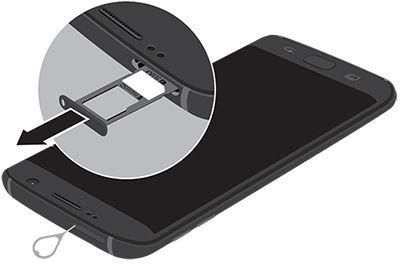
    There are various ways to properly insert a sim card in a phone. Check your phone's manual to be sure.
    There are various ways to properly insert a Sim card in a phone. Check your phone’s manual to be sure.

    Taking Proper Care of Sim Cards

    • Avoid frequently unmounting of your Sim cards.
    • Check and make sure your device is switched off as at the time of removal.
    • Don’t scratch or rub your Sim card against any metallic object.
    • Avoid, sim cards from coming in contacts with any liquid substance.
    • Keep sim cards away from heat or heat source.
    • Don’t cut out Sim cards, to fit your slot. You may end up destroying your Sim card. Few succeed, you may not. Visit the nearest networking office for such services.

    Did you break your sim? Read this

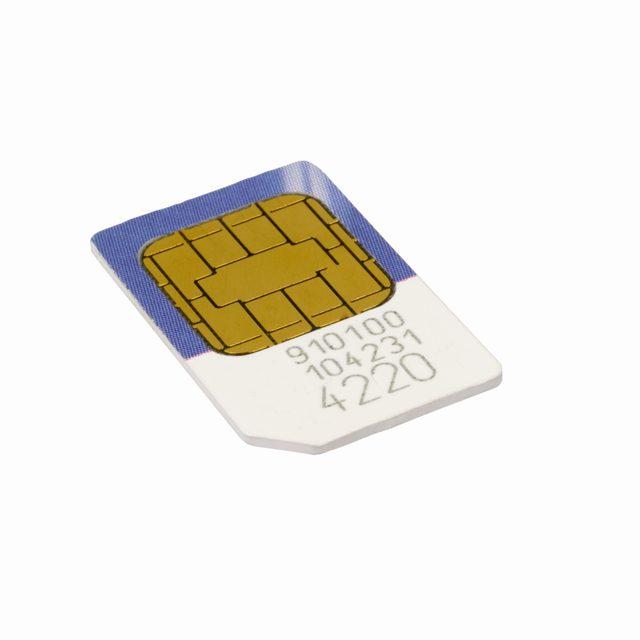
    Certain activities may leave your sim card broken. This could be forceful inserting and removal of sim cards from your phone. The Sim card is made of rubber and a semi metallic plate. When you observe, the metallic plate is in the compartment, every part has its role to play.

    So, any irresponsible handling may lead a part from not working, hence affecting the work chain in all. You can keep your Sim card in a cotton wool nicely when not in use. One must make sure, the cotton wool is dried up, and has no liquid content to avoid rusting. Now, pay extra attention to this, when your Sim card is  broken,

    Now, pay extra attention to this, when your Sim card is  broken,

    Check very well to ascertain whether or not it’s really broken. In some cases, it could be a film of dirt cast on the silver plate. In such case, you only need to wipe it with a clean cotton. Immediately you see a message like “sim error” or something similar, just remove your sim and reinsert it and switch on your phone.

    If reinserting it does not remedy the situation, call the customer care service to report the matter. They will help you get a new Sim card with the same mobile number and most importantly back up your Sim card history but before such actions, you will be invited to their office.

    Your Lost Simcard Could Be Used by Fraudsters, Read This to Prevent It

    In Ghana, most mobile users are oblivious to going through proper registration procedure to acquire a Sim card. This is where fraudsters take advantage. You should quickly inform your service provider about your lost sim card, to either block it permanently if you don’t want to use anymore.

    It’s very unsafe to stay without reporting. Firstly, you must register your Sim card with your real name and details by using a valid national identification card either voter’s id or health insurance card.

    Now, if you just found out someone is using your already lost sim card, just call your network provider for proper actions to be administered.

  • Laptop Hacking: Secrets you must know and how not to be a victim

    Laptop Hacking: Secrets you must know and how not to be a victim

    You may never know, but someone may be spying on you, as you go naked or undress behind your laptop in the comfort of your room. That’s the severity of Laptop Hacking

    Finding yourself in such a situation may give you everything but definitely not a smile.

    Yes! Hacking is that terrible.

    Hmmm! It’s unfortunate but it keeps banging the doors of our nation because its remedy is buried in some long articles. Power brokers and destitute alike have been caught in what many call sex-tapes.

    Such footages have flooded social media space since the days of yore. Interestingly, this devil of sex-tapes crops up its ugly head when nationals, are still biting the gossip of existing ones. I’m not talking about sex-tapes but am notifying, what one could be reduced to if knowledge is not sought, even for married persons. After all, this is not taught at marriage counselling sessions.

    Many of us have doubted a good number of these victims who openly confessed they don’t know how the tape came into the public space because they were not filming themselves in the act.

    If you are looking for more help to overcome this kind of situation should you fall a victim, you can look up BetterHelp.

    It’s also very disturbing, the amount of money stolen through hacking. On July 17th, 2017, CNBC online news portal reported a more than $7 million hacked of crypto-coin offering from CoinDash Company.

    It’s that serious!

    Daily, many computers in Ghana, Africa and all over the world and the hacking of other gadgets, continue to go undetected.

    It’s for this reason that I’ll cut the chase and insightfully engage you on the modus operandi of hackers and possible solutions.

    To prevent Laptop Hacking, the first step is always to think Safety.
    To prevent Laptop Hacking, the first step is always to think Safety.

    Some Laptop Hacking Red Lights and their solutions

    Promptings for access to programs you do not know.

    It’s very imperative to know that, computer security programs and firewalls help to secure the computer. They are like, security men that bounce people at entrances social functions, but they can overcome by a higher force. These security systems can be compromised when certain links are opened.

    Some hackers deliberately, programme viruses on websites.

    A computer which accesses this website becomes infected and its security systems are rendered dormant. Sites such as BitTorrent.com, adult music, and porn sites may pop up for you to accept.

    Shortened URLs such as twitter.com may be corrupted by hackers to twitteer.com and laced with a virus to corrupt your system the more if you accept them.

    To explain, a Firewall is what filters information from the internet to your computer. If the information contains viruses, it won’t be allowed access by the firewall.

    Solution

    Frequently update your antivirus and make sure your firewall is on/ secured by putting it on auto-update, this will guard against viruses created by hackers. It’s interesting to note that hackers develop new viruses almost every day.

    Changed computer passwords

    The password is your rightful key to the entrance of your room, in this context your computer. If the locker to the door has been changed, that means there has been a wrongful entry.

    Some hackers add more or one account so that they can gain entry at their will and retrieve the owners’ information.

    Solution

    If you observe such developments, report to the company in charge of that service and they will reset your account and hand legitimate security over to you. The company providing the service, for instance, yahoo, outlook and Google cannot change your passwords on their own volition only a hacker does that.

    Your mouse moves to make selections.

    In regard to my premise, this cunning move is used by some hackers to activate cameras of compromised computers. These cameras are activated without the knowledge of the owner. Bank transactions are done, letters are sent to business associates on one’s behalf in this phase.

    Solution

    One upon detection should put off the computer, or off the internet connection.

    Finally,

    Your doors can be locked and physical, social security may be beefed up but technical security can expose you to fraud among others. Most hacking is done via the internet, so please be careful.

    Owners of computers have a higher responsibility than non-owners and must be on the guard when their passwords change, their mouse move to make selections by themselves and when they continuously receive popups to open certain sites especially some torrent and porn sites. Analyse your computer.

  • Radio Masts and Towers: You should know these about them

    Radio Masts and Towers: You should know these about them

    Over the years, there has been a litany of concerns about the threats radioactive towers pose to our health. Some laboratory research has highly exhausted their control experiments in condemning or supporting its impact, one way or the other.

    Some aspects say the radiation radio masts and towers emit is cancerous and comes along with many health orders. Meanwhile, the environmental protection agency’s stance on the matter is unstable in Ghana.

    In 2013, the American cancer society issued press releases to enable curb people’s perception against radioactive towers, their stance on the matter proved unstable as well.

    This is because, the two reports had in them, highly contradictory statements “Radioactive towers are not cancerous” and “stay away from radioactive towers to avoid cancer”, these statements got me laughing and crying sometimes.

    Well, there are a variety of towers with respect to the desired purpose.

    Types of Towers

    1. Self-supporting tower

    This type of tower is freestanding and do not require external support.

    1. Angular tower

    These type of towers is precisely 4 legged but outstanding for its angular element design on a square base pattern.

    1. Guyed Tower

    The guyed tower is normally preferred in cities, no need for huge concrete foundation. Such cost saving. It has an ordinary look, slim and most preferred for cellular sites, Television and FM stations.

    Why do we need these towers?

    1. Quality Call reception

    In the case of quality calls, networking companies depend on towers in trapping radioactive wave for its telecommunication purposes.

    1. Astronomical increase of phones

    The number of mobile users in the country is outweighing and causing traffic on towers. Efforts to remedy this situation, causes networking companies to increase towers to match its mobile users.

    1. Speedy Internet connection

    In the previous year’s quick internet connectivity was known to be found in solely regional capitals. Gracious me, you can now access and browse smoothly regardless of your location.

    1. Access to Networking Packages

    Last year, Customers of Airtel Ghana were complaining about Airtal Sika Kokoo, as a result of some section of some regions of not been able to subscribe to the package. The company blamed it on its coverage failure. Early this year (2017) over 100 new towers were added, the new sika Kokoo can be accessed by all!

    Precautions with relation to Radio Masts and Towers

    1. Avoid building churches, houses and schools close to towers, it can go a long way of causing diverse health hazards.
    2. Avoid coming in contact with the radioactive tower, most especially cautious kids not to play closer to towers, they carry charges too strong for kid’s cell to battle.
    3. Radioactive waves travel far with the same wavelength, walking close or sitting close to radioactive wave doesn’t add up to its smooth connectivity. It rather poses threat to your health.

    Let’s be cautious as well as smart while we enjoy good and quality calls and speedy internet connections.

    Enjoy this feature? Let us know what you think in the comment sections below.