Author: Mfidie

  • The list of popular apps for students in 2023

    The list of popular apps for students in 2023

    Whether you are a high school, college, or university student, trying to optimize your social life and studying is essential. Finding the perfect balance between these two spheres is possible by using mobile applications and services. Some of them will help you with homework and studying, while others may positively influence your time management skills and health. Let’s explore the most effective apps for students in the text below.

    Homework helpers

    Photomath

    Available for iOS and Android devices

    In simple words, it’s a calculator which can identify data from photos and give you a solution. All you need is to turn on the phone camera. It’s very convenient to check your math homework after you have finished it. Also, you can draw polynomial graphics and insert them directly into your work. Use this app during math lectures to better understand the material, especially if you are a visual learner.

    WolframAlpha

    Available for iOS, Android, and Windows devices

    This application is a mix of math and other computing methods in one place. If you need to get answers related to science and math, it’s one of the best places to get answers. You can access more detailed explanations and step-by-step solutions in the pro version. Also, you can learn programming with Wolfram language in Wolfram Programming Lab to deepen your knowledge in math.

    MyWriter

    Available for iOS devices

    https://my-writer.onelink.me/Wl3N/bdc1f741

    It’s one of the best essay writing apps for iOS that you can find on https://essayshark.com/essay-writing-app.html. It will ease the writing process of writing various academic papers for college and university. Expert writers will take care of all stages of writing, from researching to formatting to creating a quality paper. You can get help with all essays, coursework, research papers, project reports, etc. It will be especially helpful for students who are tight on time, puzzled with complex topics, or need additional help with written assignments.

    QuillBot

    Available in the mobile web version

    The service has an excellent mobile web version that you can easily use on your smartphone. We couldn’t miss it because this app is a great assistant when writing essays and other texts. For example, if you can’t reach the originality score of your text or need to improve poor-looking phrases, you can use the QuillBot paraphrasing tool. Also, it can help you achieve the required word limit. Just write several phrases in Co-Writer and use the suggestion option to get AI-generated extra sentences.

    Planners

    Google Calendar

    Available for iOS and Android devices

    https://workspace.google.com/products/calendar/

    Google Workspace allows you to organize your events in a plain way. Also, you can share your calendar with other users. Moreover, the calendar will synchronize with your google mail and other google services.

    Any.do

    Available for iOS and Android devices

    This application is great for organizing your study schedule and daily routine. The simple program will help you stay organized daily and keep in mind everything you plan to do for a day. Also, you can use ready templates and other tools to create your schedule quickly.

    Todoist

    Available for iOS and Android devices

    It’s one of the finest productivity tools to organize both your personal tasks and study routine. You can quickly add tasks, set notifications, priorities, task lists, and much more. Besides, you can connect other services and calendars (like Google calendar, Alexa, etc.) to your Todoist account. 

    Health and Mindfulness

    BetterMe: Mental Health

    Available for iOS and Android devices

    You can access simple and working methods for relaxation, stress relief, and self-help. BetterMe can create a detailed plan for you to improve your well-being by doing simple breathing techniques, meditation, and reading short motivational articles.

    MyFitnessPal

    Available for iOS and Android devices

    Did you know that your productivity and mental health is closely related to your diet and physical activity? With apps like MyFitnessPal, you can track your activity, exercise, and daily calorie intake. Moreover, it includes practices for mindfulness and better sleeping. You can set your desired weight goal, and the app will help you reach it.

    MedisafeApp

    Available for iOS and Android devices

    According to the research, more than 44% of people forget to take their meds. If you need to take medication regularly or take a course of vitamins and supplements, an application will remind you to take your dose. Moreover, this application will notify about doctor’s appointments and may track blood sugar levels, temperature, and other health records in one place.

    Wrapping Up

    To be ready to get A’s and B’s in college, you need to balance studying and personal life, take care of your mental and physical health and use applications to manage your tasks on the go. Hope, you have found this list of apps helpful, and some applications will boost your student’s life.

  • Saga Loan: How to Apply, Requirements, App and more

    Saga Loan: How to Apply, Requirements, App and more

    Saga Loan is an online lending platform that makes it easy and convenient to apply for loans from the comfort of your own home. In this article, we will discuss everything you need to know about Saga Loan, including how to apply, the requirements, and the app.

    Requirements

    1. Applicants must be at least 18 years of age.
    2. You must provide valid government-issued identification card.
    3. You must have an active MoMo account with your name.
    4. You must be a Ghanaian.
    5. You must have a steady and verifiable source of income (such as a job, self-employment, benefits, etc.)
    6. You must have a valid email address.
    7. You must have a valid phone number.

    How to download the app

    1. Visit https://apkcombo.com/sagaloan-cash-loan-easy-credit/com.quiloan.ghpp/
    2. The app will show up after a successful search.
    3. Click on download and wait for the app to successfully download.
    4. Now, open the app and register using your mobile number
    5. Wait for a verification code and type it inside where required
    6. You will now the given a dashboard where you can apply for your loan.

    How to apply

    The application process for Saga Loan is simple. To obtain a loan, follow the steps described below.

    1. Launch the Saga Loan mobile App on your phone.
    2. On the Mobile App, click on request for funds.
    3. Apply by filling the loan application with your personal and mobile money account details.
    4. Your application will be reviewed and if you qualify, your requested amount will be disbursed into your MoMo wallet immediately.

    How much loan can you get from Saga Loan?

    On Saga Loan, your initial loan request start from GHS 100 the more you request and pay on time, the higher your request goes. The maximum you can request is GHS 5,000.

    Rates and fees

    The shortest tenor is 91 days, the longest is 365 days and the interest rate is 12%-28%(APR).

    Benefits of applying for CediBoom Loan

    Below are some of the benefits you can enjoy when you decide to join the Saga Loan family.

    1. Fast and convenient
    2. Flexible repayment terms
    3. Low interest rates
    4. No hidden fees
    5. 24/7 Customer service
    6. Online support

    How to repay Saga Loan debt

    1. Open the loan app.
    2. Once you are in the Saga Loan app, you will see ‘Repayment.’
    3. Click on that button.
    4. On the next page, they will show you the amount you are supposed to pay.
    5. To proceed, click on ‘Repay Now.’

    How to repay Saga Loan using MTN mobile money Wallet

    You can repay your Saga Loan directly using MTN MoMo. To do so,

    1. Dial *170#
    2. Select 1 (Transfer Money)
    3. Type 1 (momo user)
    4. Input Users Number (Saga loan mobile number)
    5. Confirm number
    6. Enter the amount
    7. Enter reference
    8. Confirm transaction with your MoMo PIN

    Conclusion

    The Saga Loan is a great way to access the funds you need quickly and securely. With the app, you can easily manage your loan, track payments, and more. The application process is simple and straightforward, and all applicants must meet certain requirements to qualify. 

  • Robin Personal Loan: How to Apply, Requirements, App and more

    Robin Personal Loan: How to Apply, Requirements, App and more

    The Robin Personal Loan app is a unique platform that has been created to provide users with fast, easy access to loan funds. With the Robin Personal Loan app, you can apply for loan services in a matter of minutes. The process is simple and straightforward, and there are no lengthy forms or paperwork to fill out. In addition, you can get a loan in a very short time frame, with minimum requirements and the ability to access your funds immediately after approval.

    Application requirements

    To be able to apply for the Robin Personal Loan, there are some requirements you need to meet before you can go ahead with the application.

    1. You must be a Ghanaian.
    2. You must have a source of monthly income.
    3. You must have a Ghanaian identification card. That is; Ghana card, voter’s ID, Passport, etc.
    4. Must be within 19-55 years old.

    How to download the App

    1. Visit google playstore on your phone
    2. In the search bar section, type in Robin Personal Loan and search
    3. The app will show up after a successful search
    4. Click on download and wait for the app to successfully download.
    5. Now, open the app and register using your mobile number
    6. Wait for a verification code and type it inside where required
    7. You will now the given a dashboard where you can apply for your loan.

    How to apply

    The application process for a Robin Personal Loan is simple. To obtain a loan, follow the steps described below.

    1. The first step to follow is to download the Robin Personal Loan app from the Google Play store.
    2. Launch the mobile App on your phone.
    3. On the Sika Loan Mobile App, click on request for funds.
    4. Apply by filling the loan application in the APP with your personal and mobile money Account details.
    5. Your application will be reviewed and if you qualify, your requested money will be disbursed instantly into your account.
    6. Repay on time and get a higher amount for your next loan.

    How much loan can you get with Robin Personal Loan

    On Robin Personal Loan, your initial loan request start from GHS 50,000 the more you request and pay on time, the higher your request goes. The maximum you can request is GHS 200,000.

    What is the interest rate on Robin Personal Loan?

    The shortest repayment days is 91 days, the longest is 365 days with a daily interest rate of 0.0057% and a maximum annual interest rate APR: 20.55%.

    What are the benefits of Robin Personal Loan?

    Below are some of the benefits you can enjoy when you decide to join the Robin Personal Loan family.

    1. They can lend you up to GHS 50,000
    2. You can select your payment tenure
    3. It is reliable, secure, and flexible
    4. There are no hidden charges
    5. They provide a credit decision
    6. They are at your service 24 hours every day of the week.

    How to repay Robin Personal Loan loan

    1. Open the loan app.
    2. Once you are in the Robin Personal Loan app, you will see ‘Repayment.’ Kindly click on that button.
    3. On the next page, they will show you the amount you are supposed to pay. Then, to proceed click on ‘Repay Now.’

    How to repay Robin Personal Loan using MTN mobile money Wallet

    The following instructions show how you can repay your Robin Personal Loan with MTN Mobile Money wallet:

    1. Dial *170#
    2. Select 1 (Transfer Money)
    3. Type 1 (momo user)
    4. Input Users Number
    5. Confirm number
    6. Enter the amount
    7. Enter reference
    8. Confirm transaction with your MoMo PIN

    Robin Personal Loan contact details

    Incase you want to reach out to Robin Personal Loan customer care for clarification follow the contact details below:

    • Address: Kawukudi, 2nd Maamobi link, Accra,Ghana
    • E-mail: [email protected]
    • Mobile: +233 0202033474.

    Conclusion

    With Robin Personal Loan service, you get the chance to request for a loan anytime you want. You don’t need to stress on loan paper signing or anything. All you need is your phone and the Robin Personal Loan app. Don’t forget to repay your loan on time in order not to hurt your credit score for another loan

  • FicashX Personal Loan: How to Apply, Requirements, App and more

    FicashX Personal Loan: How to Apply, Requirements, App and more

    The FicashX app is a premium financial app that helps users easily get online loans with flexible terms. FicashX is committed to helping Ghanaians who needs loan credit for their financial needs by providing them with access to affordable and reliable credit solutions. You can apply for a loan online, and receive the funds in their MoMo account within 24 hours. They also have an app that allows you to access an accounts anytime, anywhere, and manage your loan payments securely.

    Requirements

    1. Applicants must be at least 18 years of age.
    2. You must provide valid government-issued identification card.
    3. You must have an active MoMo account with your name.
    4. You must have a steady and verifiable source of income (such as a job, self-employment, benefits, etc.).
    5. You must be a Ghanaian.
    6. You must have a valid email address.
    7. You must have a valid phone number.

    How to get the app

    1. Visit https://apkcombo.com/ficashx-personal-online-loan/com.waibao.ficashx/
    2. The app will show up after a successful load.
    3. Click on download and wait for the app to successfully download.
    4. Now, open the app and register using your mobile number
    5. Wait for a verification code and type it inside where required
    6. You will now the given a dashboard where you can apply for your loan.

    How to Apply

    1. Download the FicashX Loan app.
    2. Launch the App on your phone.
    3. On the Mobile App, click on request for funds.
    4. Apply by filling the loan application with your personal and mobile money account details.
    5. Your application will be reviewed and if you qualify, your requested amount will be disbursed into your MoMo wallet immediately.

    How much loan can you request from FicashX

    Your initial loan request start from GHS 100 the more you request and pay on time, the higher your request goes. The maximum you can request is GHS 5,000.

    Benefits on applying for FicashX loan

    1. They are fast and convenient
    2. They are flexible repayment terms
    3. Low interest rates
    4. No hidden fees
    5. 24/7 Customer service
    6. Online support

    How to repay your FicashX loan

    1. Open the loan app.
    2. Once you are in the app, you will see ‘Repayment.’
    3. Click on that button.
    4. On the next page, they will show you the amount you are supposed to pay.
    5. To proceed, click on ‘Repay Now.’

    How to repay your FicashX loan using MTN mobile money Wallet

    You can repay your loan directly using MTN MoMo. To do so,

    1. Dial *170#
    2. Select 1 (Transfer Money)
    3. Type 1 (momo user)
    4. Input Users Number
    5. Confirm number
    6. Enter the amount
    7. Enter reference
    8. Confirm transaction with your MoMo PIN

    Conclusion

    FicashX is a great way to get access to fast and easy loans for your financial needs. With an easy application process, flexible requirements, and an intuitive app, it is one of the most convenient loan options available.

  • WohiaSika: How to Apply, Requirements, App and more

    WohiaSika: How to Apply, Requirements, App and more

    Getting funds is not easy when you are in need. But Wohiasika can help you meet your urgent financial needs, step out and close to success. When you are in need, they are always ready to help. WohiaSika is a loan service, designed to simplify the process of applying for and obtaining easy access to quick and affordable loans, without any paperwork involved.

    Their app is an easy-to-use platform where users can input their personal information and request a loan amount of their choice.
    WohiaSika takes the hassle out of applying for loans, allowing users to access the funds they need within a matter of minutes with flexible payment plans, and competitive interest rates.

    Requirements

    1. You must be at least 18 years of age.
    2. You must have a steady source of income.
    3. You must have a good credit score.
    4. You must be a resident in Ghana.
    5. You must posses an identity card, such as a driver’s license, passport, Ghana card or any other.

    How to download the app

    1. Open up your Google Play store.
    2. Type “WohiaSika” into the search bar.
    3. Select the official WohiaSika app from the search results.
    4. Click “Install” and wait for the app to download.
    5. You can also download WohiaSika app from this link
    6. Open the app and create an account using your mobile number and input the verification code when asked.

    How much loan can you request from WohiaSika

    Your initial loan request start from GHS 100 the more you request and pay on time, the higher your request goes. The maximum you can request is GHS 5,000.

    How to Apply

    1. Open WohiaSika app and select ‘Apply Now’.
    2. Enter your personal information, including name, date of birth, address and contact details.
    3. Agree to the terms and conditions, then submit your application.
    4. You will be directed to the loan application page where you will enter more detailed information about your finances and credit history.
    5. Once you have completed, your application will be reviewed and will be decided by WohiaSika whether to approve or reject the loan.
    6. If approved, you will receive your loan funds within one business day.

    Benefits of applying for WohiaSika loan

    1. Access to financial services and products.
    2. Support for small businesses.
    3. Affordable prices.
    4. Convenience.
    5. Security.
    6. Responsible lending.
    7. 24/7 Customer support.

    How to repay your WohiaSika loan

    1. Open the loan app.
    2. Once you are in the app, you will see ‘Repayment.’
    3. Click on that button.
    4. On the next page, they will show you the amount you are supposed to pay.
    5. To proceed, click on ‘Repay Now.’

    How to repay your WohiaSika loan using MTN mobile money Wallet

    You can repay your loan directly using MTN MoMo. To do so,

    1. Dial *170#
    2. Select 1 (Transfer Money)
    3. Type 1 (momo user)
    4. Input Users Number
    5. Confirm number
    6. Enter the amount
    7. Enter reference
    8. Confirm transaction with your MoMo PIN

    Wohiasika contact details

    Conclusion

    WohiaSika is a great tool for those looking to access financial services in Ghana. It is easy to use, secure, and offers plenty of benefits for its users. By signing up for the service, users can enjoy quick access to credit and savings services without having to jump through hoops. The requirements are not overly restrictive, and the application process is simple.

  • LendingPapa: How to Apply, Requirements, App and more

    LendingPapa: How to Apply, Requirements, App and more

    LendingPapa is an online loan marketplace that connects borrowers with financial service providers. It is designed to help borrowers compare and access loans from trusted lenders in minutes, without the hassle of paperwork. The process is simple and straightforward – all you have to do is fill out a quick form and let LendingPapa do the rest.

    The loan comparison system makes it easy to compare multiple loan offers so that you can make an informed decision on which offer best suits your needs. You can also track the progress of your loan application in real-time, making the process hassle-free and secure.

    Requirements

    Applying for a loan through LendingPapa is a straightforward process, but there are a few requirements to be aware of before you start.

    1. You must be at least 18 years of age.
    2. You must have a steady source of income.
    3. You must not have any outstanding debts with LendingPapa or other lenders.
    4. You must meet LendingPapa’s minimum credit score requirement.
    5. You must be a resident in Ghana.
    6. You must posses an identity card, such as a driver’s license, passport, Ghana card or any other.

    How to get the App

    If you’re looking to access the LendingPapa platform on the go, downloading the app is an excellent option. The LendingPapa app is available for android users, and you can download it in just a few simple steps.

    1. Open up your Google Play store.
    2. Type “LendingPapa” into the search bar.
    3. Select the official LendingPapa app from the search results.
    4. Click “Install” and wait for the app to download.
    5. You can also download LendingPapa app with this link
    6. Open the LendingPapa app and sign in or create an account.

    How much loan can you request from LendingPapa

    Your initial loan request start from GHS 100 the more you request and pay on time, the higher your request goes. The maximum you can request is GHS 5,000.

    How to apply

    Registering for a loan with LendingPapa is easy and fast. Here are the steps to register:

    1. Open LendingPapa app and select ‘Apply Now’ from the top menu.
    2. Enter your personal information, including name, date of birth, address and contact details.
    3. Agree to the terms and conditions, then submit your application.
    4. You will be directed to the loan application page where you will enter more detailed information about your finances and credit history.
    5. Once you have completed your application, LendingPapa will review it and decide whether to approve or reject the loan.
    6. If approved, you will receive your loan funds within one business day.

    Benefits of applying for LendingPapa

    1. LendingPapa makes it easy to apply for a loan, with a simple and streamlined online application process that can be completed in just a few minutes.
    2. With competitive interest rates, LendingPapa helps borrowers get the best deal possible on their loan.
    3. LendingPapa offers flexible repayment terms to fit your budget and payment schedule.
    4. All fees and terms are disclosed upfront so there are no surprises down the road.
    5. LendingPapa takes security seriously, using the latest encryption technologies to ensure that your data is safe and secure.
    6. Their team of experts is available to answer any questions you may have about the loan
    7. Approval for a loan with LendingPapa is typically fast and you can get money within 48 hours.

    How to repay your LendingPapa loan

    1. Open the loan app.
    2. Once you are in the app, you will see ‘Repayment.’
    3. Click on that button.
    4. On the next page, they will show you the amount you are supposed to pay.
    5. To proceed, click on ‘Repay Now.’

    How to repay your LendingPapa loan using MTN mobile money Wallet

    You can repay your loan directly using MTN MoMo. To do so,

    1. Dial *170#
    2. Select 1 (Transfer Money)
    3. Type 1 (momo user)
    4. Input Users Number
    5. Confirm number
    6. Enter the amount
    7. Enter reference
    8. Confirm transaction with your MoMo PIN

    LendingPapa contact details

    Conclusion

    LendingPapa is an innovative online platform that provides customers with access to a variety of loan options. They offer fast, secure and hassle-free online applications and their requirements are quite straightforward. The app is designed to make it easy to apply and manage your loans, while providing valuable customer support throughout the entire process. With LendingPapa, you can apply for a loan without ever leaving your home.

  • How to use Apple Pay on Amazon

    How to use Apple Pay on Amazon

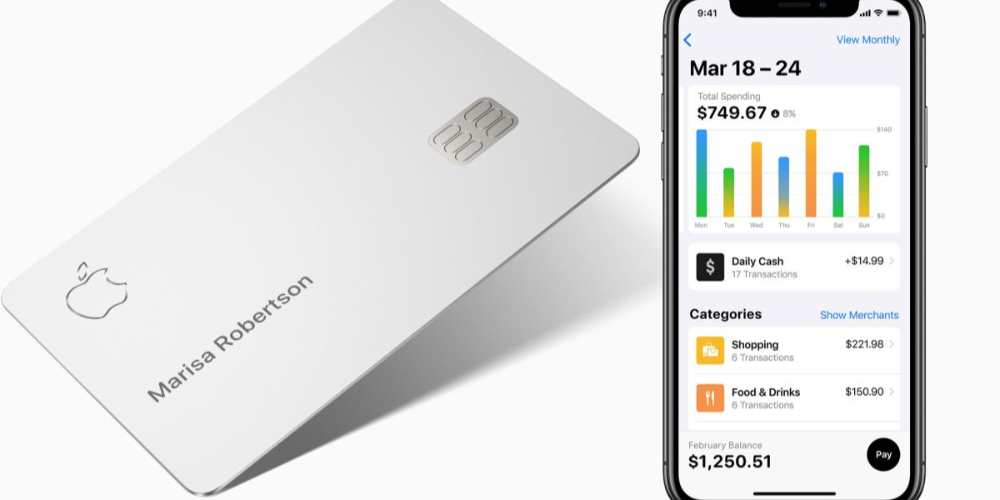
    If you’re wondering what stores take Apple Pay, there’s a list. But what about online vendors? Does Amazon accept Apple Pay? Amazon now accepts digital wallet payments from Apple Pay, Visa Checkout, and Masterpass, but it’s up to individual vendors to enable the feature. Until we can use Apple Pay on Amazon easily, we’ll need a workaround for now and that will be using other apple payment systems such as the apple card and others.

    What is Apple Pay

    Apple Pay is a convenient and secure payment service that allows you to pay with your Apple devices. With Apple Pay, you can securely store your credit, debit, or prepaid cards in the Wallet app on your iPhone, iPad, Apple Watch, or Mac and make payments quickly and securely. Apple Pay is accepted in more than 40 countries and regions around the world.

    What is Amazon

    Amazon is an American multinational technology company that specializes in e-commerce, cloud computing, digital streaming, and artificial intelligence. Founded in 1994 by Jeff Bezos, Amazon is one of the largest online marketplaces and has become a household name across the globe. On Amazon, you can find almost anything from books to electronics, clothes, food, movies, and more. It also offers services like Amazon Prime, which provides access to exclusive discounts and faster shipping options.

    Can you use Apple Pay on Amazon

    Amazon does not seamlessly integrate Apple Pay directly into its checkout system like other shopping sites. But you can use other Apple payment method such as apple card to make payments on Amazon.

    How to use Apple card on Amazon

    1. Open Amazon on your Windows or Mac computer.
    2. Click the dropdown arrow next to “Account & Lists” in the top toolbar. This appears directly next to the search feature, below a greeting with your name. 
    3. Click “Your Account.”
    4. Select “Payment options” from the “Ordering and shopping preferences” list on the next page.
    5. Click “Change” next to your current payment method, followed by “Add a credit or debit card.”
    6. A pop-up will appear, click it to add a saved card or to enter your card information.

    Benefit of using Apple payment methods on Amazon

    1. Enhanced security
    2. Easy to use
    3. Convenience
    4. Faster checkouts
    5. Widely accepted
    6. No extra fees

    Conclusion

    Using Apple payment methods on Amazon is a great way to make online shopping more secure and convenient. They are secure and fast payment method that makes it easy to buy goods online with just the touch of your finger. You don’t have to worry about entering in your credit card information or having to remember your passwords. You also get the added benefit of being able to use the rewards and discounts you have on your Apple device. Using Apple payment methods on Amazon can be an enjoyable and safe experience for everyone.

  • CSGO’s 6 best skins for the Glock-18

    CSGO’s 6 best skins for the Glock-18

    Counter-Strike: Global Offensive (CSGO) is a first person shooter game that has gained immense popularity in recent years. One of the weapons that players can use in the game is the Glock-18. This gun is unique because it can be fired both semi-automatic and fully automatic. In this blog post, we will take a look at 6 of the best skins for the Glock-18.

    What Is Glock-18 in CSGO?

    The Glock-18 is a semi-automatic pistol that was released in the early days of CSGO. It is popular among mid-to-high-level players due to its accuracy, damage output, and speed. The gun has two firing modes: semi-automatic and fully automatic.

    What Are the Other Weapons in Csgo?

    In addition to the Glock-18, players can choose from a variety of other weapons in CSGO. Some of these include the AK-47, M4A1-S, and USP-S. Each weapon has its own unique attributes and advantages.

    The 6 Best Glock Skins in Our Opinion

    Glock-18 Fade

    The Fade Skin for the Glock-18 is one of the most iconic skins in all of CSGO. It features a black body with an iridescent blue finish on the slide and barrel, making it stand out from other guns in the game.

    Glock-18 Slaughter

    The Slaughter skin has a unique design featuring bright purple accents on an otherwise black body. This skin also features a small skull logo near the trigger guard to give it an even more menacing look.

    Glock-18 Dragon Tattoo

    The Dragon Tattoo skin is one of the most popular skins in CSGO and features a green dragon tattoo on the slide of the gun. It has a black body with silver accents that make this skin stand out from other Glocks.

    Glock-18 Catacombs

    The Catacombs skin is a dark, eerie skin featuring a deep blue finish on its slide and barrel. This skin also features a small skull logo near its trigger guard to add another layer of detail to this unique Glock-18 design.

    Glock-18 Weasel

    The Weasel Skin for the Glock-18 is a subtle but stylish design that incorporates light brown and black colors to give it a unique look. The Weasel skin also features a small weasel logo near the trigger guard that adds a nice touch to this skin.

    Glock-18 Hyper Beast

    Last but not least, the Hyper Beast Skin is arguably one of the most sought after skins in all of CSGO due to its eye-catching design that incorporates bright neon green with dark blue accents on the slide and barrel. This skin also features an interesting beastly creature logo near its trigger guard that gives it an even more intimidating look.

    Conclusion

    The Glock-18 is one of the most popular weapons in CSGO and has some amazing skins available for players to choose from. In this article, we have taken a look at 6 of the best skins for the Glock-18 in our opinion. Whether you’re looking to add a unique design to your arsenal or simply want to show off your skill with this powerful weapon, these skins will help you stand out from the crowd. So what are you waiting for? Get out there and pick up one of these skins for your Glock-18 today!

  • Cedi Boom: How to Apply, Requirements, App & more

    Cedi Boom: How to Apply, Requirements, App & more

    CediBoom Loan might be the perfect solution for you. CediBoom Loan is an online lending platform that makes it easy and convenient to apply for loans from the comfort of your own home. In this article, we will discuss everything you need to know about CediBoom Loan, including how to apply, the requirements, and the app.

    Requirements

    1. Applicants must be at least 18 years of age.
    2. You must provide valid government-issued identification card.
    3. You must have an active MoMo account with your name.
    4. You must be a Ghanaian.
    5. You must have a steady and verifiable source of income (such as a job, self-employment, benefits, etc.)
    6. You must have a valid email address.
    7. You must have a valid phone number.

    How to download the app

    1. Visit google playstore on your phone
    2. In the search bar section, type in CediBoom Instant Personal Loan and search.
    3. The app will show up after a successful search.
    4. Click on download and wait for the app to successfully download.
    5. Now, open the app and register using your mobile number
    6. Wait for a verification code and type it inside where required
    7. You will now the given a dashboard where you can apply for your loan.

    How to apply

    The application process for CediBoom is simple. To obtain a loan, follow the steps described below.

    1. Launch the CediBoom Loan mobile App on your phone.
    2. On the Mobile App, click on request for funds.
    3. Apply by filling the loan application with your personal and mobile money account details.
    4. Your application will be reviewed and if you qualify, your requested amount will be disbursed into your MoMo wallet immediately.

    How much loan can you get from CediBoom Loan?

    On CediBoom Loan, your initial loan request start from GHS 100 the more you request and pay on time, the higher your request goes. The maximum you can request is GHS 5,000.

    Rates and fees

    The shortest tenor is 91 days, the longest is 365 days and the interest rate is 12%-28%(APR).

    Benefits of applying for CediBoom Loan

    Below are some of the benefits you can enjoy when you decide to join the CediBoom Loan family.

    1. Fast and convenient
    2. Flexible repayment terms
    3. Low interest rates
    4. No hidden fees
    5. 24/7 Customer service
    6. Online support

    How to repay CediBoom Loan debt

    1. Open the loan app.
    2. Once you are in the CediBoom Loan app, you will see ‘Repayment.’
    3. Click on that button.
    4. On the next page, they will show you the amount you are supposed to pay.
    5. To proceed, click on ‘Repay Now.’

    How to repay CediBoom Loan using MTN mobile money Wallet

    You can repay your CediBoom Loan directly using MTN MoMo. To do so,

    1. Dial *170#
    2. Select 1 (Transfer Money)
    3. Type 1 (momo user)
    4. Input Users Number (cediboom loan mobile number)
    5. Confirm number
    6. Enter the amount
    7. Enter reference
    8. Confirm transaction with your MoMo PIN

    CediBoom Loan contact details

    If you have any feedback, questions or concerns about Cediboom loan services, please feel free to contact them.

    Address: 4th Floor, #3 Independence Avenue,, Ridge, P.M.B. CT 1, Accra, Ghana.

    Email[email protected]

    Tel: +233 837657689

    Conclusion

    The CediBoom Loan is a great way to access the funds you need quickly and securely. With the app, you can easily manage your loan, track payments, and more. The application process is simple and straightforward, and all applicants must meet certain requirements to qualify. 

  • How to delete friends on Snapchat

    How to delete friends on Snapchat

    If you’ve decided that you no longer want a certain friend on your Snapchat, it’s easy to delete them. All you have to do is follow these simple steps and the friend will be gone from your list. Whether you need more space, don’t feel like interacting with them anymore, or just want to take a break from someone, its easier taking them off.

    Keeping up with friends on Snapchat is fun and easy, but there may come a time when you want to delete a friend from your Snapchat account. If you’re wondering how to delete friends on Snapchat, then we will walk you through the steps you need to take in order to remove a friend from your Snapchat list.

    How to delete friends on Snapchat

    1. Tap the Snapchat icon on your iPhone or Android’s home screen to open the app. 
    2. Swipe left to go to your Friends list and locate the name of the user you want to remove. 
    3. Tap and hold the name of the friend you want to delete until a list of options appears.
    4. At the bottom of the menu, tap More to reveal additional options. 
    5. Tap Remove Friend to remove the user from your list.
    6. A pop-up will then ask you to confirm that you want to remove the user in question. Click Remove to confirm. 

    How to block friends on Snapchat

    It can get to an extent that, you only not want to delete a contact but want to forever remove the user from your list and prevent them from ever contacting you. To do so, then you have to block the user. Blocing will prevent them from messaging ever again and vice versa until you decides to unblock them. To block a contact,

    1. Tap the Snapchat icon on your iPhone or Android’s home screen to open the app. 
    2. Swipe left to go to your Friends list and locate the name of the user you want to remove. 
    3. Tap and hold the name of the friend you want to delete until a list of options appears.
    4. At the bottom of the menu, tap More to reveal additional options. 
    5. Tap the red Block option, which should be the second option down from the top. 
    6. A pop-up will then ask you to confirm that you want to remove the user in question. Click Block to confirm. 
    7. This will remove the user from your Friends list and block them, so that they are unable to contact you and vice versa. 

    When you remove a friend on Snapchat do they know?

    Snapchat doesn’t sell you out to the person you unfriended. They are not notified, and they won’t know for sure what has happened to them until they start digging around or try to send you a Snap.

    What is the difference between blocking and removing on Snapchat

    Blocking makes it so that people can’t even see your publicly shared content, while removing friends would not.

    Final words

    It should be noted that if you also want to  block someone, you can do so by following steps one through four above. Then, instead of tapping Remove Friend, tap the red Block option, which should be the second option down from the top.