Author: Mfidie

  • 3 Reasons for the Phenomenal Growth of the Online Casino Industry

    3 Reasons for the Phenomenal Growth of the Online Casino Industry

    In recent decades, the online casino industry has experienced explosive growth. From its early beginnings in the late 1990s, the first online casinos began to appear, thanks to changes in the law that allowed the legal creation of such establishments.

    However, some countries still consider gambling to be an illegal pastime, such as Cambodia, and almost all Islamic countries. Japan only legalized casino games in December 2016.

    However, although some countries completely ban online casinos and gambling in general, the popularity of the online casino industry has grown year after year.

    Although traditional casinos suffered reduced revenues during the recent Covid-19 pandemic, the online part of the industry positively flourished. This article explains three key reasons to account for the phenomenal growth of the online casino industry.

    Instant Access

    If you wanted to spend an evening or weekend at a casino decades ago, you would have needed to visit your nearest brick-and-mortar establishment. This may have involved a long journey and, as such, would have been a relatively infrequent pastime.

    Conversely, with online casinos, there is 24/7 access if you have a reliable internet connection and a laptop, smartphone, or tablet capable of playing the various games on.

    New players to online casinos can enter search terms into the internet, such as best payout online casino real money, and will almost instantly be presented with web pages that compare the best of the online casinos in terms of their pay-outs and welcome bonuses.

    Gamers who are already members of a casino can gain instant access simply by logging onto the site and continuing to play their favourite games. The instant accessibility and freedom to a game at a time that suits you is one of the key reasons that online casinos have surged in popularity. 

    Increasingly Sophisticated Games

    In the early days of online casinos, the games offered were considerably more basic than the modern versions of today. Graphics were lower fidelity, as were the game sound effects. As technology has progressed, and people have access to more sophisticated smartphones, tablets, and laptops, so too have the quality of games on offer.

    Even virtual casino environments have improved dramatically since the early days of online casinos. Today’s best online casinos are even starting to offer their customers the option of playing in 3D or virtual reality if they have the hardware required to do so.

    Options to Play for Free 

    Whilst many traditional brick-and-mortar casinos do not offer players games that can be played without risking real money, most online casinos will, at least for a few specific games. This makes online casinos far more appealing for new players or those who are inexperienced with certain types of games.

    Casinos tend to do this to attract inexperienced players to their business in the hope that they will learn the skills and techniques necessary to eventually go on to play for real money. It is a clever tactic and has resulted in online casinos attracting a larger number of casual players and people who would not normally visit a physical casino. 

  • The Best Gaming Phones on the Market 

    The Best Gaming Phones on the Market 

    Choosing a mobile phone is becoming more and more difficult as the ways we can use our mobile phones continues to expand. We can use them to take amazing photos, accessing social media or just communicate with loved ones.

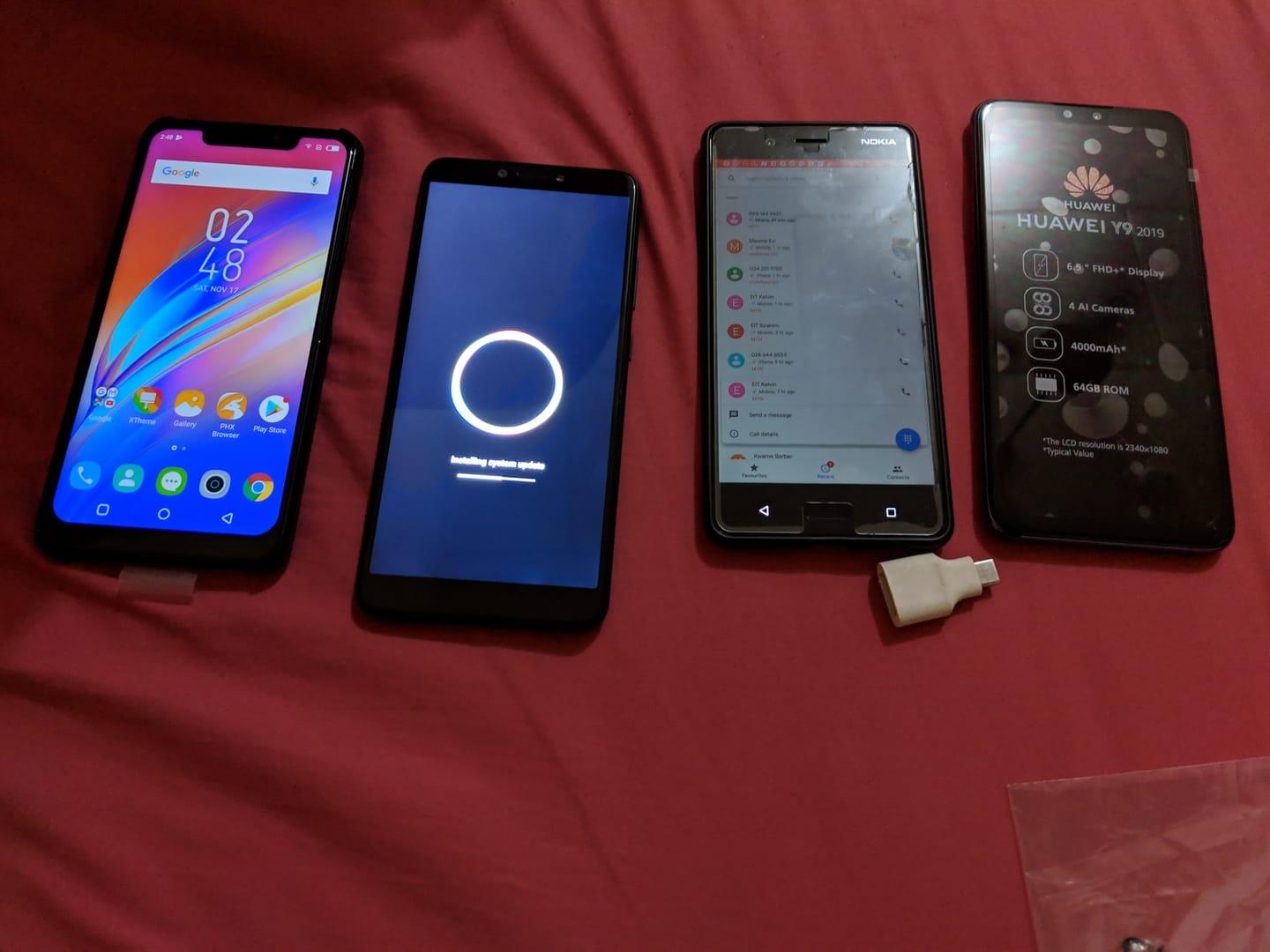
    Another incredibly popular use for mobile phones at the moment is mobile gaming. In fact, mobile gaming has now become so popular that there are developers out there who make models specifically with gaming in mind.

    This means they will focus on factors like response rates, and the picture quality and will even add extra buttons so that you can play different games to the fullest extent. 

    Do You Need a Gaming Phone? 

    You might be reading this and wondering whether you actually need a gaming phone to begin with. The fact of the matter is that if you enjoy competitively gaming and heading onto different lobbies and competitions, then the advantages that come with a gaming phone could well be for you. 

    Alternatively, if you play games on your phone, but they do not require the same quality that some of the other competitive games out there require, then you might be okay just using a standard phone. For instance, the best paying online casinos are being used more and more by gamers who like to go on the likes of slot machines, roulette wheels and blackjack tables.

    Whilst these games are excellent and the quality is exceptional, you do not need a competitive edge in your phone to excel on it. As such, if these are the kinds of games that you go on then you will be fine simply playing on some of the regular mobiles that are out there. 

    What Gaming Phone Should You Get? 

    If you would like to get a gaming phone, then you have plenty of choice available to you. These choices include but are not limited to: 

    • Asus ROG Phone 6D 

    This phone is an excellent choice for gamers as the display is excellent. Not only that but there are high-quality speakers available on this model – the sound design for modern games is something that makes them incredibly immersive and with this phone you don’t have to miss any of the experience. Some of the downsides include the fact the phone is quite expensive. 

    • Black Shark 5 Pro 

    Black Shark always produce excellent quality gaming phones and the 5 Pro is no exception. The performance is incredibly powerful meaning your games will be played at an excellent level. Not only that but the phone comes with retractable triggers that can massively improve the overall gameplay by making the controls much easier to use in any game. 

    • Asus ROG Phone 5 

    Yes, Asus make another appearance on this little list with the ROG Phone 5. The performance on this device truly is remarkable and the display is great with the speakers. The only issue is that the camera quality isn’t great and in terms of comfort, the phone is relatively heavy and dense. 

  • 3 Entertainment Sectors That Are Experiencing Rapid Growth

    3 Entertainment Sectors That Are Experiencing Rapid Growth

    In 2021, the global entertainment and media market reached a total value of $2.34 trillion, making it one of the most important and valuable industries on earth.

    In the previous year, projections for growth were not fully realized due to the significant worldwide impacts of the Covid-19 pandemic. However, whilst this dramatically reduced revenue streams from businesses that operated in the physical world, the online entertainment sectors boomed.

    National lockdowns produced a surge in demand for streaming services, such as YouTube and Netflix, which allowed them to increase their dominance in the online marketplace. Today, as the end of 2022 approaches, some sectors of the entertainment industry are experiencing impressive and rapid levels of growth. This article describes three of these sectors in detail. 

    Online Casinos

    As traditional brick-and-mortar casinos suffered reduced revenue streams during the height of the pandemic, the online arm of the industry positively thrived.

    Lockdown restrictions made the prospect of gaming at a new casino online an exciting way to spend enforced time at home for millions of people, some of whom had never gambled before. New customers found that modern online casinos offered a range of incentives that made both joining the site and remaining long-term customers an attractive option.

    This was achieved through many sites offering a range of welcome bonuses (such as free spins on roulette wheels or additional deposit money) along with regular promotions that encouraged repeat customers and loyalty to the site. The revenues of the online casino industry have increased steadily year on year, and future projections indicate that the trend will continue.

    The profitability of this industry is such that increasing numbers of new venues are opening to take advantage of the high market growth rates. 

    Social Media Platforms

    Only a few decades ago, social media was a concept that most people were not aware of or did not partake in. Early sites, such as Myspace, which was launched in 2003, became incredibly popular in a matter of years.

    This indicated to the business world that social media was going to be a profitable venture of the future. After Myspace, Facebook was launched by Mark Zuckerberg, and is now the worlds most popular social media platform with close to three billion active users now using the site.

    With the recent takeover of Twitter by Elon Musk, it seems that the future of social media platforms continues to experience rapid growth and immense revenue streams.

    The Videogames Industry

    Within the last decade, the worldwide videogames industry has become more profitable than the global film industry.

    From humble beginnings in the 1970s, when home computer ownership started to occur, games have progressed from being basic with low-resolution graphics to multi-million-pound developments that offer photo-realistic graphics and world-class gameplay.

    One key factor in the explosive growth of the video games industry has been the rapid improvements in computer technology and processing power.

    With the rise of fast and reliable home internet access during the 1990s, online gaming continued to drive the growth and profits of the industry to make it the ultra-successful sector of entertainment that it is today.

  • How to Enjoy Gaming on Your Smartphone

    How to Enjoy Gaming on Your Smartphone

    Gaming can be a great way to pass the time. It is one of those pastimes that are hard to get sick of, meaning it holds great longevity. Part of the reason for this is due to the fact there are so many different things you can do with gaming.

    Of course, there are plenty of different titles and franchises out there for people to enjoy. Then, when it comes to the way you play, there are plenty of options too. From VR to Nintendo Switch, there is a great deal of choice. 

    Gaming isn’t even restricted to your home anymore. There are plenty of different ways that you can play when you are out and about. Mobile gaming is now one of the most popular ways to game, and it is done by millions of people around the globe.

    Even your smartphone can provide a great online gaming experience when you know how to do it right. If you want some tips that will help you enjoy smartphone gaming more, consider the following. 

    Have a Good Phone 

    If you are using a bad mobile device, then you are not going to have a good experience when you are gaming. Even when it comes to casual tasks, having a poor smartphone is going to be frustrating.

    So, it might be time to invest in a better phone if you have the means to do so. Of course, this is going to improve your gaming, but it is also going to help in a lot of other instances. So, it is going to be worth the investment. Once you have a good phone, you are going to be able to see how fun smartphone gaming can be. 

    Know What Games to Play 

    There are going to be a lot of choices when it comes to games that you can play on your smartphone. They are divided into two sections.

    You could look in the app store of your mobile phone and choose to download some games from there. Here, you are going to find some popular options that are beloved by people around the globe. You could also choose to go for web browser games.

    These games are not going to require you to download anything and can be accessed through most web browsers. An example of one of the sites you can visit is an online casino for real money. Here, you can have a great gaming experience with no download or commitment. 

    Play on the Go 

    Of course, one of the main benefits of mobile gaming is that you can play it wherever you like. However, a lot of people don’t even take full advantage of that.

    When it comes to waiting for doctor appointments, being on public transport, or any sort of waiting in public in general, you can play during these times. Even when you have five or ten minutes to spare, this can be an opportunity for you to enjoy some gaming on your smartphone. 

  • How to Connect Subway Surfers to Facebook

    How to Connect Subway Surfers to Facebook

    The easiest way to store your progress in games is definitely through Facebook integration. Additionally, playing with friends is made possible by linking your account to Facebook.

    How are Facebook and Subway Surfers connected? You may learn more by reading the manual.

    You must go the settings page and choose the option for connected accounts in order to link your account.

    Choose Facebook and confirm the login process after that. The game is now ready for you to play.

    How to Link Subway Surfers On iPhone to Facebook

    Follow the instructions below to link Facebook to Subway Surfers if you are using iOS, which includes an iPhone or iPad.

    1. Following the Subway Surfers app installation on your iPhone and Android.
    2. Choose Facebook as your login option by tapping to open.
    3. Simply adhere to the next directions to finish procedures.

    Fix iPhone won’t connect to Facebook in Subway Surfers

    If your iPhone is having any connection issues with Subway Surfers. Logging out of Facebook and uninstalling it is the simplest way to solve this. Numerous people concur that in most cases, this provided a solution.

    Benefits of Linking Subway Surfers and Facebook

    Facebook connections may be made informally as well as formally. You also get a number of useful advantages from it. The advantages of connecting to Facebook are listed below.

    Having Fun with Friends

    You’ll be able to interact with your Facebook pals in-game. They can compare records with you, giving you a new objective for the game. The linking of Facebook and Subway Surfers ends there. I sincerely hope you find my advice useful.

    Specialized Skin

    You may obtain a unique Dino skin by logging onto Facebook while playing the game. Not only this, though. You also receive 25 hoverboards, 10 keys, and 5000 money. The finest beginning bundle available for Subway Surfers is this one.

    Protecting the progress

    The game Subway Surfers doesn’t need wifi. Your gaming account is not stored in the cloud of the server. As a result, your account is deleted when you uninstall the game. Consequently, Facebook connection is required.

    Additionally, you may use any device, even a PC, to play the game by connecting to Facebook.

    If you wish to switch to a different account, connect Subway Surfers to Facebook.

    1. Go to settings if you’re using an iPhone.
    2. Access Facebook.
    3. Disability Subway Riders.
    4. Restart your device and activate Subway Surfers again.
    5. You may now select another account upon login.

    NB: (Android phones can also be used with this technique.

    Conclusion

    You can correct the approach to enable you to access your Facebook contact list once again. I hope this aids you in solving the problem. Please share this page if you have any further queries and don’t forget to use the comment section.

  • Top 10 things You Can Do on Facebook Metaverse

    Top 10 things You Can Do on Facebook Metaverse

    The virtual world has dominated tech headlines since since Mark Zuckerberg said in October 2021 that Meta (formerly known as Facebook) was investing substantially in the metaverse.

    “Beyond the universe” is the meaning of the terms “meta” and “verse,” which are combined to form the term “metaverse.” Although you may have recently seen this expression used in the media, Neal Stephenson originally used it in his science fiction book Snow Crash in 1992.

    The concept Stephenson discussed in the book was about building a parallel universe with technological consequences or an entirely digital world. It enables users to escape their physical reality by giving them access to an avatar that can access the internet world.

    How the metaverse will affect customers has been covered in countless articles, films, podcasts, and other media. Some informed assumptions are more likely to be accurate than others, even if we are unsure of all that will be available in the metaverse.

    10 things You Can Do on Facebook Metaverse

    Gaming

    The metaverse was finally made possible by virtual reality and video games. So it should come as no surprise that gaming will play a significant role in the virtual world. The metaverse raises the bar for gaming immersion.

    Instead of viewing a 2-D screen, the environment is brought to the players. Think about the virtual reality environment that Oculus and Vive headsets now provide, but on a far greater scale.

    Shopping

    The metaverse creates novel e-commerce options. Consumers may access goods and services in novel ways through 3-D, interactive shopping experiences.

    Customers might browse the virtual store, interact with the newest iPhone, and attend Genius Bar classes instead of a static website duplicating a real-world Apple store, for instance.

    Another option is for customers to try on apparel at a store before making a purchase and having the actual clothing transported to their homes. Additionally, the addition of cryptocurrencies to the metaverse allows for a faster and more secure method of payment for items.

    Socializing

    Social networking in the virtual world will surely undergo a significant transition with Mark Zuckerberg and Meta at the vanguard of the metaverse. In as far as it can, the metaverse attempts to mimic interpersonal interaction.

    Users will be able to pick whoever they want to meet up with in any situation thanks to endless personalization options. Individuals will therefore be less affected by their physical distance from one another.

    In a designated place, it also offers the possibility for historically marginalized populations to live in peace, mix, and be themselves.

    Real Estate

    Since ancient times, people have invested their money in real estate as a means of securing a place to live. Virtual land is now a new possibility for investors thanks to the metaverse.

    In the metaverse, land is already being snatched up and sold for millions of dollars. The location has a major role in deciding price, much like in the real world.

    Therefore, both land in desirable places and land next to a busy intersection will cost more. One user even just spent $450,000 to live next to Snoop Dogg in the metaverse.

    Entertainment

    Virtual concerts, like games, are nothing new. Roblox and Fortnite have already held sizable concerts. By building virtual venues and allowing concert goers to join friends in 3-D form, the metaverse seeks to take this one step further.

    The concert experience is given a new dimension and is made more immersive through virtual reality. The setting and location of the performance may also be altered by fans to suit their preferences.

    Work

    The difficulty of staff involvement presented by everyone’s geographic dispersion is a prevalent disadvantage of these setups, too. Work is once more immersive and collaborative in the metaverse, nevertheless.

    The place, method, and people with whom employees interact are all their decisions. Using the ideas of the metaverse to hire staff is already being done by businesses like Hyundai and Siemens.

    A virtual reality-based, interactive hiring procedure took the place of the notoriously boring interview process.

    What types of work will be present in the metaverse?

    Most of us are interested in learning about the business prospects we might be able to enter. There are countless opportunities that will affect numerous industries including:

    1. Shopping at physical stores
    2. Online gatherings, performances and concerts.
    3. A cooperative venture that uses digitally enhanced workplaces to foster employee collaboration.
    4. Institutions that provide customers with a learning experience, such as higher education, healthcare, the military, and other fields.
    5. Workplaces and social media sites where people may communicate using 3D avatars.

    Travel

    Traveling the world will take only a few seconds in the metaverse. Customers may travel to any destination on their bucket list without having to deal with the stress of making travel arrangements, navigating airports, or spending hours in a crammed airplane.

    Have you ever wondered what Paris seems like from the top of the Eiffel Tower at the dawn? or taking a trip to the Taj Mahal while the moon is full? The metaverse is your best option.

    Education

    Because of the COVID-19 outbreak, education has already moved online. But the gamification and deeper immersion offered by the metaverse improve learning. Students will interact with and see objects in action as they study.

    Students acquire information more readily through hands-only learning when there is interaction and immersion in the subject matter. For instance, prospective doctors can practice virtual surgery, and architects can create the settings they want.

    The metaverse contains all the bells and whistles necessary to guarantee that students using it for education retain more information.

    Advertising

    The metaverse will help advertisers as well, allowing them to use virtual reality to contact customers in fresh ways. Traditional strategies will continue to be used, such as banner ads, frequent in-app promotions, and websites supported by analytics.

    But other, more engaging approaches will develop, such virtual reality billboards, in-game sponsored content (like the current Louis Vuitton x Fortnite partnership), and virtual influencers.

    With increasing direct-to-consumer marketing that is more interactive, immersive, and engaging, the metaverse will also seek to advance customer involvement.

    Exercise

    For at-home workout routines, industry leaders include Peloton and Apple. Recently, VR-based fitness applications have begun to take off, which will boost demand for VR headsets like the Oculus Quest over the Christmas season of 2021.

    The pleasurable, engaging, and gamified features of virtual reality may be combined with physical exercise to make working out more appealing and fun for some people.

    Additionally, instead of being intimidated by traveling to a physical gym, people may exercise in the comfort of their own homes.

    Conclusion

    The metaverse has evolved from a popular term in science fiction to a conceivable reality. Others are already being generated and built, despite the fact that some things being mentioned about the metaverse seem overly ambitious (and very well may be).

    The metaverse was made feasible by the current trend toward blockchain, cryptocurrencies, and a decentralized, virtual universe. The metaverse promises to digitally duplicate our real environment while enhancing immersion, options, and personalisation.

  • What Does BUMP Mean on Facebook and Messenger

    What Does BUMP Mean on Facebook and Messenger

    Updates for Meta’s Messenger app are often released. There is no denying that Messenger is the best instant messaging tool available, and it is used by billions of people.

    With the most recent new features, Meta is attempting to improve it even further. We now have a new feature called “Bump Message” available.

    The newest conversation feature is exclusive to the most recent Messenger version. In order to take use of this, you must upgrade Messenger to the most recent version.

    I have signup for beta tester for the facebook Messenger app. This means I get to use new features, give reviews before it get release to the public to use.

    I am saying this because you will receive the bump message option in the upcoming feature releases, I’m informing you this in case you don’t see it in your app.

    Be patient and don’t panic as a result. Let’s investigate the nifty Messenger app’s new Bump function right now.

    What is Bump Message in Messenger app?

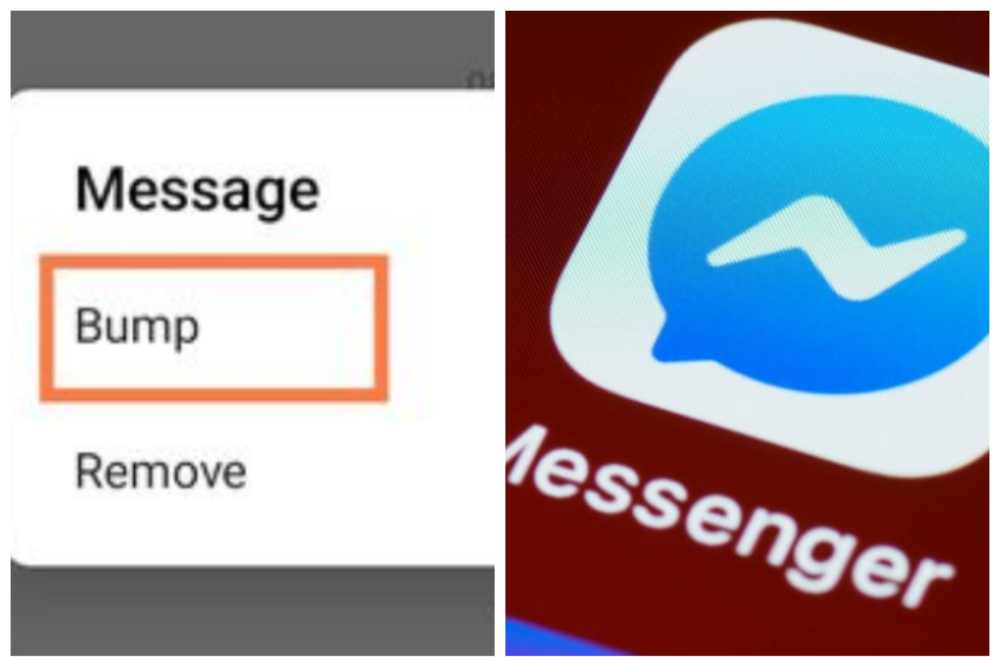
    Without reacting or copying and pasting the message, the Bump function enables instant mention and resending of a message. In order to make a point of mentioning a message, photo, or video that you have sent, utilize the Bump feature in the Messenger app.

    There is no need for you to copy-paste it or utilize the reply option. This fantastic function will help you save valuable time.

    How to Use Bump in Messenger?

    1. Launch Messenger, choose conversation to activate the bump feature.
    2. To bump a message, tap it and hold it.
    3. Select More, followed by Bump.
    4. You can now notice that message’s top has the phrase “You bumped this message.”
    5. To bump fresh and outdated messages in a chat, simply repeat the same methods.
    6. You may also do this with individual chat messages, images, and videos.
    7. Additionally, you may bump both sent and received messages using Messenger.

    How To Fix Bump option not showing in Messenger

    If the option to “bump” isn’t there or isn’t visible in your Messenger app. The only option left is “Update” in that case.

    Update Messenger to the most recent version now that it is accessible through the iOS App Store and Play Store. On the device, and then restart it.

    The bump option will be shown as soon as you launch the app. The bump option is still not present or visible in Messenger. Clear Messenger’s cache files and restart your mobile since even after an update, you can still be using a cached version of the software.

    Here is how to do it if you don’t know how to:

    1. On your smartphone, navigate to the settings.
    2. From the list, choose the Apps category.
    3. Select Messenger from the list of applications, then tap Manage Apps.
    4. Then select clear data from the bottom menu.
    5. When prompted to confirm removing the cache data for the Messenger app, select OK to proceed.
    6. Open Messenger after restarting your Android smartphone; you should now see the Bump option.

    Is everyone eligible to use the Bump feature?

    You will have the Bump function as soon as you receive an update from the Play Store or App Store. If not, you will need to wait a few days before you can use the bump function after you have the most recent update.

    However, not every Messenger user in the globe has access to it. Updates will be sent by Meta to devices and locations. No one is aware of the exact day and time when an update will be pushed to your device and location.

    Perhaps your name will be called next. All users, however, may receive it during the month. Please make sure that the Play Store has automatic updates enabled.

    Conclusion

    Please let me know if this post was helpful by leaving a comment below. Ask any further queries in the comments section. To encourage more people to use the Bump messaging function, share this post.

  • Where to Download Aimbot & Other Cheats for Xbox and Playstation Games

    Where to Download Aimbot & Other Cheats for Xbox and Playstation Games

    If you’re an avid Xbox gamer, you were undoubtedly searching for various aimbots to assist you improve your skills. You’ll have a ton of luck using these hacks in all the games you enjoy.

    Hacks for Xbox and PlayStation 4 are alterations to the console’s hardware, operating system, or other methods that might offer a player an unfair edge in single-player or online multiplayer PS4 games.

    On the PlayStation 4, cheating is undoubtedly feasible, although it is difficult and not all ways are effective. PS5 exploits.

    Types fo aimbots for Xbox and playstation games

    You will have a choice of several Aimbots depending on the Xbox model you have and the game you are playing. Some of the greatest and most well-liked Xbox AimBot varieties are listed here for you to use right now.

    1. Titan One
    2. Titan Two
    3. Cronus Max
    4. Xim Apex

    Where to download Aimbot & other cheats for Xbox and Playstation Games

    There are millions site on the internet that offer free aimbot and other cheats. When it comes to cheats and hack we are a bit picky about it so we might not be to recommend a particular website.

    You can Google “aimbot cheats for xbox and playstation” there will be a ton of website willing to serve you with what you want. But you have to be be careful since these cheats has bit of malwares.

    Difference Between AimBot and other cheats

    By obtaining all the necessary data from the game and informing you of your adversaries’ locations and positions, aimbots are regarded as hacks that will enable you to accomplish your objectives more quickly.

    A connection will be made with the server’s RAM, and you will get a code that might be the winning tip. It will be free to fire them after it has all the information it needs on the adversaries, securing you with a victory.

    Most people think that Aim Assist is much better and that this is the only kind of gaming that can be deemed cheating.

    However, other cheat is an even worse choice and a code that befriends the server, ruining every move your adversary makes. It is a true cheat hack because there is little to no gameplay with other cheats and you can exploit whatever your adversaries do.

    In Call of Duty Warzone, another cheat is also established as a default setting, and it instantly begins to function without you having to turn it on. Most game designers, though, would not view this as cheating and would instead see these possibilities as a simpler method to convey a message inside the game.

    How to setup Aimbot on Xbox or Playstation 4

    Due to the fact that it cannot be installed on the original and secure devices like PS4, Xbox One, or Playstation, getting an aimbot for Xbox is more difficult than most of you believe. A third-party input device, such the Cronus Zen Software or XIM Apex, is the only option to install an aimbot on these gadgets.

    You will notice the wires that come with Cronus Zen’s box, and you can quickly set it up using a PC. Cronus Zen should be connected to your PC using the longer connection, while your Xbox device should use the shorter one.

    Is it feasible to cheat in online multiplayer Xbox and PlayStation 4 (PS4) games?

    Briefly: Unless the game has cheat codes built into it, cheating is feasible but extremely difficult. To use basic cheating software, such as aimbots, farming bots, wallhacks, etc.

    In online multiplayer games like shooters, one has to have a console that has been hacked and can execute unsigned code. Currently, modified controllers are the only genuinely simple way to hack PS4 games, making packet editing proxies the most practical means of cheating.

    Simply put: Regardless of the approach you choose, getting Xbox One hacks to function is undoubtedly doable but extremely difficult. To execute unsigned code, hack hardware, or accurately alter packets, major additional hardware and software are needed in addition to the necessary knowledge and techniques, unless the cheats are already hardcoded into the game as a feature.

    Both online and off-line titles are affected by this. The usage of universally usable modified controllers is the only widely accepted method of cheating in Xbox One games that is accessible to regular people without specialized knowledge.

    Does the PS4 presently support running unsigned code?

    At the moment, every significant piece of code that runs on a PS4 platform has a unique signature that must be confirmed before execution. As a result, it is currently impossible to alter code that runs on the platform. You should be wary of anyone who offers you hacks or bots on a USB stick or something similar.

    Myths about PS4 cheats

    Here are some untruths and really naive ideas about PlayStation 4 hacking:

    1. There is NO USB Stick hack.
    2. Due to the rarity of “hacks” (mainly packet editors and scripts), hackers on PlayStation 4 games are actually quite uncommon.
    3. Online “generators,” “hacks,” or “adders” don’t actually perform anything. Don’t believe them; they are survey frauds.

    How to bypass restrictions and use hacks on a PlayStation 4

    Packet manipulation for Multiplayer Shooters and Online Games: Packet editing for Multiplayer Shooters and Online Games avoids the issue of unsigned code by avoiding the need to hack your physical PlayStation.

    Instead, a Packet editor will be attached to the PS4 and the Internet so that you may alter the data that is being transmitted from your gaming client to the game server and vice versa.

    This will enable you to send fictitious data to the server and obtain certain benefits. A packet altering aimbot, for instance, will transmit the server data indicating that you are aiming at an adversary even when you aren’t actually doing so on the game player.

    How to bypass restrictions and use hacks on a PlayStation 4

    Port disgust (Only Online Games): When playing online games, your Xbox has to connect with a game server, and occasionally that server is your Xbox (P2P matchmaking is very common). Therefore, not only can the communication between your console and the server be intercepted, but it can also be proxied, and the packets may be modified/edited on the proxy.

    While this will result in a higher ping because of the time required to alter and proxy the traffic, it does effectively let client-side hacks like aimbots, wallhacks, teleportation, walking through walls, etc.

    How much of the game is processed client-side and how much the server believes the game client are key factors in efficacy.

    Conclusion

    Lastly, although some of you may think of aimbots and other as hacks, gamers don’t view them that way. Instead, these are some of the strategies that are regularly employed by players.

    Aimbots are the best choice for you if you want to boost your gaming performance and ensure that you win at all costs.

  • How to Set Up Amazon Smile on the App

    How to Set Up Amazon Smile on the App

    Every time they buy on Amazon, shoppers can assist their preferred nonprofit organization at no extra charge thanks to AmazonSmile. Even Amazon Business users can benefit from this.

    The Amazon storefront you know and love will be available when you use AmazonSmile to shop with the added benefit that AmazonSmile will give a part of the eligible purchase price to the charity of your choosing at no extra charge.

    You will learn how to enable the Amazon Smile function in the Amazon App in this post. Amazon is the first name that springs to mind when discussing lifestyle changes brought on by the fast advancing technology of our day.

    It is one of the top e-commerce websites. The business invented electronic commerce. They send the goods we require, such as basic foods, electronic books, and devices, right to our door. Additionally, Amazon as a business is highly active in launching services that enhance the customer experience.

    Amazon was once again one of the first businesses to adequately address the issue as connection and the use of mobile phones advanced.

    Steps for registering with AmazonSmile

    Using AmazonSmile on a web browser:

    1. Check out smile.amazon.com
    2. Use the same account you use to access Amazon.com to log in.
    3. Choose a charity.
    4. Begin your shopping.
    5. Don’t forget to complete your purchase on smile.amazon.com to raise money for the charity of your choice.
    6. Add a bookmark to smile.amazon.com to make shopping there simpler.

    Using the Amazon app on your phone, follow these steps to use AmazonSmile:

    1. Launch the Amazon Shopping program.
    2. Go to the main menu.
    3. After selecting “AmazonSmile,” tap on Settings.
    4. To activate AmazonSmile via the mobile app, first choose your charity and then adhere to the on-screen instructions.
    5. Following the activation of AmazonSmile in your app, all future qualifying app purchases will result in a gift being made to the charity of your choice.
    6. Not currently supported is the tablet app. For additional information, please visit smile.amazon.com/onthego.

    Conclusion

    We hope that our post on how to activate Amazon Smile on iPhone/Android will be helpful to you and assist you to solve all of your difficulties.

    It is one of the nicest features you can utilize in your Amazon app, and if you truly want to enable Amazon Smile on your smartphone, just follow the directions above.

  • How to Reset Amazon Fire Stick Without a Remote

    How to Reset Amazon Fire Stick Without a Remote

    Using the Fire TV controller is the simplest approach to carry out a Firestick factory reset. But what should you do if your remote is missing or malfunctioning?

    We will go through how to reset Firestick without a remote control in this article. I will demonstrate a straightforward approach and a couple slightly more challenging options in case it doesn’t work.

    There might be problems with your Firestick that prevent you from using it. Among them are programs that periodically hang or open with a random, blank screen. Always do a factory reset to fix these problems.

    What would happen if you weren’t carrying your remaote? You may factory reset a Firestick without a remote by using any of the methods listed below.

    Reset Amazon Fire Stick Without a Remote

    Reset Using an App

    You may download an app for the Fire TV stick and use it to operate the device. You can get it via the Google Play store if you have an android device. Get it through the App store if you have an iOS device.

    1. Enter “Fire TV app” in the search field of the Google Play or App Store on your smartphone.
    2. When the first Fire TV app displays, choose it.
    3. The “get” or “install” button should be clicked.
    4. Launch the app on your phone after it has finished downloading.
    5. Click to continue when the fire TV announcements notice appears on your screen.

    How to perform a factory reset on the downloaded app

    1. You must first join the same network that your Firestick is a part of with your phone.
    2. Please touch on the Fire TV name that will display on your phone’s screen as you go.
    3. You will see a code on your TV screen if you look there.
    4. You may couple your mobile device with the TV firestick by copying that code to your phone and entering it in the areas provided.

    You may now reset the Firestick using it. Here is the process;

    1. Click the settings icon in the top left corner of the fire TV stick app on your phone.
    2. Click the fire TV settings option to choose it from the list that displays.
    3. Select “My Fire TV” from the menu.
    4. The option to “reset to factory defaults” is located farther down the list.
    5. Please click reset when any “warning message” appears.
    6. Once this process is complete, your Fire TV will restart numerous times.

    Why Factory Reset

    The following are reasons why a factory reset might be needed.

    1. An unstable Firestick should be fixed.
    2. Recover after an unsuccessful update.
    3. Deal with a Fire TV remote that won’t work.
    4. Fix a Firestick that won’t establish a WiFi connection.
    5. Get a used Firestick ready to sell.
    6. Safely join a second-hand Firestick to a brand-new TV.

    Conclusion

    The procedures mentioned above may be used to factory reset a firestick without a remote. But note that, a factory reset will delete all of your user and application data.

    Make sure to have your Amazon login credentials and the logins for your favorite applications handy before attempting any of these procedures.