Every time they buy on Amazon, shoppers can assist their preferred nonprofit organization at no extra charge thanks to AmazonSmile. Even Amazon Business users can benefit from this.
The Amazon storefront you know and love will be available when you use AmazonSmile to shop with the added benefit that AmazonSmile will give a part of the eligible purchase price to the charity of your choosing at no extra charge.
You will learn how to enable the Amazon Smile function in the Amazon App in this post. Amazon is the first name that springs to mind when discussing lifestyle changes brought on by the fast advancing technology of our day.
It is one of the top e-commerce websites. The business invented electronic commerce. They send the goods we require, such as basic foods, electronic books, and devices, right to our door. Additionally, Amazon as a business is highly active in launching services that enhance the customer experience.
Amazon was once again one of the first businesses to adequately address the issue as connection and the use of mobile phones advanced.
Steps for registering with AmazonSmile
Using AmazonSmile on a web browser:
Check out smile.amazon.com
Use the same account you use to access Amazon.com to log in.
Choose a charity.
Begin your shopping.
Don’t forget to complete your purchase on smile.amazon.com to raise money for the charity of your choice.
Add a bookmark to smile.amazon.com to make shopping there simpler.
Using the Amazon app on your phone, follow these steps to use AmazonSmile:
Launch the Amazon Shopping program.
Go to the main menu.
After selecting “AmazonSmile,” tap on Settings.
To activate AmazonSmile via the mobile app, first choose your charity and then adhere to the on-screen instructions.
Following the activation of AmazonSmile in your app, all future qualifying app purchases will result in a gift being made to the charity of your choice.
Not currently supported is the tablet app. For additional information, please visit smile.amazon.com/onthego.
Conclusion
We hope that our post on how to activate Amazon Smile on iPhone/Android will be helpful to you and assist you to solve all of your difficulties.
It is one of the nicest features you can utilize in your Amazon app, and if you truly want to enable Amazon Smile on your smartphone, just follow the directions above.
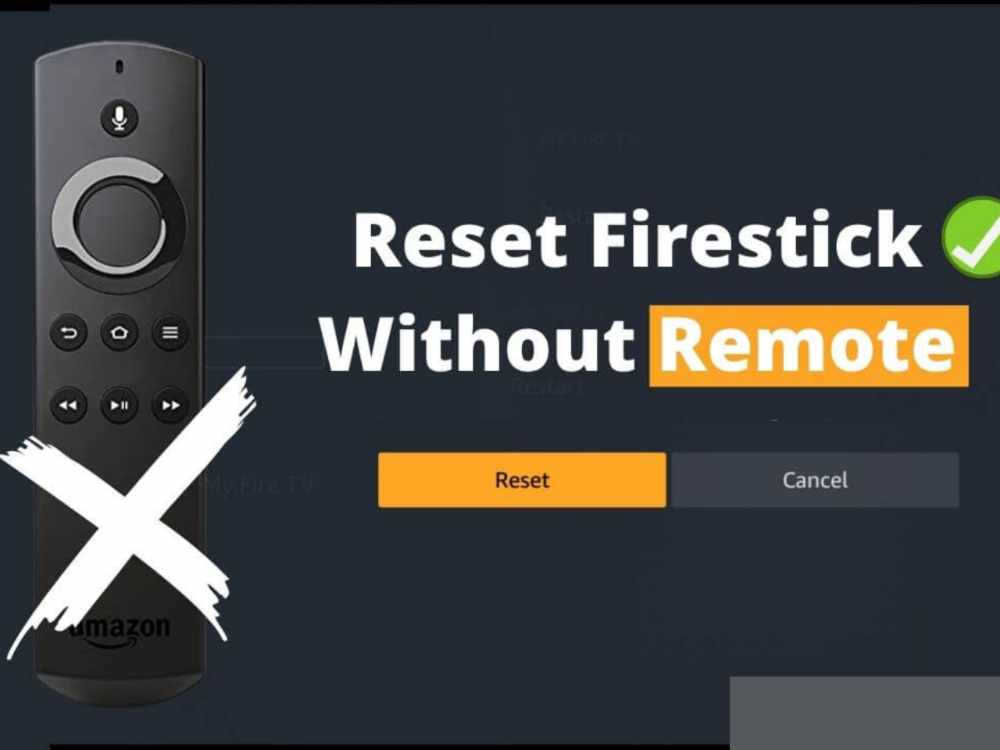
Using the Fire TV controller is the simplest approach to carry out a Firestick factory reset. But what should you do if your remote is missing or malfunctioning?
We will go through how to reset Firestick without a remote control in this article. I will demonstrate a straightforward approach and a couple slightly more challenging options in case it doesn’t work.
There might be problems with your Firestick that prevent you from using it. Among them are programs that periodically hang or open with a random, blank screen. Always do a factory reset to fix these problems.
What would happen if you weren’t carrying your remaote? You may factory reset a Firestick without a remote by using any of the methods listed below.
Reset Amazon Fire Stick Without a Remote
Reset Using an App
You may download an app for the Fire TV stick and use it to operate the device. You can get it via the Google Play store if you have an android device. Get it through the App store if you have an iOS device.
Enter “Fire TV app” in the search field of the Google Play or App Store on your smartphone.
When the first Fire TV app displays, choose it.
The “get” or “install” button should be clicked.
Launch the app on your phone after it has finished downloading.
Click to continue when the fire TV announcements notice appears on your screen.
How to perform a factory reset on the downloaded app
You must first join the same network that your Firestick is a part of with your phone.
Please touch on the Fire TV name that will display on your phone’s screen as you go.
You will see a code on your TV screen if you look there.
You may couple your mobile device with the TV firestick by copying that code to your phone and entering it in the areas provided.
You may now reset the Firestick using it. Here is the process;
Click the settings icon in the top left corner of the fire TV stick app on your phone.
Click the fire TV settings option to choose it from the list that displays.
Select “My Fire TV” from the menu.
The option to “reset to factory defaults” is located farther down the list.
Please click reset when any “warning message” appears.
Once this process is complete, your Fire TV will restart numerous times.
Why Factory Reset
The following are reasons why a factory reset might be needed.
An unstable Firestick should be fixed.
Recover after an unsuccessful update.
Deal with a Fire TV remote that won’t work.
Fix a Firestick that won’t establish a WiFi connection.
Get a used Firestick ready to sell.
Safely join a second-hand Firestick to a brand-new TV.
Conclusion
The procedures mentioned above may be used to factory reset a firestick without a remote. But note that, a factory reset will delete all of your user and application data.
Make sure to have your Amazon login credentials and the logins for your favorite applications handy before attempting any of these procedures.
You’ve undoubtedly noticed a pop-up urging you to sign up for a free Amazon Business account if you buy on Amazon using a business credit card.
You should be aware of the benefits of having an Amazon Business account, what it offers, and when you might wish to upgrade. This may be a smart approach to avoid making another trip to the market to purchase the necessities for your critical business or working from home in 2022 if you’re experiencing issues with your present providers.
Even while there are many benefits, there are a few reasons you could decide against opening an Amazon Business account when the choice is presented. However, for the majority of genuine firms that depend on Amazon, the change is worthwhile.
Any registered business, regardless of size, may access Amazon Business’ buying options. Various individuals may be given permission by their employers to make Amazon business supply purchases on their behalf.
According to the requirements of the company, the primary administrator may control payment alternatives, shipment addresses, approval procedures, reporting options, and more. They can also add or delete authorized users as necessary.
According to Martin Rohde, a former general manager of Amazon Business, “companies of all sizes and across industries have simple access to hundreds of millions of items, ranging from IT equipment to janitorial supplies.
Alternately, if you wish to begin selling online, the Amazon Business platform for sellers can assist you in reaching your intended market while maintaining the trusted Amazon experience.
Amanzone Business Account Benefits
Guided Purchasing
Provides administrators of Amazon Business accounts with the ability to choose preferred suppliers and items, as well as to block particular product categories if necessary.
What it does is provide customers more knowledge of corporate guidelines or suggestions as they shop.
Additionally, it aids organizations in consolidating vendors, reducing rogue spending, and enhancing supplier compliance.
Spending Awareness
Amanzon Business offers sophisticated financial visualizations of business spending in ready-to-present images (powered by AWS QuickSight).
The biggest benefit is that it takes less time to obtain data, analyze it, and find spending trends.
Options for Improved Delivery
Amanzon Business Account provides limitless One-Day Delivery to all corporate users at no extra cost, and there is no minimum purchase requirement.
Additionally, members are eligible for limitless Two-Day delivery to the Republic of Ireland as well as Same-Day delivery in some locations as well as Nominated-Day delivery to the UK.
Gaining access to Special Discounts and Prime Day Offers.
The business account gives subscribers special access to deals from our partners, including a year’s worth of Xero accounting software for 60% off.
Additionally, as part of Prime Day 2019, users may enjoy tens of thousands of incredible discounts on July 15 and 16.
Customers of Amazon Business can join up for an annual Business Prime membership and choose the plan that best suits their company based on the number of users on their business account.
Amazon Business Account Requirement (What you need to know)
The creation of an Amazon Business account is free. Except if you want access to Business Prime Shipping, there is no yearly charge to shop on Amazon Business. You will have to pay a charge based on the number of users if you want such access.
You’ll see the pricing structure when you join up; it is shown below.
Essentials: $179 annually for a maximum of 3 users (max 3 users)
Small: $499 annually for a maximum of 10 users (max 10 users)
Medium: $1,299 annually for a maximum of 100 users (max 100 users)
Business: $10,099 annually for more than 100 users.
How many Amazon Business Accounts can you have
If you have a “genuine business necessity” to establish extra accounts, you are permitted to have more than one Amazon business account.
According to Amazon, “Partners” that have a valid business necessity are permitted to manage several business Accounts without Amazon’s consent.
However, if you have a genuine business requirement and all of your present accounts are in good standing, you may create a second business account.
Multiple company accounts have advantages and disadvantages. Your accounting workload and general upkeep will rise if you run a second Central business account.
The number of seller accounts you may have is technically unlimited, but you should be aware that managing many accounts can be time-consuming and expensive.
Conclusion
With the help of this post we hope you’ve learn and know everything about Amazon Business Account, the pros and cons, the requirement and many more.
Aliexpress is one of the leading e-commerce sites today with thousands of retail stores on it. Aliexpress is a China-based online e-commerce store which is own by its parent company Alibaba.
Today a lot of people prefer buying goods on Aliexpress simply because the products on this site are good and affordable. Just like Amazon and eBay, Aliexpress is also an online platform that lets third-party companies sell their products. It doesn’t sell products by itself.
The online store doesn’t own the products found there but rather the retailer stores do. In recent times, Aliexpress has gained popularity in Europe, the United States and the world at large.
Many people over these countries prefer to buy their goods on the site and have them shipped to their countries.
It is simple and easier to buy products from Aliexpress and have them shipped to anywhere in the world. If you are in Ghana or any of the Africa countries, there are easier and simple ways you can shop your products on Aliexpress. These ways we will discuss in this post.
How To Purchase Products On Aliexpress In Ghana
To buy anything online, you will need two things, thus payment gateway and a shipping address.
The Aliexpress platform accepts quite a few methods of payments which I believe should not be a problem to any Ghanaian buyer. As a Ghanaian buyer, you can buy your products in this great store using a visa or master card.
But what I found strange is the fact that not all the debit cards issued in the country are acceptable on the Aliexpress store. So if you are planning of shopping on Aliexpress i will encourage you to go for a UBA Master or Visa Card. This card is what I use and I think is by far the best debit card in the country for online transactions.
Once you have this card then rest assured that you can use it for your shopping.
Alright, once you get your payment method ready now the next thing to do is to have your PC or Smartphone connected to the internet and then head over to the Aliexpress website by typing www.aliexpress.com in the address bar.
Once you are on the website all you have to do is to search for the items that you wish to buy.
Once you find it, simply “add the quantity” that you want to purchase into the cart and then click on the “checkout button” to continue.
Now you will be prompted to fill in your shipping address before you make the payment.
Also on this page, you will find if shipping is free or you have to pay for shipping. But most of the products on the store have free shipping package.
On this same page, you will see the number of days (most often than not is usually 20 – 60 days) the items will take to arrive in Ghana.
Before you complete the purchase you can communicate with the supplier first if you feel you need more information about the products you are purchasing. On PC you can use the Alibaba trade manager App for communication.
Though English is not their first language, most suppliers will still manage to respond and tell you the details you want to know before placing your order.
For the shipping addresses most of the time as a buyer from Ghana is good you use your postal address that you can easily be located and the delivery will be easy. Most suppliers use Ghana post or Aliexpress air post as their delivery agents.
Tracking your order
You can track your order by going to your account located at the right Conner on the Aliexpress website. Here locate “my orders option” and then click on it.
You will be displayed with a list of items you have order and you can see their status on that page.
Once your products arrive in Ghana, it is usually sent to the capital post office and then they will contact you for that. But once you are not contacted, you can go to the office and make an enquiry about your products.
Thus, after the delivery period given to you by the supplier has elapsed and the tracking shows your products have been delivered.
What I notice about shopping on Aliexpress in Ghana is that you get your goods without much difficulty only when you live in Accra and its surrounding communities.
People from different cities in Ghana sometimes find it difficult to get their goods on time. This sometimes becomes one of the obstacles that prevent most from shopping on the Aliexpress store.
If you are planning on purchasing a product online at a cheaper and affordable price with the best of quality then Aliexpress should be your number one go.
If you have ever purchased an item from the Aliexpress site then we will love to know your experience about the site and how was the delivery like.
Please drop all the comments in the box in case you have such experience and also for further clarification on this article.
You have several justifications for asking Amazon for a refund given that it has 12 million goods in its inventory. However, unlike some online marketplaces and standard brick-and-mortar businesses, Amazon refunds may be challenging, even for sellers or those on Amazon Business.
Don’t worry; I can explain how things operate to you. I will walk you through Amazon’s stringent return procedure in this post. This will enable you to avoid spending your money on a product that falls short of your expectations by knowing how to seek a refund on Amazon.
Refunds policy of Amazon
Refunds are only given on products purchased directly from Amazon. Therefore, if you purchased an item from another retailer, you must make a direct refund request to that vendor. If your order was Pay on Delivery, the refund would be sent to your bank account or Amazon account.
Amazon uses (NEFT) formally know as National Electronic Funds Transfer to transfer the reimbursement to your bank account. Be aware that, Amazon does not immediately refund purchases made from third-party accounts. Therefore, the name on your card and Amazon account should match.
In most cases, returning the item to Amazon is required to be eligible for a refund. However, according to Amazon’s refund policy, there are some circumstances in which they will repay the money you spent without requiring you to return the goods.
Normally, Amazon will provide you a returnless refund if:
Your request for a refund receives no timely response from the vendor.
In your area, the vendor provides “Accept Returnless Refunds.”
Requesting a refund for Amazon purchases
The specifics are the secret to a successful refund. Before making a purchase, always pay close attention to the product’s pictures, reviews, description, and title.
By paying attention to the thing you buy, you may be ready to handle any problems that may occur, such addressing mistakes and misunderstandings. You have 30 days from the date of purchase to return the item if Amazon doesn’t start a returnless refund.
You can use any of these procedures to request a refund from Amazon within 30 days.
Requesting refund process for online users
Use these methods to make an online refund request from Amazon if you want convenience:
Log into your account at Amazon.com
Click “Your Account” after moving the pointer over “Accounts and List.”
Choosing “Your Orders.”
To return or replace an item, find it and click “Return or replace items.”
Pick an issue that best explain your desire for a refund.
Pick the method you wish to use to return the product to Amazon.
Utilizing the method of return of your choice, package the item.
Request through Consumer Assistance
The first step in making a refund request through Amazon’s customer service team is to go to the website’s Customer Service page.
Once there, click “A delivery, order, or return” to continue.
Now, choose the item you want reimbursed.
Select “Returns and Refunds” from the menu.
Pick a particular justification for your request for a refund.
The customer support department at Amazon will get in touch with you by email, phone, or chat to address your issues.
Request in In-Person or Physical present
You can only receive an in-person refund if you made your purchase at an Amazon Physical Store. All other return policies apply to Amazon’s shop as well.
Find the purchase receipt and bring it with you.
Go to the shop, which ought to be the same as the one listed on your receipt.
Please send the item back in its original packing.
If you win your appeal at the counter, you will be refunded.
Conclusion
For all Amazon consumers, understanding how to seek a refund is crucial knowledge. The refund procedure also demonstrates how much significance Amazon and the platform’s third-party vendors place on providing top-notch customer care.
A variety of well-known British comedies, dramas, movies, and documentaries are available on the streaming service BritBox.
ITV and the BBC support the platform, which includes content from both networks. Although BritBox’s current focus has been on giving access to the classics, original programs and exclusive content are also planned. Britbox is not available on Amazon Business.
How much is a BritBox subscription?
BritBox provides a free seven-day trial, similar to the majority of streaming services, so you can try it out before paying. Following the expiration of your free trial, you’ll be automatically switched to a rolling subscription for £5.99 per month, or you may pay £59.99 annually to save 16%.
How to cancel Britbox on Amazon
Before your next renewal or payment date, you must submit your cancellation at least 24 hours in advance. You’ll get a confirmation email when your membership is terminated, along with information about the final day you may watch.
Follow these procedures to pay BritBox directly using your credit or debit card:
Open an account by logging into your BritBox.com account (click on your name in the top right)
Select “Account Details.”
Select “Subscription” from the menu.
Your next renewal date may be seen in the “Your Plan” section on the left.
After selecting “Cancel Subscription,” proceed as instructed.
How to cancel Britbox on Amazon
From Your Memberships and Subscriptions in Your Account, you may always cancel your subscriptions to Subscribe with BriitBox on Amazon. Changing your mind about BritBox subscription you bought through Amazon:
Navigate to Your Memberships & Subscriptions.
When a subscription is highlighted that you want to cancel, click Manage Subscription.
Choose the hyperlink under the advanced controls.
The primary subscriber page appears. You may cancel your membership right here.
Will my subscription be cancel if i uninstall the app
Your membership won’t immediately end if you uninstall an app. You’ll continue to be billed even if you delete the app without first canceling your subscription.
How long will I be allowed to continue viewing BritBox once I cancel MY subscription?
You can keep watching BritBox after canceling as long as your current paying cycle is active. If you cancel on the seventh of the month if you have a monthly plan that renews on the fifteenth of the month, you will still be able to watch until the fifteenth.
At least 24 hours before your plan is scheduled to renew, you must cancel. By following these steps, you may locate your renewal date in your BritBox account.
Can i re-subscribe if i cancel my subscription
The methods to re-subscribe are listed below if you canceled your subscription and are no longer able to watch BritBox:
Log in to your BritBox account via one of our apps or the website.
On mobile apps, click “more” or your name in the upper right to access your account.
From the menu that displays towards the top of the screen, choose “Account Details.
Choose the “Subscriptions” option and the desired plan.
Enter any gift or promotional codes you have into the appropriate fields, then click “apply.”
Fill in all the blanks, including the credit card information.
Click on “Submit” to activate.
When you re-subscribe, there is no free trial time and you will be charged the same day.
What happens if I terminate my membership before it expires
The procedures below can let you re-subscribe if you canceled but your membership hasn’t reached its last day (you may still watch).
Log in to your BritBox account via one of our apps or the website.
Using our mobile applications, click “more” or your name in the upper right to access your account.
Select “Account Details” from the menu.
Click to access “Subscriptions”Enter the necessary information after clicking “Restore.”
Renewing a gift subscription allows you to do so on any platform of your choice.
Conclusion
We hope these steps aid you to resolve your BritBox subcription cancellation issues on Amazone
It’s enjoyable to make TikTok videos. However, occasionally mistakes do exist that you only discover after posting the video. So, how can a TikTok video be deleted?
Allow me to assist you with this. I gave straightforward instructions for erasing your TikTok videos. To learn how to also erase videos from drafts, scroll down.
The user interface of TikTok has recently undergone several modifications. On TikTok, you may now disable video views. The app has declared age protection due to all the privacy and security worries.
You may, however, disable age restriction in your app. If you have children at home, adding this option is a terrific idea. This will prevent any explicit videos from appearing on your TikTok For You page.
Making a playlist is now possible if you enjoy the songs you hear on TikTok. What steps must you take to remove a TikTok video from your account? This simple tutorial will show you how to remove a TikTok video.
How Can a TikTok Video Be Removed?
If there is a mistake in your video, you can remove it from your TikTok profile. On Android and iPhone, deleting your TikTok movies behaves differently. I’ll explain how to remove your TikTok video.
On an iPhone, how do you delete a TikTok video?
A TikTok video can be removed from your iPhone. Do not forget to log into your account. On an iPhone, follow these steps to erase a TikTok video.
How to Remove a TikTok Video from an iPhone Device?
Use your iPhone to access TikTok.
Tap the symbol for your profile.
Locate the video you want to remove by scrolling through your profile.
Tap the screen to make the video full-screen.
Click the symbol for Options. The three horizontal dots are located next to the video.
Click Delete in the pop-up menu.
A confirmation prompt will appear before your TikTok video is deleted. To confirm removing the video, tap on Delete.
You may remove a TikTok video from your iPhone profile in this way.
How to Remove a TikTok Video from an Android Device?
On Android, a TikTok video can be deleted. If you don’t have access to your computer, you may erase any videos from your TikTok account using your phone. This article will show you how to erase a video from TikTok on an Android device.
Launch TikTok on your mobile device.
Tap on the symbol for your profile to access your account.
Any Android phone may erase a TikTok video using this method.
Can I delete saved tiktok video?
You may remove saved or unfinished videos from TikTok. You have the option to remove a specific video.
Delete movies in bulk is another option. Here’s how to remove a TikTok video that has been saved.
On TikTok, you may choose the video you want to remove from your drafts. Here’s how to remove a certain stored TikTok video.
Open the TikTok app.
Click the profile icon.
Click Drafts.
Swipe to remove a video from your Drafts.
Click Delete.
To formally delete the stored video, press Discard.
Conclusion
Having learned how to erase a TikTok video, you can now. TikTok videos may be removed from your iPhone, Android device or the website. I’ve also described how you may delete individual or all of your drafts. We’ll continue to develop more of these simple instructions.
For musicians from across the world who have filmed live sets or performances, we’ve gathered a few intriguing YouTube accounts to check out. It’s the ideal approach to discover a fresh side to songs you already know almost too well and experience that warm, unadulterated sensation that you won’t get from recorded studio versions.
Top 10 Live Music YouTube Channesl to follow
COLORS
Berlin-based COLORS can point you in the direction of your next artistic interest if you’re seeking for new artists to follow. They include setups with plain backdrops and bring in new, deserving artists. You may see performances by well-known musicians like Billie Eilish, Tom Misch, HONNE, Daniel Caesar, and others on their channel. As an alternative, you may allow the algorithm guide you and help you find emerging musicians in their roster.
Choir! Choir! Choir!
Choir! Choir! Choir! is the station to tune into if you’re feeling sing-along-y, which is always. We realize that this one is a bit unusual, but we hope you’ll pardon us for it anyway: From your seat, you may join hundreds of others in unison singing for the ultimate karaoke experience.
When Daveed Goldman and Nobu Adilman host their “drop-in” singing sessions in Toronto, Canada, anyone is welcome to drop by, learn a song, sing it, record it, and generally have a good time. They have arrangements for some of the finest karaoke songs, like Cher’s “Believe,” Toto’s “Africa,” and a 2000-person throng singing ABBA’s “Dancing Queen.” It is certain to make you joyful.
KEXP
On a regular basis, this radio station with a U.S. broadcasting license posts sets from its broadcasts on YouTube. Check out live performances by well-known musicians like London Grammar, Arctic Monkeys, Macklemore, Of Monsters and Men, and Of Monsters and Men, whether they’re just one song or a whole set. Alternative groups including Portugal, Alt-J, Mac DeMarco, Alabama Shakes, and others all perform as part of the diverse lineup. The Man Additionally, they possess unique treasures like Huun-Huur-Tu, the throat singers of Mongolia.
Studios Paste
Yet another treasure mine of live performances by musicians from around the globe is Paste Magazine. Your favorite performers may be seen at the comfortable, carpeted studio of Paste in New York, where they frequently perform while barefoot.
They have hosted emerging musicians like Aurora and Boy Pablo as well as bands from your youth like Dashboard Confessional, Switchfoot, Wheatus, and even a live tune from The Bacon Brothers, which features Kevin Bacon (because if he can dance, he must be able to sing, right?).
Triple J Like a Version
Triple J, an Australian radio station, frequently posts new videos of musicians performing original songs to their YouTube page; nevertheless, we’re focusing on their playlists of covers because we can.
The stripped-down rendition of Tamia’s “So Into You” by Childish Gambino, which will undoubtedly become your anthem at some time, is not to be missed. And none of the other incredible arrangements performed by the musicians on this program substantially altered the character of a song that was already excellent.
To get you started, we suggest DMA’s heartfelt rendition of Cher’s “Believe,” Holy Holy’s hip cover of Beyoncé’s “Hold Up,” and Chet Faker’s choir-take on Sonia Dada’s “(Lover) You Don’t Treat Me No Good.”
Sound of Sofar
Thanks to Sofar Sounds, get work done while listening to some tender and charming acoustic music. This international group visits various locations and brings together performers for intimate settings. You can catch well-known performers like Hozier, Billie Eilish, and Ed Sheeran live in concert, but it can be even more fun to pick a place and check out undiscovered musicians instead! You can also check out the Manila set, which has performers like Bullet Dumas, She’s Only Sixteen, BP Valenzuela, and more.
VEVO Live Lounge for BBC Radio 1
The biggest musicians and celebrities perform on the radio channel of the BBC. At their Live Lounge series, you can catch performances from Demi Lovato, Dua Lipa, Khalid, Miley Cyrus, Ariana Grande, Paramore, Harry Styles, and more. Additionally, they frequently create interesting covers! At their studio, you may listen to some of the best sounds from today’s greatest musicians in a more raw and unprocessed form.
Mahogany
Check out Mahogany Sessions if you prefer the more relaxed and clean versions—the kind you can enjoy while drinking coffee and looking out into space.
Since 2010, this London-based entertainment firm has been producing tasty renditions of well-known tunes. Live concerts by HONNE, Imogen Heap, Hozier, Bastille, and more artists are available.
Their videos sometimes take place in unusual settings, such as big stadiums, gardens, or houses, which adds to the raw, genuine feeling of the music.
Bus 107.5 Wish
We were not going to forget to include our very own Wish Bus. You should check out this channel if you’re seeking for a new local musician to follow or live performances of your favorite artists.
Take a trip down memory lane by attending performances by bands like Kjwan, Moonstar 88, Orange & Lemons, and more. Learn about the newest albums from the most popular musicians working today, including Ben&Ben, I Belong to the Zoo, and many others.
A number of international artists, like Stephen Speaks, the singer-songwriter Lauv, and Dua Lipa, as well as hip cover versions like Al James’ rap rendition of Lola Amour’s “Pwede Ba?” are also readily available.
Tiny Desk Concert for NPR Music
Bob Boilen’s desk in his office at NPR’s All Things Considered in Washington, D.C., is arguably the spot in the world that has experienced the most musical activity.
Since 2008, hundreds of performers have taken the stage in this pristine and small venue. Perhaps because of its somewhat carefree and raw vibe, it has gained quite a following.
Since they’ve been around for a long, they take the top spot on this list thanks to their unrivaled YouTube library of incredible performances and unheard-of gems: From well-known contemporary artists like Harry Styles, Lizzo, Taylor Swift, and Aurora to timeless performers like The Cranberries, Sting, and Shaggy (yes, together! ).
Conclusion
Wanting to listen to some live music on YouTube, then the above channel names should be in your search priority as they will provide you nothing but the best.
In today’s world, when almost everything is done online, having a laptop is just as essential as having a decent pair of socks. Because of this, it’s always crucial to have a reliable laptop that can carry out a variety of tasks without any issues.
We do not all come from a rich family, of course. Not all of us are wealthy enough to spend tens of thousands of dollars on a brand-new laptop.
You will be glad to learn that you don’t have to be a billionaire to get a respectable laptop for yourself. Occasionally, all you need is about $600 to get a great item that will serve you well every day.
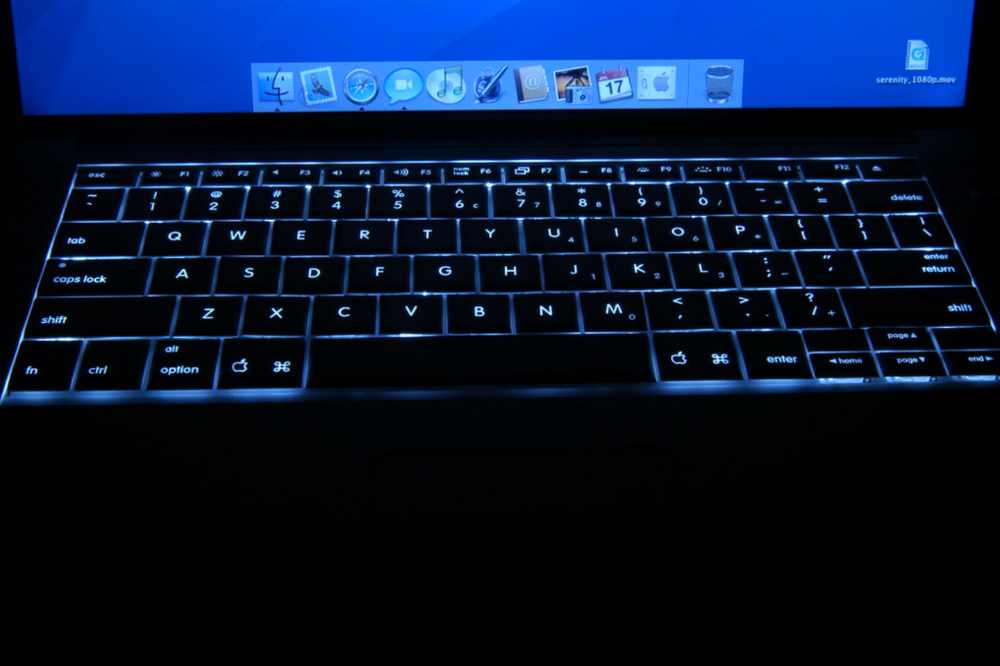
Best Laptops with Backlit Keyboard that Sell Under $600
1. Inspiron 14 5000 Dell
14-inch | 1,366 by 768 pixels
CPU: Intel Core i3 3GHz
Ports: 2 USB 3.0 ports, 1 USB 2.0 port, 1 HDMI port, 1 Ethernet port, 1 3.5 mm audio port, and 1 microSD card slot.
You have enough power to run several Chrome tabs or extra programs simultaneously thanks to the 11th generation Intel Core i3 CPU and the 16GB of RAM.
Maintaining many browser tabs open for cross-referencing and research is very crucial. In a nutshell, it satisfies both business and academic needs. This is not the ideal fit, though, if you’re searching for content development.
The keyboard has some flex, but it still makes for a nice typing experience. The majority of cheap computers, however, share this restriction.
This laptop’s Intel Celeron N4500 CPU is only suitable for light work and is not really up to the challenge of handling heavy ones. However, it suffices for regular tasks and online browsing.
Again, if you frequently download high-resolution photographs or movies that take up a lot of space, the 64GB of storage might not be enough for you.
The display is bright and clear, which is wonderful news (for a budget laptop). You may view Netflix movies or YouTube videos since the colors are passable.
The CB317-1HT Chromebook isn’t the quickest Chromebook available, to put it simply. However, this one is ideal for light web-based work if you want a huge screen and a backlit keyboard together.
3. Vivobook 15 by Asus
15.6-inch display with 1920 x 1080 resolution
Intel Core i3-1005G1 at 3.4 GHz
Ports: 1 USB-C port, 3 USB-A ports, 1 microSD card slot, 1 HDMI port, and 1 3.5mm audio port
The 10th generation Intel Core i3 CPU is not the most potent processor—again, the same principle holds true here. You can navigate routine tasks like surfing, watching movies, and editing documents with ease.
However, the system will sluggish down while you multitask. The laptop’s keyboard is undoubtedly its main selling point. It has a comfy keyboard in addition to being backlit. Additionally, typing frequently will reward you with a wonderful typing sensation.
4. Lenovo Chromebook Flex 5
13.3-inch size | pixel size: 1920 by 1080
Intel Core i3-1115G4 processor, 3 GHz
Ports: 1 USB-A, 1 microSD card slot, 2 USB-C with DisplayPort, 3.5mm audio, and 1 security notch
The Flex 5’s sleek and contemporary appearance is one of the main benefits it has over the Acer Aspire 5. Naturally, this makes transporting the laptop between locations simple. The cherry on top is the 2-in-1 design. It could be challenging to use a 13-inch laptop as a tablet, though.
Despite being a cheap laptop, the Flex 5 has a nice display with natural, rich colors and strong contrast. In addition, it has a maximum brightness of 250 nits like the one above.
You can get through the day on the battery life. On a normal day that involved scrolling, watching YouTube videos, and other activities, the PC World employees might acquire roughly six to seven hours of run time.
There isn’t an HDMI port on the Flex 5. Therefore, if you want to connect to an external monitor or TV, you’ll need to get a USB-C dongle.
5. Acer Aspire 5. (A515-46-R3UB)
15.6-inch size | pixel size: 1920 by 1080
Intel Core i5-10210U, 1.6 GHz
Ports include two USB Type-A, one USB-A, one HDMI, one USB-C, and one 3.5mm audio jack.
Although the keys are a touch thin, they offer nice feedback, and typing on them is comfortable. It trembles a little.
The display is both bright and crisp at the same time. The Acer Aspire 5 is notable for including a display with an IPS panel, which offers greater viewing angles.
Conclusion
Here are afew of the affordable backlit keyboards that cost under $600. The laptops are the best option for routine business or academic use, even though you don’t get the quickest or peppiest CPU.
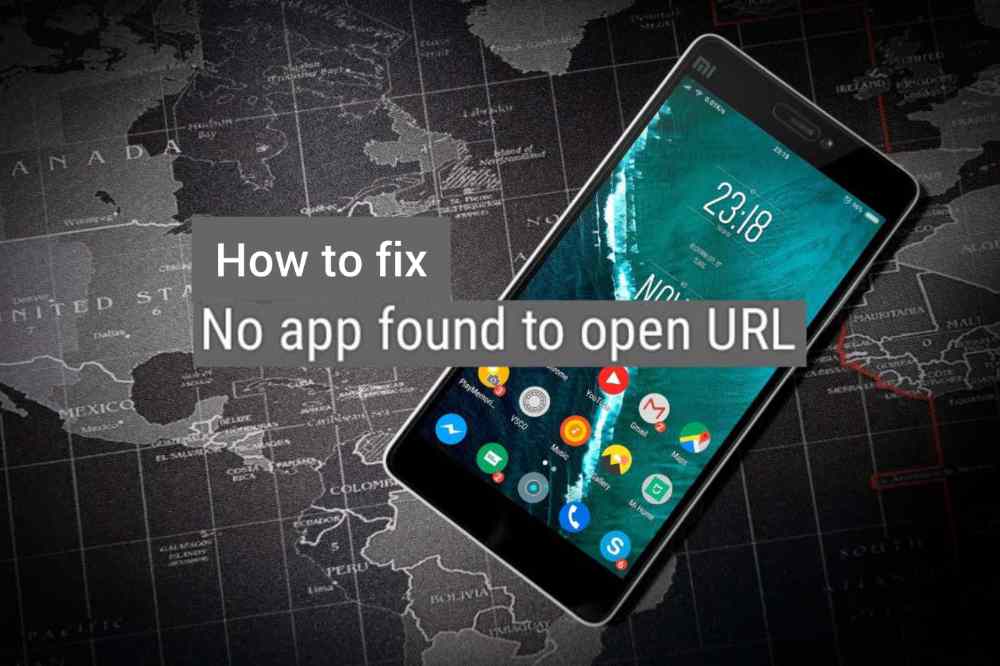
Do you get the “No app detected to access URL” issue while trying to open links on your Android phone?
You could run across this issue, for instance, if you try to view a webpage using the Google app or any other non-browser program. Thankfully, this unpleasant problem on Android can be fixed.
There will undoubtedly be some basic fiddling required, but that is about all. We’ll provide some useful advice for resolving the “No app found to open URL” problem on Android.
Best Ways to Fix No App Found to Open URL Error on Android
1. Restart the app
The error message “No app detected to open URL” may display if an app fails to launch correctly or encounters a problem later. By forcing the program to close and then reopen, you can usually resolve such problems. starting with that
Tap the “App details” icon from the menu that displays after long-pressing the malfunctioning app. Select “Force stop” from the menu at the bottom. Reopen the app, then try to open once more.
2. Verify any disabled apps
If you have any system apps on your phone disabled, a similar message may potentially show up. For instance, you can get similar issues while attempting to access URLs that call for those particular applications if you disable your phone’s default browser or an app like Play Store.
You must check the list of applications on your phone and confirm that all system apps are activated if you want to avoid this issue.
Go to the Apps section of the Settings app on your phone.
Look through the list of installed apps to discover if any are disabled.
Select Enable from the drop-down option that appears after tapping the disabled app.
After that, see whether any of your phone’s apps can access URLs.
3. Modify your default browser
Additionally, issues with the built-in browser application might prohibit programs from accessing websites. In that situation, you might want to try altering the default browser on your phone to see if that helps.
Go to Apps in the Settings app.
Select the default applications button.
Choose a different browser from the following options by going to the Browser app.
Check to see whether applications can open URLs on your phone after changing the default browser.
4. Reset App Preferences
The problem can be fixed on your phone by resetting app options if activating system applications or changing the default browser does not work.
In order to clear Android app preferences:
Make your way to the Apps section in the Settings app.
Choose Reset app preferences from the drop-down menu that appears when you tap the three dots menu icon in the upper right corner of the screen.
For confirmation, click Reset.
5. Cancel App Cache
The cache data may be damaged if an app is still having problems opening URLs on your phone. Fortunately, removing such duplicate cache data is a simple process. You can follow the instructions listed below.
Tap the “App details” icon from the pop-up menu that appears when you long-press the icon of the malfunctioning app.
Select Storage, then in the bottom-right corner, hit the Clear Cache button.
5. Deactivate instant apps
Your phone checks to see if the current app can open a link when you press it. If a browser can open the link, it might not redirect to one. The error “No app detected to open URL” might occasionally be brought on by this behavior. To test if it helps, you may turn off link loading in Instant applications.
Start your phone’s Google Play Store.
Tap the settings icon next to your profile image in the top-right corner.
Click Google Play Instant after expanding the General menu.
When asked, choose Turn Off after deactivating the option next to “Upgrade web links.”
Now, you can see if the problem is still present.
Conclusion
When Android applications don’t work correctly, it’s annoying. Such issues are typically caused by out-of-date apps or improperly configured app preferences.
When you use the aforementioned fixes to resolve the issue, your Android will function normally once more.