Facebook and its many applications are undoubtedly well-known to you. It used to be quite easy to stand out on Facebook since the social networking site’s user base was so small and distinct, but now that it has expanded, it is more challenging.
But there are a few easy methods to customize your Facebook profile. One approach to stand out is to list your name with all lowercase letters.
How to make a Facebook name all lowercase
Enter your Facebook login information. Select “Account” from the drop-down amenu in the top right position. Please choose “Account Settings.”
To the right of “Name,” click the option that says “Change.” The data already present on the form should be highlighted and removed.
Your name will display precisely as you wrote it if you enter your first and last names again in lowercase. Select “Save Changes” from the menu.
To the right of “Name,” click the option that says “Change.”
Your name will display precisely as you wrote it if you enter your first and last names again in lowercase.
Go over the instructions on the new page. Verify your name is shown precisely as you want it to be. Select “Confirm Change” from the menu. Your new name may not become effective for a few days.
How to make a Facebook Page name all lowercase
Perhaps you wanted to establish a Facebook page with a name that started with a little letter, but this is against Facebook regulation. If the name of your business or brand begins with a little letter, you can find yourself in this scenario.
Steeps to make a Facebook page name all lowercase
Establish a page in compliance with Facebook rules.
Switch your Facebook account from English to a different language.
Access your Facebook settings.
Select Language and Region from the Settings menu.
Select a language other than English as your Facebook default language.
Modify the name of your Facebook page and submit it for approval.
Modify the name on your Facebook profile. Send it in for review.
If you’re using Google Chrome and have trouble understanding the material, utilize the translate to English option from the context menu.
In about a minute, the page name will be changed. With this technique, the page name will appear as you type it, with the initial letter in lowercase and all other characters in uppercase.
Make English your default language on Facebook
Go to your Facebook account settings right away and set your default language as the Facebook language.
Facebook Naming Requirement
To convey a certain attitude or style, you could choose to create your Facebook profile or page name in full capital letters or lowercase. Facebook forbids the use of all caps in profile or page names and instead encourages users to use their actual names. The process of creating or modifying your Facebook profile or page is made simpler by being aware of Facebook’s name requirements in advance.
Profile Names
In your account settings, you may modify your Facebook profile name. When you click the “Save Changes” button after trying to update your name so that it is all capital letters, Facebook quickly changes your first and last name back to ordinary capitalization.
Requirements for a profile name
Facebook has additional specifications for profile names. Facebook profile names are limited to a maximum of 15 characters, which excludes punctuation, symbols, numerals, repeated characters, characters from several languages, and repetitive characters.
Titles, words, or phrases used in place of middle names, as well as any material that is provocative or insulting, are not permitted in names.
Conclusion
Follow these instructions to successfully change your Facebook name to lowercase in order to stand out from the crowd
Lithium-ion batteries in today’s smartphones, tablets, and laptops require a lot of charging time. Yet when is the ideal time to power or charge? Is overnight charging an option? Does maintaining a full charge harm the battery?
There are several myths around technology, such as the idea that a phone with more bars has better service. In order to access “Field Mode” and learn more about nearby networks and cell towers, enter the dialer code *3001#12345# and then hit the call button.
How does the battery on your smartphone perform? It will eventually become worse, but you don’t want to hurry it along. End the discussion about whether overnight charging will do that.
Overnight Charging
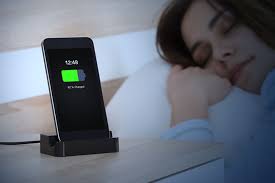
It’s a widespread misconception to charge your phone too much. The quantity of charge entering your device shouldn’t be a problem as the majority are intelligent enough to stop accepting a charge once full, only topping up as necessary to keep it at 100%.
The issues arise from the battery overheating, which may result in damage. When charging your phone overnight, it is preferable to take off any cases in order to prevent this. It’s also advisable to place the phone on a firm, flat surface so that the heat can quickly disperse.
Therefore, charging your phone overnight is quite safe; just be careful that it doesn’t overheat. Nevertheless, you won’t believe how quickly phones can now recharge, so you don’t actually need to keep it charging for 8 hours.
Using a wireless charger is one way to reduce the charging speed. It will spare you from having to struggle to plug it in and use less energy in the process.
How Chargers Operate
Most of the time, whatever you’re worrying about won’t be a problem for the gadget. For instance, Android is made to manage to multitask for you, so you don’t need to close apps.
The battery and other internal components of smartphones are protected by built-in safeguards. Overheating is one thing that can harm phones, which is where a lot of the worry about charging overnight comes from.
The majority of phones charge rapidly the first time you plug them in or set them on a wireless charger. So that you don’t have to wait too long if you only need a little additional juice quickly. When it hits 100%, charging will eventually slow down and stop altogether.
Naturally, the battery will gradually deplete because the charging process ends at 100%. When it reaches 99% once again, it will swallow a tiny quantity of power to increase to 100% again. Until you turn off the electricity, that cycle continues. Despite practically continual charging, the phone is never overcharged.
Cycles of charging
While charging from zero to full may have been beneficial in the past, we must repeat that this is no longer the case. It is best to avoid using up your lithium-ion battery’s restricted number of charge cycles.
Keep the battery topped off with several little charges rather than a full cycle so that you don’t have to start charging your laptop, phone, or tablet from scratch after letting it entirely die. If you use the battery for full charge cycles, you’ll notice that it suddenly stops accepting as much charge and starts losing it more quickly as it degrades.
Users of Apple iPhones, for instance, have a function in iOS that will let them know how well their battery is doing and whether it needs to be replaced. The check is located under Settings, Battery, and Battery Health.
Charging in extreme temperatures
The majority of gadgets are made to operate in a wide range of temperatures, such as those between 16 and 22 degrees Celsius, but regularly exposing your device to temperatures exceeding 35 degrees might harm it.
For instance, Apple may briefly turn off your iPhone if it becomes too hot. “Charging the item in high ambient temps might harm it further,” the manufacturer advises.
Fortunately, it differs for freezing temperatures, and batteries are much more equipped to withstand the cold. You’ll undoubtedly notice a decrease in battery life; on skiing vacations, cameras are particularly susceptible to this.
However, the bad performance is often only temporary, and as you return to warmer weather, you should see your battery life returning to normal.
How to maintain the health of your battery
You don’t have to wait until your battery is completely dead to charge it. That implies that if you charge from 0% to 100%, you will use up a complete charging cycle. Don’t stress too much about percentages and charge when it suits you.
Make every effort to keep your phone cool. Tucking your battery beneath your pillow is one of the worst things you can do since heat shortens the battery’s lifespan over time. The same is true if you leave your phone outside in the heat or cold.
Unplug your phone if you discover it is completely charged when you wake up at night. Although it won’t have much of an impact, it won’t hurt either.
According to Apple, you shouldn’t entirely charge or totally deplete your device’s battery. “Charge around 50% of the price. If you keep a device with a totally depleted battery, the battery may enter a deep discharge condition and lose its ability to retain a charge.
On the other hand, if you keep the battery fully charged for a long time, it can lose some capacity and have a shorter lifespan.”
If you know you won’t be using it for a long, it’s also a good idea to switch it off rather than allowing the battery slowly drains as it sits on the shelf.
Can a phone battery be overloaded by an overnight charge?
Protection chips, however, keep track of when the internal lithium-ion battery reaches full capacity in the majority of contemporary products (and in all batteries for current mobile phones). When this occurs, the charging is abruptly terminated. Thus, you cannot in this manner overcharge the battery.
Depending on the device, it may be crucial to limit the amount of time a battery is charged in order to prevent overloading and battery damage.
The issue is that the charger will automatically turn on once more and recharge the phone to 100% while it continues decreasing down to 99% capacity. It’s known as trickle charging.
Will the Battery Get Worse if Charge Overnight?
Most likely, the battery will deteriorate if the phone is left charging. As we’ve already explained, if you charge your phone overnight, one of two things will probably happen that shorten the battery’s life. Either you are letting it get too hot or you are letting it trickle charge for hours on end.
Follow these recommendations if you have to charge your phone overnight to prevent any harm:
To prevent it from overheating, charge your phone on a solid, cool surface. Don’t put it under your pillow (or anything that will trap heat).
Before charging, take the case off of your phone.
If you get up during the night, unplug your phone.
Continually use the official charger and charging wire that came with your phone. Since they were created specifically for your phone, they are less likely to have flaws that might harm your battery or slow down charging.
Make sure the power bank you choose is high-quality and won’t likely harm your battery if you use one.
Is it necessary to recharge your battery just when it is 0%?
No. Allowing more recent lithium-ion batteries to deplete to 0% capacity can harm them. Because of the way batteries operate, they will inevitably lose capacity over time.
Older nickel-cadmium (NiCad) batteries gave rise to this urban legend. If you didn’t completely discharge them, they would build a “memory” that would actually reduce their capacity.
Lithium-ion batteries should be maintained at 30-80%, according to experts. Ideally, you should keep an eye on the charge of your phone and strive to maintain it within these ranges. It won’t end the world if you slightly under or overshoot.
Conclusion
Depending on how you charge your phone, doing so overnight isn’t always a terrible idea. But if you’re not careful, you can shorten the battery’s life, forcing you to purchase a new phone sooner than you had intended.
Even with the finest maintenance, though, phone batteries typically only last for a few years. So, don’t worry too much if you need to periodically charge your phone overnight.
After reading the phrase “elk-bledom” and speculating as to what it may be, are you curious? Fear not; confusion arises in everyone who is unfamiliar with elkbledom, but it is not a significant problem.
I’m here to assist you to grasp this fascinating subject of elk-bledom in general today. You will get knowledge about the elk definition, bledom’s details, facts, and many other things.
I will provide you with all pertinent information on the elk beldom Bluetooth. Start reading about elk-bledom now so that you don’t miss a single detail that is provided afterward.
Elk-bledom on bluetooth: What is it?
The sort of lighting equipment that supports Bluetooth is called Elk-beldom Bluetooth. It is an LED light strip that can be controlled by Bluetooth and does not require any additional proprietary wireless technology.
The Bluetooth services on your electronic device, which is compatible with iOS, Android, and other operating systems, make it simple to manage this lighting strip. Once it is turned on and hooked into a power source, its name may be seen. However, you will be pleasantly surprised to get more information about the elk-bledom on Bluetooth.
What causes Elk-bledom to appear on bluetooth?
The reasons listed below must apply if your devices still display an elk-bledom-led lighting strip despite the fact that you do not own one.
You must be utilizing the elk-bledom lights nearby to see someone.
The wrong Bluetooth device could have unintentionally been preserved to the pairing list.
Elk-bledom Is a camera?
Elk Beldom is not a camera, despite the reports that it is. Instead, it is a Bluetooth camera that is used as a spy or covert surveillance camera.
As many individuals don’t have a Bluetooth lighting setup from the elk-bledom website, this misunderstanding is simply something that they experience.
They become alarmed upon receiving news that an elk beldom has been added to their Bluetooth connection list.
How does Elk-bledom function?
BlueTooth services are used by Elk Bledom to function, although a connection app is required to link the mobile phone and light strips.
Following the elk-bledom devices being turned on, the phone’s Bluetooth feature should be enabled.
The link is afterward made with the assistance of the Android software elk-bledom. Following that, all options are available, including those for altering the light’s color, speed, intensity, and a variety of other parameters.
The process to remove Elk-bledom
The following are the methods for removing the Bluetooth elk beldom.
Activate your phone’s Bluetooth connection.
Then access Bluetooth services.
Visit the BlueTooth pairing page
Look for the name elk-bledom in the list.
Tap the elk-bledom to choose it.
Selecting the “forget” option
Verify and restart your gadget.
What does Elk-bledom mean on my bluetooth?
The likelihood that someone nearby has a smart LED strip lamp plugged in is quite high if you see ELK-BLEDOM in the Bluetooth connection list on any device (such as an iPhone, Android smartphone, PC, Mac, or other).
Elk Bledom: What kind of device Is It?
The Bluetooth name for LED strip lights is ELK-BLEDOM. Therefore, if you notice them on the list of visible devices on your Mac or Windows computer, iPhone, iPad, Android smartphone, or tablet, be assured that they are not possibly dangerous and that it is likely that a neighbor has purchased one.
Is it advisable to always have my bluetooth on?
Simply said, if you always have Bluetooth enabled on your phone, you run the risk of being hacked, mistreated, and having your privacy compromised. Simple, don’t utilize it is the answer. Alternatively, if necessary, be careful to switch it off as soon as you have ended the connection to the relevant device.
How can I secure my bluetooth?
Toggle Settings. Bluetooth should be used. Tap the indicator that is next to the term “Bluetooth” to turn the feature on or off. Tap the arrow next to “Open detection” to switch Bluetooth devices’ visibility on and off.
How can I determine which gadgets are linked to my bluetooth?
On an Android phone, the Quick Settings tray should be accessible by sliding down twice from the top of the screen. From there, you can find Bluetooth. If you long-press the icon, you may go directly to the Bluetooth settings and view a list of your associated devices.
Is Elk bledom harmful?
ELK-BLEDOM is the actual name of the LED strip lights utilized in Bluetooth. You may be certain that they are not something that might endanger your safety if you see them on the list of visible devices on your iPhone, iPad, Android smartphone, or tablet, as well as on your Mac or Windows PC.
Conclusion
Elk-bledom observed on Bluetooth was something I detailed explained to you how to activate the LED elk-bledom strips. From the Bluetooth list, you learned what the term “elk Bledom” meant. Now that you are familiar with the basics of elk-bledom, you won’t be puzzled in the future.
We quickly discover the top wireless earbuds of 2018 thanks to a short Google search, but which ones are the best given the wide range of features and manufacturers? You’d be surprised at how easy the solution is.
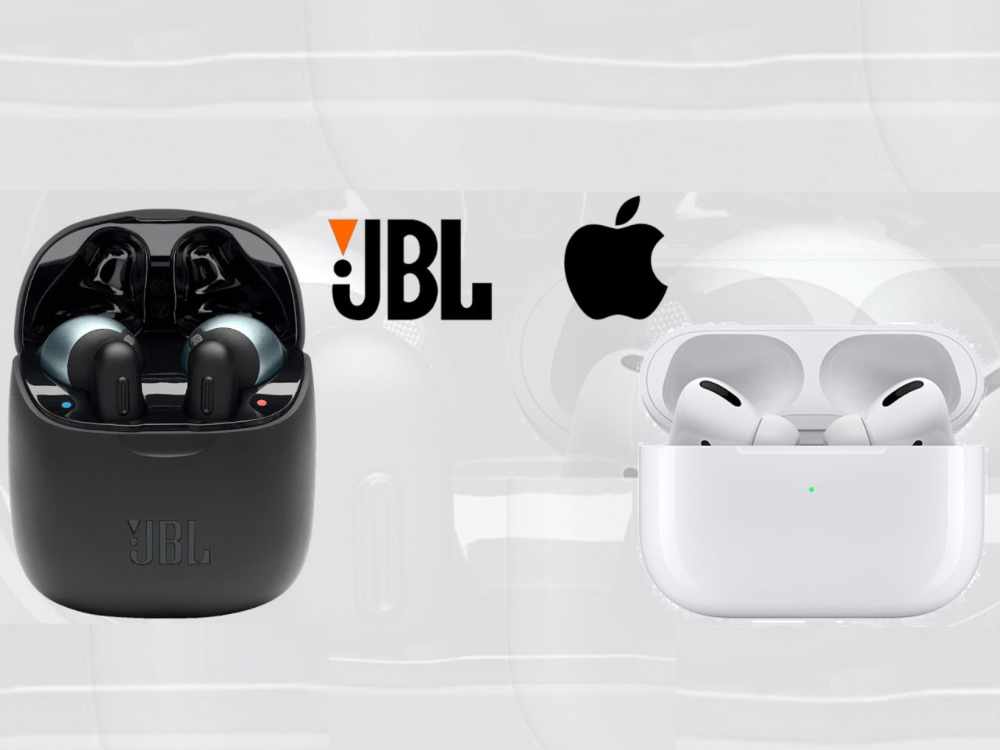
We’ve reduced it to the JBL Free and the Apple Airpods after examining every wireless earbud available on this market in 2018. The presence of an Apple product at (or close to) the top of the list shouldn’t come as a surprise. Let’s quickly review the top two truly wireless earphones available in 2018.
JBL Wireless
In 2018, JBL adds a fresh touch to its line of wireless earbuds. In the past, earphones were used for music listening and occasionally as a hands-free system while driving.
For a more convenient experience, the JBL Free this year provides you the power to handle your incoming and outgoing calls through your earphone at the touch of a button.
The days of fumbling around to find your phone to decide what to do with your call, plugging in your headset, and then putting your phone away after making an apology to the person on the other end of the line for having to switch to your handsfree setup are long gone.
All of the extra time and humiliation are eliminated by the JBL. More than any other device on the market, the JBL Free allows consumers to use their earphones for a longer period of time.
The JBL Free can last nearly twice as long as any other wireless earbud with a 24-hour playing capability (4 hours of continuous playback and an extra 20 hours of charge in the charging case).
Finally, we want to talk about comfort because every ear is unique and no one size fits all. JBL is aware of this and offers a range of flexible, soft rubber ear tips so you can choose how your earbuds lay inside your ear.
This gives you the comfort to wear them throughout a run or exercise and the assurance that they won’t fall out.
Apple AirPods
Due to Apple’s brand, their Airpods will always rank at the top of any list of technological gadgets, like the majority of Apple goods do. All of Apple’s consumers’ requirements have been flawlessly incorporated into all of their products over the past few decades.
The Airpods are made to operate seamlessly with every other device in your network, much like the iMac, iPhone, and iPad. Your Airpods should sync with your iPhone, Apple Watch, and iPad right away when you put them up and turn them on.
The Airpods’ connection enables you to use Siri without ever removing your phone from its pocket. Without ever having to find your phone, just double-tap one of your headphones to activate Siri.
To be concerned about background noise entering your microphone anytime you use Siri or take a call. The twin beamforming microphones from Apple are specially designed to cut down on background noisend offer the clearest calling experience.
Apple gives more than 24 hours of playback time and slightly over 11 hours of call time between the primary battery and the charging case backup, the same as how the JBL Airpods are built for a longer usage period.
JBL Wireless Earbuds vs Airpods. Which is Better?
With the above review made, it can be said that, apple airpod is mostly preferred ahead of JBL wireless. That doesn’t make JBL wireless bad at all. They are also a favourite but if you have the capacity to choose any, then you go for apple airpod first. However, if your budget can’t get you apple airpods, then JBL wirless can be your next best option..
Conclusion
When comparing your technology to the student sitting next to you, either earbud will put you at the front of the class, but ultimately the best option will depend on your use.
The JBL Free provides interchangeable tips for long-term comfort and uses, whereas the Airpods are more of a “one size fits all” design. For non-Apple users, the JBL will also let you link your other devices to the earphones. The earbuds’ accessibility and interaction with the rest of your smart devices, however, are unmatched for Apple customers.
Watching one’s favorite films, television programs, and TV series should be enjoyable for everyone. Since it is unquestionably the largest streaming platform in the world and requires both a subscriber and a sufficient internet data plan in order to access its services.
Netflix is one of the greatest applications for offering that sort of experience. The list of Netflix Subscription Prices and Plans in Ghana is provided below if you wish to buy one.
Prices and a list of Netflix subscription options for Ghana
Choosing a plan that works for you is one of the advantages of being a Netflix subscriber. On the other hand, Netflix has a number of pricing options, and the plan you select will depend on the services you receive. However, you will get full access to infinite streaming regardless of the package you buy.
Plan Netflix Mobile (GHS 38.46)
Without a question, the most economical Netflix subscription in Ghana is the Netflix Mobile Plan. This plan usually referred to as a low-budget plan, is the best choice if you’re only buying it for yourself and streaming on one device. The Mobile Plan has a lot of restrictions, such as not allowing simultaneous viewing on several displays or downloading across many devices.
Only regular video quality—not HD or Ultra HD—is supported under the Mobile Plan. It is a pretty fantastic bundle, though, and you can purchase it on Netflix for GHS 38.46.
Netflix Basic Plan (GHS 92.95)
Although it costs less to subscribe to Netflix in Nigeria than its Netflix Mobile Plan counterpart, the Netflix Basic Plan is still a great alternative.
With this plan, you can only download content to a certain number of phones or tablets and watch content on a single screen at once, but you still have access to an infinite amount of movies and TV series.
You’ll enjoy the basic plan because it offers HD streaming and lets you watch Netflix on your laptop and TV. Purchasing from Netflix is an excellent idea, and it only costs GHS 92.95.
Netflix Standard Plan (GHS 115.39)
If you wish to share your Netflix subscription with a friend or partner, the Netflix Standard Plan is advised. It gives only a few benefits over the basic plan.
You may simultaneously see on two screens while downloading to as many phones or tablets as you’d like with the Standard package. Additionally, you’ll enjoy unrestricted streaming access to a large selection of films, TV shows, and mobile games.
For $3,600, you may subscribe to Netflix’s Standard Plan, which includes HD streaming and allows for both laptop and television use.
Netflix Premium Plan (GHS 141.03)
With all the features of the Mobile Package, Basic Plan, and Standard Plan as well as more chances to share your account with friends and family, this is perhaps the most comprehensive Netflix membership plan available. You may download on four different phones or tablets and view content simultaneously on four screens with the premium membership.
The Ultra HD streaming, which lets you view movies in 4K resolution, is this subscription’s finest feature. For just GHS 141.03, you may share your subscription with friends and family and use the Netflix Premium plan on any device.
How to Change Your Netflix Plan
Assuming you want to switch from your current Netflix plan or downgrade to a less expensive one, here’s how to accomplish it:
Signing into your Netflix account is the first thing you need to do.
Select Account by clicking on your user profile.
Change it to your preferred Netflix plan.
You must contact Netflix help if your account does not allow you to update your Netflix plan.
How to Cancel Your Netflix Subscription
The procedures following should be followed if you wish to cancel your Netflix subscription:
Signing into your Netflix account is the first thing you need to do.
Select Account by clicking on your user profile.
Next, select Cancel Membership.
Since you won’t be charged, you can close your account and use it up to the following paying date before it is closed.
How to pay in Ghana for Netflix
After deciding on the selected plan that best suits your requirements and financial situation, you must pay for it. You only ever incur a Netflix subscription charge on the day you join up.
You will require an ATM debit card in Ghana in order to pay for Netflix (MasterCard or Visa Card). As an alternative, you may pay for your Netflix membership in Ghana using a confirmed PayPal account.
Conclusion
The cost of a Netflix subscription in Ghana is as follows, and it is quite affordable. In addition, you can subscribe based on your requirements and financial resources. To make the most of your Netflix experience, it’s essential to combine your chosen Netflix plan with a low-cost Netflix internet data bundle.
Manga in English translation may be read in many different ways. Two common options include purchasing tankobon volumes from bookstores or online or reading manga on your phone or tablet using the Shonen Jump app.
Investing in and utilizing an eReader is a third option to read manga (a Kindle, Kobo, or Nook). It might take much longer than you might think to select the finest eReader for the manga, though (speaking from experience).
The Kindle Oasis is the ideal e-reader for the manga, saving you time because it reads like a manga page and has the storage to carry the whole one-piece manga along with 30 additional fully finished comics. Additionally, it boasts a high PPI of 300, making it incredibly sharp.
List of best e-reader for manga
Oasis Kindle
For any purpose, the Kindle Oasis is among the greatest e-readers. For reading books, comics, articles, and of course manga, it’s fantastic. It may be optimized for any usage, making it a great investment.
You may switch the tone of the screen from chilly to warm thanks to its color-adjustable integrated light. This would make it easier on your eyes, particularly if you read for extended periods of time.
The option to have the screen automatically update on its own is also available. After then, when it notices the dawn or sunset, it will change.
You may read manga while traveling because it is completely waterproof. It’s possible that you worry about wetting physical tankobons while you read them. However, you may read the most recent chapters while lounging by the pool or on the beach with the Kindle Oasis.
Manga files may now get large. This is particularly valid if you’re reading a lengthy series like One Piece. It’s important to know that the Kindle Oasis comes with memory options ranging from 8 GB to 32 GB. We advise getting 32 GB so you can read the manga.
It is around the size of a manga page because the screen is likewise around 7 inches. Reading becomes more convenient and realistic as a result. You can carry it anywhere you go because of how lightweight it is. Imagine having access to hundreds of manga volumes on a single computer.
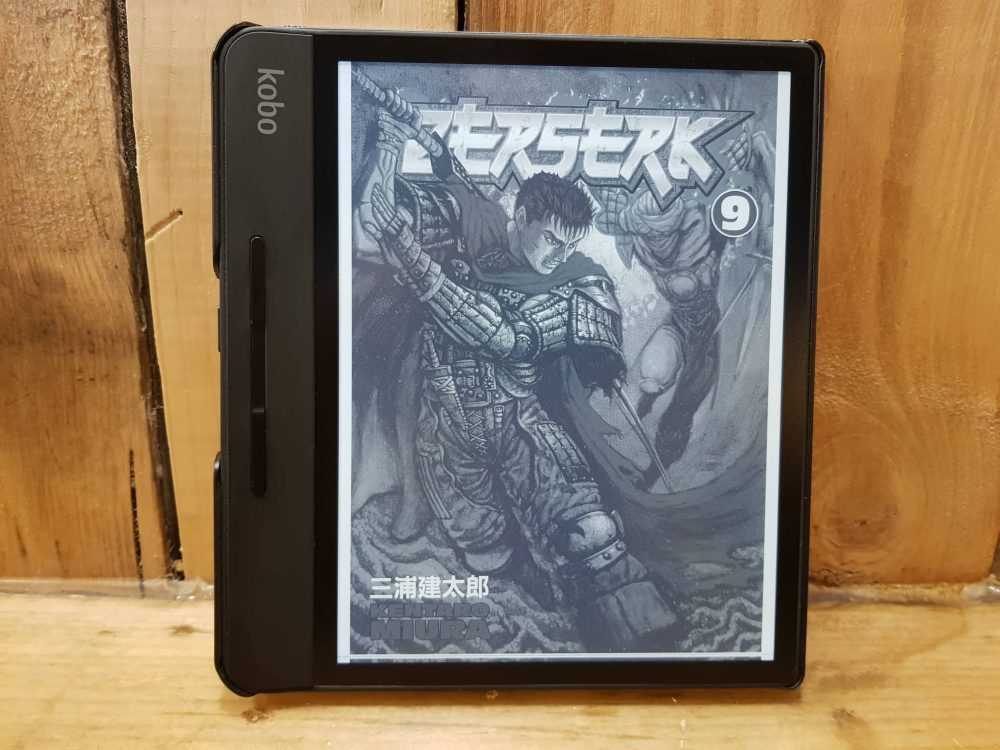
Kobo Forma
The Kindle Oasis’ Kobo equivalent is the Kobo Forma. The brand’s top-tier e-reader is this one. Additionally, it offers a backlight tone adjustment feature, allowing you to read comfortably day or night.
Nevertheless, it differs from the Kindle Oasis in a number of ways thanks to its features. Its 8-inch screen is only the beginning. As a result, your reading space is bigger than the Oasis’.
Depending on your preference, this would be. Personally, I think that enjoying comics on a larger screen is more rewarding. However, because it is larger than the Oasis, it is a bit less portable.
Because it is only 0.16 inches thin, it is also lighter than the Oasis. This could compensate for its larger bulk.
It doesn’t necessarily feel more upscale though. Because of the soft-touch body, it is less rigid and opulent. Oasis features an aluminum body that is gunmetal gray in color. The Kobo Forma is more flexible and, maybe, more robust as a result of its plastic body.
HD Kobo Clara
Thank the others and think about the Kobo Clara HD for less than half the cost. It is still good enough to read manga on despite having a 6-inch screen and 8 GB memory.
As you read, you may also alter the backlight’s brightness. Therefore, even if you occasionally squint, it won’t strain your eyes too much.
It can only be read in black and white, but unless you read colored manga, this shouldn’t be an issue. It is just as crisp as its more costly equivalents despite having a resolution of only 300 PPI.
Manga EPUB loading might be a challenge for the Kobo Clara HD. To assure compatibility, you can directly purchase manga from Kobo. However, be careful to submit your manga as CBZ files if you’re importing it onto the smartphone.
Although it is simple, it serves its purpose. Because of this, it’s a fantastic option for readers on a budget!
Kindle Paperwhite 5.
On this list, is the quickest manga e-reader. Of course, Kindle also makes an inexpensive e-reader. For a long time, entry-level e-readers were measured against the Kindle Paperwhite. The most recent version, which was just produced in 2021, is the 11th generation.
A brand-new E Ink Carta 1200 Display is used by the Kindle Paperwhite 5. This indicates that page flipping speed has increased by 20%, while total e-reader performance has increased by 50%.
Its 6.8-inch display gives it a little bigger screen than the Kobo Clara HD. It’s near enough to a manga page, which is normally a little over 7 inches, to feel real when reading.
Additionally, the screen contains 17 white and amber LED lights. This creates the impression that you are reading by candlelight.
The benefit of simply purchasing from Amazon on a tablet is convenience. This implies that you can buy digital manga from Amazon and quickly download a volume. However, as a basic e-reader, it only offers 8 GB of storage. Then, while you read, you must remove files and move them around.
But you may also choose the recently introduced Amazon Paperwhite. It shares all of the characteristics of the Paperwhite 5. However, as an upgrade, it includes a 32 GB storage capacity and a sensor that can alter its lighting automatically.
Portable Inkpad X
Gaming add-ons provide you more versatility than other items on this list because they go beyond simply being readers thanks to their browser. Also, if the size of the screen bothers you, stop your search right here.
This boasts the list’s largest screen. The most well-known e-reader on this list is the Pocketbook Inkpad X. Given that the screen is 10.3 inches, you can read manga in its entirety.
If you like, you can even scale them up! To read the dialogue, there is no need to pinch and zoom.Its 227 PPI is a little lower than what the Kobo and Kindle e-readers provide. This results in a less sharp display. This can become clearer as you go along because the screen is bigger.
The clever light technology is a plus. This recognizes your lighting conditions automatically and changes the screen tone as necessary.
Additionally, it features a built-in note-taking tool that offers a selection of pens. You are free to use a stylus or not. This would be ideal for you if you’re the type of reader who needs to make note of quotes while thinking about what transpired.
But unlike Kobo and Kindle, Pocketbook lacks an integrated marketplace. This implies that everything must be sideloaded. On the plus side, unlike its rivals, it can load PDF files. This works best if you have a stock of manga that you have downloaded in PDF format.
The potential of the Pocketbooks Inkpad X as an e-reader is unrelated to this upcoming capability. On its home screen, though, there are other games like Sudoku and Chess. If you take a short break from reading, that might be beneficial.
If you wish to visit several websites, the browser feature is very beneficial. You can even visit forums to see what other manga readers have to say about the most recent chapter.
Nova Onyx Boox Air
With this tool, you may read and sketch manga. So, if you enjoy reading manga and are an inspirational manga creator, this reader is ideal for you.
On this list, it has the highest screen resolution. An electronic reader called the Onyx Boox Nova Air utilizes Google Android 10. It now has full access to the Google Playstore, so to speak. You may buy many books and manga applications there.
For instance, get the Shueisha manga app. You may immediately access your subscription from there. This facilitates for you an effortless reading experience.
What we suggest (Time to Make a decision)
Due to its sizable high-resolution screen and quick processing, the New Kindle Paperwhite is the recommended option if you’re seeking the finest Kindle tablet to read manga.
The Kindle Oasis is the best option, though, if you want a gadget with a huge screen and page flip buttons.
Conclusion
The above are personal made research for you and have identified what I consider to be the top manga reader.
We need to understand what a flash drive, or F drive, is. Only users who are currently signed in to the computer may access the F disk drive, which serves as secondary storage or personal space.
You will always be linked to the F disk on your computer whenever you log in to a computer using the Remote Desktop Tool. You will then have access to all of the files you have saved here.
The F drive on a computer, laptop or other PC is not a physical drive, but rather a detachable storage device that may be linked through a USB connection. It is quite simple and doesn’t take any technical expertise to connect a computer to this disk.
What are Drive letters? and how are they generated or named
Physical drives and/or the partitions made inside them are uniquely identified by drive letters. Drive letters are a component of the Windows nomenclature that, in essence, allow us to identify a certain drive or partition.
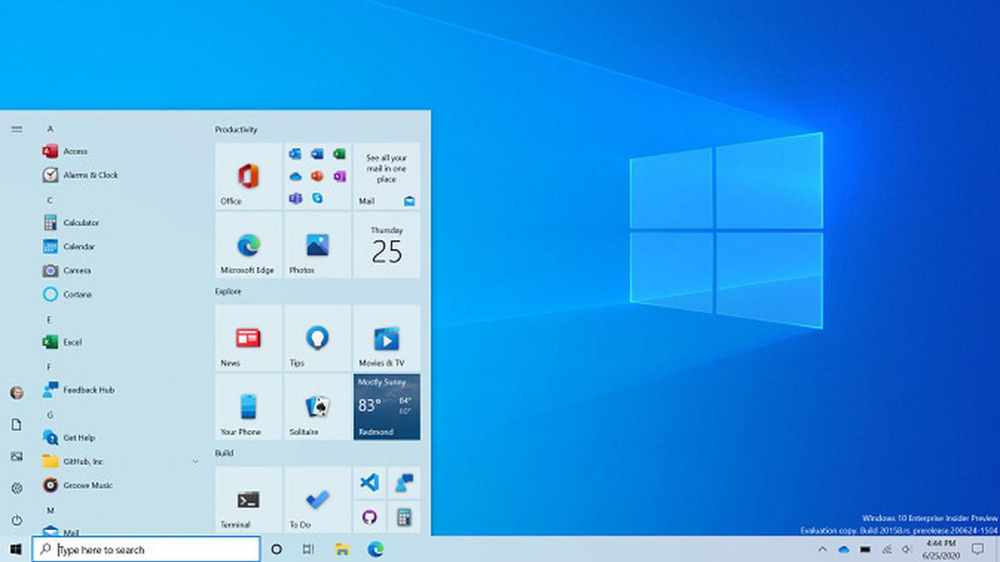
My computer, which is running Windows 10 and has three disks labeled C, D, and E, as you can see in the image below, the alphabetical sequence is followed, starting with the C: drive.
The newly attached drives continue to be associated with the English alphabetical order, despite the fact that the total number of drives linked to the PC keeps growing.
The drives C, D, and E in this case are nothing more than several partitions made on a single hard disk plugged into the computer.
The system drive is commonly identified as C Drive. Alternatively, you might just state that Windows uses the C: Drive. The two drives, D and E, are meant for storing ordered data.
Now, the issue of A and B is raised. Although these drive letters are strictly designated for floppy drives, they may be manually given to any other drives if necessary. The letters A and B are still reserved by Windows for floppy drives even though floppy disks are no longer in use.
The total number of disks displayed in the file explorer for a computer with a single physical hard drive depends on the number of partitions that have been made. Let’s say you simply build two partitions on your hard disk; in that case, you will only see Drives C and D.
Similarly to this, just one Drive C will be created if no partitions are established while installing Windows. However, this is a bad habit to get into since you risk losing sensitive information in the event of an unanticipated operating system malfunction.
It is generally advised to make at least two or three divisions in order to address this problem. This not only aids in data organization but also guarantees that the data will be protected in the event of an operating system failure, necessitating the installation of Windows again.
How to use F: Drive on a Computer
You may either double-click the My Computer icon on your computer’s desktop or access it by clicking on it directly.
Allow your computer a little time to launch the My Computer window. The Hard Disk Drivers portion of this page will display all of your hard disk drives in alphabetical order. The amount of storage on each disk drive will vary. Next, locate the F drive and double-click it to open it.
It will now take some time to open the F drive, and then the F drive window will appear. You must double-click on the desired file or folder in order to open it.
How can F: Drive be formatted in Windows 10?
Obtain a Windows PC and attach your external hard drive to it.
Click Format with a right-click on the external hard disk.
Select a format from the File System menu.
Click Start after selecting the Quick Format checkbox.
When the Format Complete pop-up window displays, click OK.
How should F: Drive be cleaned?
Select Accessories from the Start menu. Disk Cleanup may be found under System Tools. Suddenly, a dialog window for disk cleanup emerges. Clear the boxes next to any files you wish to keep and tick the boxes next to the names of any files you want to delete in the Files to Delete list.
How does computer F: Drive work?
Only users who are currently signed in to the computer can access the personal or secondary storage on the F disk drive.
Conclusion
We hope that these instructions give you a brief understanding of your computer’s F: Drive and how to properly use it in your routines.
SBC Global stands for; Southwestern Bell Company. It is a company whose email service is regarded as one of the best. The business has a reputation for providing consumers with premium services and enticing email features. But concurrently, SBCGlobal email subscribers may experience certain technical issues.
An Overview of SBCglobal
The biggest and best-known telecommunications company in the world is AT&T. In cooperation with AT&T and SBCGlobal, SBCGlobal.net offers a free email service.
SBC Communications, formerly known as Southwestern Bell Corporation, is the company that issued these email addresses. All AT&T customers were given access to these email services when SCB merged with AT&T.
An email address or the email itself may contain the domain name SBCGlobal.net. It is reachable through Yahoo and was a component of att.net.
In a similar vein, some email addresses still contain the names of firms that have previously merged with AT&T. Included are pacbell.net from Pacific Bell, bellsouth.net from Bell South, and snet.net from Southern New England Telephone. These email addresses all have the same functionality as sbcglobal.net’s email addresses.
How to log in to your SBC Global account
To access your SBCglobal email online, you must do three particular actions.
The first step is to visit the Yahoo Att.net login page, which serves as the Yahoo Mail login page in practice.
Visit att.net and click the “sign in” option in the upper right corner as an alternative. This will also lead you to the Yahoo Mail login page’s equivalent, the att.net login page.
Next, input your AT&T ID/Email (which is your SBCglobal.net email address), then the password.
In order to access your SBCglobal.net account, you must either click the “sign in” button or press the “enter” key on your keyboard.
You must enter your login credentials in order to access your SBCglobal email online.
As previously noted, you just need to enter your Via&T ID/email (your SBCglobal username) and the matching password to access your SBCglobal email online at Yahoo’s Att.net login page.
Once you have online access to your SBC Global email, you can:
You can do a lot of things once you have online access to your SBCglobal email. For any new or old emails, you can check your inbox.
You may write new emails and send them. Email messages may be written and saved as drafts. Emails can be forwarded to other recipients.
How can I connect SBCGlobal to AT&T?
Any search for SBCGlobal will take you to the Yahoo Mail/AT&T.NET log-in page since SBCGlobal is owned by AT&T. You must follow the detailed instructions below in order to link your SBCGlobal to AT&T.
You can get rid of outdated emails
Moreover, you can do any other account administration duties you might come up with.
To start, enter att.net in the address box to get to the att.net login page.
You will be sent to the Yahoo Mail login screen, so take note.
In the upper right corner, click the Sign In button.
Enter your sbcglobal.net email address and password on the next screen. On the Sign In button, click.
Note: Read the section below if you can’t remember your password.
How Can SBCGlobal.net Password Be Reset?
Here’s how to reset the password if you can’t remember it.
On your browser, type att.net and hit Enter.
In the top right corner, select the Sign In button.
Click the Forgot Password link by hovering.
On the following screen, complete the required fields, including User ID, last name, and Recaptcha. On the Continue button, click.
Select the option for password recovery from the drop-down menu.
Choose the security questions and respond.
You can establish a new password according to the on-screen directions.
Retype the new password to confirm it.
To save the changes, click the Yes button one last time.
How to Resolve SBCGlobal Email Login Problems?
Go to Settings on your phone.
After finding the email, select Settings.
Select the SBCGlobal account, then verify that POP is turned on.
Note: Verify necessary information like inbound.att.net and outbound.att.net for incoming and outgoing emails, respectively.
To turn on the authentication settings, click.
Change the outgoing port to 465 and the arriving port to 995.
You may now view the email without any problems if you open it.
Conclusion
All the information we found about SBCGlobal.net was presented to you in this article, which we hope gave you some insight. Check to see if someone you know has a sbcglobal email account to add some interest.
Mobile Web Ghana, organisers of the annual Africa Digital Skills Conference (ADSC), have opened registration for the third edition of the event.
The 3-day annual event geared towards the acquisition of digital skills across the African continent promises to be an even more exciting experience for attendees this year.
According to the Founder of Mobile Web Ghana, Florence Toffah, “the 2022 edition of the ADSC will be a bigger and better one because we are bringing trainers from more than 3 continents.” We also expect participants from all African countries in this year’s edition”.
The Africa Digital Skills conference, now in its third year, has provided thousands of African youth with digital skills such as digital photography, web design, data analysis, digital marketing, programming, and many others.
This year’s program will cover a wide range of current technology topics, including artificial intelligence, augmented reality, and social media marketing, among others.
The 2022 Africa Digital Skills Conference is completely free to attend.
The Africa Digital Skills Conference (2022) is hosted by Mobile Web Ghana with support from Ghana Dot Com, Open Data Collaboratives, Leaders of Africa Institute, and MORINGA.
About The Africa Digital Skills Conference
The Africa Digital Skills Conference is a three-day annual conference hosted by Mobile Web Ghana and its partners to provide institutions, government agencies, professionals, entrepreneurs, students, and the general youth of Africa with an opportunity to teach and learn digital skills.
Technology has levelled the playing field, necessitating the creation of channels for knowledge sharing and acquisition as well as digital empowerment. In Ghana and across Africa, there is a high demand for digital skills from industries and economies. This is why Mobile Web Ghana is organising this conference: to provide a platform for young people to teach and learn digital skills.
Previously, 1735 participants registered from 27 different African countries, with 87 prospective trainers registered from 15 countries around the world.
The first edition (2020) saw 1067 attendees in total while the second edition(2022) had a total of 2,583 attendees.
This year, we expect to have a greater impact and help more than 4,000 people acquire digital skills.
Most iPhone users in Ghana who like digital streaming services like Apple Music have had difficulties attempting to subscribe and listen to their favorite songs on the app throughout the years.
What justifies purchasing music at all? Truth be said, recording and production are expensive. It counts as piracy to download unlicensed music. In addition, visiting shady, unreliable third-party websites puts your phone in danger of malware infection.
Are iTunes and Apple Music the same thing?
But first, let’s get one thing straight. Compared to iTunes, an Apple Music membership is very different. Apple’s online marketplace for buying media is called iTunes (Music, Movies, Ringtones). Everything you buy from the iTunes store is permanently yours. Additionally, you may download it on a Mac, PC, or any iOS device.
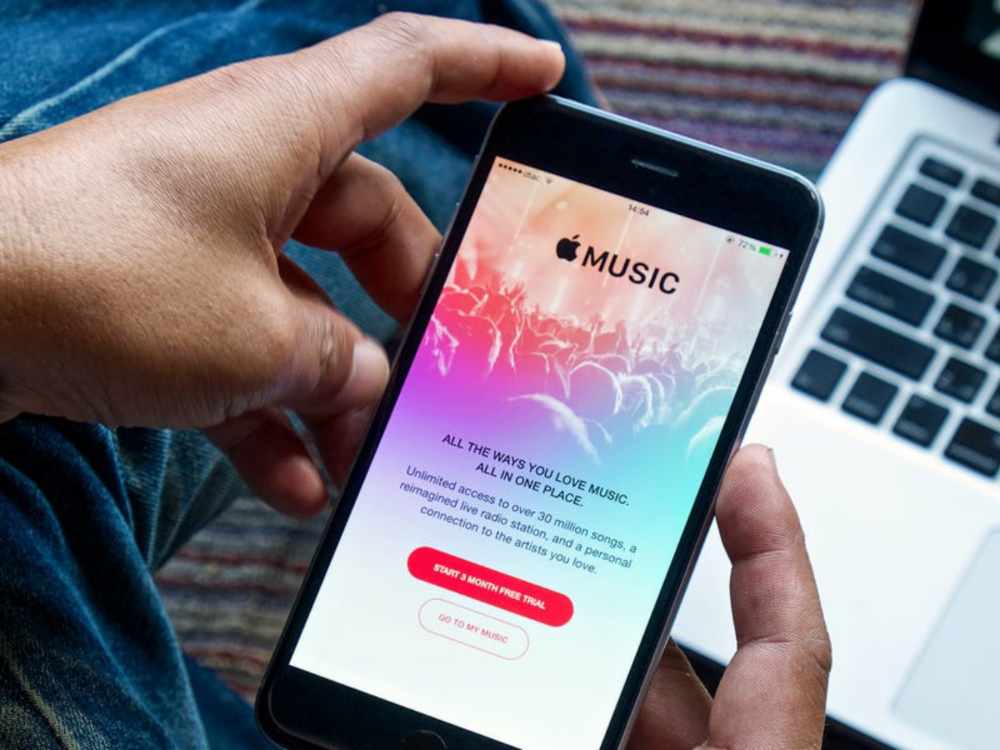
However, Apple Music is a subscription service rather than a retail outlet. You pay a single monthly charge as opposed to paying for each song. You can listen to every song in the Apple Music library for that price. Any of these songs may be downloaded or added to playlists in your personal collection for offline listening.
In Ghana, how much does Apple Music cost?
The cost of an Apple Music subscription in Ghana is GHS 153.94 per month, significantly less than the cost in most other countries. The identical service would cost $50, or around GHS 500, in the US.
The best part isn’t even that. Typically, Apple offers discounts to college students on all of its goods and services. Therefore, the standard charge is reduced by 50% for students.
How to confirm your student status with Apple Music
Apple offers the opportunity to authenticate with myUnidays for a discount for university students in Ghana. The restriction is that you must sign in using a.edu (or.edu.gh) email address that is supplied and maintained by your school. Your university is probably covered, and the verification process takes less than 10 minutes.
Hit the submit button at the bottom of the page after providing your name, email address, and any other information that is necessary. Sit back and wait for an email verification link to be sent to your school email since this only takes a few minutes to complete.
How to subscribe to Apple Music in Ghana With and Without Master Card
Enough said. It appears that using some Ghanaian debit cards to purchase music on iTunes is still difficult, especially for banks whose DCC has been disabled (Dynamic Currency Conversion).
It’s for this reason that many of us get angry when we see Payment Declined, especially if our credit card is a MasterCard or VISA. Then comes the stress of having to go back to your financial institution to make things right or pay to request a new card, which occasionally may or may not resolve the problem.
Yes, I know. I experienced this identical emotion as well. However, I discovered a simple technique to resolve this at little to no expense. It stings a lot, especially after trying numerous Ghana credit cards. A third-party program named gomoney is used in this process. Users may pay and share bills, keep track of costs, and transfer and receive money using the online bank known as gomoney.
You may request a virtual credit card once you download the app and register with all of your information. P.S. Before you may obtain the card, you must also give your BVN in order to further validate your account. Before moving on to the next phase, you must also snap a photo of yourself.
In order to protect your account from fraud, boost your transactional limits, and take advantage of all gomoney perks, you must provide these data.
You may request a virtual MasterCard on the app after that is delivered; you can also request a physical MasterCard, but the virtual card request procedure is significantly quicker.
You must enter the OTP (One Time Password) given to the cellphone number you used to register the account after you click Get Virtual Card in order to validate your account. Make careful to rapidly check before the OTP expires because it has a 5-minute validity window; otherwise, you will have to get another OTP.
The money app will let you know when your card should arrive, which should be within an hour at most once that has been properly completed. You can return in an hour and there you have it! Your virtual debit card is prepared and costs 0 Ghana cedis to use.
After that, select See Details to reveal your card information, which you may either capture or write down. Because MasterCard is an authorized biller, you would now use this new virtual card information to subscribe to Apple Music. With this virtual card, you may subscribe to Apple Music with confidence every time.
Depending on the plan you select, you may not need to fund your gomoney account if you’re a first-time user of Apple Music because the service already guarantees a 3-month free trial period before charges are applied when the expiration date is due.
However, if you’re an existing subscriber, you’ll need to transfer funds to your gomoney account number, which is prominently displayed on your profile page on the app, in order to successfully complete your subscription.
Please be aware that if you decide not to continue with the subscription plan, you are able to cancel the subscription before the due date of expiration as well.
How to cancel Apple music
Simply go to Settings
Select “Cancel Membership” under “subscriptions”, if you are concerned that you might forget to cancel your subscription before it renews.
Up until the next due date, you can continue to use your free trial or current subscription.
Conclusion
We hope these instructions aid you to subscribe for Apple music here in Ghana without any hindrance.