If you have ever looked for coupons online, you will know how frustrating that process can be, especially if you keep getting ones that do not work. If you are in the UAE and KSA, you are in luck because the Almowafir app makes finding the best coupon codes and discounts much easier. Let us look at what this app entails, and what types of deals you get.
The Almowafir App
The Almowafir app serves as a one-stop platform for everyone in the UAE and KSA looking for coupon and discount codes. Much like its parent website, the app allows you to search for coupon codes from the biggest brands in the world.
The app is primarily meant to give you easy access to codes from different online platforms like Noon, Amazon, or H&M. You can also get an Aliexpress code, with the app also giving you codes from companies outside this niche like Booking.com, Hotels.com, and various air travel companies.
There are coupon codes from over 1000 companies located all over the world, although some of them strictly sell to the UAE and KSA. Depending on what you are looking for, you can get up to 80% off on different products, which typically happens when there is a clearance sale.
Installing the Almowafir App
The Almowafir app is available for both Android and iOS in their respective app stores. It is also available as an APK on various platforms online, but be careful with these because they may not carry the official and thus safe version of the app.
Once you install it like you would any other app, you can open it and visit the “All Stores” section or search for your favorite brands to see if they have coupon codes available.
One thing you will notice when you open the app is that some parts of it are in Arabic. That is to be expected since it is meant to be used in the UAE and KSA.
However, it is designed so well that you will not have a hard time navigating it. Additionally, most product names and details are in English because they come from international companies so there is no worry there either.
Product Categories
Just like the website, there are numerous product categories to choose from. These include:
Electronics
Fashion
Beauty
Food
Home
Clothing
Travel and fitness
Babies and others
The best thing about the app is that it provides coupon codes for the best products in the KSA from the best local, Middle Eastern, and international brands.
Special Offers
Apart from the coupon codes you can expect when you open the app, you also get access to some special offers depending on the brands you interact with. For example, some brands provide cash back, seasonal offers, and special gifts on the app.
Terms and conditions will apply for most coupon and discount codes depending on the business or brand they are to be used on. The app also has push notifications that alert you of new deals, discounts, and coupon codes from the brands you love.
The Almowafir app is perfect for anyone shopping in the UAE and KSA who needs coupon and discount codes from the biggest local, Middle Eastern, and international brands. You can also use the app in conjunction with their website to keep up with all the new codes that are being added all the time.
With the help of Mystalk, you may broadcast your Instagram pictures and videos to people all over the world. Though it doesn’t operate through Instagram, it is comparable to Instagram. It is the only software that is visible whenever PCs connect to the Internet over Wifi or another wireless network.
It differs from the default Instagram viewer in that Mystalk is an effective profile viewer for Instagram. Everyone else is private, but you have a public profile.
Additionally, you can utilize your Mystalk profile to make sure that only you and the people in your life who have given you permission to read their stuff may access it. Using Mystalk gives you total control over what information others have about you online.
Top 10 Mystalk Alternatives
1. Pixwox
Downloading and viewing Instagram posts, Instagram stories, and Instagram posts whatever you want to make it simple using Pixwox.
Pixwox allows you to download or see them in your own method in addition to discovering your preferred username through it. Users may easily download or view offline both public and private accounts. Its supported and often used hashtags include “girl,” “life,” “sports,” “happy,” “beautiful,” “love,” “fashion,” “art,” “food,” “travel,” and others that you may find useful.
2. izoomYou
You’ve come to the right place if you’re seeking a tool to help you expand your Instagram profile pictures.
izoom It’s simple for you to examine and expand user profiles on Instagram. Although it’s the app’s main purpose, it hasn’t been completed yet.
Without taking any action, you may browse and download Instagram stories, posts, and profile images to your mobile devices. You don’t need to be a stalker to look for the individuals you want to.
3. Dumpor
Do you want to browse Instagram stories in secret? Yes, it’s the ideal platform for you to secretly stalk other people.
This platform enables you to view the Instagram stories you want without even disclosing your name.
It keeps the stalking a secret and never divulges it to anybody else. Viewing profiles of individuals you’re interested in, learning about followers, IG stories, and tagged posts may all be done anonymously.
You may search for Instagram users, tags, and places with the aid of Dumpor.
4. In 4K Stogram
You may use 4K Stogram to download Instagram users’ stories, pictures, and videos. Without ever having to spend anything, 4K Stogram makes it incredibly simple to download Instagram stories, accounts, hashtags, and locations.
You may easily obtain the needed material with our website from various Instagram accounts. For this reason, you must paste the Instagram user’s name, location, and hashtag into the app before you can download anything.
5. RapidSave
Without having to spend anything, FastSave enables its customers worldwide to browse and download videos and photographs from their targeted Instagram users.
An extremely popular platform for tracking down Instagram user IDs is Fastsave – Repost picture videos. By downloading them using this app, you may quickly watch films and photographs while offline.
Even better, you may simply click to repost the complete image or video. It has quick download speeds for your selected files, high security, and simple surfing features.
6. Storiesgrams
Using yet another incredible tool, it is incredibly simple and anonymous to browse and download anything on Instagram.
Storiesgrams is a remarkable technology that allows you to see and download material from stories, IGTV, posts, reels, and other sources without ever having to expose your name.
You may download items with only one click of the elegant download button that is located beneath each post. Even if you lack a computer, you can download the things you want on Instagram.
7. Instore
Easily save stories from the individuals you want to. An outstanding program called Instore allows you to quickly download photographs and videos from Instagram’s public profiles.
You may save as many stories, images, and videos as you want from the accounts of your choice with our Instagram downloader without having to spend a dime.
Even though you may download tales and videos, the Instore app also debuts a feature that lets you upload photographs and it will automatically produce captions and hashtags. In order to learn more, you may also view the video.
8. StorySaver.net
If you want to download Instagram stories from specific users, try StorySaver.net, another slick application. Without ever leaving any traces behind, it enables you to get to the level of a professional stalker.
Nearly all of Instagram’s public profiles allow for the simple viewing and downloading of their stories, allowing users to enjoy things with ease.
Entering the user name and selecting the download button are requirements for downloading statuses. the most recent story and the contents must then be chosen.
9. GreatFon
Another anonymous Instagram Story watcher appears. We want to caution you about the advertisements before you dive in. There are advertisements everywhere, so even if there are no pop-ups, you could still unintentionally click on one.
The working method is mostly unchanged. You only need to enter a username, choose “Stories,” and then view the stories. You may view every post with its caption in addition to the Stories. Therefore, there are no captchas or intrusive animations.
10. BlindStory
You are aware that modern mobile browsers are just as capable as those used on PCs. Therefore, using the websites we’ve provided won’t be a burden for you. You want an app, I see. So there you have it.
With BlindStory, you have the opportunity to browse Instagram Stories without the content creator being aware of it, as the name says. Although there is a free version, you will need to invest a few cents to unlock all of its features.
Conclusion
These are the best and by far recommendable Mystalk alternatives. It was difficult to discover the finest Instagram Story viewers. On the internet, we could locate various lists. Don’t forget to tell your friends about this. Additionally, if you use another Story reader, please take a moment to remark here.
So you have started crypto trading in your chosen crypto exchange. And you would like to build your capital from there. Learn you can readily do so with some interesting ideas you should know about. This way, you can make the most of your crypto opportunities.
Hold Up as Long as You Can
Perhaps you have encountered the so-called holdover period. Your friend might have told you how long he had to wait before he was able to sell his cryptocurrencies. This might take several months or even years for those who want to optimise their opportunities.
It will all depend on the price behaviour of your cryptocurrency. Good thing if you were able to find one with a very active price movement. At least you can earn from the fluctuation without waiting for some time.
While cryptocurrencies may be considered a long-term investment, you may get lucky anytime when the price is right. Remember that crypto trading is a highly speculative investment undertaking, so you may never know. You may encounter frustrating episodes, but you can always hope for the best when you turn a new leaf. Who knows? You might end up reaping crypto gains in the short term.
Maintaining a reasonable level of liquidity is important to get through the holdover period. That means you will have to manage your finances better, so you do not have to withdraw your crypto capital. It would be best to have some savings as your go-to funds in case of urgent financial needs.
To deal with all crypto necessities in one place, many people are increasingly opting for all-in-one platforms.
Sell When the Selling Price Is High
Now you might be wondering. How high should the selling price be for you to trade back your coins? For some, it means selling at a price range higher than the buying price. You must note how much you have spent on those coins in your crypto wallet.
The price will be your reference point in determining whether you should sell. It would be the focal point of your investment decision, so you better be aware of the prices.
You will have to decide how high the selling price should be before you let go of your cryptocurrencies. You may want to settle for 10% up to 50%, which is not too bad for a beginner.
By all means, you can set your target selling price so that you will know when would be the right time to sell. All you have to do is simply wait for the prices to peak to be able to reach your target.
Be that as it may, you should know that you can aim for a selling price as high as possible. You can do so by looking into the price history of your cryptocurrency. When you have identified the highest selling price on record, you may want to use it as your parameter in setting your target price.
Wait for a Relatively Low Buying Price
You will have to endure the waiting period if you have sold your crypto coins at your desired selling price. You cannot expect the prices to fall so that you can reinvest your capital suddenly. It may take a significant period before you can buy back your crypto coins for another round of crypto trading.
To know how low the buying price should go, you can always use your previous experience. You may wait for the time when the selling price is as low as the one you encountered when you first bought your coins. Nonetheless, you can always wait for an all-time low if that is possible. Reading some price forecasts will also come in handy to understand what might come afterwards.
Meanwhile, it would be best to use the time interval to learn more about the crypto industry. As an investor, you must be aware of your environment to identify risks and opportunities. You can readily do so by spending time browsing some crypto investment materials. It is highly recommended to get acquainted with the historical data to develop knowledge and skills in data interpretation.
Expand Your Crypto Portfolio
Since you will have to wait for the right buying price, you may want to explore other options. You may want to expand your portfolio by trying out some other crypto products. It might not be the buying time for your preferred cryptocurrency, but it might be the right time for some other crypto coins. All it takes is to look for a reputable investment unit with a low buying price. This will also help you become productive and not have stagnant capital.
Of course, you do not have to invest your entire capital. You may use some money to bet on some other cryptocurrency. It would be best to check out those with low selling prices. Then, you can pick from the list which one is likely to perform in the long run. At least you can have two crypto coins in your portfolio once you have the green light to buy your first choice of crypto investment.
You do not have to get as many crypto products in your portfolio as possible. It would be useful to test the waters, so you do not have to put a significant amount into your capital. Increasing your capital would be advisable once you are comfortable with your new investment unit. Then and only then can you start pouring more coins into your crypto wallet.
Conclusion
These are only some of the handy crypto tips and tricks you may want to try to be able to build up your capital. Hold up as long as possible, buy and sell when the prices are right, and expand your crypto portfolio. You should not also forget to take some reasonable precautionary measures when you engage in crypto trading. As an investor, you should be aware of the risks you can keep at bay as long as you control the situation at hand.
With Discord, which was created exclusively for gamers, they can communicate with their team while playing through texting, talking, or even video chatting.
The hard disk won’t require much room to install in PCs or Androids because it takes up less space. Since you can converse in the meantime, your plans can easily overcome the adversaries, allowing you to enjoy the moment with the crew.
A free gaming chat platform is called Discord. It is without a doubt utilized by thousands of gamers worldwide and is quite well-liked. On this app, managing servers is really straightforward and easy. Discord is also fairly simple to use.
Even if this app already has a lot of wonderful and thrilling features, there is always room to add some more useful functions.
A large number of users wish to add bots to the Discord server in order to access more sophisticated functions.
As a matter of fact, not everyone uses Discord in the same way. Consequently, to assist you in personalizing the Discord in accordance with your preferences. Users can add bots to their Discord servers. These bots let you expand the discord’s functionality and customize it to your preferences.
How to discover discord bots
With the help of the well-known chat program Discord, you may communicate with your pals while playing games. For more sophisticated functionality, a lot of users desire to build a bot for the Discord server.
Before starting, it’s important to keep in mind that installing bots through mobile and desktop are essentially the same. Therefore, you may skip the majority of the stages if you are already familiar with this strategy.
As there are several sorts of bots available online, there are numerous ways to add them to the Discord server.
Let’s quickly examine how to locate helpful Discord bots in 2022 before learning how to install bots to a server. There are a few methods to achieve this, but visiting the unofficial Discord bot list website is the quickest and one I use most frequently.
The most popular Discord bots are listed directly on the home page of our website, and you may choose to add them to your server if you’d like.
You may also use the helpful search feature on this website to discover the right bots for your use case. Move on to the next section to discover how to connect Discord bots to your server once you have identified a bot (or several bots) that you wish to add.
In addition, you may visit the websites listed below to get Discord bots for your servers:
GitHub
Carbonitex
Top
What is discord bot
What is the Discord bot? This is a question that has to be answered. Only Discord bots that have more features than a typical user have access to the platform.
Users of Discord have the ability to build their own custom bots that can do any task they like. It can interact with people, run servers, and other behaviors that humans can.
AI-enabled bots may be built to carry out a variety of functions, from introducing new members to summarizing important articles.
Discord has expanded significantly in the two years since it first arrived on the scene in 2015, and although it was designed primarily for gamers, digital marketers are finding ways to leverage it to their advantage.
Why discord dot?
So as to converse! For any variety of purposes, anyone may build a Discord server for free. Generally speaking, you may use it to call or text your buddies together in a group chat.
Post gifs, memes, screenshots, and other content there, or use it to journal your day.
Alternatively, you may use speech channels to make jokes or plot actions while you’re still playing the game. losing a game? Your pals may watch you play while you stream them, and they can offer suggestions or, more likely, just laugh at your poor aim.
Discord is frequently used by game developers and publishers as a platform for giving their communities access to cool gaming content.
On Discord, you may access a game as well as view concept art and fresh images.
Discord dots and its safety
There are many fantastic bots on Discord, however, some of them pose a risk of hacking, data leakage, or spamming.
Tips
Avoid introducing a lot of bots to the server (That is also unknown)
Block a bot if it contacts you and is unknown! (If the bot is well-known and trusted, it is secure.)
If a bot sends you questionable links that you are unaware of, block the bot and report it right away.
Is a bot requesting your contact details such as your phone number and email address? Don’t provide the details since it will be sent straight to the developer of the bot.
When accepting a bot into your server, check the permissions and REMOVE ADMINISTRATOR since doing so might put your server at risk. Perhaps the discord bot is only attempting to upload malware to your server, in which case having administrator access will make it extremely simple for the bot to do so.
Please refrain from inviting any bots without first doing your research on them.
Just consider: Have you ever seen a popular server with random Discord bots? You know, popular servers with nice votes for the bots. Don’t add random bots and verify each one’s review, or make a remark to assist others in selecting the bot.
The best way to add bots to discord
You should be aware that you need to manage server permission on the Discord server you want to add bots to in order to add bots, so read the whole step-by-step tutorial before continuing.
It’s actually pretty simple to add bots to a Discord server. You can continue when you have completed the simple task of logging into your Discord account in the browser. But here’s how to do it if you haven’t yet made a Discord account:
Open the Discord website and log in.
visit the application page right now.
There is a button for a new application there. Just click on the button.
Give this new application a suitable name now, then select “create” from the menu.
You may now add bots to your Discord server with no problems. You should continue and read the detailed step-by-step instructions on adding bots to Discord that are provided below.
I’m assuming that you already have the bots you want to add to your Discord server at this point. If you’re still seeking for Discord bots, check out a few reliable websites to get the best ones.
when you have all of the bots you wish to add to your server. You are now prepared to continue. So, all you have to do to add bots to Discord is get a coffee, settle into your favorite chair, and continue reading. You can find a detailed step-by-step tutorial on creating a Discord bot below.
Navigate to the Discord app website. Register a new account with Discord now. Initially, confirm that the server where you want to add the bots has the manage server rights.
Simply select the Invite option if you are adding bots using the discord bots website. The Add the bot to the server button should be clicked, however, if you are carrying out the identical action from a third-party source.
You will now be taken instantly to an authorization screen. You may choose a server from the drop-down menu right here. Press this button.
Select the server that you want to add the bots to now. One of the easiest but most important stages in adding bots to Discord is this one. Simply choose the appropriate bots and add them to the discord server.
You will now see a button with the word “AUTHORIZE” on it in front of you on the screen. The bots will be added to your Discord server as soon as the permission procedure is complete. Additionally, your Discord server’s sidebar will display it for you.
You must complete all of these steps in order to add bots to your Discord server. You may add bots to the Discord server by simply following the procedures above.
However, I should point out that many Discord bots are also housed on GitHub, which is a crucial fact. Therefore, if you want to add any of the GitHub bots.
You should read the GitHub projects’ wiki, in my opinion. The whole step-by-step installation tutorial for installing the bots on Discord from GitHub may be found there.
A discord server: What is it?
On Discord, servers are the actual locations. Different cultures and buddy groups contributed to their development. Most servers are modest and only open to those who have been invited. A few of the bigger servers are accessible to everyone.
Any user can launch a new server for nothing and invite their friends to join. Voice calls, video calls, text messages, media files, and secret chats in online communities known as “servers” are all ways that people communicate with one another.
Most servers are private, invite-only spaces where communities and groups of friends may stay in touch and hang together, rather than being open to the public.
Additionally, there are opportunities to join bigger, more inclusive organizations, many of which are centered around well-known video games like Minecraft and Fortnite.
People on Discord have total control over who they connect with and how they communicate with others because all chats are opt-in.
How can a discord server be set up?
The process of setting up a server is fairly simple and free. On the very left side of the Discord app, servers are listed. To add a server if you haven’t already, click the ‘Add Server’ button.
By using the instructions and templates that Discord has already created, you may quickly establish your own server.
You may build a server with only a few simple answers about its purpose, whether it will be public (open to everybody) or private (for friends only), and a name. You will have total authority over the server’s configuration.
Right-click on the list of channels on the server’s screen and choose “Invite People” to invite more people.
You are able to directly invite people from your friend list using this. You may also make a URL that anyone who has access to can use to join the server without your direct invitation.
People will be sent to your server in the app when they paste the link into their browser’s URL bar.
You may build voice and text chat channels to let server users communicate with one another separately from the main channel. In this manner, Rocket League players won’t disturb the Fall Guys players.
How to add discord Bot to your server
Once you’ve chosen the Discord bots you want to utilize in your channel, you should check to see if they’re still available by utilizing a bot list online or a straightforward Google search.
Then, pick the server to which you wish to add the bot by looking for the invite or add option. Remember that you may only execute this command on servers where you have administrator or moderator rights.
You should be able to use the bot right away by giving it a set of commands after it has finished uploading to the server.
If a bot is bothering you, you may kick or ban it by right-clicking on it in the server member list.
An alternative way to add a bot to your discord server
When you’re ready to choose a bot, click “View,” which will bring up the bot page.
From here, click the invite button to give the bot an invitation to join your server.
You need to be taken to Discord as soon as you complete this activity.
You may sign in right away if you haven’t already. Choose the server you want the bot to be added to after that.
If you can’t find the server, you probably need authorization from someone else there, perhaps someone with a higher role.
After moving on, a list of actions the bot is capable of performing will be displayed. Click “Authorize” after selecting everything that applies.
You’ll be sent to the bot’s website after you’ve added the bot successfully, at which point you’ll know. This isn’t the last step, though; you still need to assign a bot to a position on your server.
Return to the dashboard and click the topmost server name. Then tap “Roles” under “Settings.” To assign responsibilities to your bots, use the Plus button.
From here, choose “Members,” where you may designate a bot to a certain function.
If you can’t add Bot to your Discord server follow these steps:
If you don’t have the “Manage Server” permission, you might not be able to invite bots to a Discord server.
Using the menu item, navigate to “Server Settings.
Click on Roles
Tap onManage Server,”
You can ask the server administrator for permission to add bots.
But keep in mind that you should only provide this access to those you can trust, not to everyone who joins your server.
Is a public discord server safe?
There are currently countless games with their own Discord servers. They serve as a forum for the community to interact with one another and the developer to communicate with fans and keep them informed about the development of the game.
You may either join by accepting a public invitation or by using the ‘Explore Public Servers’ option to browse the public servers.
Nearly 800,000 people participate in the Official Fortnite Channel, uploading screenshots, seeking groups, and talking about the game.
You must consent to the mentioned regulations before you may converse on any of the servers.
Reading the 14 rules, which prohibit disclosing personal information, harassing others, referring to dangerous websites, and affirming your agreement, is all that is necessary.
You will be able to communicate with the community quite safely if you do that.
Conclusion
That’s all I have to say about adding bots to Discord. Knowing how to add bots to the Discord server, you may do it right now. Now is the time to look up some fantastic bots and add them to the Discord server.
What are you still holding out for? Don’t hesitate to add the great bots that you find handy to your server. The market is flooded with bots that may be added to the Discord server.
On the internet, you may browse for some really cool websites. You can find everything you’re looking for with just the appropriate research.
You will undoubtedly discover some of the greatest and most outstanding bots that are currently on the market.
In short, bots are a great way to personalize your Discord server. The approach mentioned above makes it easy to add bots to Discord.
Therefore, all you need to do to create an incredible discord server is to discover the greatest bots, and then you will have a completely functional awesome discord server.
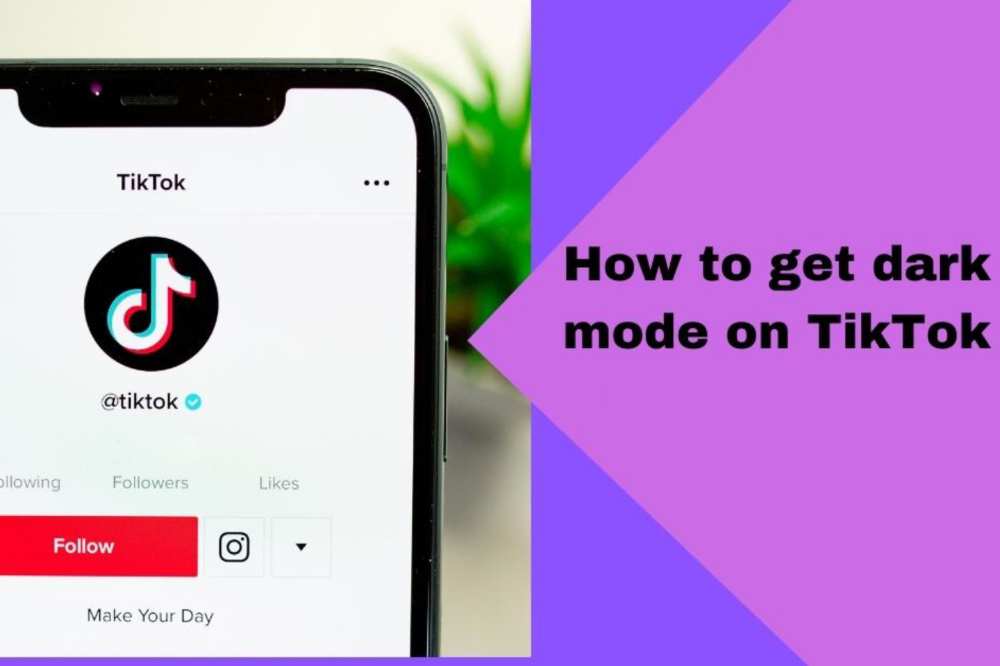
Millions of people utilize the Tiktok platform, which enables them to post feature videos on any topic with their friends or the public at large. Recently, a popular program that allows users to enable dark mode has gained widespread use.
Even if you alter your device’s theme, you will never be able to utilize the dark mode on the original TikTok since it doesn’t have one.
How To Turn On Dark Mode On TikTok
Tiktok makes it incredibly easy to enable and disable dark mode. Additionally, there are two options available.
First is to open the Tiktok app and enable dark mode there immediately.
The second method is to adjust our device’s settings to dark mode, in which case Tiktok will automatically operate.
How To Turn On Dark Mode On TikTok for Android
The procedures listed below may be used to activate dark mode in TikTok for Android.
Users of Android devices can follow the instructions below to make use of this enhanced feature:
To use the most recent features, you must first update the TikTok app.
Open the app and go to your profile after installing the new version (located on the bottom right)
On your profile, tap the three-line menu bar in the upper right corner.
After that, select Settings and Privacy.
On the screen, select the dark mode option by tapping it.
Two options—one for dark mode and the other for bright mode—would be presented to you.
To use this function, tap the circle next to the dark mode.
If the aforementioned approach doesn’t work, you may activate one through the settings on your phone. Once you’ve changed your settings, TikTok will change as necessary.
The steps you must take are as follows:
Go to the settings on your phone.
Select Display and Brightness by tapping it.
Next, select the “dark mode” option and turn it on.
Your device has now entered dark mode.
How To Turn On Dark Mode On TikTok For iPhone
For iPhone and iPad users, TikTok has included a fully working dark mode functionality. Either the program or external settings can access the option. You can take the following actions:
iOS 13 or newer should be installed on your device.
In the bottom right corner of your screen, tap the Me symbol.
Tap the three-line menu bar after that.
Tap on the dark mode button under the Content and Activity area.
Choose the night mode.
The dark mode is now turned on.
By following the instructions below, you may activate the dark mode in your device’s settings as well:
Your iPhone or iPad’s Settings app should be opened.
Select Display and Brightness from the menu.
Two options, dark and light, would be shown in the Appearance section.
Is Tiktok Dark mode compatible with Samsung?
Sadly, Samsung smartphones can only use TikTok’s standard mode at this time. But if you want to use TikTok’s dark mode on your Samsung, you may try utilizing applications like “Night Phone X” or “True Night Mode.”
You may alter the color mode of your phone by using these applications, which are accessible for free. Additionally, you may change the screen’s brightness, which will make it simpler to operate at night.
Conclusion
The most recent attempt by TikTok was to make the app more user-friendly with the use of dark mode. The quality or design of the program will not be impacted by the dark mode on iOS or Android.
You wouldn’t have to be concerned about TikTok making your eyes sore from the blue light. As a result, people may watch their preferred content producers for extended periods of time without risking their physical health.
In a dynamic digital landscape, Instagram keeps thriving. Despite the fact that Instagram has a plethora of features, such as Reels, Stories, limitless filters, etc., commenting on other people’s photos is a terrific way to engage with the Instagram community.
There is one noticeable drawback to the Facebook-owned app. Instagram does not allow for the copying, editing, or even the addition of links to comments.
How to copy comments on Instagram
Perhaps when surfing Instagram you stumbled upon a witty comment or replay that you want to steal and share elsewhere. The copy pop-up won’t show up if you attempt to copy the comment in a conventional manner.
Although it doesn’t accomplish the goal, you can always snap a screenshot of the comment. You can quickly copy comments on Instagram by using the approaches below.
How to copy comments on Instagram on IOS(iPhone)
We’ll first demonstrate how to effectively copy Instagram comments on an iPhone.
On your iPhone, launch Instagram
Visit the post where the remark you wish to copy is located. Wait till later to access the comme
nts thread. Instead, click or press the three-dot menu located in the main post.
Click the Copy button.
Launch the iPhone’s browser of choice, whether it is Safari, Chrome, or another.
Insert the copied link into the address bar, then click Go.
Instagram will prompt you to check in again if you haven’t done so when using a mobile device.
Instagram will launch the article you copied from the original app.
Make the comments area larger. When you try to copy the remark now, no Copy pop-up will appear. Why is that? We are still using the mobile web version of Instagram.
Select Request Desktop Website from the webpage settings option that appears when you tap on the URL bar.
The Instagram desktop version will refresh the page.
If you open the comment thread in portrait mode, no comments will be seen.
When your iPhone is turned to the landscape orientation, post comments will start to show in the side menu.
Long-press the comment you wish to copy, then select Copy from the pop-up menu.
How to copy Comments on Instagram using Android
To replicate Instagram comments this time, we will use the Google Chrome browser, although the methods are nearly identical to the iPhone technique on Android.
Access the post you want to copy the remark from on Instagram on your Android device.
Select the Copy link by tapping the three dots at the top of the screen.
Paste the URL into Google Chrome after opening it. It might be necessary for you to click the link and log in again.
Considering that we are on the Instagram mobile website, you can still not copy the comment. The desktop version should be created.
Select “Desktop site” from the More option at the top.
You will see a desktop UI once Chrome reloads the Instagram page. It’s not necessary to spin the phone here, unlike with the iPhone.
Find the comment you wish to copy by enlarging the comments thread.
Hold down and long-press on the comments to choose all or any of them. You can continue after tapping Copy.
Can I Copy Text from Instagram Stories?
You can’t copy text from Instagram Stories, unfortunately. Similar to YouTube videos, text on Instagram Stories also functions as text. It’s impossible to replicate.
How To Edit Comments On Instagram
Instagram users have the ability to ask questions, suggest recommendations, and voice an opinion. What happens, though, if you discover a typo or a poorly written sentence after you’ve posted? Despite the fact that comments cannot be edited, the workaround still produces the same outcome.
How to edit Comments on Instagram on IOS(iPhone)
Although you can’t directly alter the comments you or another user have made on your postings, you can still succeed in your objective.
If you want to “edit” a remark you’ve made on one of your posts, open the post in a browser, copy the comment, and then paste it into a note app to make changes. Then, repost the revised version, and delete the original.
Follow the instructions below to achieve this on your iPhone.
Start by logging into your Instagram account.
Locate the comment you want to change.
Tap the vertical, three-dotted symbol in the upper right corner.
Choose “Copy Link”
Go to your phone’s browser instead of Instagram.
To go there, paste the URL into the address box.
Click “AA” in the browser’s upper-left corner.
Click “Website Settings” and turn on the toggle for “Request Desktop Website.”
Choose “Done.”
How to edit Comments on Instagram using android
Open the remark in Google Chrome, copy it, then paste it into a note app to “edit” it. Then, repost the edited comment and delete the original.
Use the Instagram app to log in.
Find the comment that needs editing.
Click on the vertical, three-dot symbol in the upper right corner.
Press “Copy Link”
Leaving Instagram, launch Chrome.
To go there, copy the URL and paste it into the address bar.
Click the top right vertical menu with three dots.
Select “Desktop site,” and Instagram’s desktop version will be shown.
Click “Log in” in the top navigation bar to access your account and end the prompts to use t
Click “View all comments” to view them all.
Tap the comment you want to edit and hold to receive the “Select All” and “Copy” options.
After selecting all of the text, click “Copy” and then choose “Select All.” Your phone clipboard will get the copied content.
Can I Edit a Comment I Left on Another Person’s Post?
On Instagram, comments placed on someone else’s post cannot be edited. A remark can be removed, though, and then reposted with changes.
How to Add links to Instagram comments
Instagram’s adamant rejection of allowing any links in a comment section is one peculiarity, though. This is still the standard operating procedure now as it has been since the mobile-only website’s inception. Nevertheless, we’ll mention a few workarounds that will have the same effect by including links in the comments.
Include links in the captions
Include links in your bio and mention them in the comment sections
Using supplemental applications
Using Instagram adverts
Utilizing links in Instagram stories
Incorporate links into your IGTV description.
A key benefit of including links in Instagram comments
Increased traffic. Adding clickable links to your posts and stories encourages users to tap on the link rather than the link in the post description, which requires users to shorten the URL, copy it, and then paste it into their web browser to access.
Conclusion
To replicate Instagram comments on a mobile device, the aforementioned methods might seem excessively laborious. To replicate Instagram comments on an iPhone or an Android device, however, will only take a few minutes once you get the hang of it. Sadly, Instagram doesn’t let you alter a remark once it’s been submitted.
Fortunately, you can utilize a workaround to edit submitted comments and guarantee that each post reads exactly how you desire.
As was already said, there are several more useful ways to upload links to Instagram in addition to clickable ones. You should use all available strategies to promote your Instagram posts and profile. This piece explains
In order to wake up from a brief desk sleep or to help you remember something, you might occasionally wish to set the alarm on your Mac if you spend most of your day in front of it.
There isn’t a precise alarm option available on Mac because macOS doesn’t come with a built-in clock application. However, by employing these techniques, your Mac may easily serve as a reminder and come close to performing the same functions as an alarm.
How to set an Alarm on your MacBook
Using Wake Up Time
On Mac, you may set an alarm using the free program Wake Up Time. Although the software hasn’t been updated in the previous six years, it still functions and is compatible with the most recent macOS Monterey release.
Open Wake Up Time on your Mac and select the appropriate time under Alarm Time.
You have two options: use your keyboard to choose the time or click the little arrows.
Select any alarm tone under Sound. To watch a preview, click the play button.
To activate the alarm, click the circular on/off alarm button located in the bottom left corner.
The “Alarm set” text will appear in the light orange indicator box as soon as it is turned on.
At the predetermined time, the alarm will sound and play a sound to wake you up.
Reminder: If your Mac is awake, the Wake-Up Time alarm software and the other techniques in this guide will function.
Using the Apple Calendar
Mac’s modest calendar event notifications. You’ll see a notification in the upper-right corner and hear a brief sound after one second. This functions more like a timer than an alarm, but it can occasionally be useful.
For instance, you could want a Mac-based reminder to remove food from the oven after two hours while you are working on it. In this situation, using the steps below will allow you to rapidly create a Calendar event with an alert (alarm).
Go to your Mac’s Calendar application. To do this, search for it while pressing command and space.
Click on the Plus button in the top-left corner. In the format specified, type your event information.
For instance, enter at 11:58 AM today and type sees the oven. There will be a calendar event produced. Click alerts in the pop-up window to continue, then select a choice. If necessary, you may add more information.
Another approach is to double-click on the date box you want if you are in the month view.
A popup for a new event will appear. Enter the event name, time, alert, and other information at this point.
Note: If you carefully double-click on the date number, it will open in full-screen mode, which can be useful for certain people.
Using Kuku Klok to set an alarm
A stylish and user-friendly online alarm clock website with a variety of sounds is Kuku Klok. The fact that setting the alarm just requires internet access is better. Following that, the alarm will sound even if your Mac is not online. Use it as follows.
Browse Kukuklok.com on a Mac using any browser.
To set the time, press the + and – buttons or the keyboard’s number keys.
Pick a sound from the right-hand side.
Lastly, choose SET ALARM.
Make sure not to close this tab in your browser.
Using the Reminders software to set alarms
You can make alarm alerts with Mac’s Reminder app, just like you do with the calendar app. This demonstrates how notice and a brief alert sound are similar to calendar events.
On your Mac, open Reminders and select + from the top-right menu.
Enter the desired name, then click the I at the end of the row.
Check and remind me on that day.
Set the time and date you want now. You could also take into account a couple of the other possibilities available.
Conclusion
I think the approaches I just mentioned resolved your inquiry. They are not as practical as the iPhone or iPad alarm. They do, however, function in case you ever need them. Additional queries? Please post your responses in the space below.
Beginning to play any game may be challenging, and Roblox Blox Fruits is no exception. It may be difficult to know where to begin or what steps to take to advance. In our Blox Fruits leveling guide, we may suggest a few ways to help you level up quickly.
The goal of Blox Fruits is clear, complete tasks to level up, develop your talents, and harvest fruit. The Quest-to-Quest game has no shortcuts, and we are unable to provide a cheat code, but we can show you the fastest route.
Leveling Up from 0 to 700
It would be excellent to gather a couple of Logia Fruits before beginning your mission. As long as your opponents aren’t employing any enhancements, you can use them to absorb any damage they do to you from higher-level opponents.
Additionally, keep in mind to place spawning on each island as you go. In this manner, if you pass away, you won’t respawn too far from your objective.
You must jump across islands to reach ever-higher levels. A different difficulty arises on every island. It’s crucial to keep in mind that if you want to complete them quickly, you must stay on that island until you have reached a level that is greater than the one required for the upcoming mission.
Ineffective bosses are the Logia Fruits. Some will have particular abilities, and there will be unique tasks scattered throughout.
Roblox Blox Fruits Leveling Tips
Use codes before you start a game and finish quests often.
Put Attack Before Defense.
Keep in mind island hop
To get 700, complete the following challenges in the sequence of islands and levels:
Head over to the Marine Leader as soon as you can to acquire a quest, for example, if you’re a Marine. Low-level opponents will be your opponents. Do this consistently until you reach level 15.
Jungle Island, Level 15.
Level 35: Pirate Village; the final monster is unbeatable by use of food, swords, or battle.
Desert Island, Level 60–65
Level 90: Snow Island; wait until you are level 105 before taking on the Yeti Boss.
After you’ve vanquished him, head underground to the Ability Teacher’s office. You will benefit from purchasing Skyjump, Flashstep, and the damage boost from him for use in upcoming tasks.
Marine Fortress, which has a unique mission, is at level 120.
Grey Beard arrives in the island’s center every 5 to 6 hours; however, you shouldn’t engage him in combat until you are considerably stronger.
Sky Islands at level 150, where the Skyjumps you purchased will be useful.
Prison Island at level 200; no spawn locations are present. The three rock islands to the left may only be reached by boat. Where you can put it is there.
Colosseum Island, bypass the Toga Warrior quest at level 279
Volcano Island, level 300.
Level 381: Visit the three little isles close to Prison Island. You should arrive in the Underwater City if you enter the portal located between them.
Level 458: Sky Islands. Climb all the way to the top and look for a man named the “Mole.” Complete all of his missions.
Level 535: Sky Islands. Locate the Gan Fall Adventurer by going to the large trees. Complete every task he has to give.
Level 637: Fountain City; until you reach level 700, keep taking out the last enemy, “Cyborg.”
You can enter the next world, where fresh adventures await, after reaching level 700. You should get a better understanding of how the game operates and the necessary skills to go on to the new realm after completing these objectives. Continue in the same manner once there. To improve, explore, pick up new skills, and defeat fresh foes!
Conclusion
We hope our extensive research adds something to your game. You will become a Become the ruler of Blox Fruits with our sufficient knowledge to create your Hero and excel if you use the Tips and Tricks we have compiled. Just be sure to be patient and follow our instructions carefully.
You’ll face more enemies and be able to accept additional tasks in the new realm as you level up. Watch out for difficulties and buried treasures as well.
Online payments can be made for free using PayPal. An extremely secure method of sending or receiving money is provided by the app. Both private and commercial (professional) uses are possible with PayPal.
You may buy things with it as well. Users can set up a merchant account and conduct transactions if they are interested in generating money through a company.
These procedures should be followed if you wish to cease using PayPal and have your credit card information removed from their security systems.
Before you delete or deactivate your PayPal account, bear the following in mind:
Pay off your debts: Before canceling your account, make sure there are no outstanding fees on your end.
Withdraw your funds: Don’t hold onto any of your remaining PayPal balance since once your account is canceled, you won’t be able to get it back.
Copy your transaction history and keep it safe: Make sure you have a paper or snapshot of the whole PayPal transaction you just completed.
Steps for deleting PayPal
These procedures will help you cancel your PayPal account if you want to relocate your transactions somewhere else or if you just no longer use the service.
Sign in using a desktop, a mobile, or a laptop to your PayPal account. Remember that deleting your Paypal account through a mobile device is not possible.
Select the Settings option by clicking the gear icon located in the top-right corner of the screen.
Look under the Account menu for the option to cancel your account.
Following your click, you’ll be prompted to check your PayPal balance. Before deleting your account completely, make sure you have transferred the whole sum.
Type your bank information and any other information prompted.
Choose the option to Close the Account.
The successful deletion of your will account will take place.
Detailed directions on how to delete your PayPal account
1. Go to the PayPal website and sign in to your account once more
Go to www.paypal.com with your preferred web browser. Click Login in the upper right corner, then enter your email address and password before clicking the blue login button.
2. Log in to your PayPal account settings and individual profile
To access your PayPal settings menu, click the gear symbol in the top-right corner.
3. Locate the option to terminate your account.
Though it will already be chosen by default, pick Account from the menu bar at the top. Click Close Your Account under “Account Options.”
4. Verify your decision to delete your account (be certain, since there is no turning back from this point).
The process ends here. If you still wish to cancel your account, PayPal will offer you one more chance. Select “Close Account” from the menu in blue only if you are certain. Make sure you want to do this before clicking since it will permanently cancel your account.
If I owe Paypal, can I still delete my PayPal account?
If you presently have any pending disputes or claims made by you or against you, you cannot terminate your PayPal account. In a similar vein, if you have any active fines on your account, you cannot terminate your PayPal account. Make sure you address such problems first.
Will PayPal erase every transaction I have pending?
Any transactions you have started with PayPal (such as making a deposit or withdrawal) will be immediately canceled if you close your account while they are still in progress. Before you decide to terminate your account with PayPal, be sure all of your business with them is finished!
I deleted everything; can I re-open it again?
Your information will be permanently lost if you decide to delete your account. You must start anew and establish a new account if you ever want to use PayPal again. No past payment or account history will likewise be accessible to you.
Conclusion
With any luck, you now have all the information you require to delete your PayPal account.
Users may share pictures and videos with their followers using Instagram Stories, commonly known as Insta Stories, a feature of the Instagram app. These, however, only exist for 24 hours before being removed, unlike ordinary postings.
However, given how digital the world has become, some people would like to maintain their anonymity online. Recognize that browsing Instagram stories anonymously does not constitute prying into people’s personal lives.
Keep in mind that using the tactics of your Instagram rivals can help you obtain followers and consistently grow your popularity on the network.
This post covers all the essential information regarding reading Instagram stories as well as the tools that can make it easier for you to do so without creating an account.
View Instagram Stories using Third-Party Software without Having an Account
Fortunately, it is possible to access Instagram stories without a user account, but you must use the appropriate third-party application to do it.
In order to assist you with this chore, we have chosen the top applications for viewing Instagram Stories in an incognito manner and provided usage instructions for each.
1. Instagram Story Repost
Even though reposting Stories to your profile is this app’s primary function, it also has the advantage of being one of the top applications for viewing Instagram Stories anonymously.
These Stories may be downloaded to your phone in addition to being watched online. Even the material you submitted falls under this. Repost Story for Instagram is a fantastic choice for individuals who need to save a copy of the posts they upload to this social media platform, in other words!
It’s important to remember that the app does not keep your Instagram lives. Both Android and iPhone users may get this app!
Storiesig is not accessible through an iPhone or an Android app, in contrast to the other ways to see Instagram Stories in an anonymous manner. If you want to browse Stories on your computer anonymously, this is the best choice!
It does operate similarly to the majority of the apps we have discussed so far. You may view the Stories you’ve shared by searching for your handle since you don’t need to link your Instagram account to the website.
You may even download this kind of footage to repost on your own Instagram Stories thanks to the quick and easy approach! Even the Stories highlights may be downloaded via Storiesig.
3. BlindStory
Due to its excellent capabilities, this program is well-liked by users. Some of these features allow users to download Instagram stories and watch them anonymously. Users may perform all of these in HD, and there won’t be any problems with the visual quality. Because it allows users to read material from the folks they follow, this app is simple to use. Furthermore, if you’re seeking for a certain user, it’s simple to do a search for them.
View Instagram Stories using the online tool without Having an Account
Mystalk
In comparison to other outside Instagram profile watchers, Mystalk is a bit unique. There is a tiny possibility that you will receive incorrect results from other websites since their profiles are loaded automatically based on your search parameters, especially if there are several accounts with a similar username.
You may enter your login into Mystalk just like with other services, but you can also select the right profile. You don’t need to be aware of the precise username because of this. Further, utilizing the person’s genuine name will also help you locate them (if they added it to Instagram).
Visit the Mystalk page in your browser after it has opened.
Enter the user name or the first and last name of the individual in the search field and then click the magnifying glass or enter key on your keyboard.
You can select the profile you want to view.
Under the username, you may read the stories in the profile. To find the one you want, scan through them, or look at every single one. In the lower right corner of the tale, click “Download” to save them to your smartphone.
StoriesIG
Using StoriesIG, you may see and download Instagram stories on yet another straightforward and cost-free website. Regardless of your operating system, you may use it on a computer and a mobile device. To utilize it, adhere to these guidelines:
Navigate to the StoriesIG website using your browser.
Enter the “username” of the profile into the search field and then choose “Enter” or the double arrowhead icon to the right to continue. Inspect the username for any special characters.
Below the username is a representation of the number of active articles. If there are any, scroll down to see them. Select “Download” if you want to save them to your device.
You may see and download Instagram Highlights with the help of this tool. Once you’ve found a username, just click “Highlights.”
Dumpor
Another third-party plugin that lets you browse Posts, Reels, Videos, and Stories without signing in or creating an Instagram account is Dumpor Dumpor. In addition, there is a really useful feature of the ability to search using hashtags and locations. Keep up with me.
Navigate to the Dumpor website using your regular browser.
In the search field, type the username.
Numerous profiles will be displayed to you. To find it, click on the link.
Navigate to Show Stories by scrolling down.
Decide the one you want to see next.
Downloading the articles is another feature of Dumpor. To download them, simply choose the green download symbol in the upper right corner.
Can I still access my old Instagram Stories?
After an Instagram Story has expired, it can no longer be seen.
Does Instagram allow users to view the Story of a private account?
The answer is no. If someone has a private account, then only their followers may see their Stories. Without first creating an account and following that individual, you won’t be able to see them.
Can I check how frequently your Instagram story is viewed?
You cannot currently view the number of times an Instagram user has watched your Story.
How safe is it to use third-party software to view Instagram?
Utilizing a private Instagram viewer is generally secure. These websites can still monitor your activities and data, though. People who are concerned about their internet safety should definitely avoid using these tools or do the further study before choosing one.
Third-party websites pretend to allow you to browse submitted by private accounts, but then lead you to other pages that are frequently fraudulent. Even malware that might harm your device are sometimes found on these websites. Other third-party programs may occasionally connect to dangerous websites while displaying advertisements to support the developer.
Conclusion
Generally speaking, we’ve given you some of the greatest applications for watching Instagram stories in secret. Choosing the app that best meets your needs just requires reading this article.