A slideshow on steroids is what you get with Apple’s Keynote. With Apple’s Keynote, your presentations can also include animations, music, and videos in addition to the slides you produce. You may utilize one of Keynote’s “motion” functions to generate “scrolling text”.
What is Apple Keynote?
IOS, iPad, and macOS are Apple’s free presentation tools in keynote It is a component of the work package along with Numbers and Pages. In use, Keynote is comparable to Microsoft PowerPoint. Here, we’ll explain what Apple Keynote is and how you may use it.
A variety of contemporary eye-catching templates and a clean, basic style make producing presentations a delight. Although learning is sometimes incorporated, Keynote’s numerous capabilities provide a great platform for presenting and exploring new material. The features’ ample help text and straightforward design make navigation and creation simple.
Scrolling Techniques in Apple Keynote
Long Scrolling.
Fixed Long Scrolling.
Infinite Scrolling.
Tasteful Parallax Scrolling
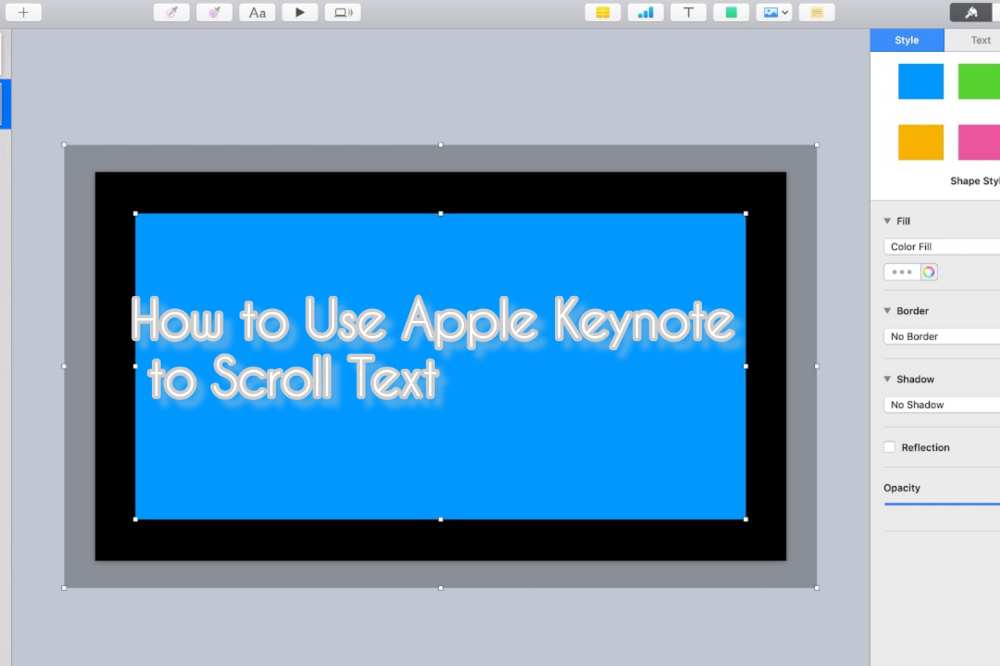
Apple Keynote offers a variety of options to help you create this specific effect. To use Apple’s Keynote to scroll through Text follow these steps;
Select “New” from the Keynote menu bar, you may begin adding new slides to your presentation.
From the menu at the top of the Keynote window, choose the “Text Box” option.
Type the words you wish to see in the scrolling credits. To insert spaces between the various text fragments, press “Return.” When needed you can change both text font size and font family.
To remove the content from view, drag the full-text box to the bottom of the page after clicking on its outside border to highlight it.
To access the build tools, first, click the Inspector symbol in the top right corner of the menu bar.
Then click the “Build” button in the top right corner of the Inspector. The Build menu will let you select “Action.”
From the drop-down selection for “Effect,” choose “Move”. By doing this, a second, somewhat more faded version of your text box will show up on your Keynote presentation.
Select the fading text box and move it above the Keynote window off of the screen. Your text box will be moved from the bottom of the window to the top by doing this, as instructed by Keynote.
To slow down the scrolling text, choose “None” from the Inspector’s Acceleration drop-down menu, and then click the “Duration” option until “5.00” is shown.
What is the scrolling Effect?
The ability to scroll within the slide from top to down. This is known as a scrolling animation. Any type of animation can be used, including moving parts, fading effects, and changes in color, size, or shape, among other possibilities.
Shortcut for scrolling Text in Apple Keynote.
Press B to go to the bottom of the screen.
Click T to go to the top of the screen.
Hit the Space bar to scroll down a screen.
Conclusion
Keynote’s text scrolling effect creates an outstanding presentation thanks to its user-friendly interface. This enables collaborative teamwork to produce stunning presentations that include cinematic effects.
Are you looking for a modified version of WhatsApp that has options like timing your responses, concealing double or blue ticks, accessing deleted messages, and more? You may obtain the most spectacular WhatsApp mod features with TM Whatsapp apk, which is the greatest alternative accessible.
What exactly is TM WhatsApp Apk?
Titus Mukisa, the man behind this app’s development, is known by the initials TM in the TM Whatsapp APK. Since TM Whatsapp is a modified version of the original WhatsApp it offers a variety of features and functions that are absent in the original WhatsApp app.
There are several things that one may anticipate in TM Whatsapp Apk. It is among the most effective and compact messaging programs available.
You can only pick 30 photographs at once, just as in the official WhatsApp messenger, and you can only send messages to a maximum of 5 people. However, TM WhatsApp has disregarded all restrictions and now offers the greatest features available. This Modded version has a lot more features, too numerous to list.
There are many incredible features in TM Whatsapp that you won’t find in other WhatsApp mod apps. Users of the most recent version of TM WhatsApp now have one-click access to download WhatsApp statuses. You no longer need to request someone else’s WhatsApp status update. In contrast to the standard 24-hour duration, TM Whatsapp allows statuses to last up to 36 hours.
What is TM WhatsApp’s most recent version?
TM WhatsApp’s most recent version is v8.40F.
How to download TM Whatsapp Apk?
Delete the old Whatsapp version if your phone’s storage is low (this step is optional).
If you wish to recover your deleted files, you must have a backup else you risk losing your data if you don’t save it.
You may back up the data in cloud storage from the chat settings.
You must enable “Unknown Sources” in your device’s settings in order to download APK applications.
It might take a few seconds or many minutes to install.
After the installation is finished, click the Open button. “Agree and Continue” must be clicked.
Type your phone number here.
Then choose “Copy WhatsApp Data.”
If you wish to save your old account, make a backup of it, or make a new one.
Features of TM WhatsApp Apk Latest Version
Knowing TM Whatsapp’s latest features in particular is essential since it may reframe and clarify perceptions of APK files. Moreover, read the specification I have provided below to learn more about TM Whatsapp:
Privacy Policies
Whatsapp TM offers a wide range of privacy options that let you manage your chats and status updates. Additionally, you can do the following things:
Airplane mode
Security code
Hide second tick
Hide blue microphone
Free last seen
Hide blue ticks
Custom themes
Hide view status
Anti-delete messages
Disable calling
Hide typing
Also, you may decide which contacts can or cannot view your status. In addition, you have three choices: contacts except this, reveal to all contacts, and only myself. Because your data is kept secret and secure, end-to-end encryption security also offers a high level of protection.
Contacts Disabled Feature
In typical Whatsapp, you may simply ban selective contacts. However, you may directly turn off your calls and texts in TM Whatsapp. To activate this option, you must go to the contact’s chat settings and choose the option to turn off calls or messages. so that you can freely and fully take pleasure in your chat.
Undeleting Messages
Anytime someone sends you a message, he or she can rapidly erase it so you won’t be able to view it. TM Whatsapp has therefore offered the chance of an anti-delete messaging mechanism. You can still view messages and status updates even if the other person deletes them.
Customization
TM Whatsapp has a flexible customization feature that might increase its allure. You may expressly switch between themes and customize the Whatsapp photo that appears. Additionally, you have the option to alter the backdrop or the complete structure in accordance with chosen themes.
Automatic Replying or Auto-replying Mode
With TM Whatsapp, you may create personalized text in the auto-replying mode. so that you may deliver your contacts whenever you have time. You may also conceal your discussions in addition to that. You must do this by hiding the home screen’s messages and notification section. It is crucial, particularly for individuals who prefer to keep their interactions private.
Routine Messages
Additionally, you can choose the scheduling for messages as well as the exact contacts to whom you wish to send them.
Excellent Sending Capacity
TM Whatsapp, which is extremely fantastic, allows you to send a lengthy status that lasts at least 7 minutes. Although the original Whatsapp does not support massive sharing, you may transmit up to 100 documents simultaneously. Additionally, you may transfer 100MB of audio at a time using TM Whatsapp, which has a very large audio transmission capacity. Additionally, you may send 100 images at once.
Is TM WhatsApp secure?
It is, although it is advised against using any Modded versions due to the numerous privacy issues with the messaging software.
Can I Get TM WhatsApp On Google Play Store?
NO, since it’s a modded version, which you can obtain from reliable websites.
Conclusion
This application has a lot of cutting-edge features packed into it, in my opinion. TM WhatsApp has achieved a significant deal of success thanks to its features, security measures, and privacy policies.
This program is allegedly unlawful because it is a modified version and cannot be found on the Google Play store.
Since the WhatsApp organization does not actually own this program, therefore, any privacy-related concern might eventually hurt you.
However, this program has received positive consumer feedback, and users claim that they have never had any privacy difficulties.
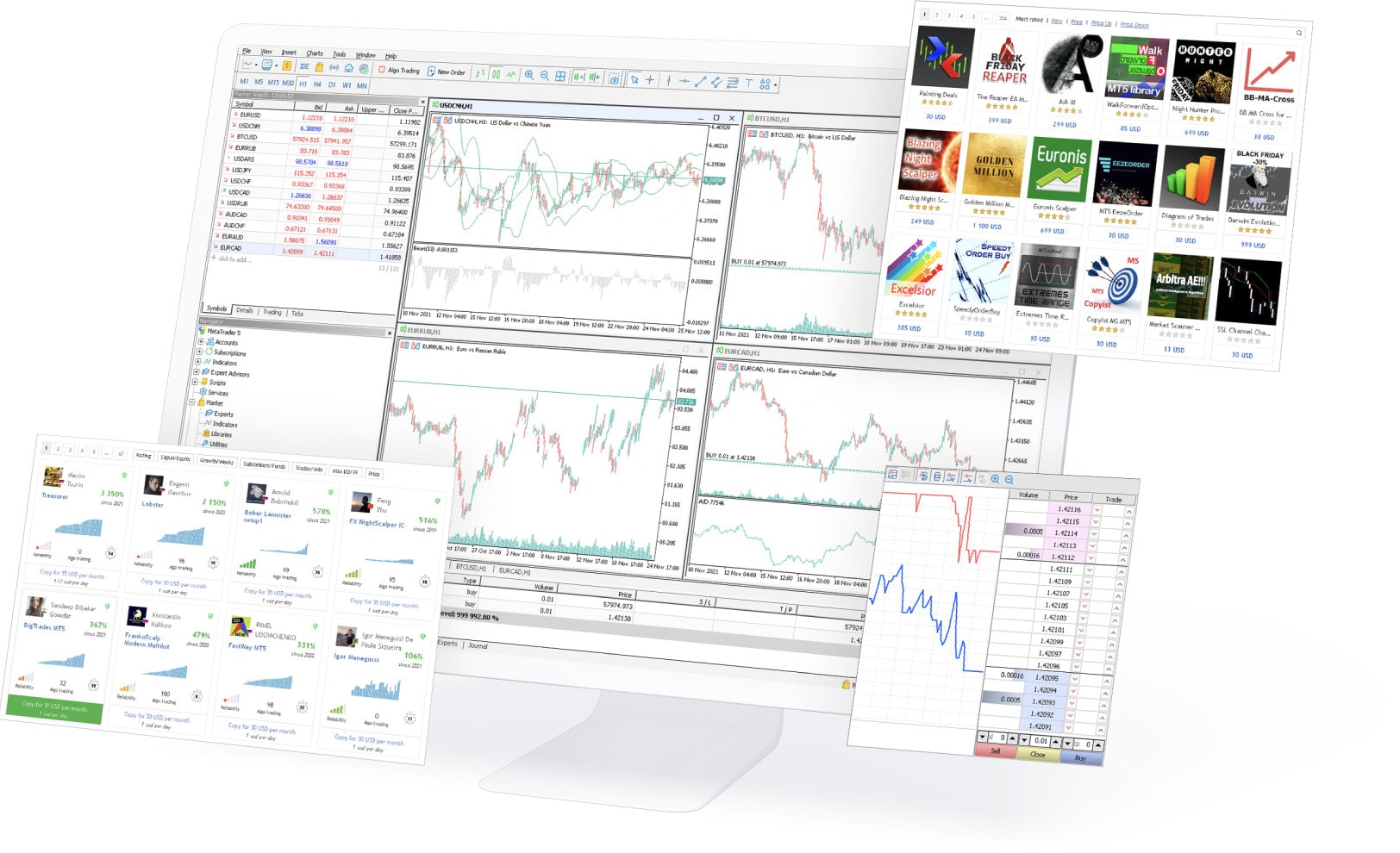
MetaTrader 5 is a powerful platform that allows traders to trade in the Forex, stock, and commodity markets. It offers a wide range of features that are not available on other platforms. You can operate mt5 download for PC or on your smartphone. In this blog post, we will discuss some of the benefits of using MetaTrader 5.
What is MetaTrader 5?
MetaTrader5 is a popular, powerful automated trading platform developed by MetaQuotes Software. MetaTrader 5 is the perfect platform for advanced traders who want to take their trading to the next level. With its powerful tools and innovative features, MetaTrader 5 offers everything you need to make successful trades in financial markets.
MetaTrader 5 is beneficial for traders because it analyses the markets, uses single-platform trade management, and facilitates portfolio tracking. Aside from Forex, the MT5 platform helps you trade various other assets, including stocks, CFDs, and futures. It provides several order types and execution modes that enable traders to use custom trading strategies, even when their computer is not online.
MetaTrader 5 benefits
MetaTrader 5 is the perfect tool for anyone needing a multifunctional and user-friendly program. It is far superior in quality and functionality to most competitors. The following advantages guarantee the ideal solution for efficient trading:
Advanced charting tools:
With MT5, you have access to advanced charting features, such as 38 technical indicators and drawing tools, that allow you to perform in-depth market analysis. MT5 offers up to 100 charts at once, which can be opened in multiple tabs for convenient monitoring.
Intuitive user interface:
The intuitive user interface on MetaTrader5 makes it easy for anyone to start trading immediately. Whether you are new to Forex or an experienced trader, you will find navigating around MT5 straightforward.
Customizable settings:
Another major benefit of using MT5 is that you can easily customize your trading experience according to your needs and preferences. The platform allows you to set up hotkeys, configure alerts, and create custom indicators as needed.
Robust trade management:
MetaTrader5 also features powerful tools for managing trades across multiple markets simultaneously. This enables traders to streamline their workflow and maximize efficiency in their trading strategies.
MT5 also has powerful trading tools, such as built-in indicators, advanced order management features, and integrated risk management functions. These features allow you to execute trades according to your unique strategy.
Integrated market news and analysis:
In addition to its powerful trading tools, MT5 also offers integrated market news and analysis tools that help you stay up-to-date on current market events and trends. With access to real-time data streams, you can make well-informed decisions based on up-to-the-minute information.
Streamlined with all types of devices:
One of the most attractive features of MetaTrader5 is that it can be easily accessed from any device. Whether you are on your computer or mobile phone, MT5 provides a seamless experience across all platforms and operating systems.
Automating several processes:
Another key benefit of using MetaTrader5 is that it enables traders to automate many different processes, including trading systems, backtesting, and optimization. This can help save time and reduce the risk of human error in your trading activities.
Integrated economic calendar:
Another advantage of using MT5 is its integrated economic calendar. This feature lets traders stay up-to-date on important market events and news that can impact financial markets in real time. With access to this information, you can make informed decisions about executing your trades for maximum profit potential.
Create your own Expert Advisor:
Perhaps one of the most powerful benefits of using MetaTrader5 is that it allows you to create your own trading strategies and automated trading bots, known as Expert Advisors. This gives traders a unique advantage in terms of flexibility and customization, allowing them to execute trades exactly how they want. Overall, the many advantages of MT5 make it a great choice for anyone looking for an efficient and reliable trading platform.
Conclusion:
Overall, the many benefits of using MetaTrader make it an ideal choice for traders looking for a powerful and user-friendly trading platform. Whether you are new to Forex or an experienced trader, MT5 offers advanced features and tools that can help you achieve your financial goals. So, if you are ready to start trading confidently and efficiently, sign up for MetaTrader5 today!
Unquestionably, TikTok has developed into a hub for viral online content, especially in the last year, as various communities, trends, and songs have benefited from the app’s enormous user base.
You could be a TikTok creator who is curious in being able to know who shared their TikTok. However, there isn’t a mechanism in place right now to assist you in doing so.
You might wonder if you can identify who specifically shared your video on social media or with a friend because TikTok heavily relies on users sharing videos to increase total app traffic.
On TikTok Pro, you may view your demography and the number of shares if you have a Pro account. Unfortunately, it is not feasible to find out the names of specific accounts that share a video.
Does Tiktok allow you to know who shared your videos?
Unfortunately, even if you have a Tiktok pro account, you won’t get a precise list of everyone who has shared your clips. This occurs because it is against Tiktok’s policies on privacy and protection.
On the other hand, depending on the person’s privacy settings, if you have ever used a Facebook page, you are aware of how simple it is to view the shares of your friends’ accounts.
How can I find out who shared my Tiktok video?
Actually, there is no screen or option that allows you to see who posted a particular video of you. You probably won’t notice all of your friends sharing your material, but you can look into more specific user data.
How can I see how many people have shared my TikTok video?
Finding who shared your tiktok video shouldnt be much of a struggle. To check that,
Log into your account’s settings
Open your Tiktok account and select “Profile Account”
Now, choose the three dots menu.
Change to a Pro account on Tiktok
You may locate it directly in the menu.
Press the instantly changing option.
By doing this, new Tiktok pro account settings will be unlocked.
Go to the analytic area and choose the “Shares” option.
This will show you how your account is broken out.
Can I see if someone post my Tiktok videos
When a video is shared, the app does notify the original poster, but it doesn’t provide any information about the user who shared it. You won’t be able to identify the person who shared your Tiktok, even though you will be aware that it was shared.
NB: It’s worth mentioning that TikTok’s privacy policy does warn that the app may gather and share your personal information with other parties, which might be annoying if you’re trying to find a specific user who uploaded your video.
TikTok does alert users when their films are shared, but it doesn’t provide any information about the user who did it.
Conclusion
Tiktok is an interesting and entertaining app to use. Now, finding out who shared your tiktok video should not be a difficult task if you use the steps above.
The number of Nigerians who own cryptocurrency is estimated at 22 million, which is 10.3% of the country’s total population.
Despite the crypto market’s downturn, it has not stopped Nigerians in their quest for more knowledge on cryptocurrency. According to a study by CoinGecko on Google trends, it was revealed that there was a surge in user curiosity from Nigeria, according to the search results. Fifteen countries were studied, and Nigeria ranked number one on Google search information about cryptocurrency. It seems like a large population of Nigeria is interested in learning more about crypto.
According to Beincrypto.com, The Nigerian population searched the most for the terms’ cryptocurrency,’ ‘invest in crypto’, and ‘buy crypto.’ Despite the decline in search intensity for ‘investment in cryptocurrency’ around the world since April, Nigerians often search for these terms.
Due to the increase in interest of Nigerians in Bitcoin and crypto as a whole, it is essential to educate them on how to convert Bitcoin to Nigerian Naira. This article includes a bonus recommendation of the best app to sell Bitcoin in Nigeria.
But first, let’s take a look at the basics.
What is Bitcoin?
In an article by Investopedia, it is written that Bitcoin is a virtual currency designed to act as money and a form of payment outside the control of any one person, group, or entity, thus removing the need for third-party involvement in financial transactions.
Founded in 2009 by Satoshi Nakamoto, Bitcoin is the world’s oldest and most widely accepted cryptocurrency.
Bitcoin is the most popular crypto coin and the largest by market capitalization (367.52 billion)
Factors To Consider When Choosing a Crypto Trading App To Convert Your Bitcoin
Bitcoin trading is the act of buying and selling Bitcoin through an exchange platform. When searching for a suitable crypto exchange platform, there are a few things you need to consider, like a checklist, to ensure that you make the right choice. Because in the long run, the exchange platform you select to trade will affect your trading experience one way or the other, whether positively or negatively.
Below are the factors you need to consider when choosing the most suitable crypto exchange platform to convert your Bitcoin to Nigerian Naira.
Availability of Bitcoin:
Most of the time, you do not need to worry about this, and this is because most crypto trading apps always have Bitcoin available to trade. After all, it is the most popular crypto coin.
Security:
Security is a factor that you cannot compromise. Security is a very vital aspect when selecting an exchange. Because of the sensitive nature of crypto assets, keeping your Bitcoin safe is wholly left to you. The wallet you decide to store your Bitcoin in needs top-notch security and must be equipped with two-factor authentication to add an extra layer of security to your assets.
Customer Service:
If you encounter any issues during your trading process, an exchange needs to have a 24/7 available customer service representative you can reach out to and solve your problems. This aspect is often taken advantage of and overlooked, but people fail to understand that the availability of customer support also affects your trading experience. The customer service team is not only there to take complaints but also to answer various types of inquiries from new users or already existing users.
Fees:
Different platforms offer different types of fees and amounts. They have additional charges such as deposits, withdrawals, and various transaction fees. Platforms may charge distinct amounts, some fair and some completely outrageous. When selecting a trading app, make sure you find out about their various fees and how much they charge, and pick the one you are most comfortable with.
Limit:
Just like Fees, different crypto trading apps have their unique trading limitations. These limitations can come in forms, such as a limit on how much you can deposit, a limit on how much can be traded at a time, and even a limit to how much you can withdraw and how many times you can do all these. Time limitations can be daily, weekly, or even monthly.
Just like the point above, research and find out about their limitations and choose the platform with the limits you are most comfortable with.
Reviews:
As a new user, there are many things you are unaware of that go beyond what is on paper. When searching for an appropriate trading platform, you must seek out genuine existing users’ reviews to see how they feel about using it.
Best App to Sell Bitcoin In Nigeria – Breet App
We have discussed the elements of what makes a suitable crypto trading platform, so I’ll like to give you my recommendation. I’ll tell you about the best app to sell Bitcoin in Nigeria, Breet.
Breet is an over-the-counter (OTC) crypto trading app in Africa where users can receive, sell Bitcoin and convert it to Naira in less than five minutes with no third-party involvement, no deposit, trading, and withdrawal limitations, and no extra charges.
Because Breet uses an OTC trading method, the trading process only involves two parties- you and Breet.
Your privacy is paramount, so you do not have to worry about the involvement of intermediaries, and you do not need to wait to find a buyer for your Bitcoin.
The trading process is quick and seamless, and the withdrawal process is even faster and more stress-free.
Breet uses an automatic settlement, where you can receive your cash in your local bank account immediately after completing the transaction. So you do not need to withdraw your Naira manually.
Note that you have the freedom to turn the automatic settlement feature off or leave it on. If you wish to leave your funds in your Breet account, you are free to do so.
Breet is also available in Ghana and plans to expand to other African countries soon.
Supported Cryptocurrencies on Breet
Asides from Bitcoin, Breet also supports cryptocurrencies such as:
Ethereum (ETH)
Litecoin (LTC)
Tether (USDT)
Dogecoin (DOGE)
Bitcoin Cash (BCH)
Each crypto coin has its unique wallet, with Tether having three USDT network wallets- ERC20, MATIC, and TRC20.
How to Generate a Bitcoin wallet address On Breet
Generating a Bitcoin wallet address on Breet is simple and requires a few steps.
Log in to your Breet account
On the home dashboard, click on BITCOIN
Tap GENERATE WALLET
Success!
Your Bitcoin wallet address is displayed in two ways:
As a QR code to be scanned easily by the sender.
It is also written out and can be copied to clipboard.
As a bonus, you can click on the share icon to share it in multiple ways.
After your wallet has been generated, you can check the current Bitcoin exchange rates in Nigerian Naira or Ghanian Cedis (displayed in USD)
How To Convert Bitcoin To Nigerian Naira
We have discussed what Breet is and how to generate a Bitcoin wallet address on the platform, now, let’s take a look at the step-by-step process of how to sell Bitcoin for Naira on Breet.
Copy your unique Bitcoin wallet address or scan the QR code. You can receive Bitcoin into it from anywhere, at any time.
There are different rates for different ranges of Bitcoin amounts in USD received in your wallet. The corresponding naira value will automatically be added to your naira wallet after the transaction is complete.
Once Bitcoin is sent to your wallet address, you have to wait for a minimum of 3 confirmations from the blockchain network.
After this, the Naira value is added to your balance.
Remember, if you want the payment automatically sent to your bank account after completion, you can turn on AUTOMATIC SETTLEMENT in settings.
Why You Should Use Breet
Breet has various features which make the trading process stress-free from start to finish. Let’s take a look at some of those features and attributes.
Instant Fiat Payment:
With Breet, you can convert your Bitcoin to Naira and withdraw straight to your local bank account within seconds.
Two-Factor Authentication:
Breet does not take the safety of your crypto assets lightly. It uses 2FA for an added layer of security to keep your account and funds safe.
No Hidden Charges:
When using Breet, be rest assured that you are getting the most out of your assets, as they do not charge any hidden fees.
No Limitations:
Upon completing the advanced KYC, all daily limitations will be removed, and you are free to withdraw any amount from your balance as often as you like.
24/7 Customer Support:
Breet support is available at any time of the day, all week, to attend to any inquiries that you may have. You can reach a representative by emailing [email protected] or call/WhatsApp at 08090569499, or you can use the LIVE CHAT button in-app.
Conclusion
Since Nigerians lack affordable financial services, they are now embracing cryptocurrencies. Crypto is becoming an alternative way to store and transfer assets.
A report by the crypto trading platform, Kukoin revealed that 33.4 million Nigerians, which accounts for 35% of the population aged 18 to 60, currently own crypto assets or have traded them over the past six months. Also, 52% of Nigerian cryptocurrency investors allot over half of their assets to cryptocurrencies. 65% of Nigerian crypto investors make fiat deposits to crypto.
Another important finding is that 70% of Nigerian investors intend to grow their crypto investments over the next six months. This means that the adoption of cryptocurrencies in Nigeria is rising rapidly.
But even with the adoption of cryptocurrency, there comes a time they need to convert their crypto back to fiat currency, in this case- Naira.
By using Breet, they can sell their Bitcoin and convert to Naira seamlessly and quickly.
Note that none of the information given in this article is financial advice.
One of the social media sites with the highest popularity right now is Instagram. People prefer using it over other social networking platforms because of the advantages and privacy it offers.
You may also go live on Instagram so that your followers can join in and have a live conversation with you.
However, there are situations when you would choose to watch Instagram live in secret without the other person knowing.
In order to watch live videos on Instagram and learn more about Instagram live viewing online, read this post.
Is there a legitimate way to watch Instagram live broadcasts secretly?
NO is the answer. While watching Live videos, there is no way to keep your identify a secret. The video’s broadcaster will be notified that you have seen it. You can watch live Instagram videos, though, using a few workaround techniques.
Can you watch Instagram live videos anonymously by changing your username?
If you want to remain anonymous while viewing the live broadcast, you can alter your username and name.
Go to the Instagram profile area and select “Edit Profile” to alter the username.
After that, delete the current Username and type in the new Username.
Change the Name in the same manner, if you choose.
To save the changes, tap on the Right Tick icon in the upper right corner.
Instagram now allows you to watch live videos without them knowing.
Can I see a video that has been stored as an IGTV video?
The aired video can be saved by Instagram as an IGTV video. After the live broadcast is over, the creator can save the video to IGTV. You may see a video that they have stored as an IGTV video without them knowing.
How can I watch Instagram live on a new account without anyone knowing?
You may make a new, empty account solely to watch these live streams in secret. However, you might need a new email address and cellphone number to validate the account if you want to register a new one.
Access your primary account and wait for the live videos to begin.
You can be informed when the next live video schedule is available, or you might have to check their account frequently.
Open your blank account and unblock that person after the live video has begun.
Then Watch the video in privacy.
Block the user when the movie is over and log out of the account.
Can I watch Instagram live using someone else’s account?
You may also sign into your phone using a friend’s or your family member’ ID. You may watch the video while keeping your identity secret in this way. If your family questions your request for their account or phone number, things might go south. So be prepared with your justification or get ready for lengthy arguments.
Every time a new video is posted, repeat this process. This is the quickest and safest method I could think of to answer my friend’s concern about how to watch Instagram live without them knowing, even if you have to maintain two distinct accounts.
Utilize online services that let you use Instagram anonymously
You may watch Instagram live videos on several websites without the users’ knowledge. The app requests the user’s username before generating a random username for you. The live video may then be seen directly on the website.
However, I do not advise using this technique since, prior to displaying the live video, you will be required to perform a number of chores, such as viewing an advertisement or clicking on random links that take you to spammy websites. Many of us will find this kind of content lock annoying and don’t want it. So it’s best to stay away from such websites. You might use a different approach that was previously described.
Can I watch Instagram Live without a profile?
You must be signed in to an account in order to use Instagram and all of its features. In other words, there isn’t a legitimate method to view Instagram live without a user account. But you can achieve it by using these workarounds.
Here are a few hacks that will allow you to use Instagram without creating an account:
Using someone else’s Instagram account
If you are concerned about privacy, create an account using default information.
Use programs from other parties to access Instagram without creating an account. (not advised; to understand the problems, see the part above.)
Conclusion
It should be noted that there is NO OFFICIAL WAY to view Instagram live videos secretly. However, you may get around the same by using this guide. The above are some of the techniques that are most frequently used to watch Instagram live in secret.
How to type exponents on an iPhone is a common question. You can enter exponents more quickly by using a few shortcuts. These include the arrow key, the superscript sign, and the caret symbol. When writing a mathematical expression or a scientific equation, these shortcuts are useful.
When writing the solution to your problem in exponent form, you can utilize these shortcuts. Once you are through typing, you may use the shortcut to return to regular text.
There are several methods to access exponents using the regular keyboard, despite the fact that the iPhone calculator is already configured to input exponents by default.
How can I find my iPhone calculator
The iPhone calculator is mostly found at Utilities” or “Extras” folder in some iPhones. Tap this folder and click on the calculator app to launch the calculator. You can also type calculator in the phone search bar and you will be provided with it.
How to do exponents on iPhone Calculator
Before doing exponents on an iPhone calculator, there are some things to activate or deactivate on your iPhone to get its full potential.
Swipe the screen up from the bottom to open the Control Center on your iPhone home screen.
If the screen orientation icon is red, it means rotation lock is on.
To turn it off, tap the screen rotation icon. It will turn white with anopen lock symbol.
Your phone will now assume the landscape orientation upon rotation. Furthermore, you’ll get a notification reading “Portrait Orientation Lock: Off.”
Now, let’s follow the steps below to do exponents on an iphone.
Open the Calculator app. You can launch the calculator app from the Control Center or search it on the search bar.
After the calculator launches, rotate it to achieve a landscape orientation.
A scientific calculator with additional functions will appear.
To perform exponential functions, use either the x2,x3, or xy. For instance, if you want to square 7, press 7, then x2, and finally the equal sign (=); the number on the screen is your answer.
Repeat the same procedure tofind the cube of a number, but use x3 instead.
For an exponential function exceeding the power of three, follow the same procedure, but use xywhere “x” is the base number and y is the exponent. Suppose you want to raise 10 to the power of 7/ You need to press 10, tap xy , press 7, and finally, the equal sign, and there you have your answer.
When the exponent is 10x where x is a negative or a positive number, you can use the “EE” function to work out the computation. For instance, you can use the EE method to work out 89 x10-5 .
Follow these steps to do exponents on an iPhone using the EE function:
Enter the base number; in our example, the base number is 89.
Press the “EE” function.
Enter the exponent; in our case, the exponent is -5.
Hit the equal sign. The number that appears on the screen is your answer.
If you are a regular exponent user, then you my want to keep them active on your iPhone in order to to find yourse wanting whenever you want to use them. To do so,
Alternatively, you can create a text shortcut on your keyboard if you regularly use the functions on your texts. Here is how to make a shortcut:
Go to “Settings.” on your phone.
Open “General.”
Tap on “Keyboard.”
Select “Text Replacement.”
On the top right corner, tap on “+.”
On the Phrase box, paste the symbol you want to create a shortcut, e.g. (^2).
Finally, save the shortcut.
Conclusion
Finding exponents on an iPhone can sometimes prove difficult. If you are finding yourself in that corner, then following the steps above can help you out.
When you share a Facebook post with someone other than yourself, Facebook enables the target audience to see the post, respond, leave a remark, and share it with others.
It’s simple to see how many people have shared your post on Facebook, but whether or not you can see the identities of all of those individuals depends on your privacy settings.
There are a few ways to find out who you shared with, and Facebook lets you modify your sharing options to match your privacy requirements.
In this post, we will list out two possible ways to answer the question “How to see who shared your post on Facebook”.
How to See Who Shared Your Post on Facebook
Checking Your Facebook Notification
Once you’ve logged in to Facebook, select the bell symbol on the right side of the blue navigation bar.
After that, anytime you get your post shared, liked or commented, you will be notified on your notification bar.
If you recently posted something, you’ll see all the latest information about it, including comments, likes, and who shared it.
Checking Your Timeline on Facebook
In the cover book of your timeline, you may also see who shared one of your posts. The procedures below might be used to find out who shared your post.
Go to your “Profile Name” and click to access your timeline.
You may view a list of the posts you’ve made on Facebook in reverse chronological order on your timeline.
As a result, your most recent post will be displayed first.
Below the post, you’ll see features for liking, commenting, and sharing.
Check the “to share” section of your Facebook post to see who shared it.
The number of times your post has been shared on Facebook will be updated here.
Simply click “to share” to view the user who shared your content. Also visible is the person’s name.
Can i check who shared a post that Is not mine?
You can also check who shared a post that isn’t yours as long as the respective post is public. To do so,
Go to the page of the person or organization that published that post.
Click on the button indicating the number of shares.
A list will pop up with the names of the people who shared that post.
Is it important to see who shared my Facebook post?
How important who shared your post depends on you. You may have posted something vital on your timeline and you want to see how far it has reached. For that, it will be necessary for you to check its progress and see how far it has gone so thats makesuit important for you to keep tabs
Conclusion
I just showed you how to discover who shared your Facebook post. You may discover who shared your Facebook posts using the methods mentioned above in two straightforward ways.
You might wish to swiftly delete a large number of your Snapchat buddies and are unsure how to go about doing so. You might as well stop using Snapchat and other social networking applications if you don’t have many friends to interact with there.
Speaking with them, making Snapchat calls, and competing with their streak scores are all more enjoyable the more friends you have on Snapchat. Having a lot of Snapchat friends, especially strange ones, is never nice since you’ll receive a lot of unsolicited messages and snaps.
What Normally Occurs When You Delete A Snapchat Friend?
They won’t be able to see any stories or other anything you have posted that is not public after you delete them as a friend. The history of your conversations will also be erased, and they won’t be able to see you on the Snap Map. Unadded friends can still see your public stories if you make them public.
How to delete more than one snapchat friend
A built-in capability to choose multiple friends for the deletion or unadding does not yet exist. You do have a few choices, though:
You have the option of deleting your whole Snapchat account, creating a new account, and adding your old friends again.
Each friend can be eliminated separately (which may take a long time.)
To expedite the entire procedure, utilize a macro tool.
1. Delete your Snapchat account completely
All of your pals will undoubtedly disappear from your Snapchat friends list if you delete your account. Additionally, everything connected to your account—memories, saved stories, chats, Snap Score, and more—is deleted. Your Snapchat account enters a 30-day “deactivation period” after deletion. Everything is permanently destroyed after the 30-day period has passed.
As you wait, you may create a new Snapchat account and add all of your remaining friends. This can wind up being the best option if the information associated with your Snapchat account isn’t crucial to you and you have too many friends to attempt to delete.
First, click the supplied link to launch the Snapchat portal.
The Snapchat site will appear. Open the “Delete My Account” link in the support section.
To continue with account deletion, follow the link.
When it opens, type your Snapchat password and username.
Log in to your account after providing the necessary information.
You will input the OTP given through it and click the “Submit” button after receiving it on the cellphone number associated with your account.
A page titled “Delete Account” will then be shown to you.
Click the “Continue” button after entering your login and password a second time.
All of your friends’ accounts, including yours, will be terminated simultaneously.
2. Remove Friends One by One
We wish to avoid this one since it is tiresome. However, it is usually simplest to just remove fewer than 100 friends the traditional method.
Removing a buddy shouldn’t take longer than 10 seconds if you’re attentive. This implies that you have to be able to cut pals at a rate of at least six every minute, or 180 per hour. You may unfriend someone on Snapchat by doing the following:
By selecting the Bitmoji symbol, navigating to the bottom, and selecting “My Friends,” you may access your friend list.
Locate the buddy you wish to cut off.
For a few moments, hold down on their name until a box appears.
Select “More.”
To remove a friend, click.
On the confirmation box that appears, select “Remove.”
This procedure completed completed in 5 seconds or less if you’re quick, according to a source. This would still be finished in under 2 hours, even if you were to remove a staggering 1,000 individuals. and most likely act as a useful reminder to be pickier about who you choose to include in the future.
Will someone on Snapchat notice if you remove them and then add them back?
There is a potential that they will find out if you remove someone from Snapchat and then add them back. If they don’t find you thereafter using the search feature to look for the newly added friends, they will know that you have unfriended them. They could, however, believe that you blocked them.
Apply a macro
This is a fascinating one. Maybe you’ve never heard of a macro, it’s basically a means to record an activity that you want to repeat continuously on your phone for as long as you like.
You can even speed up some macros so you can simulate taps on the screen more quickly than people are physically capable of doing so!
Therefore, the concept is to record a macro of a buddy being removed. The procedure is then automatically repeated by the macro so you don’t have to.
The program plainly has no notion who you want to keep and who you don’t, which is the sole drawback of this tactic. It can go through your list of friends and delete them one at a time for you, but it cannot ignore those you want to keep.
Even so, this could be a better option than completely deleting your Snapchat account and losing all of the associated data.
How to Make Your Phone a Macro
Currently, only Android phones can use macros (although there is a workaround for iPhones that I’ll cover in a bit).
Since every macro app is unique, discussing the precise programming of each is outside the purview of this tutorial. But some of the most well-liked Android macro applications are as follows:
MacroDroid
AnkuLua
QuickTouch
Automate
E-Robot
NB: Even though everyone on your friends list would be deleted if you delete your account, this should only be done as a last resort. If you need to unfriend a big number of individuals, do it one at a time or with a macro. Even while it is frustrating, if you remain focused, it actually doesn’t take that long.
Conclusion
Despite the fact that Snapchat doesn’t have a built-in feature to delete numerous friends at once, there are a few workarounds
2010 saw the launch of the messaging platform Kik. Kik is currently one of the top platforms for online dating and forming friendships throughout the world.
As part of a recent upgrade, Kik now offers the “Go Live” function, which enables users to interact with other users while watching live videos and broadcasting their own content.
So let’s examine how to use your gadget to join the live chat on Kik.
The most effective chat messaging service to communicate with friends and strangers worldwide is undoubtedly Kik. You may create public or private groups, exchange images or videos, send stickers or emojis, gifs or memes, and doodle messages.
Not long ago, Kik launched “Go Live,” a new feature on its platform (somewhere on June 9, 2021). With a recent upgrade, Kik now offers free live broadcasting and going live. Additionally, you may give presents to other Kik members as well as watch their live streams online.
Kik Live: What Is It?
Since we now know that the Kik app allows live streaming, let’s examine what Kik live is in the first place. You may live stream to other users of the Kik program using this function. As a result, every Kik user may utilize this platform to reach a wider audience. What are the advantages of using Kik live?
Benefits of Going Live on Kik
Making new friends on Kik
Live-streaming videos are the most efficient tool for connecting with people across the globe. Making new acquaintances and establishing connections with them is a fundamental human right.
As a result, you might meet a lot of new individuals from all around the world if you start broadcasting on Kik. You don’t need to add them to your Kik app; just create a live-streaming video and invite users of Kik to participate if they find it interesting.
Gain More Kik Followers
Kik, like the majority of social networking sites, lets users follow one another if they enjoy their content. So, by creating engaging and fun live streams, you may gain more followers on the Kik app. This can encourage others to follow you on Kik.
Create a more effective business profile on Kik
When several channels enter the business, the portfolio of that firm becomes stronger. Kik may most certainly be used as a platform for company marketing. The live feed may potentially obtrude and draw viewers to your establishment. Be inventive in your approach, and you’ll be grateful for the advantage Kik live stream will probably give you.
How Does Kik Live Stream Work?
Your live stream is shown in the application’s live area after you go live on Kik. Anyone who taps on that area will be able to see your live broadcast and participate.
You must be a well-followed user on the Kik program in order to compete and move up on the live stream page. After that, you may access the leaderboard, where users can touch on the live streams that are displayed on the front.
By asking to join the live session, users may also watch your feed in real time. Alongside less well-known live streams, you may also challenge more well-known ones.
Can you go live with the Kik application?
In their most recent update, Kik included a feature called “Go Live.” Due to the significant amount of critical comments Kik was receiving, they had to develop a better and safer platform for their users. Today, the “go live” function has generated attention and established Kik as a popular online platform.
Before, neither the Kik app nor the Kik desktop version had a Kik live feature option for live streaming. The new and unique feature that Kik incorporated in the most recent version to initiate and conduct Live Video calls within the Kik application is called “Go Live.”
What are kik live stream guidelines and conditions?
Kik established various guidelines for its users after receiving criticism from many of its users for being graphic and containing inappropriate content. The guidelines and conditions for live streaming on the Kik app are listed below.
Nudity or pornography is prohibited.
Bullying And Hate Speech Are Not Acceptable
Unlawful Conduct
Living with children
Minors cannot watch streams
False Identity
How can i go live on Kik using iPhone or Android
Open the Kik app
Sign in with your account
Tap the Live icon
Select Go Live.
Accept the terms and conditions.
Press The Got It button
Begin Your Life
How can you cancel a live kik
You can terminate the live session at any time by following a few easy steps if you decide for whatever reason that you no longer wish to stream.
Click the End button on the live
Press the X icon after selecting “End Stream.”
How can i watch a live stream?
Users may now stream live videos to their contacts using Kik’s new Kik Live functionality. The procedures listed below might let you join a friend’s Kik Live session.
Start Kik
From the bottom right corner, select “Live.”
Choose the participant(s) for their live session. Kik Live may also be joined by choosing from the categories For You, Trending, New, and Favorites.
To exit someone’s Kik live broadcast, just hit the “X” icon in the top right corner.
How Secure Is Going Live On Kik?
A secure live broadcasting platform is available on the app Kik. You may research the privacy and security of the Kik application. You don’t need to worry about your safety if you just join other people’s live broadcasts or go live on Kik.
Make sure, nevertheless, that you abide by all the guidelines for using the application as well as going live. You must avoid viewing objectionable information if you are a minor user. Apart from that, Kik is a secure live-streaming service.
Is Kik live stream unrestricted?
Kik live streaming is, in fact, entirely free. It costs nothing to watch someone else’s live stream or to go live yourself. You are only needed to pay money if you want to send presents and prizes to other users, for which you must make an in-app purchase. Everything on the Kik live broadcast is free except than this function.
Are Kik live streamers paid?
Live broadcasters on Kik may, in fact, use their gifts and incentives to purchase in-app currency. Your Kik gifts and awards may be exchanged for real money. With these incentives, you may also make further purchases.
What is the purpose of Kik Live?
Kik Live enables you to create a live-streaming video and share your ideas and opinions online.
Is it possible to remove Kik Messenger’s live stream feature?
It is possible to uninstall the live function on the Kik app without any problems, but you must download the previous version of the program.
Conclusion
Finally, you may use your iOS or Android device to go live on Kik by following a few easy steps. However, before you start live streaming, be sure to abide by the necessary laws and standards. If you want to become a widely known live streamer on the Kik application, you need also be aware of what going live implies and the types of live streaming that attract more viewers.