Author: Mfidie

  • How to Get Rid of Touch Screen Glitches on Your Devices

    How to Get Rid of Touch Screen Glitches on Your Devices

    Despite the widespread usage of touchscreen, smartphones, and the advancements, materials used in manufacturing these screens are low in quality. This result in glitches on the screen which is rather an issue than a bug to fix.

    We’ve compiled a list of possible solutions in this post that could assist in permanently fixing these glitches.

    Let us tell you upfront that the glitch screen issue can be brought on by a number of environmental factors. Regular users like you and I can resolve this by performing a few basic troubleshooting steps.

    Also, there may be certain situations where there will be a need to visit the service center, especially if hardware-related problems are the root of the problem.

    What exactly is a glitch screen issue?

    Firstly, “touch glitches” or glitch screens are used when a portion of your phone’s screen is entirely unresponsive. Also, when your screen reacts to pushes or inputs that you aren’t actually performing.

    It is impossible to blame the hardware directly for screen stutters. However, It could not be the hardware of the phone but rather strange settings behavior.

    What causes glitch screens?

    1. Environmental factors might lead to glitchy screens.
    2. Hardware problems that prevent the touch screen from functioning.
    3. Glitch Screen Resulting from Bad Drivers.

    How to get rid of touchscreen glitches on mobile devices

    Reset your device’s settings and keep it current

    Make sure your smartphone, whether it runs iOS or Android, is running the most recent version of its software before we move on to more complex remedies like a factory reset or device disassembly.

    Resetting all of your settings to default is one final attempt to fix the issue, assuming that you maintain your device updated. Although your data is automatically maintained, this process is essentially identical to a factory reset.

    On iOS

    1. Go to settings
    2. Click on general
    3. Go to transfers or reset iPhone
    4. Reset and choose Reset All settings

    By doing this, you won’t be deleting any of your data; instead, your device’s settings will merely be reset. Remember that clearing network settings will also disconnect your device from your Wi-Fi, so you will need to manually rejoin it. Resetting the keyboard settings and home screen configuration is also included.

    On Android

    You will need to do a safe factory reset on Android in order to keep all of your data while clearing all other settings.

    1. Enter the settings
    2. Select the About Phone link.
    3. Choose “Backup and Restore”.

    Next, you may select where you want your backup to be kept: locally on your phone, locally on your computer, or on the cloud.

    Take apart the screen unit (for advanced users only)

    The typical smartphone user is not advised to take this step. It may be possible to resolve the problem by opening up the problematic smartphone, dismantling it, and putting it back together for people who have the necessary technical skills and tools.

    Get it serviced

    Even while this is a straightforward choice, it’s not likely to be the fastest unless you’re strolling into a store to hand it over for a new one.

    You will likely have to pay for repairs if your device is out of warranty and you won’t be given the option of exchanging it.

    Glitch screen troubles can occur for a variety of causes, as you have probably already learned. To truly understand what is causing it, you might need to do a number of actions.

    The more complex techniques (apart from factory reset options) should only be carried out by a qualified technician if the simpler ones do not work for you.

    How to get rid of touch screen glitches on laptops.

    On Windows

    There are several solutions to the glitch screen difficulties on Windows. You might attempt the below solutions to solve the issue on your own.

    If you are using a tablet with a glitch screen, it is suggested that you connect a peripheral keyboard or mouse to assist with the remedy. If your touchscreen laptop starts to function properly after some time, it is advised that you rectify the issue as soon as you can.

    Examine the touch screen’s functionality

    If you use a laptop or tablet with a touch screen, keep it away from moist or cold areas, fluorescent lights, appliances that might interfere with the touch screen, etc. to prevent ghost touch screens or touch screen problems.

    Examine the Hardware

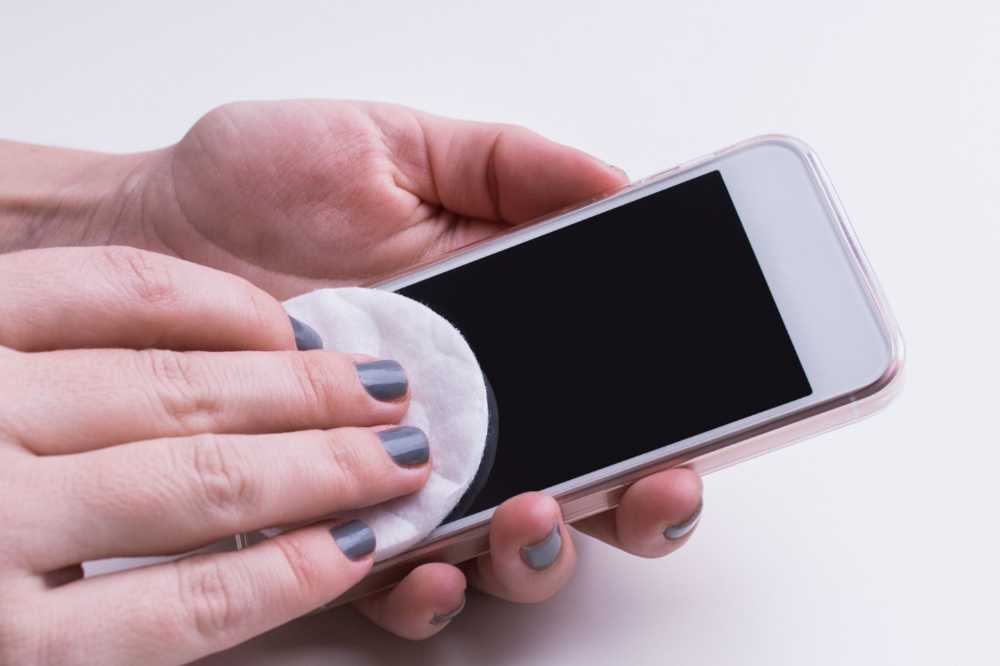
    Keep the touchscreen of your tablet or laptop clean at all times by wiping it down. Try a complete shutdown and restart of your touchscreen laptop or tablet to see if the touchscreen functions as intended.

    Repair the Drivers

    Windows Update’s incorrect driver updates frequently result in computer issues like the “display driver stopped responding and has recovered” error, “driver power state failure,” “laptop won’t wake up from sleep,” and others.

    When you experience ghost touch screens or touch screen problems with your laptop, it’s crucial to verify that the related drivers, such as touchscreen drivers, are appropriately loaded.

    Change Relevant Settings

    If you have problems with your touch screen not working, calibrate it.

    1. Press Win + X to access the Control Panel quickly.
    2. Select Calibrate the screen for pen or touch input under Tablet PC Settings.
    3. Select the Calibrate button.
    4. Next, select Reset (if available).

    Use the Windows 10 Troubleshooting Guide

    To fix the ghost touchscreen difficulties, you might want to try using Windows 10’s Troubleshooting function. These are the steps:

    1. Launch the Control Panel.
    2. Choose Troubleshooting.
    3. Choose Sound and Hardware
    4. To start a new dialog, choose Hardware and Devices in step
    5. Select Next and Windows 10 will identify and fix the issue on its own.

    On Macbook

    There are essentially 6 methods to fix Macbook screen glitching. Rather than force restarting your Macbook you can;

    1. Update the macOS
    2. Disable automatic graphics switching
    3. Turning off true tone,
    4. Restarting your mac’s SMC
    5. Resetting NVRAM and PRAM
    6. Restarting your Mac into safe mode

    Conclusion

    If you find this information useful, bookmark it or send it to others who are experiencing glitch screens. You can post comments below if you have any queries about ghost touch screen difficulties or touch screen not working.

  • How to Deactivate or Delete your eHarmony Profile

    How to Deactivate or Delete your eHarmony Profile

    Using its 32 characteristics of compatibility, the dating service EHarmony claims to connect like-minded individuals. 

    Despite the fact that EHarmony.com is more popular for long-term relationships than hookups. This means you may eventually discover your soulmate and opt to leave the site or simply grow tired of it.

    How to deactivate your eHarmony Profile

    Instead of deleting your eHarmony account, you might just disable your profile by following the instructions below;

    1. Use your laptop or a mobile device to log onto your eHarmony account.
    2. Select the arrow next to your photo at the top of the screen.
    3. Select the Data & Settings link from the drop-down menu.
    4. Then, under the Profile Visibility area, click the green slider.
    5. Your homepage should now display a banner stating that your profile is presently invisible, and this will render your profile invisible.
    6. After disabling your profile it is still visible to your favorites.

    How to Delete your eHarmony account

    If you feel there is no longer a need for you to use EHarmony you should probably remove it.

    Please be advised that once your profile has been deleted, it cannot be recovered, and you will no longer have access to your messages or matches.

    On most dating apps, the deletion procedure may be very difficult, but EHarmony won’t bother you too much and will allow you to quickly delete all of your account information. 

    Before you delete your eHarmony account if you are still paying for a membership, you must first get in touch with customer support.

    To use the contact form for the eHarmony customer service team, click on the link. Please follow the instructions below if you don’t already have one;

    1. Open a web browser on your laptop or mobile device and log into your eHarmony account.
    2. Click the arrow at the top of the screen next to your profile photo.
    3. Click the Data & Settings link found under the drop-down menu.
    4. Select the link that reads, “To permanently remove your profile, click here,” from the Profile Status section.
    5. Next, reaffirm your want to completely erase your profile and your personal information.
    6. Type in your password to confirm that you really do wish to deactivate your eHarmony account.

    Finding it Difficult to delete your account?

    It’s most likely because your eHarmony membership is still active that you are having trouble deleting your account. You have two options: either postpone account deletion until after your membership expires or ask customer support for help.

    Does eHarmony Delete Accounts That Are Inactive?

    Even if you didn’t delete your profile, it will likely be deleted from the platform if you haven’t opened it in a while. This is true of most major dating websites like EHarmony, Zoosk, or OkCupid.

    EHarmony typically deletes all dating profiles that haven’t been active for more than six months, so if you haven’t accessed yours in a while and can’t get in, they have probably opted to permanently erase your account.

    Do these steps work on eharmony app?

    On your Apple or Android smartphone as well as your dating website, you can remove your EHarmony account in the same manner as described above.

    What happens if I delete my eharmony account?

    When you delete your profile on the majority of online dating services, it implies that all of the data it contains (such as images, messages, etc.) is permanently lost and cannot be restored. On eHarmony, your profile is just hidden from view when it is deleted, not actually removed. All of your information will be ready for you if you chose to reactivate your profile later since it is still saved on the site’s servers.

    Conclusion

    It may be thrilling to find the ideal match through a dating service website and receive the best dating tips to keep your better half pleased. We hope the above processes will be simple and quick for you if you have chosen to terminate and delete your eHarmony account.

  • Latest Coronavirus Updates in Ghana; Vaccination & Cases

    Latest Coronavirus Updates in Ghana; Vaccination & Cases

    The focus of this article is to give you the latest updates on the coronavirus COVID-19 pandemic in Ghana.

    Want to check if you have come into contact with someone who has COVID-19? Download the Ghana COVID-19 Tracking app now.

    Coronavirus updates in Ghana, West Africa

    Wednesday, 26th October 2022

    Vaccination Updates

    20,359,448 – Total Vaccine Doses Administered

    Sunday, 26th September 2021

    126621 Cases; 121878 Recoveries/Discharged, 1146 Deaths
    Total Active Cases: 3597

    Saturday, 25th September 2021

    126466 Cases; 121476 Recoveries/Discharged, 1142 Deaths
    Total Active Cases: 3848

    Friday, 24th September 2021

    126146 Cases; 120992 Recoveries/Discharged, 1139 Deaths
    Total Active Cases: 4015

    Monday, 14th June 2021

    94493 Cases; 92589 Recoveries/Discharged, 789 Deaths
    Total Active Cases: 1115

    Tuesday, 25th May 2021

    93711 Cases; 91707 Recoveries/Discharged, 783 Deaths
    Total Active Cases: 1221

    Saturday, 15th May 2021

    93243 Cases; 91146 Recoveries/Discharged, 783 Deaths
    Total Active Cases: 1314

    Friday, 9th April 2021

    91109 Cases; 88971 Recoveries/Discharged, 752 Deaths
    Total Active Cases: 1386

    Sunday, 21st February 2021

    79655 Cases; 72516 Recoveries/Discharged, 572 Deaths
    Total Active Cases: 6567

    Saturday, 13th February 2021

    74347 Cases; 66333 Recoveries/Discharged, 505 Deaths
    Total Active Cases: 7509

    Saturday, 6th February 2021

    70046 Cases; 63502 Recoveries/Discharged, 449 Deaths
    Total Active Cases: 6095

    Friday, 28th January 2021

    63883 Cases; 59553 Recoveries/Discharged, 390 Deaths
    Total Active Cases: 3940

    Wednesday, 27th January 2021

    62751 Cases; 58561 Recoveries/Discharged, 377 Deaths
    Total Active Cases: 3813

    Monday, 25th January 2021

    62135 Cases; 58150 Recoveries/Discharged, 372 Deaths
    Total Active Cases: 3613

    Sunday, 24th January 2021

    60115 Cases; 56955 Recoveries/Discharged, 361 Deaths
    Total Active Cases: 2799

    Friday, 22nd January 2021

    59480 Cases; 56706 Recoveries/Discharged, 361 Deaths
    Total Active Cases: 2413

    Wednesday, 20th January 2021

    58431 Cases; 55899 Recoveries/Discharged, 358 Deaths
    Total Active Cases: 2174

    Tuesday, 19th January 2021

    58065 Cases; 55789 Recoveries/Discharged, 352 Deaths
    Total Active Cases: 1924


    Tuesday, 8th December 2020

    52274 Cases; 51063 Recoveries/Discharged, 325 Deaths
    Total Active Cases: 886

    Sunday, 15th November 2020

    50018 Cases; 48179 Recoveries/Discharged, 320 Deaths
    Total Active Cases: 1519

    Tuesday, 10th November 2020

    49302 Cases; 47843 Recoveries/Discharged, 320 Deaths
    Total Active Cases: 1139

    Monday, 9th November 2020

    49202 Cases; 47726 Recoveries/Discharged, 320 Deaths
    Total Active Cases: 1156

    Sunday, 8th November 2020

    48904 Cases; 47611 Recoveries/Discharged, 320 Deaths
    Total Active Cases: 973

    Thursday, 5th November 2020

    48788 Cases; 47521 Recoveries/Discharged, 320 Deaths
    Total Active Cases: 947

    Tuesday, 3rd November 2020

    48200 Cases; 47260 Recoveries/Discharged, 320 Deaths
    Total Active Cases: 620

    Monday, 20th October 2020

    47372 Cases; 46664 Recoveries/Discharged, 310 Deaths
    Total Active Cases: 398

    Sunday, 18th October 2020

    47310 Cases; 46618 Recoveries/Discharged, 310 Deaths
    Total Active Cases: 382

    Friday, 16th October 2020

    47173 Cases; 46527 Recoveries/Discharged, 310 Deaths
    Total Active Cases: 336

    Wednesday, 14th October 2020

    47126 Cases; 46469 Recoveries/Discharged, 310 Deaths
    Total Active Cases: 347

    Tuesday, 13th October 2020

    47097 Cases; 46452 Recoveries/Discharged, 308 Deaths
    Total Active Cases: 337

    Monday, 12th October 2020

    47005 Cases; 46398 Recoveries/Discharged, 306 Deaths
    Total Active Cases: 301

    Saturday, 10th October 2020

    46987 Cases; 46378 Recoveries/Discharged, 306 Deaths
    Total Active Cases: 303

    Wednesday, 7th October 2020

    46829 Cases; 46060 Recoveries/Discharged, 303 Deaths
    Total Active Cases: 466

    Sunday, 4th October 2020

    46803 Cases; 46006 Recoveries/Discharged, 303 Deaths
    Total Active Cases: 494


    Wednesday, 30th September 2020

    46482 Cases; 45651 Recoveries/Discharged, 301 Deaths
    Total Active Cases: 530

    Friday, 25th September 2020

    46222 Cases; 45417 Recoveries/Discharged, 299 Deaths
    Total Active Cases: 506

    Monday, 21th September 2020

    46062 Cases; 45258 Recoveries/Discharged, 297 Deaths
    Total Active Cases: 507

    Friday, 18th September 2020

    45714 Cases; 44896 Recoveries/Discharged, 294 Deaths
    Total Active Cases: 524

    Sunday, 13th September 2020

    45601 Cases; 44679 Recoveries/Discharged, 294 Deaths
    Total Active Cases: 628

    Friday, 11th September 2020

    45388 Cases; 44267 Recoveries/Discharged, 285 Deaths
    Total Active Cases: 836

    Thursday, 10th September 2020

    45313 Cases; 44188 Recoveries/Discharged, 283 Deaths
    Total Active Cases: 842

    Wednesday, 9th September 2020

    45188 Cases; 44042 Recoveries/Discharged, 283 Deaths
    Total Active Cases: 863

    Tuesday, 8th September 2020

    45012 Cases; 43898 Recoveries/Discharged, 283 Deaths
    Total Active Cases: 831

    Monday, 7th September 2020

    44869 Cases; 43801 Recoveries/Discharged, 283 Deaths
    Total Active Cases: 785

    Sunday, 6th September 2020

    44777 Cases; 43693 Recoveries/Discharged, 283 Deaths
    Total Active Cases: 801

    Friday, 14th August 2020

    41847 Cases; 39718 Recoveries/Discharged, 223 Deaths
    Total Active Cases: 1906

    Tuesday, 10th August 2020

    41212 Cases; 38727 Recoveries/Discharged, 215 Deaths
    Total Active Cases: 2270

    Sunday, 9th August 2020

    41003 Cases; 38330 Recoveries/Discharged, 215 Deaths
    Total Active Cases: 2458

    Thursday, 6th August 2020

    39642 Cases; 36384 Recoveries/Discharged, 199 Deaths
    Total Active Cases: 3059

    Wednesday, 29th July 2020

    34406 Cases; 30621 Recoveries/Discharged, 168 Deaths
    Total Active Cases: 3617

    Sunday, 26th July 2020

    31851 Cases; 28438 Recoveries/Discharged, 161 Deaths
    Total Active Cases: 3252

    Wednesday, 8th July 2020

    21968 Cases; 17156 Recoveries/Discharged, 129 Deaths
    Total Active Cases: 4683

    Friday, 3rd July 2020

    19388 Cases; 14330 Recoveries/Discharged, 117 Deaths
    Total Active Cases: 4941

    Friday, 3rd July 2020

    18134 Cases; 13550 Recoveries/Discharged, 117 Deaths
    Total Active Cases: 4467


    Sunday, 28th June 2020

    16742 Cases; 12720 Recoveries/Discharged, 112 Deaths
    Total Active Cases: 3910

    Wednesday, 24th June 2020

    14568 Cases; 10907 Recoveries/Discharged, 95 Deaths
    Total Active Cases: 3566

    Saturday, 20th June 2020

    13717 Cases; 10074 Complete Recoveries, 85 Deaths
    Total Active Cases: 3558

    Wednesday, 17th June 2020

    12590 Cases; 4410 Complete Recoveries, 66 Deaths
    Total Active Cases: 8114

    Sunday, 14th June 2020

    11118 Cases; 3979 Complete Recoveries, 48 Deaths
    Total Active Cases: 7091

    Friday, 12th June 2020

    10358 Cases; 3824 Complete Recoveries, 48 Deaths
    Total Active Cases: 6486

    Wednesday, 10th June 2020

    10201 Cases; 3755 Complete Recoveries, 48 Deaths
    Total Active Cases: 6398

    Sunday, 7th June 2020

    9462 Cases; 3547 Complete Recoveries, 44 Deaths
    Total Active Cases: 5871

    Friday, 5th June 2020

    9168 Cases; 3457 Complete Recoveries, 42 Deaths
    Total Active Cases: 5669

    Wednesday, 3rd June 2020

    8548 Cases; 3132 Complete Recoveries, 38 Deaths
    Total Active Cases: 5378

    Monday, 1st June 2020

    8070 Cases; 2947 Complete Recoveries, 36 Deaths
    Total Active Cases: 5087


    Sunday, 31st May 2020

    7881 Cases; 2841 Complete Recoveries, 36 Deaths
    Total Active Cases: 5004

    Saturday, 30th May 2020

    7768 Cases; 2540 Complete Recoveries, 35 Deaths
    Total Active Cases: 5193

    Thursday, 28th May 2020

    7303 Cases; 2412 Complete Recoveries, 34 Deaths
    Total Active Cases: 4857

    Wednesday, 27th May 2020

    7117 Cases; 2317 Complete Recoveries, 34 Deaths
    Total Active Cases: 4766

    Sunday, 24th May 2020

    6683 Cases; 1998 Complete Recoveries, 32 Deaths
    Total Active Cases: 4653

    • Greater Accra Region – 4,798
    • Ashanti Region – 1,049
    • Central Region – 299
    • Western Region – 210
    • Eastern Region – 106
    • Western North Region – 61
    • Volta Region – 47
    • Northern Region – 36
    • Oti Region – 26
    • Upper East Region – 26

    Thursday, 21st May 2020

    6269 Cases; 1898 Complete Recoveries, 31 Deaths
    Total Active Cases: 4340

    Ghana’s number of confirmed Covid-19 cases has risen to 6,269 from as 173 new cases are recorded according to the Ghana Health Service (GHS).

    The increase, per the GHS update, is attributed to new cases found in Greater Accra, Ashanti, Western and Central regions.

    The Service’s website on May 20, 2020, also announced that 125 patients recovered from the virus since the last count bringing the total number of recoveries to 1,898.

    The number of deaths however remain at 31.

    Wednesday, 20th May 2020

    6096 Cases; 1773 Complete Recoveries, 31 Deaths
    Total Active Cases: 4292

    Ghana’s COVID-19 case count has risen to 6,096, following the confirmation of 178 new cases.

    The Ghana Health Service disclosed this in its latest update on Tuesday night.

    The update indicated that there had been an increase in the number of cases in four regions -Greater Accra, Ashanti, Western and Central Regions.

    19 more recoveries have also been confirmed, increasing the number to 1,773.

    • Greater Accra Region – 4,536
    • Ashanti Region – 888
    • Central Region – 256
    • Western Region – 111
    • Eastern Region – 100
    • Western North Region – 57
    • Volta Region – 41
    • Northern Region – 31
    • Oti Region – 26
    • Upper East Region – 26

    Sunday, 17th May 2020

    5735 Cases; 1754 Complete Recoveries, 29 Deaths
    Total Active Cases: 3952

    Tuesday, 12th May 2020

    5408 Cases; 514 Complete Recoveries, 24 Deaths
    Total Active Cases: 4607

    Tuesday, 12th May 2020

    5408 Cases; 514 Complete Recoveries, 24 Deaths
    Total Active Cases: 4607

    The Greater Accra Region tops the list of regions with 4,147 cases followed by the Ashanti and Central Regions with 726 and 192 cases respectively.

    • Greater Accra Region – 4,147
    • Ashanti Region – 726
    • Central Region – 192
    • Eastern Region – 99
    • Western Region – 61
    • Western North Region – 56
    • Volta Region – 34
    • Upper East Region – 26
    • Oti Region – 24
    • Upper West Region – 21
    • Northern Region – 19
    • North East Region – 2
    • Bono Region – 1

    Tuesday, 12th May 2020

    5127 Cases; 494 Complete Recoveries, 22 Deaths
    Total Active Cases: 4
    611

    Ghana’s COVID-19 cases have risen to 5,127.

    This is as a result of 427 new cases of which 272 are from the Obuasi township in the Ashanti Region.

    Ghana has tested a total of 161, 203 persons.

    The most recent batch of samples tested was from 1,683 persons which resulted in the discovery of the 427 cases; a positivity rate of 25.37 percent.

    There have been no new recoveries with the figure still standing at 494 but there are 130 persons awaiting their second negative test, according to the Ghana Health Service.

    There are currently five critically ill cases at the various treatment centres.

    The service’s Director-General gave this update at a briefing on Tuesday morning.

    The cases in the Greater Accra Region stand at 3,981, following an increase by 89.

    But 71.9 pecent of the new cases were reported from Ashanti Region.

    Its cases almost doubled, jumping from 355 to 667.

    The other regions with new cases were the Central, Western and Volta regions with 27, three and one cases respectively.

    Monday, 11th May 2020

    4700 Cases; 494 Complete Recoveries, 22 Deaths
    Total Active Cases: 4184

    Ghana’s case counts of the novel Coronavirus has increased to 4,700.

    The recoveries have also shot up to 494.

    This was announced by the President, Nana Akufo-Addo in his ninth address to the nation on Sunday, May 10, 2020.

    “With our total number of infections standing at 4,700 with 494 recoveries, 5 persons being critically ill and 4,179 responding to treatment, 22 persons virtually all of them with underlying illnesses such as hypertension, diabetes and chronic liver disease have unhappily died,” the president said

    Meanwhile, President Nana Akufo-Addo has extended the national ban on public gatherings including religious activities, festivals, and funerals till the end of May.

    The extension comes into full force after he signed the Executive Instrument to give effect to the new measure from Monday, May 11, 2020.

    He said while the ban has created a lot of inconvenience for many Ghanaians, “we have no option but to stay focused.”

    Regional breakdown as at 11th May 2020

    • Greater Accra Region – 3,892
    • Ashanti Region – 355
    • Central Region – 127
    • Eastern Region – 99
    • Western North Region – 56
    • Western Region – 49
    • Volta Region – 32
    • Upper East Region – 26
    • Oti Region – 24
    • Upper West Region – 21
    • Northern Region – 16
    • North East Region – 2
    • Bono Region – 1

    Saturday, 8th May 2020

    08:10pm

    4263 Cases; 378 Complete Recoveries, 22 Deaths
    Total Active Cases: 3
    863

    A statement on the Ghana Health Service website noted that: “The cumulative number of COVID-19 cases recorded in Ghana since the 12th of March 2020 is 4,263. There have been 378 recoveries and 22 deaths. Between the 7th and 8th May, a total of 251 new cases have been reported with the majority of them from the Greater Accra Region (205 cases representing 82%)”

    09:00am

    4012 Cases; 323 Complete Recoveries, 18 Deaths
    Total Active Cases: 3671

    Regional breakdown as at 9th May 2020

    • Greater Accra Region – 3,436
    • Ashanti Region – 210
    • Eastern Region – 96
    • Central Region – 58
    • Western North Region – 56
    • Western Region – 35
    • Volta Region – 32
    • Upper East Region – 26
    • Oti Region – 24
    • Upper West Region – 20
    • Northern Region – 16
    • North East Region – 2
    • Bono Region – 1

    Thursday, 7th May 2020

    3091 Cases; 303 Complete Recoveries, 18 Deaths
    Total Active Cases: 2770

    Ghana’s COVID-19 case count has increased to 3,091.

    This comes after 372 new cases were recorded from various parts of the country.

    The Bono Region has also become the 13th out of the country’s 16 regions to record a case of the virus. The case in the Bono Region was detected in the Jaman North District.

    These developments were contained in the latest update on the Ghana Health Service (GHS) website on May 07, 2020.

    According to the Ghana Health Service, a total of 137,924 tests have been done so far. The update added that the number of recovered persons has increased to 303 from the previous 294 while the death count remains at 18.

    Regional breakdown as at 7nd May 2020

    • Greater Accra Region – 2,579
    • Ashanti Region – 165
    • Eastern Region – 95
    • Western North Region – 56
    • Central Region – 50
    • Western Region – 32
    • Volta Region – 30
    • Upper East Region – 26
    • Oti Region – 23
    • Upper West Region – 19
    • Northern Region – 13
    • North East Region – 2
    • Bono Region – 1

    Monday, 4th May 2020

    2719 Cases; 294 Complete Recoveries, 18 Deaths
    Total Active Cases:
    2407

    Ghana has confirmed 550 new COVID-19 cases.

    The current case count now stands at 2,719, according to the Ghana Health Service’s latest update on the country’s COVID-19 situation.

    “The Korle Bu Covid-19 Treatment Centre has successfully treated and discharged all seven patients who were on admission there. The patients were discharged after a series of confirmatory tests returned negative. The patients were from Korle Bu and Bolgatanga Regional Hospital,” a statement from the hospital said.

    The update also indicated 65 new recoveries.

    Regional breakdown as at 2nd May 2020

    • Greater Accra Region – 2,332
    • Ashanti Region – 124
    • Eastern Region – 94
    • Central Region – 38
    • Volta Region – 30
    • Oti Region – 23
    • Western Region – 21
    • Upper West Region – 19
    • Upper East Region – 19
    • Northern Region – 13
    • Western North Region – 4
    • North East Region – 2

    Saturday, 2nd May 2020

    2169 Cases; 229 Complete Recoveries, 18 Deaths
    Total Active Cases: 1
    922

    Regional breakdown as at 2nd May 2020

    The Greater Accra Region is still top as the region with the highest number of confirmed cases followed by the Ashanti Region and the Eastern Region.

    • Greater Accra Region – 1,852
    • Ashanti Region – 117
    • Eastern Region – 87
    • Central Region – 21
    • Oti Region – 19
    • Upper East Region – 19
    • Volta Region – 16
    • Northern Region – 13
    • Upper West Region – 10
    • Western Region – 9
    • Western North Region – 4
    • North East Region – 2

    Thursday, 30th April 2020

    2074 Cases; 212 Complete Recoveries, 17 Deaths
    Total Active Cases: 1845

    Two new Regions in Ghana record cases.

    Regional Breakdown of cases as at Thursday, 30th April 2020

    1. Greater Accra Region – 1,795
    2. Ashanti Region – 99
    3. Eastern Region – 70
    4. Central Region – 21
    5. Oti Region – 19
    6. Upper East Region – 19
    7. Volta Region – 16
    8. Northern Region – 13
    9. Upper West Region – 10
    10. Western Region – 9
    11. North East Region – 2
    12. Western North Region – 1

    Tuesday, 28th April 2020

    1671 Cases; 188 Complete Recoveries, 16 Deaths
    Total Active Cases: 1467

    Regional Breakdown of cases as at Tuesday, 28th April 2020

    1. Greater Accra Region – 1,433
    2. Ashanti Region – 84
    3. Eastern Region – 57
    4. Upper East Region – 18
    5. Oti Region – 17
    6. Central Region – 17
    7. Northern Region – 13
    8. Volta Region – 11
    9. Western Region – 9
    10. Upper West Region – 8

    Sunday, 26th April 2020

    1550 Cases; 155 Complete Recoveries, 11 Deaths
    Total Active Cases = 1
    384

    Regional Breakdown of Cases

    1. Greater Accra Region – 1347
    2. Ashanti Region – 69
    3. Eastern Region – 57
    4. Oti Region – 17
    5. Central Region – 17
    6. Northern Region – 13
    7. Volta Region – 10
    8. Upper West Region – 8
    9. Upper East Region – 8
    10. North East Region – 2
    11. Western Region – 1
    12. Western North Region – 1
    13. Savannah Region – 0
    14. Bono Region – 0
    15. Ahafo Region – 0
    16. Bono East Region – 0

    Friday, 24th April 2020

    1279 Cases; 134 Complete Recoveries, 10 Deaths
    Total Active Cases = 1135

    Wednesday, 22nd April 2020

    1154 Cases; 120 Complete Recoveries; 9 Deaths
    Total Active Cases =
    1025

    21 more people have recovered from the novel Coronavirus infection in Ghana.

    The total recoveries now stand at 120.

    This was announced by the Director-General of the Ghana Health Service, Dr. Patrick Kumah Aboagye.

    Meanwhile, the total COVID-19 cases in the country have shot up from 1,042 to 1,154.

    “Ghana now has 1,154 cases so far. Out of this, we have had about 120 having recovered,” Dr. Aboagye said.

    He noted that, out of the recoveries, 82 were those who were being treated at the Ga East Municipal Hospital, “UGMC has reported 17 recoveries, Ridge has reported 3 recoveries, the 37 Military Hospital has recovered four recoveries, Tema General Hospital has one and Ashanti Region has six. Wa has one recovery and Tamale has six”.

    Number of recoveries from the various hospitals

    • Ga East – 82
    • UGMC – 17
    • Ridge hospital – 3
    • 37 Military Hospital – 4
    • Tema General Hospital – 1
    • Ashanti region – 6
    • Upper West (Wa) – 1
    • Northern Region (Tamale) – 6 cases

    Sunday, 19th April 2020

    1042 Cases; 99 Complete Recoveries; 9 Deaths
    Total Active Cases = 934

    President Nana Akufo-Addo has lifted the partial lockdown on some parts of the country which was necessitated by the spread of the novel coronavirus.

    This makes Ghana one of the first countries worldwide to ease restrictions on movement during the pandemic.

    Addressing the nation in a televised broadcast, the President said the lockdown will be lifted from 1 am on Monday, April 20.

    Accra, Tema, Kumasi and Kasoa, had been under a partial lockdown for the three weeks in which period Ghana’s coronavirus cases have risen to 1,042.

    The president said the ease of restrictions was “in view of our ability to undertake aggressive contact tracing of infected persons” among others.

    He also cited the enhancement of testing capacity, increased local production of PPEs and “the severe impact on the poor and vulnerable.”

    Despite the lifting of the lockdown, Ghana’s borders will remain closed.

    The ban on social gatherings of more than 25 persons is also still in place.

    Saturday, 18th April 2020

    834 Cases; 99 Complete Recoveries; 9 Deaths
    Total Active Cases = 729

    The Ghana Health Service is supervising the completion of a backlog of laboratory samples which have been picked for testing as part of the COVID-19 testing exercise. This is after some 57,000 samples have already been successfully tested as at April 15th 2020. In the first batch of this backlog, an additional 198 have been found to be positive. This will bring Ghana’s total case count to 834 at the moment. The general public is however advised that this does not represent new infections that are occurring. It represents results from tests of a backlog of samples.

    The laboratories have been working day and night to test this large number of samples. Hopefully in the next few days all the testing would be completed.

    Total samples tested so far now stands at 60, 916 with 1.37 % testing positive. The results of these backlog of samples when released does not mean the number of new cases recorded on the day of the report. Regions that have reported cases are Greater Accra, Ashanti, Eastern, Northern, Volta, Upper East, Upper West, Central, Western and North East.

    Thursday, 16th April 2020

    641Cases; 83 Complete Recoveries; 8 Deaths
    Total Active Cases = 550

    06:22 AM

    Regional breakdown:

    • Eastern: 41
    • Ashanti: 53
    • Volta: 9
    • Greater Accra: 514
    • Western: 1
    • Central: 1
    • Northern: 10
    • North East: 1
    • Upper West: 7
    • Upper East: 4

    Two weeks since the institution of enhanced surveillance, restriction of movement and continuous public education to prevent the spread of cases of COVID-19, several cases have been recorded

    As of 14th April 2020, at 23:00HRS, a total of 50,719 persons have been tested with 641 being positive for COVID-19. The breakdown of the 641 positive cases are as follows: seventeen (17) have been treated, reverted to negative on repeat tests and discharged. Furthermore, 66 have tested negative once and awaiting the second test. This brings together a total of 83 cases that have been recovered/discharged. 548 cases have been categorised as mild disease and are on treatment, two (2) are categorized as moderate to severe cases, none in the critical state currently and eight (8) have died.

    The five (5) new cases were recorded in the following locations; one from Adenta Municipality and two (2) each from Ayawaso East and Ayawaso Central Municipalities. With the exception of one of the cases from Ayawaso East, all the new cases are asymptomatic. Contacts of the new cases are being listed for follow up.

    Of the 641 confirmed COVID-19 cases, 268 were reported from two from the routine surveillance, 258 from enhanced surveillance activities and 115 from travellers who were previously under mandatory quarantine in Accra and Tamale.

    Regions that have reported cases are Greater Accra, Ashanti, Central, Eastern, Western, Volta, Northern, North East, Upper East, and Upper West regions.

    Tuesday, 14th April 2020

    636 Cases; 17 Complete Recoveries; 8 Deaths
    Total Active Cases = 611

    04:21 PM

    In the past two weeks since the institution of enhanced surveillance, restriction of movement and continuous public education to prevent the spread of cases of COVID-19. Several cases have been recorded as a result of intensive contact tracing and testing.

    As of 13th April 2020, at 23:00HRS, a total of 44,421 persons have been tested with 636 being positive for COVID-19. The breakdown of the 636 positive cases are as follows: seventeen (17) have been treated, reverted to negative on repeat tests and discharged, 605 cases have been categorised as mild disease and are on treatment, two (2) are categorized as moderate to severe cases, none in critical state currently and eight (8) have died.

    Of the 636 confirmed COVID-19 cases, 268 were reported from the routine surveillance, 253 from enhanced surveillance activities and 115 from travellers under mandatory quarantine in both Accra and Tamale.

    Regions that have reported cases are Greater Accra, Ashanti, Central, Eastern, Western, Volta, Northern, North East, Upper East, and Upper West regions.

    Sunday, 12th April 2020

    566 Cases; 4 Complete Recoveries; 8 Deaths
    Total Active Cases = 554

    07:48 PM

    Over the past thirteen (13) days (since the introduction of the enhanced surveillance), a number of measures have been introduced to control and prevent further spread of COVID-19 in Ghana. Among these include restrictive movement in the hotspots of the outbreak, intensive contact tracing and laboratory testing, social distancing, and intensive public education. These measures have resulted in a sudden increase in case detection, with a high number of cases being reported.

    As of 11 April 2020, 23:00 Hrs, a total of 37,954 persons have been tested with 566 being positive for COVID-19. The breakdown of the 566 positive cases are as follows: four (4) have been treated, discharged and tested negative, 552 cases have been categorised as mild disease on treatment, two (2) moderate to severe cases, none currently on ventilators and eight (8) have died.

    Of the 566 confirmed COVID-19 cases, 292 were reported from the routine surveillance, 159 from enhanced surveillance activities and 115 from travellers under mandatory quarantine in both Accra and Tamale.

    Regions that have reported cases are Greater Accra, Ashanti, Central, Eastern, Western, Volta, Northern, North East, Upper East, and Upper West.

    Saturday, 11th April 2020

    01:22 PM

    408 Cases; 49 Discharged; 34Complete Recoveries; 8 Deaths
    Total Active Cases = 347

    More Soon

    Thursday, 9th April 2020

    10:56 PM

    378 Cases; 49 Discharged; 3 Complete Recoveries; 6 Deaths
    Total Active Cases = 320

    378 Total Confirmed cases according to the President of Ghana in a telecast broadcasted to the whole country. According to President Nana Akufo-Addo, the new cases were detected as a result of the ongoing enhanced contact tracing and testing exercise.

    Government has extended the lockdown imposed on some parts of the country by one more week.

    The extension takes effect from Monday, April 13, 2020.

    The President earlier announced a two-week partial lockdown of the Greater Accra Metropolitan Area including Tema and Kasoa as well as the Greater Kumasi Metropolitan Area as parts of the effort to stop the spread of the viral disease in the country.

    The decision was among other reasons to also help the government enhance its contact tracing and testing efforts.

    Wednesday, 8th April 2020

    03: 20 PM

    313 Cases; 49 Discharged; 3 Complete Recoveries; 6 Deaths
    Total Active Cases = 255

    Enhanced contact tracing and testing is ongoing in Ghana and has resulted in an increased number of confirmed COVID-19 cases.

    As at 7th April 2020, 23:30 hr, a total of 313 cases of COVID-19 with six (6) deaths have been recorded. The regional distribution of the cases are as follows: Greater Accra Region has most cases (274) followed by the Ashanti Region (25), Northern Region (10), Upper West Region (1), Eastern Region (1), Upper East Region (1) and Central Region (1).

    A total of 161 cases were reported from the routine surveillance, 37 from enhanced surveillance activities and those from travellers under mandatory quarantine in both Accra and Tamale are 115.

    The period for mandatory quarantine for travellers who arrived 21-22 March 2020 has ended. In all, a total 1,030 travellers were quarantined during the period. Out of these, 79 (7.7%) were positive during the initial testing whilst 951 were negative. Twenty-six (26) among those that were initially negative were found to have converted to be positive at the exit screening, bringing to a total of 105 which constitutes 10.2% among the travellers that were quarantined.

    With regards to enhanced contact tracing and testing, as at 7th April 2020, a total of 11,016 samples from contacts have been processed and 37 (0.34%) have been confirmed positive for COVID-19.

    Tuesday, 7th April 2020

    08:01 AM

    287 Cases; 49 Discharged; 3 Complete Recoveries; 5 Deaths
    Total Active Cases = 230

    Following measures for enhanced contact tracing and testing, Ghana has detected an increased number of confirmed COVID-19 cases.

    As at 6th April 2020, 23:30 hr, a total of 287 cases of COVID-19 with five (5) deaths have been recorded. The regional distribution of the cases are as follows: Greater Accra Region has most cases (258) followed by the Ashanti Region (18), Northern Region (10), Upper West Region (1), Eastern Region (1) and Upper East Region (1).

    A total of 172 cases were reported from the routine and enhanced surveillance activities and those from travellers under mandatory quarantine in both Accra and Tamale are 115.

    The period for mandatory quarantine for travellers who arrived 21-22 March 2020 has ended. In all, a total of 1,030 travellers were quarantined during the period. Out of these, 79 (7.7%) were positive during the initial testing whilst 951 were negative. Twenty-six (26) among those that were initially negative were found to have converted to be positive at the exit screening, bringing to a total of 105 which constitutes 10.2% among the travellers that were quarantined.

    Sunday, 5th April 2020

    02:20 PM

    214 Cases; 49 Discharged; 3 Complete Recoveries; 5 Deaths
    Total Active Cases = 157

    Ghana has confirmed nine (9) additional COVID-19 cases; six (6) from Greater Accra and three (3) from Ashanti region.

    Among the cases from Greater Accra, one is a 37-year-old woman with no history of travel nor contact with a confirmed case. One is a repeat test of a traveller under quarantine who was initially negative but converted to positive on a repeat test. Four ae contacts of confirmed cases with no symptoms and were detected during the enhanced contact tracing and testing.

    Of the three (3) cases from Ashanti region, two (2) are Ghanaians who travelled to Ghana from France within the past 14 days and the third one is a Ghanaian who has no history of travel out of the country nor contact with any confirmed case.

    As at 4th April 2020, Ghana has recorded a total of 214 cases of COVID-19 with five (5) deaths. Currently, the number of regions reporting cases are as follows: Greater Accra, Ashanti, Northern, Upper West Eastern and Upper East Region. The Greater Accra Region has most cases (189) followed by the Ashanti Region (12), Northern Region (10), Upper West Region (1), Eastern Region (1) and Upper East Region (1).

    Most of the cases are reported from routine / enhanced surveillance activities. Cases from travellers under mandatory quarantine are 90.

    Thursday, 2nd April 2020

    204 Cases; 49 Discharged; 3 Complete Recoveries; 5 Deaths
    Total Active Cases = 147

    Since the last situational update, Ghana has confirmed nine additional COVID-19 cases, all from the Greater Accra region. Four (4) of them have no history of travel nor contact with any confirmed case. Other four (4) have no travel history but are contacts of confirmed cases in Ghana, and one travelled to Ghana from Benin within the past 14 days.

    As at 2 nd April 2020, Ghana has recorded 204 cases COVID-19 with five (5) deaths. The number of regions reporting cases remains five (5) (Greater Accra, Ashanti, Northern, Upper West and Eastern). The Greater Accra Region has most of the cases (183) followed by the Northern Region (10), Ashanti Region (9), Upper West Region (1) and Eastern Region (1).

    Most of the cases are reported from routine / enhanced surveillance activities. Cases from travellers under mandatory quarantine remain 89.

    Wednesday, 1st April 2020

    10:33 AM

    195 Cases; 49 Discharged; 3 Complete Recoveries; 5 Deaths
    Total Active Cases = 138

    Regional breakdown of the 195 #COVIDー19 cases recorded:

    • Greater Accra Region – 174
    • Northern Region – 10
    • Ashanti Region – 9
    • Upper/West Region – 1
    • Eastern Region – 1

    Tuesday, 31st March 2020

    05:06 PM

    161 Cases; 49 Discharged; 3 Complete Recoveries; 5 DeathsTotal Active Cases

    As at 31 st March 2020, 15:00 hrs, nine (9) new cases of COVID-19 have been reported from NMIMR since the last update at 08:30hrs on 30th March 2020. All nine (9) were reported from Accra, three (3) of them travelled to Ghana within the past 14 days from Germany, France and Hungary respectively but for six (6) of them there is no history of travel outside.

    The Kumasi Centre for Collaborative Research (KCCR) also reported on tests from 77 samples including samples from 41 asymptomatic contacts of a case from Tamale Teaching Hospital and all are NEGATIVE for COVID-19.

    This brings up to a total of 161 confirmed COVID-19 cases in Ghana, including five (5) deaths as of 31 st March 2020 at 15:00Hr.

    Three (3) of the confirmed cases have fully recovered and reverted to negative status for COVID-19 after repeat test following recovery from symptoms. As at 31st March 2020, additional thirty-one (31) confirmed cases have significantly improved with no symptoms and have been discharged from admission for home care pending repetition of laboratory tests. This adds to the 18 that were earlier being managed from home and bring the number of cases on home care to forty-nine (49).

    Processes for enhanced contact tracing and laboratory testing have been initiated. A total of 1,185 contacts have been identified and are being followed up.

    12:54 PM

    152 Coronavirus cases, 5 Deaths, 31 Recoveries

    According to the World Health Organisation’s  Disease Surveillance Department of the Ghana Health Service, in a report by JoyNews, 31 patients out of the 152 recorded cases have recovered.

    Thirty-one out of the 152 persons who were receiving treatment after contracting COVID-19, the disease caused by the coronavirus have recovered, the Health Minister, Kweku Agyeman-Manu has disclosed.

    He said, however, that they will be kept in isolation and monitored for about four weeks.

    After this period, more tests will be conducted before they are declared to have fully recovered.

    This brings the total number of people who have recovered from the disease in Ghana to 33. Five persons have, however, died after contracting the COVID-19.

    The development brings relief to many as Accra, Kumasi and Kasoa enter day two of a partial lockdown to curb the spread of coronavirus in the country.

    Monday, 30th March 2020

    05:31 PM

    152 Coronavirus cases, 5 Deaths, 2 Recovery

    As of 30th March 2020, at 08:30 hrs, no new cases of COVID-19 have been reported since the last update at 11:00hrs on 29th March 2020.

    The Kumasi Centre for Collaborative Research tested 17 samples from the Upper East (3), North East (3) and Ashanti (11) regions all of which were Negative. No new test results have been received from Noguchi Memorial Institute for Medical Research since the last update.

    Total confirmed COVID-19 cases in Ghana stands at 152 with five deaths as of 30th March 2020 at 08:30HRS.

    Confirmed COVID-19 Cases and Treatment Outcomes, Ghana- 30 March 2020, 08:30HRS

    **All five (5) had underlying chronic medical conditions prior to COVID-19 infection

    * Recovered & Discharged: two (2) have recovered and discharged; whilst two others are awaiting laboratory results to inform the decision on discharge.

    Sunday, 29th March 2020

    12:16 PM

    152 Coronavirus cases, 5 Deaths, 2 Recovery

    As of 29th March 2020, at 10:30 hrs, 11 new cases of COVID-19 have been confirmed in Ghana. Ten (10) of the new cases were among persons who were under mandatory quarantine in Tamale under the direction of the Regional Security Committee of the Northern Region.

    The 10 cases were Guinean residents who travelled through Burkina Faso and Togo to Ghana and were picked following intelligence report. The eleventh case was recorded in Kumasi in the Ashanti Region.

    Ghana’s total cases now stand at 152 with five deaths.

    Saturday, 28th March 2020

    03:34 PM

    141 Coronavirus cases, 5 Deaths, 2 Recovery

    As of 14:00 hours on the 28th March 2020, a total of 2,519 persons have been tested for COVID-19 in Ghana. Among the tested, 1,276 (50.7%) were persons under mandatory quarantine with 1,243 (49.3%) from routine surveillance activities. Among all 2,519 persons tested, one hundred and forty-one (141) tested positive representing 5.6%.

    Among persons under mandatory quarantine, 79 representing 6.2% tested positive. Among samples tested from routine surveillance, sixty-two (62) representing 5.0% tested positive.

    Only three regions have so far reported cases- the Greater Accra, Ashanti and Upper West Regions from routine disease surveillance. One case has been confirmed in the Upper West Region. The Ashanti Region has recorded 7 of the 8 cases recorded outside the Greater Accra Region. All other 54 cases from routine surveillance were recorded in the Greater Accra Region.

    A total of 731 contacts of confirmed cases are currently being followed up by the contact tracing team. Among contacts, 53 were found to have symptoms and 48 have been tested with one person testing positive.

    Two hundred and thirty-one contacts have completed the mandatory 14-day follow-up

    Friday, 27th March 2020

    11:38 PM

    Accra and Kumasi on Lockdown.

    President Nana Akufo-Addo has declared a lockdown of Accra, Tema and Kumasi effective 1 am on Monday, March 30, 2020.

    The decision, according to the President is to help curb the spread of COVID-19 which has led to four deaths and infected some 137 people as at the time of the president’s address.

    President Nana Akufo-Addo made the declaration in a national address delivered on Friday, March 27, 2020.

    “It is my job to protect you and I am determined to do just that. All that the government is doing is intended to achieve five key objectives – limit and stop the importation of the virus, contain its spread, provide adequate care for the sick, limit the impact of the virus on social and economic life and inspire the expansion of our domestic capability in deepening our self-reliance. Thus far, we have succeeded in halting any more importations of the virus into our country and I thank the overwhelming majority of you for adhering to the good hygiene and social distancing protocols announced in my first broadcast to you.

    “However, prevailing circumstances mean that stricter measures have to be put in place to contain and halt the spread of the virus within our country especially in Accra, Tema, Kasoa and Kumasi which have been identified by the Ghana Health Service as the hot spots of the infections. In doing this, we cannot afford to copy blindly and do all the things some other well-developed countries are doing. There is no one-size-fits-all approach to this pandemic. We have a unique situation in our country and we must take it into account in dealing with the disease whiles meeting all the six WHO guidelines on the most effective ways of conducting the pandemic”

    In Greater Accra, the following areas will be affected by the lockdown:

    1. Accra Metropolis
    2. Tema Metropolis
    3. Tema West Municipality
    4. Ledzokuku Municipality
    5. Krowor Municipality
    6. Adentan Municipality
    7. Ashiaman Municipality
    8. La-Nkwantanang-Madina Municipality
    9. La-Dade-Kotopon Municipality
    10. Okaikwei North Municipality
    11. Ablekuma North Municipality
    12. Ablekuma West Municipality
    13. Ablekuma Central Municipality
    14. Ayawaso East Municipality
    15. Ayawaso North Municipality
    16. Ayawaso West Municipality
    17. Ayawaso Central Municipality
    18. Ga West Municipality
    19. Ga North Municipality
    20. Ga Central Municipality
    21. Ga South Municipality
    22. Ga East Municipality
    23. Korle-Klottey Municipality
    24. Weija/Gbawe Municipality
    25. Kpone Katamanso Municipality and
    26. Awutu Senya East Municipality

    In the Greater Kumasi Metropolitan Area and contiguous districts, the following areas are affected by the lockdown due to Coronavirus:

    1. Kumasi Metropolis
    2. Asokwa Municipality
    3. Suame Municipality
    4. Old Tafo Municipality
    5. Oforikrom Municipality
    6. Asokore Mampong Municipality
    7. Kwadaso Municipality
    8. Atwima Nwabiagya Municipality
    9. Kwabre East Municipality
    10. Ejisu Municipality
    11. Afigya-Kwabre South District
    12. Bosomtwi District
    13. Atwima Kwanwoma District and
    14. Atwima Nwabiagya North District

    The partial lockdown according to the President, “means that everyone resident in these areas must stay at home for the next two weeks or 14 days.”

    08:30 PM

    137 Coronavirus cases, 4 Deaths (1 unconfirmed), 2 Recovery.

    As at the evening of 27 March 2020, fifty-nine (59) COVID-19 cases including four (4) deaths have been confirmed from the regular surveillance systems. All four (4) deaths had underlying chronic medical conditions. Two have recovered and have been discharged. The remaining fifty-three (53) cases are doing well: fourteen (14) are being managed at home. The rest are on admission and responding well to treatment. A greater proportion of those on treatment with mild symptoms and are awaiting repeat of their laboratory tests to inform a decision to discharge them.

    Majority of the confirmed cases are Ghanaians, who returned home from other affected countries. Seven (7) are of other nationals namely: Norway, Lebanon, China, Netherlands, and United Kingdom. Seventy-eight (78) among the travellers (1,030 in number), who were mandatory quarantined and tested, have tested positive for COVID-19.

    In respect of contact tracing, a total of 1,006 contacts have been identified and are being tracked.

    Out of these, two hundred and four (204) have completed the 14 days mandatory follow up.

    09:46 AM

    136 Coronavirus cases, 4 Deaths (1 unconfirmed), 1 Recovery.

    As at the morning of 27 March 2020, a total of fifty-seven (57) cases including three (3) deaths have been confirmed from the regular surveillance systems. All the three (3) cases that unfortunately succumbed to the disease were aged and had underlying chronic medical conditions. All the other fifty-four (54) cases are well; fourteen (14) are being managed at home and the rest are responding well to treatment on admission in isolation. They are awaiting their test results and will be discharged when the results are negative.

    Majority of the confirmed cases are Ghanaians, who returned home from affected countries. Seven (7) are of other nationals namely: Norway, Lebanon, China, Netherlands, and the United Kingdom (UK).

    The number of confirmed cases among travellers under mandatory quarantine who have been tested is seventy-eight (78).

    In respect of contact tracing, a total of 1,006 contacts have been identified and are being tracked.

    Out of these, two hundred and four (204) have completed the 14 days mandatory follow up.

    Thursday, 26th March 2020

    11:32 AM

    132 Coronavirus cases, 4 Deaths (1 unconfirmed), 1 Recovery.

    As at the morning of 26 March 2020, a total of fifty-four (54) cases including three (3) deaths have been confirmed from the regular surveillance systems. All the three (3) cases that unfortunately succumbed to the disease were aged and had underlying chronic medical conditions.

    All the other fifty-one (51) cases are well; fourteen (14) are being managed at home and the rest are responding well to treatment on admission in isolation. They are awaiting their test results and will be discharged when the results are negative.

    The great majority of the confirmed cases are Ghanaians, who returned home from affected countries. Seven (7) are of other nationals namely: Norway, Lebanon, China, Netherlands, and the United Kingdom (UK). The number of confirmed cases among travellers under mandatory quarantine who have been tested is seventy-eight (78).

    03:31 AM

    93 Coronavirus cases, 4 Deaths, 1 Recovery.

    88 Active Cases

    The third and fourth dead are of a man and his wife. The man was a two-star general and he died after his wife had died too at the 37 Military Hospital.

    According to JoyNews, both of them contracted the virus when they received a parcel from the United Kingdom.

    Wednesday, 25th March 2020

    05:31 PM

    68 Confirmed Cases

    3 Dead

    The number of confirmed cases of the deadly coronavirus in Ghana is 68, according to the latest figures from the Ghana Health Service.

    This comes after tests were conducted on returning Ghanaians who were caught up in President Nana Addo Dankwa Akufo-Addo’s order on Saturday for a mandatory 14-day quarantine.

    “The sudden spike in case incidence is as a result of the mandatory quarantine and compulsory testing for all travellers entering Ghana, as directed by the president,” the Service indicated on its portal on Wednesday, March 25.

    Thirty of the 68 confirmed cases have been reported in the general population with the remaining 38 cases among persons currently under mandatory quarantine.

    Twenty-six persons tested positive as of Tuesday, March 24 after samples from them were tested.

    Twelve more tested positive. So far, 863 out of 1,030 have been tested. Ghana has recorded two deaths from the disease with no recoveries yet.

    07:11 AM

    53 Confirmed Cases

    Tuesday, 24th March 2020

    12:23 PM

    52 Confirmed Cases

    Minister of Health, Kweku Agyeman-Manu has confirmed 25 new cases of Coronavirus in the country. This brings to total, 52, the number of cases confirmed in the country with two deaths recorded

    Monday, 23rd March 2020

    08:57 PM

    Twenty-seven (27) confirmed Coronavirus cases with two (2) deaths have been recorded. All the twenty-five (25) confirmed cases are receiving treatment in isolation.

    Confirming the new cases and death, the Ghana Health Service (GHS) said on its website for updates that “Out of the suspected 27 cases two deaths have been confirmed.

    09:42 AM

    575 persons in Ghana being tracked for suspected coronavirus

    Health authorities in Ghana are tracking some 575 persons identified to have had contact with persons who have so far tested positive for the novel coronavirus, which has killed one person in the country.

    Sunday, 22nd March 2020

    24 Confirmed Cases

    The number of confirmed cases of COVID-19 reaches 24. 17 are of Ghanaian nationality and 7 other nationals namely: Norway, Lebanon, China, France, UK.

    21 Total Confirmed Cases

    1 Death Recorded

    One of the 19 persons infected with the novel coronavirus in Ghana has died. Deputy Health Minister, Alex K. Abban confirmed the fatality in an interview on TV3 Saturday evening.

    The deceased, a 61-year-old Lebanese, was a Kumasi-based trader. He died at the Komfo Anokye Teaching Hospital in the Ashanti regional capital.

    Saturday, 21st March 2020

    19 Total Confirmed cases

    Ghana has recorded three more cases of the coronavirus less than 24 hours after five additional cases were reported. This is according to the Director-General of the Ghana Health Service, Dr. Patrick Aboagye.

    Mr. Aboagye who made the revelation on Joy News’ analysis programme, Newsfile said all three new cases were imported. 

    According to him, two were reported from Greater Accra Region and one from the Ashanti Region.

    Friday, 20th March 2020

    Five (5) new confirmed cases on the 20th of March 2020. All five were reported from the Greater Accra Region.

    — 29-year-old Ghanaian lady; resident of Accra; no history of travel; sample confirmed positive in the laboratory

    — 34-year-old Ghanaian lady resident of Accra; contact of a confirmed case at place of work; sample confirmed positive in the laboratory

    — 53-year-old Ghanaian male, resident of Tema; no history of travel, no evidence of close contact with confirmed case; sample confirmed positive in the laboratory

    — 41-year-old Ghanaian male; arrived in Ghana by KLM on the 15 March 2020; indicated exposure with family members in Amsterdam exhibiting respiratory symptoms and also on the flight with some passengers sneezing and coughing; sample confirmed positive in the laboratory.

    — 36-year-old Ghanaian male; resident of Paris, France; date of arrival in Ghana unconfirmed; no evidence of contact with infected person;

    This brings to a total of sixteen (16) confirmed cases in Ghana, with no death.

    Update – 19th March 2019: Total number of confirmed cases reaches 11 by afternoon. Was initially 9 in the morning.


    Update – 15th March 2020: Total confirmed cases now reach 6.

    Update – 14th March 2020: According to Adom TV, a 3rd case has been recorded in Ghana.

    JoyNews sources reveal that Ghana will be announcing its third suspected case of COVID-19.
    The suspected sufferer (a Ghanaian), who works with a mining company, is said to have returned to the Kotoka International Airport after a trip abroad this week and flew to Obuasi by helicopter.

    The Ministry of Health has announced that two cases of coronavirus infection (COVID-19) have been confirmed in Ghana.

    The cases, according to the Health Minister, Kwaku Agyeman-Manu, were confirmed on Thursday, March 12, 2020.

    “The two individuals returned to Ghana from Norway and Turkey. So they are imported cases of COVID-19.” Both patients are currently under isolation and are stable.

    The two are the first cases of the COVID-19 to test positive in Ghana after some 57 cases earlier proved negative.
  • How to make your Phone Location Untraceable

    How to make your Phone Location Untraceable

    Everybody has a smart smartphone these days, and we all carry them with us everywhere we go. Making your phone secure enough to be completely untraceable can sometimes be a challenging thing to do.

    You can’t leave the house without carrying a smart device. Whether you want to protect your online identity as you leisurely browse your favorite online store or you want to prevent some people from being able to track your location.

    It need not be difficult, though! You may set up your phone to be untraceable in a few quick and easy steps that take very little time.

    Why You Should Hide Your Phone’s Location

    We’ll look for the reasons why you would wish to do that before we try to figure out how to make the location of your phone untraceable.

    Maybe you worry that someone is tracking your whereabouts. Perhaps you want to keep your specific location a secret while you are with your family.

    One of the most crucial areas we want to concentrate on is mobile privacy and security. You object to businesses gathering your data and utilizing it for profit or even selling your personal information to other businesses.

    The privacy should not have to be sacrificed in order to have the greatest digital life possible. If you don’t want to share your personal information, it could be useful to consider how to make a phone untraceable.

    We’ll look at a few techniques that can assist you in reaching the goal of an untraceable sim card or an untraceable phone number, whatever the cause may be for your quest for information on how to make a phone untraceable.

    How to make your Phone Location untraceable

    We have been using the conventional procedure of dialing 67 before the real number for a very long time. You may hide your phone number with this. This is beneficial when using an untraceable phone number or sim card.

    Your ANI, or Automatic Number Identification, information will be distributed via this technique. The phone number will become known to anybody is utilizing the service to find the ANI.

    However, you will need to acquire a unique sort of phone or utilize certain specialized settings if you truly want to learn how to make a phone untraceable. Before you continue, let’s be clear that the strategy could or might not be effective in every situation.

    1. Get a device with integrated encryption

    This alternative can be pricey. You might purchase a device with an incorporated encryption technology if you believe you can afford them. By doing this, you can prevent eavesdropping on your chats and SMS messages.

    Such gadgets feature a particular encryption technology that uses a challenging and randomly generated method to encrypt communications beginning or terminating in your device. The messages would be impossible to intercept once they were encrypted.

    2. Utilize a piece of software to encrypt communications

    Even a third-party program can be used to encrypt the connection. At the user’s request, the program can encrypt calls and texts. Having the best SMS and other personal data is achievable with this.

    3. Conceal data via applications

    To conceal the data on your phone, utilize the dedicated software. From your phone, you may choose to selectively hide certain data.

    You may use the program to encrypt data to prevent it from being accessed by snooping eyes, including data, images, videos, communications, and anything else.

    You have access to the most sophisticated degree of encryption with these unique programs. Wickr has been a particularly well-liked example of one such application. Both iOS and Android smartphones may download the software.

    You will have access to full encryption of all of your data, including voice calls, through this. The IMEI number of your phone may potentially be altered by it.

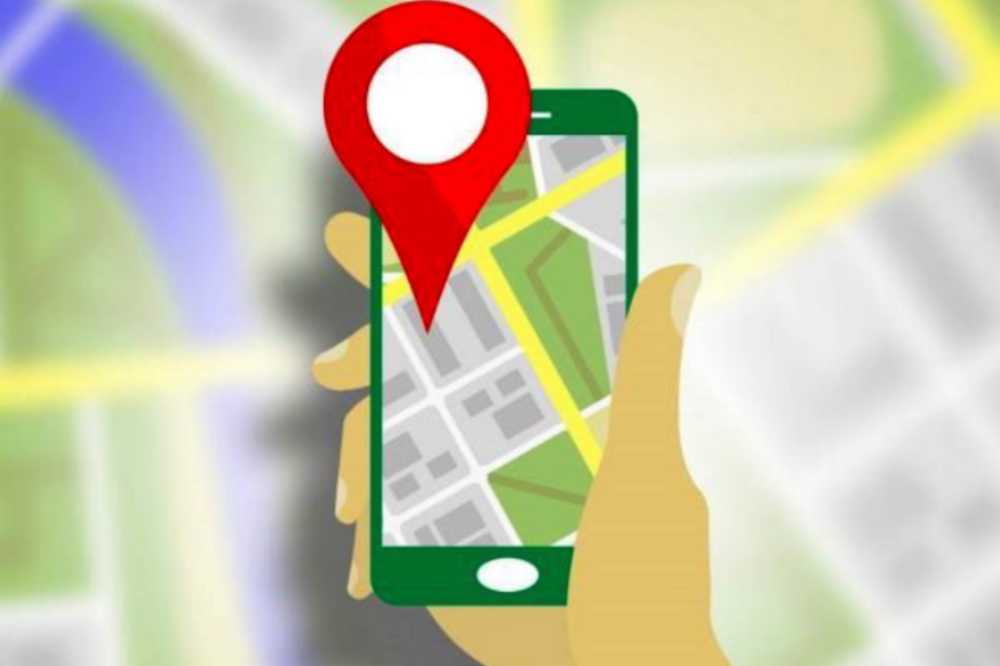
    4. Turn off the GPS system

    When it comes to settings, some devices already have a GPS pre-programmed, while others may have it divided into separate categories (often Location or Privacy Settings).

    Disabling GPS is a simple process. However, there is a way to untrace your phone that is much simpler. Your device’s Airplane Mode just has to be turned off if you want to keep your location hidden.

    When your phone is in Airplane Mode, all incoming calls, texts, and alerts are muted in addition to the GPS being turned off, further restricting location access.

    Your Wi-Fi and cellular data will also be turned off when you disable this feature, preventing them from being able to connect to a network.

    5. Manage every app’s permissions

    Make sure that all location-based functions are off in your phone’s settings. You may prevent needing to disclose your phone’s position by disabling the GPS activation using this.

    The protocol for removing app permissions differs somewhat across Android phones and Apple iPhones due to their various layouts.

    iPhone Procedure:

    1. Access the Settings app on your phone.
    2. Scroll down the page until you find the option for Privacy settings.
    3. Pick Location Services in step three. You should now be able to see the programs that are currently utilizing your location after clicking on this.
    4. After that, you may disable the feature whenever you want by just sliding the bar at the very top of the page.
    5. You have complete control over the programs you want to disable using the location services on an iPhone.

    Android Procedure:

    1. Open the Settings app on your phone.
    2. Secondly, choose the Location tab.
    3. Choose Google Location Settings in step three. You will then have full access to disable Location Reporting and Location History.
    4. Location Reporting accomplishes what its name implies and “reports” location data with the applications on your phone, whereas Location History keeps pertinent information kept on the phone for usage in the future.
    5. You may also remove all of your prior location data using these options, which can help you make your phone untraceable.

    6. Make Use Of A Prepaid Mobile Phone

    This is an additional practical strategy for making sure your phone is untraceable. All you have to do is get a prepaid phone from the local electronics shop, one that simply lets you make and receive phone calls.

    Make careful not to share any private information, such as your entire name or address, during this specific phone contact, and keep it quick. Ideally, you should also make the phone call in a remote area that isn’t your usual hangout so that mobile phone towers and satellites can’t trace the position of your address.

    Conclusion

    These are just a few techniques that might help you learn how to make your phone hard to trace. We also want to be clear that using any of the techniques described here to make a phone untraceable should not be done for any unlawful activities.

    The information and techniques described here are provided solely for informational reasons and should not be interpreted as a recommendation to engage in any criminal activity.

  • How to Solve a Pink Screen on a Computer

    How to Solve a Pink Screen on a Computer

    Similar to the blue screen, Windows users may also experience the irksome pink screen problem. If you own a laptop, you have probably seen one of these screen issues over time. A less common but less well-known problem is a pinking laptop screen.

    There are typically ways to remedy a pink screen on a laptop, which can occur for a variety of reasons. This might happen in a number of ways, including problems with your connection cord or your GPU.

    Why is the display on my PC going pink?

    The dreaded Pink Screen of Death on a Windows PC can be caused by both hardware and software issues.

    Loose or damaged connections between the motherboard and the display are the most frequent hardware issue.

    Another hardware-related problem is high GPU temperatures, which can occur for a number of reasons, such as dust buildup and overclocking.

    Software issues can be caused by outdated or faulty drivers, malware infection, programs that conflict with one another, problematic games, and wrong display settings.

    How many error screens are there?

    The blue screen of death is the most prevalent of them all. Here are a few more you ought to be aware of:

    1. The “pink death screen”
    2. Death-screen Obscura
    3. The death screen in orange
    4. The death screen in purple
    5. The death screen in red
    6. Death screen in white
    7. Yellow death screen

    An easy workaround for a Pink Screen

    Most of the time, your problem will have a pretty straightforward solution. So, check over this list of repairs and see if any of them could apply to you before you go out and spend money hiring an expert to help you.

    1. Upgrade your drivers
    2. Restart your laptop or desktop
    3. Stop using hardware acceleration
    4. Cross-check each wire.
    5. True Color from Dell (Dell Users)
    6. Test the Night Light option.

    How to properly fix the pink screen error

    Drivers update (Graphics)

    Most Pink Screen of Death problems is caused by outdated or incorrect graphics drivers. Update your graphics driver to attempt to solve this issue.

    You may update the driver by using the following methods.

    1. To access the menu list, first hit Windows + X on your keyboard.
    2. From the menu, choose Device Manager.
    3. To access the list of graphics cards, double-click on Display Adapters.
    4. Next, choose Update Driver Software by performing a right-click on the graphics card. It will query How would you want to find driver software?
    5. Select the option to Browse my computer for driver software if you want your graphics card to update automatically rather than automatically searching for updated drivers.
    6. Finally, adhere to the directions on the screen to install the latest driver.

    Use an outdated graphics card driver.

    The Pink Screen Error warning that appears on your Windows screen might be caused if you are already running the most recent Nvidia driver.

    The previous graphics card driver may be downloaded from the manufacturer’s website after you delete the current ones from Device Manager. Check to see whether the problem is repaired after installing outdated drivers on your PC.

    Uninstall recent software from the computer

    Your system may not be compatible with or damaged by the software you installed. As a result, remove the software or application if you discover that it caused the Pink Screen of Death.

    To remove an application from your computer, adhere to the procedures below:

    1. Initially, start your PC’s Control Panel.
    2. Select Programs and Features by pressing the button.
    3. Look for the application you just installed on your computer, then right-click it.
    4. Next, choose the Uninstall option.
    5. Even after removing any software or application, the system may still have some leftover or undesirable files that might lead to the Pink Screen of Death problem reappearing.
    6. Therefore, confirm that you have entirely eliminated from your system any files associated with that particular program.

    Monitor GPU temperature

    Because it lowers video card performance, GPU overheating can also result in Pink Screen of Death issues. As a result, you should frequently check the temperature.

    The majority of people overclock the components to gain the maximum performance, although doing so might harm the graphics card. Disable overclocking if you see an abnormally high or growing GPU temperature.

    To delete overclocking settings, follow these steps:

    1. First access Settings on your computer.
    2. Hit the Update and Security setting button.
    3. Choose Recovery from the menu on your screen’s left sidebar.
    4. Click the Restart now option under the Advanced Startup section.
    5. Then pick the Advanced option under Troubleshoot.
    6. Select UEFI Firmware Setting by clicking it.
    7. Click Restart. BIOS will then launch automatically.
    8. Go to the Performance section after selecting the Advance option.
    9. If the Overclocking option in this section is active, turn it off.
    10. Next, save your modifications and restart your computer as usual.

    Remove any external devices.

    The Pink Screen of Death issue can be brought on by external peripherals such as a printer, webcam, speakers, flash drive, microphone, media card readers, or external hard drive attached to your computer.

    Therefore, turn off your computer and disconnect it from any external devices other from your display, keyboard, and mouse. Start your computer after that to see if the pink screen issue has been fixed.

    Repair Service

    You may have an issue with your Windows screen if none of the aforementioned fixes for this screen error problem work for you. So, try calling a repair shop or changing the screen.

    What is the most recommended solution to fix the pink screen?

    It is recommended to use the PC Repair Tool if the pink screen of death problem or other symptoms persists on your Windows 10 computer.

    This is a sophisticated repair application that, with a single scan, can identify and resolve a wide range of Windows issues and tenacious computer difficulties.

    You can accomplish a lot of things with this, such correct different update issues, fixing damaged Windows system files, addressing DLL faults, and registry mistakes, and preventing virus and malware infection.

    In order to improve gaming performance, this corrects faults and makes your Windows PC run like new.

    Conclusion

    This article is all about the Pink Screen error problem that appears on Windows screens.

    Well, the pink screen problem is actually rather annoying, so to solve it, try each of the solutions provided one at a time until you discover one that works for you.

    It’s likely that you can use one of our techniques to get beyond Windows 10’s pink screen of death.

  • How to Download YouTube Videos to a Flash Drive

    How to Download YouTube Videos to a Flash Drive

    The most popular medium for sharing videos is YouTube, a division of Google. Billions of user-generated videos that have been posted through user channels reside there. YouTube attracted an average of 2 billion monthly viewers in 2020 due to its popularity. 

    The variety of content is one reason why consumers enjoy viewing films here. You may view music videos, vlogs, lessons, live broadcasts, gameplays, and more. However, you can only watch the videos you downloaded in this manner on YouTube’s apps. In other words, you cannot download YouTube videos on a USB stick or any other external device.

    To download movies from YouTube to a USB stick without any restrictions, you must utilize third-party software. From there, you may transmit the video file to any other device, such as a USB stick, without any further restrictions.

    There are several ways to download a YouTube video clip, but we will only discuss a handful in this post.

    How to Download videos from YouTube to flash drive using video downloader

    On Windows, macOS, and Linux, OBS Studio is a free and open-source screen recorder. It can immediately store high-quality YouTube video downloads on a USB stick. While downloading a YouTube video, you may use it to add other scenes like pictures, text, a camera, other Windows, etc. MOV, MP4, and FLV are the possible file format.

    How to Download YouTube Videos to a USB Flash Drive Using OBS studio

    1. Start the download process by opening the YouTube video. Open OBS Studio after inserting your USB flash drive into the PC.
    2. Select the destination folder as the USB stick file by clicking Settings>Output>Recording path. and press OK.
    3. Then choose Display Computer and Audio Output Capture on the Sources side after adding a scene to the Scenes side.
    4. As soon as everything is prepared, start the YouTube video and select Start Recording. when it is finished, click Stop Recording.
    5. YouTube video has successfully downloaded on a USB stick. To hear the downloaded music, select File>Show Recordings.

    How to Use a Browser Extension to Download a YouTube Video to a Flash Drive

    You may download YouTube videos to your computer using a variety of YouTube downloader plugins. These YouTube videos may then be copied to your USB flash drive. Additionally, you may do this for free to save a YouTube video on a flash drive.

    You may utilize your browser or the Internet to look for a YouTube downloader plugin if you want to use such a program.

    The typical procedures for downloading a YouTube video on a flash drive are;

    1. Make sure your computer can detect your flash drive by connecting it.
    2. Include the YouTube Downloader browser plugin. After installation, your browser might need to be restarted.  
    3. Visit YouTube.com 
    4. Next, locate the video you wish to save and start it up.
    5. To download the YouTube video to your computer, click the “Download” icon that appears beneath the video.
    6. (If you don’t see the download button, you may access the download choices by clicking the extension icon visible in the upper right corner of your browser.)
    7. Navigate to the “Downloads” folder on your PC to find the YouTube video that you just downloaded, then copy it to your flash drive.

    How to Use an Online Video Downloader to Copy a YouTube Video to a Flash Drive

    You may instantly download YouTube videos from the website by using an online video downloader. Using the URL, you may download a YouTube movie to your flash drive without any further software or programs.

    The following are issues with internet video downloaders:

    1. Ad that is obtrusive may bother you.
    2. You can be sent to another webpage or website.
    3. The video can’t be effectively captured by the website.

    As a result, you should be cautious while selecting the tool you want to use. Here, I’d like to demonstrate how to use one of the online programs to download a YouTube movie on a flash drive.

    1. Visit YouTube.com and note the URL of the video you wish to download.
    2. Enter the URL into the address bar on the website where you may download videos.
    3. Select “GO.” You could be sent to a different page. If that’s the case, leave that website and return to the video downloader.
    4. At this point, you ought to see all the download options, including those for both audio and video.
    5. Select the preferred choice and click “Download” to download the YouTube video to your PC.

    Connect your flash drive to your computer when it is finished, then copy the video to your USB by going to the “Downloads” folder.

    Can YouTube Videos Be Copied to a USB?

    You may simply copy the video file from the downloaded YouTube videos and put it into the USB flash drive. You can use the techniques listed above if you haven’t downloaded the movie.

    Conclusion

    You can copy a YouTube video to your flash drive quite easily with the aid of these free tools and software. These programs may all be used to download videos from social networking sites or other online video sources.

    Apply one of them to get things done quickly if you also need to download videos from websites such as Twitter, Facebook, and others.

  • Google’s Equiano Cable: What Connection Will it Bring to Nigeria?

    Google’s Equiano Cable: What Connection Will it Bring to Nigeria?

    Google is furthering their footprint in Nigeria with the rollout of an underwater cable stemming from Portugal and routing to South Africa, with the first connection being made in Nigeria, with an operational go-live scheduled for December. Dubbed ‘Equiano’, this new cable is a high-capacity link that will significantly boost digital transformation efforts in the country.

    Equiano is no less than 12,000km of cable that was completed in April of 2022, but has not yet been switched on. The cable will also have points at Togo, Namibia, South Africa, and St Helena. What does this mean? Lower cost fast internet for the region

    Its design has 20 times the capacity than any other cable that’s currently supplying the area. The Equiano subsea internet cable will no doubt positively impact connectivity, which, in turn, means better internet access in terms of speed and favorable internet tariffs. Thus, Nigeria will be benefiting from an overall enhanced user experience. This is also great news for those who love online gambling or placing a good sports wager, because there are new online casinos to choose from, where players can enjoy playing great games without the commitment of depositing any of their funds.

    Google get serious in investments in South Africa

    Google’s subsea cables division is gathering speed. With investments totaling a staggering $47 billion between 2016 and 2018, it’s clear that the internet giant is set on world domination not just in the digital space but in actual hardware infrastructure to support web3 and other high-speed internet operations.

    Google now has 24 subsea internet cables with 134 touchpoints around the globe. This new European-African link is significant in a region where there is rapid growth in innovation that is being stifled by issues such as connectivity and rolling blackouts.

    Quality and reliability of utilities a headache for tech innovation

    Load shedding is something that many experience, such as South Africans who have to deal with two hour outages on a daily basis. 

    However, even when the electricity is cut, internet access can still be available, when a battery is used to power a router and a laptop is fully charged or connected to a power bank. This is excellent news for personal use, but can also be used in business, where a lean technology hardware setup with cloud storage and operations allows people to work even when the power is out.

    Nigeria’s growing tech industry is the largest within the continent, and represents 14% of the country’s GDP, so new projects to support the sector are desperately needed to fuel this growth and innovation, plus attract talent to the country.

    The growth in Africa overall in tech and business over the past few years has certainly been interesting to watch. However, these headaches often mean that when companies become successful, that they choose to move their operations to overseas locations to be able to do work more efficiently and effectively.

    Projects like Equiano can help keep money within the country, and allow for significant growth to occur, unfettered by utility issues.

    Google and digital transformation in Africa

    Google knows that by helping Africans do business better, they’re helping Google do business better. By making Africa wealthier by keeping money in the country, they will also be able to offer their own products to a wider audience. Products such as Google Ads and Google Cloud Platform have helped Alphabet, Google’s umbrella company, earn a tidy $200 billion USD in 2021. This is significantly more than the previous years, representing almost 30% growth year on year, and their largest annual revenue jump to date. 

    With more investment into the African markets, Google can also drive their own revenues up by association. As part of a five year $1 billion plan for boosting services in the region, which is now a year in, the company is planning to provide affordable access, business support for digital transformation, investment into entrepreneurs and nonprofits. There are various projects underway, such as the Africa Investment Fund, the Black Founders Fund, the Google Hustle Academy, and more.

    It’s an exciting time for tech and business in Africa and Nigeria, so its no wonder that Google wants to get in on the action and establish strong relationships now, rather that let competitors get a better foothold.

  • Ways to transfer music from a laptop to a smartphone

    Ways to transfer music from a laptop to a smartphone

    Nowadays, many prefer to listen to music on their phones. Undoubtedly, music improves one’s mood by reducing discomfort and anxiety. Also, many people use it as a means of emotional expression.

    On your phone, you may listen to music and share it with your friends. You can transfer music from your computer to your Android IOS phone so that you may listen to your favorite music when you are on the road.

    It goes without saying that you cannot carry your computer with you wherever you go, but you can easily take your smartphone. These are the primary causes of music syncing across computers and mobile devices. Here are 6 cost-free methods to achieve that.

    Using a USB cable, transfer music from a computer to a Mobile device

    The USB cord is still an efficient but outdated way to transfer music from a computer to an Android device.

    Yes, a USB cord might be useful to quickly transfer music from a computer to an Android device if you are unable to obtain a third-party data transfer program.

    Additionally, this transfer technique just takes a few clicks to complete and doesn’t require an internet connection.

    1. Utilize this cable to connect your Android handset to your PC. Next, choose “Transfer files” from the pop-up windows that appear on your computer’s screen (MTP).
    2. To choose the music files you wish to move to your Android phone, use the Windows File Explorer software and go to the ‘Music’ folder.
    3. Finally, just drag and drop the music files from your computer’s storage to the Android device’s “Music Folder.”

    Easy and quick music transfer from PC to Mobile Phone with MobileTrans

    Make sure Wondershare MobileTrans data transfer software is downloaded and installed on your Windows or Mac computer before moving on to the procedures.

    1. Connect your Android device to your Mac or Windows computer and run the MobileTrans program. Then, after selecting “Phone transfer,” select “Import to phone” from the list of possibilities.
    2. To upload things like music to your Android smartphone from your computer, choose Music from the left-side menu on the new interface and click “Import.”
    3. After selecting the Music file, click Import once again. Your PC will immediately send the music to your Android device. 

    As you can see, utilizing the MobileTrans data transfer program to sync music from a PC to an Android device does not require any technical expertise. It is simply only a few clicks!

    Without a USB cable, transfer music from a laptop to a phone.

    The easiest way to transfer music from a laptop to a phone when you don’t have a USB cord is by utilizing a cloud service or file transfer software.

    To successfully transfer files this time around, as opposed to when utilizing a USB cord, your PC will need to be installed with a cloud service or third-party file transfer program.

    A. Using Cloud Services like Google Drive or iTunes

    Without the use of a USB cable, cloud services like Google Drive, Dropbox, etc., make it simple to sync files from a PC to an Android device. Installing Google Drive on your computer and creating or logging into a Google account is all that is needed to complete the task.

    To transfer music from a PC to an Android device using Google Drive, follow the instructions below.

    1 First, log into your cloud service (Google drive, drop box or iTunes) account online and choose New from the menu that appears in the top-left corner of your PC’s screen. Then click “File Transfer” to upload each of your selected music files directly from the PC. However, you should select “Folder Upload” if you want to upload a group of music files.

    2. Next, download the Google Drive program to your computer and login in with your Google account.

    3. Select the Music folders and files by clicking the “Choose Folder” button. At the bottom of the screen, press the Next button.

    4 Select “Sync my drive to this computer” from the pop-up that displays on your screen, and then click “OK” to continue. All of your Google Drive files will be downloaded to your PC as a result, and your computer’s music files and folders will be transferred to Google Drive.

    5. Open Google Drive on your Android smartphone and sign into your account to browse the uploaded music files and save them to your library when your music files and folders have been successfully uploaded.

    B.  Using the AirDroid File Transfer App

    To download music from a PC to any mobile device without a wire, you may alternatively utilize file transfer programs like AirDroid or a cloud service.

    1. If you are on an Android device, download and install AirDroid. then register for an account to continue. (skip if you are using  IOS)

    2. Next, download the AirDroid app to your PC, set it up, and sign into your account.

    3. The program will automatically identify your Android device after you log in to your AirDroid account.

    4. Select your Device from the left side of the screen after clicking the “File transfer” button.

    5. To upload the music files from your computer, drag and drop them there or click the “Send file” option in the bottom left corner of the screen.

    6. Finally, press the “Send” button to quickly send music from your computer to your Android device.

    With the help of the device management program AirDroid, users may easily manage files on their Android mobile device from their PC. You can manage your contacts, emails, files, Whatsapp messages, SMS, and more with AirDroid.

    How can I move music from my Mac to my Android? via the use of Android file transfer

    1: On your Mac computer, download and install the Android file transfer program.

    2: Start the Finder app’s Android file transfer and attach your Android handset to the Mac computer using its USB cord.

    3: To finish the process, drag and drop the music files you wish to transfer to your Android smartphone.

    Conclusion

    Any device will function flawlessly with the PC-to-Android music transfer method described on this page. Whether you want to transfer music from your PC to a Samsung, Huawei, Techno, etc. phone is irrelevant. You can use AirDroid, a USB cord, the MobileTrans data program, or cloud service transfers to do the transfer.

    Everything is up to you to decide. However, as it is more efficient and enables the quicker transmission of large audio files with only a few clicks, we strongly advise utilizing the MobileTrans data transfer application.

  • How to Use Apple Keynote to Scroll Text

    How to Use Apple Keynote to Scroll Text

    A slideshow on steroids is what you get with Apple’s Keynote. With Apple’s Keynote, your presentations can also include animations, music, and videos in addition to the slides you produce. You may utilize one of Keynote’s “motion” functions to generate “scrolling text”.

    What is Apple Keynote?

    IOS, iPad, and macOS are Apple’s free presentation tools in keynote It is a component of the work package along with Numbers and Pages. In use, Keynote is comparable to Microsoft PowerPoint. Here, we’ll explain what Apple Keynote is and how you may use it. 

    A variety of contemporary eye-catching templates and a clean, basic style make producing presentations a delight. Although learning is sometimes incorporated, Keynote’s numerous capabilities provide a great platform for presenting and exploring new material. The features’ ample help text and straightforward design make navigation and creation simple.

    Scrolling Techniques in Apple Keynote

    • Long Scrolling.
    • Fixed Long Scrolling.
    • Infinite Scrolling.
    • Tasteful Parallax Scrolling

    Apple Keynote offers a variety of options to help you create this specific effect. To use Apple’s Keynote to scroll through Text follow these steps;

    1. Select “New” from the Keynote menu bar, you may begin adding new slides to your presentation.
    2. From the menu at the top of the Keynote window, choose the “Text Box” option.
    3. Type the words you wish to see in the scrolling credits. To insert spaces between the various text fragments, press “Return.” When needed you can change both text font size and font family.
    4. To remove the content from view, drag the full-text box to the bottom of the page after clicking on its outside border to highlight it.
    5. To access the build tools, first, click the Inspector symbol in the top right corner of the menu bar.
    6. Then click the “Build” button in the top right corner of the Inspector. The Build menu will let you select “Action.”
    7. From the drop-down selection for “Effect,” choose “Move”. By doing this, a second, somewhat more faded version of your text box will show up on your Keynote presentation.
    8. Select the fading text box and move it above the Keynote window off of the screen. Your text box will be moved from the bottom of the window to the top by doing this, as instructed by Keynote.
    9. To slow down the scrolling text, choose “None” from the Inspector’s Acceleration drop-down menu, and then click the “Duration” option until “5.00” is shown.

    What is the scrolling Effect?

    The ability to scroll within the slide from top to down. This is known as a scrolling animation. Any type of animation can be used, including moving parts, fading effects, and changes in color, size, or shape, among other possibilities.

    Shortcut for scrolling Text in Apple Keynote.

    1. Press B to go to the bottom of the screen.
    2. Click T to go to the top of the screen.
    3. Hit the Space bar to scroll down a screen.

    Conclusion

    Keynote’s text scrolling effect creates an outstanding presentation thanks to its user-friendly interface. This enables collaborative teamwork to produce stunning presentations that include cinematic effects.

  • TM Whatsapp: APK Download, Latest Version & Features

    TM Whatsapp: APK Download, Latest Version & Features

    Are you looking for a modified version of WhatsApp that has options like timing your responses, concealing double or blue ticks, accessing deleted messages, and more? You may obtain the most spectacular WhatsApp mod features with TM Whatsapp apk, which is the greatest alternative accessible.

    What exactly is TM WhatsApp Apk?

    Titus Mukisa, the man behind this app’s development, is known by the initials TM in the TM Whatsapp APK. Since TM Whatsapp is a modified version of the original WhatsApp it offers a variety of features and functions that are absent in the original WhatsApp app.

    There are several things that one may anticipate in TM Whatsapp Apk. It is among the most effective and compact messaging programs available.

    You can only pick 30 photographs at once, just as in the official WhatsApp messenger, and you can only send messages to a maximum of 5 people. However, TM WhatsApp has disregarded all restrictions and now offers the greatest features available. This Modded version has a lot more features, too numerous to list.

    There are many incredible features in TM Whatsapp that you won’t find in other WhatsApp mod apps. Users of the most recent version of TM WhatsApp now have one-click access to download WhatsApp statuses. You no longer need to request someone else’s WhatsApp status update. In contrast to the standard 24-hour duration, TM Whatsapp allows statuses to last up to 36 hours.

    What is TM WhatsApp’s most recent version?

    TM WhatsApp’s most recent version is v8.40F.

    How to download TM Whatsapp Apk?

    1. Delete the old Whatsapp version if your phone’s storage is low (this step is optional).
    2. If you wish to recover your deleted files, you must have a backup else you risk losing your data if you don’t save it.
    3. You may back up the data in cloud storage from the chat settings.
    4. You must enable “Unknown Sources” in your device’s settings in order to download APK applications.
    5. TM WhatsApp APK may be downloaded via Google.
    6. Download the APK file.
    7. It might take a few seconds or many minutes to install.
    8. After the installation is finished, click the Open button. “Agree and Continue” must be clicked.
    9. Type your phone number here.
    10. Then choose “Copy WhatsApp Data.”
    11. If you wish to save your old account, make a backup of it, or make a new one.

    Features of TM WhatsApp Apk Latest Version

    Knowing TM Whatsapp’s latest features in particular is essential since it may reframe and clarify perceptions of APK files. Moreover, read the specification I have provided below to learn more about TM Whatsapp:

    Privacy Policies

    Whatsapp TM offers a wide range of privacy options that let you manage your chats and status updates. Additionally, you can do the following things:

    • Airplane mode
    • Security code
    • Hide second tick
    • Hide blue microphone
    • Free last seen
    • Hide blue ticks
    • Custom themes
    • Hide view status
    • Anti-delete messages
    • Disable calling
    • Hide typing

    Also, you may decide which contacts can or cannot view your status. In addition, you have three choices: contacts except this, reveal to all contacts, and only myself. Because your data is kept secret and secure, end-to-end encryption security also offers a high level of protection.

    Contacts Disabled Feature

    In typical Whatsapp, you may simply ban selective contacts. However, you may directly turn off your calls and texts in TM Whatsapp. To activate this option, you must go to the contact’s chat settings and choose the option to turn off calls or messages. so that you can freely and fully take pleasure in your chat.

    Undeleting Messages

    Anytime someone sends you a message, he or she can rapidly erase it so you won’t be able to view it. TM Whatsapp has therefore offered the chance of an anti-delete messaging mechanism. You can still view messages and status updates even if the other person deletes them.

    Customization

    TM Whatsapp has a flexible customization feature that might increase its allure. You may expressly switch between themes and customize the Whatsapp photo that appears. Additionally, you have the option to alter the backdrop or the complete structure in accordance with chosen themes.

    Automatic Replying or Auto-replying Mode

    With TM Whatsapp, you may create personalized text in the auto-replying mode. so that you may deliver your contacts whenever you have time. You may also conceal your discussions in addition to that. You must do this by hiding the home screen’s messages and notification section. It is crucial, particularly for individuals who prefer to keep their interactions private.

    Routine Messages

    Additionally, you can choose the scheduling for messages as well as the exact contacts to whom you wish to send them.

    Excellent Sending Capacity

    TM Whatsapp, which is extremely fantastic, allows you to send a lengthy status that lasts at least 7 minutes. Although the original Whatsapp does not support massive sharing, you may transmit up to 100 documents simultaneously. Additionally, you may transfer 100MB of audio at a time using TM Whatsapp, which has a very large audio transmission capacity. Additionally, you may send 100 images at once.

    Is TM WhatsApp secure?

    It is, although it is advised against using any Modded versions due to the numerous privacy issues with the messaging software.

    Can I Get TM WhatsApp On Google Play Store?

    NO, since it’s a modded version, which you can obtain from reliable websites.

    Conclusion

    This application has a lot of cutting-edge features packed into it, in my opinion. TM WhatsApp has achieved a significant deal of success thanks to its features, security measures, and privacy policies.

    This program is allegedly unlawful because it is a modified version and cannot be found on the Google Play store.

    Since the WhatsApp organization does not actually own this program, therefore, any privacy-related concern might eventually hurt you.

    However, this program has received positive consumer feedback, and users claim that they have never had any privacy difficulties.