Author: Mfidie

  • How to Change Your Billing Address on Amazon

    How to Change Your Billing Address on Amazon

    Are you attempting to modify your Amazon billing address? Changing your billing address is simple and only takes a few minutes, whether you’re planning to place an order or have already done so.

    Regardless of whether you’re using a computer or a mobile app, we’ll walk you through the process in this post.

    About amazon billing address

    A billing address is where Amazon will send your orders, but it doesn’t have to be your current home address or even one that you check frequently.

    You can designate any address for shipments, as long as it meets Amazon’s guidelines for a valid delivery address, and note that you can also set up more than one shipping address if you’d like to give gifts or ship items elsewhere more easily.

    Why you may want to change your billing address

    One way criminals get credit card information is by getting their hands on unshredded billing statements. If you are trying to avoid identity theft, it’s important to know what your shredding requirements are.

    How to change Amazon’s billing address on a PC

    1. Initially, visit Amazon’s official website.
    2. If you haven’t done so previously, you must log into your Amazon account next.
    3. The Accounts and Lists option must be selected next.
    4. From there, you must choose the “Payment Options” link.
    5. The list of all the cards you’ve added to your Amazon account is the next thing you’ll see.
    6. After choosing any of the cards, there is also a button to modify or update the “Billing Address.”
    7. Following the directions on the screen, you may then modify the “Billing Address.”

    How to change your Amazon Billing Address using the Amazon App

    Therefore, we have demonstrated how to alter your Amazon billing address on the desktop version of Amazon’s website above. On the Amazon app, you may, however, also alter the billing address. And we shall discuss I in this section.

    1. On your smartphone, launch the Amazon app.
    2. If you haven’t already, log in to the account from which you wish to alter the billing address.
    3. The next step is to touch on the hamburger icon or the three horizontal lines in the top-left corner of the screen.
    4. Following that, you must tap on Your Account on the left sidebar.
    5. Following that, you must scroll down and touch on the option labeled “Manage Payment Options” on the following screen.
    6. You may get a list of all the cards linked to your account on the following page.
    7. Additionally, you will see an Edit option underneath each card. So choose Edit from the menu.

    Will changing amazon billing address affect my account?

    Changing amazon billing address will have no negative impact on your account. You can continue using your account manually. But whenever you want to make an order, note that, your new address will be where the delivery will be sent to

    Conclusion

    Changing your amazon billing account should not be a struggle for you if you follow the steps above. I hope these steps help you to resolve the issue of changing the billing address in your amazon account.

  • How to start a new Paragraph in Facebook Messenger

    How to start a new Paragraph in Facebook Messenger

    It might be difficult to begin a new paragraph on Facebook Messenger, especially if you’re accustomed to using your computer’s default text editor. On Facebook Messenger, there is no set method for beginning a new paragraph.

    When writing longer texts, paragraphing is a crucial factor to take into account. Paragraphs can help you communicate your ideas more clearly, whether you’re sharing a crucial fact or an engaging tale. 

    How to start a new paragraph in Facebook Messenger

    Method 1

    Using your desktop and laptop browser

    1. On your PC’s web browser, go to FB.com or Facebook.com.
    2. Enter your Facebook ID now by giving the necessary information.
    3. Then, from the top menu bar, select the ‘Message’ icon.
    4. You may now pick any of the discussions you want to start from the list.
    5. Choose the recipient of your message accordingly.
    6. As a result, the chat box will show up on the screen.
    7. Enter your message in the message field to begin.

    Simply press the “SHIFT+ENTER” keys on your keyboard simultaneously every time you want to add a new paragraph or a line break. In this manner, you will be able to observe that a new line break has been made and the message has not yet been delivered.

    In a PC browser, this is the simplest method for adding a new paragraph to Facebook Messages. All you need to do is keep in mind the shortcut key combination “SHIFT+ENTER” to use that.

    Another brief hint is that if you need to manually create a new paragraph or a line break in any other programs, you may use this shortcut key combination to do so.

    If you haven’t already, sign into your Facebook account first. Start typing your new status update in the relevant area now.

    Now, for PC browser users, adding a new line is as easy as pressing the Enter key twice on your PC keyboard. This will create a new paragraph or line break.

    Additionally, users using the Facebook app for smartphones can touch the “Done” or “Enter” key on the floating/virtual keyboard on their device’s screen.

    Using the Facebook app on mobile phones

    1. If you haven’t done so before, first log into your Facebook account.
    2. In the relevant area, begin by typing your new status update.
    3. In order to add a new line, PC browser users just need to hit the “Enter” key twice on their keyboard.
    4. New line breaks or new paragraphs will be created as a result.
    5. For those who use the Facebook app on their smartphone, you may also touch the “Done” or “Enter” key on the floating/virtual keyboard on the device’s screen.
    6. The result will be the addition of a new paragraph.

    Method #2

    You can easily add a new paragraph to a status update by clicking the “Enter” key twice on your keyboard if you’re using Facebook’s desktop version. This adds a line break so that you may begin typing the following paragraph after the first one.

    If you’re using a mobile browser or the Facebook app on a smart device, the same technique will apply to status updates (smartphone, table). 

    The “Enter” option does not always start a new paragraph when entering and uploading a remark on Facebook. Instead, it works with the Facebook app on smartphones, tablets, and the majority of mobile browsers.

    However, using the “Enter” key will only submit the remark while using Facebook’s desktop application. Thus, you must simultaneously press “Shift” and “Enter” to start a new paragraph.

    Conclusion

    I’m curious why there isn’t a way to start a new paragraph on Facebook. But everyone is aware that in the future, we will have the opportunity to add a new paragraph and perhaps other techniques to make our content appear more appealing. But until then, we must utilize two keys: shift and enter.

  • Top 5 Crypto Communities in Ghana

    Top 5 Crypto Communities in Ghana

    It’s safe to say the cryptocurrency and blockchain community in Ghana are currently buzzing with excitement.

    As the popularity of Bitcoin, Ethereum, and other cryptocurrencies have grown, so have the number of crypto communities in Ghana and online.

    Here are 5 crypto communities in Ghana that are worth checking out if you’re interested in getting more involved in the growing cryptocurrency community locally or globally.

    What is a crypto community

    Crypto communities are a great way to connect with others who have the same interests as you. It can be challenging to find these communities though, especially if you live in a country like Ghana.

    Top 5 Crypto Communities in Ghana

    1. Facebook Groups

    There are many Facebook groups that exist solely to discuss cryptocurrency, but the ones below are the most well-organized and active. They can answer most questions you might have as a beginner as well as offer insightful commentary on the future of blockchain technology.

    • The Bitcoin Africa Group: This is for anyone who wants to learn about Bitcoin mining, trading or other related topics.
    • The Cryptocurrency Trading Academy: This is an exclusive facebook group for more advanced traders. Its one of the best places to ask questions and get feedback on your trading strategies from some of the best traders out there.
    • The Altcoins Trade group: This group is open only to those interested in trading altcoins. It’s great if you’re looking for new coins or want advice on where prices may be headed next.
    • The ICOs/Tokens Discussion Group: This group is dedicated to all things token sales, including investing advice, ICO updates and technical discussions like hard forks etcetera.

    2. Reddit Subreddits

    Reddit is a treasure trove of information on all things crypto-related. There are several crypto specific subreddits that have grown in popularity. They include:

    • r/cryptocurrency
    • r/litecoin,
    • r/bitcoinmarkets
    • r/ethereum
    • r/ethtrader
    • r/bitcoingh
    • r/cryptomarkets

    These communities are great for asking questions and learning how to do things like start a crypto exchange company. Some of these communities allow you to actually sign up for access so that you can stay updated on their network.

    3. Meetup

    Being a part of a community will help you stay accountable. Meetups with fellow members to discuss new developments and brainstorm ideas are a great way to keep yourself on track.

    The Ghana Blockchain Association (GBA): is a non-profit organization focused on bringing awareness about blockchain technology to businesses in Ghana.

    The GBA holds workshops for people interested in learning how to get started using blockchain technology. The Ghanaian Bitcoin meetup has more than 400 members who meet once per week for educational sessions.

    4. Telegram Groups

    These are great for staying up to date on news and announcements. Join as many as you like. Some of our favorites:

    • Bitcoin
    • Ethereum
    • Litecoin
    • Tron
    • Cardano
    • Stellar Lumens.

    If you’re not sure where to start, just type crypto telegram groups into Google or your preferred search engine and pick a few that look interesting. There is no shortage of crypto communities online.

    5. YouTube Channels

    There are several great YouTube channels that provide excellent insight into cryptocurrency and Bitcoin. Some notable channels include;

    • Bad Crypto
    • Crypt0
    • Coin Mastery.

    You can also search for specific crypto exchanges like:

    • Bitmex
    • Coinbase.

    NB: Choosing the right cryptocurrency can be hectic looking at how cryptos are swooping the market days in and days. So, investors need to educate themselves before deciding on an option that works best for their requirements.

    Conclusion

    All the above mentioned are good and reliable communites to learn, but it is advisable to always settle for a community that best serves your interest in order not to get confused on your way forward.

  • 1xBet – the bookmaker of true winners

    1xBet – the bookmaker of true winners

    With millions of subscribers playing and winning daily, 1xBet is one of the leaders in the world of betting. Since the launch of the reliable brand in 2007, it has gone ahead to become a forerunner in innovation and advancement. In 2012, the bookmaker became available for users to access via the internet with the launching of its online platform. The lite edition was also inaugurated in 2021.

    Regular modification of products and services with the inclusion of special promotional offers to subscribers has helped 1xBet ascertain itself as a leading betting organisation. This is validated by the numerous awards and recognition it regularly receives from prestigious award institutions. Worthy of mention are wins in the 2020 Esport Operator of the Year category and commendation as the Best Affiliate Product Innovation in 2019. Both from the SBC. 1xBet has also won awards from the IGA for two consecutive years. In 2020, it won the award of the Sports Betting Platform of the Year and also took home the award as the Live Casino at the 2021 ceremony.

    Thanks to the continuous top-notch service and continual improvement the company offers, 1xBet has become a prime choice for gamblers all over the world for their everyday gaming needs. Also, the bookmaker associates with some of the best tournaments and clubs. Some of which are: the African Cup of Nations, Italian Serie A, Spanish La Liga, and FC Barcelona amongst others. 

    Not only does the company associate with well-known competitions and clubs, but it also puts up with creative strategies, establishing trends for others to follow in the betting universe. For instance, through its partnership with well-recognised institutions like WePlay and ESL, lovers of eSports can choose from a wide range of options to bet on from numerous prominent disciplines. 

    1xBet obtained its international operating license from the well-known gambling certification centre in Curacao. Currently, it is licensed to operate in over 50 countries around the globe. This has not stopped its global expansion project and widening its stature.

    Below are some of the distinctive features of the bookmaker that stands it out among competitors:

    Sports betting

    Selected by numerous for their daily betting needs, 1xBet is a world-famous brand.

    Customers subscribe to 1xBet because of the following advantages:

    ■ High bet odds

    1xBet offers superior odds on several options, which allows customers to claim massive wins.

    ■ Wide selection of markets

    There are thousands of events in over 60 different sports available at huge odds for customers to choose from. Some available events are tennis and football, speedway and pesäpallo. Also, there is show-business, politics, science, and economics available to bet on. 

    ■ Quick and easy bets

    1xBet is conscious of the importance of time. It employs the service of contemporary technology to make sure players can pick and place their bets without hiccups. For both live and pre-match selections, customers are rest assured that they will get the best out of their bets.

    ■ A variety of LIVE broadcasts

    The bookmaker has a special and independent segment committed to live broadcasts. Customers can watch live sporting events as they unfold in this segment.

    ■ Innovative solutions

    1xBet constantly implements the latest advancement in technology. This makes it a pacesetter in the industry. Some noteworthy innovations are exotic in-line sports, quick applications, advanced statistics, lite version of the website.

    Regular bonuses and promotions

    1xBet always looks out for its players. Players can choose to participate in bonuses and promotions to boost their winning chances. One popular bonus is the first deposit bonus. For players from Ghana, 1xBet offers the biggest first deposit bonus in the country – 300% up to 2650 GHS!

    Other popular promotional offers the reliable bookmaker provides are risk-free bets on many of the most crucial events in world sports, birthday bonuses, and cashback. Also, 1xBet often launches promotions for important sporting events with prizes such as top-brand smartphones, luxury cars, and tours to some of the best resorts in the world.

    To see a detailed catalogue of offers currently available from the bookmaker, visit the Promo section page on the website. Choose the option that best suits your betting needs.

    Safety first

    Top on the list of the priorities of the bookmaker’s cybersecurity crew is the safety of the personal information and data of its users.

    This protection covers the official website, the mobile application, financial data and all information from the personal account of every player. With the use of two-factor authentication and advanced encryption protocols, 1xBet guarantees the safekeeping of its customers’ data from fraud and theft.

    Top mobile app

    The 1xBet mobile application can be installed on both iOS and Android devices. Some of the features of the mobile app that distinguishes it from others are high speed, great interface, suitable betting process, convenient deposit, and withdrawal of funds from anywhere at any time.

    Daily, more users are subscribing to the app because customers with the 1xBet mobile app enjoy:

    ■ All-round access to high odds from any location in the world;

    ■ Push notifications give instant updates and information about sports events;

    ■ With over 10 000 events on offer per month, users can view live broadcasts.

    Ease of registration

    It is another advantage of 1xBet. Some channels to register from include e-mail and phone number. Gone are the days of long and tiresome filling of forms, everything is now done at great speed, convenience, and with safety as a priority. 

    Prompt deposit and withdrawal of funds

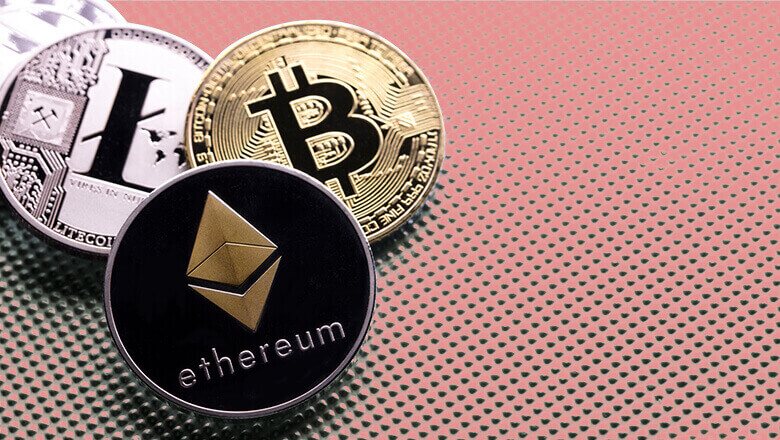
    With over 250 payment options, users can recharge their accounts from just anywhere around the world. As part of its innovative additions, various types of currencies are allowed, including cryptocurrency. 1xBet allows its users to place their bets using over 20 cryptocurrencies that are available to customers on the platform. Some of the popular ones are Litecoin, Bitcoin, and Ethereum.

    24/7 support

    Good customer support is a criterion for quality service. 1xBet provides round-the-clock support services to its users. Also, there is a special online chat option where customers can ask questions and receive answers in over 30 different languages. 

    Users can also put a call through to the customer support numbers listed on the website. Rather, you can order a call, or communicate using the email address. The customer service agents are always happy to respond to all requests. 

    1xBet is your top choice

    After fourteen years of establishment, 1xBet has become a household name with success stories to back up. Some of which are the consistent victories it records at prestigious awards, collaborations with top brands, and high-level celebrities.

    1xBet continues to set the bar high within the industry by offering its users a vast range of bets, ultimate satisfaction for winning, and quality service. 

    Go ahead, register with 1xBet immediately, and enjoy winning with the top bookmaker!

  • Should You Invest in Altcoins Nowadays?

    Should You Invest in Altcoins Nowadays?

    When cryptocurrencies were first being developed, the term “altcoin” was used to refer to any digital currency that was not Bitcoin. And for reasons that should be obvious, Bitcoin was the pioneer, and everyone else simply followed in its footsteps. 

    Since then, however, there has been a significant increase in the level of sophisticated understanding on the various sorts of alternative cryptocurrencies that are available to investors. These cryptocurrencies range from stablecoins to staking coins.

    Already in 2022, we have witnessed the ability of alternative cryptocurrencies to lead a marketplace higher, regardless of what Bitcoin may be doing at the time. Ethereum, for instance, has been a star this summer, outperforming Bitcoin’s performance over the same time period by a significant margin. 

    Understanding Altcoins

    The term “alternative coin” was created by combining the phrases “alternative” and “coin.” In common parlance, it refers to all virtual currencies as well as tokens that aren’t Bitcoin. The blockchains that altcoins were expressly developed for should be considered their home. 

    Forks are a separation of a blockchain which is not functional with the chain that was originally created, and many of these forks originated from both Bitcoin and Ethereum. In most cases, there is more than one factor that contributes to the formation of these forks. Most investors search for reliable information to gain knowledge on the best altcoins to buy for good prices. 

    The majority of the time, a group of programmers has differences of opinion with other groups and decides to forge their own cryptocurrency. Ether, for example, is utilised within the Ethereum blockchain in order to pay transaction costs. 

    This is just one example of the myriad of alternative cryptocurrencies that are put to use within their individual blockchains. Forks of Bitcoin, such as Bitcoin Cash, have been made by developers in an effort to establish alternatives to Bitcoin as a form of currency and payment.

    Others split out and market themselves as a means of generating financial support for particular endeavours. For instance, the cryptocurrency Bananacoin is a clone of Ethereum that was created in 2017 as a means of soliciting financial support for a banana farm in Laos that asserts it cultivates organic bananas.

    Another alternative cryptocurrency is ether. On the other hand, it did not split apart from Bitcoin. For the purpose of providing support for Ethereum, the world’s largest blockchain-based scaling virtual machine, it was developed by Vitalik Buterin, Dr. Gavin Wood, and a few additional people. Ether, often known as ETH, is the cryptocurrency that is used to compensate network participants whose devices validate transactions.

    Different Types of Altcoins

    Alternative cryptocurrencies can be broken down into a wide variety of types. The following is a brief overview of a few of the many types of alternative cryptocurrencies and the purposes that are meant to be served by them.

    Payment Token

    As their name suggests, payment tokens are intended to be used in place of cash, specifically for the purpose of exchanging value between different parties. One of the most prominent examples of a transaction token is bitcoin.

    Stablecoins

    Since the beginning, crypto trading and use were characterised by high levels of volatility. The value of stablecoins is pegged to a group of goods, including such fiat currencies, rare metals, or other cryptocurrencies, with the intention of lowering the overall volatility of the cryptocurrency market. 

    The purpose of the basket is to serve as a reserve that may be used to redeem holders in the event that the currency fails or experiences problems. Stablecoins are digital currencies designed to maintain a constant value within a predetermined price range.

    Security Tokens

    Tokenized assets that can be traded on stock exchanges are known as security tokens. The process of transferring value from such an asset to a token, that is then made accessible to investors, is referred to as tokenization. Tokens can be created for virtually any asset, including real estate and equities, for example.

    Utility Tokens

    Within a network, utility tokens are what are used to pay for various services. For instance, they could be put toward the purchase of services, the payment of network costs, or the redemption of awards. One illustration of a utility token is Filecoin, which can be spent on a network to purchase data storage space and then be used to encrypt the data.

    The Pros vs Cons of Altcoins

    Pros

    • Alternative cryptocurrencies are sometimes referred to as “improved copies” of the original cryptocurrency from which they were formed because of their focus on addressing perceived flaws in the original.
    • Alternative cryptocurrencies that have a greater usefulness, like Ethereum’s ether, have a higher likelihood of surviving since they can be put to use.
    • Investors have access to a wide range of alternative cryptocurrencies, each of which serves a distinct purpose in the cryptocurrency ecosystem.

    Cons

    • When compared to Bitcoin, the investing market for altcoins is significantly less developed. Since May of 2021, Bitcoin’s percentage of the global cryptocurrency industry has typically been consistent at around 40%.
    • There are fewer traders and less activity in the altcoin market, which has resulted in the market having low liquidity.
    • Because it is not usually simple to differentiate between many altcoins and the use cases that are associated with each of them, making judgments on investments is even more difficult and confusing.
    • There are a number of alternative cryptocurrencies that have “died” and ended in losing money for investors.

    Future of Altcoins

    There is a precedent for discussions about the future of altcoins and cryptocurrencies in the events that led to the creation of a dollar that was issued by the federal government in the 19th century

    There were many different types of regional currencies that were used throughout the United States. Each was distinguished by a certain quality and was supported by a particular instrument.

    Additionally, local banks were producing currency, which was sometimes supported by completely fictional reserves. The current state of affairs in the marketplaces for alternative cryptocurrencies is analogous to the variety of currencies and financial products that exist. 

    There are dozens of alternative cryptocurrencies currently accessible on the market, and each one asserts that it is designed to serve a distinct market and purpose. In light of the current situation in the altcoin markets, it is highly improbable that these markets would converge into a single currency. 

    However, it is also possible that the bulk of the thousands of alternative cryptocurrencies that are currently listed on cryptocurrency marketplaces may not survive. The alternative cryptocurrency markets are likely to converge on a select group of altcoins that will come to dominate the markets. 

    These altcoins will be distinguished by their robust usefulness, use cases, and consistent blockchain purpose. It may be more cost-effective to invest in alternative cryptocurrencies rather than Bitcoin if you want to diversify your holdings within the cryptocurrency industry. 

    Despite this, the cryptocurrency market is still young and very volatile, irrespective of the type of coin being traded. Because the place for cryptocurrency in the world economy is still being figured out, it is in everyone’s best interest to approach cryptocurrencies with extreme caution.

  • How to Add ShowMax to Your DSTV Subscription

    How to Add ShowMax to Your DSTV Subscription

    A lot of people don’t know that ShowMax can be added to your DSTV subscription, and so many people are missing out on the chance to watch movies and TV shows when they want.

    This article will show you can add ShowMax to your subscription so you can watch new content whenever you want.

    What is Showmax?

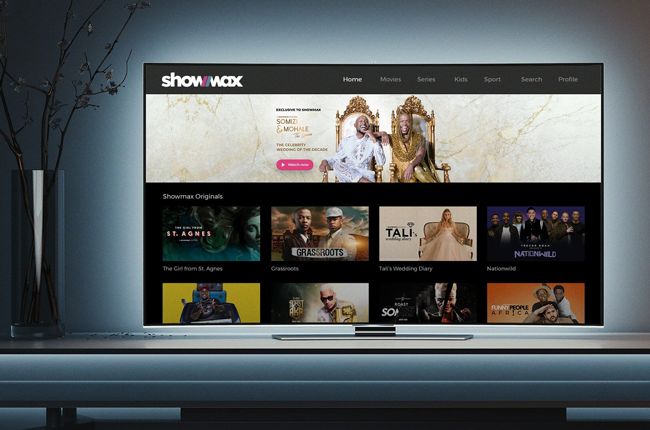
    Showmax is a video on demand and online streaming service that offers a variety of movies, TV shows, and original content.

    It was created by the same people who founded M-Net in 1986, but it’s now operated as an independent company.

    It can be streamed or downloaded through a range of devices including smart TVs, tablets, smartphones and laptops.

    How Do I Get a Showmax Account?

    To get a Showmax account,

    1. Visit showmax website using your PC or mobile device.
    2. If you have a Showmax account, click Add on the top of the page next to your name.
    3. If you do not have an account, click Sign Up on the top of the page next to your name
    4. Fill out all required information and submit.
    5. Verify your email and you will be automatically logged into your dashboard.

    What Devices Can I Use To Stream on showmax

    Showmax is available on a wide range of devices, all you need is an internet connection and the app.

    For mobile devices you can download the app from the iOS App Store or Google Play store.

    You can also stream straight from your TV by connecting your mobile device to your television using a HDMI cable.

    Can I add ShowMax to Dstv subscription?

    Showmax is one of the most popular streaming services available. It is the best way to watch TV shows and movies online. Most people know about Showmax, but not everyone knows how easy it is to get it on their DSTV subscription.

    How to add ShowMax to your Dstv subscription

    Showmax standard can be added to DSTV premium customers account with no extra cost to allow you to watch your shows whenever you want.

    Not only for premium customers, DSTV compact plus, Compact family or Access customers can enjoy 50% off by adding showmax standard to their subscription.

    How to add Showmax to your DStv subscription on your desktop for DStv premium customers:

    To do so,

    1. Login to your DSTV account.
    2. On your dashboard, locate the Showmax banner.
    3. Click ‘Activate’.
    4. You’ll be prompted to create a Showmax account.
    5. Click Create Account if you don’t have a Showmax account.
    6. If you already have a Showmax account, just sign in and start watching.
    7. Its just as simple as that.

    How to add Showmax to your DStv subscription on your desktop for Dstv Compact Plus, Compact, family or Access customers

    To do so,

    1. Login to your DSTV account 
    2. On your dashboard, locate the 50% Off Showmax banner on your account dashboard.
    3. Click ‘Activate’.
    4. You’ll be asked to add Showmax for 50% off
    5. If you want it, click ‘Add to bill’.
    6. Then you’ll be redirected to the Eazy Self Service payment portal.
    7. Under Select payment option, choose ‘Once off payment’ to top up your DStv account with the balance of the month’s Showmax subscription.
    8. Enter your bank card details and click ‘Save and Pay’.
    9. Once payment is successful, select ‘Activate Account’ to start watching Showmax.

    How to add Showmax to your DStv bill from the My DStv app

    Showmax can also be enjoyed on the my DSTV app. To do so,

    1. Download the My DStv app on your iOS or Android device.
    2. Login to your dashboard.
    3. Select ‘Showmax on Us’,
    4. Click on ‘Activate Now’.
    5. If you are using a premium account, you can start watching
    6. If you are using a non premium account, you will need to make a 50% payment with your card before you can start watching.

    Conclusion

    Adding ShowMax to your DSTV package is a great way of adding more variety and viewing options. Once you’ve paid for your subscription, you can have it added by to your account. If you’re not sure which TV show or movie you want to watch, it’s easy enough to browse through what’s available on the app until something catches your eye.

  • How to Download the Transcripts of Your Favorite YouTube Videos

    How to Download the Transcripts of Your Favorite YouTube Videos

    There are tons of videos on YouTube that are worth watching, but you can’t watch them all at the same time, right?

    If you like to switch between work and play or vice versa, then you might want to learn how to download the transcripts of your favorite YouTube videos. In this article, we are going to talk about how to download transcripts of YouTube videos.

    What are transcripts

    Transcripts are text versions of audio or video recordings. They provide a record of what was said as well as who is speaking, and are often used for research purposes.

    Transcription services may also provide translation services for people who speak languages other than English.

    What are YouTube videos

    YouTube is a video streaming site where users upload and share their own videos for others to view, comment on, or like.

    There are many different types of content available on YouTube that can be enjoyable and educational.

    Can you download transcripts from YouTube videos

    With many hours of content uploaded every minute it can be hard to find time to watch all the videos you’re interested in.

    One way around this is by downloading the transcripts of your favorite videos so you can read them anytime you have free time.

    How to download transcripts of YouTube videos

    How to download transcripts of YouTube videos using your mobile (android device or iphone)

    1. Get to the video you want the transcript of on the YouTube app.
    2. Click on the arrow next to the description to get the video details.
    3. Scroll down and click Show Transcript.’
    4. You will then see the transcript popup under the video.
    5. Clicking any of the timestamps will move to that part of the video you want.
    6. Tap More’ (mostly three dots) to select from the available languages to translate your transcript.
    7. Now, download by copying the text from the transcript and paste it wherever you need to download it.
    8. The downloaded transcript will appear as text just like in any other word document.

    How to download transcripts of YouTube videos using your PC or desktop

    1. Go to YouTube and find the video you want to get a transcript from.
    2. Click More (mostly three dots) under the video description.
    3. Click open the transcript window.
    4. You will then see the YouTube transcript generator show up on the right side of the video. 
    5. Click on any timestamp to skip to that part of the video you want.
    6. Click the down arrow next to the language at the bottom.
    7. You can then translate the transcript into any available language.
    8. Now, download by copying the text from the transcript and paste it wherever you need to download it.
    9. The downloaded transcript will appear as text just like in any other word document.

    Are There Any Other Ways to Get YouTube Transcripts?

    Not all videos on YouTube will give you a transcript. For that, you need to find another way such as getting an extension such as notta chrome extension if you are using the chrome browser. The extension will easily transcribe the video you want and then, you save them into any format you desire.

    Is transcript important?

    A transcript is an audio recording that has been transcribed into text.

    Transcribing a video can be a helpful tool when you are trying to learn something new, need clarification on something that was said, or simply want to read along with a video.

    Conclusion

    Now you know how to transcribe a video into text format and get along to know what want said that you didn’t understood. Transcription will make such difficulties abit easier.

  • How to Buy Data Directly from Your Bank Account in Ghana

    How to Buy Data Directly from Your Bank Account in Ghana

    There are several ways one can purchase data bundle in Ghana. It can be a direct scratch card, credit transfer, purchasing from MoMo and also from bank accounts.

    Technology has now made life easier. If you don’t have physical cash on you and you run out of data, you can purchase from your bank account directly.

    Do Banks in Ghana supports data purchases?

    Several banks in Ghana has embraced the new technology world and are moving alongside. With that, most banks in Ghana now has ways you can transact with them even without visiting them. So yes! You can purchase data bundle from your bank account.

    How to buy data directly from your bank account in Ghana

    To buy data from your bank account, you can either use the banks mobile banking app or the banks USSD code. To do that, you must have already been registered for the service. if not, you would have to do that before you can make a purchase.

    Below are banks in Ghana and their attached USSD codes. All you have to do is to dial the USSD code with the number you registered or want to register and link your bank account to.

    From there, you can follow the remaining simple procedures to purchase data or airtime from your bank account to any number of your choice in Ghana.

    Banks in Ghana and their USSD codes

    Bank in GhanaUSSD Shortcode
    Prudential Bank*772#
    Access Bank*901#
    GT Bank*737#
    Cal Bank*771#
    FBN Bank*894#
    ADBank*767#
    CBG Bank*924#
    Fidelity Bank*776#
    First Atlantic Bank*442#
    GCBank*442#
    Republic Bank *771#
    Stanbic Bank*715#
    Standard Chartered *977#
    UBA Bank *822#
    Zenith Bank*966#

    You can also download the mobile banking app of the above banks by visiting Google playstore or appstore, type in the banks name in the search bar and then make a search and downloand the app.

    Register if you have not yet done so and link your bank account and your mobile money number together. Now, you can easily buy data or airtime whenever you desire from your bank account to any mobile number you want in Ghana.

    NB: Not only will you be able to buy data or airtime using the above USSD codes but you can easily bank from any comfort zone of yours in Ghana without visiting the bank.

    Conclusion

    Banking has now been made easier with mobile banking apps and USSD codes. Now, you don’t need to visit your bank and be in a long queue. You can do almost everything on your phone with less stress and buying data and airtime is no exception.

  • How to View Your Google Search History on Android and iPhone

    How to View Your Google Search History on Android and iPhone

    Google Search History helps you find what you’re looking for faster, plus gives you access to search results, videos, and images even when you’re offline.

    This article explains how to view your Google Search History on Android and iPhone.

    About Google search history

    Google search history is a way to look back at the searches you’ve made in the past and current.

    With this feature, you can see what you searched for, when you searched for it, how often you’ve searched for something, which links you clicked on from the results page and which search terms you’ve used most frequently.

    How to view your Google Search history on an android phone

    The steps below will guide you on how you can view your search history on an android device

    1. Open the browser you use on your Android phone.
    2. On the top right corner, click on the three vertical dots.
    3. Scroll through the popup and look for the ‘History’ option.
    4. All your search history will be displayed along with the time and day the search was conducted.
    5. You can search your history for keywords by typing the lens icon on the top.

    How to view your Google Search history on an iphone

    The steps below will guide you on how you can view your search history on an iPhone

    1. Open the Safari browser on your iPhone.
    2. On the tab below, click on the book icon.
    3. Scroll through the popup then click on the clock icon for the ‘History’ option.
    4. All your search history will be displayed with the day and time of the search.
    5. If you wish to look for a specific history, you can type the keywords on the Search bar.

    How to delete your chrome browsing history?

    On your android device

    Now, you may want to delete your history after getting access to them. The steps below will be your guide.

    1. Open the Google Chrome browser on your Android device
    2. On the top right corner, click on the three vertical dots and look for the ‘History’ option
    3. On the top is the option to ‘Clear browsing data’
    4. You can select the time period and select the ‘Clear data’ option

    On your computer

    On your computer, you can follow the steps below to clear your search history:

    1. Open the Google Chrome browser on your device
    2. On the top right corner, click on the three vertical dots.
    3. Scroll through and look for ‘History’ option.
    4. All your search history will be displayed along with the time and day the search was conducted.
    5. On the top is the option to ‘Clear browsing data. You can select the data and clear the history.

    On iPhone and iPad

    To clear your Google Chrome history on your iPhone or iPad, follow the steps below:

    1. Open the Google Chrome browser on your iPhone/iPad
    2. Select the book icon from the below tab and then choose the clock icon for History
    3. As your search history is displayed on the screen, you can choose the ‘Clear’ option from the bottom right corner
    4. Select the time period the data which you wish to delete and you are done.

    Can I recover a deleted Google search History?

    Yes, you can recover deleted Google search history but that is not going to be easy. To do so, you first visit the “My Activity” page in your browser settings. If there is no history there, you can search for data on your computer drive or use recovery software.

    Conclusion

    You may want to view your search history for several reasons. That should not be hard for you if you follow the steps above.

  • Best Password Saver Apps for Android and iOs

    Best Password Saver Apps for Android and iOs

    With the growing threat of cybercrime, creating and using strong passwords has become increasingly important to protect your privacy and money.

    While there’s no one-size-fits-all solution to password protection, you can make your life easier by choosing password management software wisely.

    By reading this article, you’ll learn about the advantages and disadvantages of various password-saver apps and be able to choose the right one to suit your specific needs.

    About password manager

    A password manager is an app that stores all of your passwords in one place so you don’t have to remember them.

    A password manager will also generate strong passwords for you, store them securely, and automatically log you into websites.

    Best password saver apps for android and iOs

    LastPass

    The app also has browser extensions available for Chrome, Firefox, Internet Explorer/Edge and Opera.

    It can import data from other password managers such as Dashlane, Keeper and KeePass. It offers a premium services at a year which gives you additional features like:

    • one-tap autofill of forms with saved credentials.
    • one-click sharing of logins with friends and family.
    • emergency access in case someone gets hold of your device
    • last password remembered after logging out
    • multi-device sync across all devices.

    Supported devices are: iPhone, iPad, Android, Apple Watch

    1Password

    A password manager that is available on both iOS and Android is 1Password. The app includes a password generator, so you can choose a strong password that won’t be easy to guess. If you already have a complicated password, you can import it into the app with just a few taps.

    You will also be able to track your passwords with the built-in tracking features of the app, which will allow you to see where your passwords are being used.

    Supported devices are: iPhone, iPad, Android, Apple Watch

    Dashlane

    The best password saver apps are the ones that can generate, store, and manage all of your passwords with ease.

    Dashlane does just that, plus it’s free to use (with premium upgrade options) and has a sleek design. Dashlane even generates strong passwords for you so there’s no need to memorize them.

    You can sync your passwords across all of your devices and even share them with others who have the app installed on their phone or tablet.

    Supported devices are: iPhone, iPad, Android, Apple Watch

    Roboform

    The Roboform app is one of the best password saver apps available because it is completely free, secure, easy to use, and has a responsive design that works well on any device.

    You can sync passwords with multiple devices including your computer, which is perfect if you are someone who needs access to your passwords from home or work.

    The app lets you save a different list of passwords for each account, so you don’t have to create new accounts just to be able to see the information you need.

    It also lets you securely share individual passwords or lists with others through email or Facebook chat, which can be helpful if someone else needs access tool.

    Supported devices are: iPhone, iPad, Android, Apple Watch

    Two factor authentication

    Two-factor authentication is a security measure that requires the user to provide two types of identification before being granted access to their account.

    The first layer is the password, and the second layer is a physical or digital token. This means that even if someone has your password, they still need physical access to your phone or other device with your authenticator installed in order to gain access to your account.

    Supported devices are: iPhone, iPad, Android, Apple Watch

    Enpass

    Enpass is another password manager that provides the same security as other services, but it goes a step further. You can choose where you want to store your data in Google Drive, Dropbox, or other supported cloud services. It works on all major platforms.

    Enpass is the only password manager on this list that doesn’t require recurring subscriptions. The app is free to download, but thy also have a one time premium subscription that unlocks all its features.

    Supported devices are iPhone, iPad, Android, Apple Watch

    Bitwarden

    Bitwarden is an open-source and affordable password manager for Android. It provides you with the most secure encryption. Itt has an inbuilt system which helps prevent brute-force attacks.

    Furthermore, you get unlimited storage for passwords, personal and financial information.

    Compared to the other apps on this list, it lacks an exemplary user interface, making navigation a bit difficult. Other than that, the app is entirely free to use for essential purposes.

    Supported devices are: iPhone, iPad, Android, Apple Watch.

    Conclusion

    Sometimes, the normal password on your device can not do all the works and you might want an external suppott. If so, then any of the above is worth trying.