Author: Mfidie

  • Items Under $5 With Free Shipping on AliExpress

    Items Under $5 With Free Shipping on AliExpress

    Finding items under $5 that come with free shipping on AliExpress can be challenging sometimes. The search engine will say no items under $5 or continue showing you duplicate of what has already been shown to you.

    To help save you time, here’s a list of some of the best items under $5 with free shipping on AliExpress to help get you started.

    About AliExpress

    AliExpress is a website that allows you to buy products from China for wholesale prices. The site has a number of different categories, including: clothing and accessories, electronics, home and garden items, health and beauty supplies, car parts, outdoor goods, and more.

    How to shop on AliExpress

    To be able to shop on AliExpress, you first need to create an account and insert in all your necessary details which will be needed. You can then toggle through to find items you want, save them into your cart and then you make payment and order them to be shipped to you.

    How to find items under $5 on AliExpress

    If you’re looking to buy items on AliExpress worth $5 or less but don’t know how, here’s a quick guide to help you.

    1. Visit https://aliexpress.com
    2. When browsing the website, click on shopping tools.
    3. On the left hand side of your screen, click on AliExpress.
    4. You’ll be brought to a page that has all sorts of tags for the types of products they sell.
    5. The tag you want to search under is Items Under $5 . So click on that.
    6. Now, you will be taken to all items on AliExpress worth $5 or less.
    7. Search for whatever it is that you want to find and once the item pops up in the list, hover over it with your mouse so it highlights in blue.
    8. Right underneath the price will be a button called add to cart and items with free shipping will also have the free shipping tag beneath them.
    9. Clicking on it and you will be taken to where you can input your shipping information.
    10. At this point, you will be asked to create an account to continue if you don’t have an account yet.
    11. If you have an account already, you then login to make your payment, insert your shipping details and then you wait for items to be delivered.

    items under $5 with free shipping on AliExpress

    Lets list down some items on AliExpress which is $5 or less. To access them, visit AliExpress and insert the name in the search tab and make a search for them.

    Cellphones & accessories

    • Magnetic USB Cable: Price – US$1.53 – $3.56.
    • Protective Glass for iPhones: Price – US$1.37 – $3.96.
    • Fast Charger: Price – US$4.98
    • Artistic Silicone Case for iPhones: Price – US$1.54 – $2.65
    • Magnetic Phone Holder for Cars: Price – US$4.27.
    • Webcam Cover: Price – US$1.27 – $2.70
    • Hydrogel Film for Samsung: Price – US$2.92.
    • Shockproof Case for Xiaomi And Redmi: Price – US$3.98 – $4.98.
    • Waterproof Phone Case: Price – US$1.99 – $2.84.
    • Leather Flip Case for Samsung: Price – US $2.28 – $4.98.

    Household Goods

    • Razor Holder: Price – US$4.80
    • Seal Bags For Food: Price – from US$2.65
    • Silicone Baking Mat: Price – US$2.10 – $4.20
    • Plastic Cake Plate: Price – US $1.59-4.66
    • Rotating Kitchen Hook: Price – US $3.15-4.48
    • Paper Roll Holder: Price – US$4.58

    Lights & lighting

    • LED Lights String: Price – US$1.82 – $4.77
    • USB LED Photo Clips: Price – from US $3.27
    • LED Bulb: Price – from US$2.30
    • Sensor Mini Nightlight Lamp: Price – US$1.70 – $1.84
    • USB Glowing Strip: Price – from US$2.36; 
    • Spotlight Bulb: Price – US $1.26 – $1.57

    Fashion jewelry & accessories

    • Acrylic Earrings: Price – US $2.63 – $4.98
    • Men’s Bead Bracelet: Price – US$1.81- $2.78;
    • Leather Bracelet: Price – US $4.13
    • Custom Name Necklace: Price – US$3.74
    • Silver Ring for Women: Price – US$3.98
    • Custom Name Pendant: Price – US$3.99 – $4.99
    • Ear Cuffs: Price – US$3.22 – $3.59

    Stationery & scrapbooking

    • Cute Gel Pens: Price – US$1.28 – 1.57
    • Super Glue: Price – US$2.85
    • Waterproof Markers: Price – from US$1.22
    • Adhesive Tape For Scrapbooking: Price – US$3.11 – $3.21
    • Stickers For Scrapbooking: Price – US$1.16
    • Pencil Case: Price – US $2.40 – $4.50
    • Wall Calendar: Price – US$3.50

    NB: The above listed are a few. For more, visit the website and toggle through all categories for more.

    Conclusion

    As you can see, AliExpress offers low-cost items in many categories. These are just the ones that show the highest demand. Therefore, you can find similar products for any niche.

  • SIM Registration App: Download now & Steps to Register

    SIM Registration App: Download now & Steps to Register

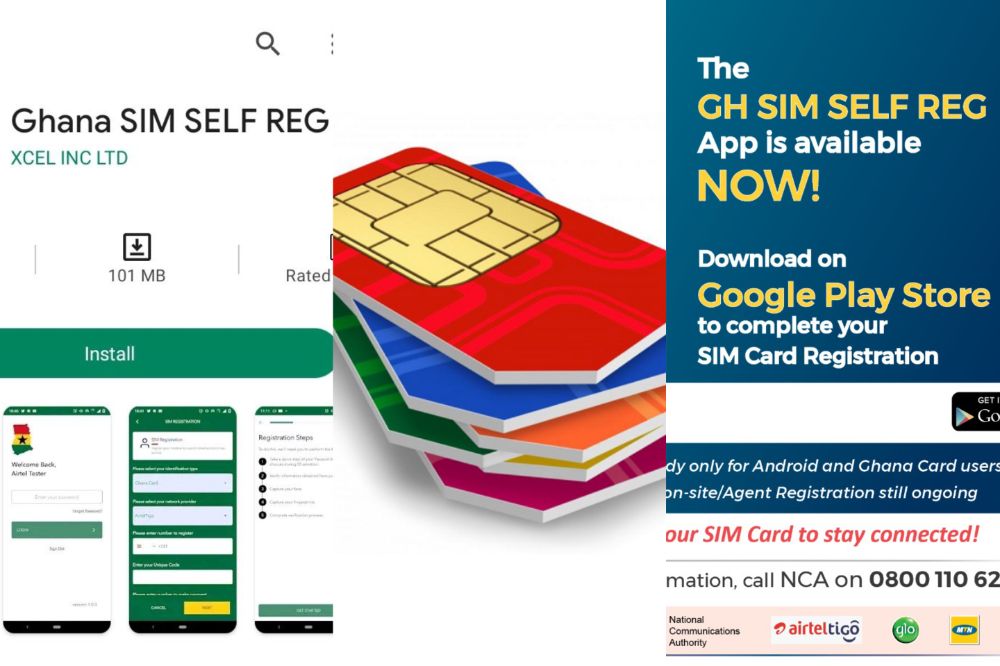
    The GH Self SIM Registration App is a new system rolled out by the National Communication Authority in Ghana to help make registration of SIM cards more simple and easier.

    With the app, you don’t need to be in a queue at your network providers office. All you need is to download the app and at the comfort of your zone, you register your SIM with ease.

    How to download the GH SIM Self registration app

    To download the GH SIM Self Registration App,

    1. Visit playstore on your android phone
    2. In the search bar section, type in GH SIM Self Reg App
    3. The app will show app after your search and you hit on download.
    4. In some few minutes, the app will be downloaded and installed on your phone.

    Things needed to register your SIM with the app

    1. Smart Phone.
    2. Ghana Card.
    3. Internet Connection.
    4. Email Address.
    5. Your Unique Code for your SIM after Stage 1 Registration.
    6. Ghana Digital Address.
    7. Mobile Money wallet.

    Steps to Register your SIM with the GH Self SIM Reg App

    1. Download the App from playstore with the steps above.
    2. Create an account by providing your phone number (note that the number does not necessarily have to be the SIM you are registering).
    3. Provide your email address, first name, last name and a 4-digit PIN.
    4. Now, you are done creating an account.
    5. Log in using the credentials you used in creating your account.
    6. Select the type of ID (Ghana card).
    7. Select your netvwork provider (MTN, Vodafone, AirtelTigo or Glo) from the list provided.
    8. Now, enter the number of the SIM you want to register.
    9. Enter the phone number you want to use for mobile payment.
    10. One you have selected the Ghana Card ID, enter your unique code (the number your network operator provided to you when you did the *404# registration).
    11. If you have forgotten the unique code, dial *400# to get it back.
    12. After inserting the unique code, you will be prompted to confirm your payment.
    13. Click on confirm to initiate the payment process.
    14. Confirm payment.
    15. After the payment is confirmed, you will need to scan your Ghana Card ID in the next step.
    16. The app will load your personal information and the document number on the screen.
    17. Kindly pay attention to the screen and follow the prompts on the screen to capture the front and back of your Ghana card.
    18. After scanning your Ghana Card, the app will ask you take a selfie for verification.
    19. If successful, the app will send you to the next step to scan your fingerprints.
    20. After reading the instructions, click to start scanning.
    21. If successful, you will get a notification.
    22. Now that’s it! You have successfully registered your SIM Card.

    Is the GH Sim RegistrationApp available on iOS?

    No. The app is currently on Google playstore only and thus, can be accessed by only android users. As to when it will be released on iOS has not been yet communicated.

    Is registration on the app free?

    Registering your SIM Card on the SIM Self Reg App is not free. Users need to have at least GHS5 in their mobile money wallet before they begin the registration process.

    Conclusion

    The GH SIM Self app has been introduced to make registration of SIM Cards more easier and thus, every Ghanaian who has not yet registered his/her SIM must do so to prevent any odd days.

  • How to Protect Your Snapchat Account from Hackers

    How to Protect Your Snapchat Account from Hackers

    Snapchat has become one of the most popular social networks around. Its popularity also means that hackers are on the lookout for ways tto gain access to your account for their gains.

    In this guide, we will tell you how to protect your Snapchat account from hackers so you can keep your private life as private as possible.

    About Snapchat

    Snapchat is a social media app that can be accessed through any Apple or Android device. It was created in September 2011 and has been one of the most popular apps since it launched.

    With over 100 million daily active users, it allows users to send and receive pictures, videos, and messages. These posts are called snaps.

    Users can set a timer on their snaps which will determine the length of time the receiver can view the post before it will disappear. Users can also add text or drawings onto their snaps.

    Why protecting your snapchat account is important

    In general, Snapchat is a fun way to keep in touch with friends and family. However, there are some reasons why you might want more control over your account.

    • One reason is that if your account gets hacked, the hacker will have access to all of your data, including those photos and videos you shared.
    • You won’t be able to access your account again and you will loose it completely. So if you have any vital data, you are at risk of getting it exposed.

    How to protect your snapchat account from hackers

    Below are some methods you can follow to protect your snapchat account from hackers and keep it as safe as it can be.

    Turn on two-factor authentication

    Ensuring two-factor authentication is activated on your snapchat account should be a must. Two-step verification let user to access another device or app before they can be logged into their snap making you aware whenever thete is any odd login. It makes logging in less convenient and more secured.

    To setup two-factor authentication on your snapchat account,

    1. Log into your Snapchat account and press the ghost icon at the top corner on your profile page.
    2. Click on settings
    3. Scroll throught settings and select “Two-Factor Authentication”.
    4. Click “Continue.”
    5. Select ‘Text Verification’ or ‘Authenticator App’ and then follow the instructions to enable.

    Set up a strong password

    Another step in protecting your Snapchat account is setting up a strong password. Dont just use any weak password that can be easily guessed.

    Follow these tips for creating a difficult-to-crack password:

    1. Use upper and lowercase letters, numbers, and symbols (e.g., Qwerty123 or !@#$%).
    2. Mix it up with at least one letter, number, and symbol (e.g., qwerty123 or R8sE83k).

    Be careful with malicious links

    Many people rely on their social media accounts for business and personal use. This can make them a target for hackers. To keep your account secure, you should be careful when clicking links or downloading apps to your phone.

    You should only download new apps that are recommended by friends and family, never click on links in emails, messages, or posts, and never enter your login information in an email that you weren’t expecting.

    Don’t add strangers to your friends list

    Keep your account as private as possible by not adding strangers to your friends list, and instead adding people you know or who are your friends on other social media platforms. This will make it more difficult for someone else to hack into your account.

    Use the most recent updated version of the app

    The app regularly update their system to fix bugs and also their security system. Updating your app to the latest version helps with security and thus, its advisable to do so whenever there is a new update.

    Conclusion

    Snapchat is a really fun way to stay connected with friends and family. Unfortunately, if you don’t take precautions, your account can be compromised by hackers. To make sure your account stays secure, remember the above steps.

  • How to Check Data Balance on MTN, Airteltigo, Vodafone and Glo

    How to Check Data Balance on MTN, Airteltigo, Vodafone and Glo

    If you have been wondering how to check your mobile data balance on MTN, AirtelTigo, Vodafone or Glo, then read on to find out more. Its sometimes necessary to check data balance when making an important download in order not to get stucked on the way.

    About MTN, Vodafone, AirtelTigo and Glo Ghana balance check

    They are methods provided by the various network providers for their customers which can be used to check data balance in order to know how much is available for use and if there is the need for a top up.

    How to check your data balance on MTN Ghana

    Follow these steps to check your MTN Ghana data balance, using the MTN Ghana USSD code format.

    • On your Android or iOS smartphone, open your call dialer.
    • Dial *124#, and send.
    • You will get a pop-up containing all your current active data bundles and other balances.

    You can also use another USSD code to check all your active data bundles on the go.

    1. Dial *138#
    2. Choose option 1 (proceed to buy bundle)
    3. Select 99 (more)
    4. Choose option 7 (more)
    5. Select option 3 (check bundle balance)
    6. You will get a pop-up and also a text message from MTN, containing all your current active data bundles.

    How to check your data balance on Vodafone Ghana

    Follow these steps to check your Vodafone Ghana data balance, using the Vodafone Ghana USSD code format.

    1. On your Android or iOS smartphone, open your call dialer.
    2. Dial *124#, and send.
    3. You will get a pop-up containing all your current active data bundles and other balances.

    You can also use another USSD code to check all your active data bundles on the go.

    1. On your dial pad, dial *126#
    2. A popup will show on your screen which contains all your available data bundles.
    3. You will also receive an SMS from Vodafone contains your data balance.

    How to check your data balance on AirtelTigo ghana

    Follow these steps to check your Airteltigo Ghana data balance, using the airteltigo USSD code format.

    1. On your Android or iOS smartphone, open your call dialer.
    2. Dial *124#, and send.
    3. You will get a pop-up containing all your current active data bundles and other balances.

    You can also use another USSD code to check all your active data bundles in separate.

    1. On your dial pad, dial *504#
    2. A popup will show on your screen which contains all your available data bundles.
    3. You will also receive an SMS from airteltigo which contains all your data balance.

    How to check your data balance on Glo Ghana

    Follow these steps to check your Glo Ghana data balance, using the Glo USSD code format.

    1. On your Android or iOS smartphone, open your call dialer.
    2. Dial *124#, and send.
    3. You will get a pop-up containing all your current active data bundles and other balances.

    You can also use another USSD code to check all your active data bundles in separate.

    1. Dial *555# on your mobile phone.
    2. Look through the menu that pops up and select option 8 (No. and Balance)
    3. In the next menu, select option 3 (Check your balance).
    4. Then select option 3 again and all your active data balance will be shown to you.

    Conclusion

    I can understand how confusing it can be for you in your search for how to can check your data balance in Ghana. The above process can be your guide now with less stress.

  • Vodafone Unlimited Weekend Data Offer: How to subscribe & Tips

    Vodafone Unlimited Weekend Data Offer: How to subscribe & Tips

    Vodafone has come up with an offer to provide Unlimited Weekend Data usage. Now you don’t have to compromise with your mobile data and can enjoy streaming, sharing or uploading your favorite contents on weekends.

    But how to subscribe? Don’t worry, we are here to help you in this regard. We will tell you how you can subscribe Vodafone Unlimited Weekend Data Offer and get the most out of it.

    About Vodafone unlimited weekend data offer

    Vodafone unlimited weekend bundle is a supplementary bundle for Vodafone customers which valid during the weekends, starting from Saturday 00:01am to Sunday 11:59pm.

    Why should I subscribe to this service

    The weekend bundle is different from the regular weekdays bundle. It has a bigger bundle offer with low fees compared to the regular bundles and can be used for your big downloads whiles your regular weekdays bundle stays put.

    What to know

    The weekend unlimited bundle is mostly designed for customers on the broadband who are eligible for browser, streamer, webmaster, downloader and office plans for a fee of GHS20 only.

    However, if a non broadband customer wants a weekend bundle for their regular activities, they can subscribe to the BOSSU weekend offer which gives you 5 gigabyte for GHC5.

    How to subscribe to Vodafone BOSSU weekend offer

    To subscribe to the BOSSU weekend offer,

    1. Dial *5588# to access the menu.
    2. Select option 3 (Buy BOSSU Weekend).
    3. These offer gives you 300 minutes to all networks and 5GB data for your weekend use.
    4. Confirm your subscription and make your payment either with your credit balance or with Vodafone cash balance.
    5. A notification will be sent to you for a successful registration.
    6. This offer is GHC10.

    How to subscribe to Vodafone unlimited weekend offer

    Customers on the broadband and eligible on browser, streamer, webmaster, downloader and office plans who wants to subscribe to the weekend unlimited must have an active package in order to subscribe for the unlimited weekend bundle.

    To subscribe,

    1. Dialing *900# on their Vodafone number.
    2. Select option 1 and then option 4 in the next pop up.
    3. After that, you follow the next prompt in choosing your offer and then you make your payment.
    4. Make payment either with your credit balance or Vodafone cash account.
    5. This offer is GHC30 and you will enjoy unlimited browsing throughout the weekend.

    Notable tips

    • Customer on the unlimited weekend bundle will enjoy a truly unlimited browsing experience within the validity period
    • After Sunday 11:59am, the customer will continue using from their standard bundle and continue with the unlimited during the weekends.
    • Unlimited data cannot be rolled-over or moved onto a Vodafone mobile number. When it finishes, you can then subscribe for a new one.
    • Customer can view the unlimited data usages via USSD code, My Vodafone App, Vodafone official website or can call retail centers.

    Conclusion

    The Vodafone weekend unlimited is great for your weekend streams and downloads. it doesn’t affect your regular bundles and therefore, its a great offer to subscribe for.

  • How to Take a Screenshot on Onlyfans

    How to Take a Screenshot on Onlyfans

    If you use onlyfans, you might be wondering how to take screenshots on the app, as there isn’t an option to do so in the app’s settings.

    This article will show you how to take a screenshot on onlyfans, so you can then share these images with other users and also use them in your posts.

    About Onlyfans

    Onlyfans is an adult-oriented social media site that offers paid subscriptions for exclusive content. You can use this site to upload your own content, or create it with others in the Onlyfans community.

    Onlyfans also lets you interact with other members through polls, private messages, and comments.

    How to screenshot on onlyfans

    Even though the rule says no pictures or videos of others works outside their system, there is no mechanism to prevent taking screenshot.

    If you are using an android phone or iPhone and you want to take screenshot on onlyfans,

    1. Login to your onlyfans account using chrome or any other recognised browser.
    2. Locate the picture you want to snap and hit on it for a full view.
    3. If your phone has an internal screenshot system, you can press the down volume and the switch button and a shot will immediately be taken.
    4. Other phones also takes their shot when you press the home button and the down volume at the same time.
    5. Depending on how your phone takes its normal screenshot, you can use that.

    On a laptop or computer,

    1. Open chrome or any other recognised browser and visit https://onlyfans.com.
    2. Login with your credentials and locate the picture you want to snap.
    3. Now on your PC, you can right click on the picture and “SAVE AS” in any folder you want on your pc.
    4. You can also press CTRL+P and save the image as PDF on your pc.

    NB: All the methods above will easily save any image you want to screenshot on onlyfans.

    Will you be banned if you take screenshot on OnlyFans?

    It’s in the terms and conditions that all of your content must be original and not shared elsewhere so if you share contents outside, you are breaking rules but you will not be banned because, no administrator will know whether you have made a screenshot or not.

    Conclusion

    Most users onlyfans loves to share their activities as well as that of others on different social media platforms in order to build more followers for themselves.

    Thus, its sometimes worth it taking screenshot of your account. However, note that, you are somehow breaking the rule.

  • How to Discover New and Interesting Places Near You With Google Maps

    How to Discover New and Interesting Places Near You With Google Maps

    Google Maps has become the go-to application for anyone looking to find directions to their favorite restaurant or store.

    But it can also serve as a handy tool for discovering new, interesting places nearby. This article outlines how to discover new and interesting places near you with Google Maps.

    About Google Maps

    Google Maps has been around for over a decade, but it’s still one of the most popular mapping apps on the market.

    The app provides an easy way to get directions, locate nearby businesses, find out what traffic is like in a certain area, and more.

    One of the best features is that you can explore areas near you by tapping on the Explore tab at the bottom of your screen.

    How does Google maps locate places?

    Most mobile phones are equipped with GPS, which uses signals from satellites to determine a device’s location. Also, additional information from nearby Wi-Fi, mobile networks, and device sensors can be collected to determine a required location.

    How to discover new and interesting places near you with google maps

    You can search for areas of interest, things to do, or notable locations in Google Maps. Find places like nearby museums, new restaurants, and popular bars and clubs. You can also find ratings and descriptions of these places in Maps.

    Using a computer

    To find interesting places near you on your computer,

    1. Open Google Maps and search for any area you wish to explore.
    2. Once you have a view of the exact section of the map you’re looking to explore, click on the X button at the right end of the location search bar next to the magnifying glass icon.
    3. Now, type in the place you wish to look for in the search bar and add near. Eg: restaurant near the white house, hospitals near me.
    4. The map will now show you all the nearby places you searched for highlighted as gray dots.
    5. Click on a dot to open a pop-up menu containing details about the place including its name, visiting hours, user rating, contact information, etc.

    Using a mobile phone

    On your Android phone or tablet,

    1. Open the Google Maps app.
    2. Under the search bar, tap a suggestion, such as RestaurantsCoffee, or Hotels.
    3. You can hit on the more tab at the far corner for more suggestions.
    4. After tapping on any of the suggestions given, all places near you under such category will pop up.
    5. Alternatively, you can also use the search tab to look for places near you by adding near me to the search.

    Conclusion

    Google maps has made it easier to locate places with ease. With the map on your phone or on your computer, you can get to find new and interesting places to visit during your free time.

  • Noknok App: How to Use this App for Your Grocery Delivery Needs

    Noknok App: How to Use this App for Your Grocery Delivery Needs

    Grocery shopping can be time consuming and expensive. Especially if you’re going to the store every day. Luckily, with Noknok App, you can save time and money by having your groceries delivered to you as soon as possible.

    With this app, you can skip the lines at the grocery store and save on gas by ordering everything you need in one place.

    Here’s how to use Noknok App for your grocery delivery needs.

    What is the Noknok App?

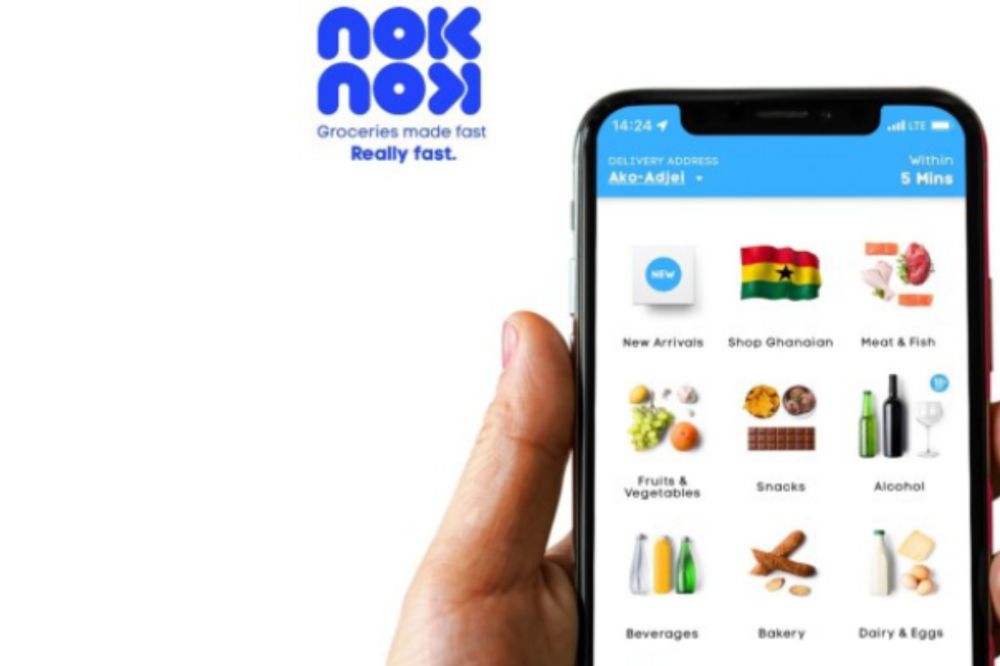
    The Noknok App is a smartphone application that allows you to order grocery items and have them delivered directly to your door. The company started its operation in Lebanon and has now expanded their services to Ghana.

    Items you can order on the Noknok app

    The platform operates an inventory that highlights products’ availability in real-time for customers to order from the nearest store for processing and delivery.

    It also allows customers to track their order and delivery status from the word go. The category of items includes;

    • Ready-to-eat foods
    • Fruits and vegetables
    • Beverages
    • Personal cares
    • Alcohol
    • Snacks
    • Household items, and more.

    Why should I try it?

    The Noknok app is a great way to make grocery shopping easier and more convenient.

    In addition, you can save money by using Noknok because the company provides discounted products from time-to-time.

    How to use the Noknok app for your Grocery delivery needs

    Noknok is an app that will change the way you shop. This innovative system offers same-day or next-day delivery of groceries right to your doorstep. To use the app,

    1. Download the Noknok app on Android or iPhone
    2. Tap on sign up to create an account.
    3. Enter your username, email, phone number & password to complete signup registration.
    4. Validate your account with the code you will receive or click on link in your email to complete verification.
    5. Now,visit the categories on the app and look through add the groceries you want in cart.
    6. All groceries has their prices attached so you can have an easy shopping.
    7. After you are done, tap on cart section to make your payment using your credit card or MoMo payment method.
    8. Choose delivery method, input any special note and then click on make payment to complete your online shopping.

    Areas Of Operation

    The company currently works within Accra and are working hard to extend their services across the country.

    Below are the places they currently works within:

    • Cantonments
    • North Ridge
    • Osu
    • Labone
    • Roman Ridge
    • Dzorwulu
    • Adabraka
    • Airport Residential Area
    • Airport City
    • West Ridge
    • Asylum Down
    • Abelemkpe

    Noknok working hours

    The platform operates seven days a week from 8am – 11pm.

    Contact details

    Ghana

    [email protected]
    +233 597 400001

    6 Ako Adjei, Osu, Accra. Ghana

    Lebanon

    [email protected]
    +961 1 426 706

    1st Floor, Tueny Building, Mohamad Beydoun Street, Achrafieh, Lebanon.

    Conclusion

    If you’re feeling overwhelmed with the idea of going out to buy groceries, then give Noknok a try.

  • 5 Ways to Start Making Money on Instagram

    5 Ways to Start Making Money on Instagram

    Instagram is undoubtedly one of the most popular social media platforms over the last few years with an active user base of over 800 million. Instagram isn’t just about hashtags and likes.

    It can also be an excellent source of passive income. As long as you have an Instagram account and are savvy about it, you can make money through Instagram.

    About Instagram

    Instagram is a social media platform that allows users to share photos and videos, follow other users’ posts, and like or comment on them.

    In addition to all of the other things it can do, Instagram also has a robust commerce component. With just a few lines of text and a photo or video, you can make an online sale right from your phone.

    Can you make money on Instagram?

    Yes. You can also make money on Instagram in various ways and that will all depend on you and what you want to go for.

    5 Ways to start making money on Instagram

    There are several ways you can follow to make money on instagram. In this article, weeare going to talk about 5 of them.

    1. Promote affiliate links

    There are several companies or businesses who needs promotions and with that, there are affiliate links you can use in order to make money by just sharing and invitiand people to make purchases.

    Share your affiliate links on every post. This is a simple way to start making money on Instagram. Sharing your links will get you more followers and give you the opportunity to earn commissions when they purchase something with your link.

    2. Sell your own products or that of others

    The social media is currently the greatest tool when it comes to marketing and you use Instagram for that. You might have a product you want to sell to the mass and using Instagram to promote them is a great way to make some money. You can also do same for others and get some commission on sales.

    3. Become an influencer

    The more active and popular you become on the app, the more open you are for brands and businesses to approach you for money gigs. So if you feel you have the numbers on the app, you can approach companies and businesses who needs influencers to promote their brands.

    4. Earn badges through live videos

    You can earn money directly from your audience when you showcase your talents, products and so on in a live video. Viewers can buy badges, which serves as tips to show support. Badges cost $0.99, $1.99 or $4.99.

    Promote your upcoming live video sessions through posts or stories to get the word out in order to get your followers updated.

    To get started, go to your professional dashboard on your Instagram account and click on the Enable Badges tab, set up your preferred way to accept payments, either via PayPal or your bank, before going live. 

    5. Offer subscriptions to exclusive content

    If you are someone with lots of engagement on Instagram, then I’m sure your followers would love to engage theirselves in anything you try setting up.

    For that, you can set up a subscription content which will not be accessible to everyone unless paid for. That can also be a way for you to generate some income.

    How many followers do I need to start making money on Instagram

    With 1,000 followers or more, you can start making money on Instagram. What matters most is the engagement of your followers. You can have lots of followers but if their engagement is poor, your earning journey will be quite hard.

    Conclusion

    Making money from the comfort of your home has now been made easier with the use of social media. If you have what it takes to make some few bucks using your Instagram account, then start it now!

  • Vodafone Smart Surf: Price, Features, Speed, Bundles, Where to buy

    Vodafone Smart Surf: Price, Features, Speed, Bundles, Where to buy

    Vodafone Smart Surf is a new super fast broadband router brought to you by Vodafone that has been on the market since for a while now. In this article, we will tell you all about this new 4G network; its price, its features, its speed, its bundling and where you can buy it in Ghana.

    What is Vodafone Smart Surf?

    Vodafone Smart Surf is a plug and play wireless broadband router that comes with a high-powered internal antenna to give you a super-fast browsing experience. Smart Surf is suitable for both the home and office.

    Features of Vodafone Smart Surf

    • Size: 150 mm x 150 mm x 56 mm
    • Data Speed: Download up to 100 Mbps, Upload up to 50 Mbps
    • Ports: 1 LAN ports (RJ45) , 1 USB port
    • Display : Led indicators.
    • Wi-Fi Speed: Up to 300Mbps.
    • LED Indication: WiFi / Power / Transmit Status across.
    • Wi-Fi : 802.11b/g
    • Can connect up to 32 devices

    Vodafone Smart surf price

    With an amount of GHS 399, you can get yourself a Vodafone smart surf for your home or office.

    Vodafone smart surf speed

    The Vodafone smart surf can boast of a download speed up to 100Mbps, an upload up to 50Mbps and a WiFi speed up to 300Mbps.

    Bundle offers available on Vodafone smart surf

    Vodafone smart surf has both unlimited and monthly offers.

    Customers can subscribe to the below packages for 30 days.

    PLANPRICE (GHS)GIGABYTE
    Mini Basic205
    Mini Pro4010
    Browser9025
    Streamer14050
    Webmaster200100
    Downloader290135
    Family400275
    Office500410

    Customers can subscribe to the unlimited/non-expiry packages below

    PLANPRICE (GHS)GIGABYTE
    Browser9517
    Streamer14533
    Webmaster21066

    Where to buy Vodafone Smart Surf

    Customers can purchase the device online via the Vodafone Ghana official website using their Vodafone cash, visa card, master card, or visit any Vodafone Ghana retail shops to make a purchase. Before making a purchase, it is advisable to visit fbb.Vodafone.com.gh to check the network coverage and strength in the area before purchasing the device.

    Why you should buy Vodafone smart surf

    If you have no idea on which router to buy for your internet services, then Vodafone smart surf should be a choice for you. The router has the preferred speed, moderate prize, convincing internet packages, and can connect up to 32 devices at a go.

    Conclusion

    Vodafone Smart surf is a good option to go for when you need a high speed internet connection your home or office.