Author: Mfidie

  • ECG Mobile App: How to Download ECG Power on Android & iPhone

    ECG Mobile App: How to Download ECG Power on Android & iPhone

    The Vice President of Ghana on 18th February 2020 launched the new ECG Mobile App which is called ECG Power.

    Although there is an ECG Web Portal that allows customers to check their bills, apply for a new service for their premises/home, make complaints etc prepaid customers were still unable to buy ECG credits online.

    Although there was an ECG App already, the new one seems to have added benefits.

    With the new app, which is available on both iOS and Android, one can check their meter balance, how much credit they have used within a period, etc.

    Currently, the ECG Mobile App supports the following prepaid meters:

    • Nuri (Kamstrup)
    • Holley
    • Alpha
    • MBH
    • CLOU

    Be sure to check your meter before proceeding.

    The app also supports all postpaid meters across Ghana. According to ECG, there are plans to roll out other prepaid meters in subsequent updates.

    With this new App, Ghanaians can avoid the inconvenience of joining queues or moving far from their homes to buy credits for their meter. In this digital era, there is no need to stress yourself for life must be very simple.

    Update (18th February 2020): If you experience errors with the server while adding your meter, wait for a few minutes and try again. If it persists, restart your mobile device and try again.

    Download the new ECG Mobile App

    If you are looking to download the new ECG Mobile App, called ECG Power, follow the links below:

    Android App – ECG Power on Android

    iOS App (iPhone) – ECG Power on iPhone

    How to use ECG Mobile App (ECG Power)

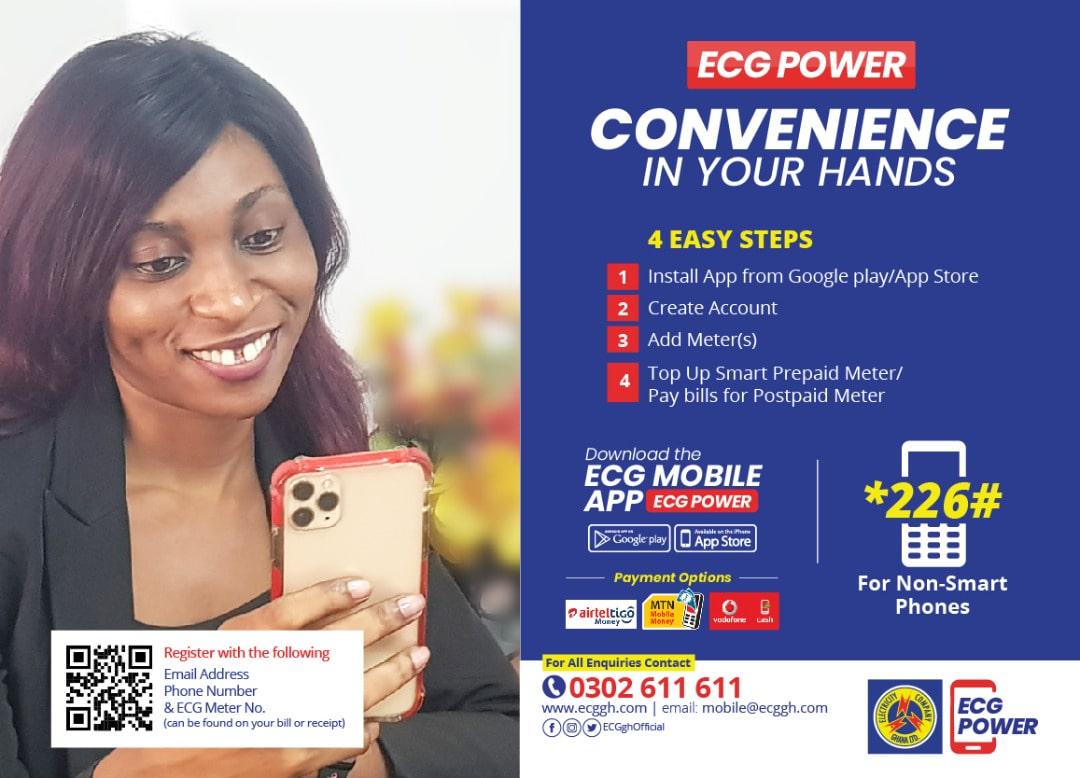
    If you want to buy ECG prepaid with ease or pay bills with the ECG mobile app, follow the steps below:

    1. Install the ECG App from Google Play Store or the App Store
    2. Create a new account on the ECG App with your Email, Phone number and Password
    3. Go to the right side bottom and add your meter details by clicking on the (+) sign
    4. You can then proceed to add the second metre (if you have more than one)
    5. Choose the Top-up module to top up your balance
    6. Choose the Pay Bills Module to pay bills for your postpaid metre
    7. Confirm the payment via your Mobile Money

    Mobile Shortcode for ECG Services

    The Electricity Company of Ghana has also launched a new shortcode for accessing ECG services. The shortcode for ECG services in Ghana is *226#.

    With the new ECG Shortcode, you can:

    1. Top up your ECG prepaid
    2. Pay your ECG Bills
    3. Update your customer information with ECG

    The shortcode is accessible on all the telecommunication networks in Ghana.

    If you have any issues with the ECG Mobile App (aka ECG Power), leave a comment below.

    Frequently Asked Questions about ECG Mobile App in Ghana

    How to get the ECG Mobile App APK

    Offloading Apps is generally not advisable but if you want the ECG Mobile App APK, you can download on apkpure.com

    How can I buy ECG with mobile money?

    To buy ECG with MoMo, download the ECG Mobile App, add your metre and select the amount (in GHS) that you want to top up with.

    How do I register my prepaid electricity meter?

    You can add your ECG Prepaid metre to the ECG Power App by creating a new account on the app and adding your metre number.

    How can I check my Electricity Prepaid Balance?

    To check the prepaid remaining on your ECG metre, open the app, choose the added metre and tap on “check balance”.

    How can I know the kind of metre I am using?

    You can find out the kind of Electricity Company of Ghana metre you use by checking the top or bottom of the metre. The name would be clearly printed there.

    What metres support the ECG Prepaid App?

    The new ECG Power app supports the Nuri (Kamstrup). Holley, Alpha, MBH and CLOU metres in Ghana.

  • How to Add Your Name to Google Search & Become Visible Online

    How to Add Your Name to Google Search & Become Visible Online

    Have you ever wondered how to add your name or brand to Google search results? Well, with the use of this article, we are going to teach you everything there is to know about adding your name and becoming visible in Google search.

    Becoming visible on Google Search

    Becoming visible on google search is a way of showing flex. Google is a global search query and getting your name up there, can put some credibility on it or even on your business. Its not a must to become visiblbeen Google but if you are a social people a business person, then its worth it to show yourself up on google whenever there is a search on you or your brand.

    Why should I make my name visible on Google search?

    As the most popular search engine on the Internet, Google has, for many years, been one of the most effective marketing tools at our disposal. If you want to be seen as an expert in your field or you want to gain an edge over the competition, getting your name and business in front of those who search will surely help achieve your goals.

    How to add your name and become visible on Google search

    Adding your name on google can be done using various means, depending on how you want it to be done. It can be done using a google card, it can be done using a domain. it can also be done by getting featured on a websites or using your social media pages and many others.

    Using google people card

    Google people card is a way of directly showing your presence on google whenever a search is made on you. It can be a way of exposing your brand for much credibility on your works. On your people card, you can include a website link, links to social profiles, education, work, contact information, and any other information which you can set it to public. To create a google people card,

    1. Go to Google or open the Google Search app on your phone.
    2. Search for yourself.
    3. At the top of search results, you’ll find the option to add yourself to Google Search.
    4. Fill out the information that you want to share publicly on your card.
    5. At the bottom, tap Preview.
    6. If you’re satisfied with your card, tap Submit.

    Note: It can take up to a few hours for your card to show up in Google Search results. If you share a name with a popular person, then its best to add something that will make yours quite different from his/hers to make yours standout.

    Using a domain

    Brands and popular people mostly buy themselves domains using their names. With this, whenever there is a search made on such name, the domain will be the first to pop up. In the domain, you can include about you and everything you want your searchers to know so make it easier to understand what you do.

    To get your details on Google using a domain, all you have to do is to purchase a domain from any trusted hosting company with your name or brand name, get your homepage designed as you want and in some few days, you will see yourself up there.

    Using social media handles

    Social media handles are another strong way of getting yourself up on google search. Platforms like LinkedIn, Facebook, Twitter, Instagram and others will get your details shown up whenever there is a search on your name on Google. So, if you want to rank, Make sure you use correct names, good pictures and an authentic about me on your social media pages in order to be able to show up above others on google.

    Getting featured on blogs and websites

    You can publish an article about you or your brand as a guest post or normal publication on a popular website or blog and with the correct SEO practice on your article, you can also show up whenever there is a search on you or your brand on Google.

    NB: Getting yourself visible on Google is not difficult. There are several ways to do that depending on how you want it to show. With the methods above, Make your choice and within some few days, you will seee results you expected.

    Conclusion

    I hope that this post helped you learn how to add your name and be visible on google. If you have any questions, feel free to use the comment box.

  • How to Change Your Birthday on SnapChat

    How to Change Your Birthday on SnapChat

    SnapChat is one of the most popular social media apps on the market and users can set their birth date through their profile settings on the platform, but some users may prefer to change their birthday after initially setting it, and this article will show you how to do so quickly and easily.

    Does snapchat allow users to change their birthday?

    No matter how old you are, you will only be able to change your birthday a limited number of times, so make sure it looks right to you before you confirm it.

    If you are under 18 years old, you will not be able to change your birth year at all, and if you are over 18 years old, you will not be able to change your birth year to make yourself younger than 18.

    Why would you want to change your birthday on Snapchat?

    Wanting to change your birthday may be as a result of error you committed in your birthday whiles creating your account or you may want to later reduce your age or increase it for your personal reasons.

    How to change your birthday on Snapchat

    1. First of all, you will need to launch the Snapchat app on your phone.
    2. After, tap on the profile icon found at the upper left corner on your phone screen.
    3. After your profile opens, locate the settings logo at the upper right side of your account and tap on it.
    4. When you tap on it, you will then be taken to a page where you will find various options to choose from.
    5. Tap on My Account and then, choose Birthday.
    6. Your birthday tab will open and you will see your old birthday date inserted.
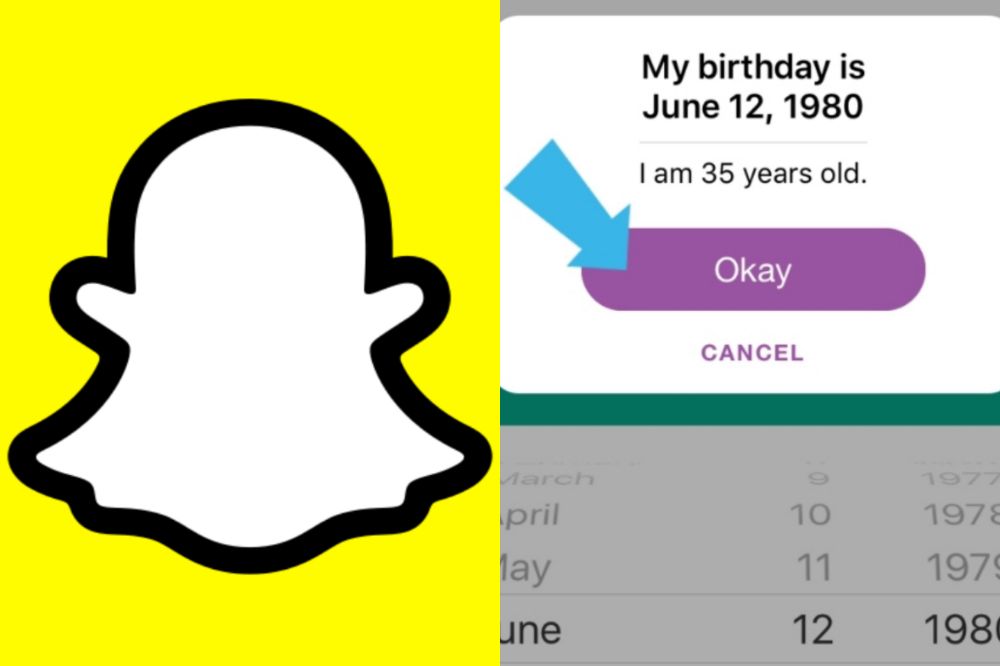
    7. Now, tap and edit them into your prefered satisfaction and press Okay to confirm the changes .
    8. Congrats, you are done changing your snapchat birthday details.

    NB: You can enable birthday party after you are done changing your birthday. In doing so, you will get some exciting surprises such as your zodiac sign in your profile when your birthday is due. This will also help friends find and celebrate your birthday, but will not reveal your age to other snapchatters.

    Also, you have a maximum number of times you can charge your birthday on snapchat and after that number reaches, you can’t change your snapchat birthday again for the rest of your life.

    If I change my birthday on Snapchat, how long will it take for the changes to appear

    When you are done changing your birthday using the steps above, wait for 24 hours for the Snapchat administrators to reflect the changes you have made to your birthday on your account.

    Conclusion

    Changing your snapchat birthday has several reasons and that will be best known to you the user but its worth and you must make sure it is not a regular habit. Following the steps above will help you change your snapchat birthday with ease.

  • How to Make Money in Ghana By Answering Questions on Triaba Ghana

    How to Make Money in Ghana By Answering Questions on Triaba Ghana

    Have you ever asked yourself how to make money in Ghana? You are not the only one looking to know how to make money in Ghana, many people have been asking this question in different ways and searching for the best way to make money in Ghana. Today, we will be showing you the best way to make money in Ghana using Triaba Ghana questions and answers platform.

    What is Triaba Ghana?

    Triaba Ghana is a forum where people from all over the world, including Africa and especially Ghana. You can be asked to answer questions about everything. Users can earn points for their answers which are redeemable for cash prizes. The site offers an opportunity to learn more about other cultures while also making some extra money at the same time.

    What kinds of questions will I be asked?

    Some of the topics you might be asked about are: politics, history, sports, culture and more. You could also be asked about your thoughts on a specific event or issue.

    What else should I know before getting started?

    There are many, but here are a few important things you should know before getting started: There is no age limit for joining Triaba Ghana. You must have a valid email address and mobile phone number. You can only sign up with one account per person (and must use the same name and email address).

    How much will you earn for answering surveys on Triaba Ghana

    On Triaba Ghana, you earn between $0.13 to $2.25 for each online survey you complete. After earning, you can choose to order a gift voucher from GCodes or a Virtual VISA Debit Card for the money you earn on  surveys.

    How to join Triaba Ghana and start making money

    1. Visit https://www.triaba.com/gh.
    2. Click on Join Today.
    3. Scroll down and click on Sign Up.
    4. Choose your gender and insert your email, password, date of birth.
    5. Agree to personal terms and click Register.
    6. After clicking on register, you will receive a verification email to verify your account.
    7. You will then be given a dashboard to addup your other credentials in order for triaba to be able to match up your preferences for your surveys.
    8. You can now toggle through your profile, surveys and earnings on your dashboard.

    How to withdraw on Triaba Ghana

    After reaching $10 or more, you are eligible to withdraw your earnings on Triaba Ghana into your MoMo account. You can also redeem and convert your earnings into gift cards and use it to make purchases online. So anyhow you want it to be done, Triaba Ghana got you covered and secured.

    Conclusion

    Triaba is a great way for those who are looking for quick and easy ways to make some extra cash online. The app is available on both iOS and Android, so download it today. It’s free and the process is simple.

  • List of Ghana Dating Sites With Phone Numbers

    List of Ghana Dating Sites With Phone Numbers

    As Ghana dating websites grow in popularity, more and more Ghanaian singles are able to find love online. While many Ghana dating sites offer singles the opportunity to make friends, chat, flirt and meet new people.

    If you’re single and looking for love in Ghana, there are lots of dating sites that can help you find your ideal match. Below, we will highlight on 5 top Ghana dating sites you can have a try on.

    Top Ghana Dating Sites With Phone Numbers

    • Meet24
    • Topface
    • Tinder
    • Waplog
    • Ghana Love

    Meet24

    If you are single and seeking the perfect girl, the man of your dreams, new friends or the love of your life, Meet24 is the perfect app for you. The app is free to register, fast and convenient. It automatically detect your location and gives you people nearby which makes it easy to get someone closer to you.

    You can easily chat anyone you want to chat on the app after getting interested in their profile. Most of them include their numbers in their profile description but even if the person did not, you can still chat him/her app and request.

    Topface

    If you’re looking for fun, friends or love in Ghana, try Topface today. With 100% free membership, chatting and flirting is just a click away. Topface comes with an app and a site so wherever makes you comfortable, you can register there and start finding your other half.

    Most profiles leaves their numbers on their descriptions but if not, you can still send them a direct message and request. Some cool features on topface include; Meeting new people nearby, private chat, sharing photos without worrying about your privacy, call anywhere in the world for free

    Tinder

    Tinder is regarded as an online hookup joint in Ghana as most ladies on tinder tend to be on the app for a direct cause. That shouldn’t raise an alarm for you because there are still beautiful and nice individuals who are on tinder looking for genuine love so giving yourself a shot, won’t be a bad idea.

    Users can scroll through profiles and anonymously like or pass on that person. If there’s a mutual interest, you’ll be able to chat one-on-one. If not, you’ll just keep scrolling and be looking for your interest.

    Waplog

    Similar to topface, waplog is also an interesting social network to meet new people if you’re seeking to build new friendships, relationships and to find love. It scans your location and gives you people nearby, making it easy to to chat and meet your soul mate as fast as possible.

    Ghana Love

    On Ghanalove, you meet thousands of like-minded singles and connect with them easily. You can post photos and also share your interests and dreams with everyone you come across on the website.

    NB: All the above listed has free version and a premium version. The free version has limits but its still worth using as the limit will still not limit you from finding your love. All you need is your username, email address, mobile number, password and you are set to find love, friends, or have fun.

  • 9 Netflix Hacks to Get the Most Out of Your Subscription

    9 Netflix Hacks to Get the Most Out of Your Subscription

    It’s time to power up your Netflix experience with some easy Netflix ‘hacks’ that will amplify your viewing experience and help you get the most out of the service.

    Remove Dud Recommendations

    Did you know that you can delete Netflix watch history

    While you can use this to clear embarrassing shows from the lineup, it has a far more practical purpose. The algorithm recommends movies and shows based on the content you’ve already watched. But it has no way of knowing what you watched and didn’t enjoy and what you watched and actually enjoyed. So by removing bad choices from your history through the account Options > Viewing Activity > Clear entire show, you can get better picks that suit your taste, too.

    Find Shows at Random

    Netflix has recently added the option just to play something randomly. This will save you from the agony of finding the ‘right’ show and just get things rolling. It’s a great way to find new content or simply solve familial bickering over what to watch. Laptop users can’t access this yet, but there are third-party websites that will do it for you.

    …Or Find Them Faster

    Many third-party sites offer better categorization, personalized filters, and other advanced search features. This will help you find new shows that suit your tastes better or find specific content you’re struggling to access with the native scroll-based search.

    Download to Watch Later

    Make your commute less boring, or keep the kids quiet on a road trip without burning through your mobile data allowance by pre-downloading a show to watch. Not only will this let you better control your data usage, but it will also help show buffer quicker in dud signal areas.

    Laptop Shortcuts

    Did you know that there are a host of laptop shortcuts you can use if viewing from a laptop? These can make your viewing experience substantially better, so check them out!

    New Genres

    Another thing few people realize is that the default genres displayed by Netflix are far from the only ones they have. They have hundreds! You can access subgenres that better appeal to you by entering their code, which you can find on the Netflix site. Chrome also has an extension for this.

    Block Binge Watching

    The binge-watching model may make Netflix its bread and butter, releasing even the newest shows in bulk. That’s great if you have the time for it—but not so great if someone on your account is using it as an excuse to lay around watching shows all day. 

    That autostart of the next episode gets too tempting, sometimes. Simply head to account Settings > Playback settings > Autoplay options for each profile you want to change. Uncheck autoplay, and you’re done. This can be managed by profile, so you don’t have to change it for everyone.

    Skip Autoplay Previews

    Have the automatic previews started feeling like the old unskippable DVD trailers? Do you get aggravated by the autoplay on mouseover? Time to turn it off, too. You will do the exact same thing: Account settings > Playback settings > Autoplay options for each profile you want to change. This time, untick ‘autoplay previews.’ You’ll never be bothered again!

    A few Netflix hacks like these, and your viewing experience will soon be precisely what you want it to be. Do you know any other quick tricks? Be sure to share them, too!

  • How to Check How Long You Have Had Your Phone

    How to Check How Long You Have Had Your Phone

    Have you ever wondered how long it’s been since you bought your phone? The information is available and i’s a good idea to keep track of your phone’s usage history, as it can help to keep your phone updated or not when necessary.

    Is checking your phone longetivity important?

    Checking your phone’s age might seem awkward but it is very necessary. Why will you want to be using a device and not know how old it is? A phone’s age can determine its functionality and also determine whether it qualifies for the latest updates or not. So, checking your phones age is a necessity.

    How to check how long you’ve had your phone

    The moment a phone is manufactured, a date is given to it, just like how every human also have a birth date. Knowing your phone’s date and how long you have used it makes you to know your phones life so as not to panic when it does not support the latest update.

    Checking how long you have had your phone does not have one method. There are various ways to check them out. So if your method A does not provide the expected results you want, you can use method B.

    Check phone box

    Every new phone comes with a box that contains the phone, its manual and accessories such as charger, phone case, extra battery, screen protector, etc. Not all phone provides the mentioned accessories but in most cases, you are likely to get all.

    Well, some manufacturers are kind enough to provide indepth details about the phone on the box. So the moment you pick up the phone box and check the inscriptions around it, you are likely to know when your phone was manufactured and be able to calculate how long you’ve used it.

    Check phone settings

    Open your phone setting and toggle through About phone. Not all manufacturers leaves your phones age under that section but since most of the them does so, it will worth it checking that place first. You will clearly see them under manufacturing date or hardware version.

    At times too, some manufacturers insert your phones date inside the serial codes and that will be difficult finding out if you have know idea on how to find it.

    Check through your phone’s serial code

    Mobile phone manufacturers like Apple mostly hides the manufacturing date inside the serial code. Most at times the third digit of their serial code refers to the year. Eg. 9 means 2019. 0 means 2020. 1 means 2021. The fourth and the fifth digit representing the day and month.

    This is for the older versions of iPhone. The newer versions also has a direct structure of serial code which means a different way of noticing and thus, its mostly difficult finding them out. For that, the best way is to find another alternative such as finding it on google search.

    Use google or any other reliable search engine

    Checking your phone’s brand can bring out lots of information about the phone on google and through that, you can know how old your phone is and when it was manufactured. You can also use the IMEI code to check on informations about your phone.

    Using manufacturing code

    Dialing codes to check your phone’s IMEI, serial code, manufacturing date and others are the good old days method which are still working on most devices. Its one of the simplest and fastest method. You simply dial *#197328640#* or *#*#197328640#*#*.

    This will then open a service menu. Go into Menu Version Information > Hardware Versions > Read Manufacturing Date. Some phones showcase the manufacturing date using the dialer’s code *#0000#. If all doesn’t work, then it means its no longer a method used by your phone.

    How to check how long you’ve used your phone

    After confirming your phones age to see if it qualifies for the latest updates and applications, you may also want to know how long you have used your phone your since you purchased it.

    On an android phone,

    1. Click the Settings.
    2. Tap on Digital Wellbeing and Parental Control.
    3. Under your Digital Wellbeing Tools, click Show your Data.
    4. If its your first time, you will need to set up an account.
    5. This sector can show you how long you spend on your phone in weeks, days and months.

    On an iPhone,

    1. Go to your phone settings.
    2. Click on Screen Time.
    3. Select Turn on Screen Time.
    4. Click Continue
    5. Select either if this is my [device] or this is my child’s [device].
    6. On apple, if you are a parent, you can also use this section to prevent your child from accessing some apps and others stuffs you want to prevent them from accessing.

    Conclusion

    Some people have been using their phone for a year or more without knowing what model they are. Others may not know if their phone is six months old or two years old, which could be of importance when deciding whether to upgrade. Knowing all this might not he needful at some point but it is also necessary to do so.

  • Top Sites to Download Ghanaian Movies from

    Top Sites to Download Ghanaian Movies from

    Are you looking to download Ghanaian movies? If so, there are some sites that you can use to get them. This article covers some of the best sites to download Ghanaian movies from, so be sure to read through it before looking elsewhere.

    Ghanaian movies are on screen play by Ghanaian actors and actresses made to entertain their home and outside fans. They are mostly divided into the locally made ones (Kumawood) and the English speaking made ones (Ghallywood).

    Sites you can download Ghanaian movies from

    Ghanaian movies just like any other movie on the internet can be downloaded and watched whether on your TV, computer or mobile phone. You might want to download but finding it difficult where exactly to get them. In this article, I will show you some top sites you can download your favourite Kumawood and Ghallywood at.

    YouTube

    YouTube is the easiest place to get your popular kumawood or Ghallywood movies at. The world has evolved and alot of things are now becoming internet based. Most of this actors, actresses and producers are now on YouTube with their channels and to watch their movies, you need to be be on YouTube.

    There are also some channels dedicated into posting Ghanaian movies where you go and download or watch your favourite ones. Below are some of the YouTube channels you can easily get a Ghanaian movie to watch anytime you visit YouTube.

    • Latest Twi Movies
    • Gh Movie Freak
    • African Twi Movies
    • Twi Movie Avenue

    Netflix

    Netflix may be popular for foreign movies but the platform is not solely for foreign movies. You can also get to download and watch your latest Ghallywood movies on Netflix. Make a search on the latest Ghallywood movies on Netflix and you will get tons at your disposal to download and watch.

    Note that, downloading movies on Netflix will be saved in the download section on your Netflix account and you need to use the App to be able to watch them anytime you wish to.

    GhanaMovies.Org

    Get your interesting Ghanaian movies on this site. The site focuses on updating their timeline with interesting and entertaining movies mixed with kumawood and ghallywood. You can download movies from their website toyiur computers folder as well as watch them online.

    Amazon Prime

    Just like Netflix, Amazon Prime also has tons of Ghallywood movies and series to toggle through to entertain your eyes. They also enable download for phones and tablets only. To download movies on Amazon prime, you need to download the Amazon prime app.

    The downloaded movies will be saved in the download folder in your Amazon prime account and anytime you wish to watch offline, you can do so.

    Iroko TV

    Iroko TV can be found on YouTube as well as on their website. Iroko TV is broad and has variety of African movies including Ghallywood and Kumawood movies at their disposal.

    Get the IrokoTV app or create an account on their website, subscribe and get to download any Ghanaian movies you wish to download on their platform. Watch them offline anytime you wish to as your downloads will be saved in your account and can be accessed anytime.

    Conclusion

    Getting to watch your favourite Ghanaian movie is nice. With the drama, the suspense and the laughter you will get, it’s worth watching. It also helps to kill off boredom and you don’t need to waste time now that you know how to get to download and watch your favourite.

  • No Turbonet, No Problem; Top Alternatives to MTN Turbonet

    No Turbonet, No Problem; Top Alternatives to MTN Turbonet

    There are a number of reasons why you might need to find an alternative to MTN turbonet. Perhaps the service or your provider simply isn’t good enough, or you’ve found another product that does what you need better and cheaper.

    Whatever the reason, there are plenty of great options out there for finding the same services that the MTN turbonet offers, whether it been connection speed or security features.

    About MTN turbonet

    MTN Turbonet is a high speed Internet router, capable of providing 4G Internet speeds to devices linked to it. The router can deliver Internet connection to 32 users connected to it. With the MTN turbonet, you are assured of a fast and reliable internet connectivity.

    Where to buy MTN Turbonet

    MTN turbonet is currently out of stock and specific date has not yet been released MTN Ghana as to when new ones will be available. However, if you desperately need one, you will have to buy it from someone who already has it and is willing to sell it to you.

    Why alternatives to MTN turbonet can be a good choice for you right now

    The sudden and extreme price increase of the MTN Turbonet has left many people wondering what to do. This will give you a headache as to whether you should go for an MTN turbonet or not. Also, the current poor services to the turbonet from the MTN customer care is another thing to worry about.

    Top alternatives to MTN Turbonet

    MTN turbonet might be the people’s choice due to their longevity and fast internet connection but that doesn’t mean it is the only best option to go for. There are still some great options out there for those who want something that is more affordable or who can’t get an LTE signal in their area.

    Universal Router with SIM Card

    A universal router with sim card can be a great alternative for those who don’t have access to MTN turbonet. The device has a SIM card slot and can provide Wi-Fi connectivity for up to 8 devices simultaneously.

    It mostly comes with an app on the mobile device which allows you to control this router from anywhere in the world as long as you have network connectivity.

    Portable Mifi such as Surfline & Busy 4G

    A portable Mifi is a new breed of wireless internet that can be used virtually anywhere. Surfline and Busy 4G are two of the most popular providers on the market.

    These types of Mifi’s use 3G networks and have a battery life of up to 8 hours. Their cost are moderate. The small, compact size makes them perfect for taking with you when traveling or even if you just need internet in one room or area of your home.

    MTN & Vodafone Pocket Mifi

    MTN and Vodafone are two of the most popular telecommunications companies in Ghana. They both offer a product called Pocket Mifi which allows customers to access the internet via their mobile phone and PC.

    Just like the surfline, the pocket WiFi are also small, compact in size and that makes them perfect for taking with you when traveling or even if you just need internet in one room or area of your home.

    Home or Office Internet like Teledata, Digital Arena & Ozone Broadband

    For your home or office use, Teledata, Daigital Arena and Ozone Broadband can be the best alternative to MTN turbonet.

    • Teledata offers internet plans with high speeds and low prices.
    • Digital Arena is another company that offers high-speed internet for businesses for your homes and offices with affordable data plans.
    • Ozone Broadband also offers affordable and fast internet services for your businesses and they come with data plans that are affordable to purchase.

    Hotspot from Spare Phone

    Hotspot from spare phones can also be an affordable option for you. Especially when you are someone who doest really depend on big internet data plans for your businesses. With as little data plan you subscribe to,you can connect to your spare phone hotspot and have a spree.

    Conclusion

    MTN might be the most prominent wireless carrier in the country, but they are not the only game in town. There are many alternative providers similar to what the turbonet does and sometimes even better. If you need a cellphone or internet connection and can’t get it from your current provider, then any of the above will do just fine.

  • Projector Price in Ghana: Types, Brands and Where to buy from

    Projector Price in Ghana: Types, Brands and Where to buy from

    Projectors are becoming more and more popular and are increasingly being used for business presentations, school lessons, video streaming and other forms of entertainment in Ghana and across the world.

    With the rise in demand, there are plenty of different brands to choose from, varying widely in price and quality.

    This article will guide you through your projector purchase so that you can get the best deal possible and be able to enjoy your favorite activities on a big screen.

    What are projectors?

    A projector is a device that projects images onto a screen or other surface. It may be used for entertainment (in a movie theater or home theater), for education (in a classroom), for presenting work-related information, as part of an art installation or display, for the presentation of films at film festivals, or as part of a slide show.

    Types of projectors

    1. Short throw projector can be an economical choice for a small conference room or classroom. This type of projector only has a throw distance of about 0.5 – 1 meter (1.5 – 3 feet).

    2. Laser projector uses lasers as its light source. Laser projectors are widely used because they produce images with very high brightness and contrast ratio.

    3. DLP projector uses micro-mirrors to project images from a monitor onto a large screen. They are mostly used in cimemas for projection.

    4. LCD projectors send light from a metal-halide lamp through a prism to display video, images, or computer data on a screen or flat surface.

    Projector brands in Ghana

    Some of the most common brands include Sony, Epson, BenQ, Samsung, Acer, Dell, Epson, Optoma, Infocus, etc.

    Projector prices in Ghana

    The prices below my vary depending on where you get to buy your projector. It may be less or more.

    Jumia Ghana Projector Prices

    Projector brandPrice
    Owlenz Projector SD150 LEDGHS 1,380.00
    Portable LED Mini Home Office ProjectorGHS 578.00
    1280×800 LED Projector, Support AV & USB & VGA & HDMIGHS 839.00
    Epson EB-X01 3LCD Portable ProjectorGHS 4,750.00
    854×480 DLP Mini Smart Projector, Android 9.0, 2GB+16GBGHS 2,739.00

    Jiji Projector Prices

    Projector brandPrice
    Optoma DLP 3800 Lumens Projector Yex9196GHS 3,500
    Epson Eb-X31 ProjectorGHS 2,200
    Samsung 120″ Smart 4k Uhd Ultra-Short Throw Laser ProjectorGHS 4,700
    EPSON EB-W51 4000 Lumens ProjectorGHS 3,000
    Benq MS550 Business Projector 3600 Lumens Super BrightGHS 3,500
    Benq MS527 DLP Office Projector, SVGA (3300 Lumen)GHS 4,400
    Samsung Freestyle Tv ProjectorGHS 11,000

    Tonaton Projector Prices

    Projector brandPrice
    EPSON EB-W51 4000 Lumens ProjectorGHS 3,000
    EPSON Eb-S41 HDMI Remote, Lumen ProjectorGHS 1,700
    LED Portable Multimedia Home Theater ProjectorGHS 950
    Benq MS550 Business Projector 3600 Lumens Super BrightGHS 3,500
    Benq MS527 DLP Office Projector, SVGA (3300 Lumen)GHS 4,400
    EPSON Eb-X06 Xga 3lcd Projector 3600 LumensGHS 5,500

    Where to buy projectors in Ghana

    Buying projectors in Ghana cannot be that difficult with various options at your disposal. Buyers can get to buy their projectors through an online store such as Jumia, Jiji, Melcom, Tonaton, Loozap, Ghanabuysell, etc. Also, you can get to buy a projector at any tech savvy physical shop in Ghana.

    Conclusion

    there are many projectors brands and models available on the market nowadays, it is important to take into consideration the type of use you have for your projector. That way, you can be sure that the device you choose will meet your needs.