Author: Mfidie

  • How to Check & Redeem your MTN Points for Airtime & Bundles

    How to Check & Redeem your MTN Points for Airtime & Bundles

    MTN’s rewards program gives users points when they do certain activities on the MTN mobile app or website. These points can be redeemed in many ways, including buying airtime and bundles, paying your bill and even sending airtime to other people, as long as they have an MTN SIM card in their phone. To learn more about the way you can use your points and how much each of these rewards costs, read this guide.

    What is MTN loyalty reward points

    With MTN loyalty reward points, customers are given free airtime, Internet data or a percentage voucher to purchade their favorite snacks from specific food joints. Every MTN user automatically accumulate points the more they buy airtime aand mobile data.

    What you can get with MTN loyalty reward points

    With MTN loyalty reward points, you can redeem your points for airtime, bundle, discounts of foods and other products that has partner with the loyalty reward program.

    To know what is currently available, you first have to check your points also look out for the available things your points can get you.

    How to check your available MTN loyalty reward points.

    1. Dial *550#
    2. Select option 7. (MTN reward).
    3. Choose option 1. (Check points balance).

    How to redeem your mtn loyalty reward points for airtime and bundle

    Your loyalty reward points to can be redeemed for several things as mentioned above. But the popular ones are for airtime and for data bundle.

    Redeem your reward points for airtime

    1. Dial *550#
    2. Select option 7. (MTN rewards)
    3. Select 99. (more).
    4. Select option 2. (redeem points).
    5. Select 1. (airtime).
    6. The next pop up will show the points and amount of airtime you can get.
    7. Now select the available points you have and the attached airtime will be allocated to your account as bonus.
    8. You can now use it to make calls to all networks untill you finish it all.

    Redeem your reward point for bundle

    1. Dial *550#
    2. Select option 7. (MTN rewards)
    3. Select 99. (more).
    4. Select option 2. (redeem points).
    5. Select 2. (bundles).
    6. The next pop up will show the points and available data next to it.
    7. Now select the available points you have and the attached bundle will be allocated to your account.
    8. You can now use it to browse the Internet as much as you want.

    The data packages can be redeemed for daily, weekly and monthly depending on the number of points you have accumuted and how you want to purchase it.

    Conclusion

    MTN loyalty reward is just a bonus help for MTN users. The points can be redeemed when you are in dire need for airtime or data and you have nowhere to turn to. Just remember you have a standby help in MTN reward points. Follow the steps above and you will be sorted.

  • How to Login & Use University of Ghana STS Portal & More Info

    How to Login & Use University of Ghana STS Portal & More Info

    The platform, which is referred to among students as the STS Portal, is a platform that an individual can use without paying anything provided the individual is a current student at the university. On the STS portal, you can do quite a number of things.

    What is UGSTS

    University of Ghana Students and Staff Service (UG STS) is a portal that provides students with access to their academic records, financial transactions, course registration, exam schedules etc. UGSTS is a centralized self-service portal which facilitates communication between students and faculty members.

    Where can I access UG STS Portal

    UG STS portal can be accessed from anywhere through the use of login credentials, which each and every student or faculty member has been given by the portal’s administrators during the registration process.

    Why you should use UG STS Portal

    Why should you use UG STS? It’s a great resource for students. You can register for classes, make payments, check your grades and much more.

    The first thing you need to do is log into your UGSTS account by clicking here. If you don’t already have an account, then click create an account. Choose a username, pick a password (make sure it’s not too simple), enter your email address, fill in other contact information that’s needed, and agree to our user agreement.

    What are my options to login into UGSTS?
    To login into UGSTS, you have the following options:

    How to sign up for University of Ghana STS Portal

    The first thing you need to do is log into your UGSTS dashboard to be able to access the features. If you don’t already have an account,

    1. Open https://sts.ug.edu.gh/services and click create an account.
    2. Choose a username.
    3. Choose your password (make sure it’s not too simple).
    4. Enter your email address, fill in other contact information that’s needed, and agree to our user agreement.

    How to login to University of Ghana STS Portal

    Now, you have created an account and you need to login to be able to access the dashboard. To log in,

    1. Open your browser and type https://sts.ug.edu.gh/services.
    2. Go to login and then type in your username and password.
    3. Hit on login and if a few minutes, your dashboard will be displayed to you.

    What can I do on the portal once logged in?

    1. Under Course Registration, you can search for courses, add or drop courses, or change your degree program.
    2. Under Course Schedule, you can view a list of all the classes you are enrolled in, their meeting times, and where they will be located.
    3. Under Course Submission, you can upload assignments that are graded by instructors.
    4. Under Examinations, you can view exams that have been scheduled for your class.
    5. Under Grades, you can view your grades, or request a grade change if you believe there was an error made by a faculty member.
    6. Under Progress Reports, you can see what you need to do before graduating from your current program.
    7. On My Academics & Financial Aid page, you can see how much money is owed to the university as well as what scholarships may still be available for you.
    8. On my Student Profile page, you can update information about yourself such as address, email, phone number and password.
  • Akai TV Prices in Ghana and Where to buy from

    Akai TV Prices in Ghana and Where to buy from

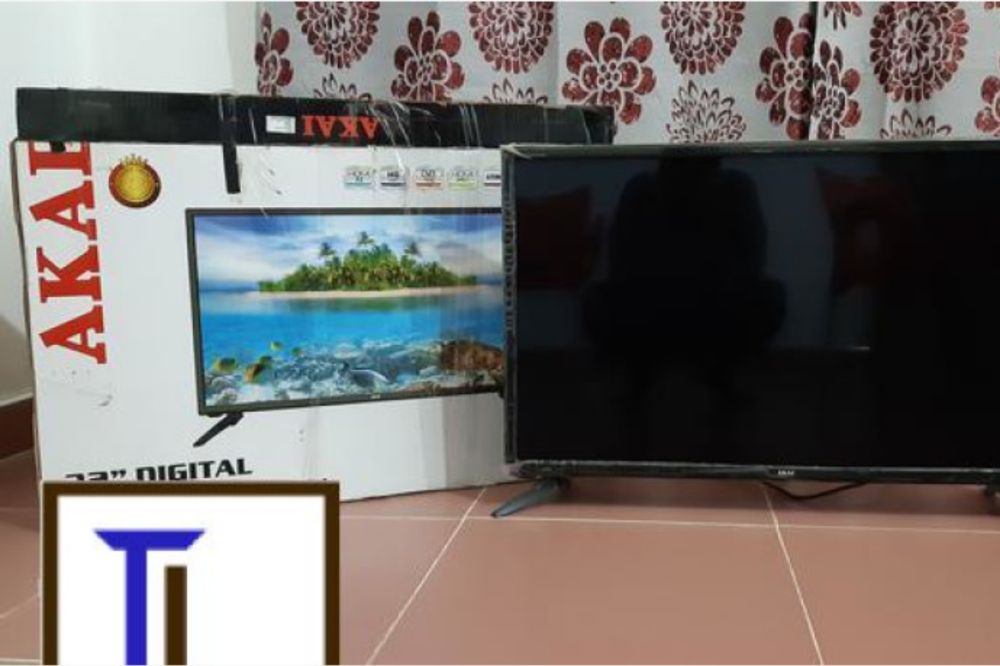
    Akai televisions have dominated the Ghanaian market and with their modern features, there’s no stopping them. Because they are so popular, many people want to buy an Akai TV but don’t know how much they cost or where to get them from in Ghana. This article provides information on how much Akai TVs cost and where to get them in Ghana.

    About Akai

    Akai televisions are one of the leading brands of TVs in Ghana. The company was founded in 1964 by Akai Electric Co., Ltd. Since then, they have grown to be one of the top 5 manufacturers of televisions in the world. Akai is famous for its sleek design and advanced features which put them ahead of their competitors.

    Why you should choose Akai TV

    Akai is one of the most well-known brands of televisions, with a reputation for quality products. Akai not only sells TVs but also a wide range of electronics, home appliances, and other household items.

    As an international brand with a long history, Akai TVs come at a convincing price point than many other brands. Customers can also get a free shipping with goods worth $150 or more from their stores.

    Where to buy Akai TV

    The best place to purchase Akai TVs is from online stores. You can browse through what is available and get the one that meets your needs. You can also read customer reviews from those who have bought it before you, which will give you an idea of how well it has worked for others. Jiji gh, melcom, jumia, loozap, tonaton are all recommended online places you can get Akai TVs to buy.

    Akai TV prices in Ghana

    Akai 32 inches LED TV

    Akai LED TV sizes begins at 32 inches and with an amount of GHS 999 or more, you can be a new owner of an Akai 32inches brand for any of the above mentioned online shops or physical shop.

    Akai 43 inches LED TV

    Akai 43 inches is not directly after 32 inches but this size is also one popular demand and with an amount of GHS 2100 or more, you can get yourself an Akai 43 inches TV from any of the above online shops or any physical retail shop.

    Akai 50 inches LED TV

    Akai 50 inches is the next in demand size after 43 inches. With an amount of GHS 3100 or more, you can get yourself an Akai 43 inches from any of he above online shops or any physical retail shop aroud.

    Akai 55 inches LED TV

    Akai 55 inches comes after the 50 inches and they are also in high demand. With an amount of GHS 4100 or more, you can be the new owner of an Akai 55 inches TV from any of the above online stores or any physical retail shop around you.

    Akai 65 inches LED TV

    As time flies, the old regime flies off and there come an new regime. The Akai 65 inches is currently the new trend in town. The demand of it is as high as the 55 inches and with amount of GHS 5100 or more, you can get yourself one at any of the above mentioned online stores or any retail shop around.

    NB: Note that, the said prices varies and may not be the same at each store you visit. But be assured that be the base price in my stores and shops you visit.

    How to Choose the right size of flat screen TV for your home or office

    A big factor when buying a television is screen size. The screen size determines the viewing distance, which can vary depending on the person watching.

    If the screen is too large for your intended viewing distance, you won’t be able to see all of it at once. But if it’s too small, you might feel like you’re always reaching for the remote control.

    Most people sit 10-12 feet away from their televisions. It’s best to choose a model with a diagonal measurement that corresponds with this range.

    • 32 – 37 inches TVs are suitable for smaller rooms or kitchens.
    • 39 – 49 inches TVs are appropriate for average-sized rooms.
    • 50+ inches TVs are best suited for larger rooms and gaming setups.

    Conclusion

    With the Akai line of televisions, you can find a model that fits your budget. Akai is one of the most affordable brands on the market, which is perfect for people who are just starting out or for those who are looking for a secondary television.

  • Goodreads for Movies: How to Find Movies to Watch When You are Bored

    Goodreads for Movies: How to Find Movies to Watch When You are Bored

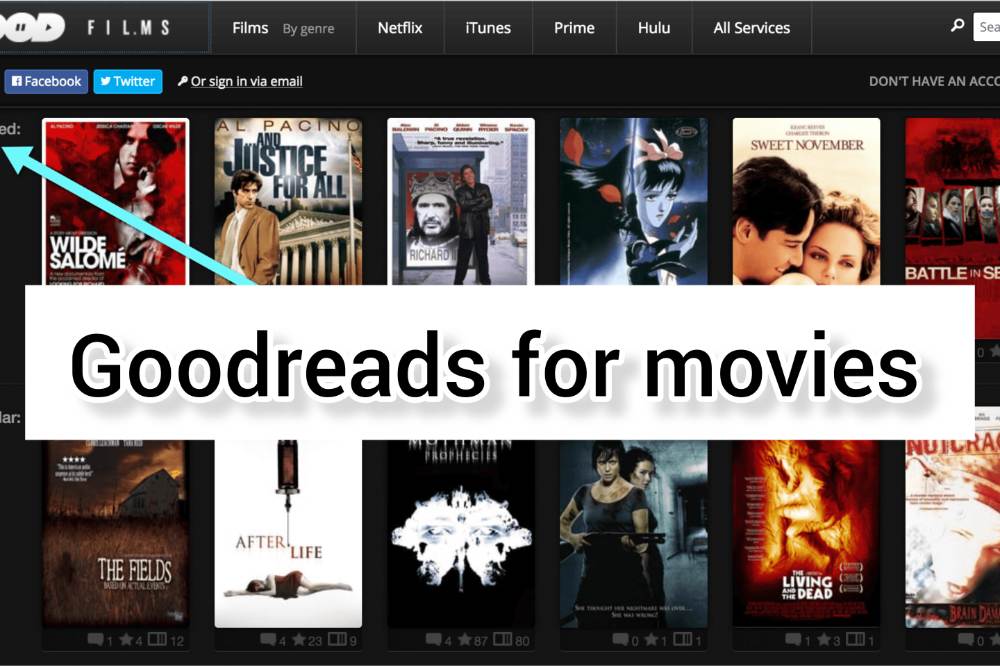
    If you love watching movies, but hate the boredom that comes with having to find something to watch each time, then you need something like a Goodreads for Movies.

    In this article, we will talk about Letterboxd, which is like a Goodreads for Movies. Letterboxd allows you to browse through lists and lists of movies based on everything from genre to actors and directors, so that you can find something interesting without having to browse through Netflix or Amazon alone.

    Introducing Letterboxd

    Letterboxd can best be described as “social media” for movies. You can use the platform to share opinions about movies that you have watched and make recommendations too. Similarly, you could read other people’s reccommendations and find a movie based on what others have said.

    Letterboxd helps keep track of every film you’ve ever watched or searched on the platform. With this, you don’t have to be fumbling incase you want to watch such movies again.

    There are also ratings on movies and that will help you to find the best ones to watch without you having difficulty in finding a good movie to watch at a specific time.

    Letterboxd offers the perfect opportunity for you to meet other cinephiles or to casually see curated lists from them to mave a movie watching decision.

    You can download the Android and iOS app to get started or join for free on the web.

    Top other “Goodreads for finding movies” Sites

    Apart from Letterboxd, there are other platforms that you can use to find great movie suggestions. Here are a few:

    1. Flikster

    Flikster is an app which will allow you to create watchlist and share them with your friends. And you can even write reviews for movies and share them with your friends.

    2. IMDB

    IMDB is my favorite since it has the biggest library and community. You can watch trailers, share items, see actors, make cross-references, share movies with your friends and make watchlists. I personally enjoy using this app.

    3. GetGlue

    With Getglue, you can check into movies, books, shows, music. You can read, watch, listen. And you can follow your friends and by so, see what they’ve been up to. It’s not really what you want, but it’s the closest I could find.

    4. Criticker

    Criticker doesn’t look glossy as the above options but you may find it much more thoughtful. I feel like its users’ collections are probably the best for film discovery because there are often quite unexpected topics and selections.

    Conclusion

    If you interested in watching movies but are frustrated by how difficult it can be to find new ones to watch, you should check out these sites to help you with that problem. Other options can also be of help. Choose a convenient one and have a good day.

  • Business Treepz launches as Treepz celebrates its 3-Year Anniversary

    Business Treepz launches as Treepz celebrates its 3-Year Anniversary

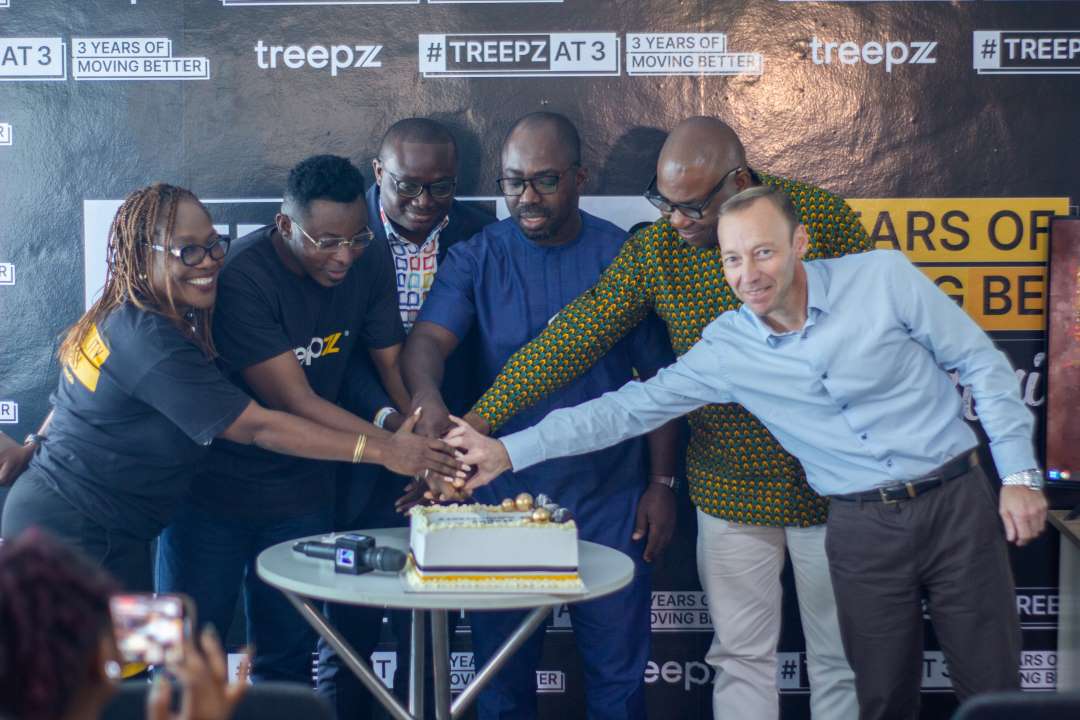
    Africa’s leading shared-mobility startup, Treepz, is set to launch Business Treepz, a new service aimed at providing staff bus solutions and bus rental service in a structured, accessible, and predictable manner for corporate organisations including companies, schools, churches and tour operators. 

    Treepz announced the launch of this new service on the 16th of September 2022 – to commemorate the company’s three year anniversary across Ghana, Nigeria and Uganda. Business Treepz takes away the pain for organisations who want to rent or hire a high quality bus for their companies, schools or events. The service promises to provide customers with the same high-standards that Treepz is known for in making commuting better for its customers using its technology. 

    This service will also help organisations to better manage their business operations by providing them with fleet management solutions backed by technology and data. In turn, these organisations will save time and money while improving the efficiency of their own services. Parents can now track the commute of their kids to school and back, making sure they’re safe during their journey. Tour companies no longer have to worry about conveying their clients around the city or between cities – they can simply order a bus through Business Treepz and enjoy peace of mind while they’re on vacation!

    The Country Manager of Treepz Ghana, Isidore Kpotufe, points out that with Business Treepz the firm will continue to bring more value to businesses: “We want to make transportation less of a worry for Ghanaian organisations and help them to focus on what is important, to grow their business*.

    Business Treepz is an online platform for users to book a bus tailored to their specific needs with just one click, without having to go through numerous rental platforms or pay exorbitant amounts of money. The service has been designed with the user’s convenience and comfort in mind and will give them access to all types of bus options. Users can choose from a variety of vehicles which allows them to get a bus to get around town easily.

    Speaking on the launch of the new service, the Chief Executive Officer & Co-Founder of Treepz, Onyeka Akumah said, “We are excited about launching Business Treepz today because following up on the feedback from our customers, we can better fulfil the requirements of organisations looking to benefit from our high quality transportation service that also allows the use of technology through our app or websites in Africa. We are focused on growing our partnerships with businesses and schools to make sure more Africans can move comfortably and safely to wherever they have to go driven by our technology and data.”

    Business Treepz has so far partnered with top organisations including Maarif International School, MTN, University of Ghana Medical Centre, Charter House (organisers of Miss Malaika), CEIBS in Ghana, while the likes of Reddington Schools, Wakanow, Tek Experts all in Nigeria have also enjoyed its service. The largest musical event in East Africa with close to 20,000 in attendance called Nyege Nyege Music festival has also been powered by Treepz for transportation needs.

    In its pilot phase over the last 3 months, Business Treepz currently provides transportation for 2,000 children in schools daily while making provision for over 1,500 employees of companies similar to a staff bus solution but with data. So, today, with its full launch, the company is excited about the prospects of growing its client base significantly. 

    Focusing on Treepz recent accomplishments, the company won the Global Startup awards in Africa beating over 7,000 startups to win the category Industrial Tech company of the year. It has also completed more than 2 million customer journeys across East and West Africa. Treepz is establishing itself daily as the leading shared mobility platform on the African continent and boasts of investors like Google, Techstars, SOSV, LoftyInc and several other reputable VCs to scale its operations. 

    Going forward, Treepz will be focused on expanding its services in the three core markets while seeking for partners in new African countries especially in Southern and Northern Africa, The company continues to ensure it’s at the forefront of sustainable transportation solutions powered by electric and gas vehicles to save CO2 emissions and there will be more around this in the coming years. 

  • TM1 Laptop: Specs, Price and What You Can Use it for

    TM1 Laptop: Specs, Price and What You Can Use it for

    Are you looking to buy an affordable laptop that you can use in the classroom and personal use? You have decided to go with the Teacher Mate 1 laptop, but you want more information on this product, its features and specifications, and what it can do for you.

    Here is what you need to know about this laptop model so you can be certain it’s the best choice for you.

    About Teacher Mate 1 Laptop

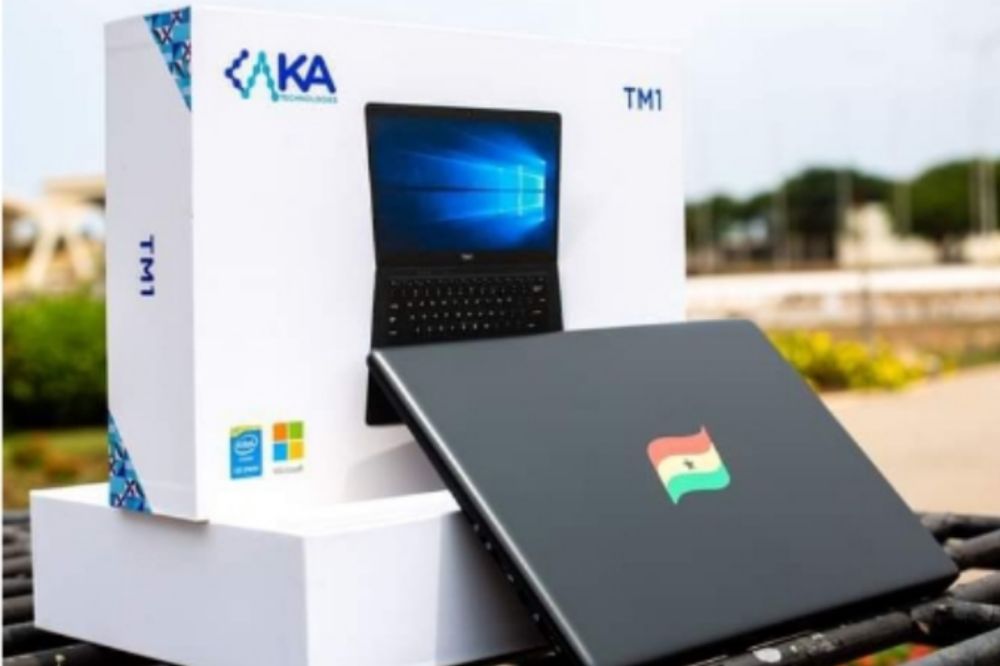
    The Teacher Mate 1 laptop according to the Ghana Education Service is a world-class laptop built to inspire learning and superior performance. The TM1 is provisioned with a custom-built desktop application that delivers electronic learning and teaching contents presented in a user-friendly electronic format.

    Why you need the TM1 Laptop

    The TM1 laptop is essential for teachers to stay connected to students and the world around them. It includes powerful hardware that’s perfect for multitasking so teachers can be more productive in their everyday lives.

    The TM1 laptop also includes Office 365 that gives teachers and non teachers who want to use it access to all of Microsoft’s latest apps including Word, Excel, PowerPoint and OneNote.

    This laptop is mainly designed to make the work of teachers easier its not strictly for only teachers. Everyone who wants an affordable laptop to use for their daily activities can also purchase the TM1 laptop.

    How much does TM1 laptop cost in Ghana?

    The Teacher Mate 1 laptop can be purchased in Ghana by a non teacher in the region of GHC1,850.00. However, the GES sold it out to teachers for around GHC1,500.00 where teachers paid part and GES paid part.

    Where to buy TM1 laptop in Ghana

    The teacher mate 1 laptop was mainly designed for teachers and were given out by the GES where the GES pay part and teachers also pays a portion. The Laptops were manufactured by KA Technologies Ghana, an IT Company which was given the mandate to manufacture the TM1 Laptop.

    If a non teacher requires to buy any, then the person will have to be buying it from a teacher who is selling his/hers or make contact with KA Technologies and enquire on how to get one as a non teacher.

    TM1 Laptop specs

    • Resolution of 1366 x 768 pixels
    • TN
    • 14 inches Display
    • USB 3.0 x1 +2.0x 2 ports
    • Processor: Intel Gemini lake-R Celeron N4020 11-2.8 GHz
    • Solid State Drive (SSD) 256GB
    • 4GB RAM
    • 1x Micro SD card (up to 128GB)
    • 1x Mimi HDMI
    • 1xRJ45 port
    • 1xMicrophone/ 2x Stereo speakers 8R/TW
    • Max Voltage 7.4V
    • AC Power Adaptor Input 100-240 VAC 50-60 Hz
    • Output Voltage 12.0 V 2.0A
    • Front Camera
    • Bluetooth 4.0
    • Wifi 802:1 b/g/h
    • Battery Pack Lithium-ion polymer Battery
    • 5000 mAh
    • 1 USB 3.0 port
    • 2 USB 2.0 port

    What you can use the TM1 Laptop for

    This laptop can be used for any number of tasks including word processing, presentations, data input or even as a digital whiteboard. With the TM1 laptop, teachers especially have access to the same tools they need in order to create engaging lessons with their students.

    As an elementary school teacher, you rely on your laptop and desktop computer for many things, including lesson plans, grading papers and communicating with other teachers at your school.

    You also use it to track grades and keep information about each of your students readily accessible so that you’re always prepared to help them make progress during the year.

    Conclusion

    The Teacher Mate One laptop is a great option for someone looking to buy a laptop for themselves or as a gift for someone else. Teachers can use the laptop in their classroom setting to provide students with digital content.

    Parents can also purchase this laptop as a gift because of its affordable price. The options are endless when it comes to what you can use this laptop for because of its versatility.

  • TECNO Delight Fans With TECNO Fans Park, A Free Viewing Center For The 2022 Blackstars Friendly Internationals With Max Tv At Circle, Dubai

    TECNO Delight Fans With TECNO Fans Park, A Free Viewing Center For The 2022 Blackstars Friendly Internationals With Max Tv At Circle, Dubai

    TECNO does not only create outstanding smartphones, but as the World Cup football season looms on the horizon, TECNO has announced as the Headline Sponsor of the much-awaited 2022 Fifa World Cup International Friendly with Max Tv.

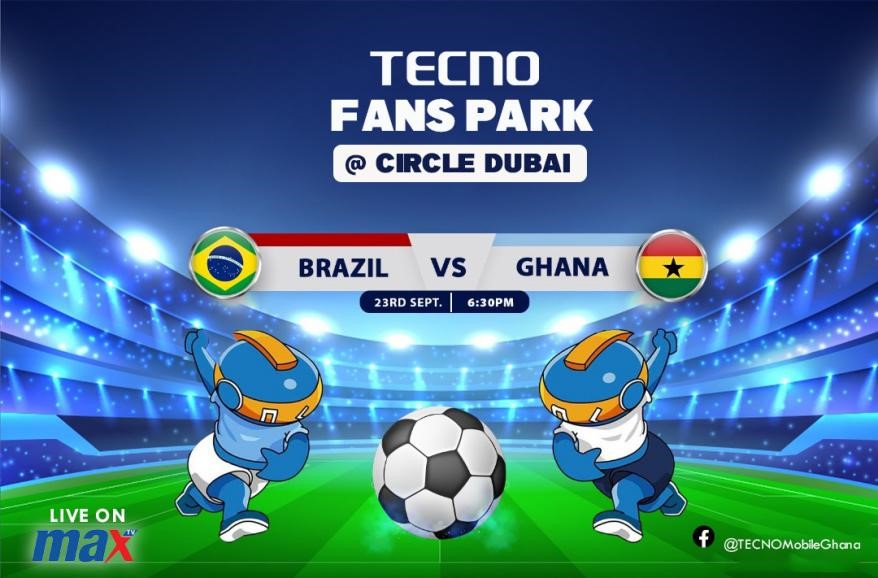
    The Black Stars International Friendly matches will be shown live at the TECNO fans park on September 23, 2022 between Ghana vrs Brazil, September 27, 2022 between Ghana vrs Nicaragua and 17th November 2022 between Ghana vrs Switzerland, with free TECNO souvenirs to be shared to fans present at the venue. TECNO has been at the forefront of delighting ardent Football fans with the first-of its kind Fans Park broadcast innovation in partnership with Max TV offering a superior experience to fans, who will get a wider choice of watching the Black stars live matches with friends and family, as well as more match highlights and interactions in this year’s Max TV Live broadcast.

    A Max TV spokesperson said, “TECNO is dedicated to bringing the 2022 World Cup season to Ghanaian football fans. We are delighted to welcome TECNO on-board, as Headline sponsor for the 2022 Fifa World Cup International Friendly. This partnership reflects our resolute endeavour to bring the best of the 2022 World Cup football season on Max TV. TECNO and MAX TV are keen to keep fans engaged during the entire season of the tournament.”

    Football is a great way to connect with audiences and the 20220 World Cup is surely at the top of the viewing charts for football fans in Ghana. We are happy to come on board as the Headline Sponsor for the Broadcast of the exciting new 2022 Fifa World Cup International Friendly season on MAX TV, a rep from TECNO highlighted.

    Fans also stand the chance to win the latest CAMON 19 PRO Mondrian limited edition when they follow and predict correctly across @TECNOMobileGhana social media pages. Catch all the 2022 Fifa World Cup International Friendly matches at the TECNO Fans Park at Circle, Dubai for free in partnership with MAX TV.

  • Android Secret Code for Sportybet: Real or Fake &How to Win Bets

    Android Secret Code for Sportybet: Real or Fake &How to Win Bets

    For those of you who have been aware of the Android secret code, you will definitely have your fingers crossed and be waiting to see if it’s legit or just another scam artist’s ploy to get your hard earned cash by bringing you into the world of betting through an app called Sportybet.

    And if you’ve never heard of the Sportybet app, then we will fill you in on the details and whether or not it’s too good to be true or real deal.

    What is android secret code

    The Android secret code is a code that you can use to make your bets on sporty bet. The code is not too difficult. But, it does require you to download a specific app from the play store where you insert the code for sportybet cheats on how to easily win bets.

    Is the android secret code for sportybet real or fake

    It is unclear whether the Android secret code is real or fake. The website that advertises this code as a way to win bets includes no contact information and there are no reviews on it. It is also vague on how to use the code, so it is hard to know if it does anything at all.

    But if I am to give a second thought, I will say its absolutely fake. Scammers and hackers mostly create to app to rip you off your money and if care is not taken, can also take vital informations from your phone when you install the app and insert the codes.

    In Sports betting, there is nothing like cheat or fixed matches. Its all based on luck. Put your luck and your believe and stake a real game rather than depending on codes and cheats to win in order not to find yourself ripped.

    What to do if you get scammed with the sportybet android secret code

    Most at times, the sellers hardly meet the buyer face to face. All transactions are done on phone and social media which makes it difficult to even track them when you later finds out you have been ripped. The best solution is to completely stay off!

    How to win sports betting

    To win a bet, you need to first create a betting account with any sports betting platform you know. Melbet, Sportybet, Mybet, Msports, Winnable, Betpawa, Soccabet, etc.

    After creating your account with any of your favorite betting platform, you will be giving a dashboard to make your stake. There are variety of bets to make. Horse riding, car racing, soccer, aviator, etc.

    Select anyone you wish to stake and make sure you know much about it. If you don’t, read instructionreto get equipped or better still, make searchers from experts and get to see how its done before engulging.

    There are options to choose from which is the single betting and multi betting. I will recommed you always go with the single betting as that one is mostly easier to win.

    Don’t be greedy. Your chance of winning will increase if you stake little and expect a bit higher wins. If you stake little and expect to win more than imagination win, it will only give yoyou slim chance.

    Betting is addictive so make sure you are strong witted enough to stop for the day when you are on the winning side. If you are loosing profusely too, have a pause.

    Conclusion

    There is no short way to success. Betting is one of the hardest system to hack and therefore, do not put your hopes on any betting hacker to solve your problems for you. Stake directly and with luck rather than with the expectation to cheat.

  • MTN Zone: How to Get Cheap Data + Best Tips & Deals

    MTN Zone: How to Get Cheap Data + Best Tips & Deals

    MTN has taken the continent by storm, with their affordable data and superior network services, it’s no surprise that many people have been inclined to make them their network of choice.

    MTN Zone is here to help you navigate your way through this new world of data, giving you cheap data deals and offers for your Internet connectivity.

    About MTN Zone

    MTN Zone bundle is a data bundle aspect of MTN initiation that looks to reduce data burden on their customers. The zone bundle us specifically made for only MTN users.

    Why do you need the MTN Zone data

    Every customers want comfortable as well as fas t and reliable internet connection. But in all, they also want a data bundle that will be convenient for their pockets. With the data zone offers, it has all this attributes and that is why every customer would want it or be interested in it.

    How to activate MTN Zone

    MTN zone is an offer in their own zone, and to be able to be part of the zone family, you need to activate or subscribe before you can be able to purchase the available offers. To activate or subscribe to MTN zone,

    1. Dial *135#
    2. Choose the option 1 (Activate)
    3. You will receive a welcome message and instructions to subscribe to the offer on your phone.
    4. After dialing the *135# to activate the MTN Zone, you should follow the instruction that says, dial 135*3*3# for information on setting up your handset.

    MTN Zone data packages and prices

    After successful subscription, you can be able to access the data packages below. Note that, the MTN zone data packages varies and can change anytime so you need to keep note of the time you wish to buy so you can be able to buy your favorite offer.

    MTN Zone AmountDurationData Bundle
    GHS 2.09 – GHS 2.99 1 Day1 GB
    GHS 3.09 – GHS 3.99 (1 Day)1 Day2 GB
    GHS 4.09 – GHS 5.99 (1 Day)1 Day5 GB

    How to buy data package on MTN Zone

    Now, you have your subscription successfully and you know how much to posses in order to buy an offer from MTN zone. Below is how to buy a data package on MTN Zone;

    1. Dial *135#
    2. Select the option 2 (Zone bundles)
    3. Choose the option 1 (Data Zone Bundles).
    4. Choose from the data packages available at thay time.
    5. Select Yes, when asked are you sure you want to buy the bundle of which you selected.
    6. Congrats, you now have your prefered data.

    Note that, you can only purchase the MTN zone bundle from your airtime only. You need to purchase airtime if you have your money on MoMo to be able to subscribe to data zone. If you are owing, clear your debt before you can be able to enjoy MTN data zone offers.

    Other MTN Data bundle offers customers can subscribe to

    MTN Data PackageShortcode
    MTN Basic package*138#
    MTN Kokrokoo Bundle*138#
    MTN Midnight Packages*138#
    MTN Social Media Bundles*138#
    MTN Video Bundles*138#
    MTN Turbonet Broadband Bundle*5057#
    MTN Free After 1*550*6#
    MTN Reward*550*7#
    MTN Mashup*567#
    MTN Just4U*141#

    How to manage your mtn data bundle for a longer usage

    1. Switch of your data bar when not in use.
    2. Calculate the amount of data you need at a specific time before purchasing.
    3. Do not go overboard with a plan not part of your existing data.
    4. If you need to download a bigger file, choose a midnignt bundle instead of using your normal data bundle.

    MTN Data bundles: best tips and deals

    With the above said, MTN Zone, MTN free after one, MTN Reward and MTN Midnight will give you the cheapest offer for customers.

    • With MTN free after 1, you get 50MB for your WhatsApp and Facebook messages when you activate and make your first call of the day even when you use your bonus.
    • With MTN Rewards, you get free data bundle or airtime with your points. The more you use data and make calls, the more MTN accumulate points for you. With that point, you can purchase airtime or data bundle when you are down with no money for airtime or bundle.
    • MTN Midnight gives you bigger bundles for cheap amount. The Midnight bundle as the name goes can only be used during Midnight for your bigger files. It last between 12:00am – 4:59am.
    • MTN Zone also gives you cheap offers compared to the regular package prices. If you need to do something within 24 hours and you want to last a bit longer then, you can go for the zone bundle.

    Conclusion

    MTN has the best, the cheap and also the highest fee data bundles. Depending on what you want, you can get them on MTN. However, there are also good alternatives with the other networks which you can also give them a try.

  • Latest Prices of Laptops at Franko Trading

    Latest Prices of Laptops at Franko Trading

    If you are looking to buy a laptop, you might be interested in how much laptops cost at Franko Trading.

    Franko Trading has been in the business of selling computers and laptops for a long time so they have great knowledge and experience when it comes to laptops, desktops and other computer related equipment.

    Even if you don’t plan on buying anything from them, their prices might surprise you! Let’s take a look at what laptops cost at Franko Trading.

    About franko trading

    Franko Trading Enterprise is the one of the leading retail and wholesale company of Mobile phones, Computers, Laptops, Televisions, Accessories etc.

    The Company is amongst the first to bring in modern technological gadgets into Ghana since its establishment in 2004 with earlier branches in Kumasi & Accra. The Head Office currently located at Adabraka, Accra.

    Laptops and their prices at Franko trading

    Below are not all but few of the known laptoavailapavailableFranko trading enterprise, both online and at their shops nationwide.

    Laptop BrandPriceSpecs
    Hp i5 (15s-fq5886tu)GHS 5,800.00– 512 SSD Drive
    – 8GB Ram
    – 12th Gen
    – 1.30 GHz
    Huawei matebook D14 i5GHS 8,390.00– 11th Gen.
    – 512 SSD
    – 8GB Ram
    – 2.4 & 5 GHz
    Hp i7 (250 g8)GHS 6,800.00– 8GB Ram
    – 512 SSD
    – 11th Gen
    – 2.80 GHz
    HP i3 (15-dw3043nq)GHS 4,300.00– 11th Gen.
    – 256 SSD
    – 8GB Ram
    – 3.00 GHz
    HP Cel (15-dw1207nia)GHS 2,700.00– 4GB Ram
    – 500GB HDD
    -1.10GHz
    Lenovo i3 v14GHS 3,200.00– 10th Gen.
    – 4GB Ram
    – 1TB HDD
    – 1.20 GHz
    Del inspiron i5 (5410 Touchscreen)GHS 5,800.00– 8GB Ram
    – 256 SSD
    – 11th Gen.
    – 2.40 GHz
    Apple Macbook Air M1( mgn73ll grey)GHS 14,200.00– 512 SSD
    – 8GB Ram
    – 3.1 GHz
    Asus i3 (notebook x515j)GHS 3,500.00– 256 SSD
    – 8GB Ram
    – 1.20GHz
    HP Envy i5 (15-ED1055 x360 Touchscreen)GHS 6,500.00– 11th Gen.
    – 512 SSD
    – 8GB Ram
    – 2.40GHz
    Lenovo i3 flex 5 (14itl05)₵4,000.00– 11th Gen.
    – 4GB Ram
    – 128 SSD
    – 3.00GHz
    Hp cel (15S-fq3032nq) + Free Printer₵3,550.00– 256 SSD
    – 8GB Ram
    – 1.10GHz
    Lenovo i5 ideapad 3 (15itl05)₵4,560.00– 11th Gen.
    – 1TB HDD
    – 4GB Ram
    – 2.40GHz
    Hp Notebook i3 (15-dw3163st) + Free Printer₵4,450.00– 11th Gen.
    – 256 SSD
    – 8GB Ram
    – 2.00GHz
    Lenovo Ideapad Flex 5 Amd Ryzen 7₵6,200.00– 512 SSD
    – 16GB Ram
    – 2.00GHz
    Huawei matebook x pro₵17,990.00– 11th Gen.
    – 16GB Ram
    – 1TB SSD
    – 2.4 & 5 GHz
    HP i5 (15-Dw2017ca Touch)
    ₵5,000.00-1TB+256 SSD
    – 8GB Ram
    – 1.00GHz
    Apple macbook pro m1 (myd92ll grey)₵16,300.00– 512 SSD
    – 8GB Ram
    – 3.00GHz
    Hp Victus I5-11400h Nvidea Rtx 3050₵7,000.00– 11th Gen.
    – 256 SSD
    – 8GB Ram
    – 2.70GHz
    Lenovo Celeron N4020 (4gb/1tb) 14₵2,600.00– 1TB HDD
    – 4GB Ram
    – 1.10GHz
    APPLE MACBOOK AIR M1 (MGN93LL/A)₵12,000.00– 256 SSD
    – 8GB Ram
    – 3.00GHz
    Hp i3 (14-Cf2187nia)₵3,300.00– 1TB HDD
    – 4GB Ram
    – 2.10GHz
    Hp i7 (250 g8)₵6,800.00– 11th Gen.
    – 512 SSD
    – 8GB Ram
    – 2.80GHz

    How can you buy a laptop from Franko trading enterprise

    To buy a laptop from franko trading, you need to go to their website and to their computers category, login with your details and if you don’t have, register an account. Select the model you want. You can then customize your laptop with different colors, storage space, and other features.

    Once you have selected all the features for your laptop it will show the total price for that particular model. If there are any shipping charges those will also be shown as well.

    Franko Trading contact details

    For more enquiries and queries, you can reach or contact franko trading through the details below;

    Location: Opposite Roxy cinema, Kwame Nkrumah Avenue, Adabraka

    Tel: 0246422338 | 0546133188

    Email: [email protected]

    Conclusion

    Franko trading enterprise is a trusted dealer in wholesale and retail of mobile, phones, laptops, TVs and accessories of all kinds. Visit them and make your purchases.