Author: Mfidie

  • MTN Zone: How to Get Cheap Data + Best Tips & Deals

    MTN Zone: How to Get Cheap Data + Best Tips & Deals

    MTN has taken the continent by storm, with their affordable data and superior network services, it’s no surprise that many people have been inclined to make them their network of choice.

    MTN Zone is here to help you navigate your way through this new world of data, giving you cheap data deals and offers for your Internet connectivity.

    About MTN Zone

    MTN Zone bundle is a data bundle aspect of MTN initiation that looks to reduce data burden on their customers. The zone bundle us specifically made for only MTN users.

    Why do you need the MTN Zone data

    Every customers want comfortable as well as fas t and reliable internet connection. But in all, they also want a data bundle that will be convenient for their pockets. With the data zone offers, it has all this attributes and that is why every customer would want it or be interested in it.

    How to activate MTN Zone

    MTN zone is an offer in their own zone, and to be able to be part of the zone family, you need to activate or subscribe before you can be able to purchase the available offers. To activate or subscribe to MTN zone,

    1. Dial *135#
    2. Choose the option 1 (Activate)
    3. You will receive a welcome message and instructions to subscribe to the offer on your phone.
    4. After dialing the *135# to activate the MTN Zone, you should follow the instruction that says, dial 135*3*3# for information on setting up your handset.

    MTN Zone data packages and prices

    After successful subscription, you can be able to access the data packages below. Note that, the MTN zone data packages varies and can change anytime so you need to keep note of the time you wish to buy so you can be able to buy your favorite offer.

    MTN Zone AmountDurationData Bundle
    GHS 2.09 – GHS 2.99 1 Day1 GB
    GHS 3.09 – GHS 3.99 (1 Day)1 Day2 GB
    GHS 4.09 – GHS 5.99 (1 Day)1 Day5 GB

    How to buy data package on MTN Zone

    Now, you have your subscription successfully and you know how much to posses in order to buy an offer from MTN zone. Below is how to buy a data package on MTN Zone;

    1. Dial *135#
    2. Select the option 2 (Zone bundles)
    3. Choose the option 1 (Data Zone Bundles).
    4. Choose from the data packages available at thay time.
    5. Select Yes, when asked are you sure you want to buy the bundle of which you selected.
    6. Congrats, you now have your prefered data.

    Note that, you can only purchase the MTN zone bundle from your airtime only. You need to purchase airtime if you have your money on MoMo to be able to subscribe to data zone. If you are owing, clear your debt before you can be able to enjoy MTN data zone offers.

    Other MTN Data bundle offers customers can subscribe to

    MTN Data PackageShortcode
    MTN Basic package*138#
    MTN Kokrokoo Bundle*138#
    MTN Midnight Packages*138#
    MTN Social Media Bundles*138#
    MTN Video Bundles*138#
    MTN Turbonet Broadband Bundle*5057#
    MTN Free After 1*550*6#
    MTN Reward*550*7#
    MTN Mashup*567#
    MTN Just4U*141#

    How to manage your mtn data bundle for a longer usage

    1. Switch of your data bar when not in use.
    2. Calculate the amount of data you need at a specific time before purchasing.
    3. Do not go overboard with a plan not part of your existing data.
    4. If you need to download a bigger file, choose a midnignt bundle instead of using your normal data bundle.

    MTN Data bundles: best tips and deals

    With the above said, MTN Zone, MTN free after one, MTN Reward and MTN Midnight will give you the cheapest offer for customers.

    • With MTN free after 1, you get 50MB for your WhatsApp and Facebook messages when you activate and make your first call of the day even when you use your bonus.
    • With MTN Rewards, you get free data bundle or airtime with your points. The more you use data and make calls, the more MTN accumulate points for you. With that point, you can purchase airtime or data bundle when you are down with no money for airtime or bundle.
    • MTN Midnight gives you bigger bundles for cheap amount. The Midnight bundle as the name goes can only be used during Midnight for your bigger files. It last between 12:00am – 4:59am.
    • MTN Zone also gives you cheap offers compared to the regular package prices. If you need to do something within 24 hours and you want to last a bit longer then, you can go for the zone bundle.

    Conclusion

    MTN has the best, the cheap and also the highest fee data bundles. Depending on what you want, you can get them on MTN. However, there are also good alternatives with the other networks which you can also give them a try.
  • Latest Prices of Laptops at Franko Trading

    Latest Prices of Laptops at Franko Trading

    If you are looking to buy a laptop, you might be interested in how much laptops cost at Franko Trading.

    Franko Trading has been in the business of selling computers and laptops for a long time so they have great knowledge and experience when it comes to laptops, desktops and other computer related equipment.

    Even if you don’t plan on buying anything from them, their prices might surprise you! Let’s take a look at what laptops cost at Franko Trading.

    About franko trading

    Franko Trading Enterprise is the one of the leading retail and wholesale company of Mobile phones, Computers, Laptops, Televisions, Accessories etc.

    The Company is amongst the first to bring in modern technological gadgets into Ghana since its establishment in 2004 with earlier branches in Kumasi & Accra. The Head Office currently located at Adabraka, Accra.

    Laptops and their prices at Franko trading

    Below are not all but few of the known laptoavailapavailableFranko trading enterprise, both online and at their shops nationwide.

    Laptop BrandPriceSpecs
    Hp i5 (15s-fq5886tu)GHS 5,800.00– 512 SSD Drive
    – 8GB Ram
    – 12th Gen
    – 1.30 GHz
    Huawei matebook D14 i5GHS 8,390.00– 11th Gen.
    – 512 SSD
    – 8GB Ram
    – 2.4 & 5 GHz
    Hp i7 (250 g8)GHS 6,800.00– 8GB Ram
    – 512 SSD
    – 11th Gen
    – 2.80 GHz
    HP i3 (15-dw3043nq)GHS 4,300.00– 11th Gen.
    – 256 SSD
    – 8GB Ram
    – 3.00 GHz
    HP Cel (15-dw1207nia)GHS 2,700.00– 4GB Ram
    – 500GB HDD
    -1.10GHz
    Lenovo i3 v14GHS 3,200.00– 10th Gen.
    – 4GB Ram
    – 1TB HDD
    – 1.20 GHz
    Del inspiron i5 (5410 Touchscreen)GHS 5,800.00– 8GB Ram
    – 256 SSD
    – 11th Gen.
    – 2.40 GHz
    Apple Macbook Air M1( mgn73ll grey)GHS 14,200.00– 512 SSD
    – 8GB Ram
    – 3.1 GHz
    Asus i3 (notebook x515j)GHS 3,500.00– 256 SSD
    – 8GB Ram
    – 1.20GHz
    HP Envy i5 (15-ED1055 x360 Touchscreen)GHS 6,500.00– 11th Gen.
    – 512 SSD
    – 8GB Ram
    – 2.40GHz
    Lenovo i3 flex 5 (14itl05)₵4,000.00– 11th Gen.
    – 4GB Ram
    – 128 SSD
    – 3.00GHz
    Hp cel (15S-fq3032nq) + Free Printer₵3,550.00– 256 SSD
    – 8GB Ram
    – 1.10GHz
    Lenovo i5 ideapad 3 (15itl05)₵4,560.00– 11th Gen.
    – 1TB HDD
    – 4GB Ram
    – 2.40GHz
    Hp Notebook i3 (15-dw3163st) + Free Printer₵4,450.00– 11th Gen.
    – 256 SSD
    – 8GB Ram
    – 2.00GHz
    Lenovo Ideapad Flex 5 Amd Ryzen 7₵6,200.00– 512 SSD
    – 16GB Ram
    – 2.00GHz
    Huawei matebook x pro₵17,990.00– 11th Gen.
    – 16GB Ram
    – 1TB SSD
    – 2.4 & 5 GHz
    HP i5 (15-Dw2017ca Touch)
    ₵5,000.00-1TB+256 SSD
    – 8GB Ram
    – 1.00GHz
    Apple macbook pro m1 (myd92ll grey)₵16,300.00– 512 SSD
    – 8GB Ram
    – 3.00GHz
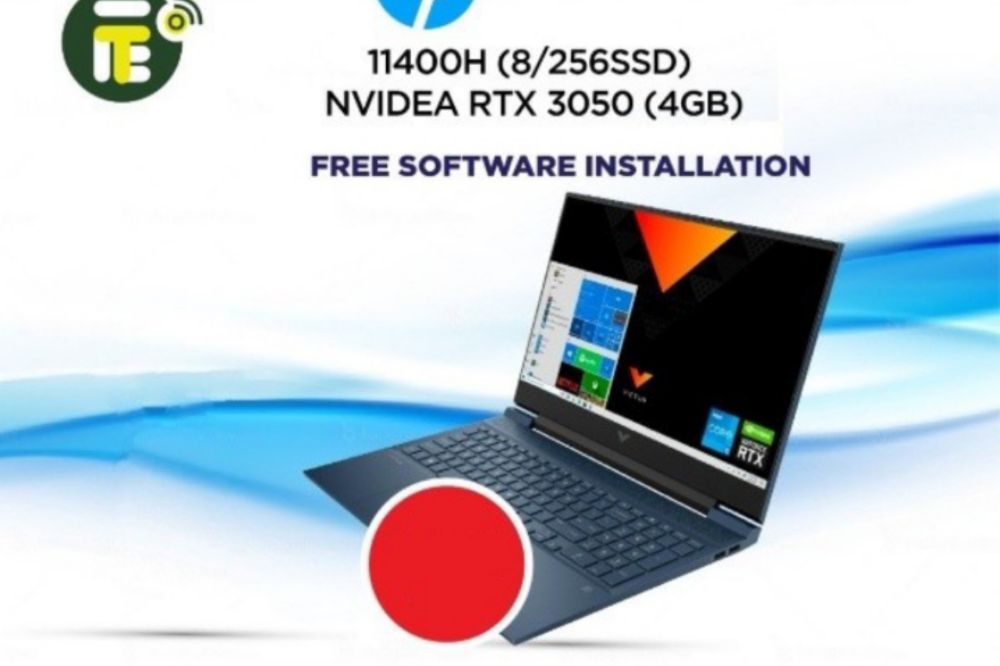
    Hp Victus I5-11400h Nvidea Rtx 3050₵7,000.00– 11th Gen.
    – 256 SSD
    – 8GB Ram
    – 2.70GHz
    Lenovo Celeron N4020 (4gb/1tb) 14₵2,600.00– 1TB HDD
    – 4GB Ram
    – 1.10GHz
    APPLE MACBOOK AIR M1 (MGN93LL/A)₵12,000.00– 256 SSD
    – 8GB Ram
    – 3.00GHz
    Hp i3 (14-Cf2187nia)₵3,300.00– 1TB HDD
    – 4GB Ram
    – 2.10GHz
    Hp i7 (250 g8)₵6,800.00– 11th Gen.
    – 512 SSD
    – 8GB Ram
    – 2.80GHz

    How can you buy a laptop from Franko trading enterprise

    To buy a laptop from franko trading, you need to go to their website and to their computers category, login with your details and if you don’t have, register an account. Select the model you want. You can then customize your laptop with different colors, storage space, and other features.

    Once you have selected all the features for your laptop it will show the total price for that particular model. If there are any shipping charges those will also be shown as well.

    Franko Trading contact details

    For more enquiries and queries, you can reach or contact franko trading through the details below;

    Location: Opposite Roxy cinema, Kwame Nkrumah Avenue, Adabraka

    Tel: 0246422338 | 0546133188

    Email: [email protected]

    Conclusion

    Franko trading enterprise is a trusted dealer in wholesale and retail of mobile, phones, laptops, TVs and accessories of all kinds. Visit them and make your purchases.

  • How to Access DVLA Online Services and List of Available Services

    How to Access DVLA Online Services and List of Available Services

    The Driver & Vehicle Licensing Authority (DVLA) of Ghana offers online services that can help save you time and make your life easier, including online registration renewal, online tax discs and checking if your vehicle has an MOT (Ministry of Transport) test due date.

    This article will give you instructions on how to access DVLA online services and the list of available services.

    About DVLA

    The Driver and Vehicle Licensing Authority (DVLA) is a public-sector organisation under the Ministry of Transport. It was established in 1999 by an Act of Parliament (Act 569), 1999.

    DVLA replaced the Vehicle Examination and Licensing Division (VELD). By the Act, DVLA is to provide a regulated framework for an enhanced and more effective administration of drivers and vehicles.

    How to access DVLA online services

    You’ll need to sign up and sign in to your dashboard to be able to access DVLA online services before you can use them. The process takes few minutes and is straightforward

    How to register and access DVLA online service

    • To begin the DVLA registration process visit online.dvla.gov.gh/sign_in
    • Under the contact information tab, fill in the neccesary details. (Postal address, town you are in, region, email address, area you are in, street address, house number, mobile number).
    • Click next and move to the next tab to fill your Account Credentials.
    • Under the Account Credentials tab, fill in the necessary details. ( Username, password, repeat password.)
    • On the next page is a preview of all the details you had entered in the previous pages.

    How to Sign In to DVLA portal

    Now, you have created an account and you want to visit your dashboard to get some services rendered. To sign in:

    1. Visit online.dvla.gov.gh/sign_in
    2. You will be signed in your DVLA portal dashboard if your login details are correct.
    3. You can now access all the DVLA online services.

    List of available services that can be accessed on DVLA online portal

    At the comfort of your zone, you can login your DVLA portal and request for a service to be rendered to you. Below are list of services rendered by DVLA Ghana.

    1. Driver Licensing

    • Renewal of Driving License
    • Foreign License Conversion
    • International Driving Permit
    • Replacement of Lost License
    • Replacement of Old License
    • License Upgrade
    • New Drivers License
    • Proficiency Test

    2. Vehicle Licensing

    • Change of use
    • Accident Procedure
    • International Vehicle Permit
    • Physical Conversion
    • Vehicle Registration
    • Road Worthiness
    • Trade Plate
    • Change of Ownership
    • Vehicle Layoff

    DVLA Contact Details

    Address: 1 JAWAHARLAL NEHRU ROAD,CANTOMENT.

    PHONE: (233) 030-2764529

    EMAIL: [email protected]

    Conclusion

    With such a broad range of online services available through DVLA, you’ll be able to do pretty much everything you need without even leaving your home. Simply visit the site and explore the services available.

  • 5 Signs Of A Passive Income Scheme

    5 Signs Of A Passive Income Scheme

    Making money online is an exciting prospect. However, it can also be a little scary sometimes. Even if you’ve done your research, it’s still possible to end up with an income scheme that doesn’t pay out as promised or forces you to do something sketchy to get paid.

    From lead generation programs to travel sites, there are plenty of passive income scheme ideas out there. In this article, you’ll learn the signs of a passive income scheme that can be trusted, and why it’s important to know what they are before you sign up for anything.

    • A Realistic Amount Of Money

    One of the first things to look for when choosing a passive income scheme is how much money you can realistically expect to make. It’s easy to get carried away with the thought of making millions, but it’s important to keep in mind that passive income schemes take time and effort. 

    If your chosen method advertises that it can make you rich overnight, then it might not be a good fit for you. For example, it’s probably not worth your time or effort if someone tells you they can help you earn a million bucks in three weeks by buying software or a membership package. Unless, of course, they can provide proof that this has been done before. 

    Likewise, suppose someone claims they have an amazingly simple way to earn money for anyone with no technical skills. And you can start earning thousands of dollars using your phone and an internet connection. In that case, it would be best to do some research to validate the claims. And always remember to proceed with caution. 

    Finally, and perhaps most importantly, the amount of money made per hour spent working on these kinds of opportunities should be proportional. If there’s no clear pay-off after investing 10 hours into something, then there’s little chance that investing 20 hours or more will yield better results. To be more informed, read more reviews of schemes that offer passive income. 

    • Has Good Referrals

    One of the first things to look at when evaluating an income opportunity is whether or not it has a solid referral system. The best opportunities will have an easy-to-follow system for referring others to their site, and they’ll also offer incentives for doing so. This gives you an additional way to earn money without doing any extra work.

    On the other hand, many people get into trouble with these sorts of programs because they try to recruit others into them, which usually ends up being more difficult than it sounds!

    • Legitimate Withdrawals

    Another vital sign to look for is the ability to withdraw money from your account in a legitimate and timely manner. An excellent passive income scheme will have legitimate withdrawal systems. This means that if you decide to withdraw your money, it’ll be processed within a certain period. It’s usually a red flag if the system doesn’t allow this.

    Meanwhile, you can expect to receive regular updates on what’s happening with your account and how much money you’ve made or lost over time. This information is typically available via email or through an online website. Significantly, there should also be an easy way to access and understand it without reading through the fine print first.

    • Easy To Understand System

    It’s crucial to understand how the system works and the time it takes to withdraw money from your account. This is important because if your investment doesn’t start paying off immediately, it may be too late for many people who are looking for quick earnings or passive income streams. 

    Furthermore, you might want to ask about their minimum time requirement before withdrawing funds from their platform and what kind of action will trigger this withdrawal process. If they’re transparent about the way the system is structured and allow you to view how it works, it’s trustworthy.

    • Length Of Time It Has Been Around

    Sometimes it’s best to investigate how long the particular income scheme has been operating. Schemes designed to take advantage of you are usually discovered rather quickly. If the company has been in the business of helping others generate passive income for several years, this can be a good sign that it’s legitimate. 

    Conclusion

    You should only invest in passive income schemes that offer a realistic amount of money, many ways to earn, easy-to-get paid, and legitimate withdrawals. If you can answer ‘yes’ to all of these questions, then it’s time to give the passive income schemes a try.

  • Sika Master Online Loan: How to Apply & Receive Loan in 1 Day

    Sika Master Online Loan: How to Apply & Receive Loan in 1 Day

    Borrowing money can be tough, especially if you don’t have the best credit or haven’t borrowed money before. It’s not impossible, though; you just need to find the right loan company, and your needs will be met.

    Getting your hands on funds from Sika Master Online Loan, for example, takes only 24 hours once you apply for the loan. The application is simple, and the results are fast.

    About sika master loan

    Sika Master Loans is a financial institution that lends loans to its clients. The institution is a subsidiary of The DCANS Group Limited registered in England and Ghana. They have other sister businesses in the country that render other services.

    Who qualifies to apply for a sika master loan

    Everyone qualifies for a loan with sika master so far as you are 18 years and above who has a reasonable source of income with an accepted identification card.

    Why you need sika master loan

    Some of the benefits of a Sika Master Online Loan include immediate access to funds, a low application fee, no processing fees, higher approvals rates and minimal credit requirements. Whether you are looking for quick cash or want more time to create your own funding options, an online loan can be the solution.

    Available loans at sika master loan

    Sika Masters offers different types of loans that can help with a variety of financial needs.

    1. Personal loans

    Sika Master Loans personal loans allow customers to receive up to 25 times of their monthly income. It takes a 60-month period (5years) to repay the loan. You can borrow from GHS2,000 to GHS10,000 from this loan service. This loan is accessible for public or private salaried workers.

    2. Salary Advance

    Clients can receive about 100% of their monthly income or net with this type of loan from Sika Master Loans. Clients will have 30 days to repay their loan. You can borrow from GHS2,000 to GHS10,000. This service is accessible to new clients of Sika Master Loans. Eligible for private or public salaried workers.

    3. Loyal Repeat Customer Loans

    This loan service is available for existing clients who have no repayment issues and has been trusted with a good credit score. Clients can borrow from GHS2,000 to GHS10,000 and has a period of 90 days to repay. Eligible to existing clients of Sika Master Loans.

    What are the requirements of Sika Master Loans?

    Just like any other loan institution, the following must be available to be able to apply for a loan.

    1. Valid photo ID the government issued you.
    2. Valid phone number and email address.
    3. Have a salary bank account, especially a current account.
    4. Tax identity number.
    5. You must be an employee with a minimum of two (2) years post qualification employment.
    6. Your SSNIT card number.

    How to apply

    Applying for sika master loan is easy and faster. Just follow the simple steps below to apply;

    1. Visit https://sikamaster.net.
    2. Click on Apply Now and login with your credentials if you are an existing customer. If you are new, Click on register and follow steps on the website to register for an account.
    3. After generating your details, you can now access your dashboard and proceed with your loan application.
    4. After successful application, click on submit.
    5. Wait for your application to be processed and if approved, your money will be disbursed into the account type you provided during registration.

    The best time to apply

    The best time is your comfortability time. Sika master loan is available 24/7 for all customers who wish to apply.

    If you don’t qualify, what do I do?

    If you don’t qualify, it means there are minor errors that made your application to be rejected. You can look through and correct them. If you are still getting rejected, then try another online loan service.

    What about if I want to take out another loan?

    You can only apply for one loan at a time. To apply for another loan, your existing loan balance must be repayed first enough to clear your score and enable you to be eligible for another.

    Conclusion

    Sika master loan eases pressure on salary workers. In less than 48 hours, you have your required money to sort out your emergencies. Also pay back on time in order to be able to request for more.

  • How to Access and Check Your E-payslip Online in Ghana

    How to Access and Check Your E-payslip Online in Ghana

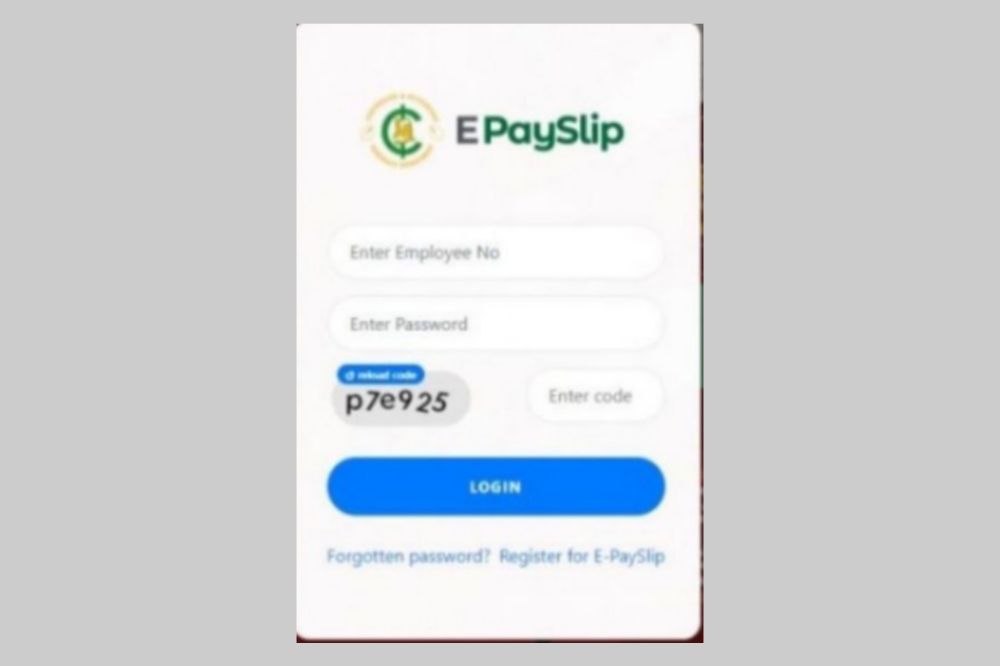
    In Ghana, companies are now required to provide an e-payslip to their employees electronically (in an approved format) instead of issuing the conventional physical payslip, every month or at the end of the financial year. In this article, I’ll give you quick steps to access and check your e-payslip online in Ghana.

    What is e-payslip

    E-Payslip is a document that displays the amount of income tax deducted from an employee’s wages during a given period of time. It also displays deductions made, such as taxes payable, medical insurance premiums, pensions etc. The person responsible for generating an E-Payslip is the employer.

    Is e-payslip important?

    E-payslip is an essential part of a company’s record keeping process. It allows employees to view their pay amounts, withholding allowances, deductions, allowances, etc. With this data at hand, employees are able to better manage their finances which makes an e-payslip important.

    How to register for an e-payslip account

    To be able to have access to your e-payslip, you need to have a registered account which will enable you have access. To register an account;

    1. Visit https://www.gogpayslip.com.
    2. For new users, please register by clicking “Register for E-Payslip.
    3. You will need a registeration code from your Head of Department to register.
    4. After having the code, continue to register.
    5. Enter your employee number.
    6. Confirm your employee number.
    7. Create your password and Confirm.
    8. Now, enter the registration cpde acquired from your HOD.
    9. Enter your phone number and confirm.
    10. You will receive an OTP code to confirm if you are human.
    11. Enter code given
    12. After everything, click on Register to set up your accountfAfter registeration, you can now visit login to access your dashboard.
    13. Enter your login details to log in.

    How to access and check your e-payslip

    Now, we have an account and as a worker under the paid by the Controller General department, you can check your e-payslip online it is very necessary to check your e-payslip on the regular to know how your finances are managed. To do that,

    1. Visit http://wwwgogpayslip.com/ after successfully creating your account.
    2. Enter your employee number and password to login.
    3. You will be granted access to the payslips dashboard.
    4. First, click on My payslip and select the month you want to view, download or print.
    5. Click on generate and scroll through to have a view of your payslip online.

    How to save, download or print your e-payslip

    After scrolling through, you now want to either save it on your phone or laptop. You may also want to download it as a hard copy. To do that,

    1. Log into your dashboard on https://www.gogpayslip.com/
    2. Sign in with your Employee Number and password.
    3. On your dashboard, tap on My Payslip
    4. Select the Month you want to save, or download.
    5. Click on Generate
    6. Scroll down and tap on Print if you want to print it out as hard copy or save it as a PDF on your computer or mobile phone.

    Conclusion

    As a worker recognized by the Accountant General’s Department, you can access your epayslip with either a mobile device or laptop in order to monitor your finances. Having access to your e-payslip is a necessity for all.

  • Top Graphic Designing Hashtags for Instagram, Twitter & YouTube

    Top Graphic Designing Hashtags for Instagram, Twitter & YouTube

    Graphic designers are always on the lookout for trending topics, so they can create graphics that speak to their audiences and get their posts shared.

    With the recent debut of Instagram’s new algorithm, it has become more important than ever to be aware of what people want to see.

    In this article, we share the top graphic design hashtags to use when you’re creating graphics and captions to share on social media.

    What is a hashtag?

    Hashtags are symbols and words associated with a topic that you can click on to find other posts about that topic. Tags allow designers and others in the design field to find content related to their area of interest. With so many graphics design-related hashtags, finding the best ones for your interests, projects, or company is easy.

    Why are hashtags important?

    A hashtag is a way of tagging words or phrases on Twitter, Instagram, and other social media platforms in order to categorize the topic being discussed.

    By adding a hashtag to your post on one of these sites, you make it easier for others who are interested in the same topic to find what you’re posting.

    What hashtags should I use?

    Use hashtags that are relevant to the industry and in your niche. By doing this, you can connect with otherothers or people who are just interested in the subject.

    How many hashtags should I use for my post?

    Hashtags have been around since 2007, but they weren’t really used on Twitter until 2009. Since then, they’ve grown in popularity and power. They’re especially powerful when you use them before a Tweet to direct it towards a certain topic or audience.

    Use as much as your post can contain. With that, it trends your post far. But sometimes, its best you use trending and direcdirect and simple ones in order not to overcrowd your post.

    Top graphic designing hashtags to use

    Popular hashtag for instagram

    Here are some ideal hashtags for graphic designers on twitter

    1. #graphicdesigningbusiness 
    2. #graphiccontent 
    3. #graphicdesignschool 
    4. #graphicdesigncommunication 
    5. #graphicdesigndailytip 
    6. #typeface
    7. #artoftheday
    8. #instaart
    9. #artistsoninstagram
    10. #brandidentity
    11. #flatdesign
    12. #graphicdesigncentral
    13. #graphicgang
    14. #photoshop
    15. #instagood
    16. #vectorart
    17. #photooftheday
    18. #typedesign
    19. #sketchbook
    20. #posterdesign

    Popular hashtag for twitter

    Here are some ideal hashtags for graphic designers on twitter

    1. #graphicdesign 
    2. #illustration 
    3. #art 
    4. #illustrations 
    5. #artistontwitter 
    6. #lineart 
    7. #pencil 
    8. #drawing 
    9. #logodesigner 
    10. #webdesign 
    11. #graphicdesigner 
    12. #brand 
    13. #logo 
    14. #gfxdesigner 
    15. #logomaker 
    16. #needlogo
    17. #creation 
    18. #entrepreneur 
    19. #webdevelopers

    Popular hashtags for Youtube

    Here are some ideal hashtags for graphic designers on Youtube.

    1. #graphicdesigner 
    2. #graphicdesignlife 
    3. #graphicdesignagency 
    4. #graphicdesigner 
    5. #graphicdesignlife 
    6. #graphicdesignagency 
    7. #ux
    8. #uxdesigner 
    9. #uxui 
    10. #uxigers 
    11. #typefaces 
    12. #tutorial 
    13. #drawingoftheday 
    14. #drawingchallenge 
    15. #logochallenge 
    16. #idesign 
    17. #designtutorial

    NB: Not only on Twitter, Instagram and Youtube, the above hashtags can also be used on other popular social media platforms such as facebook, tiktok, linkedin and more.

    Conclusion

    In conclusion, I hope this article has helped you and given you more information on graphic design hashtags. Know where to direct your hashtag post and have a bigger audience for your graphic works.

  • Best Online Tools or Websites to Find Your Doppelganger

    Best Online Tools or Websites to Find Your Doppelganger

    Are you curious about what your doppelganger looks like? There are several websites and apps that can help you to find people who look exactly like you or are remarkably similar to you in many ways.

    The best part is that these sites are free to use, so it doesn’t cost anything to find out if you have any twin strangers living across the world.

    What Is doppelganger

    A doppelganger is a word derived from German meaning double walker. The term refers to an apparition of a living person, that of a twin. It is also applied to the supernatural appearance of oneself.

    Why you must find your doppelganger

    While the act of finding out who your mirror image is, may seem a little narcissistic, it can also be intriguing. An exploration of yourself can reveal what truths about you are hidden beneath the surface.

    What drives you, frightens you and excites you? And most importantly: who am I? With that knowledge, you can gain insight into your own personality and sense of self-worth.

    Best online websites to find your doppelganger

    iLookLikeYou

    The iLookLikeYou site takes selfies and automatically finds someone with a similar look to you. The site also has the option for you to upload other photos, as well as upload a photo of yourself. You can then search through various people based on things like hair color, eye color, race, etc.

    mytwinfinder

    mytwinfinder is one of many sites that lets you upload a photo and then it will show you users who look like you. You will then be able to view photos of these users and if they have accounts, read their profiles. Download mytwinfinder for android.

    starbyface

    Once you input your profile information on the starbyface website, it uses facial recognition software to create a virtual 3D rendering of what you would look like with another person’s bone structure.

    You can also upload a photo of someone else and see what they would look like as you. This is an easy way to send secret messages and allows for potential prank opportunities as well.

    familysearch

    familysearch website is for genealogy research and family tree building. The site offers free access to limited records and databases of family history information, making it possible for anyone around the world to learn more about their ancestors.

    twinstrangers

    twinstrangers website is pretty simple. All you have to do is upload a photo of yourself and then upload a photo of someone who looks like you. The site will tell you if the person that looks like you has another sibling out there and if so, it will give you their contact information for you to get in touch with them.

    conclusion

    The concept of the doppelganger is one that has existed in folklore and legend for centuries. Now, people are able to find their so-called doubles on the internet, which can be an interesting exercise for those who want to know what they might look like had they made different life choices.

  • How to Get Your Ghana Water Bill Through Email and SMS

    How to Get Your Ghana Water Bill Through Email and SMS

    The Ghana Water Company Limited (GWCL) in June 2016 piloted a new billing and payment system that makes use of technology by billing customers through text messages and emails.

    The new system started in some selected areas in the Tema Region, including Kpone, Ashaiman, Spintex, Baatsonaa, Sakumono, Kpong, Akuse, and Tema New Town. It has now spread accross the country and everyone can be a part of the new revolution.

    Now, you don’t have to wait for monthly bills or have to walk to ECG office before getting your bills. At the comfort of your home, your bills can be sent to you via Email or SMS and then, you make payment with MoMo. Just as simple as that.

    How to get your Ghana water bill through sms or email

    To be able to receive your bill through SMS or email, you must first be a registered member of GWCL with a meter ID.

    • Now, check your recent water bill sheet and look for the toll free number of GWCL. Toll free: 080040000 (Vodafone only)
    • Put a call through and let the customer agent know you want to receive your bill through SMS or email.
    • You will be asked to provide your meter ID, your contact, your email, your name and any other necessary information.
    • In a short possible time, the process will be done and you will start receiving your bills through the email address you provided or SMS on the number you provided.

    GWCL Toll free number: 080040000 (Vodafone only).

    GWCL Contact: 0207385088/0207385090/0302774011

    GWCL WhatsApp: 0555123393/0555155524

    You can also check your bills online using the GWCL mobile app. You first need to download the app from playstore and link your meter ID to the app. After that, you can register and check your bills online.

    How to link your Ghana Water Company meter ID number to the GWCL App

    1. Download and open the GWCL Customer App on your phone.
    2. Next, click on “Create Account” below the login section.
    3. Next, choose “Register As GWCL Customer.”
    4. Enter your 9 digits Ghana water company meter ID number (Can be found on your water bill receipt).
    5. Click on “Verify Account Number.”
    6. You will receive a verification code via SMS on your mobile phone number registered with the Ghana water company.
    7. Enter the verification code you received to confirm your Ghana water company’s customer account number.
    8. Now, follow the next instructions to enter your preferred Username.
    9. Set up a strong password.
    10. Complete the registration process.

    How to check your Ghana Water Bill online

    1. Now, you already have the GWCL App on your phone. Open it.
    2. Enter your Username
    3. Next, type in your Password
    4. Ensure you have entered the correct login details.
    5. Now, click on “Sign in” to login to your Ghana water company account online.
    6. Once you are logged into the App, you can view your current water bill, make payment, and check your consumption.

    Conclusion

    Technology is broadening and things are becoming more and more convenient. Receiving your water bill and paying them all has become more and more easier. You can follow the steps above to receive and pay your water bill at your comfort with less stress.

  • How to Remove Watermark from a PDF for Free

    How to Remove Watermark from a PDF for Free

    Watermarks are often used to protect PDF documents and can be problematic if you need to print or use the file in another way that prevents the watermark from being shown.

    Here’s how to remove watermarks from PDFs for free so you can copy and paste, convert, save, and otherwise work with your PDF files.

    What is a PDF

    A pdf is a type of file that can contain information in either a text-based or a graphical format. It is a native format used by Adobe Acrobat and many online document sharing services like Google Docs and SlideShare. One of the great things about pdf files is that they are generally non-editable.

    What is a watermark

    A watermark is an image or pattern in the background of a document. The original intent was to protect documents from being re-copied without permission, but watermarks also serve as branding and advertising.

    When you’re looking at a document it can be hard to read the words, so some people will try to remove or hide the watermark by either creating a new document with white space where the watermark should be or use a photo editing software such as Photoshop.

    Why do we put watermarks on PDF

    Watermarking is a popular practice among photographers and graphic designers who wish to prevent unauthorized copying or distribution of their work.

    Once watermarked, the creator retains ownership over the file and can take legal action against those who share it without permission. It’s also possible that the company you work for may ask you to put a watermark on all documents created on its equipment.

    Either way, removing a watermark is important in order to prevent infringement of copyright laws.

    Can watermarks be removed on PDF?

    Watermarking and legal disclaimers are often a necessary part of any copyright protection, but sometimes these can be a bit jarring when you’re trying to read the document.

    Fortunately, there are some simple ways that you can remove watermarks from your PDF files with no cost at all.

    How to Remove Watermark from a PDF for Free

    1. Remove using MS Word on foxit

    • Go to Foxit, scroll all the way down to the footer section of the page, and click on PDF to Word under the Online PDF column.
    • Drag and drop or upload your PDF file, then click on Start Conversion.
    • You’ll see a success message pop up, click on Download your file.
    • Now, open the converted file in Microsoft Word.
    • Word may warn you about potential compatibility issues when converting your PDF to Word. Review it and click OK.
    • Click on Enable Editing.
    • Go to the Ribbon area and click Design, then click Watermark in the right-hand corner.
    • When done, go to the bottom right of your screen and click Remove watermark.
    • Click on the watermark, then press Delete, and voilà, your watermark is removed. In some cases, you may have to select and delete the watermark letter by letter.
    • When done, save the file as PDF and you have your watermark-free PDF.

    2. Remove using Google docs

    • Sign in to your Google Drive account and click on the + New button.
    • Click on File Upload and select the watermarked PDF file.
    • You’ll see an “…upload complete” notification in the bottom-right corner of your screen. Click on the filename.
    • A preview will be generated. Click on the Open with drop-down at the top of the page.
    • Click on Google Docs.
    • If the watermark is not automatically removed, click on it > select it > press Delete on your keyboard.
    • Click on File, select Download, then click on PDF Document and your watermark-free PDF will be saved to your computer.

    NB: If a PDF file is encrypted, you’ll need to unlock it before you can remove the watermark.

    Conclusion
    Watermark is used to hold copyright of peopels content. Removing a watermark is important in order to prevent infringement of copyright laws. However, you shouldn’t use the steps to abuse peoples works and misuse them wrongfully.