Author: Mfidie

  • How to Change background & Turn off Auto Capitalisation in Google Docs

    How to Change background & Turn off Auto Capitalisation in Google Docs

    In this tutorial, we are going to learn how to change the background in Google Docs. We are also going to learn how to turn off Auto Capitalisation in Google Docs, which will let you stop your text from automatically capitalising every time you press enter or return on your keyboard. These are great tips that can help you save time with your writing and formatting.

    What is Google docs

    Google docs is a word processing software that allows you to work on documents at the same time with others. With Google docs, you can share, edit and save documents online, access them from any device and get stuff done anytime-anywhere.

    One of the many features that come with google docs is the ability to customize your document by adding a background image and turning off auto capitalisation.

    Is Google docs important?

    Google docs is an easy way to type up a document and share it with others. It’s also helpful for collaborating on projects. So, Google docs is an important tool when it comes to word document.

    How to change background in Google docs

    You might be working with Google docs and it has gotten to a point where you need to change the background of the Google docs sheet you are using, follow the steps below.

    1. Go into your document, or open a new one by going to docs.
    2. Click File, located in the top toolbar.
    3. Select Page setup.
    4. Click the drop-down under Page color, located in the bottom left corner of the pop-up.
    5. Now select your desired color from the list of presets and your google docs background color will be changed.
    6. Click OK and if you want to make the color your default color too, you can tick set as default.
    7. You can also choose custom under the page color to design a color of your own.

    How to turn off auto capitalization in Google docs

    Auto capitalization can be sometimes annoying when typing and that is why you readily want to turn it off in order to have a free typing without any interference. You can turn of your google docs auto capitalisation on android and iOs as well as on the web.

    Turn off google docs auto capitalization on android

    1. Open the Settings app and scroll down and select System.
    2. Tap on Languages & input, and then select On-screen keyboard.
    3. Choose the keyboard that you use on your Android phone and tap on Text correction, then scroll down and toggle off Auto-capitalization.
    4. Congrats. You can now use your phone keyboard without any auto capitalization worry.

    Turn off google docs auto capitalization on an iPhone

    To turn of Google docs auto capitalization on an iPhone,

    1. Head over to the Settings app on your iPhone or iPad.
    2. From there, tap General and go to keyboard.
    3. Under the All keyboards section, slide the toggle for Auto-Capitalization to the left or simply tap it to turn it off.

    Turn off google docs auto capitalization on the web

    To turn of Google docs auto capitalization on the web,

    1. Head to the Google Docs website and open any document that you can edit.
    2. In the toolbar at the top of the screen, click Tools, and then Preferences.
    3. Uncheck the box next to Automatically capitalize words, the first option.
    4. Click OK at the bottom of the menu.
    5. Now, your text won’t be auto capitalized anymore.

    Conclusion

    Google docs is a great way to start a document. However, you’ll want to customize it as much as possible for your purposes. The default formatting is fine if you’re going for a simple layout, but for anything more involved, you’ll need different colors and fonts. All the best in your docs edits.

  • The Best Unlimited Internet Plans in Ghana & Prices

    The Best Unlimited Internet Plans in Ghana & Prices

    With so many internet providers in the market, choosing the best internet plan in Ghana can be quite difficult. In this article, I’ll try to point out some good Internet plans to try out and their prices at the time of writing this article.

    Internet plans in Ghana

    In today’s day and age, internet is an essential part of life. Whether you’re working from home or just looking for a quick update on your favorite celebrity, high-speed internet is necessary.

    With the increased accessibility of smartphones, tablets and other smart devices, users are more connected than ever before. With that said, not all forms of internet are created equal.

    Today we’ll be looking at some of the best options for unlimited internet plans in Ghana and their prices to see which one suits your needs best.

    Ghana wifi

    Ghana wifi ensure you stay connected without worrying about running out of data by providing unlimited internet access to homes, small businesses and enterprises in Ghana.

    Ghana wifi prices

    Ghana wifi provides two unlimited data plans which is the Home Plan and Business Plan.

    Home Plan

    HOME PLANPRICE
    Residential UnlimitedGHS 200/month plus GHS 500 one-time setup fee.
    Residential ProGHS 1200/6months plus GHS 500 one-time setup fee
    Residential YearlyGHS 2400/12months plus GHS 500 one-time setup fee

    Business Plan

    BUSINESS PLANPRICE
    Business UnlimitedGHS 250/month plus GHC500 one-time setup fee
    Business ProGHS 300/month plus GHC500 one-time Setup Fee
    Dedicated PlansGHS 150 per mbps.
    setup fee varies

    Teledata ict

    Teledata ict is with the aim of providing internet connectivity across Ghana. The company is currently serving more than 2,000 business clients and 45,000 users in Ghana.

    Teledata prizes

    Teledata ict provides three unlimited data plans which is the Home Unlimited Internet, Business Unlimited Internet and Big Business Unlimited Internet.

    Home Unlimited

    HOME UNLIMITEDPRICE
    Internet PlusGHS 219/month for 10/50Mb (Basic speed Internet).
    Internet EssentialGHS 207/month for 12/60Mb (Basic-speed Internet).
    Internet PreferredGHS 395/month for 15/70Mb (Basic speed Internet).
    Internet PriorityGHS 439/month for 20/80Mb (High speed internet).
    Internet PremiumGHS 770/month for 30/100Mb (Ultimate speed internet).

    Business Unlimited

    BUSINESS UNLIMITEDPRICE
    Internet PlusGHS 219/month for 10/50Mb (Basic speed Internet)
    Internet EssentialGHS 307/month for 12/60Mb (Basic speed Internet).
    Internet PreferredGHS 395/month for 15/70Mb (Basic Internet speed)
    Internet PriorityGHS 439/month for 20/80Mb (High speed internet).
    Internet PremiumGHS 770/month for 30/100Mb (Ultimate speed internet).

    Big Business Unlimited

    This offer does not have a fixed fee but rather gives you the chance to discuss how big of data bundle want with the bandwidth calculator for a fee to be tabulated for you.

    Digital Arena

    Digital Arena Limited is an internet data and Solutions provider in Ghana. Their major aim and target is to provide easy and convenient internet solutions across Africa.

    Digital Arena prizes

    Below are internet services provided by digital arena when you make a choice and a call through them.

    • High Speed Internet for your business
    • Connect your business branches for smooth data transfer.
    • WIFI Installation
    • Home Internet
    • Data Co-Location

    Digital Arena does not have a fixed prize. To know their various prizes, you need to make a call to their customer service, describe how you want to be served, and your prize will be tabulated for you.

    Vodafone Unlimited

    Vodafone has various non expiry data offers for their customers but to get the best unlimited experience, you will get them on the Vodafone broadband, Vodafone Smart surf and Night King Bundles

    Vodafone Unlimited prizes

    Vodafone broadband

    VODAFONE BROADBANDPRICE
    SmallGHS 150 for 47GB
    BrowserGHS 100 for 26GB
    BrowserGHS 95 for 17GB

    The above listed are the small bundle offers you can enjoy on the broadband. However, if you want a bigger offer, you can purchase that directly from Vodafone after your wireless broadband has been fixed.

    Vodafone Smart Surf

    VODAFONE SMART SURFPRICES
    Mini BASICGHS 20 for 5GB
    BrowserGHS 95 for 17GB

    The above smart surf offers are all non expiry for 30 days until renewal if activated. However, if you want a bigger gigabyte, contact customer care directly and make your demands.

    Night King Bundles

    The night king bundles enables you to download your bigger files at a very low fee from 12am-5am. If time elapses and you are not able to finish it, don’t worry as it is non expiry and you can continue where it stopped when it reaches another 12am.

    NIGHT KING PRICE
    Night King1GHS 2.15 for 2GB
    Night King 2GHS 5.40 for 7.5GB

    MTN Unlimited

    MTN has various non expiry data offers for their customers but to get the best unlimited experience, you will get them on the MTN fibre broadband, MTN Turbonet and Midnight Bundles.

    MTN Unlimited prizes

    MTN fibre broadband

    MTN BROADBANDPRICEONE TIME INSTALLATION FEE
    High SpeedGHS 120 for 45GB150
    Super High SpeedGHS 175 for 90GB150
    Ultra High SpeedGHS 240 for 225GB150
    VIPGHS 395 for 550GB150

    MTN Turbonet

    MTN TURBONET PRICEGIGABYTE
    GHS 435.14GB
    GHS 8710.27GB
    GHS 253108.23
    GHS 516410.93

    MTN Midnight Bundle

    The midnight bundles enables you to download your bigger files at a very low fee from 12am-5am. If time elapses and you are not able to finish it, don’t worry as it is non expiry and you can continue where it stopped when it reaches another 12am.

    MTN Midnight prizes

    The midnight bundle does not have a fixed price to choose from, rather, you will have to insert the amount you want which start from GHS 0.01p to GHS 2.99 29. With GHS 0.01 for 25.15MB and GHS 2.99 for 8.51GB.

    Conclusion

    You wish to enjoy the best Internet connectivity in Ghana, then you can choose from any of the above offers and enjoy.

  • How to Superscript, Subscript, Strikethrough and Indent in Google Docs

    How to Superscript, Subscript, Strikethrough and Indent in Google Docs

    While Google docs looks simple to use, you can still do a lot of things you may not know about. Here’s some steps on how to superscript, subscript, strikethrough and indent in Google docs. To get started, just follow these steps below.

    What is Superscript in Google Docs

    Superscripts are a way of showing how much higher one number is than another. In mathematics, superscripts are used to indicate the order of operations.

    For example, 32 means 33, or 9. You can also use them for exponents: x2 means xx*x or x squared. You can also use superscripts for other purposes.

    What is Subscript in Google Docs

    A subscript is a smaller letter that appears below the main letter. To create a subscript, you can use the symbols ^ or _. For example, when writing H20, you can type H2_0.

    What is Strikethrough in Google docs

    The strikethrough in Google docs lets users strike through parts of their written text by drawing a line through select ones. This action does not only make the text irrelevant but also draws readers attention. It makes your text standout from your whole sentence.

    What is Indentations in Google docs

    Indentation or indent is an empty space at the beginning of a line to signal the start of a new paragraph. In a layman’s understanding, it simply means the increase or decrease of space between the left and right margin of a paragraph.

    How to superscript in Google docs

    The steps below shows you how to superscript using keyboard.

    For Android

    1. In the Google Docs document, select the text character, number or symbol to which you want to apply superscript.
    2. Press Ctrl + period (Ctrl + .)

    For Mac/iOs users

    1. In the Google Docs document, select the text character, number or symbol to which you want to apply superscript.
    2. Press Command + period (⌘ + .)

    How to subscript in google docs

    The steps below shows you how to subscript using a keyboard.

    For Windows/Android users:

    1. In the Google Docs document, select the text character, number or symbol to which you want to apply superscript.
    2. Press Ctrl + comma (Ctrl + ,).

    For Mac/iOs users:

    1. In the Google Docs document, select the text character, number or symbol to which you want to apply superscript.
    2. Press Command + comma (⌘ + ,).

    How to strikethrough in Google Docs

    The steps below shows you how to superscript using a keyboard shortcut:

    • For Windows, once you have selected the text you want to cross out, press Alt+Shift+5
    • For Mac, press Command+Shift+X

    How to indent in Google docs with a keyboard

    The steps below shows you how to indent in Google docs using a keyboard.

    1. Fire up your Google Docs document and select the paragraph that you wish to indent
    2. Now, if you want to increase indent, tap on Ctrl + ] to increase indent
    3. If you want to decrease indent, tap on Ctrl + [ to decrease indent.
    4. Aside from the above 3 steps, if you’re looking for more precision while indenting paragraphs, you can go to Format > Align and Indent > Indentation options and select the option you want to use.
    5. This steps can be applied on both android and iOS.

    NB: There are several methods that can be used if you want to superscript, Subscript, strikethrough, and indent in Google docs but we highlited on the best and common method to use for the same results you desire.

    Conclusion

    There are several things you can do with google docs and superscript, Subscript, strikethrough, and indent is not an inception. Incase you want to practice any, you can use the steps above.

  • How to Know if Someone is Active on Snapchat

    How to Know if Someone is Active on Snapchat

    If you’re not active on Snapchat, you may be wondering how you can tell if someone else is actively using this mobile messaging app.

    This article will walk you through how to know if someone is active on Snapchat, no matter whether they’re someone you know personally or if they’re just one of the many Snapchat users out there in the world.

    Snapchat

    Snapchat is a mobile messaging application used to share photos, videos, text, and drawings. It’s free to download the app and free to send messages using it. It has become hugely popular in a very short space of time, especially with young people.

    How to know if someone is active on Snapchat

    Checking snap maps

    There are many ways you can know for sure whether or not someone is active on the app. One way is by checking their snap map, which displays the last time a user has snapped with a person and how far away they are from them. This method isn’t always accurate, but it can be effective in some situations.

    If the person has not switched to Ghost mode, then you should be able to see when they last used Snapchat and where they were when they were online. To access the map,

    1. Open the snapchat app and locate Maps at the bottom left corner.
    2. Press on it and tap on search to search for the persons name
    3. After search, a bitmoji will show app indicating the person. Click on that.
    4. Now, look at the bottom and beneath the persons name shows the persons last seen on Snapchat written in a grey like text.

    Checking snap chat status

    Checking somone chat can also be a way to detect when last they used the app and when last they were active. Snap chat status are mostly seen at the top of the users chat when you open your chat with him/her. You can also check by,

    1. Opening the app and go to the chats screen.
    2. Next, press the settings icon in the top-right corner.
    3. Then it will show you the last time your friends were active on Snapchat.
    4. They are likely still active on the app if the time is recent, if not, the last time they were active will show.

    Using snap score

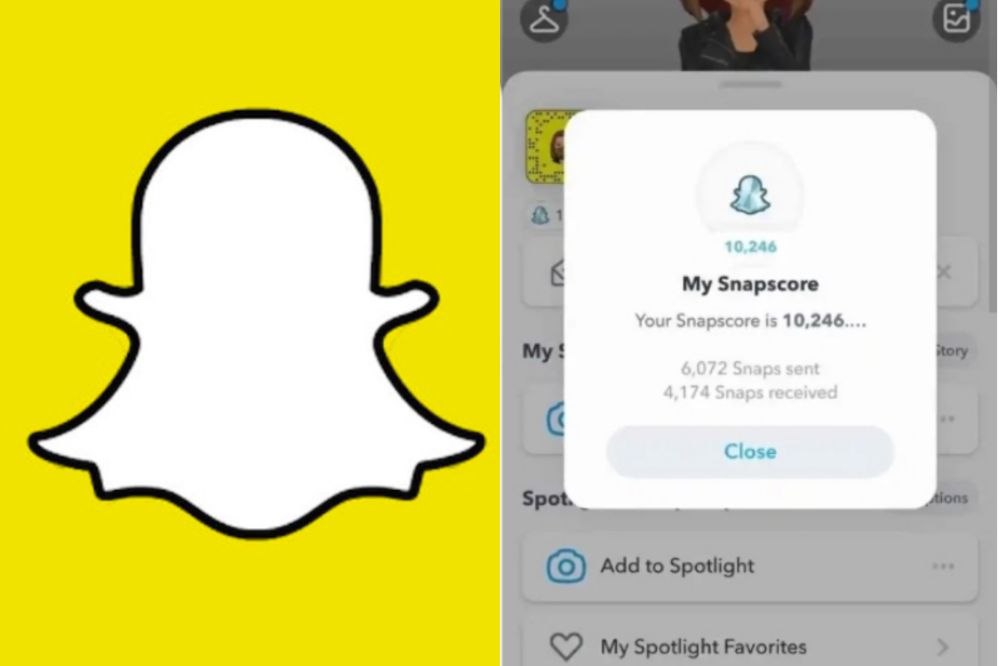
    Increasing your snapscore depends on how actively you can use snapchat. So, snapscore can also be a method to determine a users activeness on the app. The higher the score, the more active the user. To check a person’s snapscore,

    1. Open the snapchat app and swipe down from the top of the screen.
    2. In the next pop-up, press the “Settings” icon in the top-right corner of the screen.
    3. Scroll down and press “My score.”
    4. It will show you the Snapchat score of the person you are looking for.
    5. If the score is high, the chances that the person is more active on Snapchat are also high.

    Checking their status update

    Checking someone status update can also tell you how long they have been on snapchat. At time too, the user can be on snap but will not update their status. For that, if you have made an update yourself, you can check from your views to see if the person has viewed your status and when the person viewed it. To check someone story posts,

    1. Open the app and go to the “Stories” screen.
    2. Look through the updated stories on your wall and check if the person has updated their status.
    3. You can also search the persons name directly to check the last time they made a post.
    4. If there is no post attached to the name, it means there has been no update from the person.

    However, you can go back to stories and locate my stories to check if the person has viewed your snap status update. To do that,

    1. Open snapchat and tap on stories.
    2. Locate my stories and press the settings icon in the top-right corner of the screen.
    3. Scroll down and press story views.
    4. It will show you a list of people who have viewed your story.
    5. If you see the person in your views, you can see when the person viewed to know when the person was active on snap.

    Why do you need to know if someone is active on snapchat?

    You may have come across someone’s snapchat profile but don’t know if they are active. You may have messaged someone but has got no repgot and don’t know if they are active.

    You may want to monitor how active your child is on Snapchat. This all and more could be reasons why you want to know how active someone is on Snapchat.

    Conclusion

    Checking someones activeness on snap shouldn’t be a hard work. With the methods above, you can now have your easy way to do so.

  • How to See Who Has Shared Your Post on Facebook

    How to See Who Has Shared Your Post on Facebook

    In the world of social media, your online reputation can make or break you in your business and personal life alike. This makes it important to know how to see who has shared your facebook post and how to get others to share your content.

    In this article we will talk about some tips that will give you more insight into what other people think of you, as well as help you to get others to share your content with their own friends and family on facebook.

    About facebook

    Facebook is the world’s most popular social network. What started as a way for college students to connect with each other has grown into an international phenomenon, with more than 1.6 billion monthly active users.

    Facebook post sharing

    Incase you didn’t know, you can actually see who has shared your post on Facebook. All you need to do is go into the Activity Log and search for your post. It will show up there with the people that have shared it. Lets break it down for you.

    How to see who has shared your post on facebook

    The steps below will guide you to see who has shared your post on Facebook.

    Step 1 – Login to your personal facebook account

    Open Facebook app or visit www.facebook.com. Enter your username and password and then click on login to be able to have access to your facebook page.

    Step 2 – Click on the ‘Friends’ button

    Now you are logged into your Facebook account. At the top right corner, locate the friends button and click on it.

    Step 3 – Click on ‘Activity Log’

    Click on Activity log in the next pop up menu to show you the activities you have undertaken with your Facebook account so far.

    Step 4 – Click on ‘Posts’

    Inside the Activity Log shows your post you’ve shared and want to see who have sharedliked or commented on it.

    Step 5 – Click on ‘View Sharers’

    Now, click on view sharers to see users who have viewed and shared your post. Its now time to show appreciation in order to motivate them to share more of your work. A thank you for sharing my post in their DM will be much worthy.

    Step 6 – Check to see if the amount of people sharing is what you expected

    Now, you may have a specific person you want to check out whether he/she has shared your post or not. Its time to do so by glancing through the sharers.

    Is it necessary for someone to share my facebook post?

    Sharing your post helps to keep it more active on news feed. Every seconds on Facebook, people make a post and the more there is a new post, the more yours drops so its important if people shares your post. It helps it to appear in most places making it more active.

    Conclusion

    Now that you know how to see who has shared your post, it’s time for you to get out there and start reaching people with your message. The sooner you share it, the more chances you’ll have of someone seeing it.

  • What does /pos mean on Twitter + meaning of other popular twitter slangs

    What does /pos mean on Twitter + meaning of other popular twitter slangs

    As Twitter continues to grow in popularity, it’s become commonplace to see tweets with the /pos (shortened form of possessive) at the end of user handles and hashtags on many popular accounts. But what does /pos mean on twitter?

    This helpful list can explain all of the popular twitter slangs and acronyms you may encounter on your twitter feed, including what they mean and when to use them appropriately.

    About twitter

    Twitter is a social media site that allows people to post and read short messages called Tweets. Twitter was originally used as a means to keep in touch with friends and family, but soon evolved into a way for people to stay up-to-date with the latest news, events, and what is happening in their lives.

    What are twitter slangs

    Twitter slang is a way of speaking on twitter that differs from the traditional English language. It’s often used as a shortcut when typing, or just to be silly with friends. Slangs are not always used in every sentence, but instead are sprinkled in to add humor or emphasis.

    What does /pos mean on twitter

    In most plattorms, /pos do not stand for “piece of sh*t”, but rather, it means “positve”. There are many platforms that says otherwise and any platform that says “piece of shit” is talking about “POS.” /pos stands for “positive”. It is placed at the end of tweets, messages, and posts as a tone indicator. This is being used more often in tweets to add context. 

    Is adding /pos necessary to twitter posts?

    Adding /pos to post or chats on twitter makes it more easier for communication to be well understood. It is a direct letter whic majority understand so when you add the slangs, they strictly knows this is what you are doing or going to do.

    Popular twitter slangs and their meanings

    Below are other popular twitter slangs mostly used and their meanings.

    Twitter slangMeaning
    /jjoking
    /ssarcasm
    /srsserious
    /pospositive connotation
    /negnegative connotation
    /tteasing
    /pplatonic
    /rromantic
    /hjhalf-joking
    /l or /lylyrics
    /lhlighthearted
    /nmnot mad or upset
    /ggenuine
    /ffake
    /ththreat
    /cbclick bait
    /gengenuine

    Conclusions

    Twitter is a great place to get your voice heard and share your thoughts with the world. Unfortunately, it can also be a breeding ground for bullies and trolls so use it well and positively. Enjoy using your slangs and contruct your text well.

  • How to use the GH SIM Self Reg App to Register Your SIM Card

    How to use the GH SIM Self Reg App to Register Your SIM Card

    Did you know that you can register your SIM card using the Ghana SIM Registration App? This app allows you to register your SIM card from home, without the need to physically visit any mobile network operator outlet or any physical location. You can simply download the app, enter your details and go through the registration process in minutes.

    The Ghana SIM registration self service app

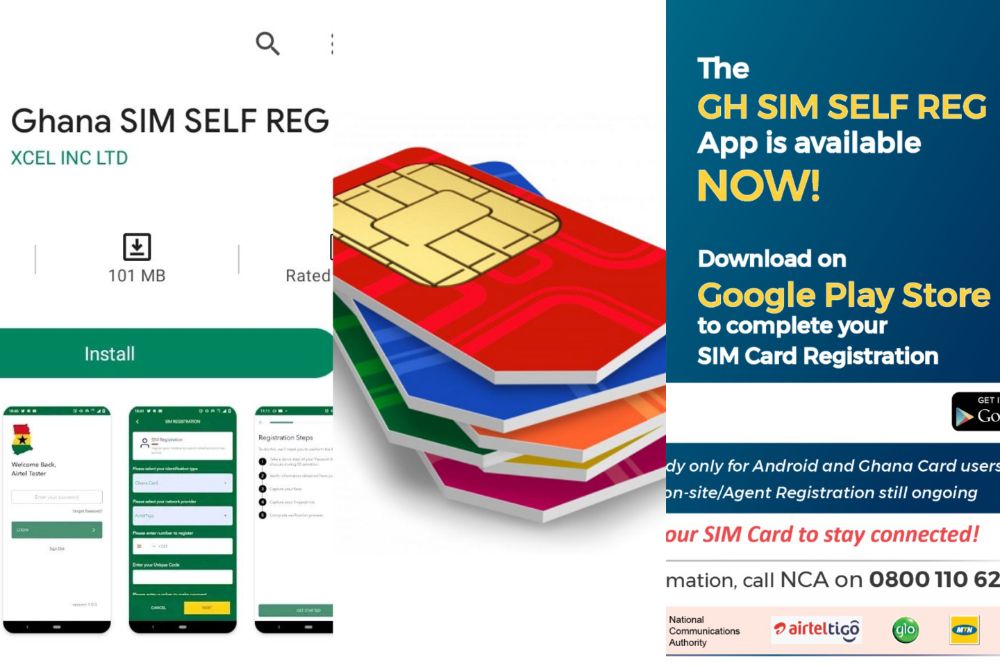
    The National Communication Authority (NCA) in a press release on August 26th, 2021 announced to Ghanaians the release of the “SIM Card Registration Self Service App”.

    The app is intended for SIM Card users in Ghana who has not yet finished registering their SIM Cards to do so.

    The NCA brought out this idea after majority of Ghanaians failed to complete their SIM card registration when they were given a deadline to do so with their Ghana cards.

    With the GH SIM Self Reg App, it is believed it will enable all Ghanaians to be able to register the SIM Cards at the comfort of their home with no stress.

    Who can use the app

    Subscribers who have gone through the first process of the SIM Card registration and have acquired their unique code can use the app. To verify your code, dial *404#.

    How do I get access to the SIM Card registration app?

    The GH SIM Self Reg App is an easy way to register your SIM card without having to go through the hassle of going to a physical store for SIM registration. To get the app,

    1. Visit playstore on your android phone and in the search bar section, type in GH SIM Self Reg App to download.
    2. In a short possible time, the app will be ready on your phone for use.

    Note that, the app is only available on Google playstore for now and thus, it can only be accessed by android users.

    What do you need to use the app?

    Make sure your have access to the details below in order to have ease in using the app.

    1. You first need to have a Smart Phone to be able to have the app.
    2. Ghana Card is the only accepted Identification Card to register the app.
    3. You need to have Internet Access to be able to complete your registration.
    4. You need to have an Email Address.
    5. Your Unique Code for your SIM after Stage 1 Registration must be available.
    6. Ghana Digital Address will be required during registration.
    7. Mobile Money Account for the GHS5 payment to complete the registration. The mobile money account does not have to be a Mobile Money account for the SIM that is being registered.

    What is the benefit of the SIM Self Reg App

    The benefit of the Ghana SIM registration app according to NCA is to provide convenience for subscribers for th to be able to register their SIMs from their homes, offices and any convenient locations.

    Is it free to register your SIM Card on the SIM Self Reg App?

    Registering your SIM Card on the SIM Self Reg App is not free. Users need to have at least GHS5 in their mobile wallet to make registration successful.

    How to use the SIM Card Reg App

    1. You first need to download the GH SIM Self Reg App App from Google Store.
    2. Once you download the App, you have to create an Account by providing your phone number (note that the number does not necessarily have to be the SIM you are registering),
    3. Provide your Email address, First name and Last name and a 4-digit PIN.
    4. Log in using the credentials you created in step 2 and 3 to start the SIM registration.
    5. Select the type of ID you will be using. Ghana card will be the only option in this section.
    6. Select your network provider (MTN, Vodafone, AirtelTigo and Glo) from the list provided.
    7. After network selection, enter the number of the SIM you want to register.
    8. Enter the phone number you want to use for mobile payment.  (If you are using the same number, you entered when you were creating the account, you can leave it blank).
    9. One you have selected the Ghana Card ID, enter your unique code (the number your network operator provided to you when you did the first registration). 
    10. If you forget the unique code number, you can dial *400 on your network.
    11. If you have not yet linked your Ghana card ID with your phone number, please do so by dialing *404 to do so.
    12. After validation of your subscriber unique code, you will be prompted to confirm your payment.
    13. Click on confirm to initiate the payment process. The mobile money provider will send you SMS to enter your PIN to confirm you are paying for SIM registration.
    14. After the payment is confirmed, you will receive notification on your mobile money account for payment to be authorized.
    15. You will need to scan your Ghana Card ID in the next step. The app will load your personal information and the document number on the screen. Please pay attention to the screen and follow the prompts on the screen to capture the front and back of your Ghana Card.
    16. After scanning your Ghana Card, the app will ask you take a selfie for a liveness and likeness check and also scan your face to confirm you as the real owner of the card. If successful, the app will send you to the next step to scan your fingerprints.
    17. You will see a screen with the instructions on how to scan your fingerprints.  After reading the instructions, click to start scanning. 
    18. If successful, you will get a notification that you are done with this for both your left and right fingerprints.
    19. Congratulations! You have successfully registered your SIM Card if you have successfully gone through all the above process.

    NCA Official Press Release on SIM Card self service registration app

    NCA press release

    You can contact the NCA via their official website, www.nca.org.gh. for more enquiries or contact their Operational Support Center via toll free on 0800 110 622.

    Conclusion

    It is the responsibility of every SIM Card user in Ghana to register their SIM Card before the give deadline date. With the SIM Card Reg App, it is now more easier and comfortable to register your SIM Card with ease. The information and procedures above is all you need to do so.

  • Why are Snapchat Scores Frozen and How to Fix it

    Why are Snapchat Scores Frozen and How to Fix it

    If your Snapchat score is not updating, it can be very frustrating and confusing to tell if you are actually growing or if it just seems like it because of the constant freeze ups and resets.

    I have seen many people throw in the towel over this issue, but there are some simple things you can do to fix this problem so that your Snapchat score will start to update normally again.

    What is snapscore

    Snapscore is a measure of popularity on Snapchat, which is based on the total number of snaps that have been sent by each user. Scores can range from 1-100. The score does not change unless the user deletes their account or stops sending snaps for more than a month.

    Where do i find my snapscore

    There are a few ways to find your Snapchat score. You can open the app, click the ghost icon on the top left corner, and your profile will pop up. On your profile is your username and beneath it is your snapscore.

    How to improve your snapsocre

    To iimprove your snapscore, you have to earn snap points. To earn snap points, you have to a frequent user of the app, interact with people regularly, send snaps, watch and post stories, and more. Using the app as much as possible is the best way to increase your snap score on snapchat.

    What causes snapscore to freeze?

    Several reasons can be considered as to why your snapscore has freezed. Below are some points given on why your snapscore has frozen or can freeze.

    Delay in update

    When snapchat is updating your snapscore, it can freeze when the score you’ve amazed are plenty and can cause delay. If you wait for some time, you will see the new update and your score getting back to work.

    Slow internet connection

    Bad or slow Internet connection can also be a reason why your snapscore has freezed. The more you use snap, the more the score updates itself and since it uses Internet connection in doing so, when there is a break in the connection, the score will surely freeze.

    Using an outdated version of snapchat

    Snapchat brings updates to fix bugs and thus, entreat its users to update their apps whenever there is an update. If you refuse to do so, it can be a reason as to why your snapscore freezes and you don’t get the best out of it. For that, its best your update your app whenever there is the need to.

    When there is a server issue

    When the snapchat server is down, your snapcore can freeze. Snapchat going down means, it goes with everything included and therefore, it will freeze the score from getting updated.

    How to fix frozen snapscore

    Your snapcore has frozen and now you want to get it back. Trying all or any of the below can help out if the cause is from the listed.

    • Fix frozen snapchat score by updating snapchat app.
    • Fix frozen snapchat score by checking for good internet connection.
    • Fix frozen snapchat scores by waiting till snapchat server fixes the issue
    • Fix frozen snapchat scores by contacting the snapchat support eam when needed.

    How long does a snapscore freezes for

    They is no exact time attributed for how long a snapscore freezes. The score freezes when he issued arises and it gets back to normal when the issue is solved.

    Conclusion

    A frozen score can be frustrating. Especially when you see that of your friends getting increased but yours still stays where it is. If that is your worry now, then follow the methods above and get yourself sorted.

  • How to check if a Ghana Number is MTN, AirtelTigo, Vodafone or Glo

    How to check if a Ghana Number is MTN, AirtelTigo, Vodafone or Glo

    MTN, AirtelTigo, Vodafone and Glo are the four major mobile telecom service providers in Ghana. But who has which number ranges? How can you tell if someone’s phone number is registered under MTN, AirtelTigo, Vodafone or Glo? If you want to know how to know if a number is MTN, AirtelTigo, Vodafone or Glo in Ghana, this guide will help you figure it out!

    Mobile networks in Ghana

    The role of communication in every country is very important and thats why MTN, Vodafone, AirtelTigo, Glo which is the four main telecom companies in Ghana is no exception.

    Their dominance over the years have been felt to the extent that, without their presence, life becomes unbearable for alot of people.

    Without them, we can’t make calls using our phones, we can’t browse the internet using our phones, modems, routers, turbonets and others. That show how important mobile networks are for a country like Ghana.

    How to know if your number is MTN in Ghana

    You may want to use MTN in Ghana. you’ve gone to purchase the SIM, registered it and now, you want to check your number to confirm if its indeed an MTN number.

    The first thing that will come in mind is to look through the starter pack. But what if the starter pack is not available at the time you want to know your number? That shouldnt be difficult. On your phone,

    1. Dial *156# to check your MTN mobile phone number.
    2. Choose option 1 (check my number)
    3. You will now be shown your MTN Ghana phone number, starting with 024, 054 or 055.

    How to know if your number is Vodafone in Ghana

    Just like any other network, after registering your SIM, the first way to check your number is by looking through the starter pack. If the starter pack is not available, you can also check your Vodafone number using your phone. On your phone,

    1. Dial *127# to check your Vodafone mobile number.
    2. Vodafone Ghana will now show you your Vodafone mobile phone number starting with 020 or 050.

    How to know if your number is AirtelTigo in Ghana

    To check if your number is an airteltigo number, locate the number on your SIM starter pack to confirm. Also you can check the number from your phone. To do so,

    1. Dial *841# or *703# to check your AirtelTigo network mobile number
    2. AirtelTigo Ghana will show you the phone number of your Tigo SIM.

    NB: AirtelTigo has two shortcodes because they were once two separate networks who has now come together to work as one. Therefore, any of the above shortcode works on any of the SIM you are using, either Airtel or Tigo.

    How to know if your number is Glo in Ghana

    To check your Glo number in Ghana, you can look through the starter pack and if its not available, you can check using your phone. To do so,

    1. Dial short code *1244# to check your Glo mobile number
    2. Glo Ghana will display your current phone number on the phone screen for you.

    How to know if your number has been ported to a different network

    Numbers normally gets ported to different networks in Ghana. One might love using his old MTN, Vodafone, AirtelTigo or Glo number but does not like the mobile network offers anymore.

    With that, the person can maintain that old number but will port the network to the one he/she prefers. If you get hold of such SIM, how will you know the network such SIM has been ported to?

    • You can confirm that using their various distinctive shortcodes. MTN has some common shortcodes the other don’t have such as the MoMo shortcode.
    • You can also use the Shortcode used to check phone numbers. If you use a Vodafone phone number check short code on an AirtelTigo network, it surely won’t work.
    • Also, if you try buying an MTN airtime on a Glo network, it surely won’t work. So these are some few ways you can use to check the network your SIM is working with and also to check your number.

    Conclusion

    Knowing your phone number is a must. Knowing the network your SIM is subscribed to is also a must. You may need all this when doing some petty stuffs on your phone and for your phone. So take note of the steps above and know your way around whenever there is the need.

  • Mobile Banking Shortcodes for Banks in Ghana

    Mobile Banking Shortcodes for Banks in Ghana

    In the quest to make mobile banking easy and accessible, banks in Ghana have joined forces with mobile money service providers to implement several mobile banking shortcodes that can be used to access some of the most frequently used features in mobile banking sector.

    This guide will cover the list of current shortcodes as of the writing of this article where you can find more information about using them.

    What are shortcodes?

    Shortcodes are a way of sending text messages to and from mobile phones. They are like phone numbers, but they use the short code with a country prefix, followed by the number.

    What is mobile banking

    Mobile banking is a way to make payments, check account balances and perform other financial transactions using mobile devices such as smartphones or tablets. People can use these devices to do all of the things they might have done at the bank before, but now they don’t need to go there.

    Mobile banking services provided by banks in Ghana

    If you have a bank account in Ghana, then using your mobile banking shortcode can give you access to the list below and more.

    • Sending money.
    • Checking account balance.
    • Airtime recharge.
    • Paying bills and many more.

    Mobile banking shortcodes for banks in Ghana

    Below are the shortcodes for the available banks in Ghana. Not all banks have shortcodes and therefore, we provided you with the available ones.

    BankShortcodes
    Access Bank*901#
    Agricultural Development Bank*767#
    Barclays bank*895#
    CalBank*771#
    CBG Bank*924#
    Ecobank*335#
    FBN bank*894#
    Fidelity bank*776#
    GCB*422#
    GT bank*737#
    HFC bank*618#
    National Investment Bank*865#
    Prudential bank*772#
    Republic bank*414#
    Stanbic Bank*715#
    Standard Chartered bank*722#
    OmniBSIC*718*20#
    UBA bank*822# / *919#
    Zenith bank*966#

    Why is mobile banking important?

    Ghana’s economy is growing rapidly and people are looking to take control of their finances. Mobile banking is one of the most popular ways people keep up with their money, which is why it’s important that banks offer mobile services. With the right technology, managing your finances has never been easier and safer.

    Conclusion

    As the future of banking becomes more and more digital, it is becoming easier to access your money on the go. Mobile banking is a great way to stay on top of your finances with just a few clicks.

    If you’re interested in giving mobile banking a try, we recommend getting started by checking out our list of mobile banking shortcodes for banks in Ghana.