Author: Omolara Morufat Sanni

  • Visiting Ghana? Here Is Your Tech Guide for 2020

    Visiting Ghana? Here Is Your Tech Guide for 2020

    Ghana is home to about 32 million people, a beautiful country with beautiful people. If you are visiting Ghana as a tourist or you are here for work, we promise you will have a memorable experience.

    There are over 100 ethnic groups in Ghana with English as her official language.

    This guide will help you have a wonderful time in Ghana.

    Fixing up your means of communication

    You will need a sim card for the period of your stay in the country. The major players are Mtn Ghana, Vodafone, and AirteltiGO.

    Whichever one you choose to use, you will need to get the sim card registered. All you need as a visitor to do this is your international passport.

    Picking a Data Plan

    Staying connected to the internet is most likely something you want during your stay. All of the above service providers offer various data/internet plans you can choose from (daily, weekly, monthly).

    You should pick the one with the fastest internet in the location you will be staying in.

    Accommodation

    The popular online platforms; Airbnb and Bookings.com are available in Ghana for you to book nice apartments or hotels for yourself in your preferred location.

    You can get accommodations based on your budget. 

    Transportation

    Just like what you find in developed countries, Ghana is not an exception to ride-hailing technology.

    You can easily commute in the country with Uber, Taxify or the recently launched Dropyn. You can download the apps to get started.

    Ordering food

    This is made easy for you with Jumia Food and Eziban. You can order food online from the convenience of your home through their website or via the mobile app. They deliver to your doorstep at a fee. 

    On Jumia food, you have over 40 restaurants that offer both local and international dishes.

    You can search by food or restaurant on Eziban.

    Health & Emergency

    While we hope that you have a hitch-free experience during your stay, emergencies may arise and you can call 112 for help in Ghana.

    Payment Solution

    Ghana is not left behind in terms of financial technology. Payment solutions are available to allow you to make transactions on the go.

    From grocery shopping to ride-hailing, or food delivery, you don’t have to worry about using cash. 

    Mastercard and VISA are acceptable in Ghana and you can use this for your transactions. MTN mobile money, vodafone cash, and AireltiGO cash are also available to choose from.

    Exchange Rate

    This is one of the most important things when you are visiting a new country. This enables you to budget appropriately for your trip. 

    The exchange rate at the time of writing this is $1 to 5.77 Ghana Cedis. Ensure you check to be sure of the current value to avoid being cheated.

    Tourism

    If you are in Ghana as a tourist, we have some incredible tourist attractions you will love. Some of the places you can check during your stay are;

    • Mole National Park
    • Shai Hills Reserve
    • Bonwire Kente Village
    • Kakum National Park
    • Sirigu Traditional Pottery

    These are places that will leave you with beautiful memories. As always, you can use Google Maps to check out how to get there and read some reviews too.

    Conclusion

    Ghana remains one of the best destinations for tourism in Africa and a visit to Ghana is something to love.

    We hope you will find the guide useful for your trip. Drop your questions in the comment if you think we missed anything.
  • 10 Chrome Extensions Useful for Digital Marketers

    10 Chrome Extensions Useful for Digital Marketers

    Chrome extension is a software that enables you to tailor Chrome functionalities to your preference. It gives you better browsing experience.

    Whether you are a writer or digital marketer, there is an extension for you to make you work more effectively.

    This article will talk about 10 Chrome extensions useful for digital marketers.

    Feedly

    This helps you put your favourite sites in one place. While browsing, chances are that you will come across a story or article, you can always add it to your feed with Feedly. It also allows you to share them with others with just a click.

    Grammarly

    As a digital marketer, it is expected that you will do a lot of content writing and editing.

    Grammarly helps you pull up to 250 errors and corrects both your grammar and spelling.

    Social Blade

    This amazing Google Chrome extension gives you social media statistics.

    It is available to use for various social media platforms such as Facebook, Instagram, Twitter, and Youtube.

    Bit.ly

    With Bit.ly, you can shorten your links directly from your Chrome browser.

    It can be used to customize, copy, or share various links without leaving your browser.

    Another advantage of this is that it makes measurement very easy, which is an essential part of the role of a digital marketer.

    LinkedIn Sales Navigator

    This is a useful extension when you need to export analytics from LinkedIn. You are able to export data for your contacts and leads directly into your Gmail.

    With this, reaching out to contacts becomes easy.

    LastPass

    As a digital marketer, you work with various social media accounts, both personal and business.

    It is difficult to remember the password to all these accounts and that is why you need the LastPass Google Chrome extension.

    Simply secure your LastPass account with a strong password known to only you. All other passwords are kept safe in your LastPass vault.

    You can also share these passwords with teammates without disclosing what they are.

    Buffer

    Keeping up with posting on social media at the right time is a lot of work especially for a digital marketer handling multiple social media accounts.

    The Buffer extension makes it easier by allowing you to schedule your posts to Twitter, Facebook, Instagram, and LinkedIn.

    All you need to do is create your content ahead of time and schedule them with Buffer.

    Keywords Everywhere

    To carry out your keyword research, an extension that can help you is Keywords everywhere.

    You can view CPC and keyword search volumes on multiple websites.

    Tag Assistant

    This Chrome extension enables you to confirm if your tags are working perfectly. This could be your Google Analytics or ads.

    It checks the installation at the backend of your website and alerts you if anything goes wrong.

    Hashtest

    Every digital marketer that works with social media understands how important hashtags are. They determine the reach of your content.

    Hashtest helps you test the quality of the hashtags you use. It ensures you use niche-based hashtags to give your content more reach.

    Contents get lost in popular hashtags.

    Conclusion

    There is no doubt that these Chrome extensions are a must-have for any digital marketer looking to work more efficiently.

    Let us know in the comments if you have used any of these Google Chrome extensions.

  • 7 Email Marketing Platforms for Small Businesses

    7 Email Marketing Platforms for Small Businesses

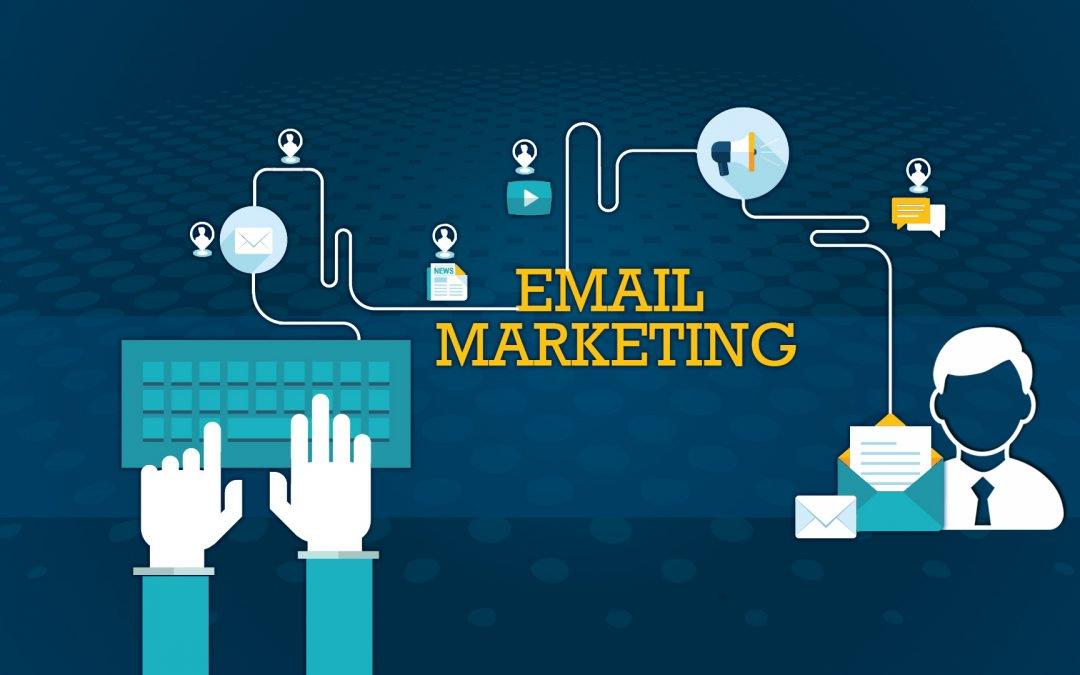
    Email marketing involves the use of “emails” to reach out and connect to customers and prospective customers. As a small business, this is an aspect of your marketing you should take seriously. 

    It starts from collecting emails of prospects, usually called ‘leads’ and sending them personalized contents in a bid to convert them to paying customers.

    There are several email marketing platforms to choose and we will be talking about 7 of them in this article.

    Drip

    This is a great email marketing tool for eCommerce, bloggers or even digital marketers.

    It offers a wide range of tools that makes personalization as well as marketing automation easy.

    What makes Drip different are some of its incredible features like smart email segmenting, marketing automation tools, and a visual work builder.

    It enable you to reach more targeted customers.

    Drip offers a free trial and a monthly subscription fee of $49 that gives you access to all of its features.

    Mailchimp

    This is an email marketing platform considered to be one of the most popular.

    It is suitable for small businesses as it offers basically all you need to carry out your email marketing.

    Its interface is user friendly and easy to navigate for non-technical people.

    With Mailchimp, you can build a landing page and also integrate your email marketing with Facebook or Google Ads.

    Mailchimp’s plan starts at $10 per month for up to 500 subscribers and increases as the number of subscribers increase.

    GetResponse

    Like Mailchimp, GetResponse is also a popular platform used by many small businesses for their email marketing needs. The drag and drop feature of GetResponse makes it easy to use.

    You can segment your contact, create automated campaigns, and send emails to selected groups.

    Their pricing starts from $15/month after a 30 days free trial.

    MailerLite

    This is a platform that is free to use for sending up to 12,000 emails/per month to less than 1000 contacts.

    With MailerLite, your industry doesn’t matter. It gives you everything you need to run successful email campaigns.

    ActiveCampaign

    This is one of the most affordable and easy to use email marketing platforms you will find.

    It is used by thousands of businesses to automate their email marketing. It is an all-in-one sales and marketing tool for small businesses.

    It comes with an in-built CRM system to manage your sales, live chat, and email marketing automation.

    Moodsend

    Small businesses are always looking for the most cost-effective tools that produce results, Moodend is one of such tools.

    It has great features such as well-designed templates, visual campaign builder, and other advanced features.

    It is free to use if you have less than 1000 subscribers and $10 per month for more subscribers.

    AWeber

    This is an old email marketing platform that is quite popular. It offers ready to use Html templates, autoresponders, email tracking among other features for small businesses.

    It also offers support such as live chats, phone support, email support, and how-to tutorials. 

    AWeber offers a 30-day free trial after which pricing starts at $19/month.

    Other Resources

    As a business owner, it’s important to have professionals take care of legal matters, which is where JJS Justice and their team of highly trained legal professionals come in. 

    In today’s world, customer retention is becoming more and more important. Read on to find out Why It’s Important To Know What Your Customers Want

    Working from home is a fast-growing trend, which is why you should consider Setting Up A Home Office

    Conclusion

    Email marketing is an essential part of marketing that cannot be taken away. As a small business owner or marketer, which of these platforms have you used? Let us know in the comment section.

  • 6 Apps You Can Use Without Internet Connection

    6 Apps You Can Use Without Internet Connection

    Your smartphone is not completely useless without an internet connection. While it is true that many of your favorite apps require an internet connection to work, it will excite you to know that there are a couple of applications you can use without the internet. This doesn’t include mobile banking apps.

    We will be discussing six of these apps in this article.

    Youtube

    This is an app that can serve as a great company during your trips.

    It has a feature that lets you download audio and video content for your viewing pleasure in the absence of the internet.

    This feature is not available to all, you can use it if you are in Africa, Asia, the Caribbeans, or the middle-east.

    To access this anywhere else, you need to be on the premium plan.

    To save video for offline viewing, open the Youtube app on your smartphone and tap the “Download” button.

    The video will be downloaded and you can access it from the “Library” section of the app.

    Google Drive

    This is a great app that allows you to store your documents, pictures or videos in cloud storage. It allows up to 15GB of storage.

    Another great feature of the app is that you can work with two or more people simultaneously on a document. It allows for effective collaboration.

    To enable this feature, click on the 3-dots at the top right corner of the document you want to access offline, select “Make available offline” and you can access this document without an internet connection.

    Netflix

    Netflix is one of the most popular movie streaming platforms in the world.

    You can download movies on the mobile app for offline viewing.

    You can only download select movies and the app is available for both Android and iOS users.

    Ensure you are running the latest update of the application.

    Google Podcast

    If you are a fan of podcasts, Google podcast is a must-have app for you.

    You can download your favorite shows for you to enjoy without the internet.

    It automatically deletes shows you have completed to free up space.

    Another great feature of the app is auto-download. It can save shows you’ve bookmarked are available.

    To enable this, go to Settings, select Auto-Download and choose the shows it should apply to.

    Spotify

    This is top music streaming app available to both Android and iOS users. As a premium user, you can save your favorite songs, albums, and podcasts for offline viewing.

    You can save up to 10,000 songs in your library.

    To download, go to the playlist, or podcast you want to download and tap to Download

    After downloading the songs you want to listen to offline, next, you need to enable “Offline mode”.
    From “Settings” on the app, tap “Playback” and switch on “Offline”.

    Pocket

    Pocket lets you read offline. With the app, you can save your favorite content for offline reading. It is also available as a Chrome extension.

    When you find the contents you want to save, share it with Pocket and it will be stored on your account.

    Before going offline, you need to sync Pocket and you can come back to read your saved contents even without an internet connection.

    Conclusion

    There you have it; six apps you can use without an internet connection. They come in handy. Share with us other apps you use without an internet connection.

  • 6 Google Chrome Features You Probably Didn’t Know Existed

    6 Google Chrome Features You Probably Didn’t Know Existed

    It is no news that Google Chrome is one of the most popular and widely used browsers.

    It boasts of support for a large number of extensions. You would agree that these extensions make life easier if you’ve ever used any of them.

    Google Chrome is also known for its great user interface. Despite these amazing features, there is still an argument as to whether it is the best browser. 

    It is a very versatile application with loads of functionalities that an average user probably never knew existed. In this article, we are going to be talking about five of these features you probably didn’t know about.

    Browse anonymously with incognito mode

    Google Chrome has a feature that allows you to browse the internet and remain untraceable. Yes, nobody will be able to track you.

    This is possible because, in this mode, Chrome doesn’t keep browsing history or store website cookies. If you ever want to browse for things you don’t want anyone to know about, just go “Incognito”

    To do this, click on the three-dot icon at the top right and select New Incognito window.

    Right Click to search Google.

    While browsing through a web page, you may come across a word or phrase and you are curious to know the meaning. 

    You don’t have to open a new tab to search the word, simply highlight the word or phrase and right click, you will see the option ‘Search Google for (the word or phrase you highlighted)

    Clear Your Chrome History

    You can clear your browsing history, caches and website cookies from your chrome.

    To do this, simply click the three-dot icon on the top right and select More tools > Clear browsing data.

    It allows you to delete everything or select the ones you want to delete.

    Download files to your preferred location

    For easy access to your downloaded files, you can choose where you want them to be saved. This saves you the stress of looking for the files when you need them.

    Click the three-dot icon at the top right and select Setting>Advanced>Downloads and here you can change the location to anywhere on your system. 

    Open Accidentally Closed Tabs

    At one point or the other, while browsing on your Google Chrome, you must have closed some tabs by mistake.

    Google understands that this happens and included a feature that helps you recover the tabs easily.

    Whenever you close a tab by mistake, simply right-click on any open tab and select “Reopen closed tabs”. In case you don’t find this option, you can make use of your keyboard by holding Ctrl+Shift+T and your closed tab will be restored.

    Pin Tabs

    If you are the type that works with multiple tabs, and you need to keep certain ones open while making sure you don’t lose something, Google Chrome has got you covered.

    You can pin a tab to your Chrome browser. To do this, right-click on the tab and select the pin tab.

    This pushes the tab to the front line and it is turned into a small icon. Once you do this, your pinned tabs will remain there if you close Chrome and reopen it. 

    Conclusion

    These features and many others are the reason a lot of people have refused to try out other browsers since they get what they want from Google Chrome.

    Do you know about the other features that you have used? Please share in the comments.

  • 10 Important Things You Should Know About Cryptocurrency Before Diving In

    10 Important Things You Should Know About Cryptocurrency Before Diving In

    Cryptocurrency is a digital asset that is used as a form of exchange to purchase goods and services. Bitcoin which is quite popular is a type of cryptocurrency. 

    The underlying technology that powers cryptocurrency is called Blockchain.

    Simply put, Blockchain is a decentralized technology that manages and records transactions.

    This article talks about 10 things you should know if you want to go into cryptocurrency.

    It is not insured

    You take responsibility for any losses if you invest in cryptocurrency. There is no insurance to cover losses. 

    Ensure your risk appetite is high before investing in crypto.

    When should you buy it?

    There is no perfect time to buy cryptocurrency.

    It is a very volatile currency, it rises and falls sharply within a short period of time. 

    Do proper research before you begin to invest.

    Don’t trade over the public internet

    If you are connected to the public internet, you should never carry out financial transactions. 

    The fact that the internet is accessible to the public means it is not secured and it is easy for attackers to intercept traffic and have access to sensitive information like your card details or pin.

    How many types of cryptocurrencies are currently available?

    Presently, there are approximately 2,957 cryptocurrencies available. But Bitcoin remains the most popular of them all. 

    Other common ones are Ethereum and Litecoin.

    Transactions are not reversible

    Once you’ve made a transaction involving cryptocurrency, you cannot reverse it.

     It’s different from other financial transactions that can be reverted in case of any error. 

    You should double-check your transaction before you authorize it.

    Is the risk low?

    The volatility makes investments in cryptocurrency a high-risk investment.

    If you have a low-risk appetite, you should consider other investment options. Crypto is likely not for you.

    How is cryptocurrency stored?

    The method of storage employed for the cryptocurrency is called a Digital Wallet.

    This wallet can be stored offline or online.

    The wallet allows you to send, receive and trade your cryptocurrency. It is secured with a PIN or Token. 

    Is your cryptocurrency secured?

    The safest way to keep cryptocurrency is in an offline wallet. This makes it less prone to cyber-attacks.

    However, you still need to go online for you to trade the funds. 

    When choosing a crypto exchange platform, security is something to look out for.

    What determines the price of cryptocurrency?

    Cryptocurrencies are not controlled by any regulatory body. This means that the price is determined by its users. 

    They can drive it up or down. The price goes up if a big crypto exchange adopts a cryptocurrency and the price would also diminish if big crypto leaves a cryptocurrency

    How to invest in cryptocurrency

    There are various exchange platforms you can use to invest in crypto. What should influence your choice is the security they offer. 

    Is your crypto secure in the digital wallet they provide? Also, consider how much they charge for each transaction, this varies across platforms.

    When you’ve decided which platform to use and it’s a good time to invest, register and set up your account.

    You can buy cryptocurrency in your local currency using your bank account or credit card. 

    Conclusion

    This technology is relatively new to some while others have made quite a lot of money from it.

    However, it is not too late to join the train. This is a technology that has come to stay and the future looks bright. We don’t offer any investment advice.

    Was this helpful? Let us know what you think in the comment. 

  • Top 10 Apps To Keep You Focused And Productive

    Top 10 Apps To Keep You Focused And Productive

    Whether you are a business owner or an employee in a corporate organization, it is important that you get more done and maximize the time you have to complete your tasks.

    Thanks to technology, there are several apps that can help you become more focused and productive. We will be discussing 10 of them in this article.

    Calendar

    This is a great app for people who get a lot of meetings and appointments. With Calendar, you can allow people to book a meeting with you. It saves you the stress of rescheduling meetings when you have too many on the same day.

    People can only book you on the days you are available as shown on Calendar. It comes with both freemium and premium packages. Visit calendar.com to get started.

    HubSpot CRM

    This is one of the best CRM (Customer relationship management) products for small businesses. This tool takes care of little details for you, details such as recording calls, managing your data and managing emails.

    If you are a small business owner, you should jump on this tool. The best part is that it is completely free to use.

    Slack

    If you lead a team and you want to make communication more efficient, then you need to use slack. Emails are less efficient when it comes to conversing.

    Slack allows you to create channels for different departments, groups or projects. Other amazing features are document sharing and video chats. The application has both freemium and premium packages.

    Cloudpp

    This is a tool that makes visual communication easy. It can save you and your team up to 56 hours a week!

    You are able to communicate effectively with partners, colleagues or clients with its webcam recording, screenshot, and GIF creation features. You can use the app for free or upgrade to a premium plan for $9 per month.

    Google Drive

    Google Drive is cloud storage that allows you to work on documents simultaneously with your team members. This feature helps in effective collaboration.

    You can also download or upload documents or pictures to the drive for safekeeping.  Available on Android and IOS

    Toggl

    A simple time tracker that tells you how much time you spend completing a task. Freelancers will find this very useful to determine how they should bill their clients. There is a detailed report for you at the end of every task.

    This helps you to adjust how you work to improve your productivity. Depending on the features, you can use Toggl for free or pay $9 a month

    Adobe Acrobat Reader

    This is an app that saves you the stress of having to print out a document before you sign. You can sign your PDF documents on Adobe Acrobat Reader.

    It also lets you open PDF files from emails or the web. It has a feature that allows you to comment on PDF documents with sticky notes. This is definitely one app you want to try out.

    TeamViewer

    TeamViewer allows you to have remote access to a computer without being physically present. You can hold meetings (audio and video).

    It allows collaboration of up to 300 people and meetings can be recorded for reference.

    Evernote

    This is a productivity app that allows you to upload and keep notes, pictures, audio, and video snippets.

    They are organized into a cloud notebook that you can synchronize with different devices. Users are allowed to upload up to 60MB worth of content for free or upgrade to a higher plan for more options.

    Teamweek

    A project management tool for every project manager. It helps the team visualize what project and task each person is working on.

    It allows the use of colour-code to reference tasks. Available on both mobile and desktop. It is free for up to 5 users.

    Conclusion

    Staying productive means getting rid of distractions which can be very difficult especially with social media.

    We hope you find these applications useful to keep you focused and productive.

  • 10 Good Ways To Be Cyber Security Conscious

    10 Good Ways To Be Cyber Security Conscious

    If you have a social media account for your business or personal use, you should be concerned about the security of the accounts.

    Hackers are always on top of their game looking for their next victim, you definitely don’t want to be one.

    In this article, you will learn how to be cybersecurity conscious and generally stay safe on the internet.

    Use password manager

    Using strong passwords is no longer enough to secure your accounts. Also, the use of the same password for multiple accounts is very unsafe.

    The best thing to do is to use a password manager. It allows you to access the sites you use by putting in the login details into the password manager vault.

    After this, all you have to remember is one strong password to the password manager.

    Avoid using other people’s devices

    Sticking to your own device is a good way to stay safe. However, there could be situations where you can’t help but use someone else’s device.

    If this happens, ensure you log out of every account you access on the device.

    Don’t post pictures with a location in real-time

    Avoid posting pictures showing your location in real-time. If you must show your location, the best you can do is to post the pictures after leaving that location.

    This way, if someone attempts to find you in that location, it will be a futile effort.

    Do regular backups

    This doesn’t only protect you against cyberattacks, it also minimizes your losses in case your device stops working for any reason at all. We recommend that you do this every day.

    Update your software

    If you have been running outdated software, it is time you update all of them to the latest versions. When new updates are released, it is not just to add new features, sometimes a vulnerability must have been discovered and fixed in the new update.

    Enable two-factor authentication

    A good way to secure your accounts after using a strong password is by enabling two-factor authentication. This is a security measure where you are required to provide a code that will be sent to your phone number.

    This code will be required each time you try to sign in from a new device. You also have the option of using an authentication app.

    Beware of social engineering

    Be wary of messages or calls asking you to divulge sensitive information such as your password or credit card details.

    This act is called social engineering. It is done in such a way that makes unsuspecting users think the message is from a trusted source.

    Make use of antivirus software

    This software protects your devices by scanning documents and applications before they are installed in your system. It also scans external devices like flash drives and hard drives and tells you if it is safe to use.

    Running an outdated antivirus software defeats its purpose. Just like every other software, it should also be up-to-date.

    Avoid using the public internet

    This is an easy way for attackers to intercept traffic and get access to transactions or conversations you have on your phone over public Wi-Fi.

    If you must connect to the public internet, ensure you do not carry out financial transactions.

    Watch your digital footprint

    Ensure you have a record of how much of your information is on the internet. For accounts and websites you do not use again, make sure you delete them and every information about you.

    Conclusion

    As technology advances, so does cyber attacks. These basic things will help keep you safe as you use the internet. We will be happy to answer any questions in the comment.