Everyone seems to be making updates and changes nowadays and Twitter has just made a big change to the way tweets work. This is important!
Twitter is limiting what types of content will use up its 140-character limit.
Slow down. This is twitter
Now, @names in replies, media attachments (like photos, GIFs, videos) and quoted Tweets will no longer be counted against the valuable 140 characters that make up a tweet. This means that people can interact more and attach more without having to give up some bits of their text.
Well Done Twitter. Now we can express ourselves more
But how can you make use of these new changes? Well, here are a few tips.
Say More when you reply a tweet
With this new update, @names will no longer count against the 140 characters. Now, whenever you start a tweet in reply to another user, you still have room to say everything you wanted to in your tweet, without having to consider the length of their Twitter handle.
You could even add Media files at the end of the tweet and it would still not count into the 140 characters. Say more, express yourself better.
More Visuals, Engage your followers.
A study by Twitter found that photos average a 35% boost in Retweets and videos get a 28% boost.
Visuals give you more reach and engagements on twitter
Although Visuals present numerous benefits, they had the tendency to reduce the length of what has to be said. That is in the past now! Photos, Videos and GIFS added at the end of tweets will not add up to the 140 Characters. Go on and add that meme.
Why? At least we will manage this new update
Do you love twitter? What do these updates mean to you? Tweet at me @Pidho1, let’s get the convo going.
We look at the top Dating Apps in Ghana, according to Google Play Store! 14th February is Valentines Day. In this era of technology and smartphones, technology the love affairs go online too.
In February 2017, Mfidie.com put up posts dubbed “#ValentineSpecial” with a focus on Technology and our love lives. This was the third Post in the series.
Well, if you are single and looking to date, there are a lot of online resources you can resort to. Most likely, you will be tempted to check out an app that would link you to a possible match.
We look at the top 10 dating apps on the Google Play Store. You should check them out especially if you are single and have still not found a date for Valentine or if you simple want to “explore”.
Top 10 Dating Apps in Ghana
Tap on the name of the app to automatically download it from the Google Play Store.
Hackers are always looking for ways to exploit individuals. Most people share sensitive information on social media every day and it is important to stay safe when using our various mobile apps. In this tutorial, we look at how to enable WhatsApp’s feature for Android, iOS and Windows Phone – the 2 step verification.
When activated, this feature would enable you to verify your number on Whatsapp on a new device more securely by using a six-digit passcode.
This would prevent someone from cutting you off WhatsApp and installing the app on a new device even if they successfully clone your phone number or have access to your text messages. It is strongly recommended to activate this feature and this tutorial will guide you right through it.
When activated, this feature would enable you to verify your number on Whatsapp on a new device more securely by using a six-digit passcode.
This would prevent someone from cutting you off WhatsApp and installing the app on a new device. It is strongly recommended to activate this feature and this tutorial will guide you right through it.
How to Activate 2 Step Verification on WhatsApp to stop hacking
Open Whatsapp, tap on the menu button and go to your settings. Click on “Account”
Open Whatsapp, tap on the menu button and go to your settings. Click on “Account”
Under account, tap on “two-step verification”. On the next screen, tap on “enable”. You will then be presented with a screen to enter a “6-digit passcode”.
Under account, tap on “two-step verification”. On the next screen, tap on “enable”. You will then be presented with a screen to enter a “6-digit passcode”.
Enter your 6 digit passcode and make sure it is passcode you can remember, but another person can not guess. Don’t use a birthday or an anniversary.
On the next screen, you would be required to enter an email address which you can use to reset your passcode in any case you forget it.
You could skip this, but I recommend you enter an email you have access to and confirm the email on the next screen.
Enter your 6 digit passcode and make sure it is passcode you can remember, but another person can not guess. Don’t use a birthday or an anniversary. On the next screen, you would be required to enter an email address which you can use to reset your passcode in any case you forget it. You could skip this, but I recommend you enter an email you have access to and confirm the email on the next screen.
Whatsapp will take a few seconds to apply the settings. Once completed, tap on “Done”. That’s great. You have enabled two step verification for your WhatsApp account.
Whatsapp will take a few seconds to apply the settings. Once completed, tap on “Done”. That’s great. You have enabled two step verification for your WhatsApp account.
Kindly note that if you ever receive an email to disable 2-step verification, but didn’t request it, do not click on the link.
It could mean that someone is attempting to verify your phone number (hack you) on WhatsApp.
Hackers will always try to steal your information and get into your WhatsApp. it is your responsibility to secure your account.
Tuxler VPN is becoming increasingly popular in Ghana for some reasons I do not know. Today, we look at what VPN is and review Tuxler.
What is a VPN?
VPN is an acronym which stands for “Virtual Private Network”. A VPN connection, gives a network of internet devices the ability to securely connect with others on the Internet as if they were part of the same private network. It’s Virtual. There are no physical cables present in this type of connection.
VPN was mostly used to access sensitive information across large corporate networks, This time, it is available to almost all internet users.
There are many reasons a person would want to stay anonymous on the internet. Mostly for the bad, but a few more people stay anonymous for all the good reason. You would not want someone tracking you everywhere you go, right? Internet stalking could be dangerous. A VPN helps you to stay anonymous but you should also watch your browsing habits.
Privacy
There are some things that are best done Privately – like sharing sensitive information or online banking. Even when you are shopping online, you would need a certain amount of Privacy. Believe it or not, everyone on the internet is a target of a hack. A VPN can help you gain a fair amount of privacy when you surf the internet.
Freedom and Security
Not a lot of people would have imagined the Internet would get this big in the 21st The internet seems to be a real world, coupled with real world problems – Freedom and Security. VPN provides security by “hiding” your actual location. This gives you the freedom to say and do things you couldn’t have done with your real identity. Heard of Edward Snowden?
Tuxler VPN in Use
My experience with Tuxler
Easy to Set Up
It was very easy to set up Tuxler on a PC running Windows 8.1, with the Google Chrome Browser. I opened Chrome, Installed the Tuxler app and Installed the Extension. That was all and Tuxler was well set up.
Slow Internet
Using Tuxler slowed my internet by more than 80%. Maybe because it was free and a paid version would be much better. The slow nature of Tuxler got my spirits down.
Should you use Tuxler? It’s a matter of what you need to do. Are you willing to sacrifice speed for Privacy and Security? The Choice is yours. However, there are various other ways to be secured on the Internet without a VPN. They shall be covered in the coming weeks.
Sometime this year, a friend posted in a WhatsApp group that he had lost all of his contacts because his phone was attacked by a virus. Another friend quickly suggested that he installed a certain anti virus on his phone to prevent such loss.
I couldn’t help but think of the many reasons that could lead to the loss of contacts. At a point, I imagined his contacts may just be “hidden” or his “contacts” app does not even have permission to access this “contacts’. Anyway, I later realized he was running Android version 5.1 Lollipop. Did he really need an antivirus on his phone? I doubt it.
What is an anti-virus?
In simple terms, an antivirus is any software (or app) that is used to detect and destroy computer viruses. Your smartphone is a computer too. The Android OS has been taunted over the years has been very vulnerable to viruses and with this “fear of viruses”
Do you need an antivirus?
You certainly don’t need an antivirus if you run Android version 4.2 and above. This is because Google includes automatic scanning as part of the Play Services to keep you and your device safe.
Google’s security services for Android are designed to provide the best security for mobile devices — by default and free for all Android users. As a result, data about the Android ecosystem has shown that Android users face very low risk from potentially harmful applications and other threats. Users can, of course, use any solution they would like, either in addition to or as a replacement for the Google solution, but our goal is to make that purely a matter of choice, not a matter of protection.
As an added step of protection, you should only install apps from the Google Play Store and avoid pirating or installing apps from other sources. Most often, these side-loaded apps (apps that have been installed) outside of the play store. Most of these “cracked” apps contain malicious software.
Encrypt your device
Encryption helps keep your data safe if you lose your device. If your Android device is running Jelly Bean (Android 4.1) or higher, you can encrypt the data on your device in Settings > Security > Encrypt phone.
Review Security Settings
Go to Settings > Security and review all of the options there. Make sure they are satisfactory enough for you and you understand what all of those mean.
If you are still interested in android antivirus and would want to check them out, there is a lot on the play store. My favourite of them is ESET Mobile Security & Antivirus. Most of these anti-viruses apps on the play store offer additional functionality you can explore. All the best!
Have you ever used an antivirus on your android smartphone? Do you look forward to using one? Let us know in the comments.
Recently, I have been using Tonaton and OLX for a variety of purposes. Most importantly, in January alone, I have bought and sold more than 4 goods between these two services. I decided to write this for users of these sites or for those who would want to start buying from either Tonaton or OLX.
If you have not tried online classifieds before, you should check out the last part of this post.
History
The name “Tonaton” means “Buy and Sell” and is by far the most popular online classifieds. Tonaton.com started somewhere in 2013 at a time where online business was not quite the thing. I heard about tonaton first time on Viasat 1 television. About two years later, Tonaton.com moved forward to enhance online security by becoming Ghana’s first online classifieds to require physical or electronic ID verification of posters on the platform.
OLX is the world’s leading classifieds platform in growth markets and is available in more than 40 countries and over 50 languages. Here in Ghana, OLX.com.gh became Tonaton’s competitor and fierce rival with a lot of adverts coupled with the very good OLX app. “OLX” is said to have been derived from “OnLine eXchange”.
Where should you buy from?
Security
When buying from online, one of the factors we all have to look at is security. How sure are you the person selling the goods actually has the good. How do you know he/she claims to be who they are? What about buying something and realizing it is totally different from what was advertised? Both Tonaton and OLX offer some level of security for their users.
OLX verifies it’s sellers using three main parameters. These are phone, email and Facebook. A user can be verified once they complete the phone verification and can post ads straight away. OLX also displays clearly which verifications a user has passed. Therefore, the buyer knows and is able to make a sound decision. Personally, I would prefer to buy from someone who has at least a phone and facebook verification on OLX. Emails can always be created and dumped and there is nothing scammers would not do.
Tonaton has more stringent verification procedures and when followed, these users become “Tonaton Members” with a blue badge to show. These users are verified by phone, a photo ID and their business or home locations if any. This means you can trust that these sellers are real people. According to Tonaton, verified members can easily be traced by them if they ever perpetuate evil or dupe buyers. Sounds easy, huh?
Value Added Services
VAS is very important to users. What else can we benefit from an online classifieds website? Well, I dare to say Tonaton is way ahead of OLX in this regard. Tonaton have their very own “delivery system” where you can choose for Tonaton to deliver what you have bought. How does this work? It’s simple! Tonaton goes to the seller, inspects the goods and brings it to you. You inspect the goods delivered by tonaton and only pay when you are satisfied it is what you want. I did not readily find any any VAS exclusive to OLX. There is the usual contact the seller via email directly on the website, and the option to view the locality of the seller.
Customer Satisfaction and User Interface Friendliness
It took a while to get this post together, as I did not want to it solely reflect my views only. I spoke to a few friends and sought out to understand why they would use either OLX or Tonaton. I realised when wanting to buy something, most people visit both classifieds site to check if there are any people selling the stuff they needed. One observation I made was people claimed the stuff on OLX were less expensive than those on Tonaton. A lot of the people I spoke to were happier to have bought from OLX rather than Tonaton. This was because of the unverifiable claim that prices on OLX were less. A friend also added that more ads on Tonaton had already been sold but were still lurking on the site. The storry was different for OLX.
Moreover, I personally think OLX has a better User Interface (both website and mobile app) than Tonaton. The OLX site is somewhat kind of semi-minimal and allows you to focus on the most important thing: buying! Tonaton’s website is a bit more clumsy and sometimes annoying, coupled with adverts; makes it less user friendly.
The Verdict
Tonaton
OLX
Security
4
3
VAS
4
2
Customer Satisfaction
3
4
UI Friendliness
2
4
Total (Out of 20)
13
13
The decision as to where you would buy from should be an informed one based on what is most important to you. Security, Value Added Services, Customer Satisfaction and User Interface Friendliness.
A friend posted this ad on OLX and got 3 different buyers in just 2 hours
What do you think? Does Tonaton beat OLX? Don’t forget to read our 6 tips on how to buy safely on Tonaton and OLX.
Facebook Messenger’s End-To-End Encryption Is Now Live For All Users after being in beta for some time now.
WhatsApp (which is also owned by Facebook) already has end-to-end encryption. Now, Facebook has finally introduced this end-to-end encryption to it’s Messenger platform.
You can also access the option when you click on “details” on any of your contacts on Messenger
There are an estimated 900 million Facebook users and they can all now access this “Secret Conversations” option on Messenger. Secret Conversations is an opt-in (meaning you have to choose to use it) functionality that allows users to encrypt their messages so no one can read them, not even Facebook itself.
Due to encryption, you can only use one device at a time to chat when using the feature.
Once you make use of the Secret Conversations, you are presented with a message that reads, “Your messages are already secure, but Secret Conversations are encrypted from one device to another.”
If your Messenger app has been updated, you will see a Secret option located on the top right-hand side of the “new message” screen.
The encryption feature allows users to choose an expiration time for the message, like on Snapchat.
Secret Conversations take you to a whole new chat screen
The time period will range from five seconds to a complete day. This way, your messages will be deleted from the core as soon as the set time expires.
You can choose how long it takes for your message to disappear after it has been seen.
Remember, the feature is only available to those who have updated their apps. If you want to secure your conversations, then be sure to update your Messenger app.
What do you think about this feature? Would you use it?
Tigo Tribe is a data and lifestyle package by Tigo Ghana that was launched in 2016. Tigo Tribe is an offer that gives prepaid customers on Tigo the following; – Free Social Media every month (Facebook, WhatsApp, Twitter and IMO. When it was launched, Tigo gave the chance for 25,000 already existing subscribers to jump into the offer
How to Subscribe to Tigo Tribe in Ghana
Get on Tigo Tribe by simply sending START to 5060. If you are an existing Tigo subscriber, you would need to get a new Tigo Sim to be able to subscribe to the offer. Check below for the Full Tigo Tribe offer.
Tigo Tribe Offers
Free Social Media every month (Facebook, WhatsApp, Twitter and IMO) – 1GB
Get all you use from Monday to Friday back on weekends (Saturdays and Sundays) for Tigo to Tigo calls and internet browsing
Free 100MB for internet browsing and 100mins for Tigo to Tigo calls for 7days
2X Bonus on Voucher & E-pin Top-Ups
3X on Tigo-Cash Top-Ups
No subscription fee
Subscriber automatically gets free 100MB to browse the internet and 100mins for Tigo to Tigo calls upon subscription.
Bonus received after recharge cannot be used to browse.
Bonus received after recharge cannot be used to make international calls.
Subscribers on Tigo Big 6 can subscribe to this product but will lose all the benefit of being on Tigo Big 6.
Offer is available for all prepaid subscribers (New, MNP and Existing). However, there is a cap on subscribers that can join from the existing base.
Subscribers on Tigo Tribe can still buy data packages.
Resource given over the weekends can only be used for internet browsing and Tigo to Tigo calls.
Dedicated volume given for social media will be given on a monthly basis.
Free social media will only be given for free for the first one month. Subsequent months, subs have to do a cumulative minimum reload of GHC 2 in other to unlock free social media.
Subscribers cannot subscribe to this product again once they opt out.
Unused Internet volume for social media cannot be rolled-over.
Social media volume given every month can only be used for WhatsApp, Facebook, Twitter and IMO
Resource given on weekends applies to spend on main wallet only.
How to Unsubscribe from Tigo Tribe (De-activate)
To Unsubscribe from the service, you would have to dial *555*1# and select another calling or data plan. Kindly note that you wouldn’t be able to join again after the deactivation.
What do you make of Tigo Tribe? Would you use it? Also, check out Vodafone Ghana’s VodafoneX Offer.
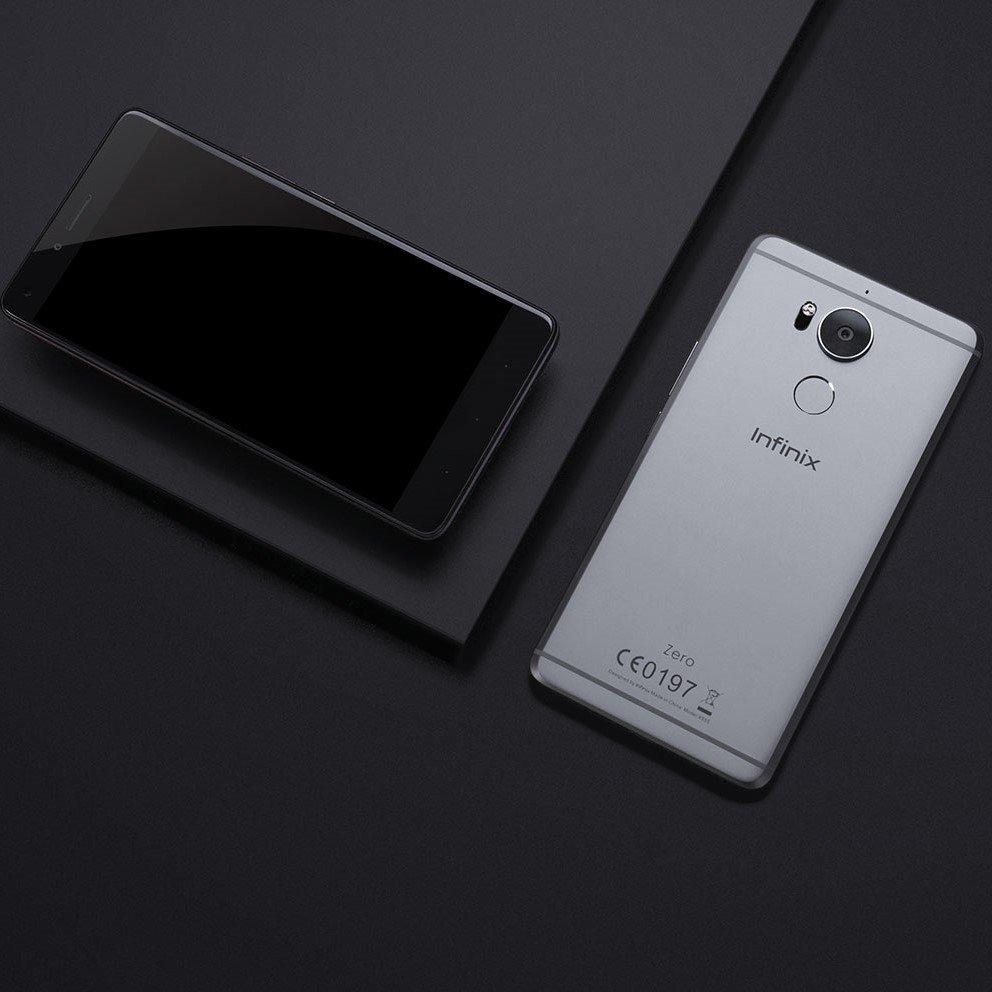
The Infinix Zero 4, successor to the powerful Infinix Zero 3 was launched in Ghana somewhere around late November 2016.
The Infinix Zero 4 is designed for professionals from all walks of life, to experience the smartphone world in a pro way.
The Infinix Zero 4 with Xcharge 3A gives you a powerful fast charging experience
The Zero 4 is 4th in line in a set of “Zero Devices” by the Hong Kong based Manufacturer. It comes bundled with the popular Android 6.0 Marshmallow pre-installed and customized with the XOS from Infinix (as always).
Infinix Zero 4 Key Specifications
Operating System: Android 6.0 Marshmallow
Display: 5.5 FHD IPS screen with 1920 x 1080 pixel resolution, 440 PPI
Battery: 3,200mAh non-removable battery with fast charge
Sensor: Fingerprint identification
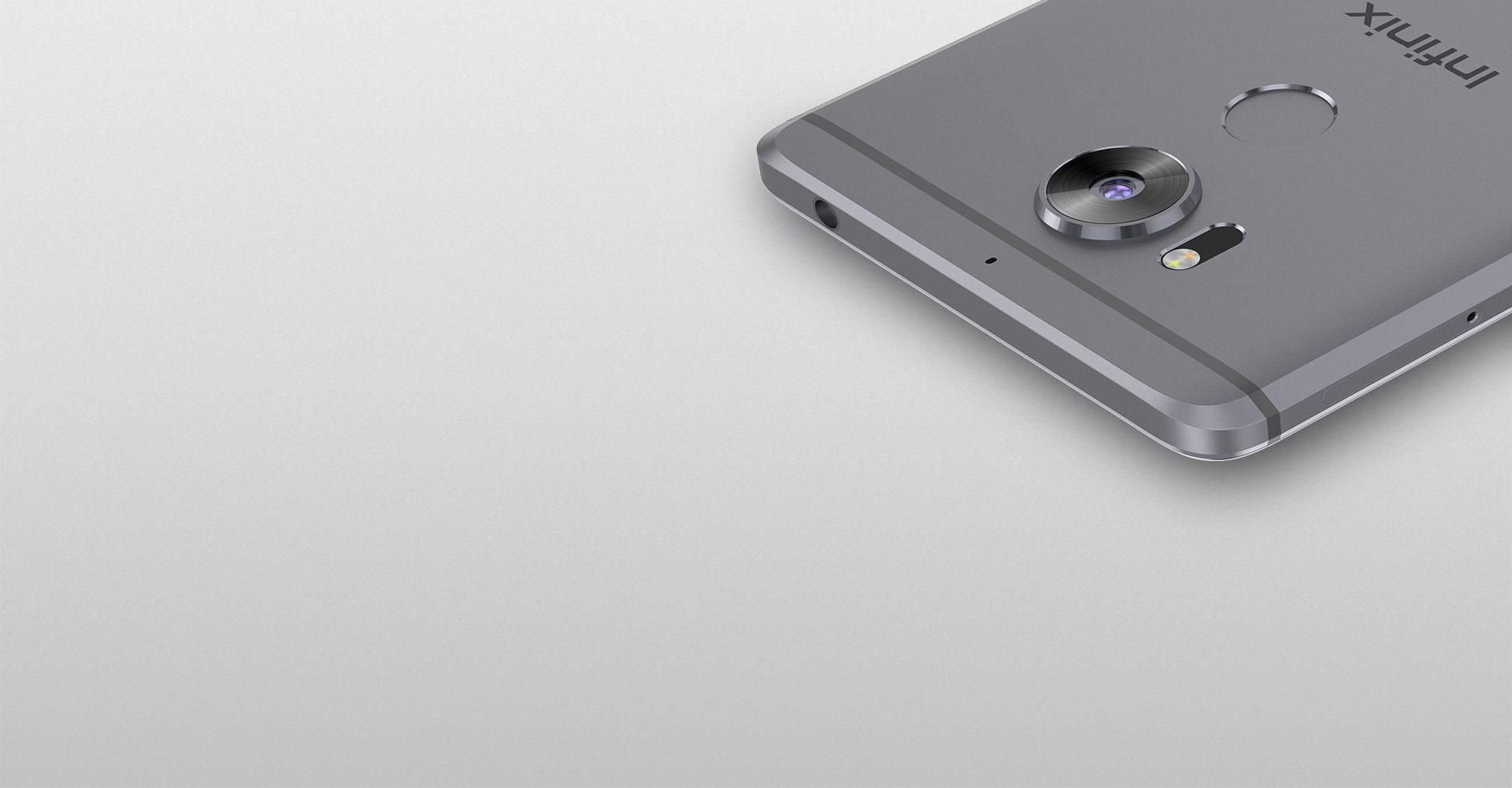
Take control of your photography with a full range of Pro Mode manual camera controls including focus and exposure, ISO, white balance, shutter speed, and macro photography; all built into the native Infinix Zero 4 camera.
The Infinix Zero 4 and Photography
Photos and videos shot with the impressive optical image stabilization (OIS) from Zero 4 help to prevent hand shake and low light blurring that often ruin the perfect shot. Laser auto focus technology paired with the 16 megapixels rear camera gives you the power to shoot amazingly detailed photos with speed and accuracy. Time-of-flight laser photo sensing identifies and focuses on your subject at the speed of light. The Zero 4 also allows you to capture selfies that include more friends, more detail, and more environment with an 8-megapixel front facing camera equipped with panoramic selfie functionality, f/2.2 lens, and front-facing flash.
Fingerprint Sensor for Security on the Infinix Zero4
Scan your fingerprint to experience the convenience of secure ID access. The Smart Fingerprint key eliminates complicated passwords and provides secure unlocking, wakes dormant apps, and enables privacy control in various other applications.
Infinix Zero4 Performance
The Zero 4 is made for professionals, and as such does not compromise on performance. With the latest technology in Fast Charging, Stay charged and connected and never miss a shot thanks to a powerful, fast-charging 3200mAh battery with XCharge 3A PE + 2.0 technology. Zero 4 is the perfect device for on-the-go photography and video capture.
Pricing and Availability of the Infinix Zero 4
Infinix Zero 4 Price in Ghana
The Infinix Zero4 is available in Ghana, at a recommended retail price of GHS 920
Infinix Price in Kenya
The Infinix Zero4 Price in Kenya starts at around Ksh 16,999.00
Infinix Zero 4 Price in Nigeria
Infinix Zero4 price in Nigeria ranges from 72,500 Naira to 94,000 Naira.
Swap previous Infinix model with Zer0 4
We currently do not have swap deals for the Infinix Zero 4
Taxify Ghana, an online transport technology company, has begun operations in the nation’s capital, Accra, Ghana.
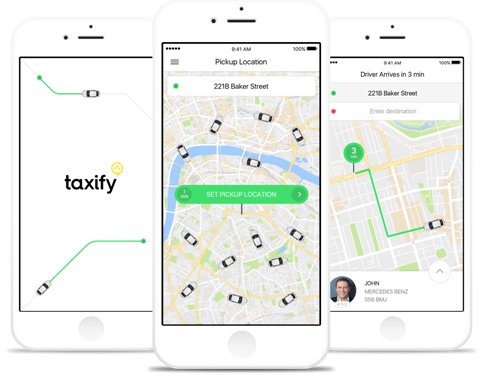
The Taxify app will allow customers to use their smartphones to request trips from the nearest Taxify driver, who will use GPS to locate the customer, then take the customer to an agreed destination. With competitive rates and reliability, Taxify is set to be the go-to online transportation app upon its launch.
Taxify Ghana would like to rival Uber with lower prices for passengers.
Taxify allows both public and private taxi drivers to join their network of over 700,000 riders and drivers.
Taxify already operates in some cities in Africa. These include Cape Town and Johannesburg in South Africa and Nairobi in Kenya with plans of also launching in Nigeria soon.