Category: FinTech

  • SEC warns public against 23 unlicensed online investment schemes

    SEC warns public against 23 unlicensed online investment schemes

    Ghana’s Securities and Exchange Commission (SEC) has issued a public warning about 23 entities that are offering investment products online and on social media without the required licences. The regulator says none of these entities has been authorised to operate in the capital market, and it is stepping up efforts to protect investors from potential fraud.

    The list includes names that may sound familiar to many Ghanaians who come across investment opportunities on platforms like WhatsApp, Facebook, and Instagram. The SEC’s move is part of a broader push to clean up the digital investment space, which has become a hotspot for unregulated schemes promising quick returns.

    Why this matters for everyday investors

    For the average Ghanaian looking to grow their savings, online investment offers can be tempting. Many of these schemes advertise high returns with little risk, often using social media influencers or referral bonuses to attract participants. But without SEC approval, there is no guarantee that the money you invest is safe or that the promised returns will ever materialise.

    The SEC’s warning is a reminder that any entity soliciting investments from the public in Ghana must be licensed. Dealing with unlicensed operators means you have no recourse if the scheme collapses or the operators disappear with your funds. The regulator has urged the public to verify the licence status of any investment firm before committing money.

    How to check if an investment scheme is legitimate

    Before investing, you can take a few simple steps to protect yourself:

    • Visit the SEC Ghana website to check if the company is listed as a licensed capital market operator.
    • Look for the company’s registration details and confirm them with the Registrar General’s Department.
    • Be wary of schemes that promise unusually high or guaranteed returns, especially if they pressure you to act quickly.
    • Ask for official documentation and read the terms carefully.
    • If an offer comes through social media or a referral from a friend, still do your own research.

    The SEC has not provided details on how it identified these 23 entities, but it is clear that the regulator is actively monitoring online platforms. This is a positive step for investor protection in Ghana’s growing digital economy.

    For now, the best advice is to stick with licensed financial institutions and verified investment platforms. If you are unsure about a scheme, you can contact the SEC directly for clarification. The full list of unlicensed entities has been published on the SEC’s official channels, and investors are advised to review it carefully.

    As the digital investment landscape evolves, regulators are likely to increase their oversight. For Ghanaians, the key takeaway is to always verify before you invest. A few minutes of checking could save you from losing your hard-earned money.

  • Three Ghanaian startups secure $500k from Village Capital

    Three Ghanaian startups secure $500k from Village Capital

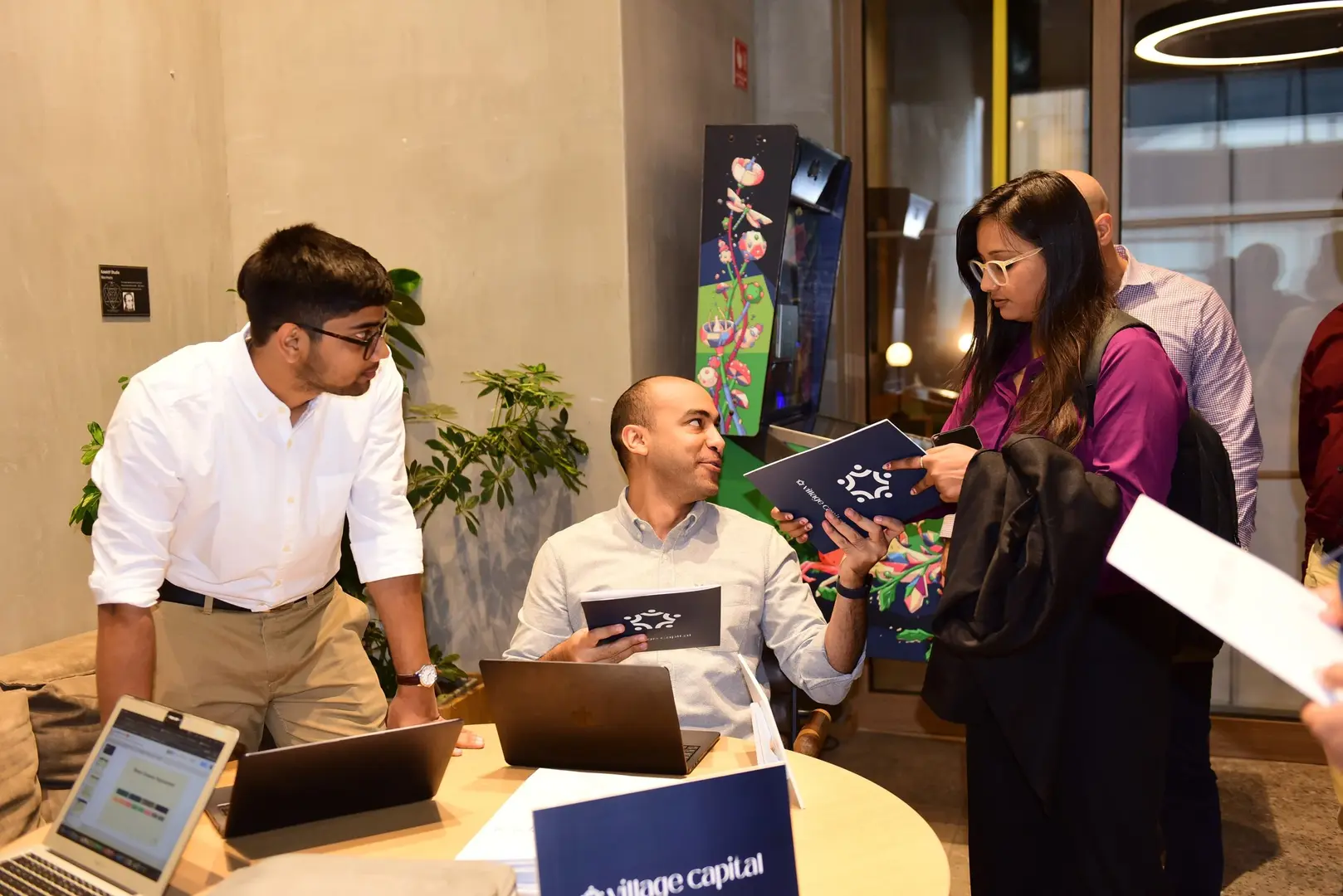
    Three Ghanaian tech startups have secured a total of $500,000 in funding from Village Capital, a global venture capital firm that backs early-stage entrepreneurs solving real-world problems. The investment is part of Village Capital’s broader effort to support startups in emerging markets, and it shines a light on the growing potential of Ghana’s technology ecosystem.

    Who got the funding and what they are building

    The three startups are working on different problems, but they all use technology to address practical needs in Ghana. While the specific names of the startups were not disclosed in the source, the funding is aimed at helping them scale their solutions and reach more users.

    Village Capital typically selects startups through a structured program that includes mentorship, peer review, and investor readiness training. The $500,000 is likely distributed among the three companies based on their stage and needs, though exact amounts per startup were not provided.

    For Ghanaian entrepreneurs, this funding is a signal that global investors are paying attention to local innovation. It also means more resources for startups that are building products tailored to the Ghanaian market, which can lead to better services for consumers and businesses.

    Why this matters for Ghana’s startup scene

    Access to early-stage capital remains one of the biggest challenges for Ghanaian tech startups. Many founders struggle to get the funding they need to move from idea to product, or from product to growth. Village Capital’s investment shows that there is a path to funding for startups that can demonstrate real impact and a viable business model.

    This funding also helps build the ecosystem by creating success stories that can inspire other founders. When investors see that Ghanaian startups can attract international capital, they become more willing to take a chance on the next generation of entrepreneurs.

    Additionally, Village Capital’s involvement often comes with more than just money. The firm provides training, networks, and exposure to a global community of investors and mentors. This kind of support can be just as valuable as the funding itself, especially for early-stage companies that need guidance on strategy, operations, and scaling.

    What this means for the average Ghanaian

    For everyday Ghanaians, the impact of such funding may not be immediate, but it is real. Startups that receive capital can hire more staff, improve their products, and expand their reach. This could mean better access to services like healthcare, education, agriculture, or financial tools, depending on what the startups are building.

    It also means more jobs in the tech sector. As startups grow, they need developers, marketers, customer support agents, and other professionals. This helps reduce unemployment and builds a skilled workforce that can drive the digital economy forward.

    Consumers may also benefit from more competitive pricing and better features as startups use the funding to improve their offerings. In the long run, a stronger startup ecosystem leads to more innovation and better solutions for local problems.

    What to watch next

    While the details of the three startups are limited, it will be interesting to see how they use the funding and what results they achieve. Other Ghanaian founders should pay attention to Village Capital’s future programs and application cycles, as the firm may continue to invest in the region.

    For now, this funding is a positive sign that Ghana’s tech ecosystem is maturing and attracting serious international interest. It also reinforces the message that solving local problems with technology can lead to global opportunities.

    If you are a Ghanaian founder looking for funding, consider researching Village Capital’s investment criteria and application process. Even if you do not get selected, the process of applying and preparing can help you refine your business and become more investor-ready.

  • Airtel Money’s $10 Billion London IPO: What It Means for Ghanaian Users

    Airtel Money’s $10 Billion London IPO: What It Means for Ghanaian Users

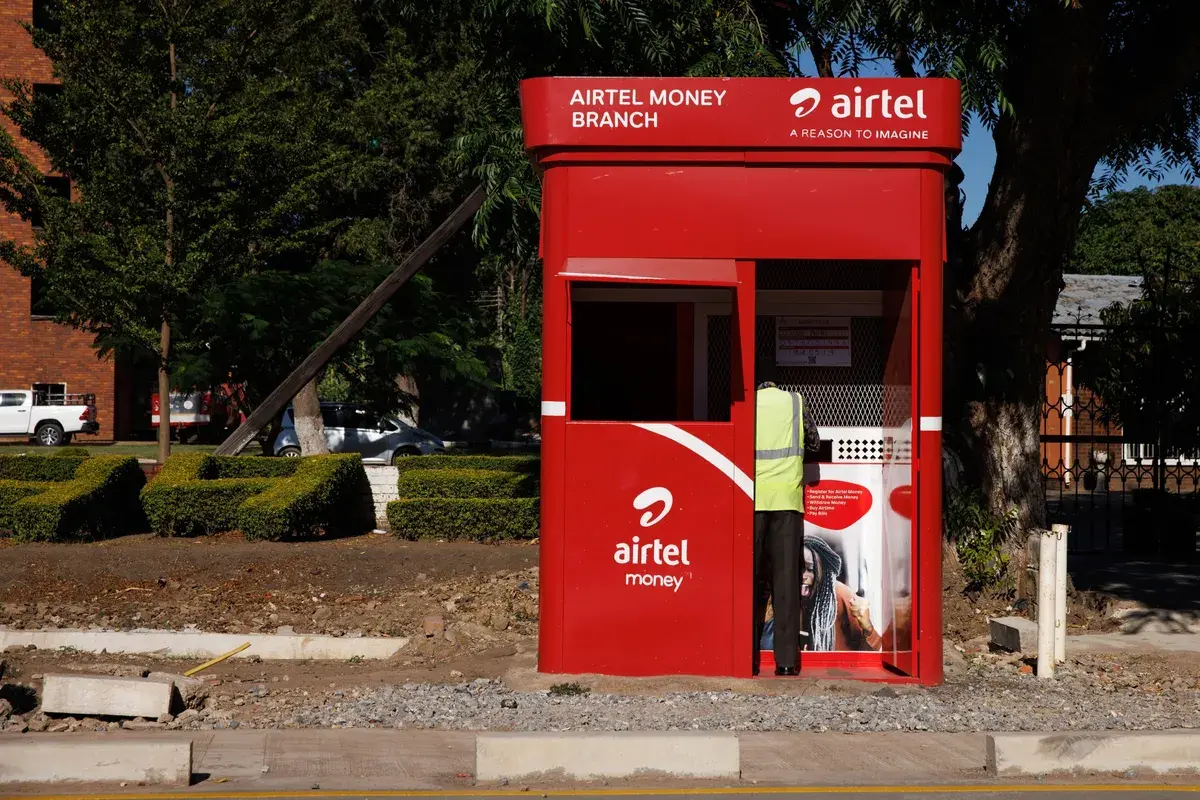
    Airtel Money, the mobile financial services arm of Airtel Africa, is preparing for a major public listing on the London Stock Exchange. The company is targeting a valuation of $10 billion and expects the IPO to take place by late 2026. For Ghanaian users of Airtel Money, this development could bring changes to the services they use every day.

    What the IPO Means for Airtel Money’s Growth

    Going public allows a company to raise capital from investors by selling shares. For Airtel Money, the $10 billion target signals confidence in its business model and growth prospects. The funds raised could be used to expand operations, improve technology, and enter new markets. In Ghana, where mobile money is a key part of daily life for millions, this could mean better services and more competition.

    Airtel Money is already a significant player in Ghana’s mobile money space, competing with MTN MoMo and other providers. The IPO could give Airtel Money the financial muscle to invest in features like higher transaction limits, faster transfers, and more merchant partnerships. For users, that might translate into a smoother experience and more options for sending and receiving money.

    Impact on Airtel Ghana Customers

    For the average Airtel Ghana subscriber who uses Airtel Money, the IPO is unlikely to bring immediate changes. However, over time, the additional capital could lead to improvements. Airtel Money might introduce new services such as savings products, loans, or insurance, following the trend of other mobile money platforms. It could also expand its agent network, making it easier to deposit and withdraw cash in rural areas.

    One area to watch is pricing. With more funding, Airtel Money could afford to lower transaction fees or offer promotions to attract users. This would put pressure on competitors like MTN MoMo to respond, potentially benefiting all mobile money users in Ghana. On the other hand, if Airtel Money focuses on profitability after listing, fees might not drop significantly.

    Another consideration is regulatory oversight. As a publicly listed company, Airtel Money will face stricter reporting and governance requirements. This could increase transparency and trust among users who are concerned about the safety of their funds. In Ghana, the Bank of Ghana regulates mobile money operators, and a public listing adds an extra layer of accountability.

    What This Means for Mobile Money Competition in Ghana

    Ghana’s mobile money market is dominated by MTN MoMo, which holds the largest market share. Airtel Money’s IPO could help it close the gap. With access to international capital, Airtel Money can invest in marketing, technology, and agent incentives to win more customers. This competition is healthy for the ecosystem because it drives innovation and better service.

    However, the IPO is still a few years away, and much can change. The success of the listing depends on market conditions, regulatory approvals, and Airtel Money’s financial performance. For now, Ghanaian users should see this as a positive sign that Airtel Money is committed to long-term growth.

    It is also worth noting that Airtel Money operates across multiple African countries, so the IPO’s impact will not be limited to Ghana. The company’s ability to scale and share best practices across markets could benefit Ghanaian users indirectly.

    What to Watch for in the Coming Years

    Between now and late 2026, Airtel Money will likely make moves to strengthen its position ahead of the IPO. This could include partnerships, technology upgrades, or new product launches. Ghanaian users should keep an eye on announcements from Airtel Ghana regarding Airtel Money services.

    If you use Airtel Money, consider exploring its full range of features. The more you use the platform, the more you can benefit from any improvements that come. Also, compare it with other mobile money options to ensure you are getting the best value for your transactions.

    The $10 billion IPO is a big step for Airtel Money, but its real impact will be measured by how it improves the lives of everyday users in Ghana. For now, the news is a reminder that mobile money remains a dynamic and competitive space in the country.

  • Bank of Ghana Takes Cautious Stance on Stablecoins: What It Means for Mobile Money Users

    Bank of Ghana Takes Cautious Stance on Stablecoins: What It Means for Mobile Money Users

    Ghana’s central bank is taking a measured approach to stablecoins, even as other African countries explore digital currencies more aggressively. For the millions of Ghanaians who rely on mobile money for everyday transactions, this cautious stance could have real implications for how they send and receive money.

    What Are Stablecoins and Why Do They Matter?

    Stablecoins are a type of cryptocurrency designed to hold a steady value, usually by being pegged to a stable asset like the US dollar. Unlike Bitcoin or Ethereum, which can swing wildly in price, stablecoins aim to offer the benefits of digital currency without the volatility. This makes them attractive for cross-border payments, remittances, and even local transactions.

    In Ghana, mobile money platforms like MTN MoMo and Vodafone Cash already handle billions of cedis in transactions each year. But sending money across borders can still be slow and expensive. Stablecoins could potentially offer a faster, cheaper alternative for Ghanaians receiving money from abroad or sending funds to family overseas.

    The Central Bank’s Position

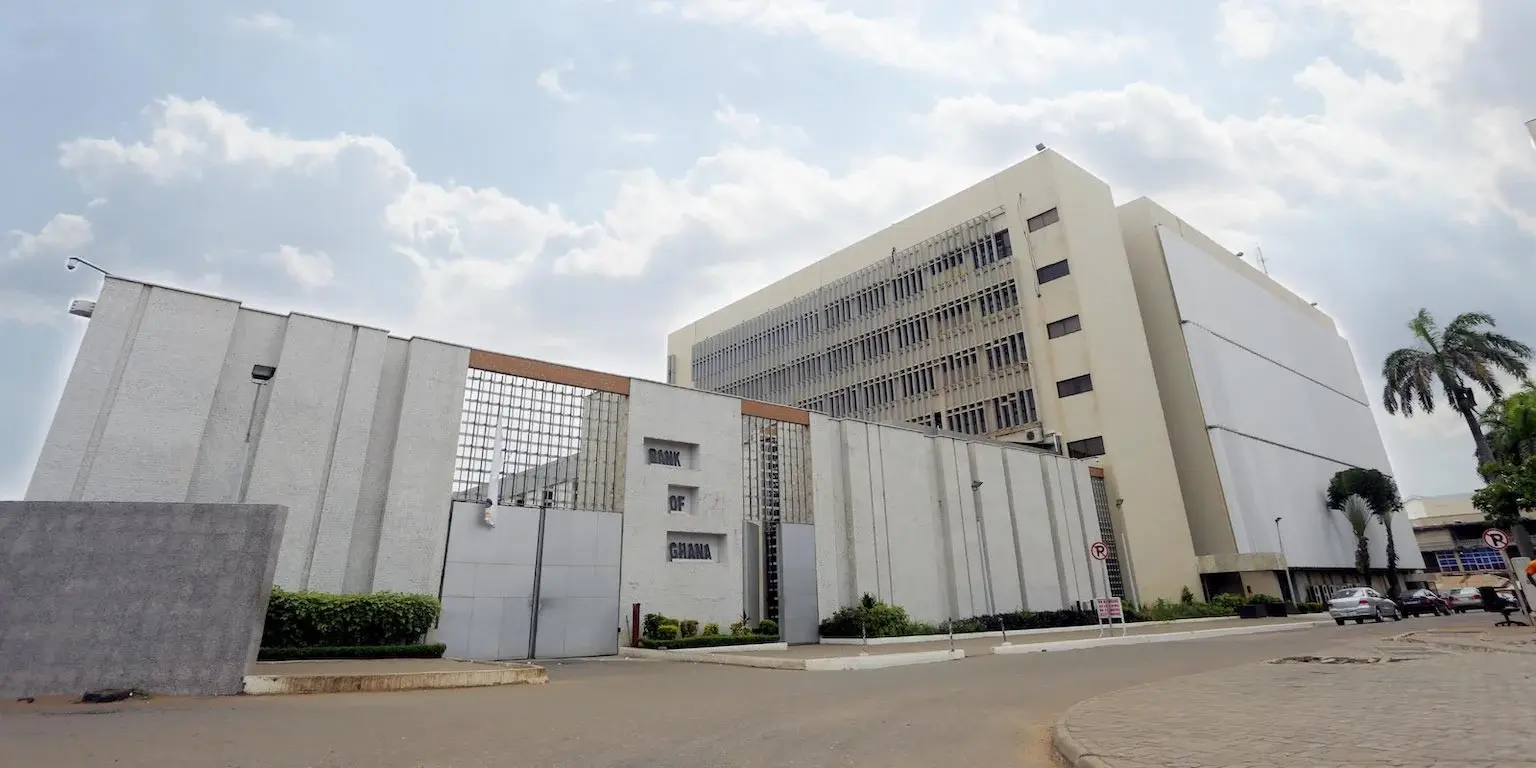
    The Bank of Ghana has not banned stablecoins, but it is proceeding with caution. The central bank is reportedly studying the risks and benefits before making any moves. This is consistent with its approach to the broader cryptocurrency space, where it has warned the public about risks while also exploring its own central bank digital currency (CBDC), the eCedi.

    For now, the message is clear: stablecoins are not officially recognized or regulated in Ghana. That means users and businesses that adopt them do so without the protection of the central bank. If something goes wrong, there is no recourse.

    What This Means for MoMo Users

    For the average mobile money user in Ghana, the central bank’s caution means that stablecoins are unlikely to become a mainstream payment option anytime soon. MoMo users who want to use stablecoins for remittances or savings will have to rely on informal channels or third-party platforms that operate outside the regulatory framework.

    This could create risks. Without regulation, there is no guarantee that a stablecoin issuer will actually hold enough reserves to back the coins in circulation. If the issuer fails, users could lose their money. There is also the risk of fraud, as scammers may take advantage of the lack of oversight.

    On the other hand, the central bank’s cautious approach could protect consumers from jumping into a market that is still evolving. By waiting and watching, the Bank of Ghana can learn from the experiences of other countries and design a framework that works for Ghana’s unique financial landscape.

    The Bigger Picture: Digital Currencies in Africa

    Across Africa, central banks are taking different approaches to digital currencies. Nigeria has launched its own CBDC, the eNaira, while Kenya and South Africa are exploring similar projects. Some countries, like El Salvador, have gone as far as adopting Bitcoin as legal tender, though that move has been controversial.

    Ghana’s approach is more deliberate. The Bank of Ghana has been piloting the eCedi, a digital version of the cedi, which would be backed by the central bank and regulated like traditional money. If successful, the eCedi could offer many of the same benefits as stablecoins, such as faster payments and lower costs, but with the safety of official backing.

    For now, stablecoins remain on the sidelines in Ghana. But as the technology matures and other countries gain experience, the central bank may eventually open the door to regulated stablecoin use. Until then, MoMo users should be cautious about using unregulated digital currencies and stick to trusted payment methods.

    Practical Takeaways

    If you are a mobile money user in Ghana, here is what you should keep in mind:

    • Stablecoins are not regulated in Ghana, so using them carries risks.
    • The Bank of Ghana is studying stablecoins but has not made any decisions.
    • The eCedi, Ghana’s own digital currency, may offer similar benefits with more safety.
    • For now, stick to regulated mobile money services for everyday transactions.

    The situation could change as the central bank gathers more information and as other African countries test different models. For the time being, the safest bet is to keep using MoMo and other regulated services while staying informed about developments in digital currencies.

  • SSNIT Launches Visa Prepaid Card for Contributors: What You Need to Know

    SSNIT Launches Visa Prepaid Card for Contributors: What You Need to Know

    If you are a contributor to Ghana’s Social Security and National Insurance Trust (SSNIT), you may soon have a new way to access your benefits and make everyday payments. SSNIT has launched a Visa prepaid card as part of its Membership Value Programme, giving contributors a digital payment option linked to their SSNIT account.

    The card is designed to make it easier for contributors to receive and use their SSNIT benefits without relying solely on bank accounts or cash. It is a prepaid card, meaning you can only spend the money loaded onto it, and it works anywhere Visa is accepted, both in Ghana and abroad.

    How the SSNIT Visa Prepaid Card Works

    The card is not a credit card. It is a prepaid card that SSNIT will load with benefits or payments due to you as a contributor. This could include pension payments, lump sum withdrawals, or other disbursements from your SSNIT account. Once the money is on the card, you can use it to pay for goods and services at merchants that accept Visa, withdraw cash from ATMs, or make online purchases.

    To get the card, you need to be an active SSNIT contributor. The card is issued as part of the Membership Value Programme, which aims to provide additional benefits to contributors beyond the standard pension scheme. SSNIT has not yet announced a specific date for when the card will be available to all contributors, but it is expected to roll out in phases.

    One key advantage of the prepaid card is that it does not require a bank account. This makes it accessible to contributors who may not have a formal bank account but still want a secure and convenient way to receive and use their SSNIT benefits. It also reduces the need to visit SSNIT offices or banks to collect payments, saving time and travel costs.

    Who Can Use the Card and What Are the Benefits?

    The card is intended for all SSNIT contributors who are enrolled in the Membership Value Programme. If you are already a contributor, you may be automatically eligible, but you should check with SSNIT or your employer for details on how to sign up for the programme.

    For contributors, the card offers several practical benefits:

    • Convenience: You can access your SSNIT benefits without needing a bank account. The card works at millions of Visa acceptance points worldwide, including ATMs, shops, and online stores.
    • Security: Prepaid cards are safer than carrying cash. If the card is lost or stolen, you can report it to SSNIT or the issuing bank to block it and protect your funds.
    • Financial inclusion: For contributors who are unbanked or underbanked, the card provides a gateway to digital payments and financial services. You can use it to pay bills, buy groceries, or send money to family.
    • No debt risk: Since it is a prepaid card, you cannot spend more than the amount loaded. This helps you avoid debt and manage your spending.

    However, there may be some limitations. Prepaid cards often come with fees, such as ATM withdrawal fees, monthly maintenance fees, or transaction fees. SSNIT has not yet published the full fee schedule for this card, so contributors should review the terms carefully before using it. Also, the card may not be accepted at all merchants, especially smaller shops that do not have Visa payment terminals.

    What This Means for Ghana’s Digital Payments Landscape

    The introduction of the SSNIT Visa prepaid card is a step towards greater digital financial inclusion in Ghana. Many Ghanaians still rely on cash for daily transactions, and prepaid cards can help bridge the gap between cash and digital payments. By giving contributors a card that works on the Visa network, SSNIT is tapping into an existing payment infrastructure that is widely used in Ghana and internationally.

    For the fintech ecosystem, this move could encourage more partnerships between government agencies and payment networks. It also signals that SSNIT is modernizing its services to meet the needs of a digitally savvy population. Contributors who are used to mobile money or bank cards will find the prepaid card familiar and easy to use.

    However, the success of the card will depend on how well SSNIT communicates the benefits and terms to contributors, and how easily contributors can get the card and load funds. If the process is straightforward and fees are reasonable, the card could become a popular tool for managing retirement benefits.

    How to Get Started

    If you are an SSNIT contributor and want to get the Visa prepaid card, the first step is to ensure you are enrolled in the Membership Value Programme. You can check with your employer or contact SSNIT directly for information on how to register. Once enrolled, SSNIT will provide instructions on how to receive and activate your card.

    Keep in mind that the card is not yet available to all contributors. SSNIT is expected to announce a rollout schedule soon. In the meantime, you can prepare by gathering your SSNIT number and personal identification documents, which you will likely need to apply for the card.

    The SSNIT Visa prepaid card is a practical innovation that makes it easier for contributors to access their benefits and participate in the digital economy. While details on fees and availability are still limited, the card represents a positive step towards financial inclusion and convenience for Ghanaian workers.

  • Bank of Ghana Wants to Use Your MoMo History as a Credit Score

    Bank of Ghana Wants to Use Your MoMo History as a Credit Score

    For millions of Ghanaians who work in the informal sector or the gig economy, getting a loan from a bank has always been difficult. Without a formal salary slip or a traditional credit history, banks often see them as too risky. But the Bank of Ghana (BoG) is now looking at a different way to assess creditworthiness: your mobile money transaction history.

    The idea is simple. Instead of relying on bank statements or credit bureau reports, lenders could use your MoMo records to see how much money moves through your account, how regularly you receive income, and whether you pay your bills on time. For informal workers like market traders, drivers, artisans, and freelancers, this could be a game changer.

    Why MoMo History Matters for Credit

    Mobile money is already deeply embedded in Ghana’s economy. According to the Bank of Ghana, mobile money transactions have grown significantly over the years, with millions of Ghanaians using services like MTN MoMo, Vodafone Cash, and AirtelTigo Money every day. For many informal workers, their MoMo account is their primary financial tool. They receive payments, send money, pay for goods, and even save through it.

    But until now, that data has not been used to build a credit profile. Traditional credit scoring models require a formal banking relationship, which excludes a large portion of the population. By using MoMo transaction history, the BoG hopes to create an alternative credit scoring system that reflects the real financial behaviour of informal workers.

    This move aligns with the BoG’s broader push for financial inclusion. In recent years, the central bank has introduced policies to make digital payments more accessible and to encourage the use of mobile money for savings and lending. If this plan works, it could unlock access to loans, insurance, and other financial products for people who have been left out of the formal system.

    What This Means for Informal Workers and Gig Economy Users

    For someone who sells goods at a market or drives for a ride-hailing service, a loan can mean the difference between expanding a business or staying stuck. But without a credit score, they often have to rely on informal lenders who charge high interest rates or family and friends who may not have the funds.

    If MoMo history becomes an accepted credit score, a trader could apply for a small loan based on their consistent daily deposits. A freelancer who receives irregular payments but has a long history of transactions could also qualify. The system would look at patterns, not just a monthly salary.

    Insurance is another area where this could help. Many informal workers do not have health or life insurance because providers cannot assess their risk. With transaction data, insurers could offer micro-insurance products tailored to the person’s income and spending habits.

    However, there are still questions. How will the BoG ensure that the data is used fairly? Will users have to give explicit consent? And what about privacy? The central bank has not yet released detailed rules, but these are important issues that need to be addressed before the system can work.

    Challenges and What to Watch Next

    One challenge is that not all MoMo users have a consistent transaction history. Some people use mobile money only occasionally, while others may have multiple accounts. The scoring model will need to account for these differences.

    Another issue is data security. Mobile money records contain sensitive information about a person’s finances. If lenders get access to this data, there must be strong safeguards to prevent misuse. The BoG will likely need to set clear guidelines on how data can be collected, stored, and shared.

    For now, the plan is still in the early stages. The BoG has announced its intention, but the details of implementation are not yet public. It is not clear when the system will be ready or which lenders will participate first.

    What is clear is that this could be a major step forward for financial inclusion in Ghana. If done right, it could give millions of informal workers a fair chance to access credit and insurance. For anyone who relies on mobile money for their daily transactions, it is worth paying attention to how this develops.

    In the meantime, users can start thinking about their own MoMo habits. Regular transactions, consistent savings, and timely bill payments could all help build a positive digital footprint. That footprint may soon be the key to unlocking financial opportunities.

  • Ride with MoMo: How Ghana’s Tro-Tro Drivers Can Now Accept Mobile Money Payments

    Ride with MoMo: How Ghana’s Tro-Tro Drivers Can Now Accept Mobile Money Payments

    For many Ghanaians, the daily tro-tro ride is a familiar routine. But one thing that hasn’t changed much is how passengers pay. Cash is still king, and drivers often struggle with giving change or handling large volumes of coins and notes. Now, a new system called Ride with MoMo aims to change that by letting passengers pay their fare using mobile money.

    What Is Ride with MoMo?

    Ride with MoMo is a QR-based mobile money payment system designed specifically for Ghana’s transport sector. It was launched by MobileMoney, the company behind the MoMo service. The system allows tro-tro drivers and other transport operators to accept payments from passengers using their mobile money wallets.

    Instead of handing over cash, passengers can scan a QR code displayed in the vehicle and pay the exact fare from their MoMo account. The driver receives the payment instantly into their own MoMo wallet. No card machines, no cash handling, and no need for change.

    How It Works for Drivers and Passengers

    For drivers, the process is straightforward. They need to register for the service, after which they receive a unique QR code. This code can be printed and placed inside the vehicle. When a passenger wants to pay, they simply scan the code using their mobile money app, enter the fare amount, and confirm the payment.

    Passengers don’t need any special app. If they already have a MoMo wallet, they can use the standard MoMo app or USSD code to scan the QR code and pay. The system works with any smartphone that has a camera and the MoMo app installed.

    One key advantage is that the payment is instant. The driver sees the money in their wallet immediately, which removes the risk of fake payments or bounced checks. For passengers, it means they don’t have to worry about carrying exact change or finding a driver who can break a large note.

    Why This Matters for Ghana’s Transport Sector

    Ghana’s tro-tro industry is largely informal and cash-based. Drivers often start their day with a float of small notes and coins to give change, but running out of change is a common headache. Passengers sometimes end up paying more than the fare because the driver cannot break their note.

    Ride with MoMo addresses this problem directly. By moving payments to mobile money, both drivers and passengers can transact without the limitations of physical cash. For drivers, it also means they don’t have to handle dirty or damaged notes, and they can keep better track of their daily earnings since every transaction is recorded digitally.

    There is also a safety angle. Drivers who carry less cash are less attractive targets for thieves. And passengers don’t need to pull out their wallets in crowded vehicles, reducing the risk of pickpocketing.

    What Drivers Should Know Before Signing Up

    While the system sounds convenient, there are a few things drivers should consider. First, both the driver and the passenger need a smartphone with internet access to use the QR code feature. In areas with poor network coverage, the payment might not go through smoothly.

    Second, drivers will need to educate their passengers about the new payment option. Many passengers are used to paying cash and may not immediately trust a digital payment system. Drivers may need to explain how it works and reassure passengers that the payment is secure.

    Third, there may be transaction fees. Mobile money transfers usually come with a small charge, and it is not yet clear whether the driver or the passenger will bear this cost. Drivers should check the terms of service before signing up.

    The Bigger Picture for Digital Payments in Ghana

    Ride with MoMo is part of a broader push to digitize payments in Ghana. Mobile money is already widely used for person-to-person transfers, bill payments, and even savings. Extending it to transport is a natural next step.

    If successful, this system could pave the way for similar solutions in other informal sectors like market trading or street food vending. It also aligns with the government’s goal of promoting a cash-lite economy.

    For now, the success of Ride with MoMo will depend on adoption. Drivers need to see the value in signing up, and passengers need to feel comfortable using their phones to pay for a ride. If both sides embrace it, Ghana’s tro-tro rides could become a lot smoother.

    What to Watch Next

    If you are a tro-tro driver or a frequent passenger, keep an eye out for the Ride with MoMo QR codes in vehicles. The service is still new, so availability may be limited at first. Drivers interested in registering should contact their MoMo agent or check the official MobileMoney channels for details on how to sign up.

    For passengers, the next time you board a tro-tro and see a QR code, you might not need to dig for cash. Just scan and go.

  • How to create a Verified Paypal Account in Ghana for Free

    How to create a Verified Paypal Account in Ghana for Free

    Are you a resident of Ghana wanting a verified PayPal account for free? Look no further! This article will guide you step by step.

    PayPal is crucial for online payments, especially for freelancers and internet workers. Despite the PayPal ban in Ghana, there’s a way to create a verified account and enjoy its benefits. Freelancers, especially those in Ghana and African countries have relied heavily on PayPal (even though there are some PayPal alternatives) to receive payment for services they have rendered as a way to make money.

    With PayPal, securely transact online without compromising your credit card details. Buy products from global stores and flexibly choose payment methods. It’s simple, fast, and accessible from anywhere.

    Get ready for convenient online transactions in Ghana!

    What is PayPal?

    PayPal is the largest internet wallet service, serving a global marketplace and offering secure and convenient online payment options. It’s an American financial institution registered in the United States and several other countries.

    PayPal is widely trusted and accepted worldwide, making it a popular choice for online transactions. In the past, Ghana and some other African countries were blacklisted by PayPal due to credit card fraud. Although the ban may be lifted in Ghana in 2019, it remains uncertain.

    Despite this, there are benefits to having a PayPal account in Ghana. PayPal provides security by encrypting and securing your credit card details, allowing you to make transactions without fear of compromising your information. Additionally, PayPal offers flexibility, allowing you to use various types of cards and make purchases from mobile sites and apps. It’s a simple and fast way to send and receive money, making it a valuable tool for online transactions.

    Benefits of having a PayPal Account in Ghana

    Having a PayPal account in Ghana offers several benefits.

    Firstly, it provides security for your transactions as your card details are encrypted and secured, reducing the risk of compromise or theft.

    Secondly, it allows you to easily purchase items online from thousands of vendors who accept PayPal, regardless of their location.

    Lastly, PayPal offers flexibility with multiple payment options and is simple and fast to use, making it convenient for sending and receiving money.

    Security of transactions

    Ensure the security of your online transactions by using PayPal, a reliable and trusted platform for payment in Ghana.

    When it comes to disclosing your card details during financial transactions online, there are significant risks involved. However, with PayPal, you can trade online without fear of compromising or having your credit card details stolen.

    PayPal collects your credit card details only once, during the sign-up process, and encrypts and secures them. This means that when making transactions, online merchants don’t see or ask for your credit card details.

    Additionally, having a PayPal account gives you access to thousands of online stores, as most vendors accept PayPal as a method of payment.

    With PayPal, you can enjoy the benefits of security, convenience, and flexibility in your online transactions.

    Buying Online

    When you have a verified PayPal account in Ghana, you can enjoy the convenience of buying online with ease and flexibility. Having a PayPal account gives you access to thousands of online stores with just your email address and password. Most online vendors accept PayPal as a method of payment, allowing you to easily purchase whatever you need regardless of the location.

    PayPal offers security in transactions as it doesn’t require you to disclose your card details to online merchants. With PayPal, your card details are encrypted and secured, protecting you from the risk of having your credit card information compromised or stolen. Additionally, PayPal is flexible, supporting various types of cards and being accepted on mobile sites and apps.

    It also offers a simple and fast way to send payments and transfer funds, allowing you to make transactions anywhere, anytime.

    Flexible with more options and costs less

    With a verified PayPal account in Ghana, you can enjoy the flexibility of more options and lower costs.

    PayPal offers various types of cards that you can add and verify to your account, including Mastercard, Visa, debit cards, and credit cards. You can also add multiple cards to your PayPal account, giving you more flexibility in managing your payments.

    Additionally, PayPal is accepted on mobile sites and apps, allowing you to make payments with just a few clicks on your smartphone or tablet. This convenience eliminates the need for a token and makes transactions fast and simple.

    Simple and Fast

    To experience the simplicity and speed of having a PayPal account in Ghana, you can easily send payments, transfer funds, and pay bills with just a few clicks on your computer or mobile device. Here are the benefits you can enjoy:

    1. Security of transactions: PayPal encrypts and secures your card details, allowing you to trade online without fear of compromising your financial information.
    2. Buying Online: With a PayPal account, you can easily purchase products from thousands of online stores around the world using just your email address and password.
    3. Flexible with more options: PayPal supports various types of cards and allows you to add and verify multiple cards to your account, giving you more flexibility in payment options.
    4. Cost-effective: PayPal is accepted on mobile sites and apps, allowing you to make payments with just a few clicks on your smartphone or tablet, eliminating the need for a token and saving you time.

    What do you need to create a verified PayPal Account in Ghana?

    To create a verified PayPal account in Ghana, you’ll need three essential things.

    First, you need an active phone number, preferably from MTN or Vodafone, as they’re more reliable for receiving OTP from PayPal.

    Second, you need your full name as it appears on a recognized National ID. Make sure to use the official name on your ID card for added security.

    Lastly, you need a working email address that hasn’t been used to register a PayPal account before.

    Once you have these three things, you can begin the registration process on your computer, using Google Chrome or Yandex browser for the best experience. If you choose to use a mobile phone, remember to select ‘desktop mode’ on your browser.

    Steps to create a Verified PayPal account in Ghana

    To create a verified PayPal account in Ghana, you need to follow these steps:

    1. Visit the PayPal website using your Google Chrome browser.
    2. Choose to sign up for a PayPal business account.
    3. Enter your valid personal and business details.
    4. Confirm your PayPal account from the email sent to you.
    5. Sign in to your new PayPal account.

    Visit the PayPal website from your Google Chrome browser

    Open your Google Chrome browser and navigate to the PayPal website to begin the process of creating a verified PayPal account in Ghana. Here are the steps to follow:

    1. Visit the PayPal website from your Google Chrome browser.
    2. Choose to sign up for a PayPal business account.
    3. Enter your valid personal and business details.
    4. Confirm your PayPal account from your email.

    Once you have completed these steps, you can sign in to your new PayPal account and provide any additional information required. This will enable you to start using your PayPal account in Ghana for receiving funds and making payments.

    Remember to confirm your additional details to secure your account and prevent any issues with PayPal. With a fully functioning PayPal account, you’ll have the convenience and security of online transactions at your fingertips.

    Choose to sign up for a PayPal business account

    Now that you have visited the PayPal website and entered your valid personal and business details, it’s time to take the next step. Choose to sign up for a PayPal business account.

    By selecting the business account option, you’ll have more access and the opportunity to receive funds as well as send them hassle-free.

    On the signup screen, click on ‘Sign Up’ at the top right. Then, choose the ‘Business Account’ option. After that, enter your valid email address and continue to fill in all the necessary details, such as your name, business name, phone number, postcode, business address, and currency.

    Once you have submitted the form, wait for an email from PayPal to confirm that your details have been received. After receiving the email, you can log in to your new PayPal account and complete the remaining steps on the dashboard.

    Enter your valid personal and business details

    Once you have visited the PayPal website and chosen to sign up for a PayPal business account, it’s time to enter your valid personal and business details. To successfully create a verified PayPal account in Ghana, follow these steps:

    1. Visit the PayPal website from your Google Chrome browser.
    2. Choose to sign up for a PayPal business account.
    3. Enter your valid personal and business details, including your name, business name (if applicable), phone number, postcode, and business address.
    4. Confirm your PayPal account from the email sent by PayPal.

    By entering accurate and valid personal and business details, you ensure the smooth creation of your PayPal account and increase its credibility. Remember to use your official name and a valid Ghana phone number.

    Once you have completed these steps, you can proceed to sign in to your new PayPal account and start using it for online transactions.

    Confirm your PayPal account from your email

    To confirm your PayPal account, follow these steps:

    1. Enter your valid personal and business details.
    2. Check your email for a message from PayPal.
    3. Open the email and click on the confirmation link provided.
    4. This will verify your email address and complete the process of creating a verified PayPal account in Ghana.

    Remember to check your spam or junk folder if you don’t see the email in your inbox.

    After confirming your email, you can proceed to sign in to your new PayPal account. Make sure to provide accurate and complete information to avoid any issues with PayPal in the future.

    Sign in to your new PayPal account

    After confirming your email, you can proceed to sign in to your new PayPal account and access all the features and functions available to you.

    Here are the steps to sign in to your new PayPal account:

    1. Go to the PayPal website using your Google Chrome browser.
    2. Click on the ‘Log In’ button at the top right corner of the page.
    3. Enter the email address and password you used during the registration process.
    4. Click on the ‘Log In’ button to access your PayPal account.

    Once you have successfully signed in, you’ll be able to manage your account, send and receive payments, and enjoy all the benefits of having a verified PayPal account in Ghana.

    Make sure to keep your login credentials secure and remember to log out after each session for added security.

    Confirm your additional details and start using your PayPal account

    Now that you have successfully signed in to your new PayPal account, you can proceed to confirm your additional details and start using your PayPal account in Ghana.

    To confirm your additional details, log in to your PayPal account and navigate to the dashboard. There, you’ll find options to verify your email address, add a bank account or credit card, and complete the Customer Identification Process.

    Verifying your email address is important to ensure the security of your account and to receive important notifications from PayPal. Adding a bank account or credit card will allow you to send and receive funds, make online purchases, and withdraw money from your PayPal account. Completing the Customer Identification Process will provide additional security and prevent any issues with PayPal.

    Once you have confirmed your additional details, you can start using your PayPal account for various transactions, such as sending and receiving payments, making online purchases, and managing your funds securely.

    Enjoy the convenience and flexibility that PayPal offers in Ghana.

    How to fund your PayPal account in Ghana

    To fund your PayPal account in Ghana, you have a few options.

    First, you can transfer money from friends or family who’ve PayPal accounts.

    Second, you can fund your account using a debit card linked to your bank account.

    Lastly, you can buy funds from online exchanges that offer PayPal top-ups.

    Transfer from friends

    To fund your PayPal account in Ghana through transfers from friends, follow these steps:

    1. Communicate with your friend: Reach out to your friend who also has a PayPal account and let them know that you need to transfer funds to your PayPal account. Make sure they’re willing to help you with this process.
    2. Calculate the amount: Determine the exact amount in Ghana Cedis that you want to be sent to your PayPal account. Ensure that you calculate the correct exchange rate to avoid any discrepancies.
    3. Send the money: Transfer the Ghana Cedis equivalent to your friend’s bank account or mobile money wallet. Provide them with your PayPal email address so that they can send you the funds.
    4. Receive the funds: Once your friend has received the money, they can proceed to send the funds to your PayPal account. Confirm with them that the transfer has been completed successfully.

    Fund from Debit Card

    To fund your PayPal account in Ghana using a debit card, you can follow these steps.

    First, contact your bank to obtain a debit card. Make sure you have enough funds on the card to load onto your PayPal account.

    Next, add the debit card to your PayPal account. Once the card is added, you can proceed to fund your PayPal account.

    It’s recommended to use a bank that has a mobile app or a good USSD platform so that you can easily send money from your Mobile Money account directly to the bank. This will make the funding process more convenient for you.

    Buy from Online Exchanges

    You can fund your PayPal account in Ghana by buying from online exchanges. Here are the steps to follow:

    1. Research: Do a thorough background check on online exchanges in Ghana and read reviews to ensure their legitimacy.
    2. Compare Rates: Look for online exchanges that offer competitive rates for buying PayPal funds.
    3. Verify Reputation: Check the reputation of the online exchanges by looking for feedback from previous customers.
    4. Proceed with Caution: Make sure to exercise caution when dealing with online exchanges and only buy from trusted sources.

    How to withdraw money from your PayPal in Ghana

    To withdraw money from your PayPal account in Ghana, follow these simple steps:

    1. Sign in to your PayPal account by visiting the PayPal Dashboard at https://www.paypal.com/ls.
    2. Once you’re signed in, click on ‘Withdraw Funds’ on the dashboard.
    3. On the next screen, select ‘From’ and choose your PayPal Balance.
    4. Then, click on ‘To’ and choose your linked Visa Card, such as the UBA AfriCard, FAB Prepaid Card, or Access Bank Prepaid Card.
    5. Enter the amount you want to withdraw and click on ‘Continue’.
    6. Review the transaction details on the next screen.
    7. Click on ‘Transfer’ to instantly send the money to your linked card.

    Please note that although it may say 5 to 7 business days, the transfer is usually instant and you can check your balance at any ATM.

    More Tips about Creating a PayPal account in Ghana

    When creating a PayPal account in Ghana, it’s important to be aware of a few more tips to ensure a successful and hassle-free process. Here are some additional tips to keep in mind:

    1. Use a valid and active email address: Make sure the email address you provide during registration is valid and active. This is where PayPal will send important notifications and account updates.
    2. Provide accurate personal and business information: It’s crucial to provide accurate information when filling out the registration form. This includes your full name, business name (if applicable), phone number, and address. Providing false information may result in account suspension.
    3. Choose the right currency: Select the currency that most of your transactions will be in. This will help you avoid additional conversion fees when making payments or receiving funds.
    4. Protect your account: Set up strong passwords and enable two-factor authentication for added security. Regularly monitor your account activity and report any suspicious or unauthorized transactions to PayPal.

    Conclusion

    In conclusion, creating a verified PayPal account in Ghana is a valuable tool for online transactions and provides numerous benefits. By following the step-by-step instructions outlined in this article, residents of Ghana can easily and securely access the convenience and flexibility that PayPal offers.

    With a verified account, individuals can confidently carry out online purchases, receive payments, and withdraw funds, enhancing their online financial experiences.

    Don’t miss out on the opportunity to join the global PayPal community and enjoy hassle-free online transactions.

  • How to do Twi-English Translations online

    How to do Twi-English Translations online

    In our increasingly interconnected world, effective communication across languages has become vital. If you’re seeking to bridge the gap between English and Twi, a widely spoken language in Ghana, online translation tools serve as valuable resources. In this blog post, we’ll explore diverse ways to translate English and Twi online, complete with personal experiences, lists of tools, and practical guidelines for ensuring accurate translations.

    The Best Online Translation Tools

    To start translating between English and Twi, consider these popular online translation tools:

    1. Google Translate

    Arguably the most recognized online translator, Google Translate supports over 100 languages, including Twi. Simply type or paste your text, choose the desired languages, and receive an instant translation.

    2. iTranslate

    iTranslate is another trustworthy translation tool supporting Twi. Available for iOS and Android devices, the app boasts a sleek interface, voice-to-text translations, and an offline mode for when internet access is unavailable.

    3. Yandex.Translate

    Yandex.Translate, developed by Russian search engine giant Yandex, also includes Twi among its supported languages. This tool offers translations for both text and webpages.

    4. Glosbe

    Glosbe is a multilingual dictionary providing word-for-word translations between English and Twi, along with numerous other languages. It’s an excellent resource for grasping the precise meanings of individual words and phrases.

    Bear in mind that although these tools are incredibly helpful, they aren’t perfect. Always verify translations for accuracy, particularly in critical or formal situations.

    My Personal Experience: Navigating a Twi Market

    During a trip to Ghana, I found myself in a bustling market where many vendors predominantly spoke Twi. To communicate effectively, I relied on Google Translate. By typing in English phrases and displaying the Twi translation to vendors, I managed to inquire about prices, request specific items, and even engage in casual conversation.

    While some translations were slightly off, the overall experience was positive, highlighting the power of online translation tools in overcoming language barriers.

    Guidelines for Accurate Translations

    To ensure the highest possible accuracy when using online translation tools, consider these practical tips:

    1. Keep sentences short and simple: Longer, complex sentences can be challenging for translation tools to parse accurately. Stick to simple, concise sentences for better results.
    2. Use proper grammar and punctuation: Well-structured sentences with correct grammar and punctuation are easier for translation tools to understand, leading to more accurate translations.
    3. Avoid slang, idioms, and jargon: These language elements can be difficult for translation tools to interpret accurately. Stick to standard, formal language for the best results.
    4. Double-check important translations: For critical translations, it’s always a good idea to cross-check with multiple translation tools or consult a native speaker.

    Learn Twi: Online Resources

    While translation tools are invaluable, learning Twi can further enhance your ability to communicate effectively. Here are some online resources to help you get started:

    1. Duolingo: Duolingo offers a comprehensive Twi course, complete with interactive lessons, quizzes, and progress tracking.
    2. Memrise: Memrise provides a Twi course with a focus on vocabulary building, using spaced repetition and mnemonic techniques.
    3. Transparent Language: Transparent Language’s Twi course includes audio, video, and interactive lessons that cover grammar, vocabulary, and pronunciation.
    4. iTwi Language Course: The iTwi Language Course offers a structured learning experience, teaching the Twi language through lessons, quizzes, and practice exercises.

    Conclusion

    Translating between English and Twi online has never been more accessible, thanks to the numerous translation tools and resources available. By utilizing tools like Google Translate, iTranslate, Yandex.Translate, and Glosbe, you can bridge the language gap and communicate effectively. Don’t forget to follow our practical tips for accurate translations and consider learning Twi through online resources to further enhance your cross-cultural communication skills. Happy translating!

  • Saga Loan: How to Apply, Requirements, App and more

    Saga Loan: How to Apply, Requirements, App and more

    Saga Loan is an online lending platform that makes it easy and convenient to apply for loans from the comfort of your own home. In this article, we will discuss everything you need to know about Saga Loan, including how to apply, the requirements, and the app.

    Requirements

    1. Applicants must be at least 18 years of age.
    2. You must provide valid government-issued identification card.
    3. You must have an active MoMo account with your name.
    4. You must be a Ghanaian.
    5. You must have a steady and verifiable source of income (such as a job, self-employment, benefits, etc.)
    6. You must have a valid email address.
    7. You must have a valid phone number.

    How to download the app

    1. Visit https://apkcombo.com/sagaloan-cash-loan-easy-credit/com.quiloan.ghpp/
    2. The app will show up after a successful search.
    3. Click on download and wait for the app to successfully download.
    4. Now, open the app and register using your mobile number
    5. Wait for a verification code and type it inside where required
    6. You will now the given a dashboard where you can apply for your loan.

    How to apply

    The application process for Saga Loan is simple. To obtain a loan, follow the steps described below.

    1. Launch the Saga Loan mobile App on your phone.
    2. On the Mobile App, click on request for funds.
    3. Apply by filling the loan application with your personal and mobile money account details.
    4. Your application will be reviewed and if you qualify, your requested amount will be disbursed into your MoMo wallet immediately.

    How much loan can you get from Saga Loan?

    On Saga Loan, your initial loan request start from GHS 100 the more you request and pay on time, the higher your request goes. The maximum you can request is GHS 5,000.

    Rates and fees

    The shortest tenor is 91 days, the longest is 365 days and the interest rate is 12%-28%(APR).

    Benefits of applying for CediBoom Loan

    Below are some of the benefits you can enjoy when you decide to join the Saga Loan family.

    1. Fast and convenient
    2. Flexible repayment terms
    3. Low interest rates
    4. No hidden fees
    5. 24/7 Customer service
    6. Online support

    How to repay Saga Loan debt

    1. Open the loan app.
    2. Once you are in the Saga Loan app, you will see ‘Repayment.’
    3. Click on that button.
    4. On the next page, they will show you the amount you are supposed to pay.
    5. To proceed, click on ‘Repay Now.’

    How to repay Saga Loan using MTN mobile money Wallet

    You can repay your Saga Loan directly using MTN MoMo. To do so,

    1. Dial *170#
    2. Select 1 (Transfer Money)
    3. Type 1 (momo user)
    4. Input Users Number (Saga loan mobile number)
    5. Confirm number
    6. Enter the amount
    7. Enter reference
    8. Confirm transaction with your MoMo PIN

    Conclusion

    The Saga Loan is a great way to access the funds you need quickly and securely. With the app, you can easily manage your loan, track payments, and more. The application process is simple and straightforward, and all applicants must meet certain requirements to qualify.