Category: For Ghanaians

  • My Digital Address: How to Generate your GhanaPostGPS  in Ghana

    My Digital Address: How to Generate your GhanaPostGPS in Ghana

    The GhanaPostGPS App is here to stay after it is now being used in almost all official applications by the Government of Ghana. This includes the Ghana Card, Land Registration, Passport Application and even new business registration.

    A lot of people still don’t know how to generate/create their digital addresses and we are here to explain and make the process easy.

    What is GhanaPostGPS?

    GhanaPostGPS is a global addressing system that uses the Global Positioning System (GPS) technology to divide Ghana into grids of 5 metres x 5 metres squares and assigns each one a unique address.

    It has an application that now allows all Ghanaians and people living in Ghana to validate their home and business addresses in order to create a national address registry for easy direction and identification purposes.

    How to generate your digital address with GhanaPostGPS App in Ghana

    Here are the steps to take to generate/get your digital address in Ghana:

    1. Download the new updated GhanaPostGPS App for Android or iOS.
    2. Launch the GhanaPostGPS App on your device and accept the terms and conditions, then click on “continue”.
    3. On the next screen, you can register your phone number, or click on “Skip Registration” if you want to use it for just one time.
    4. Accept the permissions that appear on the screen (Location, Media. Record Video)
    5. on the next screen, wait for your location information to load
    6. Once the location information has loaded, you will be presented with a new screen where you will see your Digital Address in the format GX-XXX-XXXX
    7. You can then share on WhatsApp or write it down to use for your Ghana Card Registration or other purposes.

    Watch the video below for the whole process:

    Things to note when generating your digital address

    Once you have the App downloaded on your phone, generating your address is easy.

    • Ensure your phone’s location button is turned on.
    • Open the GhanaPostGPS app and click on the button
    • Your unique address will appear next to the Digital address, for example, Digital Address: GA-543-0125
    • Remain outdoors to have a very correct digital address
    • Make sure you wait for 5 to 20 seconds to make sure the address is valid
    • Enable all permissions on your phone necessary for the app to run before generating an address
  • How To Apply For Vodafone Cash Ready Loan

    How To Apply For Vodafone Cash Ready Loan

    Are you in need of a quick loan in your Vodafone Cash wallet in just a few minutes? If you do, then this article is going to show you how to apply for Vodafone Cash Ready Loan. In addition, I am also going to show you everything you need to know about the Vodafone Cash loan.

    Obtaining a loan in Ghana at this time is very easy, quick, and free. Due to the high number of banks and credit institutions, people who are looking to get a loan in Ghana have several alternatives to choose from.

    But almost all these banks and credit institutions have their own requirements and interest rates they require from each borrower. One of the main requirements that people are usually scared about is collateral, which is usually in the form of a car, land, house, or any valuable property they can sell to get back the money should you fail to pay the money on time.

    All these issues are somehow resolved when it comes to online digital lending platforms like the Vodafone Cash Ready Loan.

    What is Vodafone Cash Ready Loan?

    Vodafone Cash Ready Loan is a quick, easy, and convenient method by which very active customers of Vodafone Cash can access low-interest loans using the Vodafone Cash wallet. Unlike the traditional methods of acquiring loans, Vodafone Ready Loan does not require you to bring any bank statement or collateral.

    Ready Loan was established by Vodafone Cash in collaboration with Consolidated Bank Ghana (CBG) to help Vodafone Cash users with quick financial assistance on their mobile phones. The least amount you could get is GHS 10.00, but the maximum amount is not known yet.

    Requirements for Vodafone Cash Ready Loan

    Before you can be offered a Vodafone Cash Ready Loan, you must meet the following requirements:

    • You need to be 18 years and above.
    • You need to be an active Vodafone user.
    • You have to be registered on Vodafone Cash and actively use your wallet for transactions, i.e., sending money, receiving money, buying airtime, paying bills, etc.
    • You must repay your already existing loan before you can apply for a new one (if it applies to you).

    How To Apply For Vodafone Cash Ready Loan

    1. Dial *110# on your Vodafone mobile device
    2. Choose option 5 (Financial Services) from the options
    3. Choose option 3 (Loans) to access the Loans option
    4. Choose option 1 for Ready Loan
    5. Select option 2 (Ready Loan Request)
    6. Select option 1 to opt-in
    7. Enter your four-digit Vodafone Cash PIN to confirm that you understand all the terms and conditions relating to Vodafone Cash Ready Loan and Consolidated Bank Ghana (CBG).
    8. If you qualify, a confirmation message will be shown in the next window. If you do not qualify, a message will be shown asking you to perform more transactions with your Vodafone Cash wallet.

    Afterward, a confirmation message will be sent to you via SMS to show you the amount, the repayment date, and the amount you are supposed to repay on the due date (30 days after the day of borrowing).

    How To Repay Your Vodafone Ready Loan

    Before you begin, make sure you have enough money in your Vodafone Cash wallet to repay your loan. If not, visit the nearest Vodafone Cash vendor to deposit money into your account for free.

    1. Dial *110# on your Vodafone mobile device
    2. Choose option 5 (Financial Services) from the options
    3. Choose option 3 (Loans) to access the Loans option
    4. Choose option 1 for Ready Loan
    5. Select option 4 (Ready Loan Repayment)
    6. Enter your four-digit Vodafone Cash PIN to proceed
    7. Follow the remaining steps to complete your payment.

    What Happens When You Fail to Repay Your Vodafone Cash Ready Loan on Time?

    Your Ready Loan repayment is fixed for 30 days; however, you can always make payments before the due date. If you fail to repay the loan on the due date, a late payment charge will be applied, and your information submitted to credit-related institutions and blacklisted.

    Therefore, it is advisable to pay the loan on time to avoid paying extra charges and also to increase your chances of attracting higher loans in the near future.

    Conclusion

    The Vodafone Cash Ready Loan is a good initiative from Vodafone and Consolidated Bank Ghana (CBG) to help Vodafone Cash users. Its introduction is going to help a lot of people to get loans in the comfort of their loans.

    Before you decide to apply for the loan, make sure to read and understand the terms and conditions involved in it to avoid any future regrets.

  • 2 new online scams you can find on Tonaton and Jiji

    2 new online scams you can find on Tonaton and Jiji

    When it comes to online classified sites in Ghana, Tonaton and Jiji stand out as the two prominent ones. As with every good thing, there are always bad people looking to take advantage – fraudsters.

    The two platforms – Tonaton and Jiji, are not new to fraudsters, and a lot of buyers have been on the lookout on signs to avoid these fraudsters. However, the fraudsters and con artists are getting smarter too.

    In recent times, they have come up with new tricks and schemes which unsuspecting buyers might not know of.

    Here at Mfidie.com, we have had reports about some of these schemes of the fraudsters. Some have used old methods to fraud people. However, there are some new trends we have noticed recently.

    We have therefore decided to bring to you two of the new scams you can find on Tonaton and Jiji in Ghana.

    Let’s get right into it.

    VIP Parcel Fraud

    This fraud is becoming very popular on the online classified sites Tonaton and Jiji. We even have the story of a reader who was scammed with this elaborate method.

    This scam targets individuals who are interested in buying electronic gadgets, particularly laptops, chromebooks and sometimes gaming consoles like the Xbox and Playstation.

    The fraudsters place multiple ads on either Tonaton or Jiji and make unsuspecting ads think that the price of a particular product is generally low on the market.

    For example, one can see about 6 HP Envy, 8GB RAM i7, all selling between GHS 1200 and GHS 1500. Since there are multiple listings for the same kind of laptop, the unsuspecting buyer things these are real enough.

    He then proceeds to contact the seller who says they will send the product via the VIP parcel service. The fraudsters would typically tell the buyer to only send the money after he (the fraudster) has processed the item at the VIP Parcel centre.

    The fraudster then goes ahead to share fake images that they are at the VIP station and are about to send the non-existent goods. They even send an SMS, purporting to be coming from the VIP service that the parcel is being sent to the buyer and give a fake driver’s number. The driver is also part of the scam.

    The fraudsters keep the fraud going even after the buyer has sent the money. After some hours, when the buyer goes to the VIP office to claim his goods, he will then realise he has been scammed.

    I would advise that if you want to buy something from another region, get a friend or a trusted person to check the goods first and send it by himself/herself.

    Fuel the Vehicle Scam

    This scam is an example of “little drops of money make a mighty ocean”. Unlike the VIP Parcel service scam, the cash involved in this ranges from GHS 50 to GHS 500.

    Fraudsters would put up nice photos of Cars on either Tonaton or Jiji at very competitive prices.

    Once interested buyers contact them, they would say that they moved the vehicle outside the city they advertised that the vehicle is in. They would then tell the buyer they will be back in a month or 2 weeks at the least.

    Buyers who are not patient will proceed to ask if the process of returning can be sped up. This is where the fraudster asks the buyer to send some money for fuel so that the car will be driven back to the city it was advertised in.

    As expected, the fraud is in the money for the fuel. Once the fraudster receives the money for the fuel, they would just block the buyer while they wait for another unsuspecting buyer to contact them so they run the scam again.

    Like always, never be too impatient for goods you are buying. It is always good to see the goods before you buy them especially on classifieds site. Most sellers who try to put psychological pressure on you will most likely try to scam you.

    Conclusion

    You should always be alert when you are buying online. We have guides on how to protect yourself online when buying from classified sites.

    Are there any new scamming methods you have seen/experienced that you will want to share? Send us an email or drop a comment below.

  • How to Withdraw Mobile Money from any Bank’s ATM in Ghana

    How to Withdraw Mobile Money from any Bank’s ATM in Ghana

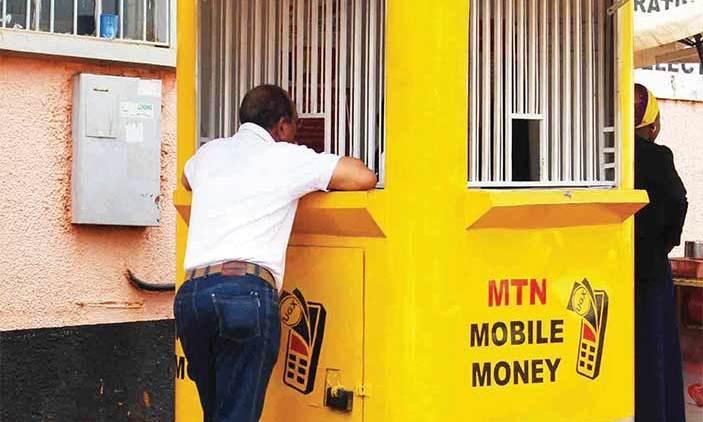
    MTN Mobile Money remains the biggest mobile banking platform for many Ghanaians. For a long time, withdrawing from your MTN Mobile Money wallet was solely facilitated by Mobile Money Merchants.

    For a lot of MTN Mobile Money Users, the inability to withdraw their money when there is no Mobile Money merchant around caused a lot of pain. There is no doubt that Mobile Money will remain the easiest and the most convenient way to have access to your money 24/7.

    To really make MTN Mobile Money a real 24/7 service, MTN Ghana introduced the ability to withdraw Mobile Money Funds from Automatic Teller Machines (ATMs) nationwide.

    MTN Ghana has led the mobile banking sector when it comes to innovation.
    MTN Ghana has led the mobile banking sector when it comes to innovation.

    As at the time of writing, these are banks whose ATMs nationwide support the withdrawal of funds via MTN Mobile Money:

    • Access bank
    • Zenith Bank
    • EcoBank
    • Fidelity Bank
    • GTBank
    • Barclays Bank

    How to Withdraw MTN Mobile Money from ATM

    1. Dial *170#
    2. Select Option 5 for Financial Services
    3. Select option 1 for bank services
    4. Choose option 3 for ATM cash-out
    5. Choose option 1 to generate the token. Continue next steps on the ATM
    6. On the ATM, Choose Cardless Transactions
    7. Choose MTN Mobile Money
    8. Enter your generated code
    9. Enter your four-digit secret code (your PIN)
    10. Enter the amount of between GHS 5 to GHS 400
    11. Enter your PIN to authorize the transaction
    12. Wait to receive your money from the ATM

    This is really simple. However, be careful when withdrawing as some ATMs do not dispense 1 GHS and 2 GHS notes.

    To be on the safest side, always withdraw in multiples of GHS 10. For instance, instead of withdrawing GHS 223, opt to withdraw GHS 220.

    Don’t have a Mobile Money Account? Read all about the MTN Mobile Money Registration.

  • Understanding NFTs: How to make money from selling NFTs in Ghana

    Understanding NFTs: How to make money from selling NFTs in Ghana

    What are NFTs?

    NFT stands for Non-Fungible Token. Fungibility means that an item is replaceable by another identical item or mutually interchangeable one for one.

    For instance, a cedi note can be interchanged for another cedi note because they are of the same value.

    This implies that anything that is non-fungible cannot be exchanged for another item because it’s unique.

    For instance, one piece of art is not equal to another. Both have unique properties.

    To further deepen the understanding of NFTs, let’s look at what a token means. A token is basically anything that can be traded or exchanged; it doesn’t have to be real money

    Putting everything together, NFTs are tokens that live on the blockchain and represent the ownership of unique items.

    What is the concept behind NFTs, the blockchain and why is it useful?

     Tracking who owns a digital file is tricky because it can be copied and distributed effortlessly. So how can you prove who’s the original owner when everyone has an identical copy of the file? This is where

    NFTs solve this problem. Imagine that you made a piece of digital art, essentially a JPG, on your computer. You can create or mint an NFT out of this.

    Technically, NFTs are smart contracts that live on a blockchain. The NFT that represents your art contains a bit of information about it, such as a unique fingerprint of the file, a token name, and a symbol. This token is then stored onto a blockchain, and you, the artist, become the owner. Now you can sell that token by creating a transaction on the blockchain. The blockchain makes sure that this information can never be tampered with. It also allows you to track who’s the current owner of a token and for how much it has been sold in the past.

     It’s important to note that the artwork itself is not stored within the NFT or the blockchain. Only its attributes such as the fingerprint or hash of the file, a token name, and symbol, and optionally a link to a file.

    Now here’s where NFT’s become weird. When you buy an NFT that represents artwork, you don’t get a physical copy of it. Then it means everyone can download a copy for free. The NFT only represents ownership, and that is recorded in a blockchain so nobody can tamper with it. Some say that NFT’s give you digital bragging rights. And to make it even weirder: while the token owner owns the original artwork, the creator of the NFT retains the copyright and the reproduction rights. So an artist can sell his original artwork as an NFT, but he can still sell prints.

    Use cases of NFTs

    NFT’s can also be used to sell:

    • Concert tickets
    • Domain names
    • Rare in-game items
    • Real estate(houses, lands)
    • Art
    • Music
    • GIFs
    • Fonts
    • Clothing

    For example, the founder of Twitter sold his first tweet as an NFT. Anyone can see that tweet on his profile, but now, only one person can own it. And that person paid over 2.9 million dollars for it.

    At this point, I know you may be wondering exactly how these NFTs get their value and how you can create your own NFT or buy and sell NFTs profitably! Join Tezos Ghana immersive at our immersive cryptocurrency and NFT online meetup experience as we delve into the following:

    Outline of Tezos Ghana Cryptocurrency and NFT online meetup

    1. Introduction to Non-Fungible Tokens(NFTs)
    2. Crazy NFT collections
    3. How to create an NFT
    4. How to buy & sell NFTs
    5. How to find profitable NFT projects early

    Click on this link to register; https://bit.ly/3zoa0rz. It’s absolutely free!

    Written by : Tezos Ghana

    Website : www.tezosghana.org

    Twitter: @tezos_ghana

  • MTN Holiday Bundle: Get 2.5GB for just GHS 10 every Holiday

    MTN Holiday Bundle: Get 2.5GB for just GHS 10 every Holiday

    MTN Ghana has a lot of Data options available for almost every need. Although many people might say that their bundles are costly (and yes, they are), choosing some particular offers is usually beneficial over the others.

    I dread the GHS 3 bundle so much, especially now that you won’t get a bonus on it if you do not subscribe via the MyMTN App.

    For all those looking forward to tomorrow’s Kwame Nkrumah Memorial Day holiday, MTN is giving you a good offer for browsing and streaking with all your family and friends.

    If you are going to be on the road, you can use this data to stream music on Spotify or YouTube. The mobile data has no restrictions at all. It’s the MTN Holiday/Special Day Bundle, and we will walk through how you can subscribe to it.

    How to subscribe to the MTN Holiday Bundle

    Before you subscribe to the MTN Holiday Bundle, make sure you have at least GHS 10 airtime, then follow the instructions below:

    1. Download the myMTN Ghana App from the Google Play Store or the Apple App Store
    2. Verify your MTN Phone number to sign in
    3. Enter the OTP to access the App
    4. Tap on the Buy/Send Tab
    5. On the Buy/Send tab, choose “Data.”
    6. Under subscriptions, tap on “Get 2.5GB of Data on Special Days.”
    7. Choose “Subscribe”
    8. You will receive a message showing that you have successfully subscribed to the Holiday/Special Days Bundle

    Kindly note that the data costs GHS 10, and you can not subscribe to another subscriber. Also, the data is valid for 24 hours (only the holiday) and can not be carried forward to another holiday.

    Conclusion

    This data bundle from MTN Ghana is worth it if you are primarily on your office’s wifi and will need a higher bundle pack for this holiday. Hopefully, there are more holidays/special days so we can get to enjoy this bundle more.

    Do well to check out all the other data deals and tricks we have for all networks in Ghana. Leave a comment if you have any tricks you would like to share.

  • MTN Ayoba Hackaton 2021 Crowns ‘Academy App’ As The Ultimate Winner

    MTN Ayoba Hackaton 2021 Crowns ‘Academy App’ As The Ultimate Winner

    After months of enormous grooming and all night preparation by the shortlisted qualifiers of the just ended Ayoba Hackaton 2021, “Academy App” developed by Prince Owusu has been crowned the ultimate winner.

    The search for the brilliant app idea was a tough journey from the 271 applicants to the final stage winding down to the best of the best. The Academy App developer; Prince Owusu shared mixed feelings about his victory with mfidie.com.

    According to Prince, tireless works behind the pc was really worth this opportunity. He said moving forward, he is looking at improving on his application and working with MTN Ghana to help transform the Ghana education system with a smarter way of learning.

    The zeal to solve the everyday hustle of people’s ability to access educational facilities triggered Prince to come up with such a brilliant idea. The Academy App deserves an awesome remark just like the competing apps in this project.

    The top 5 apps who qualified for the grande finale include Request; A petty cash solutions app for organisations, Stride; A reliable delivery service app, Amalyia; A food rating and recommendation based on the users’ location, Academy; A smart learning platform for students and UNLOQR; A game rewarding app.

    3 out of the top 5 finalists; Academy, Amaylia and Stride apps won the 1st position (GHS 20,000.00), 2nd position (GHS 10,000.00) and 3rd position (GHS 8,000.00) respectively. All apps who participated would however be given the opportunity to leverage on the MTN database by being hosted on the Ayoba Super App.

    All participants expressed their gratitude towards the growth trajectory and building future with MTN Ghana towards promoting tech in Ghana.

    The future of tech seems promising if we have such events supporting young people in the space.

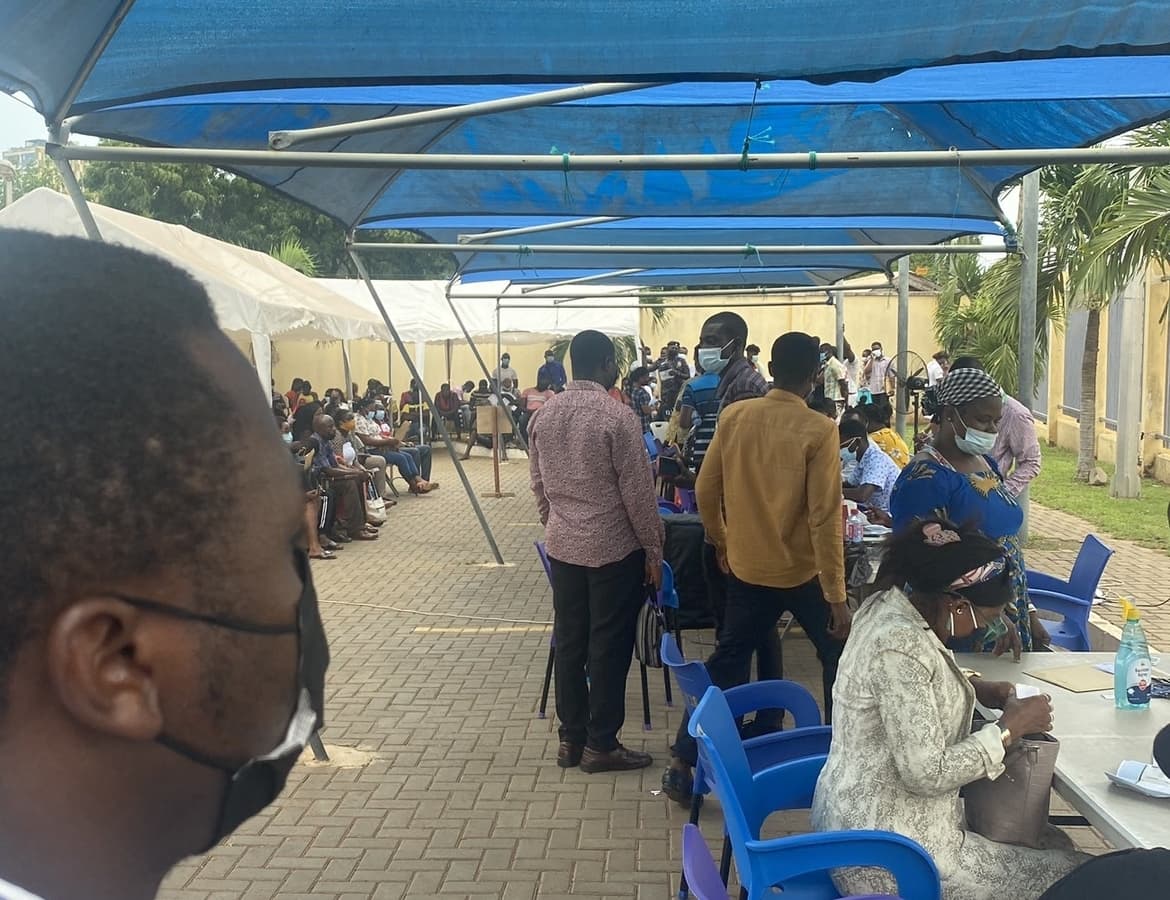
    See photos from the event below:

  • 8 Ways to recharge DStv online or via Mobile Phone Services

    8 Ways to recharge DStv online or via Mobile Phone Services

    Nowadays, everyone is interested in satellite television and DStv is one of the popular options. For many who use DSTV, one monthly hurdle is how to recharge their DStv online or on their mobile phones.

    Today, we will walk you through how to successfully recharge your DStv account and enjoy uninterrupted service without the need to go to any of the MultiChoice offices in Ghana.

    Here are the current DStv packages available in Ghana. Keep in mind that, you can upgrade or downgrade your subscription depending on your needs.

    DSTV Packages in Ghana

    There are Six (6) DStv Ghana packages. See them below with their price per month and the number of channels on each package.

    • DStv Ghana Premium Package costs GHS 330/month with 185 Channels.
    • DStv Ghana Compact Plus Package costs GHS 205/month with 172 Channels.
    • DStv Ghana Compact Package costs GHS 135/month with 165 Channels.
    • DStv Ghana Family Package costs GHS 70/month with 139 Channels.
    • DStv Ghana Access Package costs GHS 40/month with 124 Channels.
    • DStv Ghana Great Wall Africa Bouquet GHS 50/month with 12 Channels.

    Now that we have looked at the various packages available, let’s turn our attention to how to recharge our DStv subscription online or via mobile in the different options listed below:

    How to Recharge DStv with MTN Mobile Money

    To recharge your DStv with MTN Mobile Money, you will need to register for Mobile Money. In the process, you will be asked to choose a four-digit secret code which you will always use to make Moblie Money Transactions.

    1. Dial *170# on your MTN Device
    2. Select option 2 (pay bill).
    3. Select DStv.
    4. Enter the Smartcard number.
    5. Input reference number (eg June 2019 Subscription).
    6. Enter Amount.
    7. Enter the secret code.
    8. You will receive a confirmation message from MTN.

    How to Recharge With DStv Eazy Self Service

    The DStv Eazy Self Service is a self-care service my MultiChoice to help with paying, upgrading and downgrading DStv subscription as well as troubleshooting some issues that may come up with the decoder as well.

    Here are the detailed steps on how to recharge with DStv Eazy Self Service:

    1. Visit the DStv Self Care portal here:https://eazy.dstv.com/en/gh/pay
    2. Enter your DStv smart card number
    3. Verify the captcha
    4. Enter the appropriate amount as per your subscription/the subscription you want to change to
    5. Click “Make Payment” and enter your card details

    You will receive a message and prompt that you have successfully recharged your DStv account.

    How to Recharge DStv with eTranzact

    eTranzact enables you to pay your DStv subscription directly from your bank account by using your bank’s mobile banking service. If you have an account with the following listed banks, then register your phone for your mobile banking service.

    You will be given specific instructions to make DStv payments. (GCB, ACCESS, FIRST ATLANTIC, BOA, WOMEN’S WORLD BANKING, MIDLAND, ENERGY, UBA, Zenith)

    Follow the steps below to complete a successful account payment on the E-tranzact platform:

    1. Visit etranzact.com
    2. Click on “PAY DStv”, on top of the main menu. You will be redirected to the payment page.
    3. Then click on DStv
    4. Enter the payment details and submit.

    You will receive a confirmation message once this is done.

    How to Recharge DStv with Airtel Money

    By default, every Airtel Sim Card has Airtel Money. If you don’t already have the AirtelMoney feature, you need to activate it first. To activate and recharge your DStv, follow the steps below

    1. Go to Airtel Money.
    2. Go to my account, Choose change Pin.
    3. Enter old Pin which is a default number 1234
    4. Enter new, Then your SimCard will be activated for Airtel Money.
    5. Select the Airtel Money icon on your phone. Select “pay bill”.
    6. Choose other and Type “DStv”.
    7. Type amount in GHS.
    8. Enter Pin Code.
    9. You will be asked for reference Type your IUC number there.

    You will receive a confirmation message on completion. This same procedure works for Tigo Cash and AirtelTigo Money.

    How to Subscribe DStv Ghana with Slydepay

    1. Visit the SlydePay Payment Platform
    2. Scroll down to TV section and click on DStv
    3. Enter your DSTV Smartcard number
    4. A pop-up with your details will show up, click on “Confirm”
    5. Select your preferred subscription package
    6. Select your preferred payment option (MTN Mobile Money, Airtel Money, Visa/Mastercard, SlydePay, Tigo Cash, Vodafone Cash)
    7. Enter your wallet number and click on “Pay”
    8. Wait to confirm the transaction

    How to Recharge DStv with Express Pay

    You can pay for your DStv subscription or put money in your Box Office account using the ExpressPay app.

    To download; go to your phone’s app store and search ExpressPay or visit expresspaygh.com

    Apart from the methods discussed above, there are also traditional methods to pay your DStv subscription. Check them out below

    How to Recharge DStv at UBA

    You can pay for your subscription at your nearest United Bank for Africa (UBA) branch or you can pay using U-Bills. Follow these simple steps to pay using U-Bills:

    1. Visit the U-Bills website and click the register button www.ubills.com.gh.
    2. Fill in your details, agree to terms and conditions and register.
    3. Go to their email and confirm your account by clicking on the verify account link.
    4. Go back to the UBills website, login, settle the service you want to pay fo.
    5. Input amount.
    6. Select payment mode (visa or master card).
    7. Input your card details
    8. Click pay.

    The amount will be debited and you will receive a confirmation message.

    How to Recharge DStv at Multichoice Offices

    You may pay for your subscription at any of our MultiChoice offices:

    • Accra – No. 8 Basko Lane, Abelenkpe
    • Tema – Ground floor, Giann Towers, Community 11, Tema
    • Kumasi City Mall
    • Takoradi – Tigo Building, Axim Road

    Please call 0302740540 for more information on the DStv/MultiChoice offices.

  • How To Register SIM Card And Link To Ghana Card right now

    How To Register SIM Card And Link To Ghana Card right now

    The Ministry of Communications and Digitalisation (MoCD) has launched the National SIM Card Registration Exercise across Ghana.

    Starting today, to be able to register a SIM Card in Ghana, every mobile subscriber is required to provide the name and residential or occupational address, date of birth; and Certificate of Incorporation, in the case of a body corporate; or registration, in the case of a partnership or an unincorporated body of persons; and an identification document.

    Only the National Identity Card (Ghana Card) issued to an individual can be used for the registration of SIM cards of Citizens. Also, foreign Residents and foreigners staying in Ghana for more than 90 days are to use the Ghana Card for their sim registration.

    For those foreigners visiting Ghana for a short period, they can acquire a SIM Card using their Passports or Travel Card but they can only use the SIM Card for 30 days after which it will be deactivated. Foreigners intending to use a SIM Card for more than 30 days will have to obtain the Non-Citizen Ghana Card to do so.

    All existing subscribers to mobile networks can register their SIMS via USSD and a SIM registration App (which is yet to be provided).

    You can now register (or re-register) your Ghana SIM card (MTN, Glo, Vodafone, AirtelTigo)  to your Ghana Card by using the official shortcode (USSD) *404#.

    How to register your SIM Card with Ghana Card

    Follow the steps below if you want to do the SIM Card re-registration in Ghana so that you update your details and keep your number safe.

    1. Dial *404# on the SIM Card you want to register
    2. Enter Ghana Card PIN (Enter letters and figures without the hyphens)
    3. Confirm Ghana card PIN
    4. Enter your Surname, First Name and other names
    5. Enter your Date of Birth in the format DDMMYY
    6. Select your Sex
    7. Confirm details
    8. Submit the details provided after confirmation
    9. Visit your Service provider (Agent Customer Care) to complete the registration.
    If the shortcode is not working, it is because there is a lot of pressure on it. You have up to the end of March 2022 to complete the registration. You can also check early in the morning or late at night to do the update.

    Note:

    • The shortcode for SIM Card registration in Ghana is *404#
    • If successful you get a confirmation message with a unique code
    • Due to wrong details, you have 3 attempts to answer security questions
    • If Unsuccessful due to verification failure at the National Identification Authority (NIA), you will be informed to contact the NIA.

    Why it is important to re-register/Update your SIM Card

    Here are some reasons why you should register your SIM Card with the Ghana Card right now:

    All unregistered SIM Cards will be de-activated/blocked by the end of March 2022. Therefore, you need to do this exercise to keep your number safe.

    It helps keep everyone else secure from scammers since the registration database will be up to date The new SIM Update will help reduce phone related crimes like prank calls, cyber-crime, mobile money fraud, and its related issues and general security

    It enables subscribers to be properly identified for the use of value-added services such as mobile banking, mobile money, and electronic payment services.

    The new SIM Registration update will help the law enforcement agencies to identify the SIM card owners, track criminals who use phones for illegal activities, curb incidents such as phone theft, hate text messages, mobile fraud activities, inciting violence, and combat crime such as SIM Box fraud.

    Conclusion

    Follow the steps outlined in this article to link your Ghana Card and your SIM no matter the network you are on. If you don’t have a Ghana Card, you can apply for one here.

  • MTN Nkomode – How To Activate MTN Free After 1 Service Now

    MTN Nkomode – How To Activate MTN Free After 1 Service Now

    Since MTN has become Ghanaians favourite telco network, the network has been always making Ghanaians feel comfortable using their network and always providing Ghanaians with insane offers that you just can’t resist using.

    Talking of the MTN Sunday Special which allows you to pay for as low as GHS 1 you get to talk and text the whole day.

    One offer is the special offer bundle which also does not expire, this special offer bundle gives you 460MB for GHS 3 and this bundle is never going to expire.

    Not forgetting MTN Akwaaba which allows you to call one number without paying a Pesewa (free) for six good months.

    There are a lot of offers that if we decide to talk about them, we are not going to finish anytime soon.

    In this article, I have decided to talk about one of my favourite MTN offers which are called Free After 1 and guide you through how to activate this offer.

    About MTN Nkomode (Free After 1)

    MTN free after one is an offer that was launched by MTN on Nov 2, 2018. This offer allows you to make a call and only pay for the first minute, meaning when you call someone, MTN only deducts the cost of the first minute and the rest of the minutes will be free.

    MTN Free After One Minute Code

    MTN Ghana has revised a lot of their shortcodes into a unified system in 2021. The code for MTN Free After 1 is now *550#. You can use it to subscribe/unsubscribe from the offer.

    How To Activate MTN Free After 1 Offer

    1. On your phone dial the new Free After 1 code — *550#
    2. Choose Option 6: “Free After 1”
    3. Select 1: Activate
    4. Select 1 again to confirm

    When you successfully register for the free after 1, you will be deducted GHS 0.30 for every call you will make, meaning MTN takes GHS 0.30 as the cost of the first minute and the rest of the call will be free.

    Bonus That Comes With Free After 1

    When you subscribe to the free after 1 offer, you don’t only get to get more minutes to talk for free after paying for the first minutes but you also get free 50MB in addition to any day you make your first free after 1 call.

    This is a bonus for people who don’t always buy bundles but always want to check up on what’s trending on the internet or have a little conversation on social media.

    With free after 1 you also get free 50MB and the good thing about this offer is that you can use this data to browse on any website or app.

    Conclusion

    MTN free after 1 has come for those of us who like making calls and do not have short calls duration. In this article, we talked about my favourite MTN offer which is called Free After 1, we dived into what this offer is all about and how to subscribe and benefit from this offer.