Category: For Ghanaians

  • 4 Ways You Can Use The Internet To Follow Election News in Ghana

    4 Ways You Can Use The Internet To Follow Election News in Ghana

    Once again the entire Ghanaian citizenry is about to go to the polls to select who is going to lead our constituencies and the entire country at large for the next four years. During this period, everything we see or hear on our phones and TV are reported by journalists.

    Unlike the olden days where we relied on only radio and TV broadcasts, we can now access all the news on the internet. In Ghana nowadays, almost all radio stations have a website or stream their programs live on Facebook or YouTube.

    Because of that, election coverage can be accessed by everyone who has a mobile phone, tablet, or computer with an internet connection. Also, one of the problems associated with this easy access to news is misinformation.

    What is Misinformation?

    Misinformation is the process whereby false or inaccurate information is shared, especially that which is deliberately intended to deceive. This means that, the person who shared the news knew that the news was false but intentionally shared it with the public.

    To prevent all these from happening, I am coming to show you 4 ways you can use the internet to follow election news in Ghana.

    4 Ways You Can Use The Internet To Follow Election News in Ghana

    The election news is going to be covered by both local and international news outlets and media houses. Some of these companies are going to cover fake news and others are going to cover original news.

    Below are the 4 ways you can use the internet to follow election news in Ghana:

    1. Subscribe to the Facebook and YouTube channels of all the top news channels in Ghana

    As I stated earlier almost all the radio and TV stations in Ghana stream their programs on either Facebook or YouTube or both. Unlike the radio where you only hear the presenters talking, you can now see them and also watch the footages they will be covering.

    Once you subscribe to the YouTube channel or follow them on Facebook, you will receive a notification once they start a live broadcast. You can then click on it to follow the live news broadcast from these top news outlets.

    2. Continually check the website of the renowned news companies

    Apart from social media, one other place we usually find news is via a news website. In Ghana alone, there are over 200 news websites; some of which consists of untrained news writers.

    Because some of these websites are not trained in the field of journalism, or they lack adequate reporters, they copy the news stories from the renowned news companies in the country. This is the reason why I recommend that you only check the website of popular or renowned news companies.

    This is because these companies have enough reporters on the ground and as such, report news that are trustworthy and authentic. This doesn’t mean that you cannot check the other websites, but to stay away from misinformation, I will advise you to stay away from them for only the election.

    3. Download the mobile app of your preferred news channel (if any)

    Technology they say has indeed changed the world. Ghana although not a total technology country, has a very high technological potential as compared to the other African countries.

    If you are someone who cannot check the Facebook and YouTube channel of your preferred news company or visit the website, then this is going to be the best solution for you. To do this, you, first of all, need to visit the Google Play Store or the Apple App Store and search the name of your news company and then download their app.

    Once you allow the app to send you notifications, whenever the company publishes a news story, you will be notified. Some of the apps even allow you to stream their programs live through the app without visiting any external link.

    4. Use fact-checking tools to check whether the news is true or false

    Finally, misinformation is the main problem associated with online news publications. Because of this, you need to use fact-checking tools to check the authenticity of the news story.

    Manually, you can check more than one news publications to see whether they are also covering the same news or you can use some of the online tools below:

    • Google fact check
    • Reverse image checker
    • Ghana Fact
    • Dubawa Ghana
    • Snopes, etc.

    These are all fact-checking tools you can use to check whether a news story is true or false.

    Conclusion

    In conclusion, use all the above points stated to follow the election news in the upcoming elections.

    Also, we are mfidie.com will like to advise everyone to cast their vote safely and avoid any form of disagreement which can escalate to violence. We only have one Ghana so let’s try and protect it.

    The entire mfidie.com team stands for PEACE before, during, and after the 2020 elections.

  • Xbox Series X: Details, Price, and Where To Buy In Ghana

    Xbox Series X: Details, Price, and Where To Buy In Ghana

    Microsoft is leaving no space for competition in the Gaming industry. With the introduction of the Xbox Series X, Microsoft is looking to improve upon previous versions of their gaming console.

    If gaming is your hobby or something you do regularly, then you know very well of Microsoft’s Xbox and Sony’s PS. Every other year, these two companies develop newer software and hardware models for their respective gaming consoles.

    The latest Sony gaming console is the PS5. To counter this, Microsoft has also released its all-new Xbox Series X gaming console. The Series X was released on 10th November 2020.

    In this article, we shall talk about the Xbox Series X, its specifications, price and how to buy in Ghana.

    Xbox Series X Specifications

    The newest Xbox is a next-generation gaming console in the same category as the recently released Xbox Series S.

    Gaming consoles have never been any better for those who love to play older games. With the Xbox Series X, users can play older Xbox games since there are no exclusive games available for the Xbox Series X.

    The Xbox Series X is relatively bigger than other Xbox consoles with body dimensions of 5.9 × 5.9 × 11.9 inches and weighs around 4.45 KG.

    Unlike other gaming consoles, the Xbox Series X’s big architecture gives it the ability to pack in a huge fan which cools down the device perfectly and makes it nearly silent. No matter how much the intensity of your game is, the Xbox Series X can endure it without making so much noise.

    Talk of display quality, the new Xbox series X is a lion in the gaming jungle. With AMD’s Zen 2 and RDNA 2 architectures, the Series X produces high quality visual and near real-life experiences for the user. It also produces sensationally smooth frames at high rates of up to 120FPS with HDR quality. 4K gaming? Xbox Series X has got you covered.

    This gaming console has the world’s best next-generation sound with a 3D spatial audio technology which create a lifelike world of adventure and strategy for gamers.

    With an Octa-core processor of 3.8 GHz speed and a 12 Teraflops GPU operating at 1.825 GHz, the Xbox series X is designed to be a speed demon. To top it all, this device also has a 16GB GDDR6 RAM which gives it an even more advantage for performance.

    An internal storage capacity of 1TB means that you can install as many games as you would wish on your Xbox. Interestingly, you can also expand your storage space by an extra 1TB, using the Seagate Expansion Card for Xbox Series X|S.

    Gaming on a big screen with 4K quality is the best way to enjoy your Xbox Series X. So, the console comes with an HDMI 2.1 port to aid your screen connection. It also has 3 USB 3.1 Ports and wireless 802.11ac dual-band.

    Xbox Series X Price And How To Buy In Ghana

    For gamers in Ghana seeking to upgrade the Xbox to the latest Xbox Series X, you may have to wait a little longer to have access to it in Ghana.

    The Xbox Series x Standard version is expected to cost USD 499.00 while the digital version is expected to cost USD 399.00

    Converting to Ghana cedis, that would be around GHS 3,150 and GHS 2,500 respectively.

    Unfortunately, the Xbox Series X isn’t available in Ghana presently however in the subsequent months, it should be available in leading electronics and gaming stores in Ghana.

    If you would like to acquire one now, you can click here to buy it.

    Conclusion

    Gaming is best enjoyed with quality sound, near-perfect real-life experience, beautiful graphics and super-fast load times. All these and more are promised by Microsoft’s latest gaming console, the Xbox Series X. With Sony releasing its PS5 console, the Xbox Series X is a good alternative for those who can’t afford the PS5.

    In this article, we discussed the specifications of Xbox Series X, the price and where to buy it in Ghana.

    If you have any questions, comments or reservations regarding this article, kindly let us know in the comment box below or get in touch with us.

    Please do well to share this article with your friends and relatives. Meanwhile, you can also check out the Xbox Series S: Details, Price and Where To Buy In Ghana.

  • WAEC Releases 2020 WASSCE Results; How to Check now

    WAEC Releases 2020 WASSCE Results; How to Check now

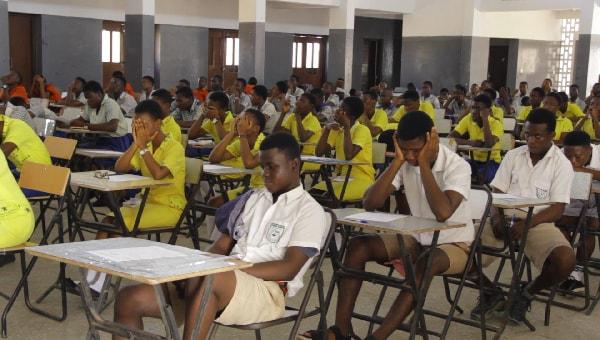
    The West African Examinations Council (WAEC) has released the examination results of candidates who sat for the 2020 West Africa Senior School Certificate Examination (WASSCE).

    WAEC released the results at around 03:57 pm on Friday, 13th November 2020. The WASSCE 2020 results release date is finally here and candidates can now check their results.

    It will be recalled that the results, which were scheduled to release earlier could not be released due to some system mishaps which have apparently been solved now.

    The WAEC Result Checker to access the WASSCE School 2020 exams results are available for GHS 17. You can use the checker to access your results on phone. Read this article for further steps and contact 0555475811 if you need help.

    How to get your WASSCE Results Checker PIN

    IKE is running a special offer for all those who want the PIN to be sent directly to their phones via SMS or WhatsApp. He is giving out the WASSCE Pin for just GHS 17.

    Kindly call us on 0555475811 for help.

    Just follow the steps below to get your results checker.


    Step 1: Send MTN Mobile Money GHS 17 to 0535462067, Subscriber (Isaac)

    Step 2: Send the name on your Mobile Money Account you used to send the money or the Merchant Name back to 0535462067 through WhatsApp.

    Step 3: You will receive the SERIAL and PIN to check your MAY/JUNE 2020 results once the payment is confirmed. It takes 5-10 minutes for us to send the card to you after verifying your payment.


    Kindly send a WhatsApp message for further instructions or clarifications.

    Note: Not all phone calls can be answered due to the number of people calling. Follow the steps on paying to get the PIN through WhatsApp. Don’t try WhatsApp Calling as that slows the process.

    All you need to check your WASSCCE results in 2020 is your PIN which we will provide for you. If you need help, contact our Customer Service on 0555475811.

    Below is a photo showing the 2020 WASSCE Performance for core subjects.

    How to check WASSCE Results 2020 online

    Here is how to check WAEC results online. You need to connect your PC or your mobile phone with any internet network connection. Please don’t use Opera Mini for these steps.

    Follow the step by step instructions given below, if you get stuck, call us on 0555475811 or send a WhatsApp message to IKE on 0535462067 for help or for your PIN (Instructions on that above).

    Here is a step by step instructions= on how to check WASSCE result 2020:

    1. Use any browser, preferably Google Chrome, and visit ghana.waecdirect.org
    2. On the next screen, enter your 10 Index Number: Eg: 0070202043
    3. Enter your WAEC exam year of completion. Eg: 2020
    4. Enter the exam type you sat for. Eg: WASSCE School 2020
    5. Now, you will need to enter your 10 Digit Pin here. Enter the secret Pin.
    6. Submit your personal information and patiently wait for your results.
    7. A new screen will pop up confirming your results.
  • How to buy WAEC scratch card fast with MTN Mobile Money

    How to buy WAEC scratch card fast with MTN Mobile Money

    Every candidate who have taken their WAEC exams is looking forward to checking their results.

    You can get the WAEC/BECE/WASSCE/Nov Dec Pin at selected Internet Cafes and bookshops across the country for GHS 18 or GHS 20. Beware of scammers too who will only take advantage of you and try to charge you at very low prices.

    Some systems also sell it for cheap but after paying, the card doesn’t come.

    Sir IKE is running a special offer for all those who want the PIN to be sent directly to their phones via SMS or WhatsApp. He is giving out the WAEC/BECE/WASSCE/Nov Dec Pin for just GHS 17.

    If you need help, call our service centre on 0555475811.

    Time needed: 10 minutes

    Just follow the steps below to get your WAEC results checker scratch card by paying with MTN Mobile Money.

    1. Send MTN Mobile Money GHS 17 to 0535462067, Subscriber (Isaac)

      This is the first process.

    2. Send the name on the Mobile Money Account you used to send the money or the Merchant Name back to 0535462067 through WhatsApp.

      Send just the name and wait. Don’t add anything else. Also, don’t call the line as this puts pressure on the system.

    3. You will receive the SERIAL and PIN to check your MAY/JUNE 2020 or other WAEC results once the payment is confirmed. It takes about 5 minutes to send the card after payment.

      Sometimes, there are delays when there is a lot of pressure.


    If you need help, call our service centre on 0555475811. We are available to talk to you and help you.

    Check your WAEC/BECE/WASSCE/Nov Dec Results 2020 with a PIN (Fast Method)

    Here is how to check WAEC results online. You need to connect your PC or your mobile phone with any internet network connection. Please don’t use Opera Mini for these steps.

    Follow the step by step instructions given below, if you get stuck, WhatsApp IKE on 0535462067 for help or for your PIN (Instructions on that above).

    Here is how to check your WAEC/BECE/WASSCE/Nov Dec results without a Scratch Code:

    1. Use any browser, preferably Google Chrome, and visit ghana.waecdirect.org
    2. On the next screen, enter your 10 Index Number: Eg: 0070202043
    3. Enter your WAEC exam year of completion. Eg: 2020
    4. Enter the exam type you sat for. Eg: WASSCE School 2020 or BECE School 2020
    5. Now, you will need to enter your 10 Digit Pin here. Enter the secret Pin.
    6. Submit your personal information and patiently wait for your results.
    7. A screen will come up asking you to confirm your selection
    8. Confirm to see your results in a new window.

    Confirm your WAEC/BECE/WASSCE/Nov Dec Results 2020 with a Scratch Card

    If you already have a scratch card and would not prefer the PIN Method (which is more convenient), then this is how to use the scratch card to check your results.

    1. Visit the Waec Result Checker Online Portal via the link below;
      http://ghana.waecdirect.org
    2. Enter your Index Number.
    3. Select the Type of Examination (e.g. WAEC/BECE/WASSCE/Nov Dec).
    4. Select your Examination Year eg. 2003.
    5. Enter the Card Serial Number found on the reverse side of your Scratch card.
    6. Enter the 12-digit Personal Identification Number (PIN) on your Scratch card eg. 012345678912.
    7. Confirm your Index Number and Examination Year. This is to ensure that your examination information is correct.
    8. Click on Submit and wait for the display in the popup window. This may take several seconds.

    WAEC Contact Details

    Head Office

    Kindly share this article with friends and family, you may be helping someone.

  • How To Load Your Sportybet Account

    How To Load Your Sportybet Account

    One leading way of making money online today is through sports betting. With sports betting, you can bet on all forms of sporting events. From soccer to volleyball, handball, boxing, tennis and many other events.

    Due to the powerful nature of this money-making venture and how lucrative it is, there are numerous betting companies available today. However, one of the reliable betting apps in Ghana and Africa as a whole is Sportybet.

    You can check here to Open An Account With Sportybet.

    To be able to stake a bet on any event, you first of all need to top up your Sportybet Account with the amount you wish to stake your bet with. In this article, we shall look at how to top up your Sportybet account with your mobile money wallet.

    Depositing money into your Sportybet account can be done in two ways. You can either pay using the Paybill method or the Online payment method.

    How To Load Your Sportybet Account Through The Paybill Method

    Before we delve into this payment method, be informed that you can only deposit money into your Sportybet account from a Mobile Money number that is already linked with your account. Meaning you cannot use any other Mobile Wallet account to top-up your Sportybet account, apart from the one you registered with.

    So now, let’s go into the process itself.

    1. Dial *711*222# on your mobile wallet number.
    2. Enter the amount you want to deposit into your bet account.
    3. Wait for a moment. You’ll receive a payment prompt on your phone.
    4. Enter your password and approve the payment.
    5. The money will be credited to your Sportybet balance instantly.

    Note: If you do this with a different number apart from the one you registered your Sportybet account with, a new account will be created with the new number and the password sent to that number via text message. So, to avoid this, always make sure to use the same number you created your Sportybet account with.

    How To Top Up Your Sportybet Account Using The Online Payment Method

    If you are unable to use the Paybill method and so you’d like to use the Online Payment method to top up your Sportybet account, then you should follow the steps below:

    1. Login to your Sportybet account using your phone number and password.
    2. Click on ‘My Account’ and select ‘Deposits’ from the list.
    3. Select the payment method you wish to use (MTN, Vodafone, Airteltigo)
    4. Select the ‘Topup now’ button located below.
    5. Open your Mobile Money portal on your phone.

    Approving The Transaction

    On MTN, follow these steps to approve the transaction:

    1. Dial *170#
    2. Enter option 6 for your account
    3. Enter option 3 to see your approvals
    4. Select 1
    5. Enter your password
    6. Enter 1 to approve

    When the payment is successfully completed, you should then click ‘Completed’ in your Sportybet account.

    You can also check out How To Create An Account On Sportybet Ghana

    Conclusion

    Looking for a legitimate way to make money online which requires low capital and can be done anywhere in the world? Sports betting is one answer you’ll keep coming across.

    With Sportybet, you can make thousands of Cedis through Sports betting. But, the first step towards gaining that amount is for you to deposit money into your Bet account and start betting.

    So, in this article, we looked at how to top up or load your Sportybet account to start betting and making money from your bets.

    If you love the content of this article, kindly do well to spread the news to friends and family.

    Kindly share your reservations, comments and questions with us in the comment box below or get in touch with us.

  • How To Get A US Phone Number In Ghana

    How To Get A US Phone Number In Ghana

    Many people think and don’t know, you can get a US number in Ghana to use virtually even without being in the territories of the US. There are some websites verifications that demand a US number before you can be verified to use their services.

    Unfortunately, if you don’t have one, you lose access to the website because you were not verified. A clear example is using Paypal in Ghana. Since Ghana is not accepted by Paypal, there is no way you can create a verified Paypal account.

    Paypal demands you verify your phone number together with your mail before you can be fully active with the service. Since Ghana is not accepted, getting a US number to create the account and use for verification is the best step.

    Not only Paypal, but there are also other online services that do not accept registrations from Ghana and having a US number to receive test SMS and phone calls for verification can help you register on such sites.

    In this post, I will show you how you can get a virtual US number for free to use for verification at free cost. The number can also be used for WhatsApp verification and Facebook.

    Steps To Get A US Number For Free

    TextPlus

    Text plus is a great app for receiving free calls and text SMS from anywhere. Text plus offers free US number for a lifetime. With the free dummy US phone number assigned to you, it can be used to send/receive free calls and text messages from anywhere in the world.

    Follow below steps to get a free US number using Textplus.

    1. Firstly, download the Textplus Android/IOS app from the store.
    2. Open the app and signup. On the signup page, you need to enter these details > Your Name, DOB, Password, Email etc.
    3. After the signup process, what’s left is to set a free US number
    4. On your app dashboard, navigate to the menu icon, click on the button that says ‘Tap to get free Textplus Number ” to get your free US number.
    5. On the next section, you need to select any state and area code.
    6. Now click on Get a Custom Number
    7. That’s all. You have a working US number now.

    Google Voice

    Google Voice offers free second US number for all US citizens. This means, to get a free second US number by Google Voice, you need to be a native of the US. You will need to verify your account with a working US number.

    Without a working US number, your Google Voice number cannot be verified. When applying for the second number, you need to get a friend or family member in the US to verify with their working phone number. An SMS verification will be sent to the number.

    You then need to get the SMS number from your friend or family to verify your account.

    Below are the steps to follow to get a Google voice number.

    1. Type Google Voice in Google search and open the first link to visit the site.
    2. Sign in with your Gmail account
    3. Click on Get Google Voice and click continue. Note, Google voice can be accessed only with PC.
    4. Next, search any local US area and pick any number of your choice by entering the Area code
    5. Verify your Voice number by inserting a working US number for SMS verification
    6. After verification, your Google Voice number will be active. You can use to receive call and SMS for free.

    You can use the Google voice number for site verification like Paypal, WhatsApp and others.

    There were many applications and website offering the services of offering free US numbers, but as of the time writing this post, most of the services are not working. The ones that we found working with no issues are the ones listed here.

    Conclusion

    Getting a US number in Ghana is possible. In this post, I have provided you with the working steps to follow to get a free US number for your site verification.

  • Gevey Sim For iPhones: Prices In Ghana; Advantages and Disadvantages

    Gevey Sim For iPhones: Prices In Ghana; Advantages and Disadvantages

    For most iPhone users, buying a locked version of an iPhone gives them the courage and trust of buying a legitimate and secure phone.

    For this reason, the majority of iPhones used in Ghana are the locked versions of the device.

    Unfortunately, with the locked versions, one cannot possibly use local network sim cards in them except they are unlocked.

    Unlocking an iPhone here in Ghana permanently is a bit of a problem if not totally impossible.

    One unique way of unlocking the devices temporarily, however, is the use of Gevey Sims.

    So, in this article, we shall look at the use of Gevey sims in Ghana, their prices, advantages and disadvantages.

    What Is A Gevey Simcard?

    A Gevey sim card is a small and thin chip that is used together with your normal sim card to enable you to unlock a locked iPhone in order for you to use your local network sims in it.

    So, the Gevey sim card is just a thinner version of your normal sim card which helps you break the lock on your iPhone so you can be able to use your normal sim card.

    Once you are able to break the lock with Gevey sim card, you don’t need to use it together with your sim card anymore unless your phone has been updated to a new IOS or you move to a different country.

    Advantages Of Using Gevey Simcard

    Considering that there are some other ways of unlocking your factory locked iPhone aside using the Gevey Simcard, it is import to know the advantages of using the Gevey sim card, when making your decision as to which one you should go for.

    1. It is cheaper as compared with other unlock methods including NCK.
    2. It activates the locked iPhone, therefore allowing you to use any network available.
    3. It doesn’t affect the security or the warranty of your device.
    4. It is easy to use and does not require any complex activities or instructions.
    5. It works with all models of the iPhone, thereby making it a universal unlock method.

    Disadvantages Of Gevey Simcards

    As the old adage goes, everything has got its own advantages and disadvantages.

    So, for as much as Gevey Simcards sound like a perfect means of unlocking your locked iPhone, there are some disadvantages which we need to look at.

    1. For every update you wish to do on your phone, you need to manually enter the ICCID code which is readily available on the IOS website, anyway.
    2. It can cause sim tray problems or network issues if the Gevey sim card isn’t inserted well.
    3. It reduces the value of the phone if you wish to resell later. Especially if the new buyer knows about this.
    4. You can easily get scammed by fake sellers who promise to sell to you at a cheap price.

    Price of Gevey Sim in Ghana

    Depending on which shop you are buying from, the price of a Gevey SIM will be anywhere between GHS 90 and GHS 200.

    Conclusion

    You cannot enjoy using your iPhone in Ghana if it is locked to a certain carrier from the manufacturer.

    Therefore, it is important for you to unlock the device here before you start using it.

    The Gevey Simcard comes as a handy way of unlocking your device for use but before you consider this option, do well to read and understand the implications it may have on your device.

    I hope this article was helpful in giving you much information about the Gevey sim card and its use here in Ghana.

    If you have any comments, reservations or questions, kindly leave them in the comment session below.

    Do well to share this article with your friends and relatives as well.

  • Election Jobs Online Scam: Beware – There are no 50,000 Jobs at any Election Committee

    Election Jobs Online Scam: Beware – There are no 50,000 Jobs at any Election Committee

    I woke up yesterday to multiple messages in my WhatsApp Groups about jobs at an Election Comittee.

    I opened the link and immediately knew it was a lie, a scam, a phishing attempt to collect information about people.

    Simply put, there is no such election job opportunity out there and the malicious link that was put out is simply aimed at stealing the data of the individuals who fill it.

    How the 50000 election job scam works

    A lot of individuals would think – well, it is harmless to fill this form. It’s a try your luck kind of thing.

    The job scam works by first collecting your data, then encouraging you to share the link over WhatsApp to your friends.

    There is a little bit of using your social currency to gain traction for their scam.

    They way users are tricked to share over WhatsApp is that, much like most scams of this nature, the website will say you can only complete the process by sharing.

    Most individuals would therefore go ahead and share – trapping their own family and friends.

    When people submit their data to the scammers, the scammers can use them to apply for benefits, which the real users might not even be aware of.

    Some scammers even use this data to fill petitions supporting some ideas and campaigns the real users might not even be interested in.

    How to protect yourself for scams of this nature

    There is no free lunch – sadly.

    If you see an opportunity online asking you to complete mostly very “easy” tasks in return for money, scrutinise it.

    Also, be careful of what push notifications you accept via your browser. Always, when giving out your personal information online, make sure it is to a trusted website.

    And if it has something to do with a Government agency – like elections, verify from the agency or organisation website or official social media platform first.

    Conclusion

    Hope this helps anyone who is looking for information as to whether the 50,000 election jobs ad they saw was true. Well, you have your answer – It is a scam perpetrated by individuals interested in stealing your personal data.

    Share with your family and friends and all those groups where this fake job link has been posted at. If you are in Ghana, you can look our for genuine job sites where you can apply for positions online.

    All the best, and thank you for reading.

  • How To Verify Your Voter ID Card Details In Ghana on phone

    How To Verify Your Voter ID Card Details In Ghana on phone

    The Electoral Commission of Ghana has made it possible for all individuals who want to verify their voter’s ID to do so electronically, ahead of the December 2020 polls.

    This will run alongside the offline checking of Voter’s ID details which is scheduled to end on Friday 25 September, 2020.

    It is not yet known if the electronic means (SMS) will continue to run once the offline process comes to an end.

    Earlier on, the Electoral Commission had rolled out a digital queue management system for the Voter Registration exercise.

    How to check your Voter ID number and details in Ghana

    You can use the SMS method to check and verify your Voter’s ID details in Ghana by following the steps below:

    1. Go to compose new SMS on your phone
    2. Go to receiver and enter 1422
    3. Type your full Voter Registration Number in the message section (Don’t add anything else)
    4. Click on send to send the ID to 1422
    5. Wait for a confirmation with your Voter’s ID Details
    6. Once the details match what is on your ID card, you are good to go

    Conclusion

    The cost of checking is GHS 0.30 per SMS sent. Therefore, don’t send the same ID more than once, as you will be charged multiple times.

    If you find out your details are wrong, you’ll have to visit your polling centre and follow the procedure to have it resolved.

    Some people have also complained that they are unable to access the service via their phones. In this case, asking a friend who has successfully check to check on your behalf works.

  • Features Of The My Vodafone Ghana App

    Features Of The My Vodafone Ghana App

    Like many other telecommunication companies in Ghana, Vodafone, formerly known as Ghana Telecom or Onetouch has gathered for itself many customers in Ghana.

    With effective and cheap data packages, text packages, reduced call tariffs and unrivalled international call rates, Vodafone has maintained a strong bond with its users over the years.

    To further make the administration of the Vodafone Ghana sim cards easier for users, the company decided to launch the My Vodafone Ghana App just as has been done by some other Telcos in the past.

    In this article, we shall look at the features of the My Vodafone Ghana App and what you can use them for.

    If you are an existing Vodafone Ghana subscriber seeking an even more interesting way of enjoying your Vodafone experience, then this is for you. Also, if you are thinking of switching from another network to Vodafone, you should jump on the content of this article too as it tends to grow and polish your interest in Ghana’s finest Telecommunication network.

    Features Of The My Vodafone Ghana App

    Vodafone Cash Option

    The My Vodafone Ghana app has the Vodafonecash feature which enables users to check their Vodafone cash balance, transfer money to other people and also pay bills, buy airtime and perform other primary and secondary Vodafone cash transactions right from the app with very few clicks and selections.

    If you are a frequent user of Vodafone Cash, you know how annoying the shortcode method can be sometimes. The long wait for it to load sometimes and also how soon the timeout is in most cases.

    The App should solve these problems for you and make you more comfortable using your most-reliable electronic payment method.

    In-built Store Finder

    Locating a customer care office nearby is one thing that becomes usually difficult for most network users especially in times of urgent needs.

    It is okay to call the customer care line to chat with representatives regarding your problems but sometimes, you could further be directed to visit the nearest centre for your problem to be solved and this becomes a big problem for many people.

    To resolve this challenge, the My Vodafone Ghana app comes with an in-built store finder feature which enables the user to see in real-time the nearest Vodafone Offices in their locality and enable them to connect and book an appointment where need be.

    An Exciting Vodafone TV Feature

    How about some extra features to an already exciting Vodafone app? Sounds interesting right? The Vodafone Ghana app has just the right features to keep its users on the platform for so many hours.

    Aside from performing basic Vodafone Cash functionalities and purchasing data and other products from the Vodafone Ghana app, a user can also actually watch wonderful and educational content with the Vodafone TV feature on the Vodafone app platform. The Vodafone TV feature provides the user with contents such as the Vodafone Healthline experience and many others.

    You get to watch promotional contents about new and existing Vodafone offers and services as well! What’s more interesting than this?

    Offers And Extras

    If you are an existing Vodafone Ghana subscriber, then you already know that when it comes to juicy offers and packages, there is none other compared to Vodafone Ghana.

    The likes Of Deewa Offer, Vodafone red and many other wonderful offers are very competitive and user-friendly offers that have existed for a while to make the Vodafone experience an even better one compared to the other networks.

    As such, it is only right and beautiful that Vodafone includes the Offers and Extras feature in its app to give users an easy approach to accessing all their existing and future offers.

    Help And Support

    Once in a long or short while (depending on how you use your Simcard), you may be required to contact your service provider for some enquiries regarding certain issues.

    While this could be done by simply dialling the Vodafone Customer care line on your mobile phone, it sometimes gets laborious. In fact, not everyone likes to be typing numbers here and there.

    With the Vodafone app, there is a help and support option where users can easily get in touch with their service provider for help with just a single click.

    Truly, the Vodafone app gives the user a wonderful experience worth the time.

    Conclusion

    Owning a Vodafone sim card is in itself so much joy and pride. It doesn’t only come with that cheerful and colourful red look but it comes with a wide range of products and offers that always keep your smile broad and beautiful.

    But, administering your Simcard and accessing such products and offers can be particularly stressful especially for those using ‘Yam phones’.

    To make the Vodafone experience more interesting, Vodafone Ghana has launched the My Vodafone Ghana app to be used by customers for all transactions.

    This app can be used on almost all Smartphones – both android systems and IOS.

    In this article, we spoke about the features of this great app designed by Vodafone Ghana for its multitude of users. I hope you find this article appealing and helpful in your quest to enjoy the new Vodafone experience.

    Kindly do well to leave your comments, questions, remarks or reservations regarding this post in the comment box below.

    Please share with your friends and family as well, they may need it.