Airtel and Tigo merged to form the all-new AirtelTigo network which is now the second biggest network in Ghana. Subscribers who have not ported their numbers, yet have numbers starting with 026, 056, 027 and 057 are all now under the big AirtelTigo brand.
It is believed that the combined business of AirtelTigo will offer improved coverage and better quality of service to customers in both urban and rural Ghana, enabling wider access to communication solutions for businesses and mobile financial services to the Ghanaian customers.
Today, we look at the shortcodes on the AirtelTigo network.
Shortcodes for AirtelTigo Services
AirtelTigo Shortcode
Service
0266116611/0277101020/0277551000
WhatsApp Support Numbers
100
Customer care line
100
Call centre
108
Voicemail sending
109
Voicemail receiving
*100#
Tigo cash menu
*108# or send Job to code 108
Jobsmobile
*123*3#
To transfer credit to someone.
*123*5#
To request credit from friends or family.
*123#
Tigo gift data. Send data as a gift to your friend.
*124#
Balance Enquiry
*133*10#
Call Credit Bonus
*133*3#
Movietastic
*133*9#
Airtel Money Top Up Bonus
*134*xxx xxx xxxx#
To Recharge Airtime
*187#
Tigo extra time. Get 60 seconds talk time to complete a call or make several Tigo to Tigo calls. Can also call 188.
*188#
Tigo SoS or call 188 to borrow airtime
*333#
Balance Enquiry On Postpaid Contract (Nokia Phones)
*360#
Tigo Blackberry Plans
*400#
To know if your number is registered
*444#
Balance Enquiry On Postpaid Contract (Other Phones)
*500#
Internet packages + unlimited music
*540#
Blackberry service plans
*555*1#
Tigo FreeBonto
*556#
Tigo ringback tones (caller tunes)
*701*NUMBER#
Call Me Back
*702*number#
Notify Me
*703#
Verifying Phone Number
*708*Number*0#
Friends & Family (Remove/Delete Number (S))
*708*Number*1#
Friends & Family (Add Numbers)
*708#
Friends & Family (View List Of Numbers)
*740*1234*027……..*amount#
To transfer credit to friends or loved ones. You can also use *123*3#.
*828#
Manage all your Tigo products in just one place.
*900#
Tigo family care insurance. To deactivate dial *828#.
Please call me service. Send a message with 024x xxx xxx 1 to 1399.
1515
Report Mobile Money fraud. Send a text message to 1515 from your phone with the name of the merchant and date of the incident.
02xxxxxxxx Simbox to 419
Report SIM-Box fraud
*585#
Request internet settings. Send a blank text message (SMS) to 585 from your MTN. Save the settings you received, to your phone. Select MTN DATA as the default access point.
*1390#
Reserve your number for 2 years
*198#
Share credit with friends and family
*138*4#
Supersaver bundles
*506#
To borrow Some Credit
*585#
To check 4G device compatibility
*595#
To exempt (or include) yourself from mobile money interest payments to your account.
*400#
To know if your number is registered
*144*number to recharge for*voucher number#
To recharge airtime for someone
<amount to share/Transfer><leave a space><enter the number><leave space><Type 4 digit pin> TO 1329
To share credits dial *198# reply with 2 and follow the prompts. Just go to messages. Then type in <amount to share/Transfer><leave a space><enter the number><leave space><Type 4 digit pin> and send to 1329.
Send STOP to 1355
Unsubscribe Caller Tunez
109
Voicemail receiving
108
Voicemail sending
*1552#
WeChat monthly data bundle
*138*16#
YouTube bundle. For streaming videos on youtube.
<register><4-digit pin number> send to 1329
Register MTN Me2U to Share Credit with Family and Friends
We hope you found this list useful, and if you ever need any shortcode added, just leave a comment below and we will help you get it!
Frequently Asked Questions about MTN Shortcodes in Ghana
How do I check my MTN registration details?
To check your MTN number registration details dial *400#. You will receive the name the SIM was registered in and the registration document used.
How do I transfer data from MTN to MTN Ghana?
MTN Ghana currently does not allow bundle transfer or sharing due to fraud that happened on their system in early 2016.
How can I browse free on MTN?
Currently, there is no free browsing available for MTN. To learn more about MTN Free browsing, read this.
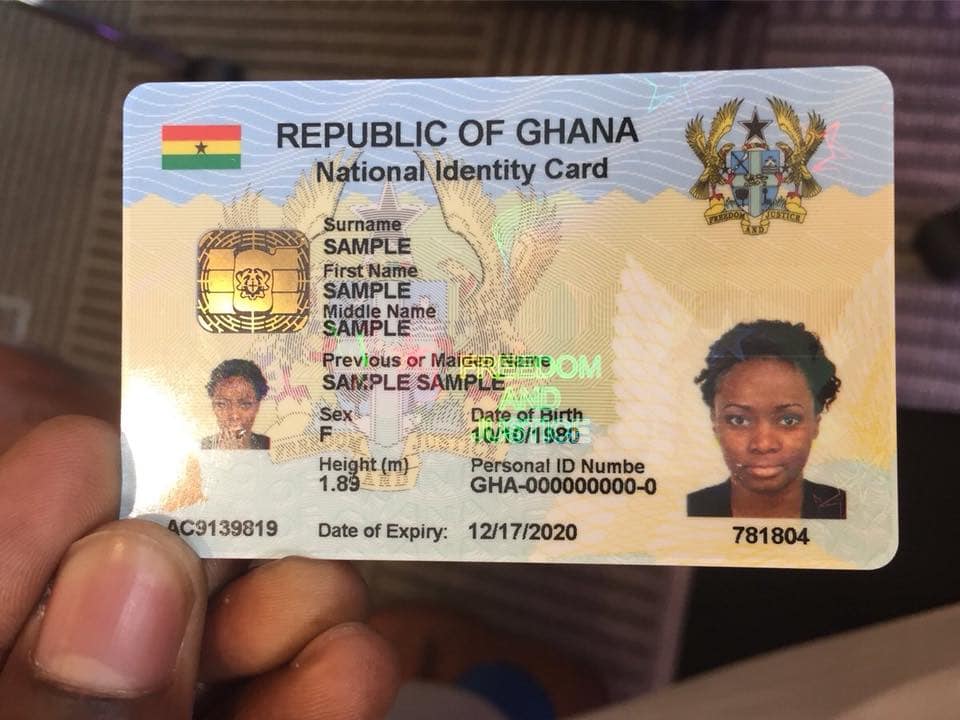
The National Identification Authority is giving Ghanaians the chance to register for the new Ghana Card online from the comfort of their homes.
In a new post on their Facebook page, they shared the link to the new online process for registering/applying for a new Ghana Card.
Although the mass registration is on-going, the NIA is doing the registration of individuals interested in booking an appointment for through their new online portal – https://register.nia.gov.gh/
What is the Ghana Card?
The Ghana Card is a secure and multi-purpose card that will establish the biometric identity of the bonafide holder for verification and authentication of electronic and physical transactions to be conducted in the public and private services space.
How was the Ghana Card Application done before the introduction of the online process?
Before this new way of applying for the Ghana Card, Ghanaians had to go queue at the various centres where mass registration was taking place.
This led to people sleeping at the registration centres and although cards were supposed to be issued instantly, this was almost never the case.
Centres could only register between 60 and 90 Ghanaians a day and this seemed to be very unsustainable.
Some people were asked to wait for a lot of days before receiving their cards and even when the day of the collection came, there was another postponement of the time. A lot of people were generally not happy with the mass registration procedure.
Can you apply for Ghana Card through Mass Registration too?
Yes, Mass Registration for the Ghana Card is still ongoing in parts of Greater Accra and will continue nationwide.
You can keep track on which region and district the registration is taking place at by following your local news.
What do you need to Apply for your Ghana Card Online
All persons that hold Ghanaian citizenship in addition to citizenship of any other foreign country( dual citizen)
Registration covers all persons aged 0 years and above
Registration Requirements
Information needed during online registration include:
Personal Information
Name, Date and Place of birth, Residential address and digital address code.
Information About Parents
Their names, Address dates and places of birth etc.
Biometrics
The fingerprints, iris and photograph would be taken and any other personal details that may be required at the NIA Office
Parental, spousal and next of kin information
Name of spouse. Full name of father. Father’s hometown/district/region Father’s nationality. Full name of mother. Mother’s maiden name Mother’s nationality. Mother’s hometown/district/region. Next of Kin Address of next of Kin. Supplementary Spousal List for those with more than one spouse.
Primary Verification Documents
Individuals would be required to present any of the verification documents (i.e. Birth certificate, certificate of acquired citizenship or valid passport) to help validate the information provided.
Harmonization of data
Applicants with documents or I.D Cards of the following institutions must bring them along for harmonization of data with NIA – DVLA (LICENCE), NHIS, TAX (TIN), PASSPORT, EC (VOTER CARD)
How to Apply for a Ghana Card Online
Visit the Ghana Card online registration portal by clicking this link: https://register.nia.gov.gh/
For first time users, create an account and verify your phone number.
You will receive a text message with a secret code. Enter that secret code to continue to the application dashboard.
When on the dashboard, click on “Start New Application” to be sent to a page to begin the information collection process.
On the next screen, fill in your Surname and Forenames (First Name and Other Names). Enter a full stop in the surname field if you are a foreigner with no surname.
Next, answer the questions relating to your nationality and Citizenship.
You will be asked to enter your height, eye colour and other physical identifiers on the next page. (If you don’t know the accurate value, don’t worry, during your registration, the NIA will measure you for the correct value).
After all the 7 pages of the form have been filled, you will be taken to a declaration page.
You will have to say “YES” to the following:
I Declare that all the information presented for this application is true and correct and that the documents that I have provided for the purpose of this application are genuine.
I understand that if any information that I have provided for this application is false or incorrect, I will be liable to prosecution in accordance with Section 40 of the National Identity Register 2008 Act 750 as well as any other law or regulation which may be in force at the time.
I understand that all the information and documents that I have provided in respect of this application are handled and stored by the NIA and I have the right to have them updated should they change.
I declare that all the information contained in this application has been read, interpreted and explained to me in a language I understand and I perfectly understood and approved same before my hand was guided to make my mark.
After that, you will get the option to download the completed form. You will also receive an email with a link to the completed application form. In your application history page, click the ‘Download Application Form’ button to download your application for print.
Once you have printed the form, visit ANY National Identification Authority (NIA) registration centre with a printed copy of your application form to apply for your FREE Ghana Card. Remember to send all mandatory documents with you to the NIA registration centre.
How long will it take to get the Ghana Card?
Once you have downloaded the form, you can take it to the NIA Registration Centre closest to you and your card will be processed..
This is however subject to the availability of electricity and internet connectivity.
If you don’t have a passport, check out how to apply for one by clicking below.
Hello, recently, a lot of people have been asking for short-codes for MTN services. I had wanted to compile a whole list of them but I found a couple of them on the internet, and added all of the missing ones.
MTN is the biggest telecommunication network in Ghana, with pension schemes and mobile money services, it doesn’t look like they will leave the number one spot soon.
MTN Ghana continues to lead Ghana’s Telecommunications mobile voice market as at December 2015, according to an NCA report at the time.
Please call me service. Send a message with 024x xxx xxx 1 to 1399.
*124#
Balance enquiry. Check your credit balance.
*567#
MTN Pulse
*5055#
MTN Jara
*567*4#
MTN Mashup Balance
154[0244000000]
MTN pay for me. Dial 154 followed by number without space. This will make the recipient of the call pay for the call.
100
Call Center
*156#
Check your MTN mobile number
*144*number to recharge for*voucher number#
To recharge airtime for someone
1515
Report Mobile Money fraud. Send a text message to 1515 from your phone with the name of the merchant and date of the incident.
*138#
Internet Bundles, SMS bundles
*138*1*3#
Internet monthly bundle. From 300MB – 10GB
*138*1*5#
Internet social bundle. For Accessing Twitter, Facebook and WhatsApp only.
*138*16#
YouTube bundle. For streaming videos on youtube.
*170#
MTN mobile money access code
*138*4#
Super saver bundles
1355
Caller tunez
STOP to 1355
Unsubscribe caller tunez
<register><4-digit pin number> send to 1329
Register Me2U
108
Voicemail sending
109
Voicemail receiving
<amount to share/Transfer><leave a space><enter the number><leave space><Type 4 digit pin> TO 1329
To share credits dial *198# reply with 2 and follow the prompts. Just go to messages. Then type in <amount to share/Transfer><leave a space><enter the number><leave space><Type 4 digit pin> and send to 1329.
*138*1*4#
Internet unlimited bundle
*506#
To borrow Some Credit
*511#
Generate Mobile Money ATM token
*138*1*1#
Internet daily bundle. From 20MB – 350MB
*585#
To check 4G device compatibility
*138*1*2#
Internet weekly bundle. From 25MB – 500MB
*595#
To exempt (or include) yourself from mobile money interest payments to your account.
*140#
Blackberry Plans
*198#
Share credit with friends and family
*1552#
WeChat monthly data bundle
PORT to 600
Number portability
*400#
To know if your number is registered
02xxxxxxxx Simbox to 419
Report SIM-Box fraud
*585#
Request internet settings. Send a blank text message (SMS) to 585 from your MTN. Save the settings you received, to your phone. Select MTN DATA as default access point.
*455#
Accurate weather forecast (8p/SMS)
*1390#
Reserve your number for 2 years
1303
MTN Radio
30037
MTN Farm Direct. Access the best farming tips.
*300*20#
Get cool jokes
MOVIES to 1412
Get Silverbird movie schedule
MTN Free Call 6 months Offer
*550# (New Subscribers)
MTN Free After 1 (MTN Nkomode)
*550# (Option 6)
List / De-activate all MTN Services
*175#
If there is any service you would want a shortcode for but can’t find, it may be on the 2023 list of shortcodes for MTN or just leave a comment below and we will get it for you.
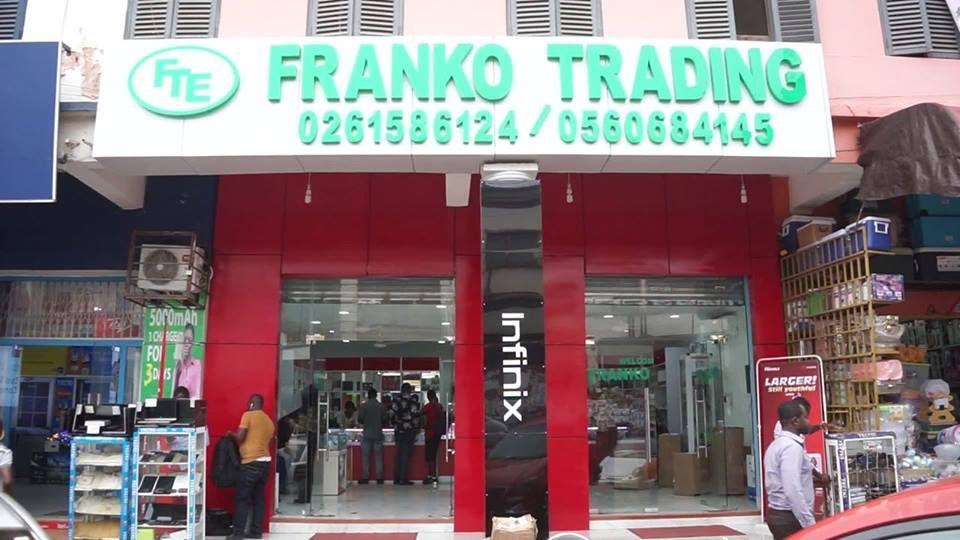
When it comes to buying smartphones and other electronics in Ghana, Franko Trading Enterprise stands out because they have proven times over to deliver quality in an accessible manner.
A lot of Ghanaians are always on the lookout for the latest Tecno, Infinix and Huawei phones. Usually, we know for a fact that we can get them from Franko Phones at a good rate.
Franko Phones, a part of the large Franko Trading is a well-accepted brand nationwide and that’s why we have decided to cover the price of the latest phones in their shops as well as give directions and information on how to find the prominent of their over 40 branches all over Ghana.
If you are looking to contact them via phone or other means, we have also included all contact details.
However, if you want to check the prices or specifications of the latest Tecno, Infinix, and Huawei phones, then a reverse image search tool is the best option. This tool helps you find all the latest mobiles at Franko Trading Enterprise with the help of an image, keyword, or URL.
Let’s get started.
Phones Price List at Franko Trading Phones
There are a lot of phones for sale at Franko that sometimes it is a bit difficult to surf through the whole site and make the right decision.
That is why we have compiled a full list of all the phones available for sale and their prices in Ghana Cedis
Here are the current prices of Mobile Phones as they are sold at Franko Phones:
Phone Model
Price
Huawei Nova 5T
GHS 1888
Huawei P30 Lite
GHS 1350
Huawei Y7 Prime 2019
GHS 830
Huawei Y9 Prime 2019
GHS 1250
Huawei Y9s (128GB/6GB)
GHS 1400
Infinix Hot 8 (32/2)
GHS 605
Infinix Hot 8 (32/3)
GHS 655
Infinix Hot 8 Lite (32/2)
GHS 535
Infinix S5 (128/6)
GHS 1035
Infinix S5 LITE (32/3)
GHS 725
Infinix S5 Lite (64/4)
GHS 885
Infinix Smart 4 (16GB/1GB)
GHS 485
itel 2160
GHS 40
Itel 5081
GHS 65
itel 5606
GHS 50
itel A14
GHS 185
itel A56
GHS 340
itel S15 (32/2GB)
GHS 430
Itel S15 Pro
GHS 515
Nokia 7.2
GHS 1600
Nokia C1
GHS 290
Samsung A01
GHS 595
Samsung A2 Core (16GB)
GHS 435
Samsung A20S
GHS 959
Samsung A51
GHS 1789
Samsung A71
GHS 2499
Samsung E1205
GHS 100
Samsung E1207
GHS 105
Samsung Galaxy Note 10 Plus
GHS 5850
Samsung Galaxy S10 Plus
GHS 4980
Samsung Galaxy S10e
GHS 3800
Samsung Note10Lite
GHS 3099
Samsung S20 Ultra
GHS 6999
Samsung S20+
GHS 5499
Samsung Tab A (2019) 10.1″
GHS 1500
Samsung Tab A8 (8.0″)
GHS 820
Tecno Camon 11 (64/4)
GHS 800
Tecno Camon 12 (64/4)
GHS 830
Tecno Camon 12 Air (32/3)
GHS 730
Tecno Camon 12 Pro (64/6)
GHS 1030
TECNO Camon 15
GHS 965
Tecno Phantom 9
GHS 1360
Tecno Pop 3
GHS 365
Tecno Spark 4 (32/2)
GHS 605
Contact Franko Phones
We always offer you a discount and delivery when you buy directly from Mfidie.com by calling our sales rep on 0245269141 or visiting the Mfidie Shop.
Franko Phones can be reached directly on 0555939311 and 0265593002
Franko Phones Shop Locations
Greater Accra Region
Adabraka Online Shop, Opposite Roxy Bus Stop, Adabraka, Accra – See Directions
Nkrumah Circle Shop 1, Near Odo Rice Building, Circle – Accra
Nkrumah Circle Shop 2, Opposite Odo Rice – Circle, Accra
Osu Oxford Street Shop, Near Vodafone Cyber Cafe, Osu – Accra
Haatso Shop, Haatso Station Near Beige Capital Building, Haatso – Accra
Madina Shop, Madina Old Road Near Blaclays And Hfc Building, Madina – Accra – See Directions
Tema Shop, Comm. 1 Stadium Road Opposite Water Works, Tema – Accra
Ashanti Region
Kumasi Shop 1, Near Ajaba Jewelry Shop, Adum – Kumasi – See Directions
If you are looking to apply for a Ghana Passport, then we are here to guide you through the process. Kindly note that this article is a bit long so that you get all the information you need.
Kindly take your time and read and we have a section to ask questions if you don’t understand anything.
At Mfidie.com, we delight in giving you the right and up-to-date information so that no one cheats you anywhere else.
Ghana’s Online Passport Application system was introduced in 2017; as at 1st March 2020, it is the only process to use to apply for a Ghanaian Passport in the country.
The once very tiring application process took an online turn when the Ministry of Foreign Affairs and Regional Integration launched an online passport application service for Ghanaians to ease the mode of the application while ensuring maximum security for applicants.
Since then, there has been a lot of talk about the process, with some Ghanaian been sceptical about the whole “online application” process.
I personally like the online process because of the integration with Mobile Payment solutions. This means that I don’t have to even go to the bank to buy a pin for the online form. Wonderful!
What do I need to apply for the Ghana Passport Application Online?
Documents to support Identity such as Driver’s Licence, National ID card
Proof of Profession (An introductory letter from the applicant’s employer that is if the applicant is currently employed or a work ID card that bears the applicant’s name, organisation’s name and position. A student ID if the applicant is currently in school. Homemakers/housewives and applicants that are unemployed and those in the non-formal sector of employment like mechanics, hairdressers seamstresses, traders etc. do not need proof. Registered Business Owners and self-employed applicants must produce their business registration certificate as proof)
Renewing Applicants (Biometric)
First page and bio-data page with picture and information page
Valid Visa if the applicant has any in Old Passport
Last page
Proof of Profession if changed
Types of Ghanaian Passport Application and their Prices
There are two types of Application. The first one is the Expedited Application aka “Express” and the other one is the Standard application that takes a longer time to process. Each of these Applications has a 32 booklet page or a 48 booklet page.
Here is how much it costs to get a passport in Ghana:
Application Type
Booklet Pages
Price (GHS)
Standard Application
32
100.00
Standard Application
48
150.00
Expedited Application
32
150.00
Expedited Application
48
200.00
New Prices by the Ministry of Foreign Affairs are effective 1st February 2020.
How to Apply for a Ghanaian Passport Online
Online Passport Application Centres in Ghana
There used to be only 5 Online Passport Application Centres in Ghana. Right now, all 11 application centres in the country take care of online applications.
You can select any of them during the application process and you will go there for your biometrics and receiving of the passport when it is done.
Here is the list of the Passport Application Centres in Ghana to finish your biometric application process and where you can find them:
Passport Application Centre
Location
Accra Premium PAC
Accra Digital Center, Adjacent State Housing Company, Ring Road West, Accra – See Directions
Kumasi Premium PAC
2nd Floor, Thankful Heights Building, Adum, Kumasi – See Directions
Ghana Immigration Head Quarters (Within the Regional Administration)
Sunyani PAC
Adjacent to Jubilee (shares a wall with the Park)
Ho PAC
Regional Administration (Shares building with Immigration)
Tamale PAC
Police Park (Old Library)
Kindly note that the Premium Passport Application centres in Ghana give a faster and VIP experience at an additional cost.
How to get your Ghanaian Passport in 15 days
Starting from this year, 2019, the Government of Ghana has introduced the premium service for Passport to make the process even faster. This was after the passport form was made available for free to download and fill.
To use this passport service, applicants will go through the usual vetting and passport applications. They will fill the form online (as described in this article below).
At the end of the application process, there are two options to choose from. Choose premium application centre
You will be given a date to go to the office. There, you will pay GHS 60 and the process will be underway.
You will receive text confirmation messages from the Ghana Passport Application Centre on the status of your passport.
When you receive the final message, which looks like: “Hello Mfidie, Your passport G2****1 is ready for collection at Premium PAC – Accra Passport Office. The collection time is 9:30 am to 3 pm. Thank you.”, you can go to the Premium Passport Application centre to collect your passport.
In total, you pay the following for passport and processing:
GHS 160 for Standard Application (32 Booklet Page) + Premium PAC
01/03/2020: The online process is now the only way to apply for a Ghana Passport.
31/01/2020: The Ministry of Foreign Affairs and Regional Integration has reviewed upwards, the prices for the various passport services. This article has been updated to reflect that.
24/01/2020: All Passport Application Centres in Ghana now support the online application. The manual way of applying for Ghana Passport will no longer work from 1st March 2020.
23/01/2020: Note: The Passport Application Centre has confirmed that they don’t accept laminated birth certificates.
01/01/2020: There have been lots of reports of delays at the Kinbu Passport Application Centre so it’s best to choose the Premium Centre @ Accra Digital Centre.
13/11/2019: There are now 5 places nationwide to process your online passport. The latest in the list is Kumasi Premium Passport Application centre at Adum.
20/06/2019: There are now 4 places to process your passport application at.
21/03/2019: By paying an additional GHS 50, you can have your passport delivered to your home.
01/11/2018: From November 2018, the offline process of the application for a Ghanaian passport has been partially taken online. This involves downloading the passport application form for free in PDF. You can also transfer PDF to iPhone so you always have it handy.
29/01/19: Banks in Ghana are no longer selling Passport Forms starting from 28th February 2019.
We will continue to update you the process for acquiring the passport form for free. Share this article with your friends who might need it on Facebook and other social media and don’t forget to ask your questions here.
Remember that process required you to pay a processing fee of either GHS 50 or GHS 100.
What is a Passport?
A passport is an official document issued by a government, certifying the holder’s identity and citizenship and entitling them to travel under its protection to and from foreign countries.
Without a passport, it is almost impossible to travel between Countries and or Jurisdictions.
How was the Ghana Passport Application done before the introduction of the online process?
Before the introduction of the Ghana Passport Application Online, applicants had to buy a form and fill. This was a very tedious process because most of the requirements were not easy to understand.
The grim nature of the application process led to a lot of Middle Men. Although some of the Middle Men were genuine, a lot of them were fake and often squandered the money of unsuspecting applicants.
In the worst case, the Middle Men would deliver fake passports to applicants, especially prior to the biometric passport usage in Ghana. Although the Ministry of Foreign Affairs introduced the Bio-metric Passport registration, middlemen and other con men were not deterred. They have continued to “operate” thus far under different stratagems.
Another negative of the former application process was that it led to a lot of queues at the Passport Application Centres which often led to fights and disorganisation with a lot of pressure on passport office workers.
Can you apply for a Ghanaian Passport through the old method too?
No. You have to complete the process via the online process. Starting from 1st March 2020, you can not use the old manual process to apply for a Ghana Passport.
Anyone who tries to sell to you a “physical passport form” is most likely a con man. Beware.
Is the Whole Process of the Online Ghana Passport Application fully Online now?
No! The whole process is not online. After completing the online part of the application, you would book an appointment with the application centre in Accra or any of the Passport Application centres nationwide to complete the process.
The Log In Screen for the Online Ghana Passport Application
If you have questions, kindly click this link and ask: Ghana Online Passport Application Discussion – Tips, Problems, Process and More
Please know that this form is only to serve as a guide and you are not to actually fill it or submit it anywhere. The form lets you know which information is needed.
Where can I pay to Apply for Ghana Passport Online?
There are a lot of options when it comes to paying for the online form. You can use the MTN Mobile Money, Tigo Cash or Vodafone Cash. Find the partner banks too and their mode of payment.
Bank
Available Purchase Channels
EcoBank Ghana
Branches nationwide, Airtel Money, VISA & MasterCard, MTN Mobile Money, Tigo Cash, Vodafone Cash.
GCB Bank
Branches nationwide, Vodafone Cash.
Zenith Bank Ghana
Branches nationwide, Airtel Money, MTN Mobile Money, Tigo Cash, Vodafone Cash, VISA & MasterCard.
Paying for a new or renewal of Ghanaian Passport Online using Mobile Money
If you would want to use Mobile Money to pay for the Passport online:
When Payment comes, choose EcoBank, GCB Bank or Zenith Bank
After that, choose MTN Mobile Money or your preferred network
Enter your number and confirm the payment via your phone
The Portal will now allow you to continue the application process
Information Worth Mentioning About Ghana Passport Application
If you have all the correct documentation that you are supposed to have ready and you upload your information on the online passport application and you have paid your processing fees and there is nothing wrong with your supporting documentation, it is expected that you get your new passport in 10 to 30 days.
What is your experience using the online application process for the Ghana passport? You can click the link below and let us know. Thank you for reading.
If you have questions, kindly click here to ask and we will answer shortly: Ghana Online Passport Application Discussion – Tips, Problems, Process and More
Frequently Asked Questions about Passport Application in Ghana
How much does it cost to get a passport in Ghana?
It cost GHS 100 for the Standard Passport Application online in Ghana. However, the price might increase when you choose a premium, express service or a 48-page passport booklet.
How long does it take to get a Ghanaian passport?
It takes a minimum of 15 days to get a passport in Ghana when it is expedited and submitted at the premium passport application centre.
How can I apply for passport online?
To apply for a Ghana Passport, follow the online steps that have been outlined on the Ministry of Foreign Affairs website or learn more here.
What do I need to get a passport in Ghana?
To apply for a new passport in Ghana, you need your Ghana Birth Certificate or other proof of Ghanaian citizenship, other identity documents, proof of profession and a guarantor.
How do I renew my Ghana Passport online?
Renewing a Ghana passport online is the same process as applying for a new one. However, you the only document you need to present is your old biometric passport.
In today’s world, we all want to do one or two things online from time to time.
You’re probably a blogger trying to produce some content for your blog. Perhaps, you’re probably a businessman trying to get new customers from social media and other portals.
Of course, not forgetting students trying to research online. As well as social media geeks trying to keep it up with the gram, Facebook, or Twitter.
However, in order for us to keep up with all of the above, we need to know the right data packages that work for us.
In this article, I’ll take you through some of MTN’a data packages, their prices, and the volume.
Let’s look at the various MTN Data Bundles and Packages available in Ghana:
MTN Basic Packages
Price
Code
Volume
50 Pesewas
*138# 1-1-1-1-1
23 MB
1 Cedi
*138#1-1-1-2-1
46 MB
3 Cedis
*138*1-1-1-3-1
461 MB
10 cedis
*138# 1-1-2-1-1
943.40 MB
120 cedis
*138#1-1-3-1-1
12 GB
399 cedis
*138#1-1-3-1-2-1
205.08 GB
MTN Zone Bundles
These are short-term bundles that usually last for a day. Usually for those who consume a lot or those who need more data for just a specific day.
This data package provides data for people who use data services at dawn.
Aside from the fixed data bundle provided in this package, you can select your own preferred data by typing your own amount in the amount section.
Price
Volume
Code
Duration
1.09 Cedis
400 MB plus 20 mins
*138#1-1-5-1-1-1
4:00 AM – 8:00 AM
MTN Social Media Bundles
This data package provides data for Social media users. This includes Facebook, Instagram and WhatsApp.
Aside from the fixed data bundle provided in this package, you can select your own preferred data by typing your own amount in the amount section.
Price
Code
Volume
Duration
1 cedi
*138#1-1-6-1-1-1
94.34 MB for social media
No expiry
5 Cedis
*138#1-1-6-2-1-1-1
471.70 MB for social media
No expiry
10 Cedis
*138#1-1-6-3-1-1-1
943.40 MB for social media
No expiry
MTN Video Bundles
This data package provides data for YouTubers and other people who stream and watch videos online.
Aside from the fixed data bundle provided in this package, you can select your own preferred data by typing your own amount in the amount section.
Price
Code
Volume
Duration
1 cedi
*138#1-1-6-1-1-1
94.34 MB for social media
No expiry
5 Cedis
*138#1-1-6-2-1-1-1
471.70 MB for social media
No expiry
10 Cedis
*138#1-1-6-3-1-1-1
943.40 MB for social media
No expiry
MTN Turbonet Broadband Bundle
This data package is for users of the MTN Turbonet broadband service. You need to purchase the Turbonet broadband device before you can have access to this.
This sort of package is perfect for people who use high volumes of data.
Price
Duration
Volume
Code
20 cedis
No expiry
5 GB
*5057#1-1-1-1
40 Cedis
No Expiry
10 GB
*5057#1-2-1-1
75 Cedis
No expiry
20 GB
*5057#1-3-1-1
120 cedis
No expiry
45 GB
*5057#1-4-1-1
175 Cedis
No expiry
90 GB
*5057#1-5-1-1-1
240 Cedis
No expiry
225 GB
*5057#1-5-2-1-1
395 Cedis
No expiry
550 GB
*5057#1-5-3-1-1
Conclusion
Look through the data packages described above and choose the one that is most appropriate for your kind of work. Thanks to the new law on data and airtime expiration, most of MTN’s data plans go without expiry and that means you can roll over.
Are you a satellite TV viewer in Ghana? Looking to scan for satellite channels? Well, you’re in luck!
In this article, we’ll guide you through the process of scanning for satellite channels in Ghana using MultiTV. Whether you have a MultiTV decoder or need to get one, we’ll provide step-by-step instructions using different types of decoders.
By following our instructions, you’ll be able to enjoy a wide range of entertainment, news, and sports channels.
So, let’s get started and explore the world of satellite television in Ghana!
Determine Satellite Dish Position
To determine the position of your satellite dish, follow these steps.
First, make sure that your satellite dish is facing the east. This is because the signal for satellite channels usually comes from that direction.
Next, ensure that the dish is installed correctly, following the instructions provided with the dish manual. Once the dish is securely mounted, connect the coaxial cable from the dish to the receiver, making sure it’s connected to the LNB input.
Power on the receiver and proceed with the digital box installation. Different decoders may have slightly different instructions, but generally, you’ll need to access the installation menu, select manual search, input the frequency (such as 12522), adjust the polarization, and start scanning for satellite channels.
Install the Satellite Dish
Now let’s move on to installing the satellite dish. Here is a step-by-step guide to help you with the TV installation process:
Steps
Instructions
1
Install the dish using the dish manual. Assemble the dish and fix the LNB in its holder.
2
Mount the stand on a wall, ensuring it is well fixed and facing the east direction.
3
Choose a location for the dish where there are no obstructions blocking the signal.
4
Partially tighten the dish to allow for adjustments. Turn the dish vertically and horizontally until the signal shoots or flashes.
5
Connect the coaxial cable from the dish to the receiver’s LNB input.
6
Power on the receiver.
Connect Dish to Receiver
To connect the dish to your receiver, you’ll need to follow these simple steps:
Connect the coaxial cable from your dish to the satellite receiver using the appropriate connectors.
Make sure to connect it to the LNB input on the receiver.
Power on the receiver and wait for it to boot up.
Check the signal strength and quality on your receiver’s display.
Adjust the dish position if necessary to optimize the signal.
By following these steps, you’ll ensure that your satellite receiver is properly connected to the dish, allowing you to receive and enjoy the Multi TV channels.
It’s important to ensure a secure and proper connection to guarantee optimal signal reception and uninterrupted viewing experience.
Power On the Receiver
Once you have completed connecting the dish to your receiver, the next step is to power on the receiver. Make sure the receiver is plugged into a power source and press the power button to turn it on. Wait for the receiver to boot up and display the home screen or menu. This is where you can access different settings and functions of the receiver.
To help you understand the process better, here is a table outlining the steps to power on the receiver for different decoder types:
Decoder Type
Power On Steps
Syndicated Box
Press MENU, select INSTALLATION, and press OK
Strong Box
Press MENU, press RIGHT volume button, input 0000
Somotex Ash Box
Press MENU, select INSTALLATION, press the red button
Quality Box
Press MENU, scroll down to DVB-S, click OK
Scan for Satellite Channels – Syndicated Box Decoder
To scan for satellite channels on a Syndicated Box Decoder, you’ll frequently need to follow these steps:
Press MENU on the remote.
Select INSTALLATION and press OK.
Choose MANUAL SEARCH and press OK.
Press the green button on the remote to edit the frequency.
Select MODIFY and press OK.
Input the symbol rate as 27000.
Select POLARIZATION and press the RIGHT button to change to vertical.
Press OK to save and exit.
Start the scanning process by moving the channel down knob.
Press OK to start scanning.
Press exit to finish.
These steps will help you efficiently scan for satellite channels on a Syndicated Box Decoder. Remember to use the appropriate decoder, such as a master decoder or a strong decoder, and set the symbol rate correctly for optimal results.
Scan for Satellite Channels – Strong Box Decoder
Continuing from the previous subtopic on scanning for satellite channels, let’s now focus on the Strong Box Decoder.
If you own a Strong Box Decoder and want to scan for satellite channels in Ghana, here’s what you need to do.
First, press the MENU button on your remote.
Then, press the RIGHT volume button and enter 0000 as the password.
Select MANUAL SCAN and press OK.
Use the RED BUTTON to select transponder ASTRA 3A/3B and press the GREEN BUTTON to add it to the TP list.
Enter the frequency 12522 and the symbol rate 27000.
Change the polarization to either V or H to make the bars change to green color.
Finally, press OK to start scanning and exit when finished.
With these steps, you’ll be able to successfully scan for satellite channels on your Strong Box Decoder.
Scan for Satellite Channels – Somotex Ash Box Decoder
If you have a Somotex Ash Box Decoder and want to scan for satellite channels in Ghana, you can follow these simple steps:
Press MENU on your remote.
Select INSTALLATION.
Press the red button to EDIT.
Input 12522 on the FREQUENCY.
Press OK.
Input 27000 on the SYMBOL RATE.
Select POLARITY and press RIGHT button to select either Vertical or Horizontal.
Select SAVE and press OK.
Press on the BLUE button and OK to scan.
Press OK on YES.
Press EXIT to begin viewing channels.
By following these steps, you’ll be able to scan for satellite channels using your Somotex Ash Box Decoder in Ghana. Make sure to input the correct yayi tv frequency and adjust the settings accordingly.
Happy scanning!
Scan for Satellite Channels – Quality Box Decoder
Now let’s move on to the next step in scanning for satellite channels in Ghana using a Quality Box Decoder.
To begin, press the MENU button on your remote.
Scroll down and select DVB-S, then click OK.
When prompted for a code, input 0000 and press OK.
Next, choose DISH SETTINGS and click the YELLOW BUTTON on your remote to edit TP.
Scroll down to SYMBOL RATE and enter 27000.
Scroll to YES and click OK.
Then, select SERVICE SEARCH, followed by START SCAN and click OK.
Now, you just need to wait a few minutes for the satellite channels to be successfully scanned.
With these instructions, you’ll be able to easily scan for satellite channels using a Quality Box Decoder.
Differences Between Satellite and Cable TV
To understand the differences between satellite and cable TV, let’s explore their key distinctions:
Signal Transmission: Satellite TV broadcasts signals through a satellite dish, while cable TV transmits signals via a cable.
Coverage: Satellite TV can be received anywhere with a satellite dish, while cable TV is limited to areas where the cable infrastructure is available.
Channel Options: Satellite TV offers a wide range of channels, including international and niche channels, while cable TV may have limited channel options.
Picture Quality: Satellite TV generally provides better picture quality, including high-definition and 4K options, while cable TV may have lower picture quality.
Reliability: Satellite TV can be affected by weather conditions, such as heavy rain or storms, while cable TV is more reliable in terms of signal stability.
Understanding these differences will help you make an informed decision when choosing between satellite and cable TV services.
Wrapping Up
In conclusion, scanning for satellite channels in Ghana using MultiTV is a simple process that can enhance your television viewing experience. Whether you have a MultiTV decoder or need to obtain one, following the step-by-step instructions provided will allow you to access a wide range of entertainment, news, and sports channels.
Enjoy the world of satellite television in Ghana and explore the various shows and programs offered by MultiTV.
Are you tired of not finding any channels on your TV? Do you keep encountering the frustrating ‘no signal’ screen? Well, you’re not alone. Many Ghanaians face this issue, but don’t worry, we’ve got you covered.
In this article, we’ll guide you through the process of scanning your TV for digital channels in Ghana. We’ll provide step-by-step instructions on accessing the settings menu, choosing the right scanning option, and getting your channels back.
So, keep reading and get ready to enjoy a wide range of digital channels on your TV.
Benefits of Scanning for Digital Channels
Scanning for digital channels on your TV in Ghana offers several benefits.
Firstly, it allows you to access a wider variety of TV channels, including both local and international options. This means you can enjoy a diverse range of content, from news and sports to movies and documentaries.
Additionally, scanning for digital channels ensures that you have access to high-quality, clear reception, resulting in a better viewing experience. You can say goodbye to fuzzy or pixelated images and enjoy your favorite shows in crystal clear resolution.
Furthermore, scanning for channels allows you to stay up-to-date with any new channels that may become available in your area. This means you won’t miss out on any exciting programming or entertainment options.
When to Scan for Channels
To determine the optimal timing for scanning your TV for digital channels in Ghana, consider factors such as the availability of new channels, any changes in channel frequencies, and the need to restore previously working channels.
Scanning for channels should not be an everyday thing. However, if there are new TV channels and you want to get them, you will have to scan for them. Also, if you had some channels that were working before but have suddenly stopped working, then rescanning would be the right thing to do to get them back. Some TV channels also change/migrate to other frequencies and it would be necessary to scan your channels to get them back working when these migrations happen.
It is also good practice to scan your Digital TV channels at least once a month.
Factors to Consider before scanning your TV:
Availability of new channels
Changes in channel frequencies
Need to restore previously working channels
Good practice (scan at least once a month)
Automatic addition of new channels (may not require regular scanning)
Scanning for digital channels is crucial to ensure that you are able to access all the available channels on your TV. By considering the factors mentioned above and scanning your TV at the right time, you can enjoy a wide range of channels and stay up-to-date with the latest content.
Steps to Scan Your TV for Digital Channels
Once you have determined the optimal timing for scanning your TV for digital channels in Ghana, follow these steps to quickly and easily scan your channels and start enjoying your favorite free-to-air TV shows.
Using your TV or Digibox remote control, press the ‘Menu’ button and go to the ‘Settings’ menu.
Scroll through the options until you find ‘Channel Scan’ or a similar option like ‘Rescan’ or ‘Auto-tune.’
Select the ‘Auto Tuning’ option and choose your country as Ghana.
Then, choose either ‘DVB-T’ or ‘DVB-T2’ and select ‘Start Scan’ to initiate the process.
Wait for the scan to finish, which can take between 5 to 15 minutes, and then you can start enjoying your newly scanned channels.
Choosing the Right Settings for Channel Scanning
To ensure a successful channel scan, you need to carefully choose the right settings for scanning your TV for digital channels in Ghana. Here are three key settings to consider:
Satellite Settings: If you’re using a satellite dish to receive digital channels, make sure to select the correct satellite settings on your TV or digibox. This will ensure that your device is tuned to the right satellite and can receive the channels you want.
GOTV Settings: If you’re using a GOTV decoder, check the settings menu for any specific options related to channel scanning. GOTV may have its own unique settings that need to be configured correctly for a successful scan.
Channel Settings: Within the channel scanning menu, you may have options to customize the scan process. For example, you can choose whether to scan for digital channels only or include analog channels as well. Adjust these settings based on your preferences and the type of channels you want to receive.
Understanding Digital TV Frequencies in Ghana
To understand digital TV frequencies in Ghana, you need to familiarize yourself with the concept of frequency bands.
Digital TV signals in Ghana are transmitted using two main frequency bands: UHF (Ultra High Frequency) and VHF (Very High Frequency).
UHF frequencies range from 470 to 890 MHz, while VHF frequencies range from 54 to 216 MHz.
Different channels are assigned to different frequencies within these bands.
When scanning for digital channels on your TV or decoder (such as Multi TV, Strong TV, or Nasco), the device will search for available channels within these frequency ranges.
It’s important to ensure that your antenna is properly connected and positioned to receive the signals.
Troubleshooting Common Scanning Issues
If you encounter any common scanning issues while trying to scan your TV for digital channels in Ghana, there are troubleshooting steps you can take to resolve them:
Check the connection: Ensure that your TV is properly connected to the antenna and that the antenna is placed in a good position, preferably outdoors.
Check the antenna: Make sure that your antenna is compatible with your TV. Different TVs may require different types of antennas, such as a smart TV antenna, for optimal performance.
Check the signal strength: Use the signal strength indicator on your TV to determine if the signal is strong enough. If the signal is weak, you may need to reposition the antenna or invest in a signal booster.
Additional Tips for Getting More Channels on Your Digital TV
To maximize the number of channels on your digital TV, follow these additional tips.
First, make sure your antenna is properly positioned and connected to your TV. A good outdoor placement is recommended.
Next, check for any software updates for your TV or digital decoder, as these updates can sometimes improve channel reception.
Additionally, try adjusting the antenna’s direction to optimize signal strength.
If you have a my gotv decoder, nasco TV, Kennedy digital, Amacon, refer to the manufacturer’s instructions for specific tips on getting more channels.
Finally, consider investing in a signal booster or amplifier to enhance the strength of your TV signal.
Wrapping Up
In conclusion, scanning your TV for digital channels in Ghana is a simple process that can greatly enhance your viewing experience. By following the step-by-step instructions provided in this article, you can easily access a wide range of channels and avoid the frustration of encountering the ‘no signal’ screen.
Don’t miss out on new channels or restore the ones that have stopped working, start scanning your TV today and enjoy a variety of digital channels at your fingertips.
Looking for a quick loan in Ghana? Look no further than MTN QwikLoan. With this fast and convenient lending service, you can get up to GHS 1000 in under 1 minute using your MTN Mobile Money platform.
No collateral or lengthy approval processes required. Simply dial *170# on your MTN handset, follow a few simple steps, and you’re on your way to accessing the cash you need.
Get the financial assistance you need with MTN QwikLoan today.
What Is MTN Qwikloan
MTN Qwikloan is a convenient lending service that allows you, as an MTN Ghana customer, to access loans up to GHS 1000 in under 1 minute using your MTN mobile money platform.
It’s an instant way to get a cash loan, anytime and for any purpose, right from your mobile phone. With Qwikloan, you don’t need to provide collateral or go through the hassle of extensive paperwork.
To qualify for a Qwikloan, you need to be 18 years and above, an MTN Ghana subscriber for more than 90 days, and actively use the MTN Mobile Money Service. If you have previously taken a loan with Qwikloan, you must have repaid it on time to be eligible for another loan.
Requirements for MTN QwikLoan
To qualify for an MTN QwikLoan, you need to meet certain requirements:
Be 18 years and above.
Be an MTN Ghana Subscriber for more than 90 days.
Be registered on the MTN Mobile Money Service and actively use the Wallet for transactions, including sending and receiving money, purchasing airtime, paying bills, among others.
Have repaid any previous loans taken with the feature on time.
Have sufficient activity in your MTN Mobile Money wallet.
Avoid being a defaulter.
By meeting these requirements, you can borrow money through MTN QwikLoan and enjoy the convenience of accessing cash loans up to GHS 1,000 from your mobile phone.
It’s important to adhere to the terms and conditions of the loan offer to ensure a smooth borrowing experience.
Steps to Apply for MTN Qwikloan
To apply for MTN Qwikloan, simply dial the short code *170# on your MTN Handset. Once you’ve dialed the code, follow these steps to complete your application:
Choose option 5 for Financial Services.
Select option 3 for loans.
Choose option 1 for Qwikloan.
Select option 1 to request a loan.
Choose your desired loan amount.
Confirm your repayment plan, specifying the number of days to pay back.
Enter your secret Mobile Money Pin to finalize the process.
If your application is approved, you’ll receive an SMS confirming the loan amount, repayment amount, interest rate of 6.9%, and due date for repayment.
To repay your MTN Qwikloan, deposit the repayable amount or more into your MTN Mobile Money wallet before the due date. Alternatively, you can repay your loan manually by selecting the Repay loan option on the Qwikloan menu by following *170#.
How to Repay Your MTN Qwikloan
You can easily repay your MTN Qwikloan by depositing the repayable amount or more into your MTN Mobile Money wallet before the due date. Here’s how to repay your MTN Qwikloan:
Deposit the amount repayable or more into your MTN Mobile Money wallet before the due date to repay the loan.
The loan amount would automatically be deducted from your wallet on the due date.
Alternatively, you can repay your loan manually at any time by following these steps:
Select the Repay loan option on the Qwikloan menu by dialing *170#.
Follow the prompts to repay your loan.
Can You Apply for MTN Qwikloan on the Same Day You Repaid the One You Borrowed Before
Yes, you can apply for another MTN Qwikloan on the same day you repay the one you borrowed before. Once you have successfully repaid your previous loan, you have the option to apply for a new loan immediately. This means that you can access the funds you need without any waiting period.
To apply for another loan, simply follow the steps outlined in the previous section. Dial the short code *170# on your MTN Handset, choose the option for loans, select Qwikloan, and then request a new loan. Make sure to choose your desired loan amount and confirm your repayment plan. Once your application is approved, you’ll receive an SMS confirming the loan details and the due date for repayment.
How Can I Check My MTN Qwikloan Limit
One way to determine your MTN Qwikloan limit is by checking your repayment history. This will give you an idea of how much you have borrowed in the past and how promptly you have repaid your loans.
To check your MTN Qwikloan limit, follow these steps:
Dial the short code *170# on your MTN handset.
Choose option 5 for Financial Services.
Choose option 3 for loans.
Choose option 2 for Qwikloan.
Choose option 3 for Check Limit.
By following these steps, you’ll be able to check your current MTN Qwikloan limit.
It’s important to note that your limit may vary depending on factors such as your repayment history and your usage of the MTN Mobile Money service. Make sure to check your limit regularly to stay informed about your borrowing capacity.
How Can I Increase My Loan Limit on the MTN Qwikloan
To increase your loan limit on the MTN Qwikloan, follow these steps and effectively manage your borrowing capacity.
Firstly, ensure that you have a good repayment history by repaying your previous loans on time. This demonstrates your reliability as a borrower.
Secondly, actively use your MTN Mobile Money wallet for transactions such as sending and receiving money, purchasing airtime, and paying bills. This will show your engagement with the platform and increase your chances of qualifying for a higher loan limit.
Lastly, maintain a healthy level of activity in your Mobile Money wallet to demonstrate your financial stability.
MTN Qwikloan Interest Rates
To understand the interest rates associated with MTN Qwikloan, you need to familiarize yourself with the terms and conditions of the loan offer. Here are the key points to know about the interest rates:
The interest rate for MTN Qwikloan is 6.9%.
The interest is calculated on the loan amount and is payable along with the loan repayment.
The interest rate remains fixed throughout the loan tenure.
Failure to repay the loan on time may result in additional charges and penalties.
It is important to carefully consider the interest rates and repayment terms before applying for an MTN Qwikloan. Make sure you understand the total cost of the loan and have a clear plan for repayment to avoid any financial difficulties.
Wrapping up
In just a few simple steps, you can access up to GHS 1000 in under 1 minute with MTN QwikLoan.
No need for collateral or lengthy approval processes. Simply dial *170# on your MTN handset, meet the requirements, and get the financial assistance you need.
Whether it’s for emergencies or bills, QwikLoan has got you covered.
Don’t wait, apply for MTN QwikLoan today and get the cash you need quickly and conveniently.
![Shortcodes for all AirtelTigo Services in Ghana [Updated 2024]](https://cms.mfidie.com/wp-content/uploads/2018/02/airteltigo-ghana.png)
![List of MTN Shortcodes for all Services in Ghana [Updated 2024]](https://cms.mfidie.com/wp-content/uploads/2018/01/mtn-shortcodes.png)




![How to apply & Renew Ghana Passport Online; [Full 2024 Guide]](https://cms.mfidie.com/wp-content/uploads/2017/04/ghana-passport-online.jpg)


![All MTN Ghana Data Bundles & Plans [2024 Guide]](https://cms.mfidie.com/wp-content/uploads/2020/05/mtn-data-deal.jpg)